



August 20, 2025
The Xhorse Dolphin XP005L is designed for precision, convenience, and versatility. With its advanced M5 clamp and calibration features, users can ensure accurate key cutting right from the start. This guide walks you through the complete setup process.
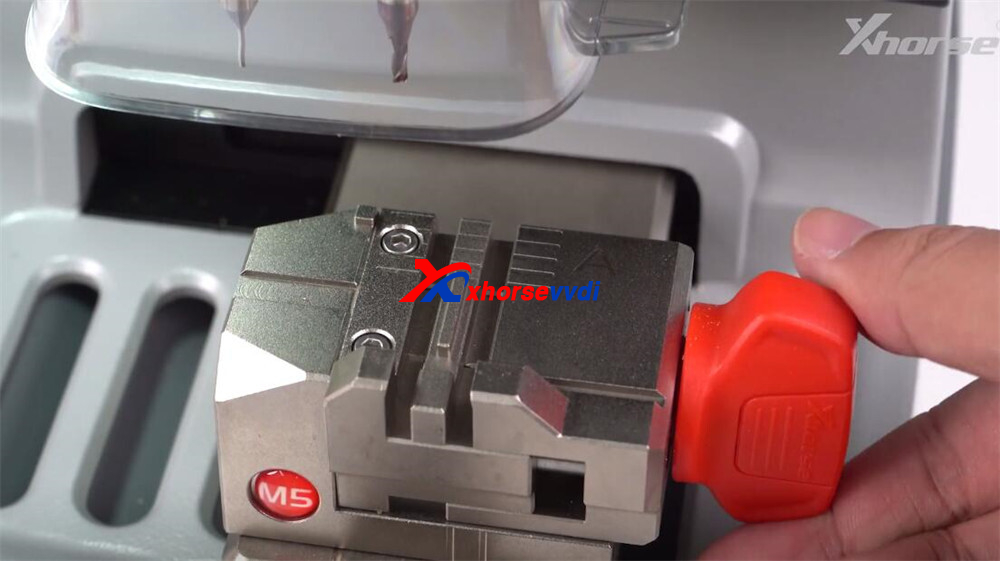
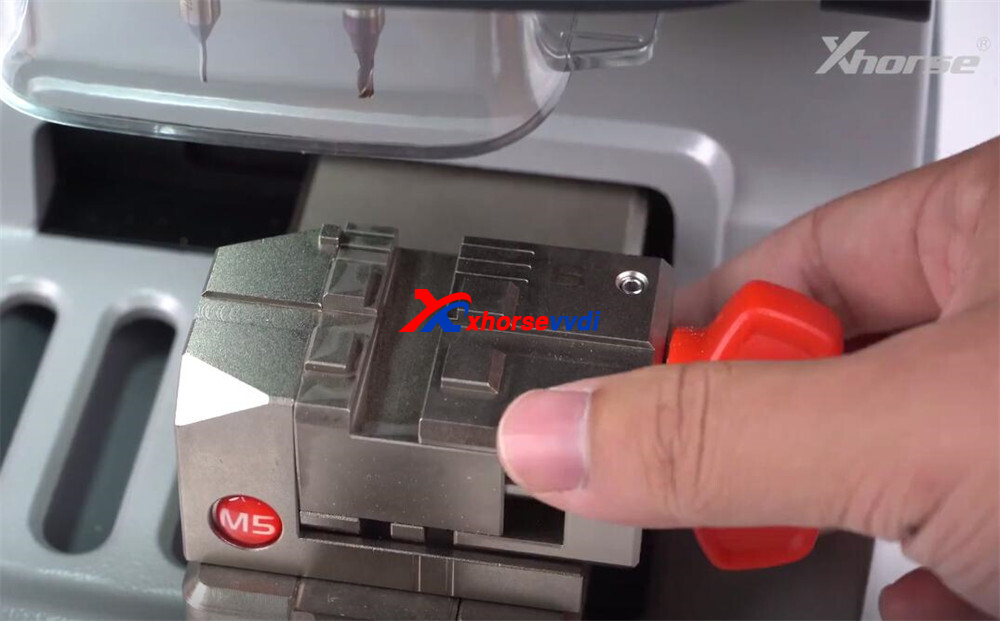
Step 1: Understand the M5 Clamp
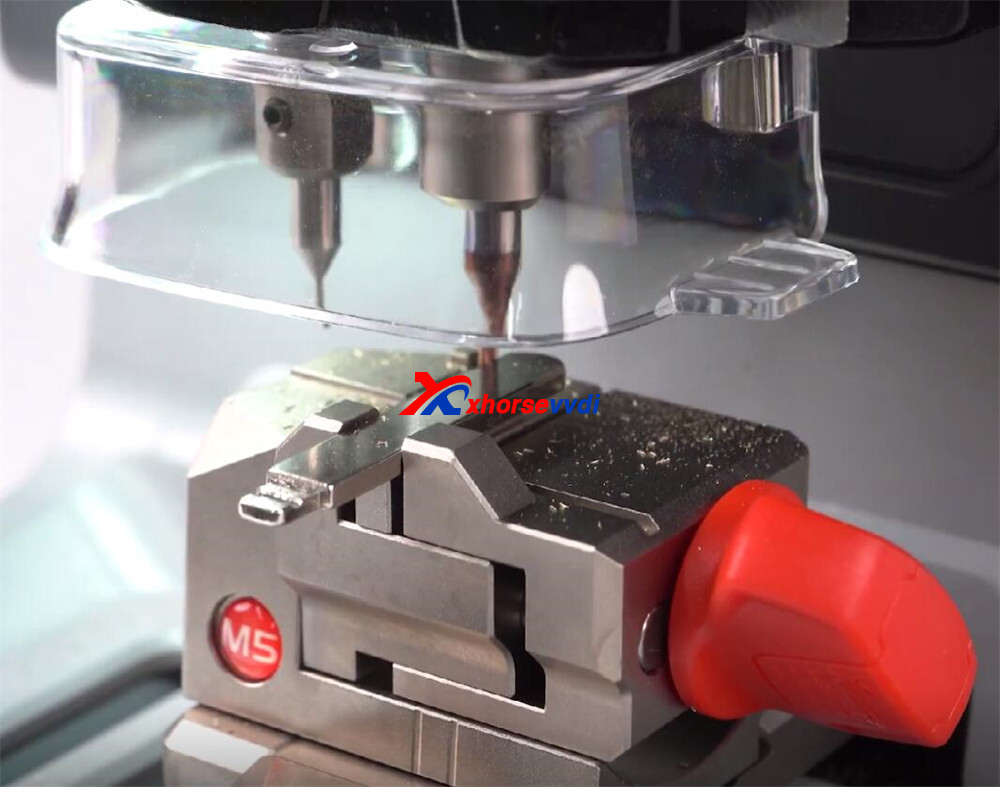
The Dolphin XP005L comes with the upgraded M5 clamp, which features dual sides (A and B).
- To switch sides, simply loosen the adjustment knob, rotate the clamp, and secure it again.
- This dual design makes it compatible with a wide range of key types.
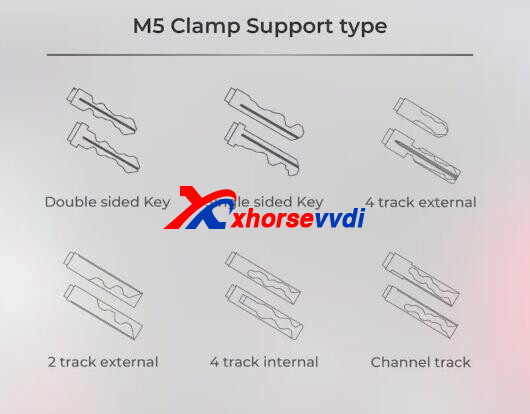
Supported key types:
- Double-sided keys
- Single-sided keys
- 4-track external
- 2-track external
- 4-track internal
- Channel track
Step 2: Calibration Setup
Accurate calibration is essential before cutting any key.
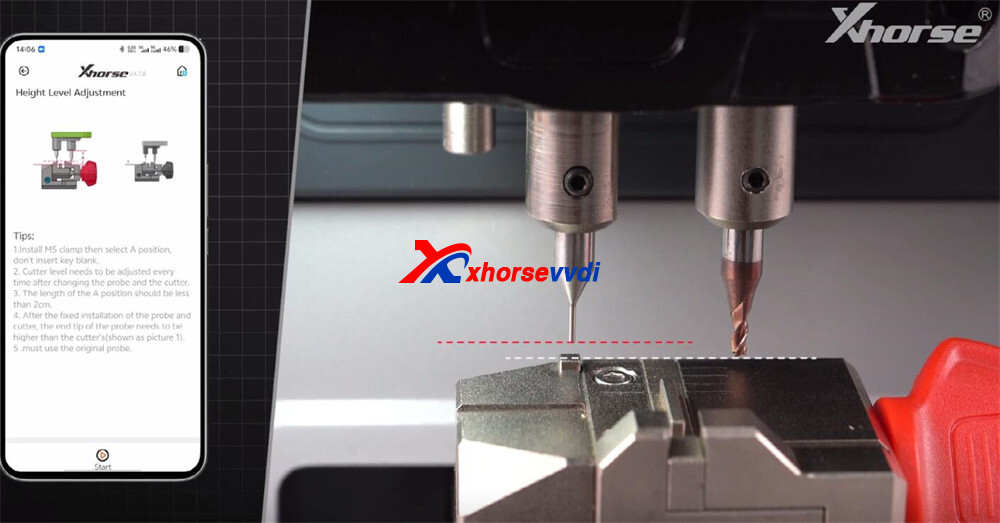
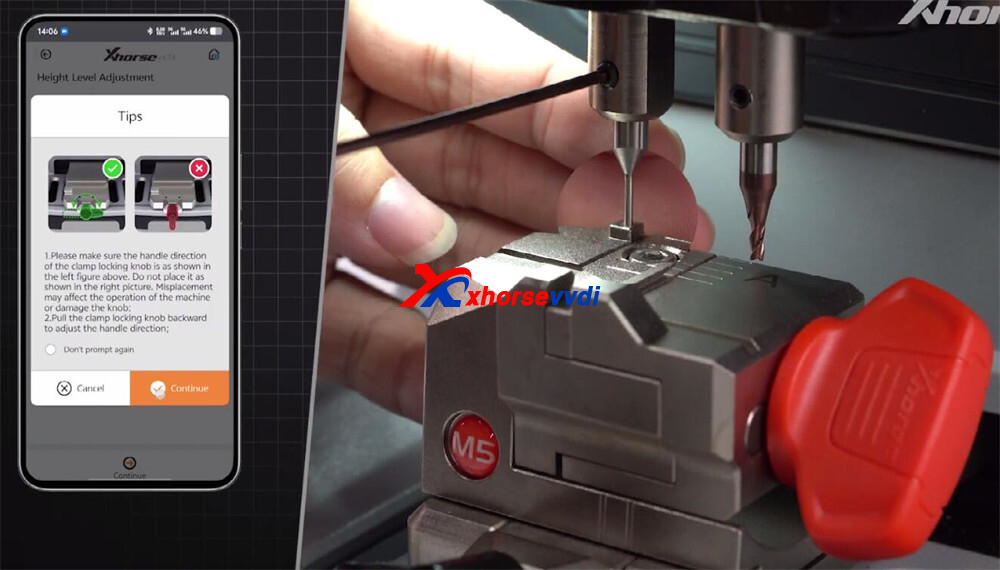
1.Height Level Adjustment
- Navigate to Parameter → Height Level Adjustment.
- Ensure the cutter tip sits slightly higher than the probe tip.
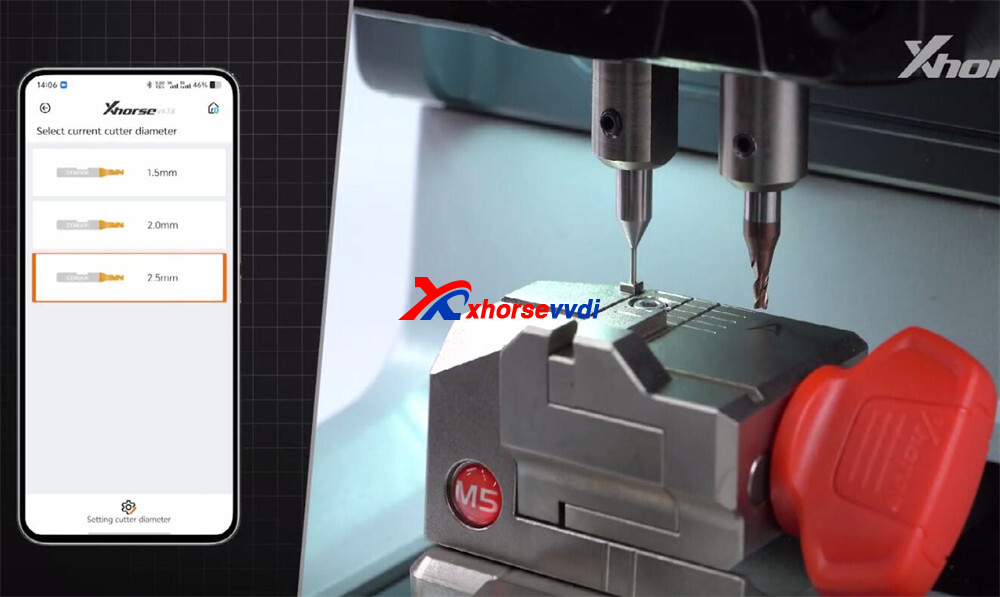
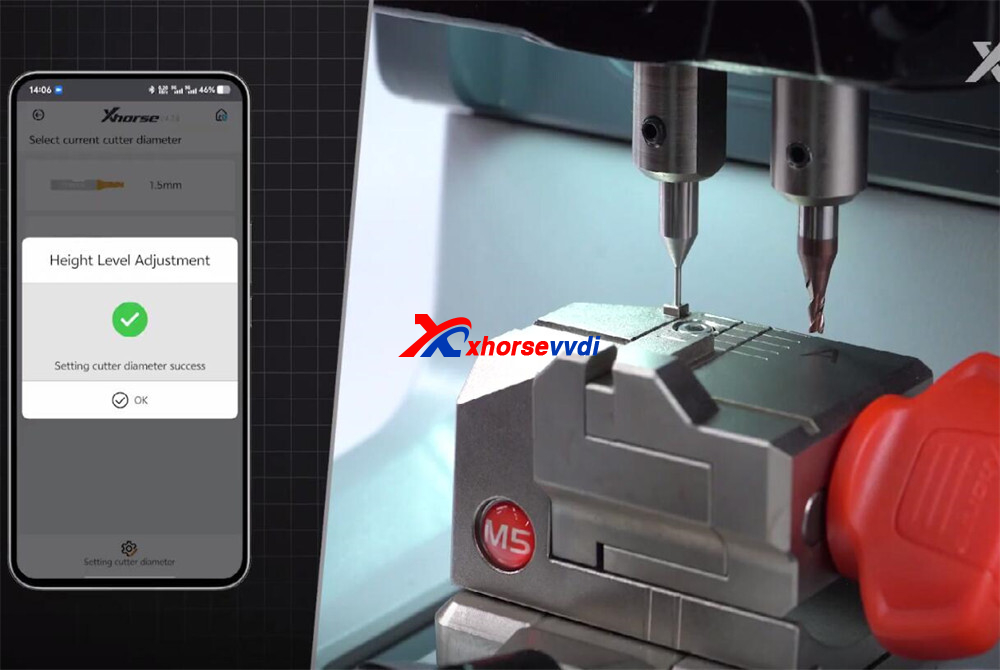
2.Cutter and Probe Calibration
- Select the 2.5mm cutter diameter.
- Calibrate the probe height.
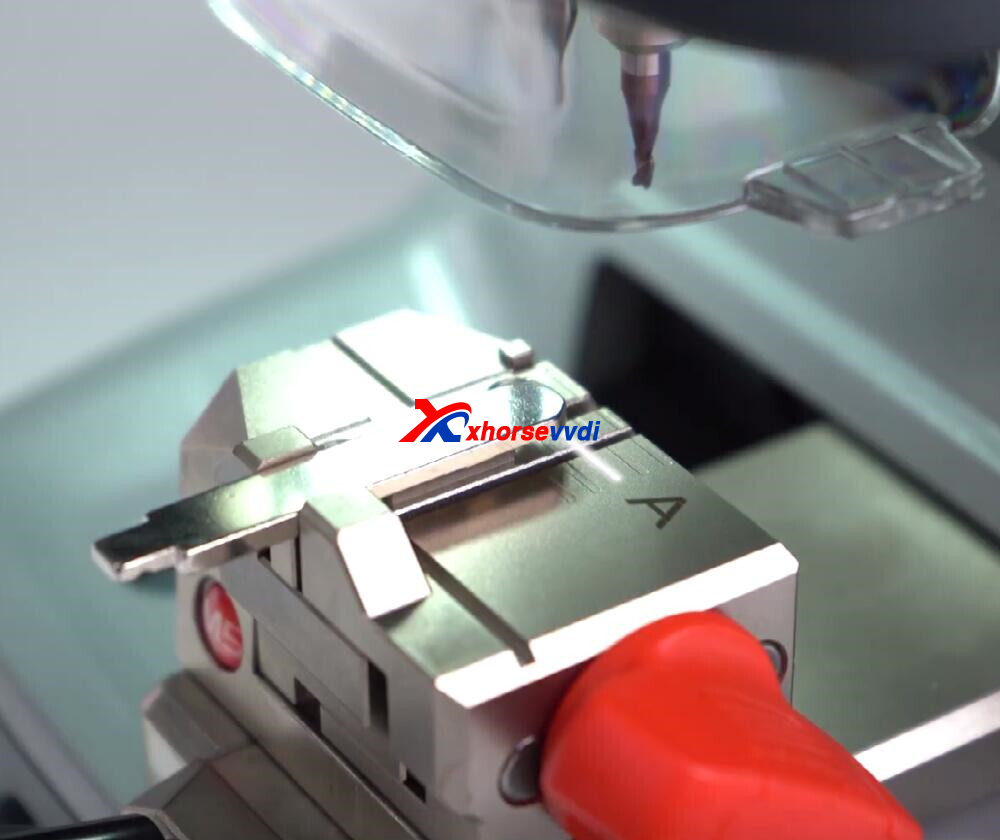
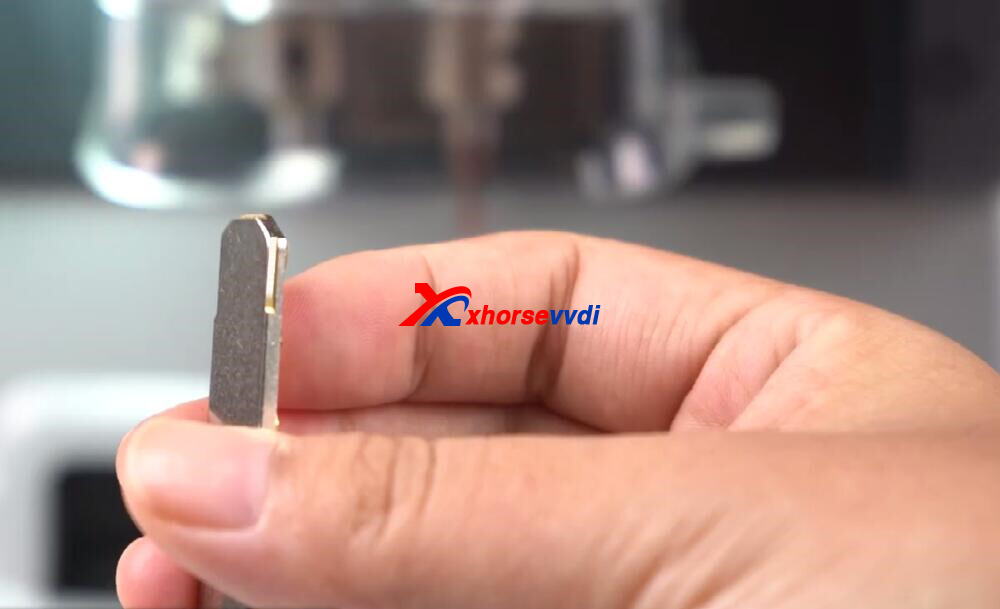
3.Test Cut Calibration
- Insert a blank key into the clamp (Side A).
- Align the top of the key to line three.
- Run the calibration test cut.
- Remember to brush away debris during cutting for a smooth process.
Step 3: Finalizing the Setup
Once the calibration test cut is complete:
- Proceed with the final cutting calibration.
- The machine will now be properly leveled and aligned for precise cutting.
After following these steps, your XP005L Key Cutting Machine is fully set up and ready for use. From clamp positioning to test cut calibration, every step ensures the machine delivers accurate, reliable, and professional-quality key cutting results.
Video Guide:
https://www.youtube.com/watch?v=ithGXU6nNuE
Skype: xhorsevvdi.com
Whatsapp: https://wa.me/8613983756354
Posted by: xhorsevvdi at
09:41 AM
| No Comments
| Add Comment
Post contains 271 words, total size 5 kb.
August 15, 2025
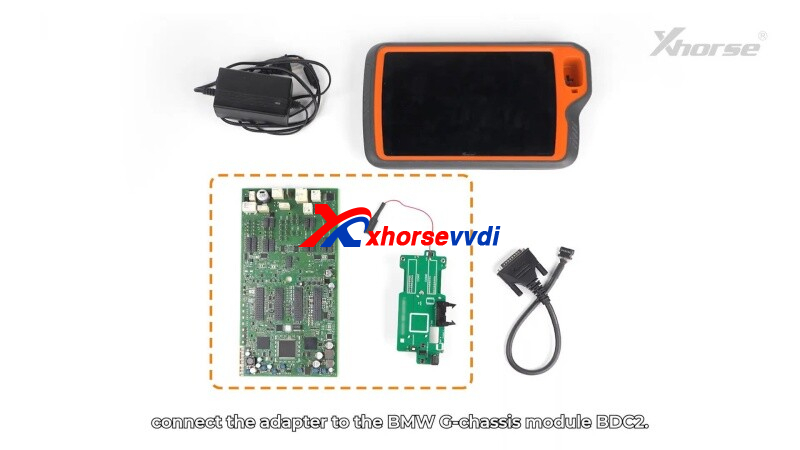
This guide provides step-by-step instructions for using theXhorse BDC2 AdapterwithVVDI KEY TOOL PLUS Tablet(orXhorse VVDI2) to read BMW immobilizer (immo) data.
Step 1: Connect the Adapter
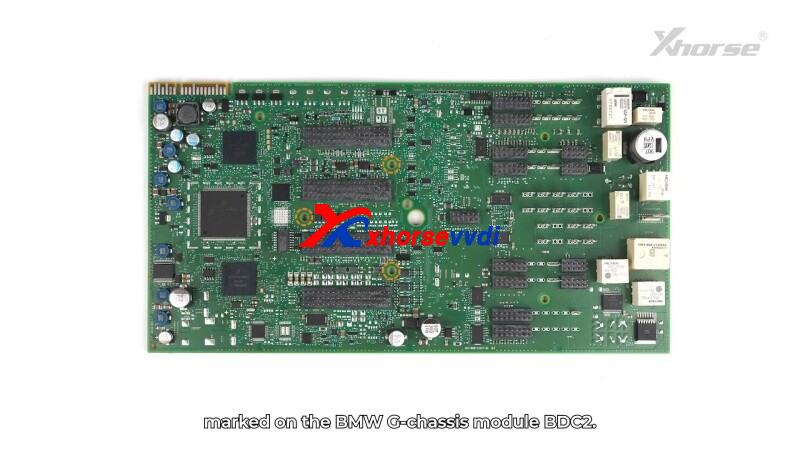
- Locate theBDC2 modulein BMW G-chassis vehicles.
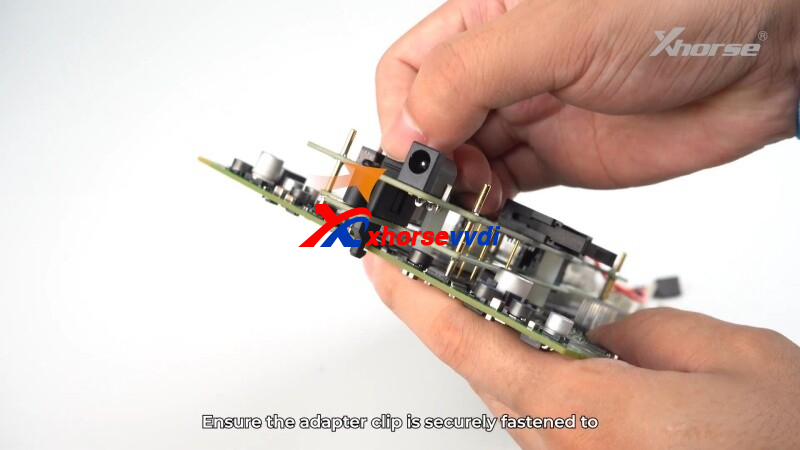
- Align the adapter’s3 positioning pointswith the module’s pins.
- Secure the clip and ensureno misaligned pins.
- Use ananti-static wristbandto prevent damage.
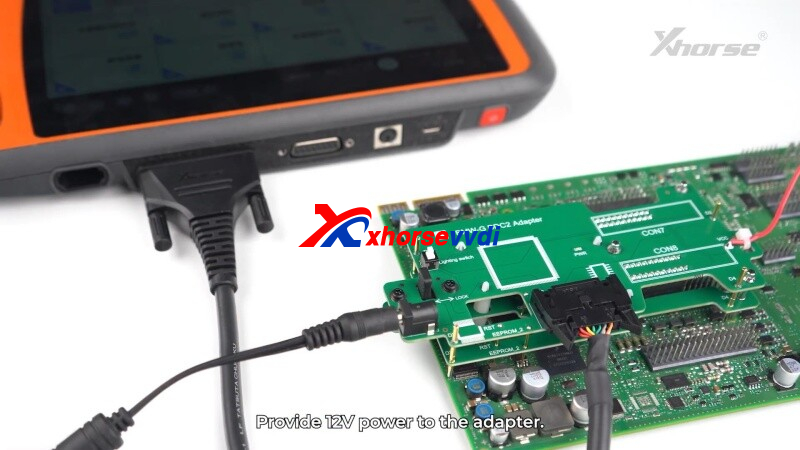
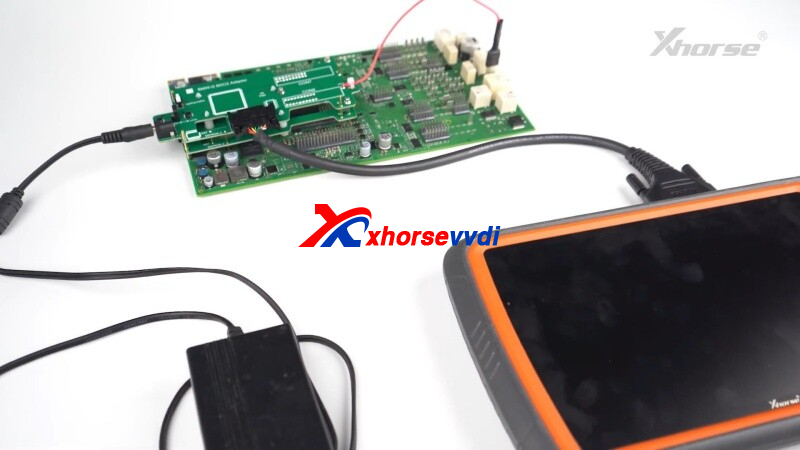
- Connect the BDC2 Adapterto KEY TOOL PLUS(or VVDI2) via BMW-G cable.
- Supply12V power- white light confirms proper connection.
Step 2: Read Immobilizer Data
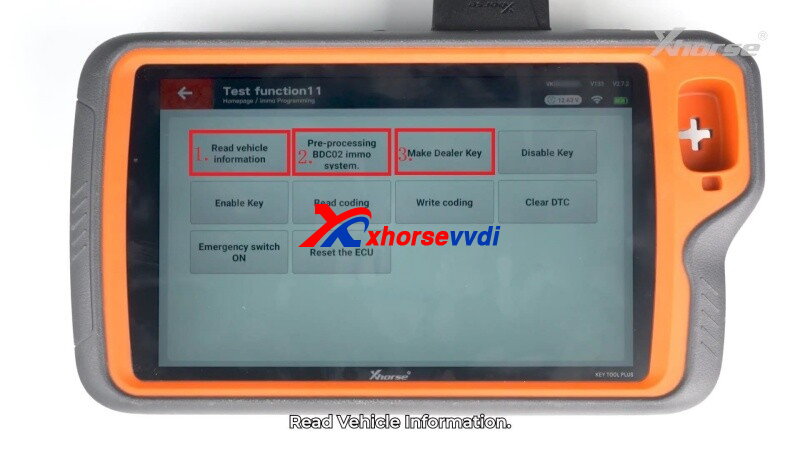
- OpenIMMOprogrammingin the key tool software.
- Read vehicle info→ ClickOKwhen successful.
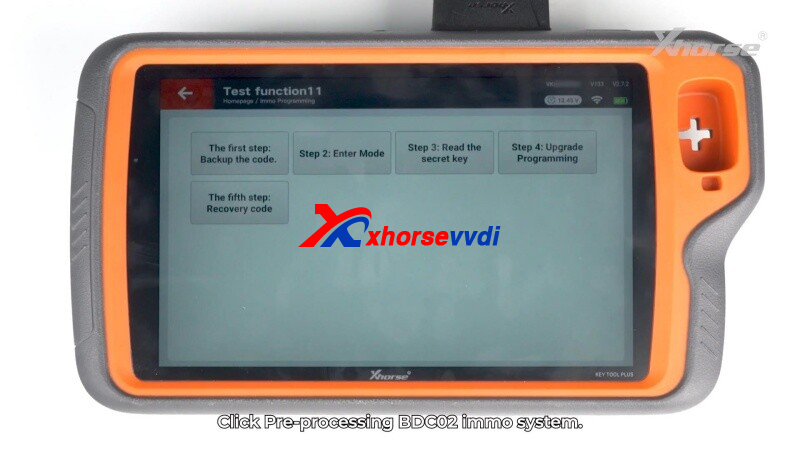
Step 3: Pre-processing BDC2 IMMO System
- Backup the code→ Save securely.
- Enter mode→ Confirm to proceed.
- Read thesecret key→ Save BDC2 key data.
- Upgrade Programming→ Follow the on-screen instructions.
- Recovery Code→ Restore the module’s coding.
Step 4: Program a New Key
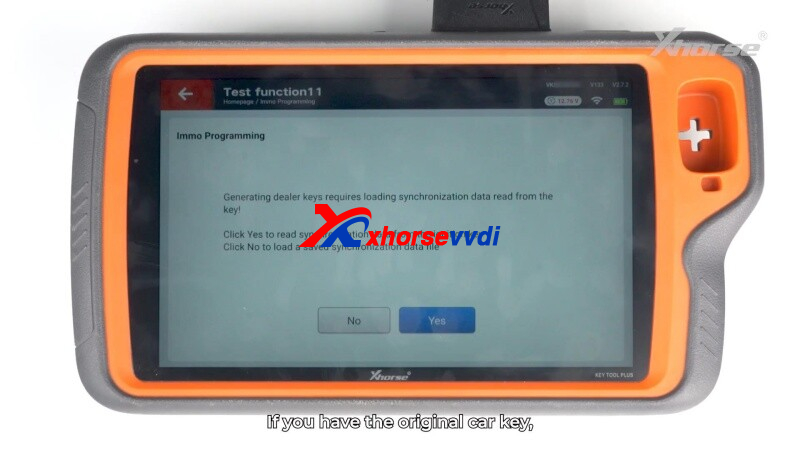
- Generate dealer key→ SelectYes(original key) orNo(load backup).
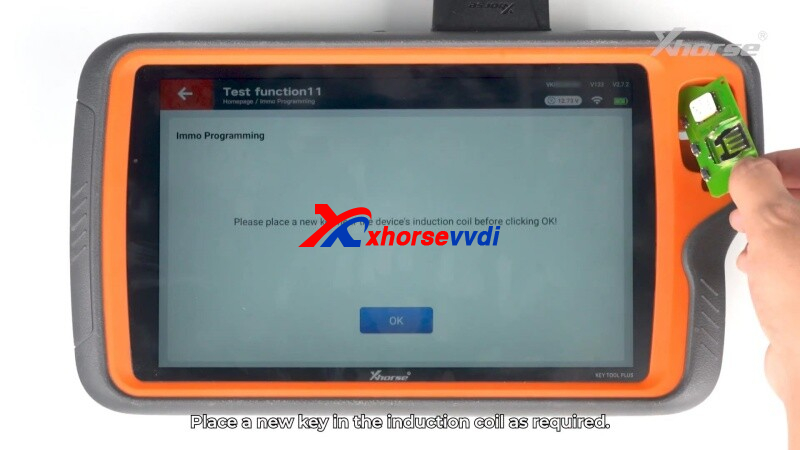
- Place ablank keyin the induction coil.
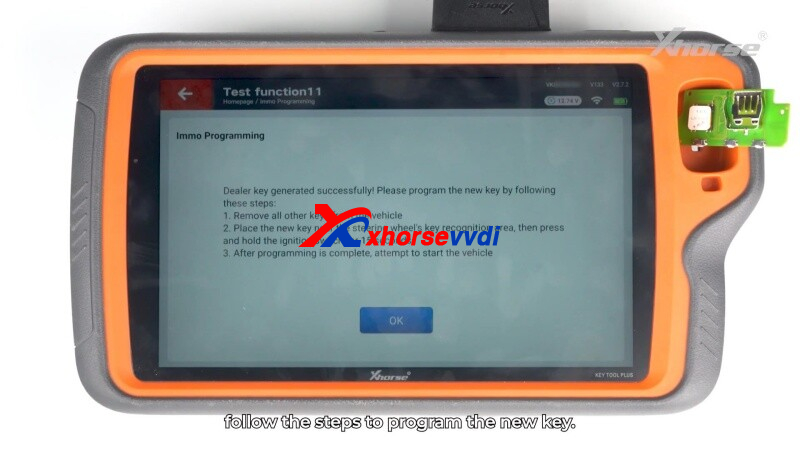
- Follow prompts to complete programming.
 " width="460" height="350" />
Safety & Tips
✔ Alwaysbackup databefore coding.
✔ Verify pin alignment to avoid errors.
✔ Test the new key before disconnecting.
Efficient, Reliable& Secure- Perfect for BMW key programming!
Skype: xhorsevvdi.com
Whatsapp: https://wa.me/8613983756354
Posted by: xhorsevvdi at
09:41 AM
| No Comments
| Add Comment
Post contains 192 words, total size 5 kb.
August 04, 2025
Xhorse offers a range of high-quality clamp replacements for their automatic Key Cutting Machines. These precision components ensure accurate key duplication and cutting across various Xhorse models. Below is a comprehensive overview of available clamp replacements and their compatible machines.
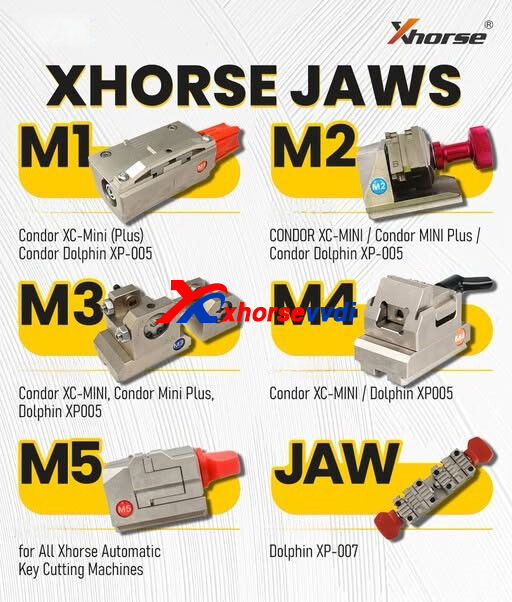
Compatible Clamp Models
- Standard Clamp Replacements
- Xhorse M1 Clamp- Compatible with:
- Xhorse M2 Clamp - Works with:
CONDOR XC-MINI
Condor MINI Plus
Condor Dolphin XP-005
- Xhorse M3 Clamp- Fits:
Condor XC-MINI
Condor Mini Plus
Dolphin XP005
- Xhorse M4 Clamp- Designed for:
Condor XC-MINI
Dolphin XP005
- Specialized Clamp Options
Xhorse M5 Clamp- Universal clamp for all Xhorse automatic key cutting machines
Xhorse JAW- Specifically for Dolphin XP-007models
Why Choose Genuine Xhorse Clamp Replacements?
- Precision Engineering- Ensures perfect key alignment during cutting
- Durable Construction- Made from high-grade materials for long-lasting performance
- Perfect Fit- Designed specifically for Xhorse machines
- Consistent Results- Maintains machine accuracy over time
Installation Tips
When replacing your Xhorse machine clamps:
- Always power off the machine before replacement
- Clean the clamp area before installing new jaws
- Follow manufacturer torque specifications
- Test with scrap keys before production use
Where to Purchase
Genuine Xhorse clamp replacements are available through authorized distributors.
For more information, visit www.xhorsevvdi.com.
Posted by: xhorsevvdi at
09:20 AM
| No Comments
| Add Comment
Post contains 210 words, total size 3 kb.
32 queries taking 0.0585 seconds, 97 records returned.
Powered by Minx 1.1.6c-pink.

