



October 11, 2023
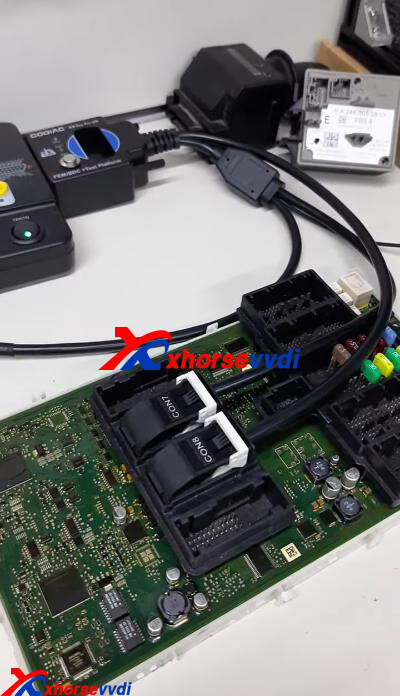
Xhorse RH850 Cable is designed to read VW MQB48 dashboard data without cutting/ lifting any pins. This cable is only compatible with Xhorse Key Tool Plus Tablet. Here we will show you how to use it.
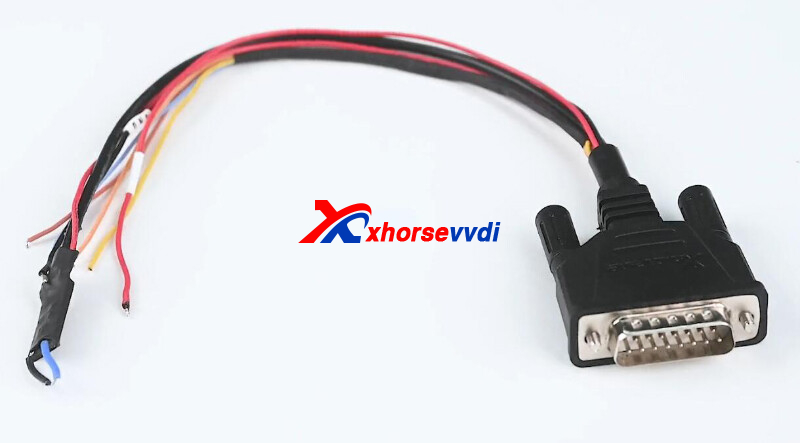
Support List:
MQB-RH850 (R7F)
MQB 34XX
IMMO4 JCI 34XX
How to Use Xhorse RH850 Cable?
1.R7F701401
Select
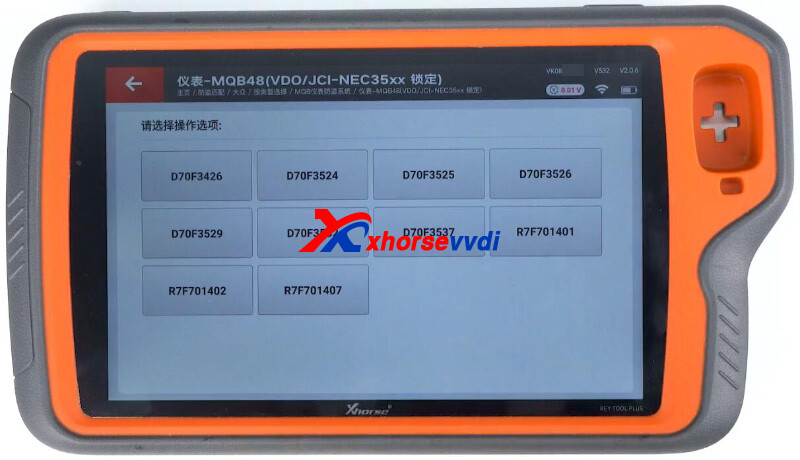
Immo Programming>>VW>>Select by Type>>MQB Immo System>>Dashboard-MQB48 (VDO/JCI-NEC35XX Locked)
Select
Programmer reads files>>Read NEC35XX Chip>>Soldering>>R7F701401
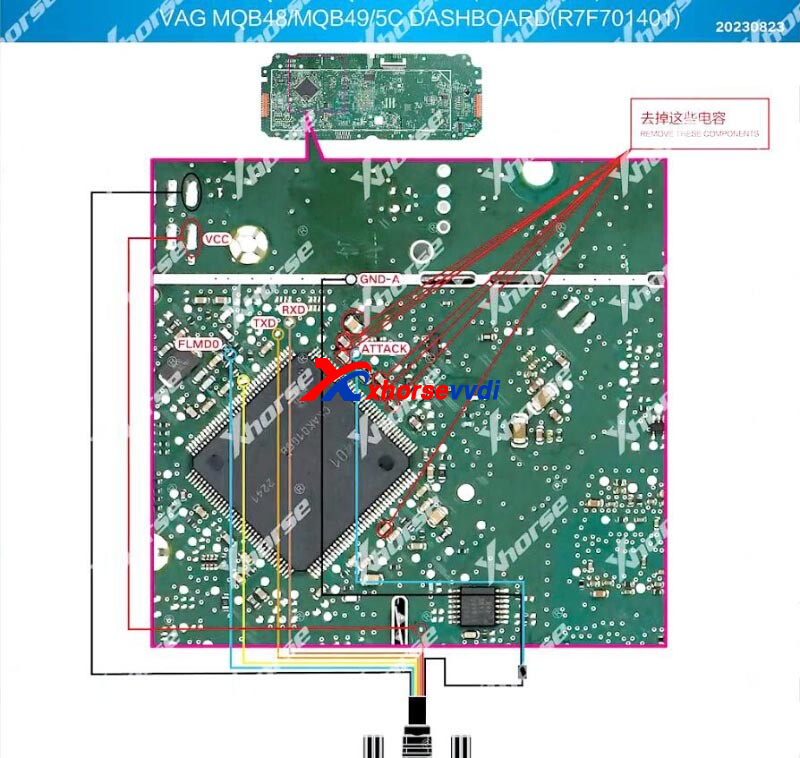
Connect tablet to dashboard using RH850 cable by diagrams.
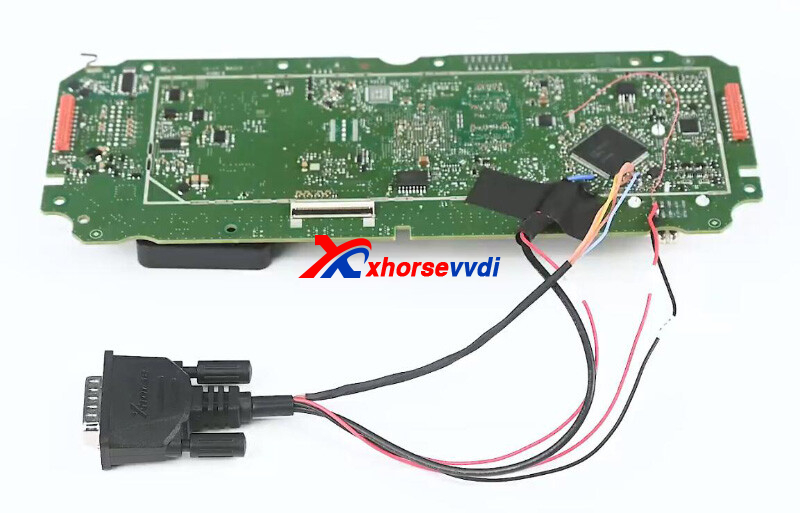
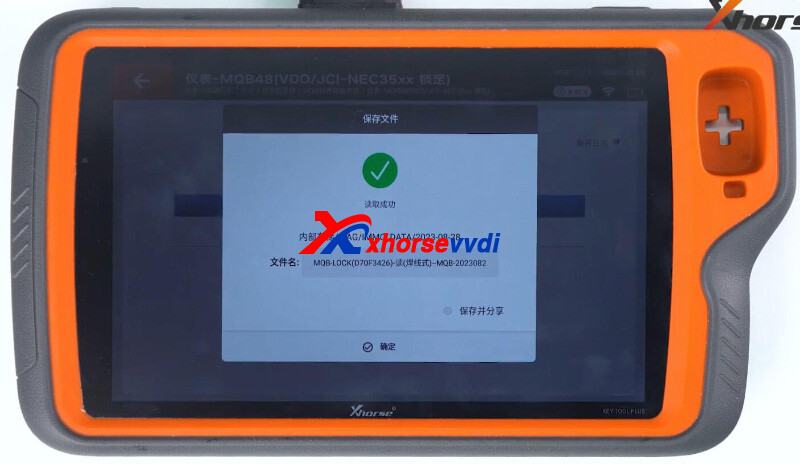
Read dashboard data.
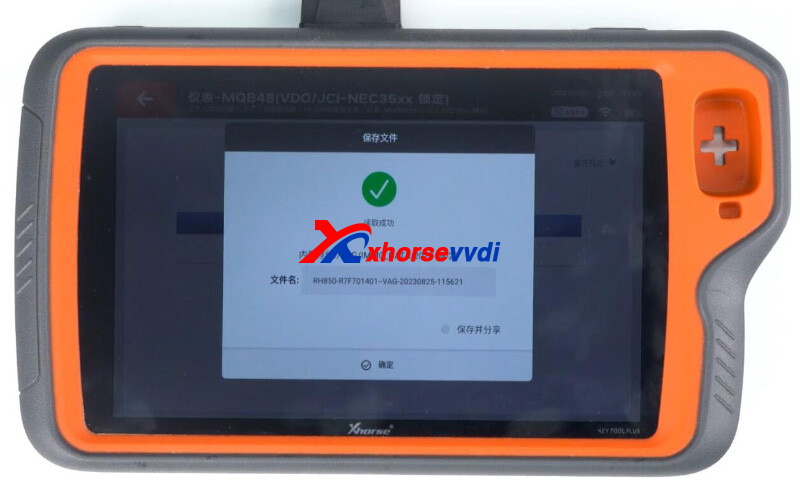
Select "Obtaining immo data" and load dashboard file.
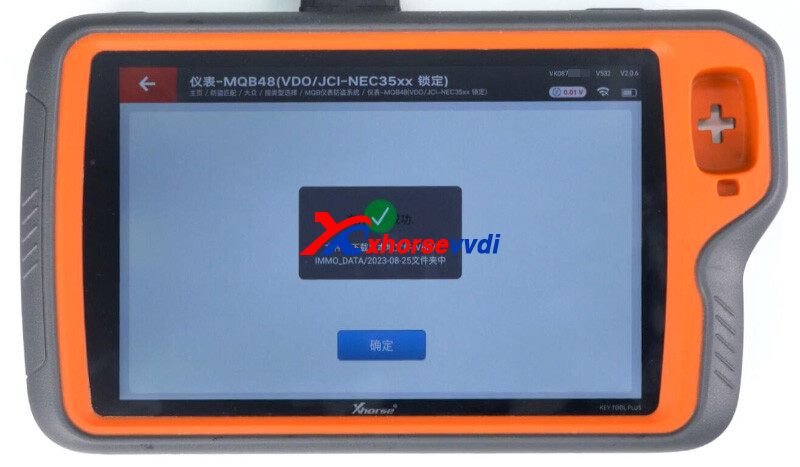
Then we can prepare dealer key and learn it.
2.D70F3426
Enter the same MQB menu.
Select "D70F3426".
1)Dashboard Chip Data
Connect tablet to dashboard using RH850 cable by diagrams.
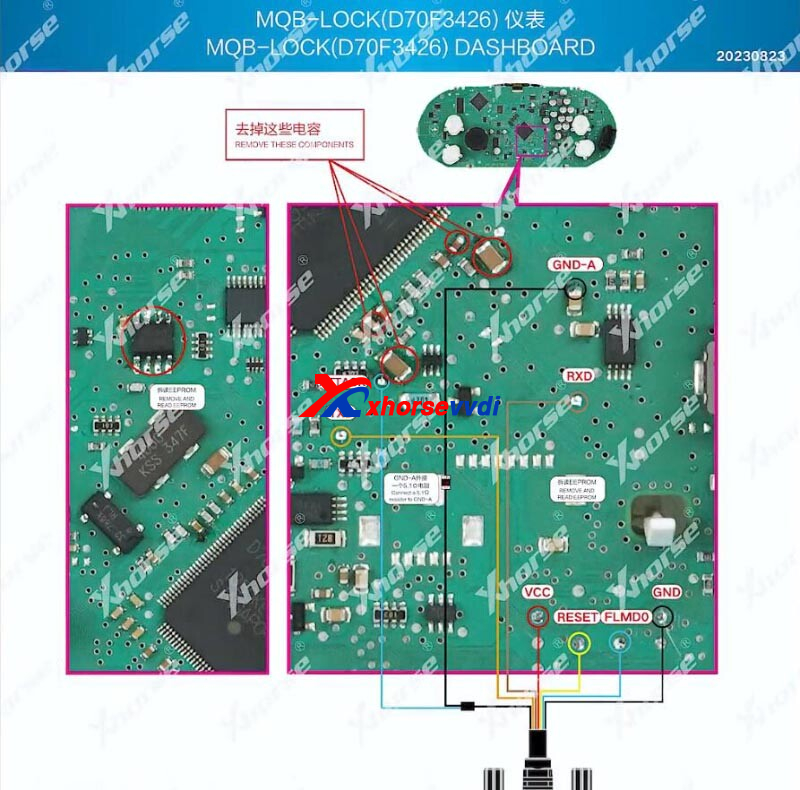
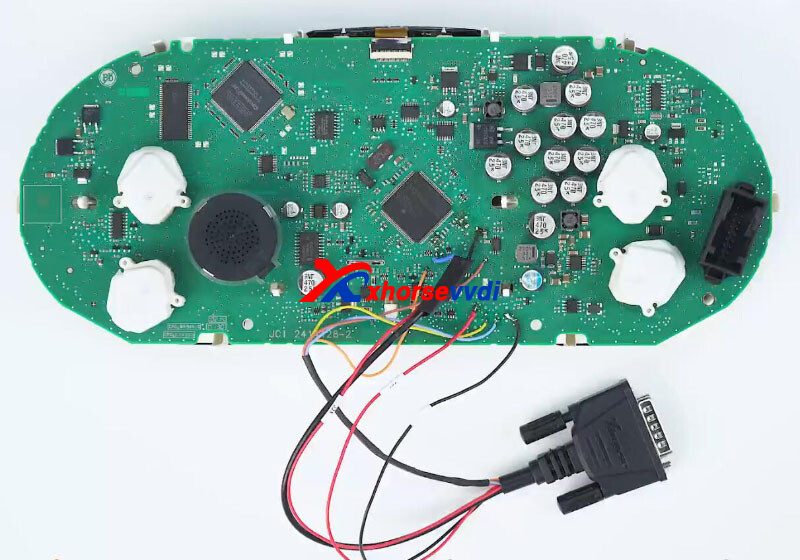
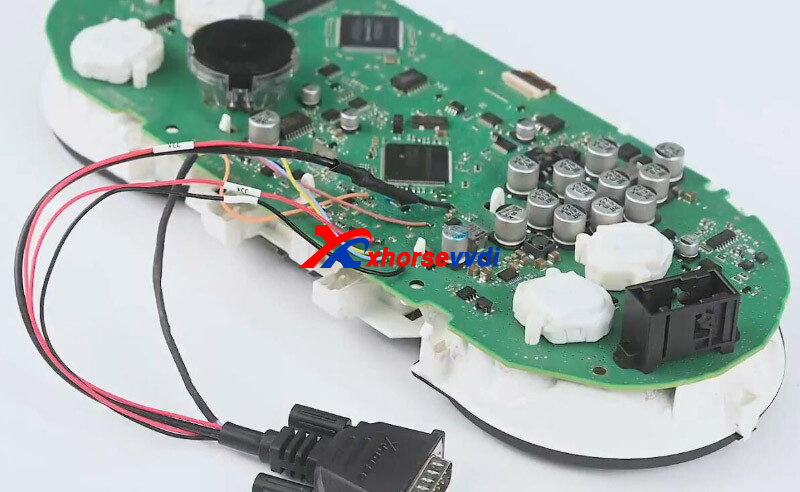
Read data
2)EEPROM Data
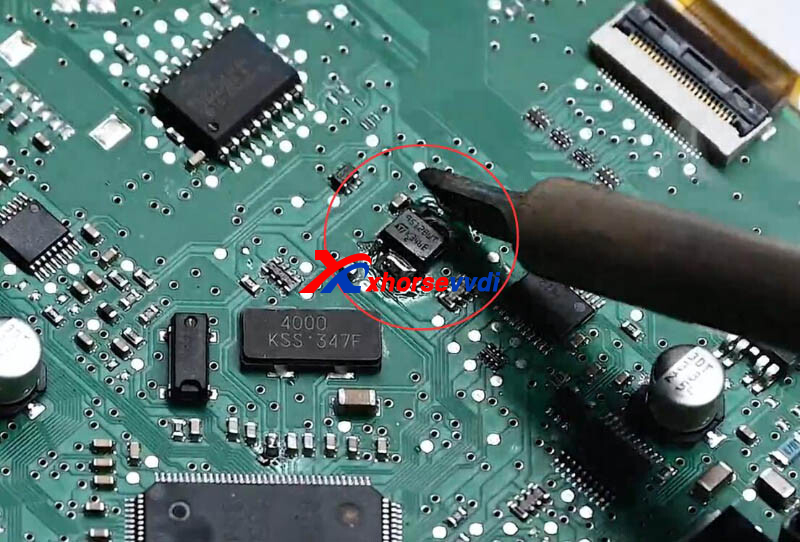
Remove cable and restore components.
Remove 95128WT chip.
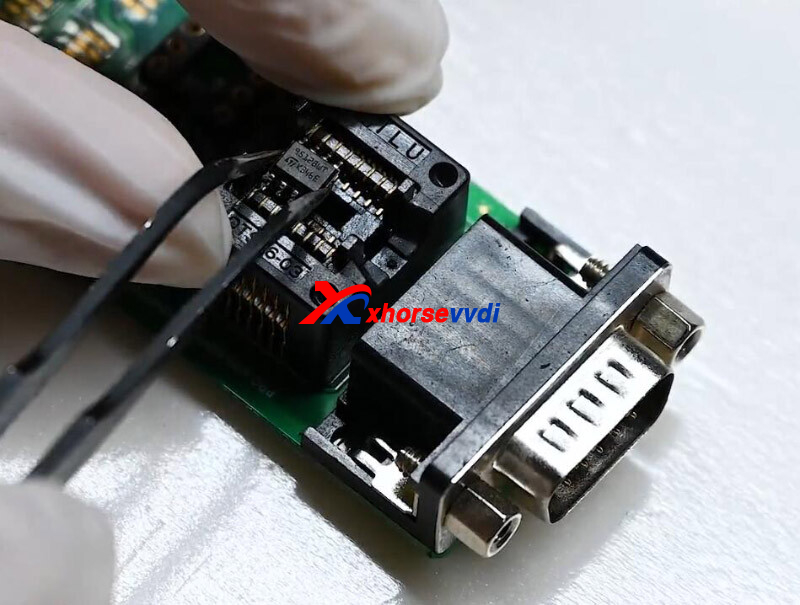
Put chip into EEPROM adapter.
Select
Programmer reads files>>Read 95128 EEPROM
Read data.
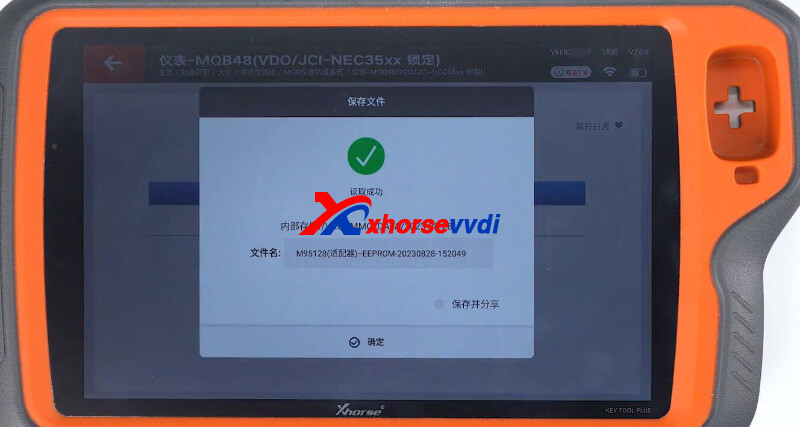
Select "Obtaining immo data" and load both files.
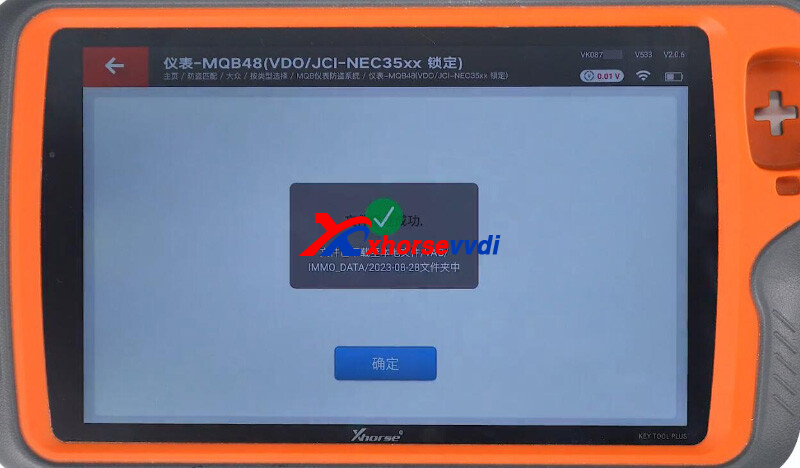
Then we can prepare dealer key and learn it.
Done!
MQB Solder-free Adapters are coming!
http://blog.xhorsevvdi.com/how-to-read-mqb48-nec35xx-dashboard-using-xhorse-rh850-cable/
Posted by: xhorsevvdi at
07:29 AM
| No Comments
| Add Comment
Post contains 175 words, total size 5 kb.
V5.3.1 VVDI Prog software is released now, get free download link V5.3.1 VVDI Prog software from XhorseVVDI.com.
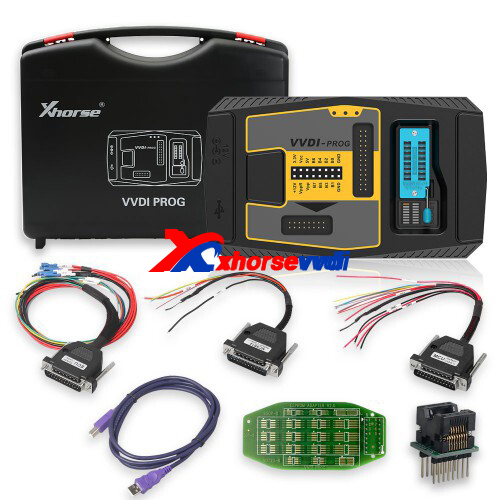
1.Free Download V5.3.1 VVDI Prog Software
Password: m3pn
2.V5.3.1 VVDI Prog Update Info
*ThisversionDON'tneedupdate firmware
+AddM68HC805P18(H44H), M68HC805P18(K05Y), MC68HC05P18(1F52W), MC68HC805P18(0G64R), MC68HC805P18(G64R), XC68HC805P18(G04R) optionsin<2-MCU>-
<MOTOROLA-MC68HC( 05>
05>
+AddRENEGADEBCM(2017)(R7F701034), RENEGADEBCM(R7F701056)optionsin<4-IMMOBILIZER>-><JEEP>
+AddBeetile(D70F3524)-READ(WELD), Beetile(D70F3524)-WRITE(WELD) optionsin <5-DASHBOARD>-><VOLKSWAGEN>
+AddVIAGGIOSMARTBOX optionin<8-OTHER>-><FIAT>
+AddHA_MAS7 optionin<8-OTHER>-><FAW>
http://blog.xhorsevvdi.com/free-download-v5-3-1-vvdi-prog-software-beetile-dashboard-added/
Posted by: xhorsevvdi at
07:29 AM
| No Comments
| Add Comment
Post contains 63 words, total size 2 kb.
Question:
Ford focus 2015 USA, I want to generate an Xhorse Key using Xhorse VVDI MINI, am I doing it right?
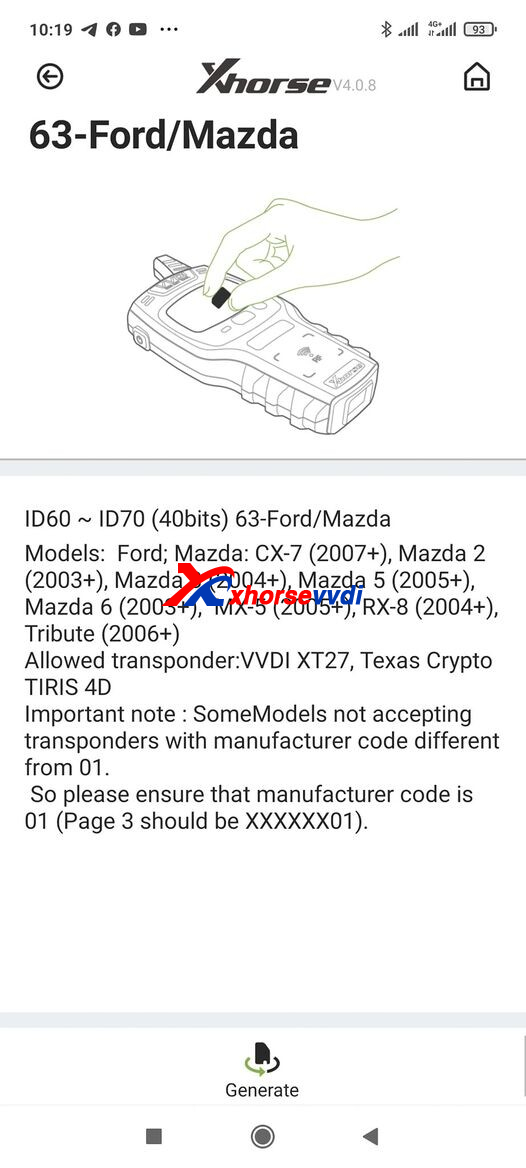
Answer:
Yes, here are Reviews of generating VVDI Super Chip:
1)Did one for a 2015 fiesta and this key worked
2)This one is good. I did one today 14 focus
If it doesn't work with Ford 4D 63, try 4D 83.
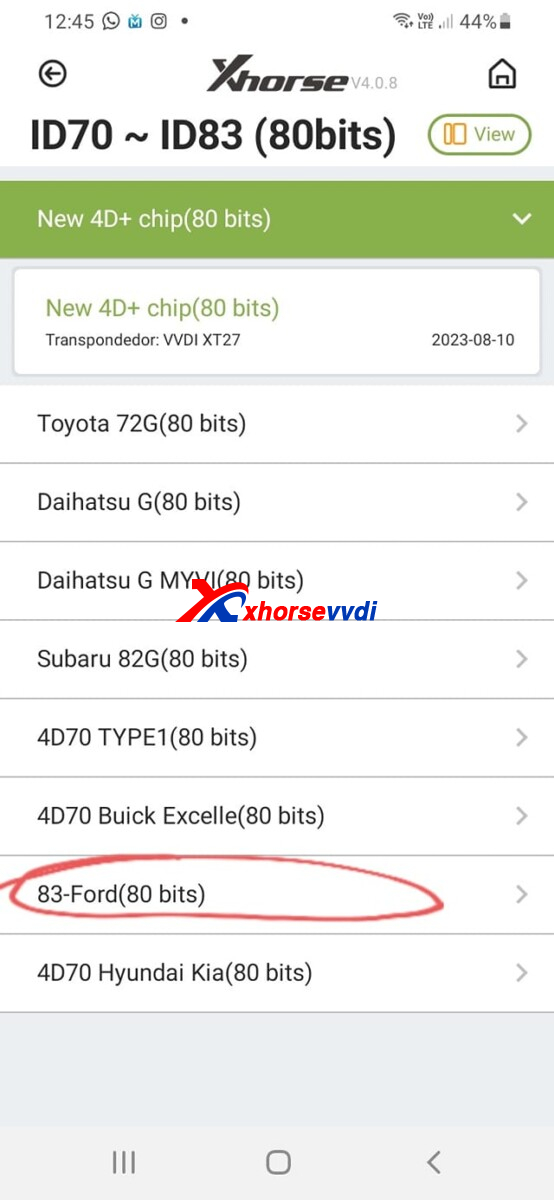
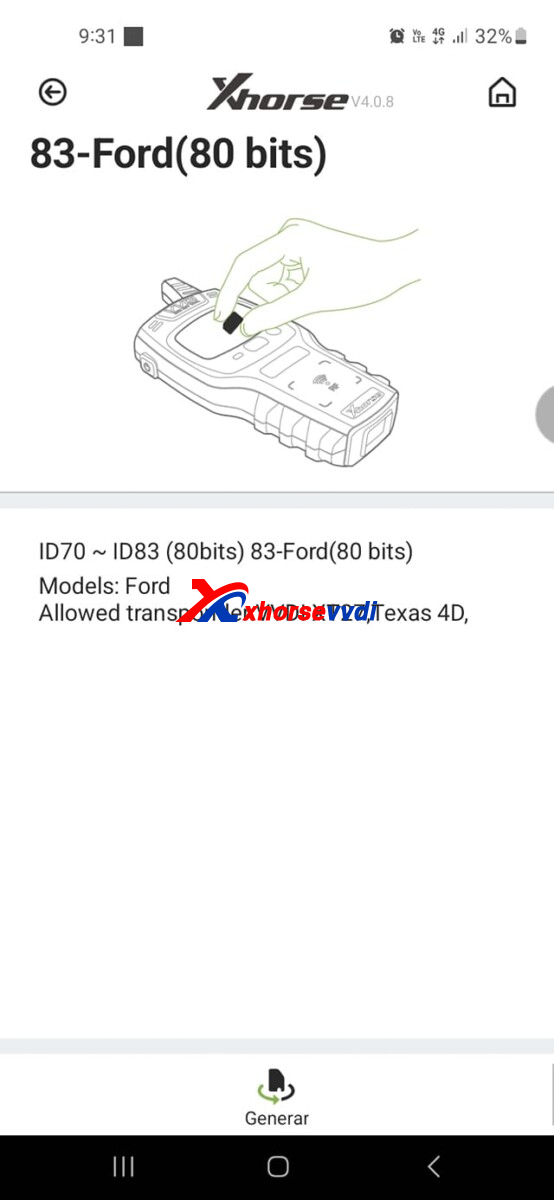
Path: ID70 ~ ID83 (80bits)>>83-Ford(80 bits)
Good to know:
You will always need to generate two chip with different ID, so when I need a chip I take a key and clone it. Seems to work ten times better then generating chips for some.
http://blog.xhorsevvdi.com/can-we-generate-xhorse-key-for-ford-focus-2015-usa/
Posted by: xhorsevvdi at
07:28 AM
| No Comments
| Add Comment
Post contains 117 words, total size 2 kb.
This article is about the instructions on how to add Toyota/ Lexus keys using Xhorse FT-OBD Tool.
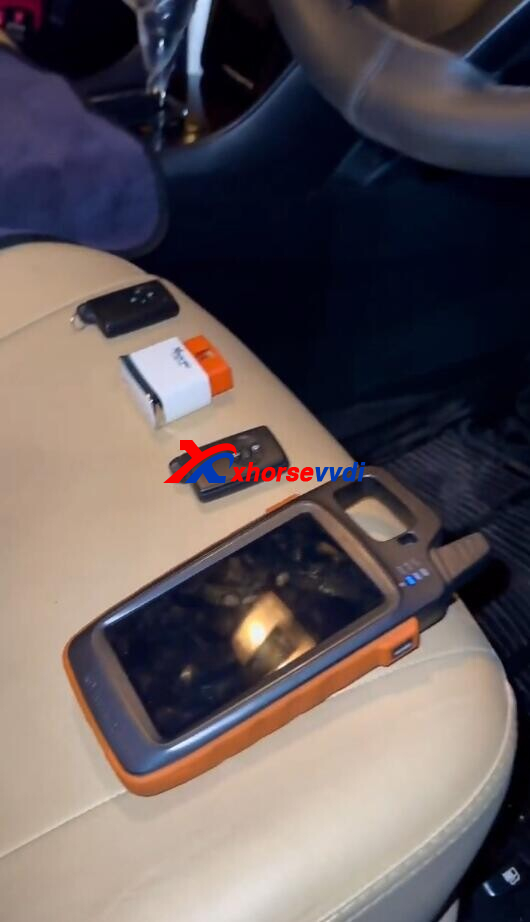
Procedure:
Plug in FT-OBD Tool.
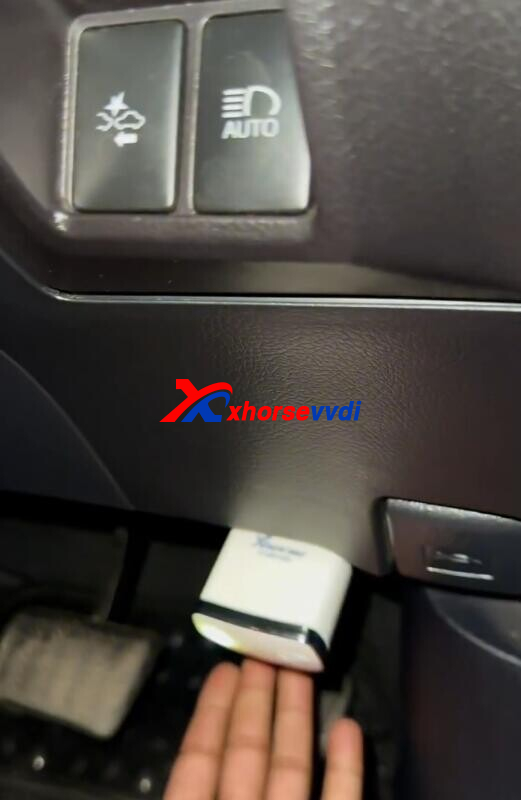
Select
Smart key system before 2016>>Type 2 (4D/ 4D+ CAN)>>Adding Keys>>Add smart keys
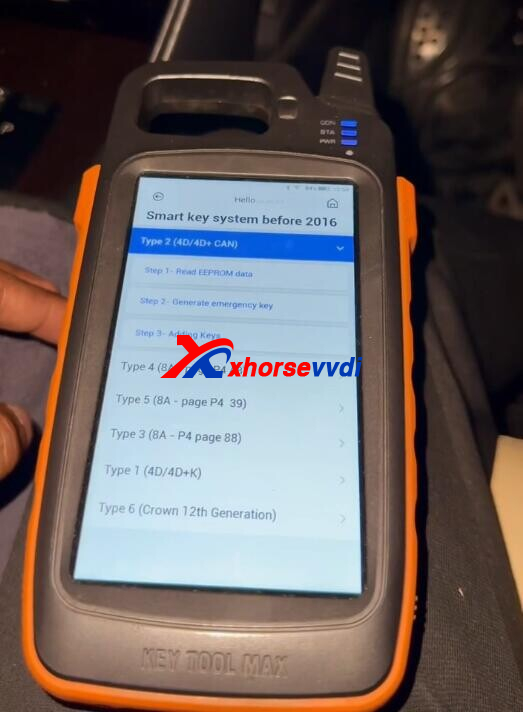
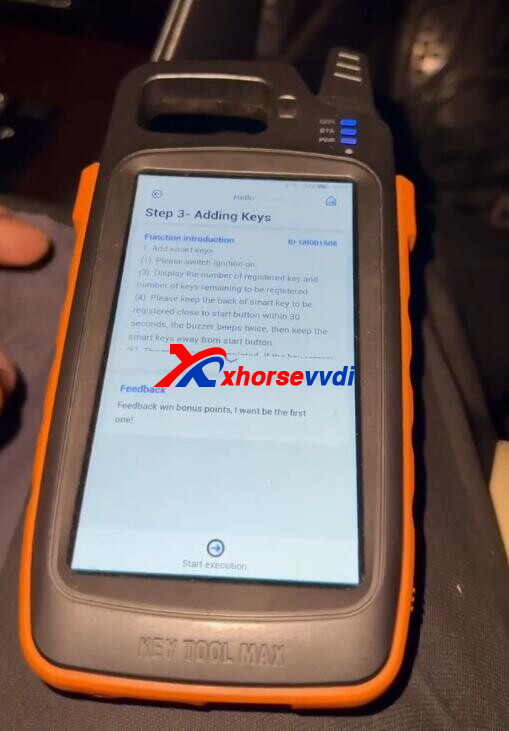
Start the car.
Automatically read key info.
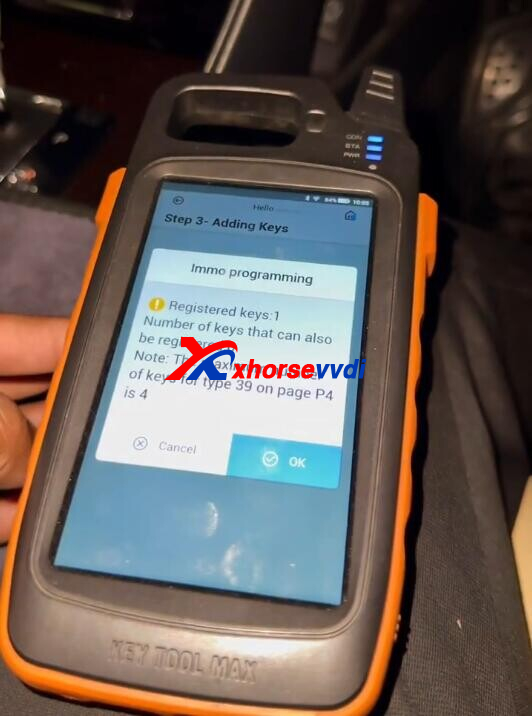
Put original key close to start button.
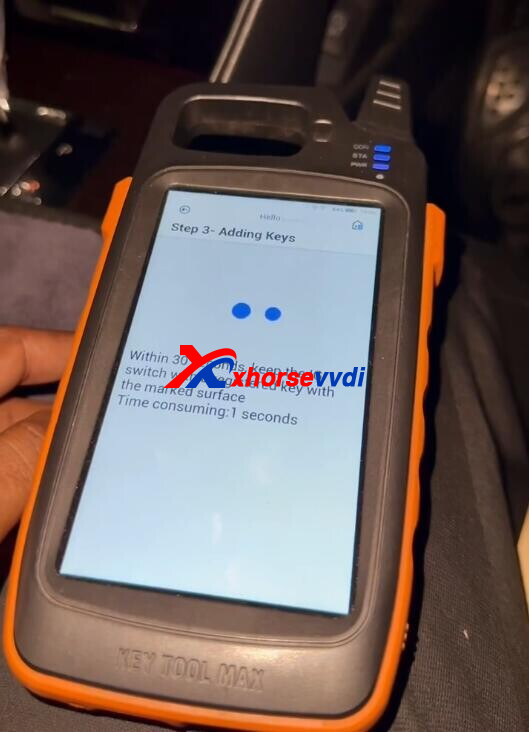
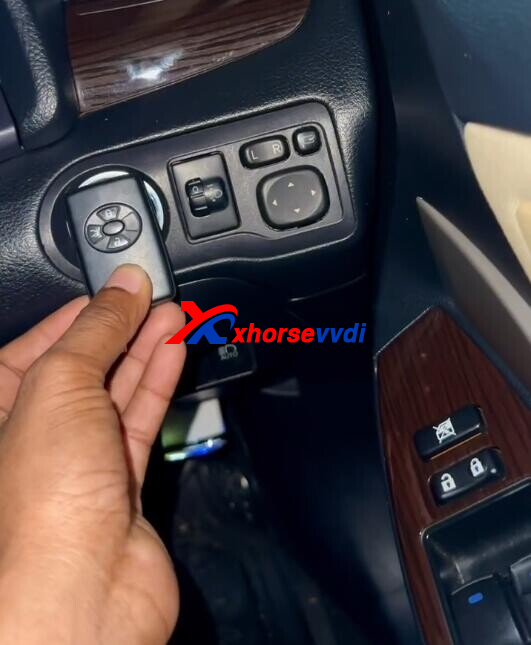
Put new key close to start button.
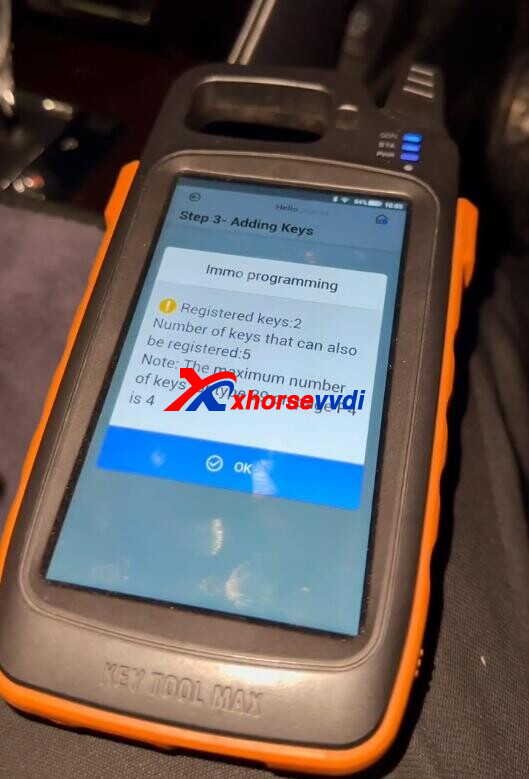
Programming complete.
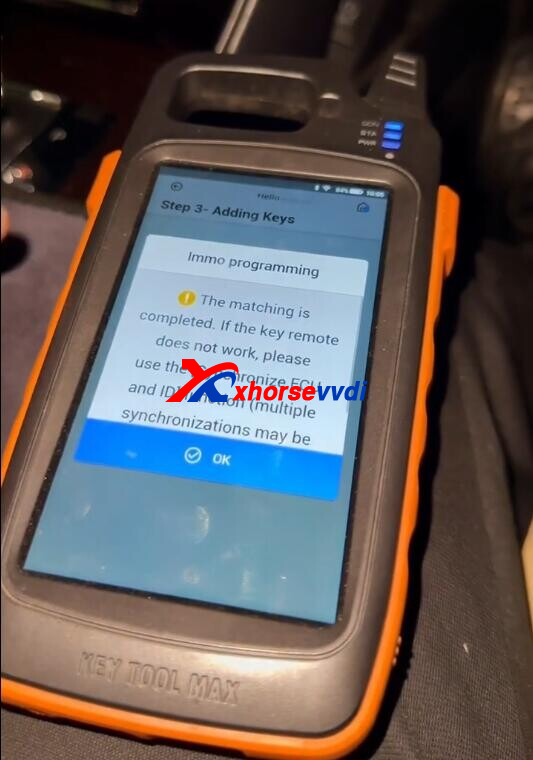
Remote test ok.
Done! That's how Xhorse FT-OBD Programmer add a key for Toyota before 2016.
http://blog.xhorsevvdi.com/xhorse-ft-obd-tool-add-key-for-toyota-before-2016-instructions/
Posted by: xhorsevvdi at
07:28 AM
| No Comments
| Add Comment
Post contains 85 words, total size 3 kb.
One customer gave feedback that his Xhorse Dolphin XP005 shows "73990" error after he replaced the main board. How to remove this note?
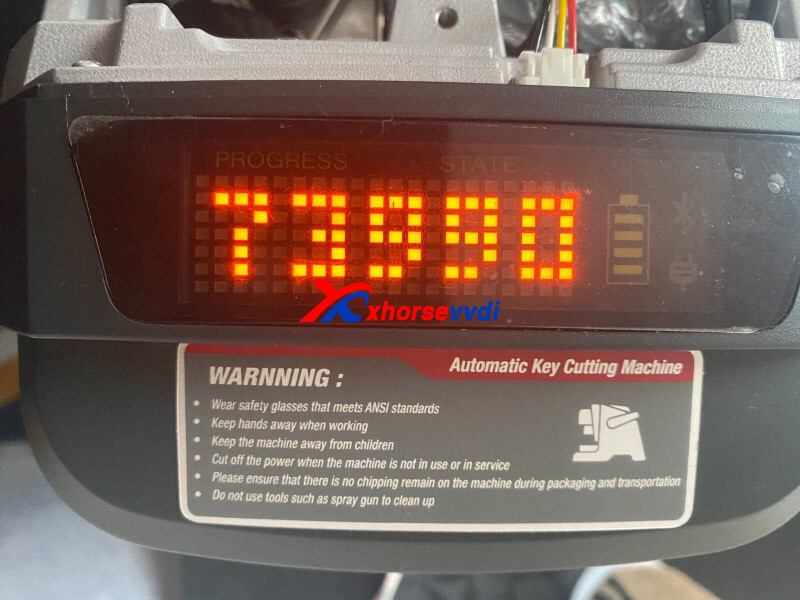
Here Xhorsevvdi shares the
Solution:
1.Ask your seller to send "xhorse_dolphin_set4.0.0_0804.apk" file to you
2.Install this apk file (uninstall original Xhorse app or use the other phone)
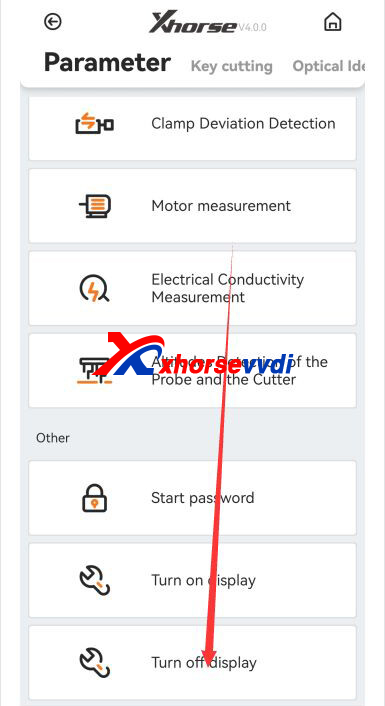
3.Run new app, select "Device Information", scroll down, and select "Turn off display"
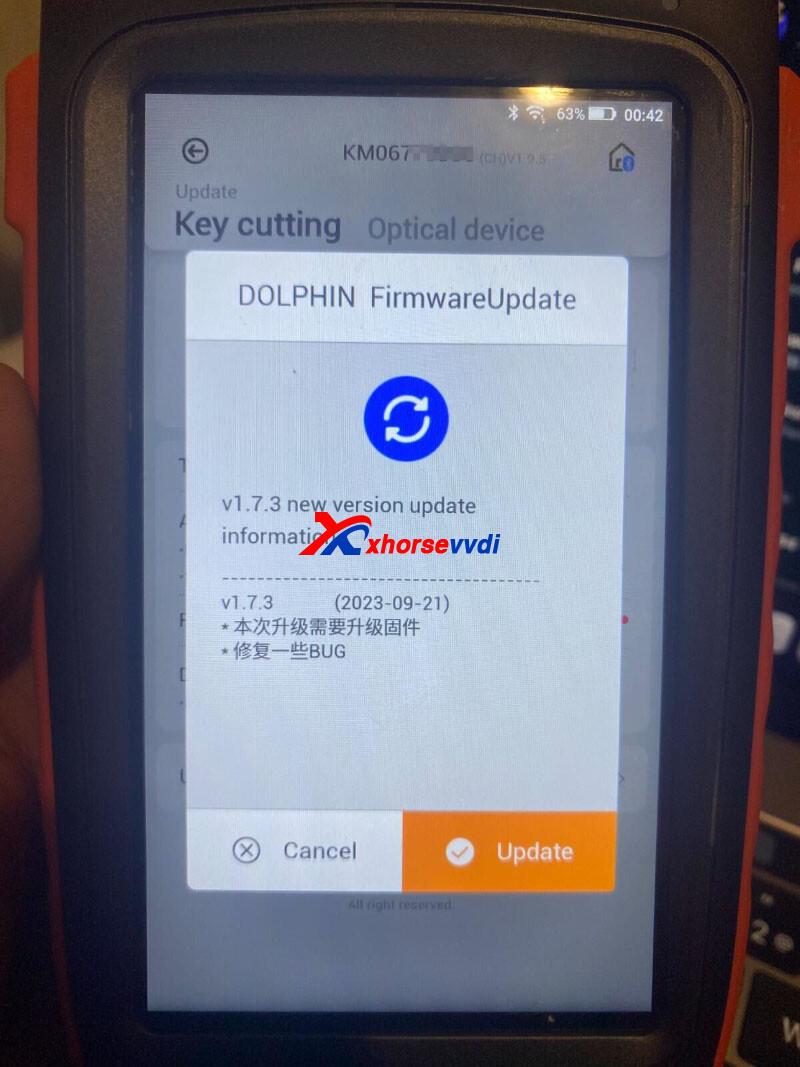
If database displays in Chinese, re-update database and firmware.
Posted by: xhorsevvdi at
07:27 AM
| No Comments
| Add Comment
Post contains 81 words, total size 2 kb.
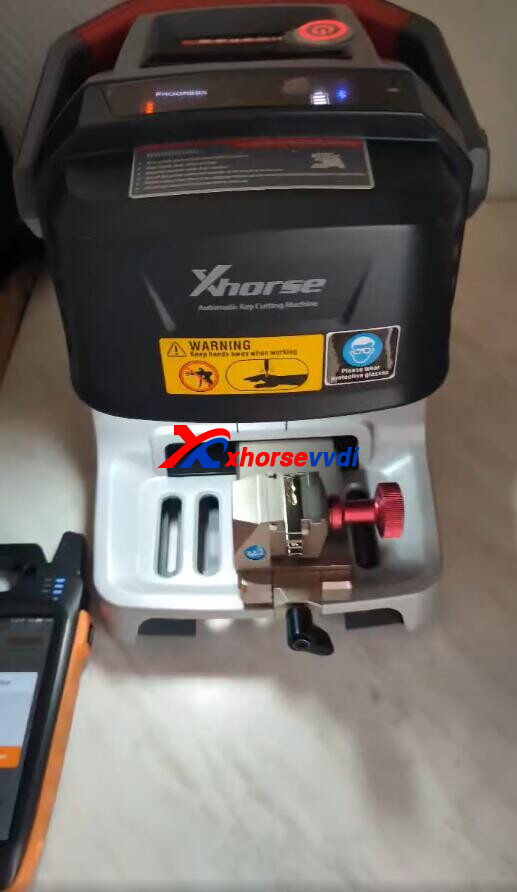
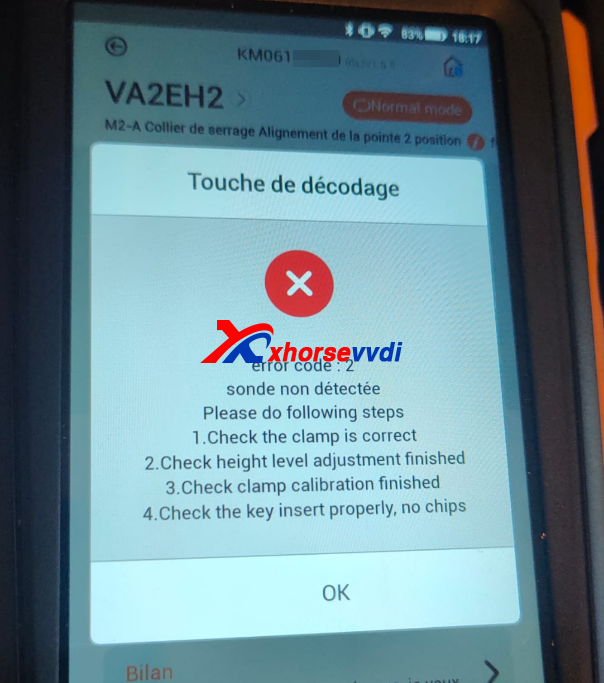
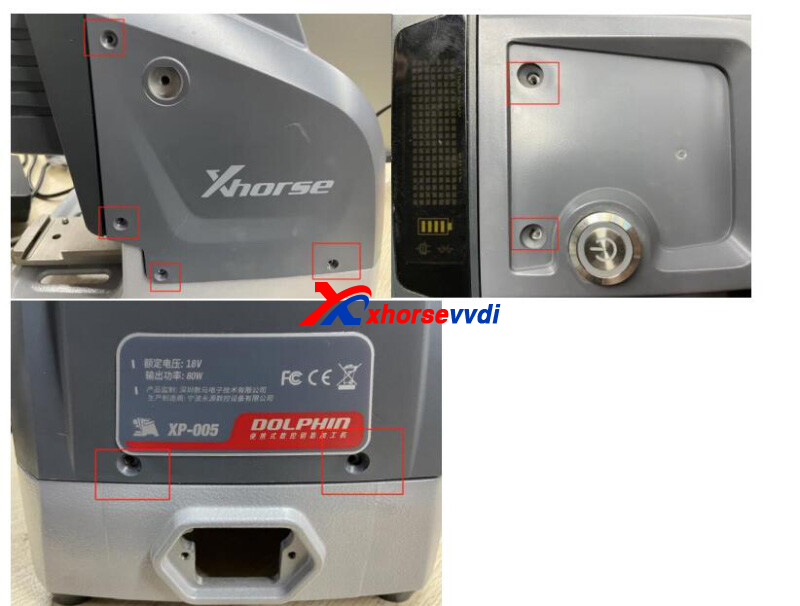
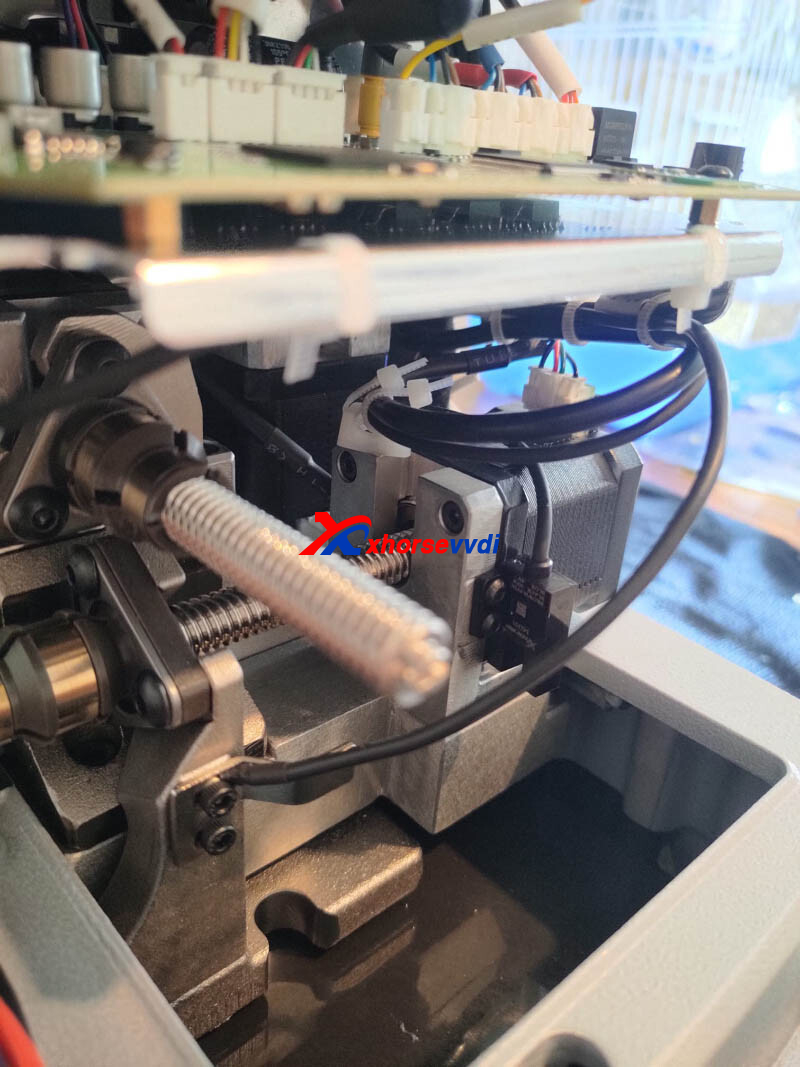
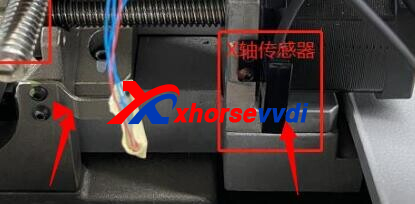
One customer asked how to solve the error code 2 on his Xhorse Dolphin XP005. And he wondered if probe is broken?
Here Xhorsevvdi tech shares
Solution:
1)Do X-Axis motor test, send video to your seller
2)Open machine and check metal plate and X-axis sensor if there are abnormal noises
Posted by: xhorsevvdi at
07:27 AM
| No Comments
| Add Comment
Post contains 60 words, total size 2 kb.
Question:
Condor 2 says use volume up down and power button to select and there is no any button to choose and make factory data reset.
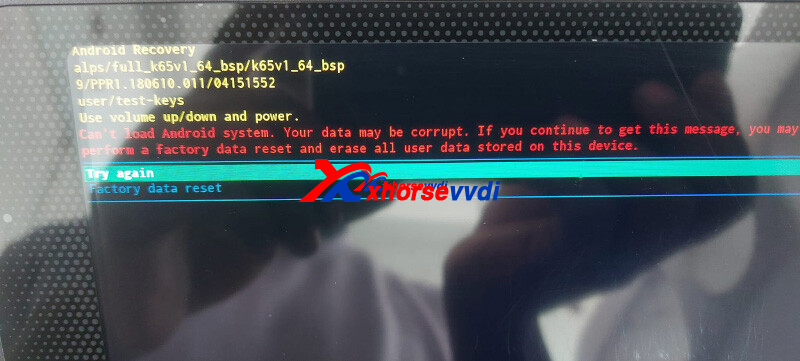
Here is how to control the option bar:
Swipe left = option bar goes up
Swipe right = option bar goes down
Swipe up = Confirm
Solution:
Select factory data reset and confirm
http://blog.xhorsevvdi.com/how-to-solve-xhorse-condor-mini-plus-ii-android-recovery-error/
Posted by: xhorsevvdi at
07:26 AM
| No Comments
| Add Comment
Post contains 71 words, total size 1 kb.
September 19, 2023
In this article, we are going to show you how to Read/ Write a Valeo BSI 2004 P07 module using Xhorse VVDI PROG.
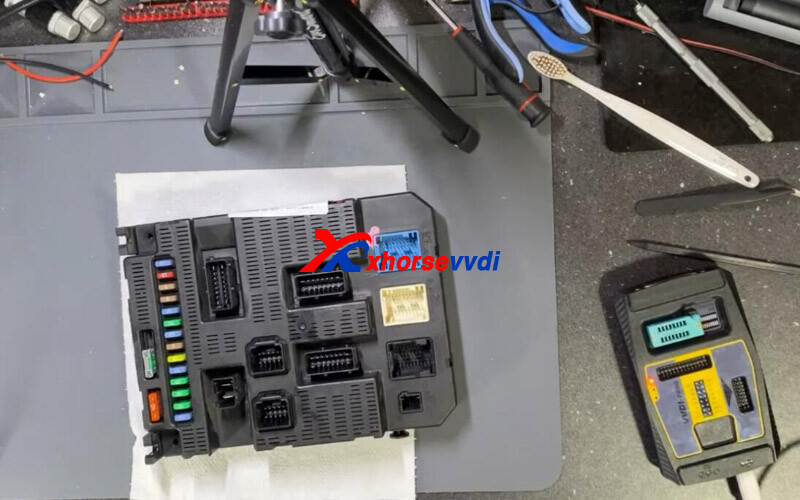
MCU : HC9S21DP512 (UNSECURED)
EEPROM : 95128
1.MCU
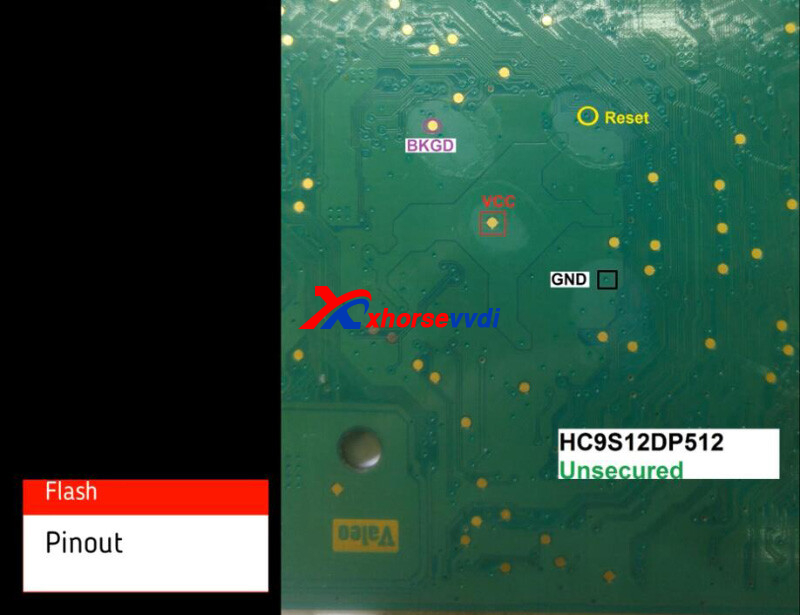
Connect device to MCU via soldering.
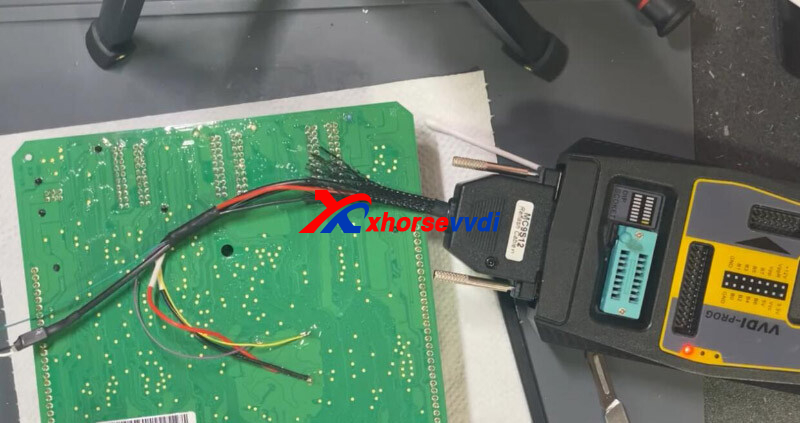
Read EEPROM.
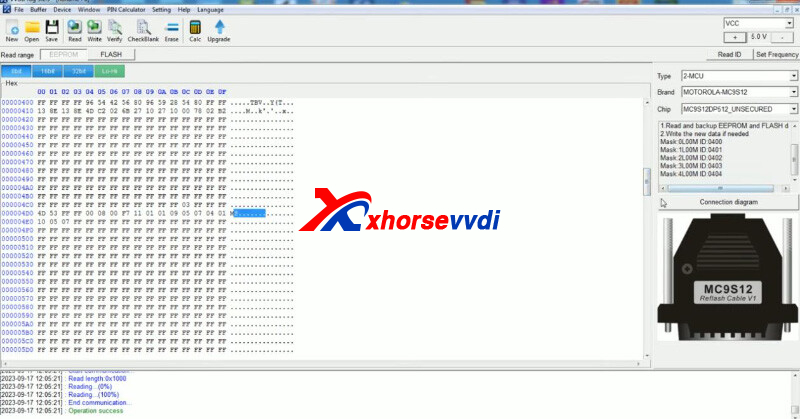
Read FLASH.
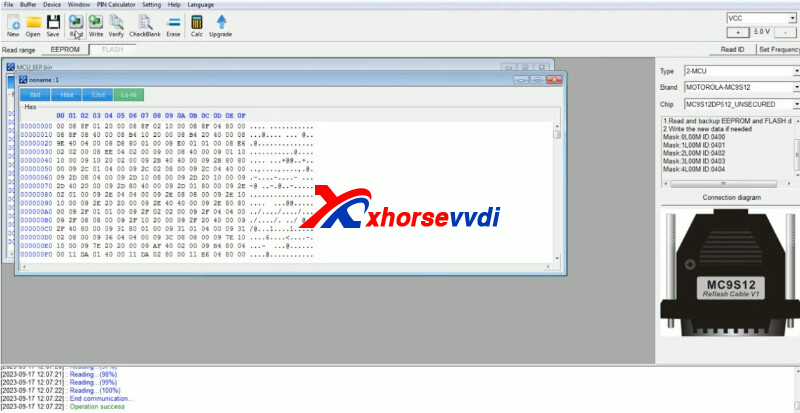
2.EEPROM
Desolder chip and connect it to device.
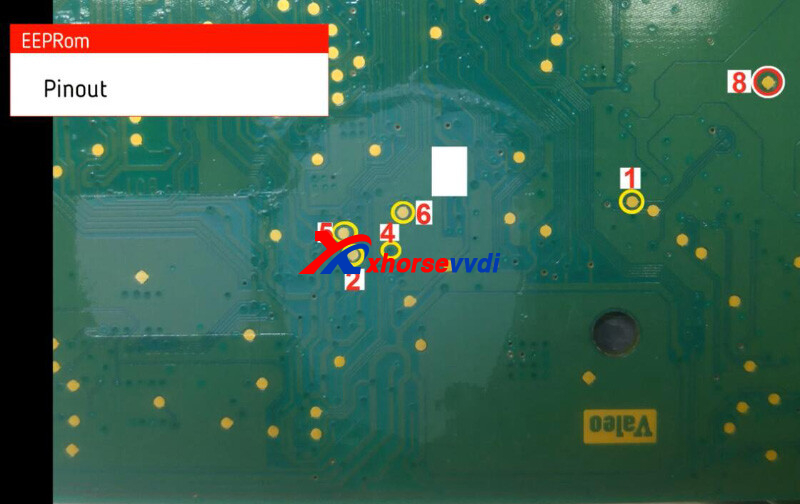
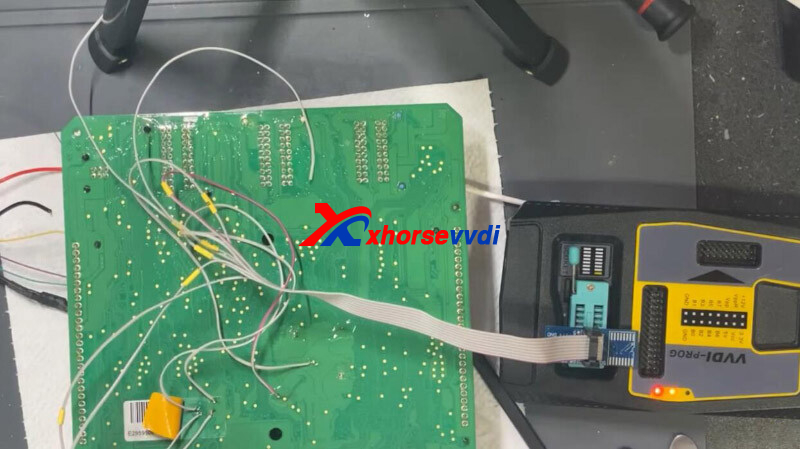
Read EEPROM.
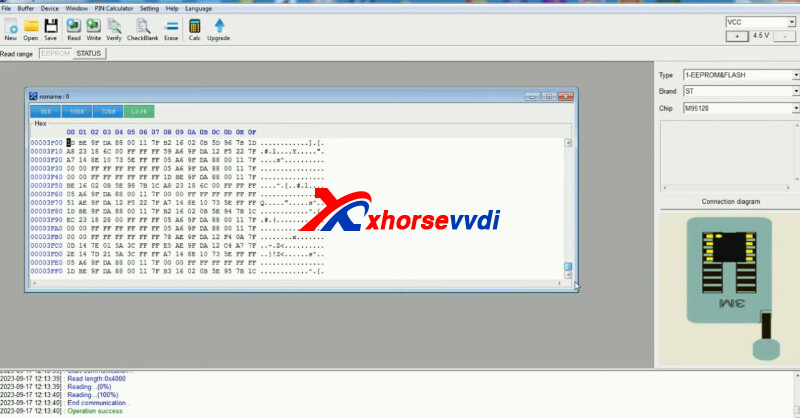
Load EEPROM file to Abrites to get PIN code.
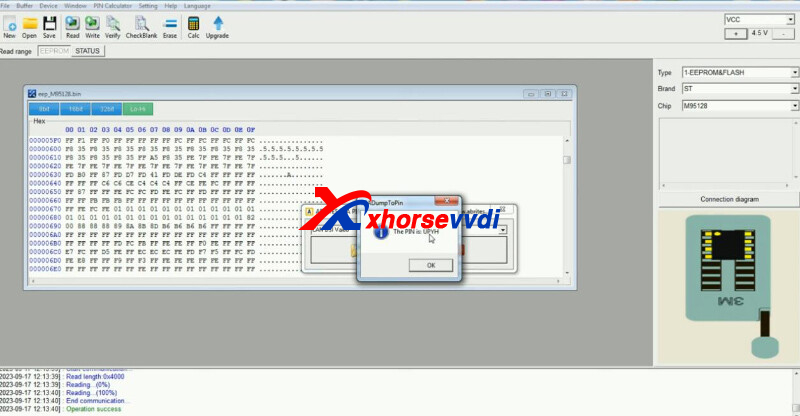
Done!
http://blog.xhorsevvdi.com/vvdi-prog-read-write-valeo-bsi-2004-p07-no-issue/
Posted by: xhorsevvdi at
06:43 AM
| No Comments
| Add Comment
Post contains 72 words, total size 3 kb.
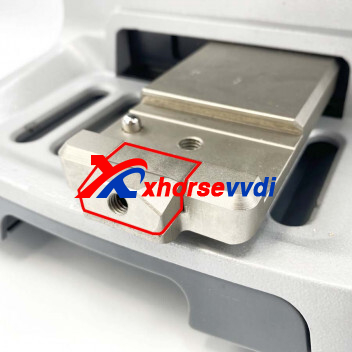
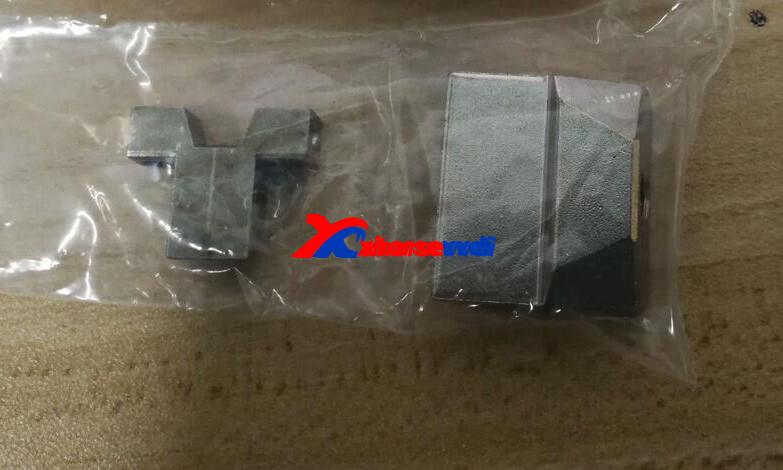
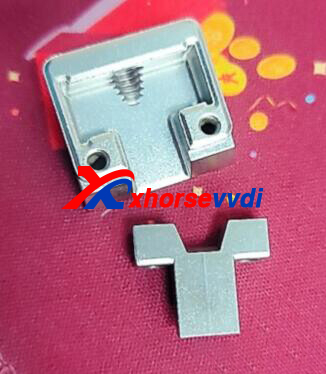
One Dolphin XP005L user gave feedback that he broke XP005L Clamp Handle on the clamp mount. He wondered how to replace this part.
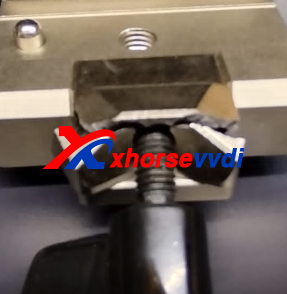
Here is how to replace it?
1)Pull out clamp mount
2)Remove two screws on the bottom
3)Swap the handle part
Posted by: xhorsevvdi at
06:42 AM
| No Comments
| Add Comment
Post contains 53 words, total size 2 kb.
One customer gave feedback that his VVDI Tablet showed "Hardware Error" when generating Toyota Prado using XM38 Remote.
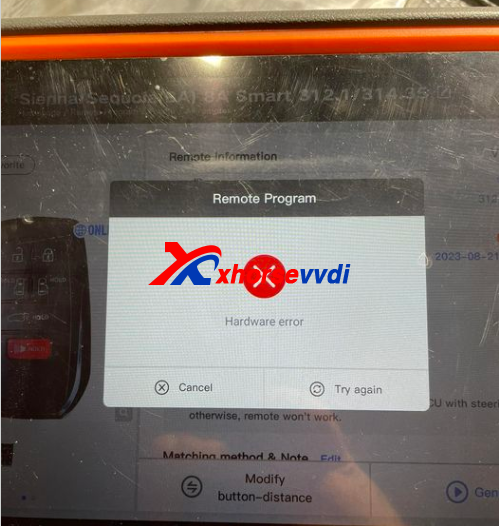
Here is the Solution:
1)Clear cache
2)Re-download database
http://blog.xhorsevvdi.com/fixed-vvdi-generate-xm38-remote-for-toyota-prado-hardware-error/
Posted by: xhorsevvdi at
06:42 AM
| No Comments
| Add Comment
Post contains 37 words, total size 1 kb.
Xhorse added unlocking BMW BDC system via OBDII to VVDI2/ Key Tool Plus/ BIMTool.
Here we've collected some reviews of this function, Let's check it out.
Tools:
V7.3.5 VVDI2 (VB-01 BMW OBD and VB-03 FEM/BDC Function are activated)
Key Tool Plus with V528 Database
1.VVDI2
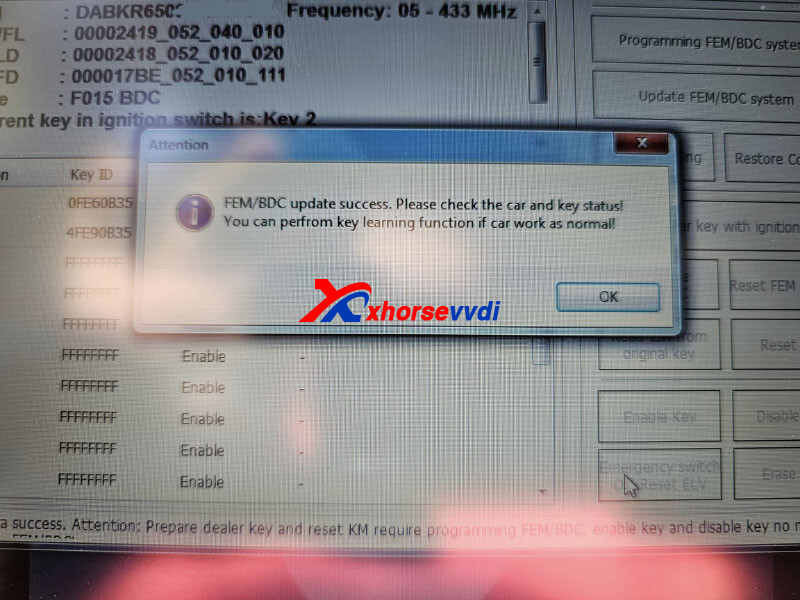
1)BMW X5 F015 MY 2016 BDC Unlock Success by OBD
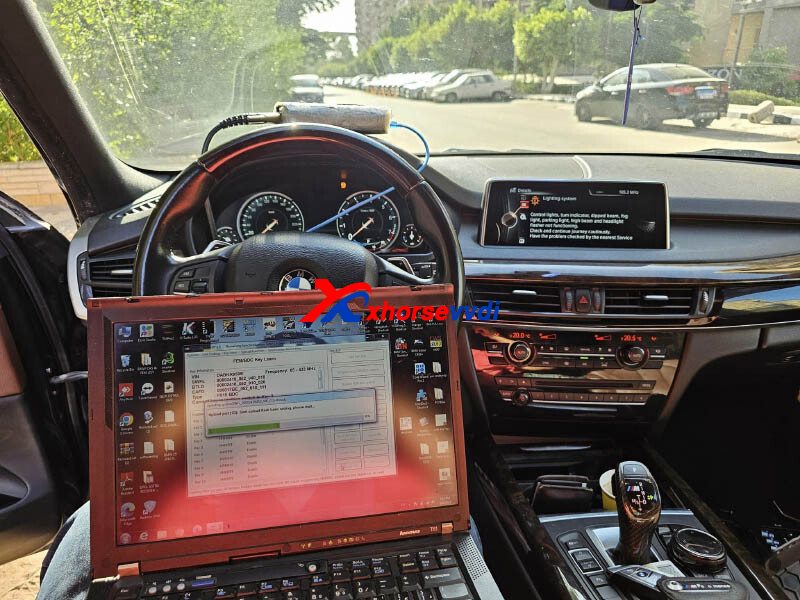
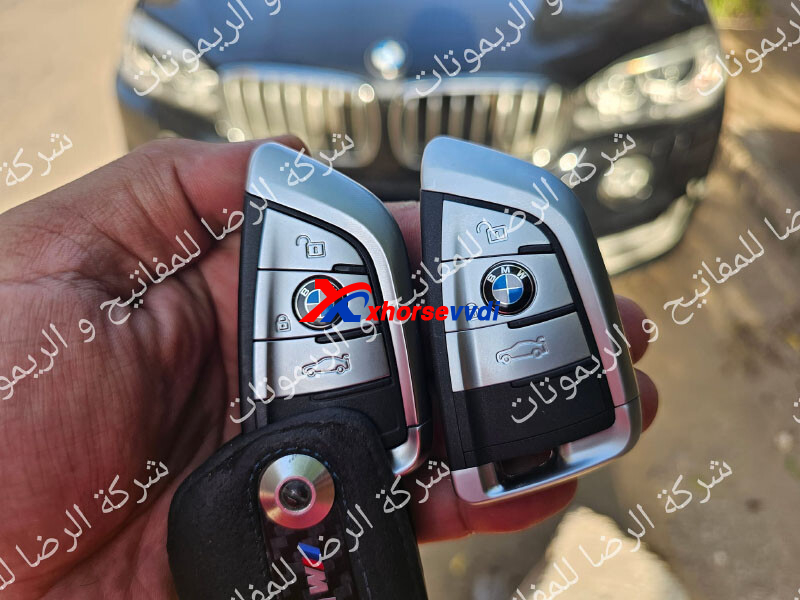
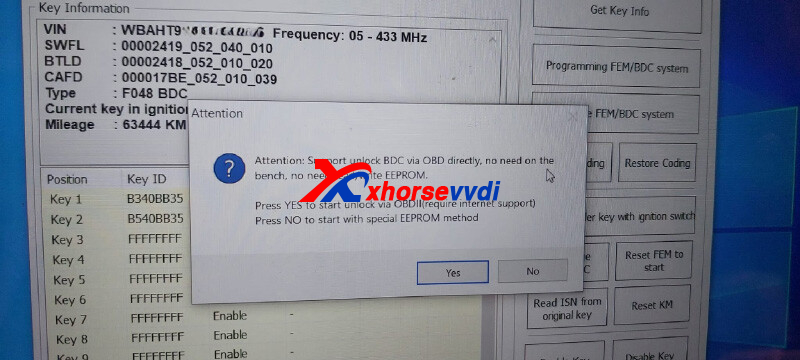
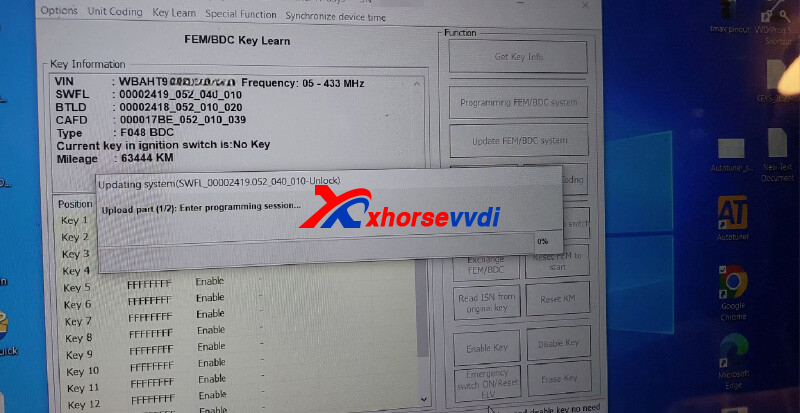
2)BMW X1 2019 BDC SWFL unlock success via OBD and key programmed fast and easy.
2.BIMTool
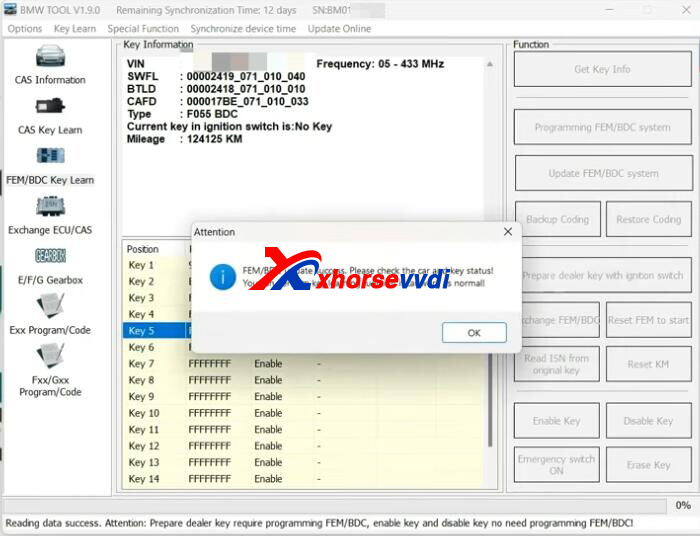
1) VVDI BMW Unlock BDC module via OBDII. Easy and fast Xhorse
3.Key Tool Plus Pad
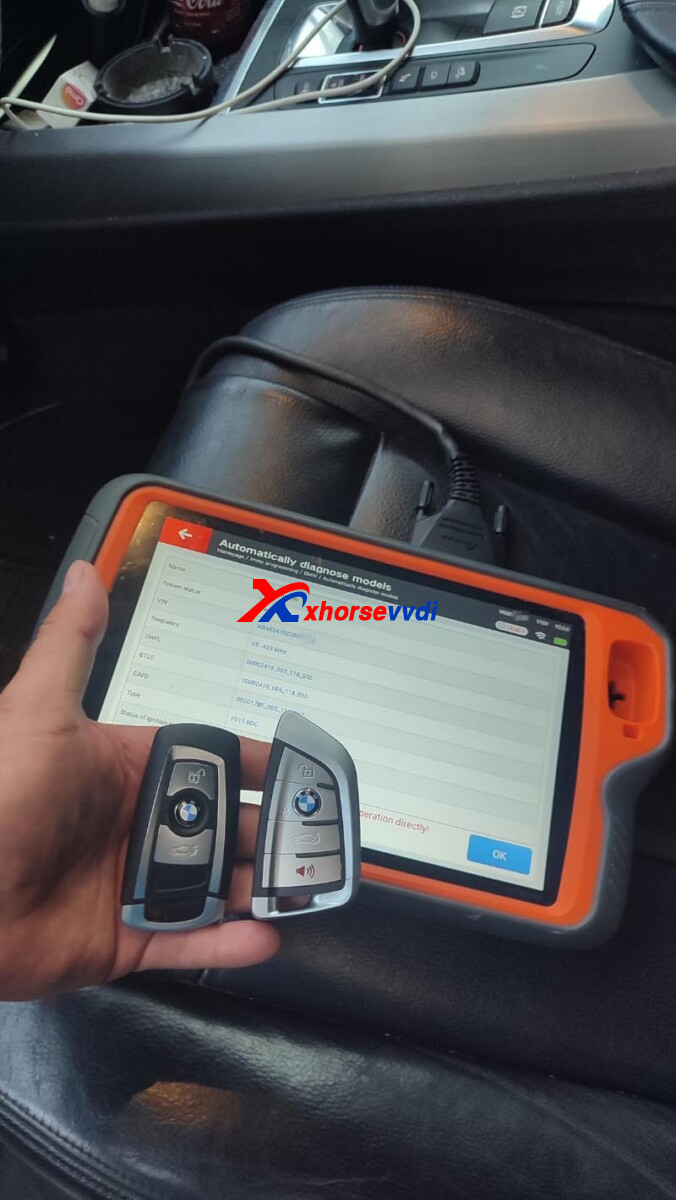
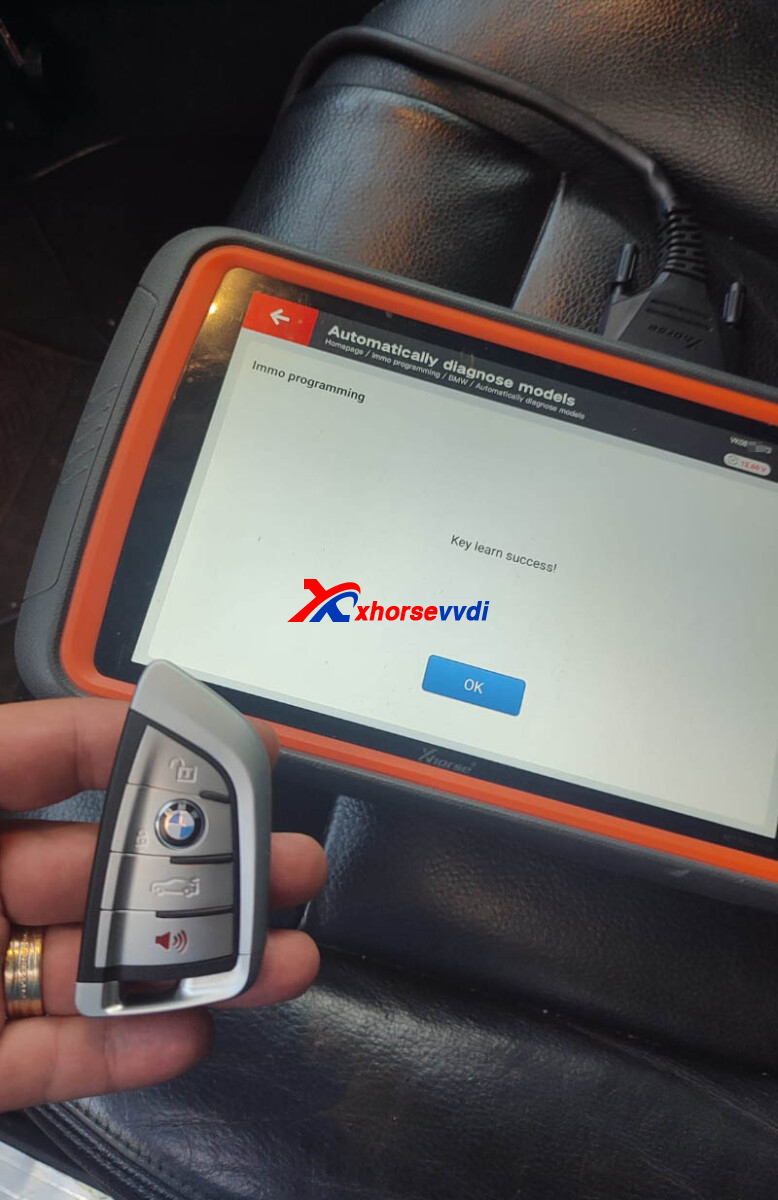
1) Programming key BMW F15 2015.
All ok with OBD only 2 min.
http://blog.xhorsevvdi.com/xhorse-unlock-bmw-bdc-via-obdii-function-review/
Posted by: xhorsevvdi at
06:41 AM
| No Comments
| Add Comment
Post contains 111 words, total size 3 kb.
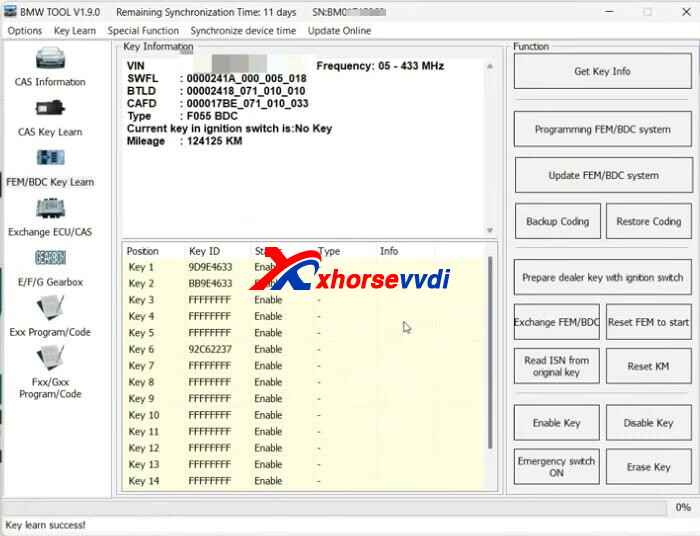
V1.9.0 BMW Tool add unlocking BDC via OBD! No need to remove BDC module.
Here we will show you how to unlock BDC.
Process:
Run BIM Tool software.
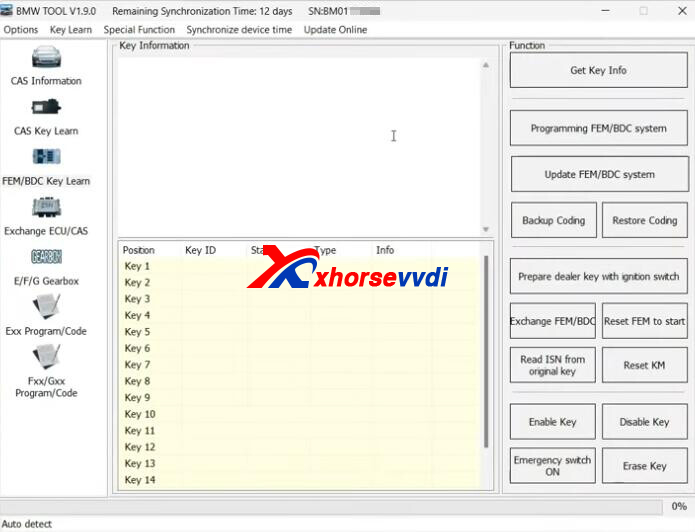
Get key info.

Select "Programming FEM/BDC system".
Select "Yes" to unlock via OBD and ensure Internet connection.
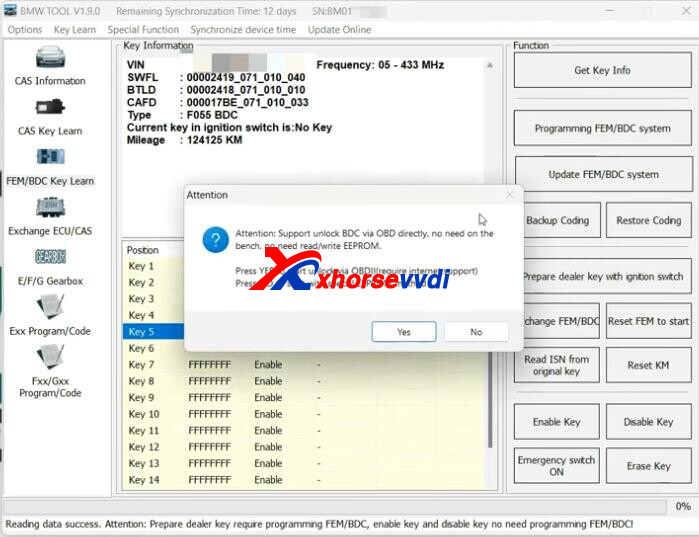
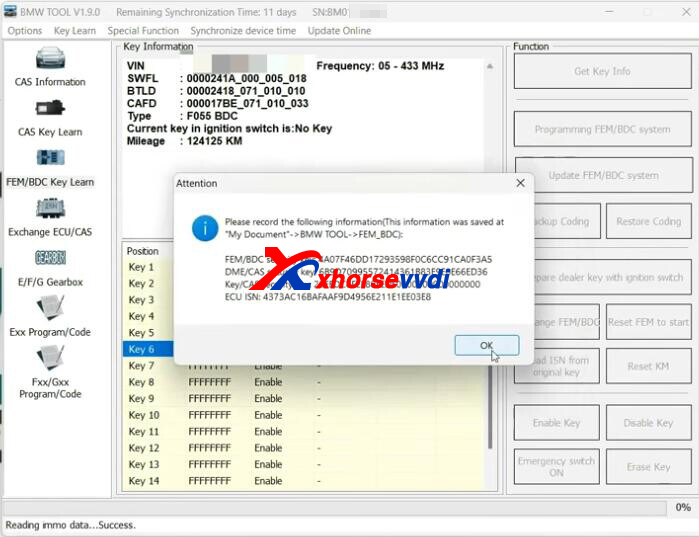
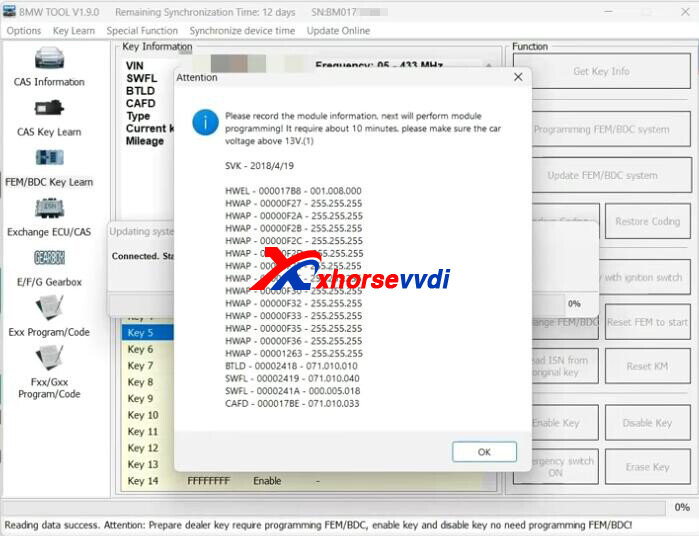
Record module info before coding.
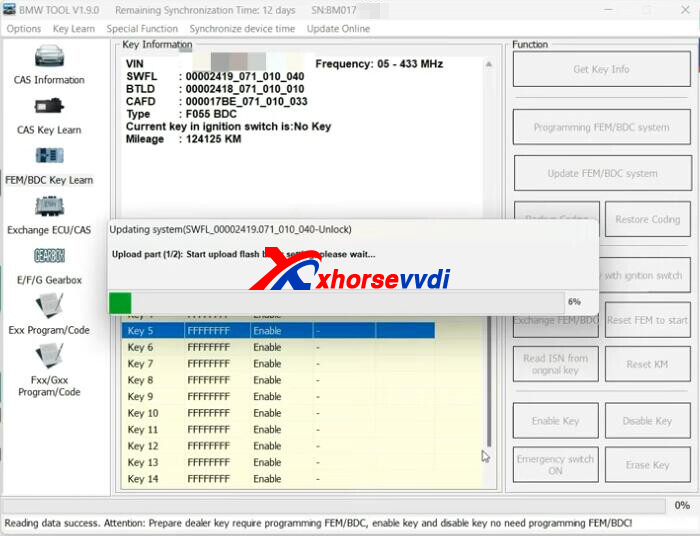
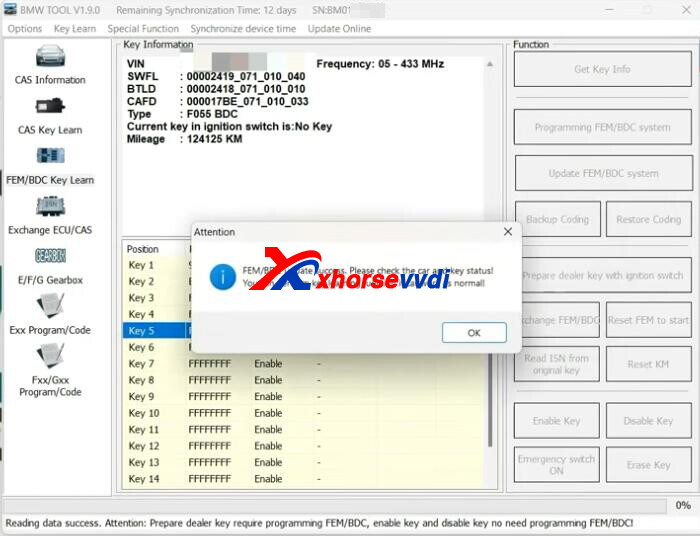
Start unlocking BDC module.
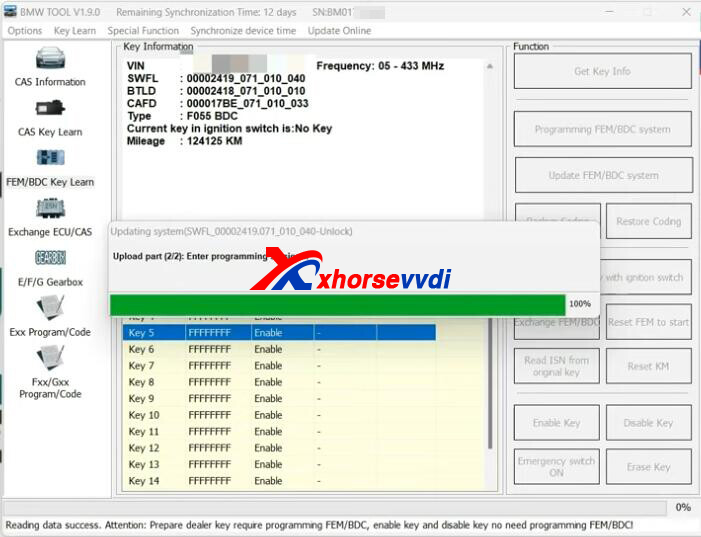
Successfully unlock.
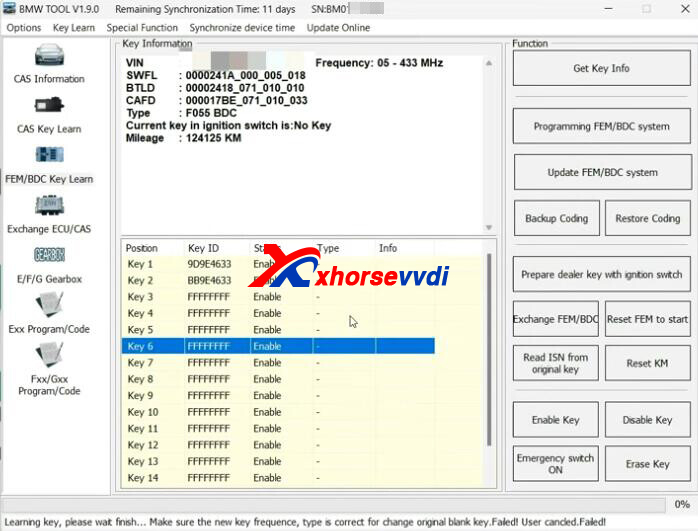
Select key 6.
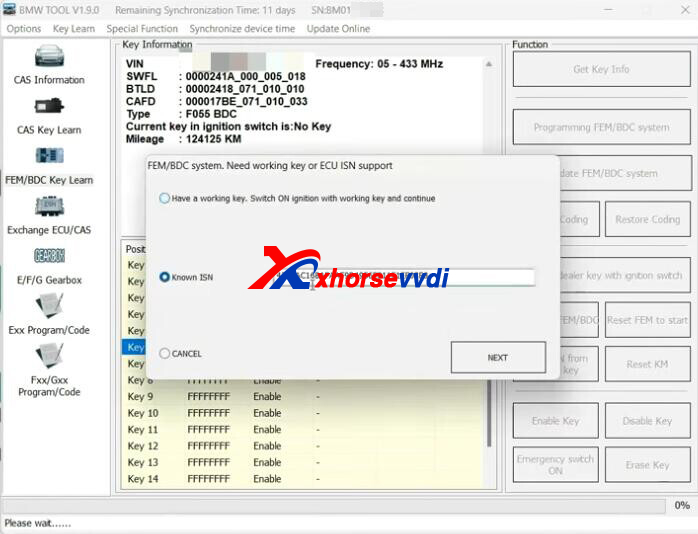
Select "Prepare dealer key with ignition switch".
Input ISN.
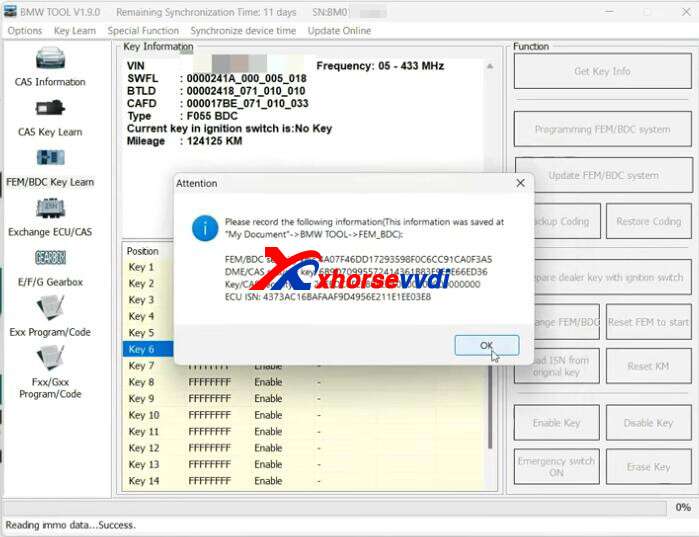
Record key info.
Insert new key into ignition coil.
Key learn okay.
Posted by: xhorsevvdi at
06:41 AM
| No Comments
| Add Comment
Post contains 91 words, total size 3 kb.
VVDI Key Tool Plus VA Version is designed for autosmiths who won't program many Mercedes/ BMW cars, but VA version could do more than VAG functions.
Here we will show you the difference between VA version and Full version.
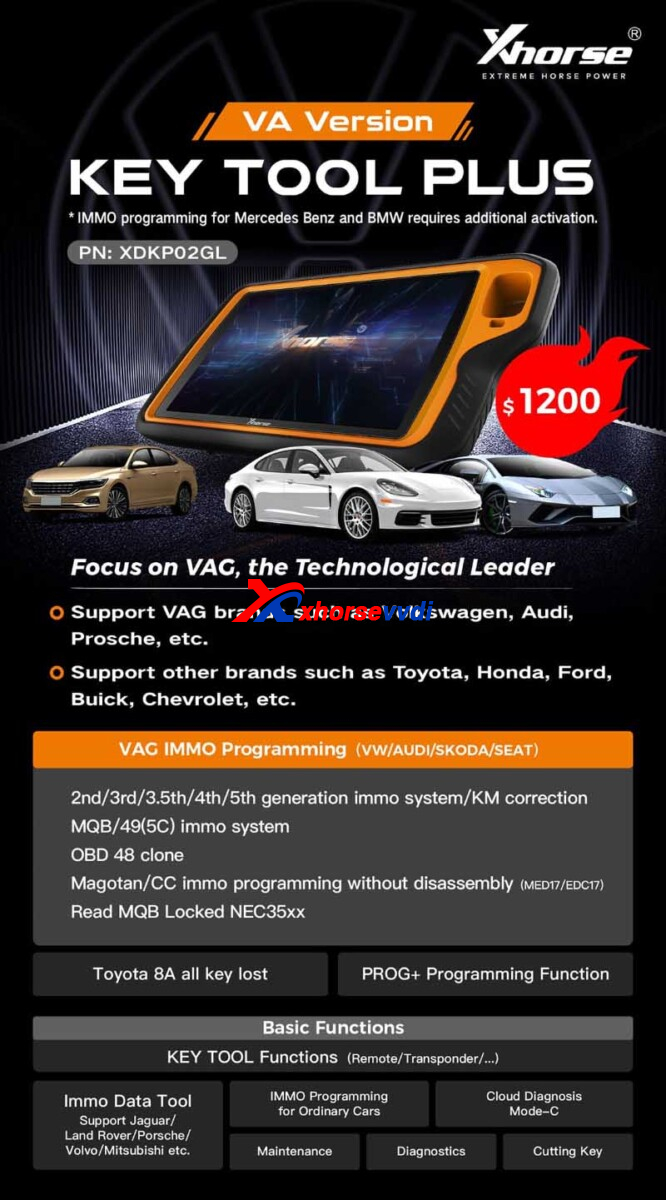
Key Tool Plus VA Version vs. Key Tool Plus Full Version
| Item | Key Tool Plus VA Version | Key Tool Plus Full Version |
| Price | 1200USD | 2100USD |
| VAG IMMO Programming (VW, Audi, Porsche...) | √ | √ |
| IMMO2-IMMO5 IMMO System | √ | √ |
| KM Correction | √ | √ |
| MQB IMMO System | √ | √ |
| MQB Locked NEC35xx | √(Require MQB License) | √(Require MQB License) |
| MQB49(5C) IMMO System | √ | √ |
| OBD48 Clone | √ | √ |
| Magotan/CC IMMO Programming without diassembly MED17/EDC17 | √ | √ |
| BMW IMMO Programming | × | √ |
| Mercedes IMMO Programming | × | √ |
| IMMO Programming for Honda, Ford, Buick, Chevy… | √ | √ |
| Toyota 8A All Key Lost | √ | √ |
| PROG+ Programming Function | √ | √ |
| Key Tool Function (Remote, Transponder...) | √ | √ |
| IMMO Data Tool | √ | √ |
Posted by: xhorsevvdi at
06:40 AM
| No Comments
| Add Comment
Post contains 167 words, total size 3 kb.
V7.3.5 VVDI2 adds BDC unlocking via OBDII function.
Here comes a VVDI2 review:
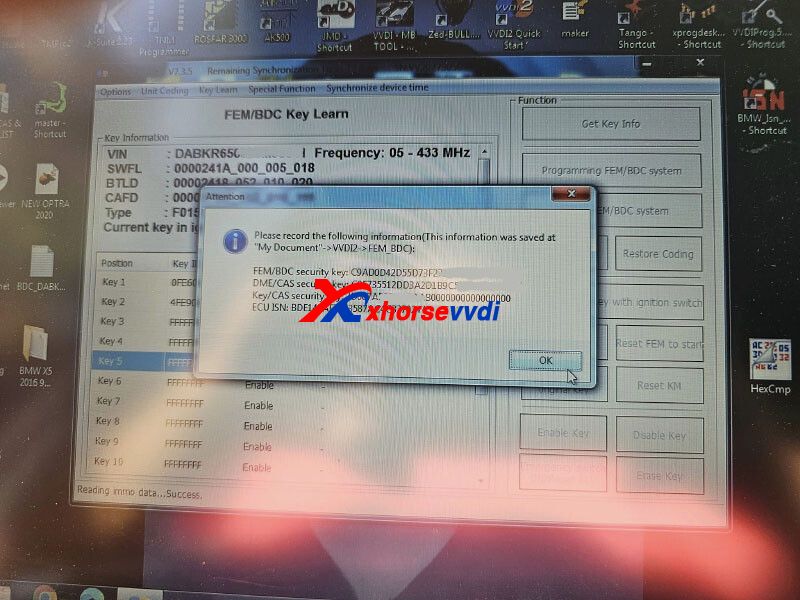
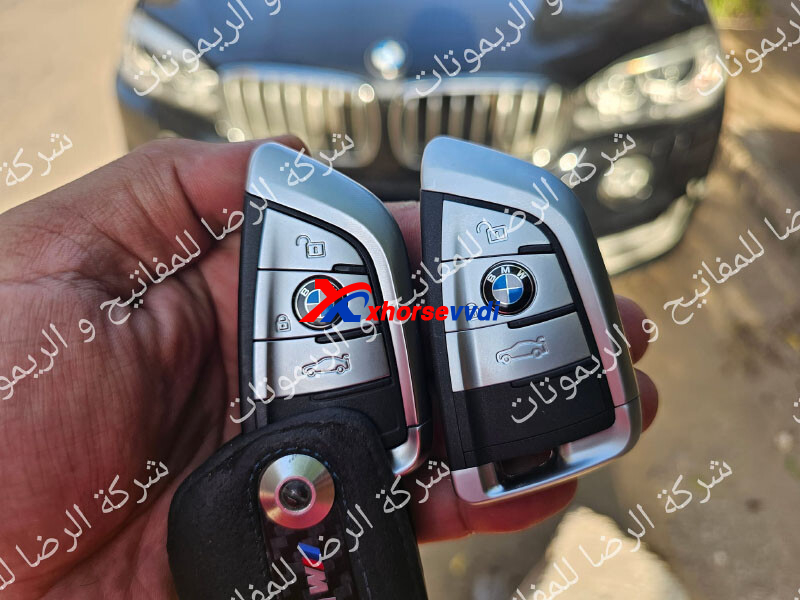
BMW X5 F015 MY 2016 BDC Unlock Success by OBD
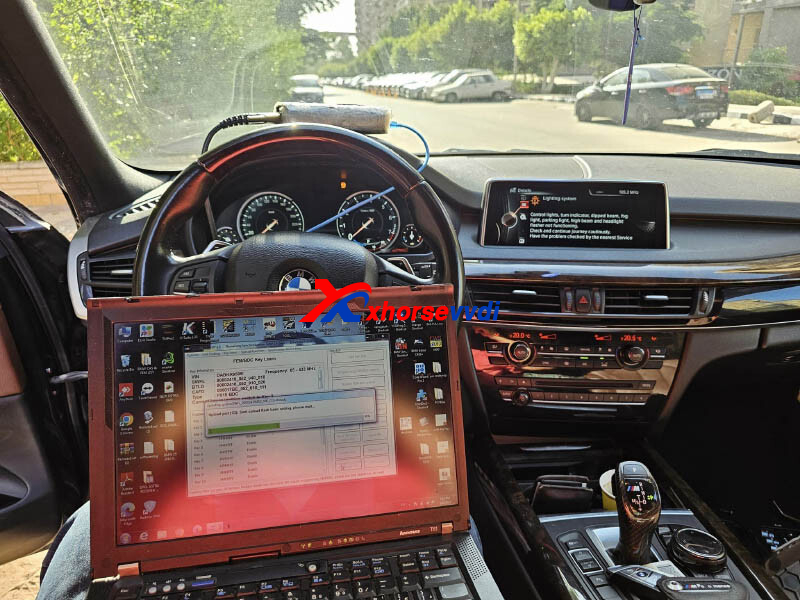
Take a look at how it is done:
Prompt if programming BDC via OBD or on Bench.
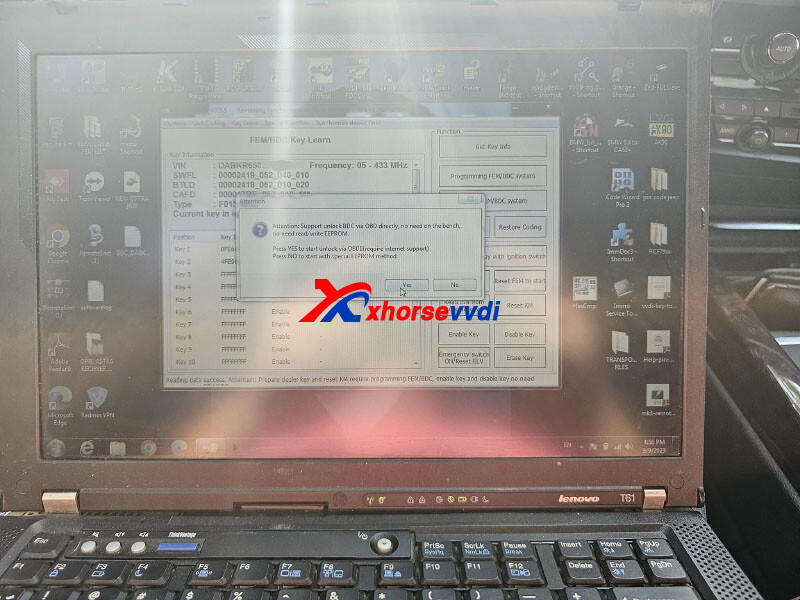
Read key info.
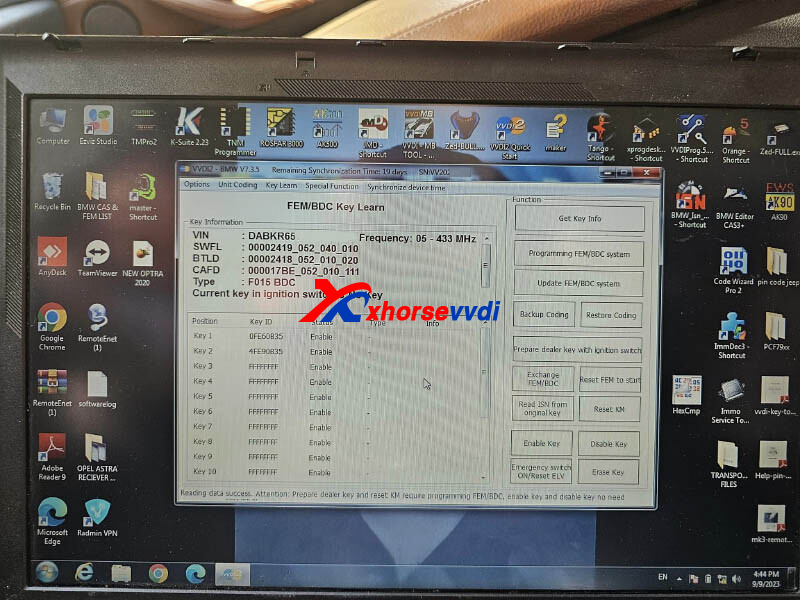
Unlocking BDC.
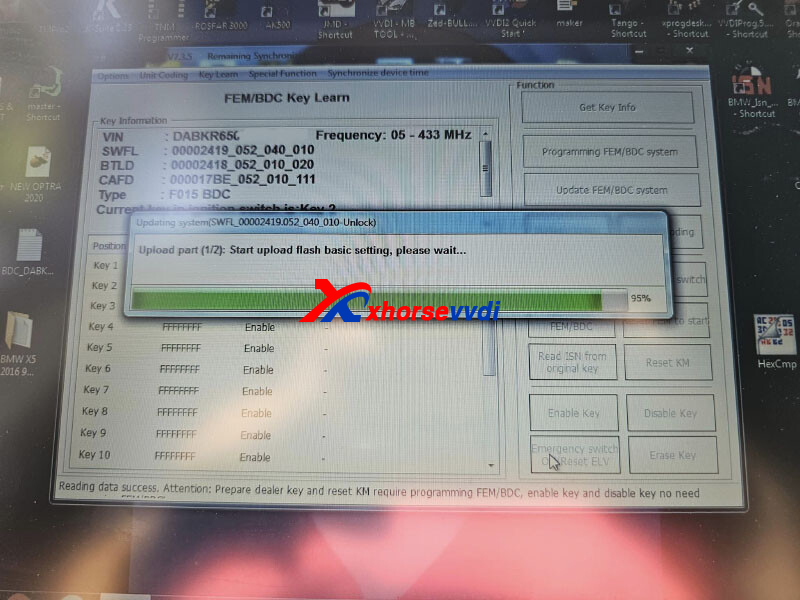
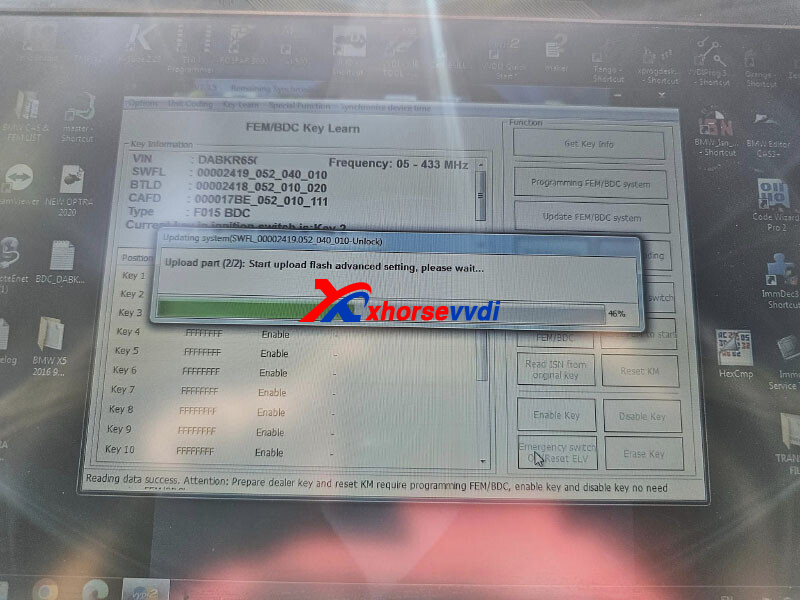
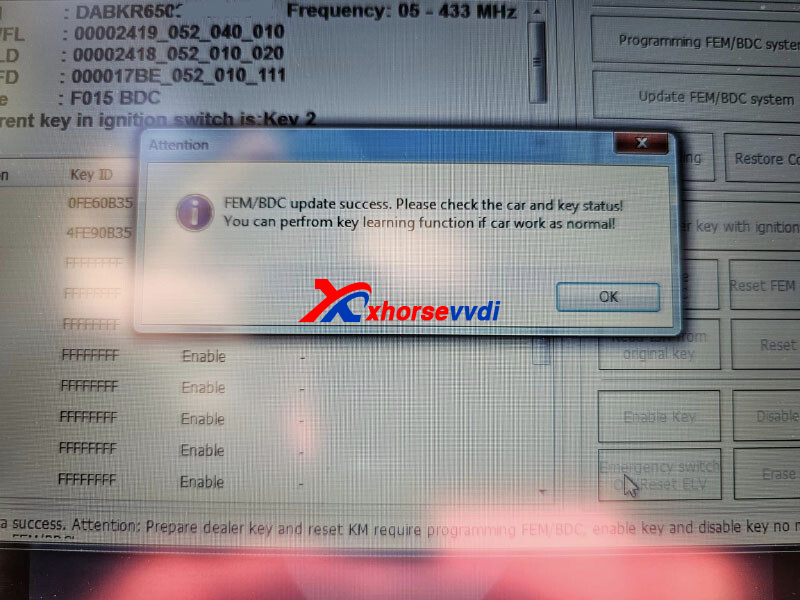
BDC update successfully.
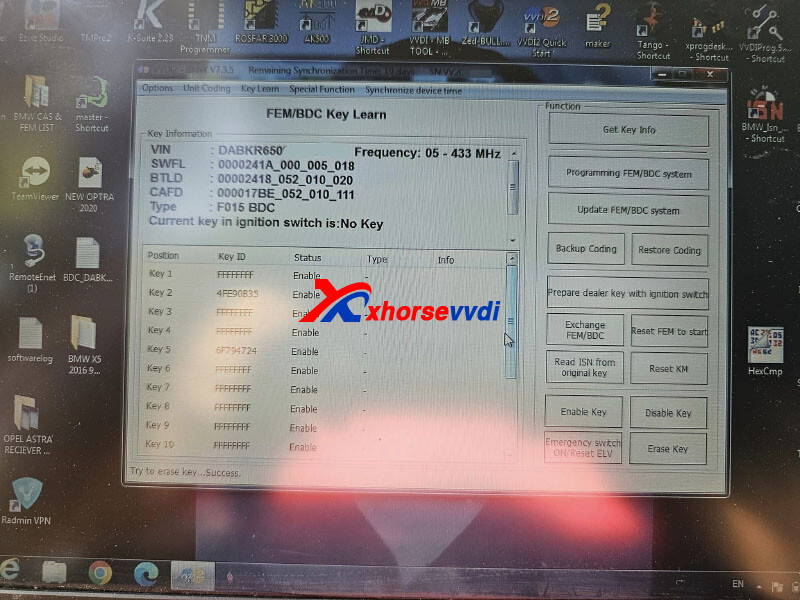
Add one key in the fifth blank.
Erase key 1.
Done!
Posted by: xhorsevvdi at
06:40 AM
| No Comments
| Add Comment
Post contains 70 words, total size 3 kb.
One customer asked if he could take Condor Mini Plus II Machine outside for jobs.
1. is a 120v ac power outlet enough to run the condor mini plus II ?
Yes, Input Voltage 90~264V
2. Condor Plus ii doesn't have a built-in battery like a Xhorse Dolphin one. It might not work in my car because the of the 200 w power draw
The Answer is Yes.
Power Condor II using a car battery via a power adapter.
Connection:
Car battery>>power adapter>>Condor Machine
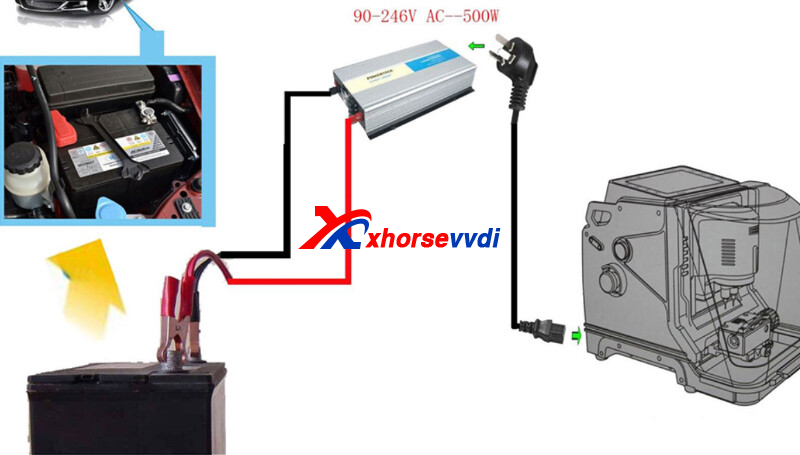
*Condor II working voltage: 90~264V, and please note that plus ii is 200W
If still not know how to choose dolphin ii and condor plus ii key cutting machine, you can also check this blog
http://blog.xhorsevvdi.com/is-condor-mini-plus-ii-machine-possible-for-outside-work/
Posted by: xhorsevvdi at
06:39 AM
| No Comments
| Add Comment
Post contains 130 words, total size 2 kb.
September 07, 2023
V7.3.5 VVDI2 adds BDC unlocking via OBDII function.
Here is a review:
BMW X1 2019 BDC SWFL unlock success via OBD with VVDI2 and key programmed fast and easy.
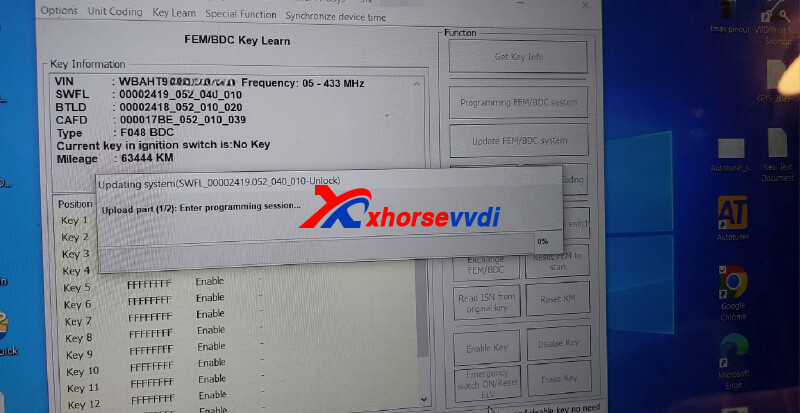
Directly unlock BDC via OBD, VVDI PROG for reading EERPOM on bench is not required.
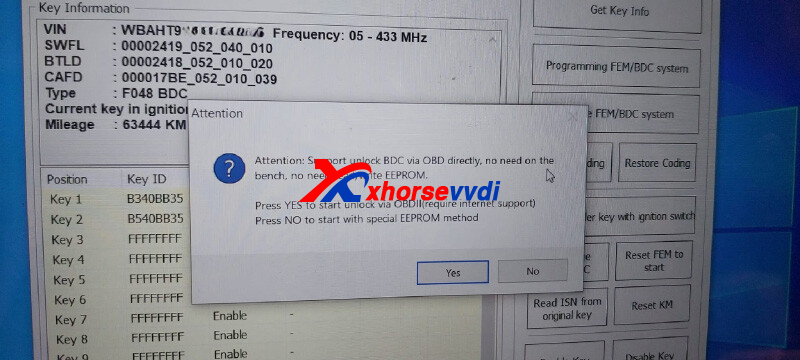
Ensure good network connection during BDC unlocking.
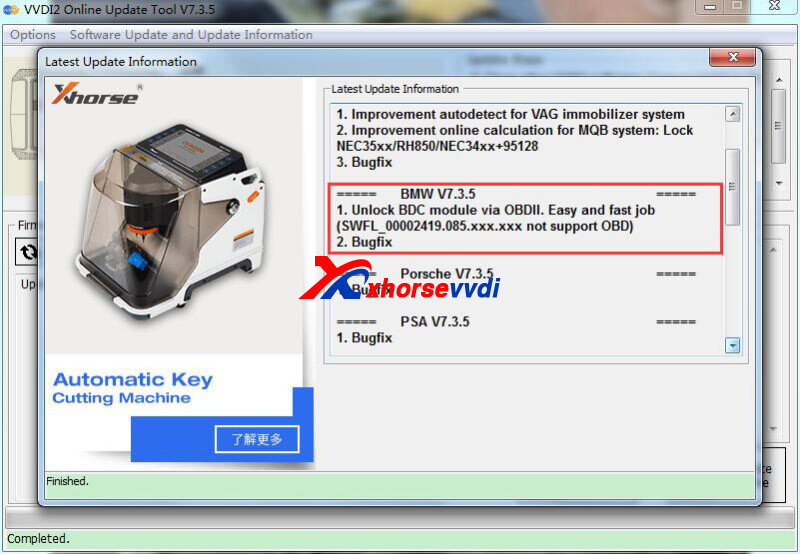
Note:
SWFL_00002419.085.xxx.xxx is not yet supported unlocking via OBD.
Read Also:
http://blog.xhorsevvdi.com/how-is-xhorse-vvdi2-for-bmw-fem-bdc-akl-programming/
Posted by: xhorsevvdi at
09:08 AM
| No Comments
| Add Comment
Post contains 73 words, total size 2 kb.
One customer asked the difference between these two clone functions on his VVDI Key Tool Max: HCS/Fixed Code Clone and Special Clone.
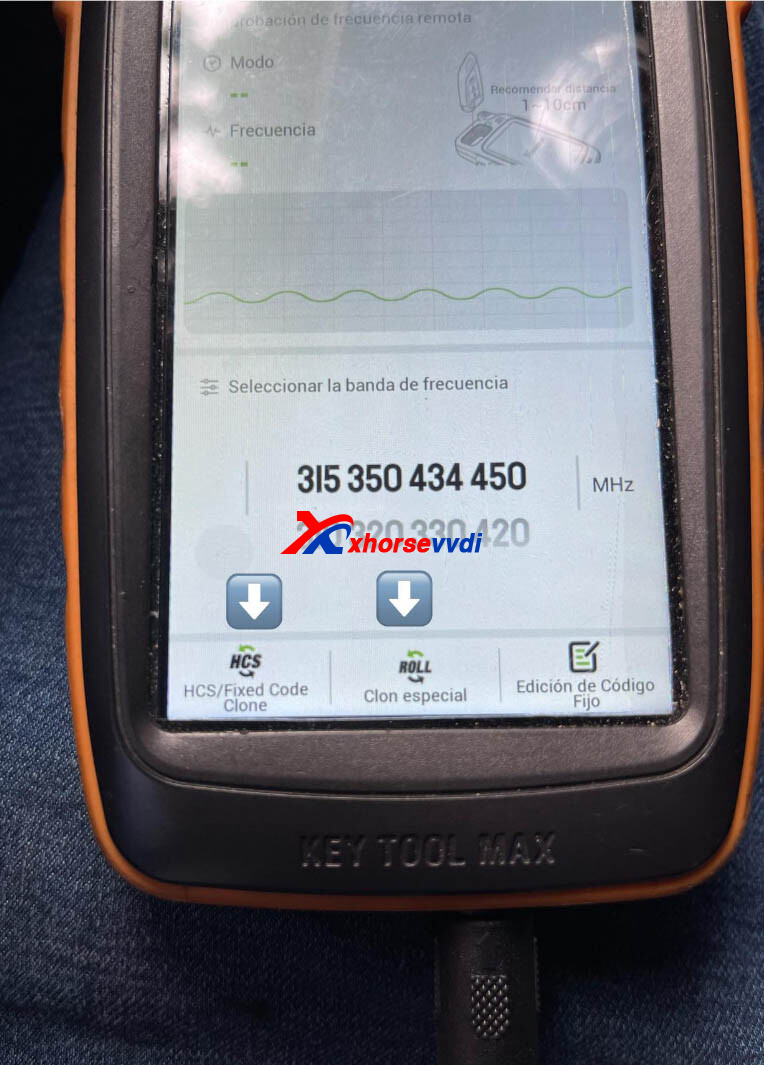
Here are the Differences:
1)HCS/Fixed Code Clone
Normal/ Fix code always maintains same rf and pulse.
Only supports a few very old vehicles.
2)Special Clone
Rolling code changes as you go using the controller.
Key clone will void original key.
Wire Remote is required.
Posted by: xhorsevvdi at
09:07 AM
| No Comments
| Add Comment
Post contains 78 words, total size 1 kb.
Question:
VVDI MB Tool can't communicate with 220 EIS , I can't solve this problem am stuck with this it's been months when I try to read the EIS data it responds "can communicate with EIS" and when I try to read w220 EIS using IR adapter it can't reach 100 percent it fails on 90%.
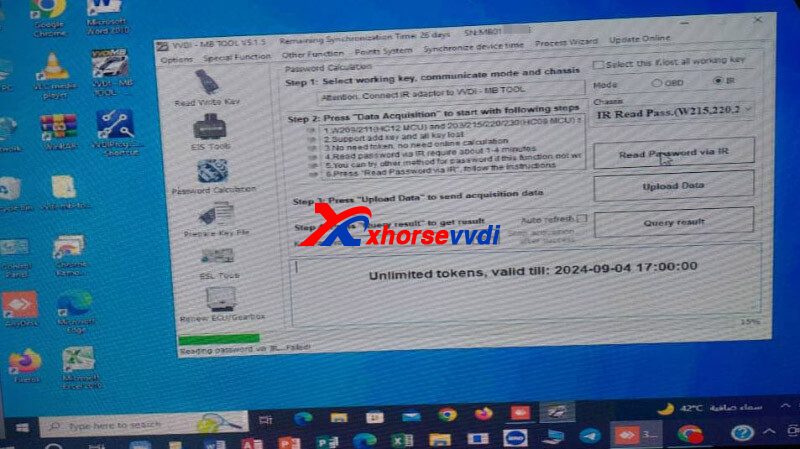
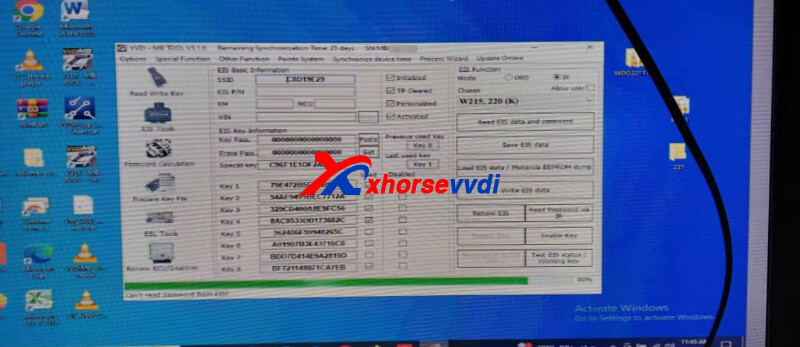
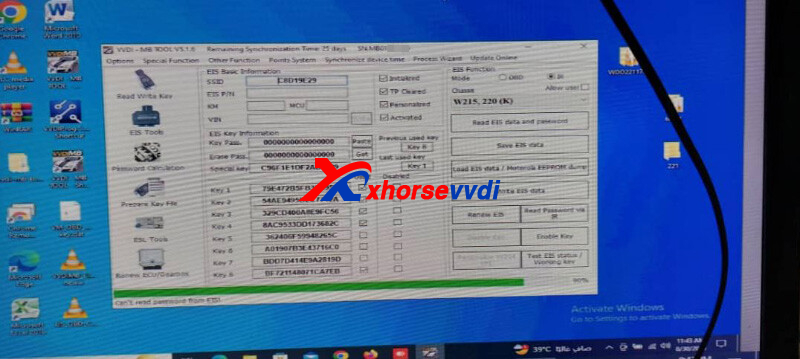
Here is the Answer:
For All Key Lost, it's required to remove EIS and read it on bench using VVDI MB.
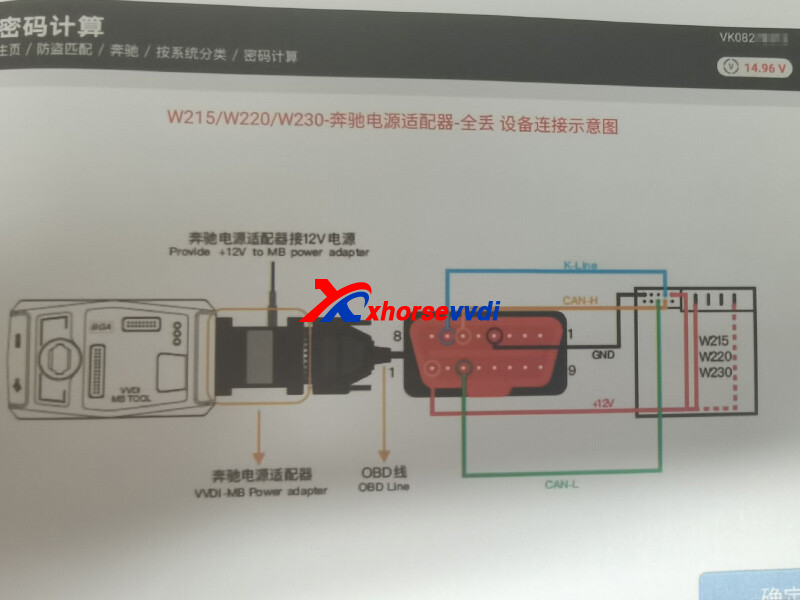
More EIS Diagrams:
http://blog.xhorsevvdi.com/vvdi-mb-tool-eis-elv-ecu-connection-diagram/
Posted by: xhorsevvdi at
09:06 AM
| No Comments
| Add Comment
Post contains 93 words, total size 2 kb.
Question:
Xhorse XSTO20EN, the Right Sliding Door Button doesn’t work. It’s not programmed. The Button has no frequency on Key Tool Max Pro. Came broken. The rest of buttons tested fine.
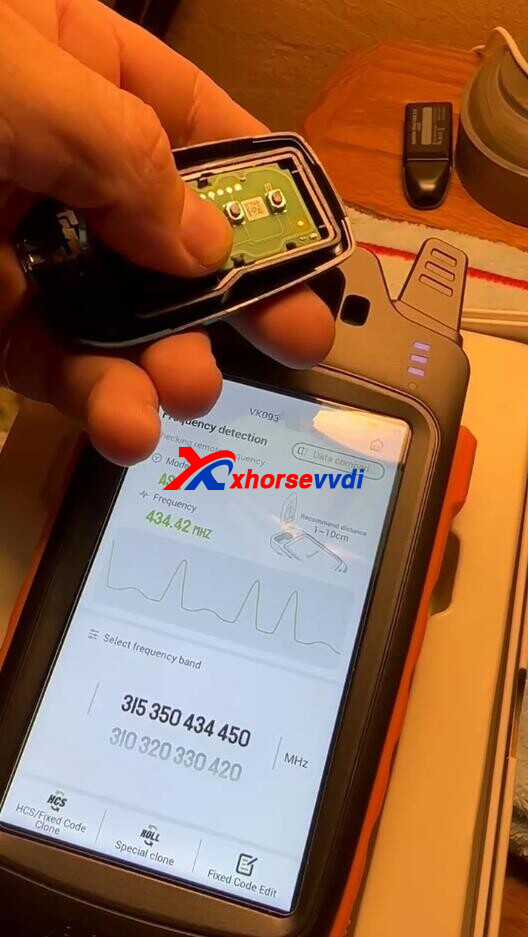
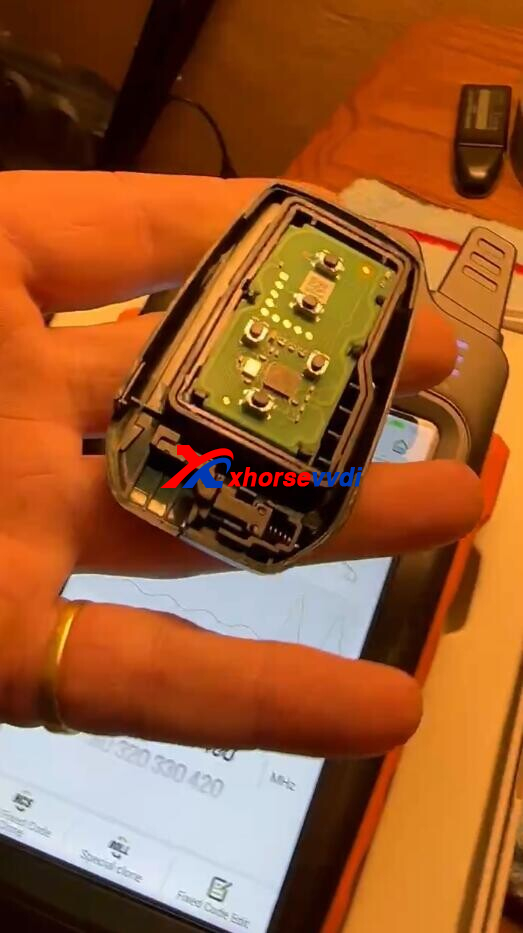
Here Xhorsevvdi tech answers:
1)If remote is generated, modify button value (01 02 04 08 10 20 40 80...)
Path: Special function>>vvdi remote function>>Smart key customization
2)If remote is not generated, its normal, as one button won't work when this 5-button remote is generated into a 4-button remote
http://blog.xhorsevvdi.com/solved-xhorse-xsto20en-toyota-xm38-remote-wont-work/
Posted by: xhorsevvdi at
09:05 AM
| No Comments
| Add Comment
Post contains 88 words, total size 2 kb.
One customer asked if VVDI2 could do BMW M3 2018 F-series when all key lost.
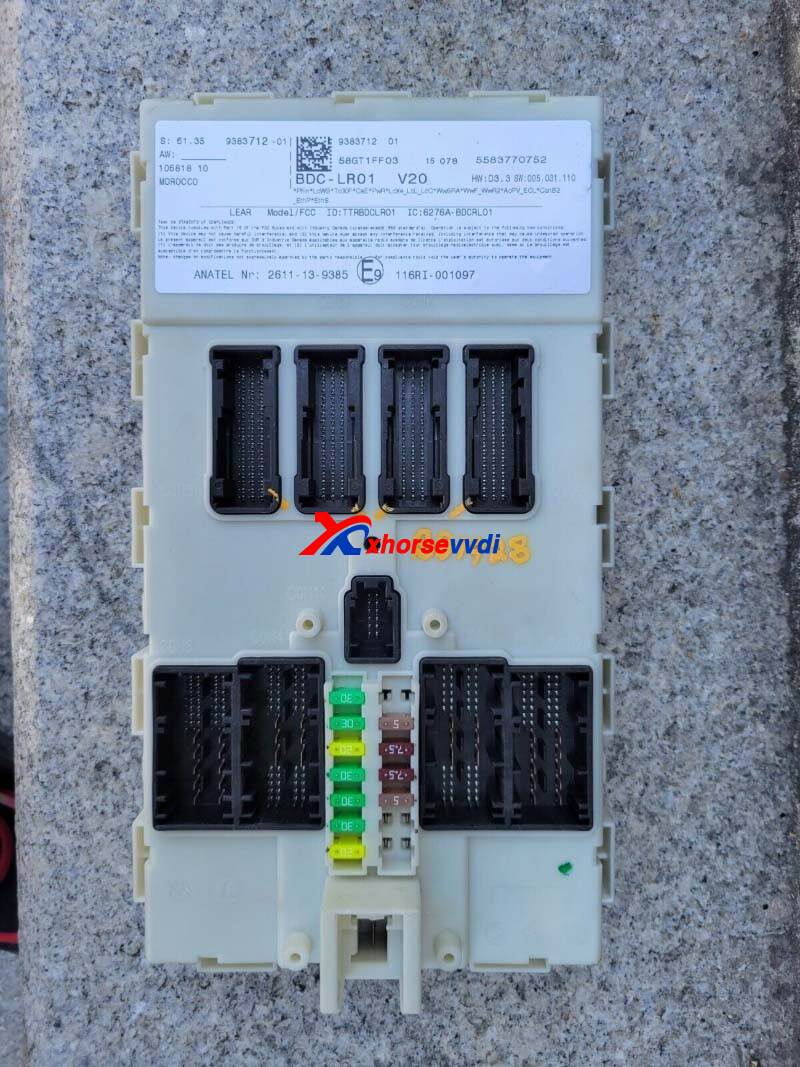
Here Xhorsevvdi tech answers:
Yes it could do it, and process depends on immobilizer system.
If the system is
1)BDC
This would be an OBD job.
Tools:
V7.3.5 VVDI2 (VB-03 FEM/BDC Function is activated)
Key Tool Plus with V528 Database
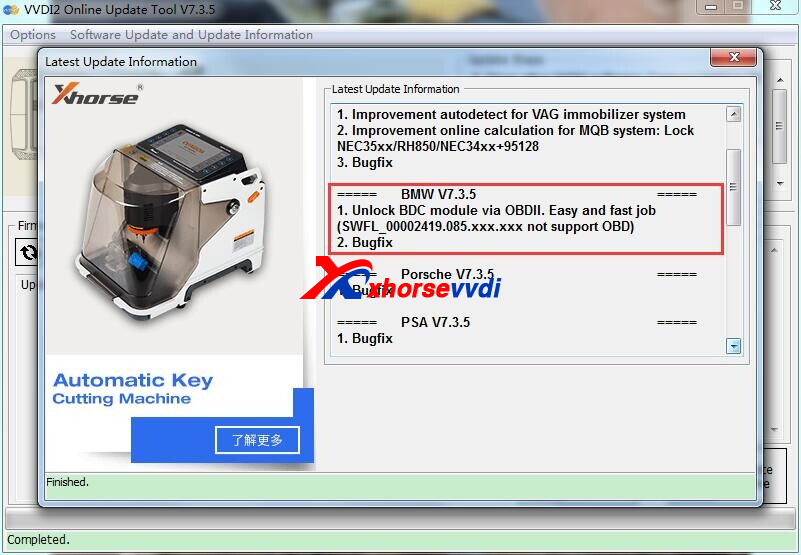
2)CAS4/ FEM/ BDC 085 version
This would be a bench job.
Posted by: xhorsevvdi at
09:05 AM
| No Comments
| Add Comment
Post contains 78 words, total size 2 kb.
30 queries taking 0.0832 seconds, 131 records returned.
Powered by Minx 1.1.6c-pink.

