



December 21, 2022
Question:
Xhorse Condor Mini Plus II gave error code 56, and it said "The cutter is short circuited, please check the cutter conductivity".
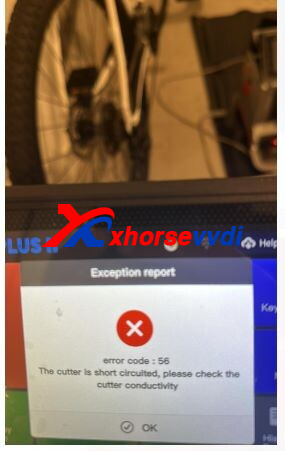
Here is the
Solution:
Disassemble Conodr II Machine and check wires.
How to Disassemble It?
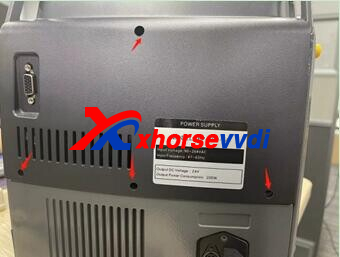
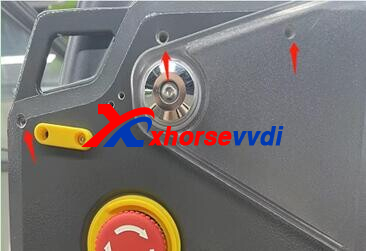
Step 1
Remove all screws to remove the screen.
Step 2
Pull out the motor so we can see the screws on the motor case.
Remove screws to take the case down.
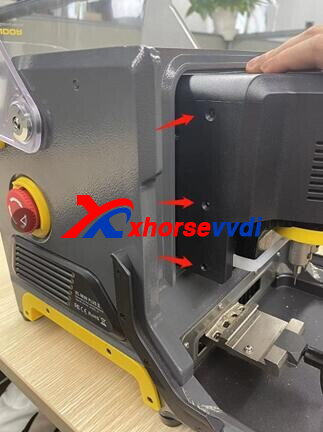
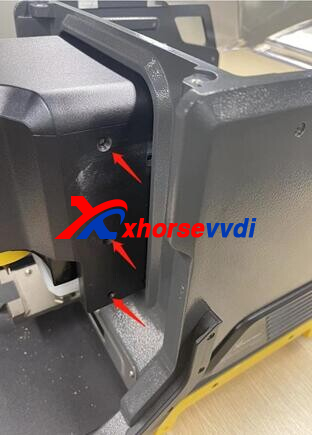
Step 3
Loosen the screw and check if the cable is damaged.
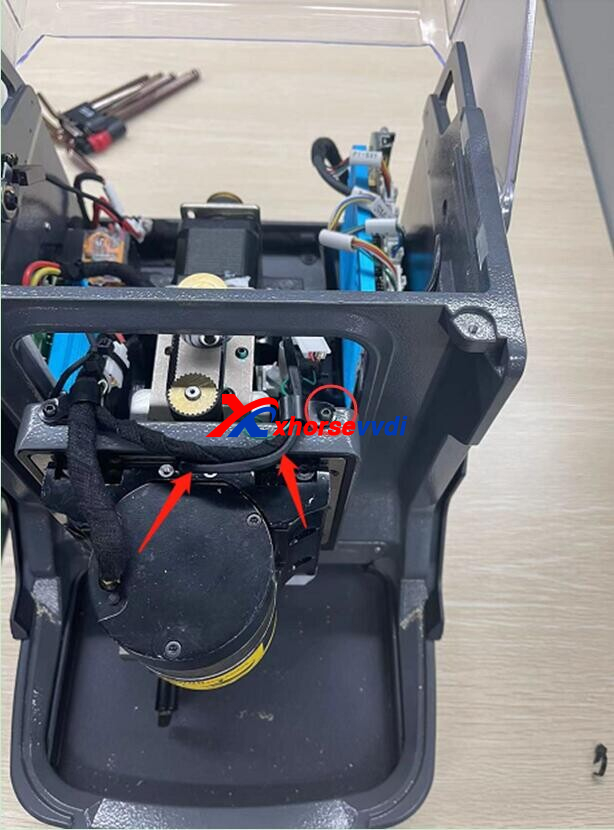
Step 4
To remove the cable going through main motor, we need to remove the cable socket first.
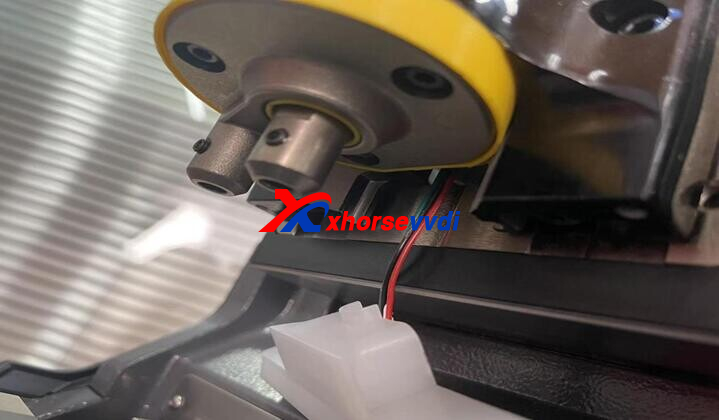
Step 5
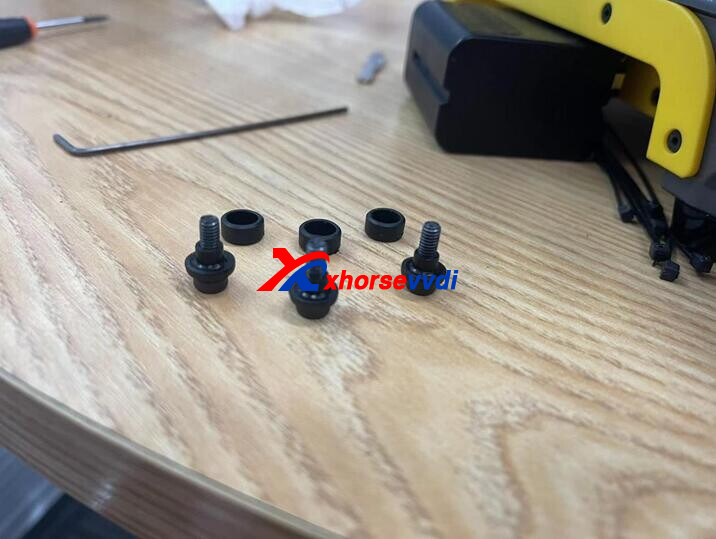
Remove the three screws of wires, and take LED lamp down.
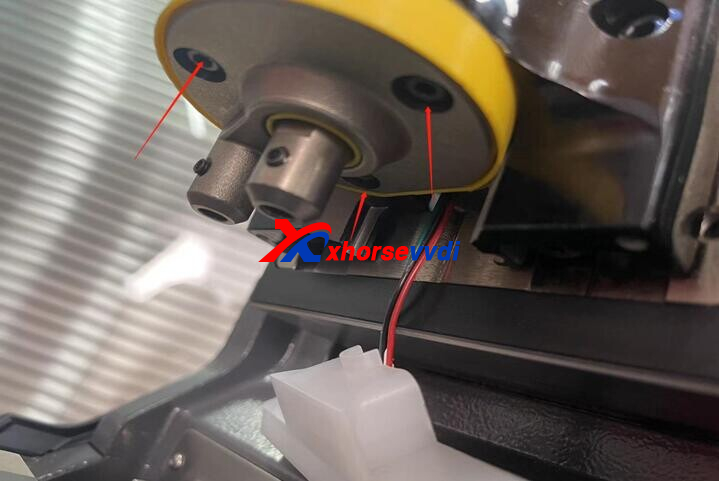
Step 6
There are three black plastic parts on the screws, Do Not remove them.
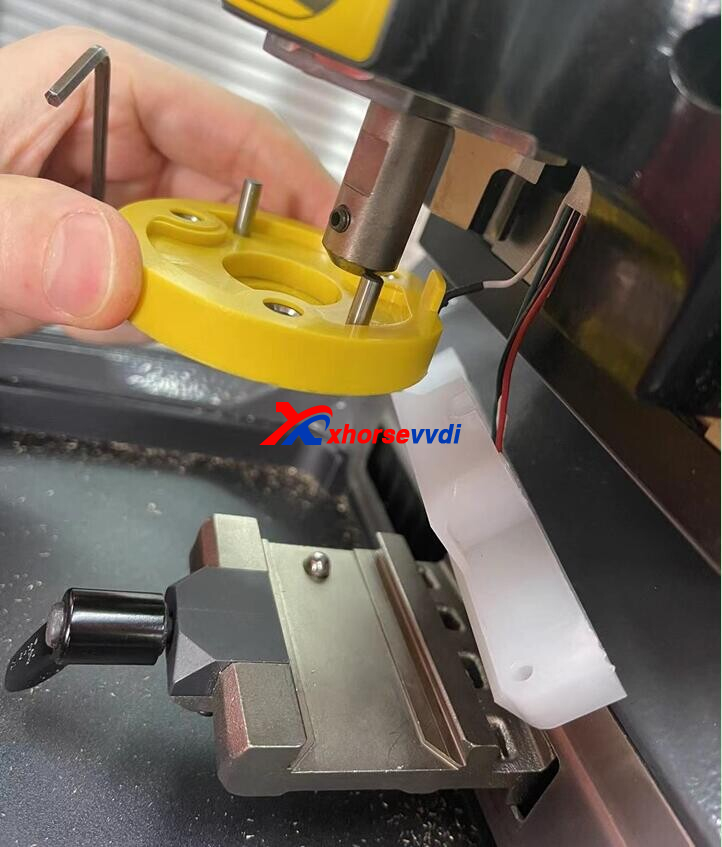
Step 7
Check if the four wires are damaged and the screws are loose.
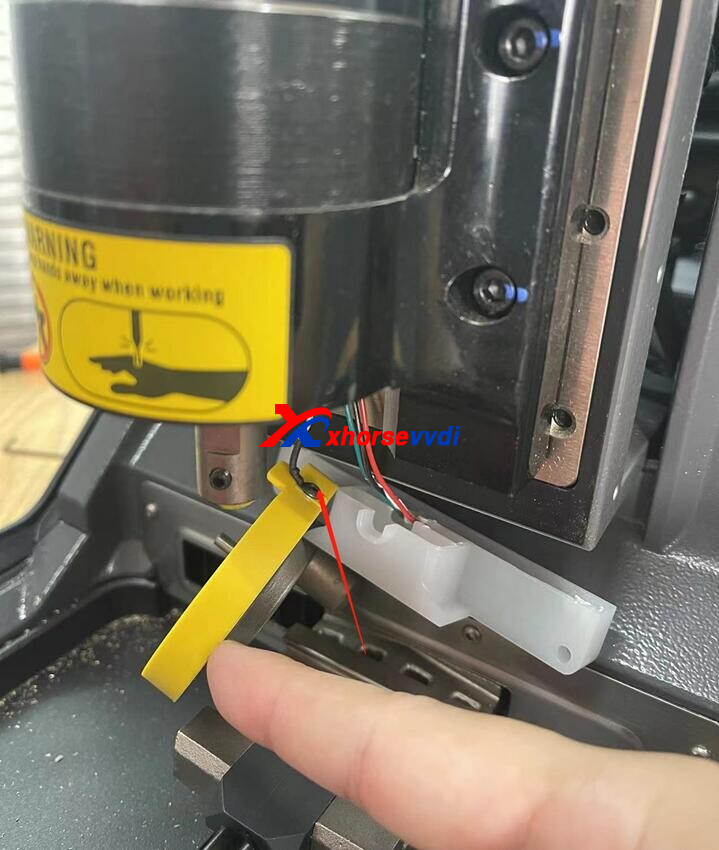
http://blog.xhorsevvdi.com/how-to-solve-xhorse-conodr-mini-plus-ii-error-code-56/
Posted by: xhorsevvdi at
10:11 AM
| No Comments
| Add Comment
Post contains 152 words, total size 4 kb.
35 queries taking 0.0369 seconds, 97 records returned.
Powered by Minx 1.1.6c-pink.

