



July 13, 2022
Error:
Xhorse Condor XC-Mini Plus II prompts "error code: 20 Spindle motor abnormal, rotate speed can't up to rated value".
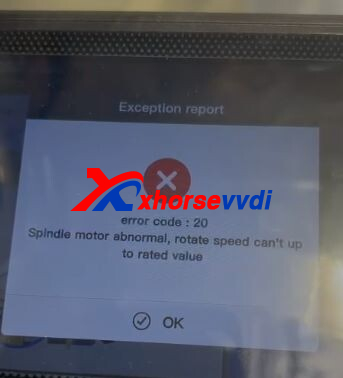
Here Xhorsevvdi gave the
Solution:
1.Unscrew all screws marked to remove protection cover and back case.
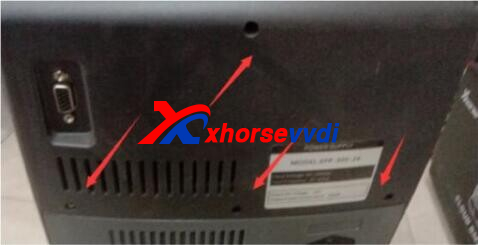
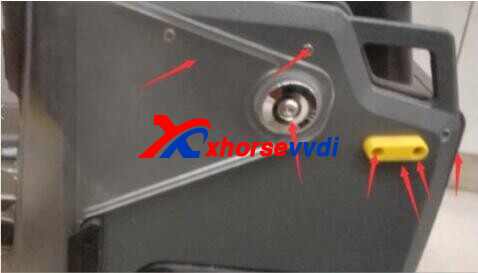
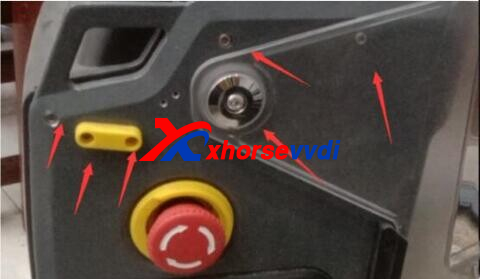
2.Take out driver board.
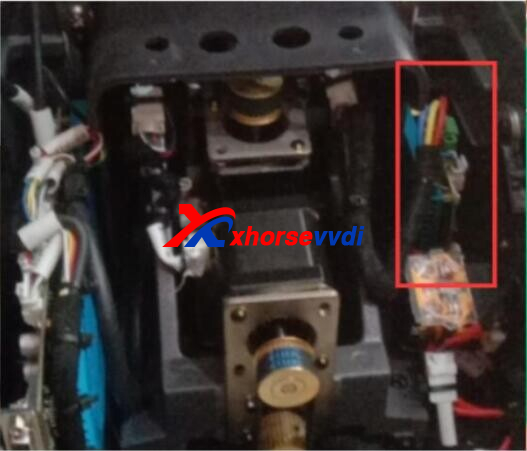
3.Remove the resistor marked, then short-circuit two ends
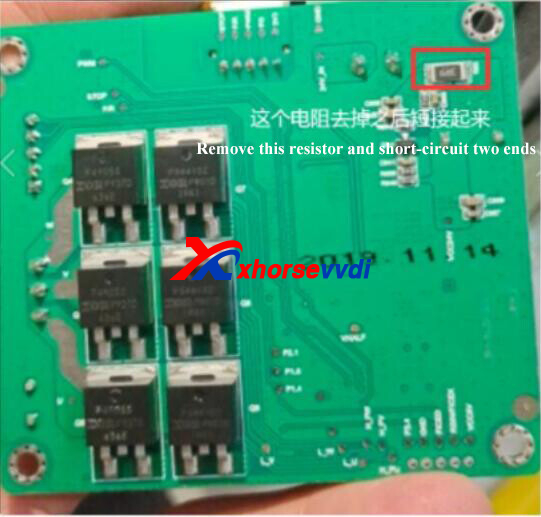
4.Install all parts back, and Condor II should work fine
http://blog.xhorsevvdi.com/how-to-solve-xhorse-condor-xc-mini-plus-ii-error-code-20/
Posted by: xhorsevvdi at
09:55 AM
| No Comments
| Add Comment
Post contains 70 words, total size 2 kb.
June 15, 2022
This article is a Xhorse Dolphin XP005guide on cutting Toyota TOY40 key by code.
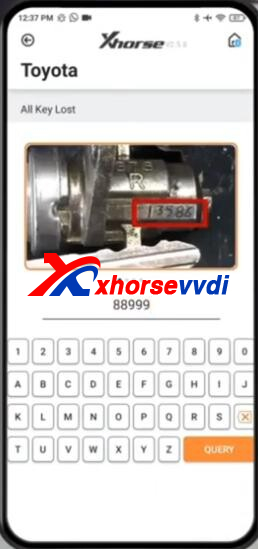
On Xhorse app, go to
All Key Lost>>Toyota
Input key code "88999â€.
Prepare paper shims. (XP005 probe can’t detect such keys with only one side, so we need raise key blank by shims)
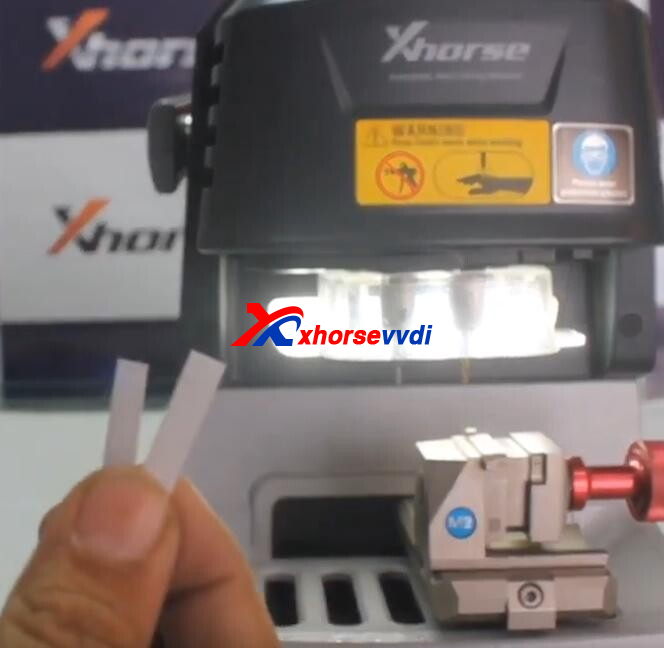
Put shims in clamp first.
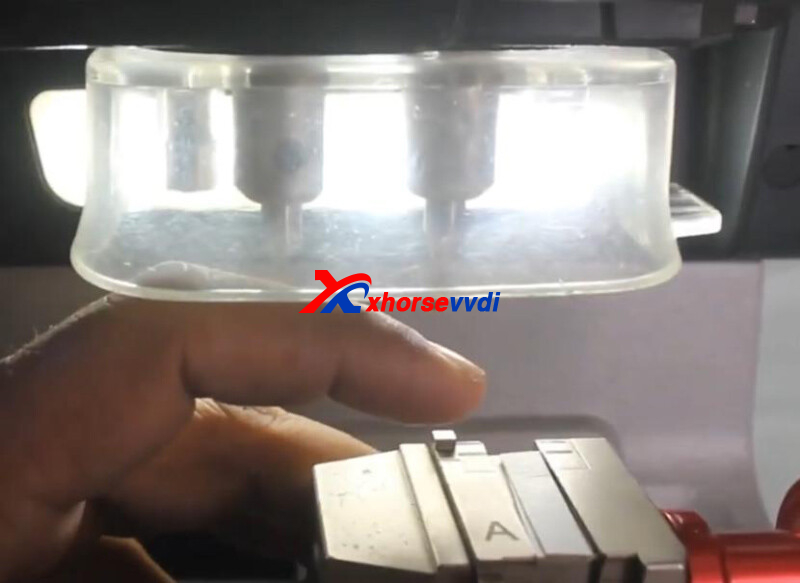
Then put key blank.
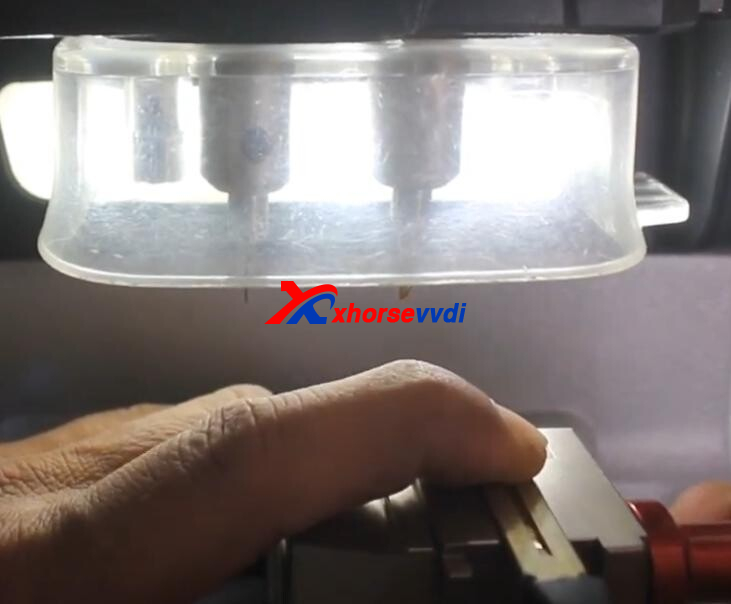
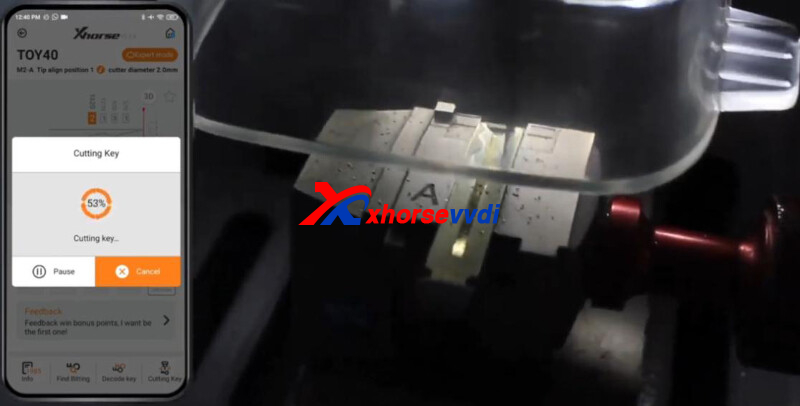
Click "Cutting Keyâ€.
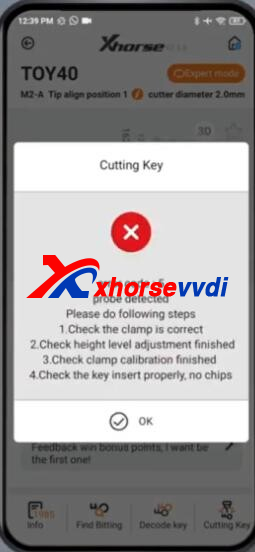
If app prompts "error code: 5â€, then we have to make key blank higher.
Complete!
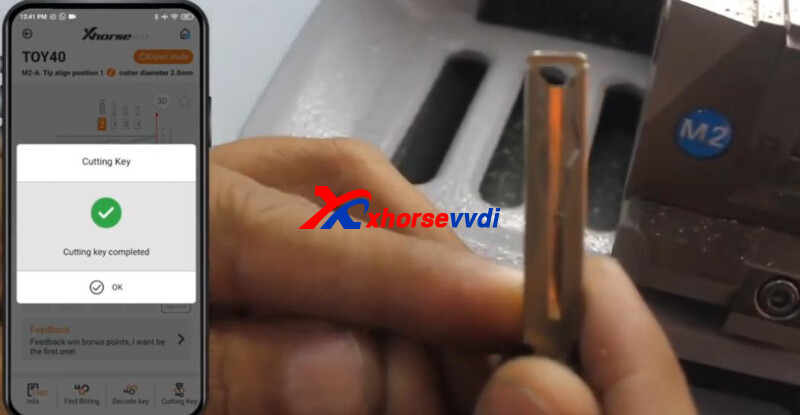
Good to know:
- Dolphin XP005and Condor XC-Mini Pluspackage are equipped with shims
- Dolphin XP005Lcan cut TOY40 without shims by setting cutting depth manually
https://www.xhorsevvdi.com/
Skype: xhorsevvdi.com
Whatsapp:+86-13983756354
Posted by: xhorsevvdi at
08:57 AM
| No Comments
| Add Comment
Post contains 110 words, total size 3 kb.
This article is a guide on VW Passat 2011 AKL programming by VVDI PROG + VVDI2.
Step 1. Open Door and Get Bitting
Open car door and get key bitting by Lishi Tools.
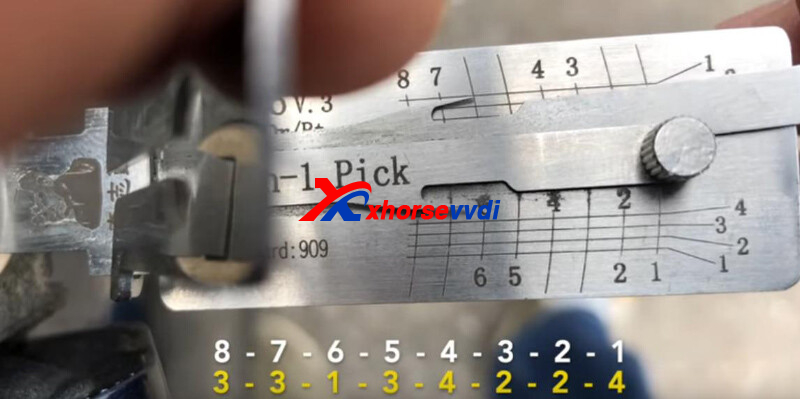
Step 2. Cut Emergency Key
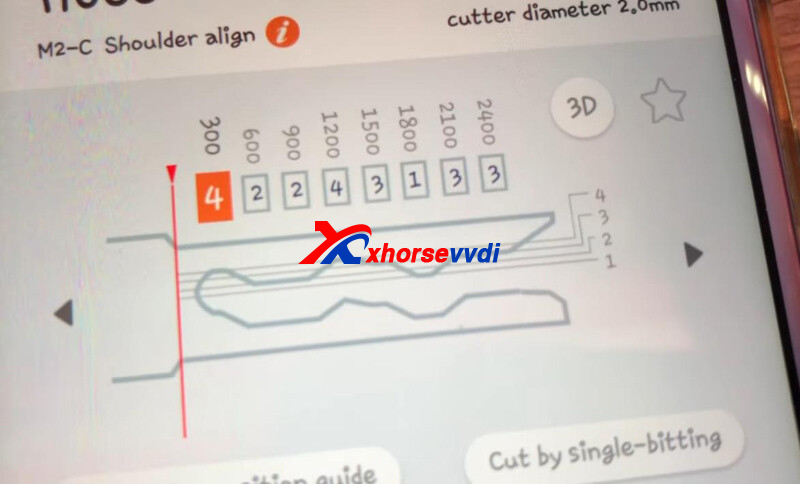
On Key Tool Max, go to
Cut by Bitting>>HU66>>M2-C Shoulder align
Input key bitting.
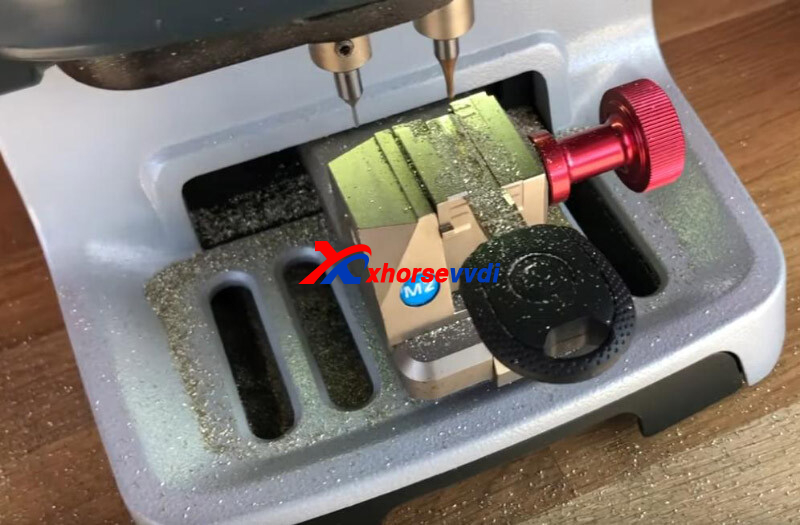
Click "Cutting keyâ€, then Dolphin XP005 starts key cutting.
Step 3. IMMO Removal
Remove glove box, then we will see comfort module behind.
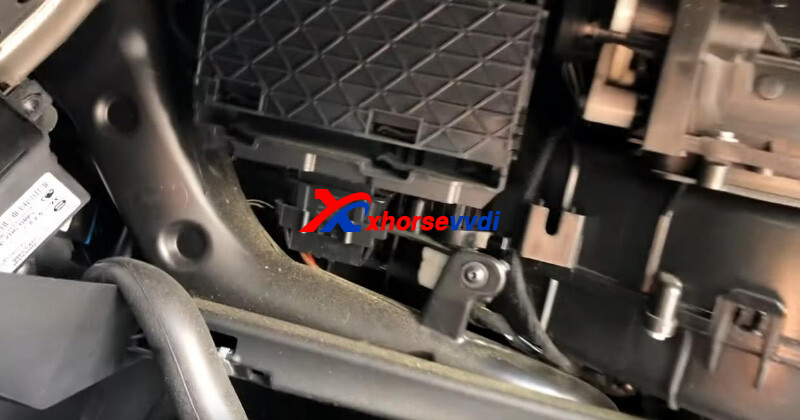
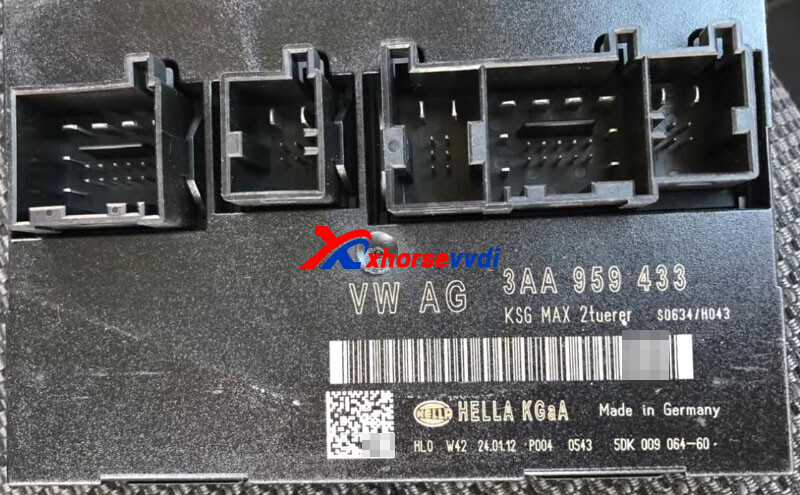
Step 4. Read IMMO Data
Desolder EEPROM 95320 and put it on EEPROM adapter.
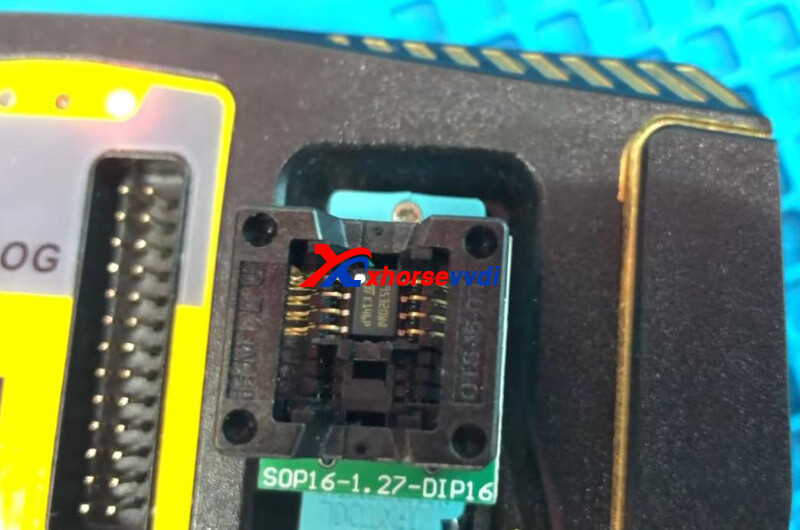
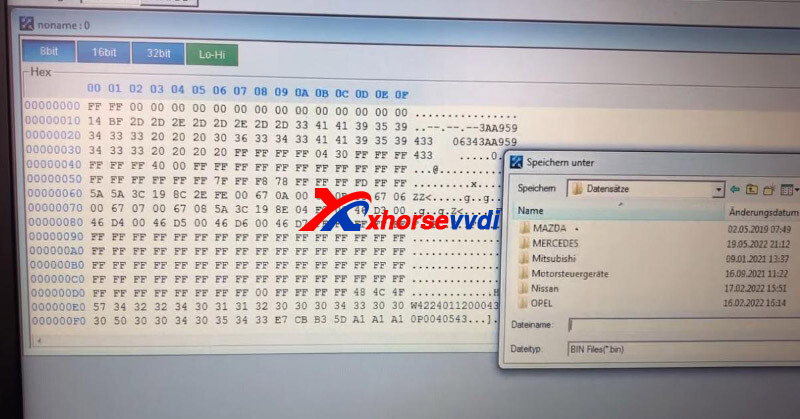
On VVDI PROG, select "1-EEPROM&FLASHâ€"STâ€"M95320â€.
Read and save immo data.
Step 5. Generate Dealer Key
On VVDI2, go to
VAG>>Key Learn>>4th Immobilizer system - VW/Skoda/Seat>>VW Passat/CC Key Learn>>
Select "Get component security data from comfort module dumpâ€, and load immo data file.
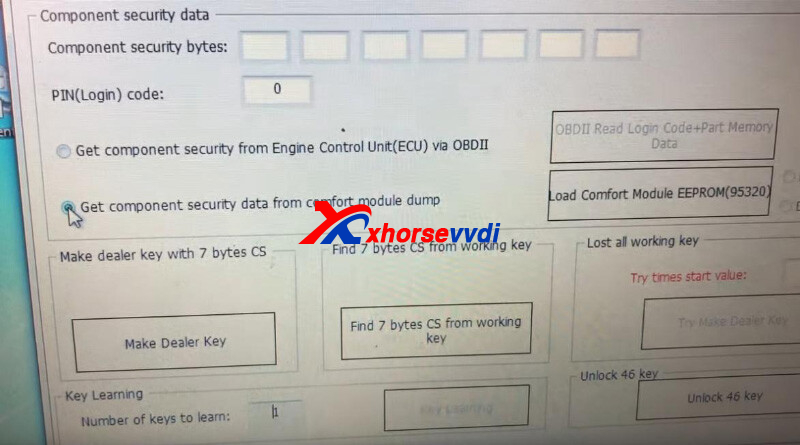
PIN code displays.
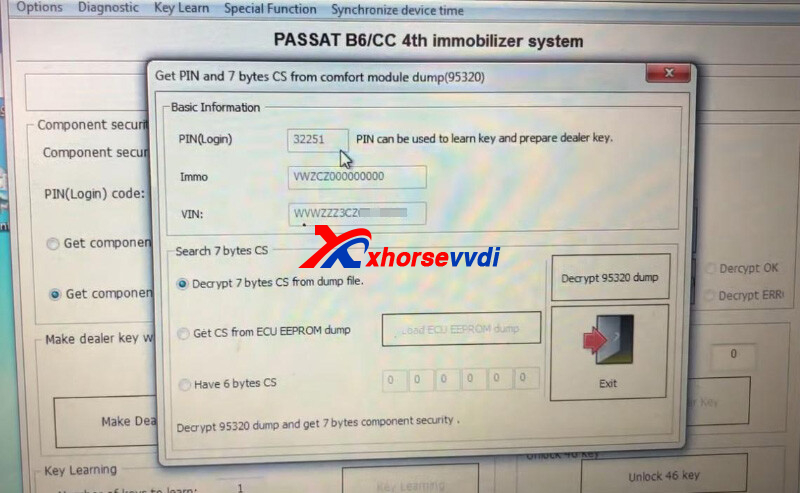
For CS code, select "Decrypt 7 bytes CS from dump fileâ€, and click "Decrypt 95320 dumpâ€.
CS code displays.
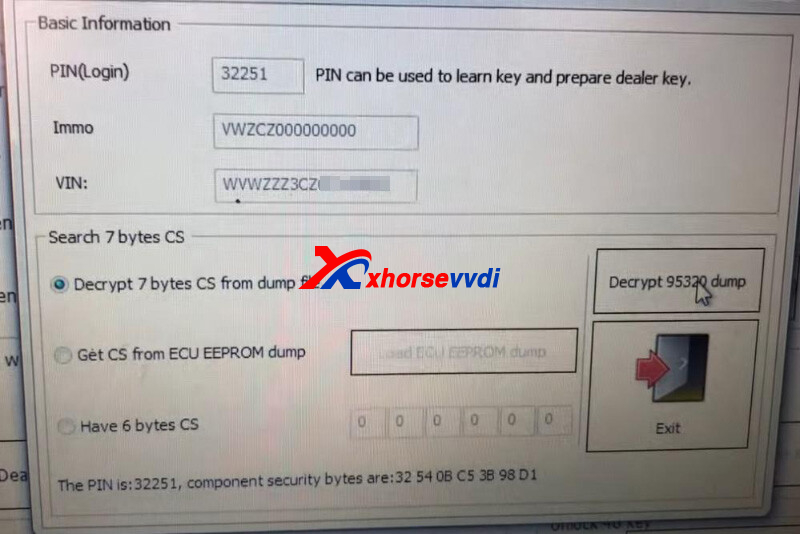
Back to last screen, PIN and CS automatically input.
Select "Make Dealer Keyâ€, and put new key into VVDI2 Programmer key coil.
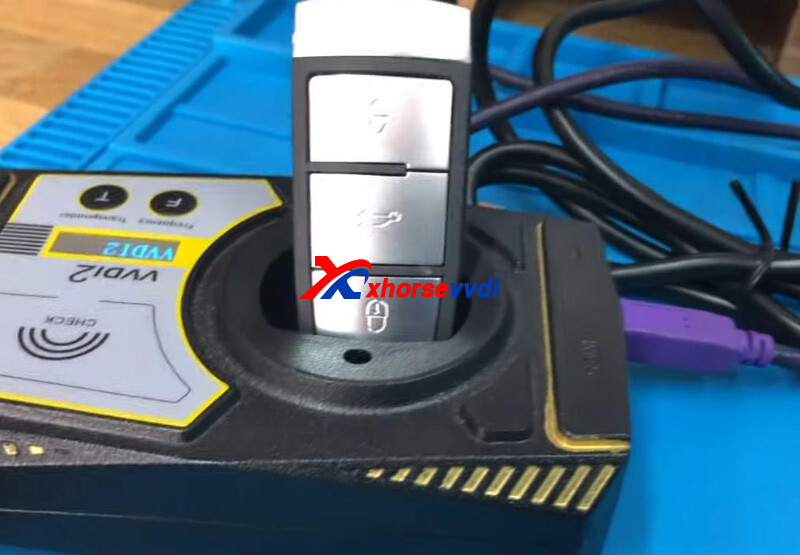
Key make okay and locked.
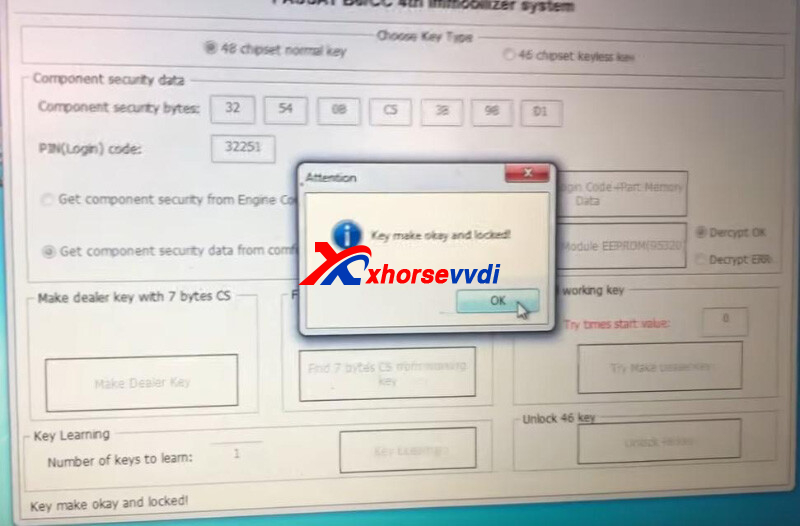
Step 6. Key Programming
Install Comfort Modue back to vehicle, and connect VVDI2 to vehicle via OBD port.
Click "Key Learningâ€, wait for key learning, and then switch on vehicle using dealer key as prompt.
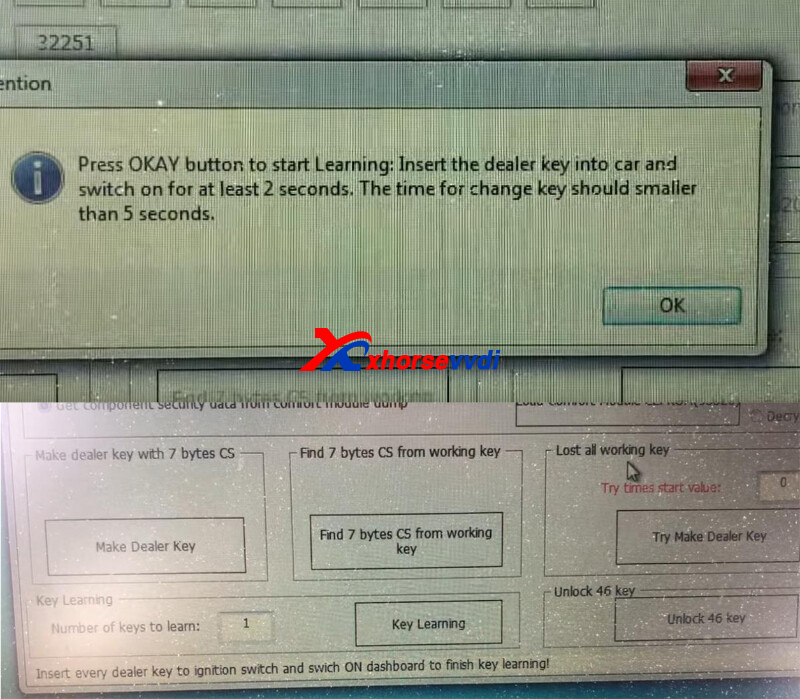
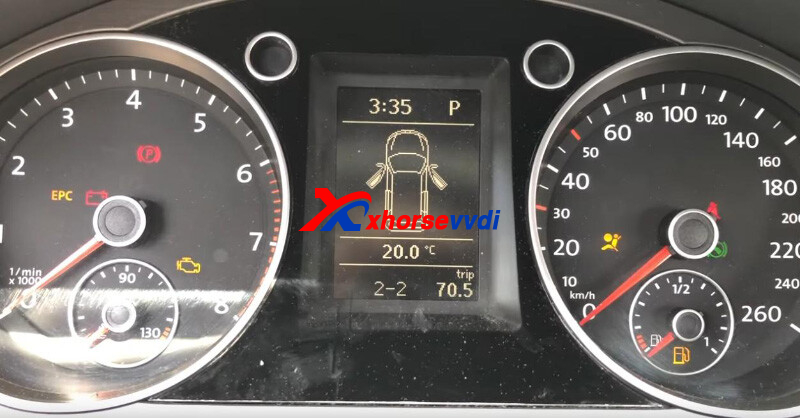
2 of 2 learned.
Step 7. Remote Matching
Control Unit Selection>>46-Comfortsystem>>Adjustment-10>>Radio remote control Learn keys (Number of keys)
Match remote one by one, and verify by "Readâ€.
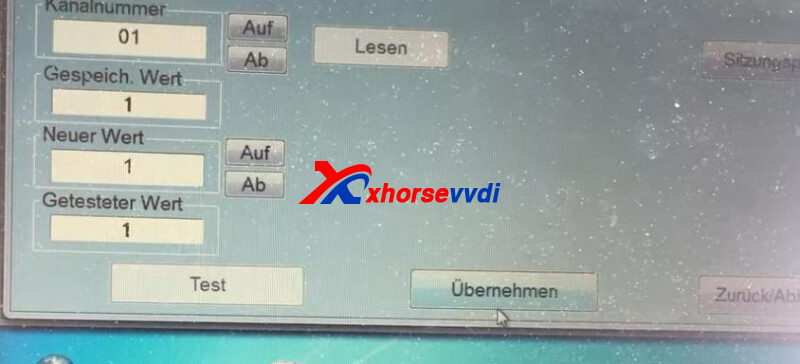
Done! That’s how to program VW Passat 2011 when all key lost using VVDI2 and VVDI PROG.
Posted by: xhorsevvdi at
08:56 AM
| No Comments
| Add Comment
Post contains 270 words, total size 6 kb.
One customer gave feedback that he adds a spare key for Audi by VVDI PROG and VVDI2 successfully but car won’t start after all installed back.
Here is what he has done:
I soldered the wires to the bcm2 and VVDI PROG read the p-flash fine and also the eeprom.
Soldered the eeprom back and before I read the p-flash I de-soldered the resistor and also soldered back on.
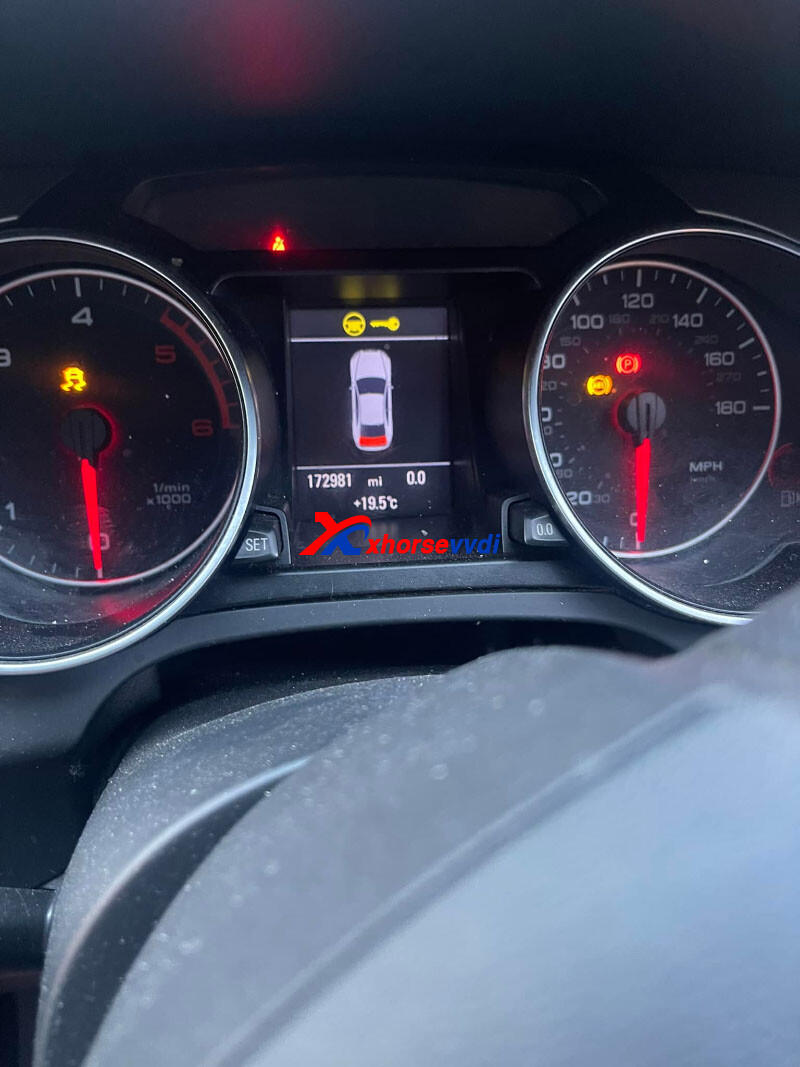
After all the procedures done, now i put it all back together but the car won’t start and also many faults on the dash.
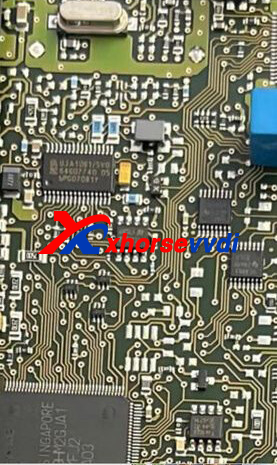
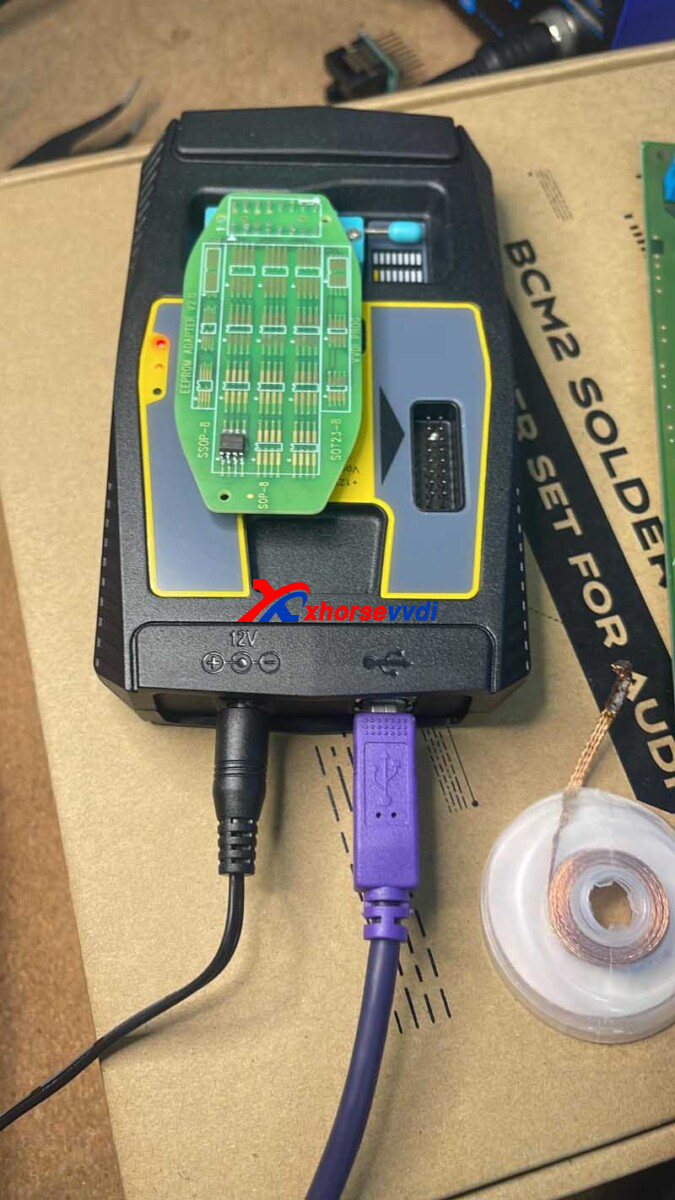
In this case, eeprom is removedto read P-flash for the CS code.
So here is the troubleshooting:
1. P-flash data is not written back to BCM2 module.
No, not written.
2. If the module can communicate with diagnostic tools.
No now it doesn’t before was ok.
3. Check the soldering and component nearby the soldering point, especially the resistor
The resistor is not soldered correctly.
Customer feedback:
I had to re-solder the resistor, done it like 5 times and if not done properly the car will not start.
How to clear fault codes after car starts?
Start and drive a few meters, turn the steering wheel fully into the left into the right and then the faults on the dashboard disappear
Posted by: xhorsevvdi at
08:53 AM
| No Comments
| Add Comment
Post contains 227 words, total size 3 kb.
V5.1.6 VVDI Prog Software is released! Get V5.1.6 VVDI Prog software download link from xhorsevvdi.
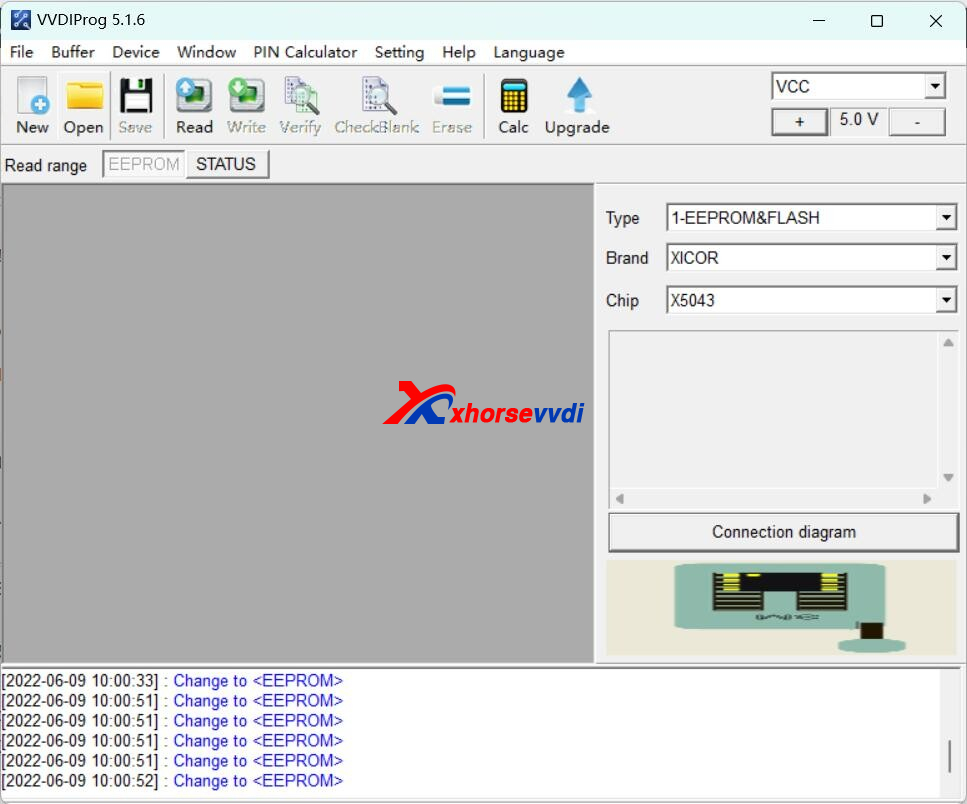
1.Free Download V5.1.6 VVDI Prog Software
https://mega.nz/file/UQlgWaTR#H90o9RbES0wIC6KOnqnDFSJeTgFesK_Eq_Ibz1LaQQk
Password:123456
2.V5.1.6 VVDI Prog Update (2022-06-0
* Fixed B48 and B58 options bug in <10-BOSCH_ECU_ADAPTER>-><BMW>
+ Add CY15B016Q, CY15B064Q, CY15B128Q options in <1-EEPROM&FLASH>-><CYPRESS>
+ Add GT30L24M1W, GT31L16M1Y80, GT31L24M1W, GT32L24F02, GT32L24M01, GT32L32M0 options in <1-EEPROM&FLASH>-><GENITOP>
+ Add PCT25VF010A, PCT25VF016B, PCT25VF020B, PCT25VF032B, PCT25VF040B, PCT25VF064C, PCT25VF080B, PCT25VF512A, PCT26VF016, PCT26VF032, PCT26WF032 options in <1-EEPROM&FLASH>-><PCT>
+ Add SST26VF016B, SST26VF032B options in <1-EEPROM&FLASH>-><SST>
+ Add X5043, X5045, X5325, X84041, X84161, X84641 options in<1-EEPROM&FLASH>-><XICOR>
Posted by: xhorsevvdi at
08:52 AM
| No Comments
| Add Comment
Post contains 95 words, total size 2 kb.
Question:
Using VVDI Key Tool Plus, VW Caddy 2019 year successfully programmed new key and start engine but remote not work.
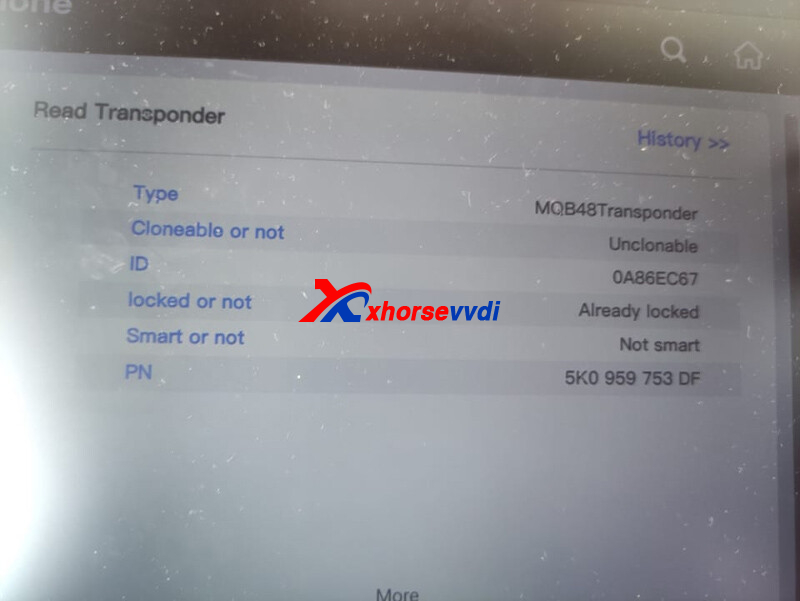
Possible Reason:
This car could have separate system to add remote.Remote central locking channel is blocked 2018+.
Solution:
Need ODIS or VCDS to open channel with dealer key and remote can be added then.
E.g. VCDS: match remote one by one, and verify by "Readâ€.
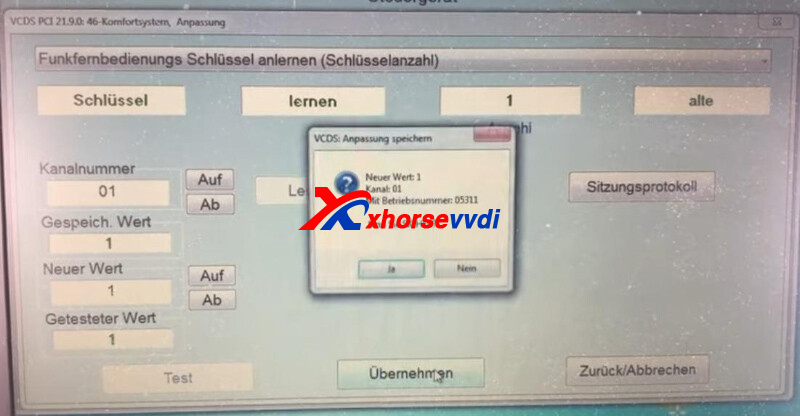
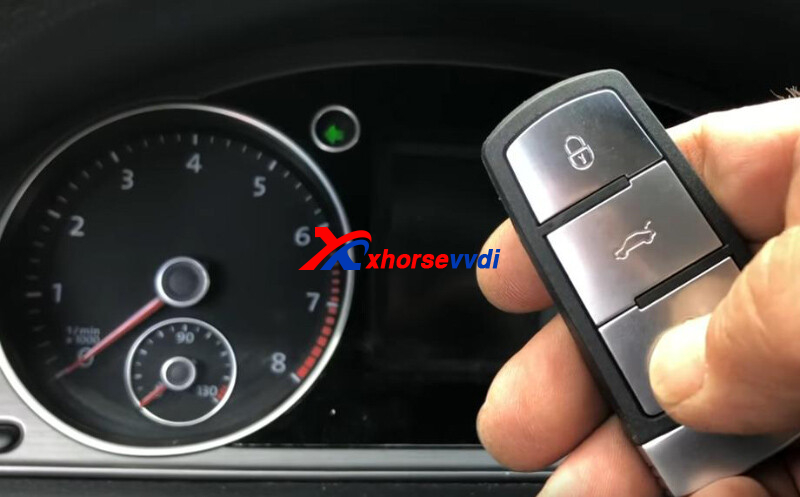
Experience from one colleague’s experience:
Try Xhorse MQB Key, I did it on T6 2018, not sure if was before 06/2018.
Corrected by ВаÑил:
Don't need ODIS, VCDS. There's no separate module for the remotes. This is about old PQ platform cars which are not yet MQB. Passat photo is misplaced (wrong) in this article. This case is for T6, Jetta, Caddy, Beatle, etc. Just need to generate the correct information from the Xhorse database. Remote is learned automatically with the transponder.
Posted by: xhorsevvdi at
08:52 AM
| No Comments
| Add Comment
Post contains 164 words, total size 3 kb.
One customer gave feedback that VVDI PROG prompts "Network errorâ€when it reads MEVD 17.2.5 with BOSH Adapter.
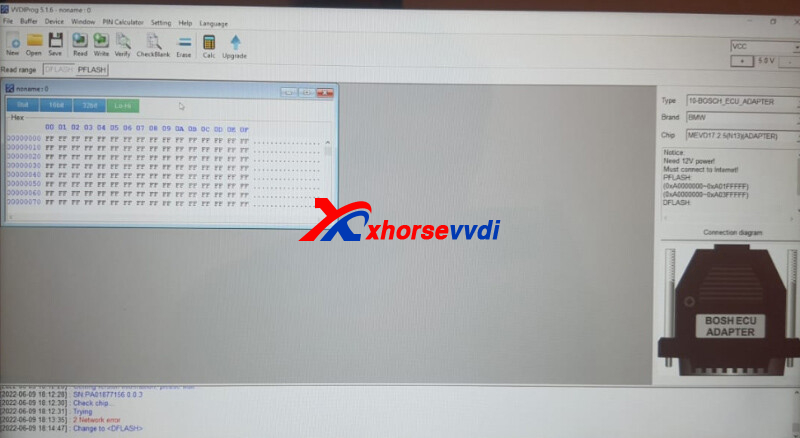
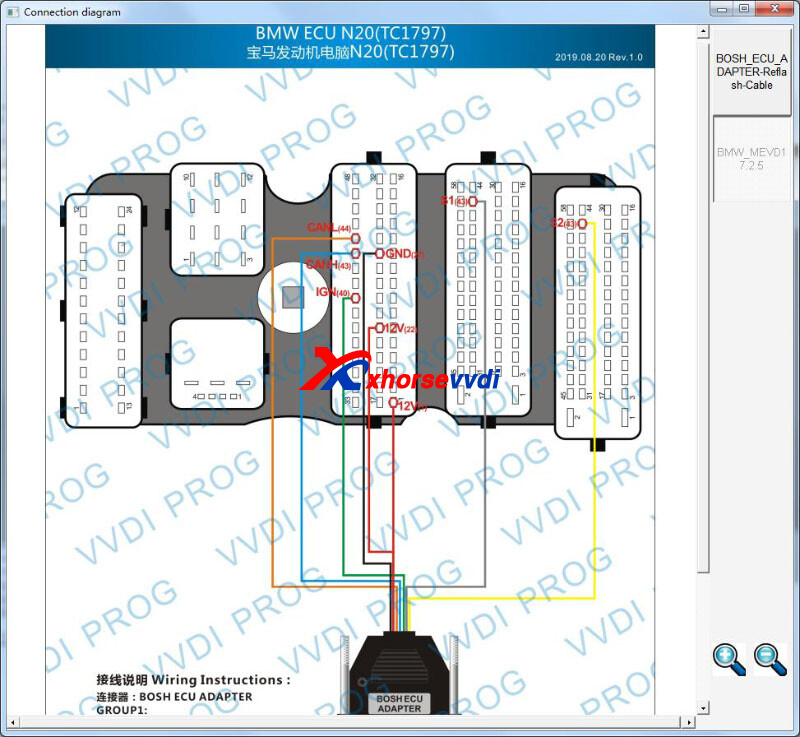
In addition, this customer has tried other network, hotspot, and PC, but the error remains.
Here Xhorsevvdiengineer gave the
Solution:
Read Bosch ECU via V5.1.3 VVDI PROG Software. (other old versions may also work)
Note:
The latest VVDI PROG software is V5.1.6.
Download Links (Click to download):
Any questions, contact us.
Skype: xhorsevvdi.com
Whatsapp:+86-13983756354
Posted by: xhorsevvdi at
08:51 AM
| No Comments
| Add Comment
Post contains 88 words, total size 2 kb.
This article is going to show you a new feature of Condor XC-Mini Plus II Machine - Modify key blank to flip key.
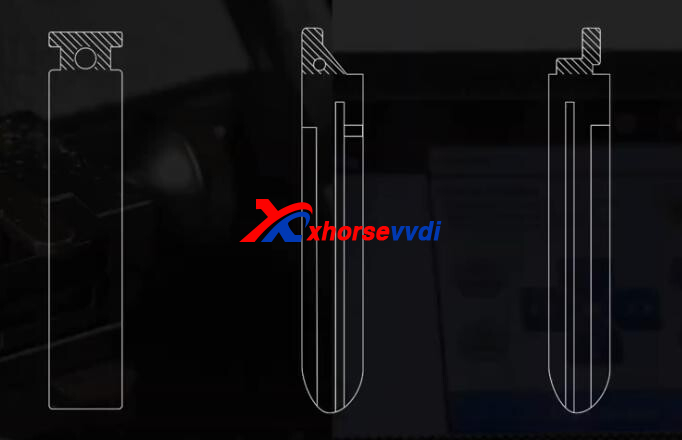
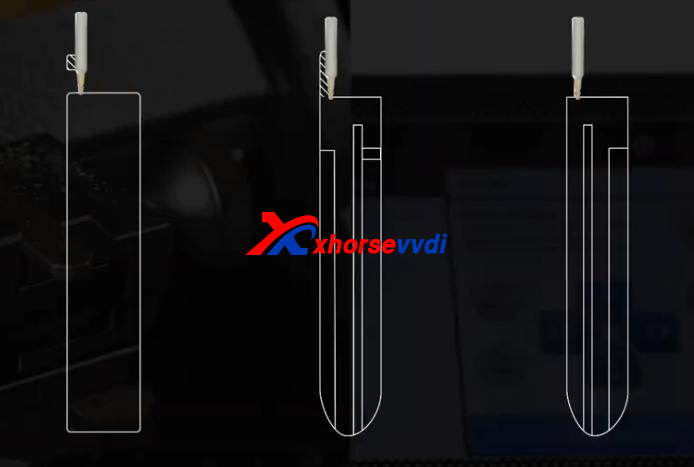
The procedure is mainly two steps: Tail Correction and Groove Cutting.
Step 1. Tail Correction
Turn on Condor II Key Cutting Machine, select
Modify key>>Tail correction>>With handle
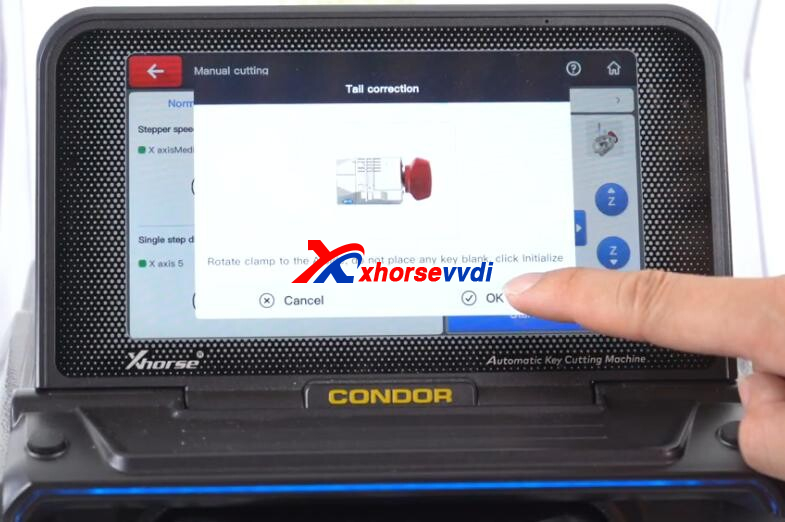
Switch M5 Clamp to side A, tighen the clamp, and click "Initailizeâ€.
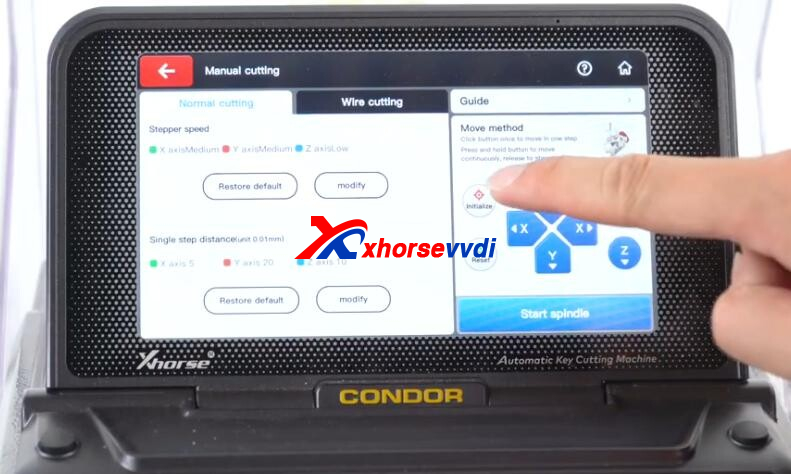
Put key blank on clamp. (make sure cutting part of key blank is conductive, or the probe may get damaged)
Click "Start spindleâ€, remove tail part by setting X, Y, Z-Axis manually.
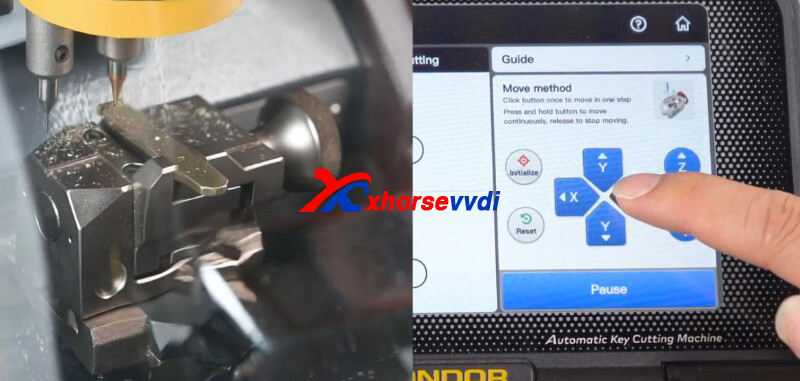
More examples.
Step 2. Groove Cutting
Back to "Tail correctionâ€screen.
Enter "Without handleâ€, and select default blank shape.
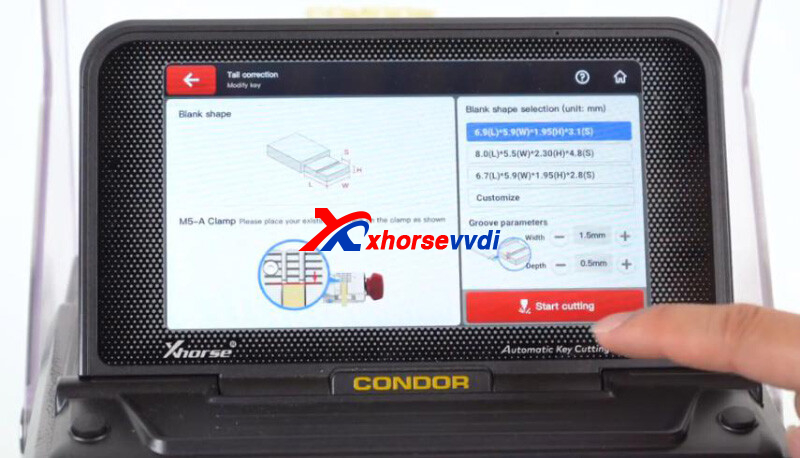
Put key blank in clamp again.
Click "Start cuttingâ€.
Key cutting complete.
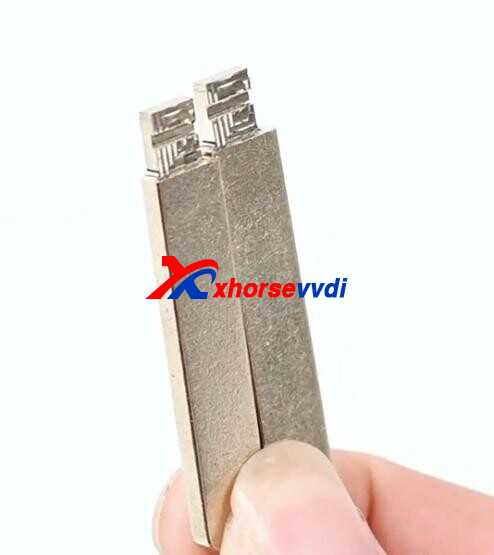
Last, assemble the blade and Xhorse Flip Key.
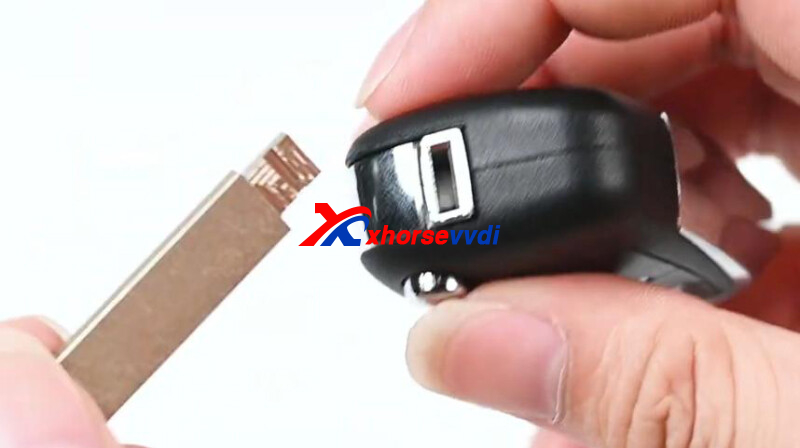
Video Reference:
https://youtu.be/OJvus81-Nss
More functions to be explored!
https://www.xhorsevvdi.com/
Skype: xhorsevvdi.com
Whatsapp:+86-13983756354
Posted by: xhorsevvdi at
08:50 AM
| No Comments
| Add Comment
Post contains 157 words, total size 4 kb.
Question:
Can GODIAG GT100 be used as Autel G-box2?
Answer:
No, and G-box2 can’t be connected to test platfroms like Godiag GT100.
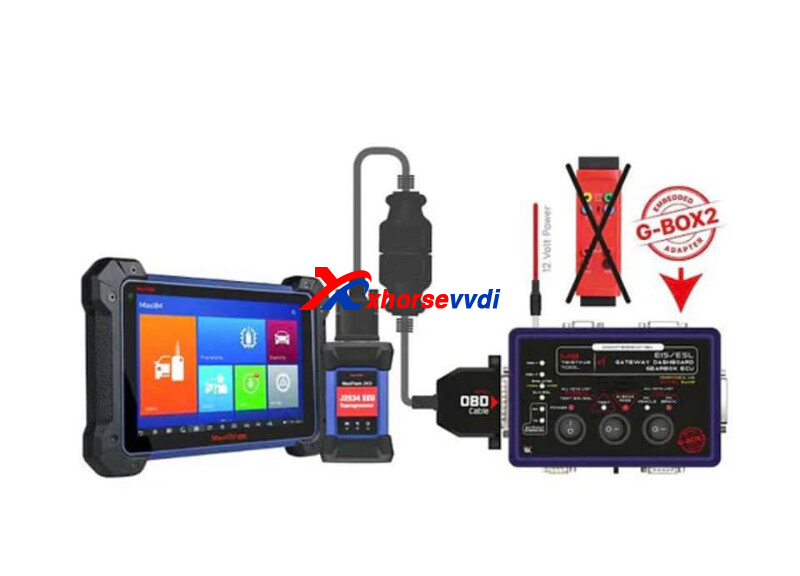
So here is their difference:
| Item | GODIAG GT100 | Autel G-box2 |
| Image | 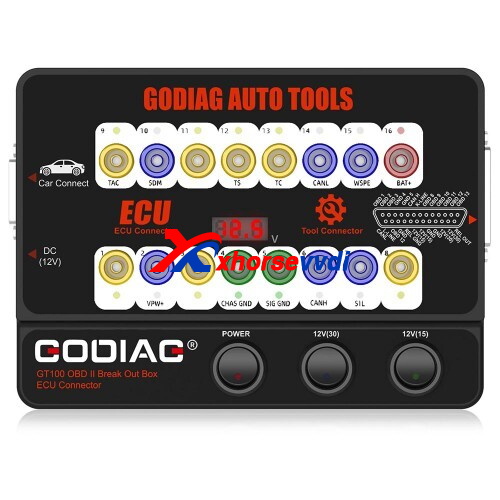 |
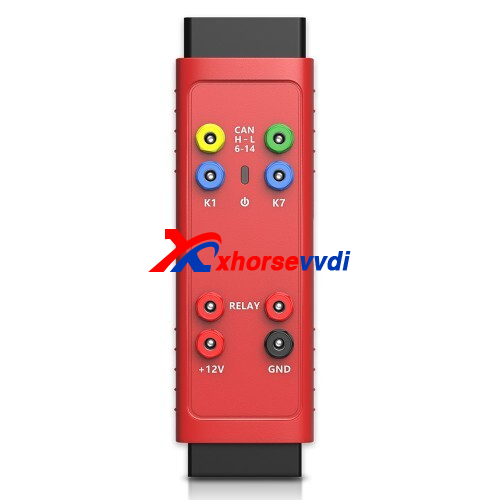 |
| Definition | Breakout Box | Autel Adapter for Benz & BMW |
| Compatible Device | Multiple Brands | Autel IM508/608 Tablet |
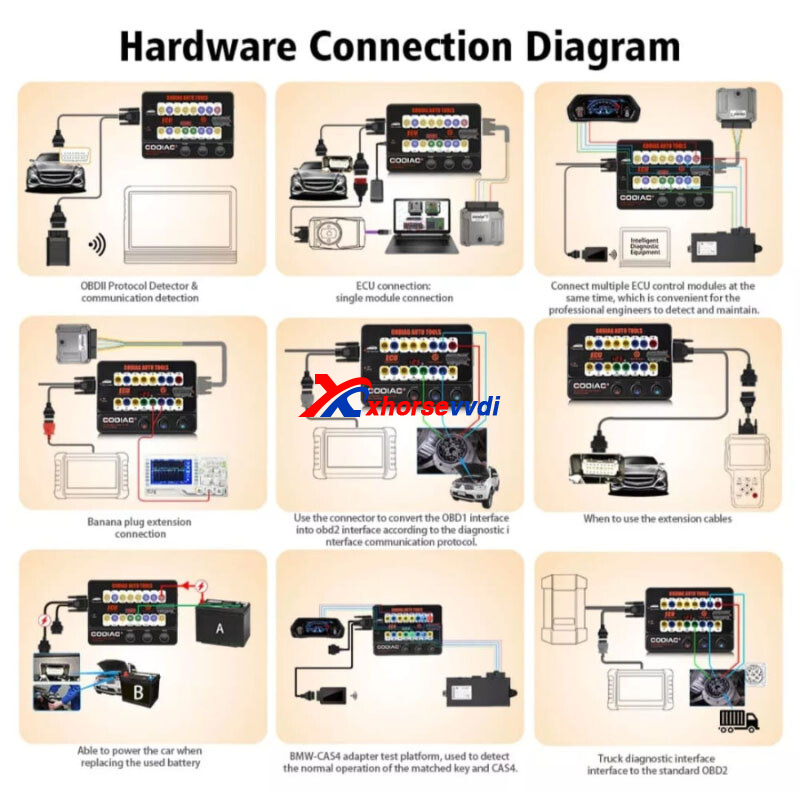
| Function | 1. OBDII protocol communication detection 2. ECU Maintenance / diagnosis / programming / coding. |
1. Supports fast mode on vehicle and bench when all keys of Mercedes-Benz 2. Reads and writes Bosch engine ECU on F classis of BMW and MQB of Volkswagen 3. With the Autel’s Advanced Diagnostic Tablets supporting IMMO and Key Programming functions. |
| Indicator | 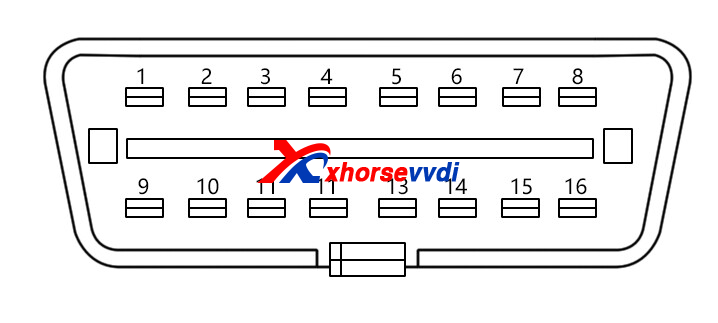 |
 |
| Indicator Meaning | 1. Manufacturer custom 2. SJE1850 wire 3. Manufacturer custom 4. Power grounding 5. Signal grounding 6. SAEJ2284《CAN》high 7. ISO9141-2&iso, DIS4230-4K wire 8. Manufacturer custom 9. Manufacturer custom 10. SJE1850 wire《bus-> 11. Manufacturer custom 12. Manufacturer custom 13. Manufacturer custom 14. SAEJ2284《CAN》low 15. ISO9141-2 & ISO/DIS 4230-4L wire 16. Car battery positive |
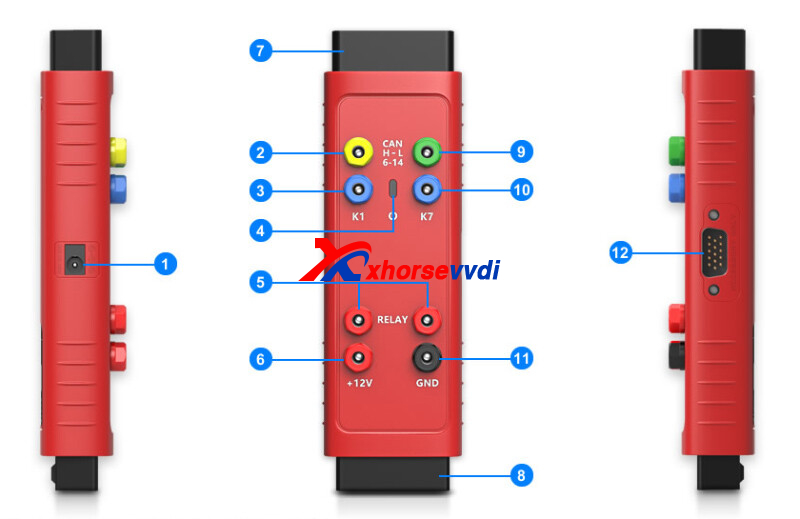
1. DC Port provides + 12 DV power supply 2. Can-H port-universal CAN bus interface, connects with OBII PIN6 3. K1 port-universal k-line interface, connects with OBDII PIN1 4. Status Indicator indicates the current operating status 5. Relay ports connect with dedicated relay cables 6. +12v power port-universal power input/output port 7. OBDII Connector connects to the vehicle’s OBDll directly or via a dedicated extension cable 8. 0BDII Female connector connects to the main cable of Autel Diagnostic Tablet 9. CAN-L port-universal CAN bus interface, connects with OBDII PIN14 10. K7 port-universal k-line interface connects with OBDII PIN7 11. GND port-universal power input/output port 12. DB15port-used with dedicated BD15 cable for reading and writing multiple types of ECUs |
Customers Reviews about GT100:
1. Used in conjunction with your scan tool to do bench programming, simple to get pins to power up item one is programming out of car
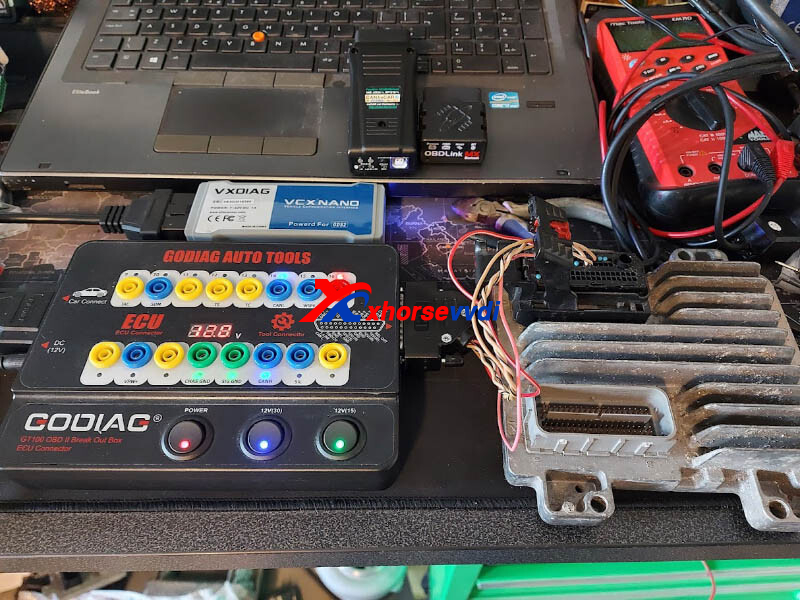
2. I built a bunch of bench flash harnesses for mine. I can run my hp tuners, or and other obd port programming device through it. it gives me switch power for acc and ignition, I can see the hi/low can bus leds to know if it's talking to the pcm, monitior voltage. to the OP I am sure you can configure it to do what the g box does, one day ill dig into the wiring and figure it out.
3. Use it in conjunction with a gbox2 on the bench as a switched power source as well as the basic breakout box functions with voltage showing & possibly amps being drawn depending on which one you’ve got
Summary:
Godiag GT100 Breakout Box, mainly for ECU connection and programming, can support multiple devices.
Autel G-box2 Adapter, mainly for Mercedes password calculation fast mode and Bosch engine ECU, needs to work with Autel IM508/608 Diagnostic Tool.
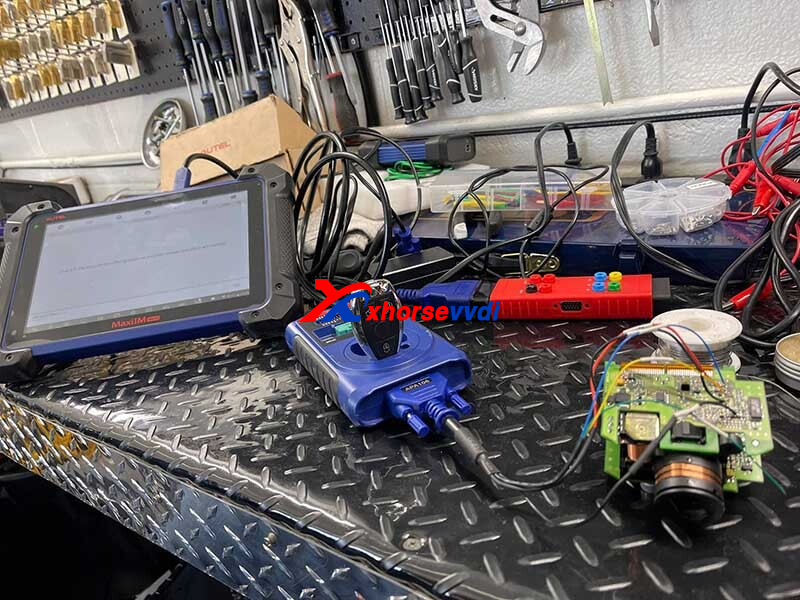
Hope this could help!
http://blog.xhorsevvdi.com/can-godiag-gt100-breakout-box-be-used-as-autel-g-box2/
Posted by: xhorsevvdi at
08:49 AM
| No Comments
| Add Comment
Post contains 479 words, total size 7 kb.
V7.2.4 VVDI2 Software is released, and this version doesn’t require a firmware update.
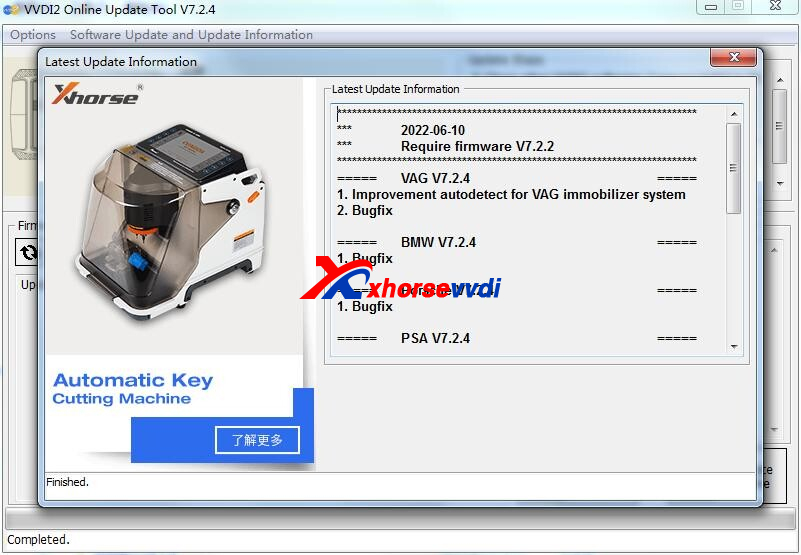
1. Free Download V7.2.4 VVDI2 Software
https://mega.nz/file/u1dHjCZY#zmEeXSys-vJXNrKrGJaCs-sk4DBOOJXCl5MxbvB7a_s
2. V7.2.4 VVDI2 Update Information
!!!This version require firmware V7.2.2 !!!
===== VAG V7.2.4 =====
1. Improvement autodetect for VAG immobilizer system
2. Bugfix
===== BMW V7.2.4 =====
1. Bugfix
===== Porsche V7.2.4 =====
1. Bugfix
===== PSA V7.2.4 =====
1. Bugfix
===== Transponder Programmer V7.2.4 =====
1. Improvement prepare remote function
2. Immobilizer data tool: Asia->Dongnan->DX3->9S08
3. Bugfix
===== Copy 48 (96 bits) V7.2.4 =====
1. Bugfix
===== J2534 V7.2.4 =====
1. Bugfix
===== Online Upate Tool V7.2.4 =====
1. Bugfix
===== Quick Start V7.2.4 =====
1. Bugfix
https://www.xhorsevvdi.com/
Posted by: xhorsevvdi at
08:49 AM
| No Comments
| Add Comment
Post contains 116 words, total size 2 kb.
May 18, 2022
VVDI 35160 Chip supports ST chips including 35080XX,35160XXX. D80 D160 35080 35160 are supported while 35128 is not included.
Here is how to use Xhorse 35160 chip with VVDI PROG on the latest v5.1.4 software.
Without Adapter.
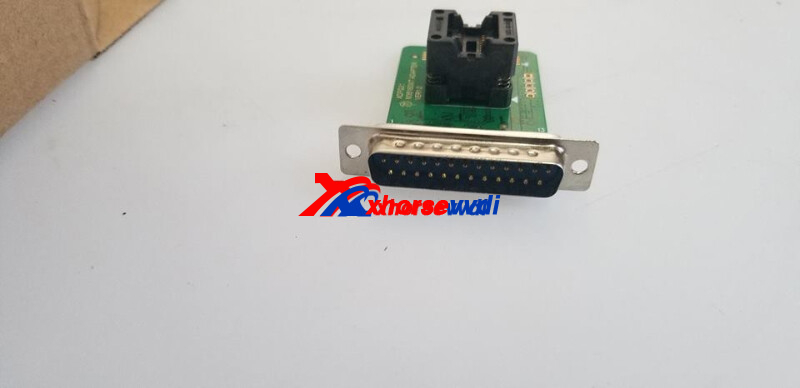
With Adapter.
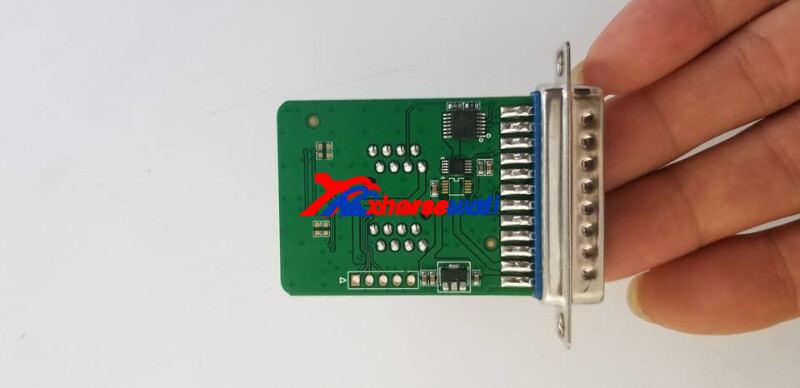
Procedure:
Note: If red dot is already on dash, it will remain after procedure ends
1)Read Original Chip
Select the chip type, click "Allâ€, Read and Save original 8-pin chip data
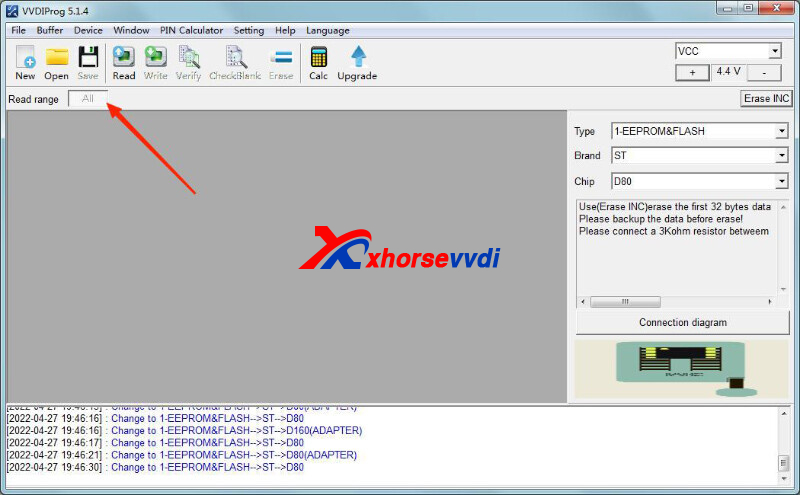
In old version, "Allâ€data was divided into 3 partitions.
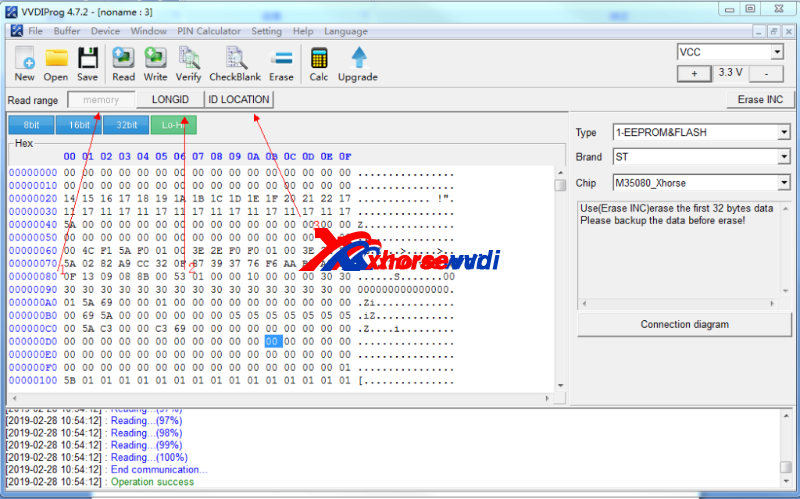
2)Replace VVDI Chip
Select chip type same as the original, and write the data file to VVDI chip (VVDI 35160 chip will automatically generate chip)
If we need to correct odometer, click "Erase INC", then the first 2 lines will be erased (all "00â€). Manually enter odometer, then click "Write", operation completed.
3)Verify Dash
Solder the edited chip back to dash, and check if the dash works.
http://blog.xhorsevvdi.com/vvdi-prog-v5-1-4-35160-chip-guide-with-without-adapter/
Posted by: xhorsevvdi at
10:30 AM
| No Comments
| Add Comment
Post contains 155 words, total size 3 kb.
One customer asked how to sort a problem with a moving chip in Xhorse Wire Keys. Sometimes he can’t start a Mazda 6 2008 because of this problem.
Here we shares some locksmith fellows’choices:
Review 1
Super glue or masking tape.
Review 2
Paper glue is perfect for the job.
Review 3
Used to use the locktite brand blue putty, but I found that the gorilla glue version works better. super cheap. works great, holds chip where u want, and u can still take the chip out if u want.

Review 4
Blue Tack.

Posted by: xhorsevvdi at
10:29 AM
| No Comments
| Add Comment
Post contains 104 words, total size 2 kb.
One customer wondered that why there were still some functions unlicensed on Xhorse VVDI2 since he bought a full-version one.
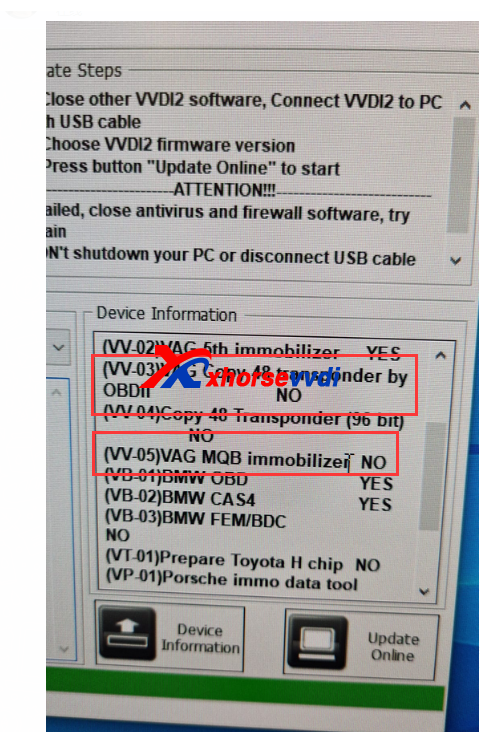
For VVDI2 full, depends on the time you bought,it may has different authorization in your vvdi2. Before 2017 year, VVDI2 not release ID48 96bit, ID48 OBD II, FEM,Toyota h. Your vvdi2 full all activated at that time. But after the new authorization release, your vvdi2 full new authorization not activated.
Solutions:
1)Contact us and attach device’s Serial Number, we’ll check if it’s a full-version one or activate unlicensed functions.
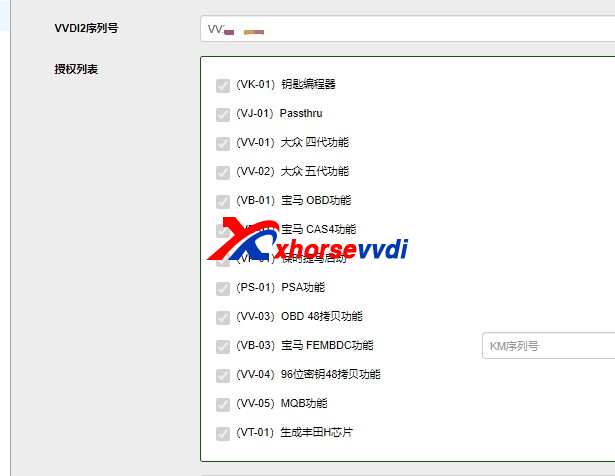
2)If it is a Full-version VVDI2, but the software interface still doesn’t change,
Update the firmware to the latest version and check again.
3)If the interface still remains,
Just try these unlicensed functions. They may work normally but display incorrectly.
4) Or you can check in vvdi2 quick start tool>>update>>device info to check, but before check, please update firmware to check firstly,then check.
5) If you bought before 2017 year, new VVDI2 authorization not activated, you need:
5.1 Toyota H can get free by yourself.
5.2. MQB, if you vvdi2 bought after 2019 year, we can help you activate free. If before 2019 year, need to purchase ID48 96bit to get MQB.
5.3. ID48 96bit, ID48 OBDII, BMW FEM authorization need to purchase to activate. Thanks
Posted by: xhorsevvdi at
10:28 AM
| No Comments
| Add Comment
Post contains 222 words, total size 3 kb.
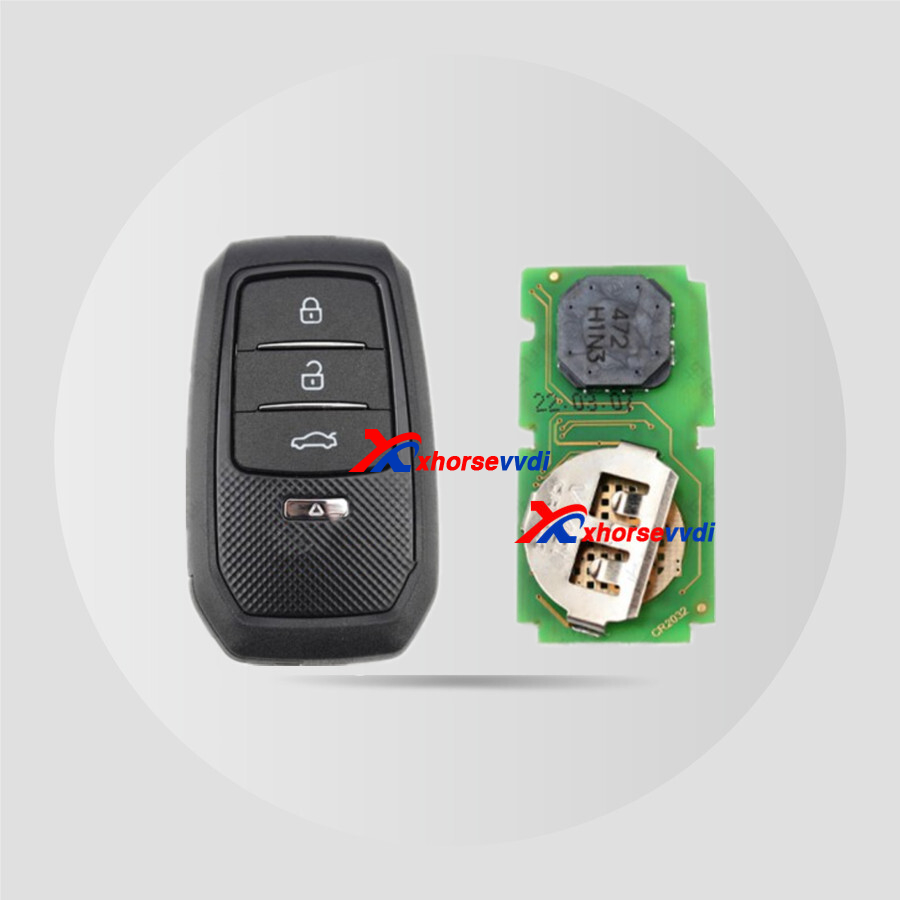
In this article, we’ll show you all Xhorse VVDI universal remotes and their functions.
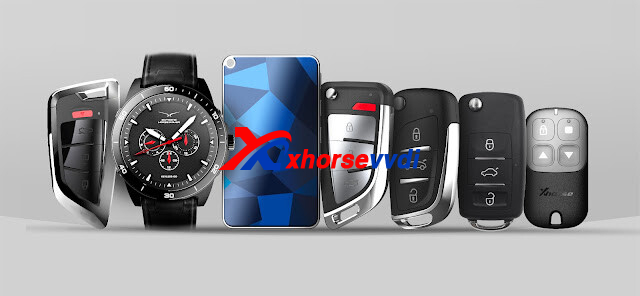
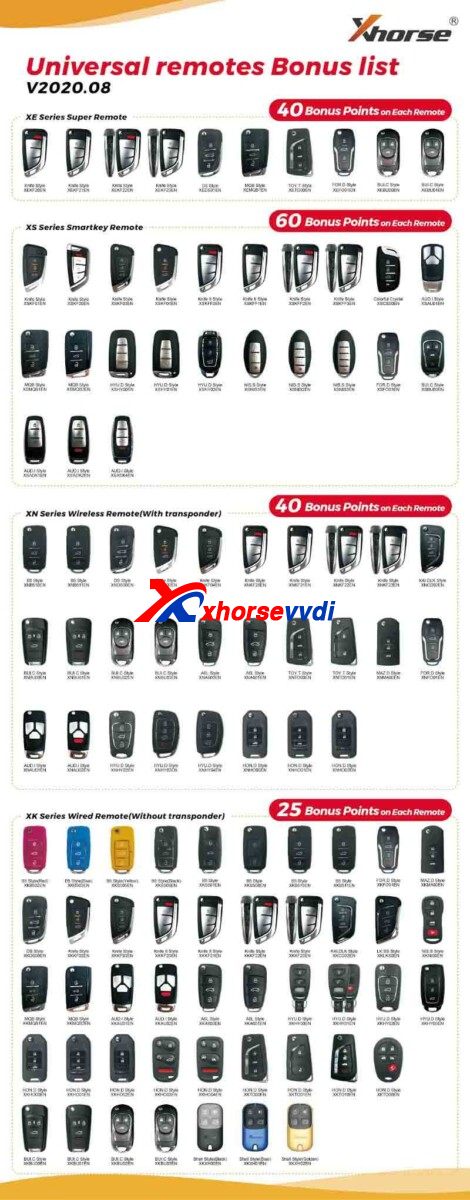
Generally, Xhorse has released 4 types of universal remotes:
XK Wired Remote, XN Wireless Remote, XE Super Remoteand XS Smart Remote.
Apart from regular designs, there are novel types like King Card, Smart Watch and Garage Remote.
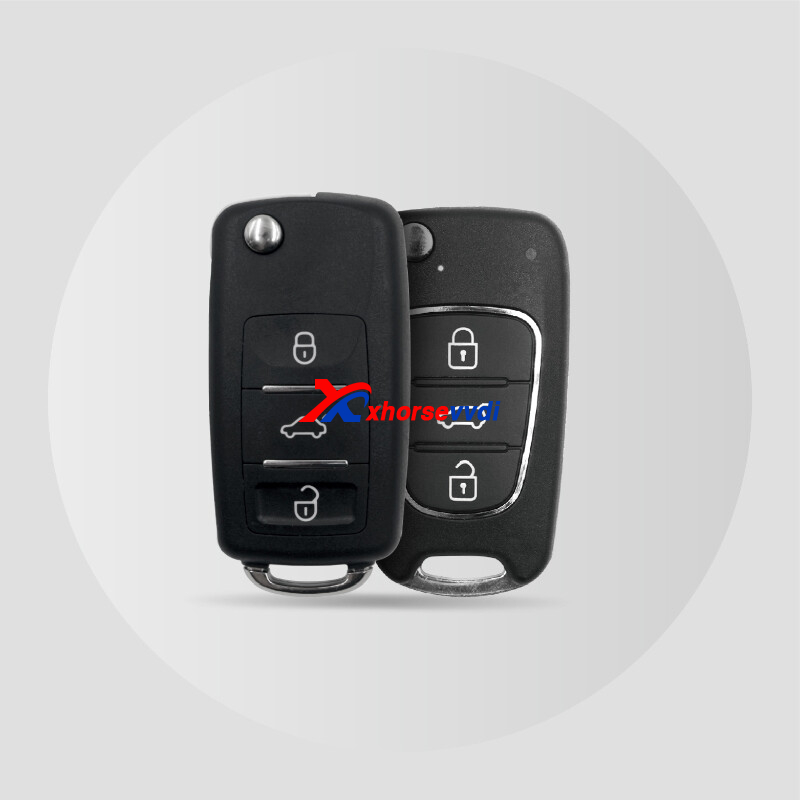
- Wired universal remote, no risk in programming
- Cloneable for some old model car
- Reprogrammable
*Garage Remote
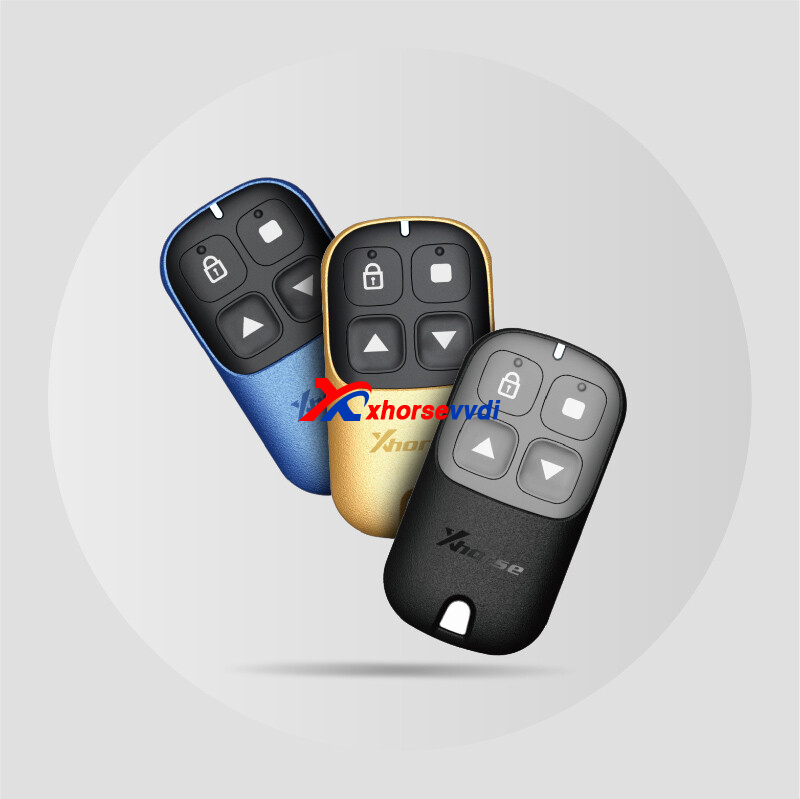
- Cloneable for garage remote
- Compatible with dozens of garage door brands
- More than pretty, easy to use
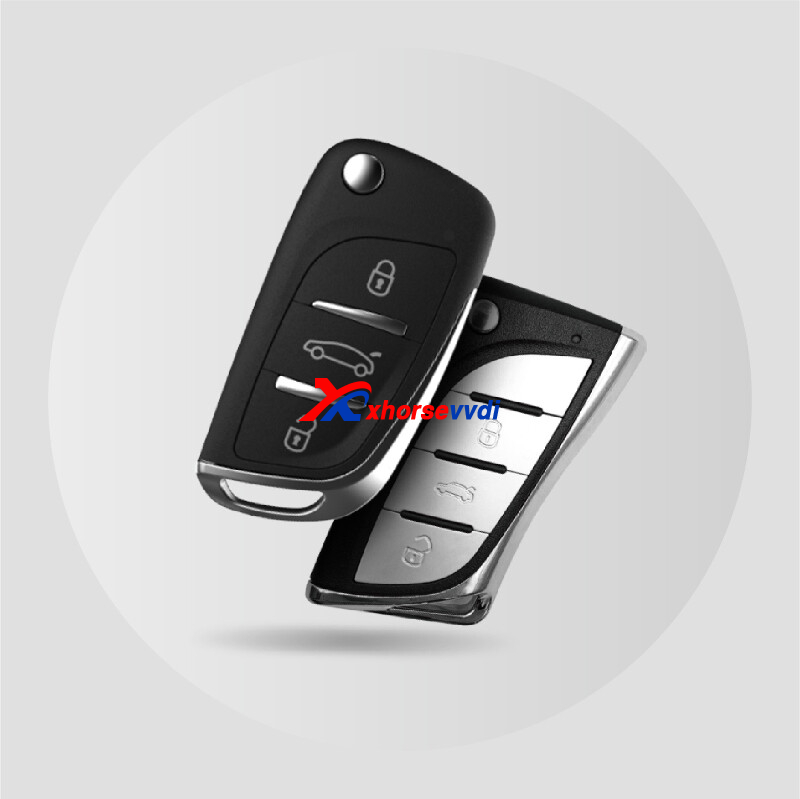
- Built-in cloneable transponder
- Support simulation of multiple immobilizer transponders including 11/12/13/7936/ 7937/7947XTT/7946 etc.
- Original NXP immobilizer transponder
- Wireless programming; Reprogrammable

- Universal wireless remote with an embedded cloneable Super Transponder
- Support generating various wireless remote types including 11/12/13/7935/7936/48/4C/4D/4E/8A/8C/8E etc.
- Integrated design, ultra-stable and reliable
- Wireless programming; Reprogrammable
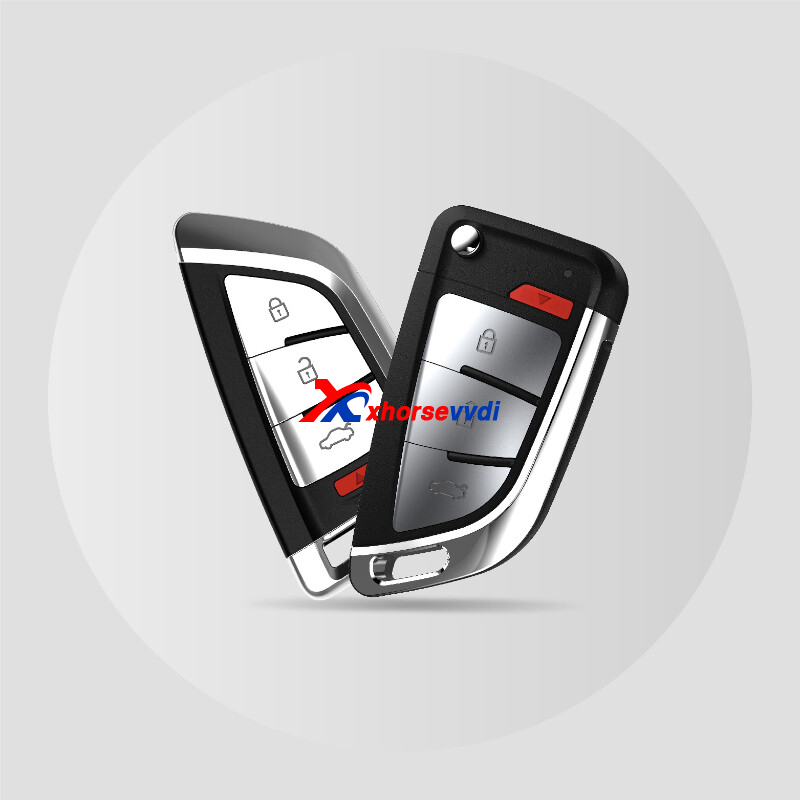
- Support simulation of multiple immobilizer transponders including 46/47/48/49/4A/MQB etc
- Generate and program prox key
- Support a variety of car models
- Wireless programming; Reprogrammable
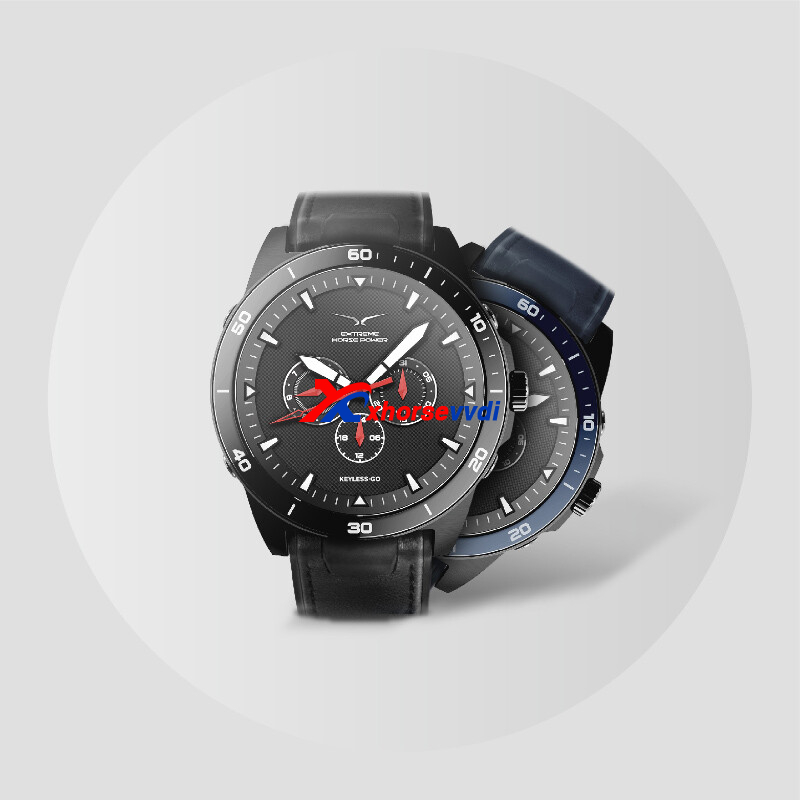
- A watch works as a car remote
- Designed by Xhorse and manufactured by FIYTA with over 30 years of experience in mechanical watches
- Support the same car models as XS series universal smart key
- Durable buttons; long service life; 5ATM water-resistant
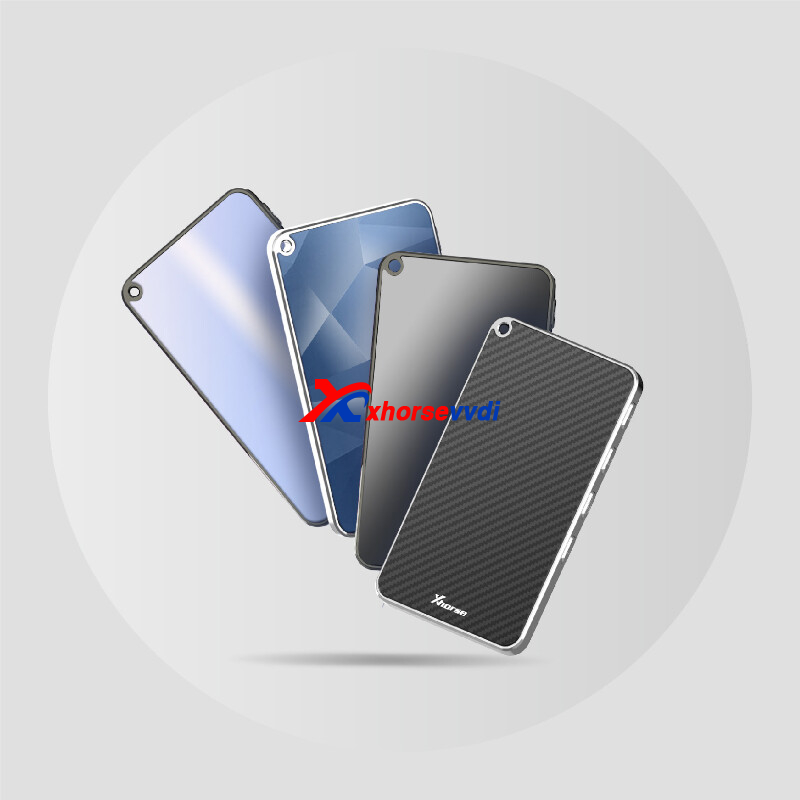
- One of a kind: card-shaped smart key with only 5mm thickness
- Support the same car models as XS series universal smart key
- Rounded design with compact feel
- Sensitive button with long service life
- Built-in XM38 or XM28 transponder
- Support only Toyota smart key
- Wireless programming; Reprogrammable
- No need bonus points to generate
- No reward points, please note this
Read also:
https://www.xhorsevvdi.com/info/buy-xhorse-vvdi-remotes-to-get-bonus-points.html
Posted by: xhorsevvdi at
10:27 AM
| No Comments
| Add Comment
Post contains 284 words, total size 7 kb.
Xhorse KEY READER is a professional and portable key identification to identify car keys (including plastic keys and aluminum keys) quickly and accurately.Users can obtain the precise key bitting results and cut keys directly via Xhorse APP and key cutting machines of Xhorse.
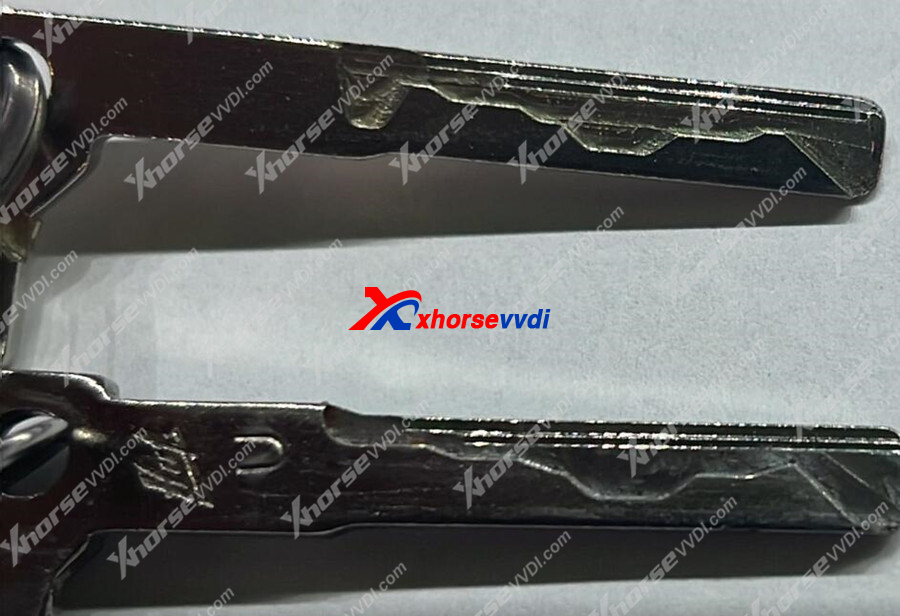
And we received feedback that read benz hu64 key not OK:
This key reader is not working properly, see original key on bottom, the scan did not work well
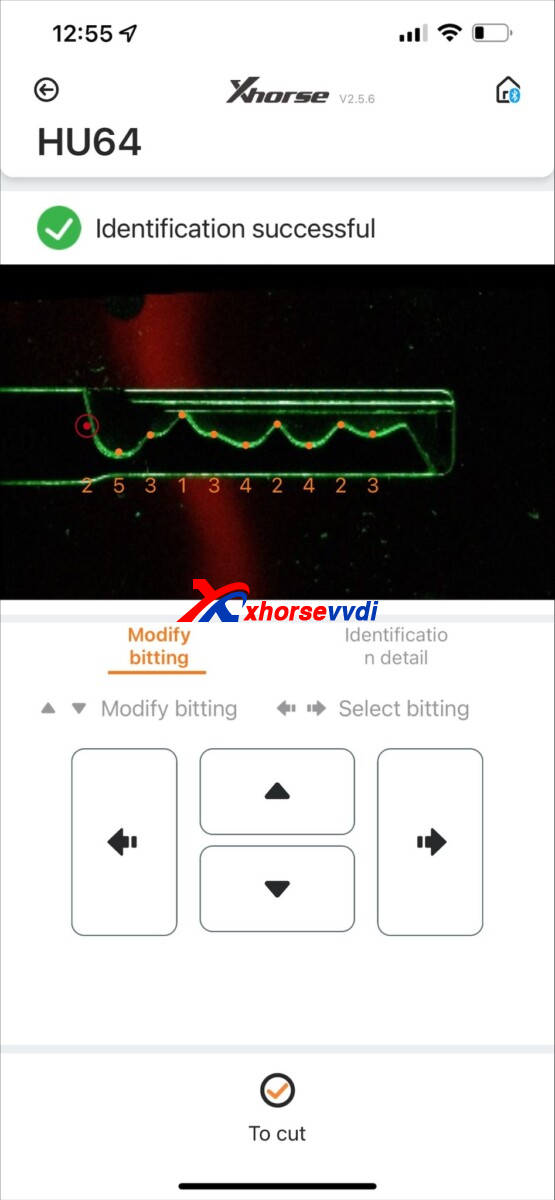
Not reading correctly
This is from scan
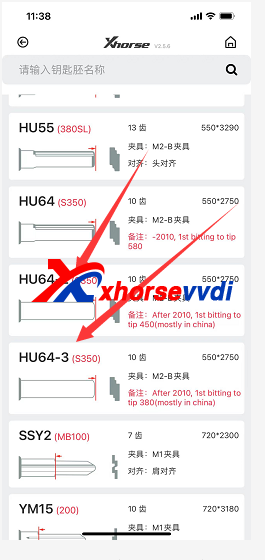
Engineer suggestion:
Use the wrong option, please try HU64-2 or -3.
Posted by: xhorsevvdi at
10:27 AM
| No Comments
| Add Comment
Post contains 100 words, total size 2 kb.
In this article, we’ll show you what optional adapters VVDI MB has and their function.
We’ll cover:
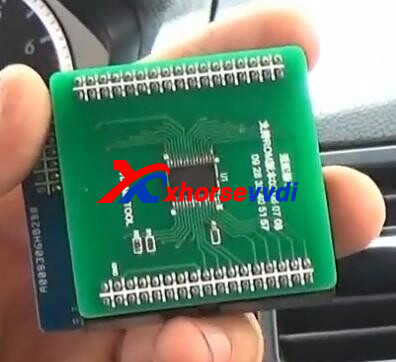
1. NEC Key Adaptor
2. EIS/ESL Test Line Cables
3. W204 ELV adaptor
4. Power Adapter
5. ELV Emulator for Benz 204 207 212
Let’s see VVDI MB Adapters:
| Adapter Name | Price (USD) | Adapter Image | Function | Connection |
| NEC Key Adaptor | 100$ | 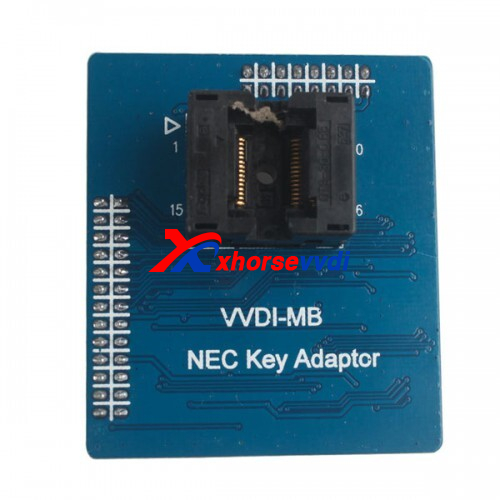 |
1.v51 v57 get password 2.normal key/keyless go renew/write key file by IR |
 |
| EIS/EL Test Line Cables | 119$ | 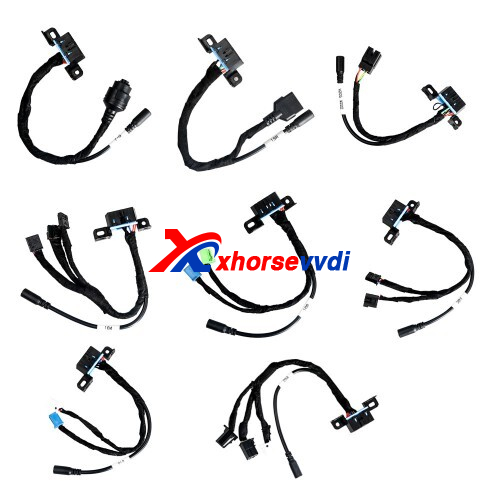 |
EIS/ELV Test Line for W164 W166 W204 W205/W222 W212 W221 ISM 7-G | 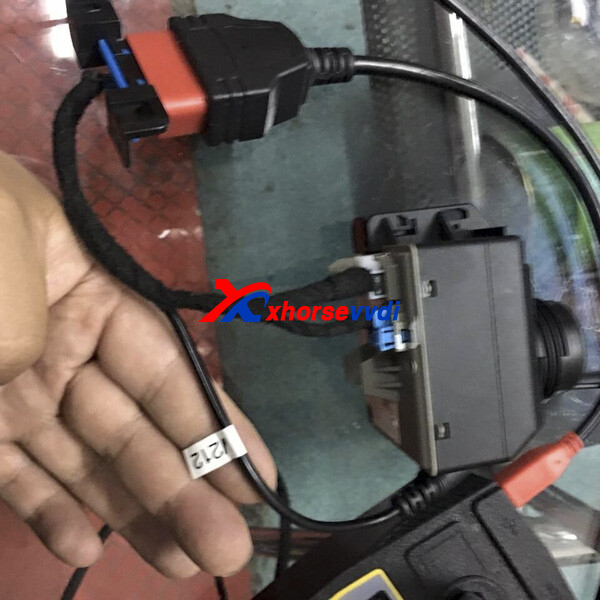 |
| W204 ELV adaptor | 105$ | 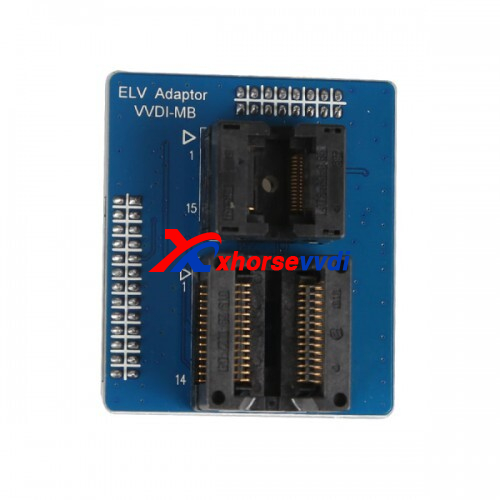 |
Renew Benz W202/W204/W212 Broken ESL | 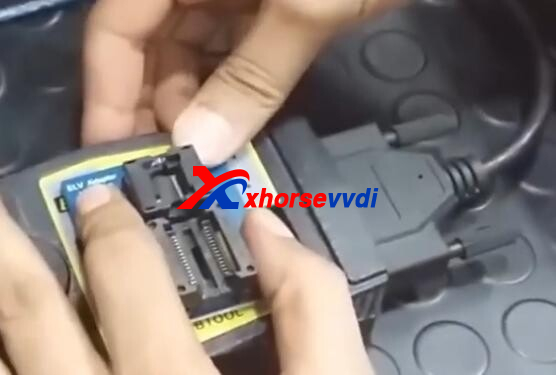 |
| Power Adapter | 129$ | 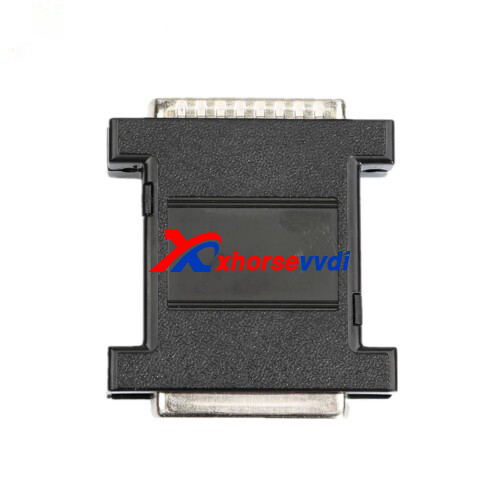 |
FBS3 gateway simulation, reduce key password calculation time, reduce IR adapter plug in&out times, etc. | 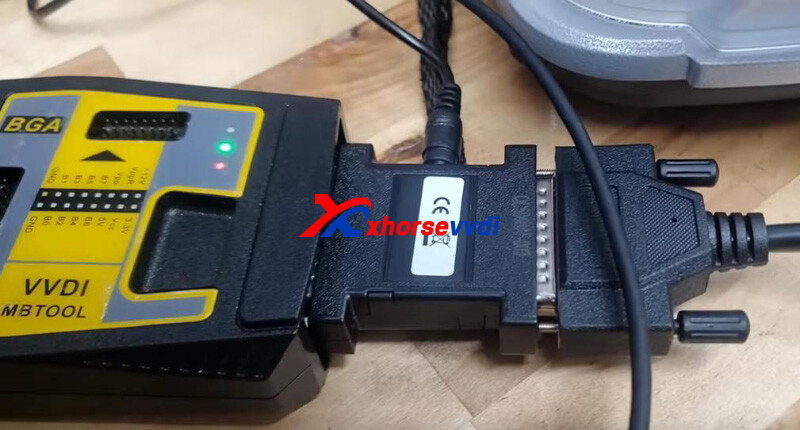 |
| ELV Emulator for Benz 204 207 212 | 64$ | 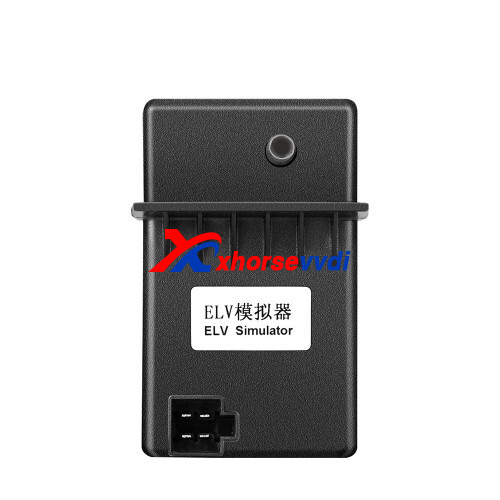 |
Emulate Benz W204/W207/W212 ESL | 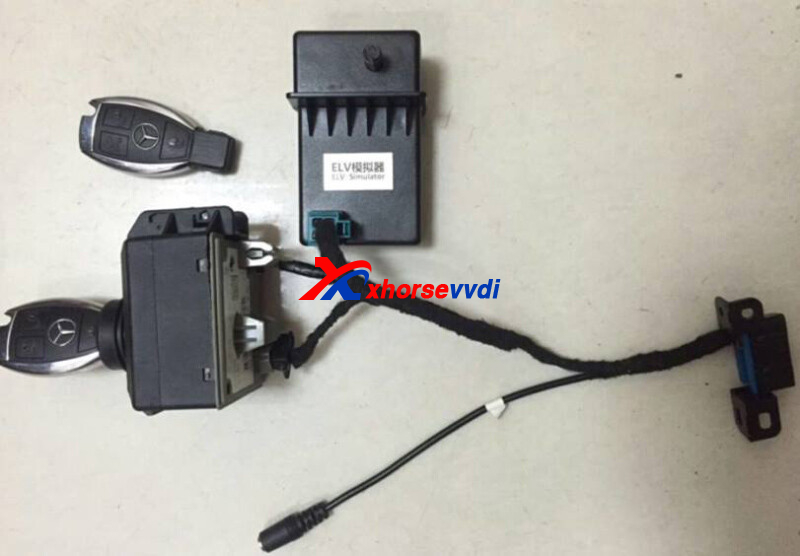 |
Where to get VVDI MB at the best price?
VVDI MB: https://www.xhorsevvdi.com/wholesale/xhorse-vvdi-benz-vvdi-mb-bga-tool.html
VVDI MB+1 Year Token: https://www.xhorsevvdi.com/wholesale/vvdi-mb-bga-tool-one-year-token.html
More adapters or bundle packages, contact us.
https://www.xhorsevvdi.com/
Posted by: xhorsevvdi at
10:26 AM
| No Comments
| Add Comment
Post contains 156 words, total size 5 kb.
Xhorse Condor MINI Plus ii is the newest xhorse key cutting machine, and we received feedback that get the error:
Error Code:20
Spindle motor abnormal, rotate speed can not up to rated value
The error pic just like the follow pic:
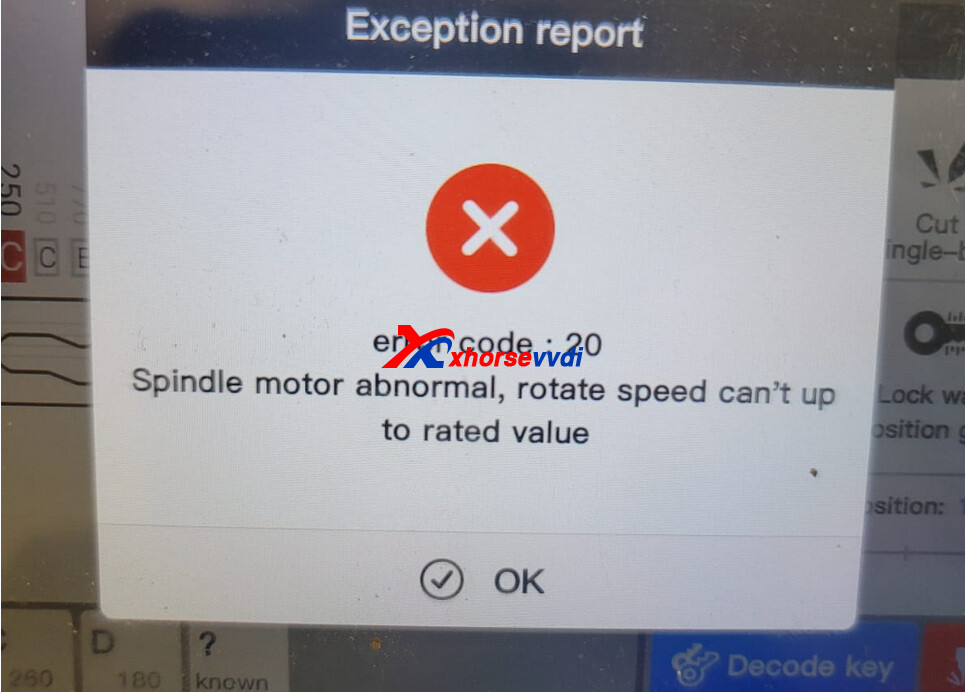
Please do Spindle Motor Test
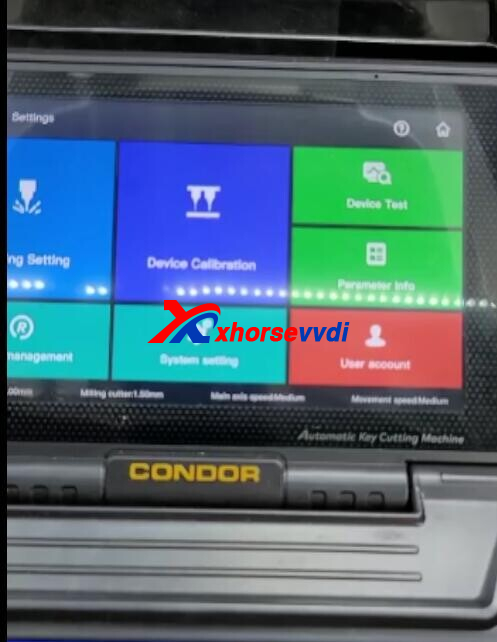
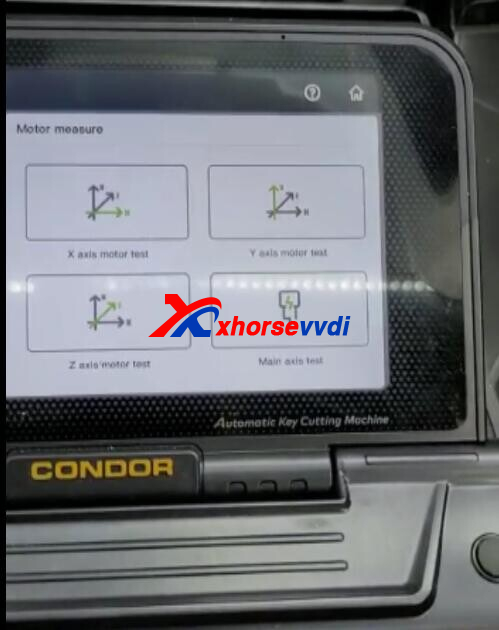
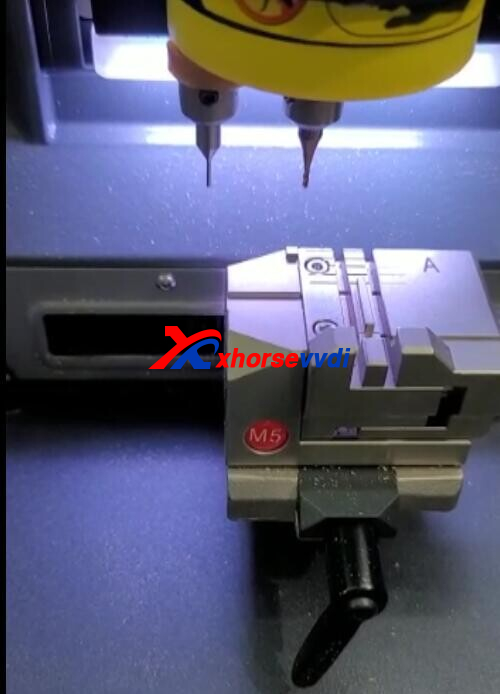
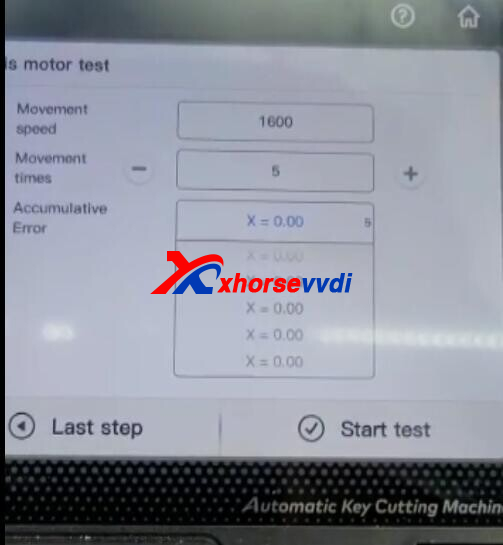
Engineer solution:
Please remove the resistor from the driver PCB.
Or contact your seller you bought from to get a new drive board. But no matter which way you choose, you have to remove and disassemble.
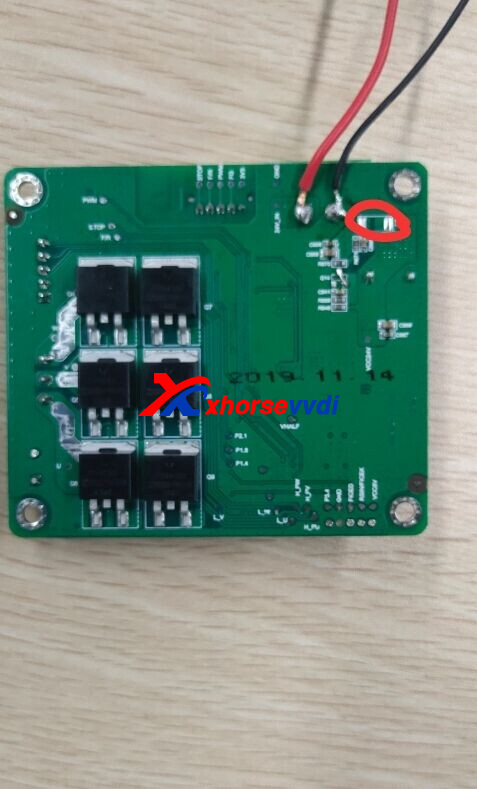
Posted by: xhorsevvdi at
10:25 AM
| No Comments
| Add Comment
Post contains 91 words, total size 3 kb.
Question:
PCF79XX Adapter, plus VVDI PROG can’t read BMW F-Series Remote 434m-in-circuit. The chip is PCF7953.
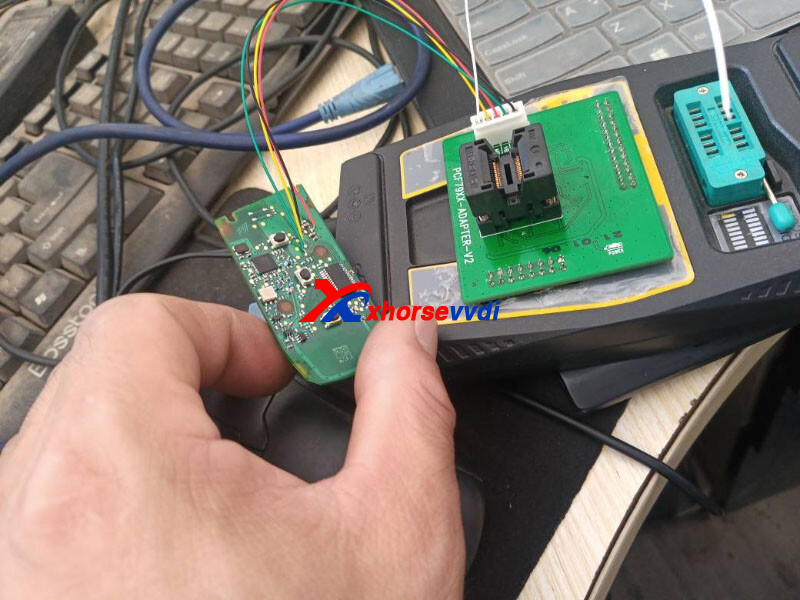
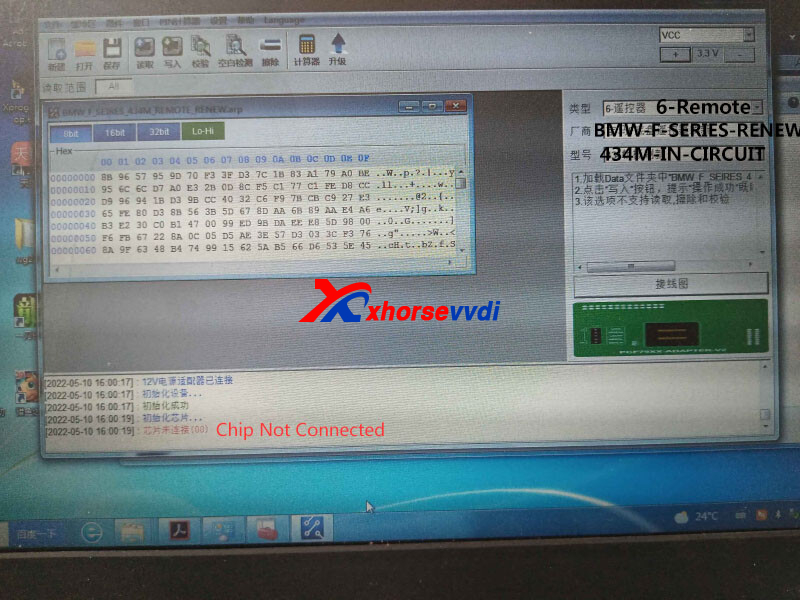
Even desolder the chip to eeprom adapter, still not connected.
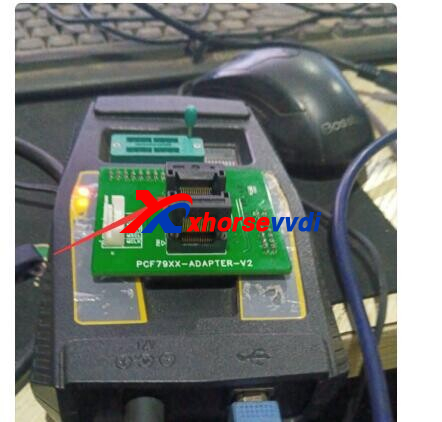
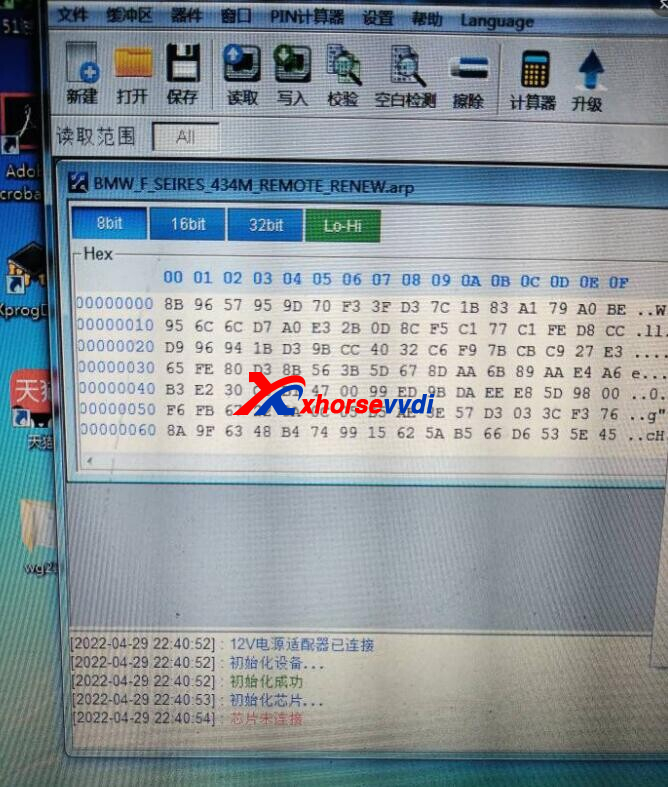
Here Xhorsevvdi engineer gives the
Solution:
1)When desoldering the chip to eeprom adapter, try different positions
2)If still not connected, try with PCF79XX Adapter:
Remove the battery, exchange two soldering pins marked (red&black line) on PCB.
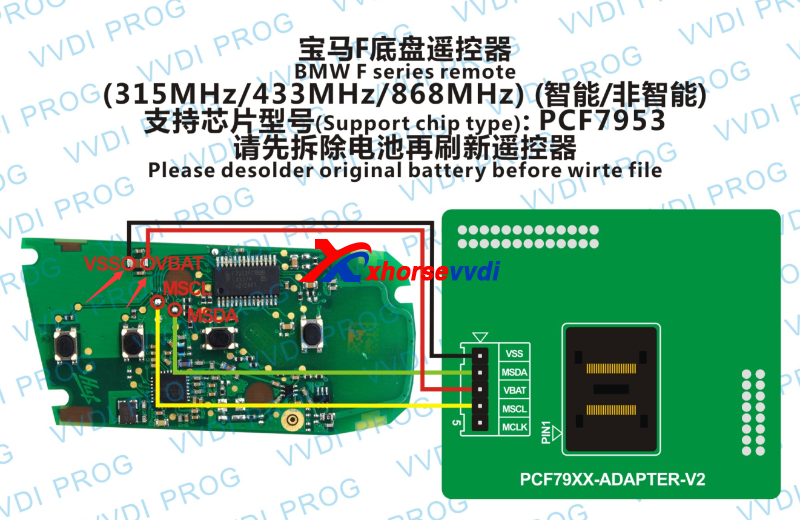
Posted by: xhorsevvdi at
10:25 AM
| No Comments
| Add Comment
Post contains 75 words, total size 2 kb.
Here is a review of Xhorse VVDI MB Tool: 2008 Mercedes CL500 key programmed with fast MB Power Adapter to read password in 18 minutes.
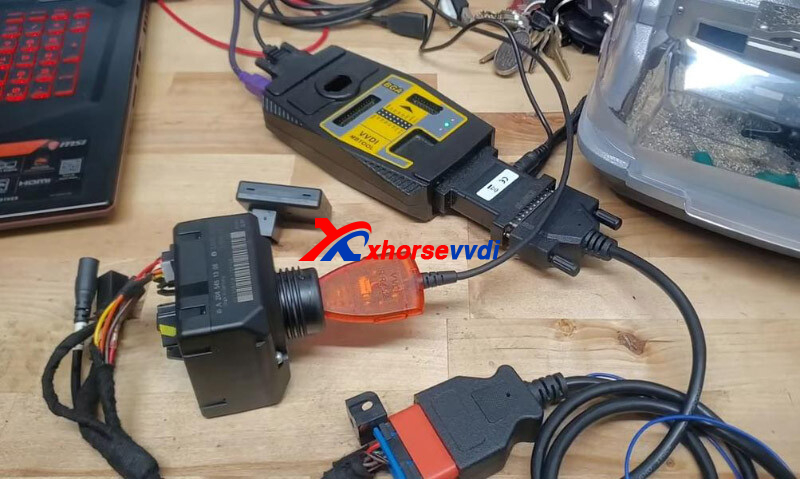
EIS Tool:
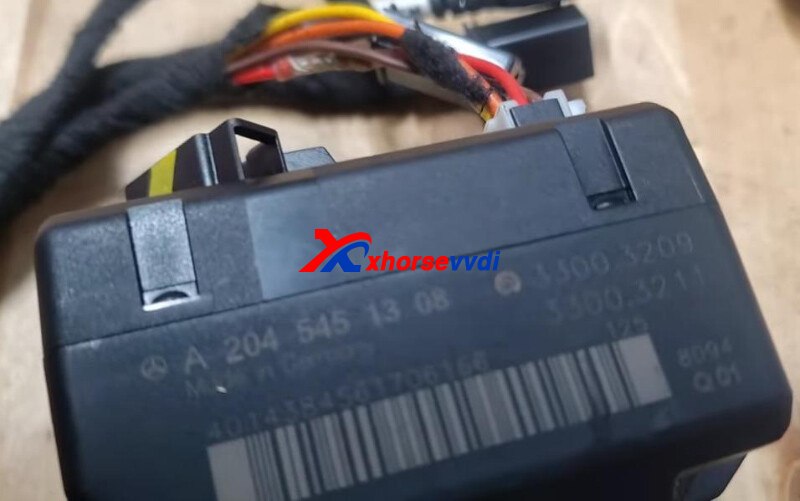
Here is the procedure:
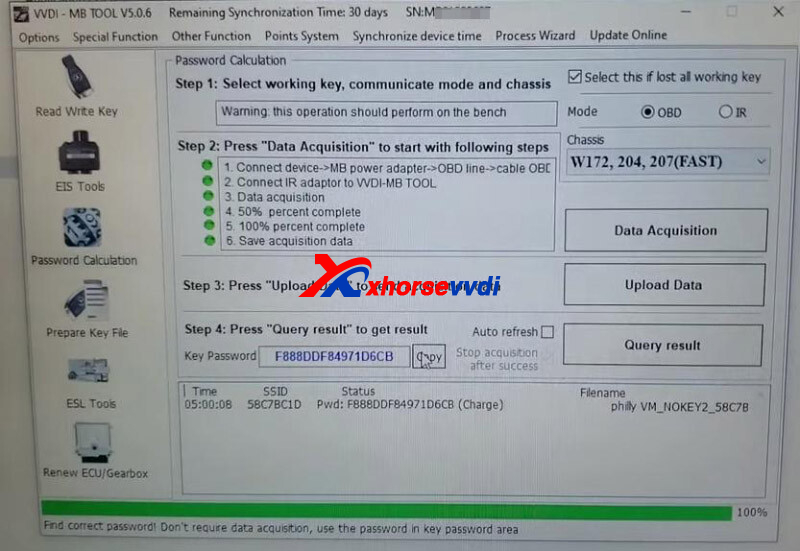
Step 1. Password Calculation
Select OBD Mode, lost all working key, and w204 fast mode.
Click "Data Acquisitionâ€to start password calculation.
Here we use free token, since we have an Xhorse Key Cutting Machine.
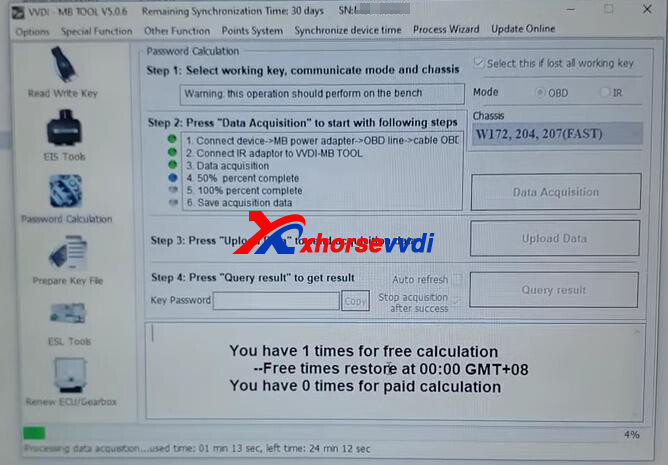
Around 18 minutes later, we have the password.
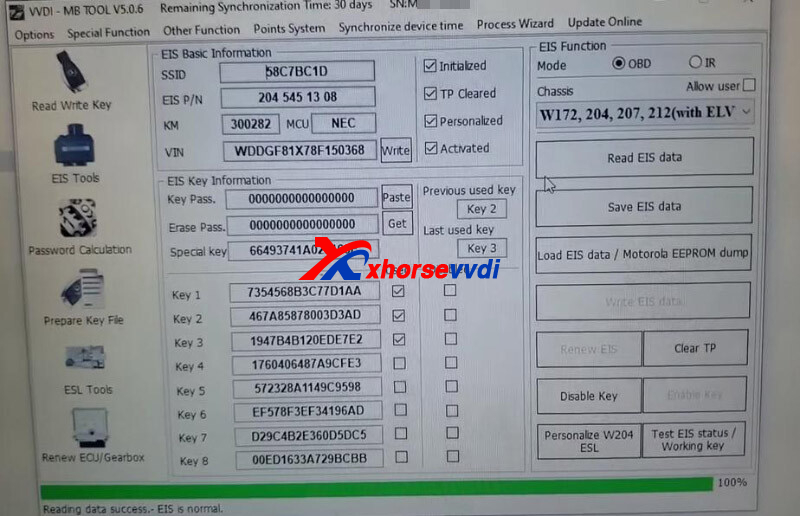
Step 2. Read EIS
Read and save EIS data.
Step 3. Prepare Key
Load EIS file we just saved.
Paste password we just got.
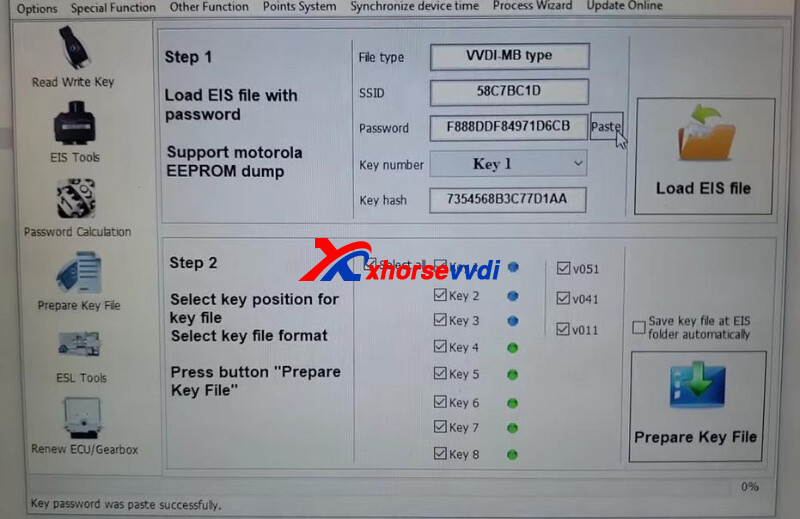
Select key postion and "v051â€to prepare dealer key.
Step 4. Add Key
Identify BE key.
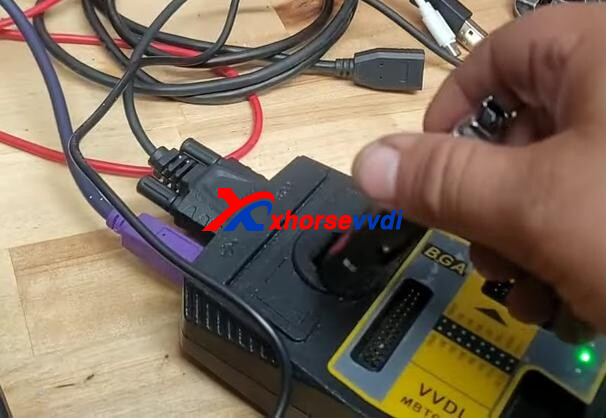
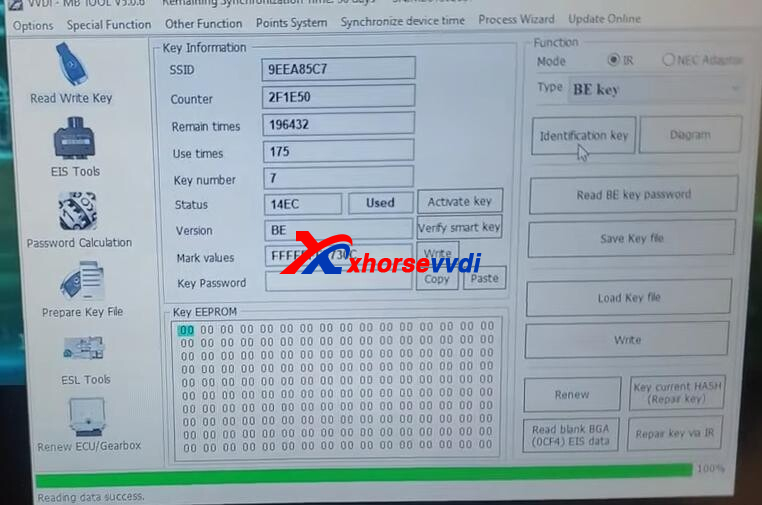
Since it’s an used key, so we erase it.
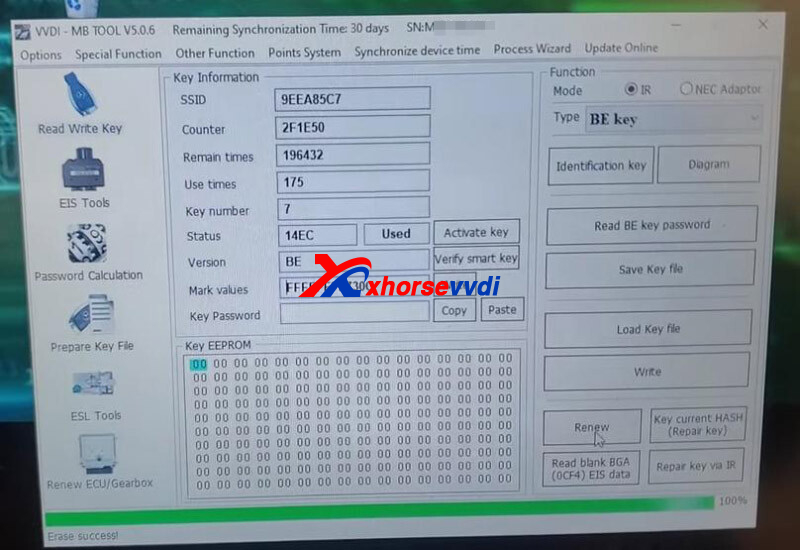
Load key file.
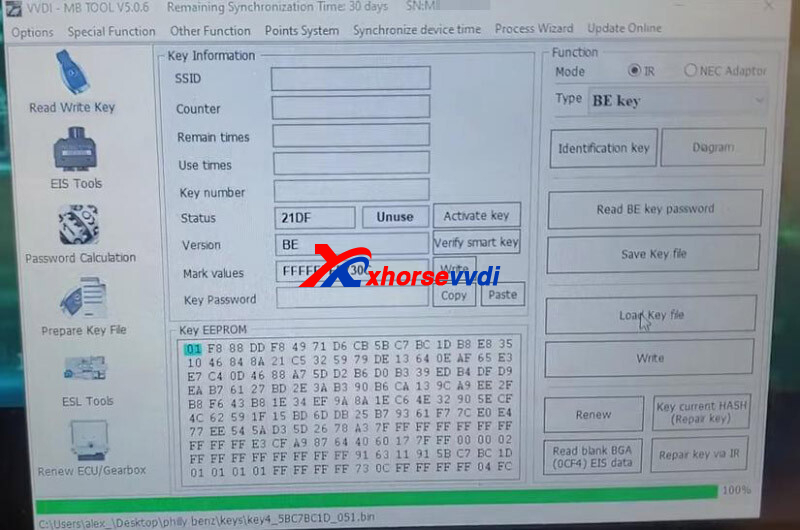
Paste key password and write key.
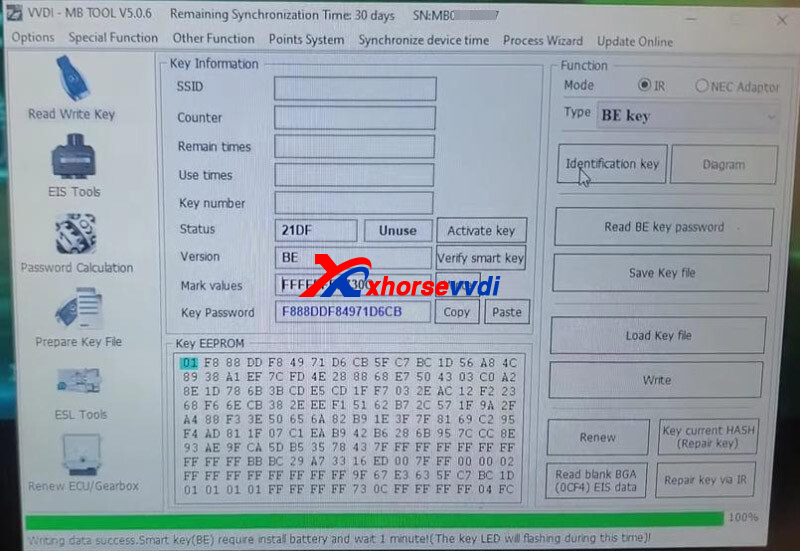
Start the vehicle no problem.
Posted by: xhorsevvdi at
10:24 AM
| No Comments
| Add Comment
Post contains 148 words, total size 5 kb.
Question:
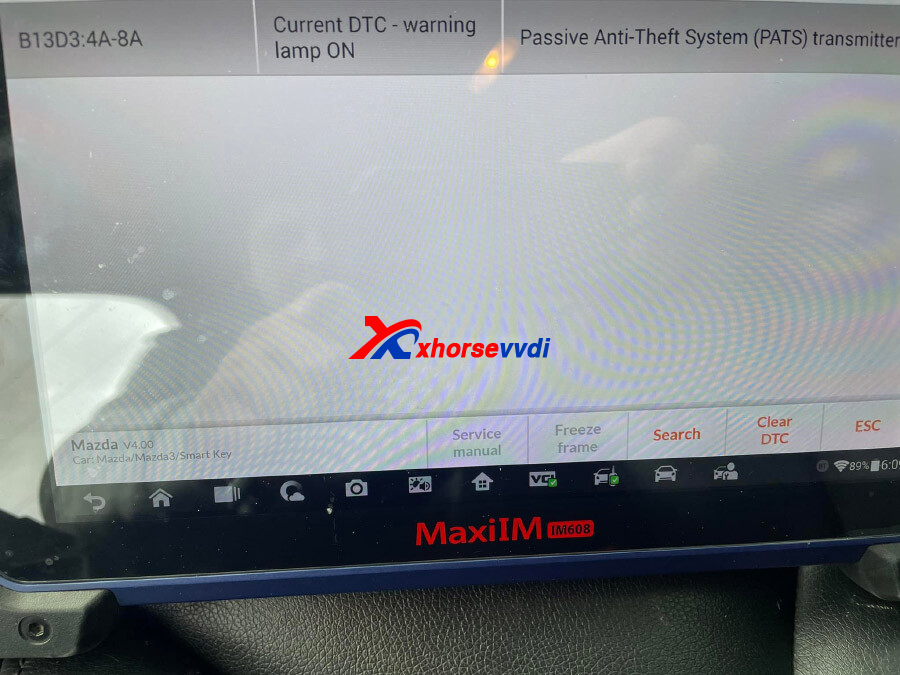
Programmed 2 keys for Mazda 3 2014 manual transmission(all key lost) after that red light is on (keyless system error). 2 keys working properly (car is starting and remote is working).
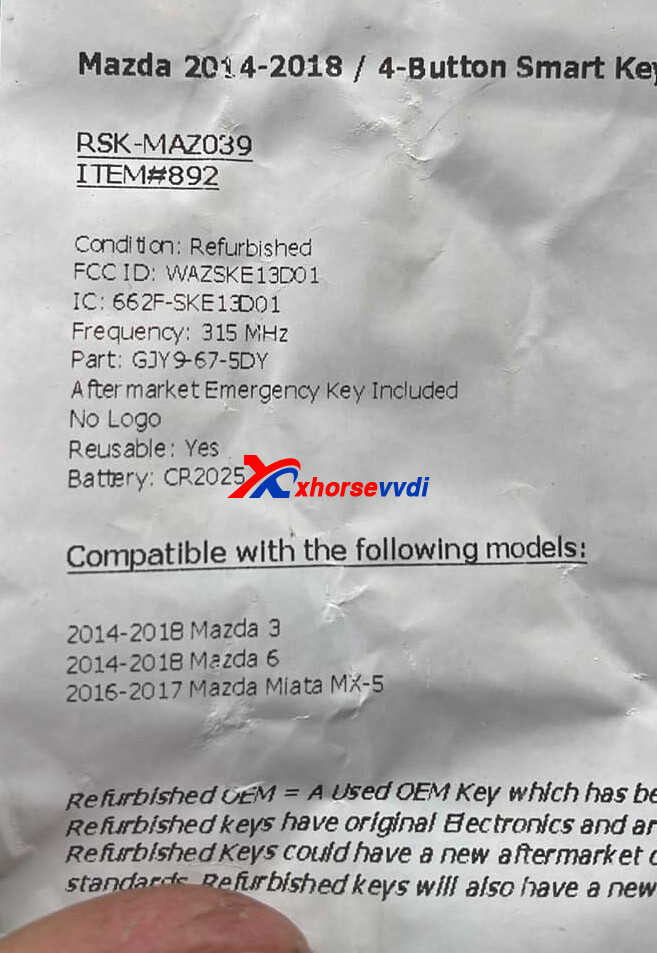
Clear dtc doesn’t work. FCC WAZSKE13D01.
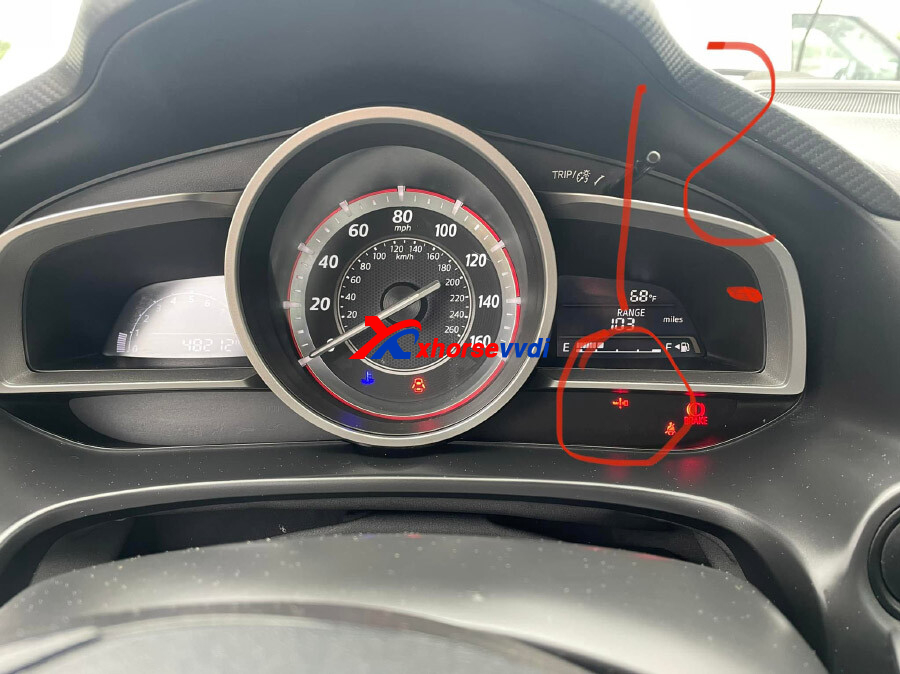
Reason:
With Mazda PTS you have to have the same type of smart key for both of them as the original
Here Xhorsevvdi engineer shares several
Solutions:
1. Match FCC, IC numbers, and even number of Buttons
If it’s 3 buttons both got to be 3 buttons; if it’s 4 buttons both got to be 4 and they have to be like the original one
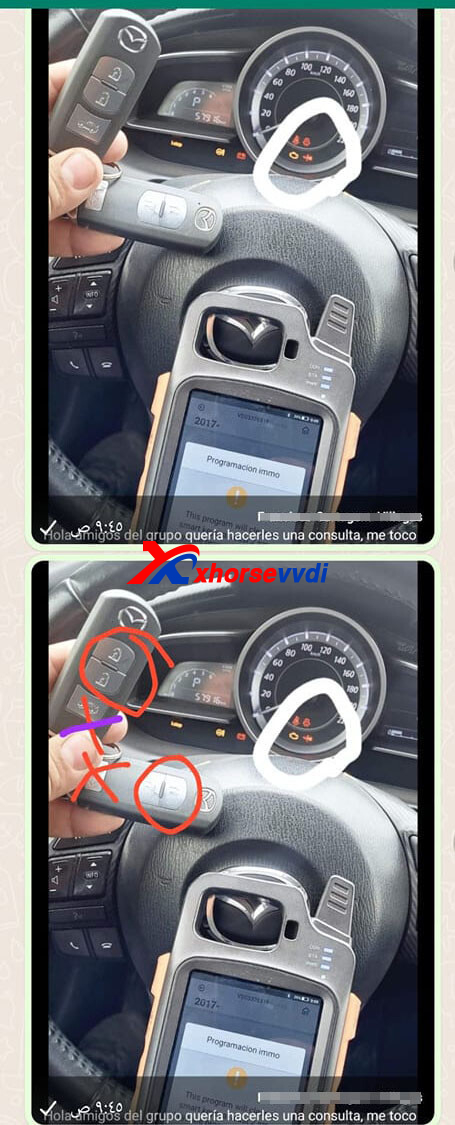
2. Try WAZSKE13D02 smart keys
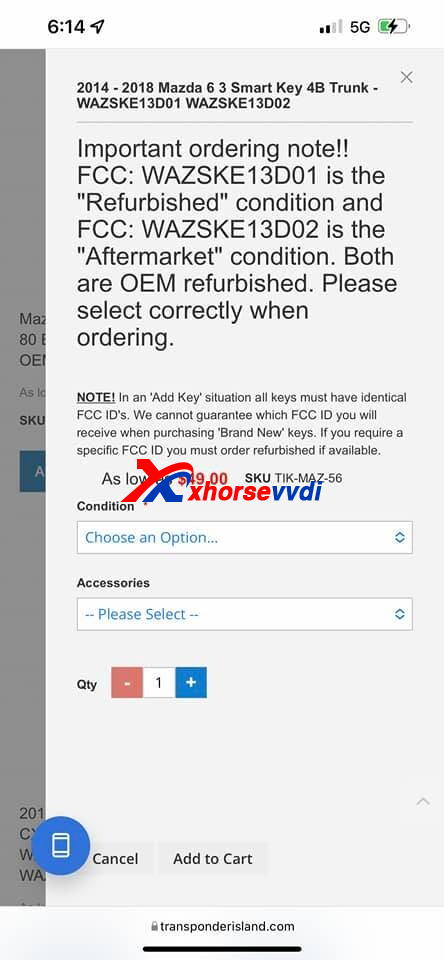
3. Repair by programmers
Take Xhorse as an example,
If we program Mazda by Xhorse Smart Key, we can repair mazda key light by VVDI Key Tool Max, VVDI Mini Key Tool, etc. via
Special Function>>Mazda ID 49 smart key light repair
An original key is required.
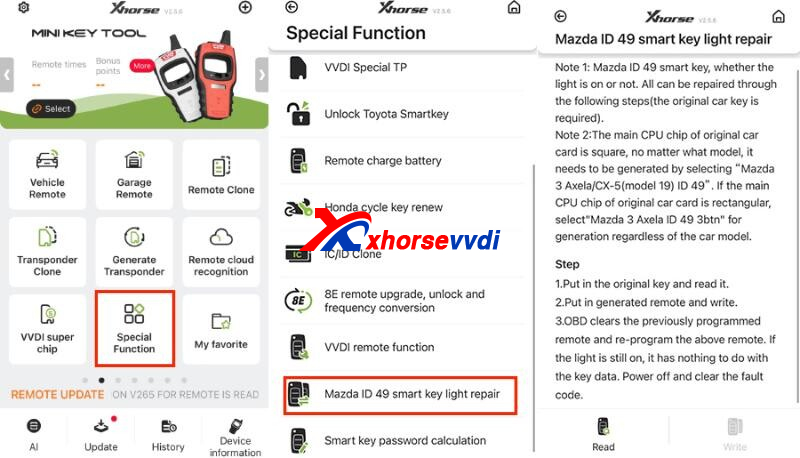
4. Original key close enough when immo light flash
With at least 1 original key registered, after we program it, the immo light will begin to flash, where we must bring it closer and warning light will change from flashing read to staying solid green.
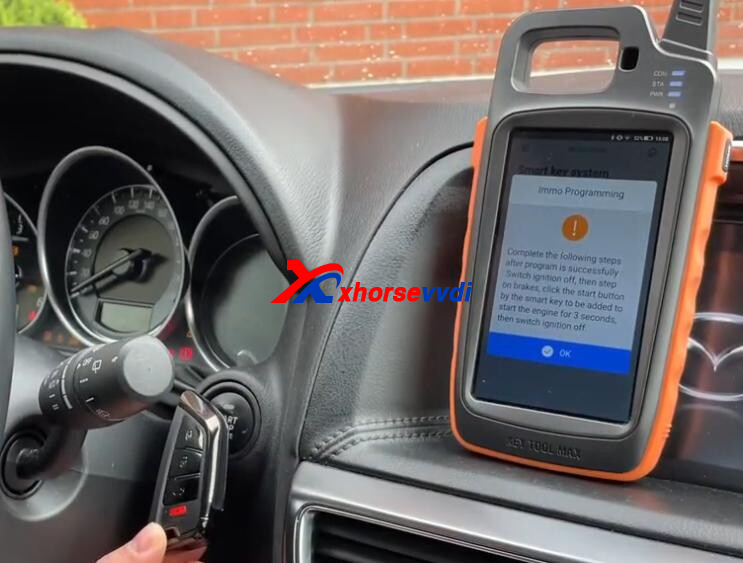
Hope this could help!
http://blog.xhorsevvdi.com/how-to-repair-mazda-smart-key-light-after-successful-programming/
Posted by: xhorsevvdi at
10:23 AM
| No Comments
| Add Comment
Post contains 215 words, total size 4 kb.
30 queries taking 0.051 seconds, 131 records returned.
Powered by Minx 1.1.6c-pink.

