



July 22, 2024
Xhorse 40-Pin Gateway Cable for Nissan Mitsubishi AKL is available now! It will work with VVDI Key Tool Max Pro and Key Tool Plus to bypass pin code for AKL programming.
Check out its Support List:
Mitsubishi Outlander 2022-
Nissan SYLPHY 2021-, B18
Nissan X-TRAIL 2021-, T33
Nissan PATHFINDER 2022-
Nissan Ariya 2023-
Nissan Altima 2019-
Nissan Qashqai 2017-

Connection Diagram:

Order Now: https://www.xhorsevvdi.com/wholesale/xhorse-xdkp91gl-40pin-connector.html
Read Also:
http://blog.xhorsevvdi.com/xhorse-nissan-1632-40-pin-adapter-support-list/
Posted by: xhorsevvdi at
07:34 AM
| No Comments
| Add Comment
Post contains 77 words, total size 2 kb.
Here comes a review of VVDI Multi Prog working on Audi tcu:
Multi Prog read and write success Audi 2014 SQ5 8hp55a
Read original module twice and compared data all ok
Read doner module and saved files
Wrote doner module then read doner module and compared to original read all good to go

No component protection to do once fitted as it thinks it's the original gear box . Also in some cases the OEM will not allow a second hand unit to be adapted to a vehicle with there software
Done!
http://blog.xhorsevvdi.com/multi-prog-read-write-audi-2014-sq5-8hp55a-success/
Posted by: xhorsevvdi at
07:33 AM
| No Comments
| Add Comment
Post contains 102 words, total size 1 kb.
Question:
Trying to cut a 2018 Lincoln key but it’s not listed in Dolphin XP005.

Here is the Answer:
Select any Ford or Lincoln with Hu101 10-cut,
Or select under the menu Aviator.
Good to know:
Do not select the vehicle, just select the make and then all key blanks, then we have all the options, much faster that way when we already know the key blank we are looking for.
Done! Hope this helps!
http://blog.xhorsevvdi.com/xhorse-dolphin-xp005-cut-lincoln-2018-tips/
Posted by: xhorsevvdi at
07:33 AM
| No Comments
| Add Comment
Post contains 83 words, total size 1 kb.
Question:
VVDI Multi Prog, trying to read Porsche SDI10.2 ECU by the guidance, but it doesn't show any pictures of ECU in boot mode. There are no instructions for boot mode on the board? I need something like this, basically there is no board layout for boot mode in the software. Do you know which wires to connect to those points? There is nothing in the software.


Here is the Pinout in Boot mode:
White - P3
Blue - P6 P7 P8 (No order)


Also do not forget Bench wiring.

Done! Hope this helps!
http://blog.xhorsevvdi.com/xhorse-dolphin-xp005-cut-lincoln-2018-tips/
Posted by: xhorsevvdi at
07:32 AM
| No Comments
| Add Comment
Post contains 106 words, total size 2 kb.
Quick Question:
VVDI MLB Tool does not work. It cannot be bound / activated?


Here Xhorsevvdi tech support answers:
Activate VVDI MLB by the path below.
Path: Immo programming>>More function>>Test function>>test function 8>>sub test function 58
Done!
Any questions, contact us!
http://blog.xhorsevvdi.com/how-to-solve-vvdi-mlb-tool/
Posted by: xhorsevvdi at
07:32 AM
| No Comments
| Add Comment
Post contains 48 words, total size 2 kb.
Here comes a review of VVDI Multi Prog cloing J518 module from Audi A6 2010.
Another one J518, this time from Audi a6 2010 year, successfully cloned with Multi Prog.


Need to adjust VDD voltage manually 4.5V to crack and read/ write chip. 3L40K chip.
Sometimes won't crack and read chip on default 2.5v.


Posted by: xhorsevvdi at
07:31 AM
| No Comments
| Add Comment
Post contains 64 words, total size 2 kb.
Quick Question:
Trying to adjust the signal strength of this VVDI Remote using Key Tool Max.
Can’t go into Toyota smart key settings doesn’t support. Car is 8a-land cruisers BA.


Here Xhorsevvdi tech support answer:
lf no proxy or weak signal after programming, adjust customization 4 (default is 1, maximum is 20)
Path: Special function >>VVDl remote function >>Smart key customization
Done! Hope this helps!
http://blog.xhorsevvdi.com/how-to-adjust-vvdi-remote-signal-strength/
Posted by: xhorsevvdi at
07:31 AM
| No Comments
| Add Comment
Post contains 73 words, total size 1 kb.
One customer gave feedback that VVDI Multi Prog failed to read ME17.9.64.

Multi Prog has the ECU option but the pinout is not good.

Tried with the pinout on pcmflash and the tool read perfectly.

Hope this could help!
http://blog.xhorsevvdi.com/vvdi-multi-prog-read-suzuki-swift-me17-9-64-pinout/
Posted by: xhorsevvdi at
07:30 AM
| No Comments
| Add Comment
Post contains 48 words, total size 1 kb.
Quick Question:
Xhorse MVCI PRO trying cable to read my Subaru. I installed MVCI Pro 2.1.4 and SSM4 on different Win10 computers but cannot communicate. The cable is green but not blinking. The MVCI Pro program finds the cable and I installed the Subaru driver from it but it does not work. The weird thing is that it detects the cable with firmware version V1.6.2 and the latest version is V1.3.0. What is the reason for this please?


Here Xhorsevvdi tech support answer:
Uninstall and then try to install "J2534PageInstallerSubaru". (Click to download)
SSM3 is supported, while SSM4 may not be.
Done! Hope this helps!
http://blog.xhorsevvdi.com/solved-xhorse-mvci-pro-wont-communicate-with-subaru/
Posted by: xhorsevvdi at
07:30 AM
| No Comments
| Add Comment
Post contains 114 words, total size 2 kb.
One customer asked about how to replace the Xhorse VVDI2 battery. A notification appears asking to change a battery.

Here Xhorsevvdi tech support answers:
Open VVDI2, replace battery (CR2032), update tool, and it will be fine.


*Remember to use an external supply before and during removing battery
Make grey cable positive, white negative, solder a battery to vvdi2 before removing old battery, and then remove old one and solder a new one

Done! Hope this helps!
http://blog.xhorsevvdi.com/how-to-solve-vvdi2-the-device-battery-is-lower/
Posted by: xhorsevvdi at
07:29 AM
| No Comments
| Add Comment
Post contains 86 words, total size 2 kb.
VVDI MULTI PROG released V30 database, adding ST SPC57XX, FUJITSU MB96FXXX...
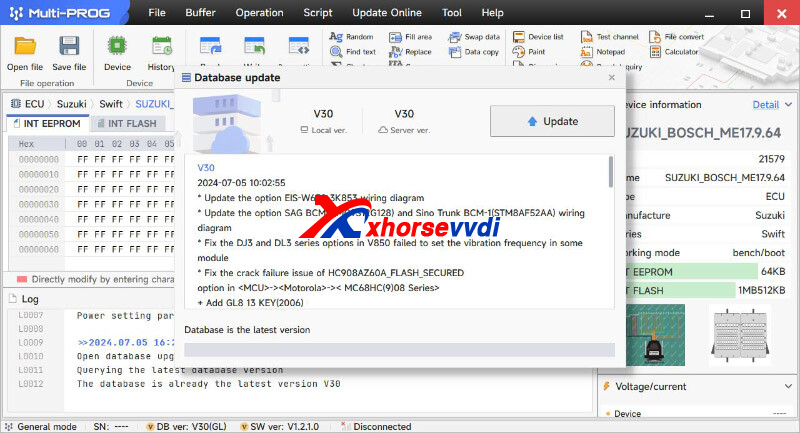
Free Download MULTI PROG Software
*Download software and update database online
V30 Database Update Info (2024-07-05)
* Update the option EIS-W639-3K853 wiring diagram
* Update the option SAG BCM-1(MC9S12G12 and Sino Trunk BCM-1(STM8AF52AA) wiring diagram
* Fix the DJ3 and DL3 series options in V850 failed to set the vibration frequency in some module
* Fix the crack failure issue of HC908AZ60A_FLASH_SECURED option in <MCU>-><Motorola>->< MC68HC(9)08 Series>
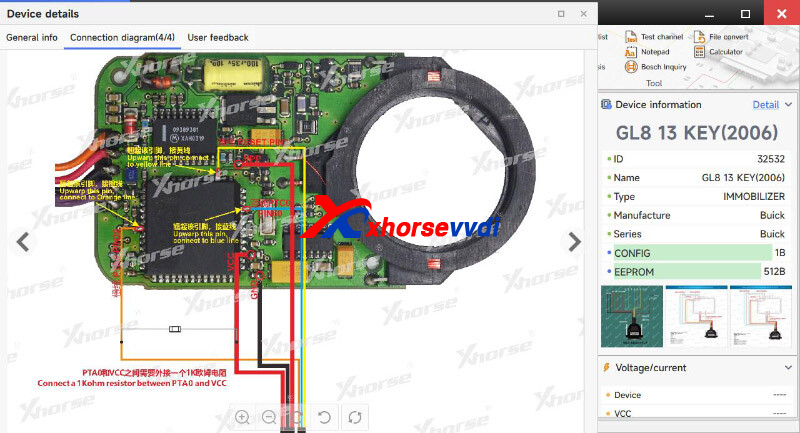
+ Add GL8 13 KEY(2006) option in <IMMOBILIZER>-><Buick>-><Buick>
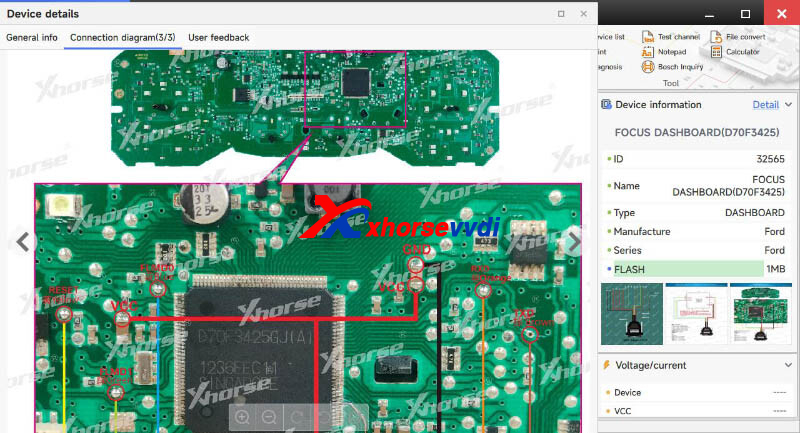
+ Add FOCUS DASHBOARD(D70F3425) option in <DASHBOARD>-><Ford>-><Ford>
+ Add Baleno BCM(R7F701623) option in <OTHER>-><Suzuki>-><Suzuki>
+ Add Hyundai BCM(R7F70164
option in <OTHER>-><Hyundai>-><Hyundai>
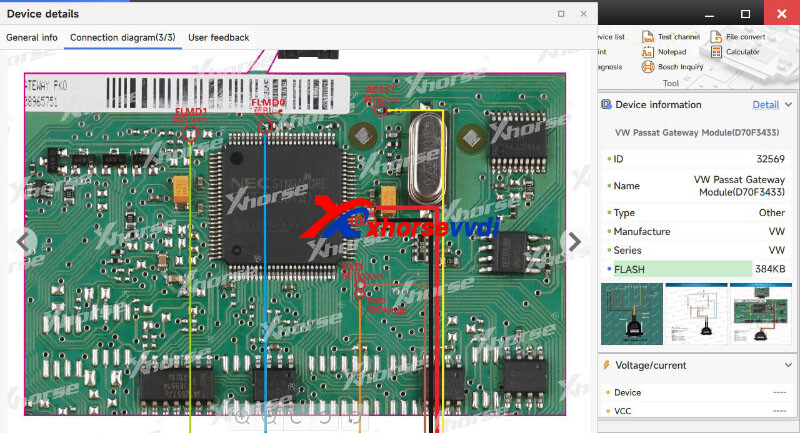
+ Add VW Passat Gateway Module(D70F3433) option in <OTHER>-><VW>-><VW>
+ Add M350803, M350806, M35080V6, M35080VP options in <Serial EEPROM&FLASH>-><ST>-><M35XXX>
+ D80, D160 options in <Serial EEPROM&FLASH>-><ST>-><DXX>
+ Add R7F0C001G, R7F0C001L, R7F0C002G, R7F0C002L, R7F0C014B, R7F0C014L, options in <MCU>-><Renesas>-><RL78-R7F0XX>
+ Add SPC570S40, SPC570S50, SPC572L64, SPC574K72, SPC574S60, SPC574S64 options in <MCU>-><ST>-><SPC57XX>
+ Add MB96F313A/R/Y, MB96F315A/R/Y, MB96F326A/R/Y, MB96F336U, MB96F338R/U/Y, MB96F343D/F, MB96F345D/F, MB96F346A/R/Y, MB96F347A/R/Y, MB96F353A/R, MB96F355A/R/Y, MB96F356A/R/Y, MB96F378C/H/T, MB96F379R/Y, MB96F385R/Y, MB96F388H/T, MB96F389R/Y, MB96F395R/Y, MB96F612A/R, MB96F613A/R, MB96F615A/R, MB96F622A/R, MB96F623A/R, MB96F625A/R, MB96F633A/R, MB96F635A/R, MB96F636R, MB96F637R, MB96F643A/R, MB96F645A/R, MB96F646R, MB96F647R, MB96F653A/R, MB96F655A/R, MB96F656R, MB96F657R, MB96F673A/R, MB96F6B5A/R, MB96F6B6R, MB96F6C5A/R, MB96F6C6R, MB96F8D3K3/4, MB96F8D3KD/E/F/U/V/W, MB96F8D5K3/4, MB96F8D5KD/E/F/U/V/W, MB96F8E3K3/4, MB96F8E3KD/E/F/U/V/W, MB96F8E5K3/4, MB96F8E5KD/E/F/U/V/W options in <MCU>-><FUJITSU>-><MB96FXXX>
Stay tuned!
http://blog.xhorsevvdi.com/vvdi-multi-prog-v30-database-add-spc57xx-mb96fxxx/
Posted by: xhorsevvdi at
07:29 AM
| No Comments
| Add Comment
Post contains 223 words, total size 4 kb.
VVDI MLB Tool is a professional tool in key adding for MLB Models of VW, Audi, Porsche...
This article is a tutorial on how to use this tool with Key Tool Plus/ VVDI2.
Part 1. VVDI MLB Tool + VVDI2
1.Calculate key data
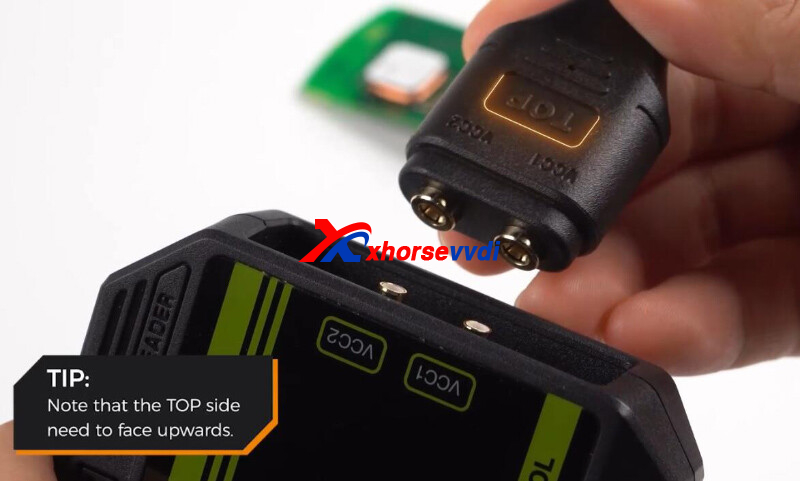
Connect VVDI2 to VVDI MLB, with "TOP" side upwards.
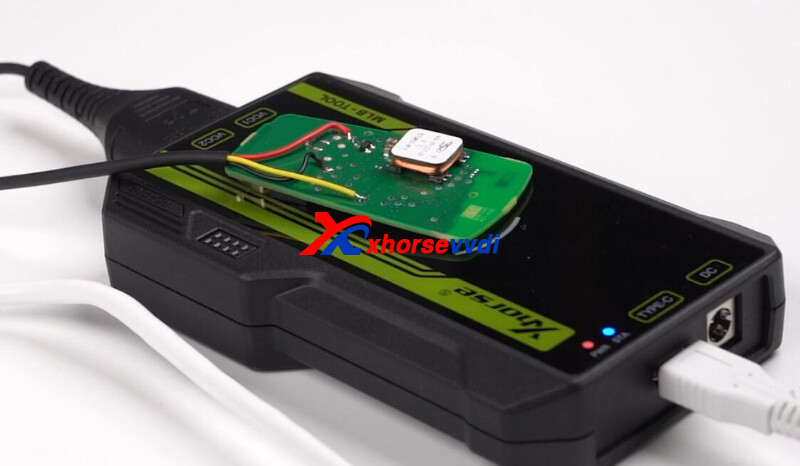
Put original key on sensing area.
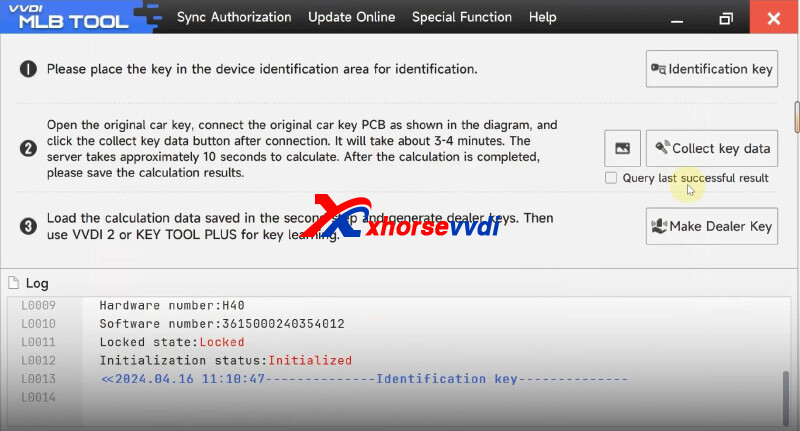
Turn on VVDI MLB Tool software.
Select "Identification key" to identify original key.
Select "Collect key data" to calculate key data.
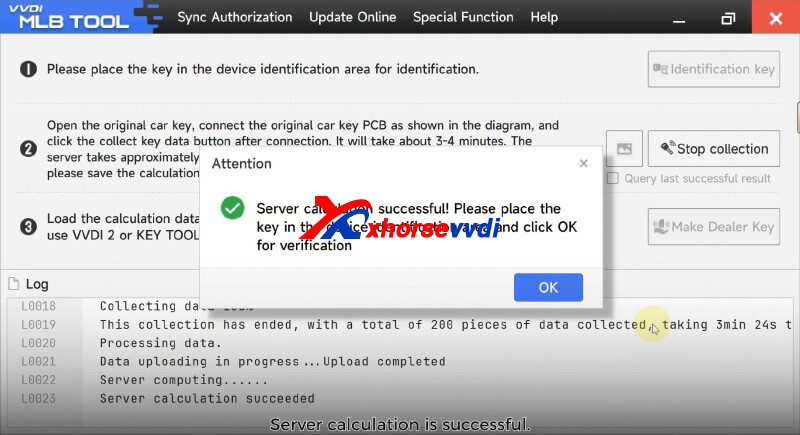
Select "Make Dealer Key" and load key data.
2.Key Learn
Turn on ignition.
Connect vehicle to VVDI2.
Put key close to sensing area.
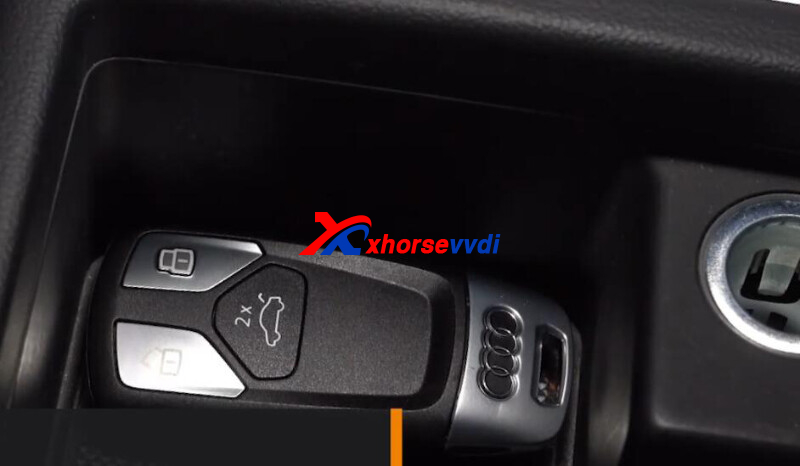
Turn on VVDI2 software.
Select
Audi>>Key learn>>MLB Immobilizer system
Select "Read vehicle information".
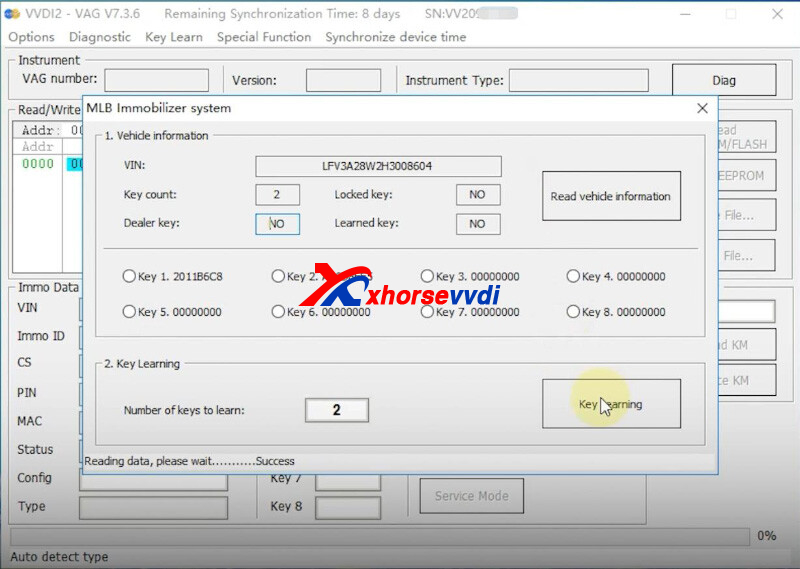
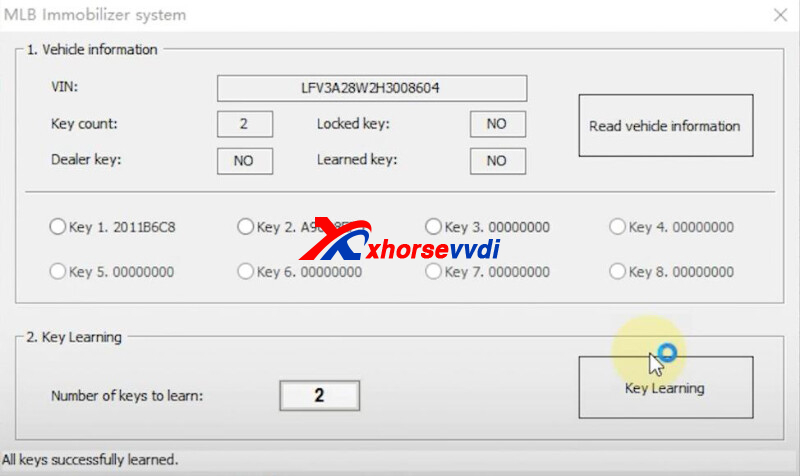
Select "Key learning" and load data.
Key learn complete.
Part 2.VVDI MLB Tool + Key Tool Plus
1.Calculate key data
Connect Key Tool Plus to VVDI MLB.
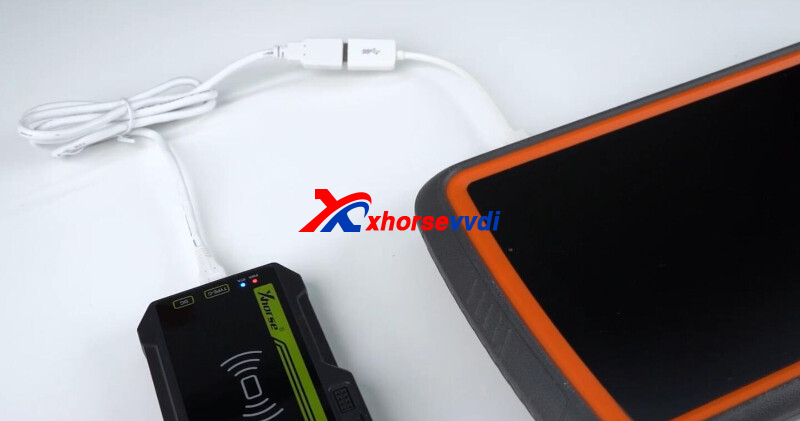
Turn on Key Tool Plus,
Select
Immo programming>>Audi>>Select by type>>MLB immobilizer systems
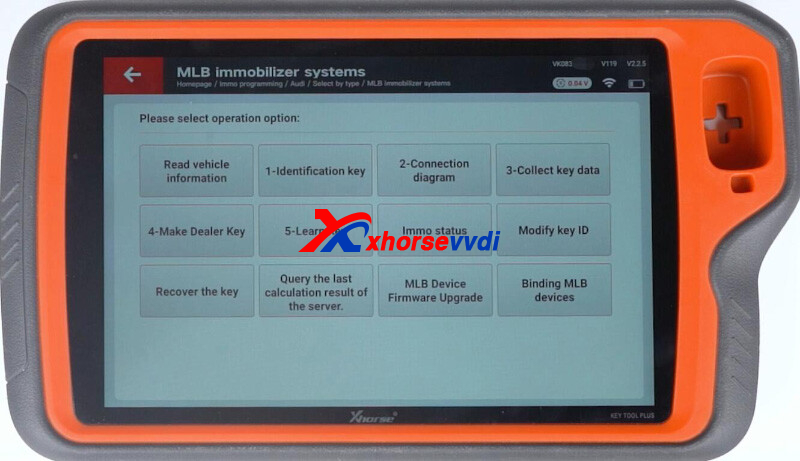
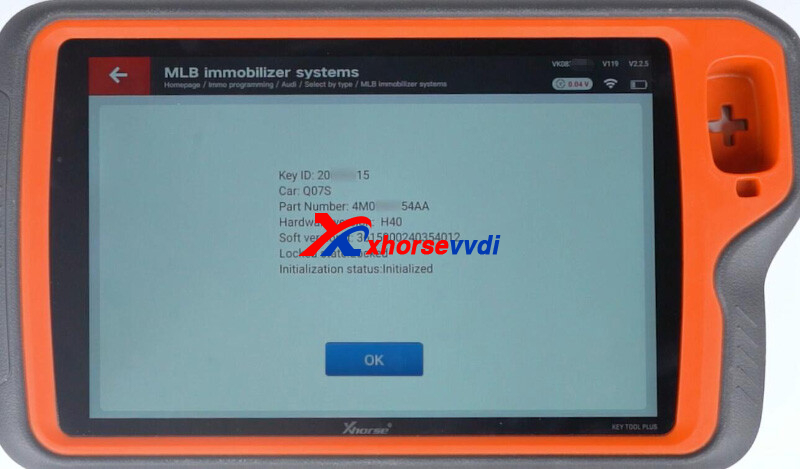
Select "1-Identification key" to identify original key.
Select "2-Connection diagram".
Select "3-Collect key data" to calculate key data.
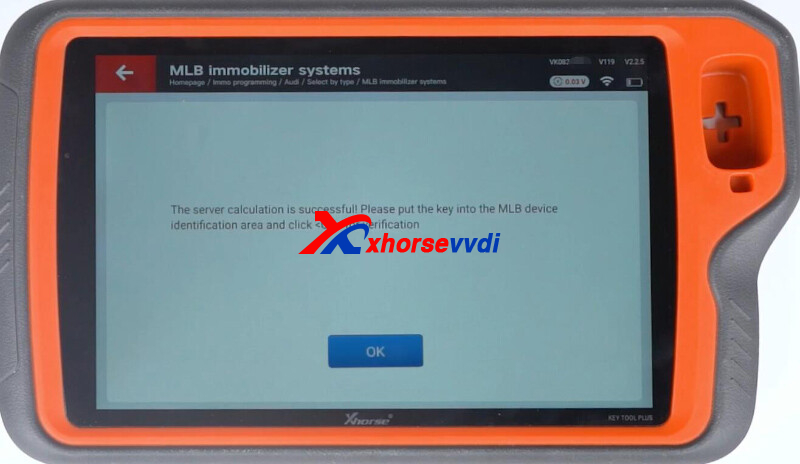
Select "4-Make Dealer Key" and load key data.
2.Key Learn
Connect vehicle to Key Tool Plus.
Put key close to sensing area.
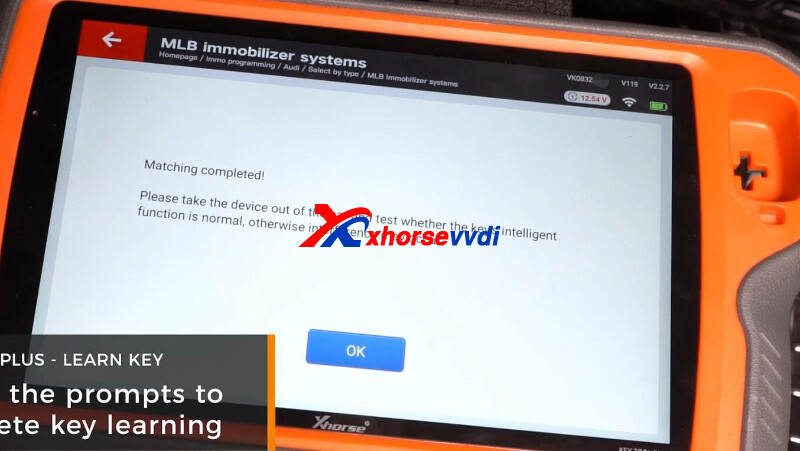
Select "5-Learn Key" and load key data.
Key match complete.
Done! That's how to use VVDI-MLB Tool.
http://blog.xhorsevvdi.com/xhorse-vvdi-mlb-tool-add-key-tutorial/
Posted by: xhorsevvdi at
07:29 AM
| No Comments
| Add Comment
Post contains 219 words, total size 5 kb.
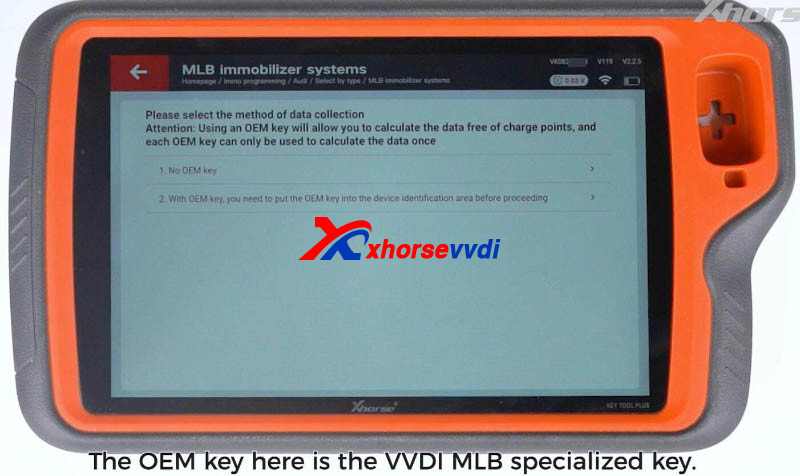
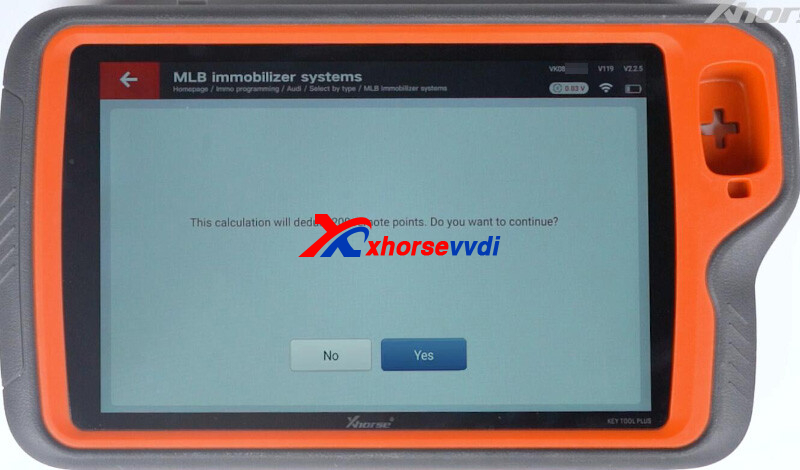
One customer wondered if VVDI MLB Tool needs tokens or points for data calculation.
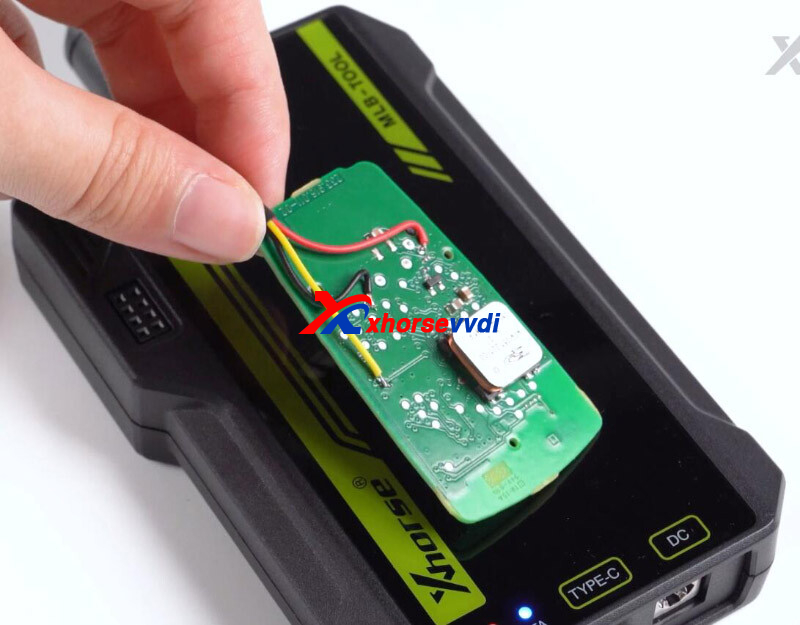
Here is the Answer:
1.Read data from OEM key (No VVDI MLB Key): 200 points
2.Read data from OEM key (with VVDI MLB Key): No points
*Identify new VVDI key first, and then read OEM key
3.Read data from VVDI MLB Key: No points
Done! Hope this helps!
http://blog.xhorsevvdi.com/will-vvdi-mlb-tool-need-token-or-point/
Posted by: xhorsevvdi at
07:28 AM
| No Comments
| Add Comment
Post contains 71 words, total size 1 kb.
July 03, 2024
One customer asked how to clone BCM gj32-14f041-ab using VVDI Multi Prog. The car is Landrover 2013. Tried to read eeprom but all FF.
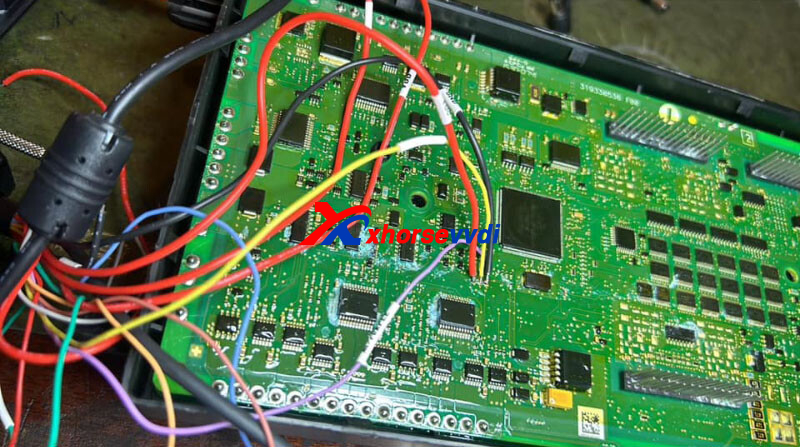
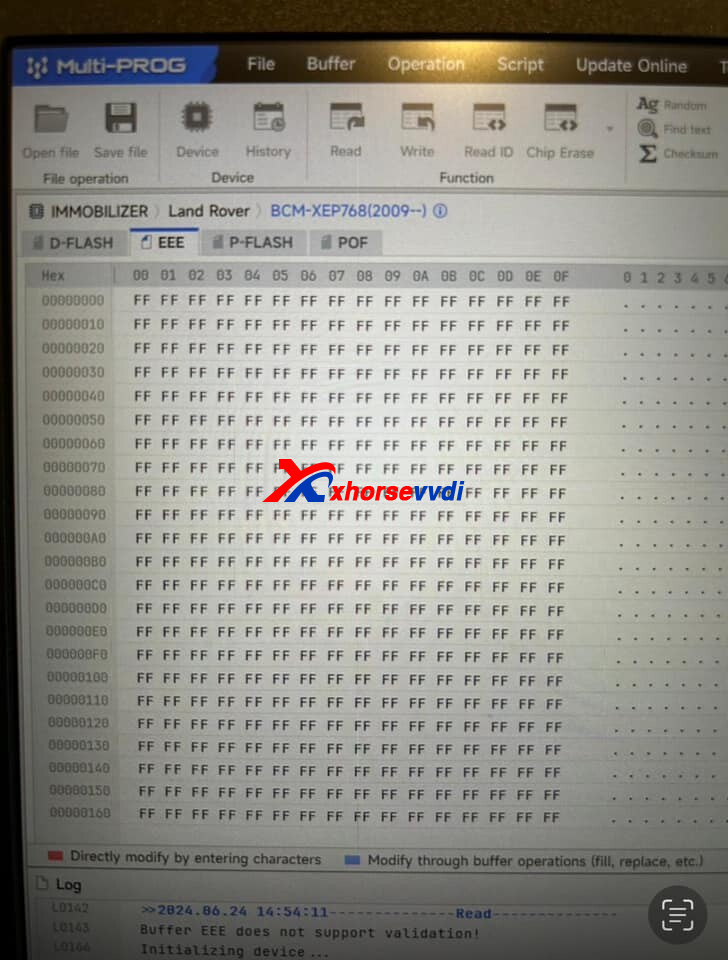
Here are some tips:
For this BCM, no eeprom only D-flash.
To clone it, read write D-flash and P-flash (VIN inside)
Done! Hope this helps!
http://blog.xhorsevvdi.com/vvdi-multi-prog-read-write-land-rover-2013-bcm-tips/
Posted by: xhorsevvdi at
03:22 AM
| No Comments
| Add Comment
Post contains 60 words, total size 1 kb.
Quick Question:
My Mini Key Tool is unable to generate XM38-Toyota Remote any advice I will appreciate
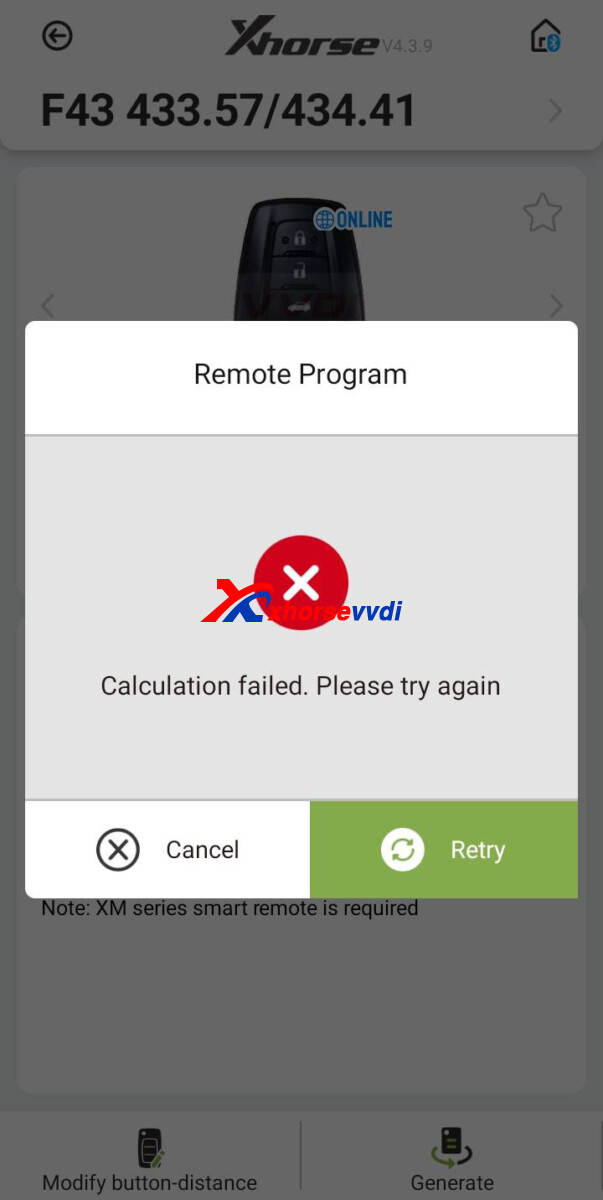
Here is the Answer:
Make sure VVDI Mini is connected to Wi-Fi/ hotspot.
Remote controls marked with "Online" requires network connection.
*to generate controls marked with "Cloud", users need Key Tool Max (PRO)/ VVDI2
(Details: http://blog.xhorsevvdi.com/vvdi-key-tool-generate-cloud-remote-control-tips/)
If the tool is already network-connected, make sure battery is brand new.
Feedback:
the problem was the battery, Now generate successfully
Done! Hope this helps!
http://blog.xhorsevvdi.com/solved-mini-key-tool-unable-to-generate-xm38-toyota-remote/
Posted by: xhorsevvdi at
03:22 AM
| No Comments
| Add Comment
Post contains 89 words, total size 2 kb.
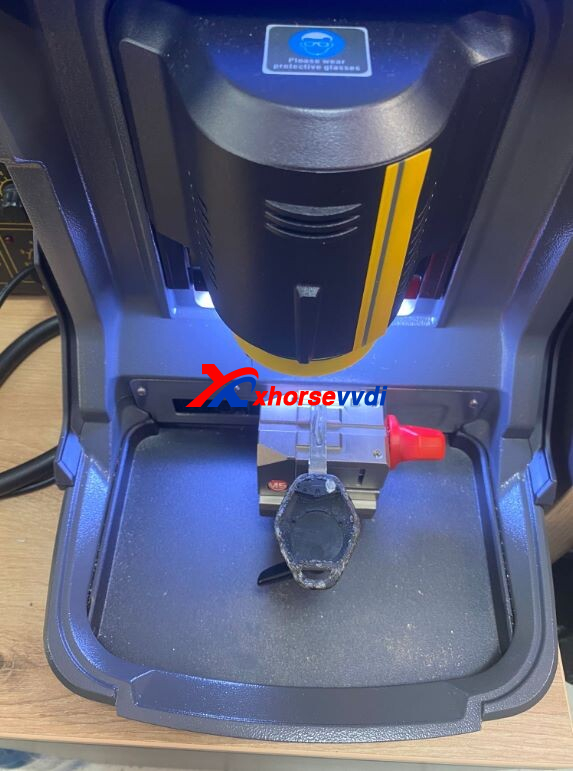
Question:
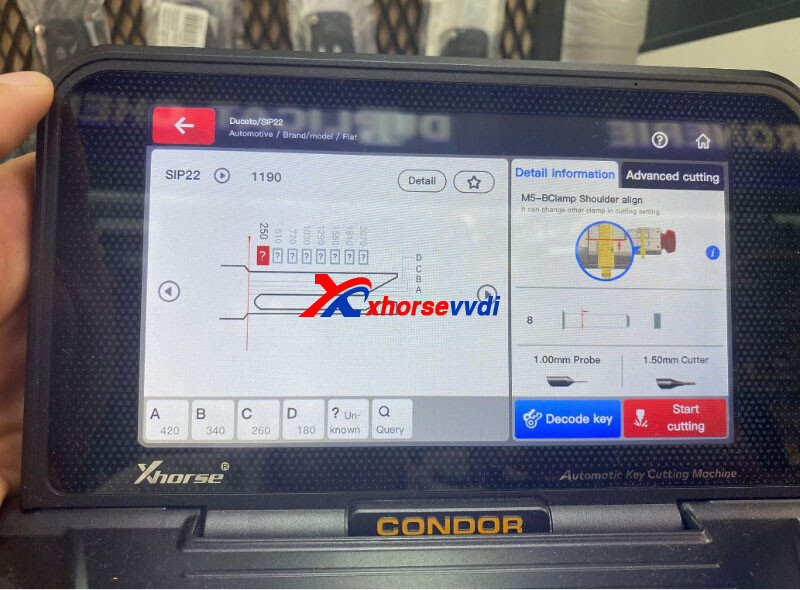
ForthebladeSIP22(fiatducato)Condor MINI PLUS IIisnotdecodingcorrectly. What I should do?
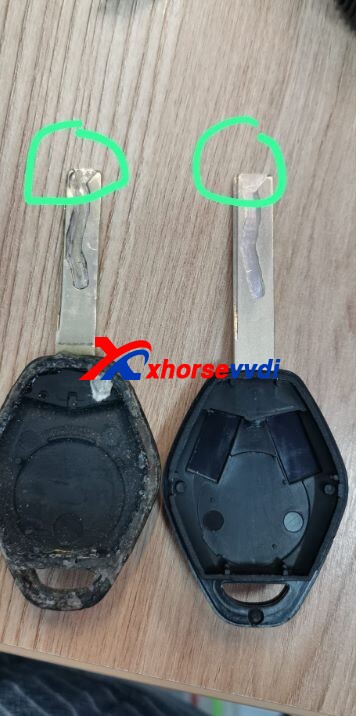
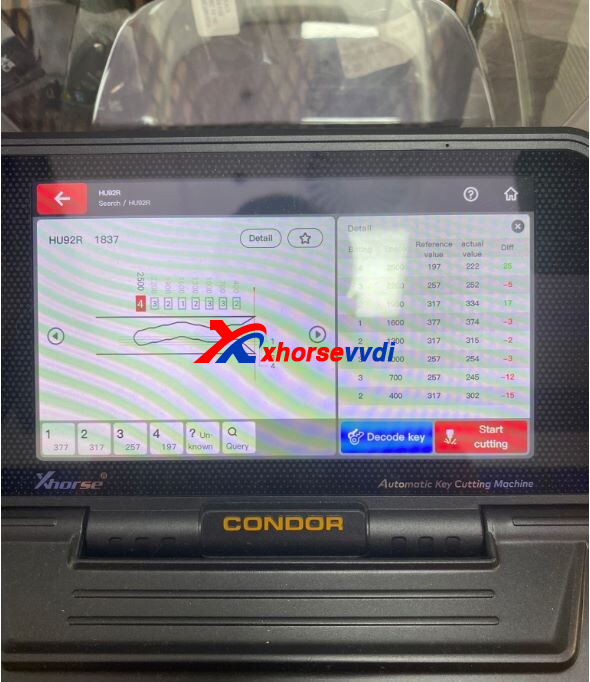
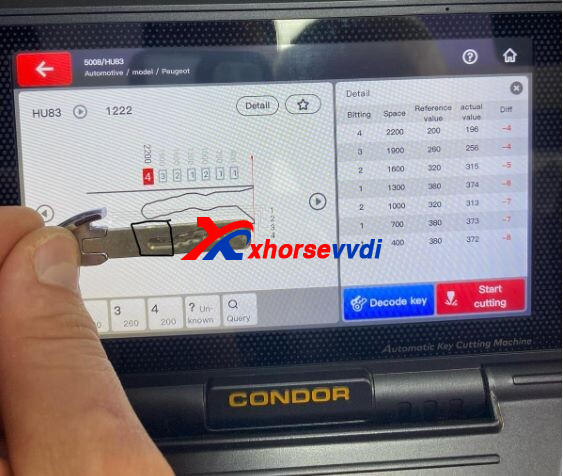
For HU83, thedecodingisdifferentthanthekey.
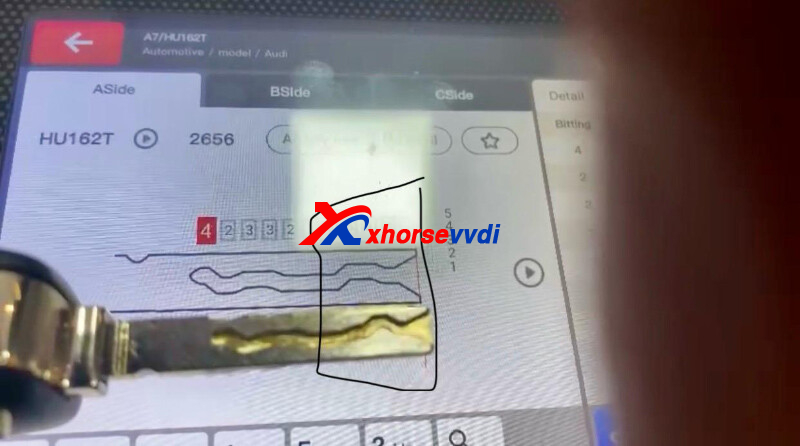
Here is the Solution:
1)Perform cutting calibration again
2)Check if shoulder align is correct
3)Make sure used cutter is the same as that in settings
In this case, the problem is the used HON66 in cutting calibration.
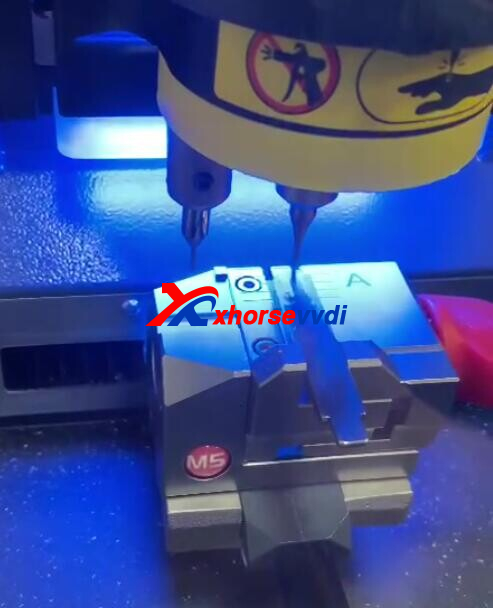
Use a new HON66 blade in cutting calibration as required, and Condor II Machine should decode well.
Done! Hope this help!
http://blog.xhorsevvdi.com/solved-condor-mini-plus-ii-fail-to-decode-hu83-hu92r/
Posted by: xhorsevvdi at
03:21 AM
| No Comments
| Add Comment
Post contains 81 words, total size 3 kb.
Quick Question:
Someone already got this error on frm? Write Error (00). I use latest V5.3.5 VVDI PROG will now downgrade version, I never had this issue... 12v connected.
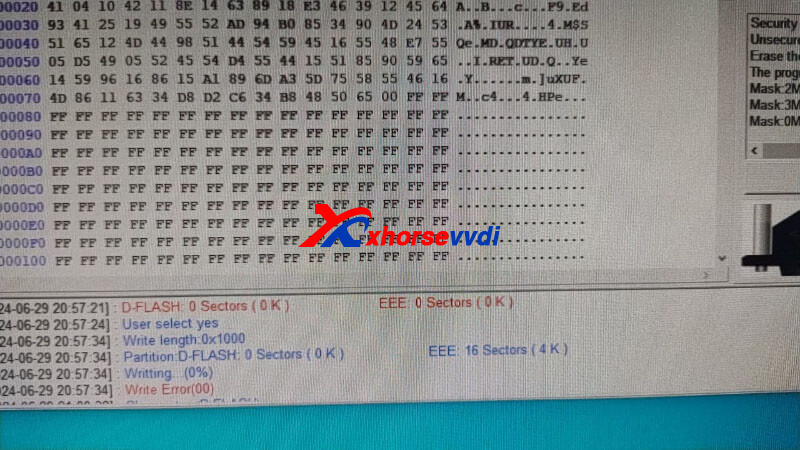
D-flash read seems corrupt?
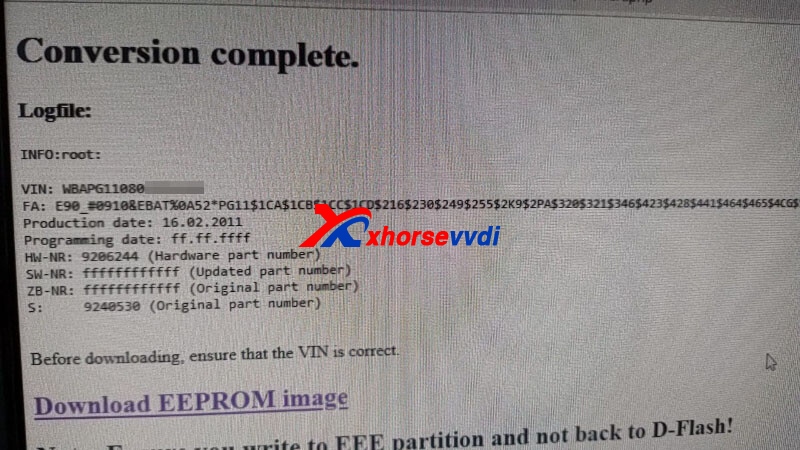
Here is the Solution:
Used "write partition" button instead of "Write" button
Done! Hope this could help!
Posted by: xhorsevvdi at
03:21 AM
| No Comments
| Add Comment
Post contains 59 words, total size 1 kb.
One customer gave feedback that his VVDI Multi Prog won't read BOSCH MD1CP006. The car is Ford F-550, and he has done an identical module successfully last month. Is the connection wrong?
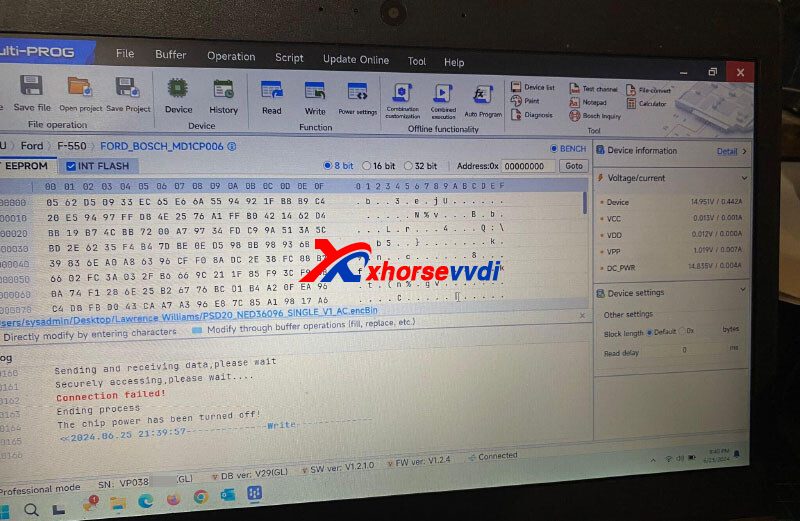
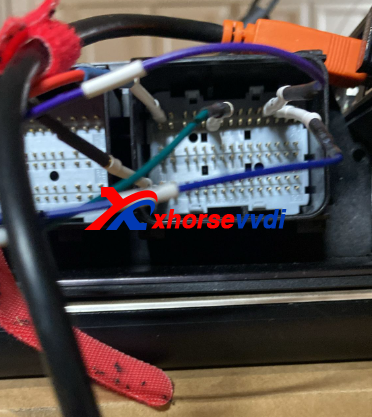
Here is the Solution:
1)Make sure the module is good
2)Change the green cable to power supply and read again
Done! Hope this helps!
http://blog.xhorsevvdi.com/solved-vvdi-multi-prog-fail-to-read-ford-f-550-md1cp006/
Posted by: xhorsevvdi at
03:20 AM
| No Comments
| Add Comment
Post contains 67 words, total size 1 kb.
Except for ECU/ TCU cloning, VVDI Multi Prog could write modified files to certain ECUs.
All ECU options marked by "C" support checksum.
Here comes a review of IMMO OFF using Multi Prog:
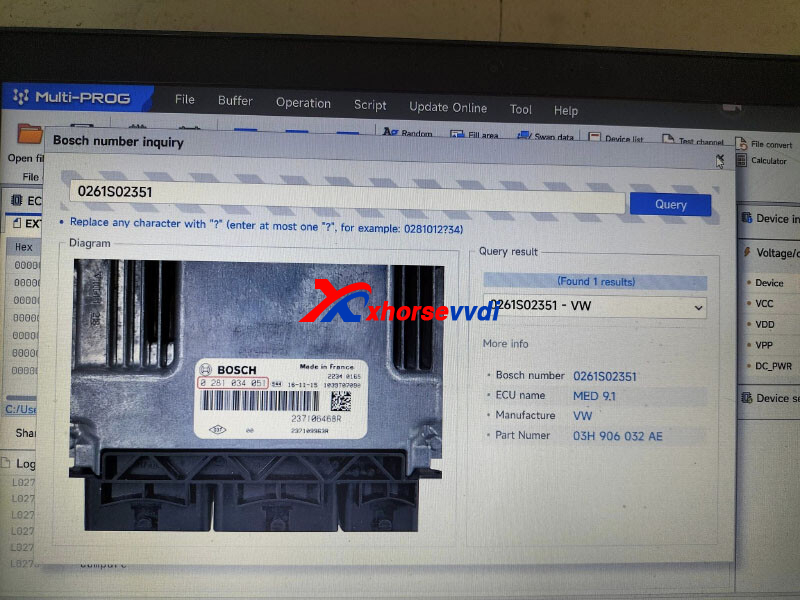
Success in reading and writing immo off for med9.1 vw Passat
Search for BOSCH number and confirm ECU type.
Connect ECU to device by diagrams.
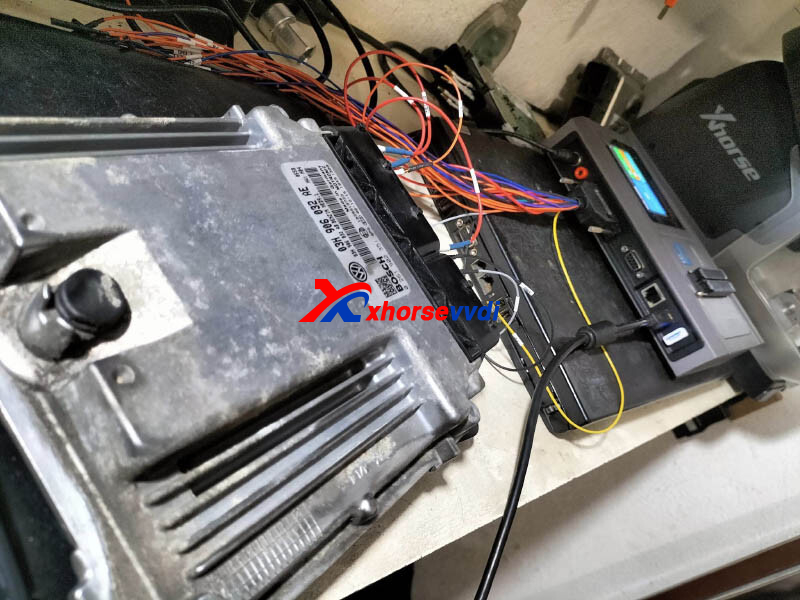
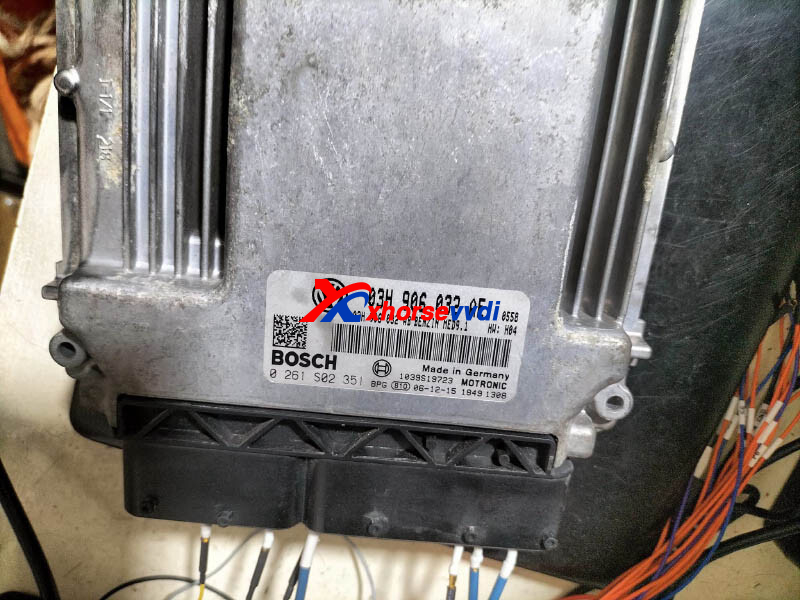
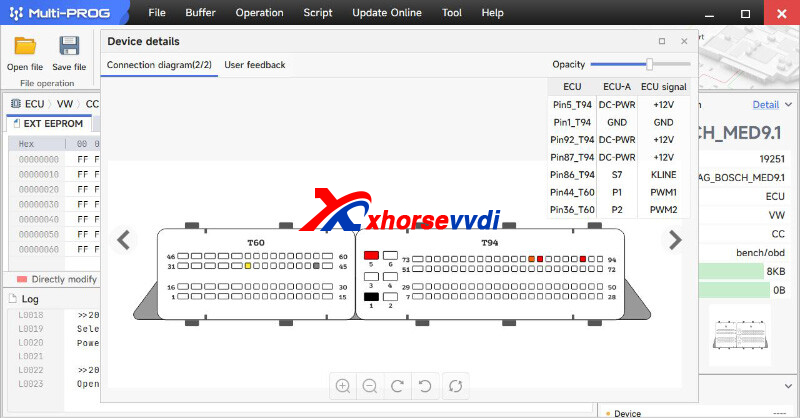
Read original data.
Write modified data file into module and checksum okay.
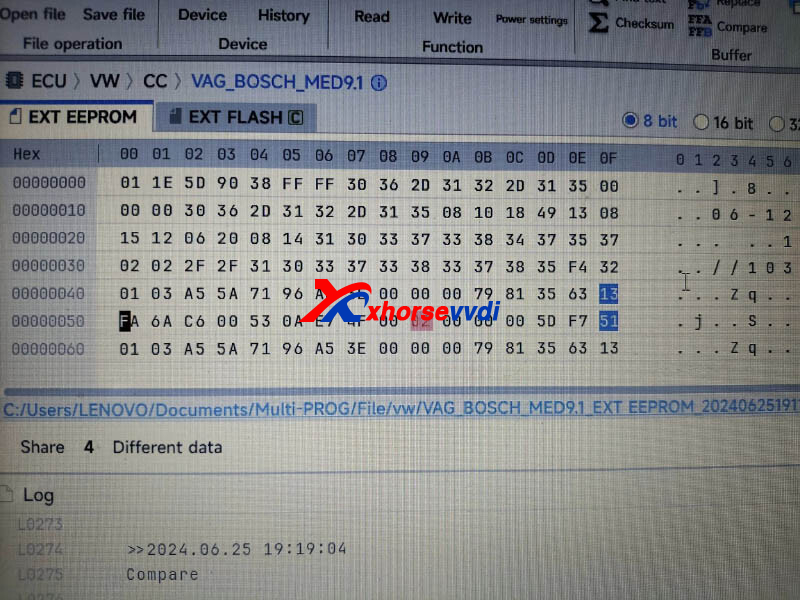
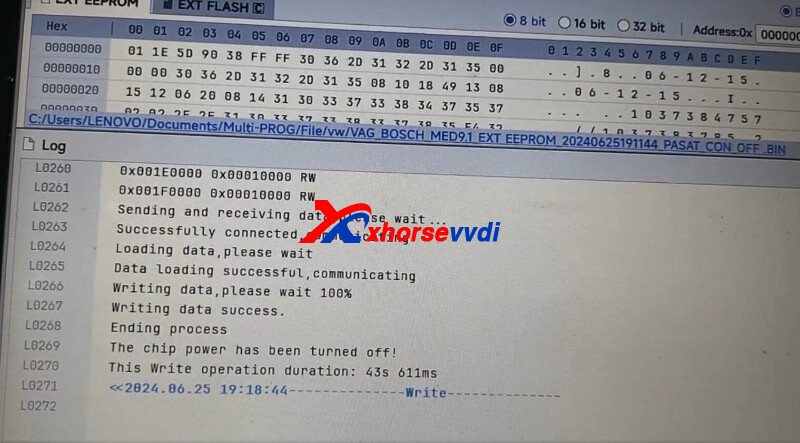
Done! Simple and nice!
Posted by: xhorsevvdi at
03:20 AM
| No Comments
| Add Comment
Post contains 84 words, total size 2 kb.
One customer gave feedback that his Key Tool Plus Pad won't read mercedes eis password. The tablet shows " MB power adapter response error! ERROR: CLOSE". Is the adapter faulty?

Here Xhorsevvdi tech support answers:
The power adapter in the picture above only works with VVDI MB.
Good to know:
Power Adapter for VVDI MB has one port on only one side
Power Adapter for Key Tool Plus has one port on each side

Done! Hope this helps!
http://blog.xhorsevvdi.com/solved-key-tool-plus-mb-power-adapter-response-error/
Posted by: xhorsevvdi at
03:19 AM
| No Comments
| Add Comment
Post contains 88 words, total size 2 kb.
32 queries taking 0.0979 seconds, 131 records returned.
Powered by Minx 1.1.6c-pink.

