



May 07, 2024
Xhorse Users:
Don't miss Special Functions on Xhorse Key Tool (Mini Key Tool, Key Tool Max, Key Tool Max Pro, Key Tool Plus)
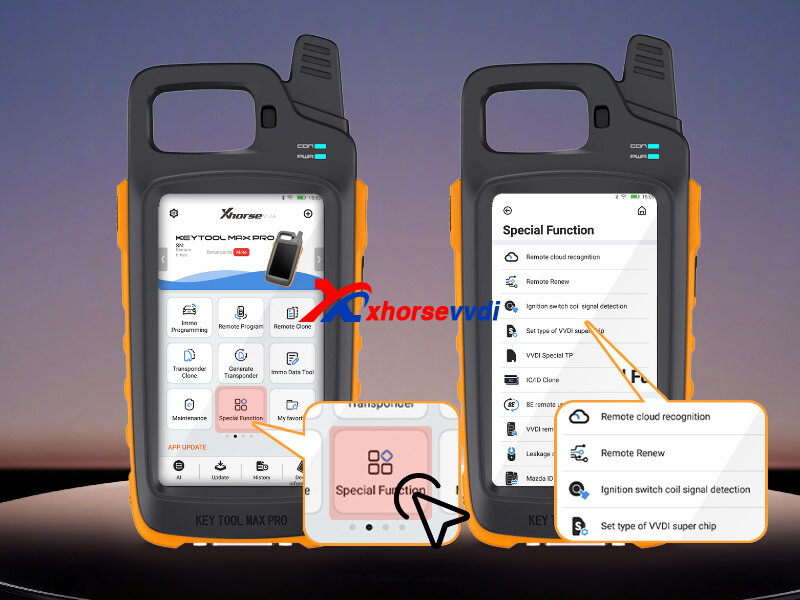
Check out what we've got:
1.Remote Cloud Recognition
If you have no idea about what remote control fits your vehicle, here is a simple guiding video:
<iframe src="https://www.youtube.com/embed/cQiT6YAeCXo" allowfullscreen></iframe>
2.Remote Renew
OEM Keys may be locked after they are programmed to the vehicle and hence cannot be generated or programmed to another car. In this case, we need to renew the remote before reusing it. This only applies to OEM keys and after being renewed, it becomes unlocked and can be programmed to many different vehicles.
To complete remote renew, you may need the key renew adapter or the renew cable depending on the vehicle.
The renewal procedure is straightforward: access the menu, select the vehicle, and the system will prompt you to use the appropriate adapter or cable.
3.IC/ID Clone
IC/ID cloning allows the replication of IC or ID cards. It's a straightforward process: simply position the card on the coil, and you're good to go. It's remarkably simple to execute
4.Ignition Switch Coil Signal Detection
There are 2 scenarios where you may need to use the function.
One is that when you're unsure about the type of the vehicle remote transponder, you can put the collection antenna of the device close to the ignition switch and turn the key several times. It'll tell you it's a 46, 48 or 4A, but other chip type is not supported yet.
Second is that there are times when a vehicle cannot be started with the original remote and you're not sure the problem is in the key or the antenna coil of the vehicle. We can also apply the method to determine where the problem is.
5.Remote Charge Battery
The function is mainly used for old-type BMW EWS series models with rechargeable keys. These rechargeable keys usually have a button battery inside. You can charge the battery of the remote by using this feature.
6.Unlock Toyota Smart Key
The function is similar to [Remote renew] function. But the difference between them is that [Unlock Toyota smart key] doesn't require you to use any cable.
You basically place the PCB board into the recognition slot and hit unlock. And it'll start unlocking the key.
7.Honda Cycle Key Renew
The function is only designed for Honda motorbikes.
What you need to do is to put the transponder into coil position for reading and then you're ready to go and unlock the Honda motorbike keys.
8.8E Remote Upgrade/Unlock
The function is used mainly for Xhorse 8E remotes. It can upgrade and unlock Xhorse 8E remote.
9.Mazda ID49 Smart Key Light Repair
You may know that the Mazda 49 key is a bit special. If the original remote is a two-button remote, you might be surprised to learn that you can program it with a three-button remote. But here's the catch, after successful programming, there will be a light display on the dashboard. No worry! We can erase the light by using this very function. (Note: Original key is required.)
Complete! All for Xhorse Tools' Special Function.
http://blog.xhorsevvdi.com/xhorse-key-tool-special-function-list/
Posted by: xhorsevvdi at
03:45 AM
| No Comments
| Add Comment
Post contains 526 words, total size 5 kb.
Quick Question:
I should reprogram the keys on a 2013 Ford Mondeo, Today I tried with VVDI Key Tool Max Pro but at the end of reading the authorization code error 62C126 appears. I also tried with the post 2015 version but I have the same problem. I'm not clear on the procedure, as the car doesn't have a mechanical key but only a slot where to insert the key in case of emergency, on the instructions it's written insert key on ON. Having only the Start button I press that but as there are no keys stored in it nothing turns on. Is there any way, maybe reading the immo module chip to reprogram the keys or find the PIN code. I'm not sure if the immo module is integrated in the dashboard or in another ECU.
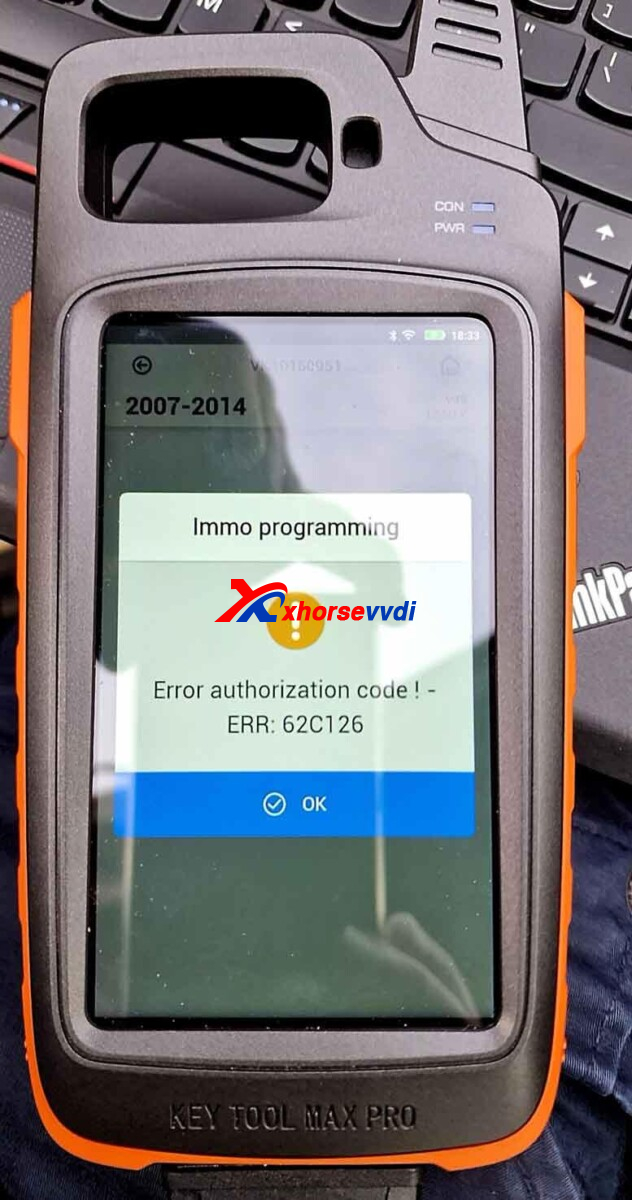
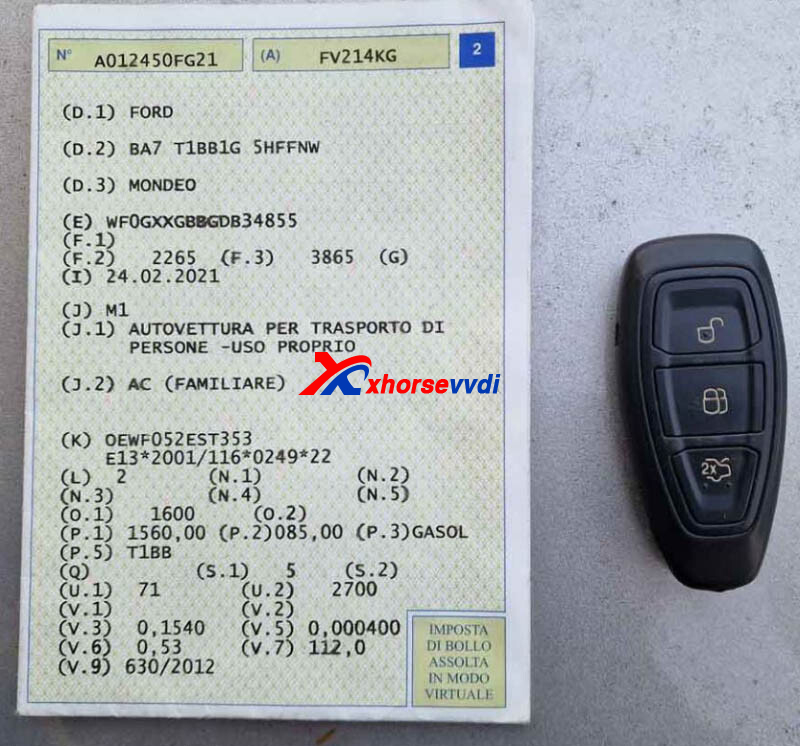
Here are some tips:
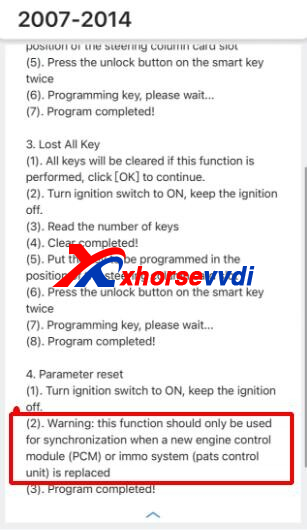
Follow All Key Lost instructions,
(1)All keys will be cleared if this function is performed, click [OK] to continue.
(2)Turn ignition switch to ON, keep the ignition off.
(3)Read the number of keys
(4)Clear completed!
(5)Put the key to be programmed in the position of the steering column card slot
(6)Press the unlock button on the smart key twice
(7)Programming key, please wit..
( Program completed!
*If PCM is replaced, Step 4 is also required and users need to buy sync code by themselves
Complete! That's how to program Ford 2013 Ford Mondeo key using Key Tool Max Pro Key Programmer.
http://blog.xhorsevvdi.com/key-tool-max-pro-ford-mondeo-2017-2014-key-programming-tips/
Posted by: xhorsevvdi at
03:45 AM
| No Comments
| Add Comment
Post contains 252 words, total size 3 kb.
One customer asked what vehicles Xhorse Nissan Cables (16+32 Adapter & 40-Pin Adapter) could do. And if they support All Key Lost and require Pin Code.
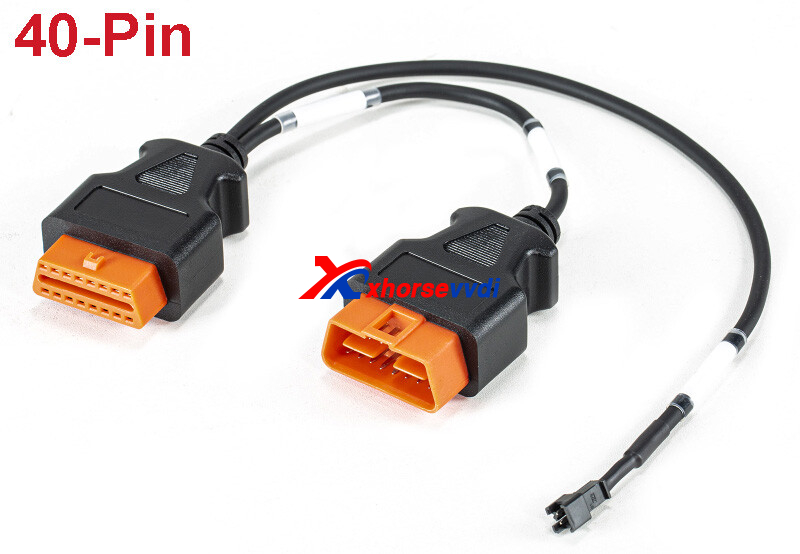
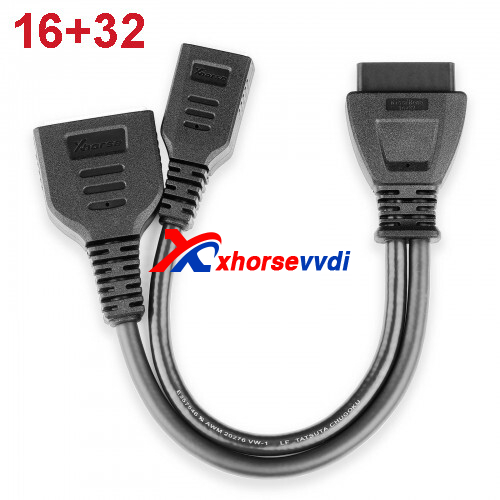
Here are differences between two adapter:
1)For Sylphy B18 2020.8-2021.7
Use Nissan 16+32 Adapter,
Add: No Pin Code, AKL: Pin Code is required
2)For Sylphy B18 2021.8-
Use Nissan 16+32 Adapter,
Add: No Pin Code, AKL: Pin Code is required
or use Nissan 40-Pin Cable,
Add/ AKL: No Pin Code
If you are interested in these adapters, contact us!
http://blog.xhorsevvdi.com/xhorse-nissan-1632-40-pin-adapter-support-list/
Posted by: xhorsevvdi at
03:44 AM
| No Comments
| Add Comment
Post contains 94 words, total size 1 kb.
Purpose:
Read BMW MEVD17.2.9 using VVDI MULTI PROG.
Error:
Software asked to update software to V1.1.5.0 before reading, but it cannot get the latest software update info.
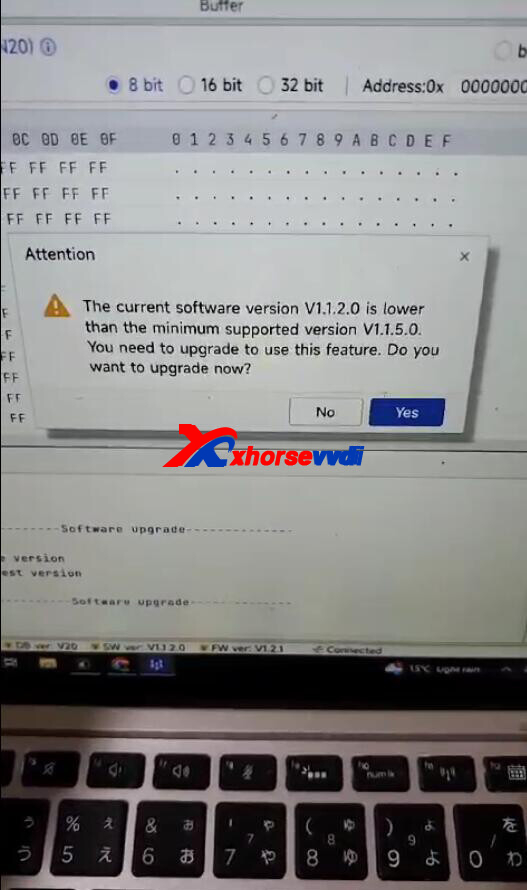
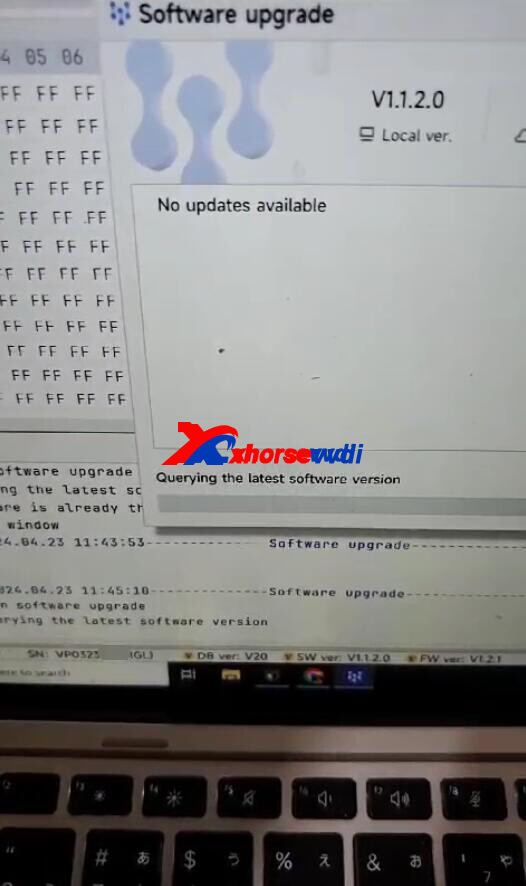
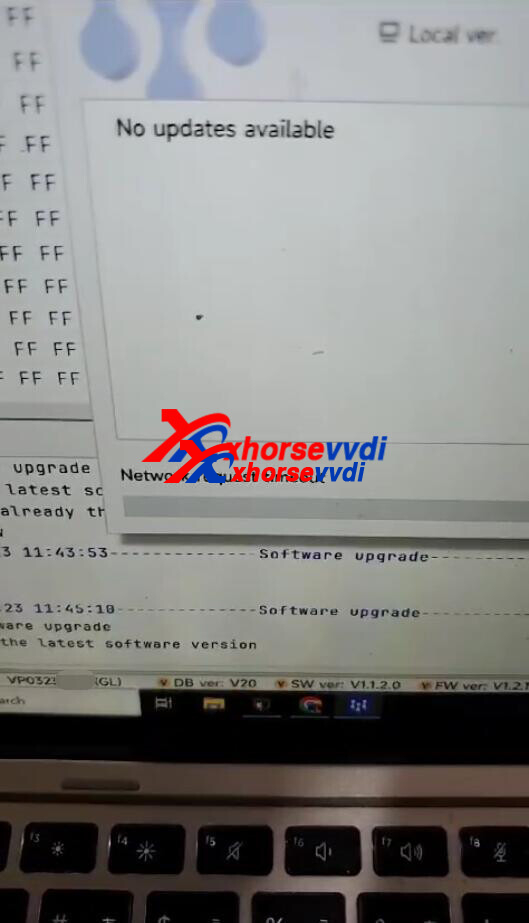
Here is the Solution:
Select
File>>Network setting
Select "Do not use proxies".
Then update Multi Prog Software again
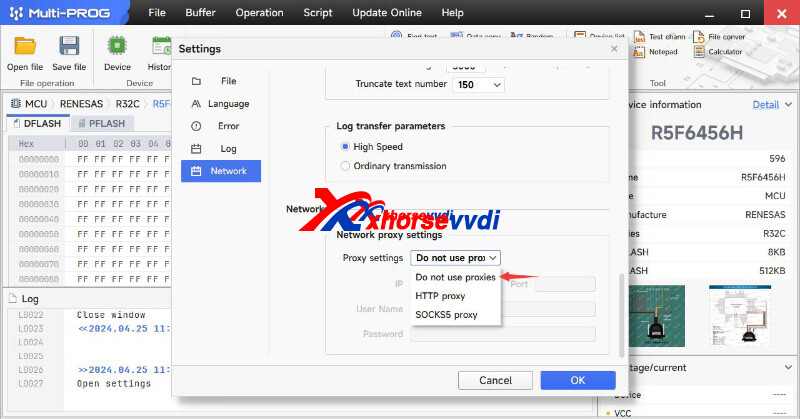
Done!
http://blog.xhorsevvdi.com/how-to-fix-multi-prog-software-timeout-error/
Posted by: xhorsevvdi at
03:43 AM
| No Comments
| Add Comment
Post contains 56 words, total size 2 kb.
Quick Question:
VVDI MINI OBD Tool with firmware V1.5.0 can't synchronize or update. Tried update and sync on Key Tool Max and WIN10 WIN11 PC, but all failed.
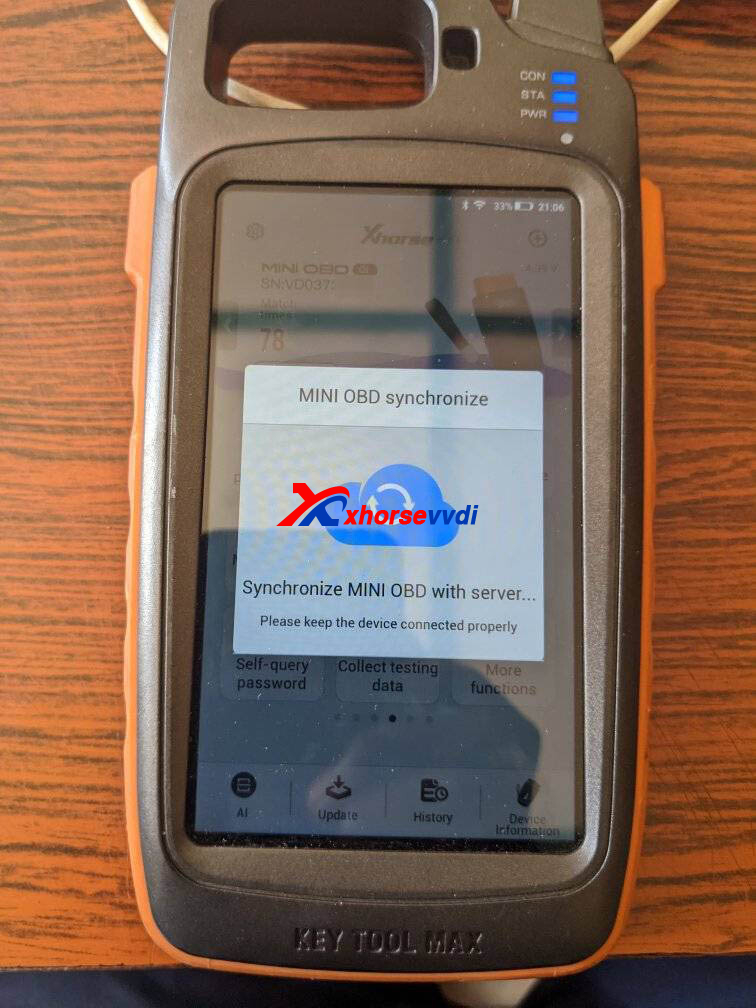
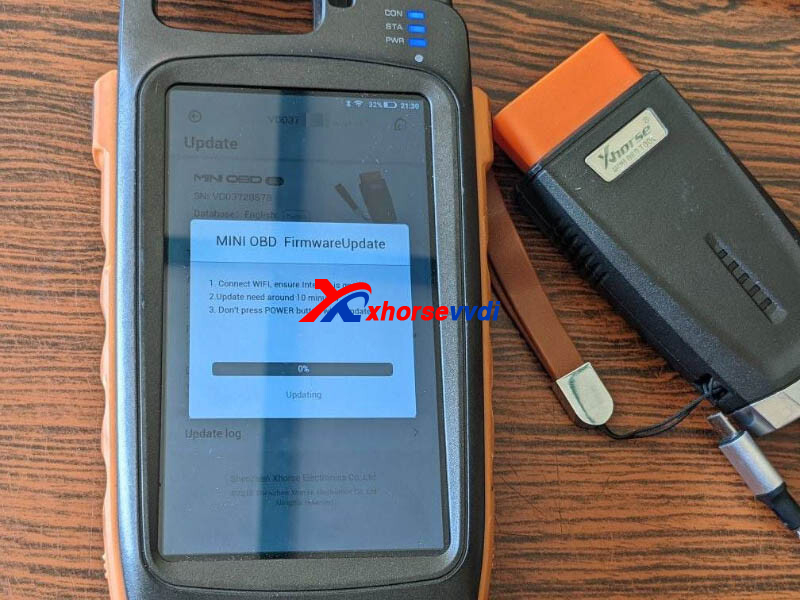
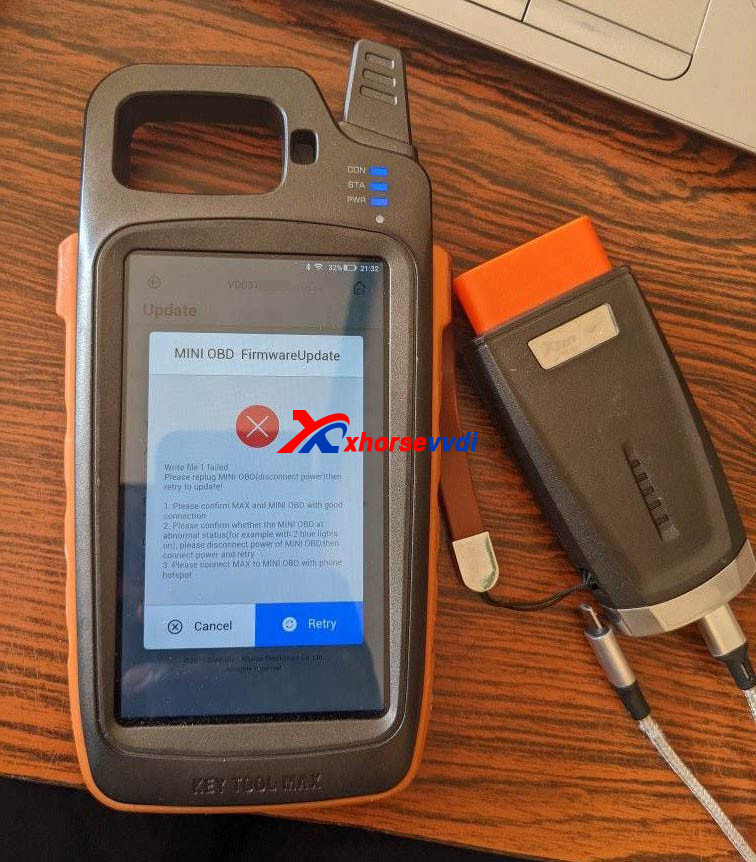
Here Xhorsevvdi answers:
Replace MINI OBD battery (CR2032) and synchronize tool again.
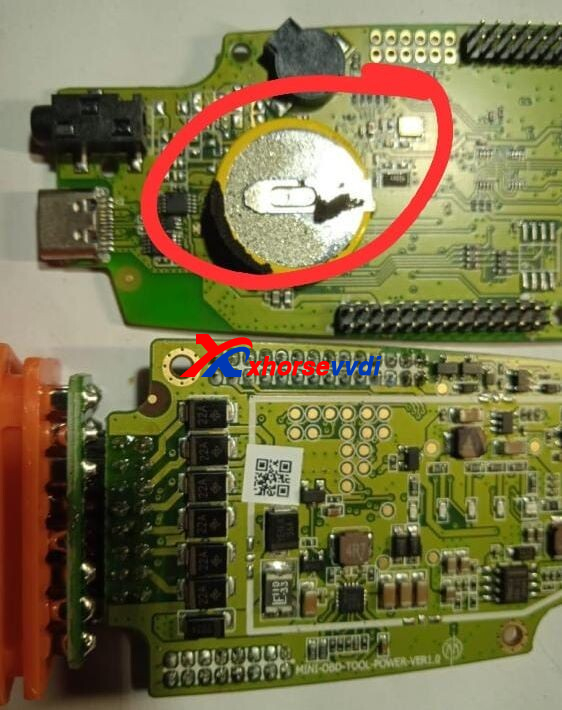
*If MINI OBD firmware is earlier than V1.5.0 and the tool fails to update or sync, please return it to your seller for repair
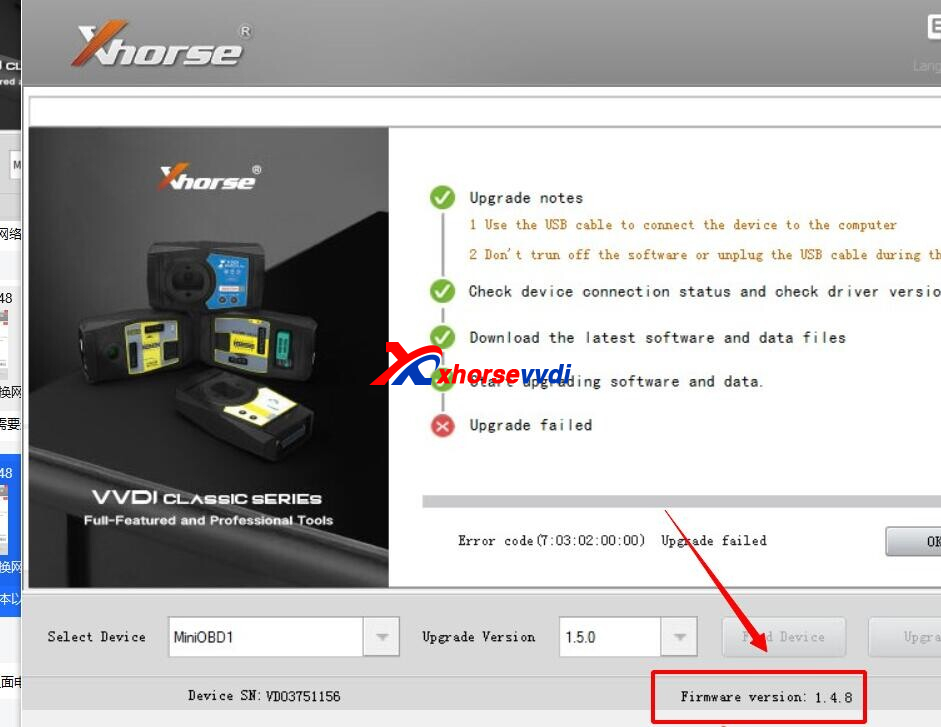
Done! Hope this could help!
http://blog.xhorsevvdi.com/solved-vvdi-mini-obd-cant-synchronize-or-update-to-v1-5-1/
Posted by: xhorsevvdi at
03:43 AM
| No Comments
| Add Comment
Post contains 80 words, total size 2 kb.
VVDI MULTI PROG V20 Database is available. Update online or get free download link from Xhorsevvdi.
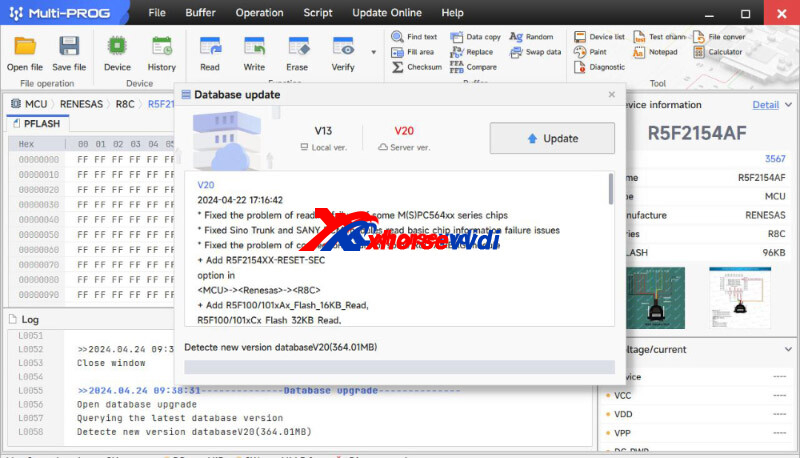
MULTI PROG Update Info
V20 Database (2024-04-22)
* Fixed the problem of reading failure of some M(S)PC564xx series chips
* Fixed Sino Trunk and SANY BCM modules read basic chip information failure issues
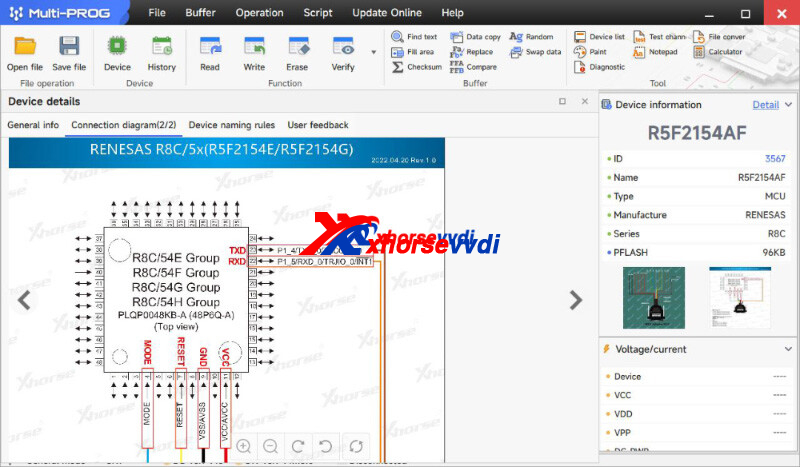
* Fixed the problem of connection failure of some R8C AIRBAG module
+ Add R5F2154XX-RESET-SEC option in [MCU]->[Renesas]->[R8C]
+ Add R5F100/101xAx_Flash_16KB_Read, R5F100/101xCx_Flash_32KB_Read, R5F100/101xDx_Flash_48KB_Read, R5F100/101xEx_Flash_64KB_Read, R5F100/101xFx_Flash_96KB_Read, R5F100/101xGx_Flash_128KB_Read, R5F100/101xHx_Flash_192KB_Read, R5F100/101xJx_Flash_256KB_Read, R5F100/101xKx_Flash_384KB_Read, R5F100/101xLx_Flash_512KB_Read, R5F100_Data_4KB_Read, R5F100_Data_4KB_Read_SECURED, R5F100_Data_8KB_Read, R5F100_Data_8KB_Read_SECURED options in [MCU]->[Renesas]->[RL78-G13]
+ Add R5F104xA_Flash_16KB_Read, R5F104xC_Flash_32KB_Read, R5F104xD_Flash_48KB_Read, R5F104xE_Flash_64KB_Read, R5F104xF_Flash_96KB_Read, R5F104xG_Flash_128KB_Read, R5F104xH_Flash_192KB_Read, R5F104xJ_Flash_256KB_Read, R5F104xK_Flash_384KB_Read, R5F104xL_Flash_512KB_Read, R5F104_Data_4KB_Read, R5F104_Data_8KB_Read, R5F104_Data_8KB_Read_SECURED options in [MCU]->[Renesas]->[RL78-G14]
+ Add R5F10C/10DxC_Flash_32KB_Read, R5F10C/10DxD_Flash_48KB_Read, R5F10C/10DxE_Flash_64KB_Read, R5F10C/D_Data_8KB_Read, R5F10C/D_Data_8KB_Read_SECURED, R5F10CxBx_Flash_24KB_Read, R5F10DxF_Flash_96KB_Read, R5F10DxG_Flash_128KB_Read, R5F10DxJ_Flash_256KB_Read, R5F10DxK_Flash_384KB_Read, R5F10DxL_Flash_512KB_Read options in [MCU]->[Renesas]->[RL78-D1A]
+ Add R5F64110, R5F64111, R5F64112, R5F64114, R5F64115, R5F64116, R5F64116J, R5F64116K, R5F64116L, R5F64116M, R5F64117J, R5F64117K, R5F64117L, R5F64117M, R5F64118J, R5F64118K, R5F64118L, R5F64118M, R5F64165, R5F64166, R5F64167, R5F64168, R5F64169, R5F64175, R5F64176, R5F64177, R5F64178, R5F64179, R5F6417A, R5F6417B, R5F64185, R5F64186, R5F64187, R5F64188, R5F64189, R5F64206, R5F64207, R5F6420A, R5F6420B, R5F64216, R5F64217, R5F64218, R5F64219, R5F6421A, R5F6421B, R5F6421C, R5F6421D, R5F6442F, R5F6442H, R5F6445F, R5F6445H, R5F64524JFD, R5F64524KFD, R5F64524LFD, R5F64525JFD, R5F64525KFD, R5F64525LFD, R5F6452MJFD, R5F6452MKFD, R5F6452MLFD, R5F6452NJFD, R5F6452NKFD, R5F6452NLFD options in [MCU]->[Renesas]->[R32C]
Xhorsevvdi 8th-ANNI Special Sale Last 7 Days!
Multi Prog only 744USD: https://www.xhorsevvdi.com/wholesale/vvdi-multi-prog.html
http://blog.xhorsevvdi.com/vvdi-multi-prog-v20-database-add-renesas-r8c-rl78-g13/
Posted by: xhorsevvdi at
03:43 AM
| No Comments
| Add Comment
Post contains 210 words, total size 4 kb.
Quick Question:
VW POLO 2014, Xhorse VVDI2 can't identify the working key in the vehicle. Got a working key and it is a blade one. What is happening?
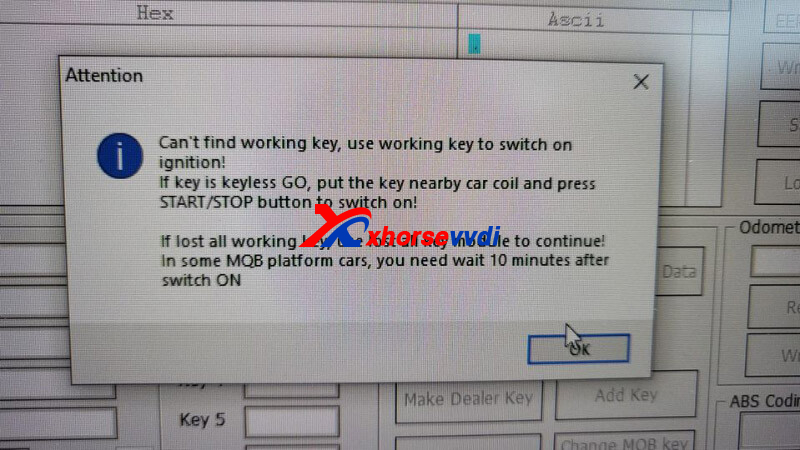
Here are the tips for POLO 2014 Add Key:
1)You need a key that’s programmed to get into that board.
2)Remove the dashboard and read EEPROM 24c32 or 24c64 to enter into service mode
3)Leave Key with ignition ON for 10-15min
Here is his feedback:
Read and clear fault codes with Autel.
Then all worked fine
Done! Hope this could help!
http://blog.xhorsevvdi.com/fixed-xhorse-vvdi2-cant-identify-working-key-in-vw-polo-2014/
Posted by: xhorsevvdi at
03:42 AM
| No Comments
| Add Comment
Post contains 101 words, total size 1 kb.
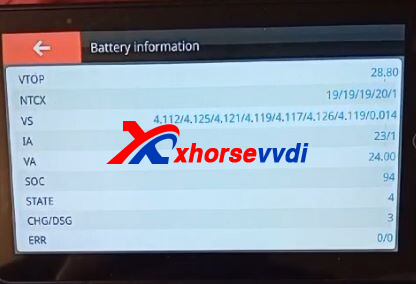
One customer gave feedback that its indicator shown the battery productivity was 31% after he charged his Dolphin XP005L for three days.
Here is the Answer:
The battery is fine.
The indicator is just an icon that would not be changed.
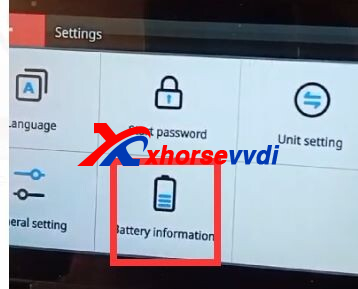
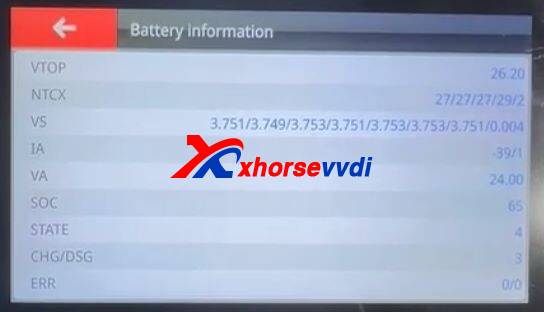
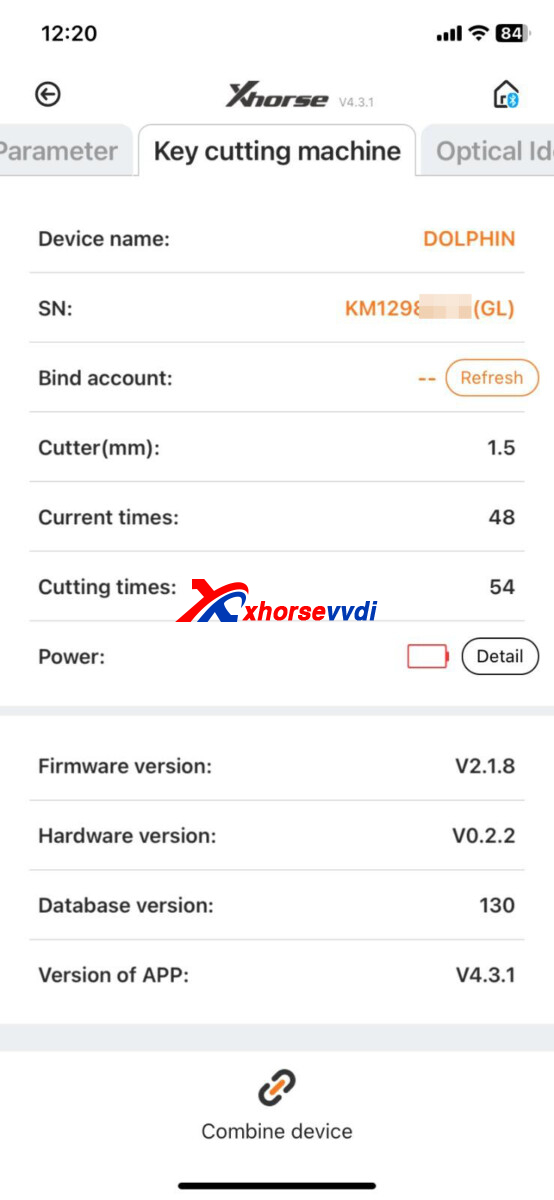
How to Check Battery Status?
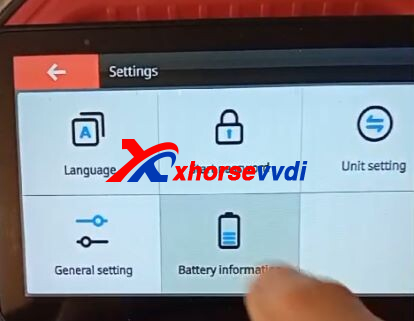
On your Dolphin XP005L Machine/ Xhorse App,
Select
Device info -- key cutting machine -- power -- battery machine
Send the result to your seller and you'll know the battery works well or not.
Done! Hope this could help!
http://blog.xhorsevvdi.com/how-to-check-if-dolphin-xp005l-is-damaged-or-not/
Posted by: xhorsevvdi at
03:42 AM
| No Comments
| Add Comment
Post contains 96 words, total size 2 kb.
One customer gave feedback that his Xhorse Condor Mini Plus won't decode single-sided key right. Here are the result of decoding and the household key.
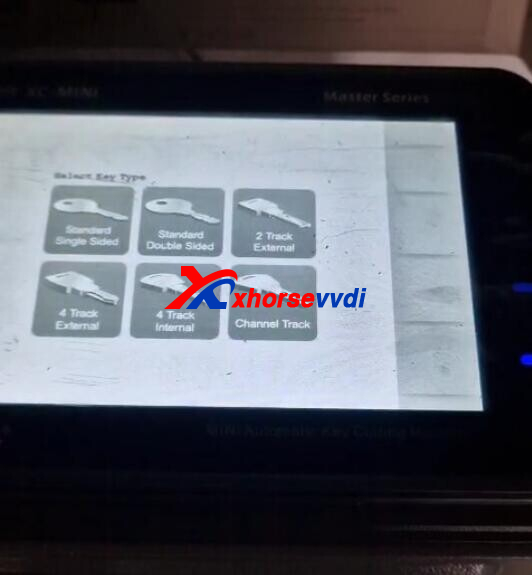
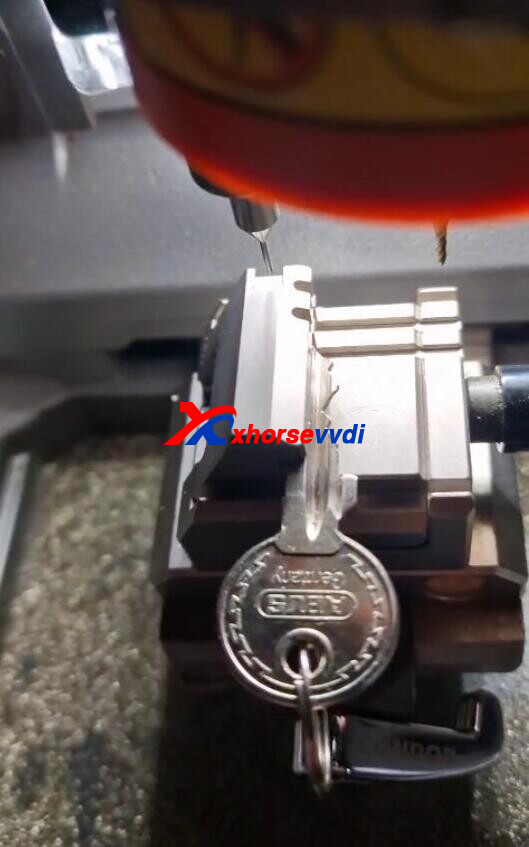
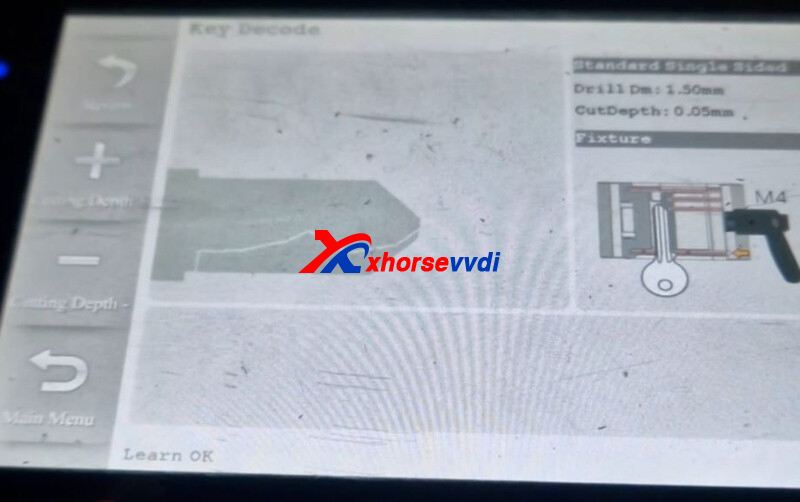
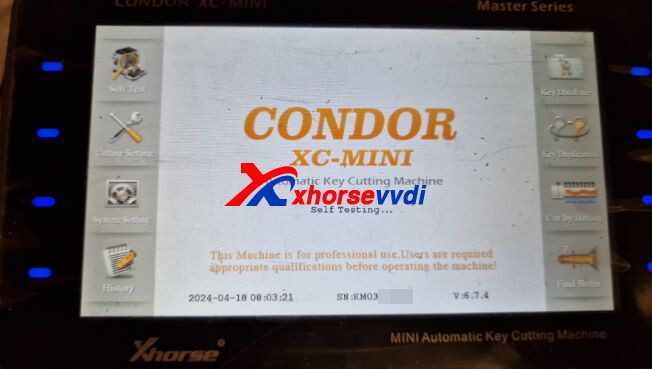
Here is the
Reason:
Condor Mini Plus doesn't decode all parts of the key because the key is not tightened correctly.
Solution:
Move the key blade slightly outward (esp. the marked part) and decode again.
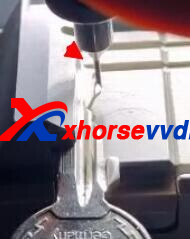
Done!
http://blog.xhorsevvdi.com/solved-condor-mini-plus-cant-decode-single-sided-key-right/
Posted by: xhorsevvdi at
03:41 AM
| No Comments
| Add Comment
Post contains 71 words, total size 2 kb.
Quick Question:
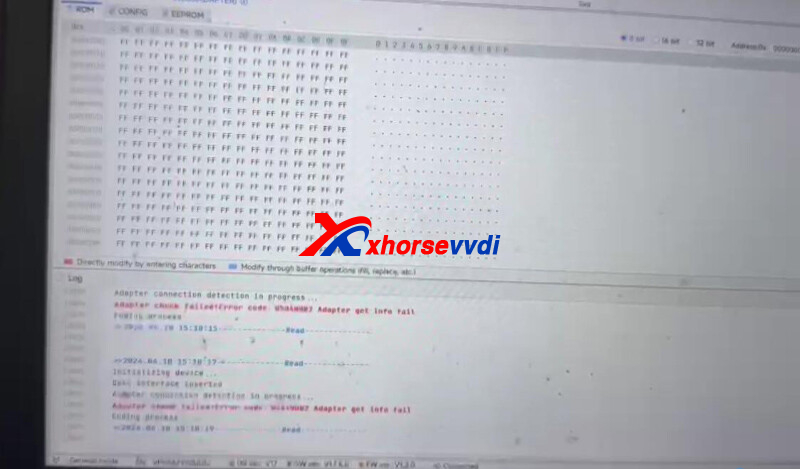
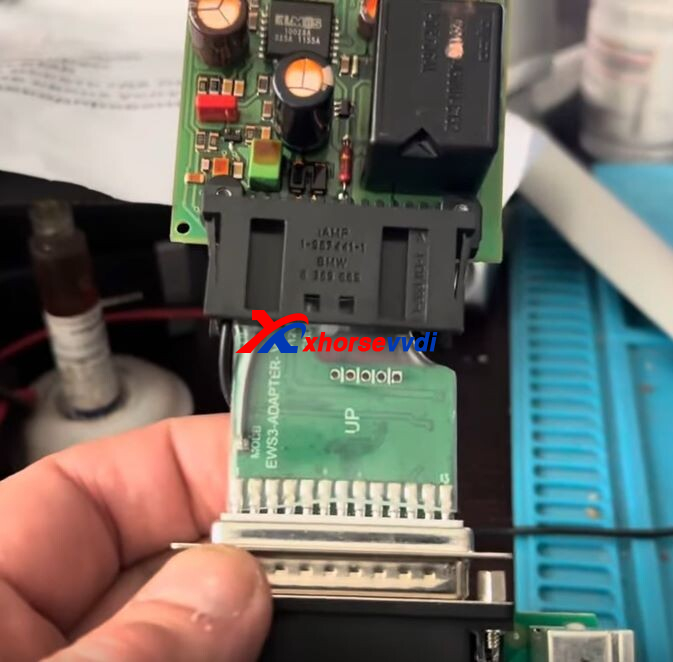
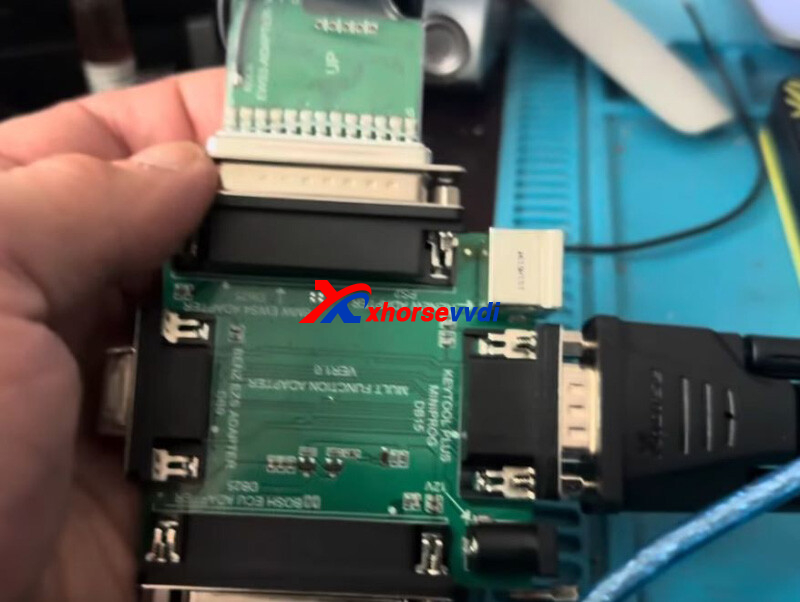
I can't connect to ews3 with an adapter from VVDI PROG via Multi PROG.
Here is the Answer:
The adapter in pictures only works with VVDI PROG Programmer.
For Multi PROG Programmer, use this XDNP50 EWS3 Adapter.
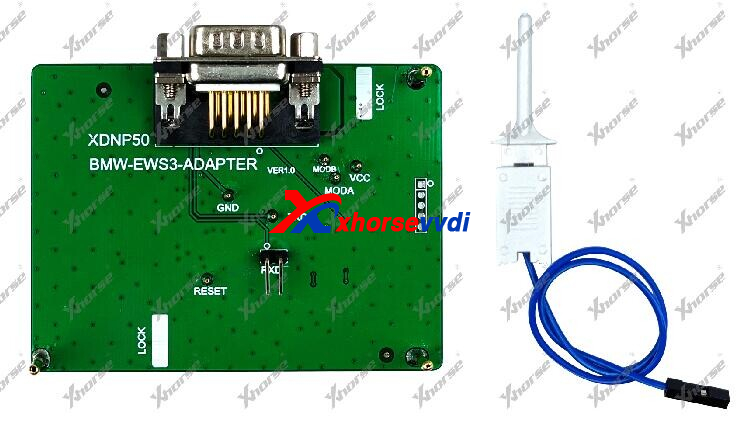
or simply choose soldering using MCU cable in package.
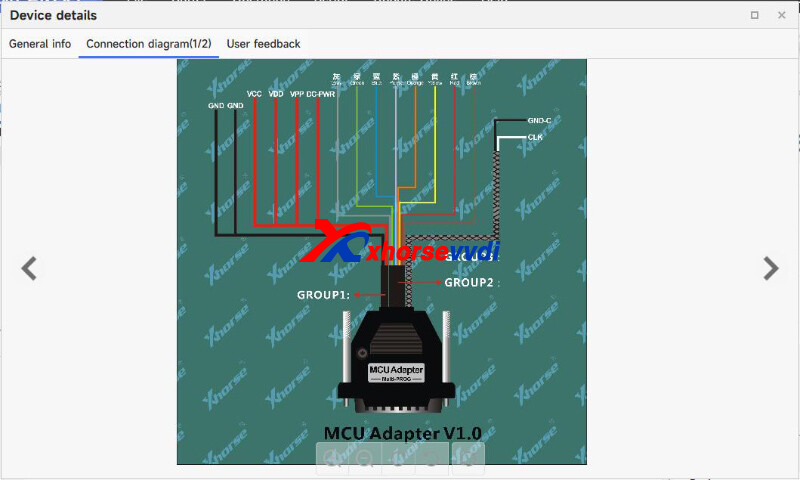
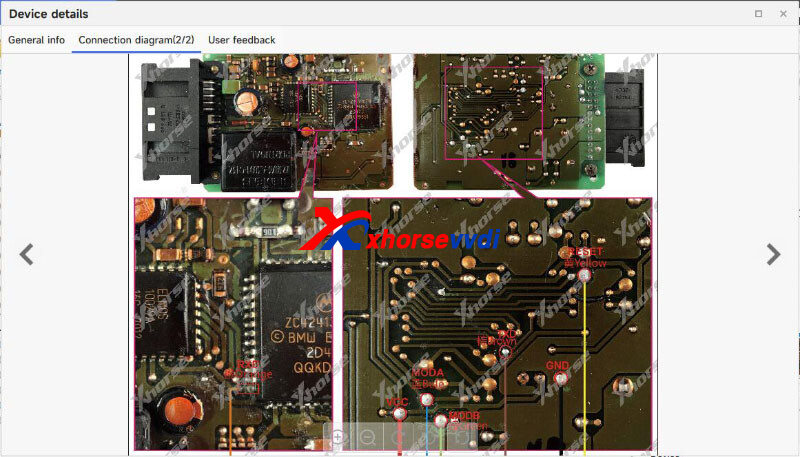
Done!
http://blog.xhorsevvdi.com/how-to-read-bmw-ews3-using-multi-prog-adapter-soldering/
Posted by: xhorsevvdi at
03:41 AM
| No Comments
| Add Comment
Post contains 60 words, total size 2 kb.
April 18, 2024
Quick Question:
How to Read 35160WT Chip?
How to Write 35160WT Chip?
Which option should I select?
Here XhorseVVDI engineer answers:
Option:
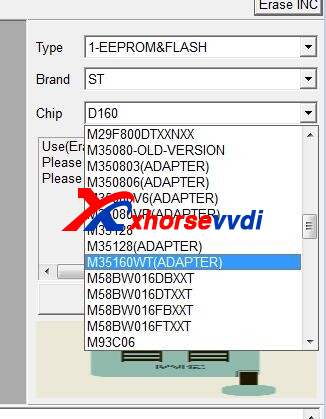
Adapter:
VVDI Prog M35160WT Adapter.
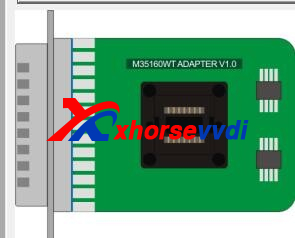
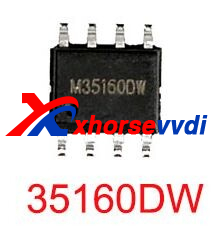
To solder the chip,
Insert/ Solder it to M35160WT adapter.
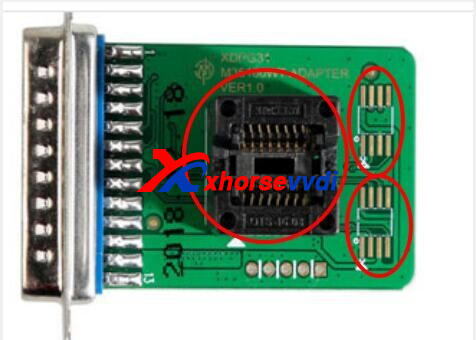
or Solder it to eeprom adapter.
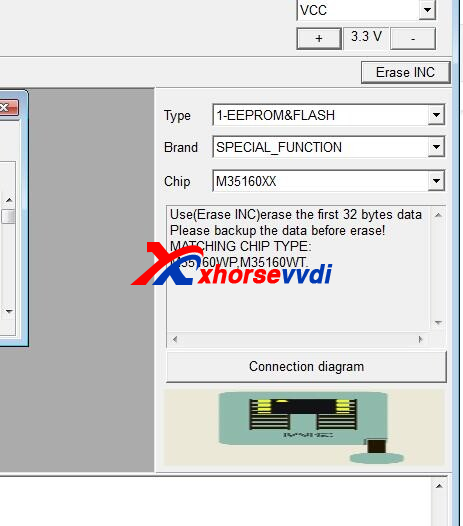
Done! That's how to read write 35160 series chips.
http://blog.xhorsevvdi.com/how-vvdi-prog-read-35160wt-and-write-35160dw-chip/
Posted by: xhorsevvdi at
09:17 AM
| No Comments
| Add Comment
Post contains 70 words, total size 2 kb.
Xhorse MQB-RH850/V850 Adapter For Multi-PROG is coming.
It allows VVDI Multi Prog users to read MQB48/ MQB49/ 5C dashboards by soldering instead of cutting/ lifting pin.
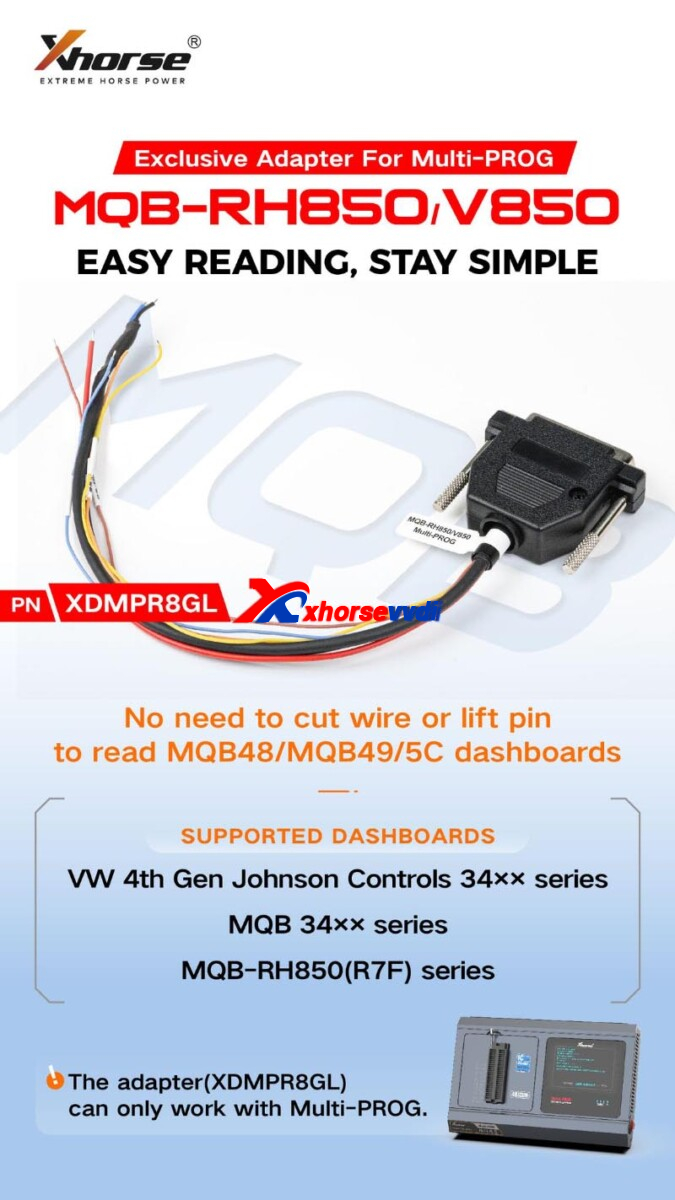
Support List:
VW 4th Gen Johnson Controls 34xx series
MQB 34Xx series
MQB-RH850(R7F) series
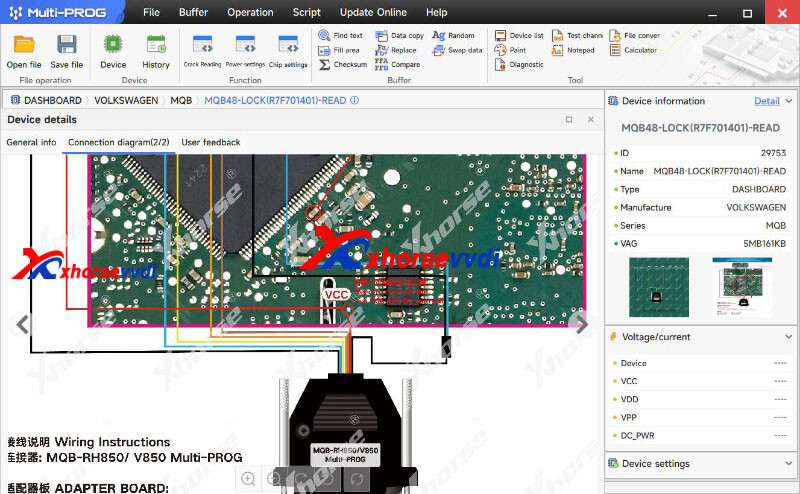
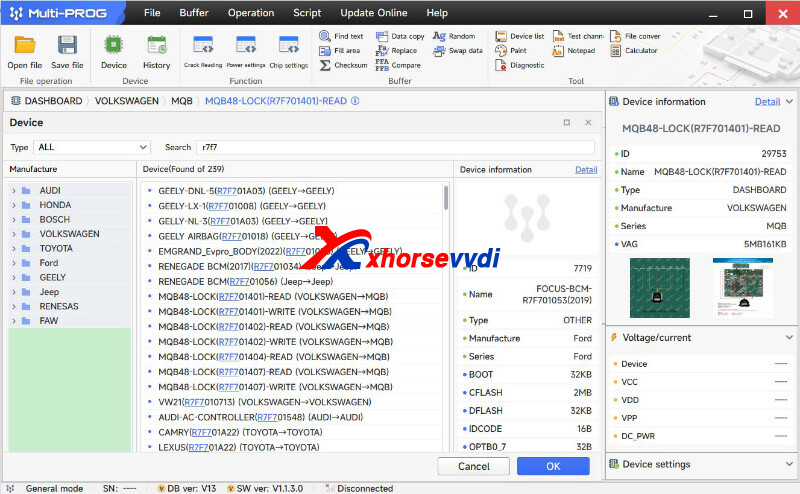
Notes:
1)Xhorse MQB48 License is already activated on Multi Prog, No extra payment
2)Update Multi Prog Database to V19 or later
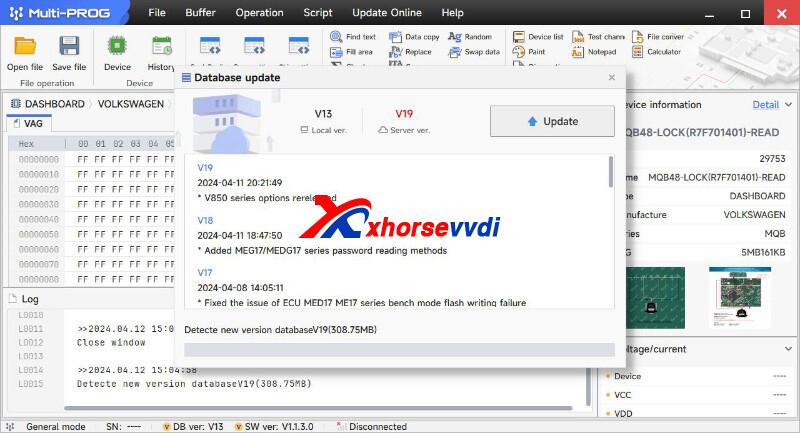
Stay tuned!
http://blog.xhorsevvdi.com/xhorse-mqb-rh850-v850-adapter-for-multi-prog-in-stock/
Posted by: xhorsevvdi at
09:16 AM
| No Comments
| Add Comment
Post contains 71 words, total size 2 kb.
Quick Question:
VVDI Multi PROG Can't Erase INC on D80. With VVDI PROG make a lot, Buy New Multi Prog and now can't do.
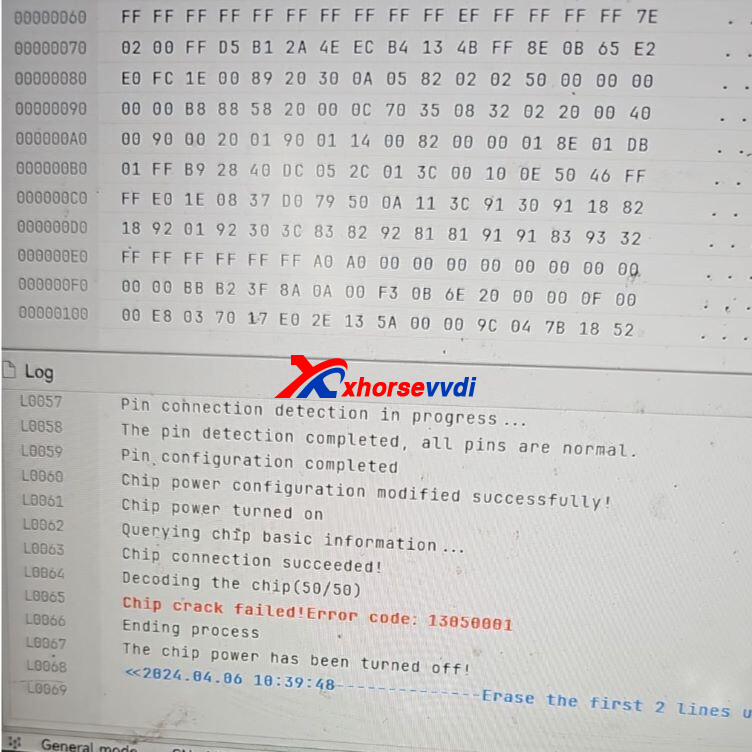
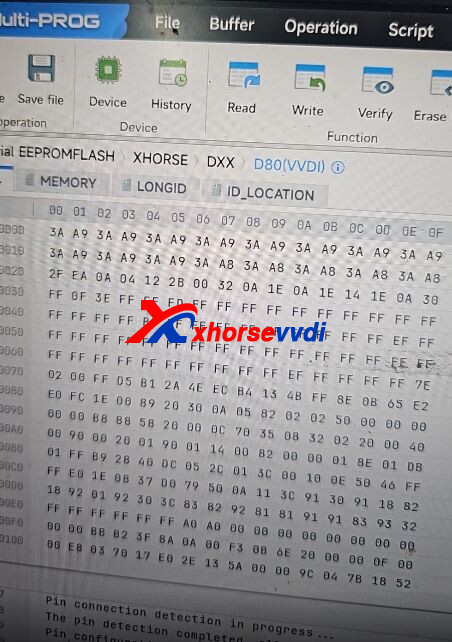
Here XhorseVVDI tech support answers:
Only adapter option supports Erase.
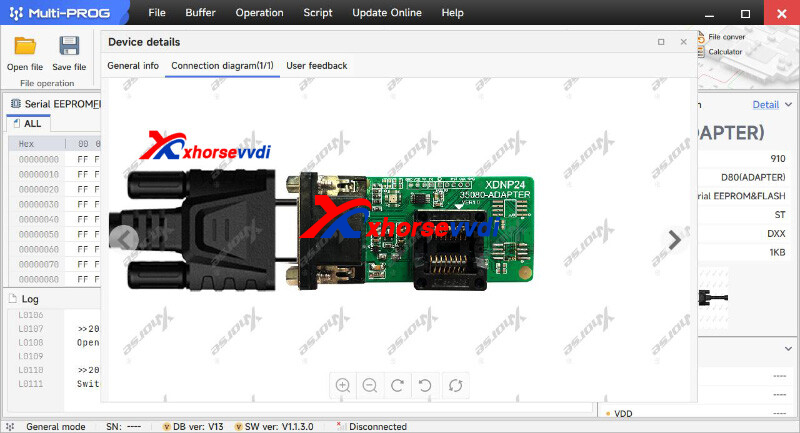
*VVDI PROG adapter is not compatible with Multi Prog
This is Multi Prog D80 Adapter.
Done! Hope this could help!
http://blog.xhorsevvdi.com/solved-vvdi-multi-prog-cant-erase-inc-on-d80/
Posted by: xhorsevvdi at
09:16 AM
| No Comments
| Add Comment
Post contains 64 words, total size 2 kb.
One customer asked where to check out free 1,500 points for ID48 Clone on Mini Key Tool app. He paid to activate ID48 function but only to find 0 points on app (path: Account>> Combine device).
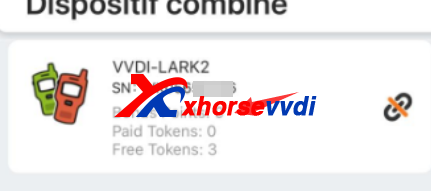
In this case, ID48 function is activated for free, and what he bought is One-year ID48 Clone Token.
Here we will show you different versions of VVDI MINI:
There are 2 versions,
1.VVDI MINI with ID48 License and one-year token
ID48 License is already activated for free, and users would get 1 token each day within 1 year
*this version is only produced before 2023
2.VVDI MINI (Free ID48 License and no token)
To activate ID48 function,
1)Generate 10 new VVDI Remotes
2)Buy Xhorse ID48 License, users will get 1,500 points
To get ID48 Tokens& Points,
1)Buy ID48 Token one by one or One-year ID48 Token
2)Generate VVDI Remotes
Done! Hope this could help!
http://blog.xhorsevvdi.com/how-to-get-mini-key-tool-id48-clone-free-activation-and-token-points/
Posted by: xhorsevvdi at
09:15 AM
| No Comments
| Add Comment
Post contains 164 words, total size 2 kb.
Quick Question:
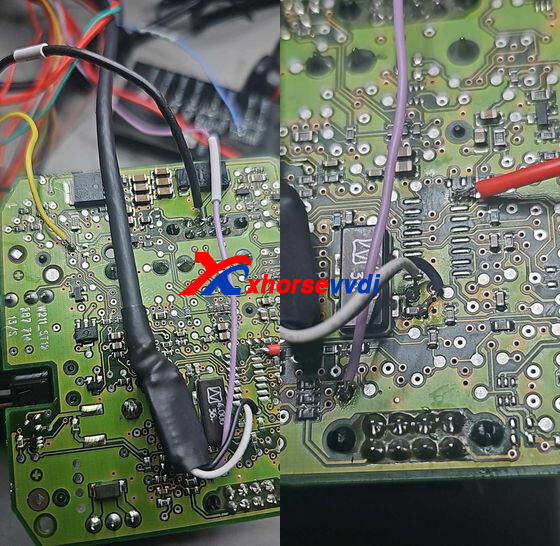
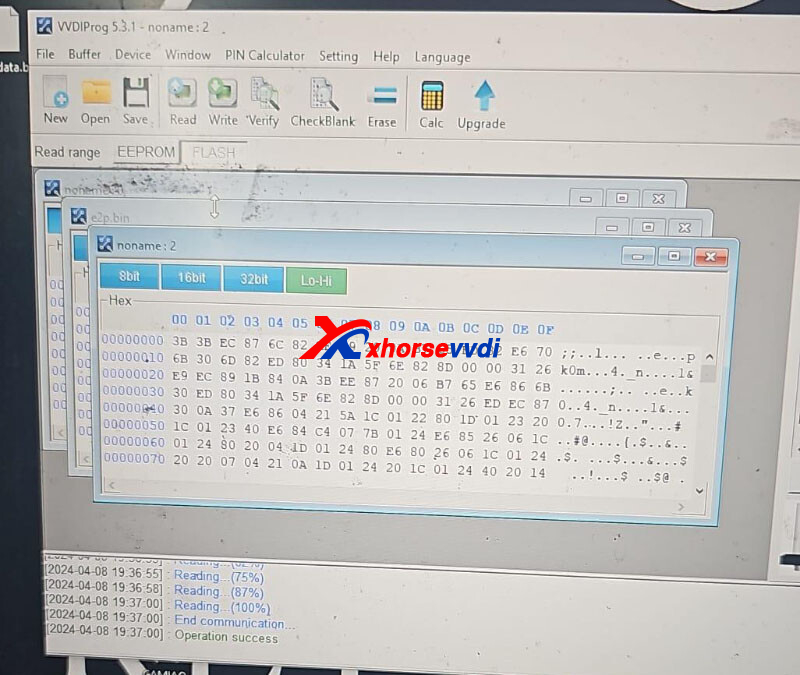
Can't read 9S12 EIS on VVDI Multi Prog, but old VVDI PROG tested ok. And if multi prog could read and write including otp sectors.
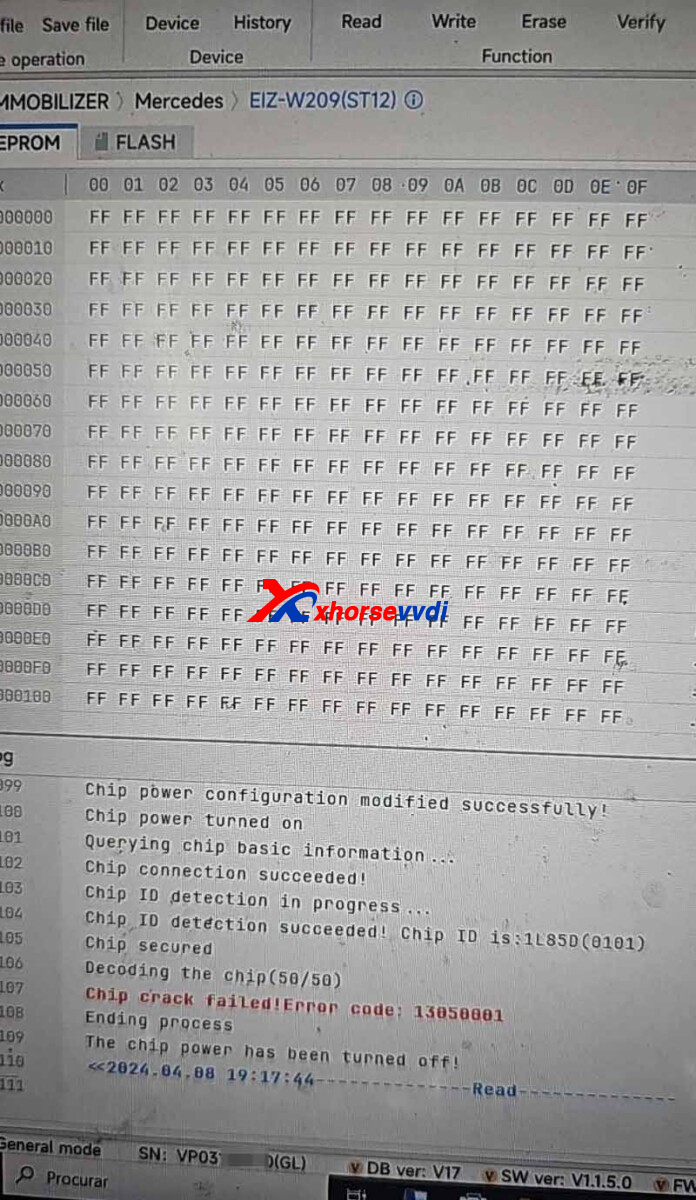
Here Xhorsevvdi tech answers:
Read and Backup: Test Function 74 (Adapter); Test Function 75 (Soldering)
Erase and Unlock: Test Function 77 (Adapter); Test Function 78 (Soldering)
Choose the way you want.
Notes:
1)Please contact your seller to Confirm Test Functions before you use them
2)Multi Prog could only Read Data
Done! Hope this could help!
http://blog.xhorsevvdi.com/solved-vvdi-multi-prog-cant-read-mercedes-9s12-eis/
Posted by: xhorsevvdi at
09:15 AM
| No Comments
| Add Comment
Post contains 92 words, total size 2 kb.
Here is a review from GUGG:
VVDI PROG does not work with TB28F400B5B microchips. It erases them but does not write.
The new VVDI MULTI PROG with VH30 Adapter that is specifically for these chips will work.
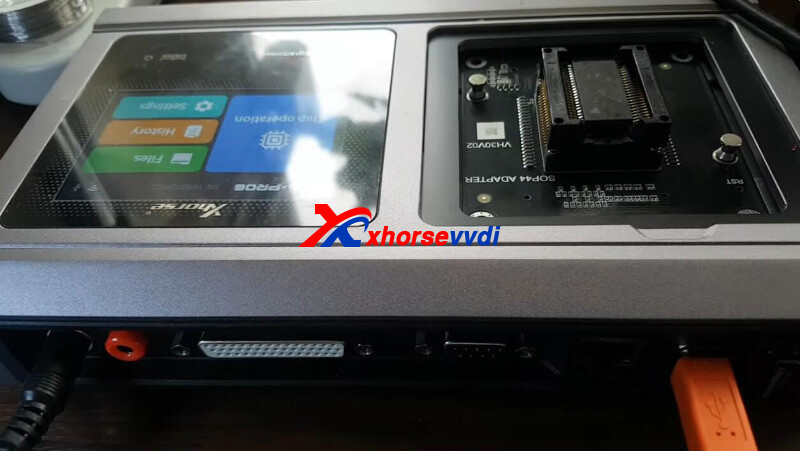
TB28F400 installed.
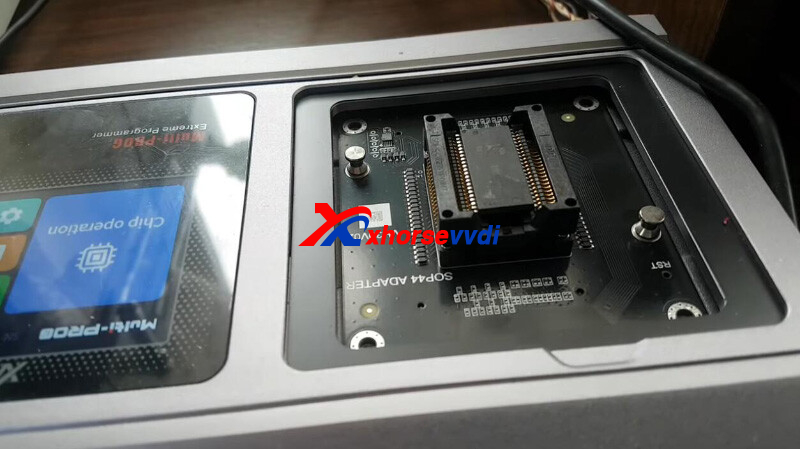
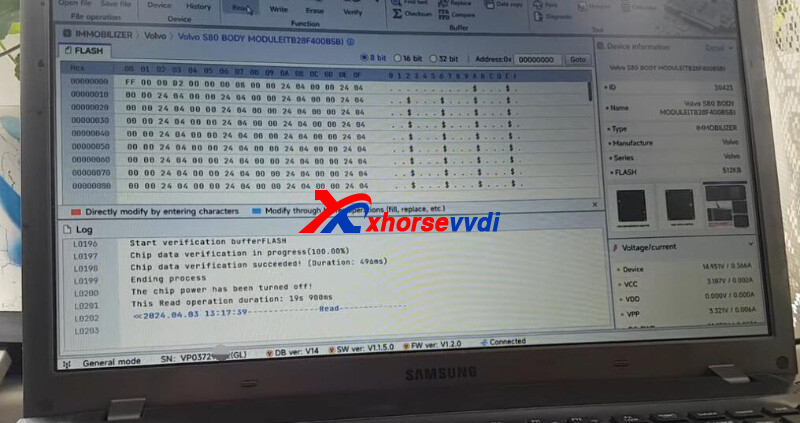
MULTI PROG reads VOLVO S80 TB28F400B5B.
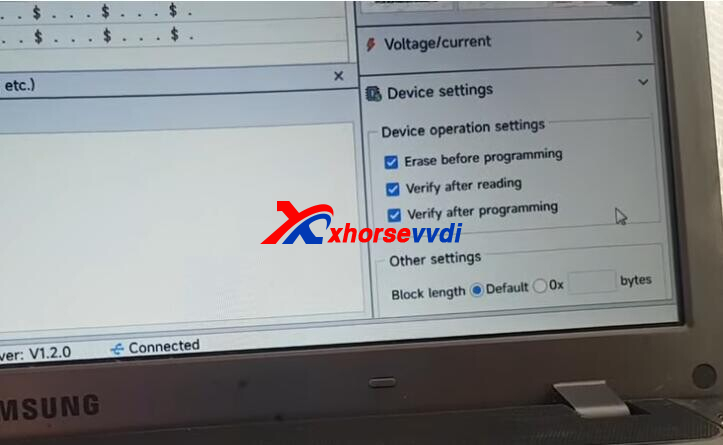
In the settings we can select erase and verify or not.
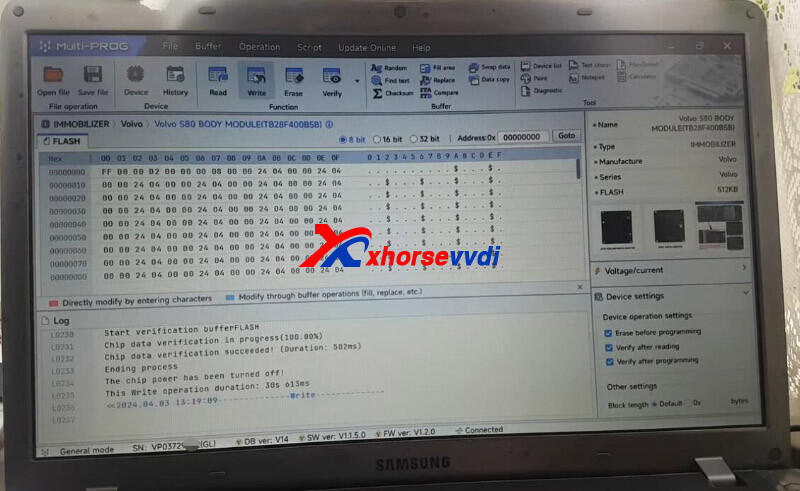
Load a new file.
Write data into chip.
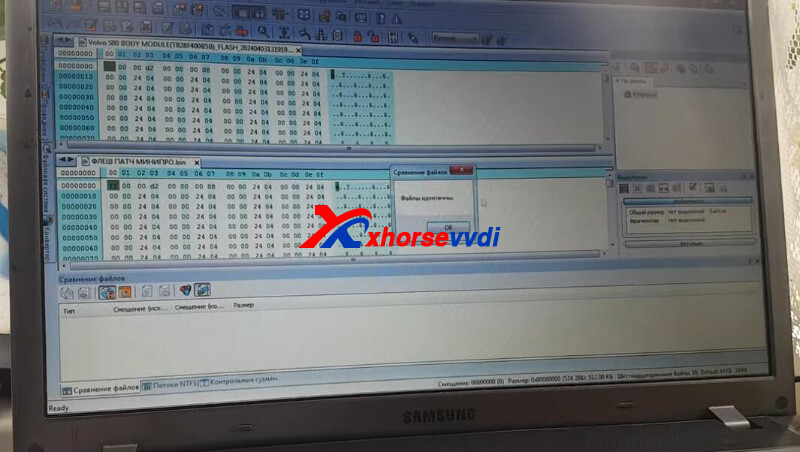
We save it and make a comparison.
Files are identical.
Done!
Posted by: xhorsevvdi at
09:14 AM
| No Comments
| Add Comment
Post contains 85 words, total size 2 kb.
Quick Question:
Would Xhorse VVDI2 with BMW Motorbike License supports key programming for my 2024 BMW Gs1300?
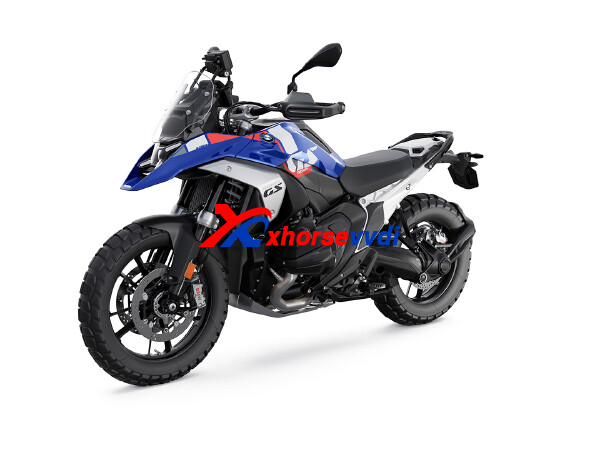
Here is the Answer:
Check out original key.
This key type is supported
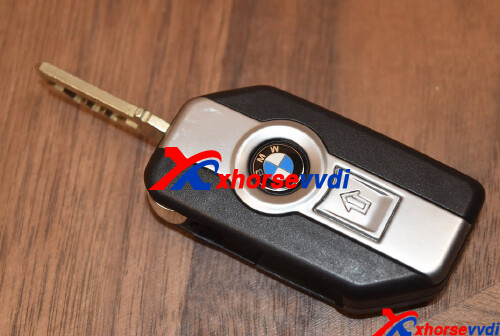
This key type is not supported
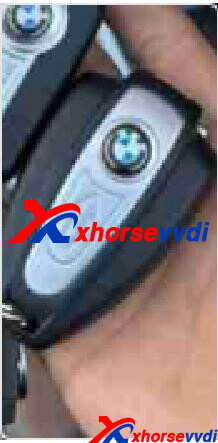
Hope this could help!
http://blog.xhorsevvdi.com/xhorse-motorbike-license-possible-to-program-2024-bmw-gs1300-key/
Posted by: xhorsevvdi at
09:14 AM
| No Comments
| Add Comment
Post contains 51 words, total size 2 kb.
Quick Question:
Will MQB48 License from Multi PROG be Valid on my Key Tool Plus automatically? I have key tool plus and multiprog bend on my account, Can I do mqb on my key tool plus instead for multiprog?
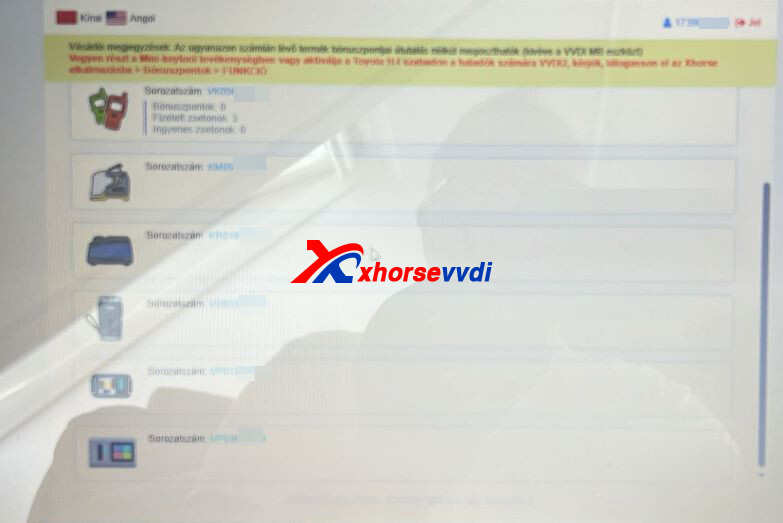
Here is the Answer:
No. Read dashboard data using Multi-PROG and load the data file into Key Tool Plus.
Notices:
1)The MQB48 license from Multi PROG is free, so it will work with VVDI2/ Key Tool Plus without the need to buy licenses
2)It is normal that MQB48 License is not activated on Key Tool Plus, just use the data file from Multi Prog
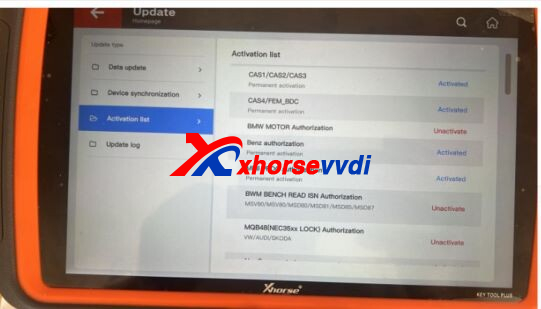
Done! Hope this could help!
http://blog.xhorsevvdi.com/will-mqb48-license-from-multi-prog-be-valid-on-key-tool-plus/
Posted by: xhorsevvdi at
09:13 AM
| No Comments
| Add Comment
Post contains 121 words, total size 2 kb.
The latest V7.3.6 VVDI2 Software is released! Get the free download link from Xhorsevvdi.
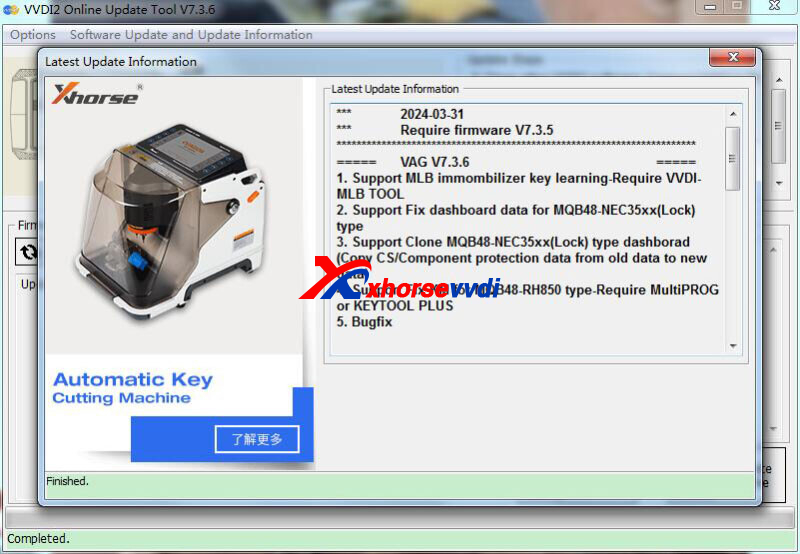
1. Free Download VVDI2 V7.3.6 Software
2. V7.3.6 VVDI2 Update Info:
!!!Thisversionrequires firmwareV7.3.5!!!
===== VAGV7.3.6 =====
1.SupportMLBimmombilizerkeylearning-RequireVVDI-MLBTOOL
2.SupportFixdashboarddataforMQB48-NEC35xx(Lock)type
3.SupportCloneMQB48-NEC35xx(Lock)typedashborad(CopyCS/Componentprotectiondatafromolddatatonewdata)
4.SupportFixKMforMQB48-RH850type-RequireMultiPROGorKEYTOOLPLUS
5.Bugfix
===== BMWV7.3.6 =====
1.Bugfix
===== PorscheV7.3.6 =====
1.Bugfix
===== PSAV7.3.6 =====
1.Bugfix
===== TransponderProgrammerV7.3.6 =====
1.Immobilizerdatatool:Asia->Chinaimmobox->Simensimmobox->93C56addnewtype
2.Immobilizerdatatool:Asia->Mzada->BT-50->95320add8Ctype
3.Immobilizerdatatool:Asia->Honda->Bike(PCX/VARIO)displayPINcode
4.Immobilizerdatatool:Asia->Ducati->1199Panigale->9S12bugfix
5.Bugfix
===== Copy48(96bits)V7.3.6 =====
1.Bugfix
===== J2534V7.3.6 =====
1.Bugfix
===== OnlineUpateToolV7.3.6 =====
1.Bugfix
===== QuickStartV7.3.6 =====
1.Bugfix
*MLB Tool is not available yet
Stay tuned!
http://blog.xhorsevvdi.com/free-download-v7-3-6-vvdi2-add-mqb48-cluster-clone-km-repair/
Posted by: xhorsevvdi at
09:13 AM
| No Comments
| Add Comment
Post contains 93 words, total size 2 kb.
Xhorse VVDI Multi-Prog Programmer is 2nd generation of VVDI Prog Programmer. And some Key tool plus adapter can work with Multi prog too, like Xhorse XDNP41 MC68HC05X32 Adapter
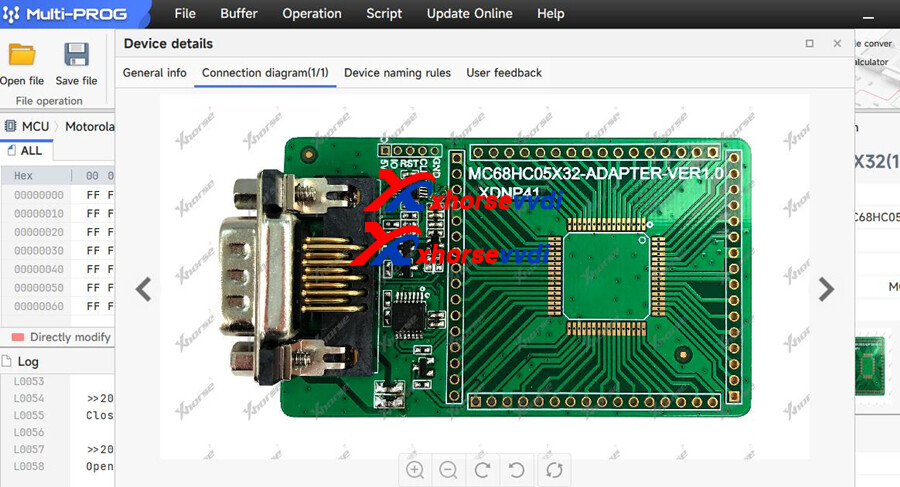
Question: Can i use the Xhorse XDNP41 adapter to use for MCU mcu hc705b32 3g96a ?
For MC68HC705B32 3g96a you need use XDNP88 adapter of multi prog
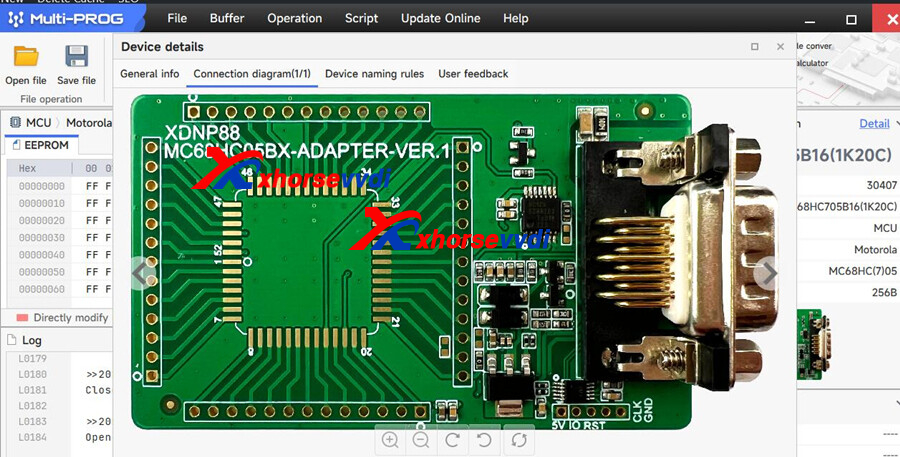
Or VVDI Prog with VVDI PROG MC68HC05BX(PLCC52) Adapter.
http://blog.xhorsevvdi.com/will-xhorse-multi-prog-support-mcu-hc705b32-3g96a/
Posted by: xhorsevvdi at
09:12 AM
| No Comments
| Add Comment
Post contains 72 words, total size 1 kb.
32 queries taking 0.0573 seconds, 131 records returned.
Powered by Minx 1.1.6c-pink.

