



June 18, 2024
V5.3.4 VVDI Prog software is released now, get free download link V5.3.4 VVDI Prog software from XhorseVVDI.com.
1.Free Download V5.3.4 VVDI Prog Software
Password: 123456
2.V5.3.4 VVDI Prog Update Info
* This version DON't need update firmware
* Software Update: Compatible with VP05 serial number programmer devices
* Modify AM29F200xx, AM29F400xx, AM29F800xx options in [1-EEPROM&FLASH]->[AMD]:
Write failure issue fixed
* Modify R5F212L2SD, R5F212L2SN, R5F212L4SD, R5F212L4SN, R5F21364, R5F21365, R5F21366, R5F21367, R5F21368, R5F2136A, R5F2136C option in [2-MCU]->[RENESAS-R8C]:
Wiring diagram update
* Modify JIEFANG-J6-BCM option in [4-IMMOBILIZER]->[FAW]:
Wiring diagram update
* Modify R7F701333 option in [2-MCU]->[RENESAS-RH850]:
Wiring diagram update
* Modify R7F701312 option in [2-MCU]->[RENESAS-RH850]:
connection failed issue fixed
* Modify JETTA(2015-2020)(D70F3423), SANTANA(2015-2020)(D70F3423), C-TREK(2015-2020)(D70F3423) options in [5-DASHBOARD]->[VOLKSWAGEN]:
Read exception problem fix
* Modify MQB4.5_95320 option in [5-DASHBOARD]->[VOLKSWAGEN]:
Wiring diagram update
* Modify RATTAN-ZSoption in [5-DASHBOARD]->[SAICMOTOR]:
Wiring diagram update
* Modify NEW-SANTAFE option in [7-AIRBAG]->[Hyundai]: connection failed issue fixed
* Modify FENGSHEN S30(93C46A), FENGSHEN S30(93C46B) options in [8-OTHER]->[Dongfeng]:
Wiring diagram update
* Modify FAW BCM-3(MC9S12G12 option in [8-OTHER]->[FAW]:
Optimize the process.
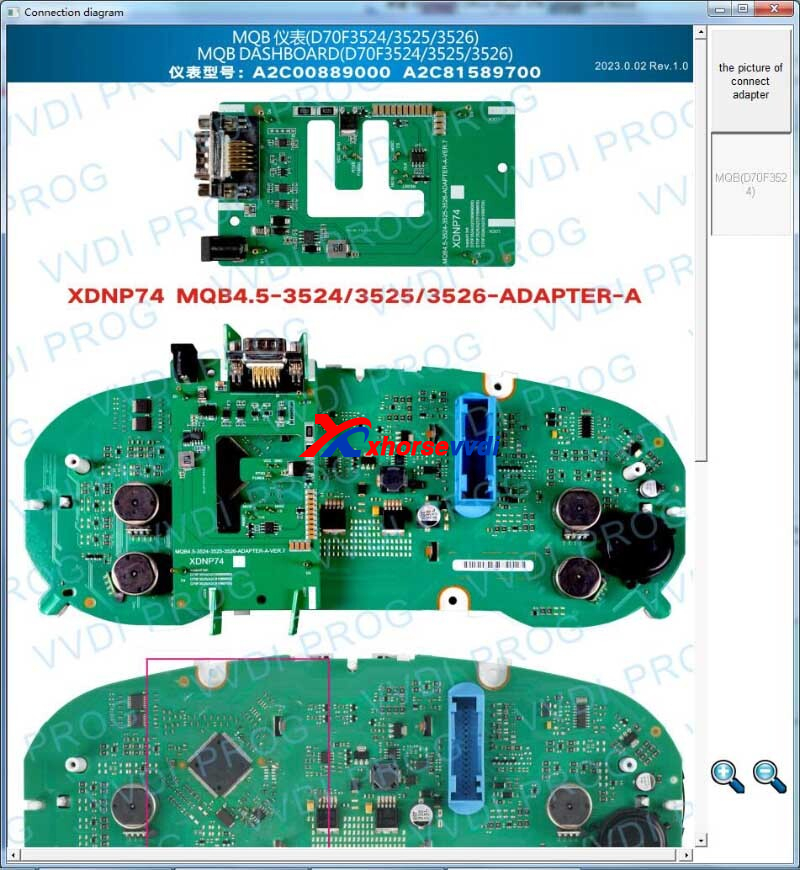
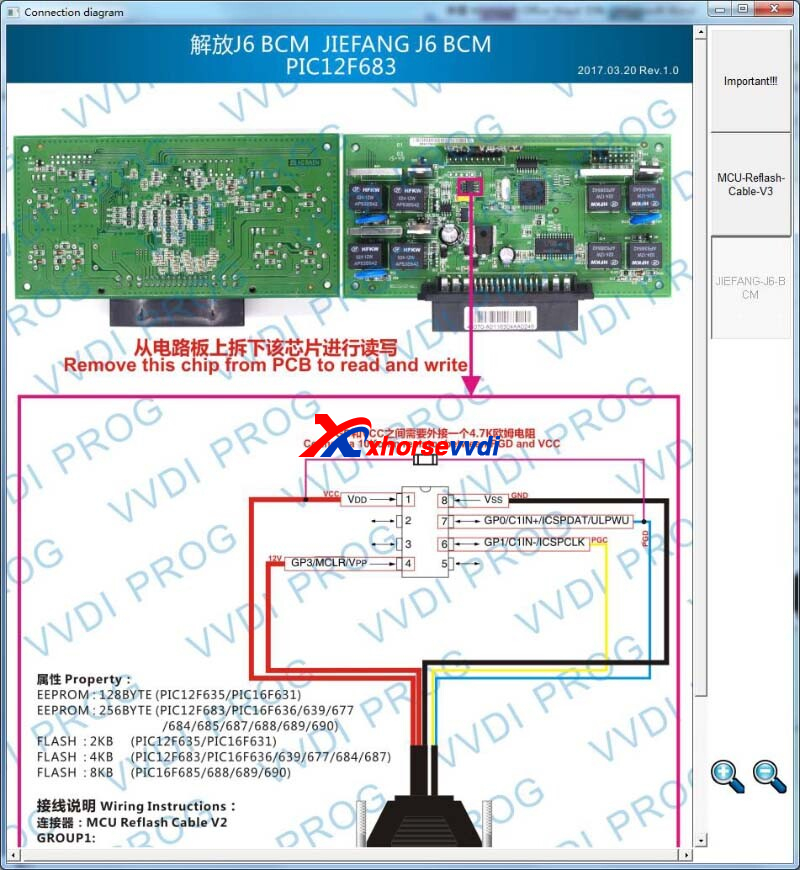
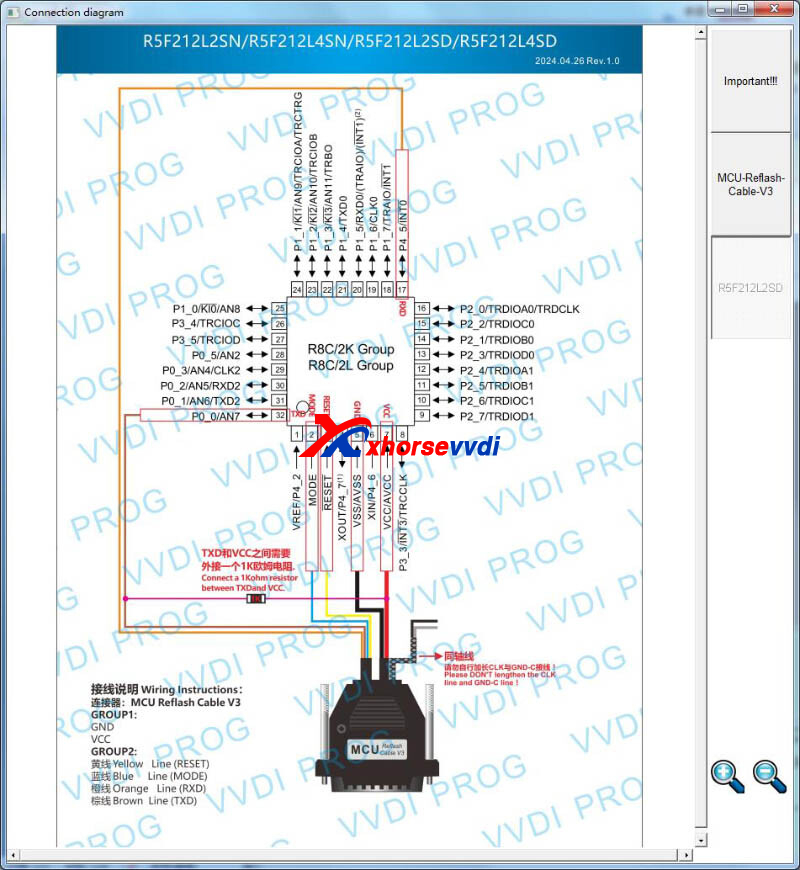
Stay tuned!
http://blog.xhorsevvdi.com/free-download-v5-3-4-vvdi-prog-renesas-pinout-update/
Posted by: xhorsevvdi at
09:48 AM
| No Comments
| Add Comment
Post contains 181 words, total size 3 kb.
Question:
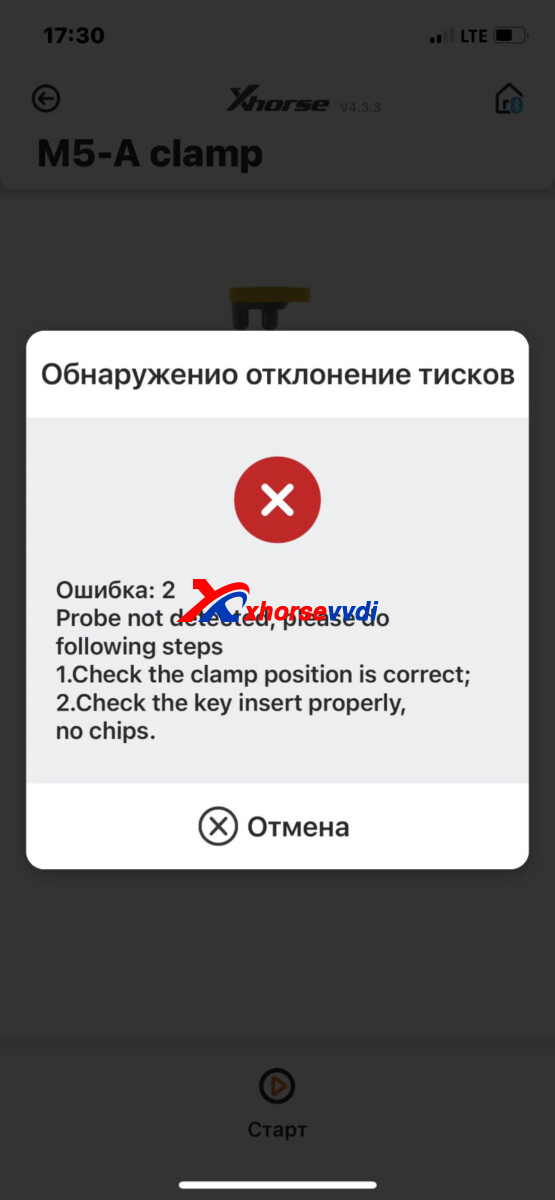
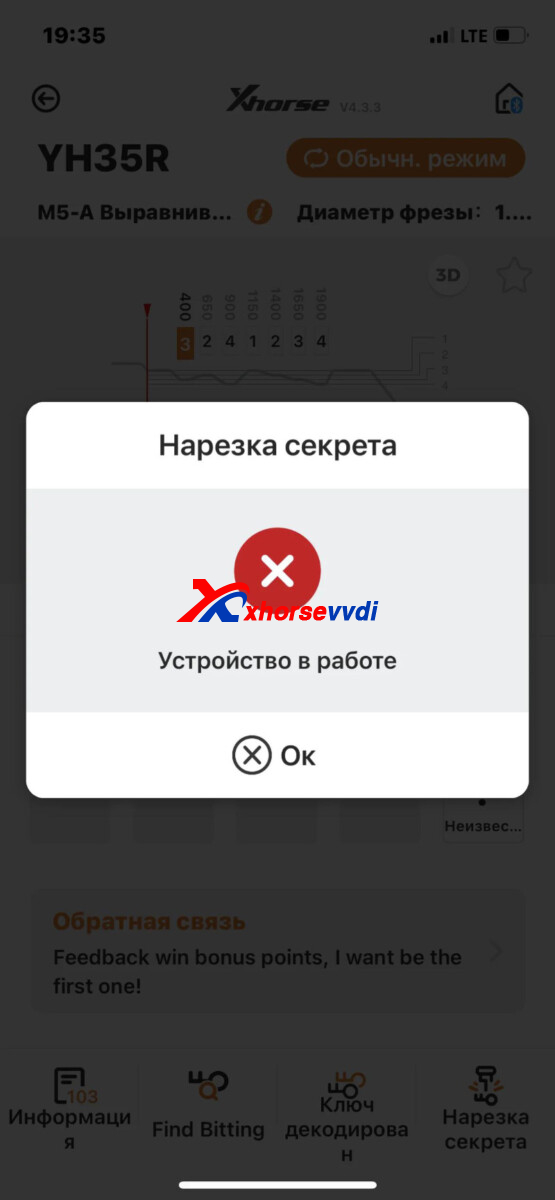
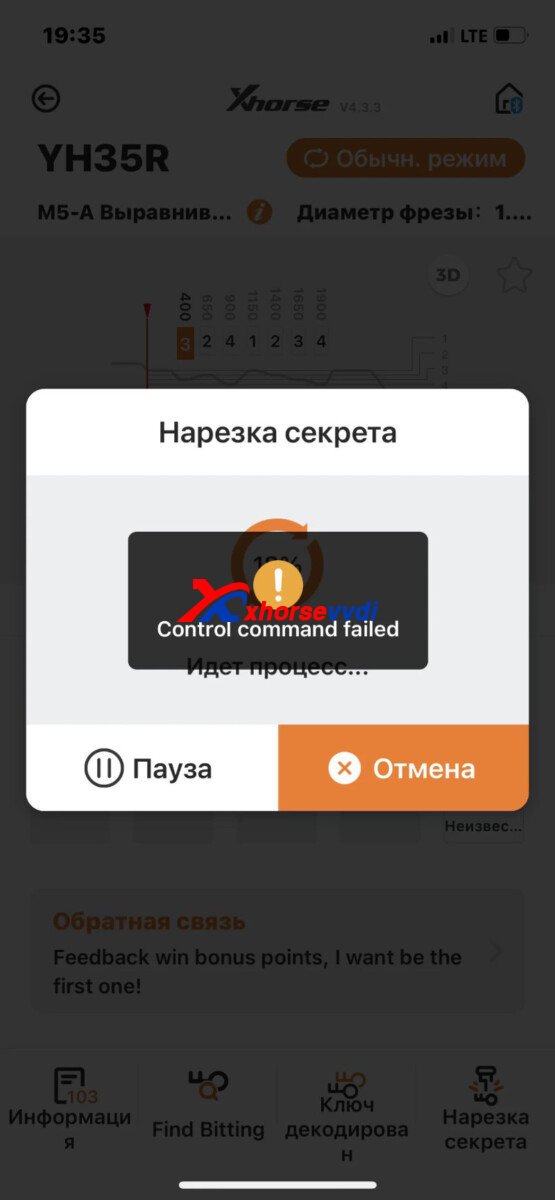
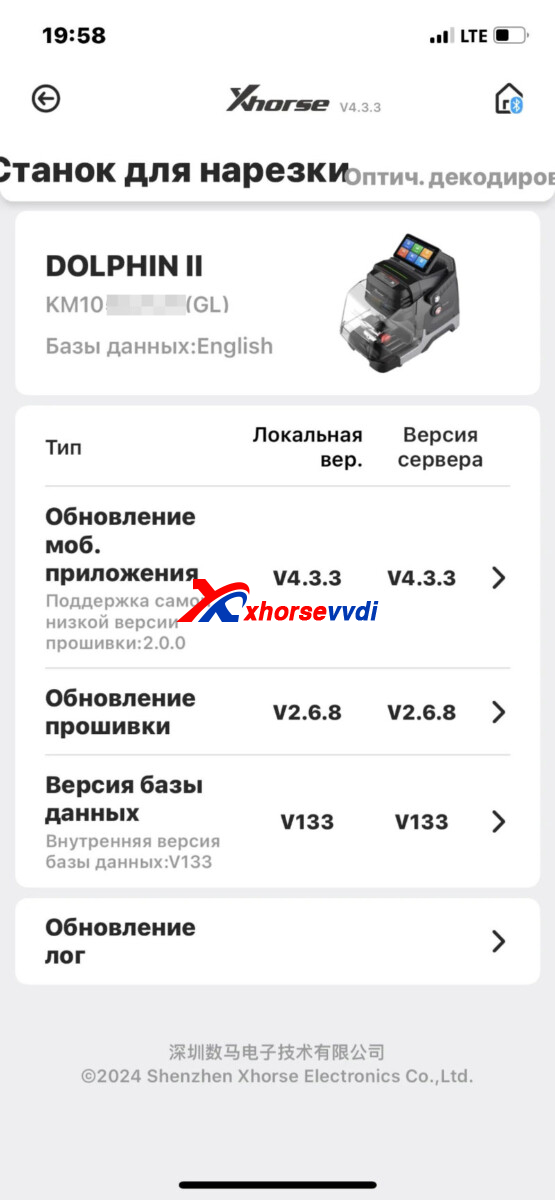
Xhorse Dolphin XP005L, the machine refuses to work after the latest update, what should I do?
Nothing happened to the machine, it worked well, it turns out that after the last update I started throwing it away from work, I did all sorts of adjustments and tests, but nothing worked. It starts cutting and the error appears red but continues to cut, it scrolls through the seconds with a delay, after the cutting is finished it starts to turn on itself
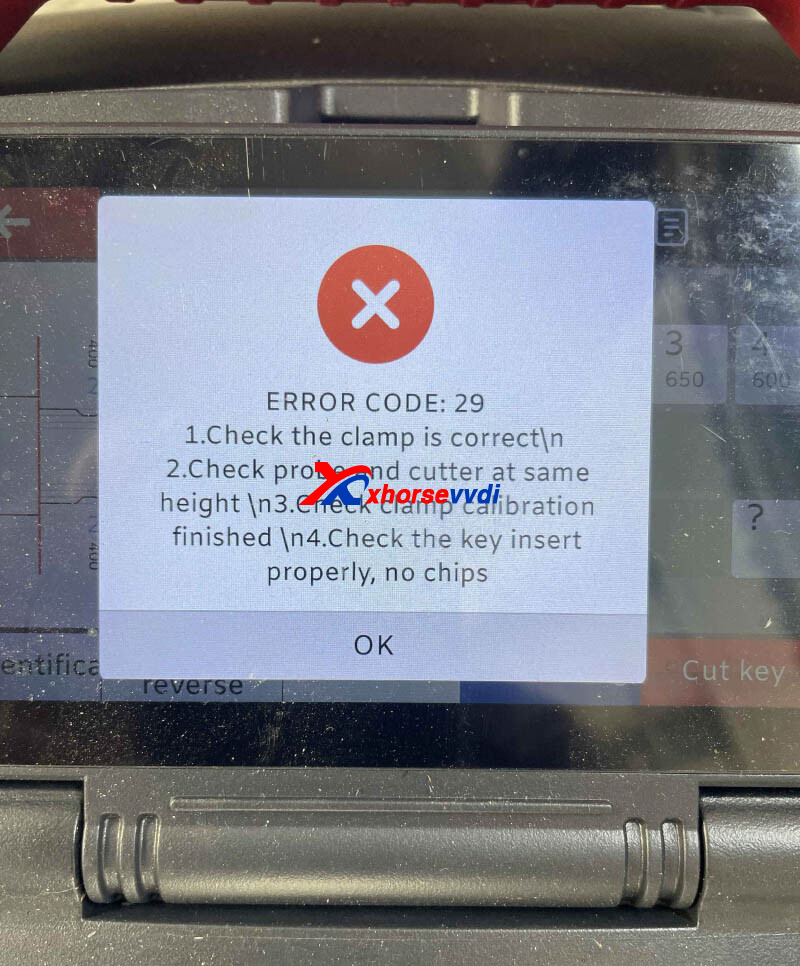
Here is the Answer:
Control XP005L menus on the screen, and next firmware will fix this problem.
Hope this could help!
http://blog.xhorsevvdi.com/how-to-solve-dolphin-xp005l-control-command-failed/
Posted by: xhorsevvdi at
09:48 AM
| No Comments
| Add Comment
Post contains 113 words, total size 2 kb.
May 29, 2024
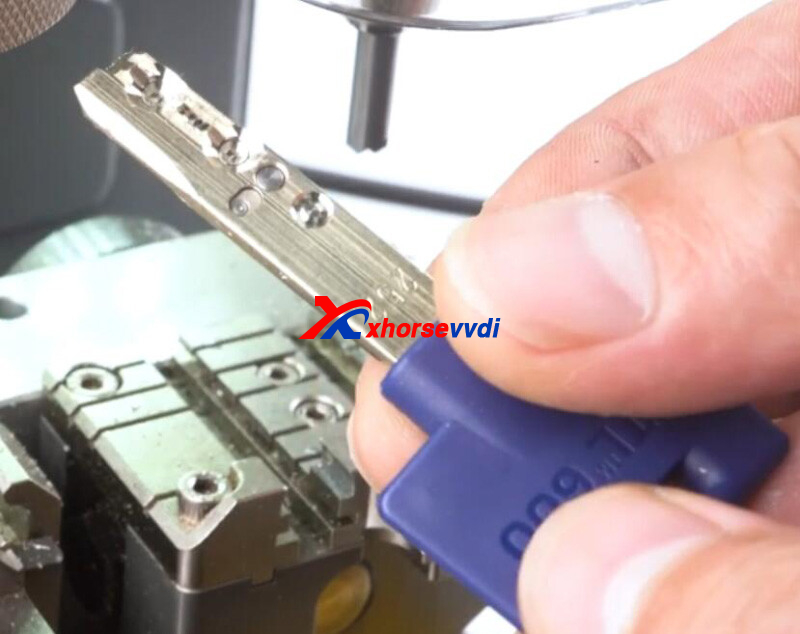
Of Xhorse Cutting Machine, Condor XC-002 PRO, Condor Mini Plus II, and Dolphin XP007 could cut Dimple Keys.
Here we will show you how to duplicate a dimple key using Condor XC-002 PRO.
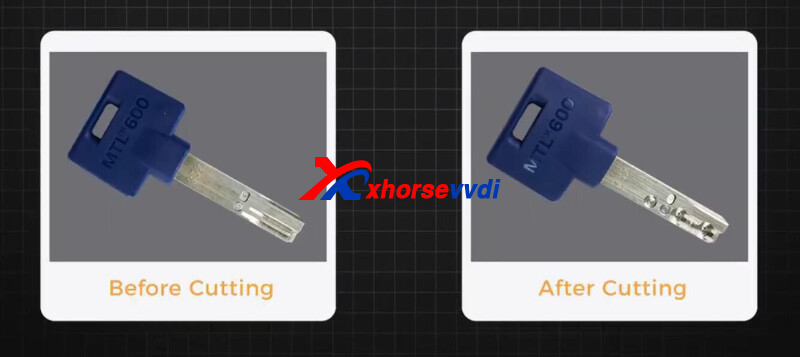
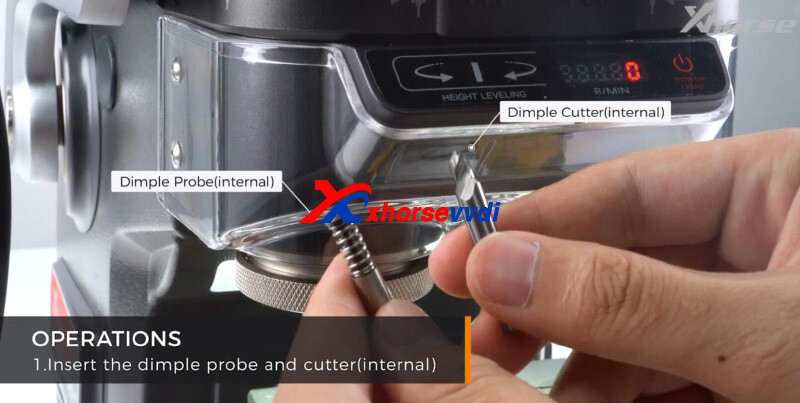
Process:
1)Insert dimple probe and cutter (external).
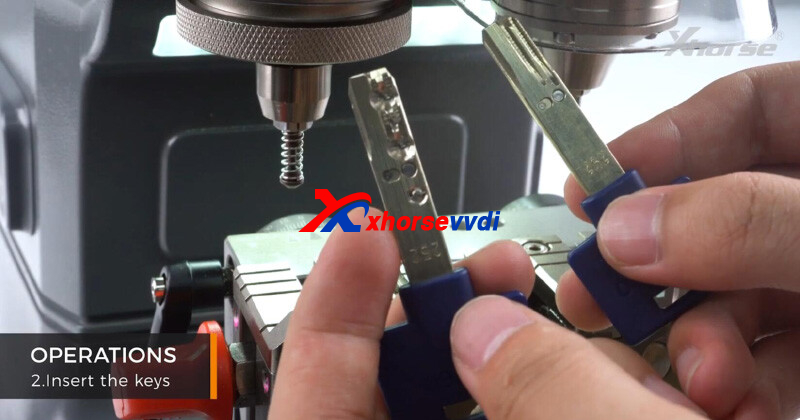
2)Insert original key and new blade using a shim
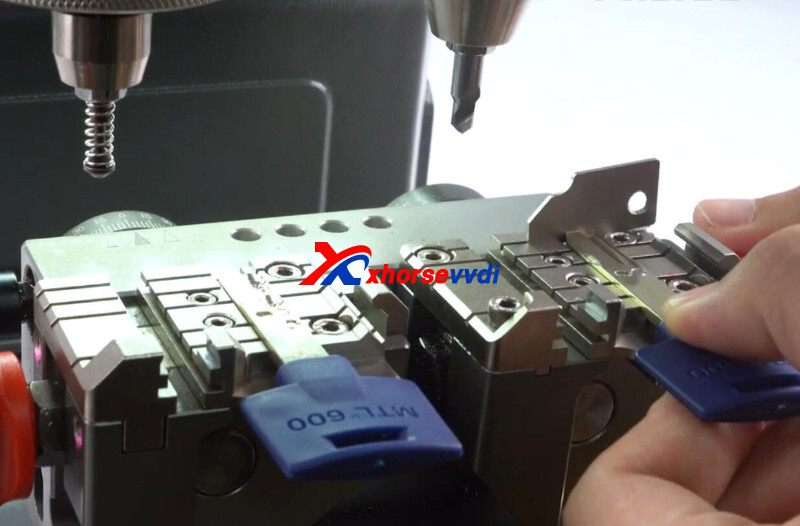
3)Switch to standard mode by rotating the knob
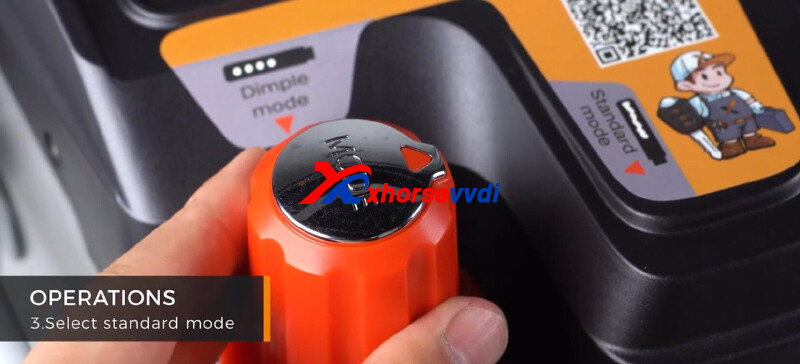
4)Finish calibration by pressing down the handle
Watch the indicator and adjust the knob.
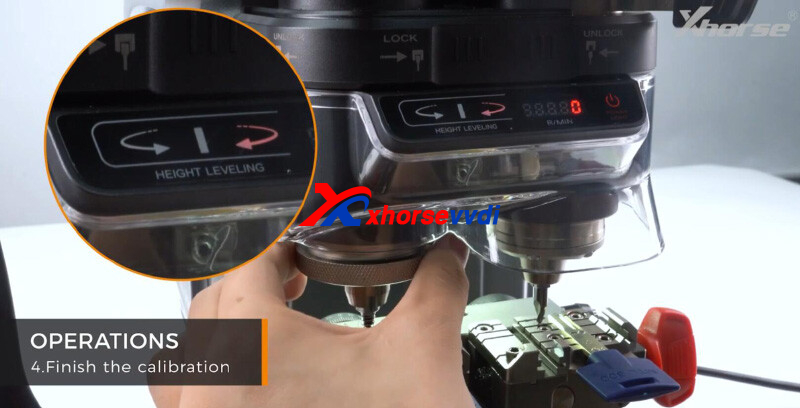
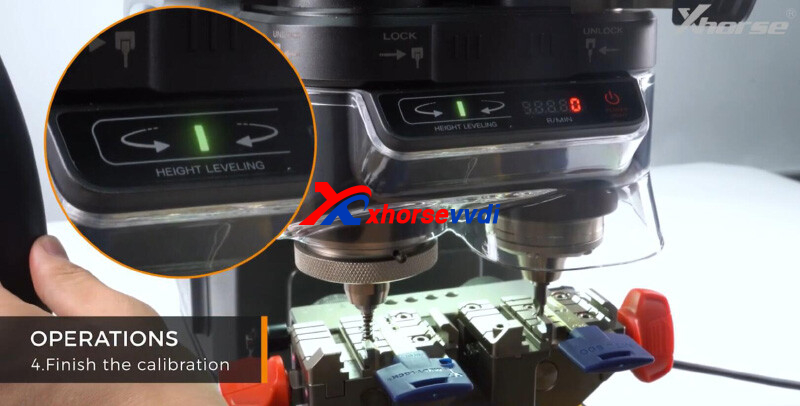
5)Turn on cutter switch
6)Duplicate key by pressing down the handle
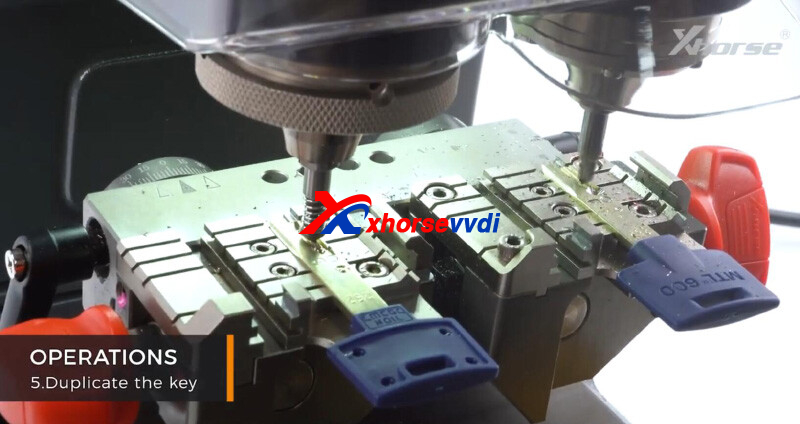
7)Complete one side and turn off cutter switch
Flip key and continue cutting
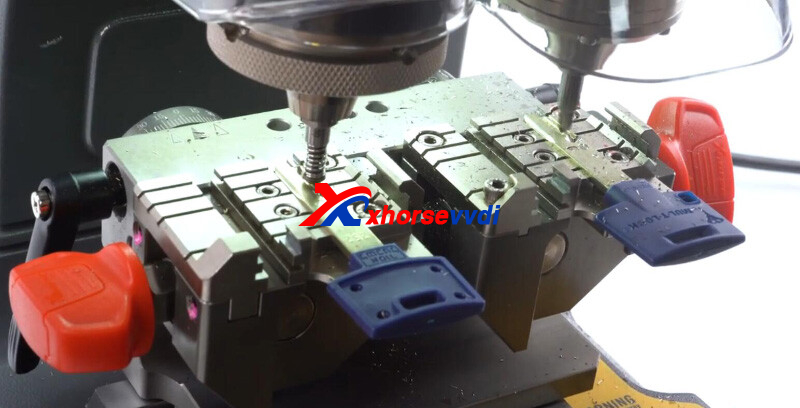
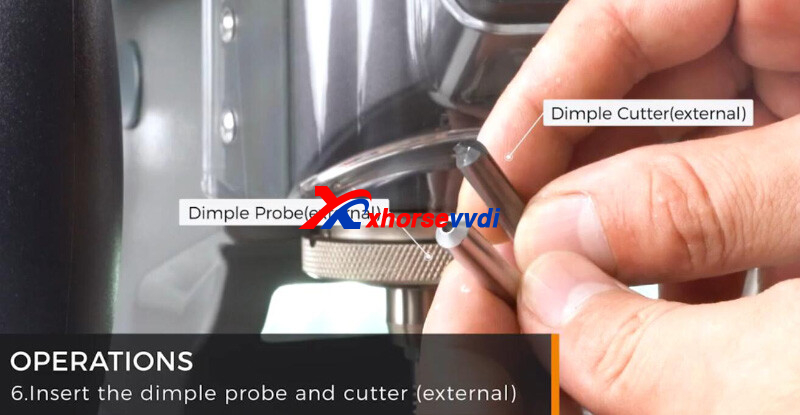
9)Insert dimple probe and cutter (external).
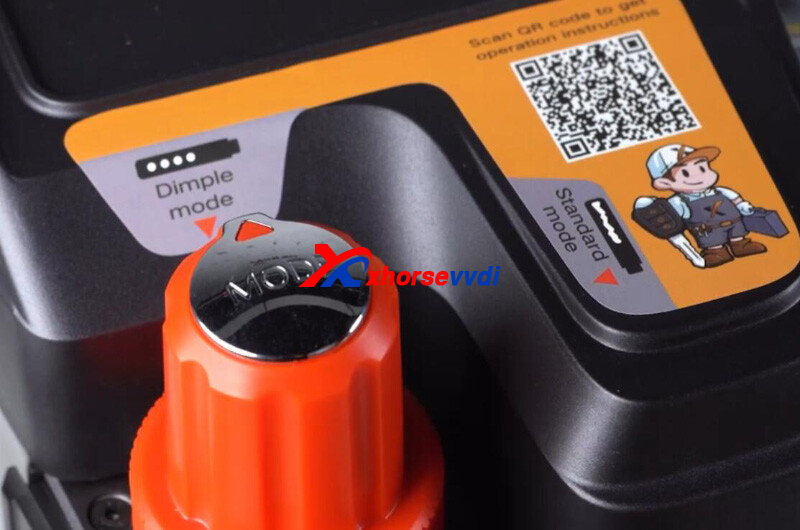
10)Switch to dimple mode.
11)Finish calibration and cutting
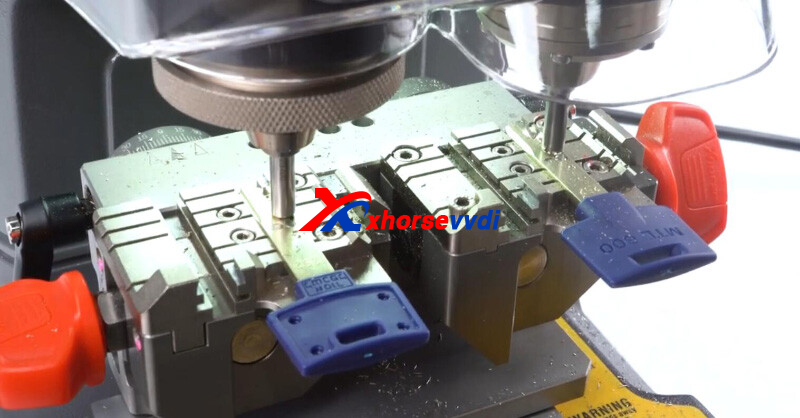
Done! That's how to duplicate dimple keys by Xhorse Condor XC-002 PRO.
Posted by: xhorsevvdi at
06:11 AM
| No Comments
| Add Comment
Post contains 130 words, total size 4 kb.
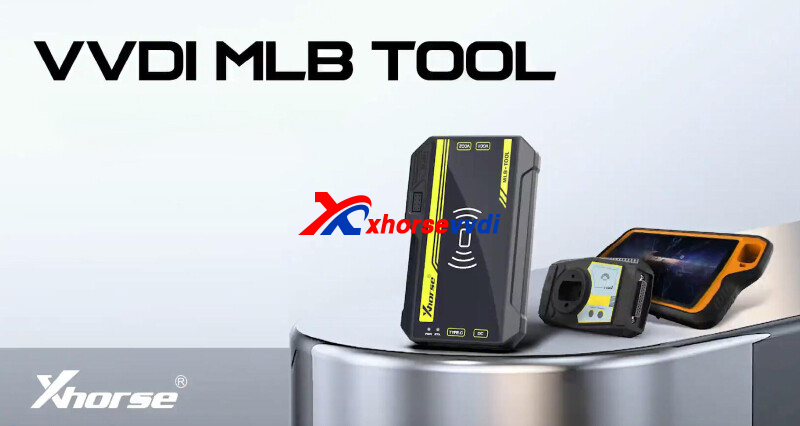
In this article, we will show you how to add a key for MLB models using Xhorse MLB-Tool.
Process:
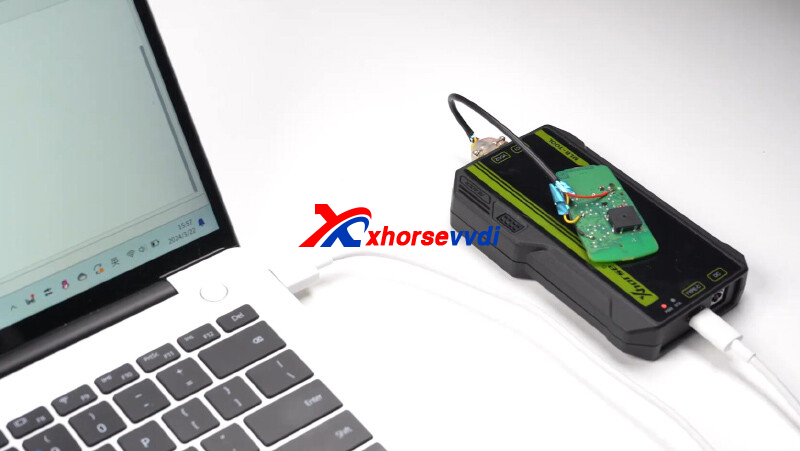
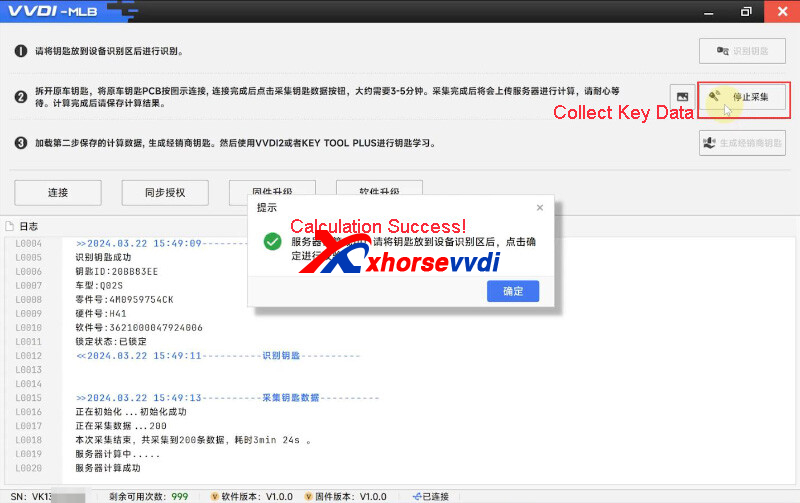
1)Read original and generate dealer key
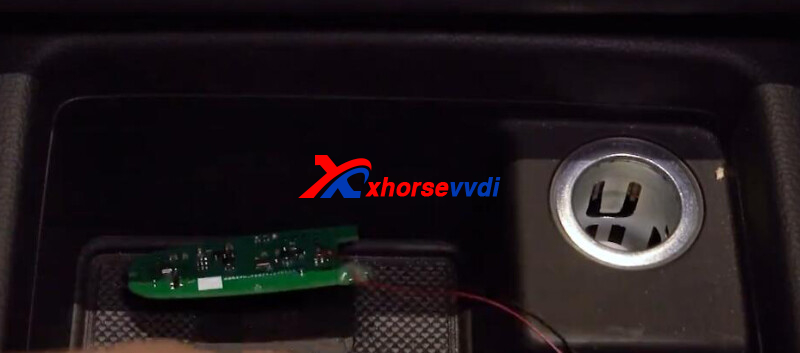
Connect original key to MLB-Tool by soldering, and connect MLB-Tool to PC.
Open MLB-Tool software.
Identify key.
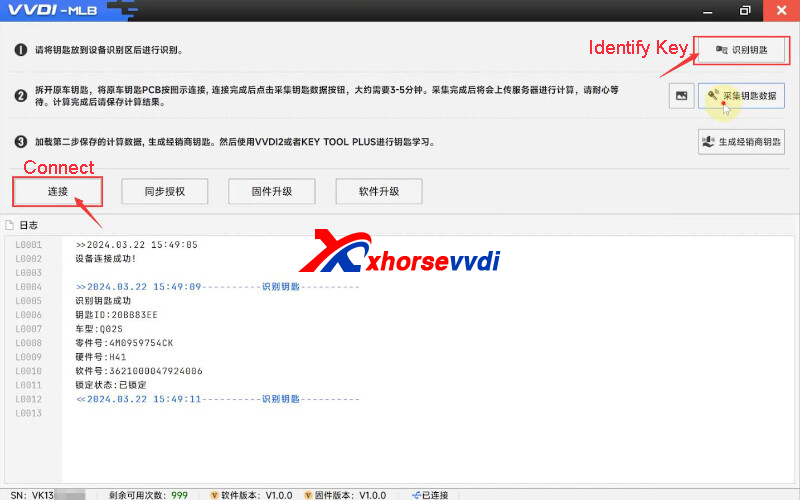
Read and save original key data.
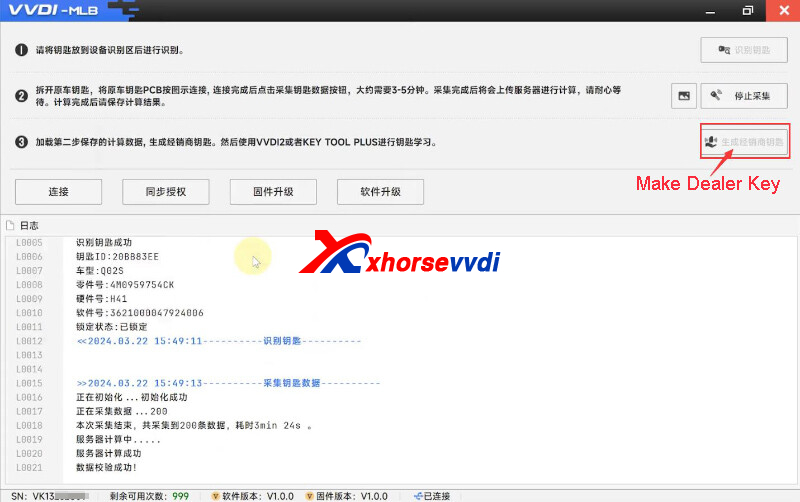
Generate dealer key.
2)Key Learn
Connect Key Tool Plus/ VVDI2 to vehicle.
Put original key into sensing area
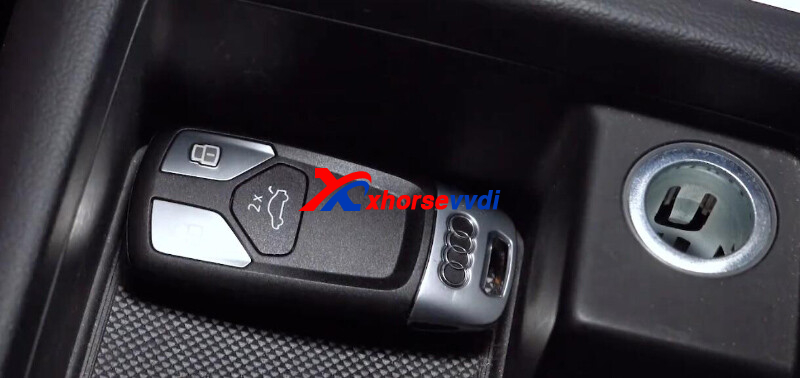
Follow instructions for key learn.
Turn off A/C and open engine compartment cover.
Learn original and new key as required.
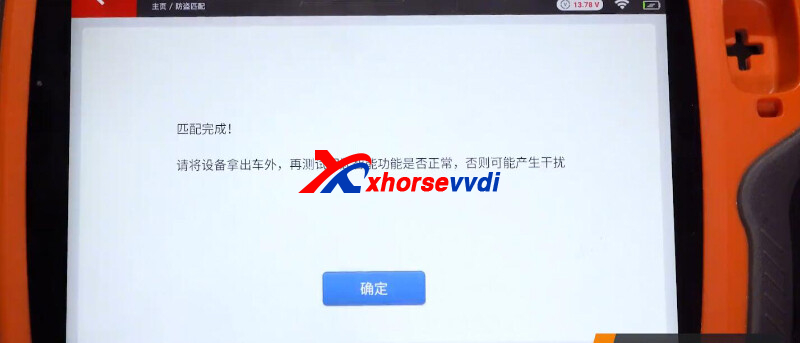
Test new key.
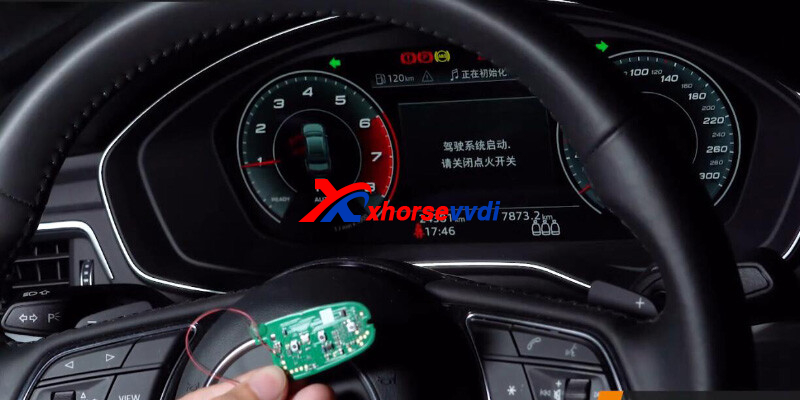
Done! That's how MLB Tool add keys for MLB models.
http://blog.xhorsevvdi.com/how-to-use-xhorse-mlb-tool/
Posted by: xhorsevvdi at
06:10 AM
| No Comments
| Add Comment
Post contains 106 words, total size 3 kb.
Xhorse MLB Tool is designed for key adding for MLB models like Audi, Porsche, VW, Lamborghini, and Bentley. It needs to work with Xhorse VVDI2 or KEY TOOL PLUS.
Pre-order: https://www.xhorsevvdi.com/wholesale/vvdi-mlb-tool.html
Features:
- Excel in key adding for MLB models
- No Need to Remove the Chip
- Wireless Key Generation for Ultimate Convenience
- Immo Detection Made Easy
- Compatilility with Original Keys and Xhorse Specialized Keys
- Rewrite Uninitialized Key IDs
- No Need for On-Vehicle Data Collection
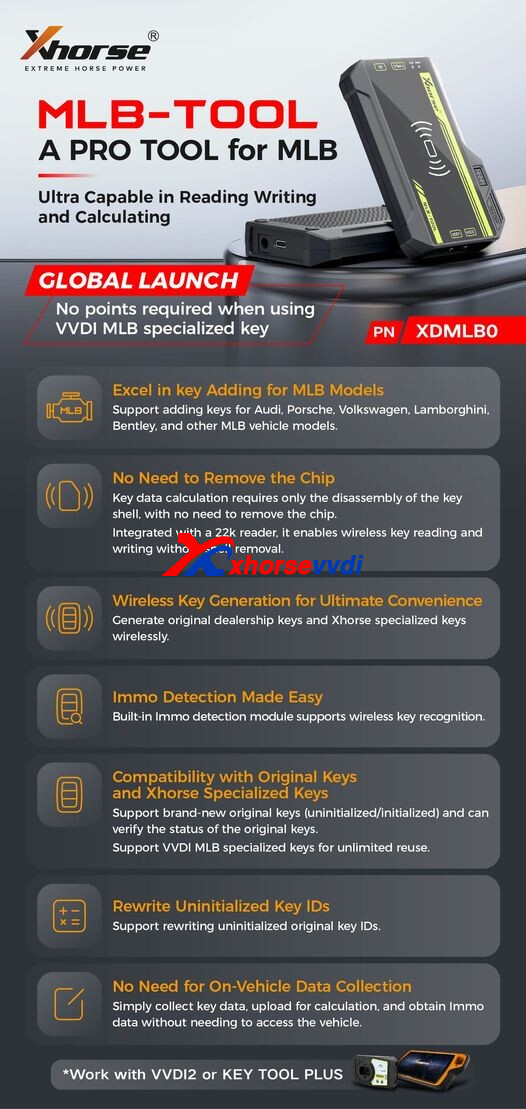
Notices:
1)Add Key only
2)Both original and VVDI MLB Key are supported, but each original key will cost 200 points
3)To use VVDI2, VV-02 VAG 5th immobilizer and VV-05 VAG MQB Immobilizer must be activated
Posted by: xhorsevvdi at
06:09 AM
| No Comments
| Add Comment
Post contains 114 words, total size 2 kb.
Here is a review of VVDI Multi Prog:
Successfully read VAG PCR2.1.
Last time failed with this ECU, and I noticed a issue with Multi Prog power adapter.
That 4 amps charger is fully induction (a/c noise in output) once connect my USB cable to pc, mouse pad also stock due to multi prog SMPS noise.
Just connect with my old Power supply and everything works.
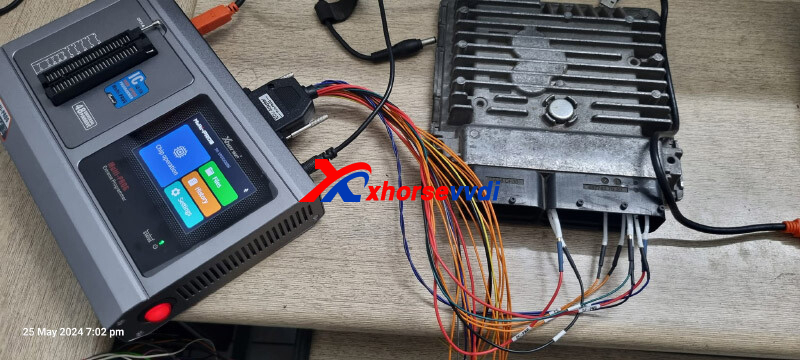
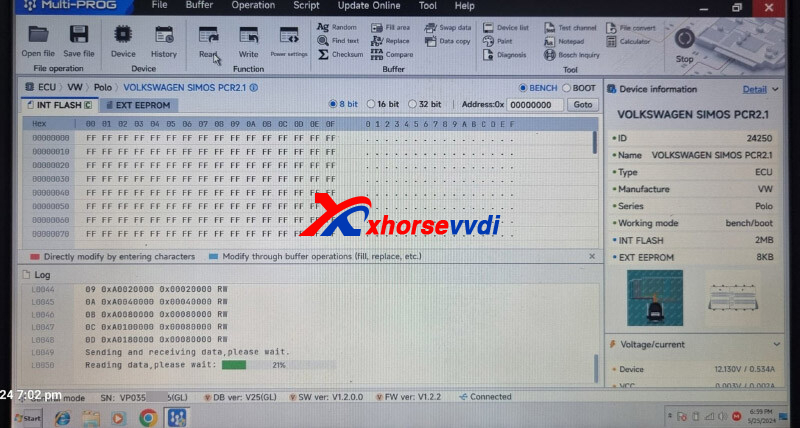
Don't need unlocking, just read full flash in bench then transfer immo with different software.
Done! Simple and nice!
http://blog.xhorsevvdi.com/solved-vvdi-multi-prog-fail-to-read-vag-pcr2-1/
Posted by: xhorsevvdi at
06:09 AM
| No Comments
| Add Comment
Post contains 95 words, total size 1 kb.
Quick Question:
Xhorse Condor XC-Mini Plus II, it always gives error code 5 during key cutting. And I use motor test function, only to find that it the error remains when it comes to Y-Axis measurement. I think it was after the last update.
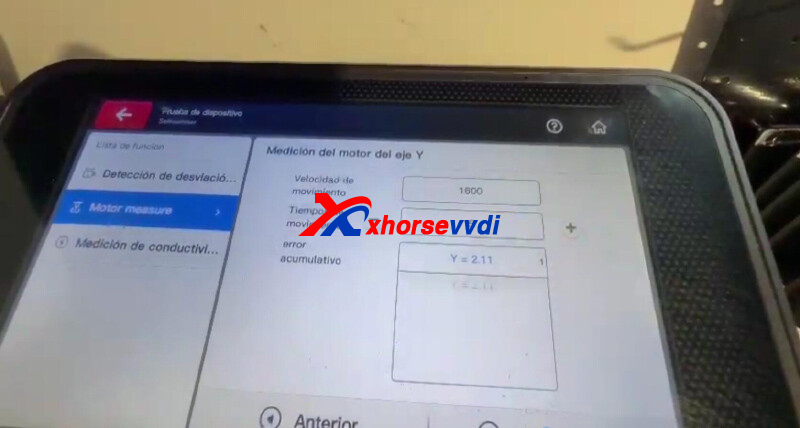
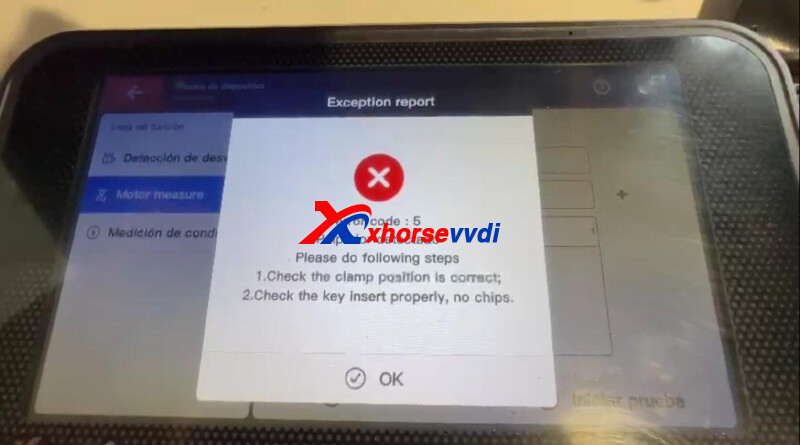
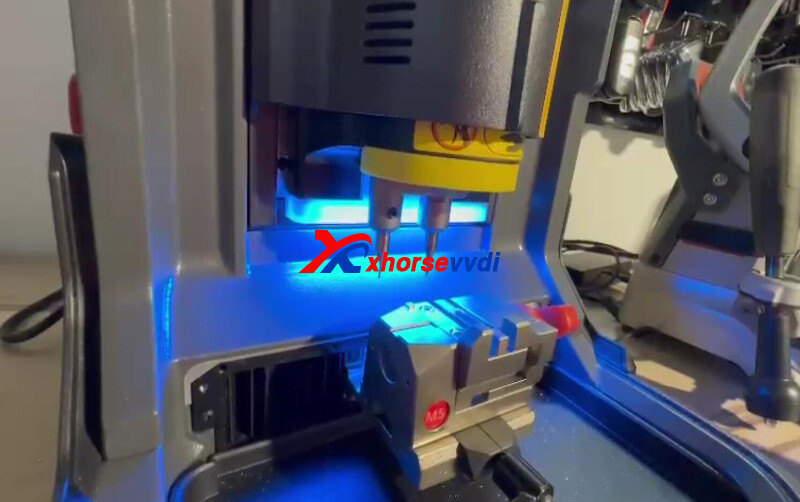
Then he test conductivity of the probe and the cutter, and Condor II shows they work normal.
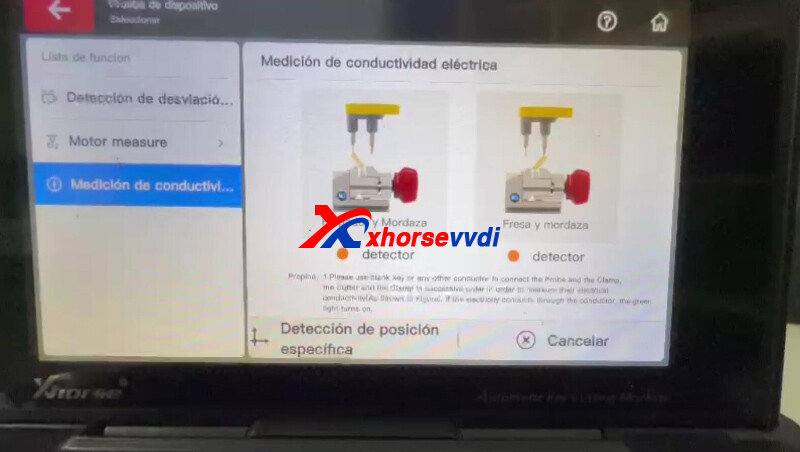
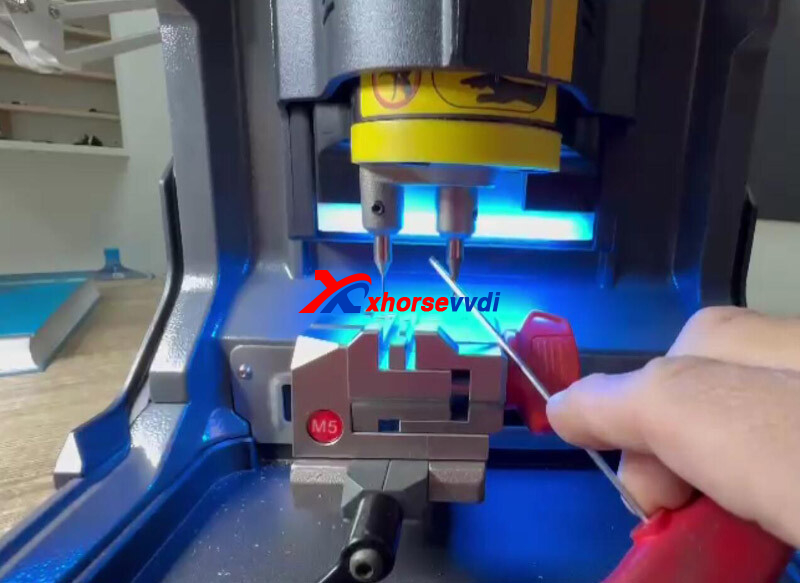
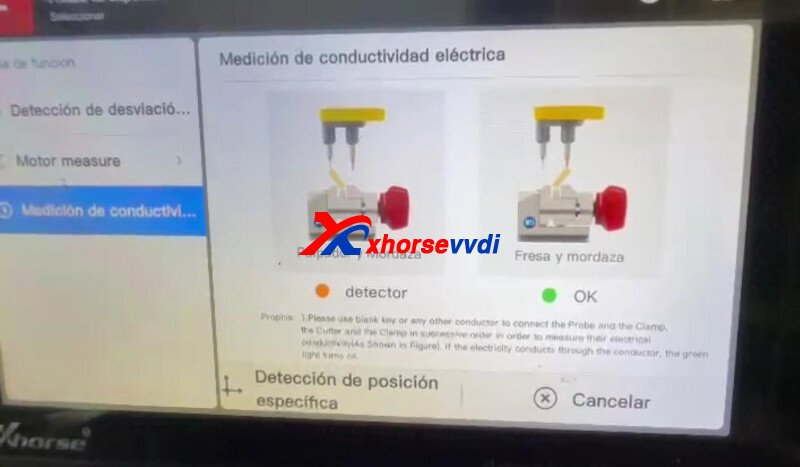
Here is the Answer:
Something wrong with the last firmware version.
It is now fixed, just re-update firmware and Condor II Machine will back to work well.
Done! Hope this could help!
http://blog.xhorsevvdi.com/how-to-fix-condor-xc-mini-plus-ii-error-code-5/
Posted by: xhorsevvdi at
06:09 AM
| No Comments
| Add Comment
Post contains 104 words, total size 3 kb.
VVDI MULTI PROG released V24 database, adding VW SIMOS18.3 Buick E83...
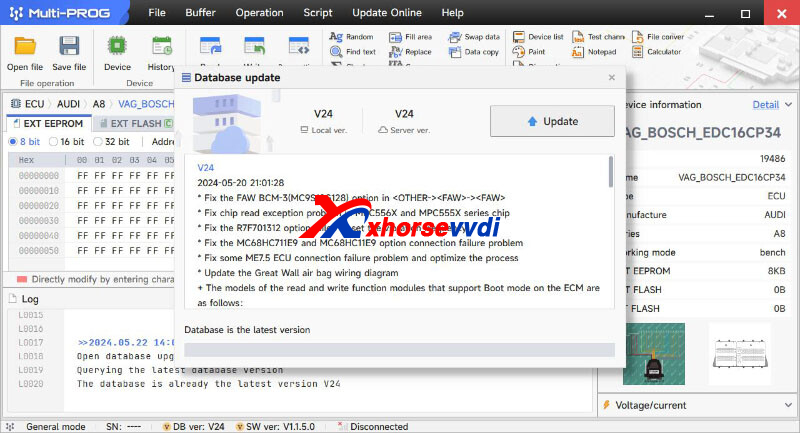
Free Download MULTI PROG Software
*Download software and update database online
V24 Database Update Info (2024-05-20)
* Fix the FAW BCM-3(MC9S12G12
option in <OTHER-><FAW>-><FAW>
* Fix chip read exception problem in MPC556X and MPC555X series chip
* Fix the R7F701312 option failed to set the vibration frequency
* Fix the MC68HC711E9 and MC68HC11E9 option connection failure problem
* Fix some ME7.5 ECU connection failure problem and optimize the process
* Update the Great Wall air bag wiring diagram
+ The models of the read and write function modules that support Boot mode on the ECM are as follows:
1.VAG_CONTINENTAL_SIMOS18.3
+ Add R7F701331 option in <MCU>-><RENESAS>-><RH850>
+ Add ST72321AR6, ST72321AR7, ST72321AR9, ST72321J7, ST72321J9, ST72321R6, ST72321R7, ST72321R9, ST72521BAR6, ST72521BAR9, ST72521BM9, ST72521BR6, ST72521BR9, ST72F321AR6, ST72F321AR7, ST72F321AR9, ST72F321J7, ST72F321J9, ST72F321R6, ST72F321R7, ST72F321R9, ST72F521AR6, ST72F521AR9, ST72F521M9, ST72F521R6, ST72F521R9 options in <MCU>-><ST>-><ST72XXX>
+ Add HC908EY16, HC908GP32, HC908GP32_UNLOCK_ERASE, HC908JB16, HC908JB16_UNLOCK_ERASE, HC908QT1, HC908QT2, HC908QT4, HC908QY1, HC908QY2, HC908QY4, HC908Qxx_UNLOCK_ERASE options in <MCU>-><Motorola>-><MC68HC(9)08>
+ Add DELPHI_MT62.1 option in <ECU>-><BAIC>-><HYOSOW>
+ Add ACDelco GM E83 MPC5565 JTAG option in <ECU>-><BUICK>-><Regal>
+ Add NETA U BCM(SPC5744B) option in <OTHER>-><NETA>-><NETA>
+ Add W212 EPS(MC9S12XEG12
option in <OTHER>-><Mercedes>-><Mercedes>
+ Add Cayenne Steering Gear(2018-)(SPC56EL60) option in <OTHER>-><PORSCHE>-><PORSCHE>
+ Add VOLKSWAGEN-STEERING-COLUMN(R7F701312) option in <OTHER>-><VOLKSWAGEN>-><VOLKSWAGEN>
+ Add SERES AITO SF5 EPS option in <OTHER>-><SERES>-><AITO>
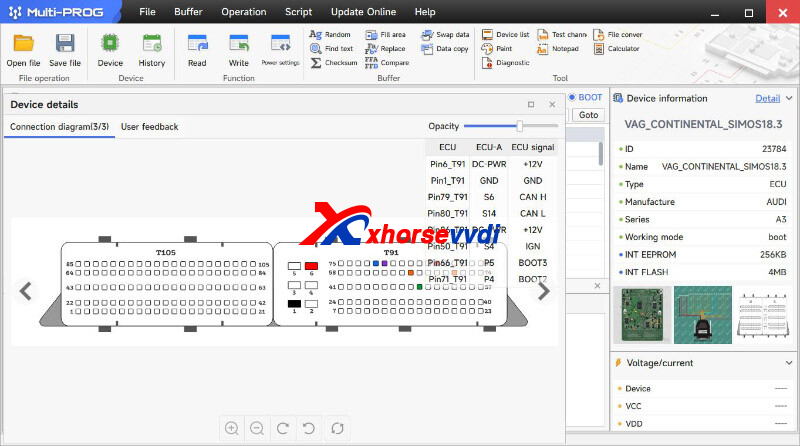
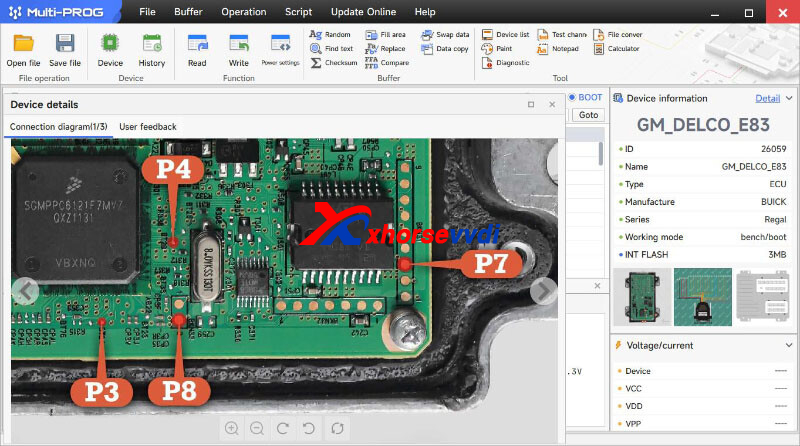
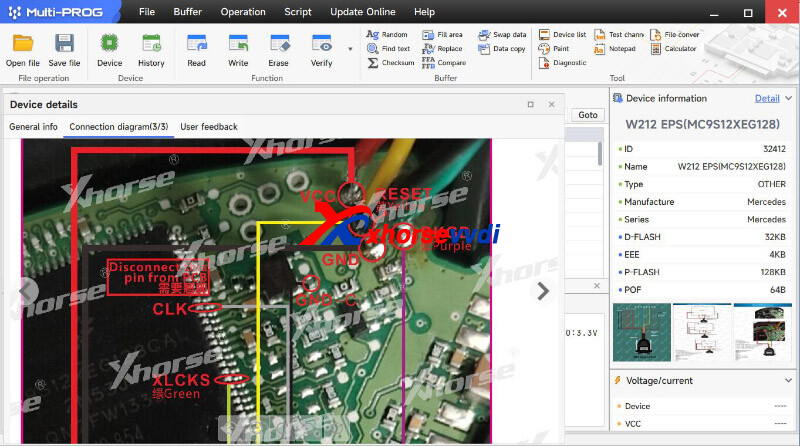
Stay tuned!
http://blog.xhorsevvdi.com/vvdi-multi-prog-v24-database-add-vw-simos18-3-buick-e83/
Posted by: xhorsevvdi at
06:08 AM
| No Comments
| Add Comment
Post contains 234 words, total size 4 kb.
One customer gave feedback that VVDI MINI always shows errors. Every time it will get stuck at 10% when it generates remote. He wondered if it is the wrong remote control or a user error. He used Xhorse XZPG00EN Remote.
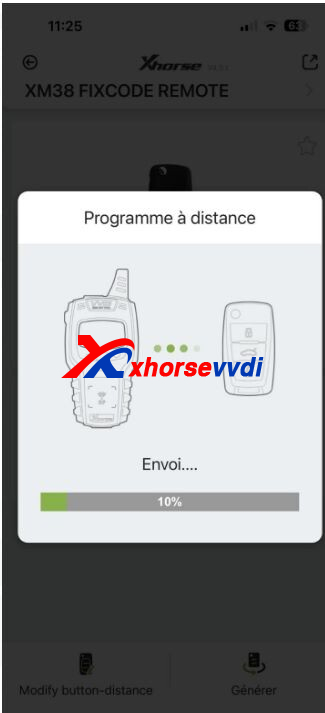
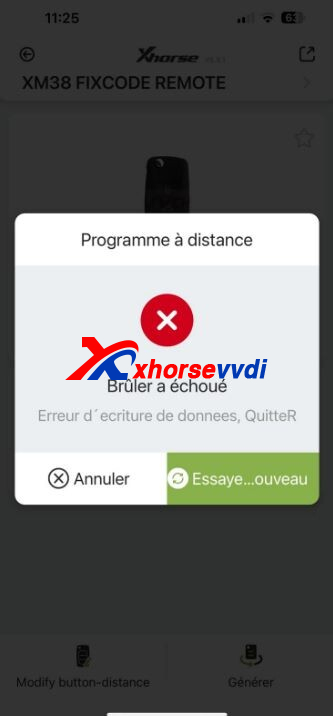
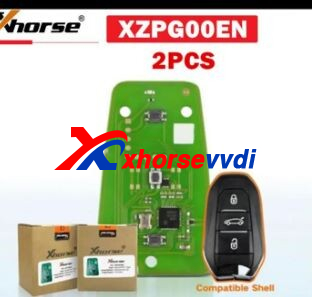
Here is the answer:
The remote control is wrong.
XZPG00EN only supports Peugeot, Citroen, and DS.
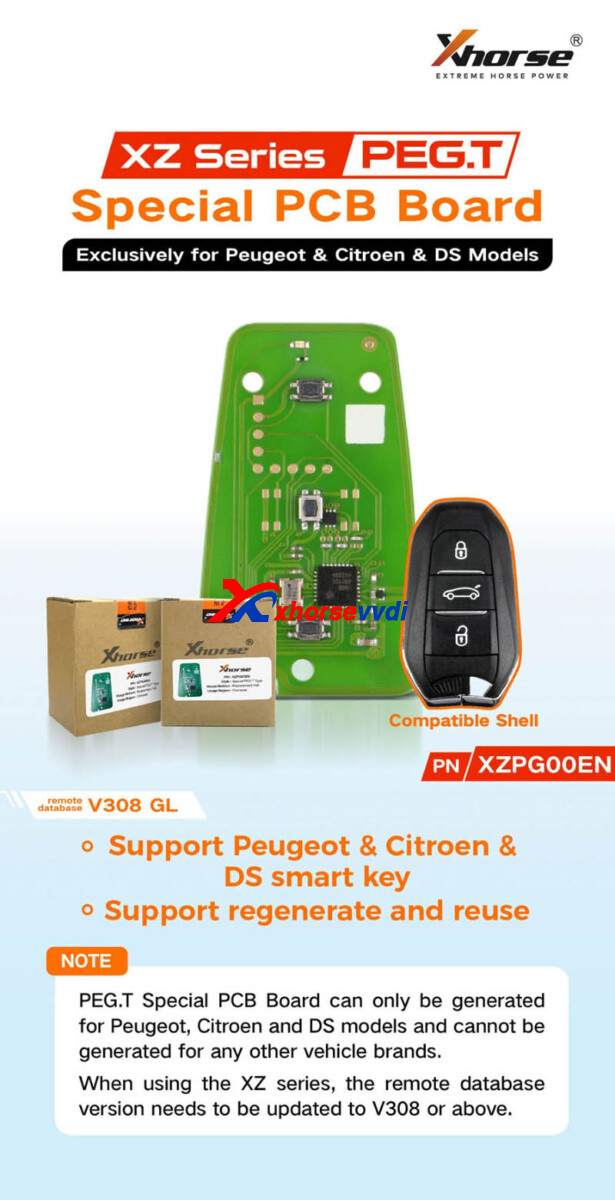
Xhorse XZ Series Remote is designed for specific models like PSA/ Honda/ Mazda.
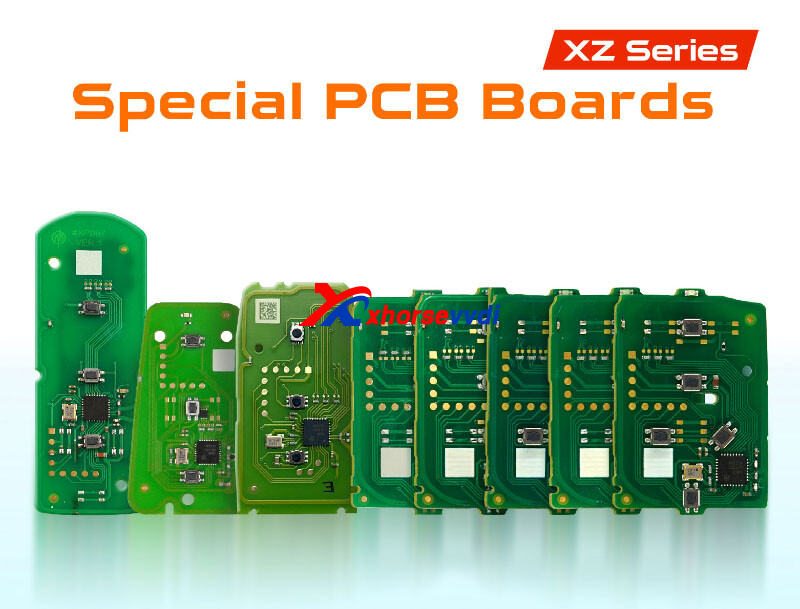

Done! Hope this could help!
http://blog.xhorsevvdi.com/solved-vvdi-mini-generate-xzpg00en-stuck-at-10/
Posted by: xhorsevvdi at
05:58 AM
| No Comments
| Add Comment
Post contains 83 words, total size 2 kb.
Quick Question:
ECU EDC16C41 Nissan, Multi Prog doesn't calculate the checksum and says failed.
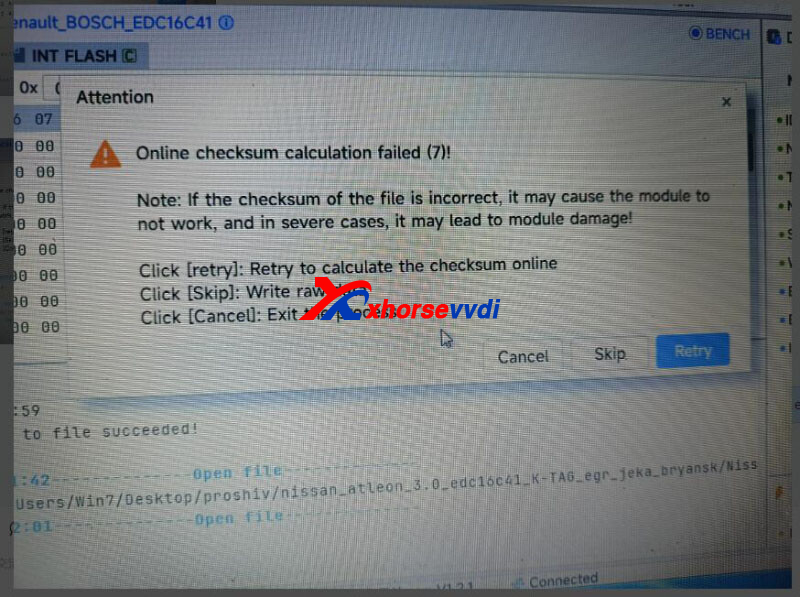
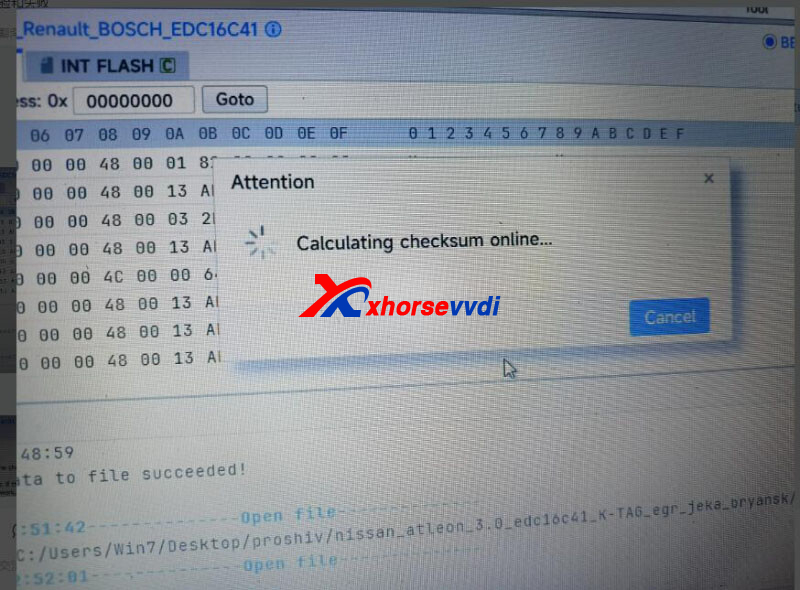
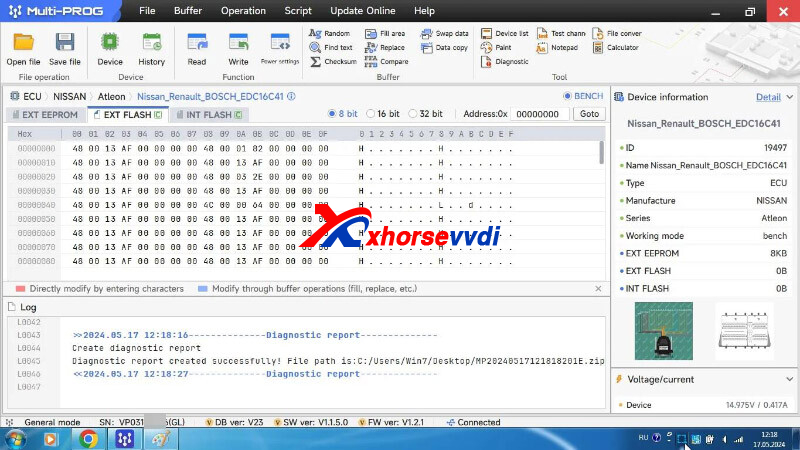
Here is the
Answer:
Select "Diagnostic" to create a diagnostic report on desktop.
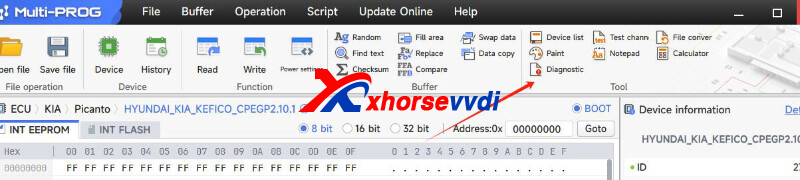
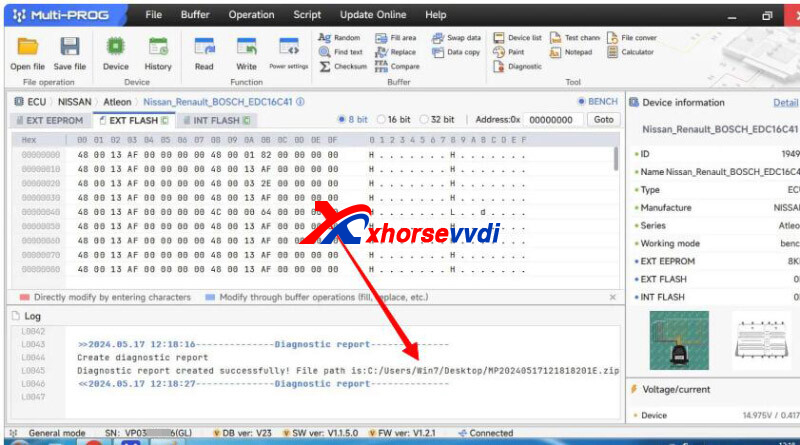
Send the diagnostic file to Xhorse support.
Reason:
VVDI Multi Prog calculating checksum timeout.
Solution:
Try checksum again at a different time or a different network connection.
Or wait for next version that will extend the length of time for checksum.
Done! Hope this could help!
http://blog.xhorsevvdi.com/solved-multi-prog-checksum-edc16c41-nissan-fail/
Posted by: xhorsevvdi at
05:57 AM
| No Comments
| Add Comment
Post contains 81 words, total size 2 kb.
Question:
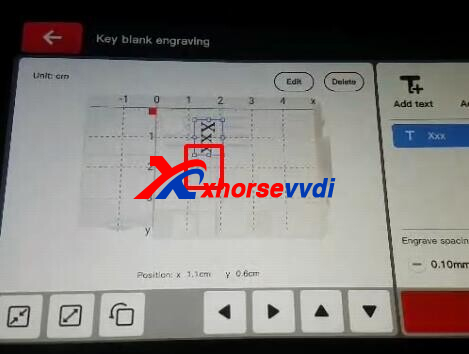
When I tried engraving is completely missing blade. All updates has been done, after that calibrations been done successfully. Is cutting keys well. No problem. But engraving doesn't. It does position procedures like always by probe. Than clamp is going fully right side and is try engraving missing blade completely. I used Xhorse XCCD30GL 2.5mm Engraving Cutter.
Notices:
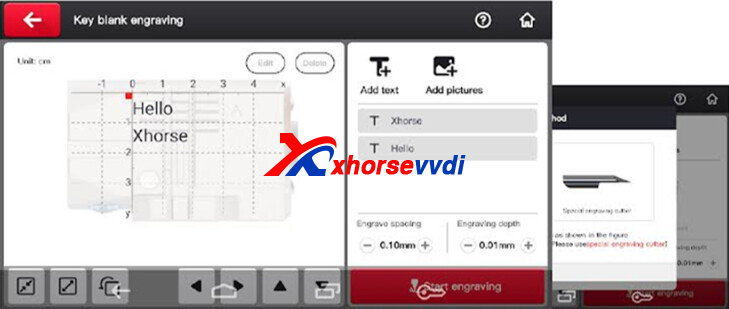
Condor XC-Mini Plus II new version of Engraving function now is released.
Update new version and this function should work fine.
Complete!
http://blog.xhorsevvdi.com/condor-xc-mini-plus-ii-key-engraving-new-version-released/
Posted by: xhorsevvdi at
03:50 AM
| No Comments
| Add Comment
Post contains 91 words, total size 2 kb.
VVDI MULTI PROG released V23 database, adding VAG SIMOS18.1 SIMOS18.6 SIMOS18.7...
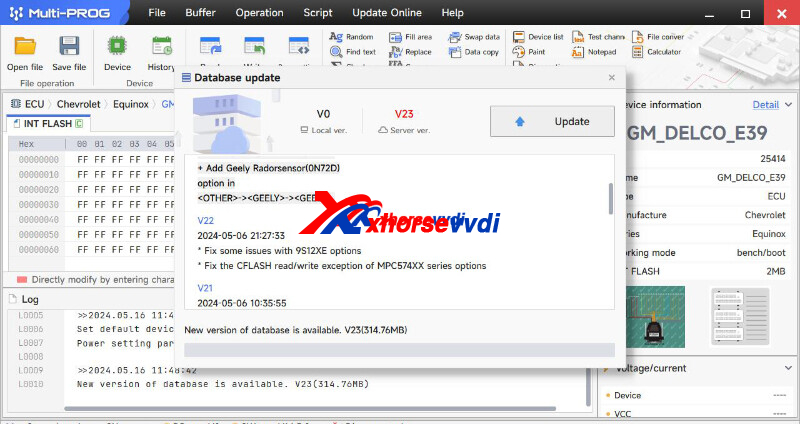
Free Download MULTI PROG Software
*Download software and update database online
V23 Database Update Info (2024-05-13)
* Optimize the MAC7116 option read and write process
* Update the option R7F701330 wiring diagram
* Update the option GEELY-NL-3(R7F701A03) and GEELY-DNL-5(R7F701A03) wiring diagram
* Add STM32 series lock, unlock erase and encryption judgment functions
* Update all series wiring diagrams in <MCU>-><Microchip>
* Add pic16f88x series EEPROM partition in <MCU>-><Microchip>-><pic16>
* Update SPC563MXX series chip wiring diagram
+ The models of the read and write function modules that support Boot mode on the ECM are as follows:
1.VAG_CONTINENTAL_SIMOS18.1
2.VAG_CONTINENTAL_SIMOS18.6
3.VAG_CONTINENTAL_SIMOS18.7
+ Add TC27X-40F, TC27X-40F(JTAG)
options in <MCU>-><Infineon>-><TC2XXX>
+ Add MC9S12KL64_SECURED, MC9S12KL64_UNSECURED, MC9S12KL128_SECURED, MC9S12KL128_UNSECURED, MC9S12XDG256_SECURED, MC9S12XDG256_UNSECURED, MC9S12XDG512_SECURED, MC9S12XDG512_UNSECURED
options in <MCU>-><Motorola>-><MC9S12>
+ Add MC68HC912DT128C_SECURED, MC68HC912DT128C_UNSECURED, MC68HC912DG128C_SECURED, MC68HC912DG128C_UNSECURED, MC68HC912DG128P_SECURED, MC68HC912DG128P_UNSECURED, MC68HC912DJ128A_SECURED, MC68HC912DJ128A_UNSECURED, MC68HC912D60C_SECURED, MC68HC912D60C_UNSECURED, MC68HC912D60P_SECURED, MC68HC912D60P_UNSECURED
options in <MCU>-><Motorola>-><MC68HC(9)12>
+ Add HC908KX2, HC908JL16, HC908JL16_UNLOCK_ERASE, HC908JL8
options in <MCU>-><Motorola>-><MC68HC(9)08>
+ Add MC9RS08KA1, MC9RS08KA2, MC9RS08KA4, MC9RS08KA8, MC9RS08LA8
options in <MCU>-><Motorola>-><MC9S08>
+ Add MC68HC05B6(0B91T), MC68HC05B8, MC68HC05B16, MC68HC705B32
options in <MCU>-><Motorola>-><MC68HC(7)05>
+ Add LONKING_FORKLIFT_INSTRUMENT(PIC16F887)
option in <DASHBOARD>-><Lonking>-><Lonking>
+ Add NFINITI Q50(MC9S12XEP100_UNSECURED)
option in <IMMOBILIZER>-><Infiniti>-><Infiniti>
+ Add Trumpchi GS3 POWER AIRBAG(R7F701A03)-LOCK-READ, Trumpchi GS3 POWER AIRBAG(R7F701A03)-LOCK-WRITE
options in <AIRBAG>-><GACMOTOR>-><Trumpchi>
+ Add Monjaro AIRBAG(R7F701330)-LOCK-READ, Monjaro AIRBAG(R7F701330)-LOCK-WRITE
options in <AIRBAG>-><GEELY>-><GEELY>
+ Add Geely Radorsensor(0N72D)
option in <OTHER>-><GEELY>-><GEELY>
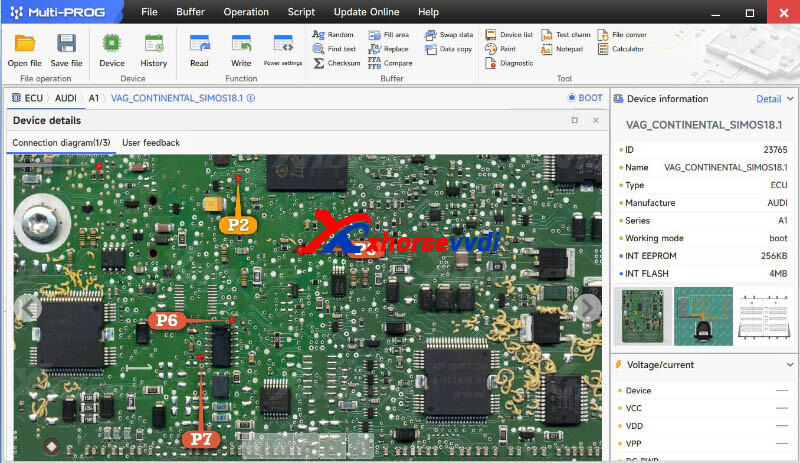
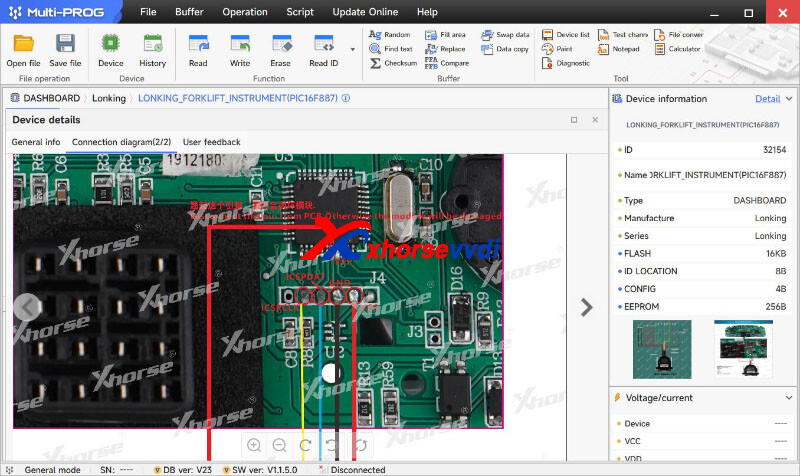
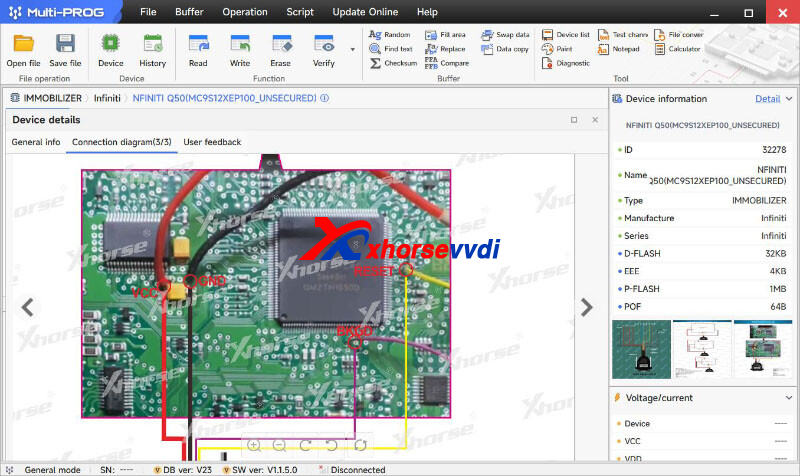
Stay tuned!
http://blog.xhorsevvdi.com/vvdi-multi-prog-v23-database-add-simos18-1-simos18-6-simos18-7/
Posted by: xhorsevvdi at
03:49 AM
| No Comments
| Add Comment
Post contains 231 words, total size 4 kb.
One customer asked if he needs Xhorse ID48 Tokens or points to generate Toyota 8A 128bit chip. He used Key Tool Max Pro and VVDI Super Chips.
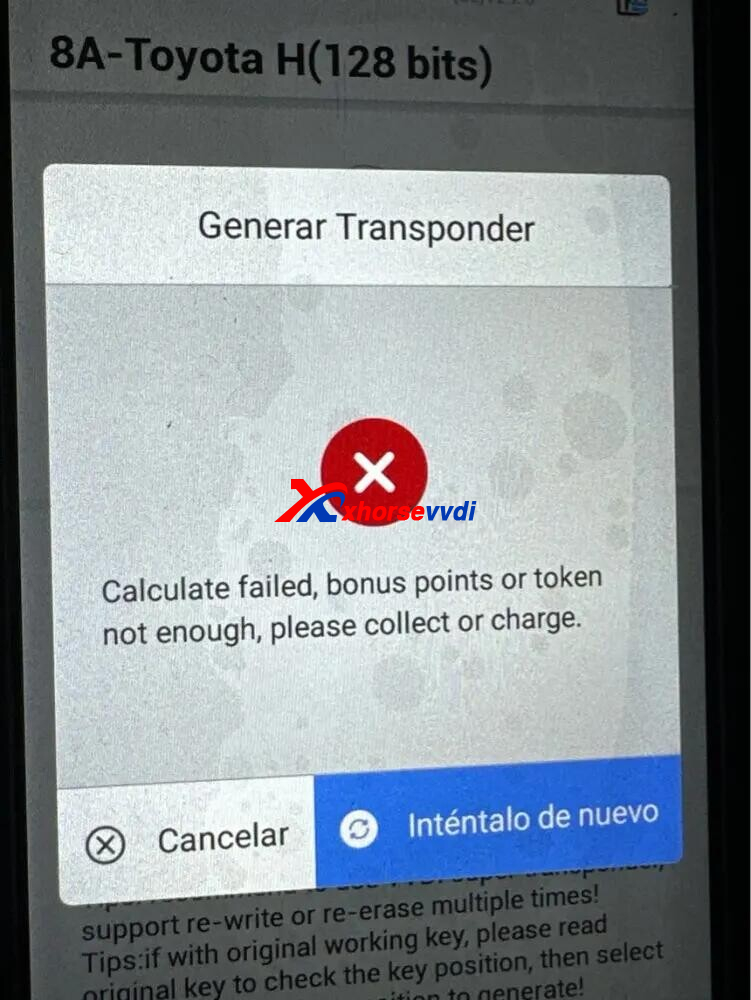
Here is the Solution:
Synchronize Max Pro and generate remote again.
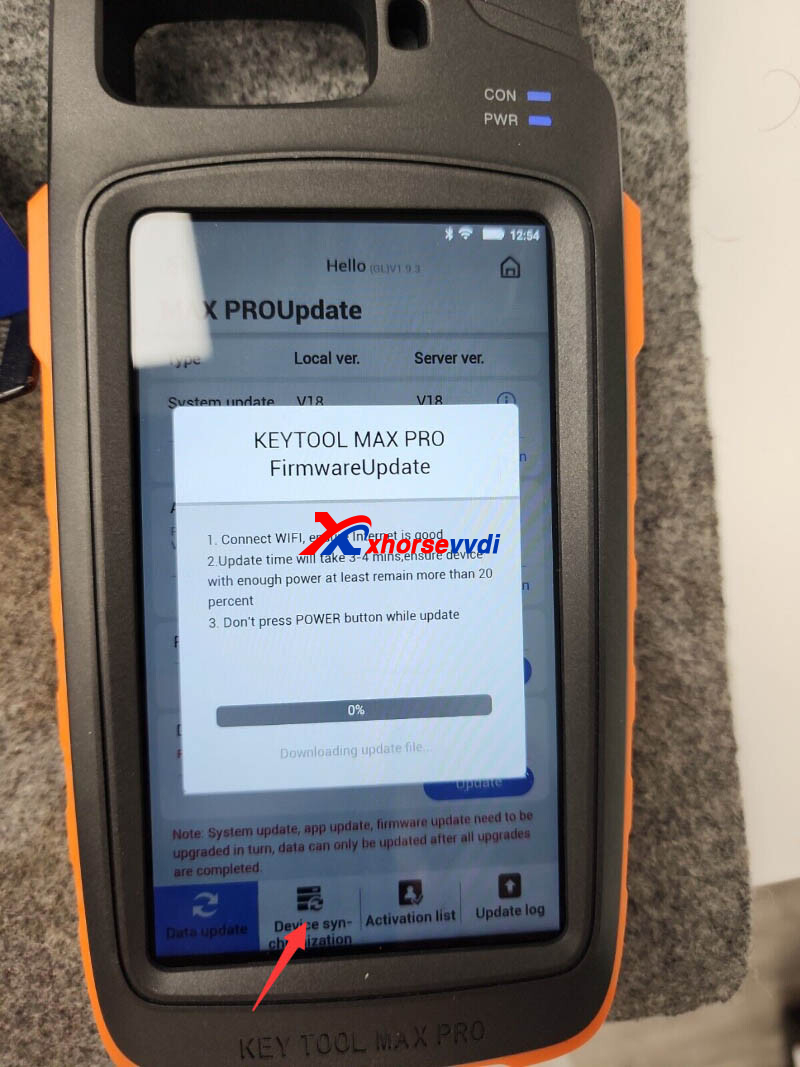
Done! Hope this could help!
http://blog.xhorsevvdi.com/is-id48-token-required-to-generate-toyota-8a-chip/
Posted by: xhorsevvdi at
03:49 AM
| No Comments
| Add Comment
Post contains 53 words, total size 1 kb.
One customer asked if there is an adapter for his Volkswagen Passat b8 in Key Tool Plus Package. He did not know how to do when trying to read the car using VVDI Key Tool Plus.
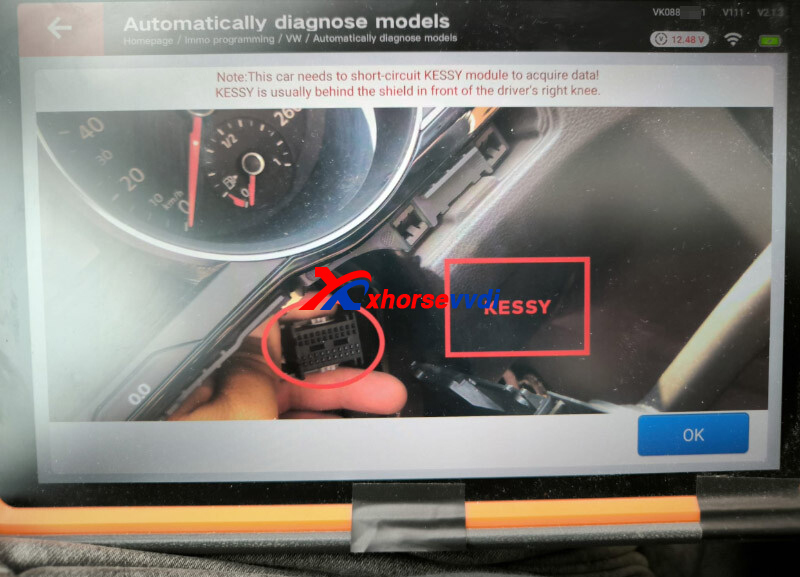
Here are some tips for how to read Passat B8:
1)Users need to short-circuit KESSY module using their own cables for reading data
2)KESSY is behind the shield in front of driver's right knee/ behind the co-pilot glove box
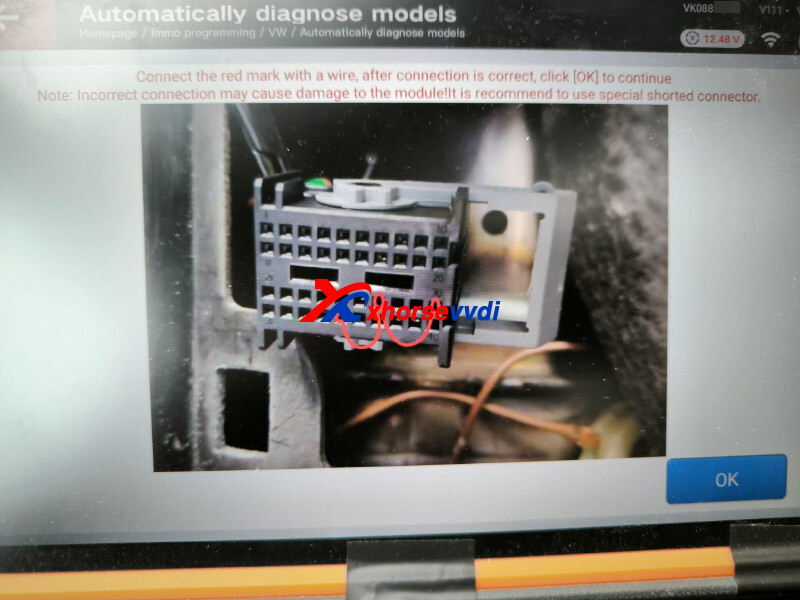
Hope this could help!
http://blog.xhorsevvdi.com/vvdi-key-tool-plus-program-vw-passat-b8-key-via-obd-tips/
Posted by: xhorsevvdi at
03:49 AM
| No Comments
| Add Comment
Post contains 92 words, total size 1 kb.
Quick Question:
Trying to clone E39 ECU with Xhorse Multi Prog and is asking for 16 digit password? Any ideas where to get it?
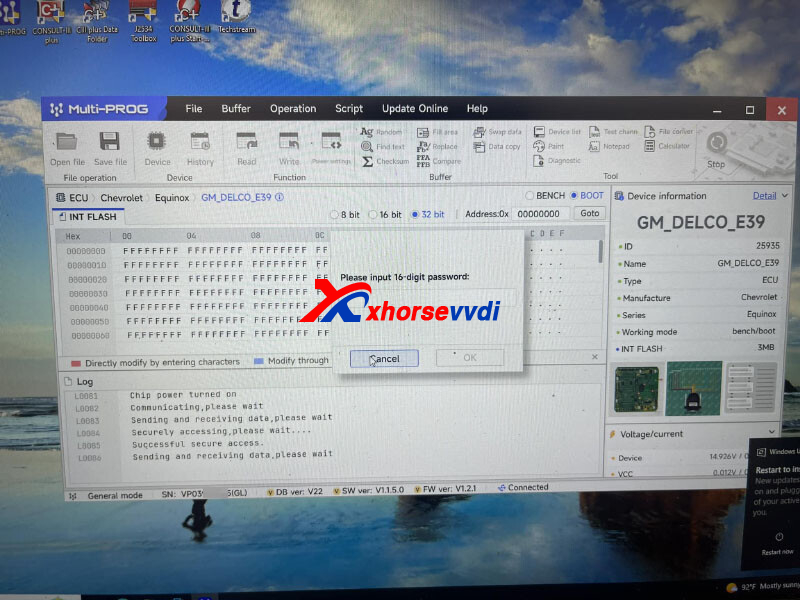
Here is the Answer:
Read FLASH data on Bench, and the password will pop up.
Then enter password on Boot mode.
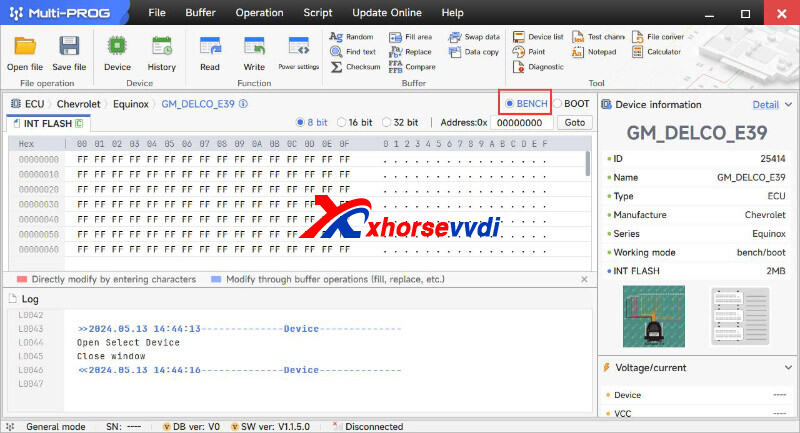
Done! Hope this could help!
http://blog.xhorsevvdi.com/how-multi-prog-read-16-digit-password-for-gm-delco-e39/
Posted by: xhorsevvdi at
03:48 AM
| No Comments
| Add Comment
Post contains 61 words, total size 1 kb.
One customer shares how he solved a problem,
Question:
When VVDI Mini generating and programming an Xhorse VVDI Remote control in a Toyota or Lexus and the electric trunk does not work.
Solution:
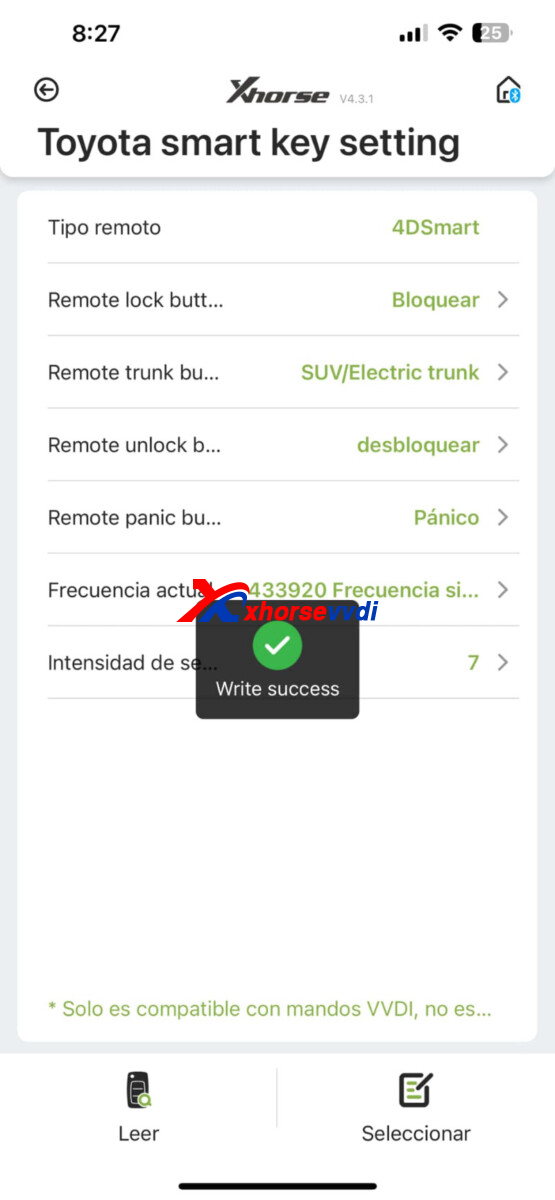
Follow the steps in the image and this will solve it, just change the Trunk tab to SUV/Electric trunk.
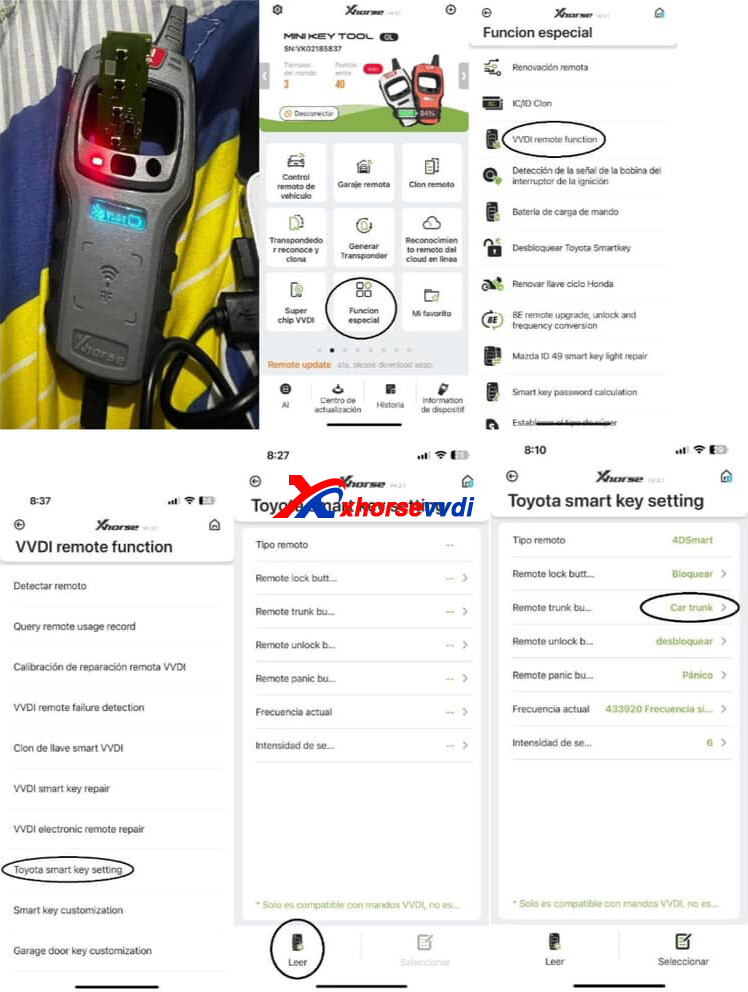
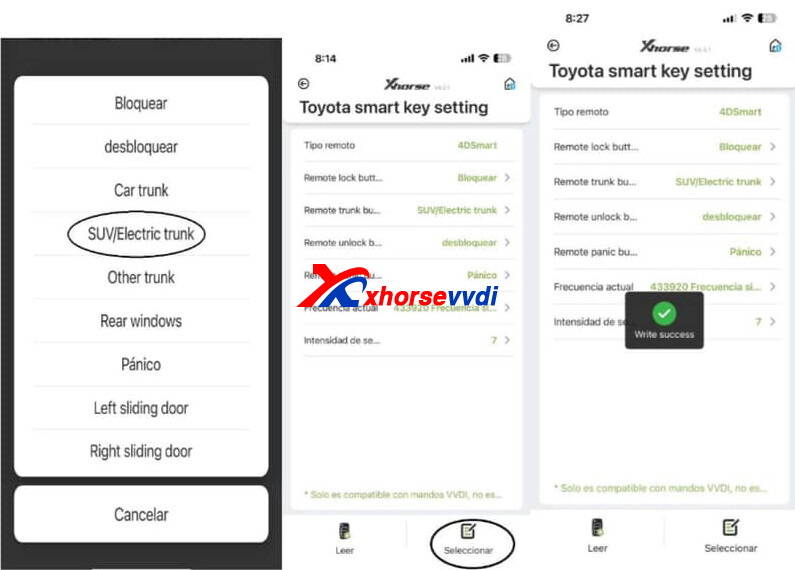
Path:
Special Function>> VVDI remote function>>Toyota smart key setting>>Car trunk
Posted by: xhorsevvdi at
03:47 AM
| No Comments
| Add Comment
Post contains 73 words, total size 2 kb.
One customer asked how to clear M35160WT using VVDI Multi Prog. He input 0000 to upper 2 line then write but still the same not clear both upper line, I tried many time.
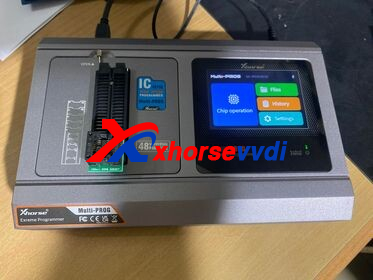
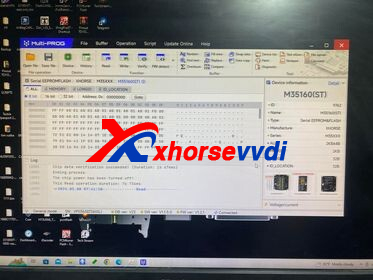
Here is the Answer:
The option "M35160(ST)" doesn't support ERASE.
For other options, "Erase INC" button will erase the front 2 lines. After erasing INC operation, then select ALL or MEMORY option to read data for verify, Reading data the front 2 lines should be all "00", manually enter the targert mileage, then click "Write" option, operation completed.
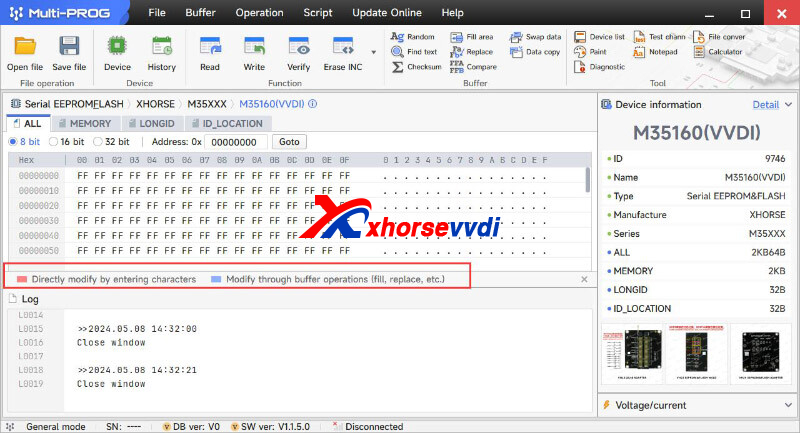
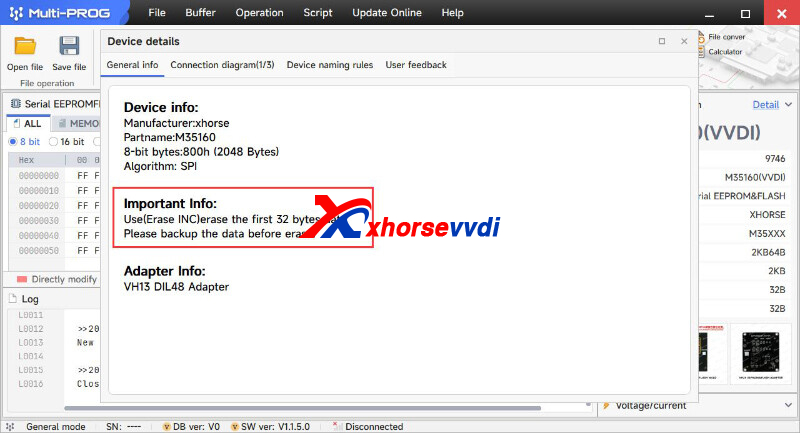
Done! Hope this could help!
http://blog.xhorsevvdi.com/how-to-clear-m35160wt-using-vvdi-multi-prog/
Posted by: xhorsevvdi at
03:47 AM
| No Comments
| Add Comment
Post contains 105 words, total size 2 kb.
Here we are going to share with you the PINOUT of Renesas V850 BODYWORK BCM BSI FIAT D70F3556 PINOUT.
PINOUT:
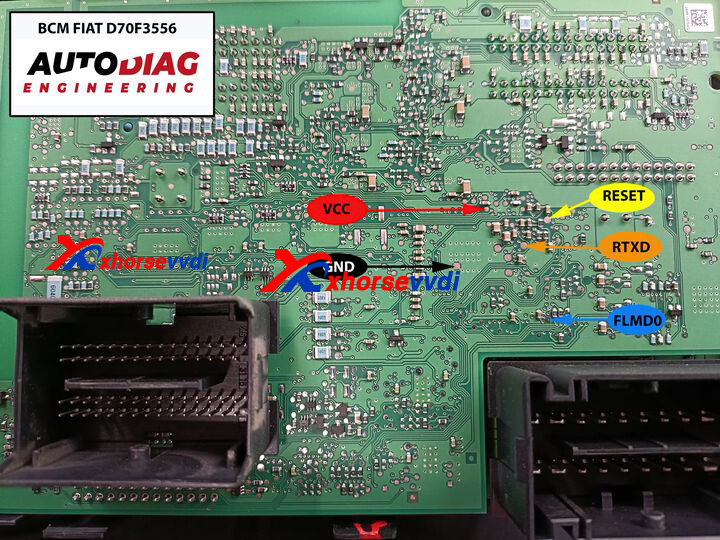
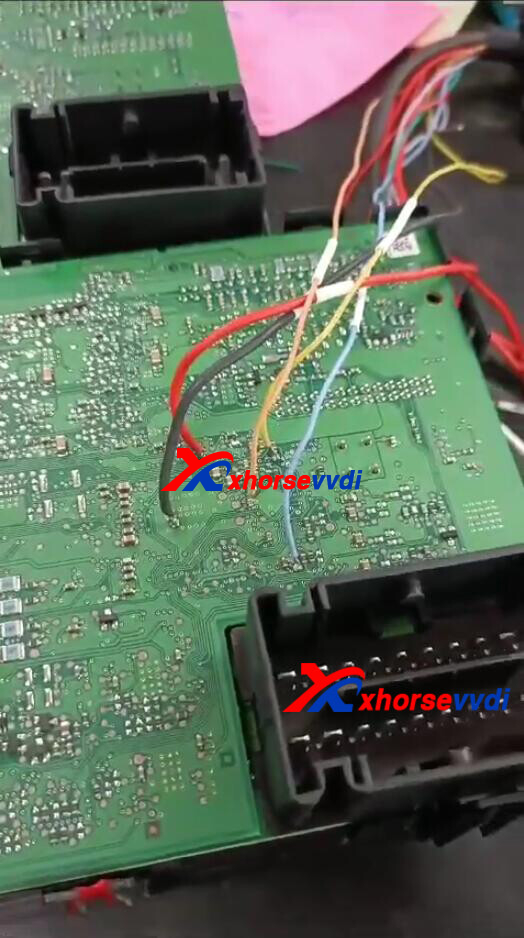
RED - VCC
BLACK - GND
YELLOW - RESET
GREEN - RTXD
BLUE - FLMD0
Test PINOUT on VVDI Multi Prog no problem:
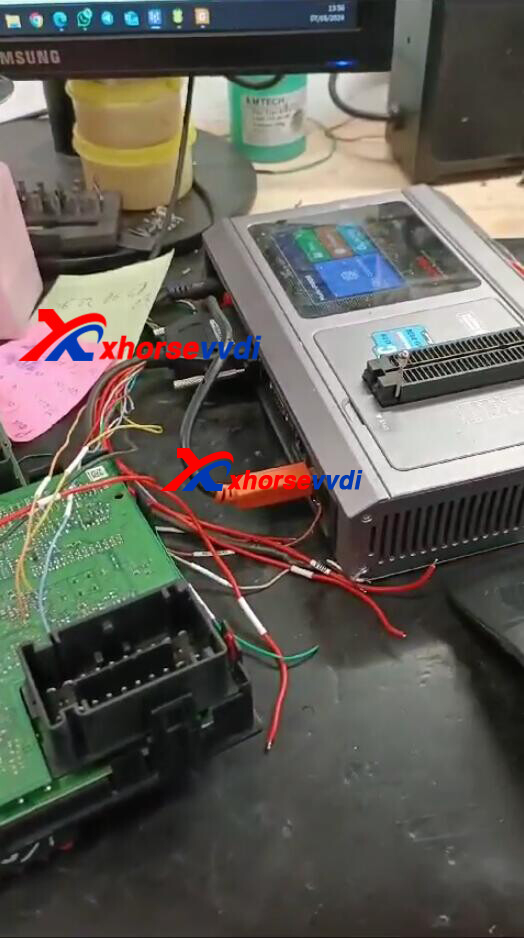
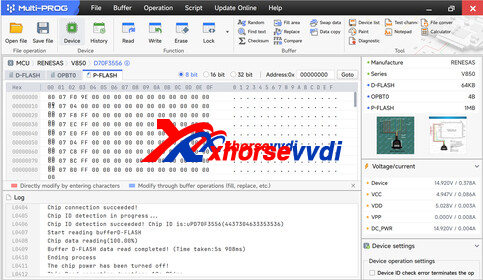
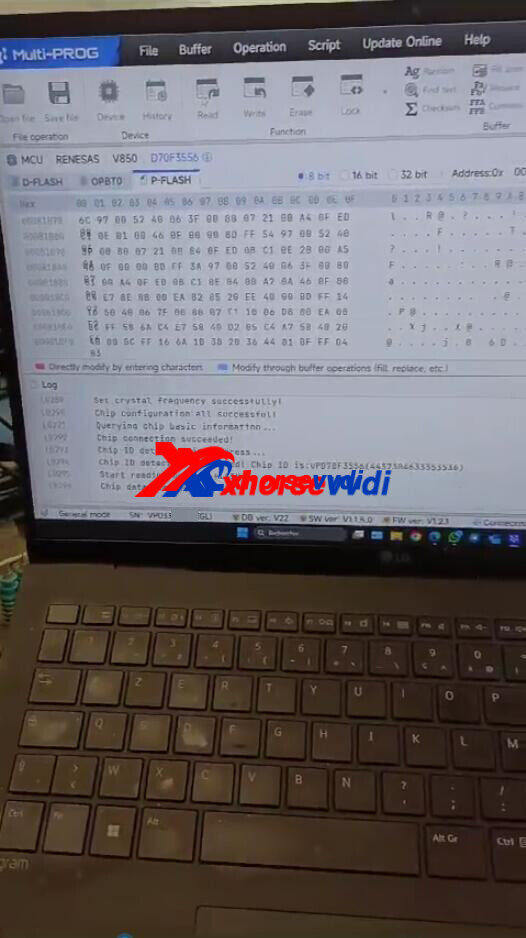
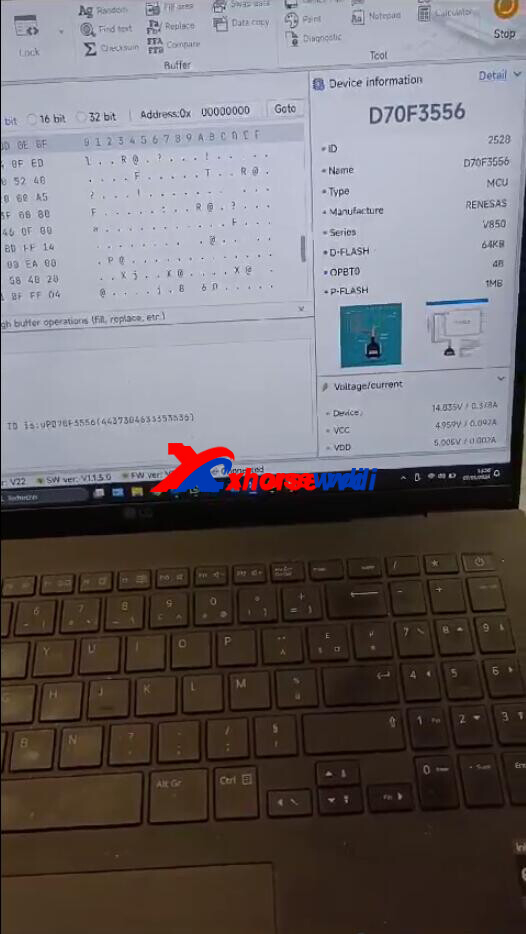
CRE: Michael Ballongue
Done! Hope this could help!
http://blog.xhorsevvdi.com/multi-prog-read-bodywork-bcm-bsi-fiat-d70f3556-pinout/
Posted by: xhorsevvdi at
03:46 AM
| No Comments
| Add Comment
Post contains 61 words, total size 2 kb.
May 07, 2024
Xhorse has released its new manual key cutting machine -- Xhorse Condor XC-002 PRO.
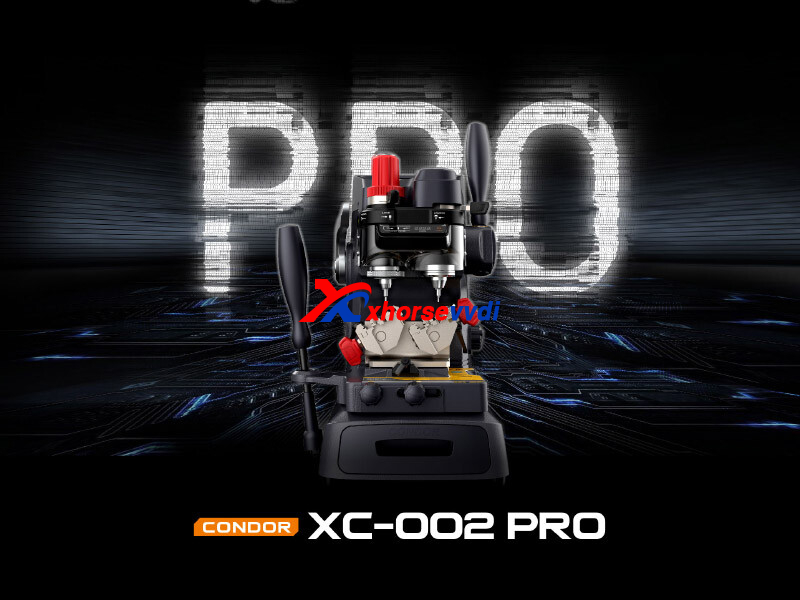
In this article, we will show you its new features on probe and cutter, clamp, motor, and more.
1.Probes & Cutters Upgraded Solution
-Probes & Cutters Switching Quickly
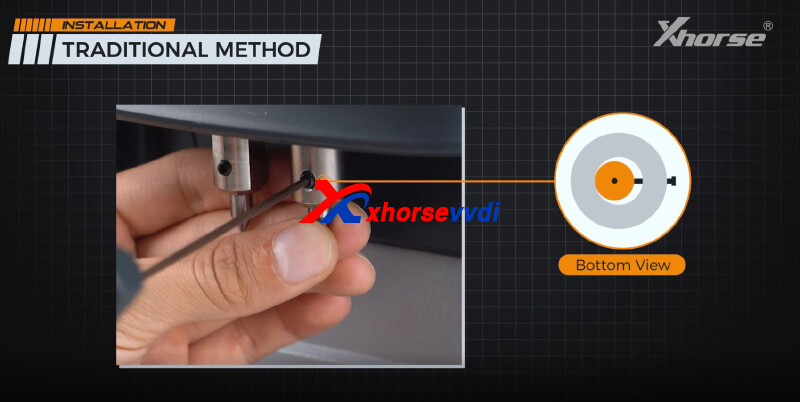
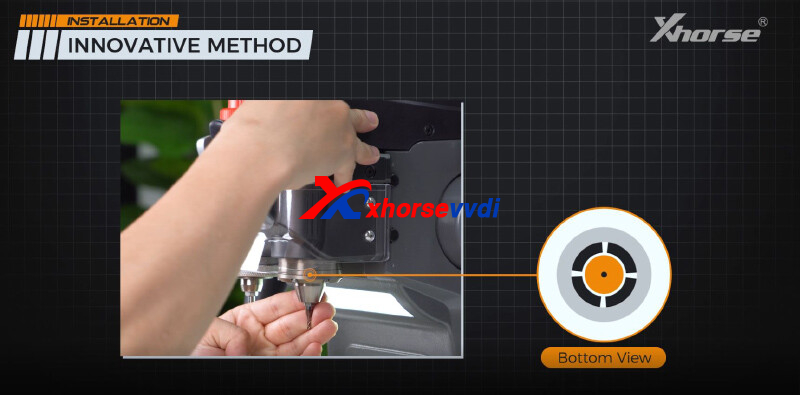
CONDOR XC-002 PRO comes with a brand-new design that will revolutionize the industry. The lock switch can achieve probes and cutters switching quickly and central clamping of the probe and cutter easily with no need for an Allen wrench, bringing a seamless and efficient working experience.
What you need to do are just the following:
- Simply loosen the lock switch to make sure it's unlocked
- Insert and hold the probe/cutter all the way up
- Pull to lock the switch
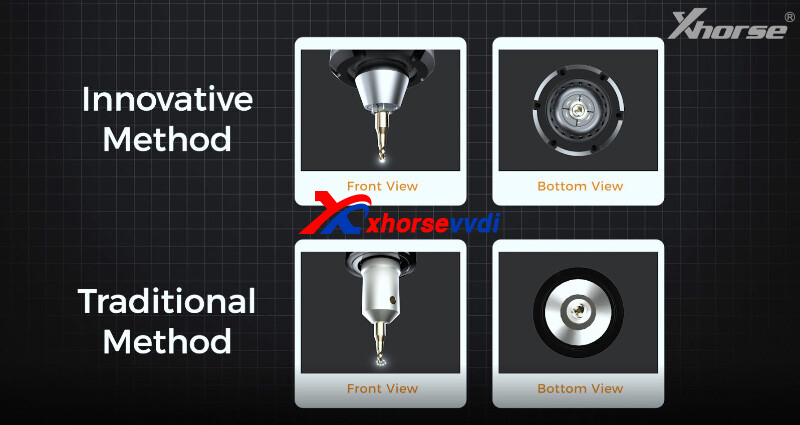
-Central Clamping of the Probe & Cutter
The innovative approach not only simplifies the installation but also ensures the automatic centering and clamping of the probe and the cutter, avoiding center deviation caused by the traditional method and greatly improving the accuracy and reliability of cutting
2.Innovative Multi-function Clamp
- 0~45° Rotatable Clamp
The multi-function clamp allows for cutting dimple keys of different angles (0~45°). You can adjust the angle of the clamp to finish cutting based on the original key. Currently, CONDOR XC-002 PRO supports duplicating
- Internal Cut/External Cut/Dimple Key
CONDOR XC-002 PRO features 3 grooves for key clamping. This design facilitates the machine to duplicate multiple keys, such as standard single sided, double sided, 4 track external, 2 track external, 4 track internal, channel track, and dimple keys with angles
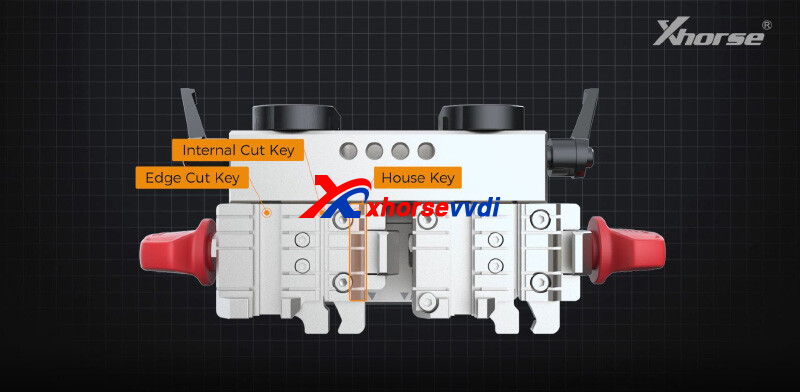
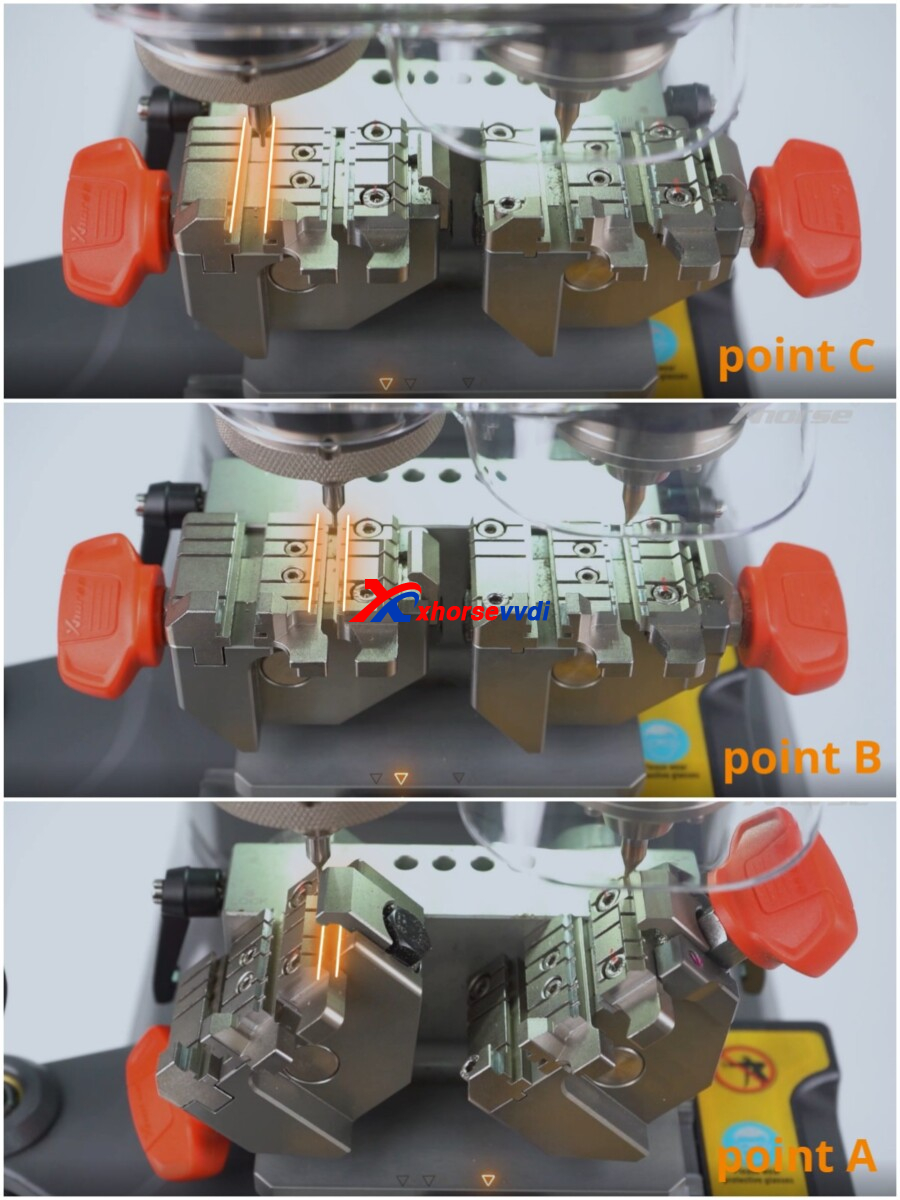
Each of the grooves has its recommended clamp mounting location.
- The left groove corresponds to pointC
- The middle groove corresponds to point B
- The right groove corresponds to point A
Of course, you can also adjust the position of the clamp according to your operating habits.
3.High-speed Motor
After powering up the machine, when you press down the main handle, you can see the cutter actually is not spinning. It's a design What you need to do is turn on the cutter power switch on the left side and you can rotate the handle clockwise to achieve height locking of the probes and cutters.
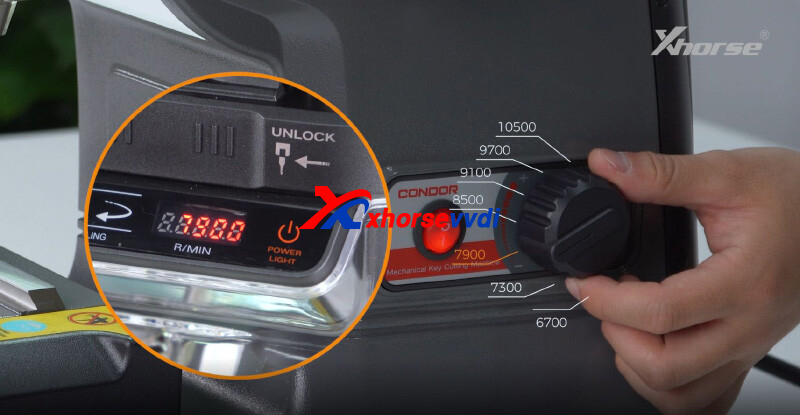
CONDOR XC-002 PRO now offers seven speeds, which allows you to adjust the spindle speed in accordance with your needs to elevate efficiency and prolong its service life.
4.Multiple Modes
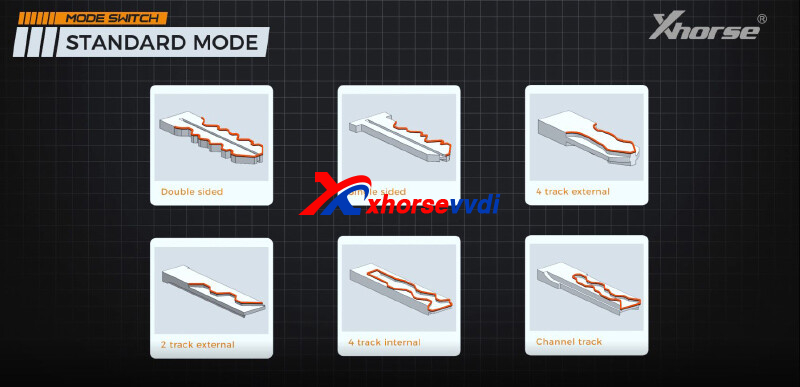
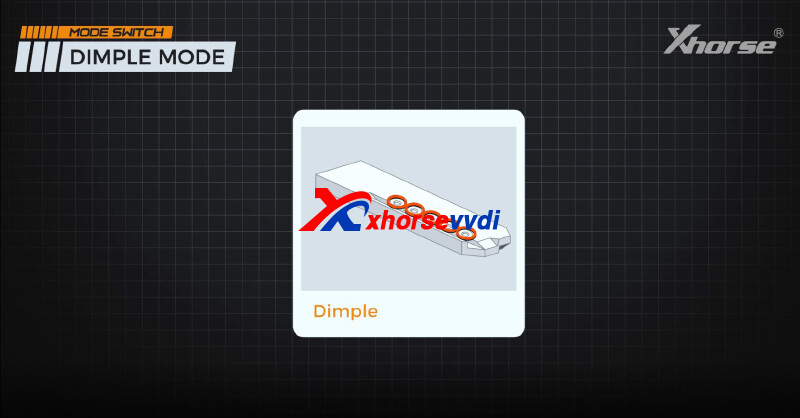
Standard mode and dimple mode are introduced to streamline cutting for both dimple keys and ordinary keys.
Standard Mode: In this mode, the probe cannot move up and down and remains stationary, ideal for cutting various key types such as double sided, single sided, 4 track external, 2 track external, 4 track internal, and channel track keys.
Dimple Mode: The probe is capable of vertical movement to detect the depth of the holes in the key. The mode is mainly used to duplicate dimple keys.
5.Micro-adjust Guide
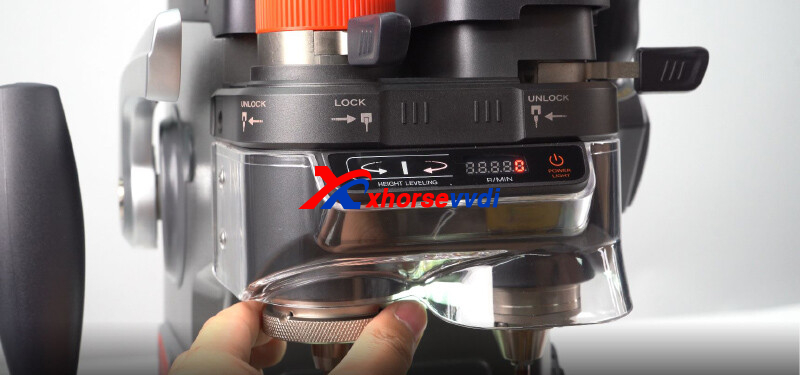
CONDOR XC-002 PRO features a high-precision micro-adjust knob and an indicator light, allowing you to easily finish the adjustment and further ensure duplication accuracy.
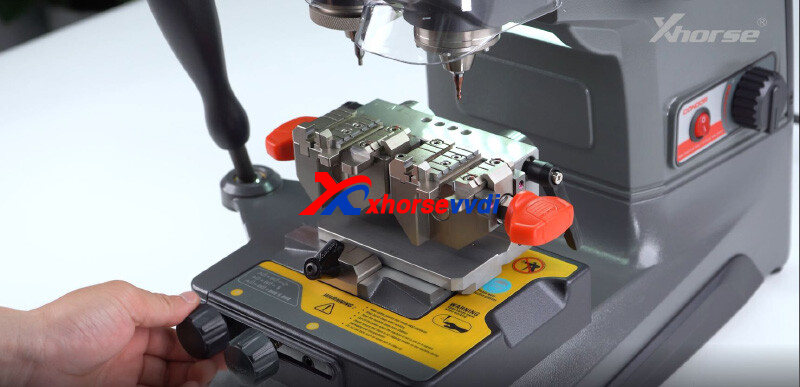
6.Cutting Platform with Limitation Knobs
- When two limitation knobs are fully released, the cutting platform can be moved freely.
- If we only tighten the right knob, the cutting platform can only move along Y-axis. However, when moving along the X-axis, the platform will always go back to its original position after you release the handle.
- If both knobs are tightened, the cutting platform can only move along Y-axis and the X-axis movement is completly locked.
This can help us when cutting some keys that require linear cutting.
7.More Advantages
-Reliable Mechanical Structure
- CONDOR XC-002 PRO is manufactured with reliable mechanical components, ensuring ultra-high precision duplication.
-Ergonomic Design
- Based on deep research on users' operation habits, CONDOR XC-002PRO has been greatly optimized regarding its materials, handle radian, grip, touch, control, and cutting operation.
- With a built-in indicator light, you can level the probe and the cutter at ease. An intelligent LCD screen displays the spindle speed for your convenience.
-Masterful Craftsmanship
- At the bottom of the machine,s the storage box thoughtfully designed helps users store probes, cutters, and key blades.
- The machine body forged by the all-aluminum die-casting process (thermal treatment) ensures greater stability.
- All the main components processed by the German-made DMG CNC machine guarantee high-precision duplicating results.
http://blog.xhorsevvdi.com/xhorse-condor-xc-002-pro-new-features/
Posted by: xhorsevvdi at
03:46 AM
| No Comments
| Add Comment
Post contains 714 words, total size 8 kb.
VVDI Multi Prog V21 Database is available! VAG SIMOS12.1 SIMOS12.2 is added.
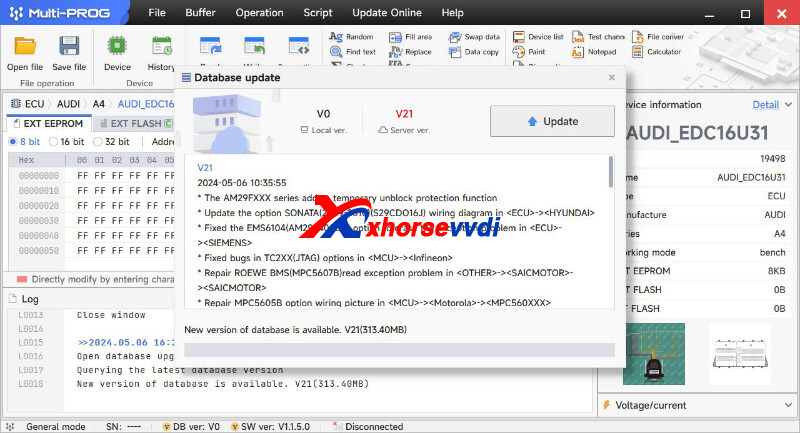
V21 Database Update Info (2024-05-06):
* The AM29FXXX series adds a temporary unblock protection function
* Update the option SONATA(2009-2010)(S29CDO16J) wiring diagram in <ECU>-><HYUNDAI>
* Fixed the EMS6104(AM29F400BB) option to erase the exception problem in <ECU>-><SIEMENS>
* Fixed bugs in TC2XX(JTAG) options in <MCU>-><Infineon>
* Repair ROEWE BMS(MPC5607B)read exception problem in <OTHER>-><SAICMOTOR>-><SAICMOTOR>
* Repair MPC5605B option wiring picture in <MCU>-><Motorola>-><MPC560XXX>
* Update the option CS75-AIRCONDITION-MODULE(2014) wiring diagram in <OTHER>-><CHANGAN>
* Fixed the 523-AIRBAG option exception problem in <AIRBAG>-><BMW>
* Optimize the MAC7241 and MAC7242 options process in <MCU>-><Freescale>-><MAC7XXX>
* Fixed some MC9S12 chip and module options verification failure
* Update some options wiring diagram in <MCU>-><RENESAS>-><R8C>
* Add the function of security status judgment in <MCU>-><MEGAWIN>-><MEGAWIN82>
* Fixed the MB91F526 connection failure problem in <MCU>-><Fujitsu>-><MB91FXXX>
+ The models of the read and write function modules that support Bench and Boot mode on the ECM are as follows:
1.VAG_CONTINENTAL_SIMOS12.1
2.VAG_CONTINENTAL_SIMOS12.2
+ Add R7F701333A option in <MCU>-><Renesas>-><RH850>
+ Add MPC5673K, MPC5674K, MPC5675K options in <MCU>-><MOTOROLA>-><MPC567XX>
+ Add TC27X-64F option in <MCU>-><Infineon>-><TC2XXX>
+ Add BYD ECU CONTROL MODULE(TB30) option in <ECU>-><BYD>-><OTHER>
+ Add TIGUAN Navigation Module(STM8S207CBT6) option in <OTHER>-><VOLKSWAGEN>-><VOLKSWAGEN>
+ Add TOYOTA Sensor Steering(CY96F636R) option in <OTHER>-><TOYOTA>-><TOYOTA>
+ Add Feidi Dito BCM(STMAF5289) option in <OTHER>-><Feidi>-><Feidi>
+ Add BAOJUN 730 BCM(D70F362
-LOCK-READ, BAOJUN 730 BCM(D70F362
-LOCK-WRITE options in <OTHER>-><Saic>-><SAICMOTOR>
+ Add MAGOTAN Audio AMP option in <OTHER>-><VOLKSWAGEN>-><VOLKSWAGEN>
http://blog.xhorsevvdi.com/xhorse-multi-prog-v21-database-add-vag-simos12-1-simos12-2/
Posted by: xhorsevvdi at
03:46 AM
| No Comments
| Add Comment
Post contains 243 words, total size 3 kb.
32 queries taking 0.0656 seconds, 131 records returned.
Powered by Minx 1.1.6c-pink.

