



March 05, 2024
Quick Question:
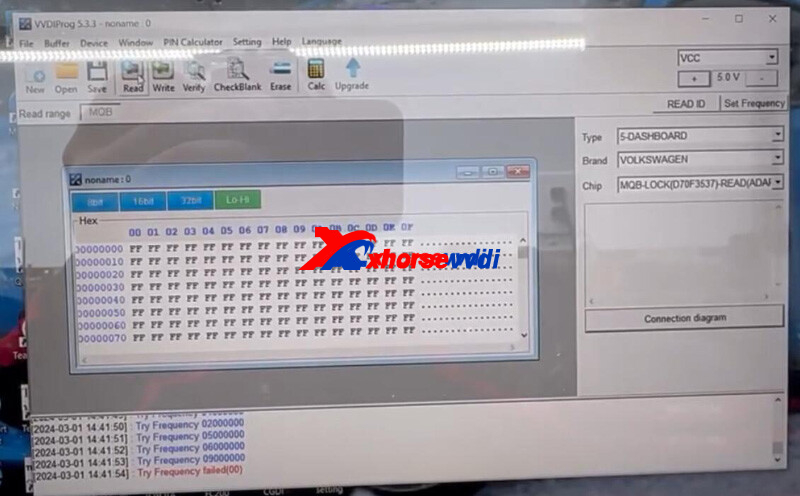
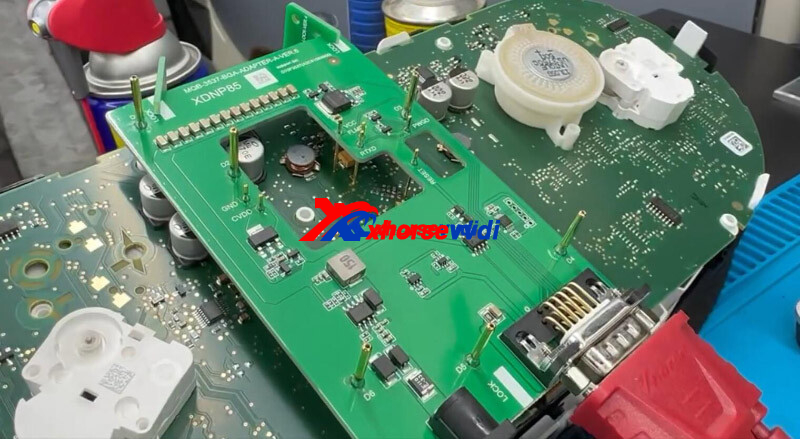
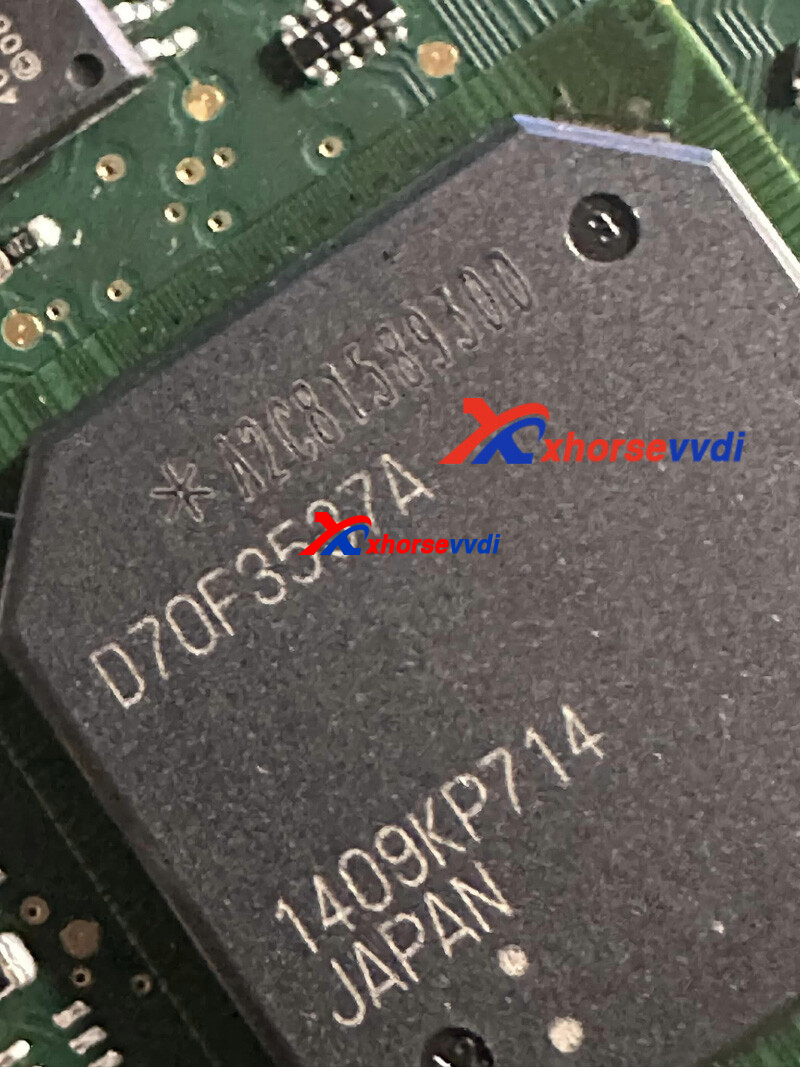
I’m try to read a cluster with Xhorse MQB Adapter for 2016 Audi A3
And give me a try frequency failed(00).
Adapter work with VVDI PROG?

Here is the Answer:
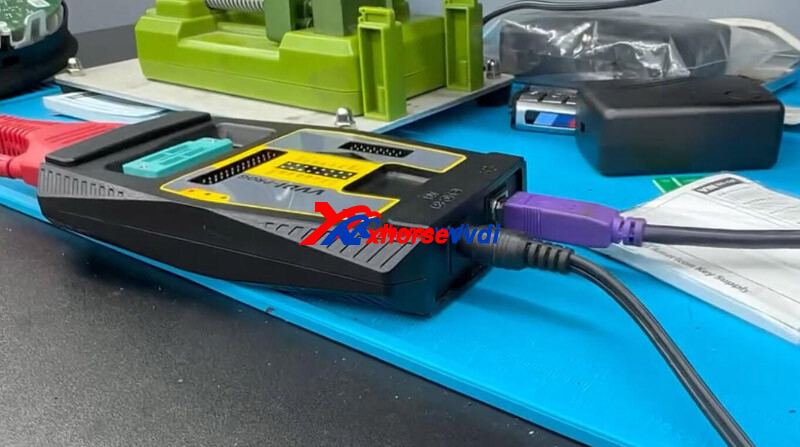
VVDI PROG works with MQB Adapter, and XDPGSOGL Cable is required.
In the case,
Supply 12v power to both Adapter and VVDI PROG.
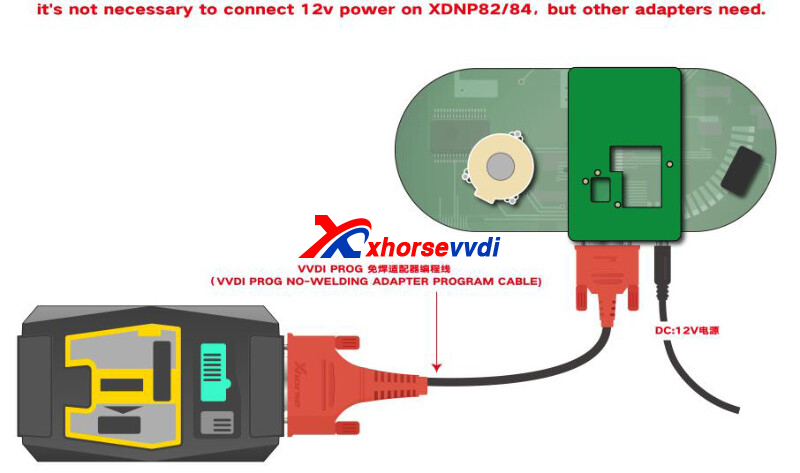
Done! Hope this could help!
Posted by: xhorsevvdi at
03:51 AM
| No Comments
| Add Comment
Post contains 70 words, total size 2 kb.
Question:
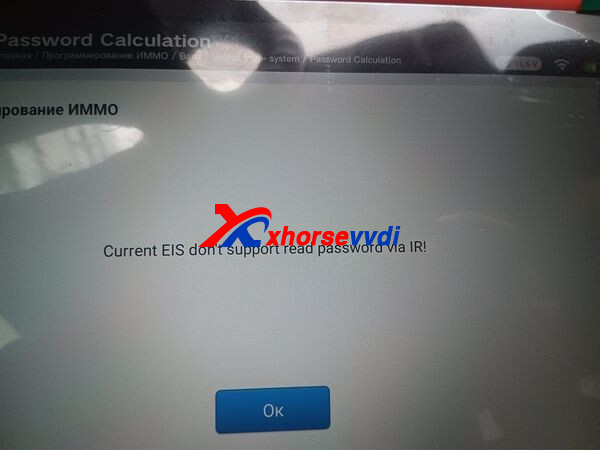
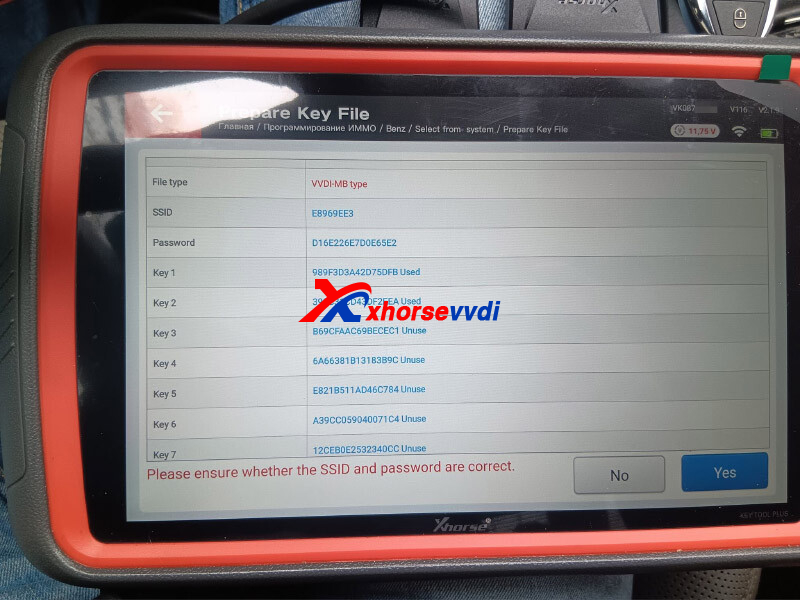
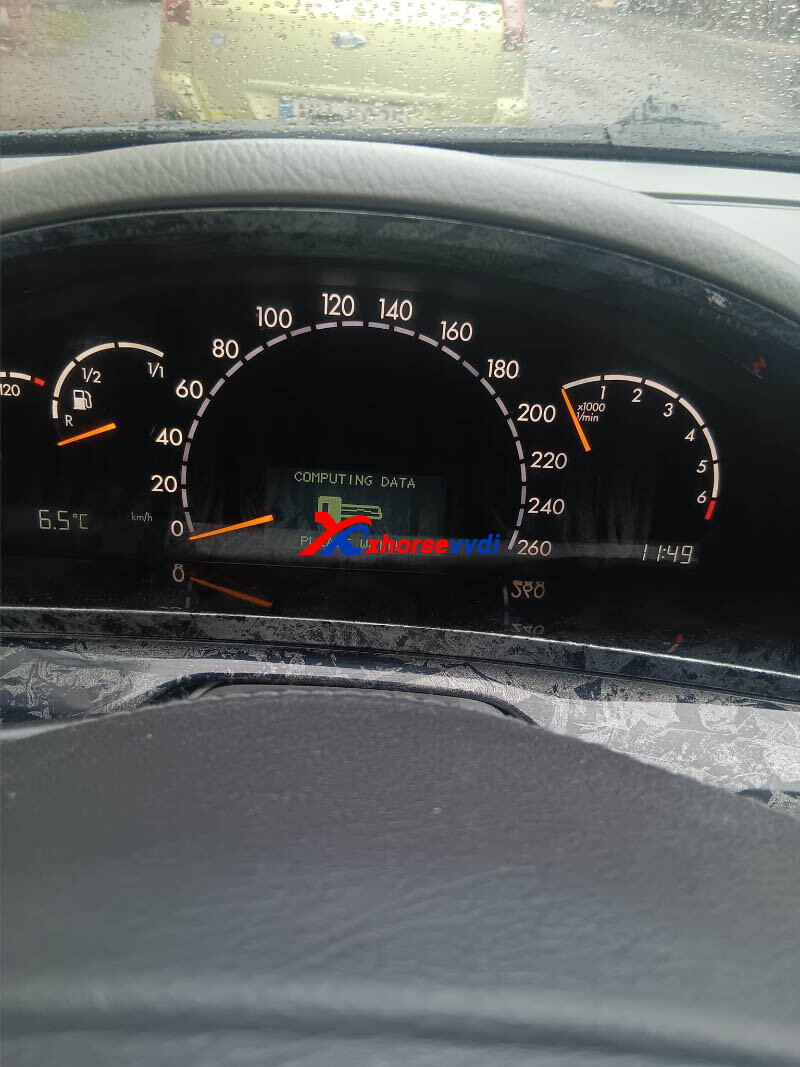
I have Xhorse Key Tool Plus, it doesn’t read locks on the IR, it writes errors all the time, locks with iron fish work, but there are no plastic ones, or do I just need to do everything in the bench now?
Here is the Answer:
Program keys on Bench not OBD.
W221 is on bench only
Some W211,W209,W203 and other older models can have the password read through IR, not all of them.
Done! Hope this could help!
http://blog.xhorsevvdi.com/solved-key-tool-plus-wont-read-w220-2004-s500-eis-on-ir/
Posted by: xhorsevvdi at
03:51 AM
| No Comments
| Add Comment
Post contains 93 words, total size 2 kb.
Quick Question:
I have that mk7 golf board from 2018 and the equipment read well but the board never turned on again.
Used VVDI Key Tool Plus, I read and took out Inmo data, then desoldered and only that.
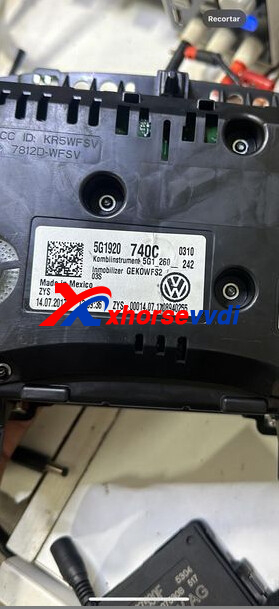
Here is the Solution:
1)Send cluster and IMMO data file to Xhorse tech for analysis
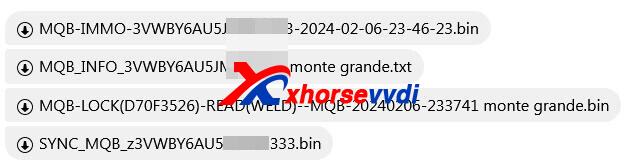
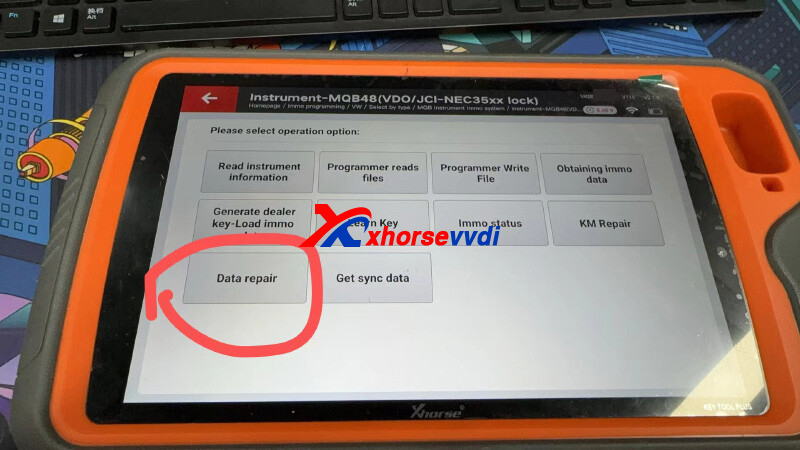
2)Repair data file using Key Tool Plus Pad
Path: Immo programming>>VW>>Select by type>>MQB instrument Immo system>>Instrument-MQB(VDO/JCI-NEC35xx lock)
3)Write repaired data file back to cluster to recover it
Done! That's how to repair dead cluster.
http://blog.xhorsevvdi.com/fixed-mk7-golf-cluster-die-after-key-tool-plus-read-immo-data/
Posted by: xhorsevvdi at
03:50 AM
| No Comments
| Add Comment
Post contains 101 words, total size 2 kb.
Xhorse Multi Prog works with users-written scripts for ECU tune, KM repair...
Here we will show you CAS4+ KM Repair by a script.
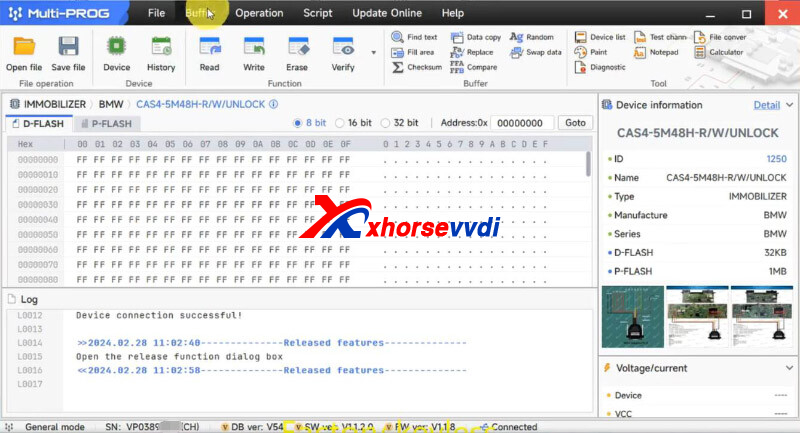
Open Multi Prog software,
Go to
Script>> Released features>>Import
Load KM Repair script.
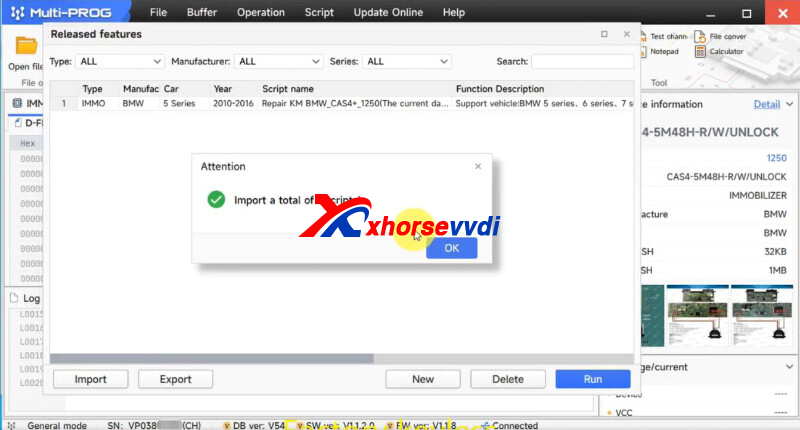
Run the script.
Script button for KM repair is added.
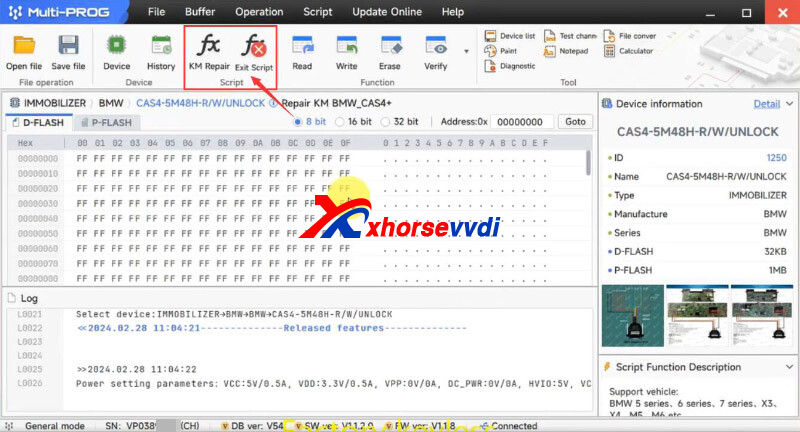
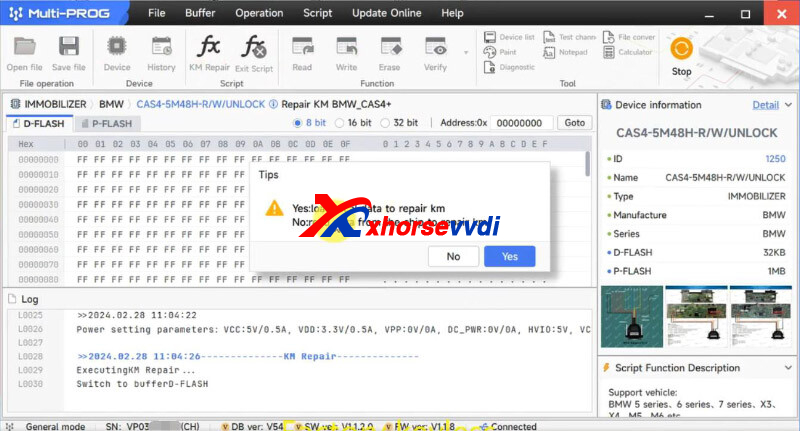
Select KM Repair and Load local data file.
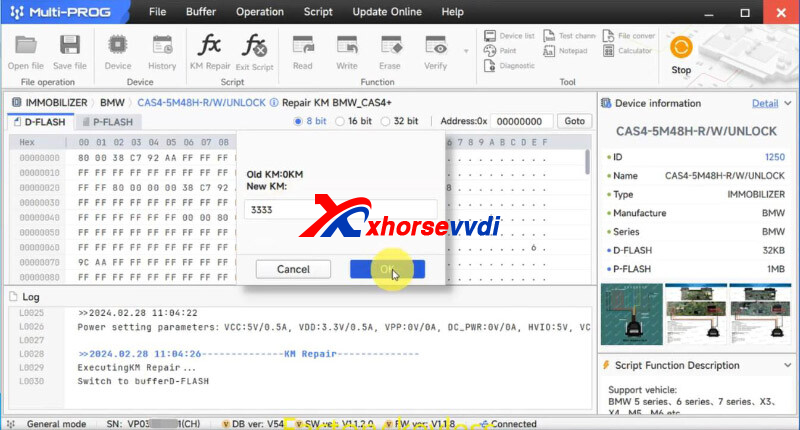
Enter new KM.
KM repair done.
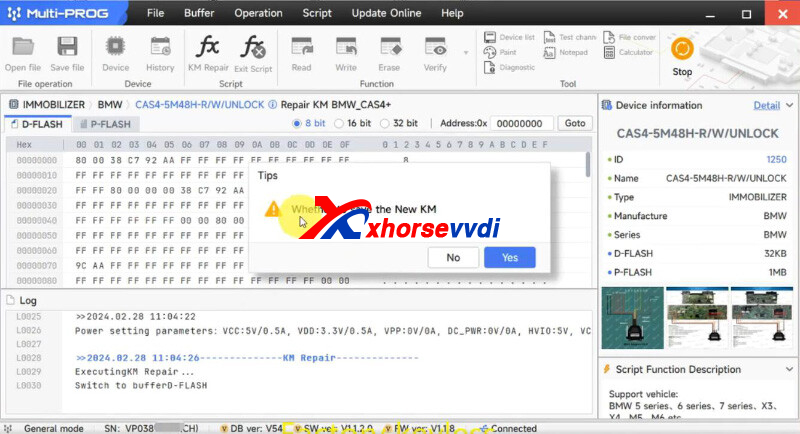
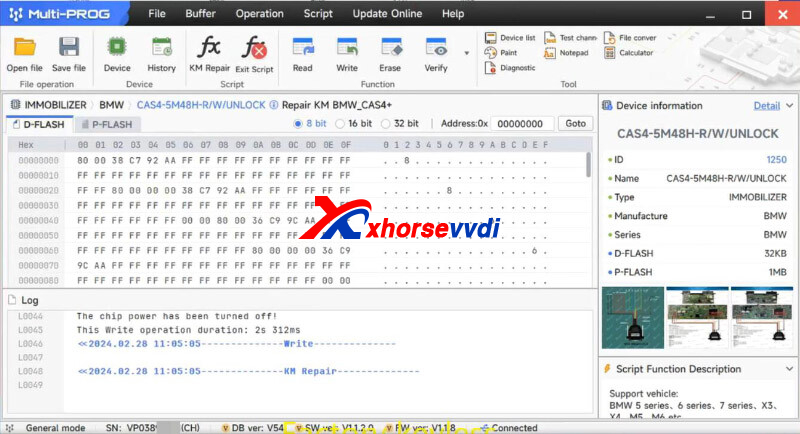
That's how to use script with Multi-Prog.
Try your own scripts!
http://blog.xhorsevvdi.com/xhorse-multi-prog-bmw-cas4-km-repair-script-test/
Posted by: xhorsevvdi at
03:50 AM
| No Comments
| Add Comment
Post contains 81 words, total size 3 kb.
Xhorse Multi Prog is the upgraded version of VVDI PROG. It features Read/ Write/ Clone ECUs.
Here is a review:
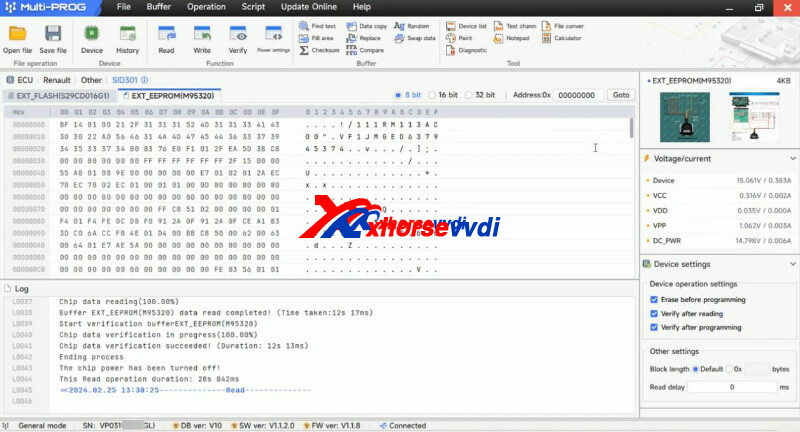
Xhorse Multi Prog Read SID301 via BDM Success.
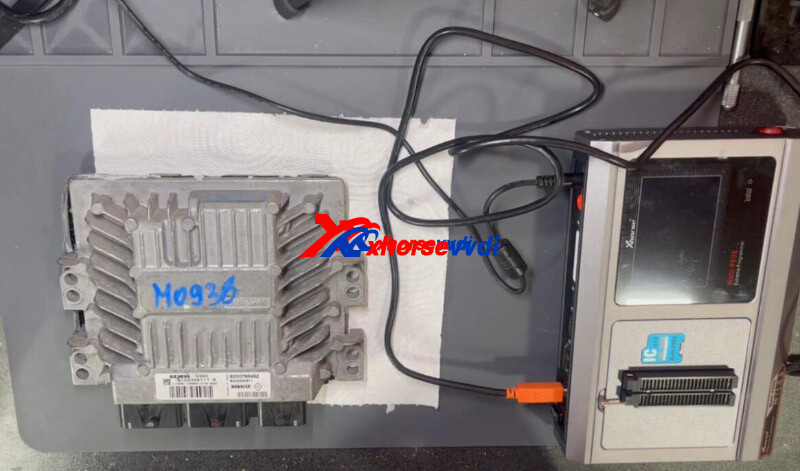
Connect Multi Prog to SID301 module by soldering.
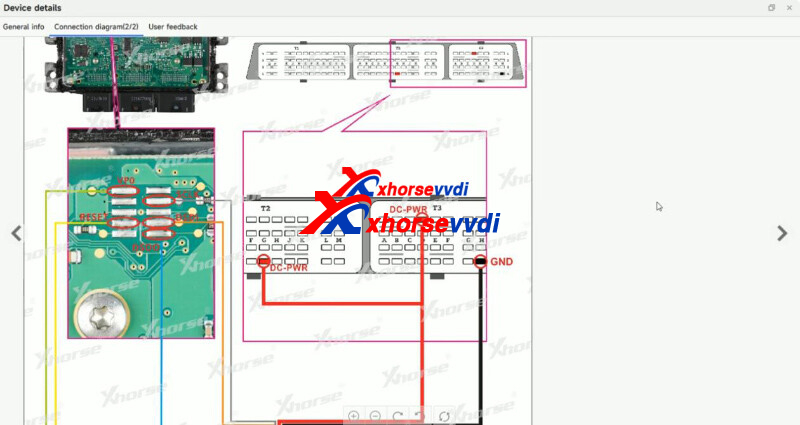
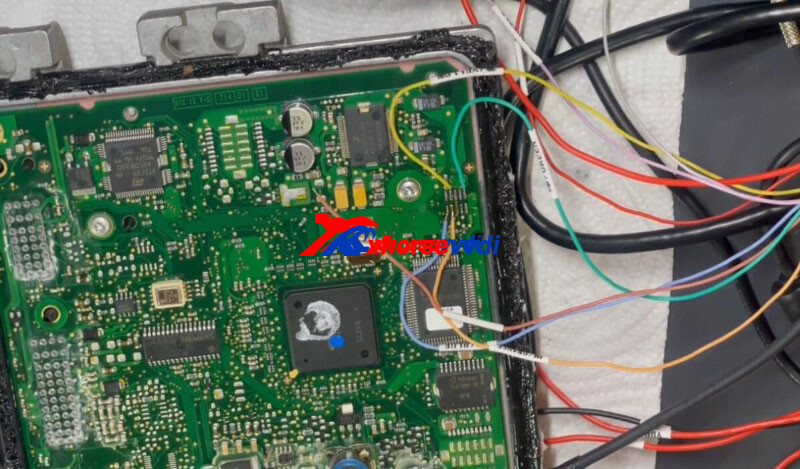
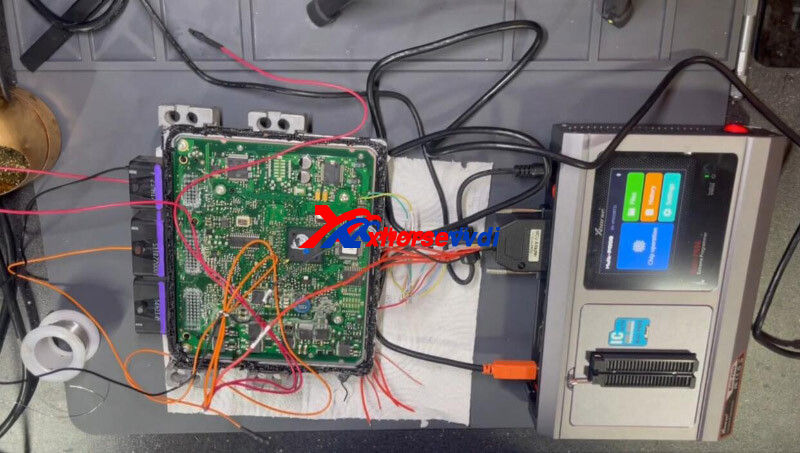
Read EEPROM.
Read FLASH.
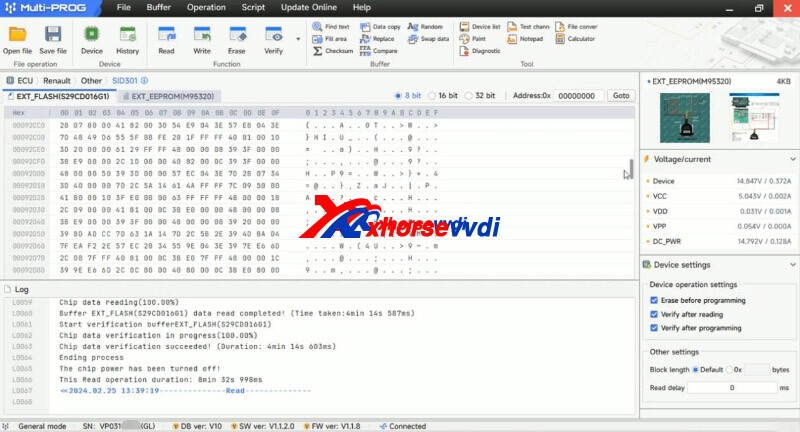
Easy backup.
Done!
http://blog.xhorsevvdi.com/xhorse-multi-prog-read-sid301-by-bdm-mode-success/
Posted by: xhorsevvdi at
03:49 AM
| No Comments
| Add Comment
Post contains 53 words, total size 2 kb.
One customer gave feedback that his Multi Prog won't read Porsche BCM. He tried to read BCM Porsche Cayenne and this poster comes up. He disconnect everything and get in the car and the car is dead.
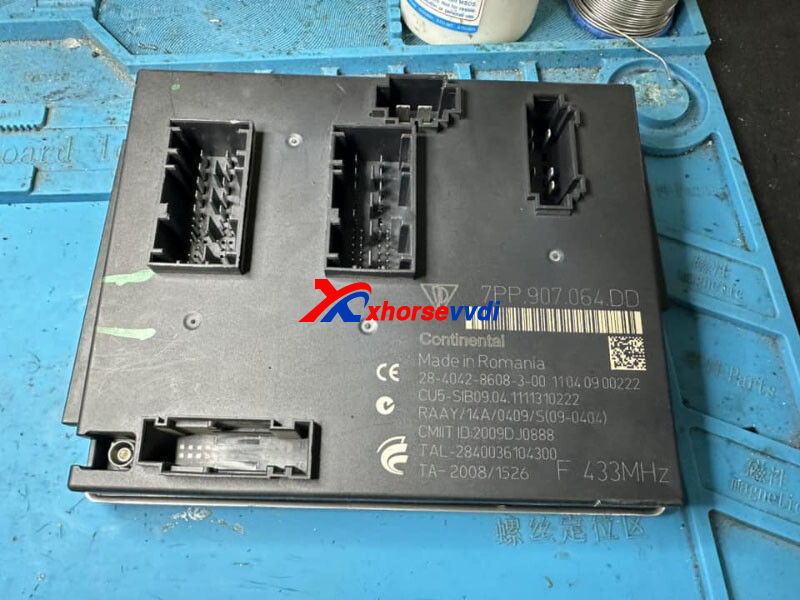
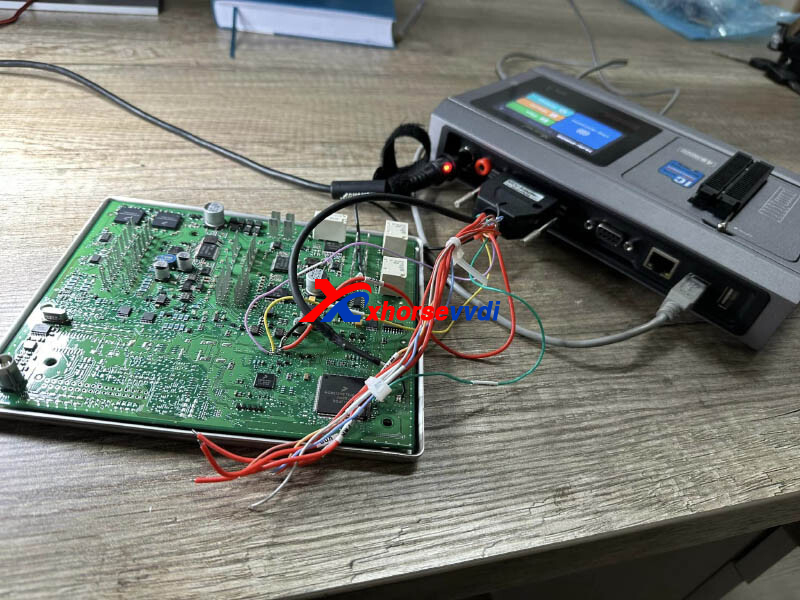
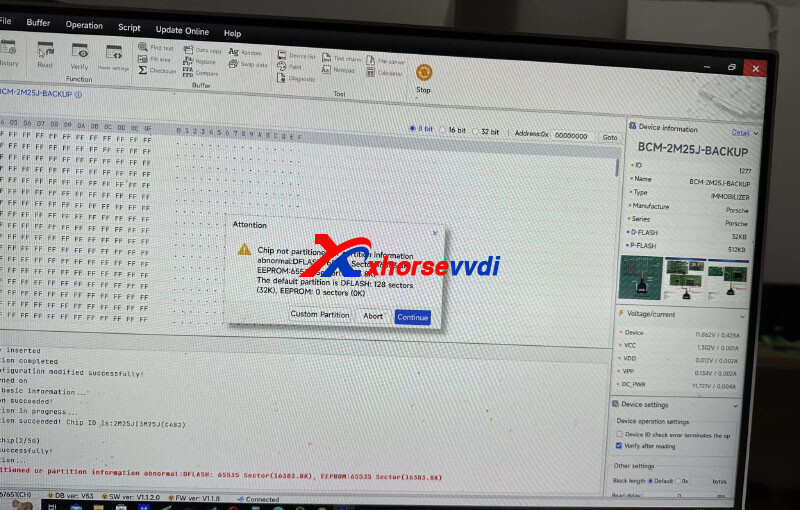
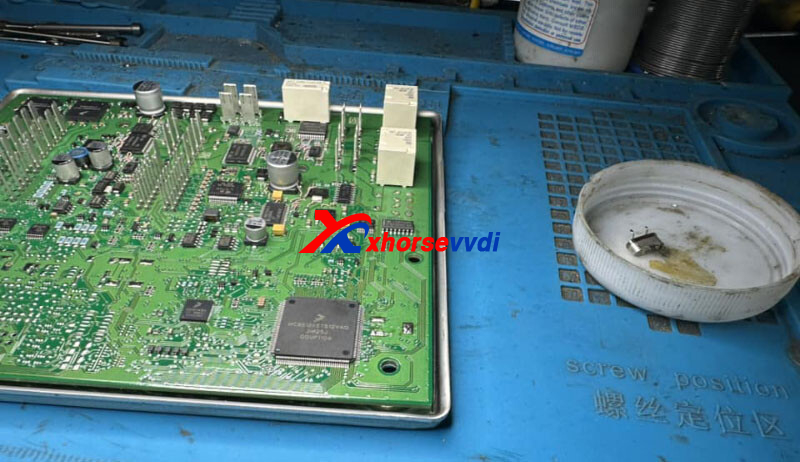
Here is the Answers:
Read BCM using default partition settings.
In this case, it reads D-flash again and everything comes out "F".
Possible Solution:
Make dealer key on bench and programming by OBD2.
The device need to upload p-flash file
Done!
http://blog.xhorsevvdi.com/solved-xhorse-multi-prog-read-porsche-bcm-partition-error/
Posted by: xhorsevvdi at
03:48 AM
| No Comments
| Add Comment
Post contains 88 words, total size 2 kb.
Xhorse Multi Prog V11 Database is released! Update online to try new modules.
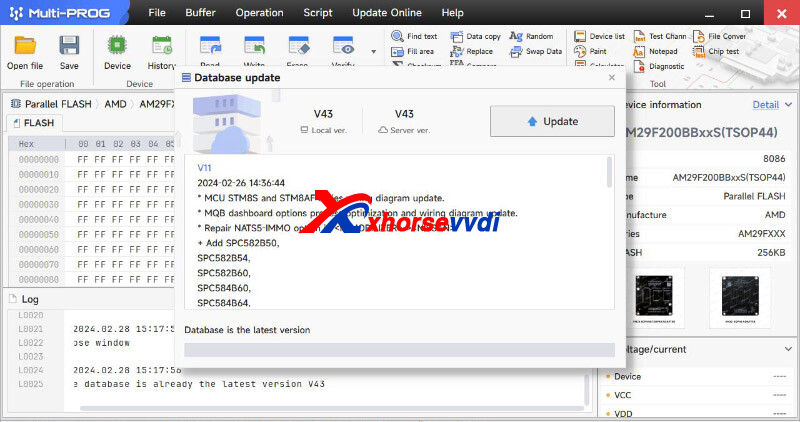
V11 Update Info (2024-02-26):
* MCU STM8S and STM8AF series wiring diagram update.
* MQB dashboard options process optimization and wiring diagram update.
* Repair NATS5-IMMO option in <IMMOBILIZER>-><NISSAN>
+ Add SPC582B50, SPC582B54, SPC582B60, SPC584B60, SPC584B64, SPC584B70, SPC584C70, SPC584C74, SPC584C80, SPC584E84, SPC584G80, SPC584G84, SPC584N80, SPC58EC60, SPC58EC70, SPC58EC74, SPC58EC80, SPC58EE84, SPC58EG80, SPC58EG84, SPC58EN80, SPC58EN84, SPC58NE84, SPC58NG84, SPC58NH92, SPC58NN84 options in <MCU>-><ST>-><SPC58XX>
+ Add MQB-LOCK(D70F3423)-READ(WELD), MQB-LOCK(D70F3423)-WRITE(WELD) MQB-LOCK(D70F3426)-READ(WELD), MQB-LOCK(D70F3426)-WRITE(WELD) MQB48/49/5C-LOCK(R7F701401)-READ, MQB48/49/5C-LOCK(R7F701402)-READ, MQB48/49/5C-LOCK(R7F701404)-READ, MQB48/49/5C-LOCK(R7F701407)-READ options in <DASHBOARD>-><VOLKSWAGEN>-><MQB>
+ Add AUDI Q3 DASHBOARD(2018--)(D70F3426)-READ, AUDI Q3 DASHBOARD(2018--)(D70F3426)-WRITE options in <DASHBOARD>-><AUDI>
+ Add Q7 BCM2 J393(2016)(SPC5646C) option in <IMMOBILIZER>-><AUDI>
+ Add MOTO REPAIR-MC9S12XS256 option in <IMMOBILIZER>-><BMW>
+ Add PCX(MC9S12G64) option in <IMMOBILIZER>-><HONDA>-><PCX>
+ Add CRV(R7F701033)(WELD), XRV(D70F3634)(WELD), AVANCIER(R7F701033)(WELD), BREEZE(R7F701033)(WELD), VALEO MOTORCYCLE EPROM options in <IMMOBILIZER>-><HONDA>-><HONDA>
+ Add BCM(D70F3634)(WELD) option in <IMMOBILIZER>-><HONDA>-><Vezel>
+ Add GEELY AIRBAG(R7F70101 option in <AIRBAG>-><GEELY>
+ Add Lithium Battery(MC9S12XET256) option in <Other>-><BYD>
+ Add JIEFANG DRAGON_V BCM option in <Other>-><FAW>
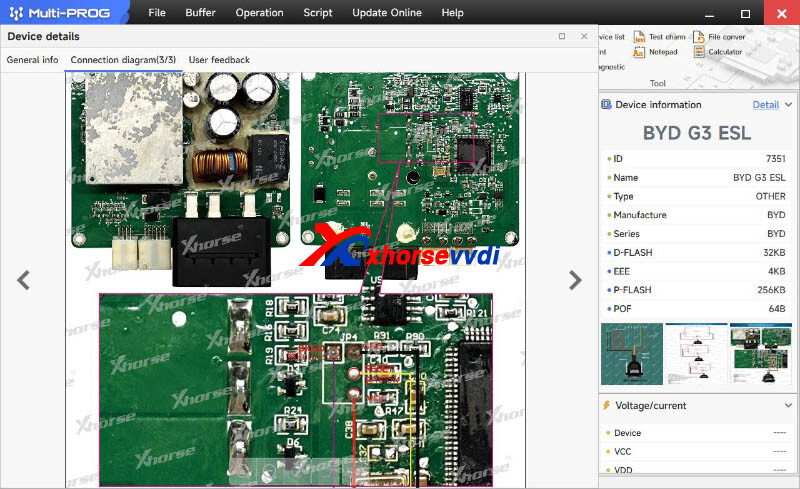
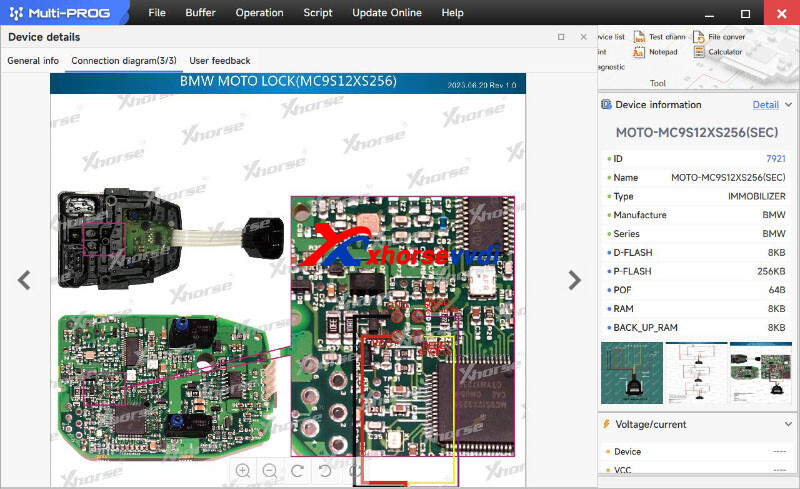
If you still don't have Multi Prog Software, please download
https://mega.nz/file/UR1QmRpa#9XjMuU2r1nWSpiiUVModYLP2QOQgHatdjRga4EciBqk
Stay Tuned!
http://blog.xhorsevvdi.com/xhorse-multi-prog-v11-database-add-vag-cluster-byd-battery/
Posted by: xhorsevvdi at
03:48 AM
| No Comments
| Add Comment
Post contains 182 words, total size 3 kb.
Quick Question:
how to read second procesor in EZS mb w639 ?
Idelaly Xhorse VVDI PROG. Immo data can read from first proc, bud need change EIS and my mileage is different more 200kkm
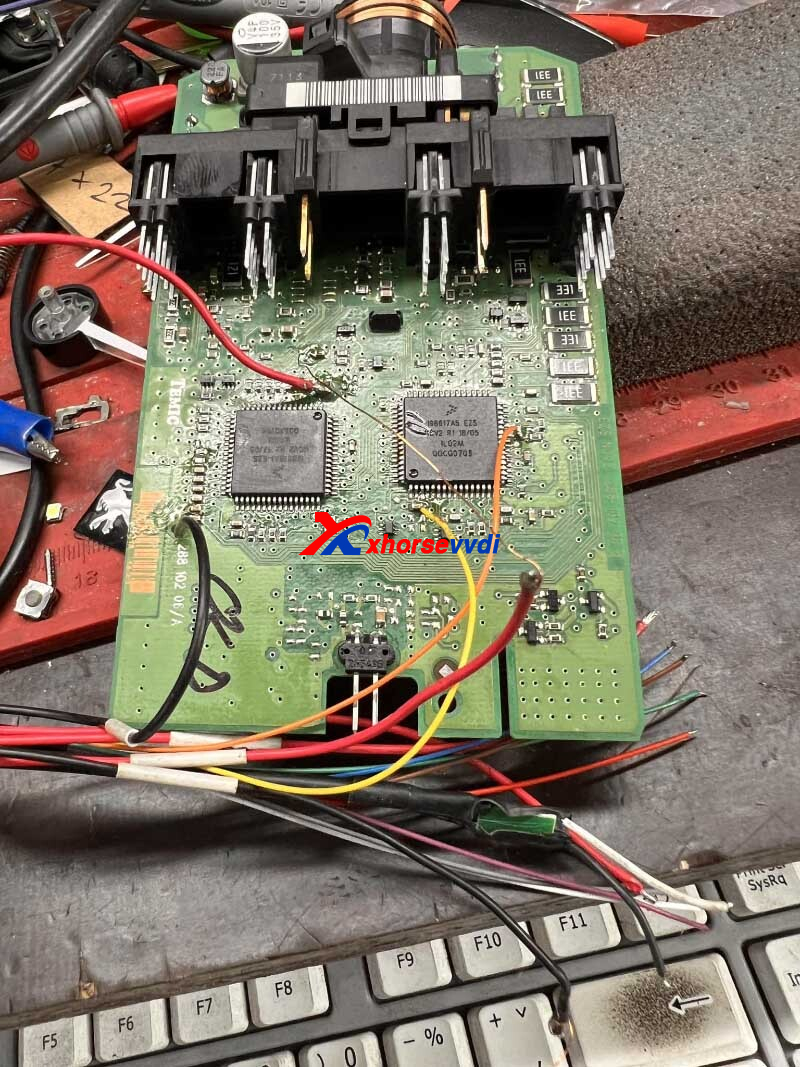
Here is the Answer:
Go ahead to follow pinouts in VVDI PROG Software.
Vppr pin 2 mcu dash.
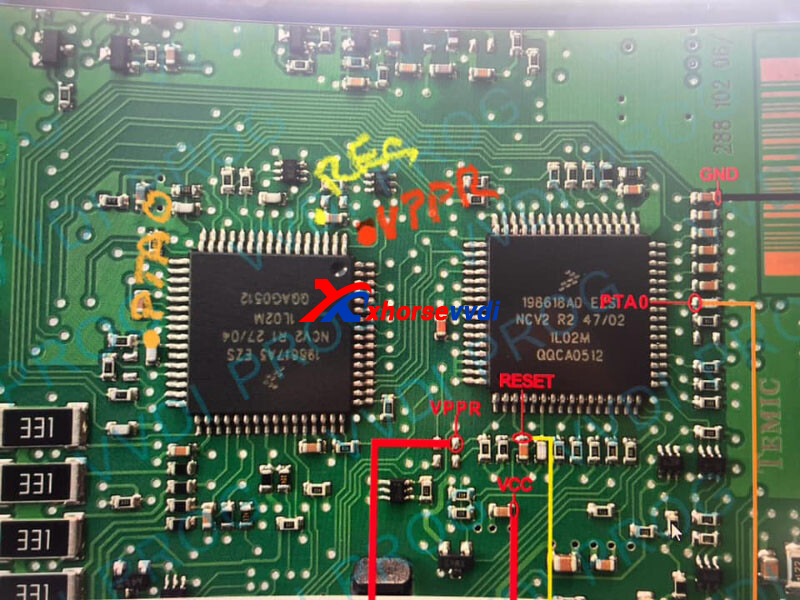
Or use other devices and follow pinouts in their software.
e.g. Autel IM608 read the second one for mileage
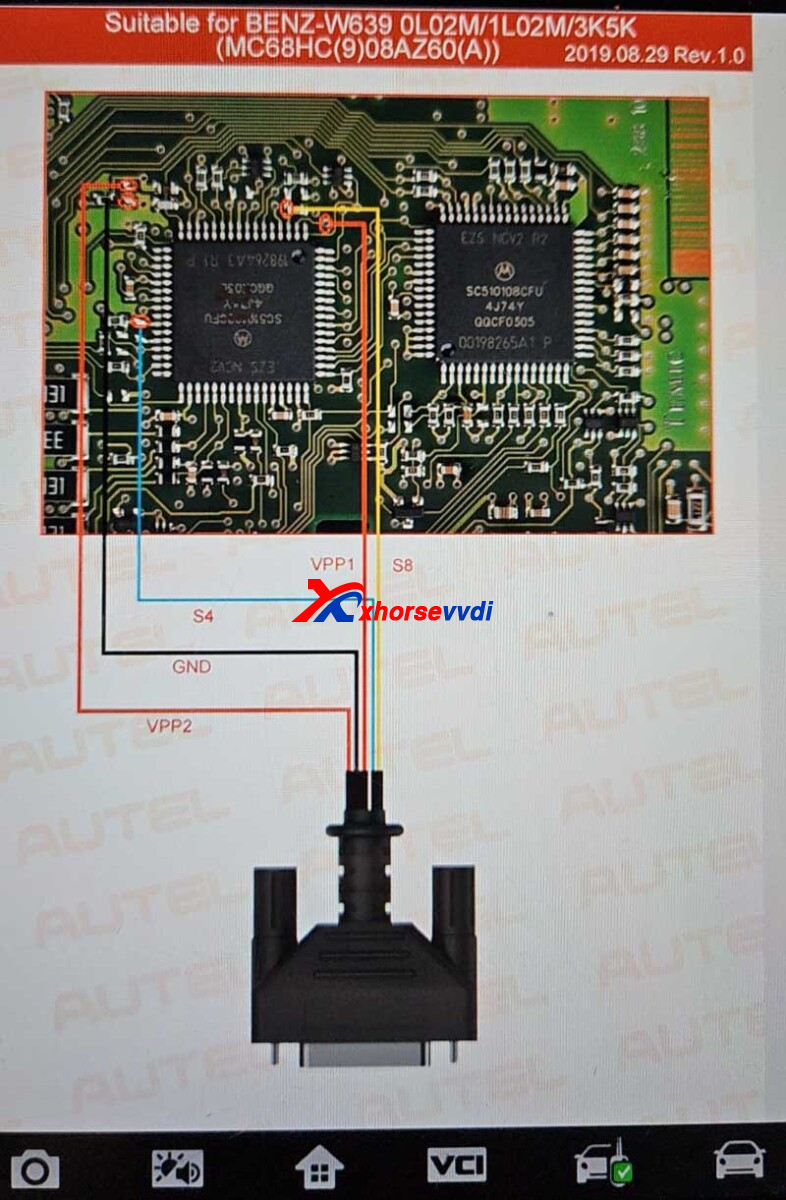
Feedback:
Done, pinout for VVDI PROG works all mask.
Posted by: xhorsevvdi at
03:47 AM
| No Comments
| Add Comment
Post contains 92 words, total size 2 kb.
In this article, we are going to show you how to clone Mercedes FBS4 ISM using Xhorse VVDI PROG.
Open VVDI PROG software,
Select
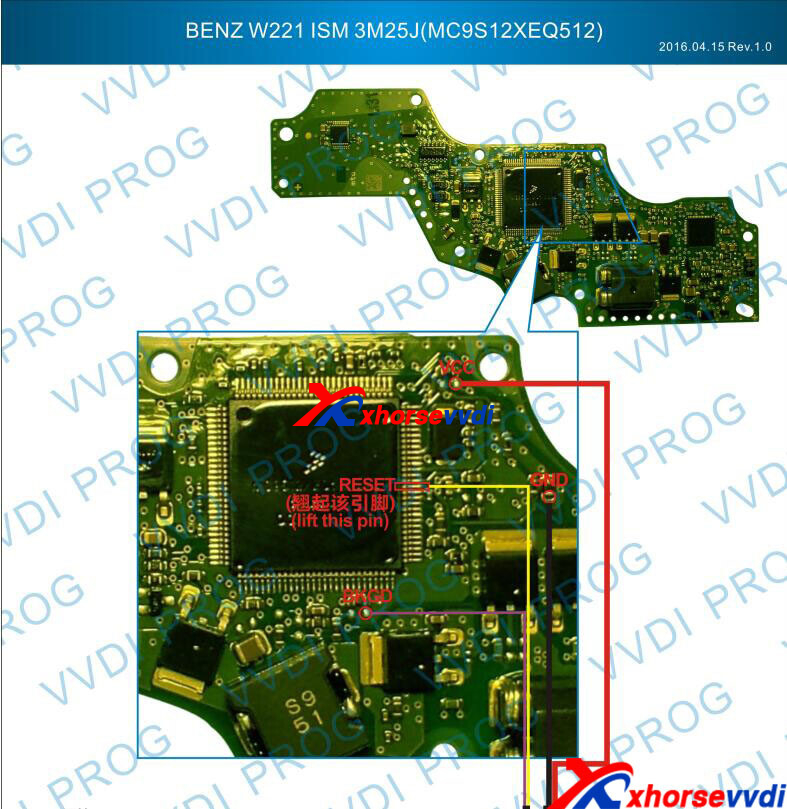
8-OTHER>> BENZ>> DSM(2M25J)(3M25J)
Connect device to ISM.
The process requires users to lift pins.
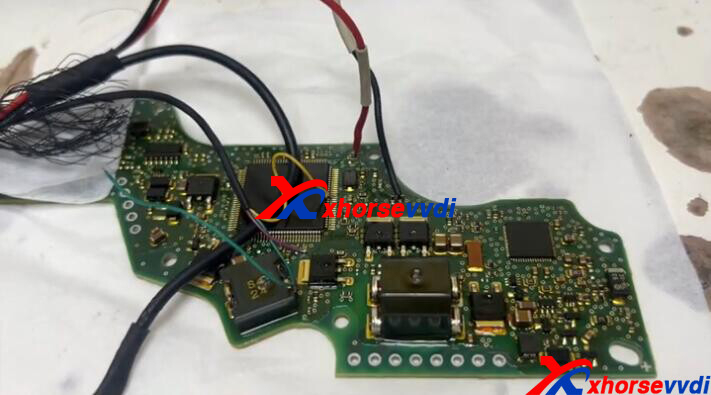
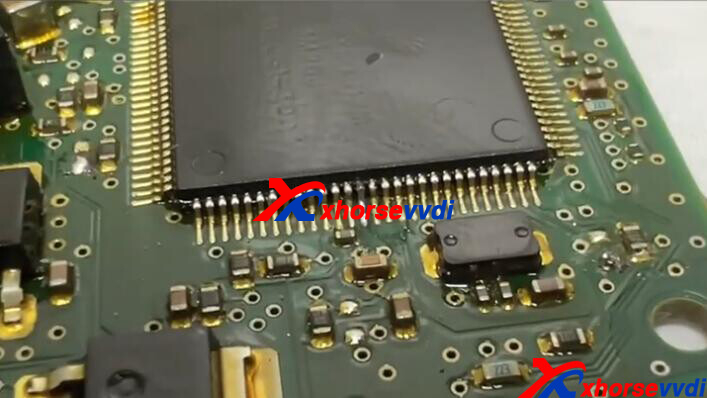
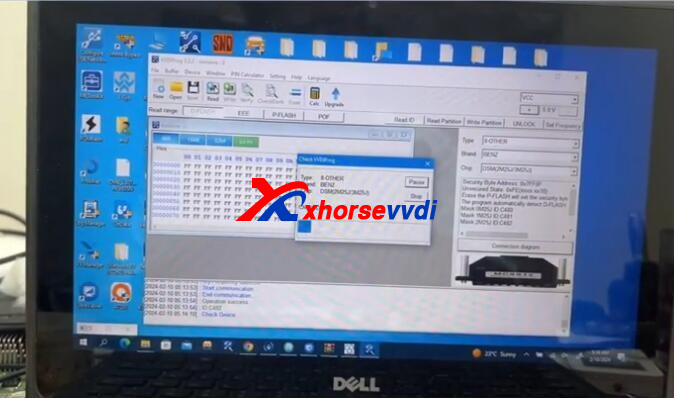
Read all data: D-FLASH, EEPROM, P-FLASH, POF.
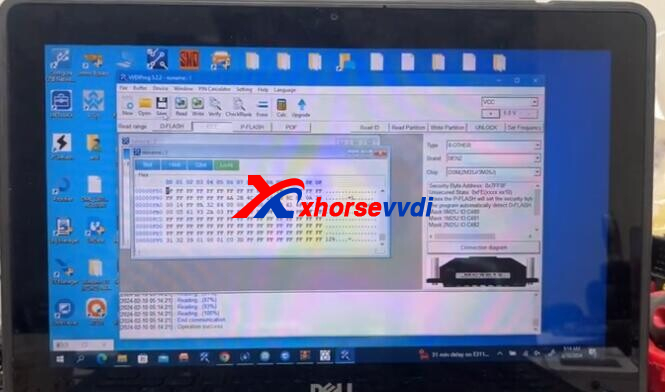
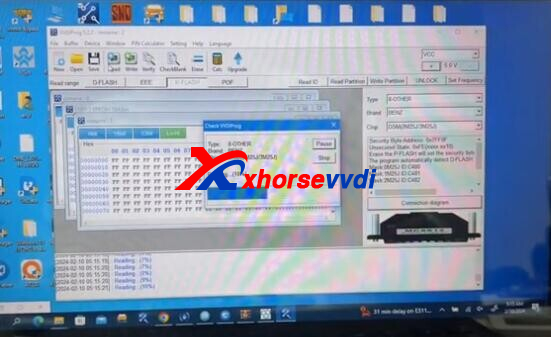
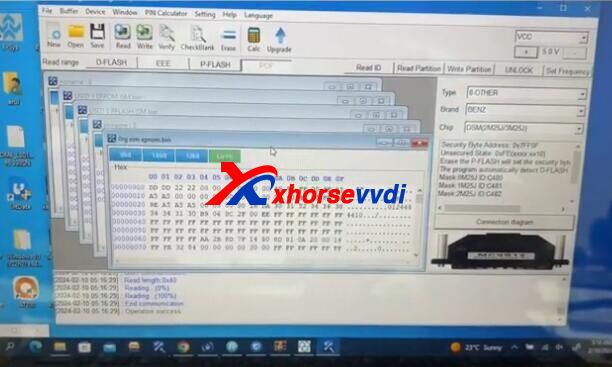
Write EEPROM and P-FLASH data to new module.
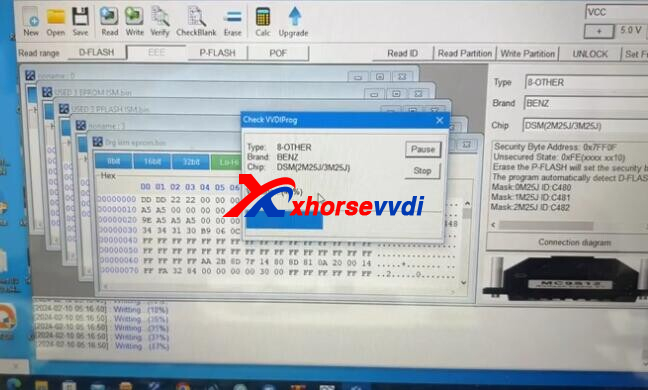
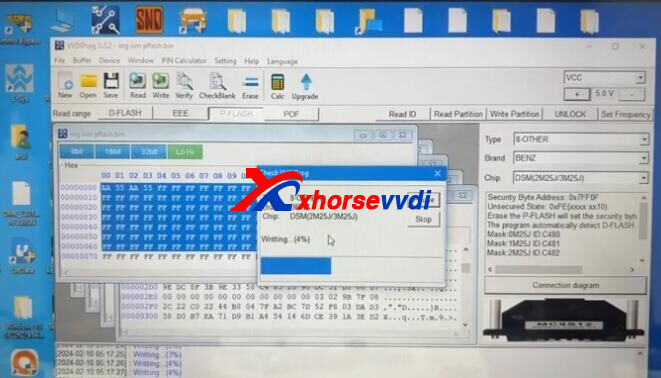
Done!
http://blog.xhorsevvdi.com/how-vvdi-prog-clone-mercedes-fbs4-ism-3m25j/
Posted by: xhorsevvdi at
03:47 AM
| No Comments
| Add Comment
Post contains 63 words, total size 3 kb.
New Xhorse Multi Prog Adapters are coming!
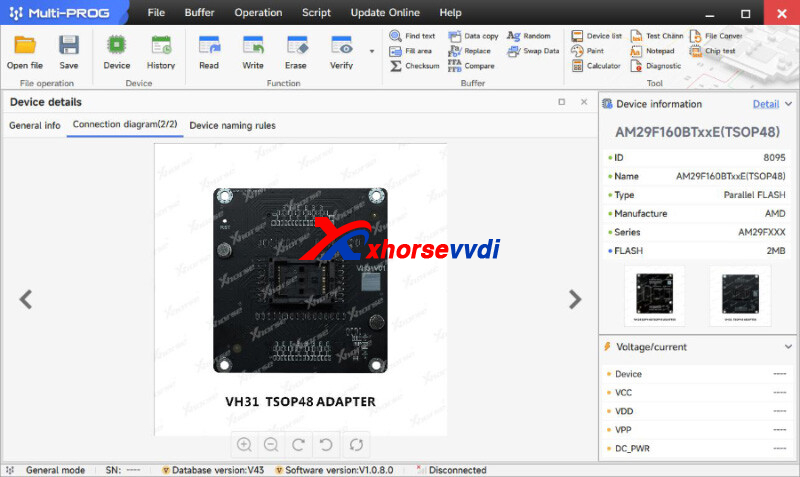
Xhorse Multi prog is compatible with adapters for VVDI Key Tool Plus, but now it has its own adapters.
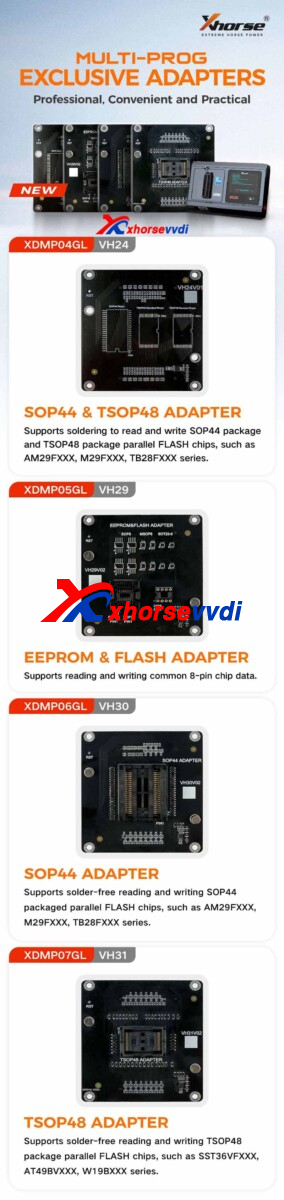
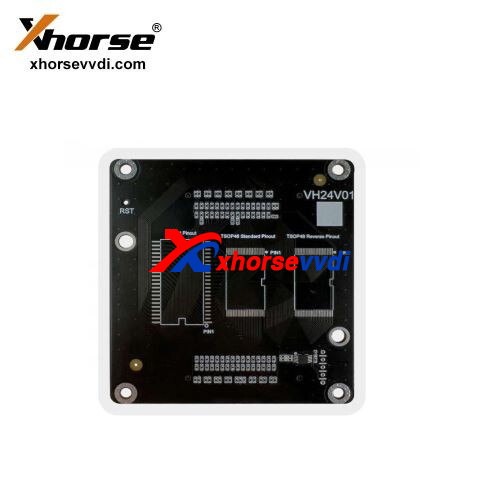
Support soldering to read and write SOP44 package and TSOP48 package parallel FLASH chips, such as AM29FXXX, M29FXXX, TB28FXXX series.
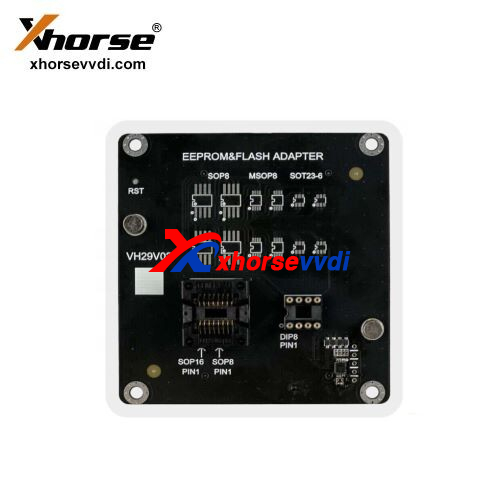
Supports reading and writing common 8-pin chip data.
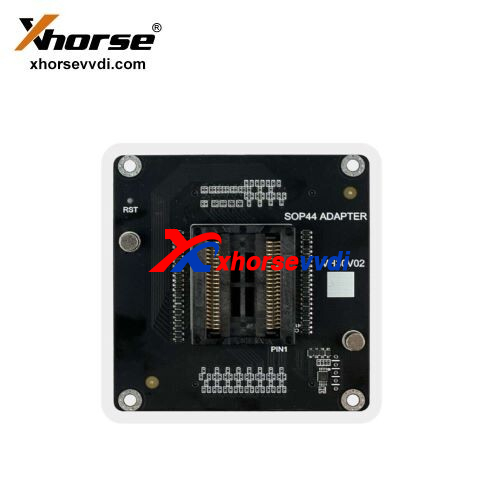
Supports solder-free reading and writing SOP44 packaged parallel FLASH chips, such as AM29FXXX, M29FXXX, TB28FXXX series.
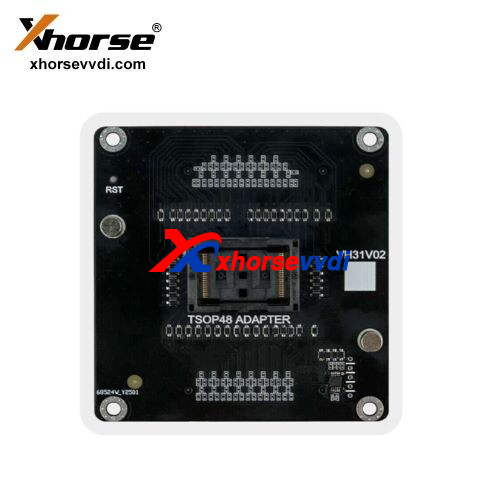
Supports solder-free reading and writing TSOP48 package parallel FLASH chips, such as SST36VFXXX, AT49BVXXX, W19BXXX series.
Open Multi Prog Software and Check out the Latest Updates.
Stay tuned!
http://blog.xhorsevvdi.com/xhorse-multi-prog-adapter-for-sop44-tsop48-8-pin-chip/
Posted by: xhorsevvdi at
03:46 AM
| No Comments
| Add Comment
Post contains 124 words, total size 3 kb.
February 20, 2024
Quick Question:
Does the Key Reader XDKR00GL read Schlage Primus keys. Only the external bitting needs to be read, not internal.

Here is the Answer:
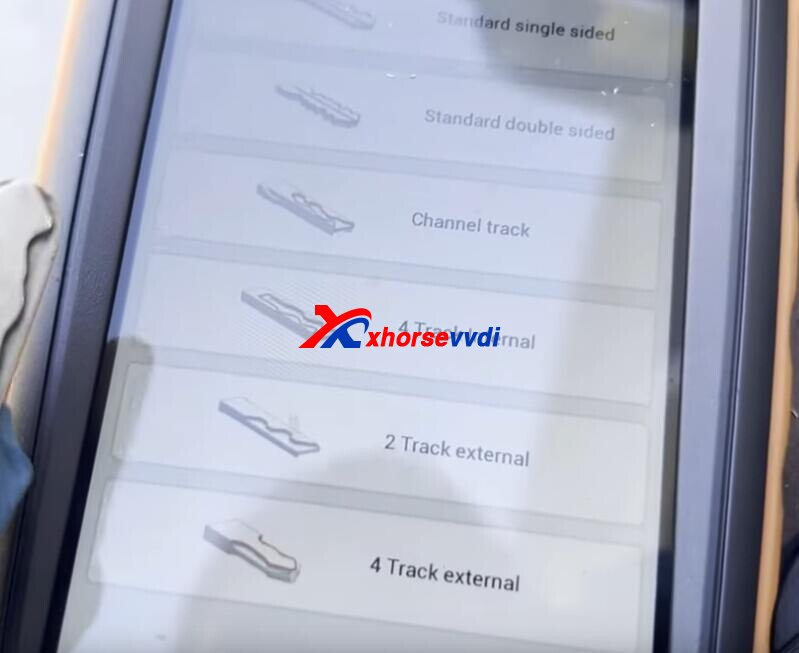
For Key Reader, check if there is the key type on the optical identification menu, this tool will decode keys of the same look.
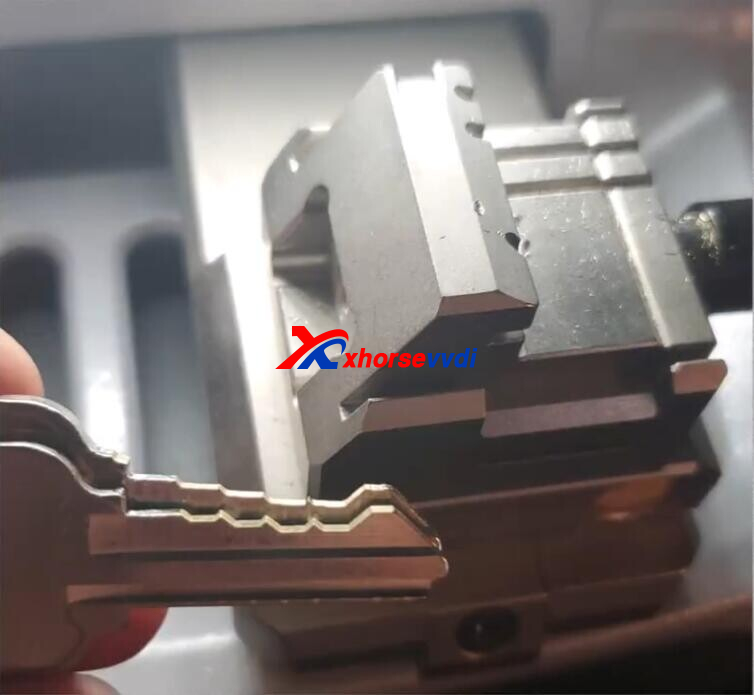
If there is no such keys, then use Universal Duplication on Xhorse Key Cutting Machine.
1)Decode external bittings and cut the external part
2)Decode internal bittings and cut the internal part
Done!
http://blog.xhorsevvdi.com/xhorse-key-reader-possible-to-read-schlage-primus-keys/
Posted by: xhorsevvdi at
09:34 AM
| No Comments
| Add Comment
Post contains 91 words, total size 2 kb.
One customer wonders how to increase the signal strength on the Key Tool Max Pro so that the prox works from further away? Currently you have to use the prox to push the start button. Lock and unlock work fine.
The Proximity is not working while the remote is working. When I put the key on the ignition button it works
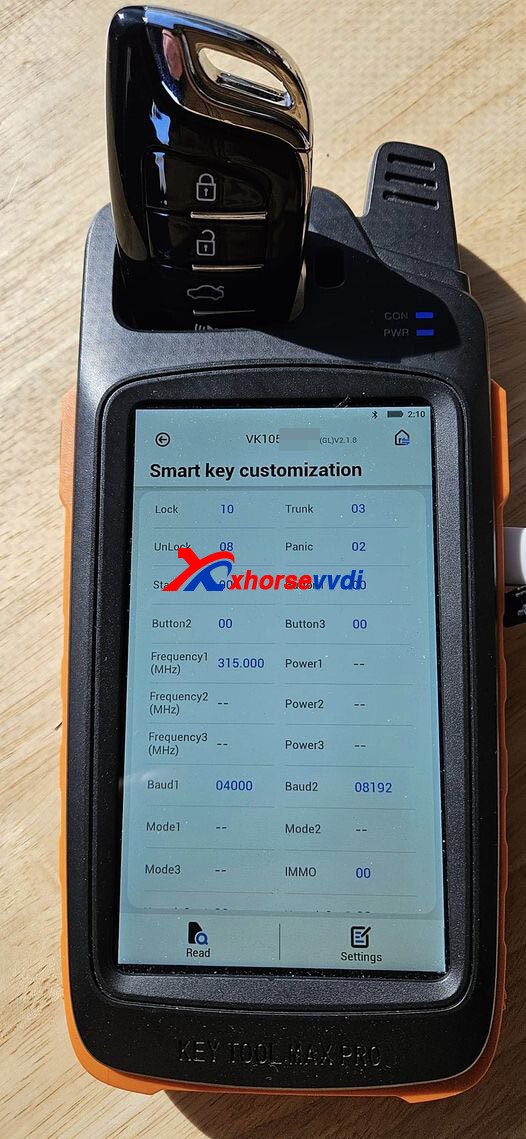
In this case, it is a programming issue not about the signal strength.
Possible Solution:
1)On Key Tool Max Pro Programmer Step 15 is usually what’s not followed that causes the prox to be non functional
On step 15 it’s wanting you to depress the break or the clutch if it’s manual
Press the start button using the remote you programmed with the remotes aerial on the start button. Pretty much use the remote as your finger
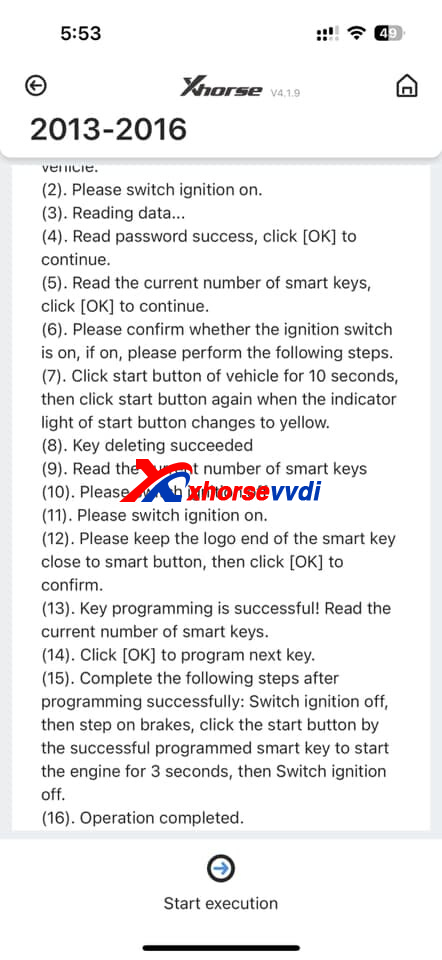
2)Performed AKL and after that all keys worked fine
3)Just change the signal from 315 to 314 or other and try, it works
Done! Hope this could help!
If you do need to change signal strength, please check
http://blog.xhorsevvdi.com/key-tool-max-pro-2014-mazda-cx-5-akl-programming-tips/
Posted by: xhorsevvdi at
09:33 AM
| No Comments
| Add Comment
Post contains 187 words, total size 2 kb.
In this article, we are going to show you how to use new Xhorse TOY-BA Cable.
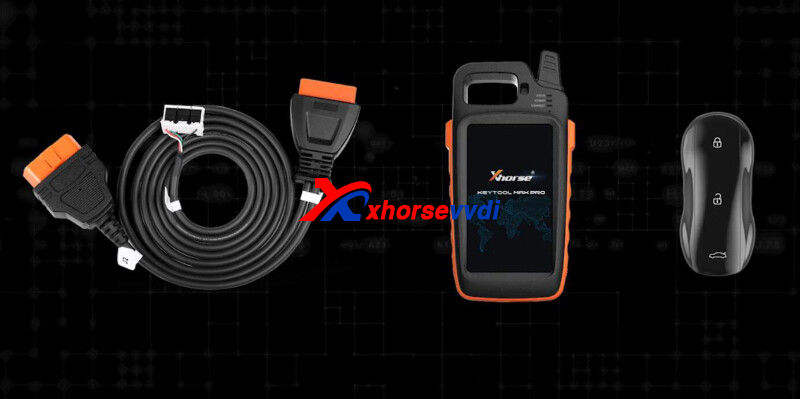
Vehicle:
Toyota Alphard
Tools:
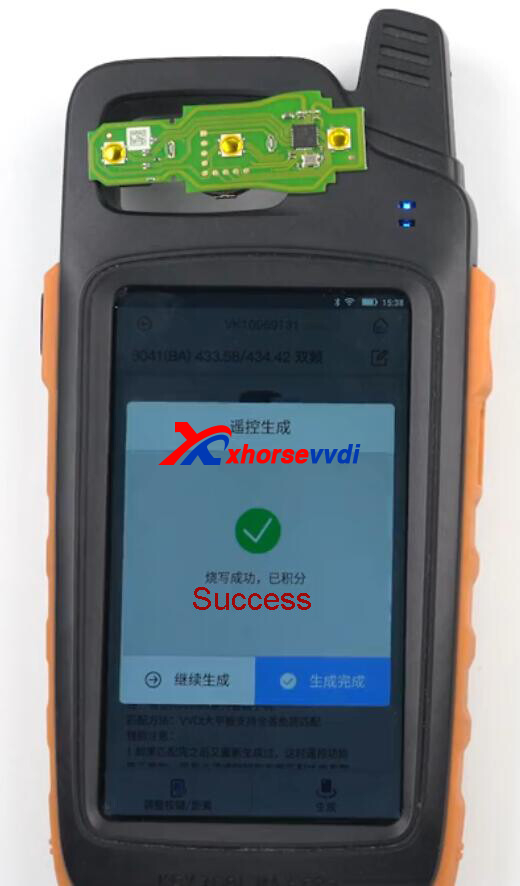
Step 1. Generate Remote
Turn on Key Tool Max Pro,
Select
Vehicle Remote>>Toyota>>3041 (BA) 433.58/ 434.42
Generate remote.
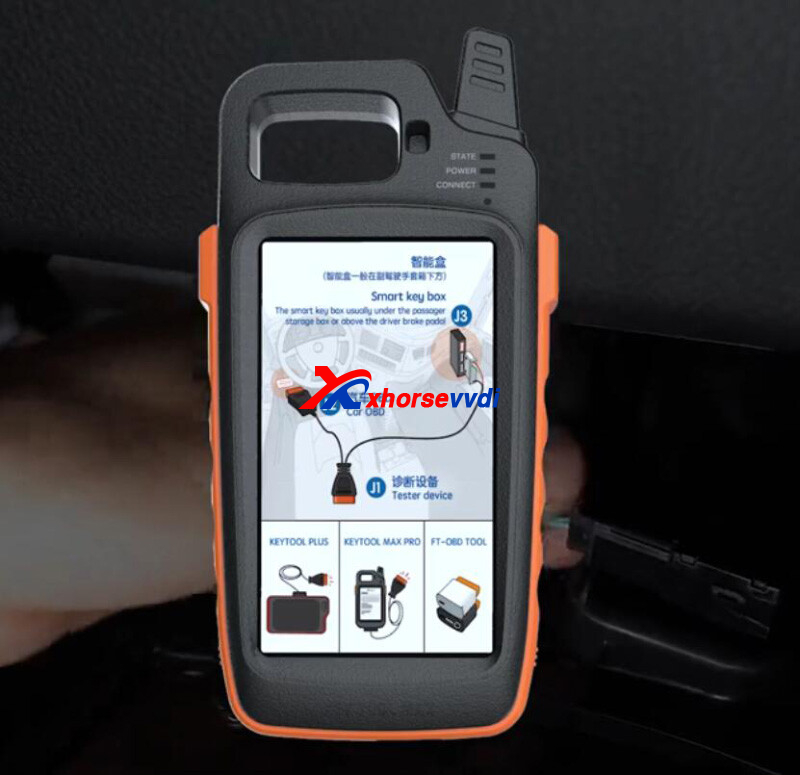
Step 2. Read Smart Box
Connect TOY-BA Cable to smart box as diagram.
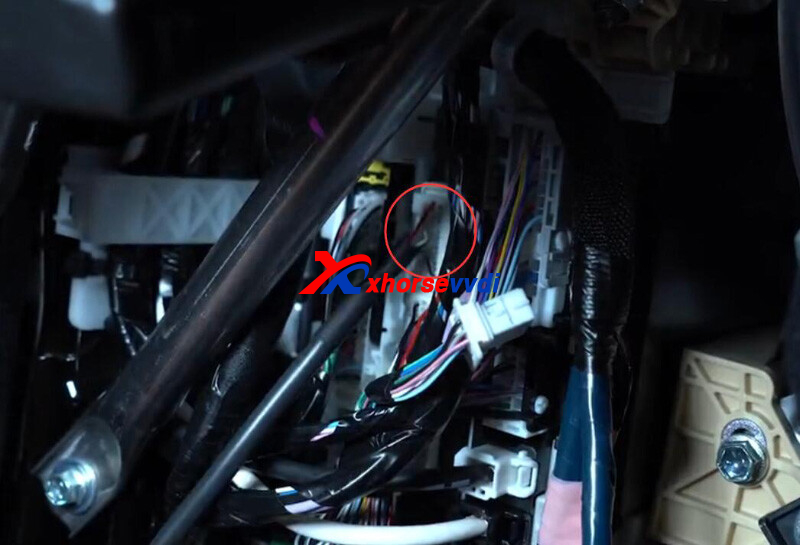
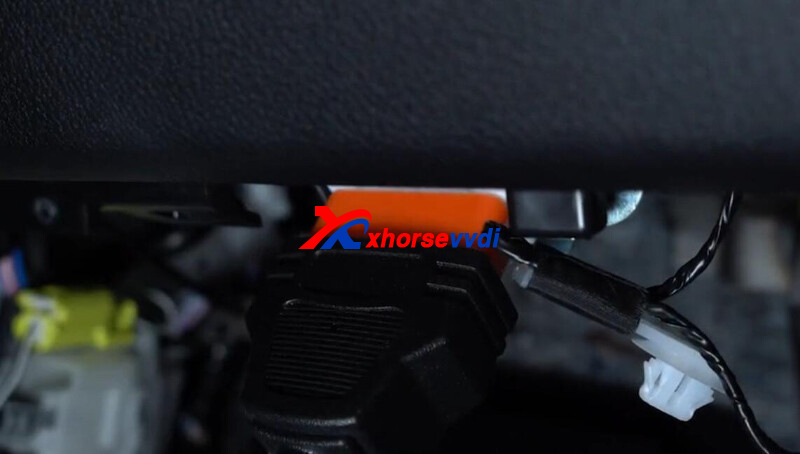
On Key Tool Max Pro,
Select
IMMO Programming>>Toyota>>Select by Type>>Smart Key 2016- >>Type4 (8A-P4 Page BA)
Select
Back up EEPROM Data>>30-pin cable
Turn on the ignition.
Make sure the network connection is good.
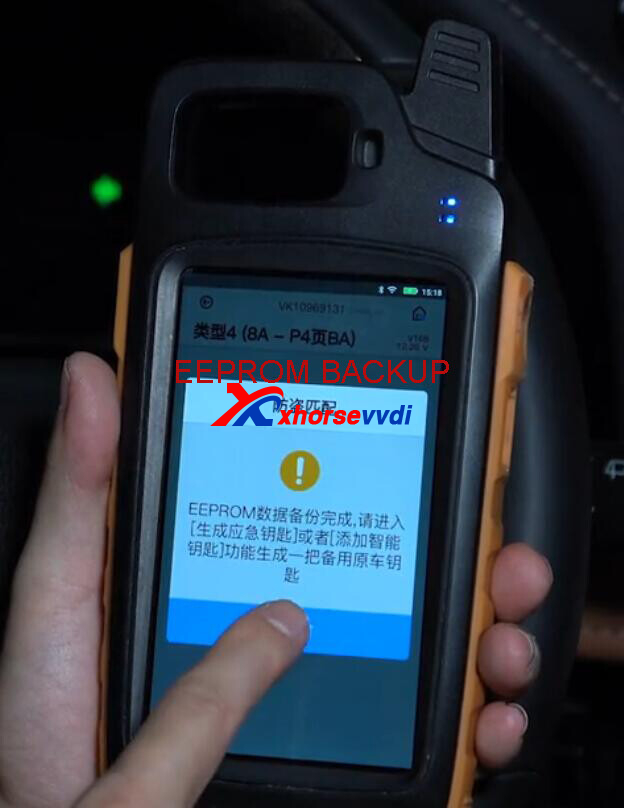
Step 3.Add Key
Restore cables of smart box.
Select Add Smart Key.
Turn on the ignition.
Load EEPROM data.
Put new keys close to the Start button.
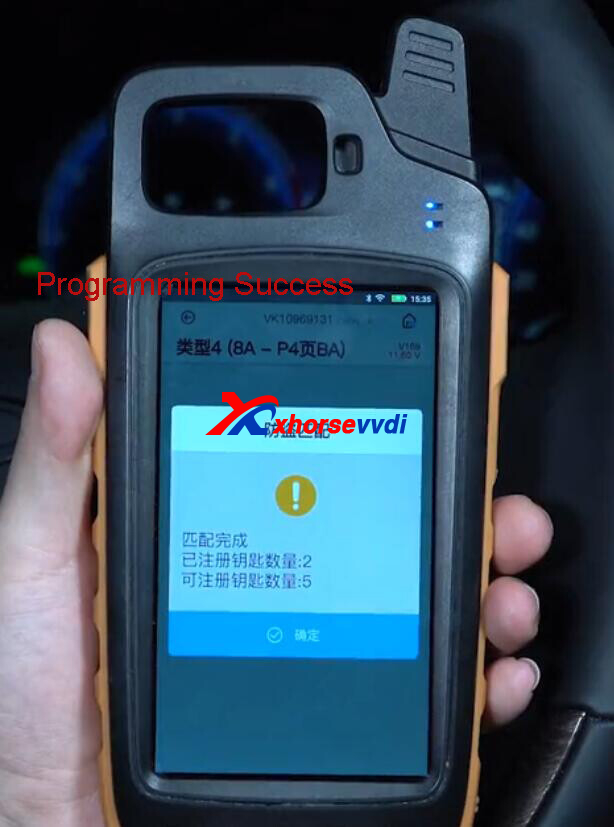
Car starts without problems.
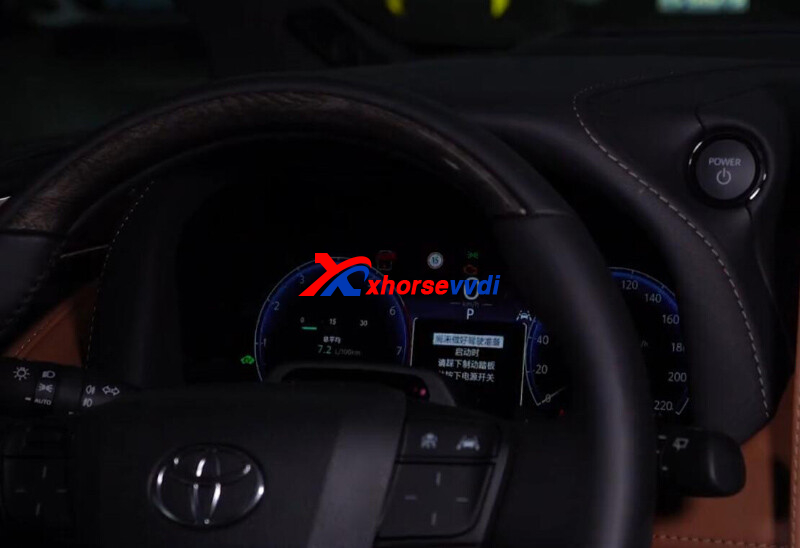
Done! That's how to add one key for Toyota Alphard using Toyota BA Cable.
http://blog.xhorsevvdi.com/how-to-use-xhorse-toyota-ba-all-key-lost-cable/
Posted by: xhorsevvdi at
09:33 AM
| No Comments
| Add Comment
Post contains 153 words, total size 4 kb.
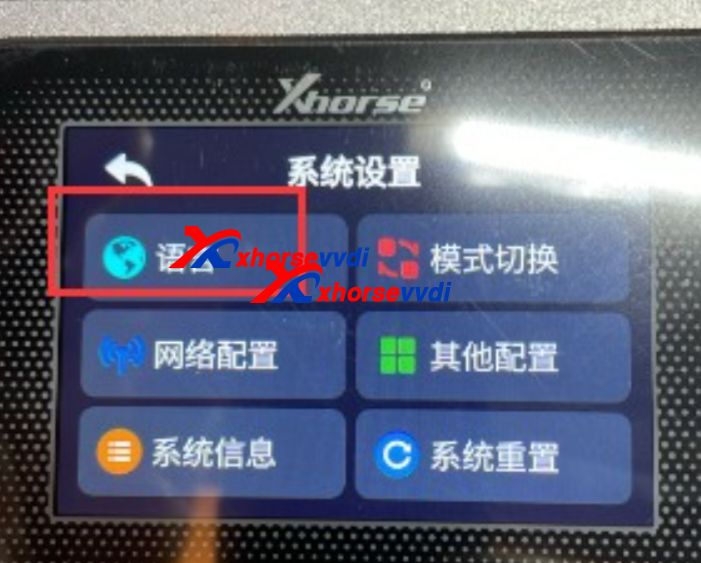
Xhorse Multi Prog has own screen on main interface, and we received customer feedback that language is not English, how to set to English? All we sell on xhorsevvdi.com are GL English version, it is OK to switch, please do like the guide.
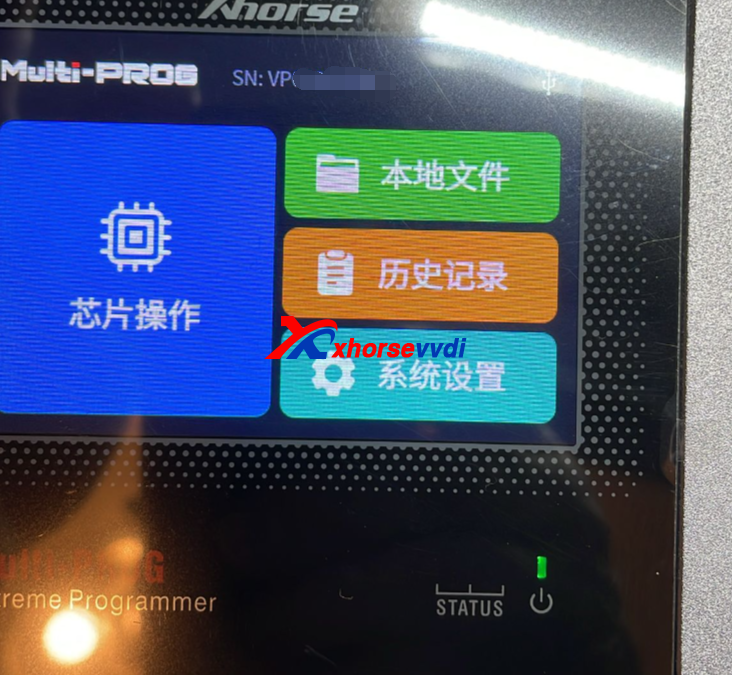
Choose this one to enter
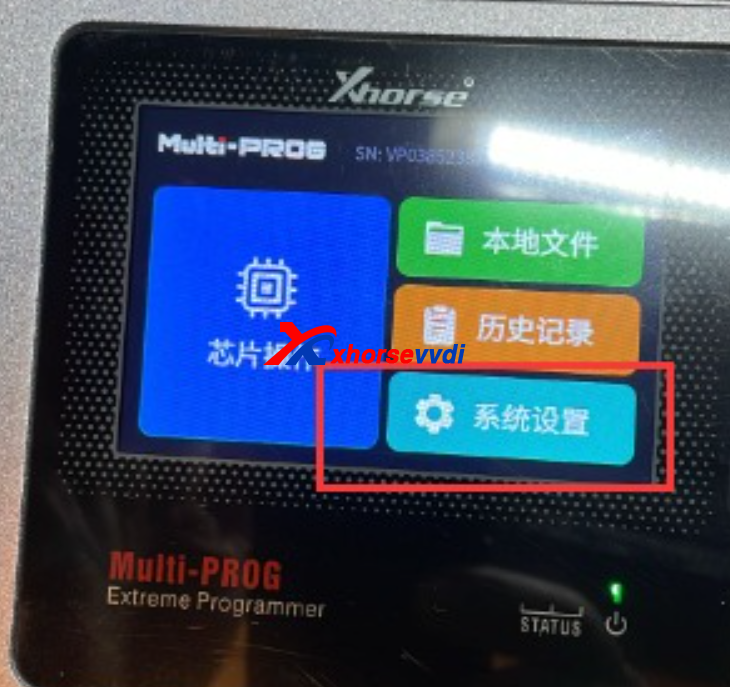
Then will display like the following pic
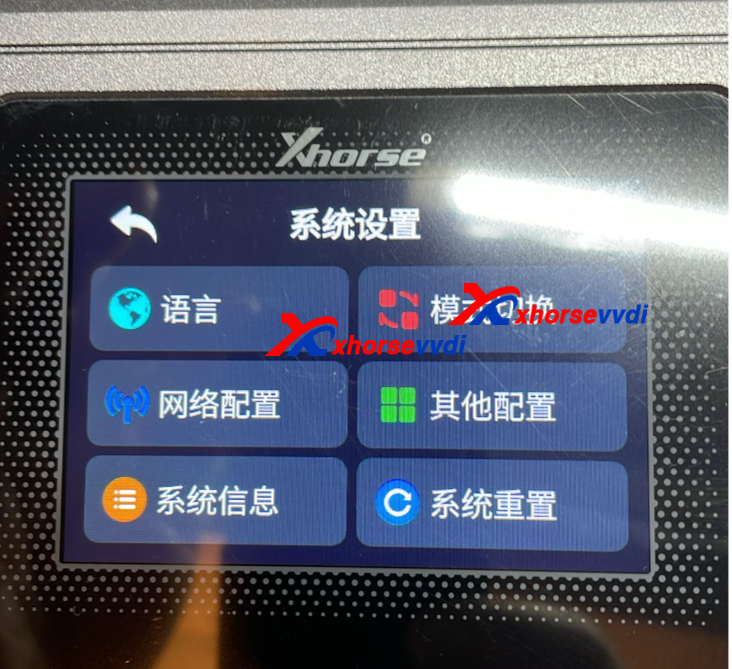
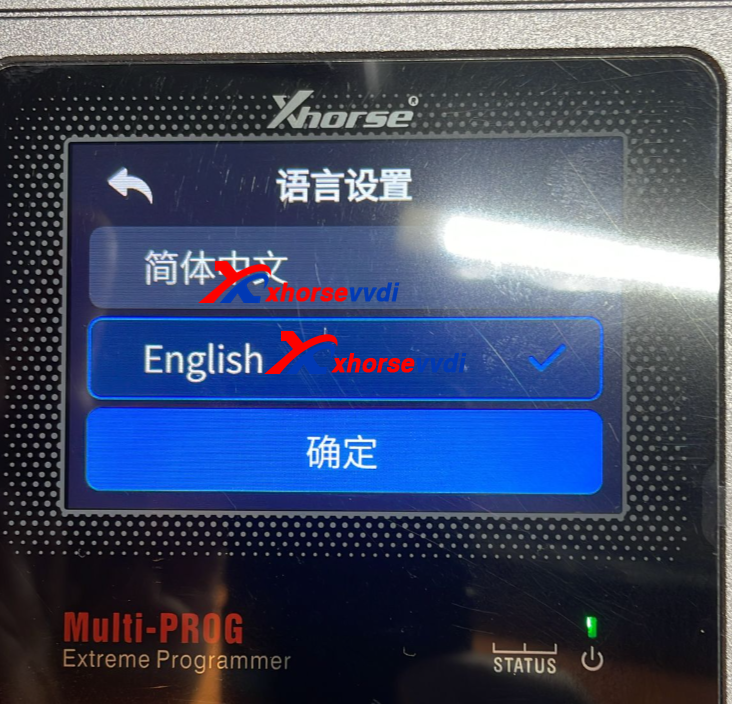
Choose the first one
Then set English language
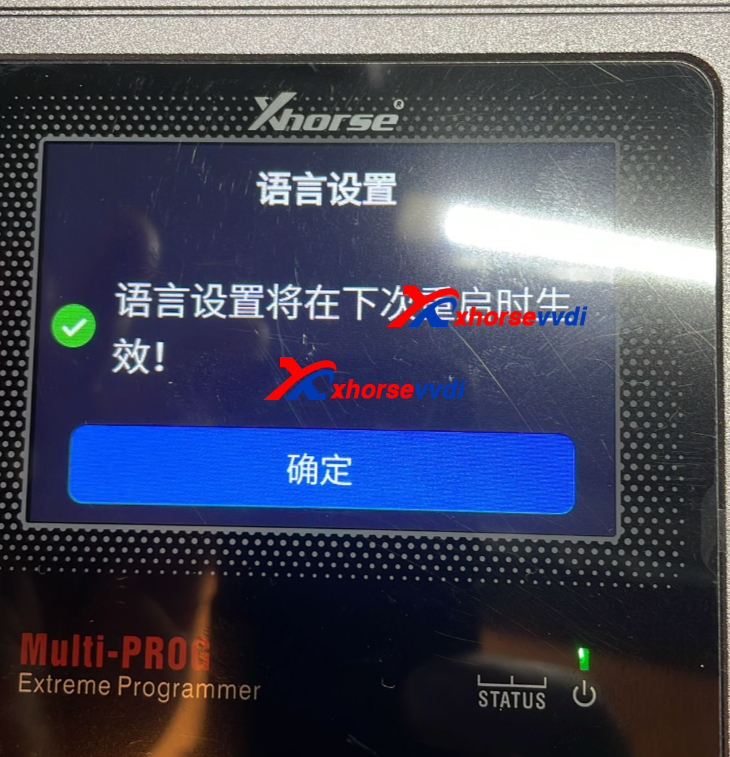
Restart the machine will be OK
http://blog.xhorsevvdi.com/how-to-set-xhorse-multi-prog-language-on-screen/
Posted by: xhorsevvdi at
09:32 AM
| No Comments
| Add Comment
Post contains 79 words, total size 2 kb.
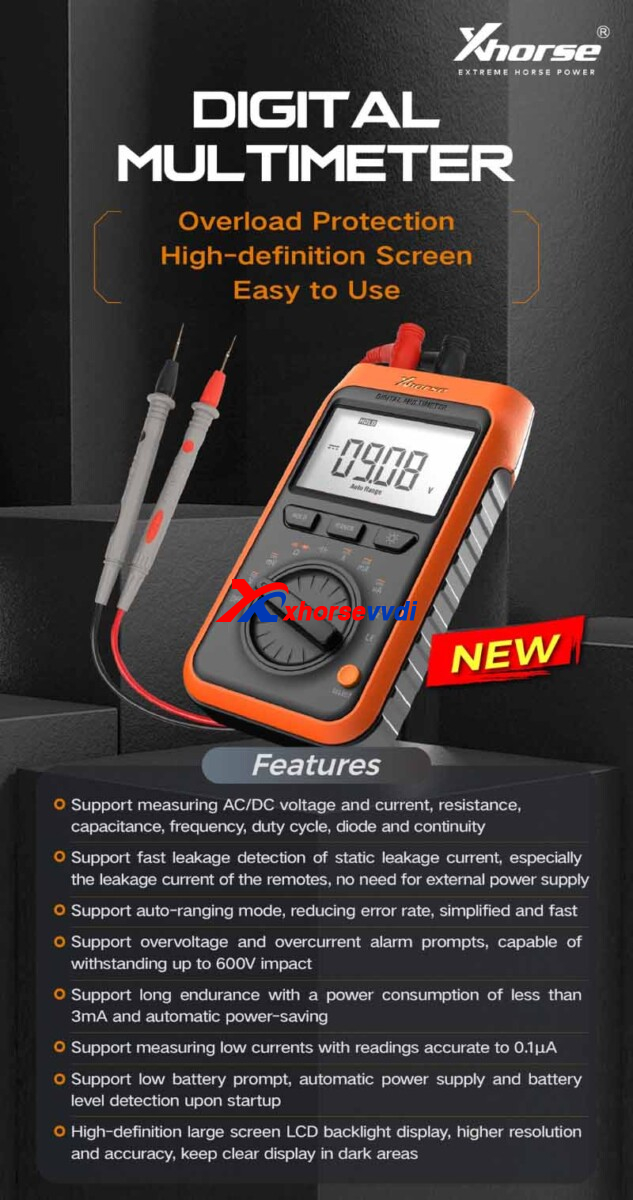
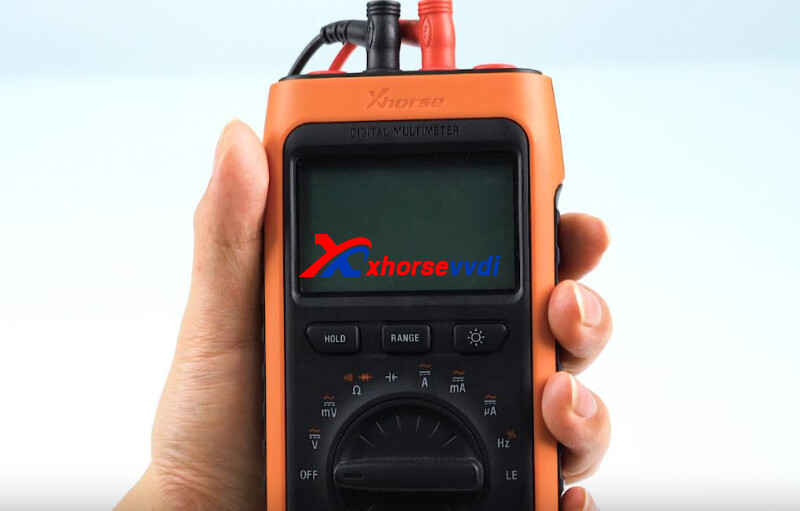
Xhorse Digital Multimeter is coming! It is accurate to 0.1μA, making it a professional tool for remote leakage detection.
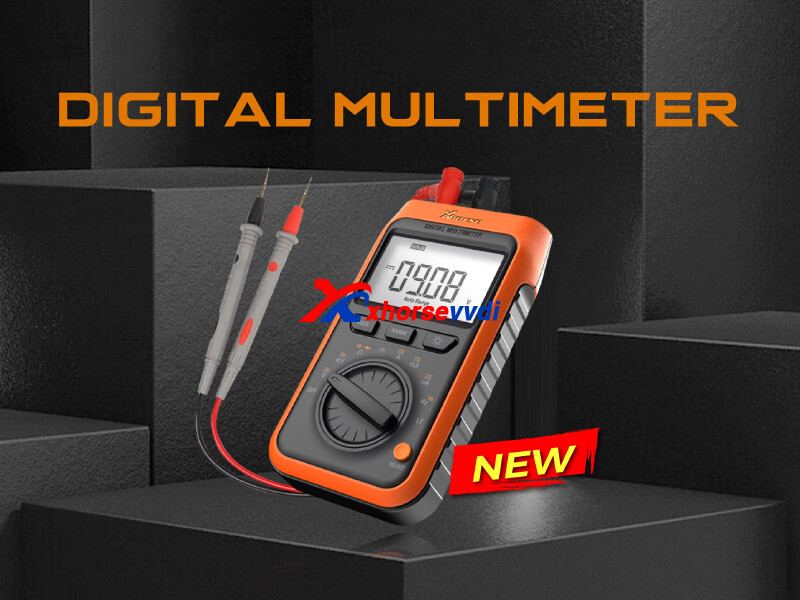
Features:
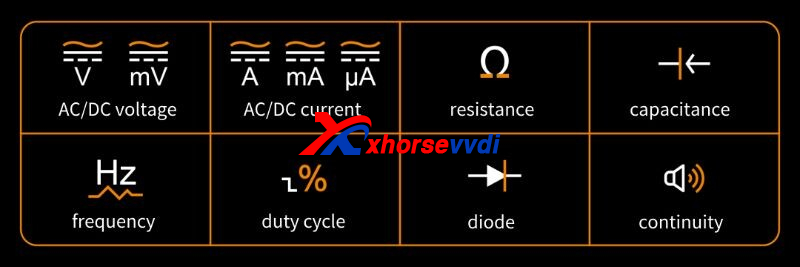
- Support measuring AC/DC voltage and current, resistance, capacitance, frequency, duty cycle, diode and continuity
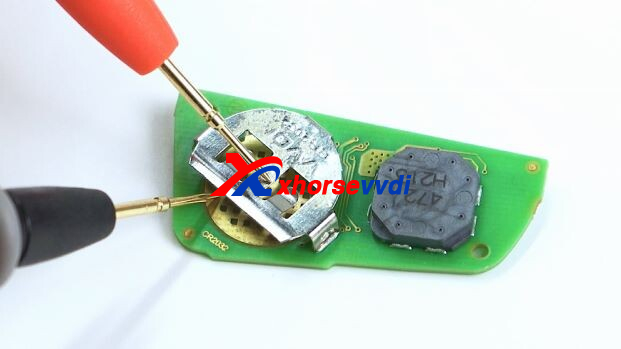
- Support fast leakage detection of static leakage current, especially the leakage current of the remotes, no need for external power supply
- Support auto-ranging mode, reducing error rate, simplified and fast
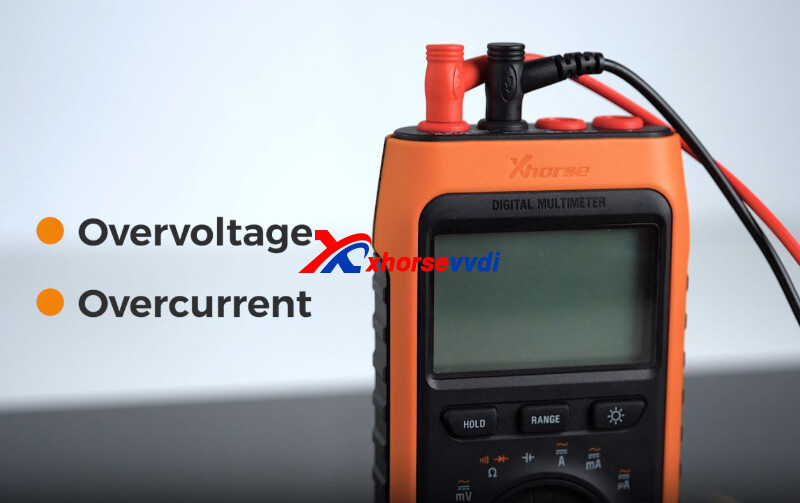
- Support overvoltage and overcurrent alarm prompts, capable of withstanding up to 600V impact
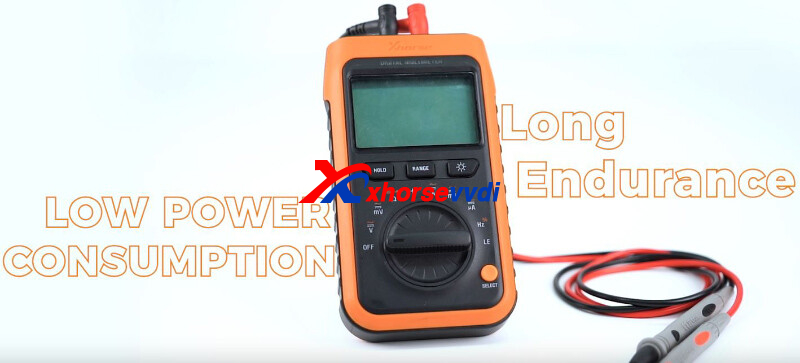
- Support long endurance with a power consumption of less than 3mA and automatic power-saving
- Support measuring low currents with readings accurate to 0.1μA
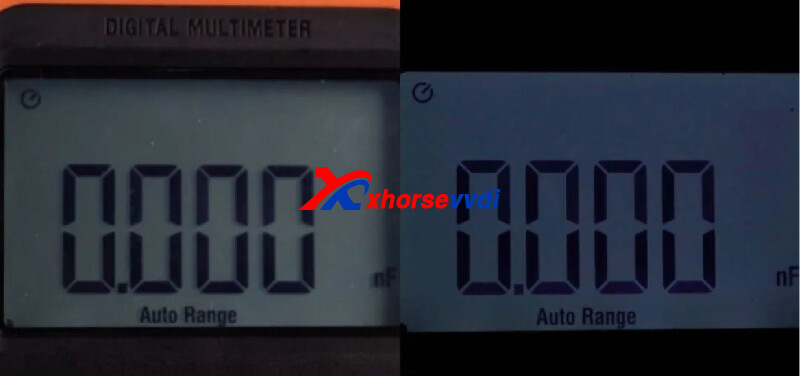
- Support low battery prompt, automatic power supply and battery level detection upon startup High-definition large screen LCD backlight display, higher resolution and accuracy, keep clear display in dark areas
Details:
1)Comprehensive Functionality
Cover AC/DC voltage, resistance, diode...
2)Leakage Detection
Provide 3V DC power supply and accurate to 0.1μA
3)Protection
Maximum voltage - 600V
With overvoltage and overcurrent alarm prompts.
4)Endurance
Less than 3mA power consumption
5)HD Screen
Apply to different environments.
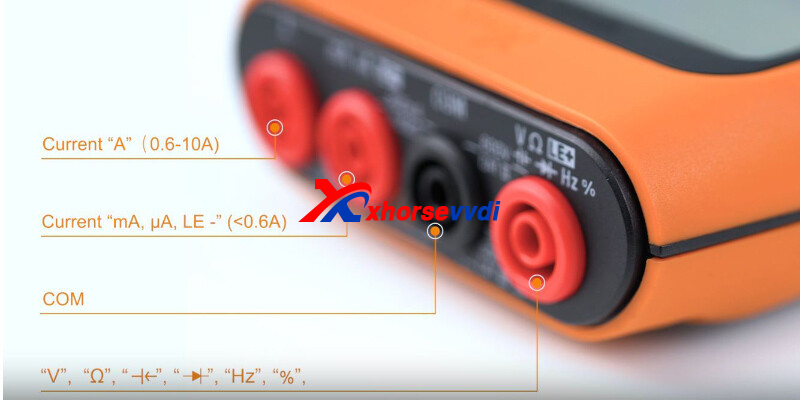
6)Exquisite Details
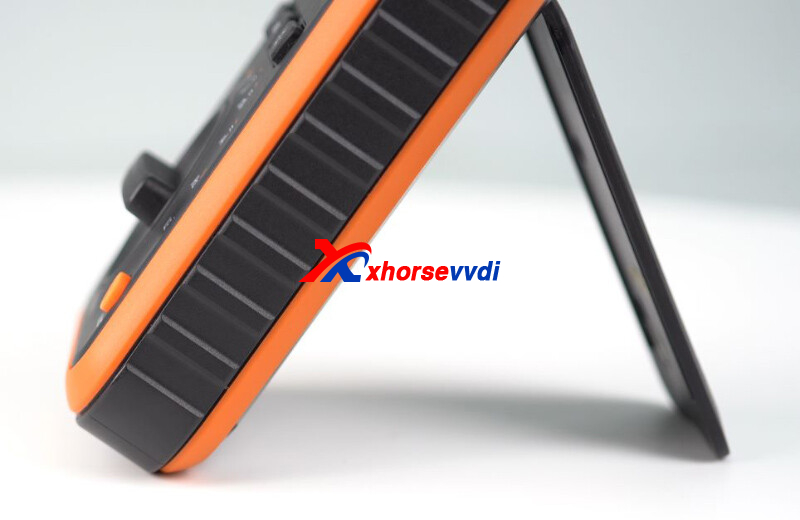
Done!
Posted by: xhorsevvdi at
09:32 AM
| No Comments
| Add Comment
Post contains 180 words, total size 4 kb.
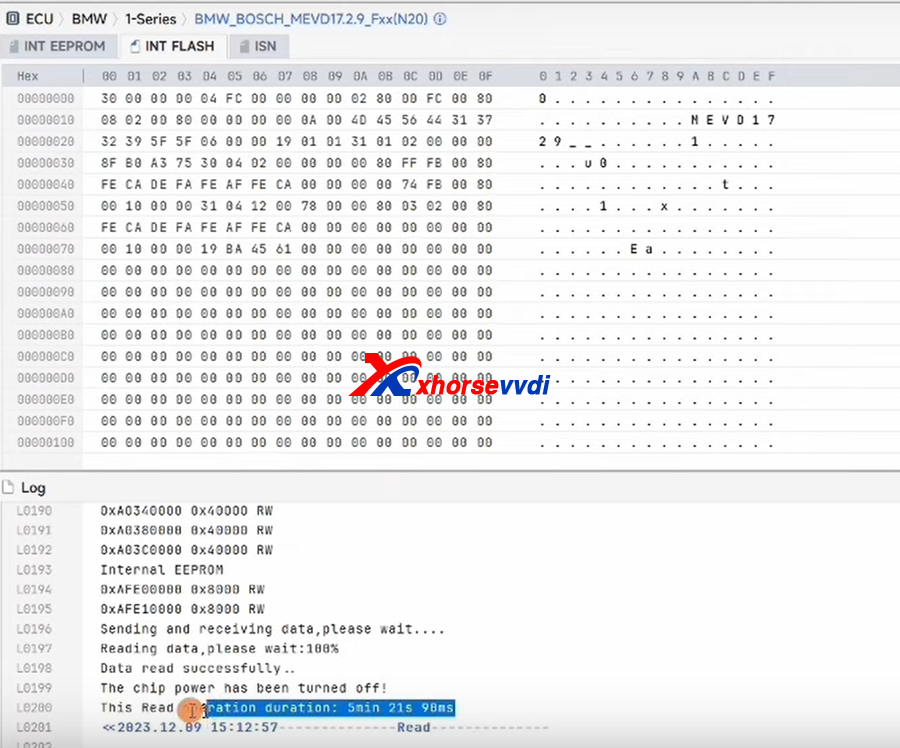
This blog is about review and step about how to use xhorse multiprog to read BMW BOSH MEVD 17.2.9 ISN, and eeprom, flash.
The ECU Type
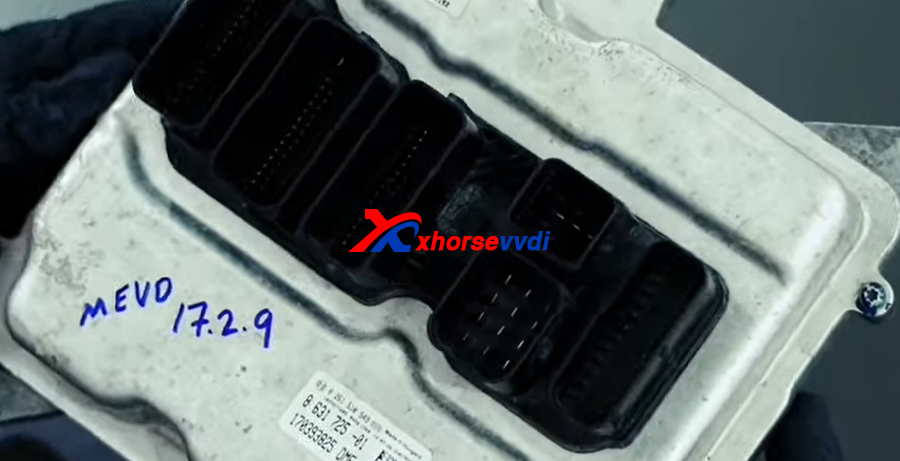
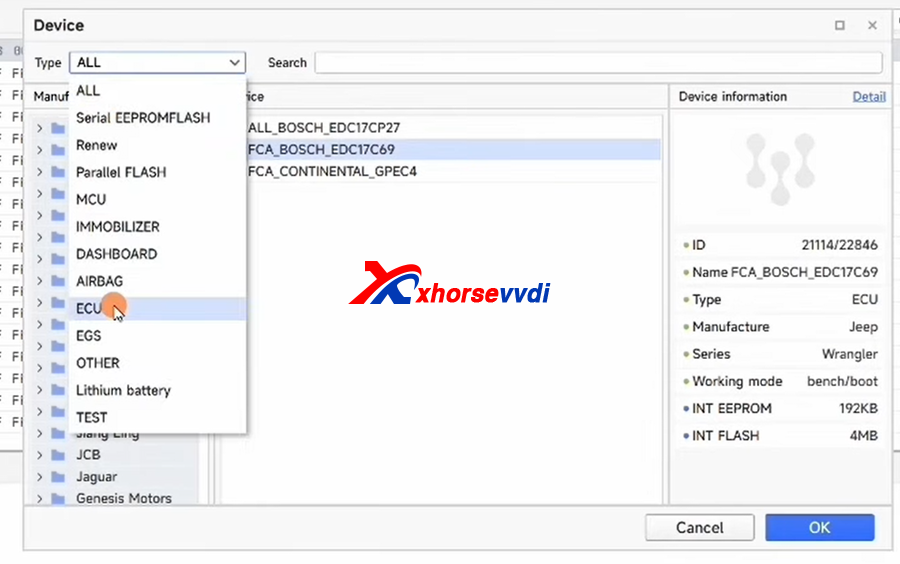
1. Start Multi Prog software, and choose ECU
2. Choose BMW type >>medv17.2.9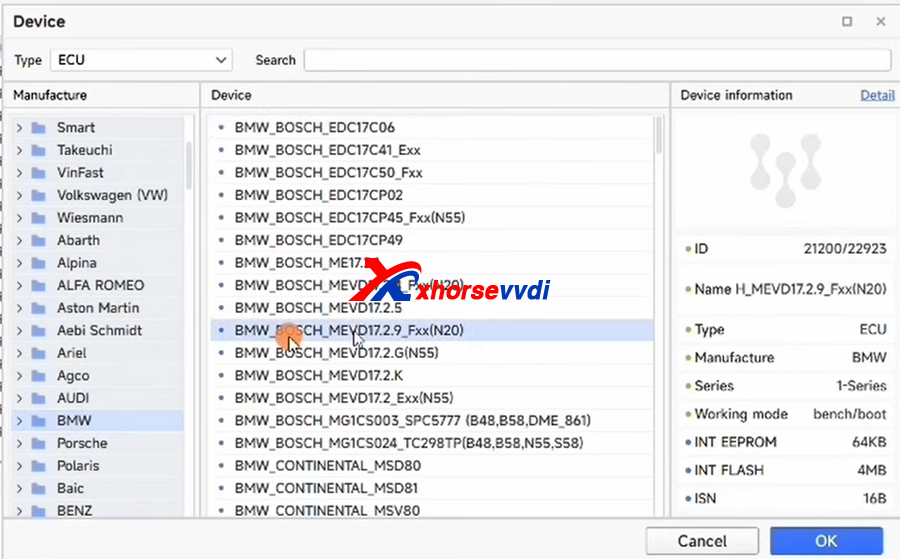
3. After choosing OK, right up corner will display details, click details to check diagram of connection
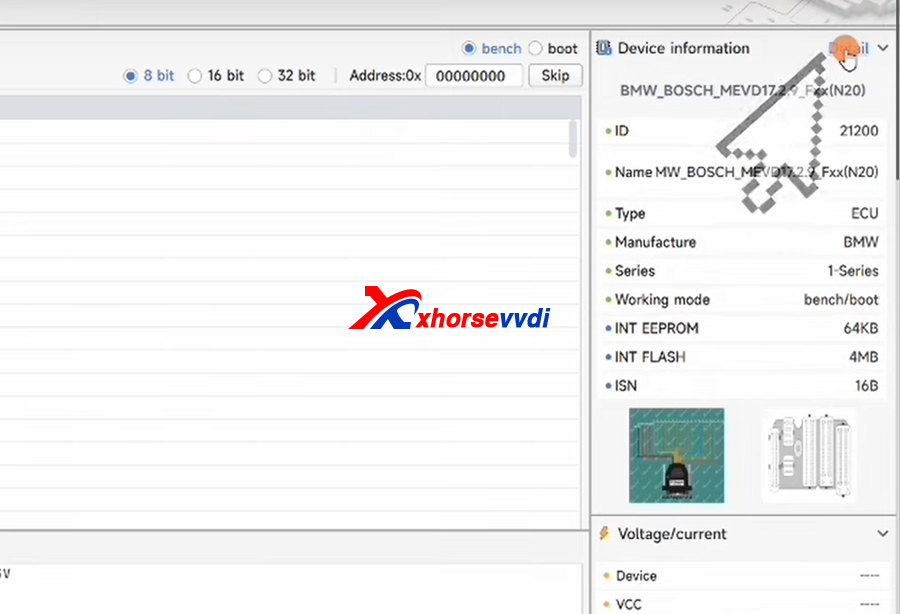
4. The connection diagram.
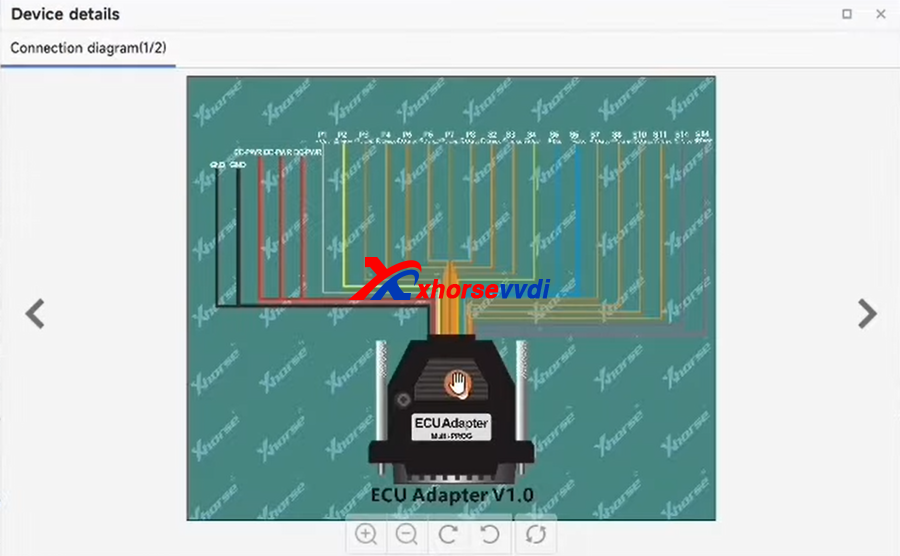
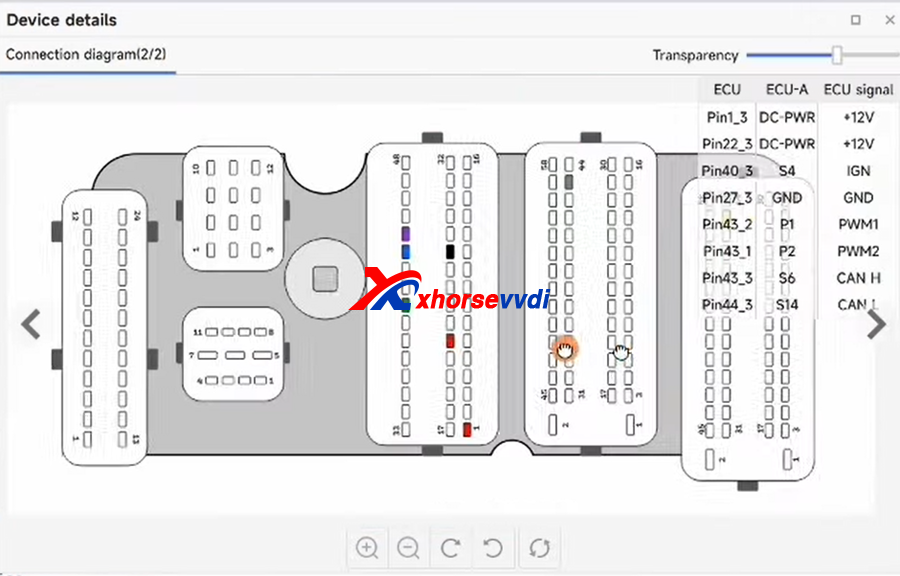
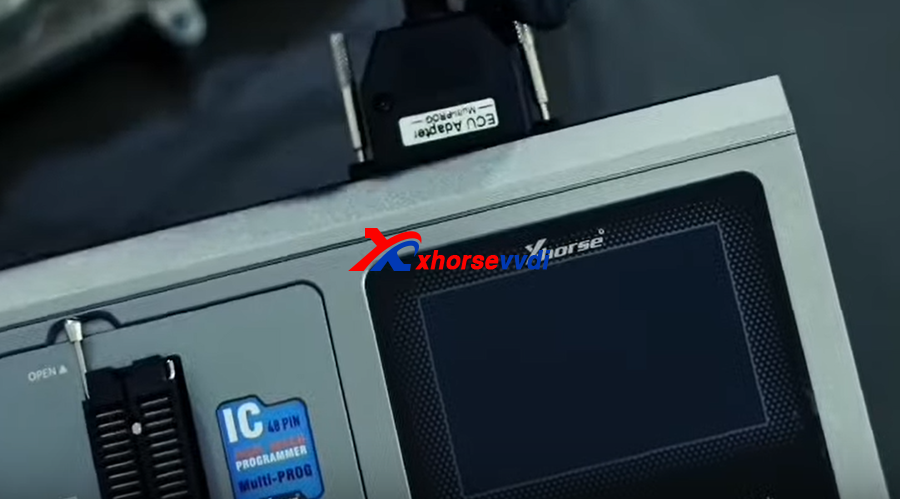
5.Connect like the diagram, use the ECU Adapter
6. Switch from eeprom to ISN, then click read
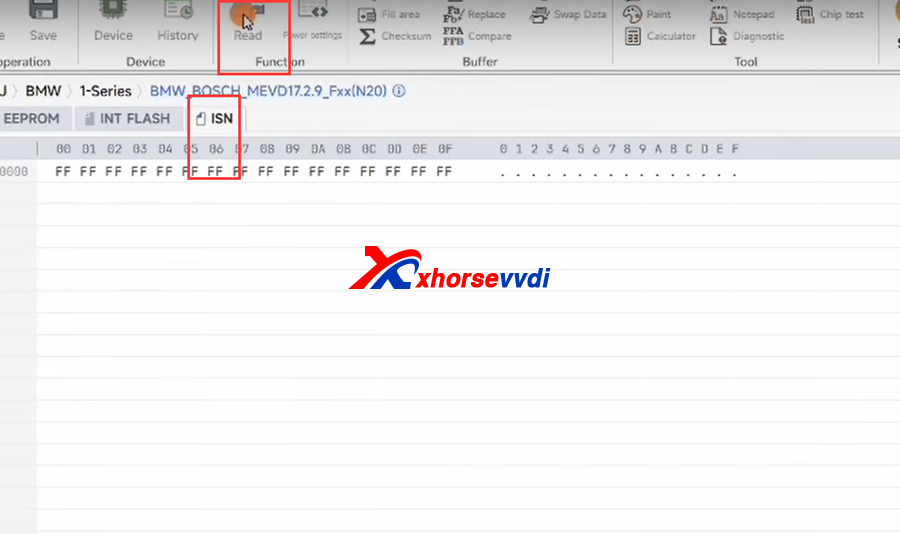
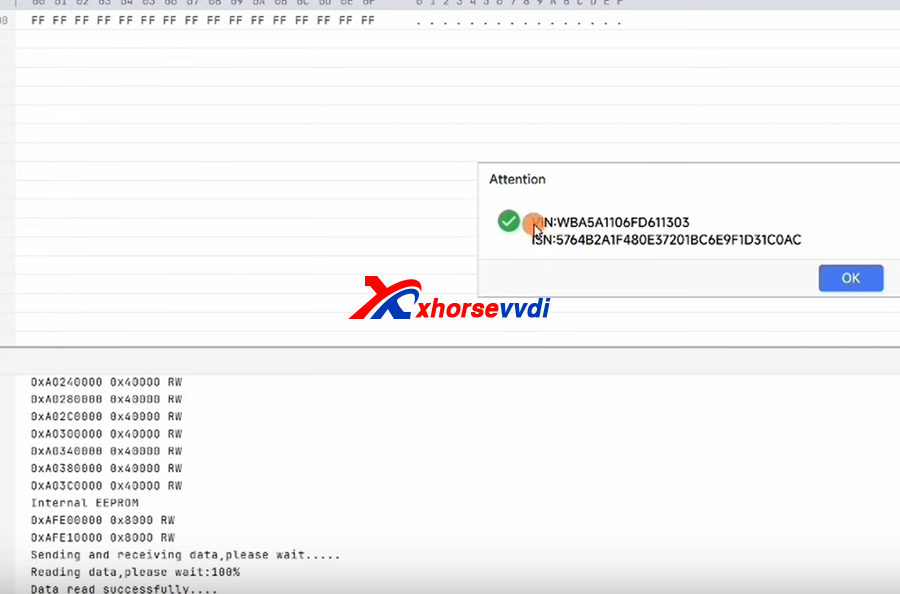
7. ISN read OK
8.read eeprom and flash, and save data
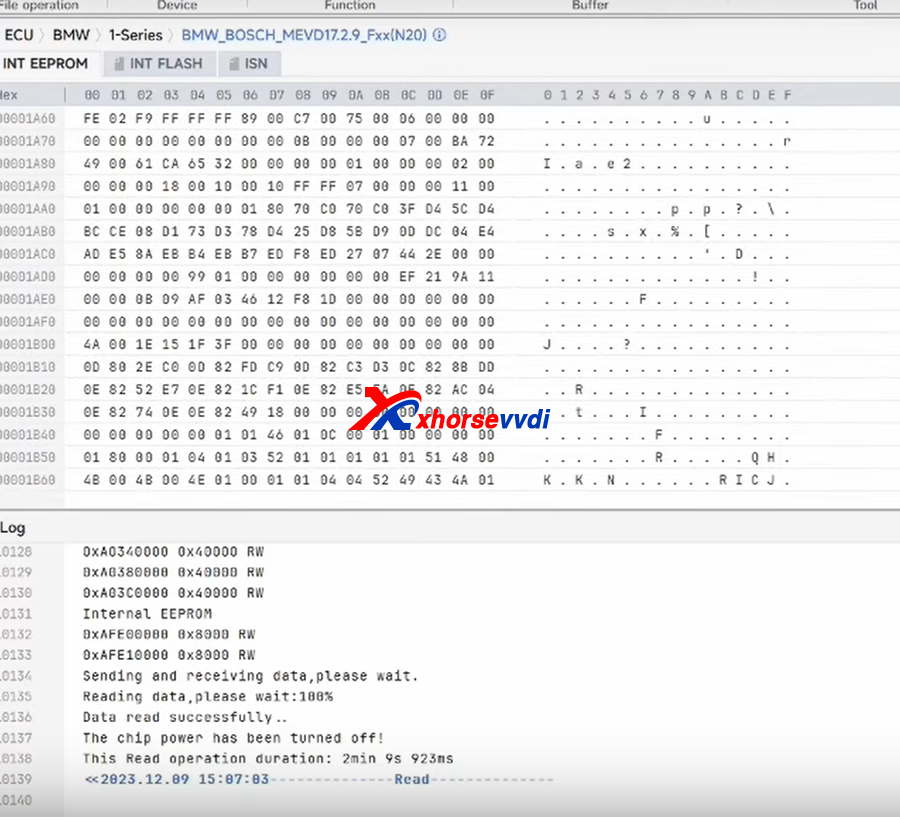
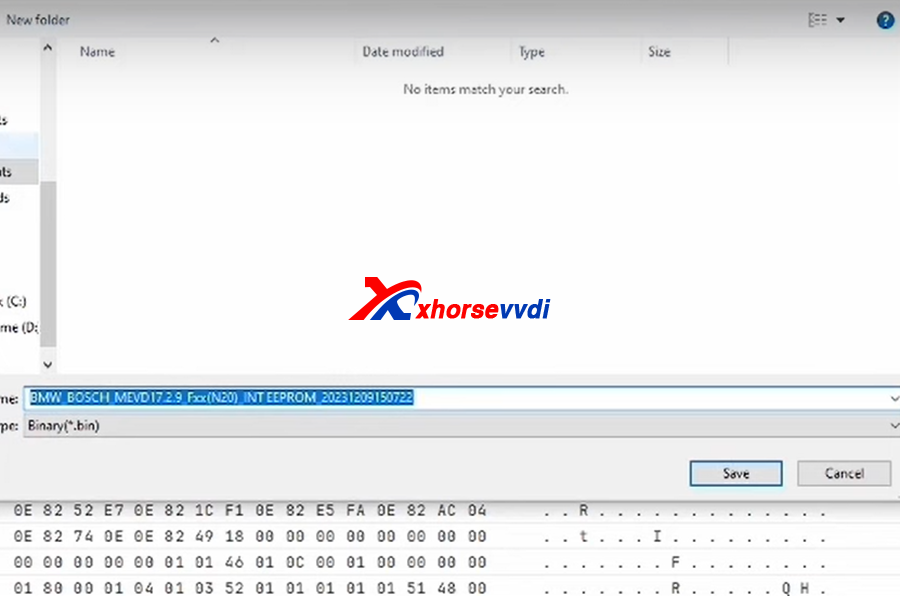
Posted by: xhorsevvdi at
09:31 AM
| No Comments
| Add Comment
Post contains 101 words, total size 4 kb.
Question:
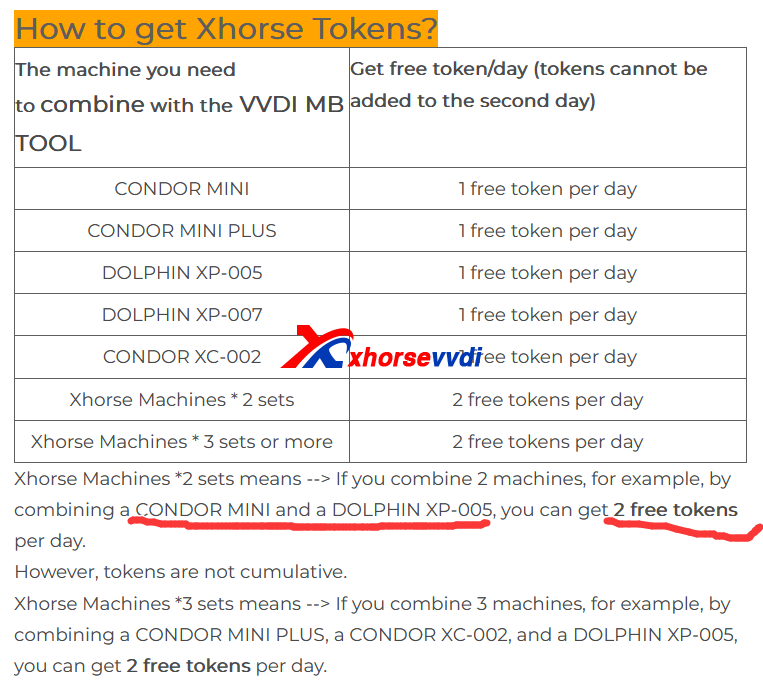
I have linked VVDI MB Tool to Condor Mini Plus II and got one token every day, but how can I get one more? Link another Xhorse Dolphin, will it work?
Answer:
1)To get 1 token each day,
Link any Xhorse Key Cutting Machine.
2)To get 2 tokens each day,
For VVDI MB users, link one automatic machine and Condor XC-002
For Key Tool Plus users, link one automatic machine and manual machine
*Automatic Machine: Dolphin XP005/ XP005L, Condor Mini Plus/ Condor Mini Plus II
*Manual Machine: Dolphin XP007, Condor XC002
Complete!
Link your tools and get free tokens!
http://blog.xhorsevvdi.com/how-to-get-free-token-by-linking-xhorse-key-cutting-machine/
Posted by: xhorsevvdi at
09:31 AM
| No Comments
| Add Comment
Post contains 112 words, total size 2 kb.
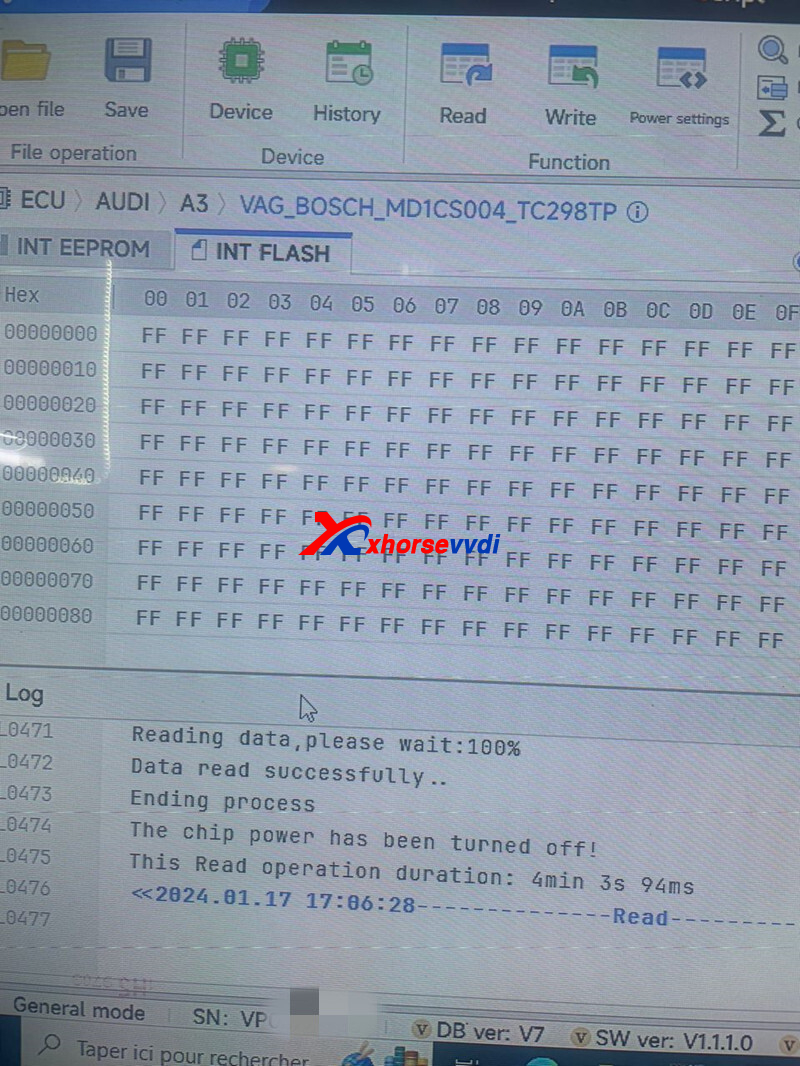
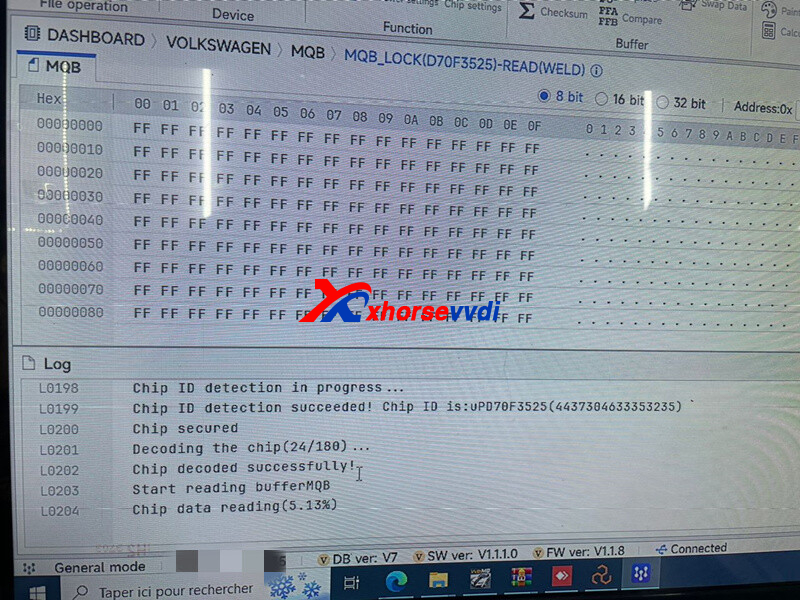
Xhorse multi prog is 2nd generation of VVDI PROG.
And here is feedback from customer:
This tool
Is very gooddd
VOLKSWAGENMQBMQB LOCKID70F3525)-READ(WELD) OK
Failed to read this ecu md1
With autotuner
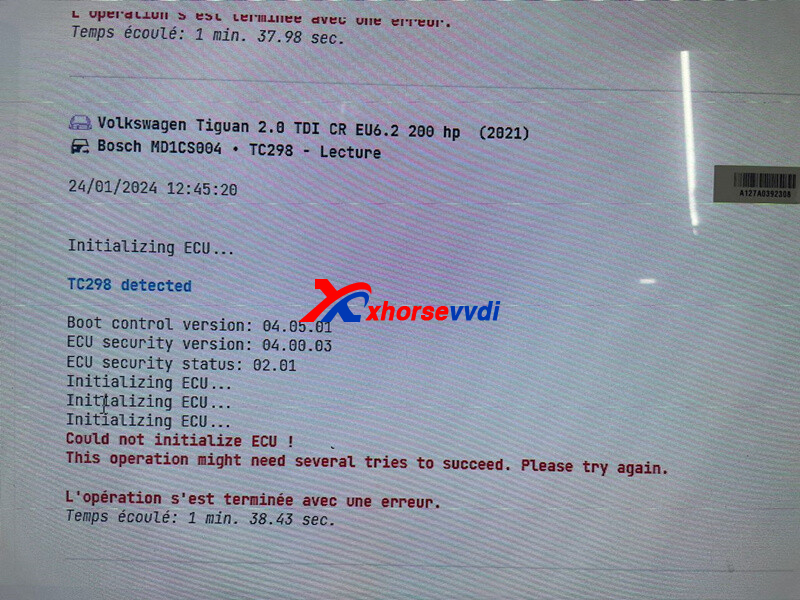
But
With the magic tool Xhorse multi-prog
Can readd
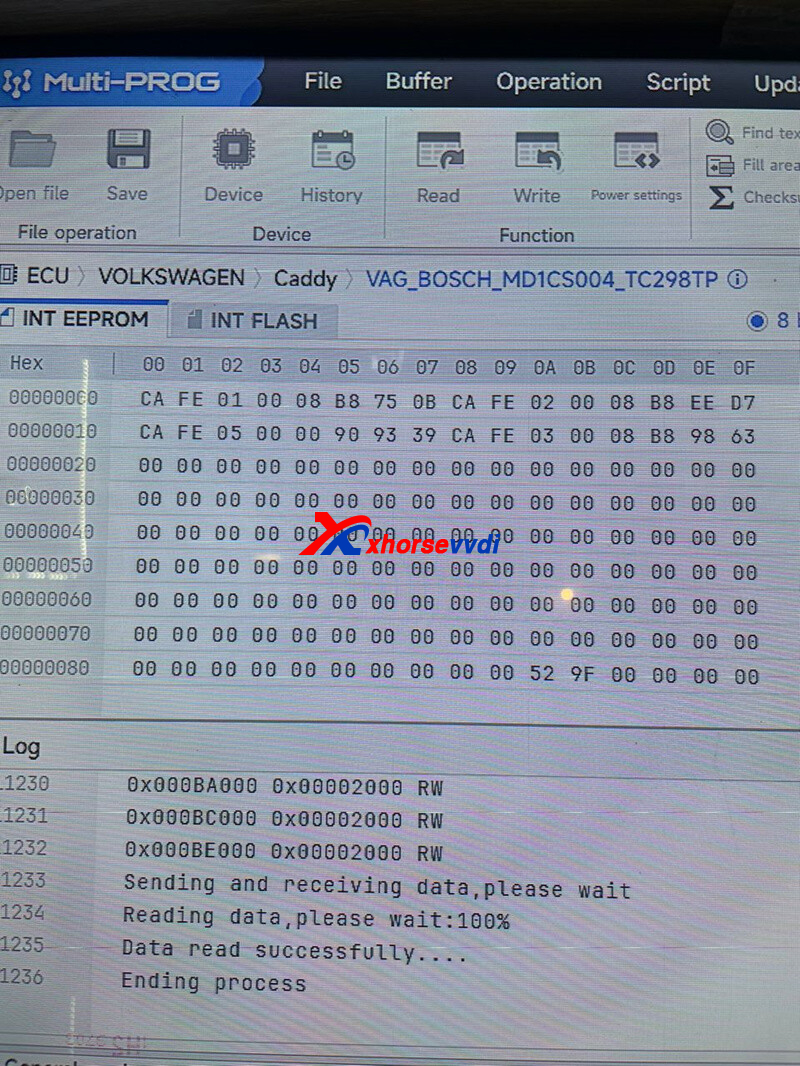
http://blog.xhorsevvdi.com/review-xhorse-multi-prog-read-vw-caddy-bosh-ecu-md1-ok/
Posted by: xhorsevvdi at
09:30 AM
| No Comments
| Add Comment
Post contains 51 words, total size 2 kb.
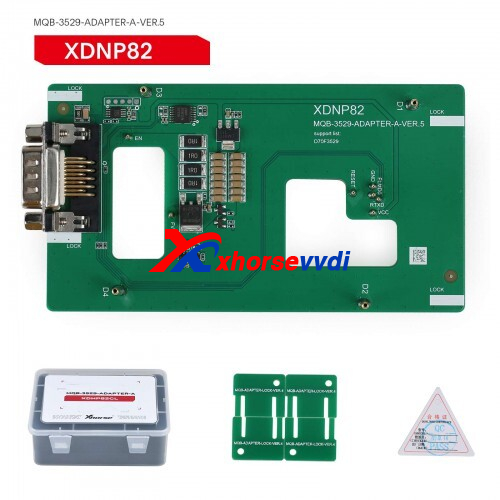
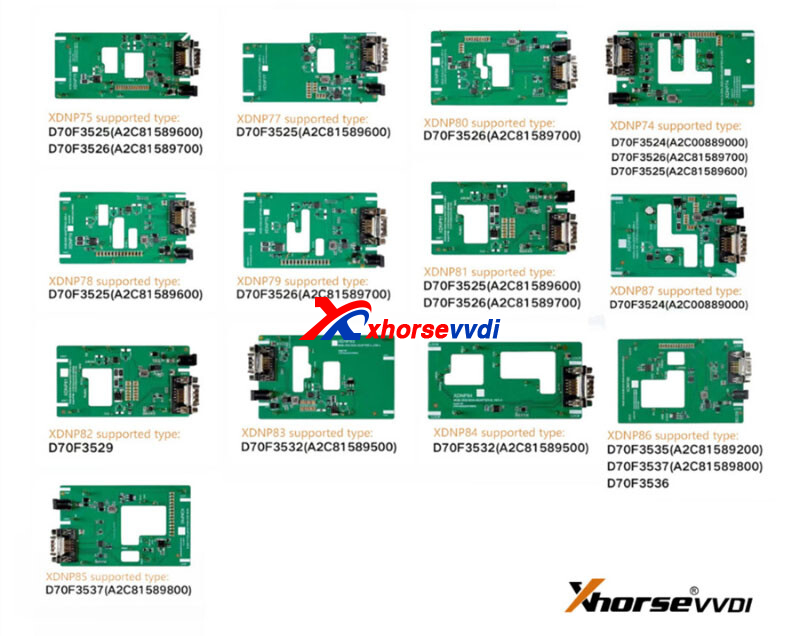
One customer asked if there are different versions for Xhorse MQB XDNP82 Adapter. One requires power supply while another doesn't?
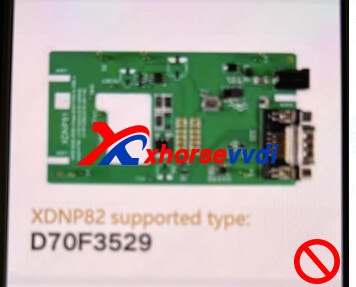
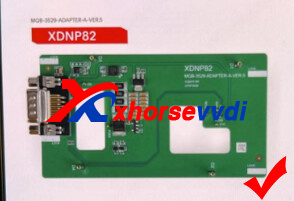
Here Xhorsevvdi tech answers:
There is only one MQB XDNP82 Adapter for D70F3529 dashboard and the adapter doesn't need power supply.
*Only XDNP82 and XDNP86 Adapter doesn't require power supply, please carefully follow software notes
Complete! Hope this could help!
http://blog.xhorsevvdi.com/does-xhorse-mqb-xdnp82-adapter-have-two-versions/
Posted by: xhorsevvdi at
09:29 AM
| No Comments
| Add Comment
Post contains 69 words, total size 2 kb.
Multi-Prog is with MQB48license/ BMW Bench Read ISN, bind with Xhorse VVDI2/ key tool plus account, then your Key Tool Plus/ VVDI2 can use MQB48 function.
1. How to check Xhorse multi prog MQB48 license?
Install multi prog software, and in activation list, it will display both MQB48 and BMW Bench ISN activated.
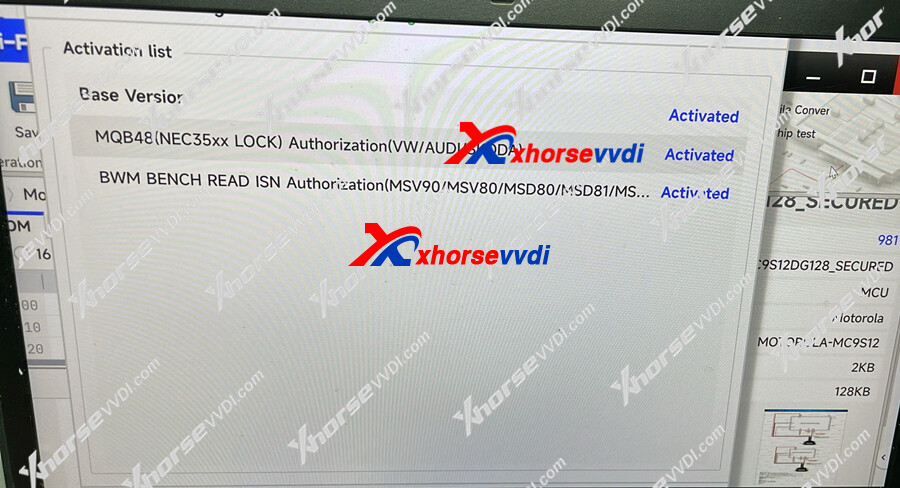
2. How to shareXhorse Multi-Prog MQB48 License with your VVDI2, KTP
You need bind your multi prog and vvdi2 or key tool plus with same xhorse account. Then can use multi prog read the data, vvdi2 and key tool plus to load the data.
(But please note key tool plus not shows MQB48 NEC35XX license activated, it can use Multi Prog to read NEC35XX data, KTP load data to add new key, if you want to use key tool plus to read NEC35XX directly, still need to buy NEC35XX license to activate.)
Here is the step how to bind vvdi2 with xhorse account:
Register on Xhorse app in your phone.
1.1. Use google store/apple store for download the APP what use for VVDI MINI, MAX,XP-005 .etc, search ‘xhorse’ for find the APP. Or scan the QR code.
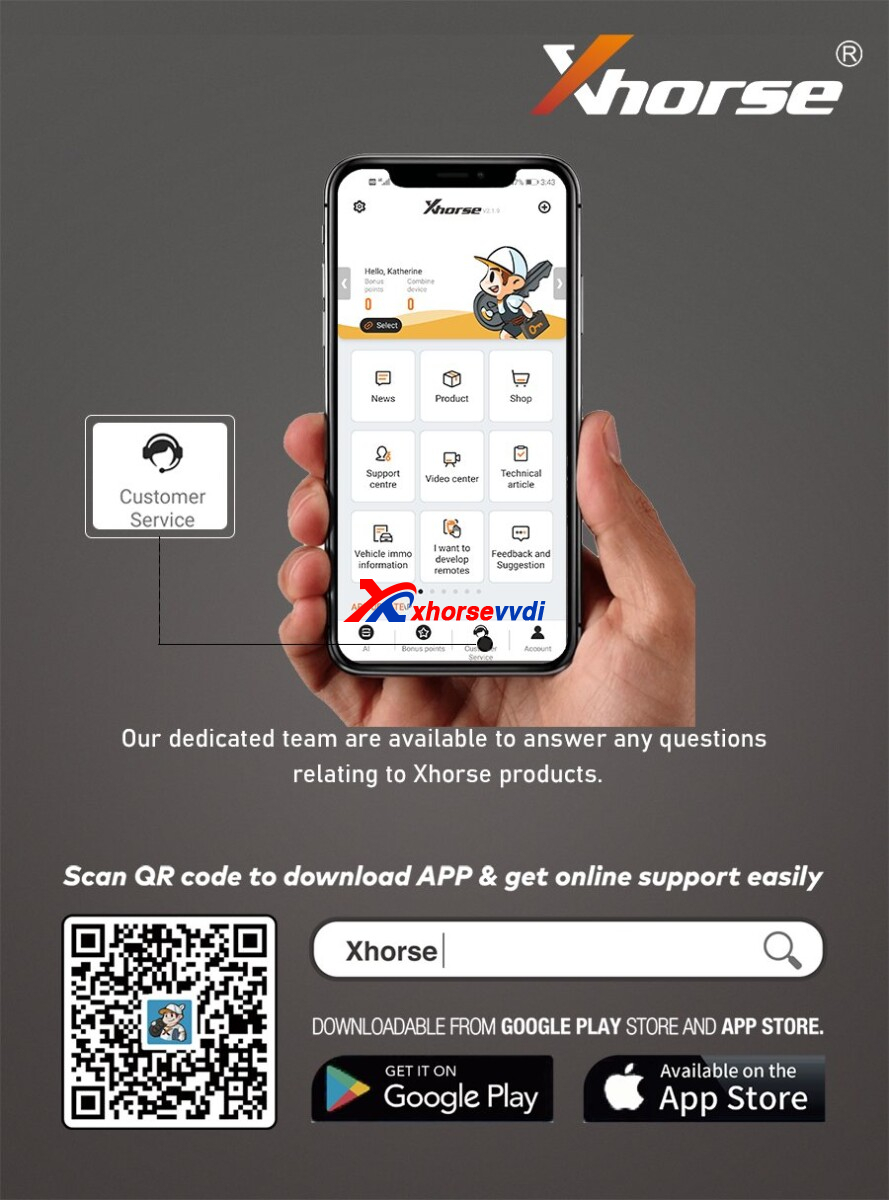
1.2. Input your email address, and then input security code in your email, if not found, please check your spam email. And if you do not have phone number account before, no need bind with phone number account, or it will have error.
1.3. Customer can use the ‘upgrade kit’ for link the device on the account, First, connect the device with PC and run the upgrade kit, choose >>Find Device >>then "Binding ".
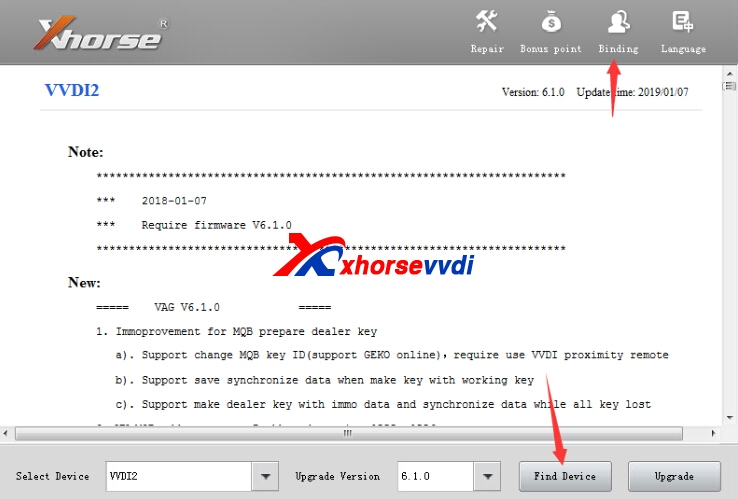
1.4. Run the APP and scan the QR code for link it
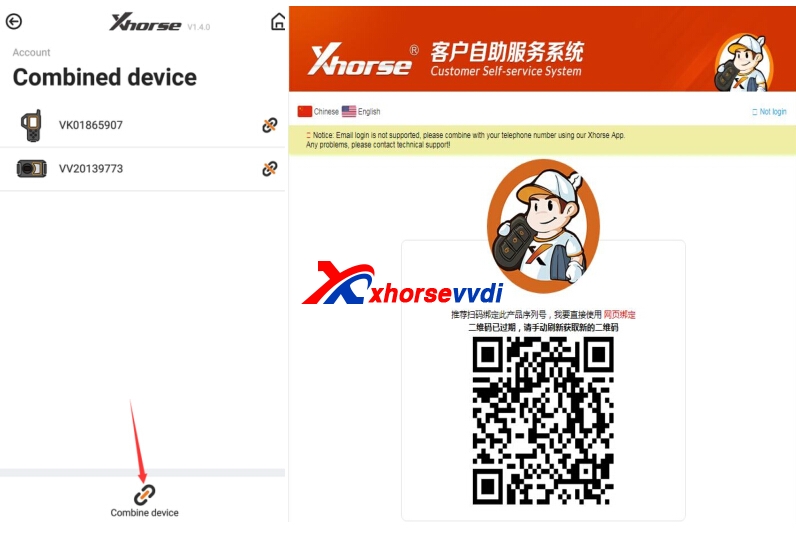
1.5. Also you can log in with the account what you want link device on
After log in the account, your device is link on your account, you can check it with app.
Remark: Each device can only be bound to one account and can only be bound once. Or you need do unbind firstly, then bind with the same account, and unbind will clear all points.
1.6 Key Tool Plus bind, please in my account>>combine device
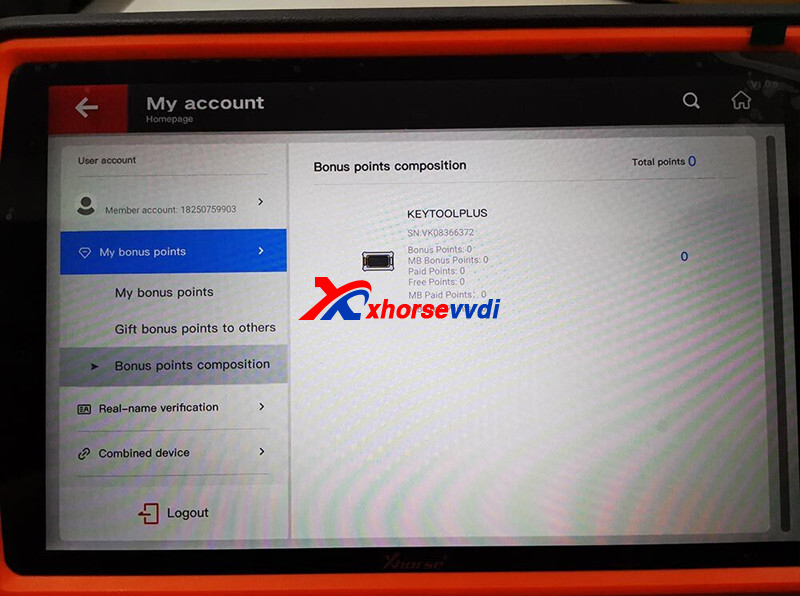
http://blog.xhorsevvdi.com/how-to-share-xhorse-multi-prog-mqb48-license-with-your-vvdi2-ktp/
Posted by: xhorsevvdi at
09:29 AM
| No Comments
| Add Comment
Post contains 365 words, total size 4 kb.
32 queries taking 0.0681 seconds, 131 records returned.
Powered by Minx 1.1.6c-pink.

