



February 20, 2024
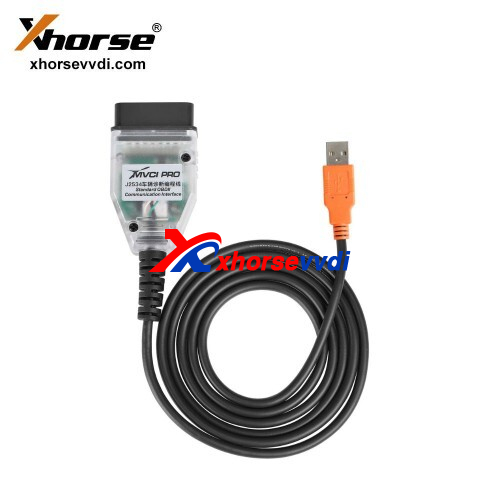
Xhorse MVCI PRO Cable supports multiple protocols and OEM software as a passthru VCI.
This article is going to show you how to use this cable.
Part 1. Software
Connect MVCI PRO Cable to your computer.
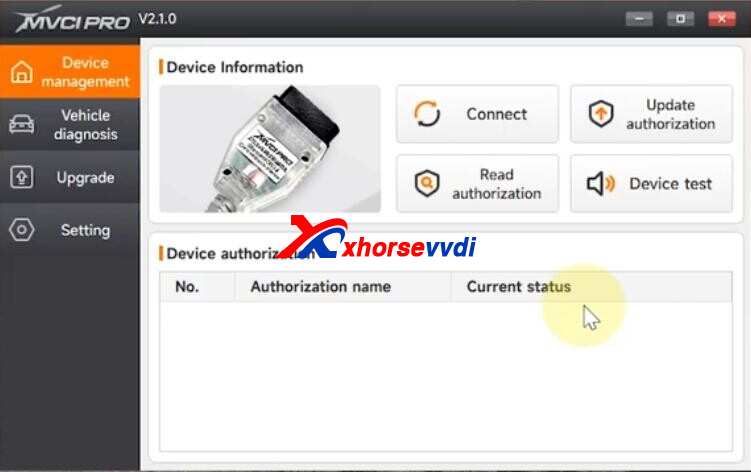
In Device Management,
Connect - device info, firmware version, serialnumber
Read authorization - device authorization, available times
Update authorization - update authorization, reset available times
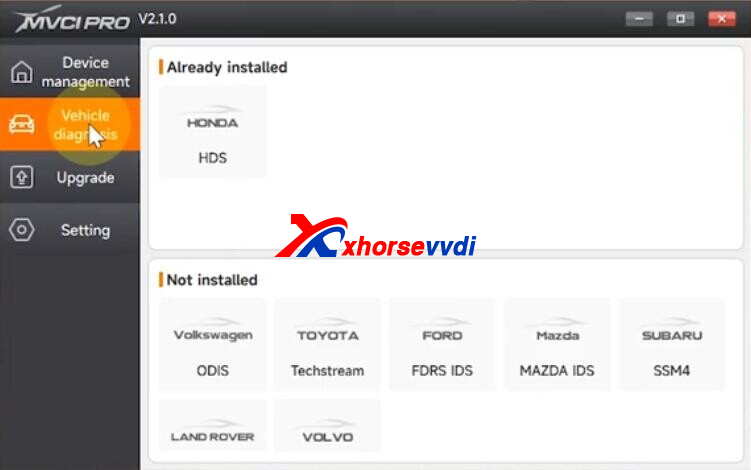
In Vehicle diagnosis,
Install vehicle driver that you need before running OEM software.
In Upgrade,
Update software and firmware here.
Part 2. Test
Run software.
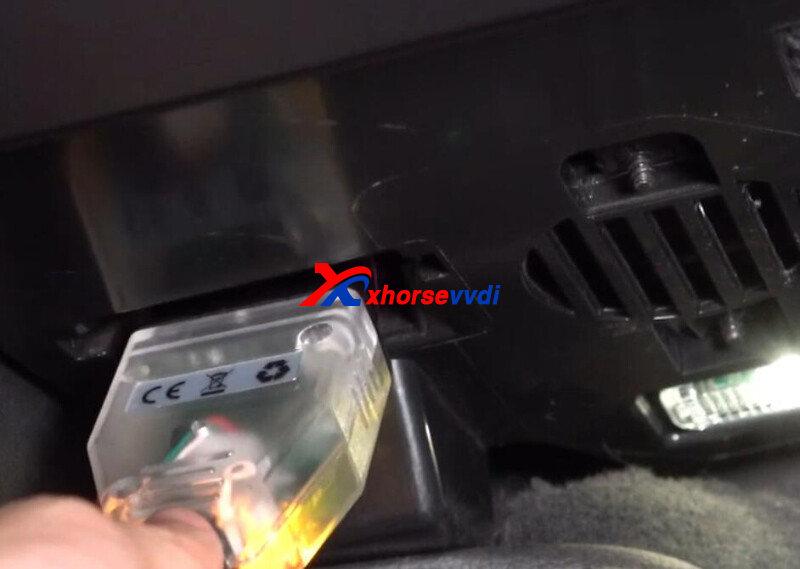
Connect MVCI PRO Passthru Cable to vehicle.
Run HDS software.
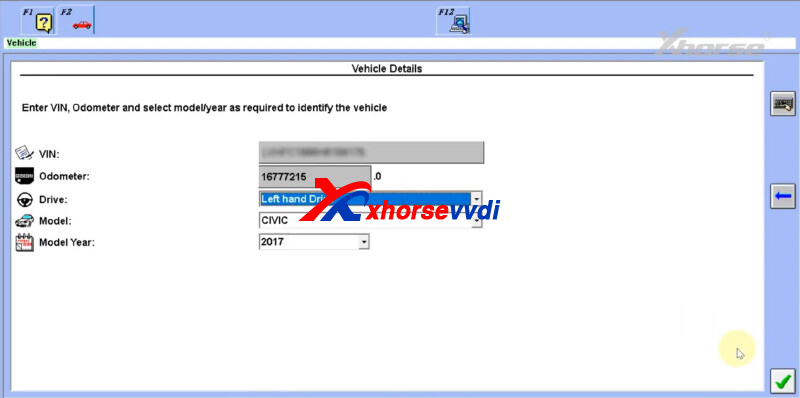
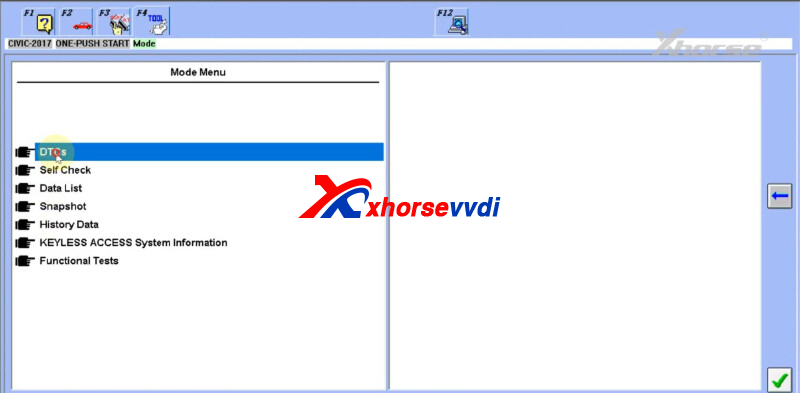
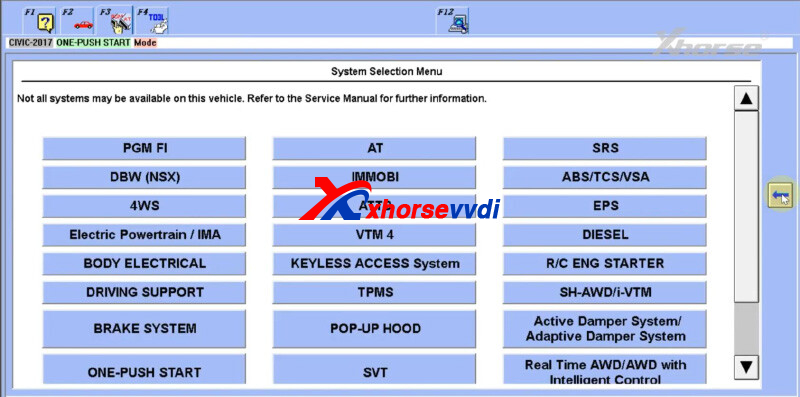
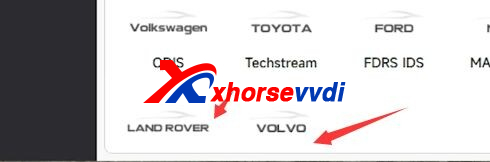
*More OEM software will be added later (vehicles will be supported once their drivers are available on software)
Done!
http://blog.xhorsevvdi.com/how-to-use-xhorse-mvci-pro-j2534-passthru-cable/
Posted by: xhorsevvdi at
09:28 AM
| No Comments
| Add Comment
Post contains 125 words, total size 3 kb.
Question:
Xhorse Multi Prog, it's Audi ESL, but you can't read and write data, right?
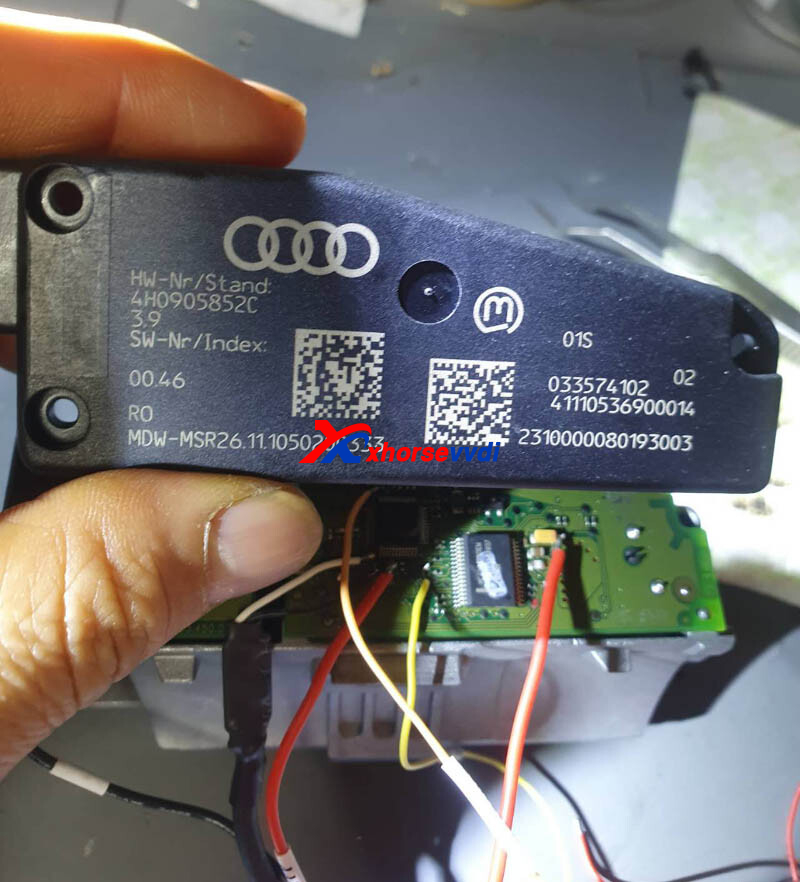
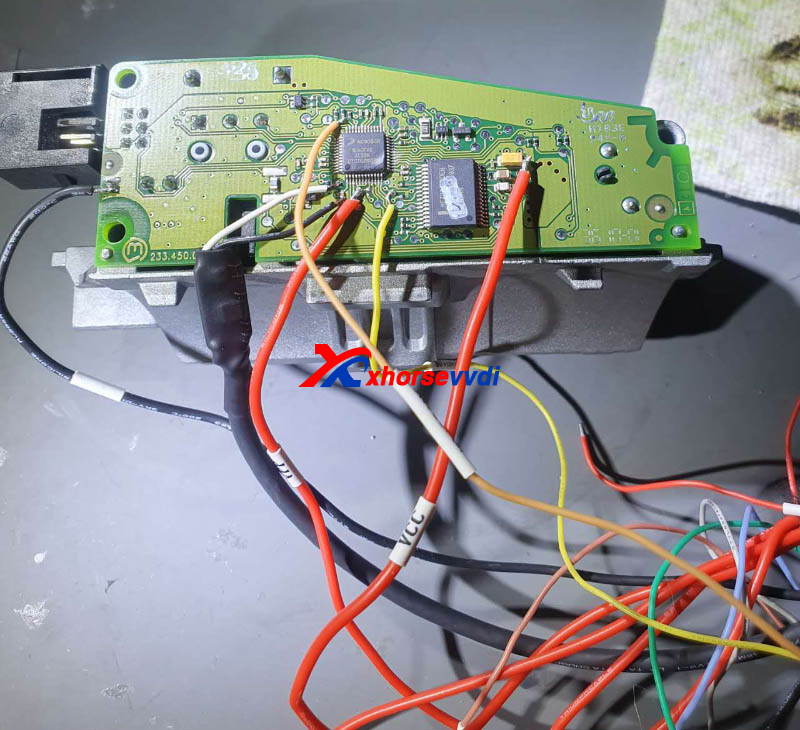
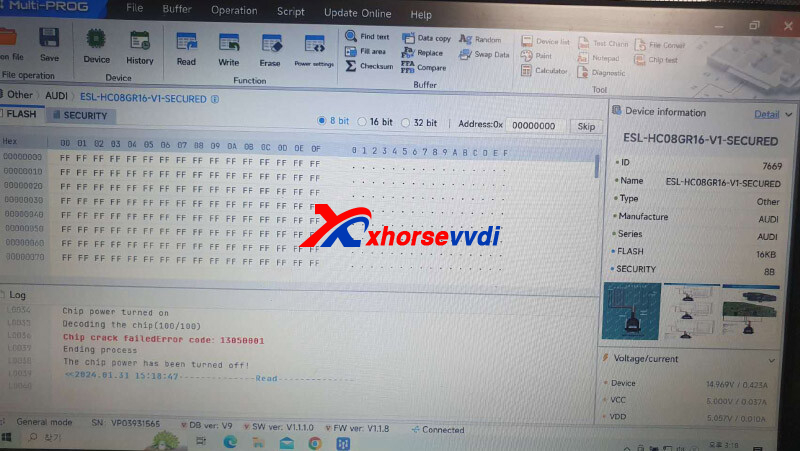
Answer:
Try directly soldering cables to MCU.
Feedback:
Connect directly to the mcu, same, fail.
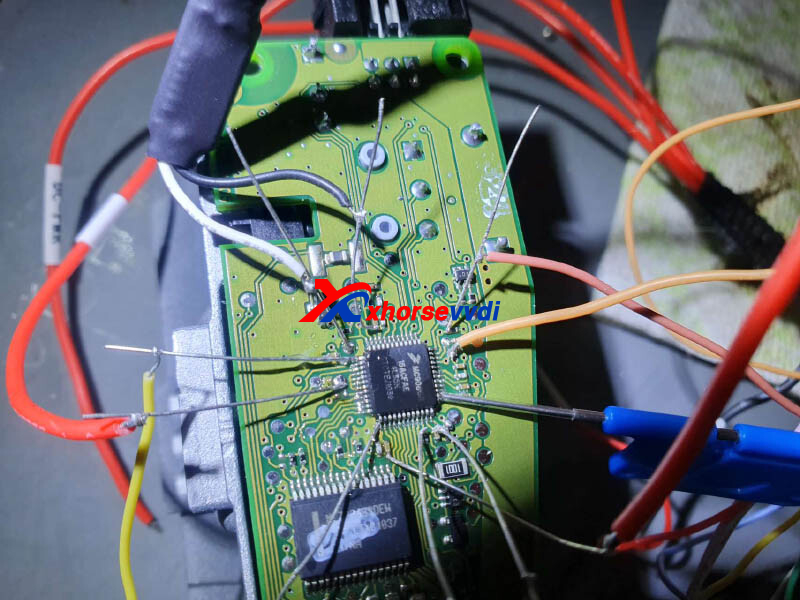
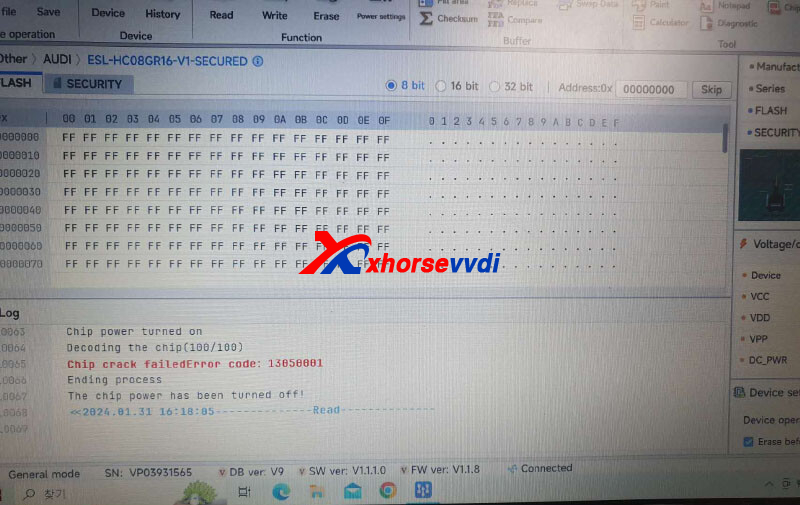
Possible Reason:
Extend MCU cable.
Solution:
Try "Other>>Audi>>ESL-HC08GR16-V1".
And check if red cable is VPP.
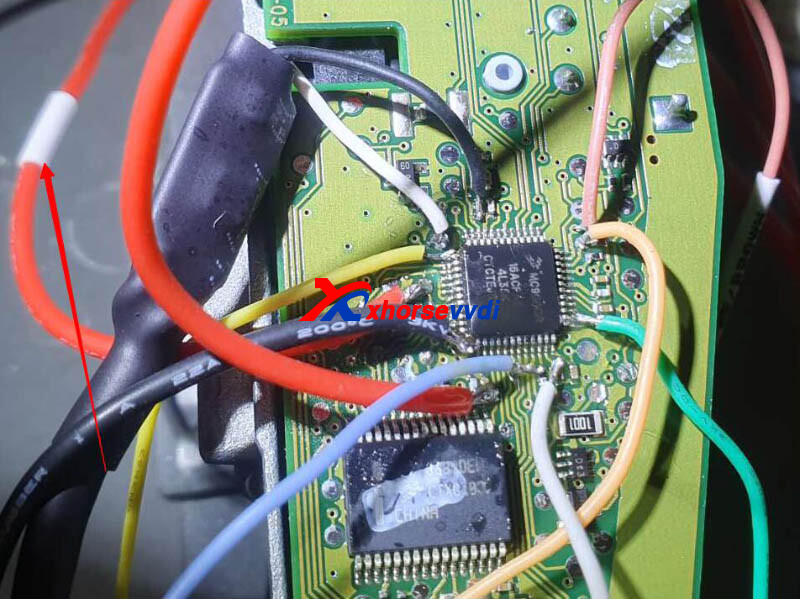
Done! Hope this could help!
http://blog.xhorsevvdi.com/solved-xhorse-multi-prog-read-audi-esl-mcu-fail/
Posted by: xhorsevvdi at
09:28 AM
| No Comments
| Add Comment
Post contains 60 words, total size 2 kb.
Xhorse Multi Prog adds new TCU functions compared to old VVDI PROG.
Here is a review:
Reading 2015 Mercedes TCU Unit with VVDI Multi Prog by Xhorse
Check out the process:
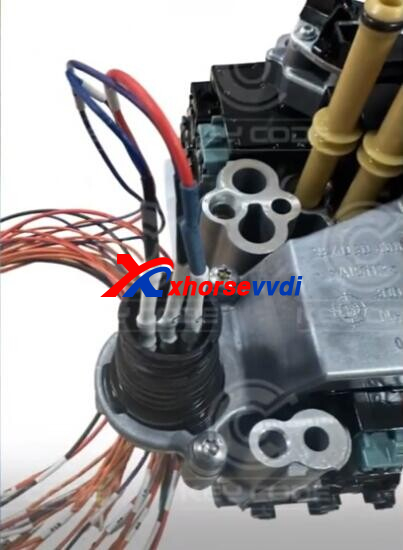
Gearbox VGS 2015:
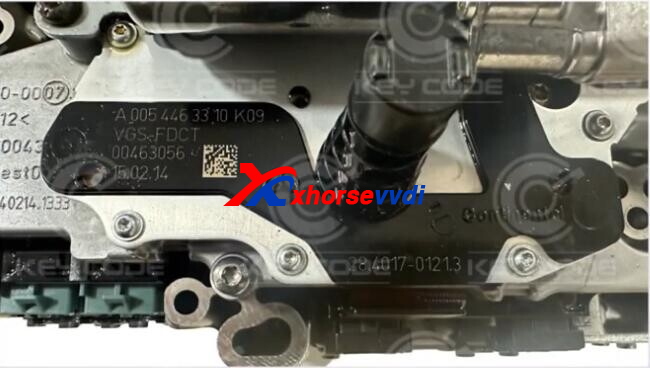
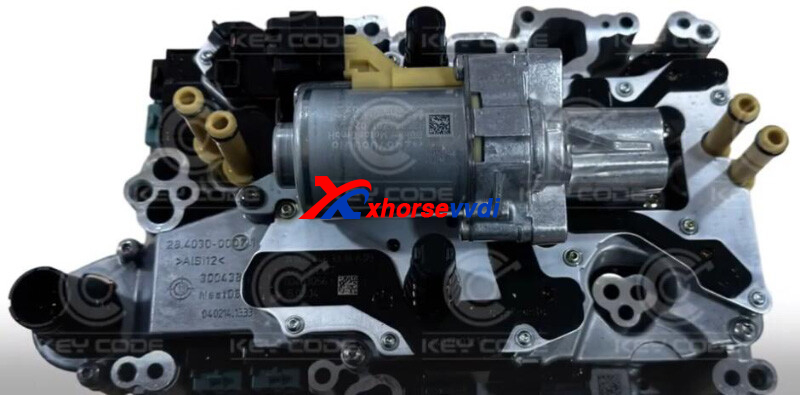
Connect Multi Prog to TCU as diagram.
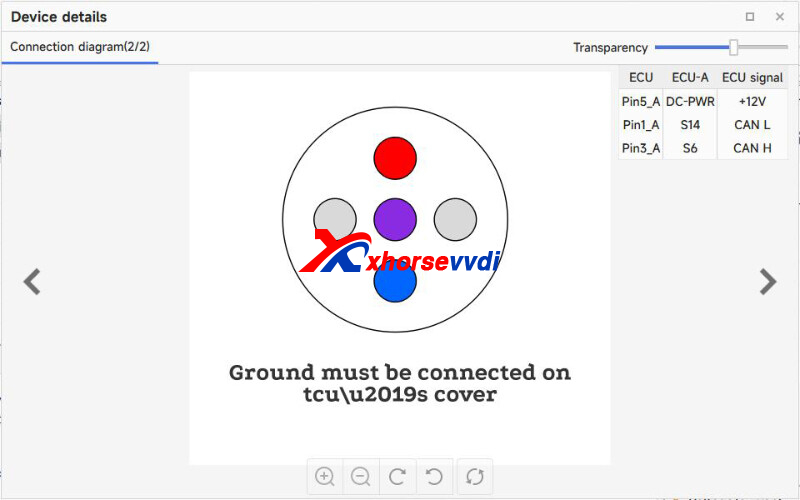
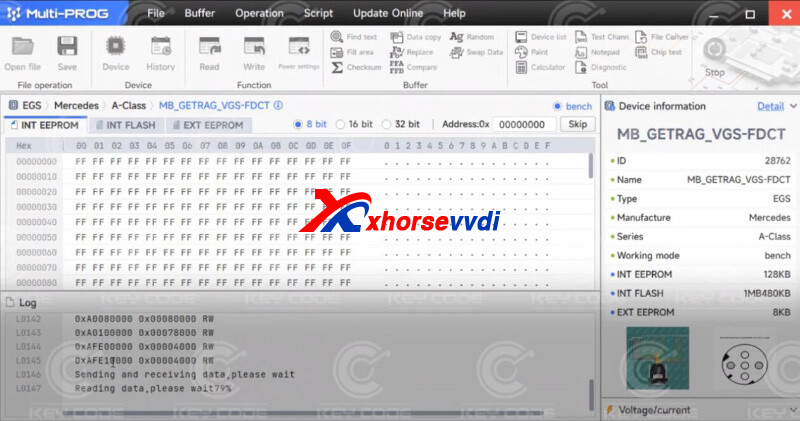
Read data successfully.
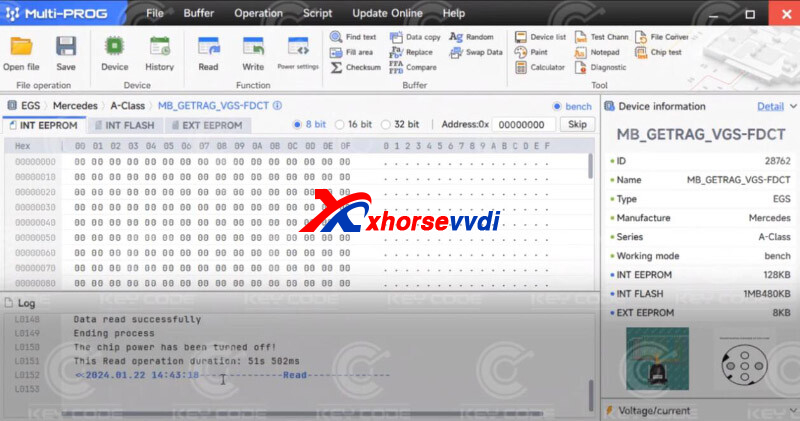
Done! That's how Multi Prog read Mercedes TCU.
http://blog.xhorsevvdi.com/xhorse-multi-prog-read-mercedes-vgs-2015-no-problem/
Posted by: xhorsevvdi at
09:27 AM
| No Comments
| Add Comment
Post contains 62 words, total size 2 kb.
Xhorse VVDI 754J Smart Key is suitable for Audi, and we received feedback that:
Why this key works only on short distance remote lock/unlock on car
5 meters
Original work from 12-15 meters
Which of those options is for signal strenght?
Maybe i can fix xhorse key with this options?
The option choose in database
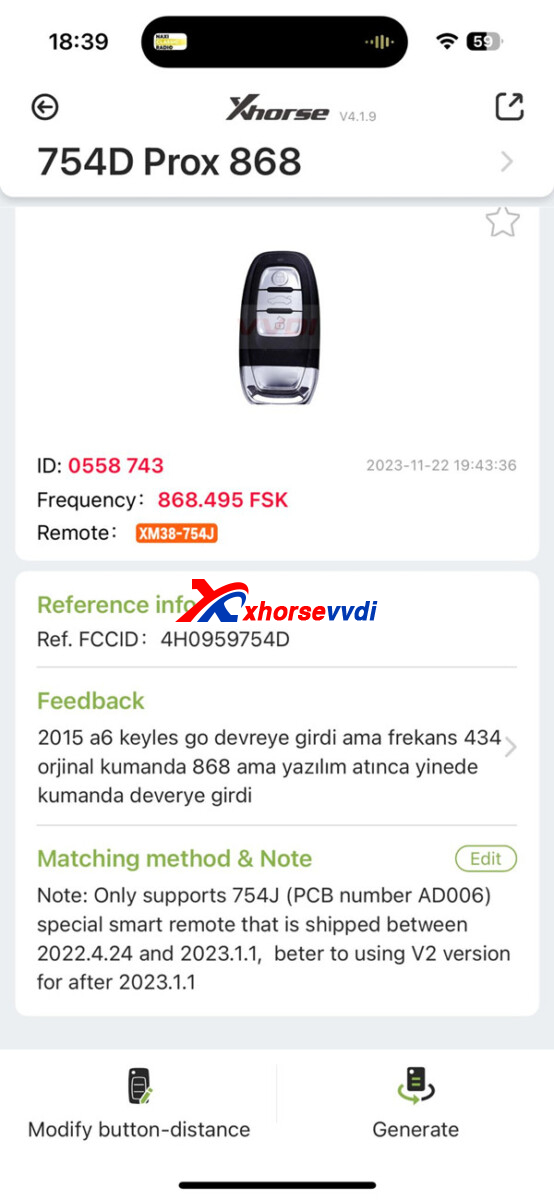
Here is the suggestion from Xhorse Engineer:
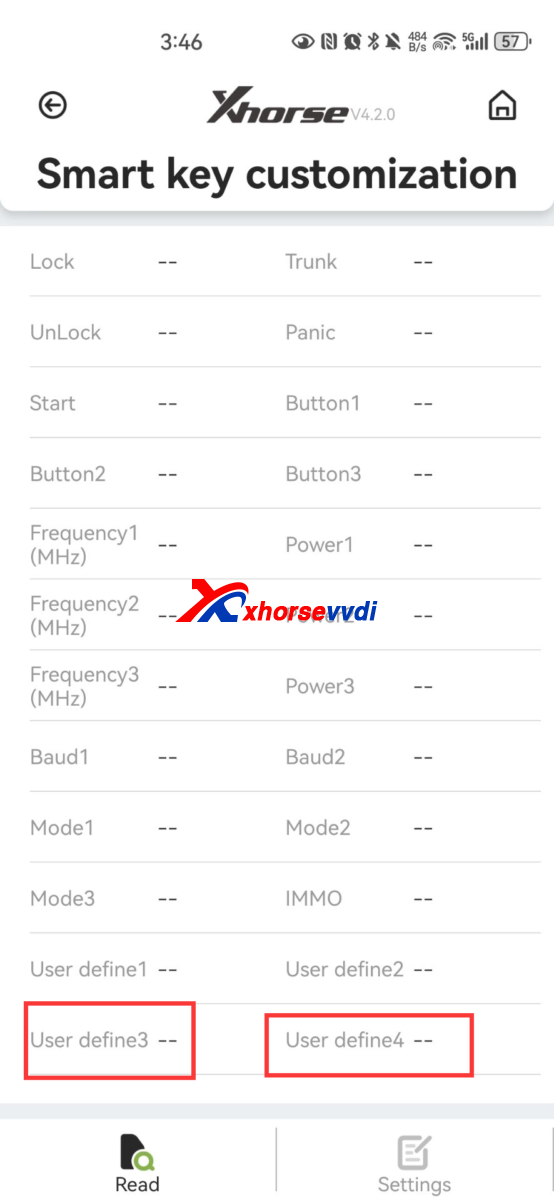
Please check in special function>>VVDI remote function>>smart key customization
define 3 (0-20) ordefine 4 (0~ to modify the sensitivity
Posted by: xhorsevvdi at
09:26 AM
| No Comments
| Add Comment
Post contains 95 words, total size 2 kb.
Multi Prog V9 Database is available now, check out the latest updates.
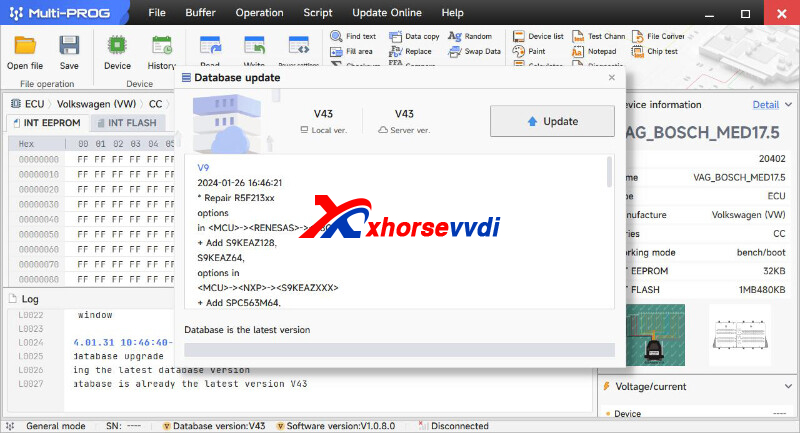
V9 Multi Prog Database Update Info (2024-01-26):
* Repair R5F213xx options in <MCU>-><RENESAS>-><R8C>
+ Add S9KEAZ128, S9KEAZ64, options in <MCU>-><NXP>-><S9KEAZXXX>
+ Add SPC563M64, SPC563M60 options in <MCU>-><ST>-><SPC563MXX>
+ Add SPC57EM80 option in <MCU>-><ST>-><SPC57XX>
+ Add SPC564A70, SPC564A74, SPC564A80, SPC56EL54, SPC56EL60, SPC56EL64, SPC56EL70, SPC564L54, SPC564L60, SPC564L64, SPC564L70, SPC5643L options in <MCU>-><ST>-><SPC564XXX>
+ Add MPC5741P, MPC5742P, MPC5743P, MPC5743R, MPC5744B, MPC5744C, MPC5744K, MPC5744P, MPC5745B, MPC5745C, MPC5745D, MPC5746B, MPC5746M, MPC5746D, MPC5746R options in <MCU>-><Motorola>-><MPC57XXX>
+ Add MPC5601B, MPC5605BK, MPC5605B, MPC5606BK options in <MCU>-><Motorola>-><MPC560XXX>
+ Add MPC5642A, MPC5644A, MPC5645S options in <MCU>-><Motorola>-><MPC564 Series>
+ Add MPC5533, MPC5534, MPC5553, MPC5554, MPC5561, MPC5565, MPC5566, MPC5567 options in <MCU>-><Motorola>-><MPC55XXX>
+ Add E_ENGINE_MSV70(N52), ME9.2, MEV9.2, MSV80_BOOT_2 options in <ECU>-><BMW>-><OTHER>
+ Add EDC16C9-3.XX, EDC7UC31-14.C0, EDC16CP39-6.40, EDC16C39-5.11, EDC16C39-6.H1, EDC15C2 options in <ECU>-><BOSCH>
+ Add ME9.7 option in <ECU>-><Mercedes>-><OTHER>
+ Add E37 option in <ECU>-><HITACHI>
+ Add GM MARELLI 6JO, FAL MARELLI 6JF options in <ECU>-><MARELLI>
+ Add SID202, SID203 options in <ECU>-><SIEMENS>
+ Add MED9.1 option in <ECU>-><AUDI>-><OTHER>
+ Add EDG16C33 option in <ECU>-><MITSUBISHI>-><OTHER>
+ Add ME7.1, ME7.5, options in <ECU>-><VOLKSWAGEN>-><OTHER>
+ Add SID301 option in <ECU>-><Renault>
+ Add Dongfeng Box Truck BMS option in <OTHER>-><DongFeng>
+ Add AM29DL323GT(TSOP4
, AM29DL323GB(TSOP4
, AM29DL322GB(TSOP4
, AM29DL324GB(TSOP4
, AM29DL324GT(TSOP4
, AM29DL322GT(TSOP4
, AM29DL640G(TSOP4
, AM29DL161DB(TSOP4
, AM29DL162DB(TSOP4
, AM29DL163DB(TSOP4
, AM29DL164DB(TSOP4
, AM29DL161DT(TSOP4
, AM29DL162DT(TSOP4
, AM29DL163DT(TSOP4
, AM29DL164DT(TSOP4
, AM29DL800BB(TSOP4
, AM29DL800BT(TSOP4
, AM29DL400BT(TSOP4
, AM29DL400BB(TSOP4
, AM29DL800BB(TSOP44), AM29DL800BT(TSOP44), AM29DL400BT(TSOP44), AM29DL400BB(TSOP44) options in <Parallel FLASH>-><AMD>-><AM29DLXXX>
+ Add SST36VF3203(TSOP4
, SST36VF3204(TSOP4
, SST36VF1601(TSOP4
, SST36VF1602(TSOP4
options in <Parallel FLASH>-><SST>-><SST36VFXXX>
+ Add SST38VF6401(TSOP4
, SST38VF6402(TSOP4
, SST38VF6403(TSOP4
, SST38VF6404(TSOP4
options in <Parallel FLASH>-><SST>-><SST38VFXXX>
+ Add W19B160BB(TSOP4
, W19B160BT(TSOP4
, W19B320AB(TSOP4
, W19B320AT(TSOP4
, W19B320BB(TSOP4
, W19B320BT(TSOP4
, W19B322MT(TSOP4
, W19B323MT(TSOP4
, W19B324MT(TSOP4
, W19B324MB(TSOP4
, W19B323MB(TSOP4
, W19B322MB(TSOP4
options in <Parallel FLASH>-><Winbond>-><W19BXXX>
+ Add AT49BV8192A(TSOP4
, AT49BV8192AT(TSOP4
, AT49BV008AT(TSOP4
, AT49BV008A(TSOP4
, AT49BV8192(TSOP4
, AT49BV8192T(TSOP4
, AT49LV8192T(TSOP4
, AT49LV8192(TSOP4
, AT49LV4096(TSOP4
, AT49BV4096(TSOP4
, AT49BV2048(TSOP4
, AT49LV2048(TSOP4
options in <Parallel FLASH>-><Atmel>-><AT49BVXXX>
+ Add K8D6316UBM(TSOP4
, K8D6316UTM(TSOP4
, K8D3316UT(TSOP4
, K8D3316UB(TSOP4
, K8D3216UB(TSOP4
, K8D3216UT(TSOP4
, K8D1716UT(TSOP4
, K8D1716UB(TSOP4
options in <Parallel FLASH>-><Samsung>-><K8DXXX>
Stay tuned!
http://blog.xhorsevvdi.com/xhorse-multi-prog-v9-database-update-add-med9-1-sid202/
Posted by: xhorsevvdi at
09:25 AM
| No Comments
| Add Comment
Post contains 308 words, total size 4 kb.
One customer gave feedback that his Dolphin XP005 Machine won't work well. It would not show state of charge and kept giving error code 70.
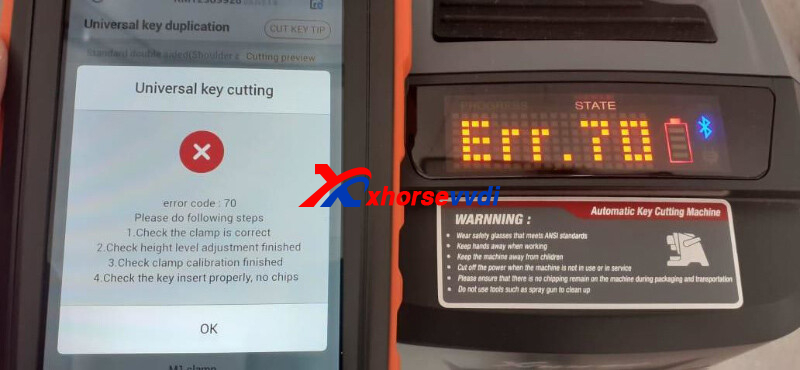
Here Xhorsevvdi tech shares the
Solution:
Update firmware on Xhorse phone app.
*If upgrade process stops, try phone hotspot
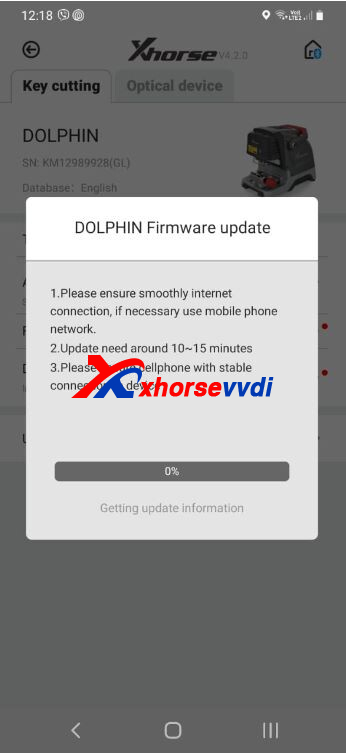
Feedback:
Finally update success, battery screen works.
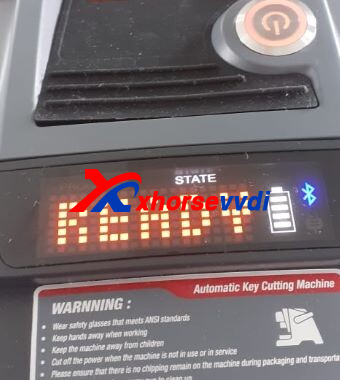
Done! That's how to solve Dolphin XP005 error code 70.
http://blog.xhorsevvdi.com/how-to-solve-dolphin-xp005-error-code-70/
Posted by: xhorsevvdi at
09:24 AM
| No Comments
| Add Comment
Post contains 70 words, total size 2 kb.
In this article, we are going to show you how to replace Xhorse Dolphin XP005 Machine Battery.
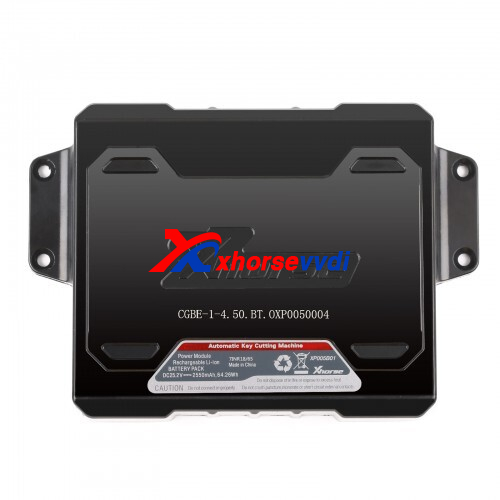
Steps:
1.Remove clamps and plates.
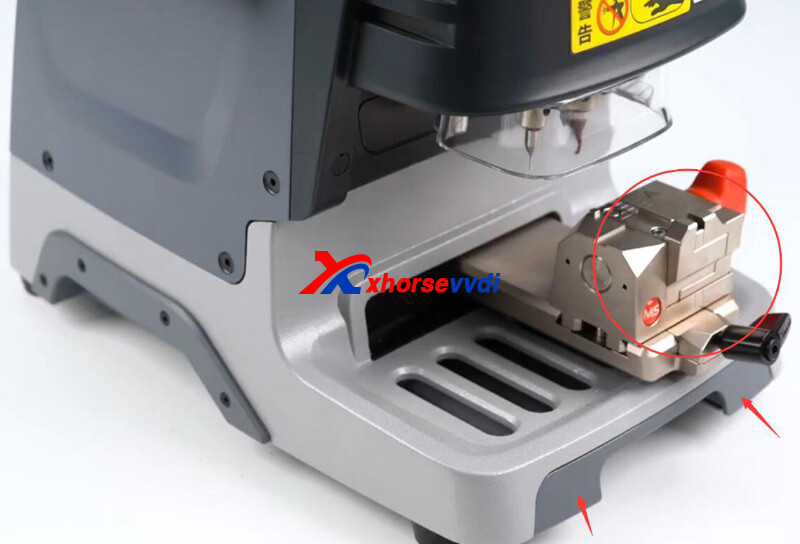
2.Remove the bottom shell.
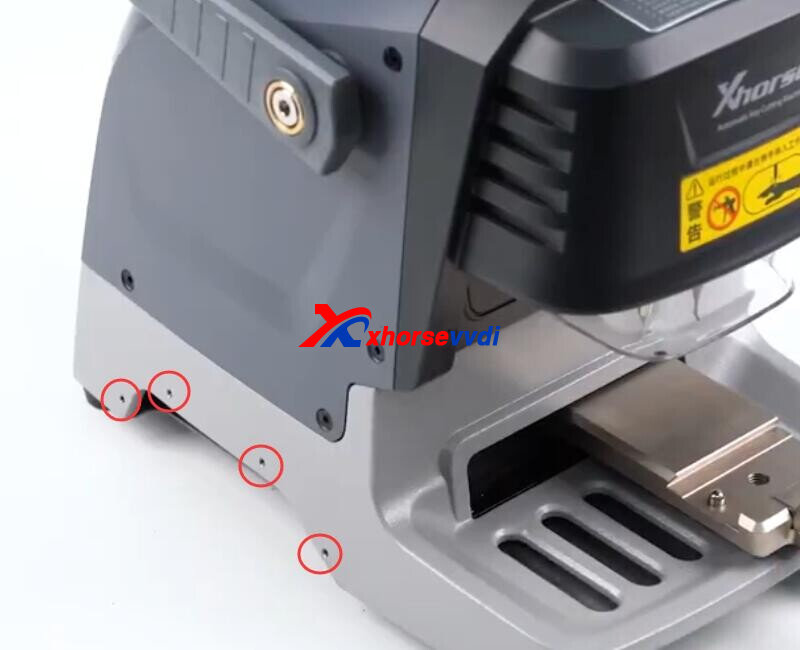
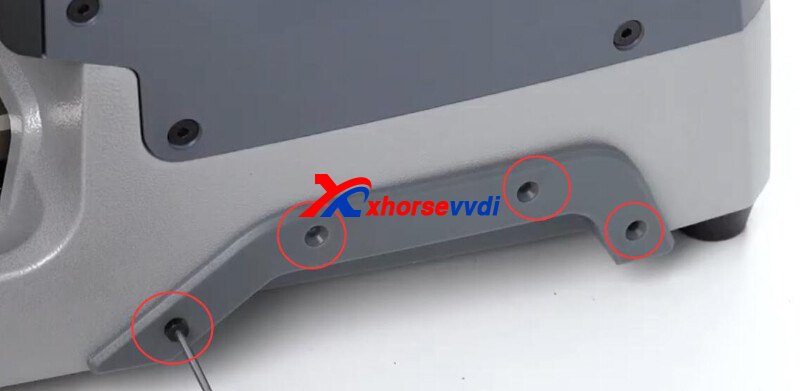
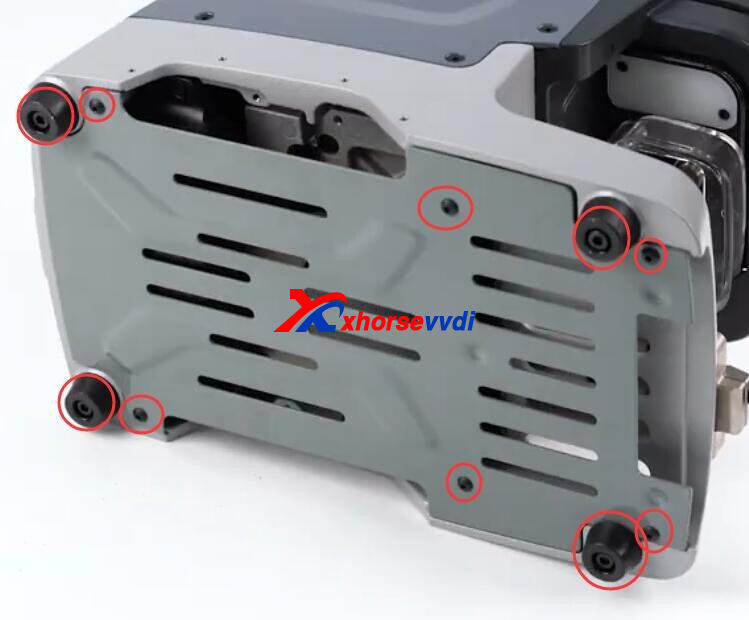
3.Remove old battery.
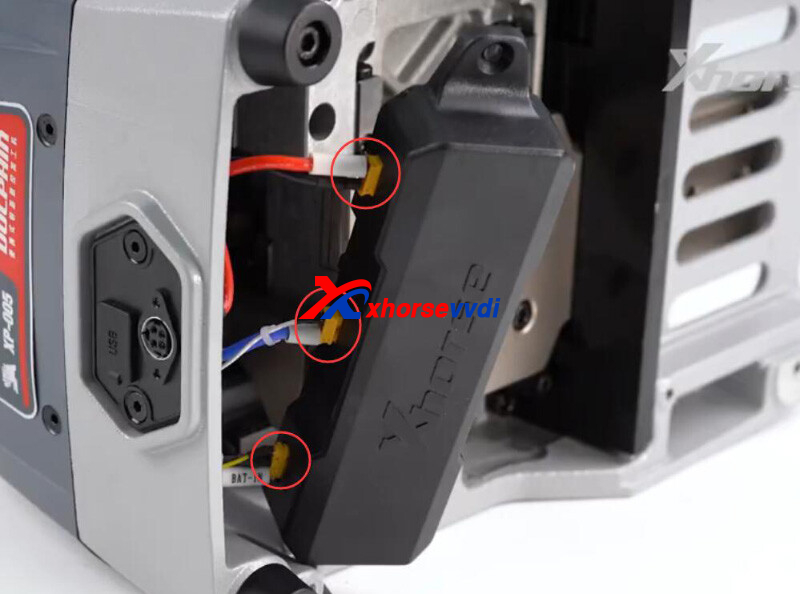
4.Install new battery
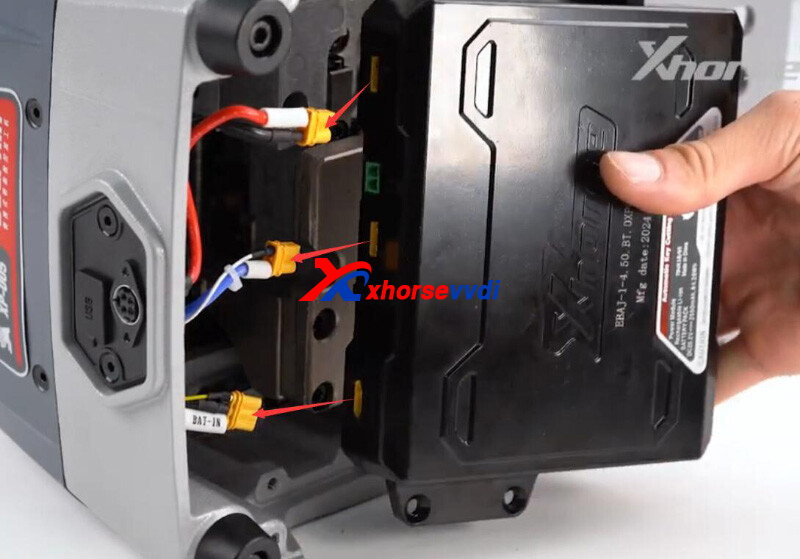
5.Restore all screws and test Dolphin XP005
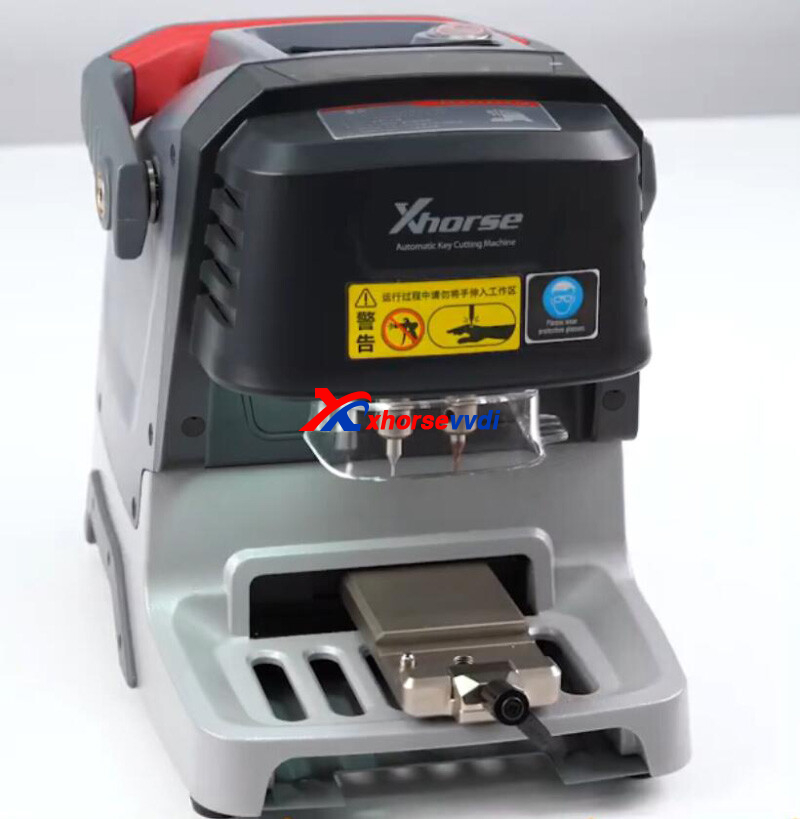
Done! That's how to replace Xhorse Dolphin XP005 Battery.
http://blog.xhorsevvdi.com/how-to-replace-xhorse-dolphin-xp005-machine-battery/
Posted by: xhorsevvdi at
09:23 AM
| No Comments
| Add Comment
Post contains 57 words, total size 3 kb.
One customer gave feedback that his Xhorse MQB48 Adapter won't let him read VW clusters. And VVDI PROG software always prompts "Adapter invalid(00)". He wonders if the issue is the connection.
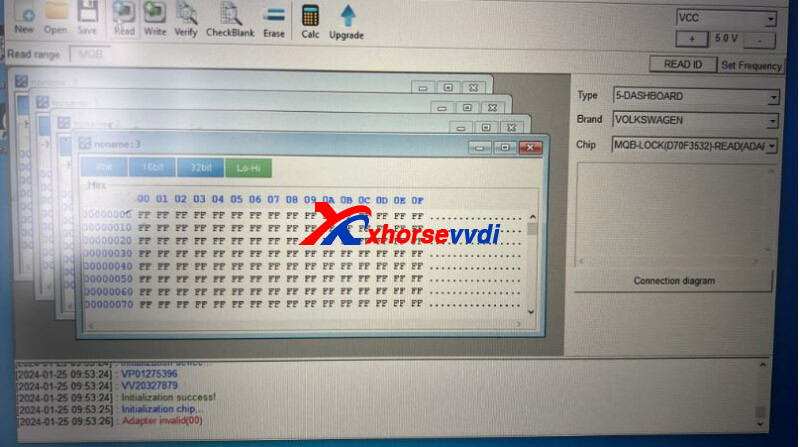
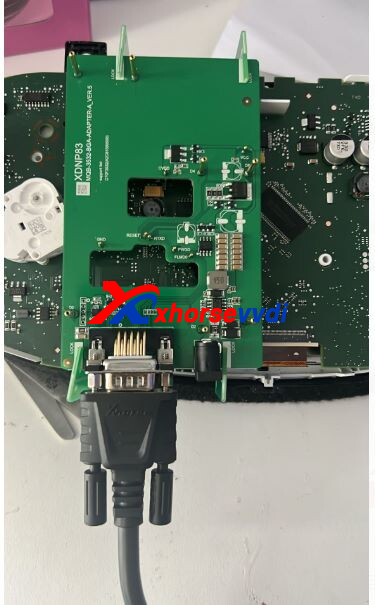
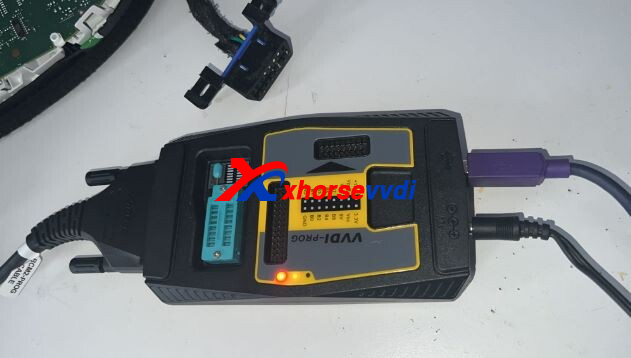
Here is the Solution:
Supply 12V power to MQB Solder-free Adapter.
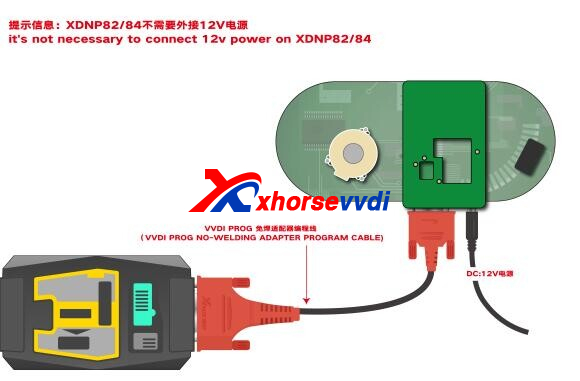
*Carefully follow diagrams, only XDNP82/ 84 MQB Adapter doesn't need power adapter
Done!
http://blog.xhorsevvdi.com/solved-xhorse-mqb48-adapter-read-vw-cluster-adapter-invalid00/
Posted by: xhorsevvdi at
09:23 AM
| No Comments
| Add Comment
Post contains 65 words, total size 2 kb.
Quick question:
Possible to use new Multi Prog with my EIS Adapter Set? Wonder if old VVDI PROG adapters work with the new one.
Here is the answer:
VVDI PROG adapters are not compatible with Multi Prog.
But with XDKP30 Multi-function Adapter, we could use Multi Prog with EIS Adapter.
Here is a successful case from Dave:
Vvdi multi-prog writing eeprom and flash with vvdi eis adapter w906 sprinter ok.
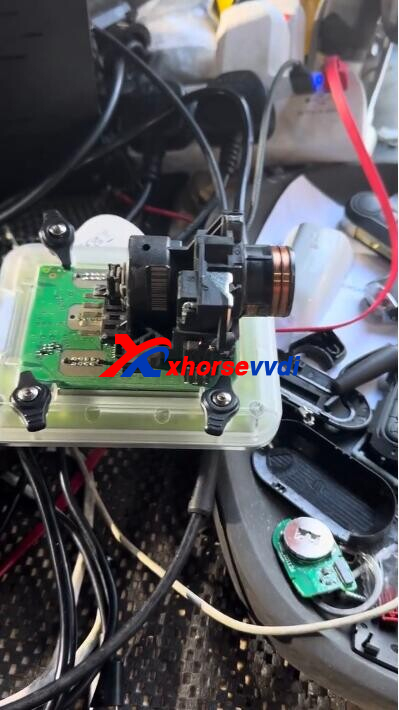
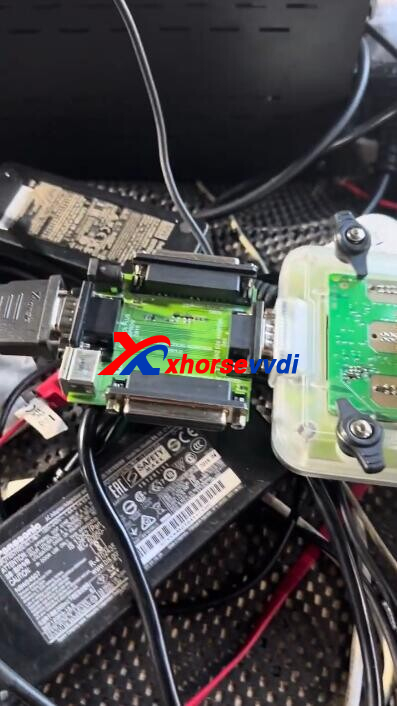
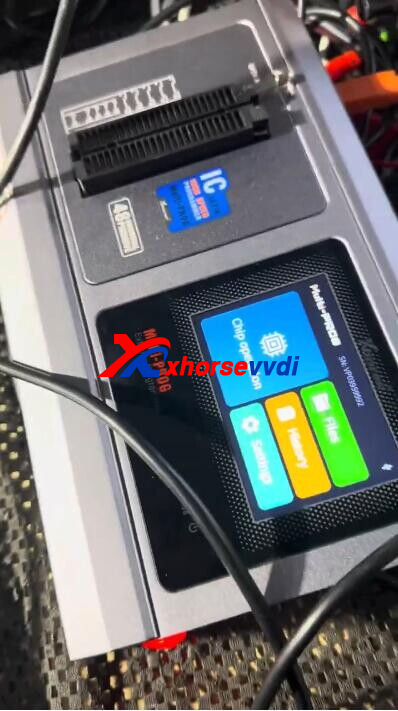
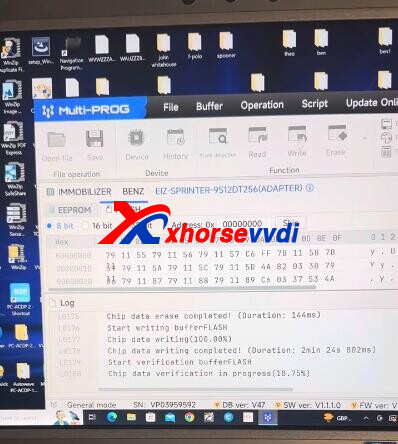
Connection:
Multi-prog>>MCU DB15 Cable>>XDKP30 Adapter>>EIS Adapter
Multi-prog>>Power supply cable>>EIS Adapter
Done!
http://blog.xhorsevvdi.com/can-multi-prog-work-with-xhorse-eis-adapter-set/
Posted by: xhorsevvdi at
09:22 AM
| No Comments
| Add Comment
Post contains 91 words, total size 2 kb.
V5.3.3 VVDI Prog software is released now, get free download link V5.3.3 VVDI Prog software from XhorseVVDI.com.
1.Free Download V5.3.3 VVDI Prog Software
Password: 123456
2.V5.3.3 VVDI Prog Update Info
v5.3.3 (2024-1-24)
*ThisversionDON'tneedupdatefirmware
*SomeECUoptionsprocessoptimization
*LandRoverRFAAdapteroptionsprocessoptimization
*RH850seriesSomeoptionswiringdiagramupdated
*ModifyLOCK_BCM2optionsin<4-IMMOBILIZER>-><AUDI>: Erasingfailurerepairandpromptmessagemodification
*ModifyCAVALIER(201
optionin<7-AIRBAG>-><CHEVROLET>: Wiringdiagramupdate
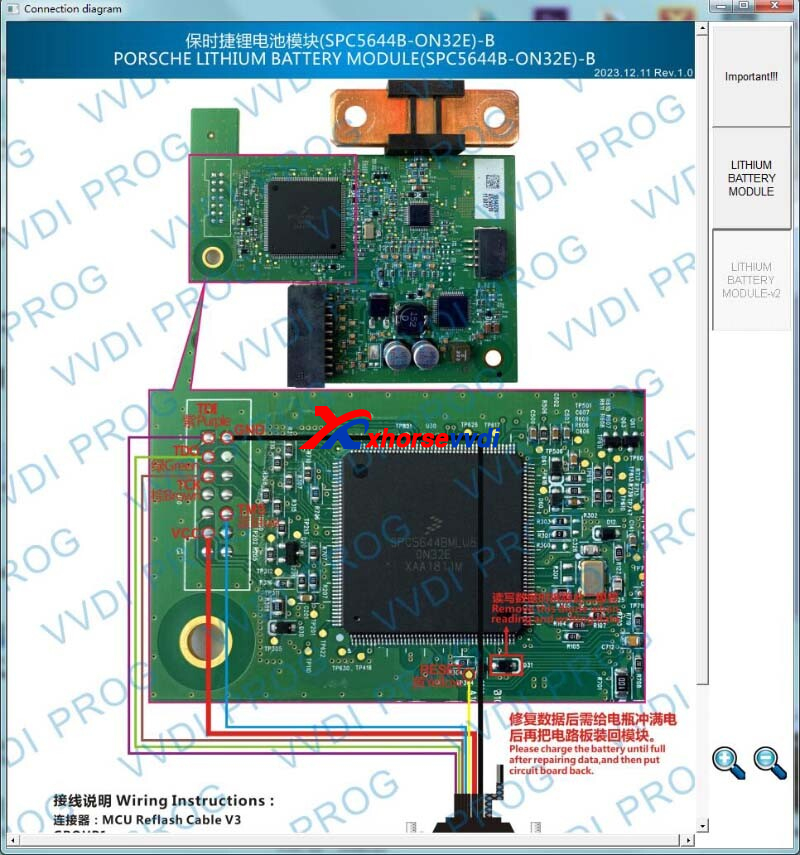
*ModifyLITHIUMBATTERYMODULEoptionin <8-OTHER>-><Porsche>: Wiringdiagramupdate
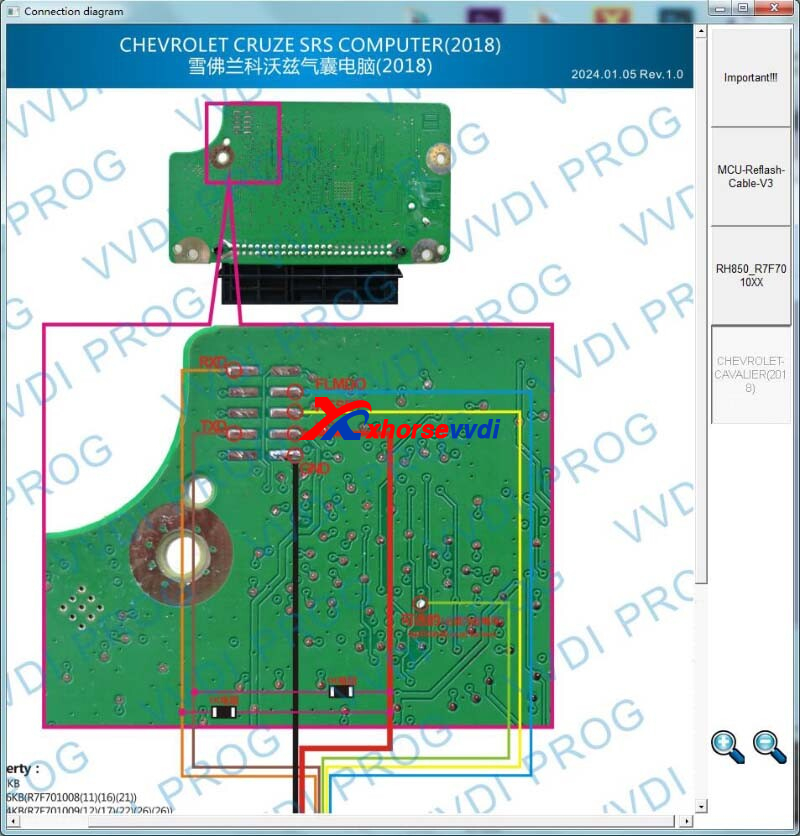
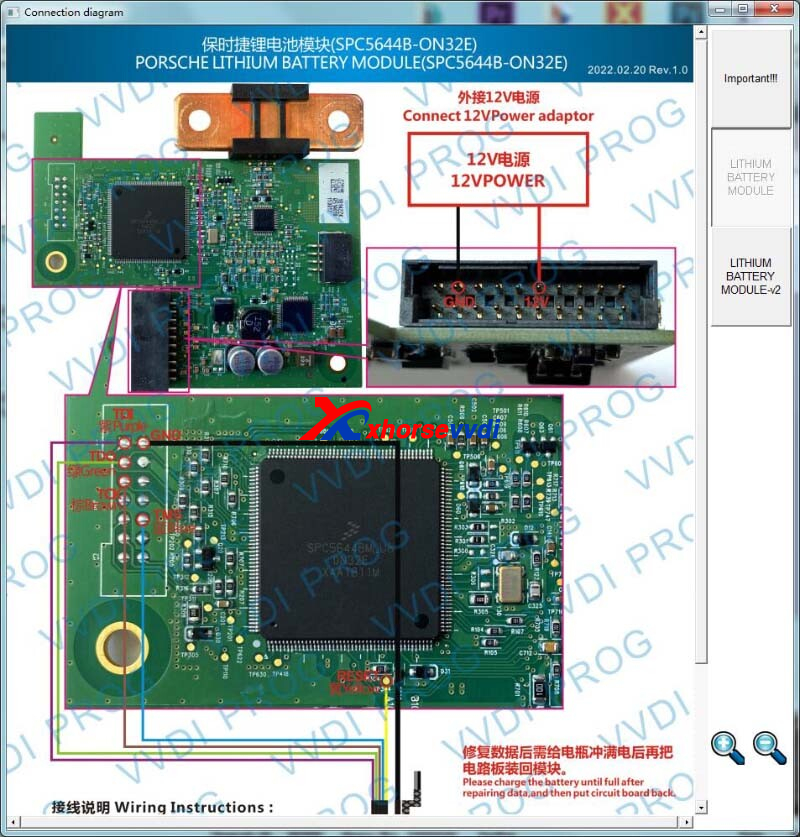
Stay Tuned!
http://blog.xhorsevvdi.com/free-download-v5-3-3-vvdi-prog-software-pinout-update/
Posted by: xhorsevvdi at
09:22 AM
| No Comments
| Add Comment
Post contains 57 words, total size 2 kb.
Quick Question:
What can I do for error code 5000 on my new Xhorse Multi Prog Programmer? Shall I pay for extra licenses for mqb clusters?
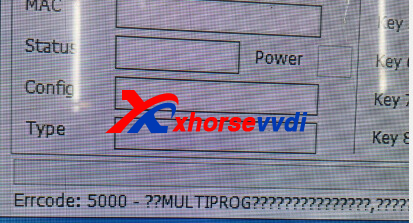
Here is the Solution:
Link two devices, and then try again.
Send both S/N numbers (Multi Prog and VVDI2) to your seller.
Good to know:
- All licenses including MQB48 License on Multi Prog software are activated, no extra pay
- Multi Prog covers all functions of VVDI PROG
Done! Hope this could help!
http://blog.xhorsevvdi.com/how-to-solve-xhorse-multi-prog-errcode5000/
Posted by: xhorsevvdi at
09:21 AM
| No Comments
| Add Comment
Post contains 86 words, total size 1 kb.
One customer gave feedback that his Multi Prog won't read d70f3634 cluster chip. And the tool said "Failed to load VPA! Error code: ffff55aa. The number of times used is 0. Please synchronize..."
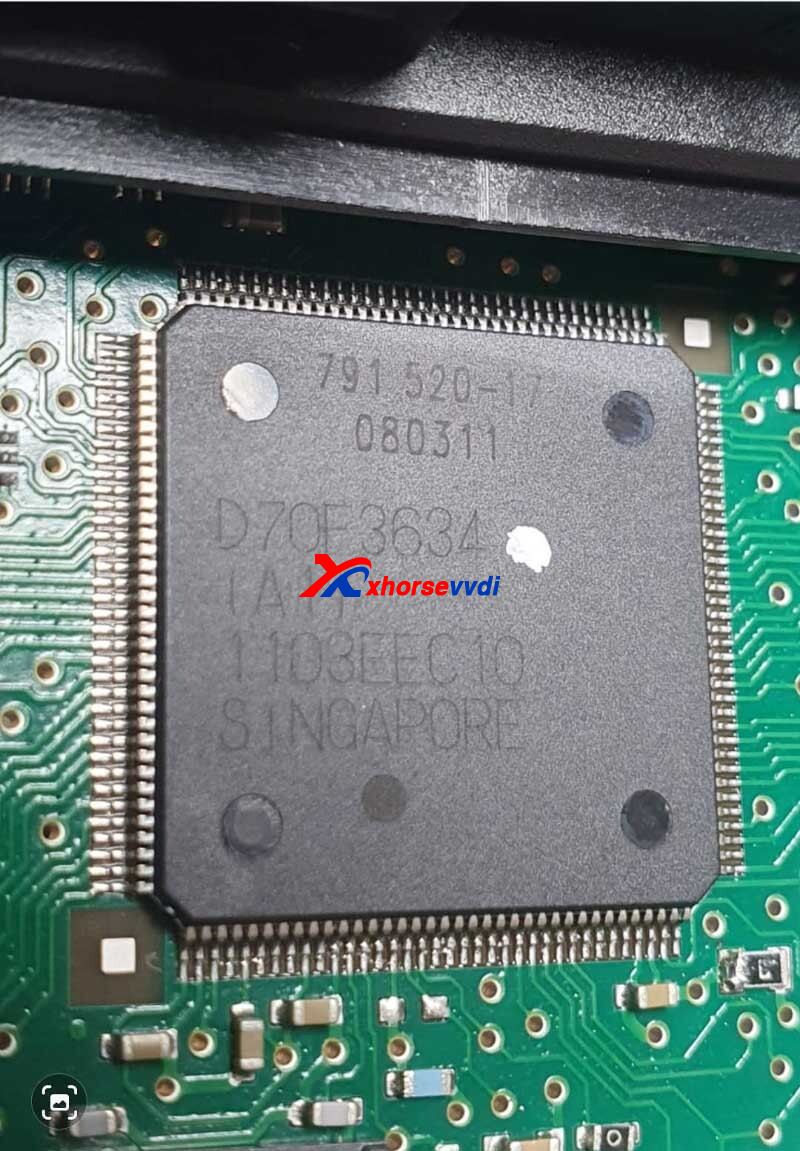
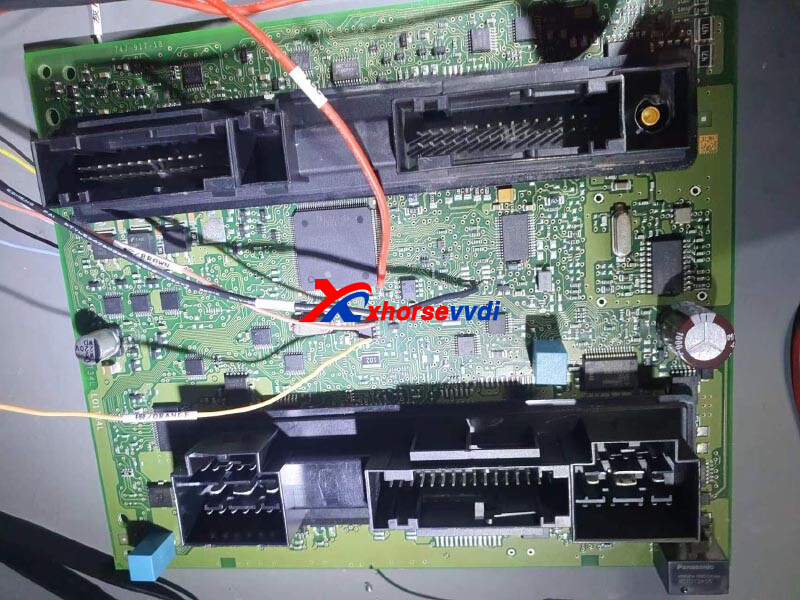
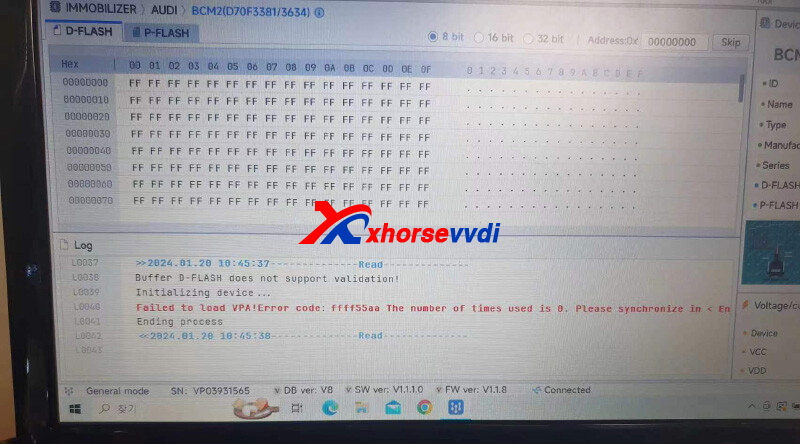
Here is how to find out the solution:
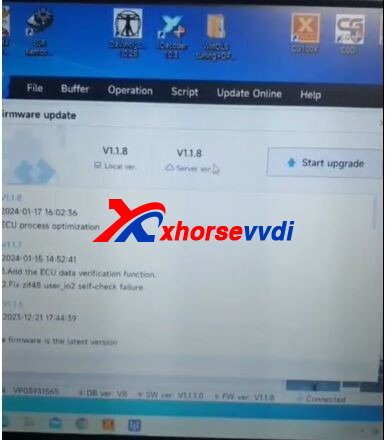
1)Synchronize Xhorse Multi Prog
(i.e. Re-update firmware)
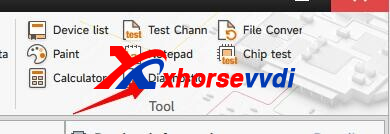
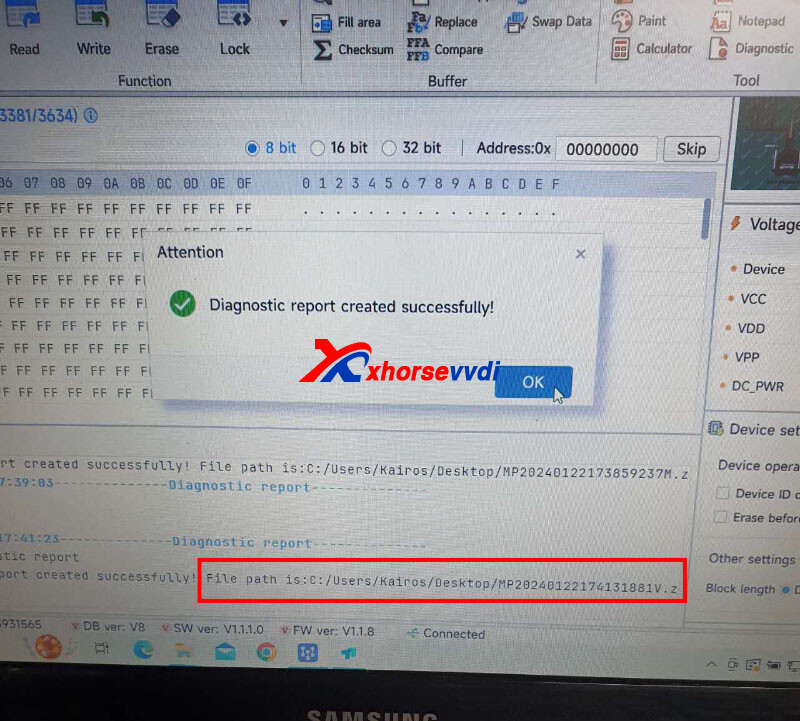
2)Send Multi Prog diagnostic report to your seller
File path:
Then Xhorse tech will figure out the solution.
http://blog.xhorsevvdi.com/how-to-solve-xhorse-multi-prog-failed-to-load-vpa-error/
Posted by: xhorsevvdi at
09:21 AM
| No Comments
| Add Comment
Post contains 77 words, total size 2 kb.
January 19, 2024
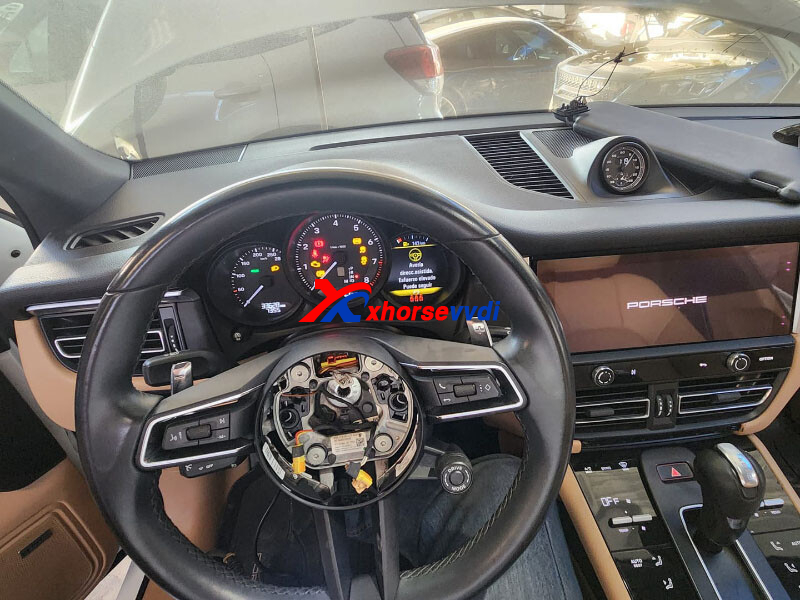
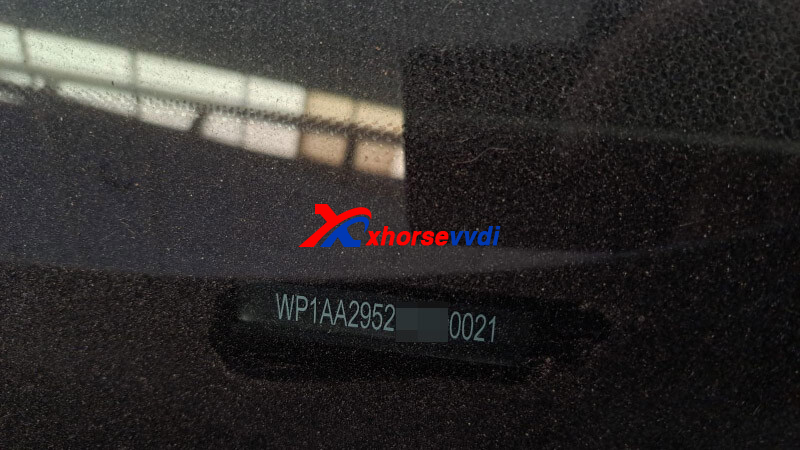
One customer asks if VVDI Key Tool Plus to program Porsche Macan up to 2022 or 2023. I thought that only up 2018, so maybe it is impossible, Porsche 2022 dealers only?
Here is the Answer:
Yes, Xhorse Tablet supports Macan up to 2023.
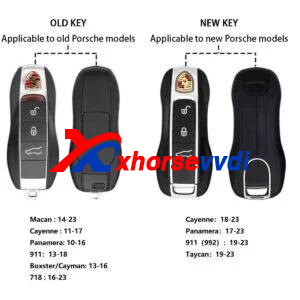
For Porsche models like Cayenne, 718, Taycan...
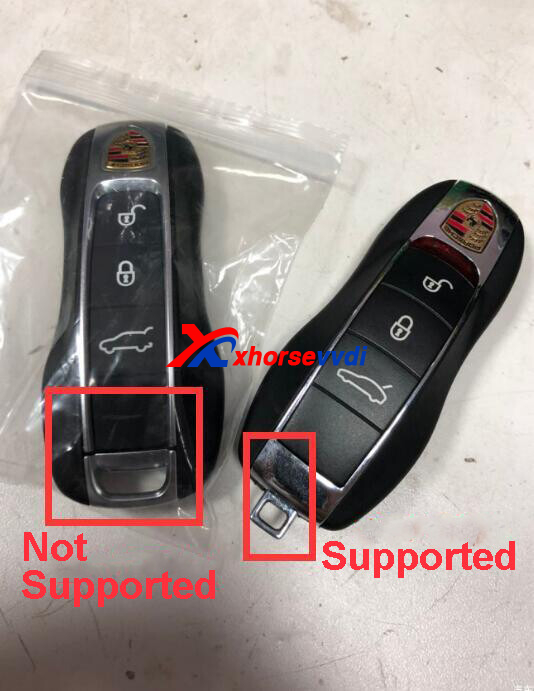
Check out the original car key.
If key used same as up to 2018, the system will be old as on newer keys the chip is different.
Then old systems are supported.
Review:
Porsche Macan 2022 success.
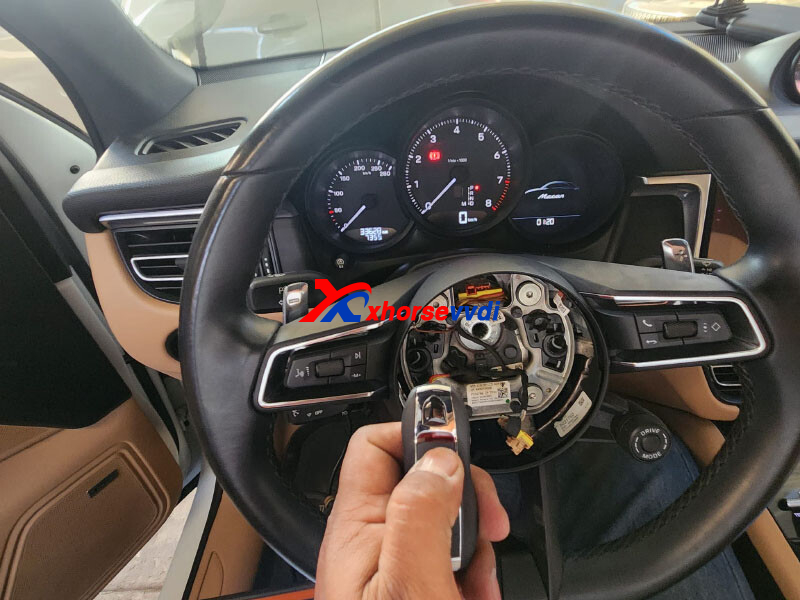
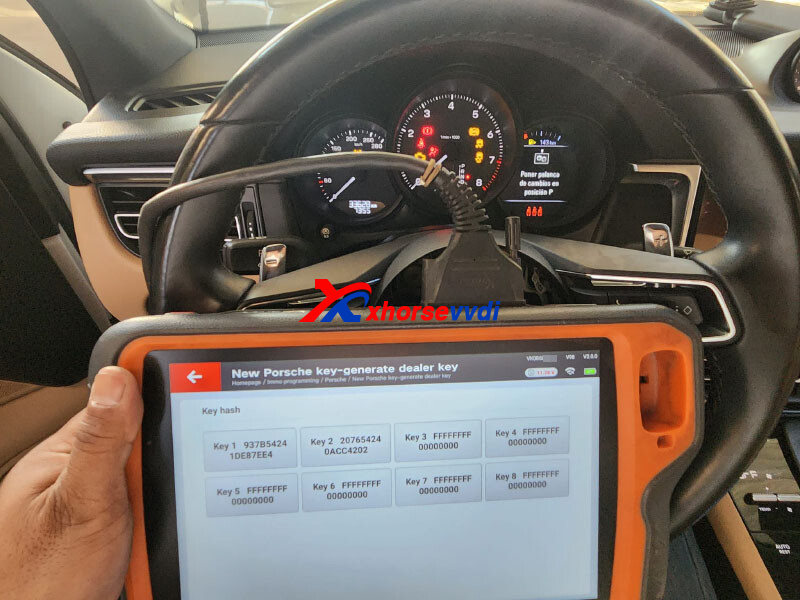
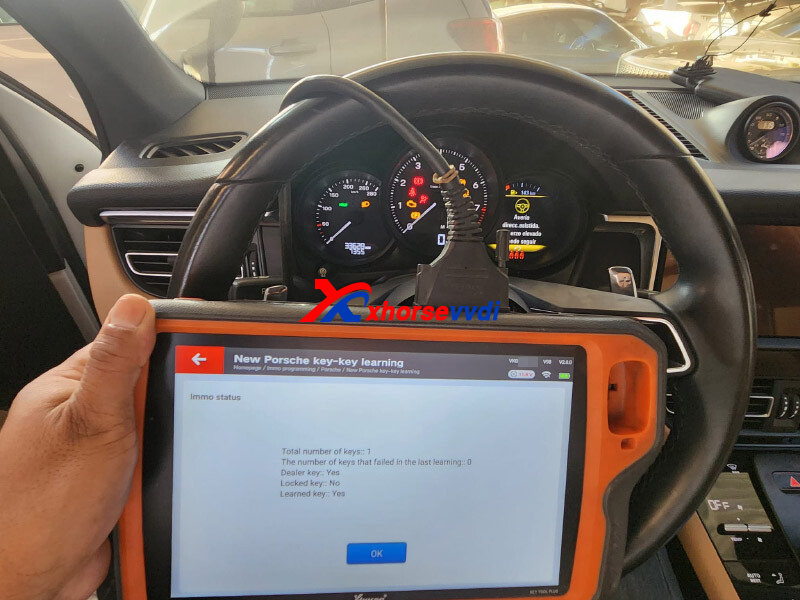
Done!
http://blog.xhorsevvdi.com/key-tool-plus-possible-to-program-porsche-macan-2022-2023/
Posted by: xhorsevvdi at
09:44 AM
| No Comments
| Add Comment
Post contains 100 words, total size 3 kb.
Quick Question:
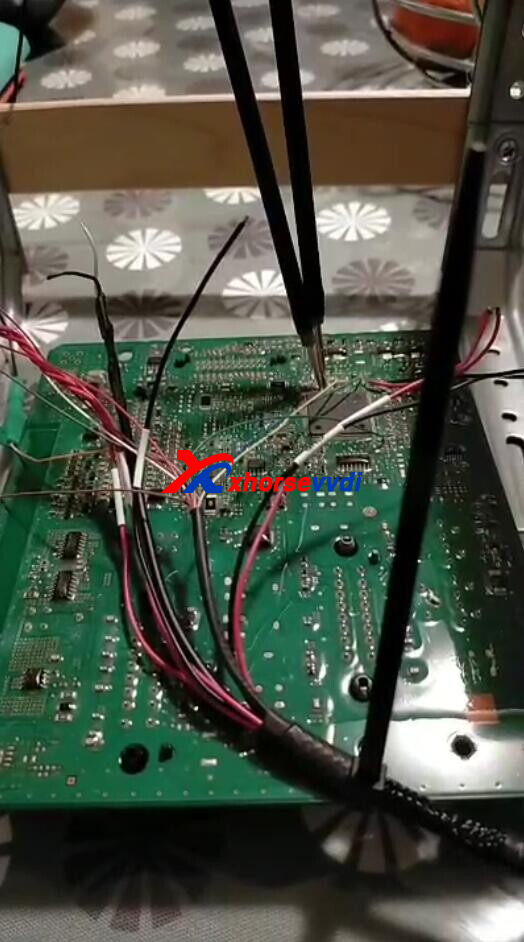
Is it possible for Multi Prog or VVDI PROG to read Renesas V850 D70F3632? My vvdi prog won't let me read this and keeps showing "Try Frequency failed(00)".
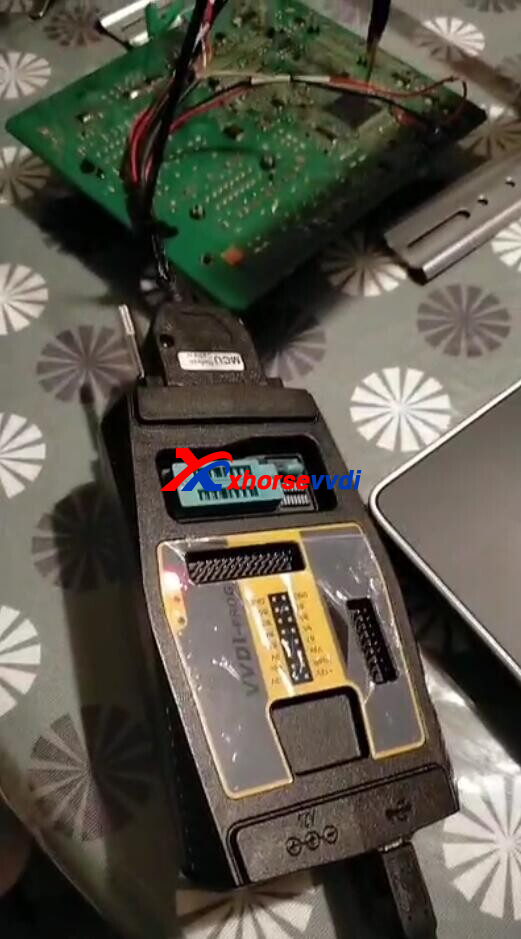
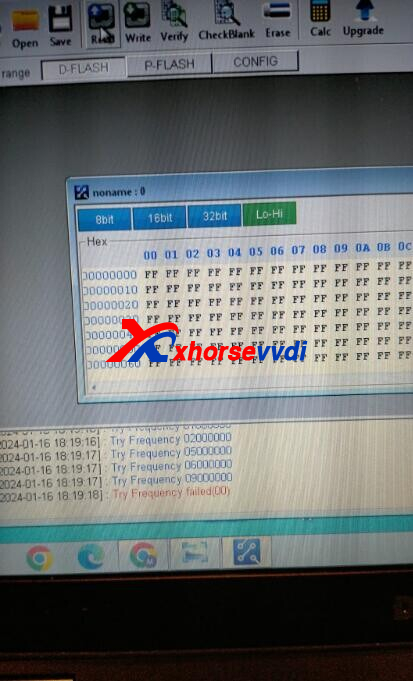
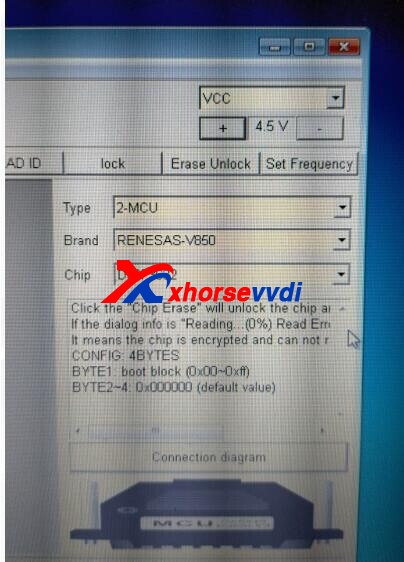
Here is the
Reason:
The "Try Frequency failed(00)" error usually means wrong connection.
Solution:
Solder cable pins to the chip by diagrams on software.
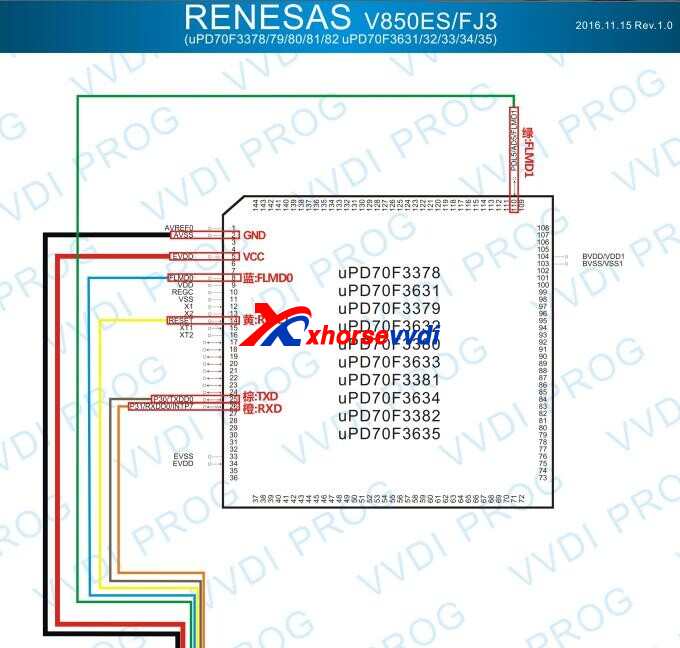
*Be careful to the two pins soldered side by side
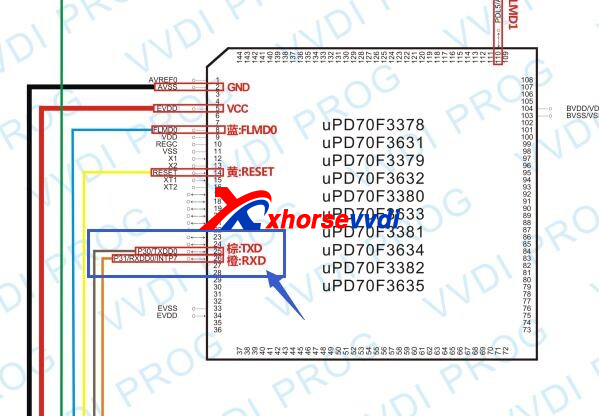
Hope this could help!
http://blog.xhorsevvdi.com/multi-prog-vvdi-prog-possible-to-read-renesas-v850-d70f3632/
Posted by: xhorsevvdi at
09:44 AM
| No Comments
| Add Comment
Post contains 78 words, total size 2 kb.
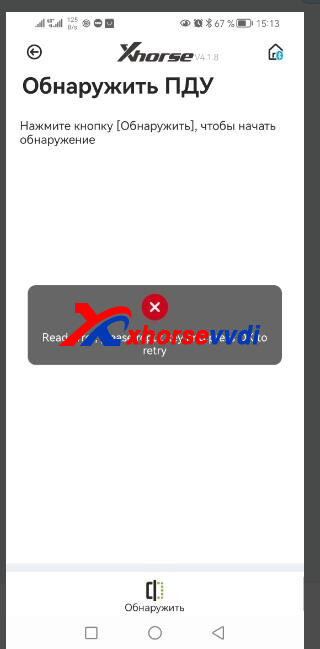
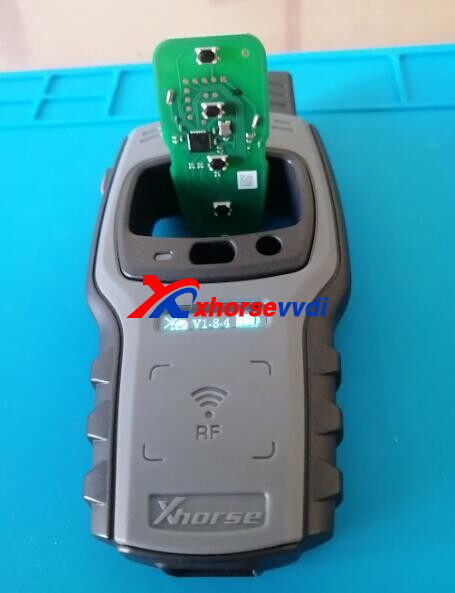
One customer gave feedback that his Key Tool Max Pro could not generate XSCH01EN Remote.
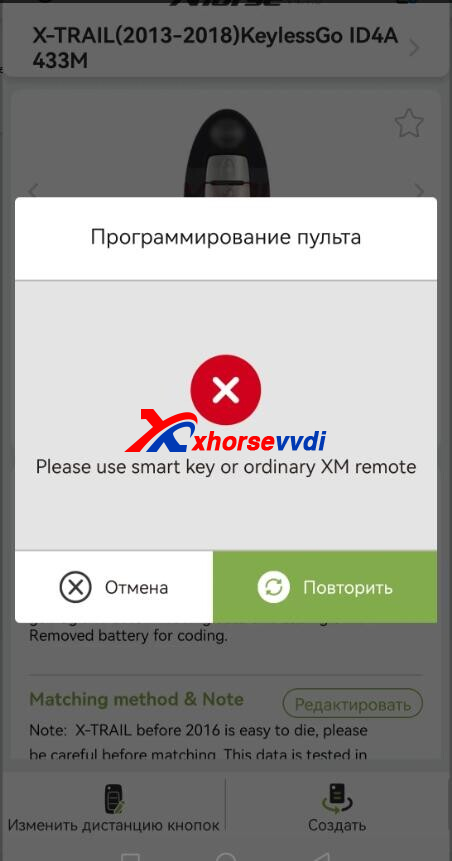
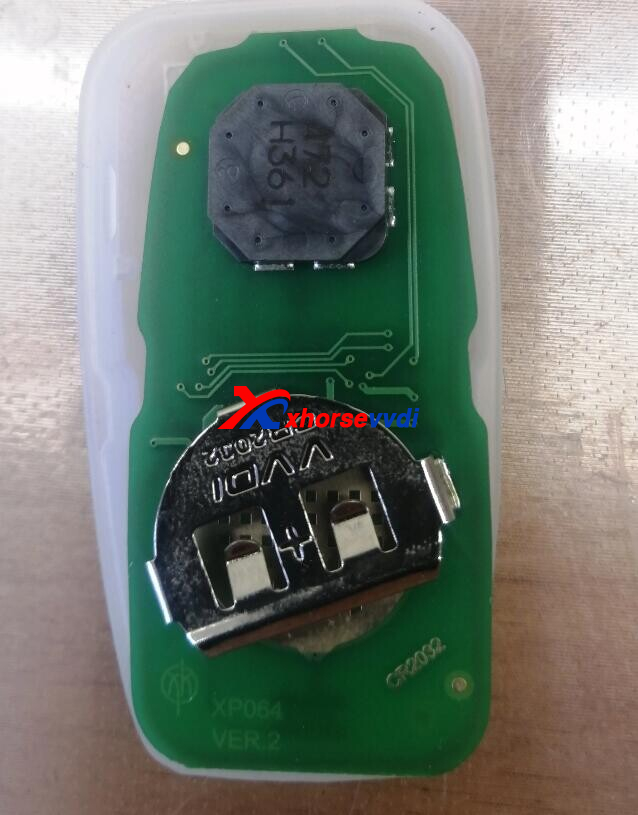
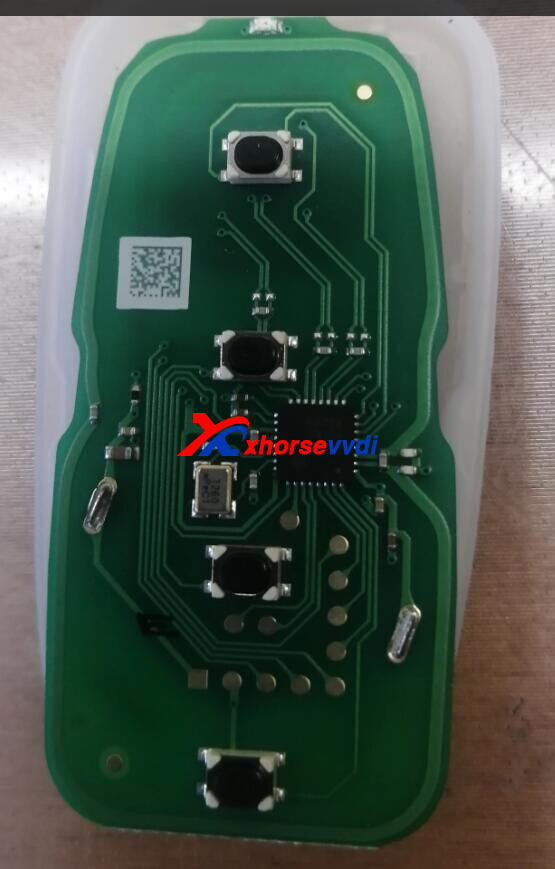
Here is the Solution:
Make sure we select the required remote.
To identify remote, go to
Special Function>>VVDI Remote function>>Detect remote
*Install a battery before generating or detecting Smart Remote, or tools may get errors
Done! Hope this could help!
http://blog.xhorsevvdi.com/fixed-vvdi-key-tool-max-pro-wont-identify-xsch01en-remote/
Posted by: xhorsevvdi at
09:43 AM
| No Comments
| Add Comment
Post contains 66 words, total size 2 kb.
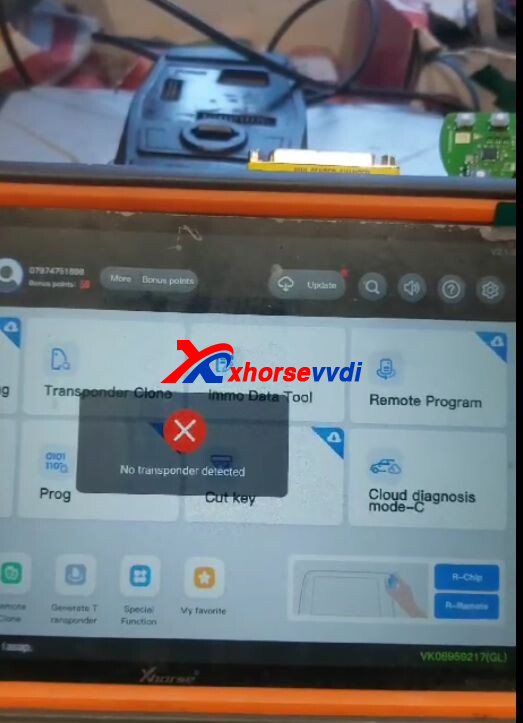
One customer gave feedback that his Mini Key Tool won't identify VVDI BE PRO Key. All his 5 remotes are the same.
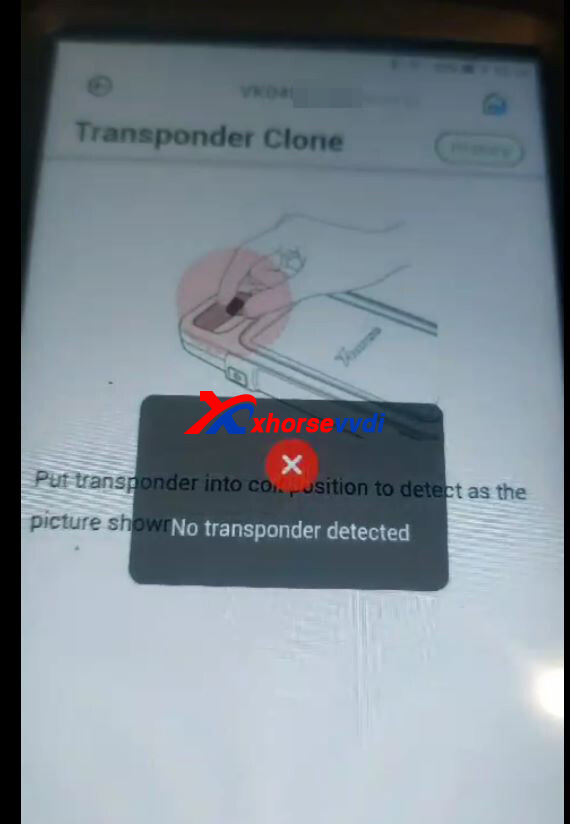
Neither could his VVDI Key Tool Plus. Both show "No transponder detected".
Here is the Answer:
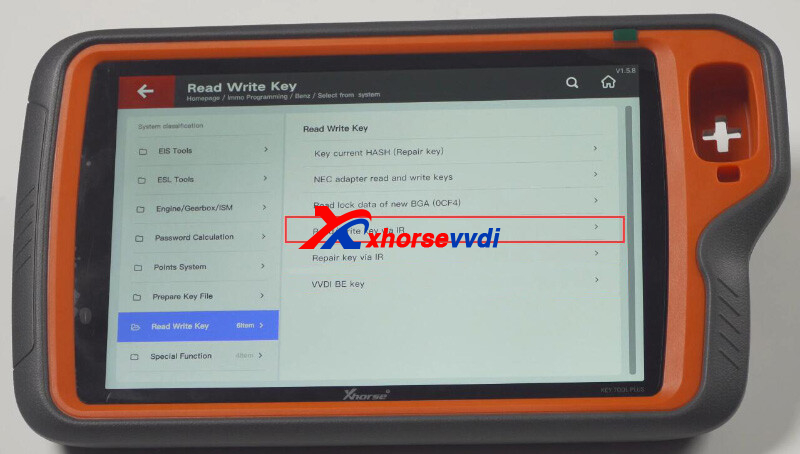
Identify IR key on IR function page.
Path: Immo Programming>> Benz>>Select from system>>Read Write Key>>Read/Write key via IR
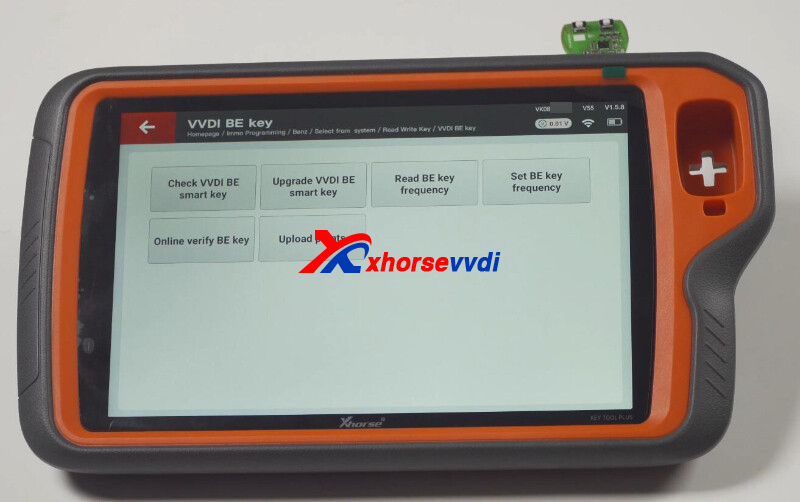
We can also read and change VVDI BE Key frequency on VVDI BE key.
Posted by: xhorsevvdi at
09:42 AM
| No Comments
| Add Comment
Post contains 81 words, total size 2 kb.
One customer asked what is this new button, WireRemote-Gen2 on his VVDI Key Tool Max. What is the difference between it and Generate remote.
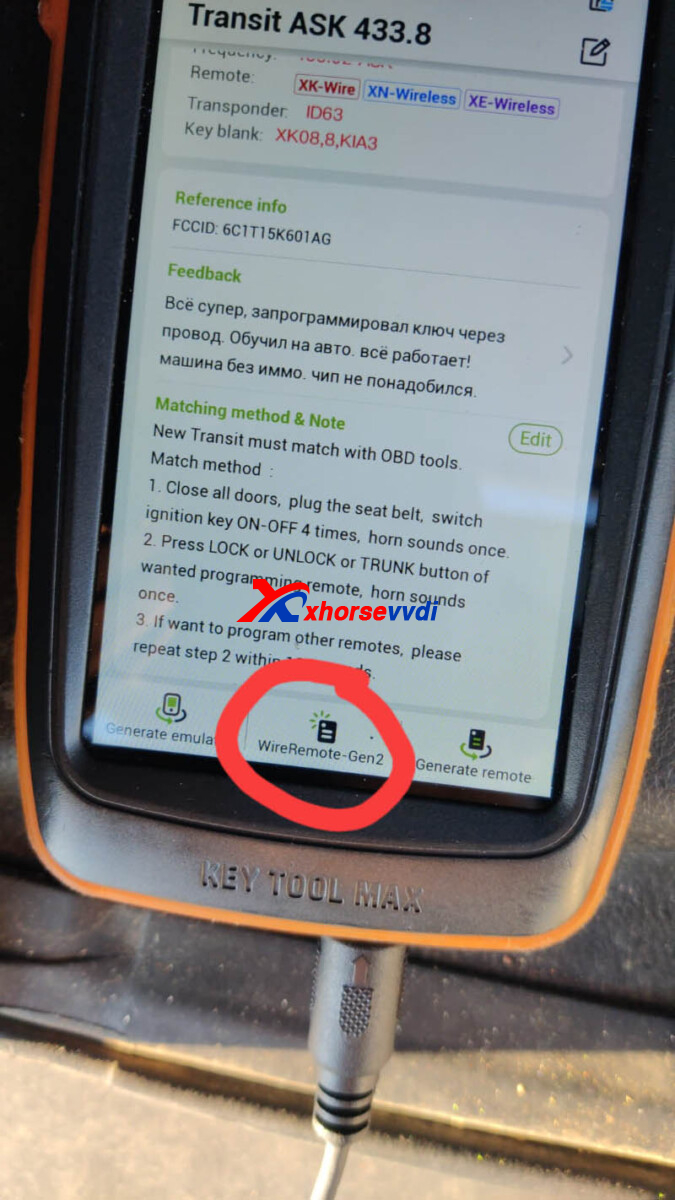
Here is the answer:
This button is for Xhorse Wired Remote's second iteration.
It is not ready yet.
Good to Know:
1)New wired remote doesn't need a programming cable to generate
2)New chip and endurance
http://blog.xhorsevvdi.com/what-is-wireremote-gen2-on-vvdi-key-tool-max/
Posted by: xhorsevvdi at
09:41 AM
| No Comments
| Add Comment
Post contains 68 words, total size 1 kb.
Quick Question:
I have repaired 100 frm3 with VVDI PROG, I have never had a problem until today, it won't let me write EEPROM, why is it?
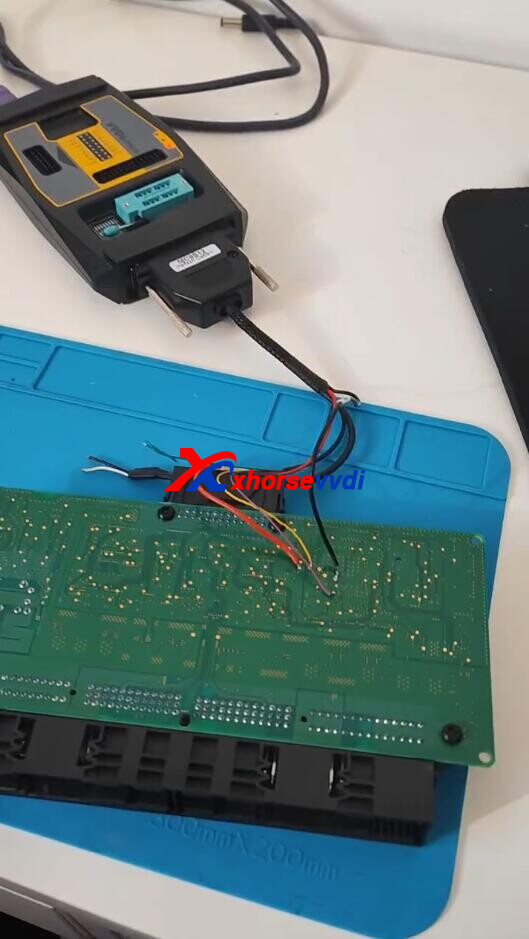
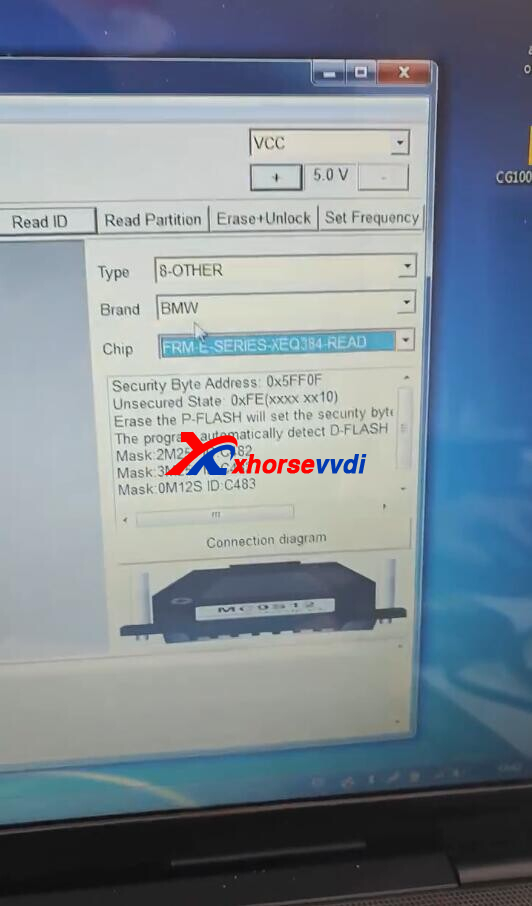
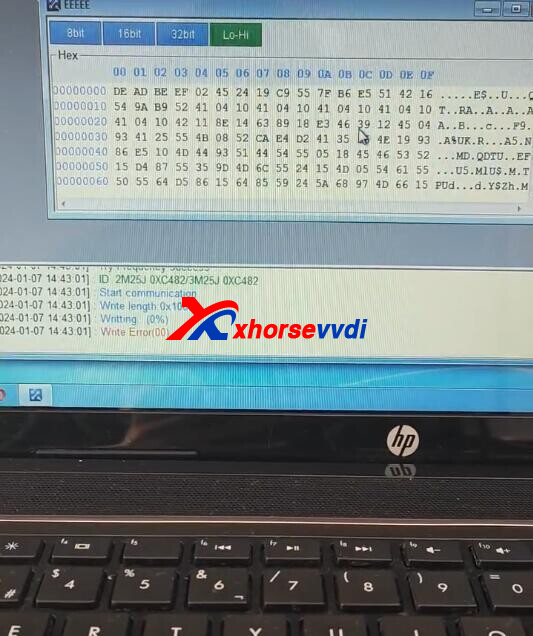
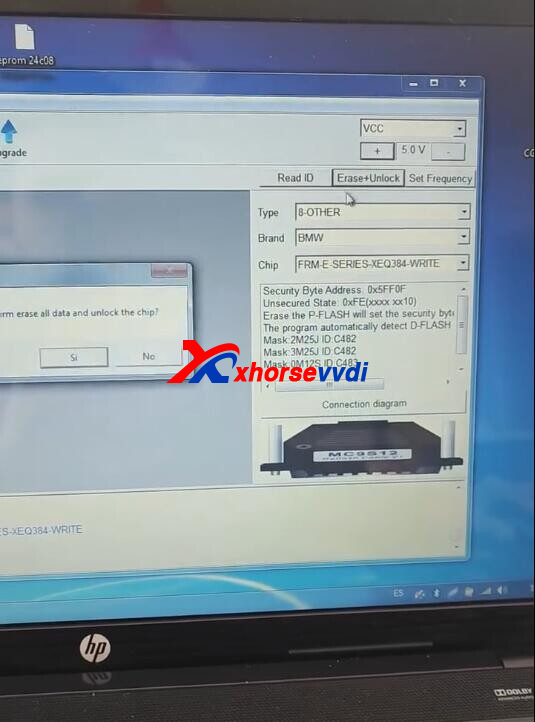
Here is the answer:
When we select EEPROM, click on Write Partition on right side. It will ask to set manually. Click Yes. Set maximum for EEPROM 0 to D-flash. Then choose the file, and click write as you did and it will work.
*Don't need to use erase and unlock functions, just read and write using VVDI PROG Programmer
http://blog.xhorsevvdi.com/solved-vvdi-prog-repair-frm3-write-eeprom-fail/
Posted by: xhorsevvdi at
09:40 AM
| No Comments
| Add Comment
Post contains 96 words, total size 2 kb.
Quick Question:
Extracted MQB cluster data with VVDI Key Tool Plus and RH850 Cable, but after soldering on the cluster, one of the removed capacitors is damaged. What are their values?
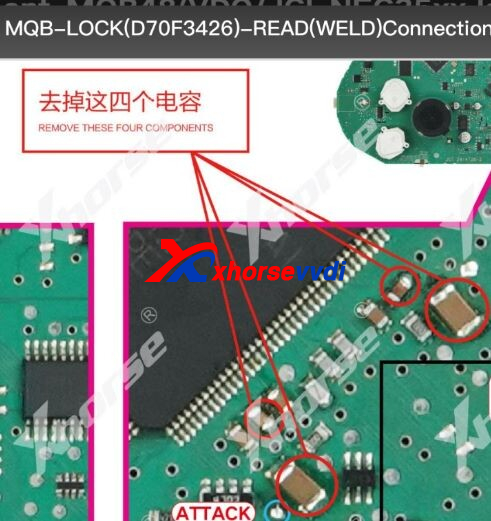
Here Xhorsevvdi tech answers:
The four capacitors are the same as the two around Pin 118.
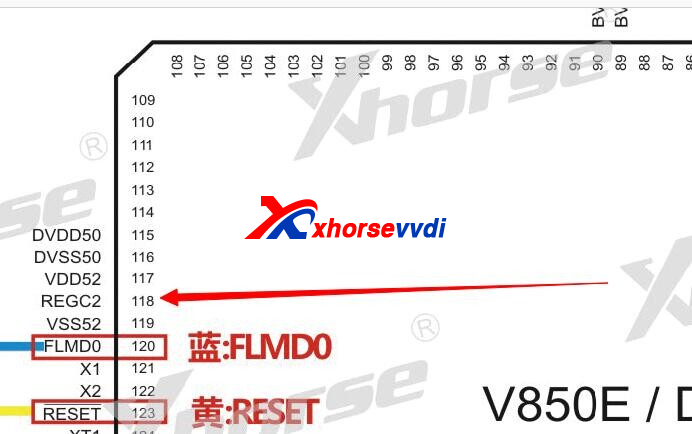
Value:
Bigger capacitors - 4.7μF 1026
Smaller capacitors - 1μF 0805
http://blog.xhorsevvdi.com/how-to-replace-removed-capacitor-after-xhorse-mqb-key-programming/
Posted by: xhorsevvdi at
09:40 AM
| No Comments
| Add Comment
Post contains 69 words, total size 2 kb.
Condor Mini Plus II can cut VW HU162T keys, including HU162T-7, HU162T-9, HU162T-10.
Here is a review:
Xhorse Condor mini plus ll HU162T-9 Audi Q2 2020 key cutting
Check out the process:
First we need to decode lock using LISHI HU162T Decoder.
Input A-Side bittings.
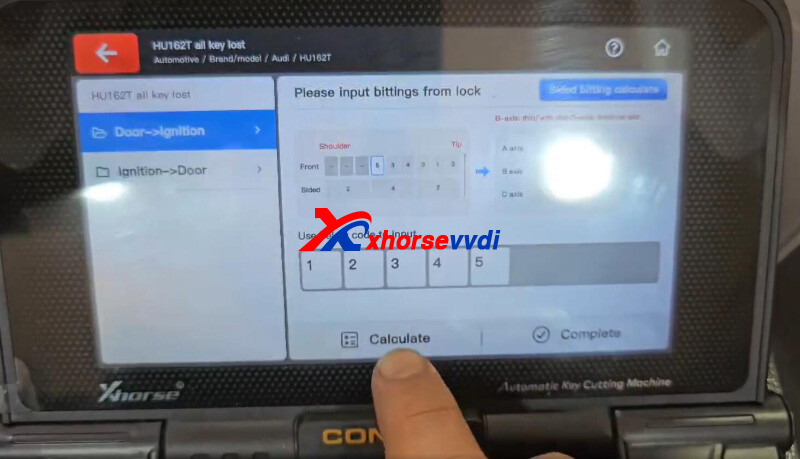
Cut A side.
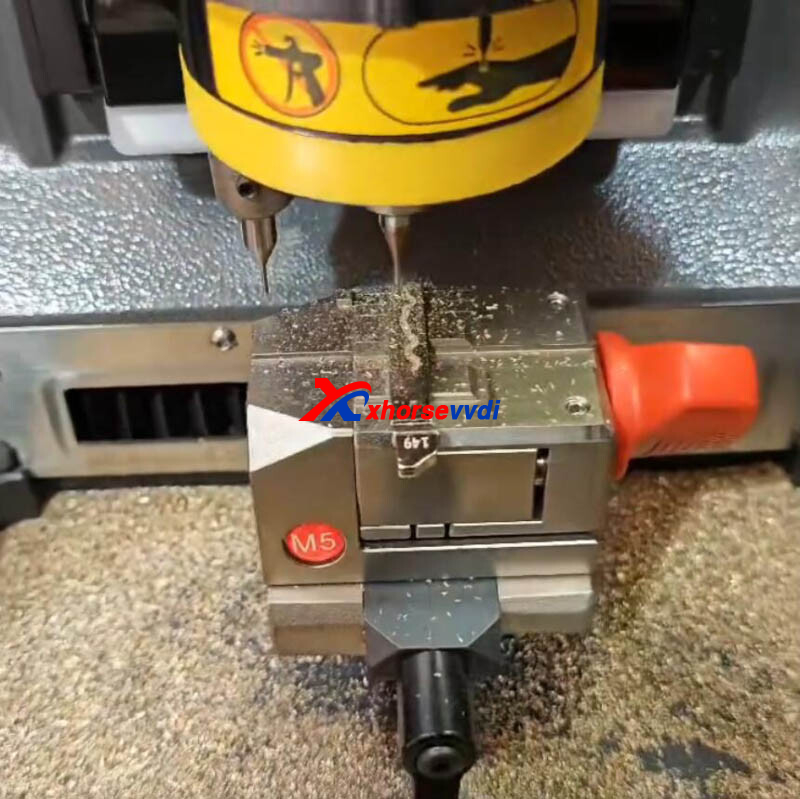
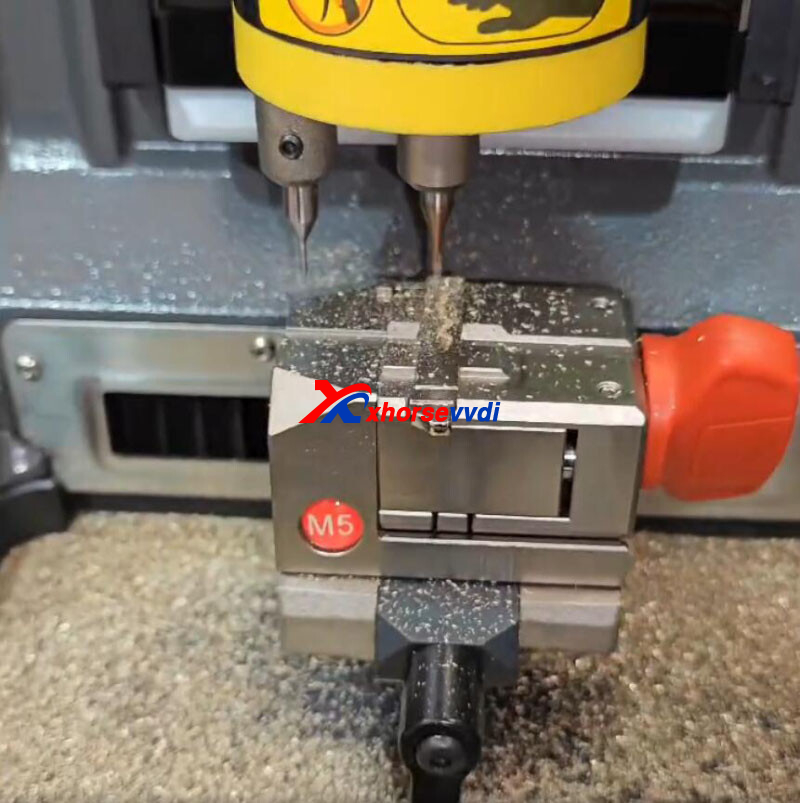
Input B-side bittings.
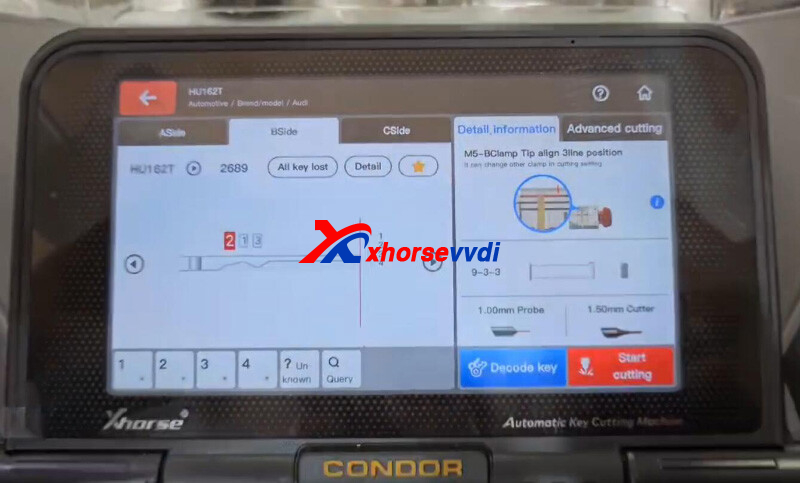
Cut B side.
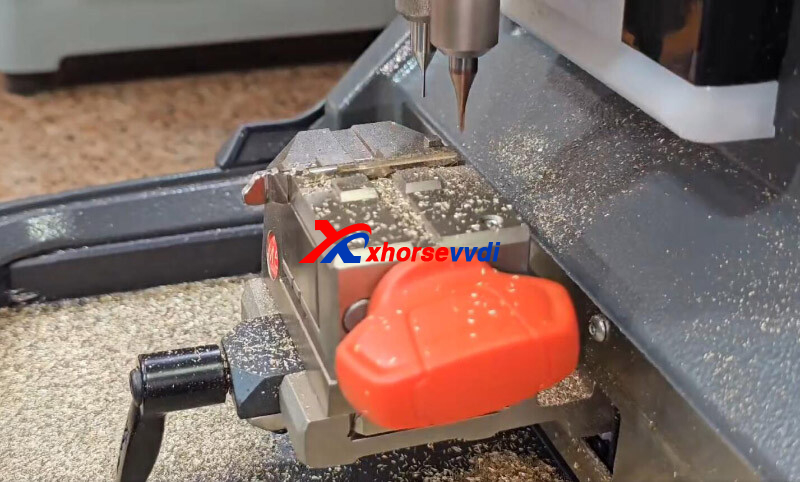
Cut C side.
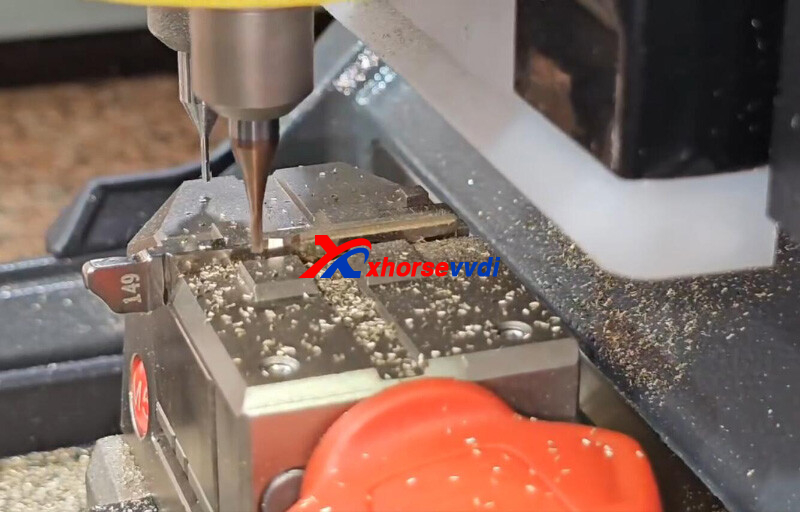
Done!
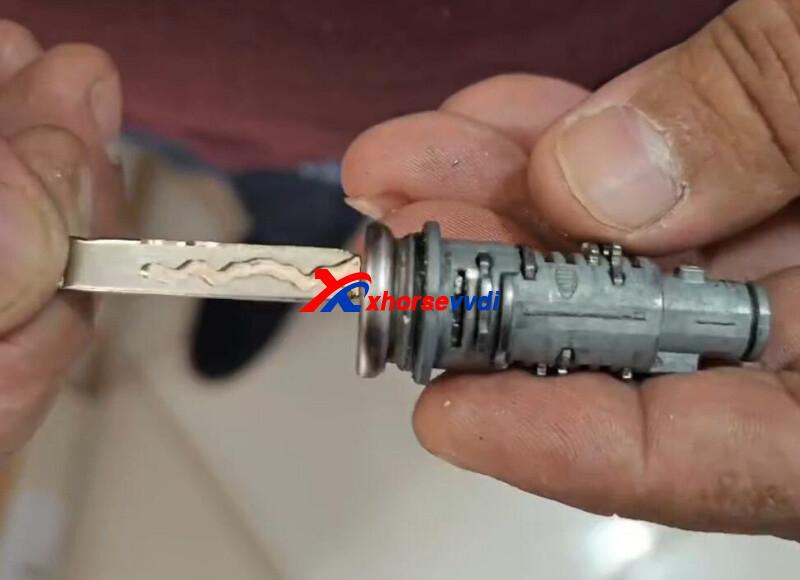
That's how Condor II Machine cuts 2020 Audi Q2 HU162T-9 key.
http://blog.xhorsevvdi.com/xhorse-condor-mini-plus-ll-hu162t-9-audi-q2-2020-key-cutting-ok/
Posted by: xhorsevvdi at
09:39 AM
| No Comments
| Add Comment
Post contains 82 words, total size 3 kb.
32 queries taking 0.0689 seconds, 131 records returned.
Powered by Minx 1.1.6c-pink.

