



January 19, 2024
In this article, we are going to share with you test platforms for BMW CAS1/ CAS2/ CAS3/ CAS4 key programming.
CAS Plug allows users to program keys for 7 Series CAS1/2, CAS3/3+, and EWS1/2.
1)Connected to 7 Series CAS1/2
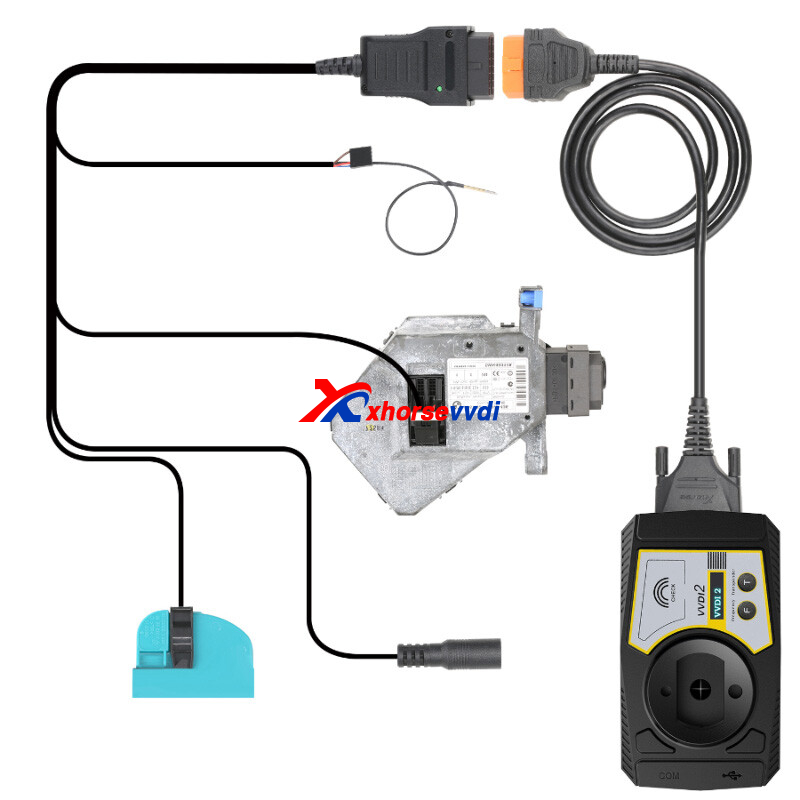
2)Connected to CAS3/ CAS3+
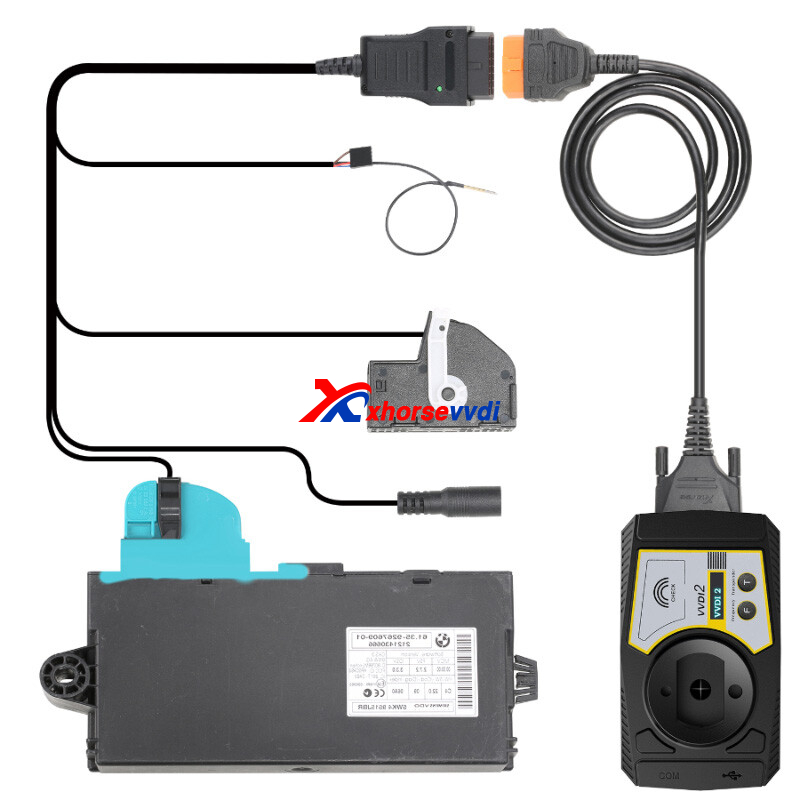
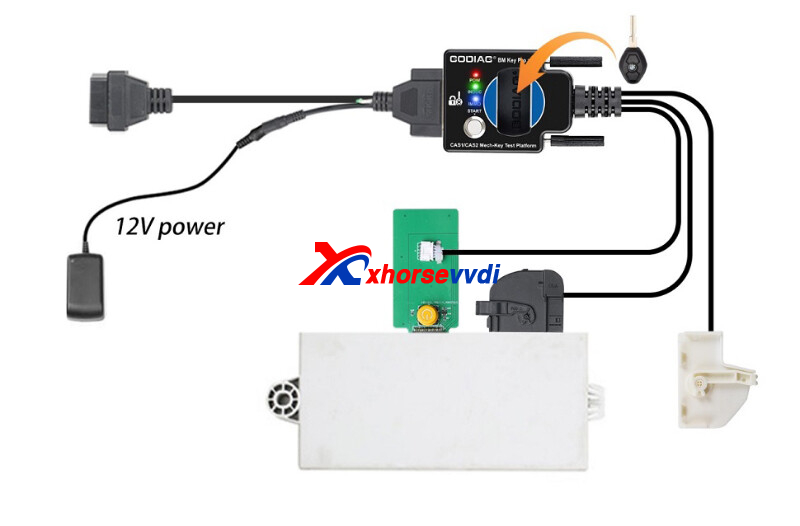
2.GODIAG BMW CAS1/CAS2 Test Platform
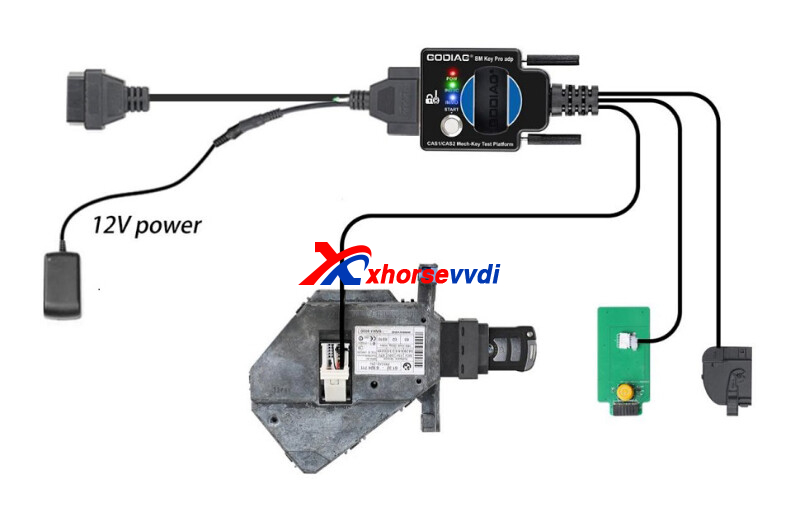
With this test platform, we could program keys for BMW CAS1/ CAS2.
1)Connected to CAS1/ CAS2
2)Connected to CAS1
3.GODIAG BMW CAS2/CAS3 Test Platform
This adapter enables us to program keys for BMW CAS2/ CAS3.
Connected to CAS2/ CAS3/ CAS3+/ CAS3++.
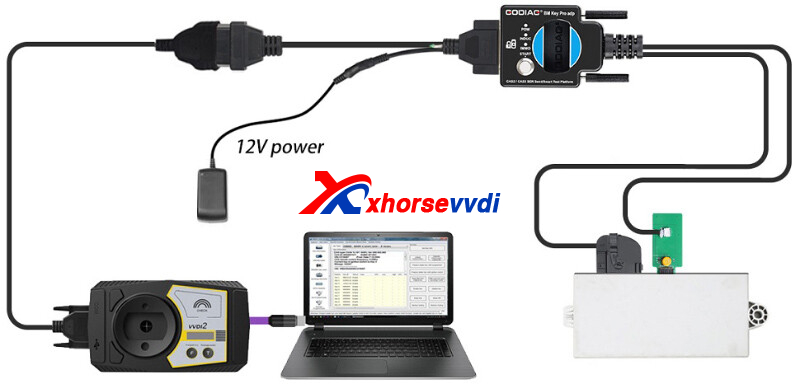
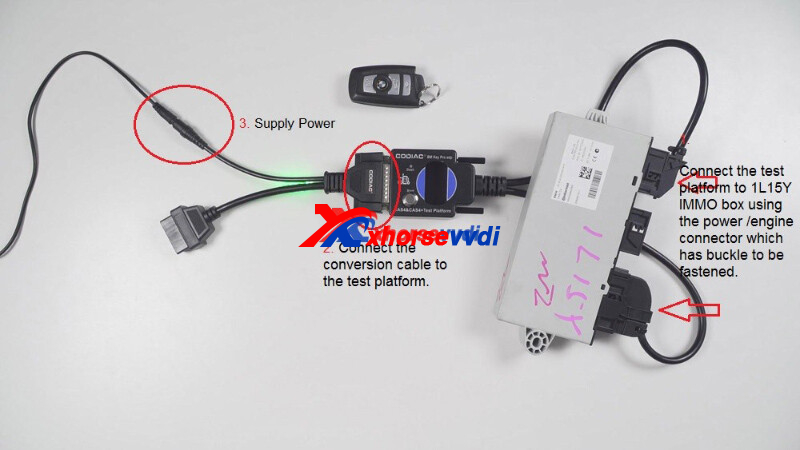
4.GODIAG CAS4/ CAS4+ Test Platform
The CAS4 platform would empower us to program keys for BMW CAS4/ CAS4+.
Connected to CAS4/ CAS4+.
Posted by: xhorsevvdi at
09:38 AM
| No Comments
| Add Comment
Post contains 127 words, total size 3 kb.
One customer gave feedback that he could not find Toyota 8A Cable menu. On MINI OBD Tool page, there is an entrance of 8A immo box all key lost, but where is the 8A option on VVDI Key Tool Max Pro page?
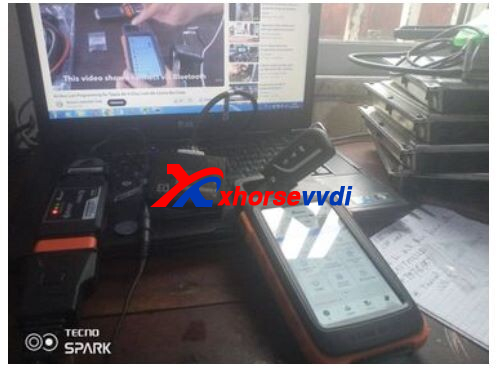
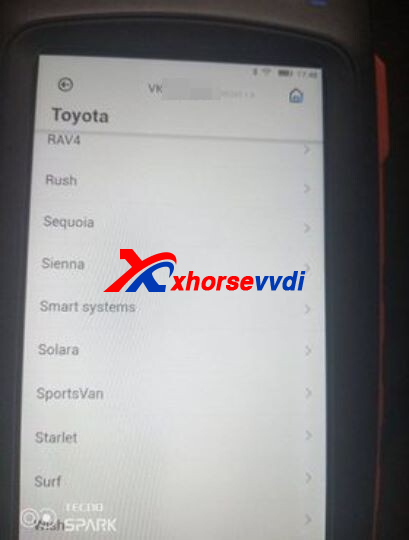
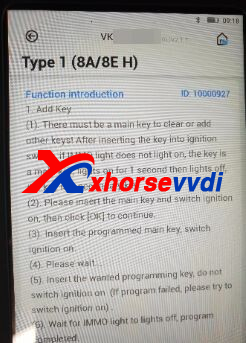
Here is the answer:
Immo programming>>Toyota>>Select by Type>>Immo system>>8A immo box all lost
Toyota 8A Non-smart Adapter is for Toyota blade key programming.
It works with VVDI 2/ Key Tool Max + Mini OBD Tool/ Key Tool Max Pro/ Key Tool Plus.
http://blog.xhorsevvdi.com/where-is-toyota-8a-akl-programming-menu-on-key-tool-max-pro/
Posted by: xhorsevvdi at
09:15 AM
| No Comments
| Add Comment
Post contains 97 words, total size 2 kb.
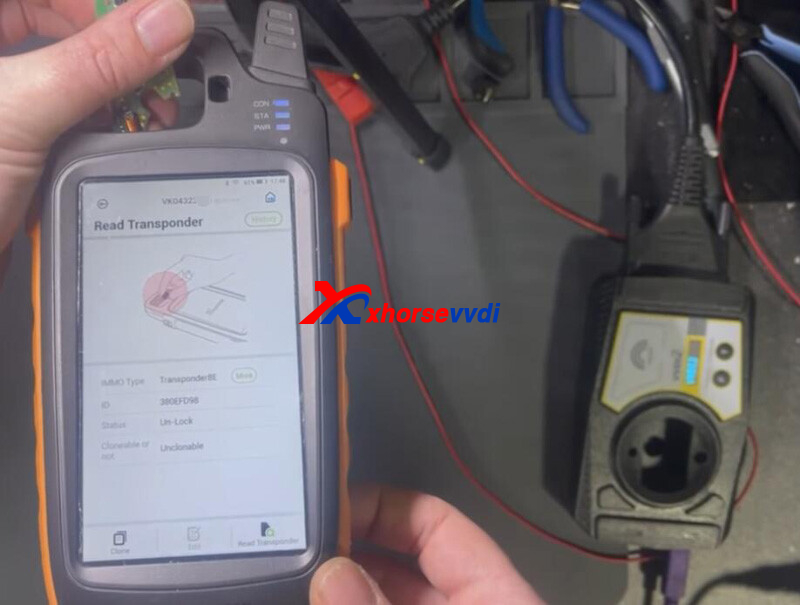
In this article, we are going to show you how to unlock Audi A6 key with 8E transponder.
VVDI Key Tool Max Pro read original key.
8E chip and locked.
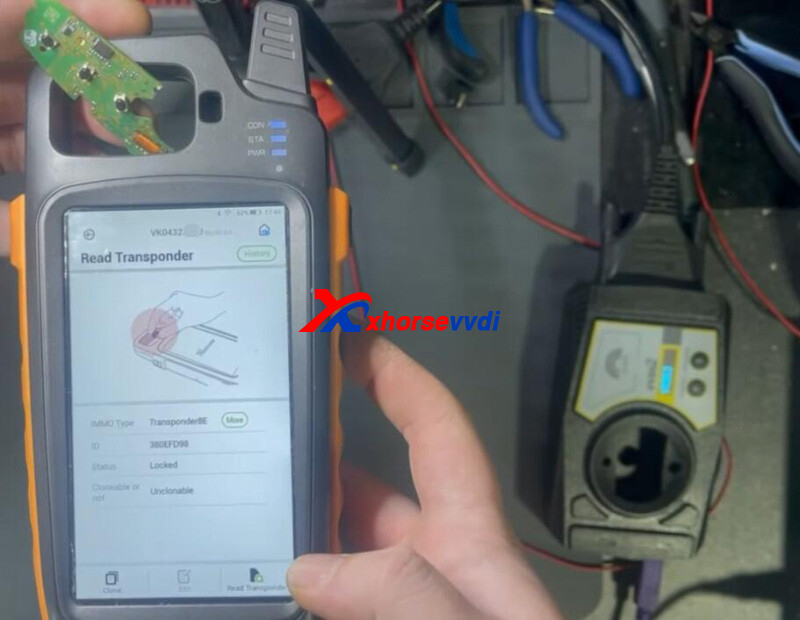
Run V7.3.5 VVDI2 software.
Select Transponder Programmer.
Read chip.
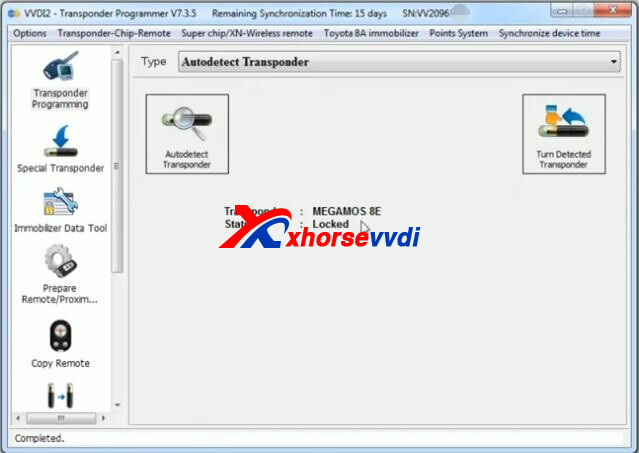
Select MEGAMOS 8E.
Read chip again.
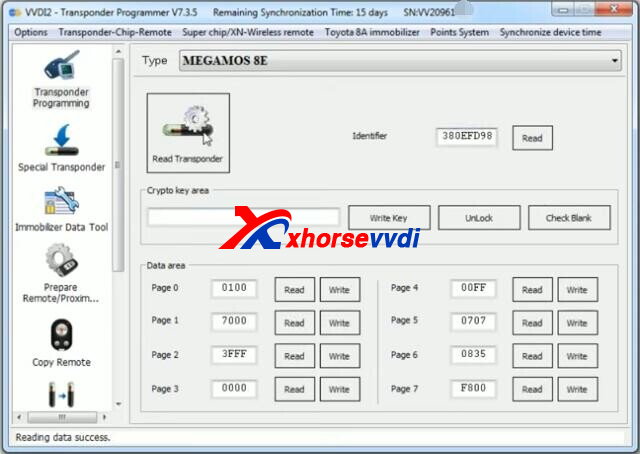
Check blank - locked.
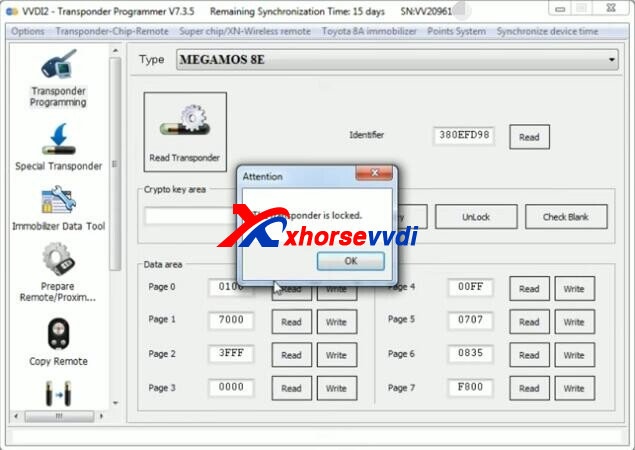
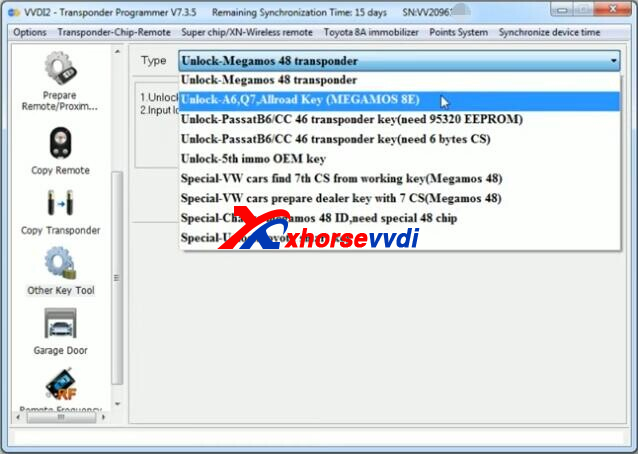
Go to Other Key Tool.
Select Unlock-A6,Q7,Allroad Key (MEGAMOS 8E)
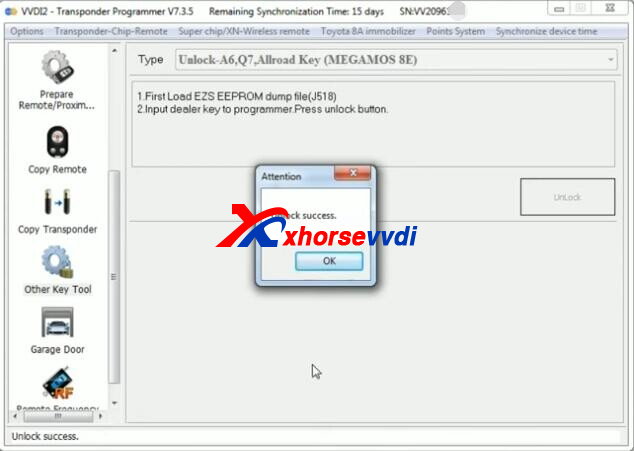
Load ESL EEPROM file to unlock chip.
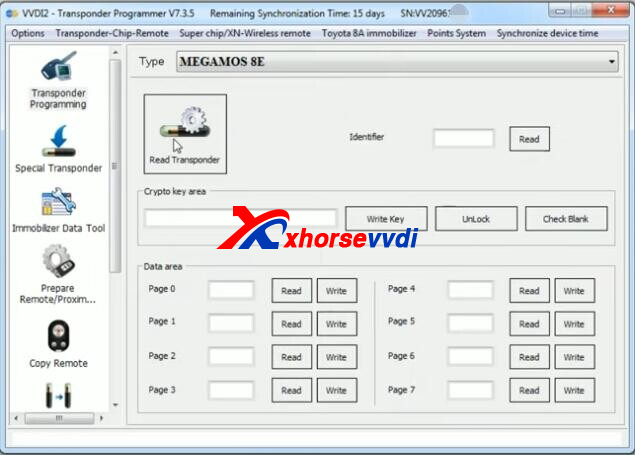
VVDI2 and Key Tool Max Pro read unlocked chip.
Posted by: xhorsevvdi at
09:14 AM
| No Comments
| Add Comment
Post contains 88 words, total size 3 kb.
Quick Question:
Mazda CX7.
Can someone guide how to pair remote.
As I tried with VVDI Key Tool Plus.
But no success.
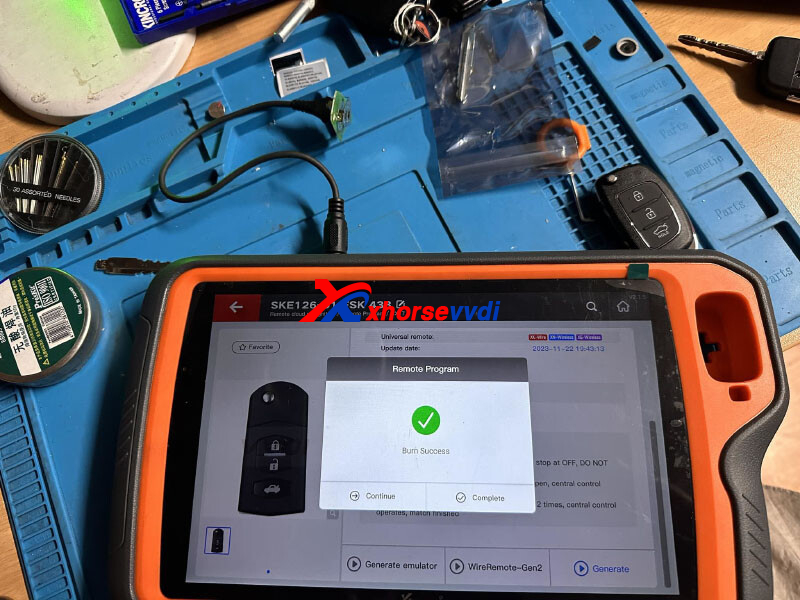
Here are the correct steps:
1)Generate Remote
Wired Remote / Wireless Remote / Super Remote is required.
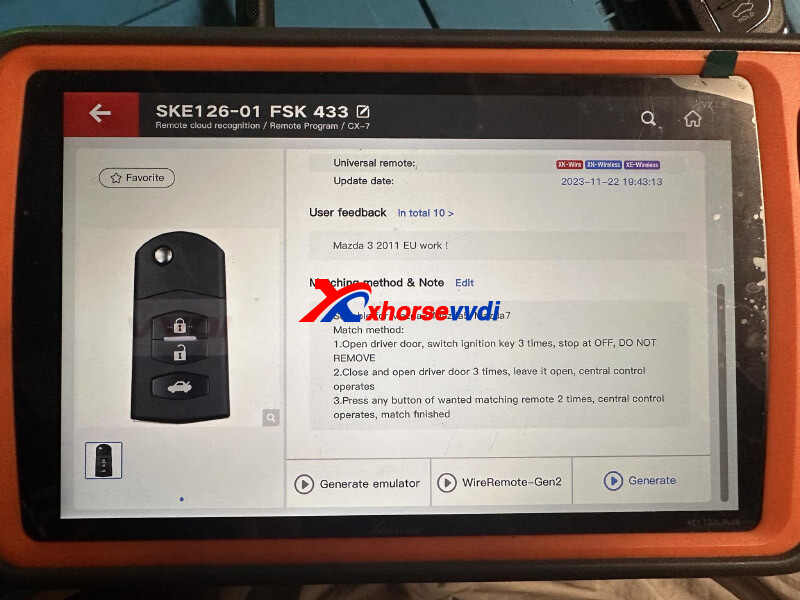
2)Match Remote
1.Open driver door, switch ignition key 3 times, stop at OFF, DO NOT REMOVE
2.Close and open driver door 3 times, leave it open, central control operates
3.Press any button of wanted matching remote 2 times, central control operates, match finished
Matching method is also applied to Mazda3/ Mazda5/ Mazda7
Feedback:
Just followed all steps in 20 second and all good.
http://blog.xhorsevvdi.com/how-to-pair-mazda-cx7-remote-using-vvdi-key-tool-plus/
Posted by: xhorsevvdi at
09:14 AM
| No Comments
| Add Comment
Post contains 114 words, total size 2 kb.
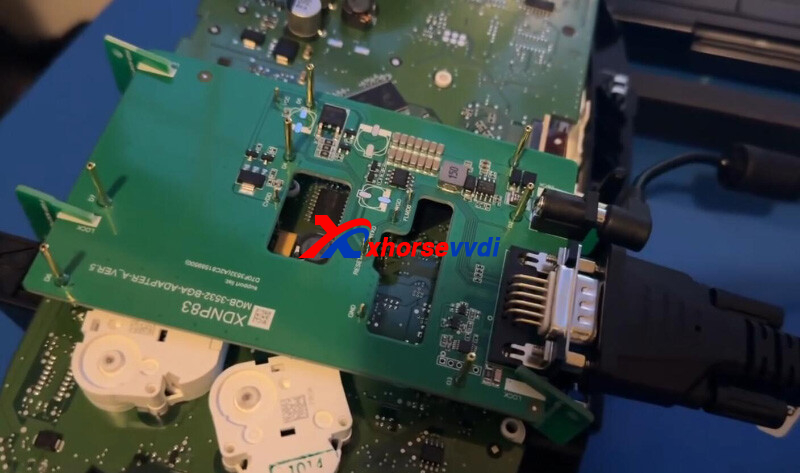
Xhorse MQB48 Adapter allows users to read dashboard data without soldering.
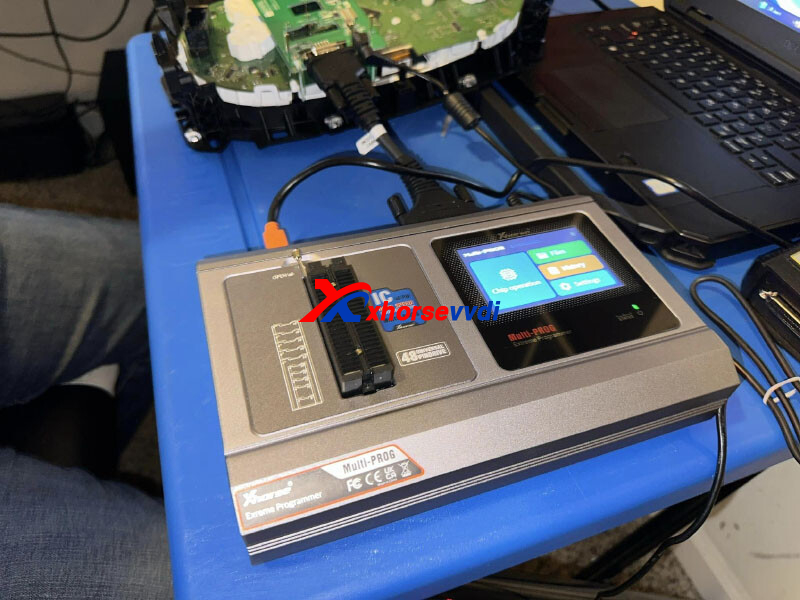
In this article, we are going to show you how the latest Multi-Prog Programmer works with MQB adapter.
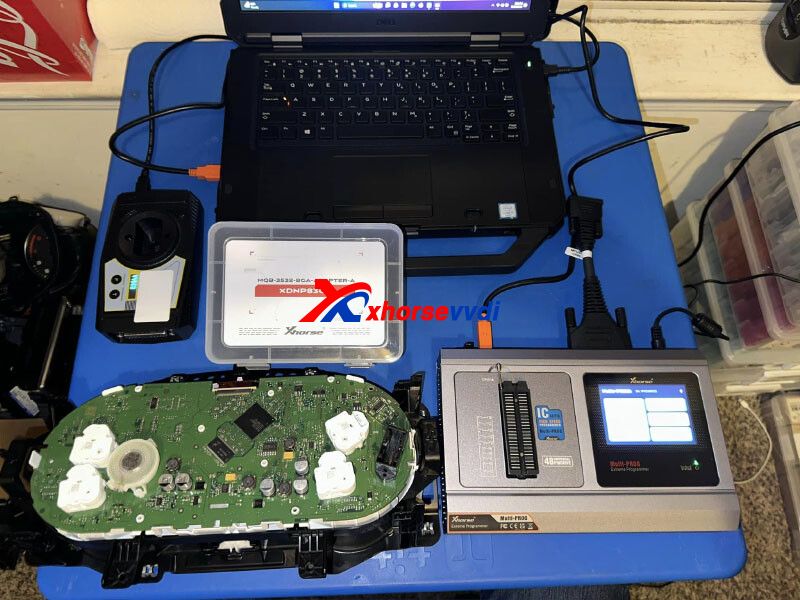
Dashboard:
Renesas BGA 5G1920856C
Steps:
Connect MQB48 adapter to dashboard.
Connect adapter to Multi-Prog.
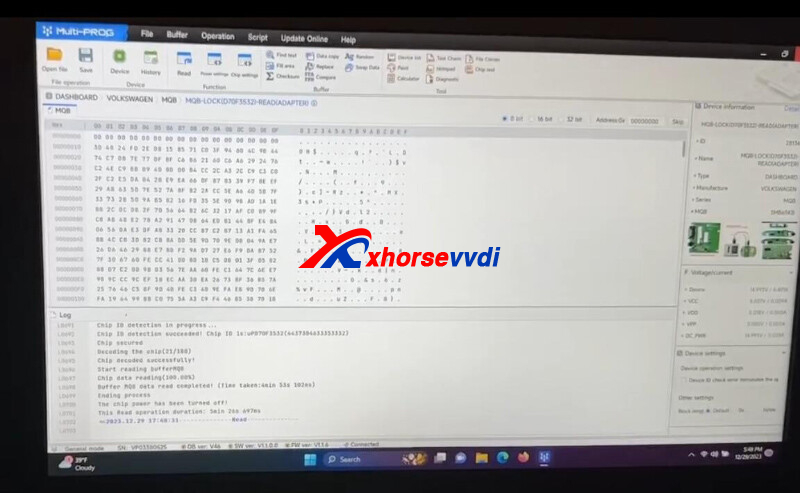
Read dashboard data.
Connect VVDI2 Full Version to PC.
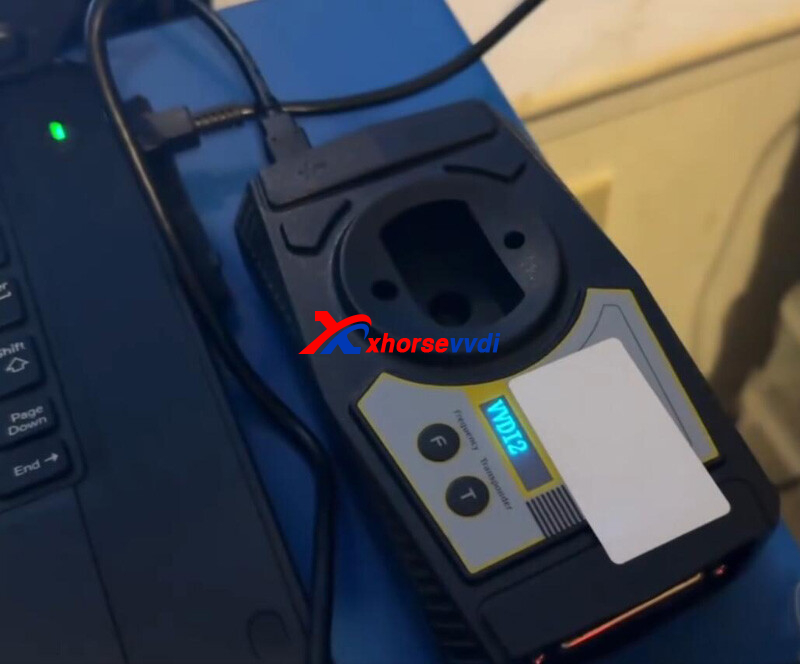
Run VVDI2 software.
Load dashboard data file.
IMMO data extracted.
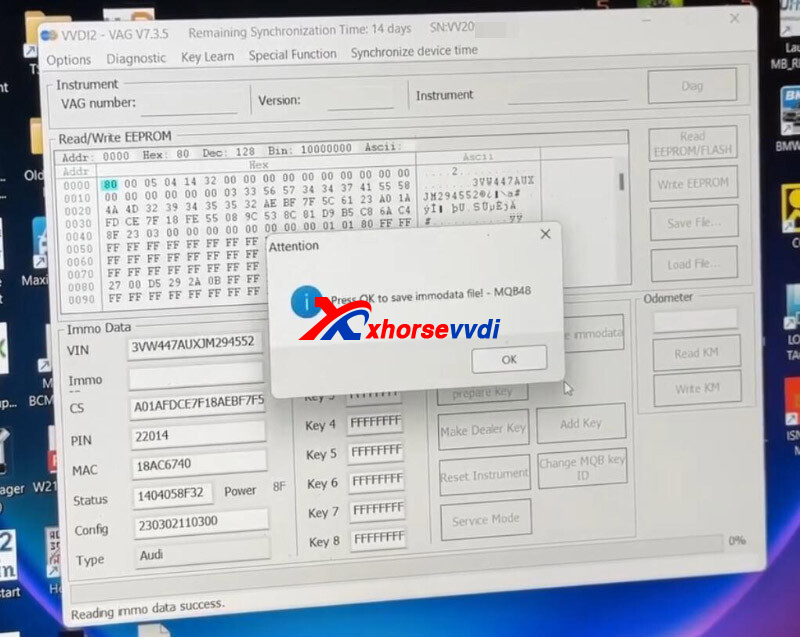
Done!
http://blog.xhorsevvdi.com/multi-prog-extract-5g1920856c-bga-immo-data-no-soldering/
Posted by: xhorsevvdi at
09:13 AM
| No Comments
| Add Comment
Post contains 72 words, total size 3 kb.
Question:
My Xhorse Key Tool Plus just gave me 4 digit ISN instead of 32 of BMW DME ME9.2.2
Someone can convert this 4 digit into 32?
ISN:F728, 2008 BMW 650i.
all tools ask for 32 how I’m supposed to do.
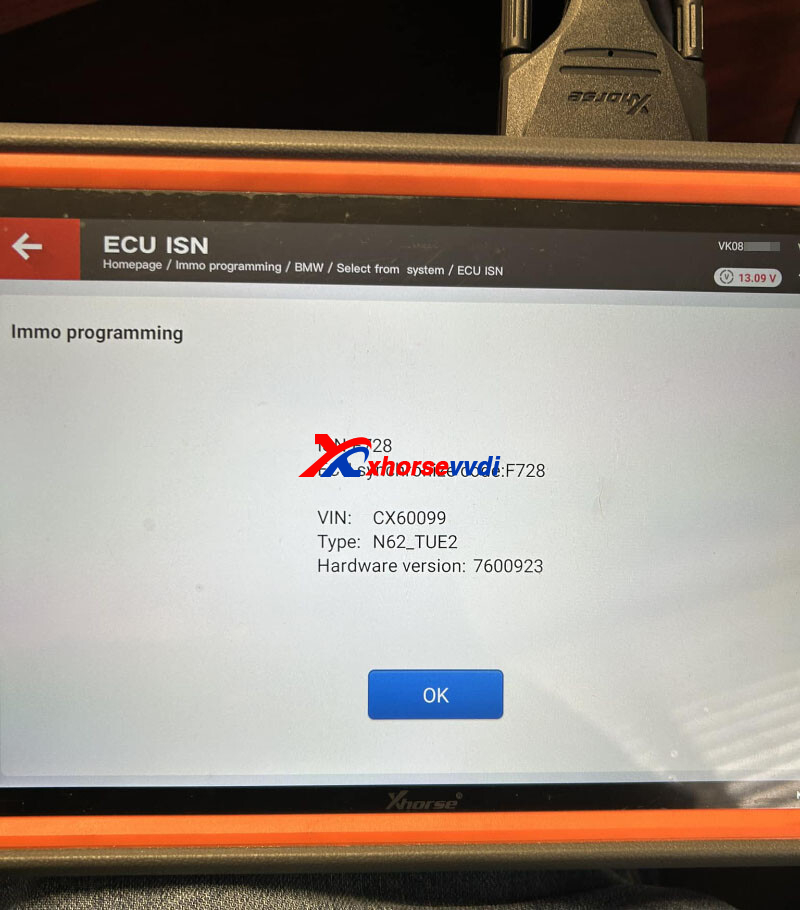
Here is the Solution:
Key Tool Plus Pad reads EGS ISN and after that use this to write key.
Read EEPROM (D-Flash) on bench, using EEPROM generate dealer key bottom option, and follow instructions on device. note that that key buttons will work straight away but you need repeating procedure (put key into device and ignition lock) till be able to start engine.
Feedback:
I was able to do it from EGS ISN.
Done! That's how to fix 4-digit ISN issue.
http://blog.xhorsevvdi.com/why-xhorse-key-tool-plus-read-4-digit-isn-from-dme-me9-2-2/
Posted by: xhorsevvdi at
09:12 AM
| No Comments
| Add Comment
Post contains 134 words, total size 2 kb.
December 28, 2023
One customer wondered if the battery of his Xhorse Dolphin XP005 is broken. When he rebooted machine, it kept showing out of charge and "BIOS". He had updated firmware without problems.
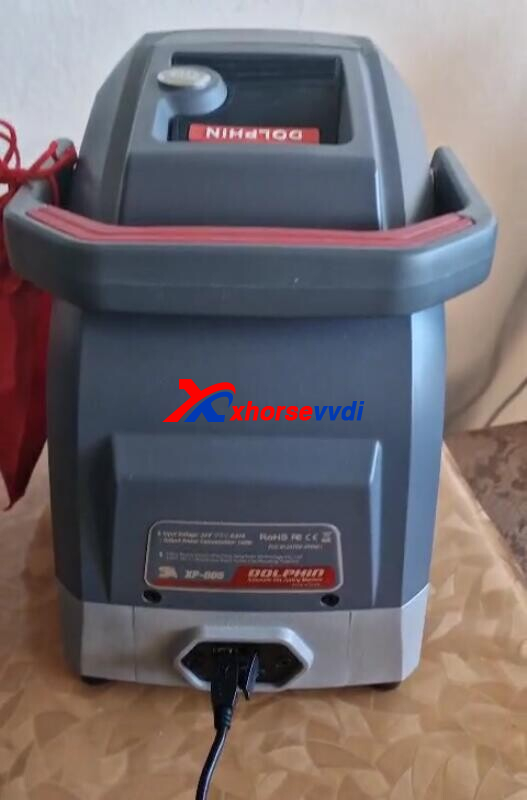
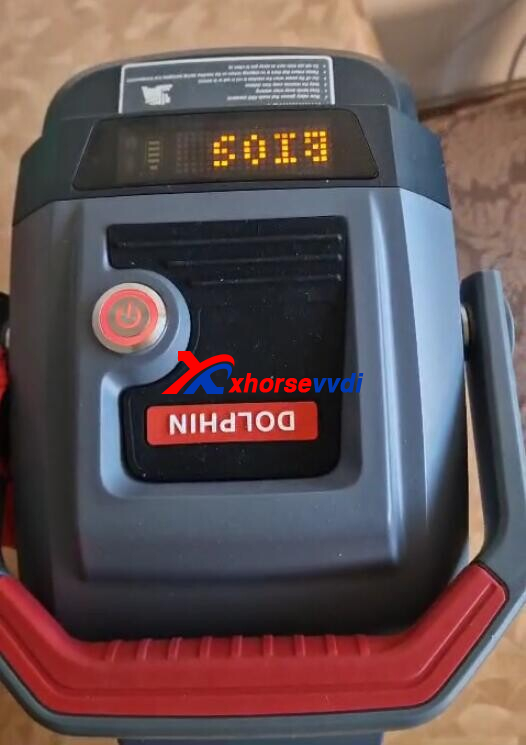
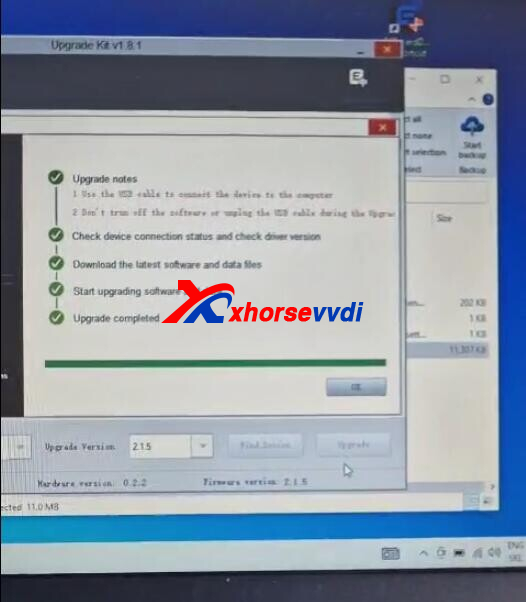
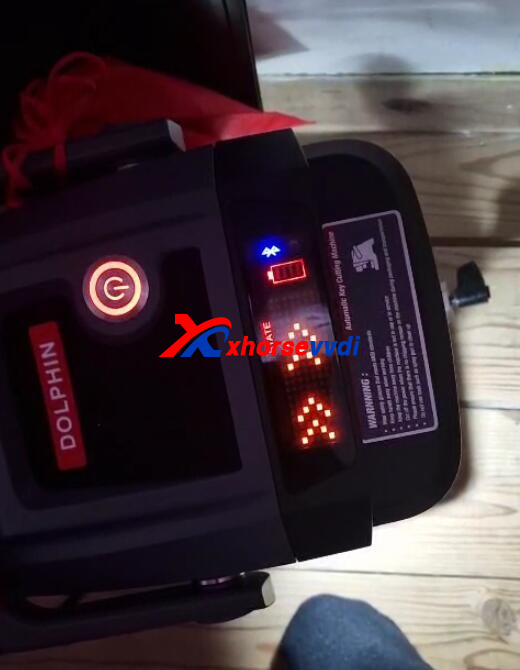
Here is how to solve it:
Charge machine for overnight, Update firmware to the latest version, unplug charging cable, and cut one key blade.
And XP005 Machine gave error code 39 and 49.
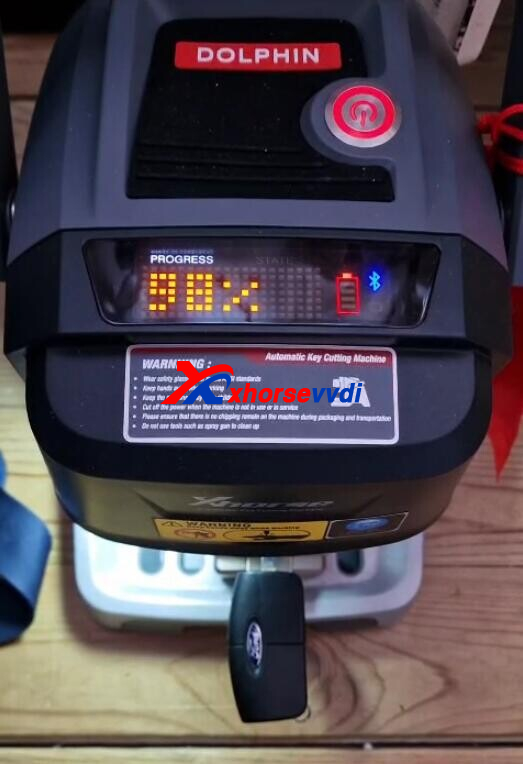
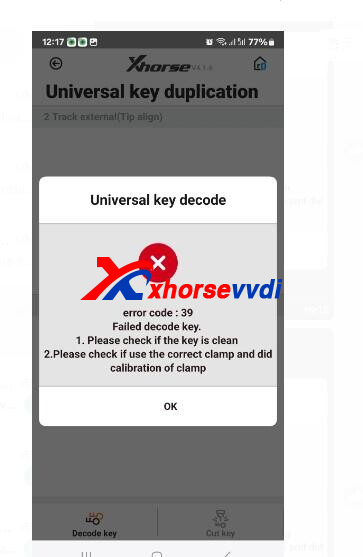
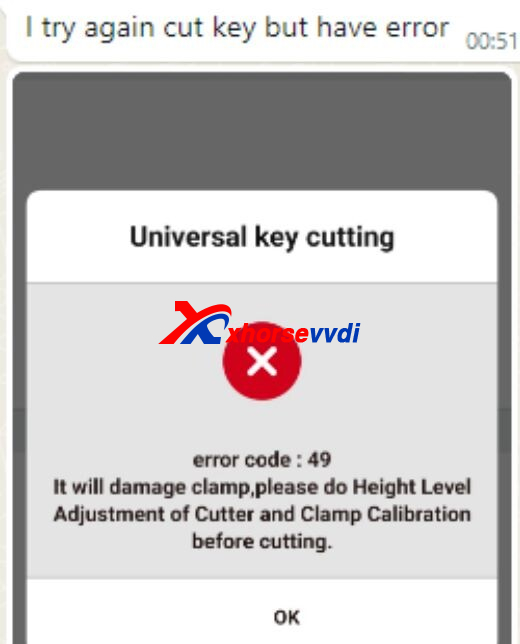
This is a firmware issue.
Connect phone to machine, and update firmware again by hotspot.
Done! That's how to solve error code 39 and 49.
http://blog.xhorsevvdi.com/how-to-solve-xhorse-dolphin-xp005-error-code-39-and-49/
Posted by: xhorsevvdi at
09:10 AM
| No Comments
| Add Comment
Post contains 101 words, total size 3 kb.
Question:
How to resolve this issue? During Mini Key Tool firmware update, it won't pass and keeps showing "Failed to erase ST".
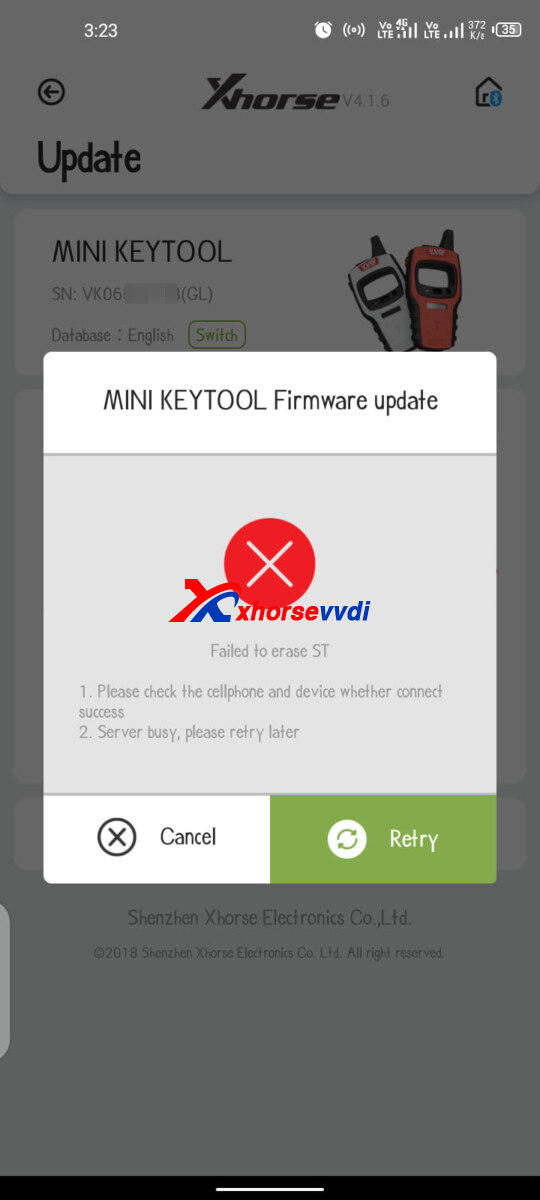
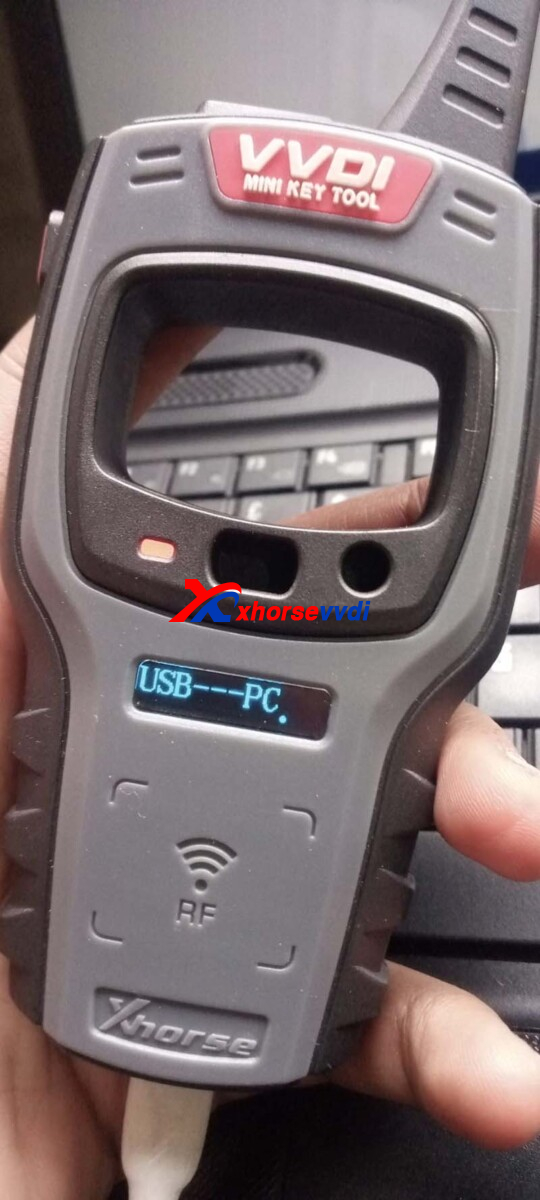
Here are three Solutions:
1)Update firmware using PC suite Upgrade Kit
2)Try another Wi-Fi option
3)Try phone hotspot
Done! That's how to Solve VVDI Mini "Failed to erase ST" error.
http://blog.xhorsevvdi.com/how-to-solve-mini-key-tool-failed-to-erase-st-error/
Posted by: xhorsevvdi at
09:09 AM
| No Comments
| Add Comment
Post contains 64 words, total size 1 kb.
One customer asked if the battery is broken, since his Xhorse Dolphin XP005L kept showing "battery power more than 25% before firmware update".
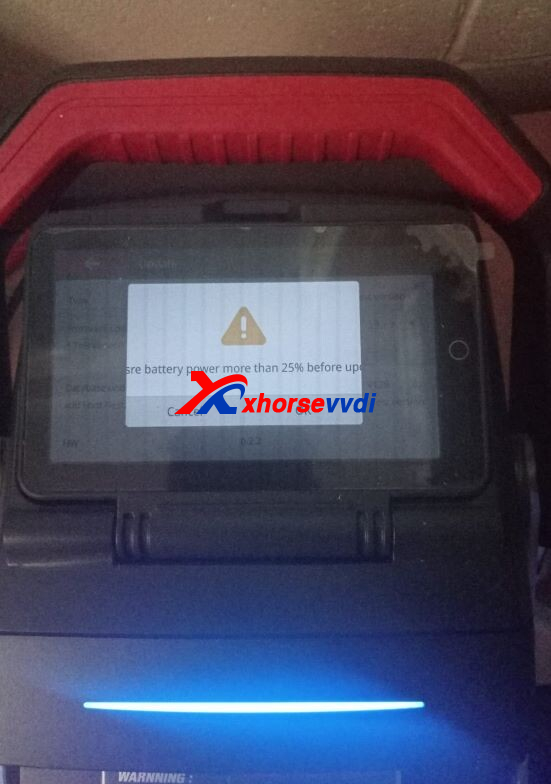
And he could not update firmware and update is stuck at 0%. It seems a battery issue.
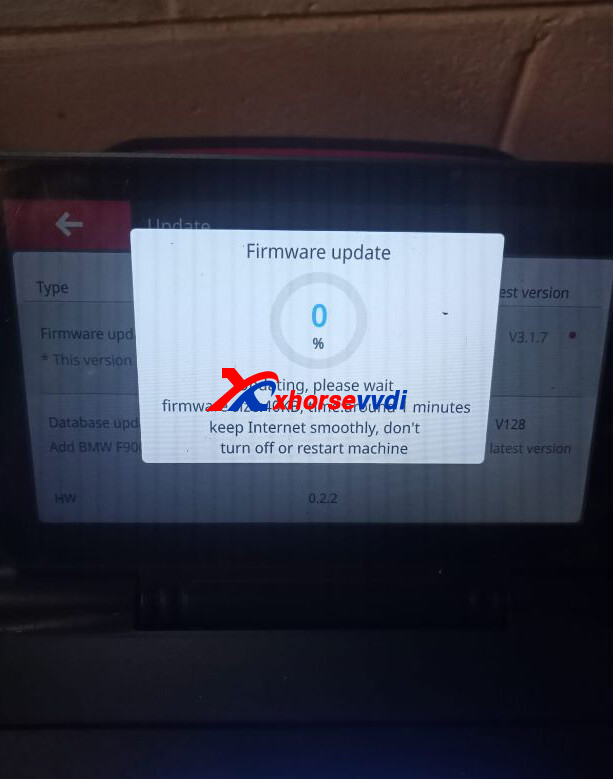
Here is the Solution:
Update firmware.
When XP005L Machine prompts "Machine in BIOS mode", click "OK", and update firmware.
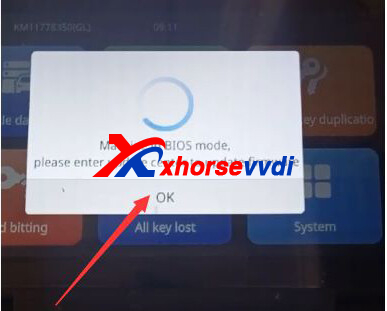
*Make sure good network connection.
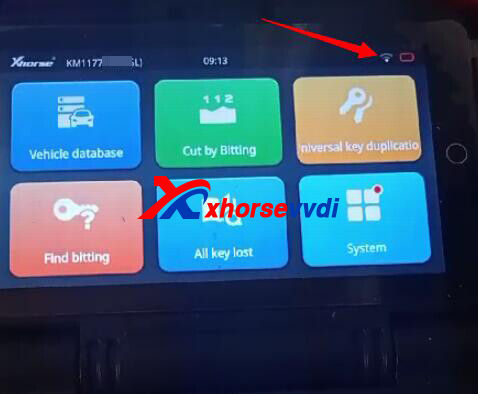
Done! Hope this could help!
http://blog.xhorsevvdi.com/how-to-solve-dolphin-xp005l-machine-in-bios-mode/
Posted by: xhorsevvdi at
09:08 AM
| No Comments
| Add Comment
Post contains 79 words, total size 2 kb.
Question:
Have a Key Tool Plus Tablet that needs service. I was trying to read a msv80 dme with the new ecu connection cable. I think the port is not working. what do I need to do for repair.
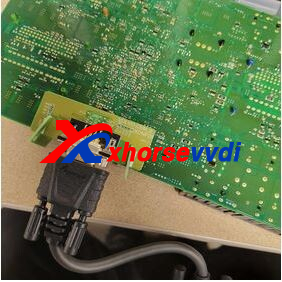
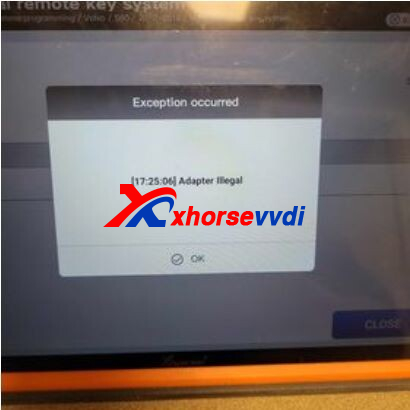
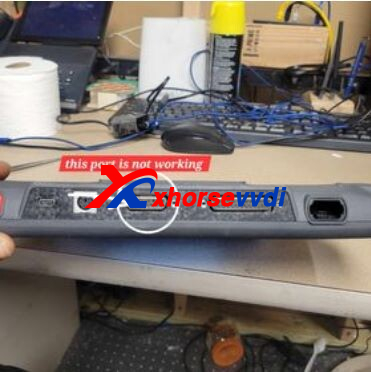
Here is the Solution:
On Key Tool Plus,
Go to
Prog>>More functions>>Device Self-test
Do not connect any cables to Key Tool Plus and conduct this function.
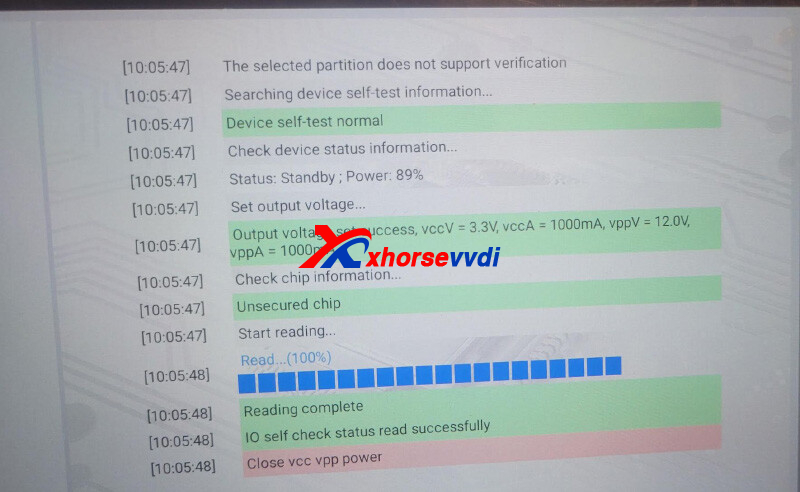
This means the port is working well.
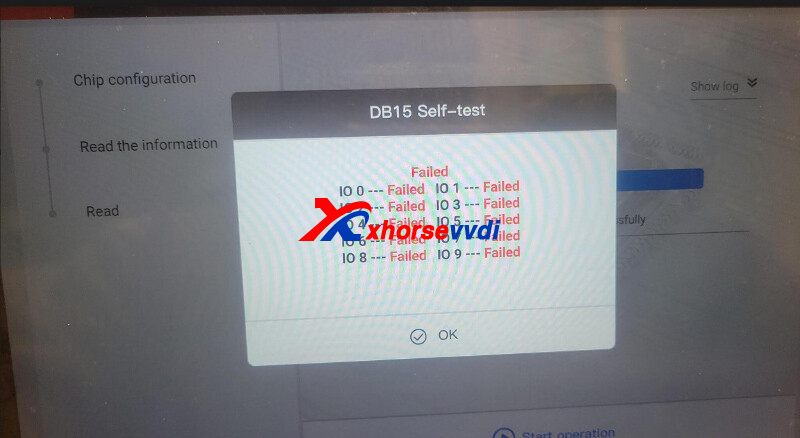
If the result is All Failed, users have to send tools back to their sellers.
http://blog.xhorsevvdi.com/how-to-solve-key-tool-plus-read-msv80-dme-adapter-illegal/
Posted by: xhorsevvdi at
09:07 AM
| No Comments
| Add Comment
Post contains 99 words, total size 2 kb.
Xhorse new release Dolphin XP-005 Key Cutting Machine with M5 Clamp, and you maybe confused how to choose old Dolphin XP-005 and new Dolphin XP005 with M5 clamp?
1. What is the new features of Dolphin XP005 with M5 clamp?
M5 clamp perfectly integrates the functionsof MI and M2 clamps.More convenient to use without the needto switch clamps
Battery is optional and can beinstalled as needed Lithium. If your country limit battery shipment, this xp005 with m5 will be a good choice.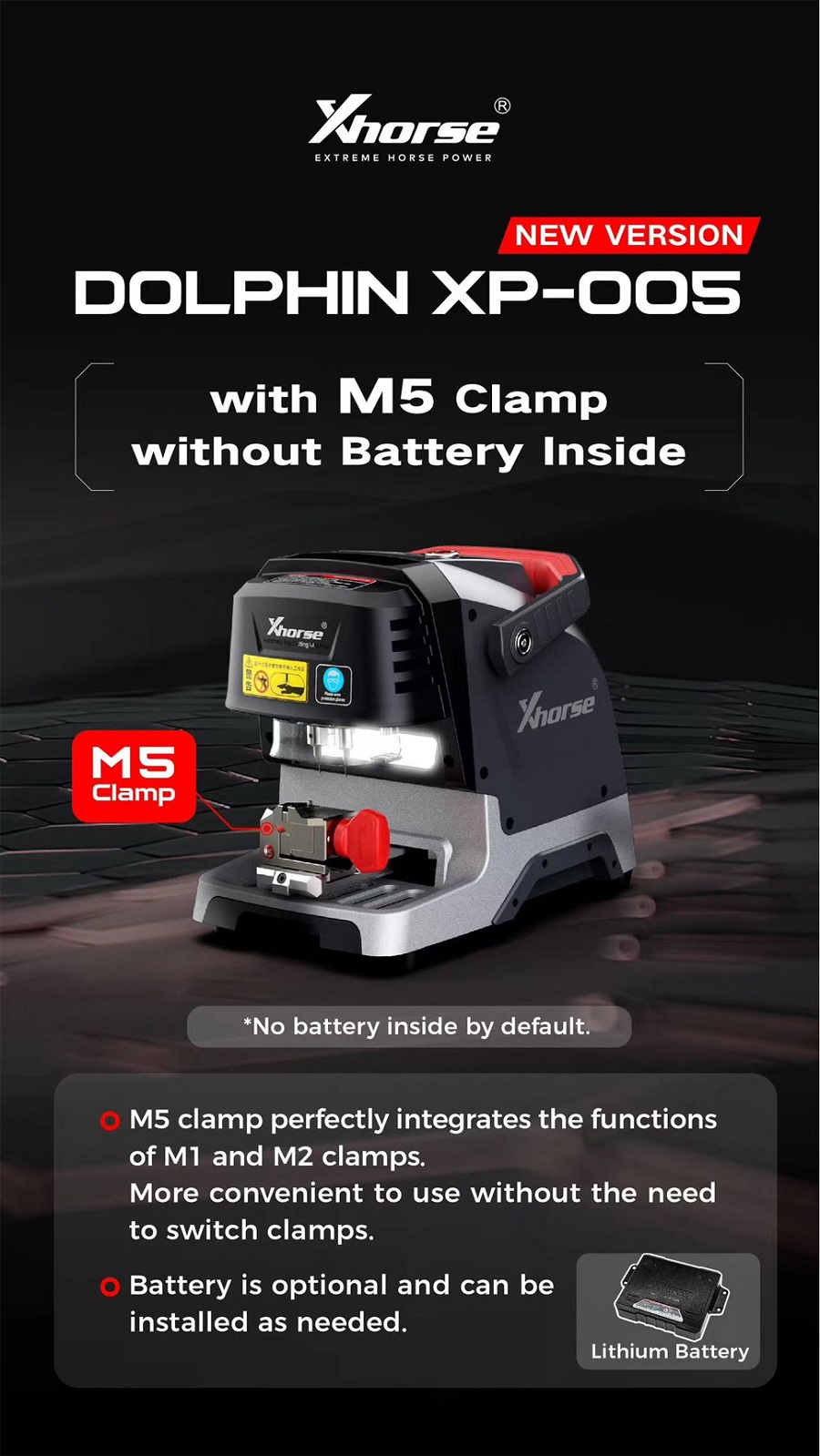
2. Dolphin XP-005 and XP-005 with M5 Clamp Comparison:
| Model | DOLPHIN XP-005 with M5 Clamp | Dolphin XP-005 |
| Picture | 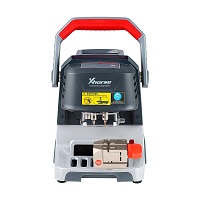 |
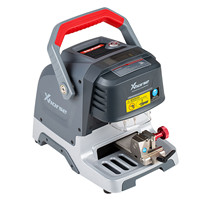 |
| Screen | Small screen showing Bluetooth status | Small screen showing Bluetooth status |
| Spindle | Mechanical shaft +60W DC motor ( foreign brand) | Mechanical shaft +60W DC motor ( foreign brand) |
| Default Clamp | M5 clamp(Cover M1,M2 clamp functions) | M1, M2 Clamp |
| Transmission Mechanism | T-shaped screw + anti-backlash nut | T-shaped screw + anti-backlash nut |
| Guide | Roller guide | Roller guide |
| Shell | Base aluminum alloy die-casting, the upper body is made of plastic shell and the body is made of integrated aluminum alloy die-casting | Base aluminum alloy die-casting, the upper body is made of plastic shell and the body is made of integrated aluminum alloy die-casting |
| Operating System | Mobile phone APP | Mobile phone APP |
| Battery | No built-in battery | with Built-in Battery |
| Built-in Database | Yes | Yes |
| All Keys Lost | Yes, with network connection | Yes, with network connection |
| Fixture | Standard fixture | Two sets of standard fixtures |
| EU/UK/US Warehouse | Not yet | EU UK US RU warehouse stock OK |
| Offline Operation | No | NO |
| Dedicated App | Yes | Yes |
| Protecting Mask | Simple protective cover | Simple protective cover |
| VVDI MB Binding | Yes. After binding, VVDI MB/key tool plus is one token free everyday. | Yes. After binding, VVDI MB/key tool plus is one token free everyday. |
| Cutting Speed | 1X SPEED | 1X SPEED |
| Weight | 18KG | 18KG |
| Warranty | 1 year | 1 year |
| Update | Update online via Xhorse Update Kit or in xhorse app | Update online via Xhorse Update Kit or in xhorse app |
Posted by: xhorsevvdi at
09:07 AM
| No Comments
| Add Comment
Post contains 339 words, total size 5 kb.
One customer gave feedback that his Dolphin XP005L won't turn on but he had already charged it for overnight.
Here we are going to show you how to fix this problem.
1.Test Battery Details
Connect Dolphin XP005L Machine to phone app.
Go to
Device info>>key cutting machine>>Power
Show battery details to your seller.
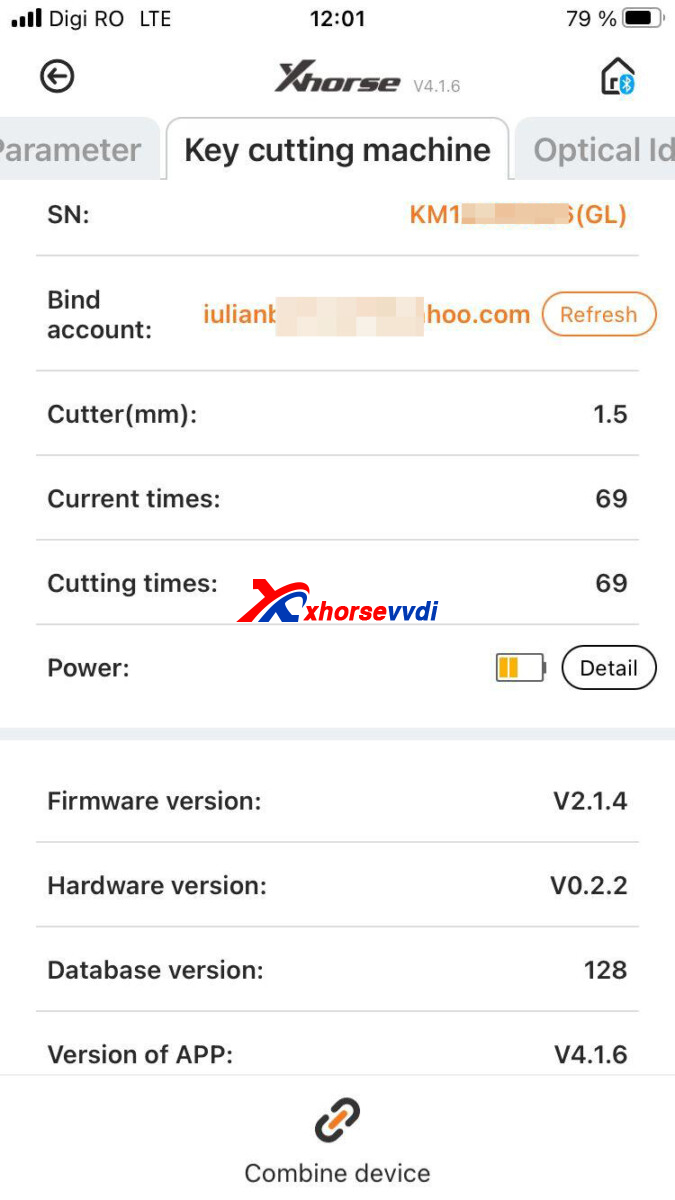
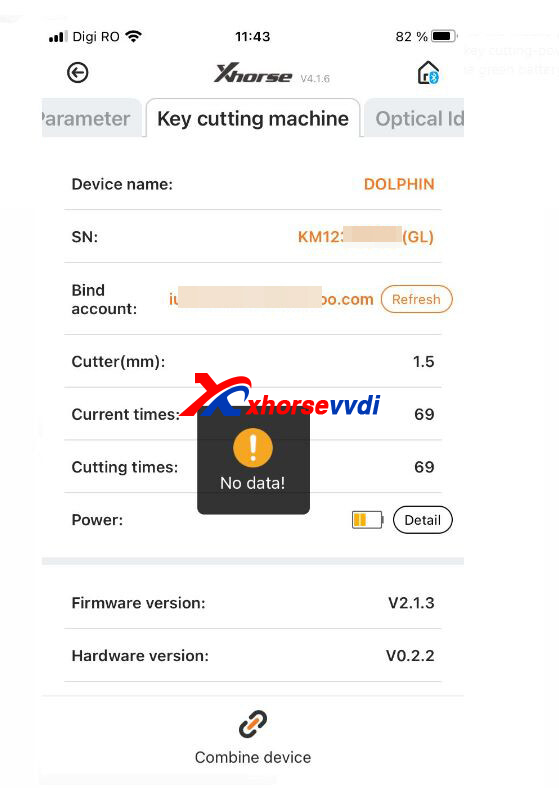
2.Check Battery Cable
Open Dolphin Machine.
Check out if the cable is connected well.
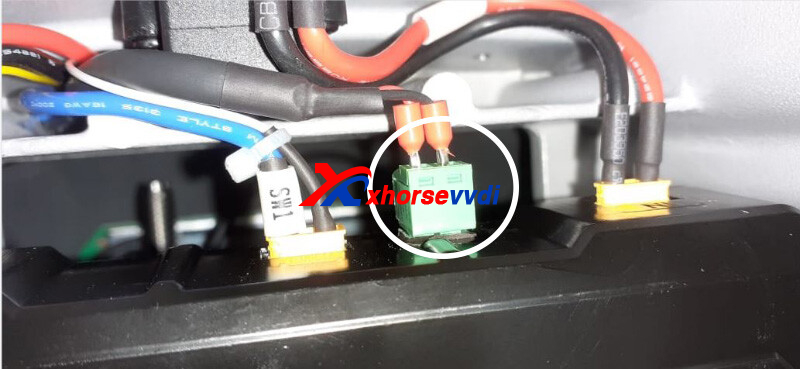
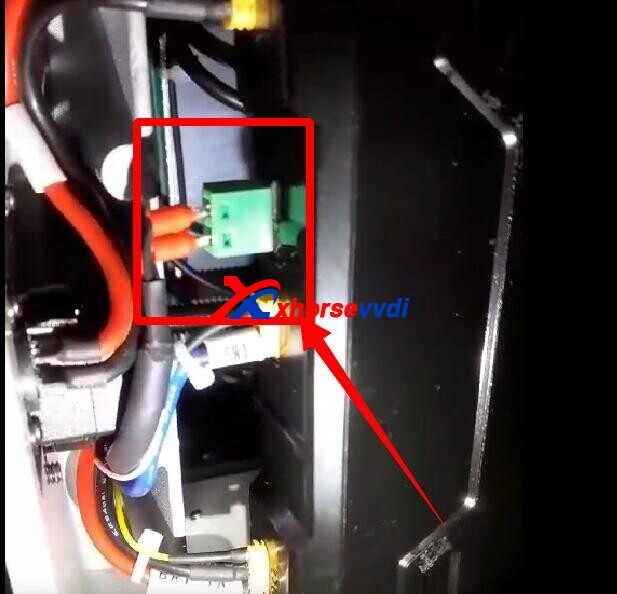
3.Battery Boot Video
Take a video to show if machine will automatically turn off after charging cable is unplugged.
Send it to your seller for a free battery replacement.
Done! Hope this could help you address battery problem.
http://blog.xhorsevvdi.com/how-to-troubleshoot-xhorse-dolphin-xp005-xp005l-battery/
Posted by: xhorsevvdi at
09:06 AM
| No Comments
| Add Comment
Post contains 114 words, total size 2 kb.
Question:
Can't update Multi Prog Software, it keeps showing "Error Code:1, Error address: 2", how to fix this error? Is there a new version available?

Here is the Solution:
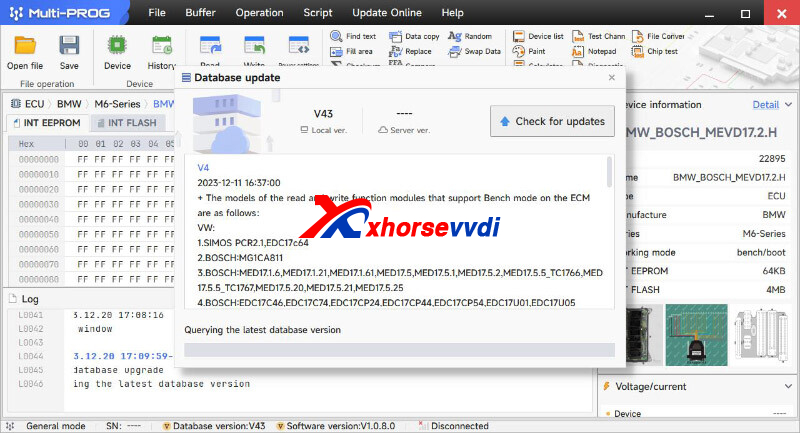
*In the picture is the menu to update Multi Prog database.
Switch software language to English, and update database.
(Path: Update Online>> Database upgrade)
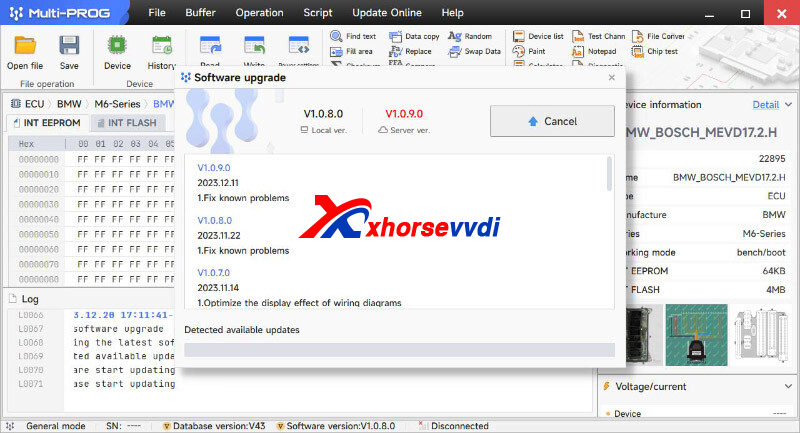
To update software, online update on software
(Path: Update Online>> Software upgrade)
or use the latest download link. (Click to Download)
http://blog.xhorsevvdi.com/how-to-solve-multi-prog-error-code-1-error-address-2/
Posted by: xhorsevvdi at
09:05 AM
| No Comments
| Add Comment
Post contains 86 words, total size 2 kb.
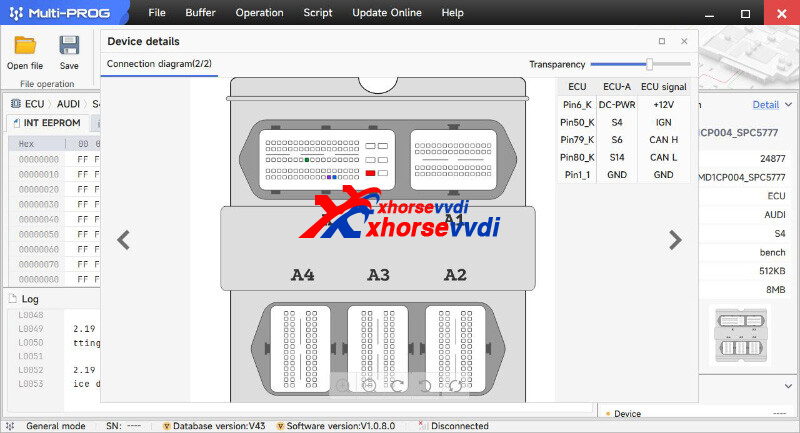
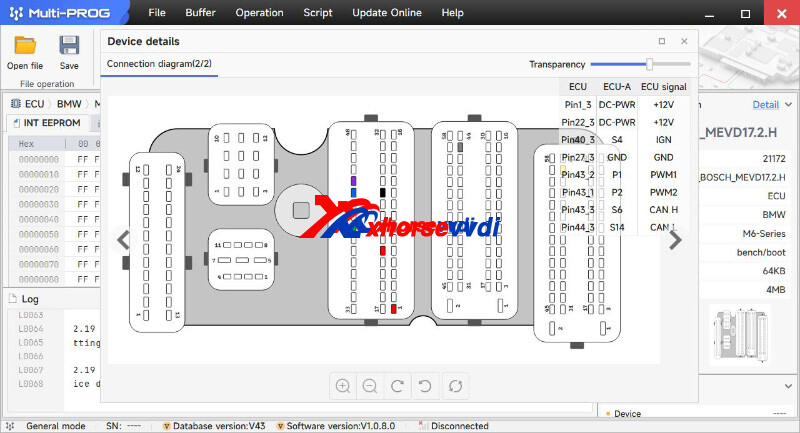
V1.0.9.0 Multi-Prog software is released now, get free download link V1.0.9.0 VVDI Prog software from XhorseVVDI.com.
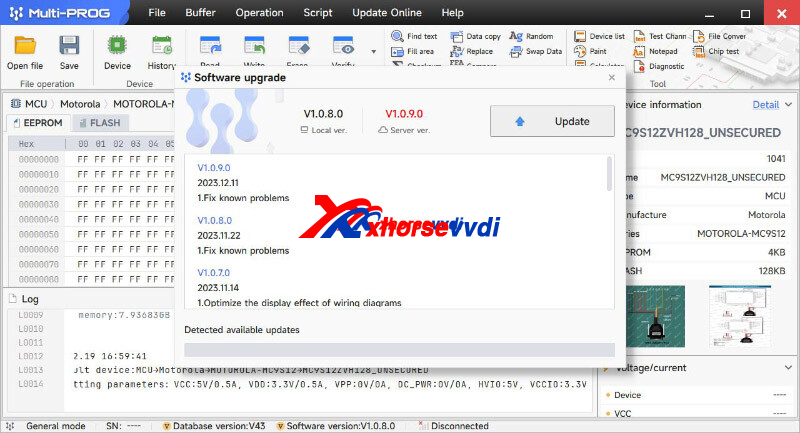
1.Free Download V5.3.2 VVDI Prog Software
Password: 123456
2.V1.0.9.0 Multi-Prog Update Info
V4 Database (2023-12-11)
+ The models of the read and write function modules that support Bench mode on the ECM are as follows:
VW:
1.SIMOS PCR2.1,EDC17c64
2.BOSCH:MG1CA811
3.BOSCH:MED17.1.6,MED17.1.21,MED17.1.61,MED17.5,MED17.5.1,MED17.5.2,MED17.5.5_TC1766,MED17.5.5_TC1767,MED17.5.20,MED17.5.21,MED17.5.25
4.BOSCH:EDC17C46,EDC17C74,EDC17CP24,EDC17CP44,EDC17CP54,EDC17U01,EDC17U05
5.BOSCH:MG1CS002_SPC5777,MD1CP014_TC298TP,MG1CS001_SPC5777,MG1CS011_SPC5777,MG1CS002_TC298TP,MD1CP004_TC298TP,MD1CP004_SPC5777,MG1CS111_SPC5777,MD1CS004_TC298TP,MG1CS008_SPC5777,MG1CS008_TC298TP
6.CONTINENTAL:SIMOS8.3x,SIMOS8.4x,SIMOS8.5x,SIMOS8.6x
BMW:
1.CONTINENTAL:MSD80,MSV80,MSD81,MSD85,MSD87,MSV90
2.BOSCH:MD1CP002_SPC5777,MG1CS003_SPC5777(B48,B5 ,MG1CS201_TC298TP(B38,B48,B5
,MD1CS001_TC298TP,MG1CS024_TC298TP(B48,B5
,MD1CP032_TC299
,MG1CS201_TC298TP(B38,B48,B5
,MD1CS001_TC298TP,MG1CS024_TC298TP(B48,B5
,MD1CP032_TC299
3.BOSCH:EDC17CP09_Fxx_TC1796,EDC17C50_Exx,EDC17CP45_Exx,EDC17C06,EDC17C56
4.BOSCH:ME17.2.1
5.BOSCH:MEVD17.2.3,MEVD17.2_Fxx,MEVD17.2.4_Fxx(N20),MEVD17.2.6_Fxx,MEVD17.2.9_Exx,MEVD17.2.G,MEVD17.2.G(N55),MEVD17.2.H,MEVD17.2.6_Fxx,MEVD17.2.P_Fxx,MEVD17.2.K
6.BOSCH:MEV17.2_TC1766,MEV17.2_TC1767,MEV17.2_TC1796,MEV17.2.1
Mercedes(Benz):
1.CONTINENTAL:SIM271DE,SIM271KE
2.BOSCH:ME17.7,MED17.7.3.1,MED17.7.1,MED17.7.2,MED17.7.3,ME17.7.8
3.BOSCH:EDC17CP10,EDC17CP57,EDC17CP46,EDC17CP60
4.DELPHI:CRD3x.x_TC1793,CRD3x.x_TC1797
5.BOSCH:MD1CP001-SPC5777,MG1CP002_SPC5777,MD1CS006_TC298TP
GM:
1.DELPHI CM3.7AP,
2.DELCO:E37,E38,E39,E39A,E67,E78,E80,E82,E83,E83A,E83B,E84,E87,E92,E98
Nissan:
1.DENSO:23740-3Nxxx_Gen1 SH72531
2.BOSCH:EDC17C84
Hyundai/Kia:
1.BOSCH:ME17.9.11,ME17.9.11.1
2.BOSCH:EDC17C53
3.BOSCH:MEG17.9.12_ECU
Ford:
1.BOSCH:EDC17C70,EDC17CP65
2.BOSCH:ME17.0.3,ME17.8.5
Volvo:
1.BOSCH:EDC17CP48,EDC17CP48_ver2,EDC17CP22
Other:
1.AM_ME17.8.5,DOO_ME17.8.5
2.BOSCH:MG1CA007,ME17.8.8_TC1728,ME17.8.8_TC1728_HW2,ME17.8.8_TC1767,ME17.8.31,ME17.9.52
2.BOSCH:EDC17C55,EDC17C10,EDC17C10_TC1796,EDC17C10_TC1797,EDC17CP42,EDC17CP14,EDC17c81
3.BOSCH:MEVD17.8.4
4.BOSCH:MED17.8.10_TC1728,MED17.8.10_TC1728_Hw2,MED17.8.10_TC1767
5.BOSCH:MD1CS018,MG1CS026_SPC58,MG1CS032,MG1CS163,MD1CS012,MD1CS089,MD1CS069,MD1CS005_TC298TP,MG1CS015_TC277TP,MG1CS016_TC275TP,MG1CS017_TC277TP,MG1CS018,MG1CS019,MG1CS088
6.CONTINENTAL:SID208,SID209,SID211,SID807EVO
7.DENSO:KH,ZY,SH70xx_275xxx-xxx
+ The models of the read and write function modules that support Boot mode on the ECM are as follows:
VW:
1.SIMOS PCR2.1,EDC17c64
2.BOSCH:MED17.1.6,MED17.1.21,MED17.1.61,MED17.5,MED17.5.1,MED17.5.2,MED17.5.5_TC1766,MED17.5.5_TC1767,MED17.5.20,MED17.5.21,MED17.5.25
3.BOSCH:EDC17C46,EDC17C74,EDC17CP24,EDC17CP44,EDC17CP54,EDC17U01,EDC17U05
4.CONTINENTAL:SIMOS8.3x,SIMOS8.4x,SIMOS8.5x,SIMOS8.6x
BMW:
1.CONTINENTAL:MSD80,MSV80,MSD81,MSD85,MSD87,MSV90
2.BOSCH:EDC17CP09_Fxx_TC1796,EDC17C50_Exx,EDC17CP45_Exx,EDC17C06,EDC17C56,
3.BOSCH:ME17.2.1
4.BOSCH:MEVD17.2.3,MEVD17.2_Fxx,MEVD17.2.4_Fxx(N20),MEVD17.2.6_Fxx,MEVD17.2.9_Exx,MEVD17.2.G,MEVD17.2.G(N55),MEVD17.2.H,MEVD17.2.6_Fxx,MEVD17.2.P_Fxx,MEVD17.2.K
5.BOSCH:MEV17.2_TC1766,MEV17.2_TC1767,MEV17.2_TC1796,MEV17.2.1
Mercedes(Benz):
1.CONTINENTAL:SIM271DE,SIM271KE
2.BOSCH:ME17.7,MED17.7.3.1,MED17.7.1,MED17.7.2,MED17.7.3,ME17.7.8
3.BOSCH:EDC17CP10,EDC17CP57,EDC17CP46,EDC17CP60
4.DELPHI:CRD2.x_MPC556x
Nissan:
1.BOSCH:EDC17C84
GM:
1.DELPHI:MT80,MT80.1
2.DELCO:E37,E38,E39,,E39A,E67,E78,E80,E82,E83,E83A,E83B,E84,E87,E92,E98
Hyundai/Kia:
1.DELPHI:MT86
2.DELPHI
CM6.2AP
Other:
1.CONTINENTAL:SID208,SID209,SID211,SID807EVO,SID310
2.SDI21.1,SDI21.2,SDI21.3
3.BOSCH:ME17.3.0
4.MARELLI:8DF,MM10JA
+ The models of the read and write function modules that support Bench mode on the TCM are as follows:
VW:
1.DL382,VL381,DL501 Gen1,DL501 Gen2,DQ200Dxx,DQ200-G2,DQ200-G2_PQ,DQ200-MQB,DQ250-MQB,DQ250 Exx/Fxx
BMW:
1.GETRAG DKG 436 Gen1,GETRAG DKG 436 Gen2
Mercedes(Benz):
1.VGS-FDCT,VGS2-FCVT,VGS2-FDCT
Ford:
1.ETRAG MPS6GETRAG
2.DPS6,DC4
+ The models of the read and write function modules that support Boot mode on the TCM are as follows:
Ford:
1.DPS6,DC4
Other:
1.ZF 9HP
Posted by: xhorsevvdi at
09:04 AM
| No Comments
| Add Comment
Post contains 219 words, total size 6 kb.
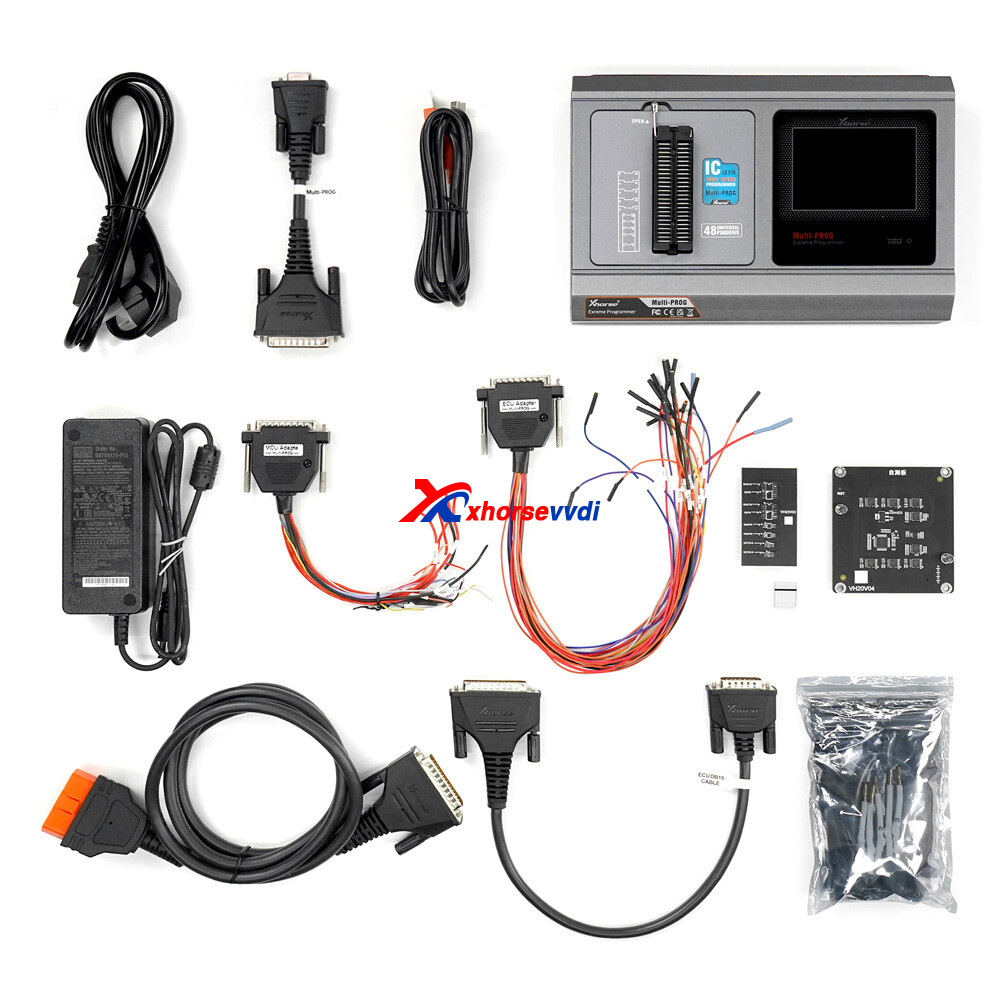
VVDI Multi-prog Programmer covers all functions of the 1st generation VVDI PROG. And Multi-prog adds more TCU models.
Here are some tests of this new tool:
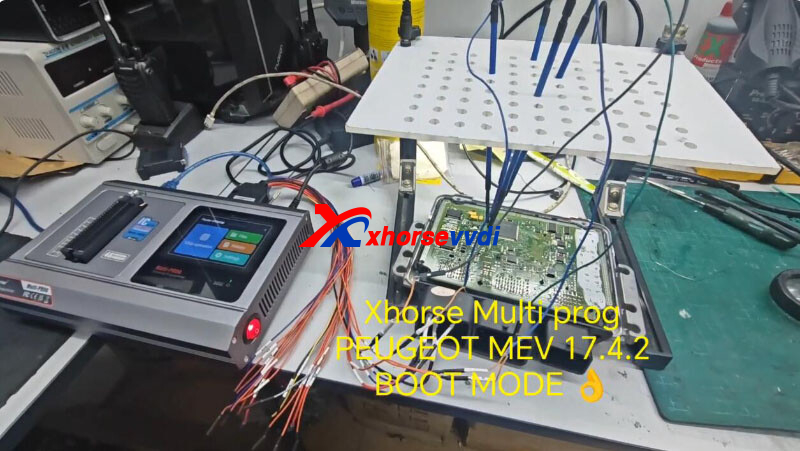
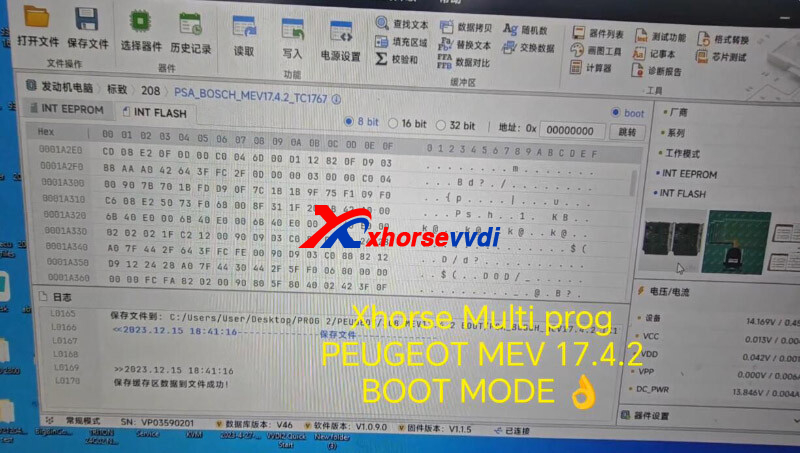
1.Xhorse Multi-prog Peugeot MEV17.4.2 Boot mode
2.Xhorse Multi-prog Clone Mercedes SIM271DE ECU
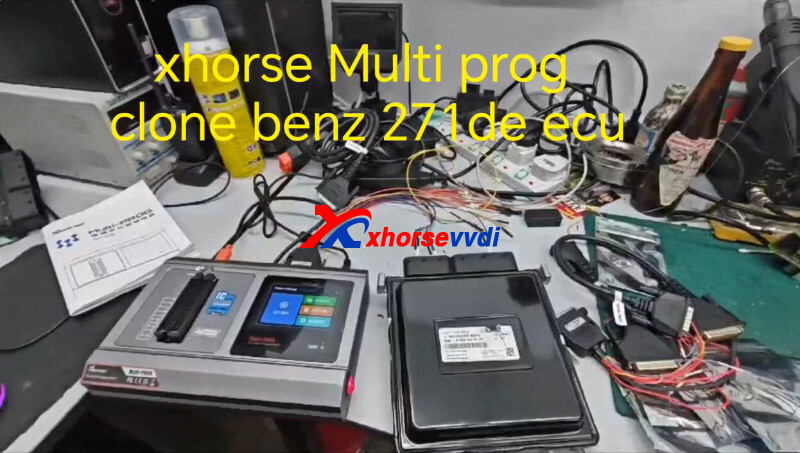
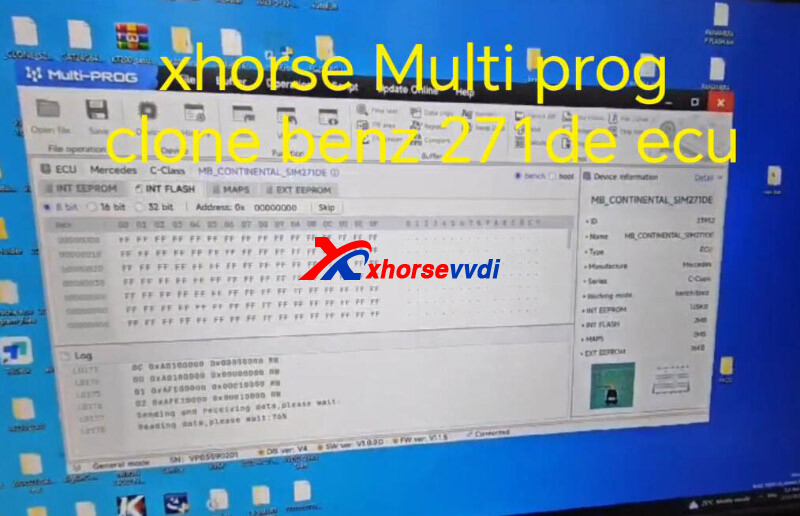
3.Xhorse Multi Prog on Bench MED17.7.2
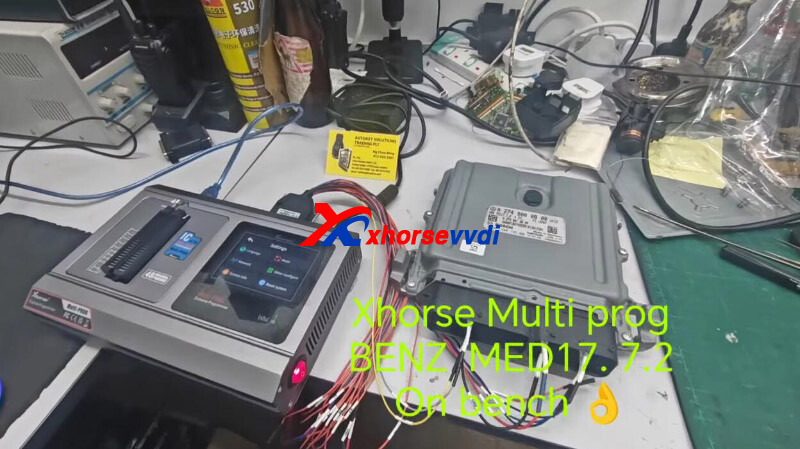
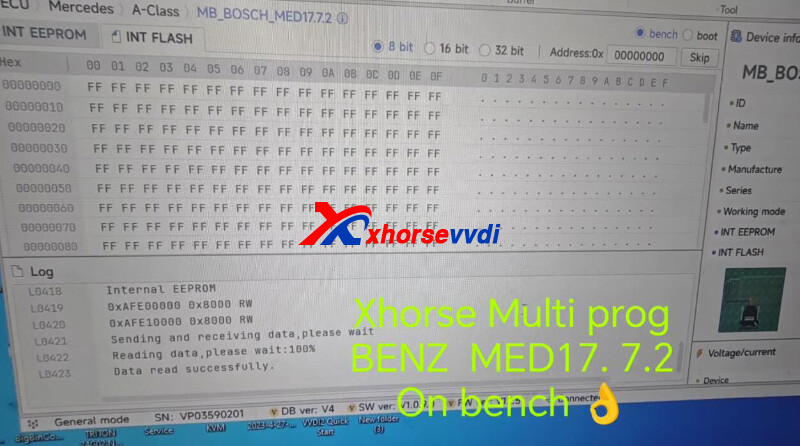
Posted by: xhorsevvdi at
09:04 AM
| No Comments
| Add Comment
Post contains 52 words, total size 2 kb.
Similar to the car engine ECU, the transmission TCU of major brands of cars is usually provided by third-party manufacturers. The Multi-PROG programmer supports read-write clones of common brands of TCUs.
Multi-Prog supports TCU reading and writing for Volkswagen, Audi, Skoda, DQ200, DQ250, VL381 and other series gearboxes, and supports Porsche Read and write transmissions such as DL501, support reading and writing of MPS6 series TCUs such as Ford Dodge, etc., and also support BMW DKG, Mercedes-Benz VGS, etc. Other models TCU read and write.
Here is the instruction of Multi Prog Read Write Audi A4 VL 381 TCU
1. Select the device type [EGS], select Audi, and then select the VL381 menu
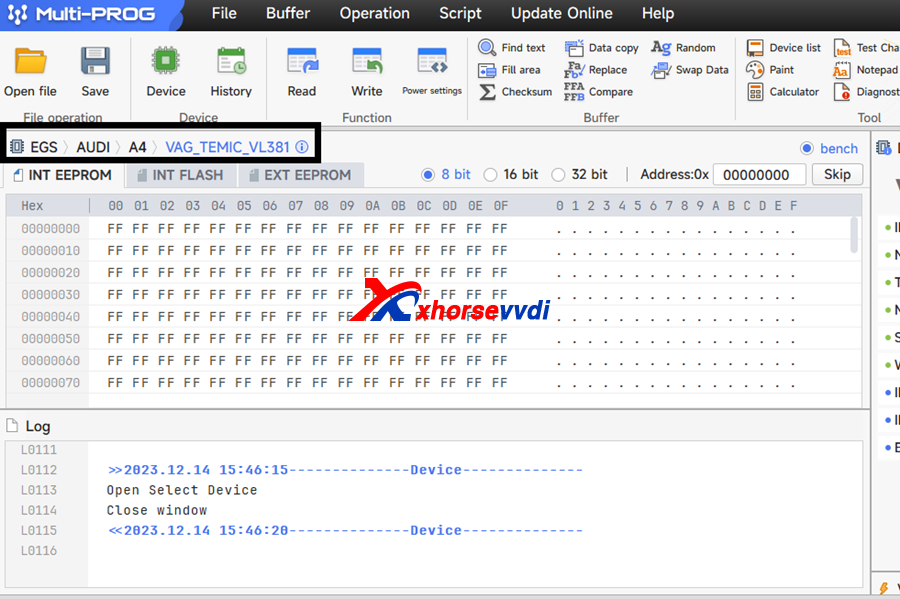
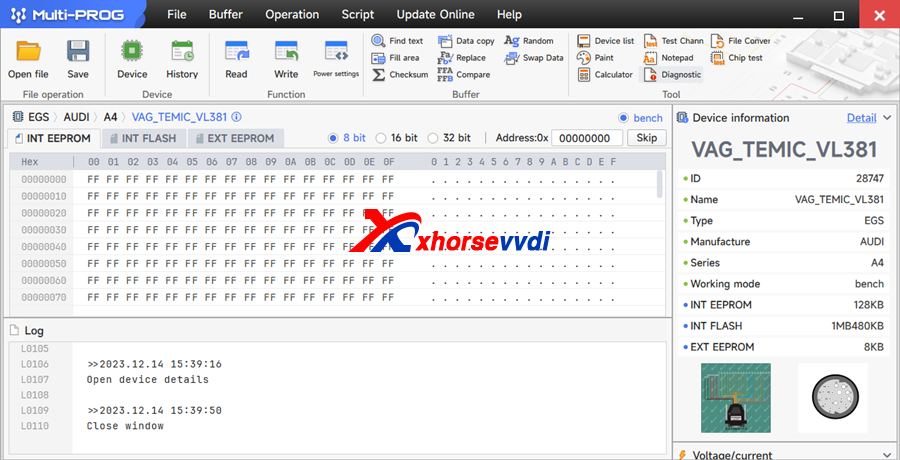
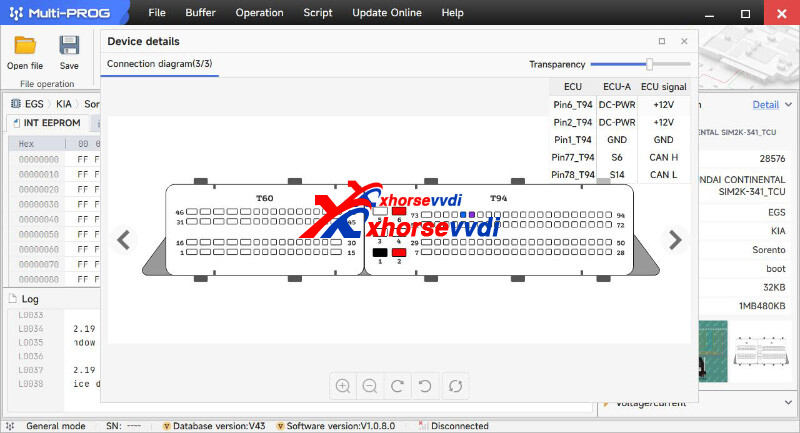
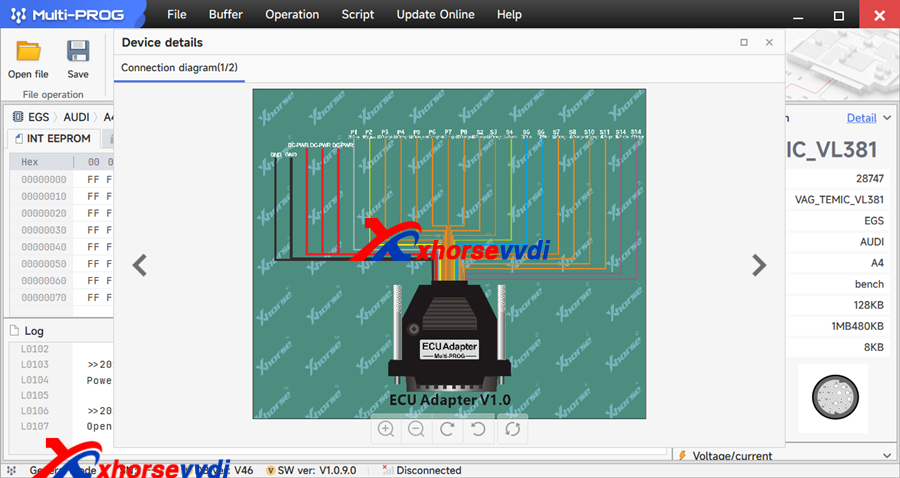
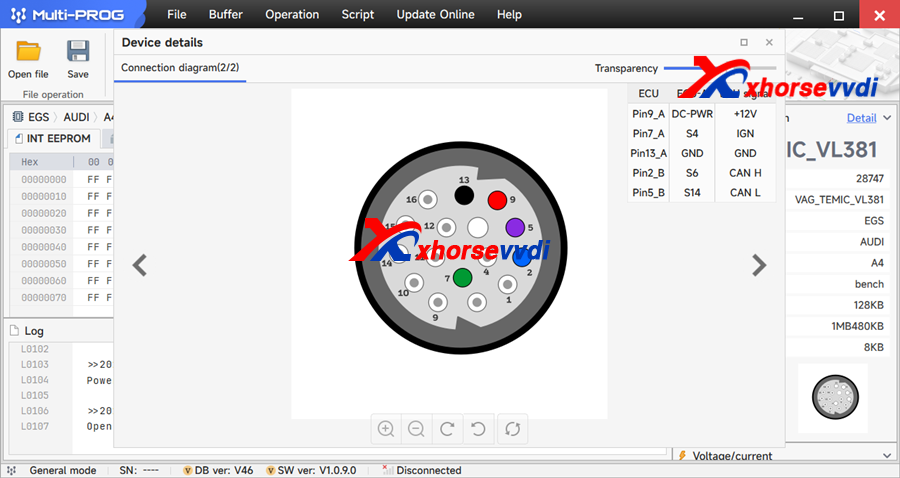
2. Complete the wiring according to the wiring diagram shown in the options. Note that you need to choose the appropriate adapter pin. The device comes with 7 different adapters.
3. According to functional requirements, if you need to clone the TCU, you need to read and save EEPROM and FLASH, and write the saved data to the data to replaced TCU.
http://blog.xhorsevvdi.com/how-to-use-xhorse-multi-prog-read-write-audi-a4-vl-381-tcu/
Posted by: xhorsevvdi at
09:03 AM
| No Comments
| Add Comment
Post contains 189 words, total size 3 kb.
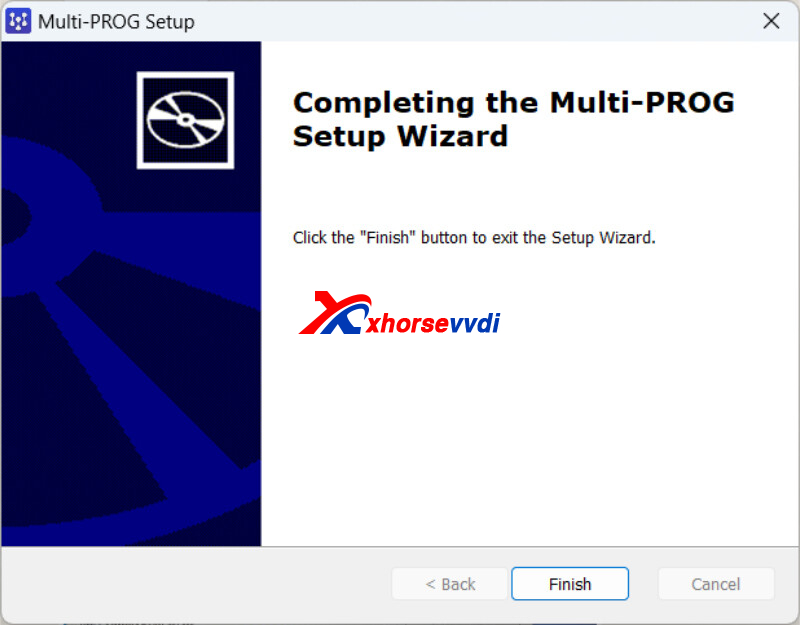
Multi Prog is 2nd generation VVDI Prog Programmer, and this blog we will share how to isntall multi-prog software, how to update multi prog software, firmware, database.
1. How to isntall Multi Prog Software?
Free Download Multi-Prog Software
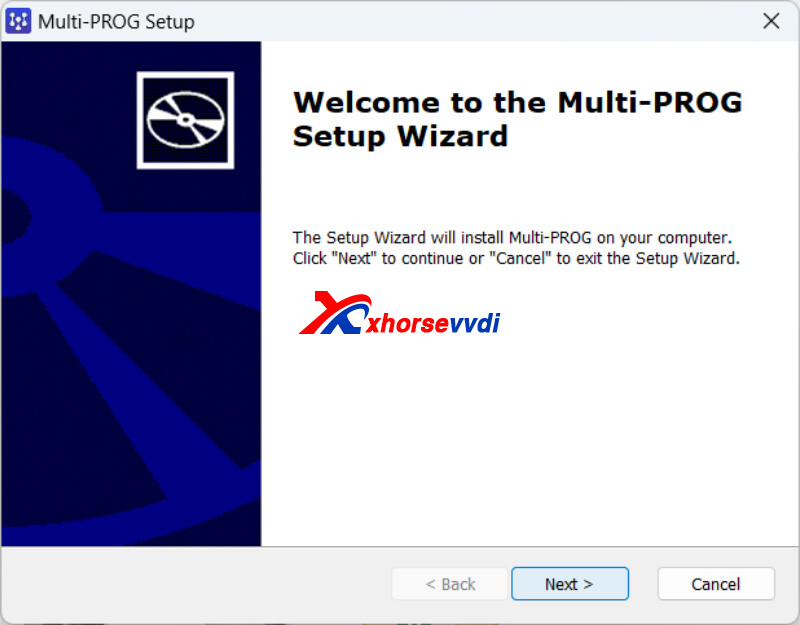
1.1 Run Multi-Prog application
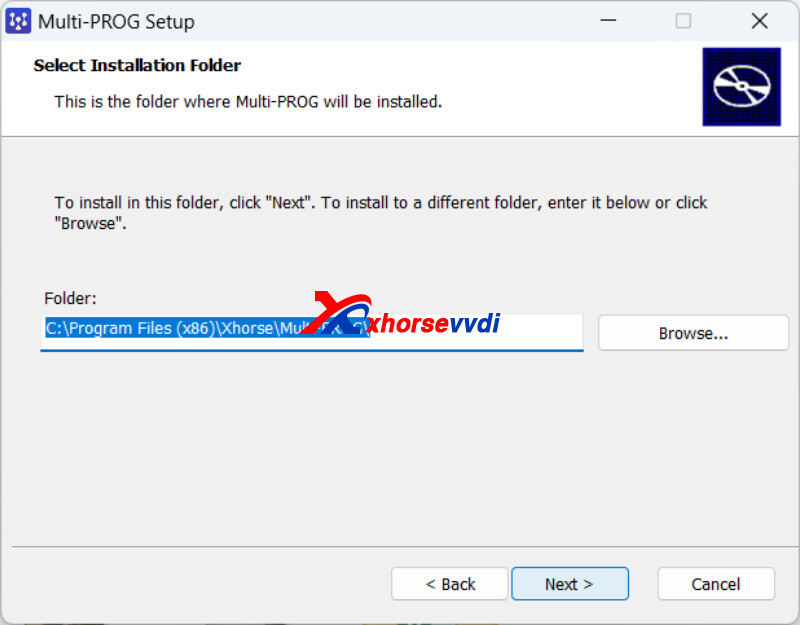
1.2 Choose the folder to install
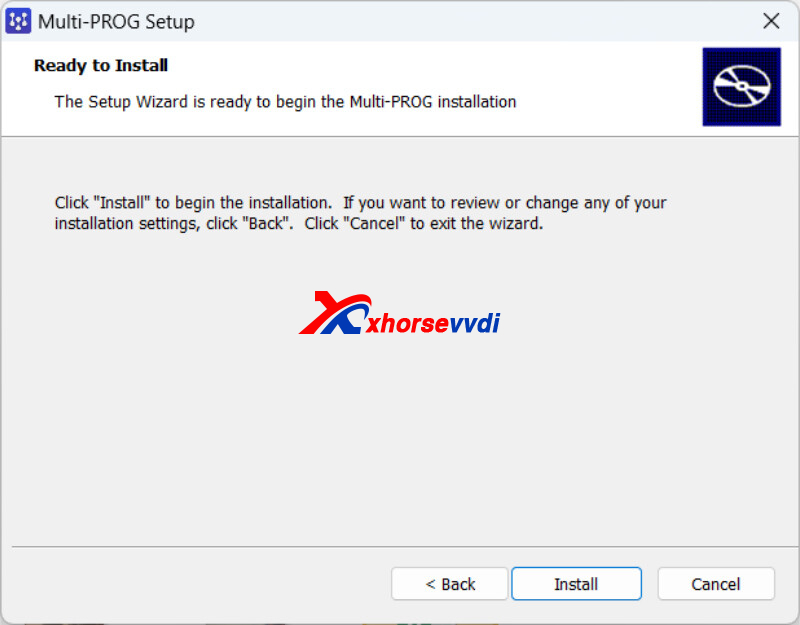
1.3. Click install to continue
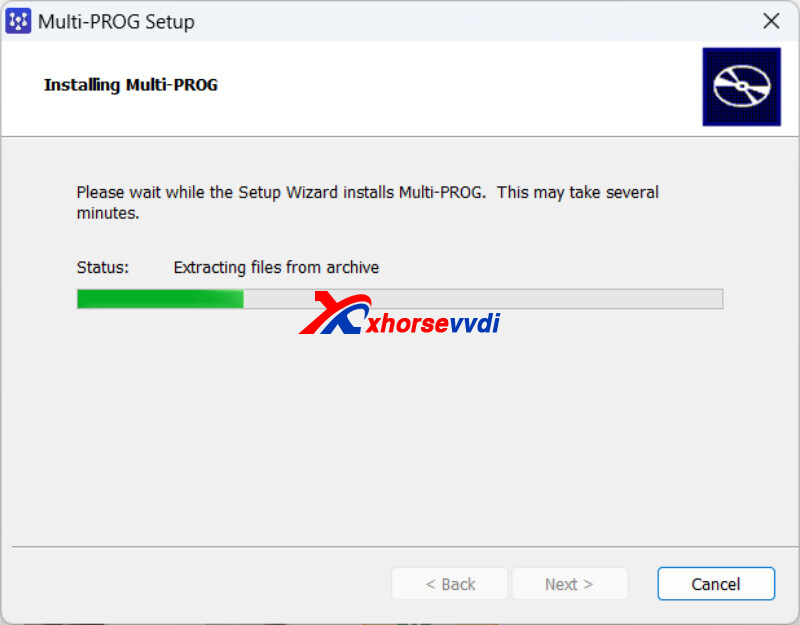
1.4. Installing process.
1.5. Driver will be install automatically Win 11. Finsh.
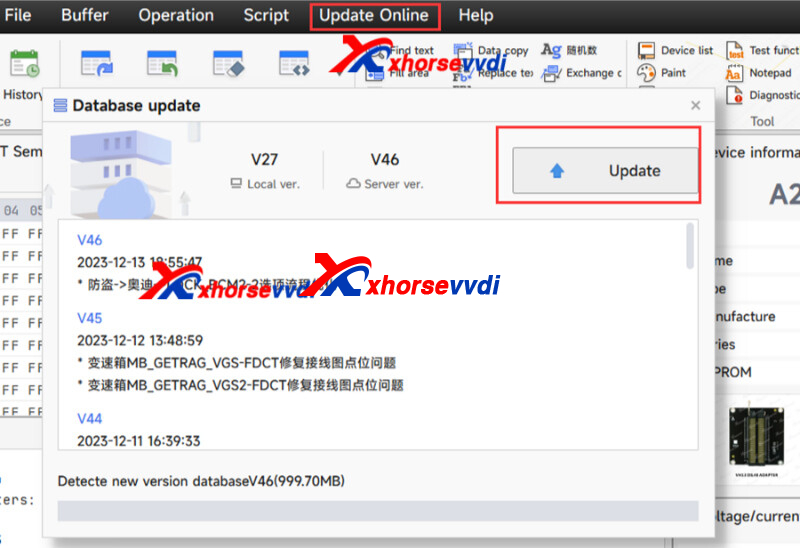
2. How to Update Multi-Prog?
2.1.Database
Multi Prog software>>Update Online>>Database upgrade, then click update
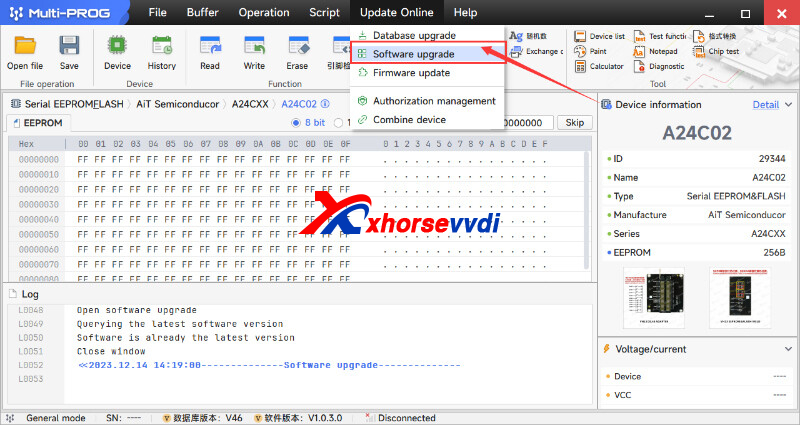
2.2.Software
Multi Prog software>>Update Online>>Software upgrade, then click update
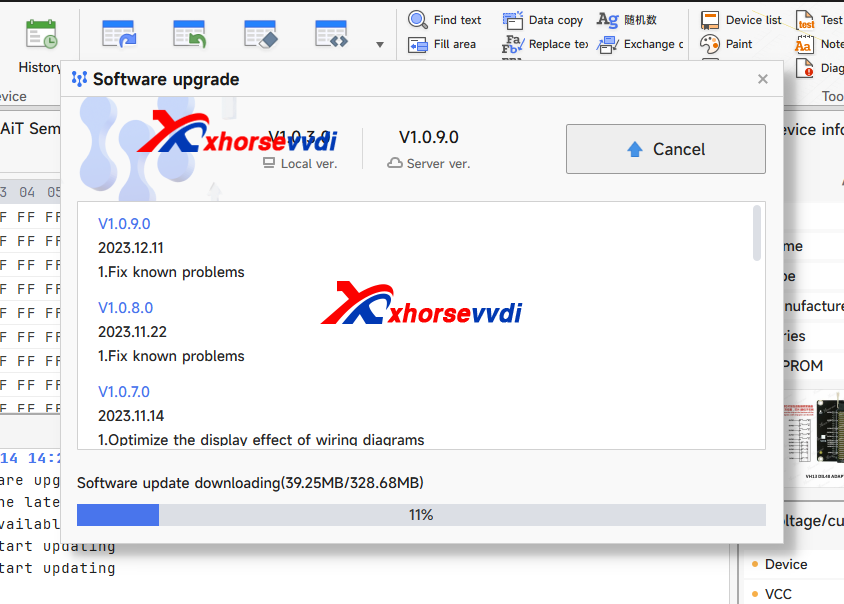
Connect with computer, same step.
http://blog.xhorsevvdi.com/how-to-install-update-xhorse-multi-prog-software/
Posted by: xhorsevvdi at
09:02 AM
| No Comments
| Add Comment
Post contains 102 words, total size 3 kb.
One customer gave feedback that his Key Tool Plus cannot read password from Mercedes W164 2008. The tablet keeps showing "Failed!" on step 3 and he asked if gateway is needed in this case.
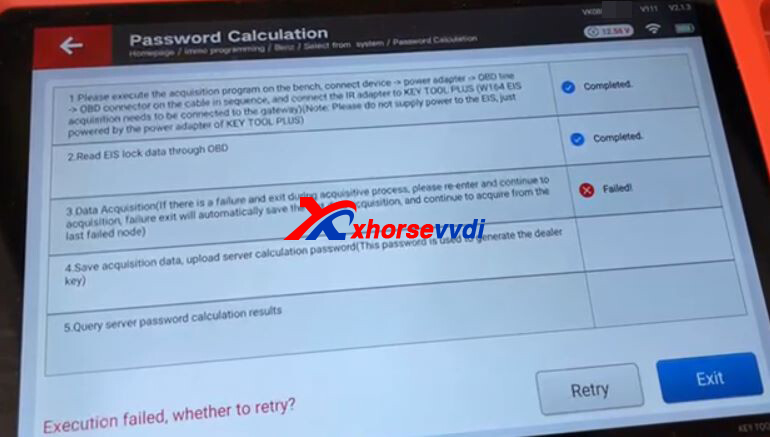
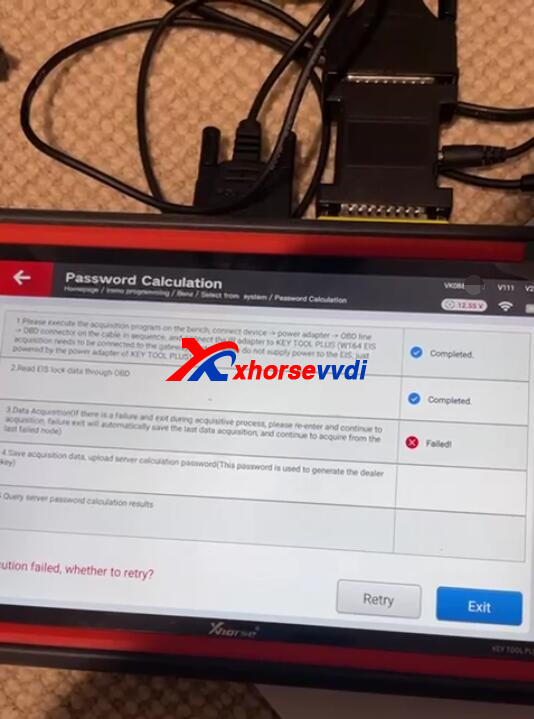
Connection Diagrams:
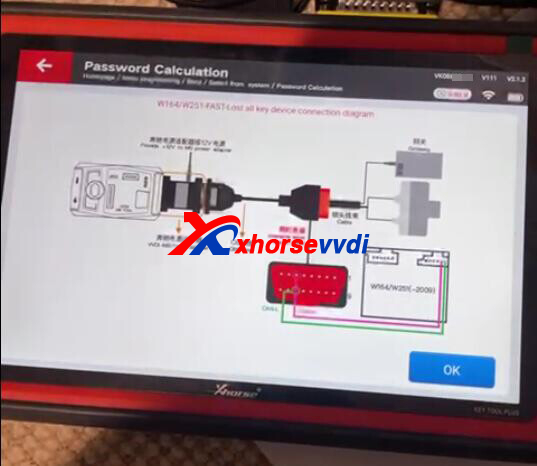
Here is the Solution:
Gateway module is required as diagrams, and it should be same module for car
http://blog.xhorsevvdi.com/solved-key-tool-plus-read-mercedes-w164-2008-password-fail/
Posted by: xhorsevvdi at
09:02 AM
| No Comments
| Add Comment
Post contains 65 words, total size 1 kb.
Xhorse Multi-prog is new released tool, 2nd generation of VVDI Prog, multi-prog can fully replace of VVDI Prog. Then what is the difference of VVDI Prog and Multi Prog?
Multi Prog New Features:
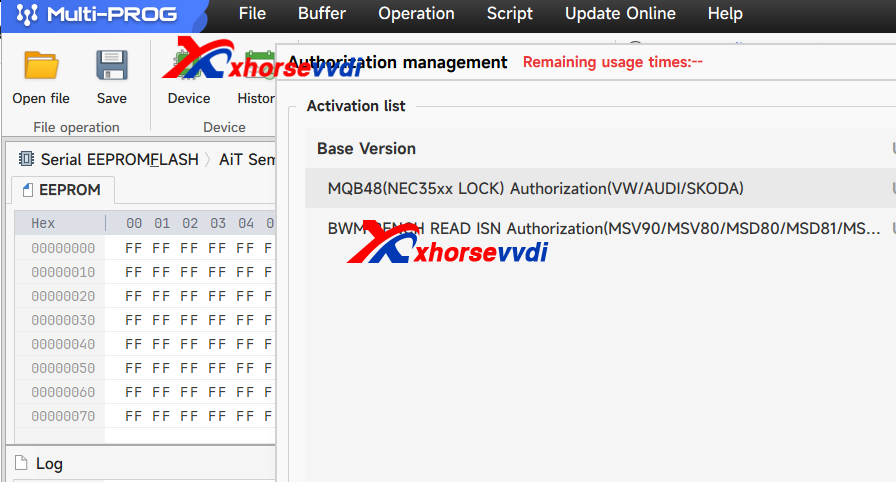
- With MQB48 license, if you hav Key Tool Plus, VVDI2, no need activate again, bind with same account, can share MQB48 function to Key tool plus or vvdi2.
- With BMW BENCH READ ISN.
- Read, write and Clone ECU
- Read and write and Clone Gearbox TCU
- Adds Vehicle Engine Data Calculation and Processing (MEDC17, EDC17)
- Adds checksum correction function
- Adds data comparison function.
- Support to write ISN. VVDI Prog not.
- Support Flexible Extension of third-party Plug-ins: It has released interface support for third-party developers and supports plug-ins developed by third-party developers. In the future, not only the functions developed by VVDI can be used, but also functions developed by 3rd party can be used.
- Update online directly, no need download software when new software release.
- The tablet itself will read eeprom without PC software (standalone and PC version need to be used separately).
Xhorse Multi Prog ECU and TCU List (Keep Updating)
ECU (Bench Mode)
VAG
1. SIMOS PCR2.1, EDC17c64
2. BOSCH: MG1CA811
3. BOSCH: MED17.1.6, MED17.1.21, MED17.1.61, MED17.5, MED1 7.5.1, MED1 7.5.2, MED1 7.5.5_TC1 766, MED1 7.5.5_TC1 767, MED1 7.5.20, MED1 7.5.21, MED1 7.5.25
4. BOSCH: EDC17C46, EDC17C74, EDC17CP24, EDC17CP44, EDC17CP54, EDC17U01, EDC17U05
5. BOSCH: MG1CS002一SPC5777, MD1 CP014_TC298TP, MG1 CS001_SPC5777, MG1 CS011 _SPC5777, MG1CS002_TC298TP, MD1 CP004_TC298TP, MD1 CP004一SPC5777, MG1 CS111 一SPC5777, MD1 CS004_TC298TP, MG1 CS008_SPC5777, MG1CS008_TC298TP
6. CONTINENTAL: SIMOS8.3x, SIMOS8.4x, SIMOS8.5x, SIMOS8.6X
BMW
1. CONTINENTAL: MSD80, MSV80, MSD81, MSD85, MSD87, MSV90
2. BOSCH: MD1CP002_SPC5777, MG1 CS003_SPC5777 (B48, B5
, MG1 CS201 _TC298TP (B38, B48, B5
, MD1CS001_TC298TP, MG1 CS024_TC298TP(B48, B5
, MD1CP032_TC299
3. BOSCH: EDC1 7CP09_Fxx_TC1 796, EDC1 7C50_Exx, EDC1 7CP45_Exx, EDC17C06, EDC17C56
4. BOSCH: MEI 7.2.1
5. BOSCH: MEVD1 7.2.3, MEVD1 7.2_Fxx, MEVD1 7.2.4_Fxx(N20), MEVD1 7.2.6_Fxx, MEVD17.2.9_Exx, MEVD17.2.G, MEVD17.2.G (N55), MEVD17.2.H, MEVD1 7.2.6_Fxx, MEVD17.2.P_Fxx, MEVD17.2.K
6. OSCH: MEV17.2_TC1766, MEV1 7.2_TC1 767, MEV17.2_TC1796, MEV1 7.2.1
Mercedes Benz
1. CONTINENTAL: SIM271 DE, SIM271 KE
2. BOSCH: MEI 7.7, MED17.7.3.1, MED1 7.7.1, MED1 7.7.2, MED1 7.7.3, ME1 7.7.8
3. BOSCH: EDC17CP10, EDC17CP57, EDC17CP46, EDC17CP60
4. BOSCH: CRD3x.x_TC1793, CRD3x.x_TC1 797
5. BOSCH: MD1CP001-SPC5777, MG1 CP002_SPC5777, MD1CS006_TC298TP
GM
1. DELPHI: DCM3.7AP
2. DELCO: E37, E38, E39, E39A, E67, E78, E80, E82, E83, E83A, E83B, E84, E87, E92, E98
Nissan
1. DENSO: 23740-3Nxxx_Gen1 SH72531
2. BOSCH:EDC17C84
Hyundai/Kia
1. BOSCH: ME17.9.11, MEI 7.9.11.1
2. BOSCH:EDC17C53
3. BOSCH: MEG17.9.1 2_ECU
Ford
1. BOSCH: EDC17C70, EDC17CP65
2. BOSCH: ME17.0.3, ME17.8.5
Volvo
BOSCH: EDC17CP48, EDC1 7CP48_ver2, EDC1 7CP22
Other
1. AM_ME1 7.8.5,DOO_ME17.8.5
2. BOSCH: MG1CA007, MEI 7.8.8_TC1728, ME1 7.8.8_TC1 728_HW2, ME17.8.8_TC1 767, ME1 7.8.31, ME1 7.9.52
3. BOSCH: EDC1 7C55, EDC1 7C1 0, EDC1 7C1 0_TC1 796, EDC1 7C1 0_TC1 797, EDC1 7CP42, EDC1 7CP14, EDC17c81
4. BOSCH: MEVD1 7.8.4
5. BOSCH: MED17.8.1 0_TC1 728, MED17.8.1 0_TC1 728_Hw2, MED1 7.8.1 0_TC1 767
6. BOSCH: MD1 CS01 8, MG1 CS026_SPC58, MG1 CS032, MG1CS163, MD1CS01 2, MD1CS089, MD1CS069, MD1CS005_TC298TP, MG1 CS01 5_TC277TP, MG1 CS01 6_TC275TP, MG1CS01 7_TC277TP, MG1CS01 8, MG1CS019, MG1CS088
7. CONTINENTAL: SID208, SID209, SID211, SID807EVO ⑧ DENSO: KH, ZY, SH70xx_275xxx-xxx
ECU (Boot Mode)
VW series
1. SIMOS PCR2.1, EDC17c64
2. BOSCH: MED17.1.6, MED17.1.21, MED1 7.1.61, MED17.5, MED1 7.5.1, MED1 7.5.2, MED17.5.5_TC1 766, MED1 7.5.5_TC1 767, MED1 7.5.20, MED1 7.5.21, MED1 7.5.25
3. BOSCH: EDC1 7C46, EDC1 7C74, EDC1 7CP24, EDC1 7CP44, EDC1 7CP54, EDC17U01, EDC17U05
4. BOSCH: SIMOS8.3X, SIMOS8.4x, SIMOS8.5x, SIMOS8.6X
BMW series
1. CONTINENTAL: MSD80, MSV80, MSD81, MSD85, MSD87, MSV90
2. BOSCH: EDC1 7CP09_Fxx_TC1 796, EDC1 7C50_Exx, EDC17CP45_Exx, EDC17C06, EDC17C56
3. BOSCH: ME1 7.2.1
4. BOSCH: MEVD1 7.2.3.MEVD17.2_Fxx, MEVD1 7.2.4_Fxx(N20), MEVD1 7.2.6_Fxx, MEVD1 7.2.9_Exx, MEVD17.2.G, MEVD17.2.G(N55), MEVD17.2.H, MEVD1 7.2.6_Fxx, MEVD1 7.2.P_Fxx, MEVD1 7.2.K
5. BOSCH: MEV17.2_TC1766, MEV1 7.2_TC1 767, MEV17.2_TC1796, MEV1 7.2.1
Mercedes Benz series
1. CONTINENTAL: SIM271 DE,SIM271 KE
2. BOSCH: ME17.7, MED17.7.3.1, MED17.7.1, MED1 7.7.2, MED1 7.7.3, ME17.7.8
3. BOSCH: EDC17CP10, EDC17CP57, EDC17CP46, EDC17CP60
4. DELPHI: CRD2.x_MPC556x
Nissan series
BOSCH: EDC17C84
GM series
1. DELPHI: MT80.MT80.1
2. DELCO: E37, E38, E39, E39A, E67, E78, E80, E82, E83, E83A, E83B, E84, E87, E92, E98
Hyundai/Kia series
1. DELPHI: MT86
2. DELCO: DCM6.2AP
Other
1. CONTINENTAL: SID208, SID209, SID211, SID807EVO, SID310
2. SDI21.1 ,SDI21.2,SDI21.3
3. BOSCH: ME1 7.3.0
4. MARELLI: 8DF, MM10JA
TCU (Bench Mode)
VW
DL382, VL381, DL501 Genl, DL501 Gen2, DQ200Dxx, DQ200-G2, DQ200-G2_PQ, DQ200-MQB, DQ250-MQB, DQ250
Exx/Fxx BMW series
GETRAG DKG 436 Genl, GETRAG DKG 436 Gen2
Mercedes Benz series
VGS-FDCT, VGS2-FCVT, VGS2-FDCT
Ford series
1. ETRAG MPS6GETRAG
2. DPS6, DC4
TCU (Boot Mode)
Ford series
DPS6, DC4
Other
ZF 9HP
http://blog.xhorsevvdi.com/how-to-choose-vvdi-prog-vs-multi-prog/
Posted by: xhorsevvdi at
09:01 AM
| No Comments
| Add Comment
Post contains 753 words, total size 7 kb.
One customer gave feedback that his VVDI PROG with XDNP12 CAS4 Adapter won't read. he used DB15-25 Connector but software just kept showing "Adapter invalid(00)".
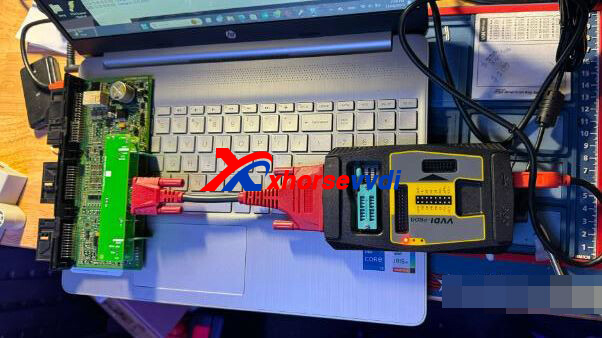
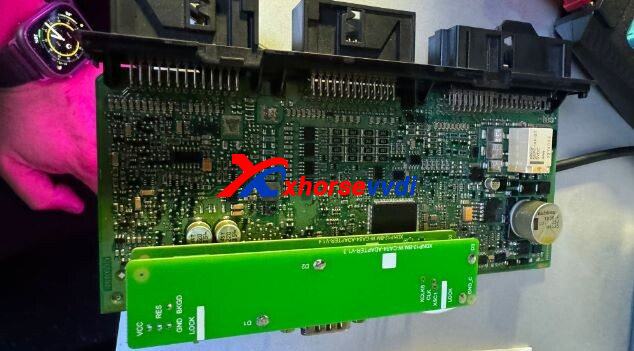
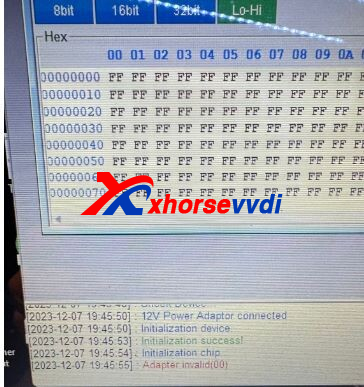
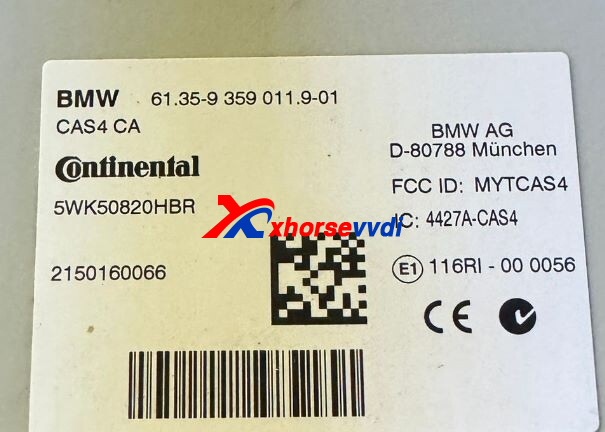
Here is the Solution:
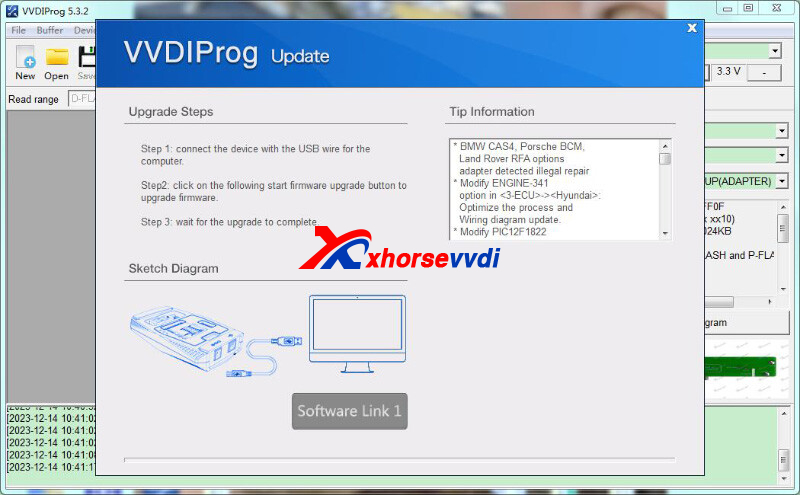
Use the latest V5.3.2 VVDI PROG Software.
It modifies adapter options for BMW CAS4, Porsche BCM, Land Rover...
Posted by: xhorsevvdi at
09:01 AM
| No Comments
| Add Comment
Post contains 57 words, total size 2 kb.
32 queries taking 0.1044 seconds, 131 records returned.
Powered by Minx 1.1.6c-pink.

