



December 28, 2023
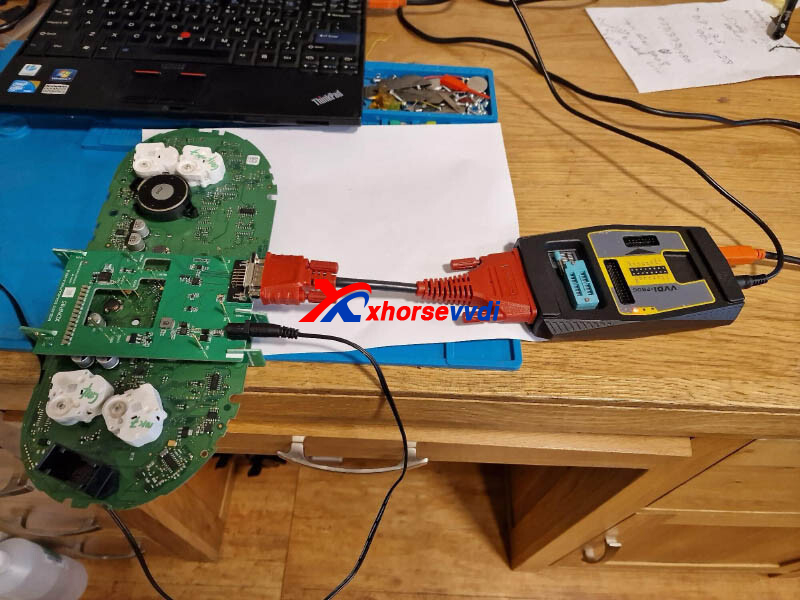
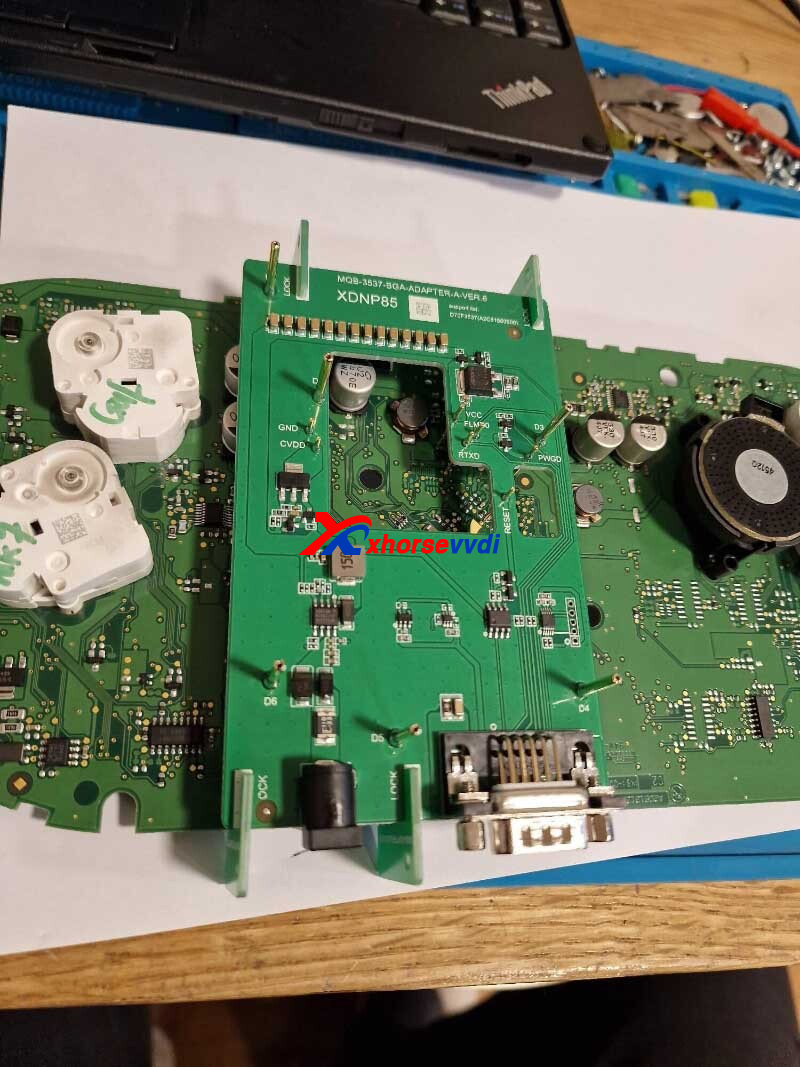
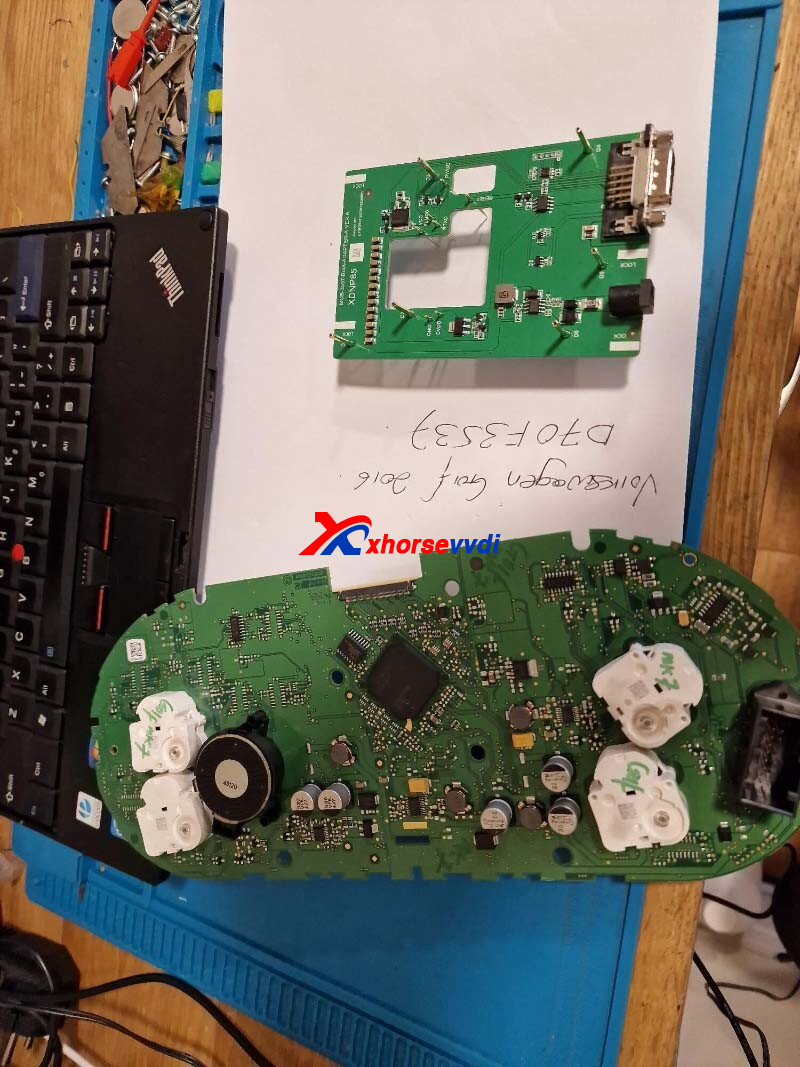
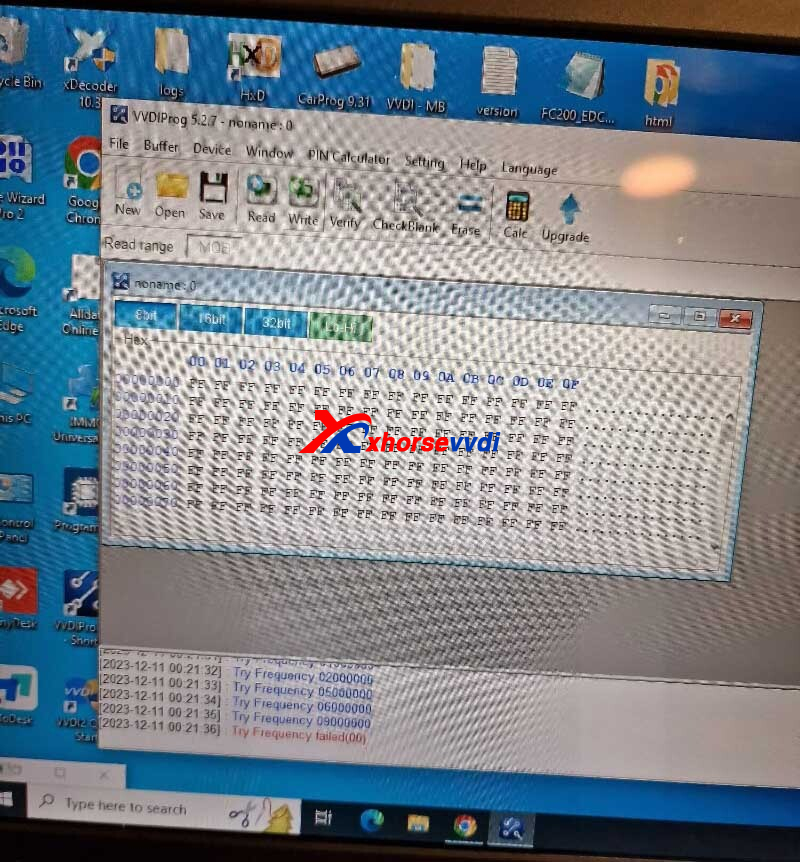
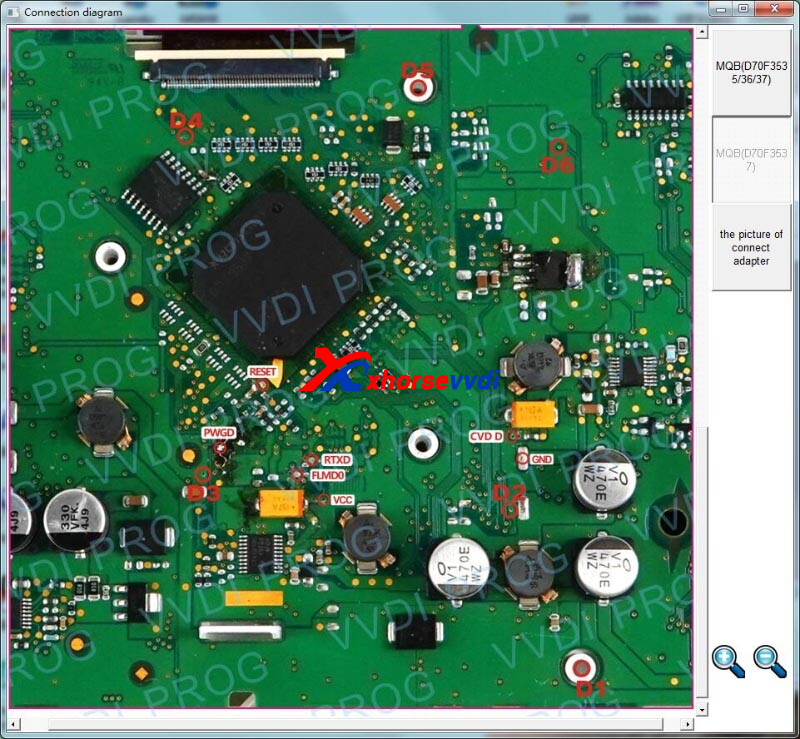
One customer asked if Xhorse MQB48 Adapter is able to work with VVDI PROG. He tried it using XDPGSOGL Cable but vvdi prog software kept prompting "Try Frequency failed (00)".
Here is the Answer:
Xhorse MQB Adapter could work with VVDI PROG, but you need XDPGSOGL Cable.
Tips:
1.Use the latest VVDI PROG V7.3.2 Software
2.Make sure FLMDO pin voltage is around 3.3V while vvdi prog is working
Posted by: xhorsevvdi at
09:00 AM
| No Comments
| Add Comment
Post contains 78 words, total size 2 kb.
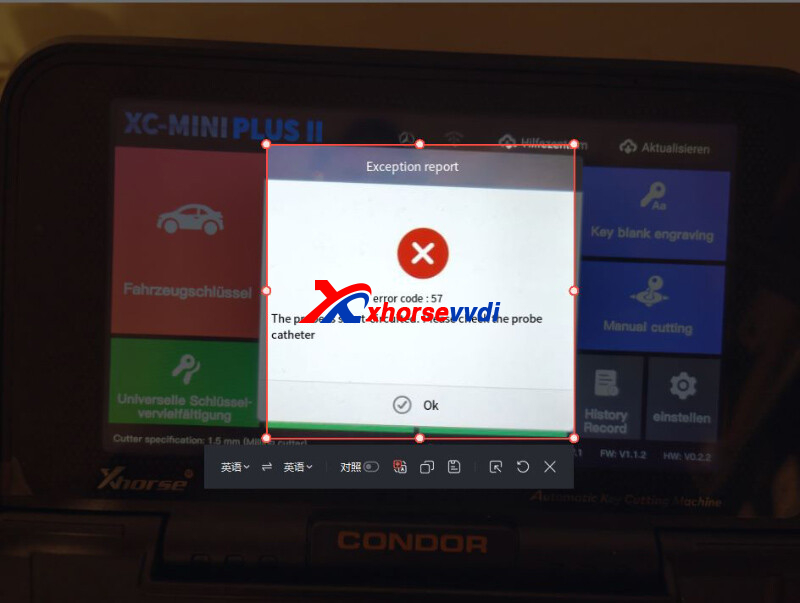
One customer gave feedback that his Condor Mini Plus II did not work. And it kept prompting Error 57 even after he had changed its probe.
Here is the
Reason:
Probe is short-circuited.
Solution:
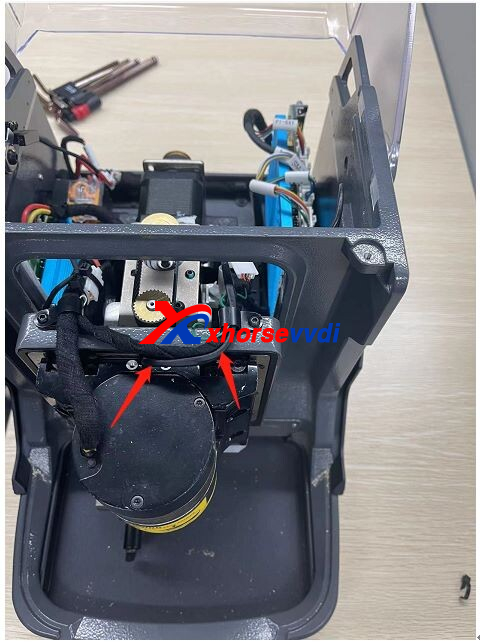
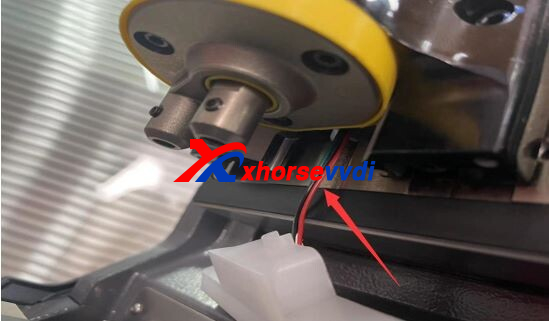
Take apart Condor II Machine and check the two cables.
Posted by: xhorsevvdi at
08:59 AM
| No Comments
| Add Comment
Post contains 55 words, total size 1 kb.
V5.3.2 VVDI Prog software is released now, get free download link V5.3.2 VVDI Prog software from XhorseVVDI.com.
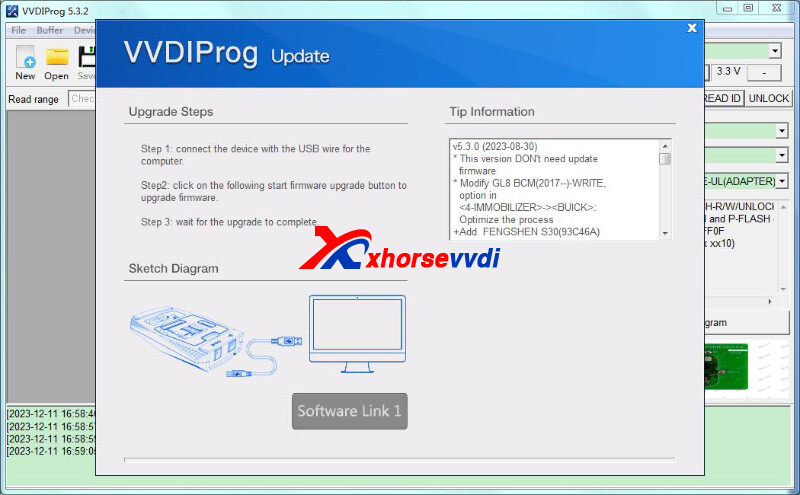
1.Free Download V5.3.2 VVDI Prog Software
Password: 123456
2.V5.3.2 VVDI Prog Update Info
v5.3.2(2023-12-11)
*ThisversionDON'tneedupdate firmware
*OptimizationofISNcalculationforsomeECUmodules.
*VWMQBdashboardprocessoptimization.
*BMWCAS4,PorscheBCM, LandRoverRFAoptions adapterdetectedillegalrepair
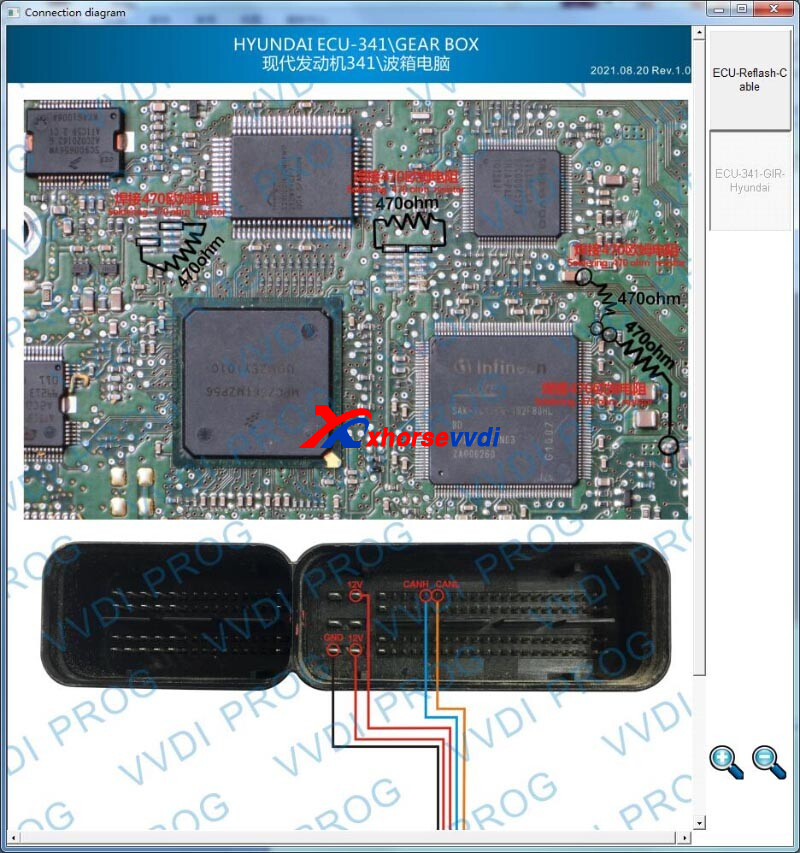
*ModifyENGINE-341optionin<3-ECU>-><Hyundai>: Optimizetheprocessand Wiringdiagramupdate.
*ModifyPIC12F1822 optionin<2-MCU>-><MICROCHIP-PIC12F>: Wiringdiagramupdate.
*ModifyXINGMA315 optionin<8-OTHER>-><CAMC>: Optimizetheprocessand Wiringdiagramupdate.
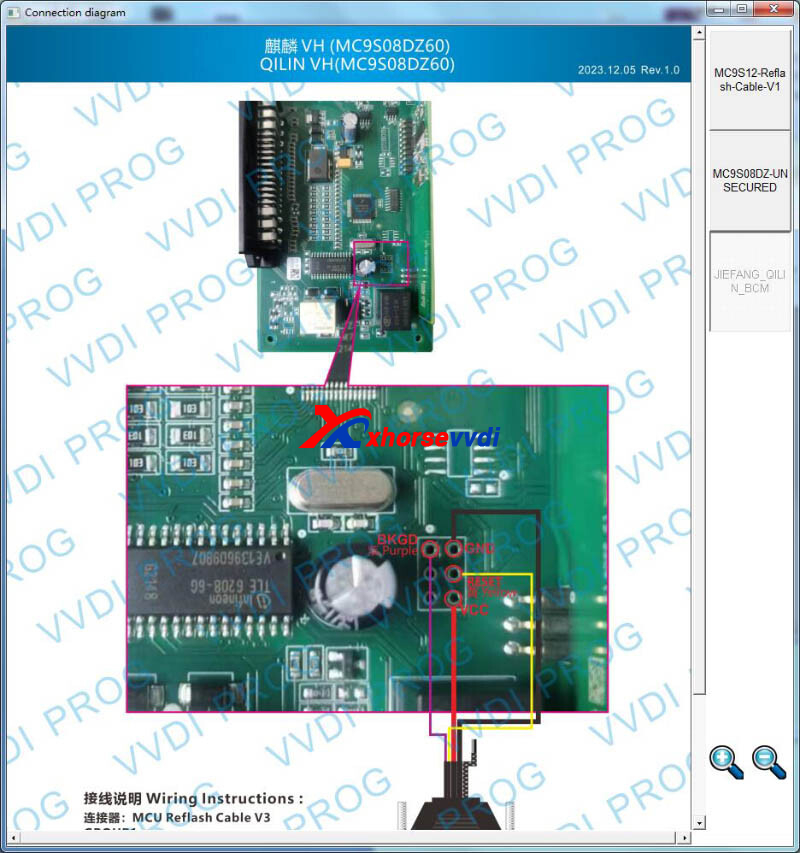
*ModifyQILINVH optionin<8-OTHER>-><FAW>: Optimizetheprocessand Wiringdiagramupdate.
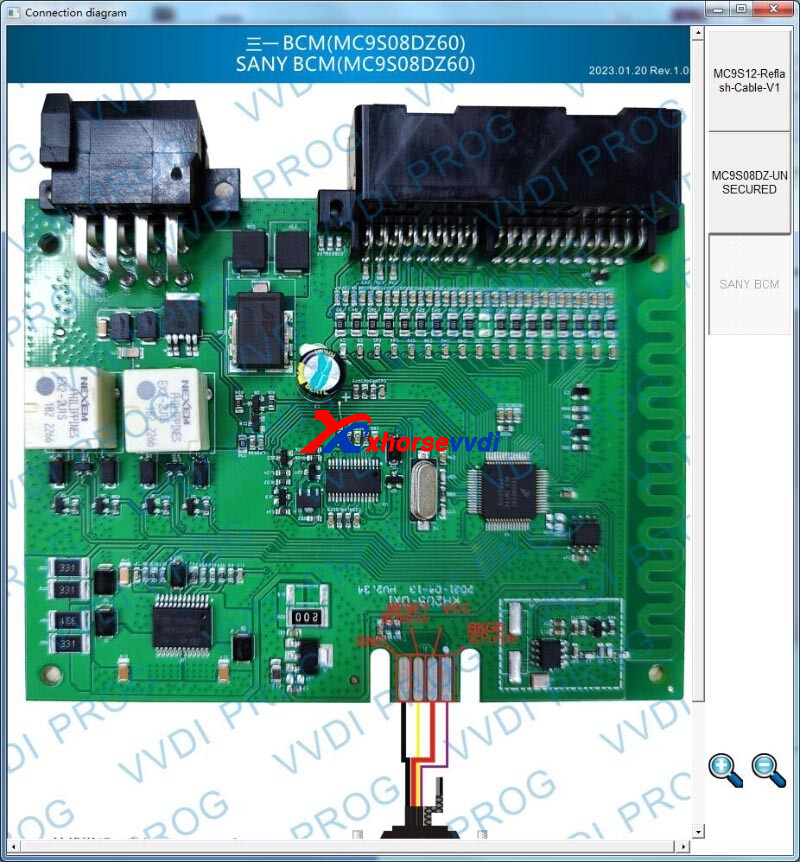
*ModifyYingJie500315,ZhuHong500315optionin<8-OTHER>-><SANY>: Optimizetheprocess.
Posted by: xhorsevvdi at
08:59 AM
| No Comments
| Add Comment
Post contains 68 words, total size 2 kb.
Xhorse Multi-Prog Programmer is the upgraded version of VVDI PROG. It will allow us to Read/ Write/ Clone ECU&TCU and Read/ Write MCU& IMMO& EEPROM& Dashboard.
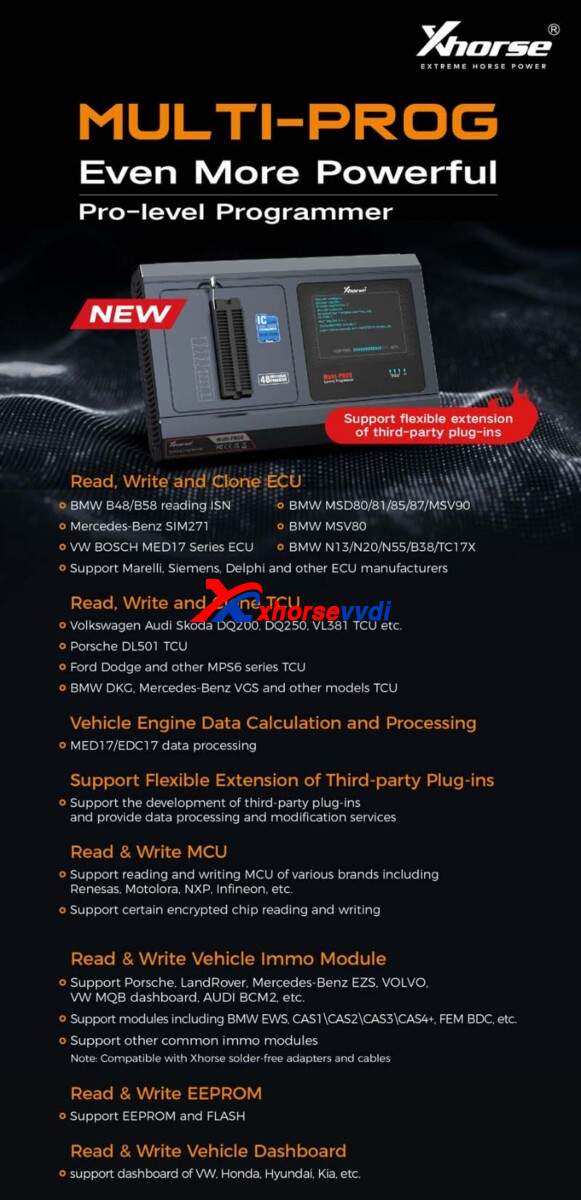
Free Download Multi Prog Software:
V1.0.3.0 Multi-Prog (*online update to the latest version after downloading)
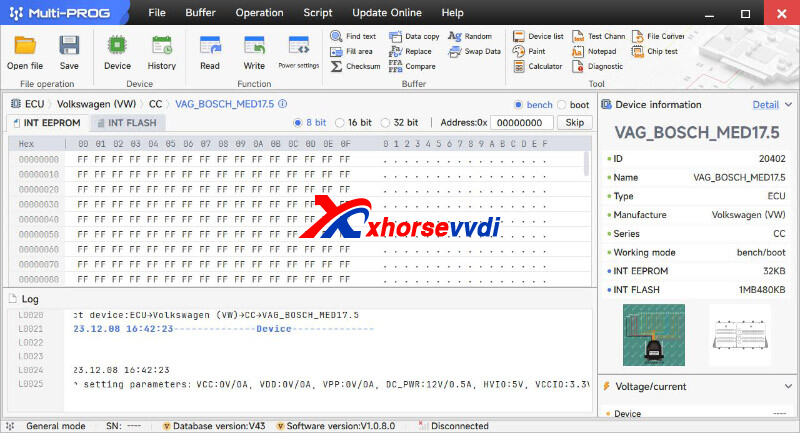
Multi-Prog Programmer Support List:
*To check full list, simply download Multi-PROG Software and check out all controls
1.ECU List
ECU Models R/W on Bench
VW series
①SIMOS PCR2.1, EDC17c64
②BOSCH: MG1CA811
③BOSCH: MED17.1.6, MED17.1.21, MED17.1.61, MED17.5, MED17.5.1, MED17.5.2, MED17.5.5. TC1 766, MED17.5.5_ TC1 767, MED1 7.5.20, MED1 7.5.21, MED1 7.5.25
④BOSCH: EDC17C46, EDC17C74, EDC17CP24, EDC17CP44, EDC17CP54, EDC17U01, EDC17U05
⑤BOSCH: MG1CS002_ SPC5777, MD1CPO14 _TC298TP, MG1CS001_ SPC5777, MG1CS011_ _SPC5777, MG1CS002_ TC298TP,MD1CP004_ TC298TP, MD1CP004_ SPC5777, MG1CS111_ SPC5777, MD1CS004 TC298TP,MG1CS008_ SPC5777, MG1CS008_ TC298TP
⑥CONTINENTAL: SIMOS8.3x, SIMOS8.4x, SIMOS8.5x, SIMOS8.6x
BMW series
①CONTINENTAL: MSD80, MSV80, MSD81, MSD85, MSD87, MSV90
②BOSCH: MD1CP002_ SPC577 7, MG1CS003_ SPC5777 (B48, B5 , MG1 CS201. _TC298TP(B38, B48, B5
, MD1CS001. TC298TP, MG1CS024_ TC298TP(B48, B5
, MD1CP032 _TC299
, MG1 CS201. _TC298TP(B38, B48, B5
, MD1CS001. TC298TP, MG1CS024_ TC298TP(B48, B5
, MD1CP032 _TC299
③BOSCH: EDC17CP09_ Fxx. TC1796, EDC17C50_ Exx, EDC17CP45_ Exx, EDC17C06, EDC17C56
④BOSCH: ME17.2.1
⑤BOSCH: MEVD17.2.3, MEVD17.2_ Fxx, MEVD17.2.4_ Fx(N20), MEVD17.2.6_ Fxx, MEVD17.2.9_ Exx, MEVD17.2.G, MEVD17.2.G (N55),MEVD17.2.H, MEVD17.2.6_ Fxx, MEVD17.2.P_ Fxx, MEVD17.2.K
⑥BOSCH: MEV17.2 TC1 766, MEV17.2 TC1767, MEV17.2_ TC1796, MEV17.2.1
Mercedes Benz series
①CONTINENTAL: SIM271 DE, SIM271 KE
②BOSCH: ME17.7, MED17.7.3.1, MED17.7.1, MED17.7.2, MED17.7.3, ME17.7.8
③BOSCH: EDC17CP1 O, EDC17CP57, EDC17CP46, EDC17CP60
④BOSCH: CRD3x.x_ TC1793, CRD3x.x_ TC1797
⑤BOSCH: MD1CP001-SPC5777, MG1CP002_ SPC5777, MD1CS006_ TC298TP
GM series
①DELPHI: DCM3.7AP
②DELCO: E37, E38, E39, E39A, E67, E78, E80, E82, E83, E83A, E83B, E84, E87, E92, E98
Nissan series
①DENSO: 23740-3Nxxx_ Gen1 SH72531
②BOSCH: EDC17C84
Hyundai/Kia series
①BOSCH: ME17.9.11, ME17.9.11.1
②BOSCH: EDC17C53
③BOSCH: MEG17.9.12_ ECU
Ford series
①BOSCH: EDC17C70, EDC17CP65
②BOSCH: ME17.0.3, ME17.8.5
Volvo series
BOSCH: EDC17CP48, EDC17CP48_ ver2, EDC17CP22
Other
①AM_ .ME1 7.8.5,D00_ ME17.8.5
②BOSCH: MG1CA007, ME17.8.8 TC1728, ME17.8.8_ TC1728 HW2, ME17.8.8 TC1767, ME17.8.31, ME17.9.52
③BOSCH: EDC17C55, EDC17C10, EDC17C10_ TC1796, EDC17C10_ TC1797, EDC17CP42, EDC17CP14, EDC17c81
④BOSCH: MEVD17.8.4
⑤BOSCH: MED17.8.10 TC1728, MED17.8.10 TC1728_ Hw2, MED17.8.10 TC1767
⑥BOSCH: MD1CS018, MG1CS026_ SPC58, MG1CS032, MG1CS1 63, MD1CS012, MD1CS089, MD1CS069, MD1CS005_ TC298TP, MG1CS015_ TC277TP, MG1CS016_ TC275TP, MG1CS01 7_TC277TP, MG1CS018, MG1CS019, MG1CS088
⑦CONTINENTAL: SID208, SID209, SID211, SID807EVO
⑧DENSO: KH, ZY, SH70xx_ 275xxx-xx
ECU Models R/W on BOOT
VW series
①SIMOS PCR2.1, EDC1 7c64
②BOSCH: MED17.1.6, MED17.1.21, MED17.1.61, MED17.5, MED17.5.1, MED17.5.2, MED17.5.5_ TC1 766, MED17.5.5 TC1767, MED1 7.5.20, MED1 7.5.21, MED1 7.5.25
③BOSCH: EDC17C46, EDC17C74, EDC17CP24, EDC17CP44, EDC17CP54, EDC17U01, EDC17U05
④BOSCH: SIMOS8.3x, SIMOS8.4x, SIMOS8.5x, SIMOS8.6x
BMW series
①CONTINENTAL: MSD80, MSV80, MSD81, MSD85, MSD87, MSV90
②BOSCH: EDC17CP09_ Fxx_ TC1796, EDC17C50_ Exx, EDC17CP45_ Exx, EDC17C06, EDC17C56
③BOSCH: ME17.2.1
④BOSCH: MEVD17.2.3,MEVD17.2_ Fxx, MEVD1 7.2.4 Fxx(N20), MEVD17.2.6_ Fxx, MEVD17.2.9_ Exx, MEVD17.2.G, MEVD17.2.G(N55), MEVD17.2.H, MEVD17.2.6_ Fxx, MEVD17.2.P_ Fxx, MEVD17.2.K
⑤BOSCH: MEV17.2 TC1766, MEV17.2 TC1767, MEV17.2_ TC1796, MEV17.2.1
Mercedes Benz series
①CONTINENTAL : SIM271 DE,SIM271KE
②BOSCH: ME17.7, MED17.7.3.1, MED17.7.1, MED17.7.2, MED17.7.3, ME17.7.8
③BOSCH: EDC17CP10, EDC17CP57, EDC17CP46, EDC17CP60
④DELPHI: CRD2.x_ MPC556x
Nissan series
BOSCH: EDC17C84
GM series
①DELPHI: MT8O, MT80.1
②DELCO: E37, E38, E39, E39A, E67, E78, E80, E82, E83, E83A, E83B, E84, E87, E92, E98
Hyundai/Kia series
①DELPHI: MT86
②DELCO: DCM6.2AP
Other
①CONTINENTAL : SID208, SID209, SID211, SID807EVO, SID310
②SDI21.1 ,SDI21.2,SDI21.3
③BOSCH: ME1 7.3.0
④MARELLI: 8DF, MM1 0JA
2.TCU List
TCU Models R/W on Bench
VW series
DL 382, VL381, DL 501 Gen1, DL 501 Gen2, DQ200Dxx, DQ200-G2, DQ200-G2 PQ, DQ200-MQB, DQ250-MQB, DQ250 Exx/Fxx
BMW series
GETRAG DKG 436 Gen1, GETRAG DKG 436 Gen2
Mercedes Benz series
VGS-FDCT, VGS2-FCVT, VGS2-FDCT
Ford series
①ETRAG MPS6GETRAG
②DPS6, DC4
TCU Models R/W on BOOT
Ford series
DPS6, DC4
Other
ZF 9HP
http://blog.xhorsevvdi.com/vvdi-prog-2-multi-prog-programmer-software-download-and-support-list/
Posted by: xhorsevvdi at
08:58 AM
| No Comments
| Add Comment
Post contains 575 words, total size 8 kb.
Problem:
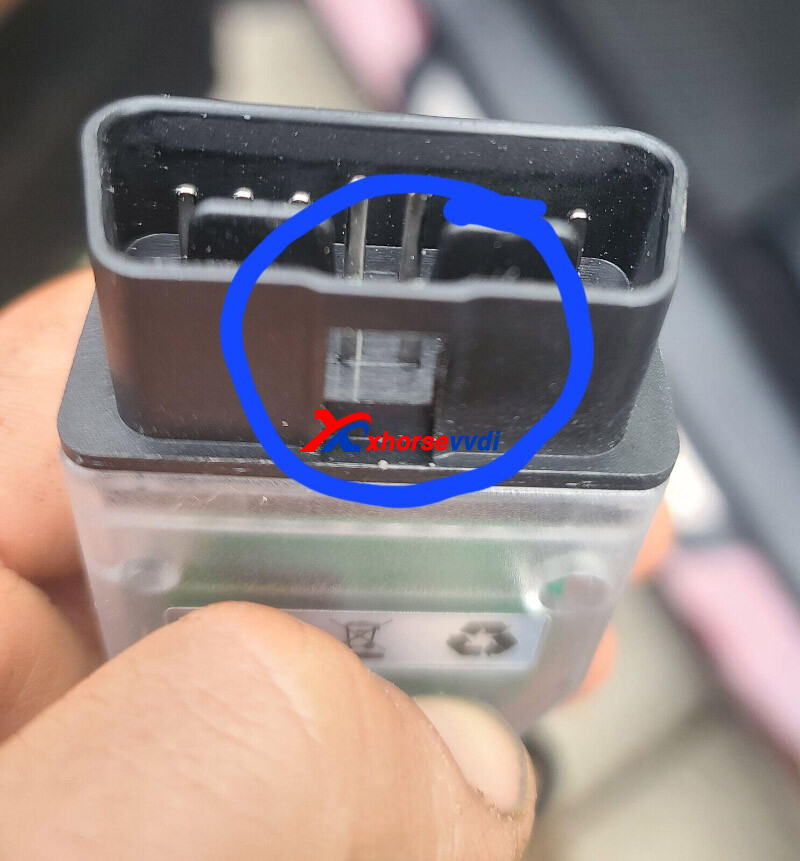
1.Xhorse MVCI PRO Cable, circled area is not cast correctly, this is supposed to slide on rails on car's dlc3 port, it is not cast outwards but flush, so it is locked in port and cannot be released. . . . It ripped plastic label off my dlc3 port.
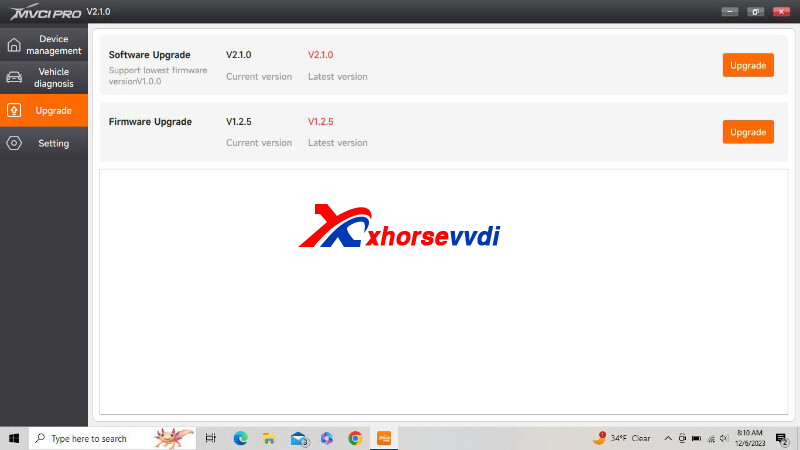
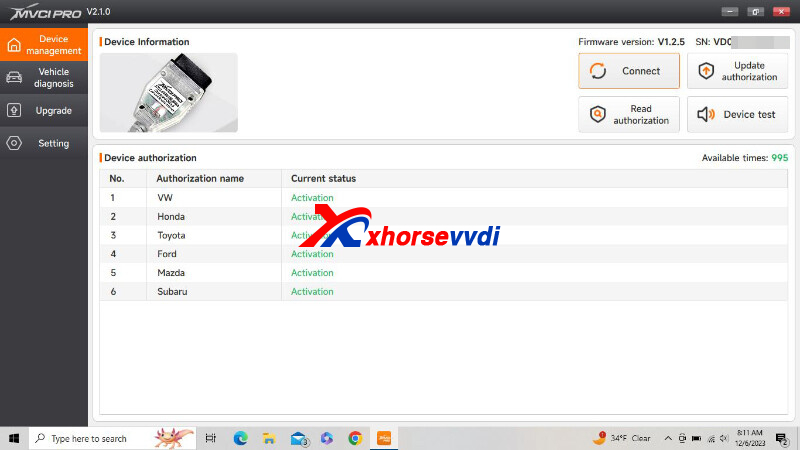
2.J2534 protocol listed in list does not appear to be supported. It does not communicate or program Toyota Tire Pressure Monitoring System ECU. Downloaded MVCI PRO software, software and firmware are latest. Loaded with latest versions of software and firmware for cable, I tried TechStream versions 12, 13, 17, and 18. This cable will look at live data through ECU like or mini vci cables I have, but it is not J2534 compliant and it will not do any of critical programming or tire pressure sensor programming.
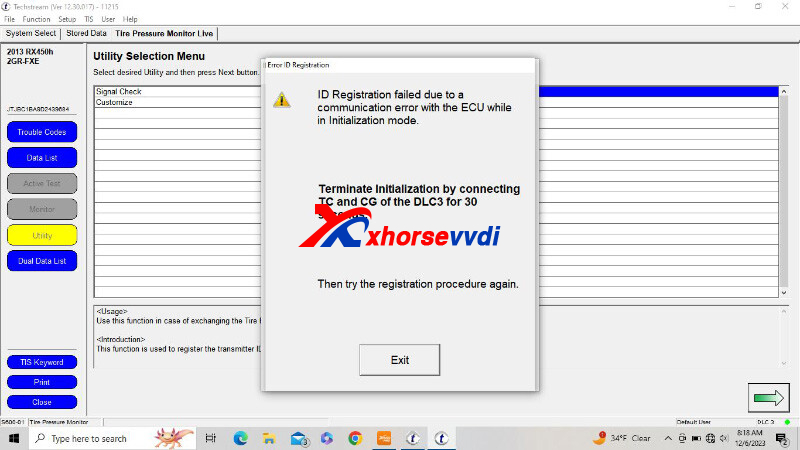
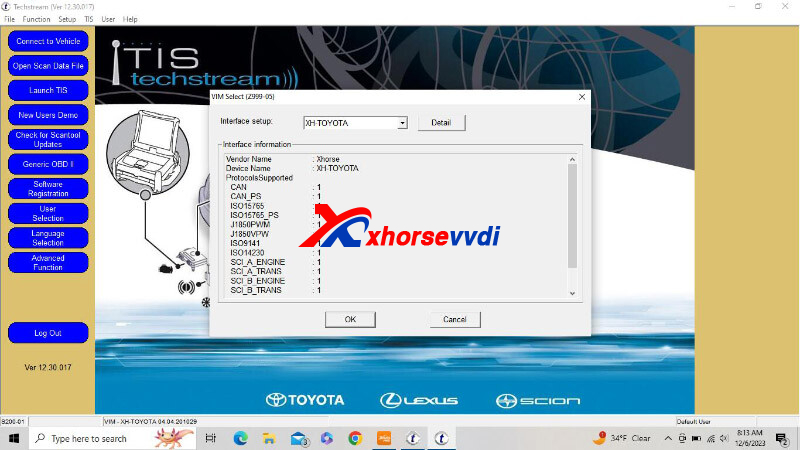
Here is the Solution:
Only install the driver of the OEM software you need.
Different original software and drivers are not compatible with each other.
http://blog.xhorsevvdi.com/fixed-xhorse-mvci-pro-cable-fail-to-support-toyota-techstream/
Posted by: xhorsevvdi at
08:58 AM
| No Comments
| Add Comment
Post contains 173 words, total size 3 kb.
Question:
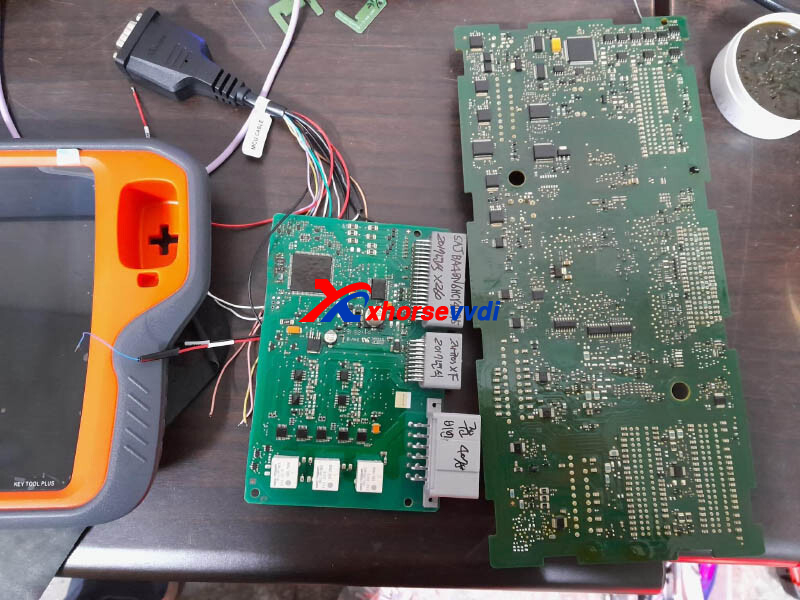
To program 2017 Jaguar XF all key lost, tried both VVDI Key Tool Plus and VVDI2 not work.
The front BCM and KVM come from the same vehicle and the Vin number is the same
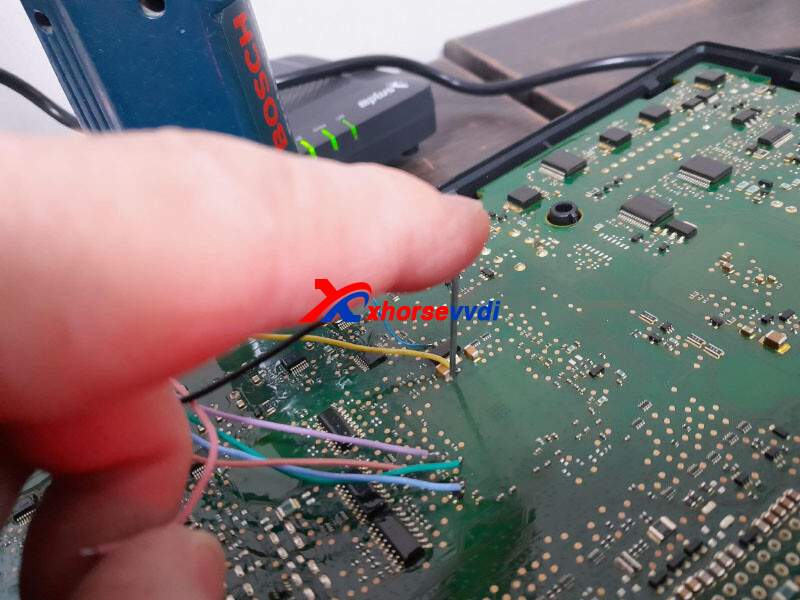
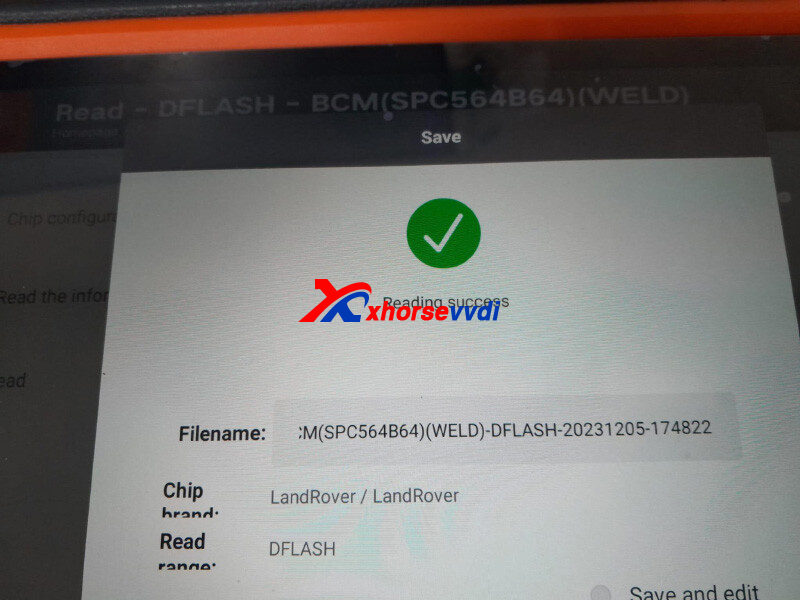
I read Dflash EEprom from KVM and Dflash from BCM.
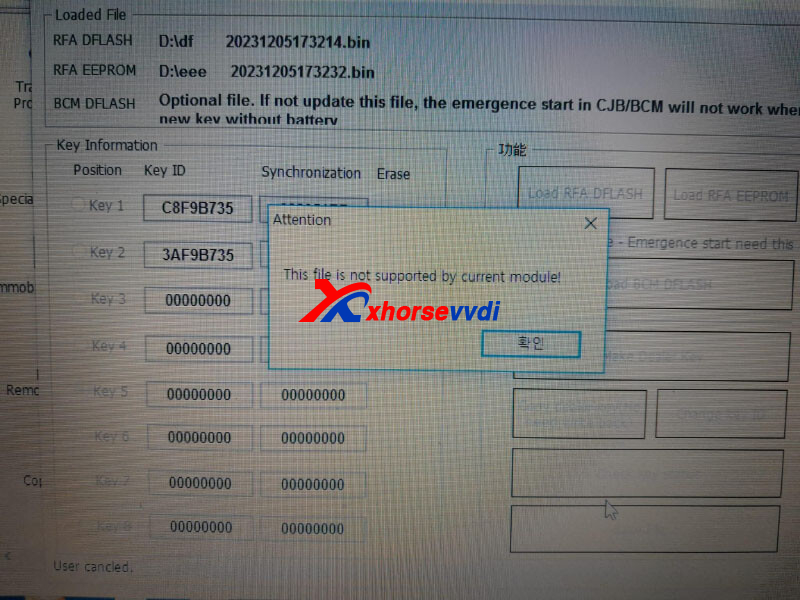
When opening BCM Dflash for emergency start during the 2015~2018 JLR program.
But "this file is not supported by current module".
Here are the correct procedures after reading data:
1)Load data into key1 or key2 of the original key
2)Only load KVM Dflash and KVM EEPROM data, BCM data is not required
3)After data loading, car will emergency start
Here are some Tips:
1.If Key Tool Plus reads out data, then load it to the tablet for programming keys
2.Ensure modules the tablet reads come from the vehicle to be programmed
http://blog.xhorsevvdi.com/vvdi-key-tool-plus-2017-jaguar-xf-akl-programming-tips/
Posted by: xhorsevvdi at
08:57 AM
| No Comments
| Add Comment
Post contains 148 words, total size 2 kb.
Question:
VVDI Key Tool Max Pro Dacia Peugeot doesn't work with Citroen software, even with only a few software, it works fine with one of them. There is software that I used a long time ago, it lit up, I was able to learn it, but now it doesn't work.
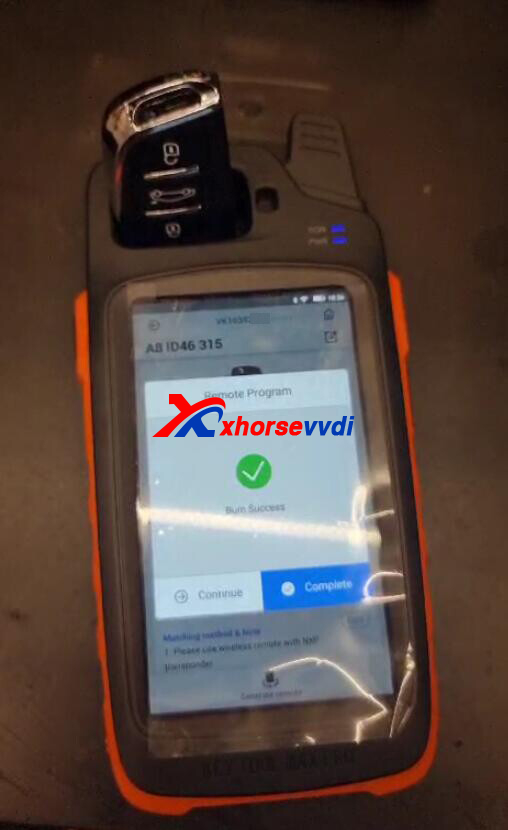
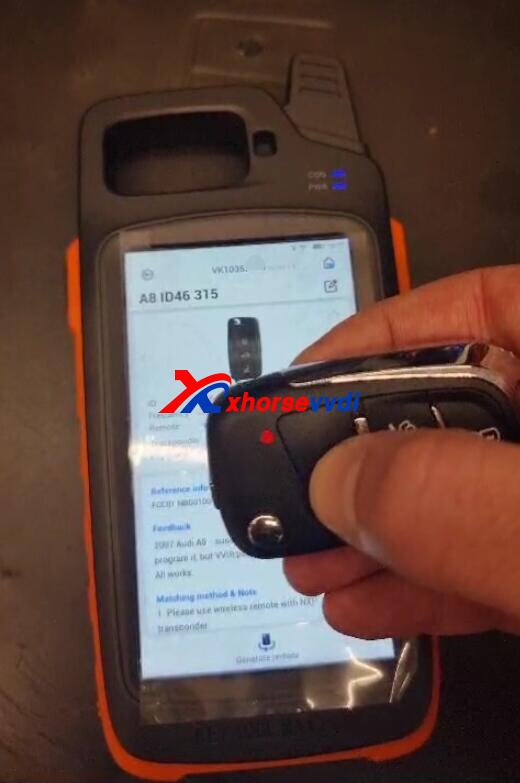
Used Key:
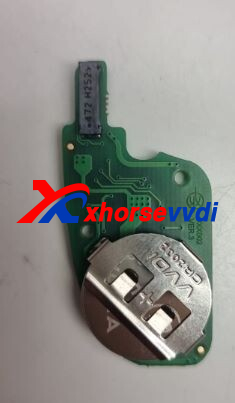
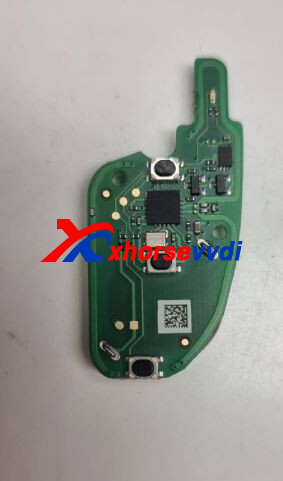
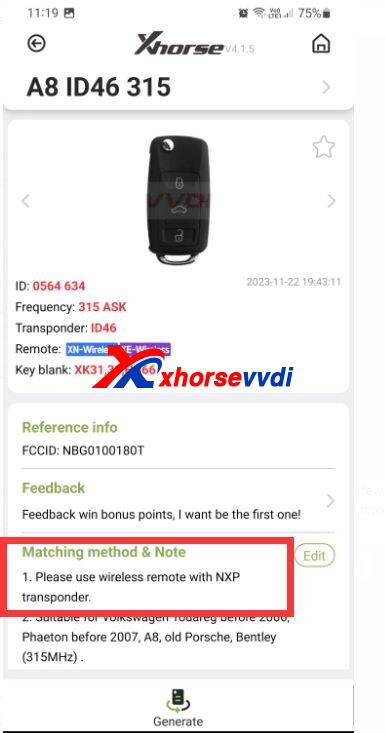
Here is the Solution:
Check out matching notes and use XN Wireless Remote
Posted by: xhorsevvdi at
08:56 AM
| No Comments
| Add Comment
Post contains 77 words, total size 2 kb.
Xhorse FT-OBD Tool is designed for Toyota/ Lexus key programming via OBD.
Here is a review:
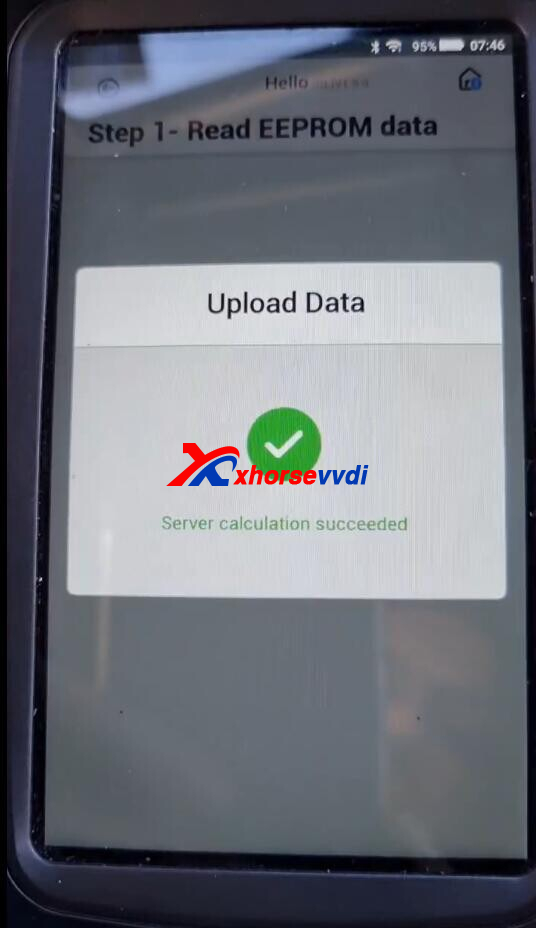
Backup immo data using ft-obd tool toyota corolla 23.
Let's check out how it gets done.
Connect 30Pin cable to smart box.
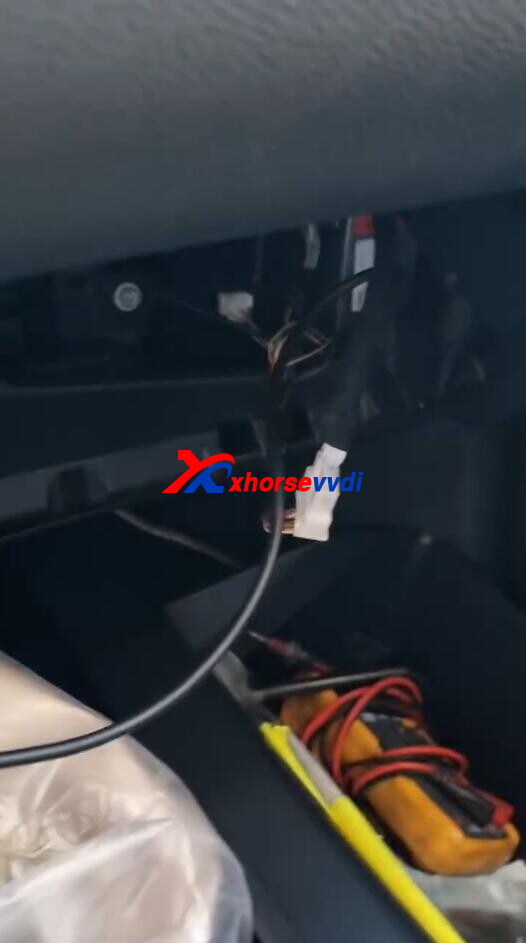
Connect FT-OBD Tool to vehicle via the adapter.
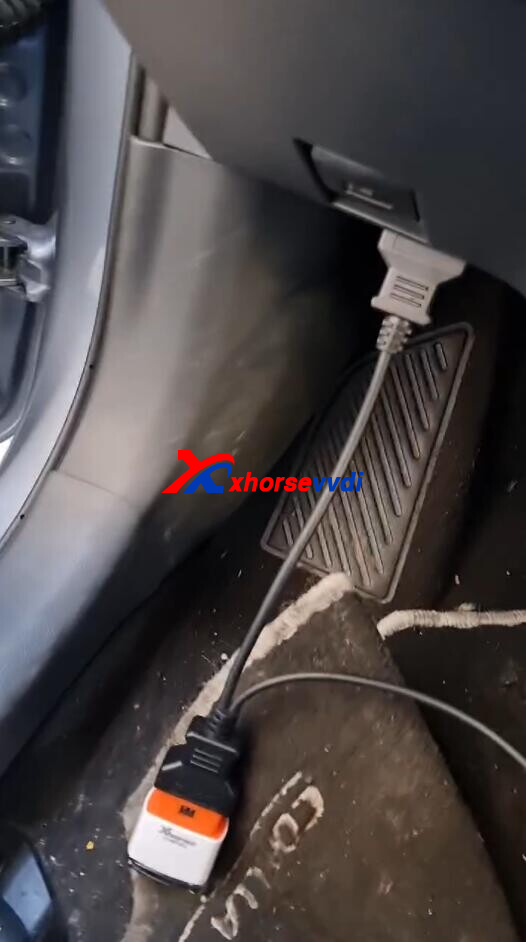
Turn on Key Tool Max.
Select
Smart key system after 2016>>Type 6 (4A 2022-)
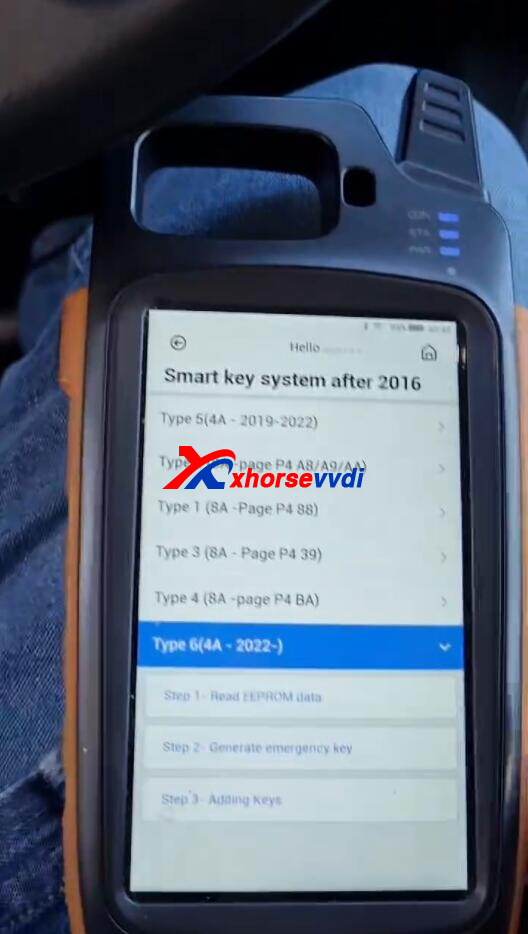
Select
Read EEPROM data>>Backup smart box EEPROM data
Turn off ignition.
Ensure network connection.
Wire diagram,
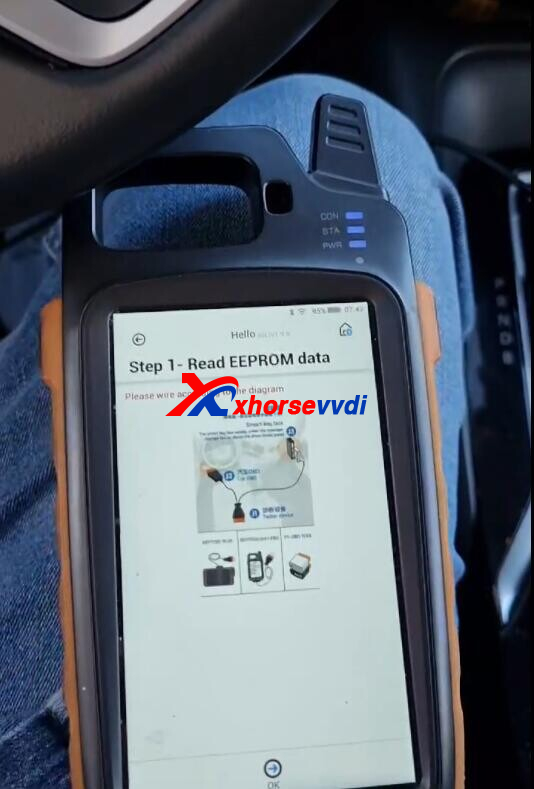
Read EEPROM data.
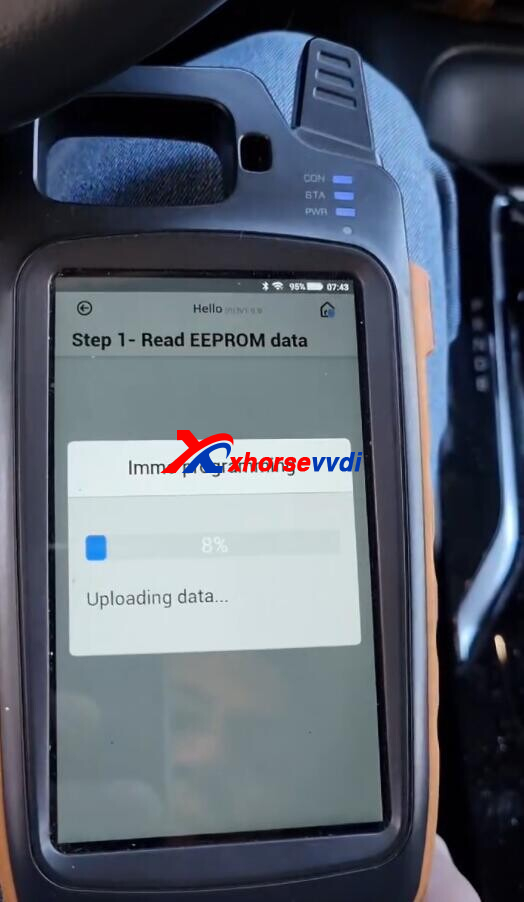
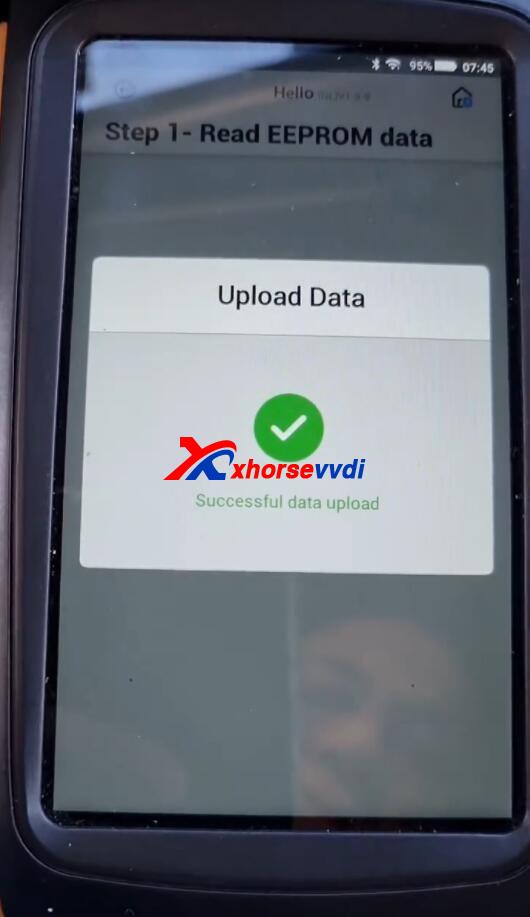
Save data.
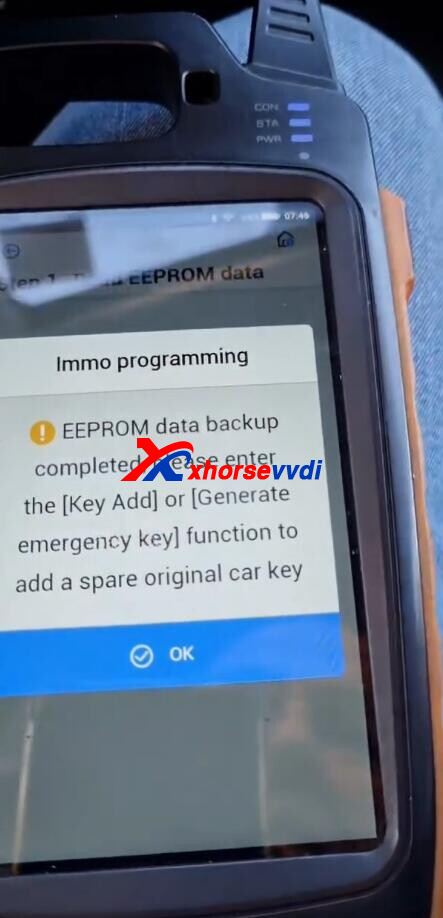
Then we can generate emergency keys using this file and XM38 Toyota Remote.
Done!
http://blog.xhorsevvdi.com/xhorse-ft-obd-tool-backup-toyota-corolla-23-immo-data/
Posted by: xhorsevvdi at
08:55 AM
| No Comments
| Add Comment
Post contains 105 words, total size 3 kb.
Question:
Xhorse VVDI PROG read Cas4-1L15Y, read id it's OK but when try read eeprom always "Chip crack failure..." so finally try to read with MC9S12 cable, I had to remove capacitor, and it worked. So then tried again with CAS4 Adapter without capacitor always get same error.
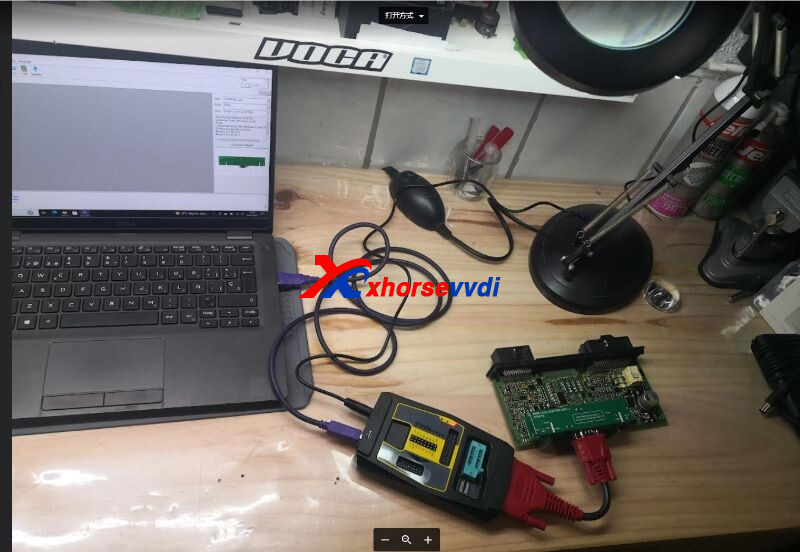
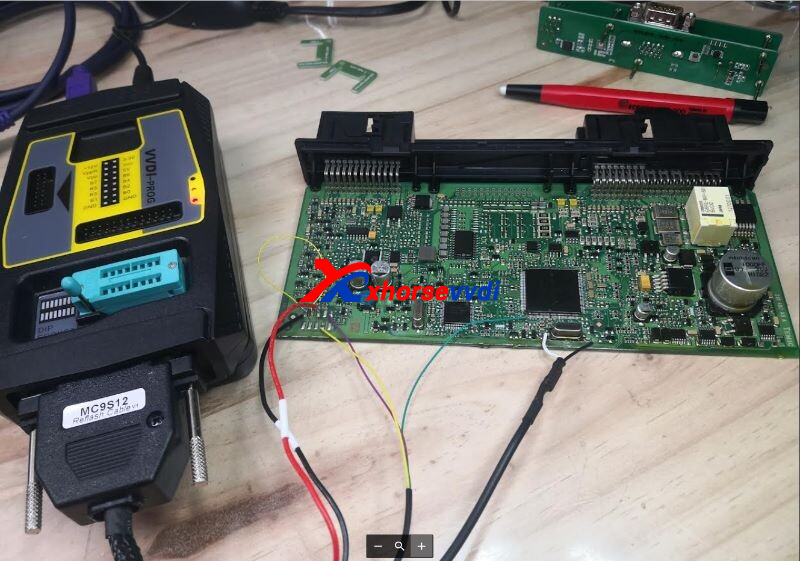
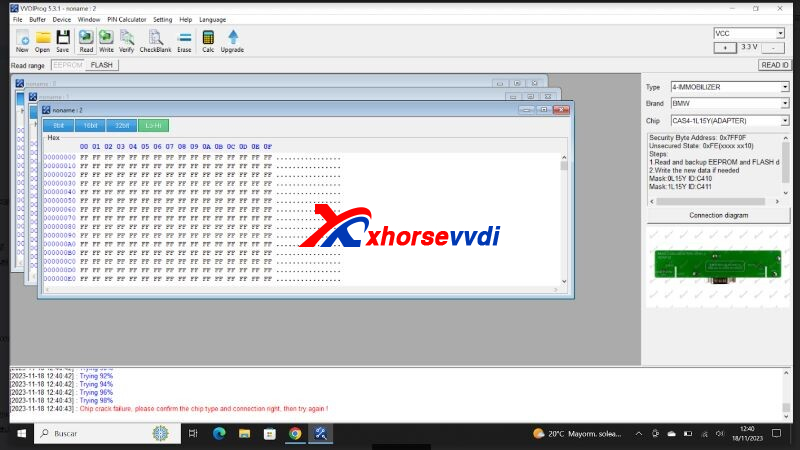
Here is the Solution:
Set VPP voltage as 3.3V, and VCC to 5V, and try again.
http://blog.xhorsevvdi.com/solved-vvdi-prog-read-cas4-1l15y-with-adapter-chip-crack-failure/
Posted by: xhorsevvdi at
08:54 AM
| No Comments
| Add Comment
Post contains 76 words, total size 2 kb.
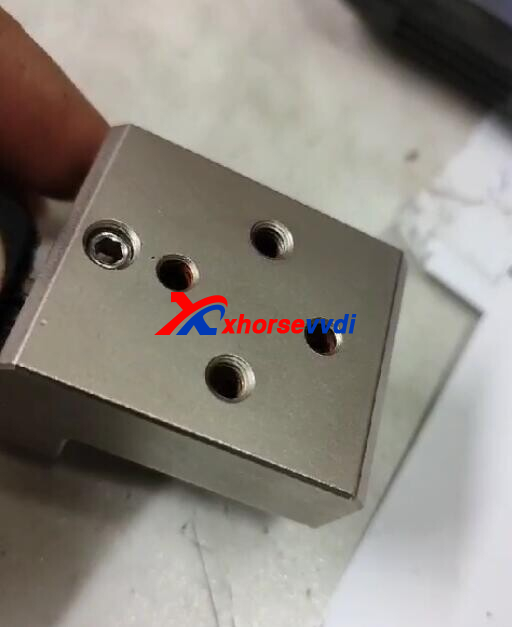
One Dolphin XP005L user gave feedback that he could not fix Xhorse M3 Clamp. Are there some screws missing? M3-A Clamp is tightened well but M3-B Clamp is not.
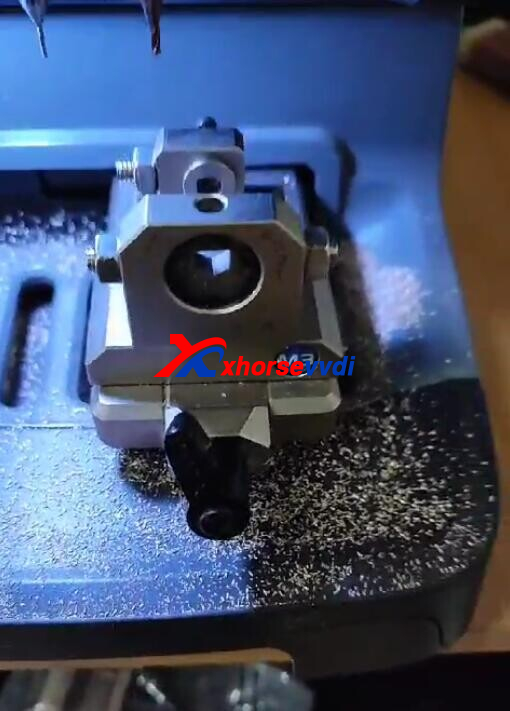
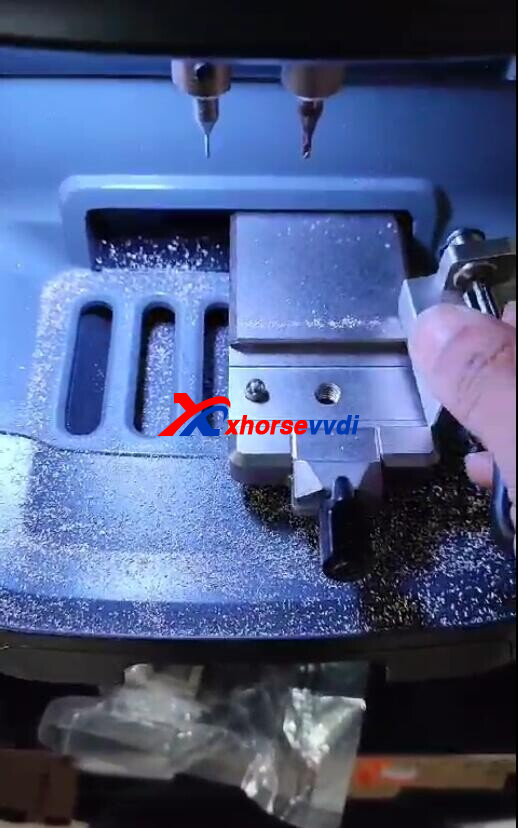
Here Xhorsevvdi Tech answers:
We need to install screws before swapping clamps.
1)Remove two screws on M3 Mount
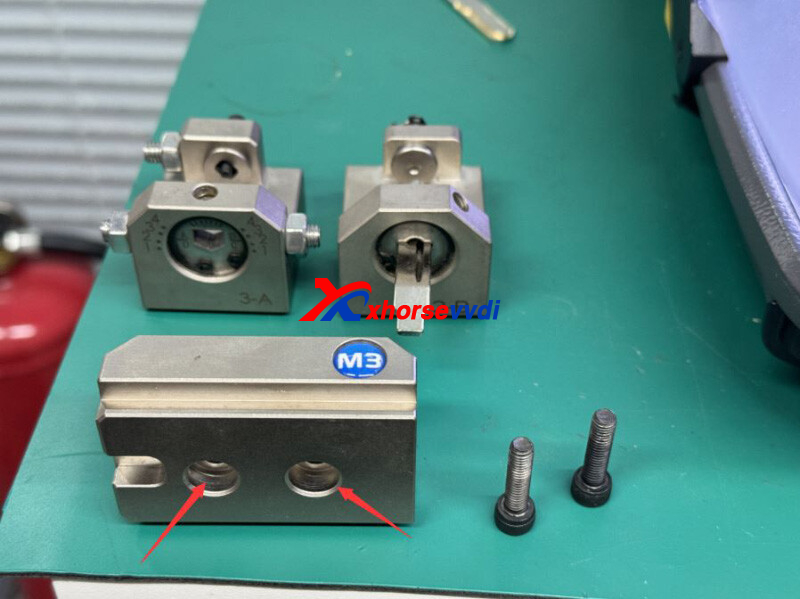
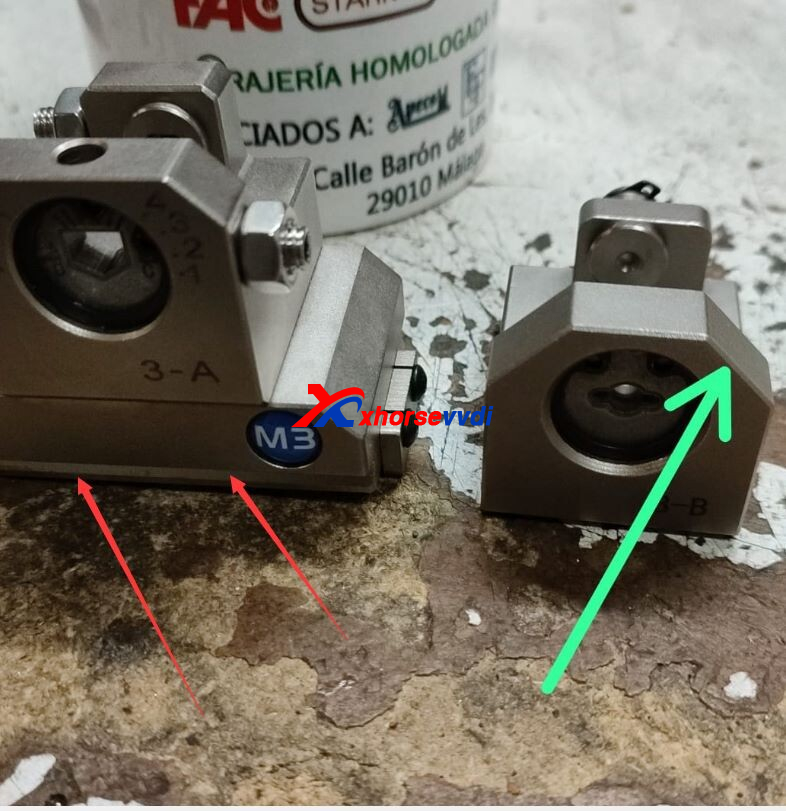
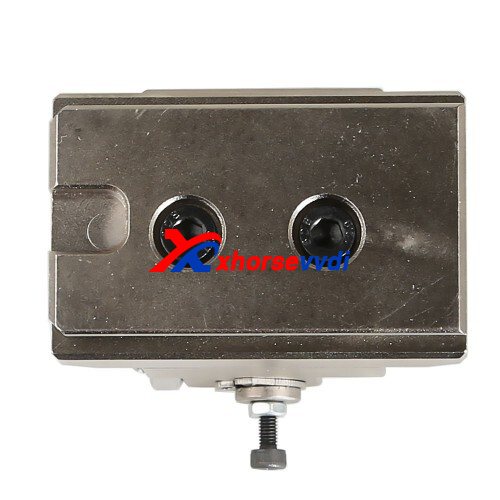
2)Put M3-B Clamp on M3 Mount and install the two screws to fix clamp
Posted by: xhorsevvdi at
08:52 AM
| No Comments
| Add Comment
Post contains 71 words, total size 2 kb.
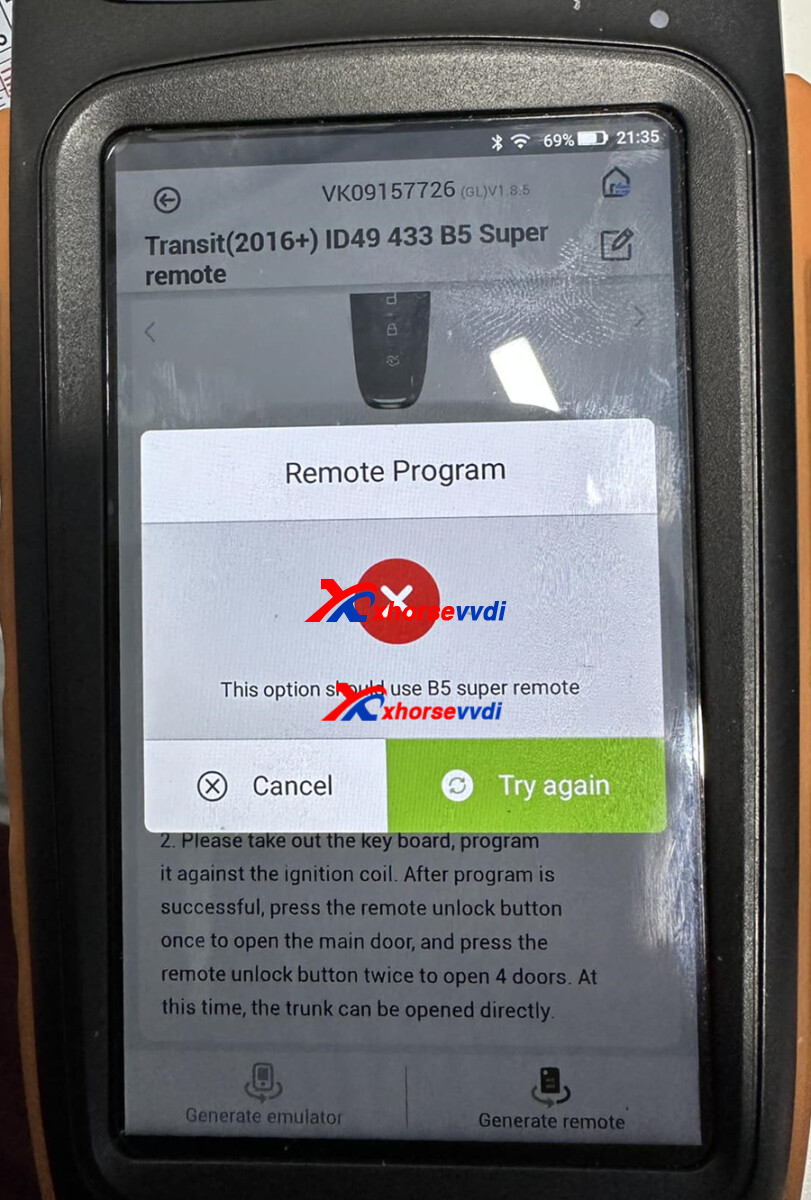
One customer gave feedback that he could not generate any remote controls marking "B5 Super Remote". He used an XNFO01EN Wireless Remote and wondered if there is a b5 remote.
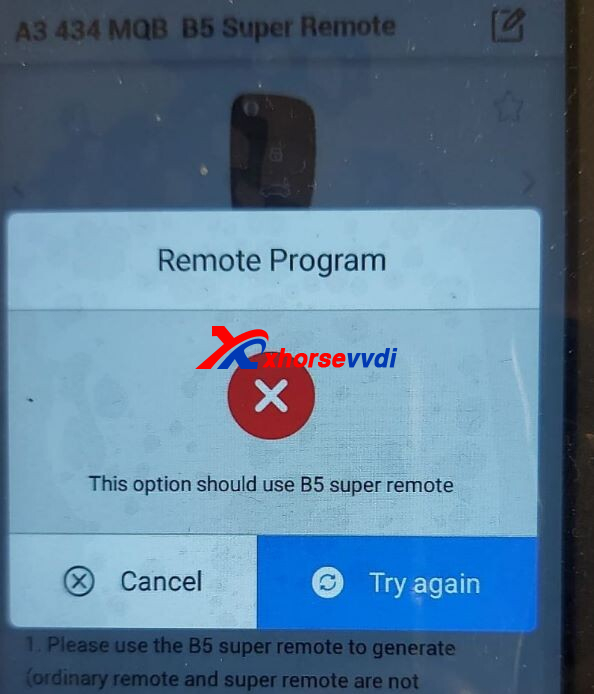
Here is the Answer:
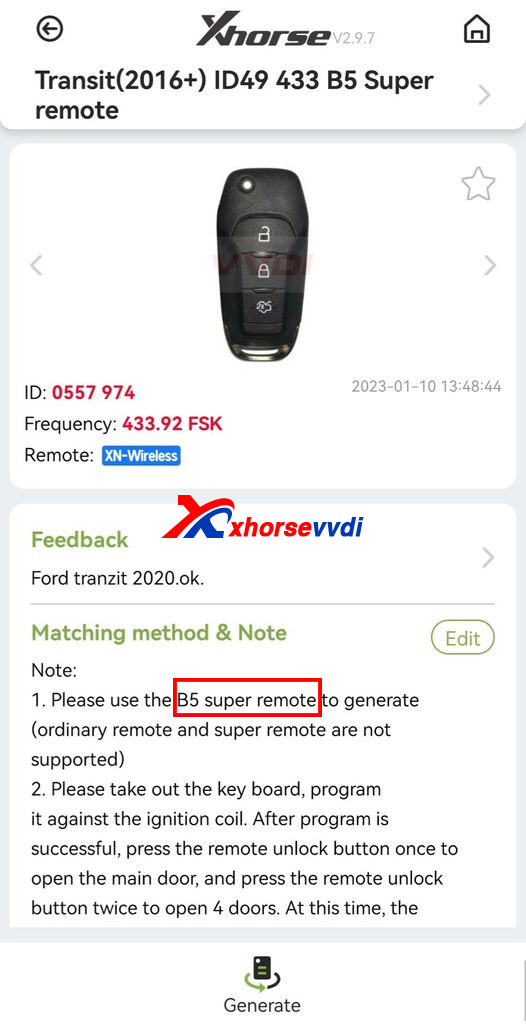
Part of ID47 Honda/ ID49 Ford/ ID4A/ MQB remote controls require new VVDI B5 Super Remote.
After you choose the type, it will dispaly in "Note" info.
*Built-in XT27B Chip in B5 Super Remote
VVID Super Remote In Stock Now!
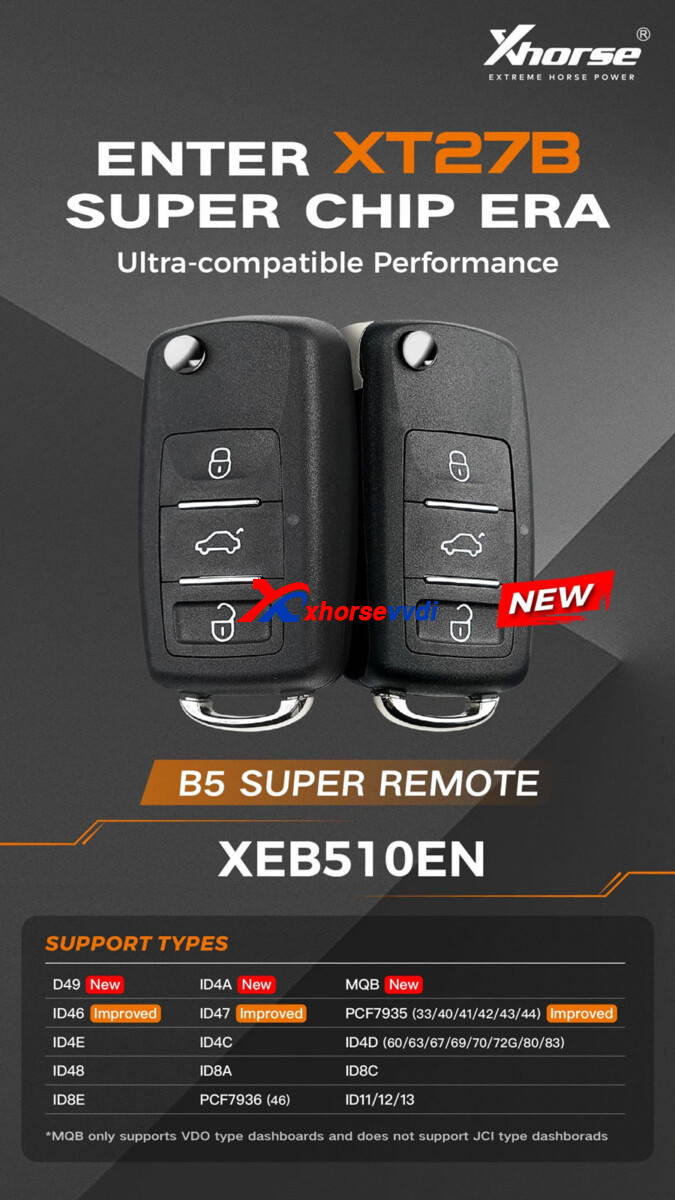
All ID Possible as Super Chip, Super Remote Key is with XT27B Super Chip inside
Each key you can collect 40 points
Universal wireless remote with an embedded cloneable Super Transponder
Support generating various wireless remote types including 11/12/13/7935/7936/48/4C/4D/4E/8A/8C/8E etc.
Integrated design, ultra-stable and reliable
Wireless programming; Reprogrammable
Posted by: xhorsevvdi at
08:51 AM
| No Comments
| Add Comment
Post contains 135 words, total size 2 kb.
Question:
Why I cannot reset a XT27 Super Transponder using my Key Tool Max Pro. I successfully cloned Chevrolet Epica 2009 transponder but when I tried to reset the chip it shows "chip conversion failed". Superchip cannot be reset to default parameters.
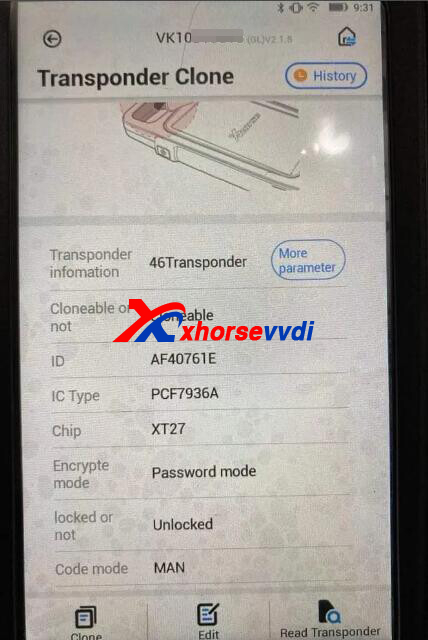
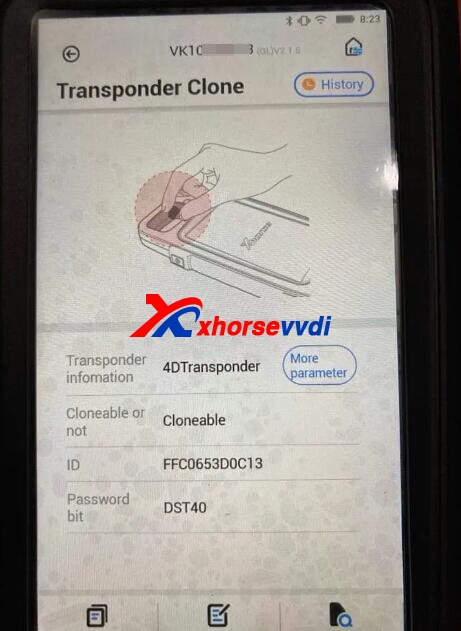
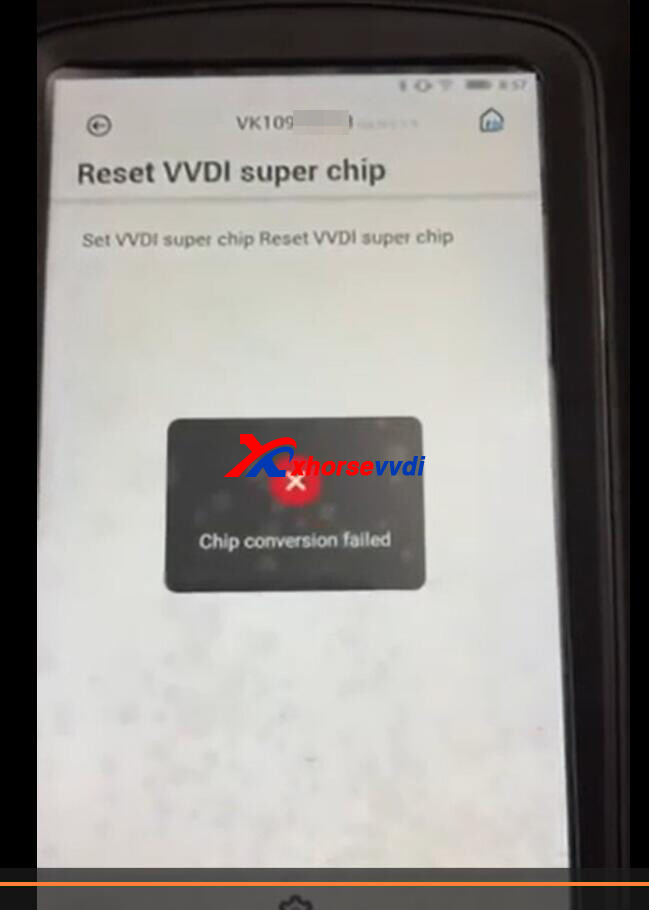
Here is the Solution:
Just generate XT27A Chip to another chip.
No need to reset it.
http://blog.xhorsevvdi.com/solved-key-tool-max-pro-fail-to-reset-vvdi-super-chip/
Posted by: xhorsevvdi at
08:51 AM
| No Comments
| Add Comment
Post contains 70 words, total size 2 kb.
November 24, 2023
Question:
Using Xhorse VVDI KeyTool Plus, I'm trying to clone a W204 EIS but can't.
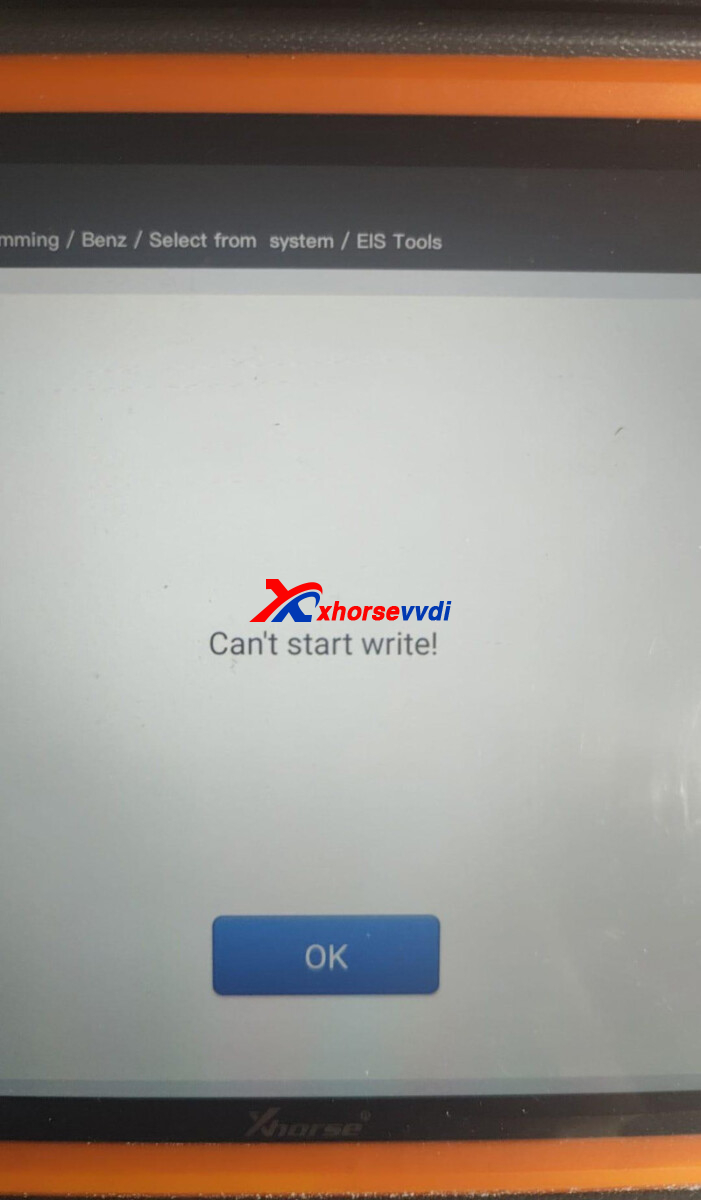
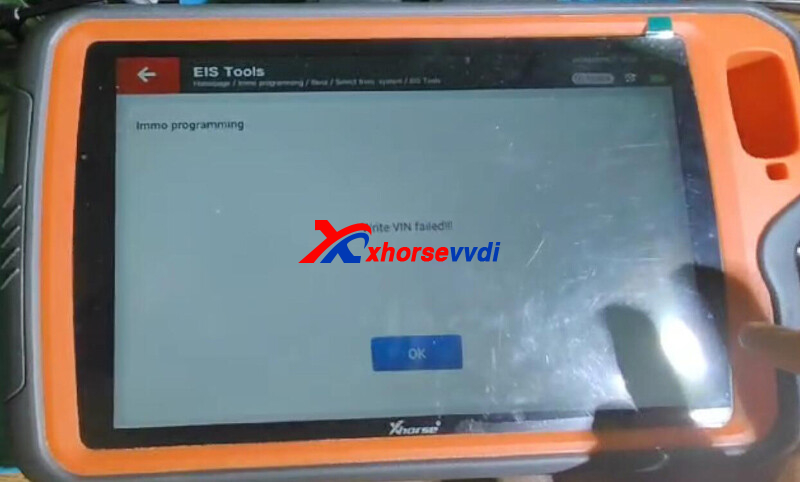
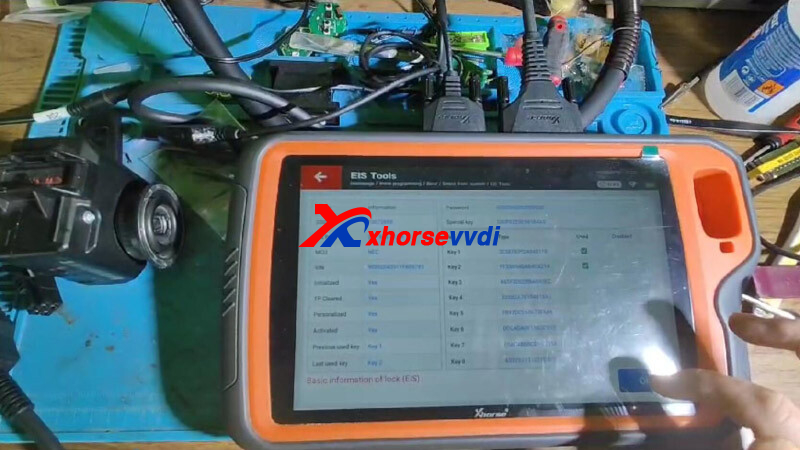
Here Xhorsevvdi tech shares the
Reason:
Wrong EIS password, all showing 0.
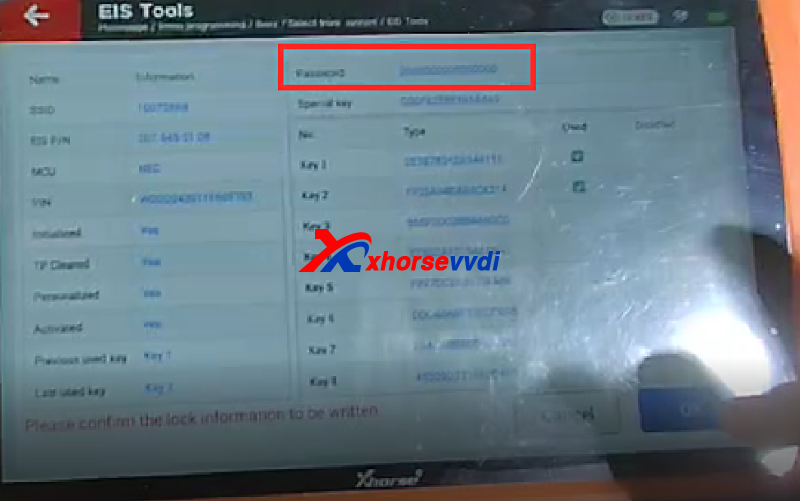
Solution:
To replace EIS, edit EIS data, load EIS data file, and check its password before writing it.
Here use password of new EIS; to use that of old one, edit EIS password on Edit EIS data.
http://blog.xhorsevvdi.com/solved-xhorse-vvdi-key-tool-fail-to-clone-w204-eis/
Posted by: xhorsevvdi at
07:21 AM
| No Comments
| Add Comment
Post contains 75 words, total size 2 kb.
Xhorse MQB48 Solder-free Adapter allows us to read VW dashboard without soldering or cutting/ lifting pin.
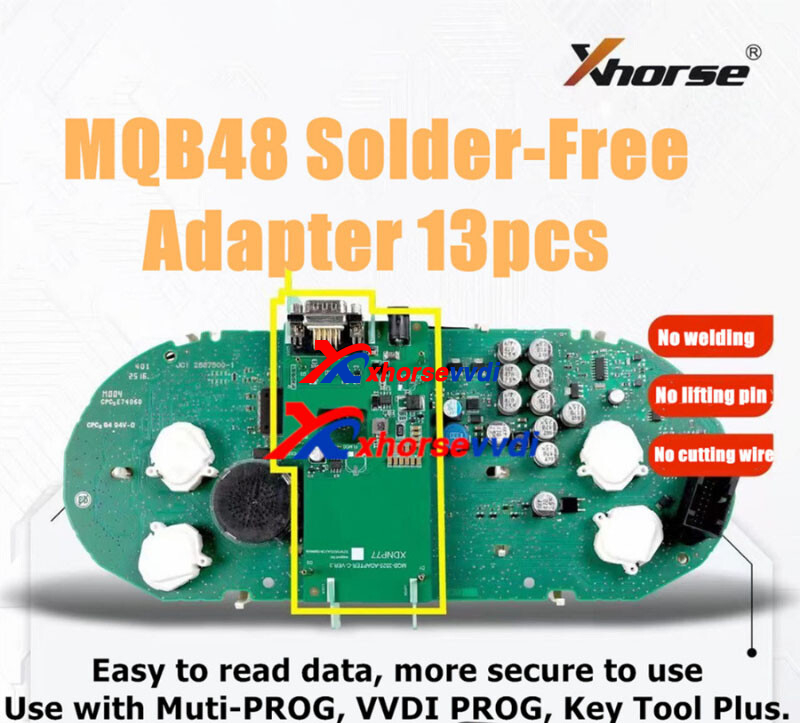
This article is going to show you how to read VW MQB dashboard D70F3537 using this adapter.
Check it out!
Tools:
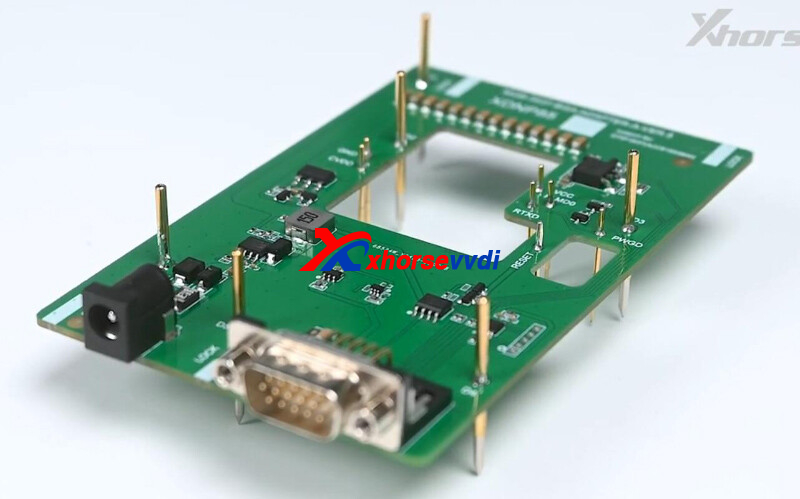
Turn on Key Tool Plus Tablet.
Select
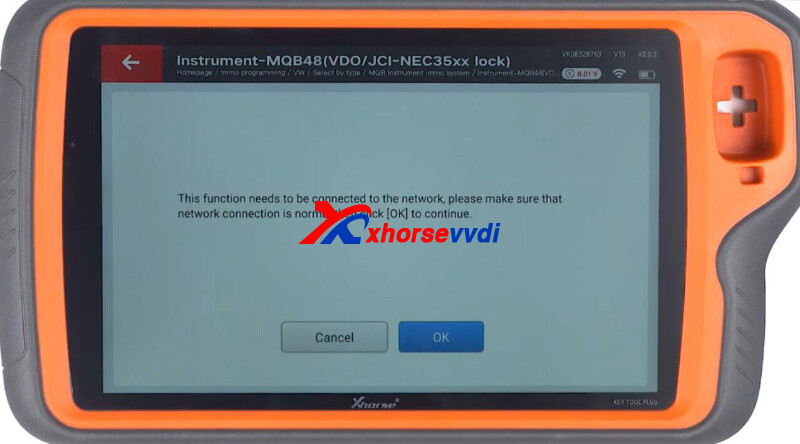
Immo programming>>VW>>Select by type>>MQB instrument immo system>>Instrument-MQB48(VDO/JCI-NEC35xx lock)
Ensure network connection.
Select
Programmer reads files>>Read NEC35xx chip>>Adapter method>>D70F3537
Diagram.
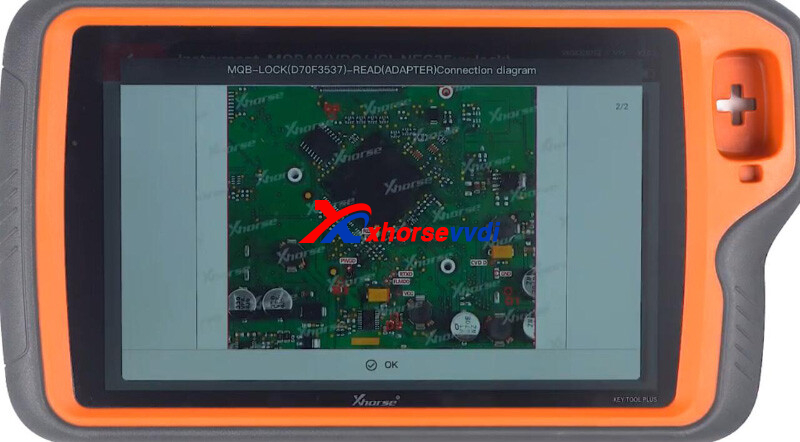
Install solder-free adapter.
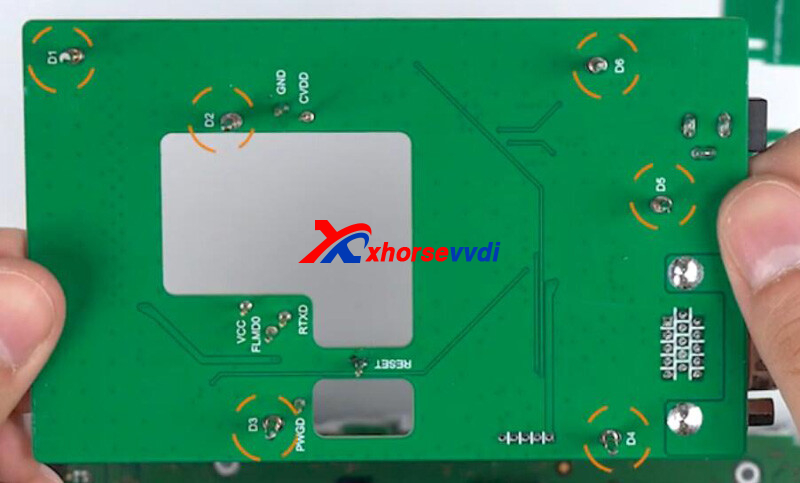
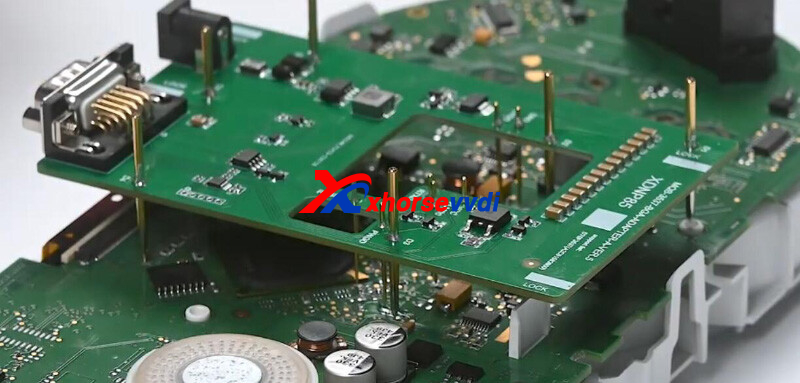
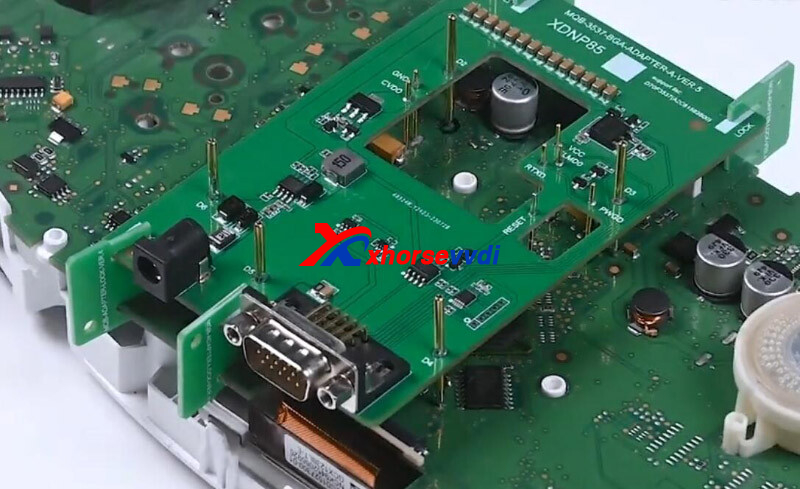
Possible Errors:
1)If tool prompts the error "Crystal oscillator frequency configuration failed", please reinstall the adapter
2)If tool prompts the error "Chip cracking failed", please tighten adapter or repeat reading data
Connect dashboard to Key Tool Plus.
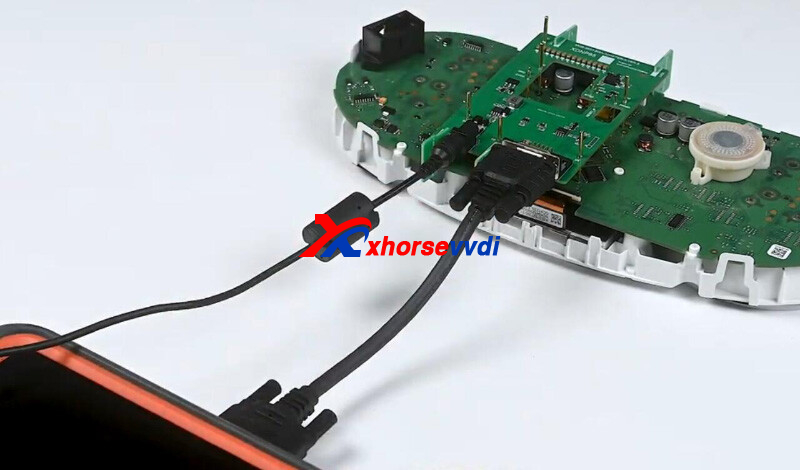
Read dashboard data.
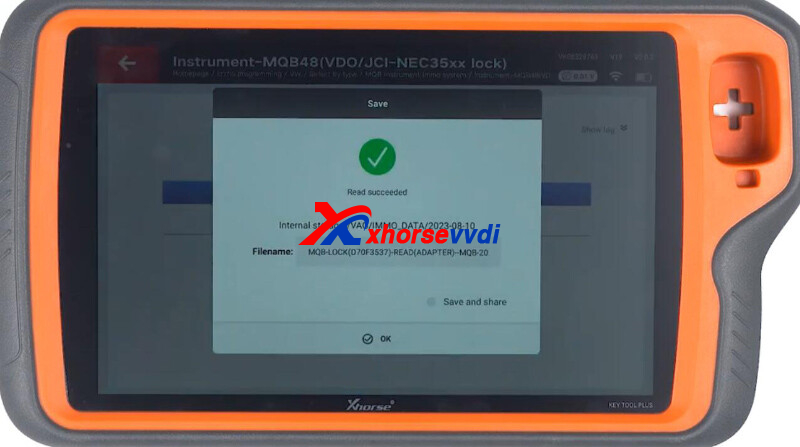
Select Obtaining immo data.
Load dashboard data file.
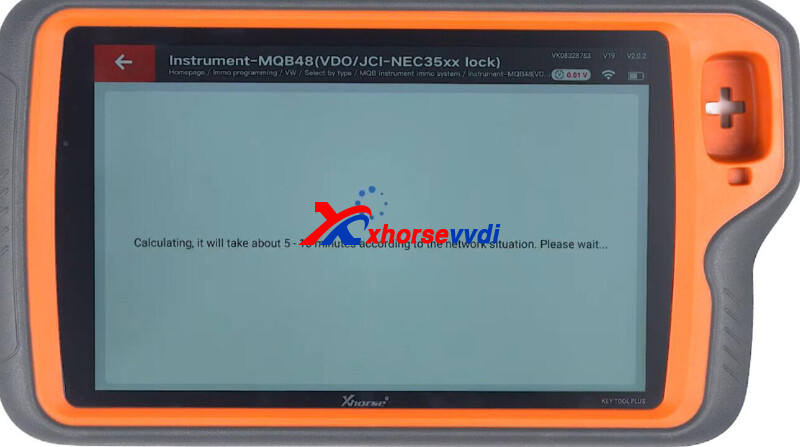
Then we can generate dealer key or learn keys.
Done! That's how we read D70F3537 MQB48 dashboard without soldering.
http://blog.xhorsevvdi.com/how-to-read-vw-mqb48-dashboard-d70f3537-no-soldering/
Posted by: xhorsevvdi at
07:21 AM
| No Comments
| Add Comment
Post contains 149 words, total size 4 kb.
Question:
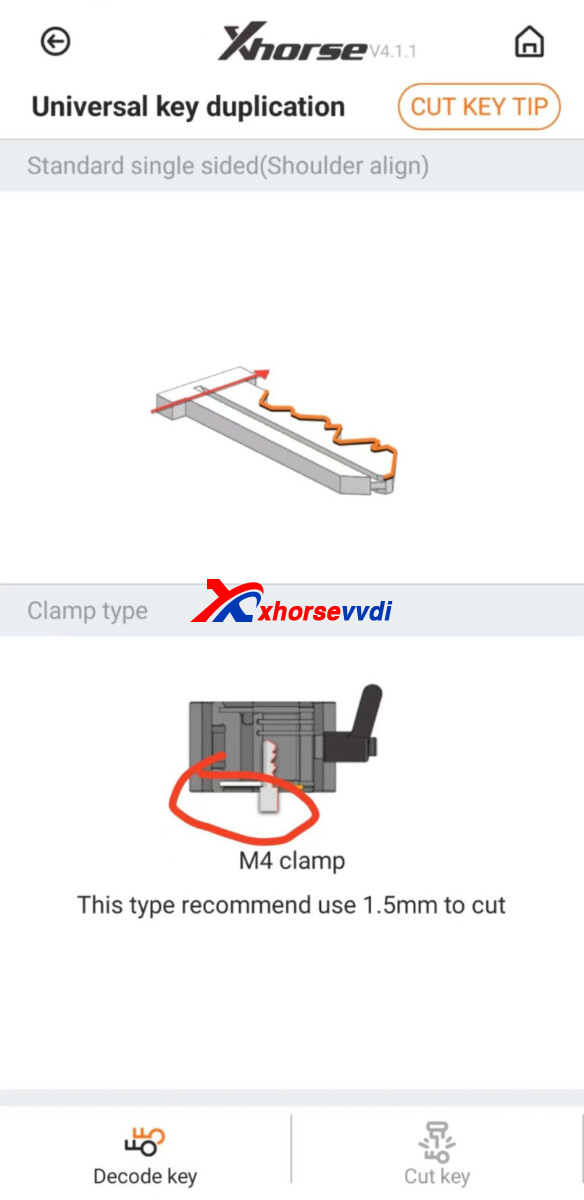
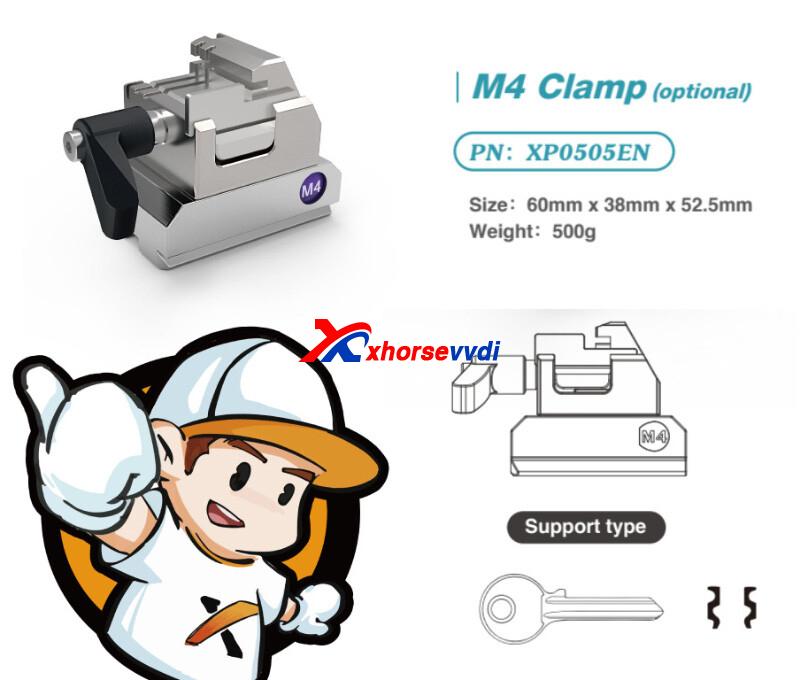
I need to cut short keys with the Xhorse Dolphin XP-005L but it does not seem to have this capability. Is there another jaw that can work to cut keys that are short?
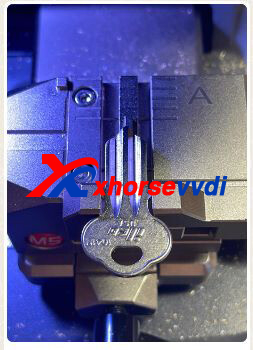
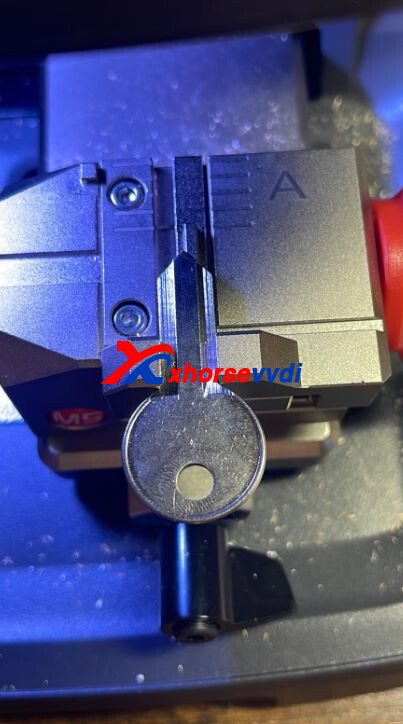
Here is the way:
Use M4 Clamp.
Cut one side, and then complete the other side.
Posted by: xhorsevvdi at
07:20 AM
| No Comments
| Add Comment
Post contains 60 words, total size 2 kb.
Question:
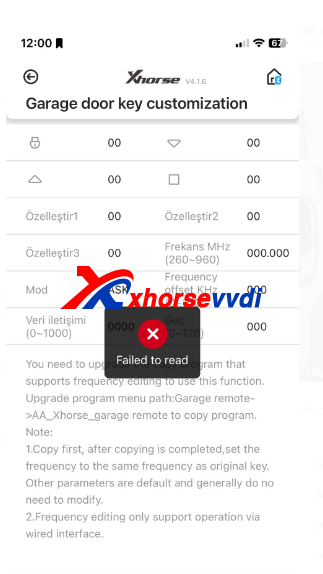
Xhorse VVDI Mini Key Tool possible to support this function? Garage door key customization.
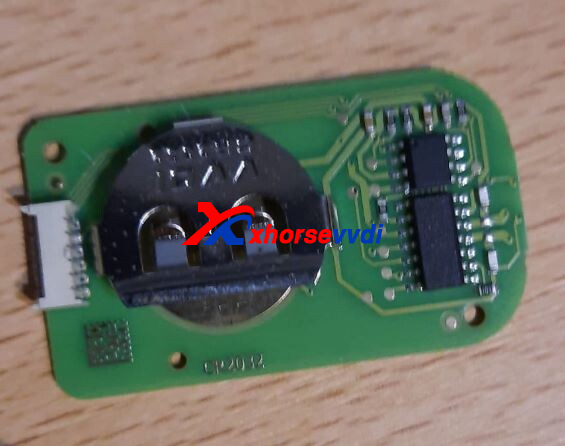
The key used:
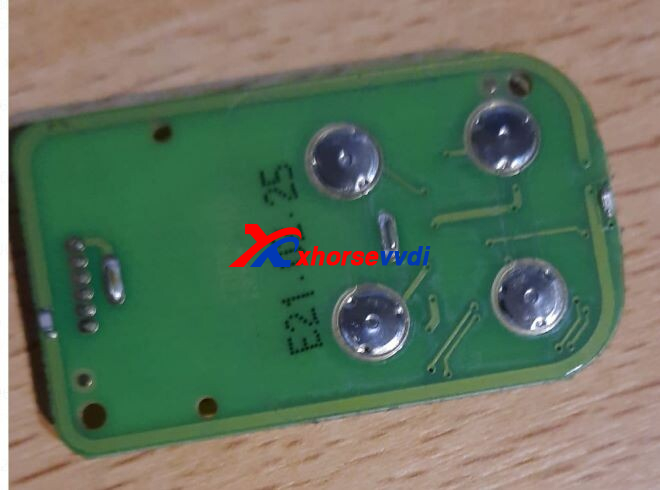
Reason:
Old garage door keys do not support this function
Solution:
Use new Masker Garage Remote 2023 Type.
http://blog.xhorsevvdi.com/solved-mini-key-tool-garage-door-key-customization-fail/
Posted by: xhorsevvdi at
07:20 AM
| No Comments
| Add Comment
Post contains 46 words, total size 2 kb.
Xhorse VVDI MINI Key Tool can read frequency, and shows result on the little screen, but no frequency on vvdi mini. What's a problem?
VVDI2 test OK
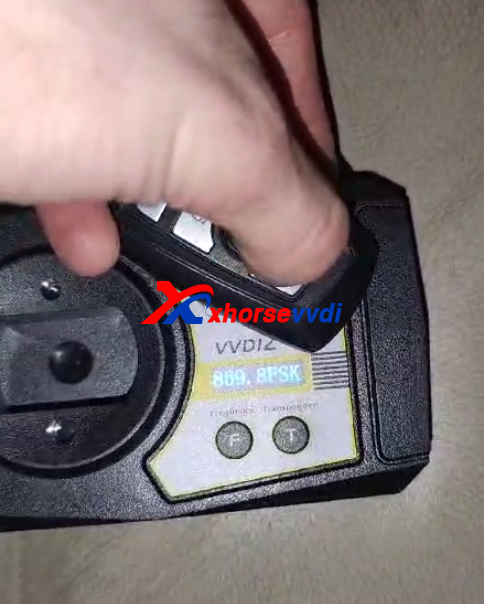
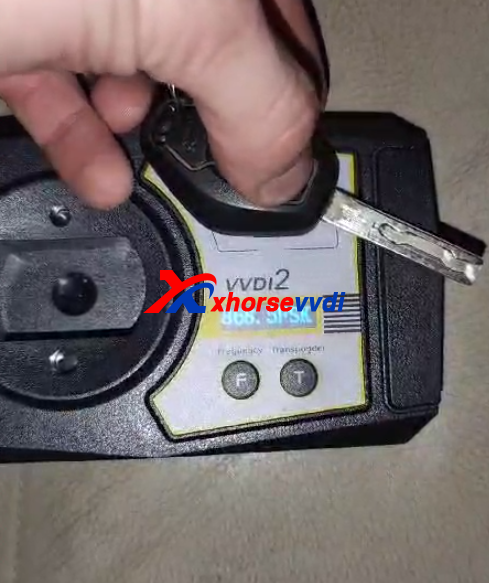
But VVDI MINI can not
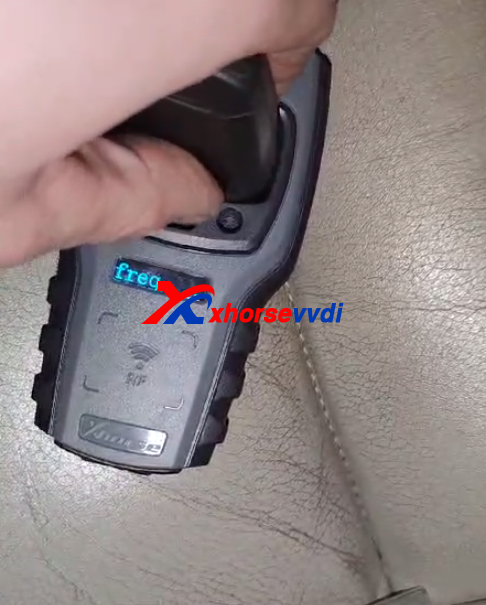
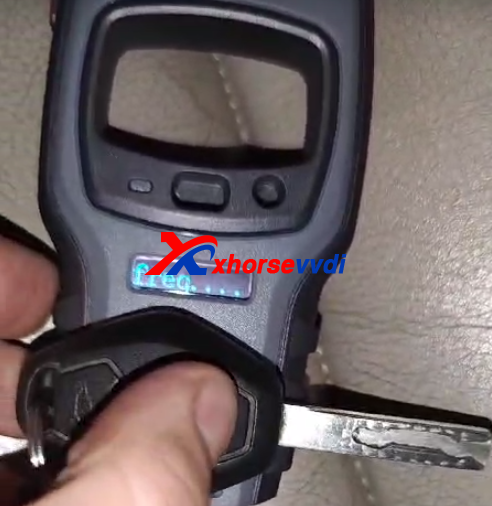
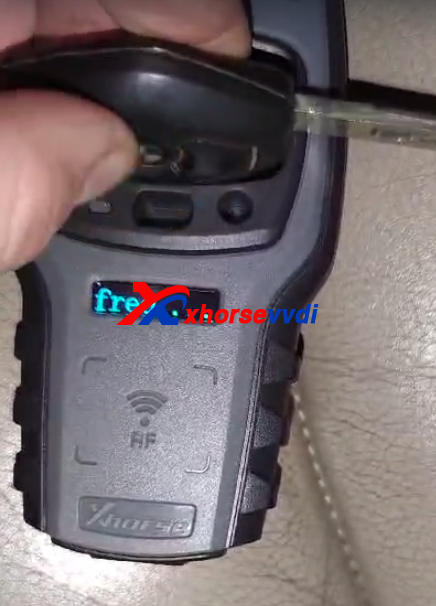
Engineer suggestion:
If you are testing the 868mhz, you have to change the option on the APP to test. The signal of the 868 is weak and difficult to test.
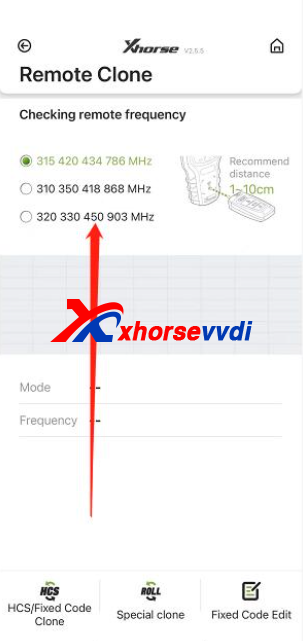
Posted by: xhorsevvdi at
07:19 AM
| No Comments
| Add Comment
Post contains 75 words, total size 2 kb.
One user gave feedback that his Dolphin XP005 did not cut key well. The probe won't move to decode whole blade. Here are original key and new key.
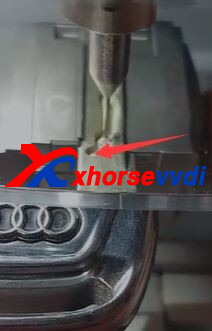
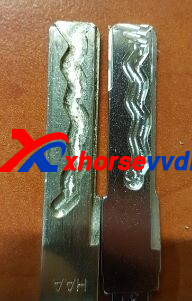
Here is the Solution:
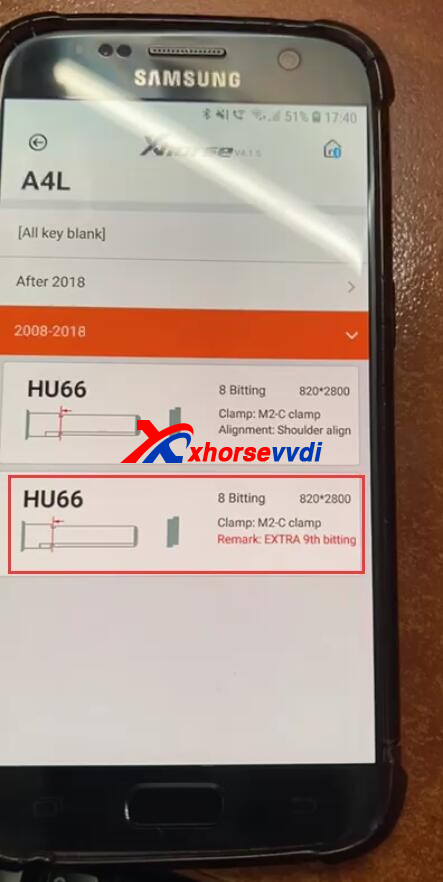
Select key blade option marked by EXTRA.
(Path: vehicle database>>Audi>>A4L>>2008-2018>>EXTRA 9th bitting)
*The cutter will address the part that the probe doesn't decode
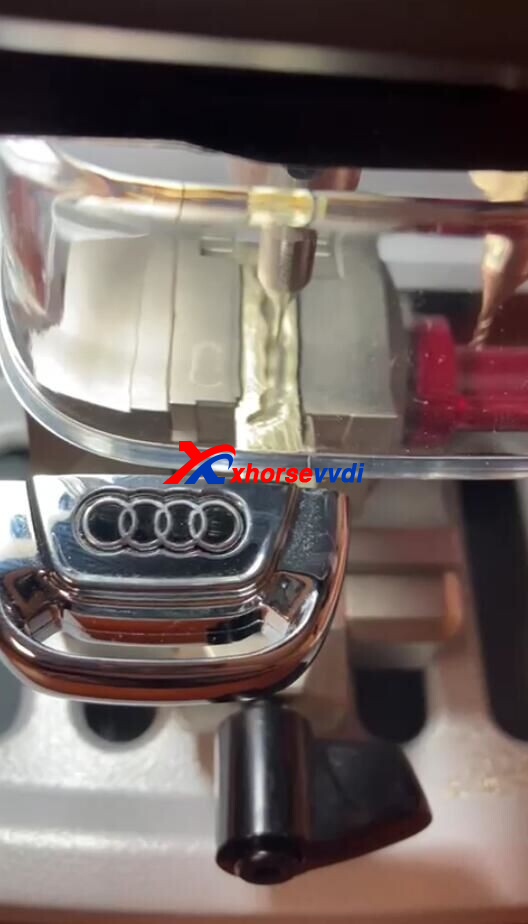
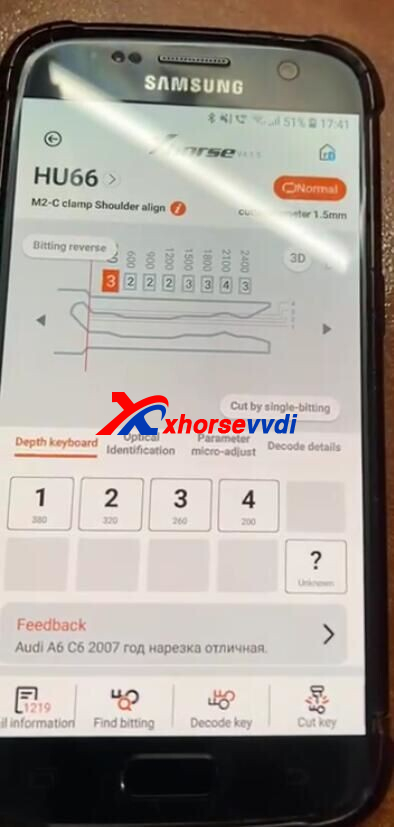
Or you can use with key reader together with dolphin xp-005 key cutting machine.
http://blog.xhorsevvdi.com/fixed-dolphin-xp005-not-finishing-cutting-audi-a4l-2008-2018-hu66/
Posted by: xhorsevvdi at
07:19 AM
| No Comments
| Add Comment
Post contains 80 words, total size 2 kb.
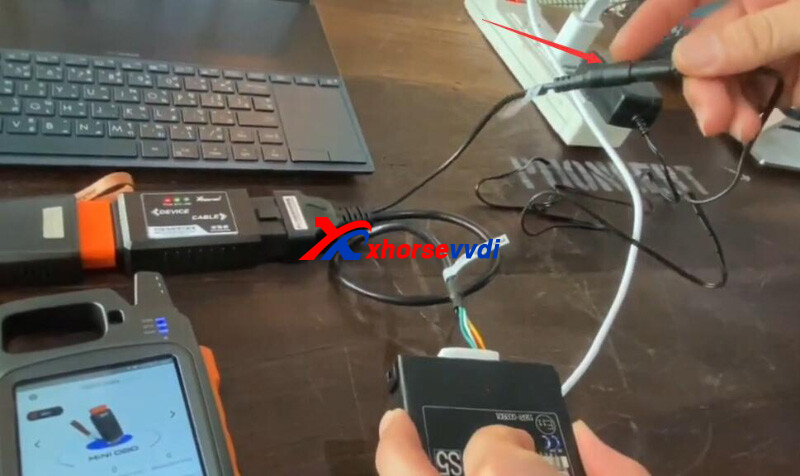
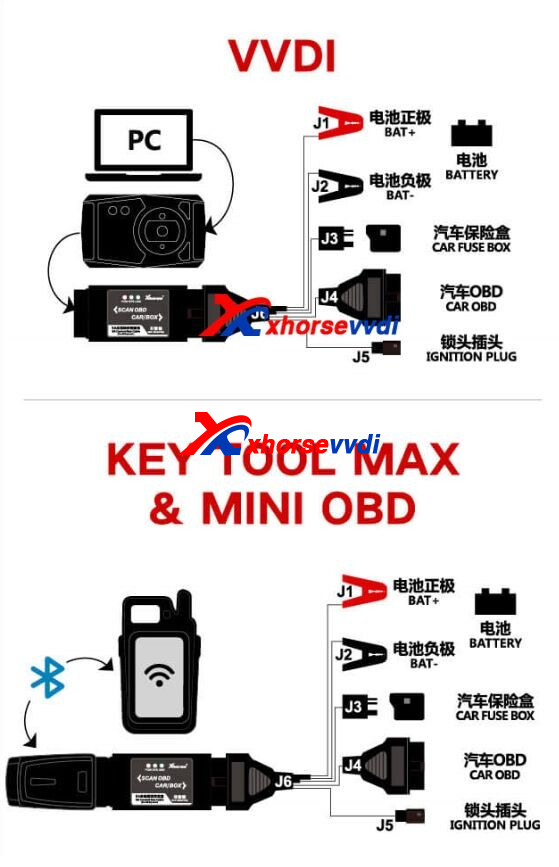
One customer wondered how to connect Key Tool Max Pro to Toyota 8A Blade Key Adapter.
After connection, the tool said "Toyota 8A adapter not found".
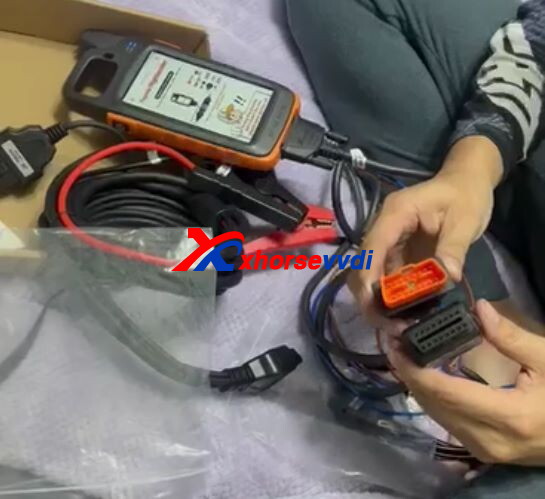
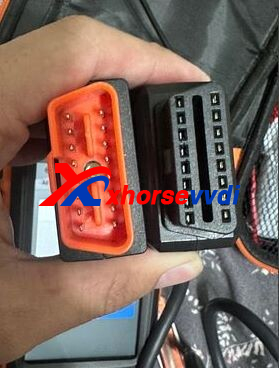
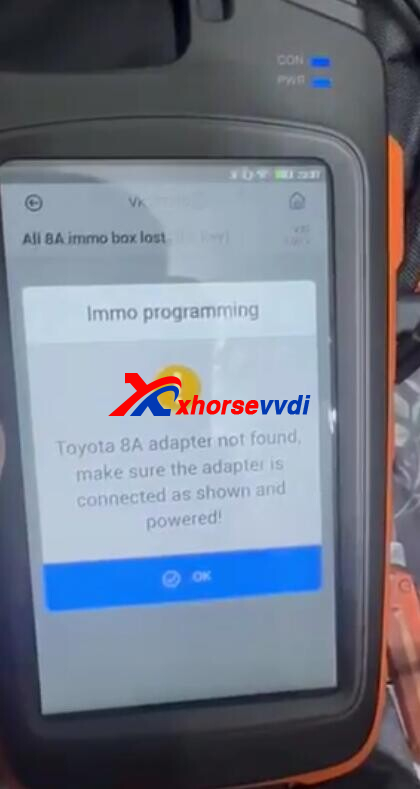
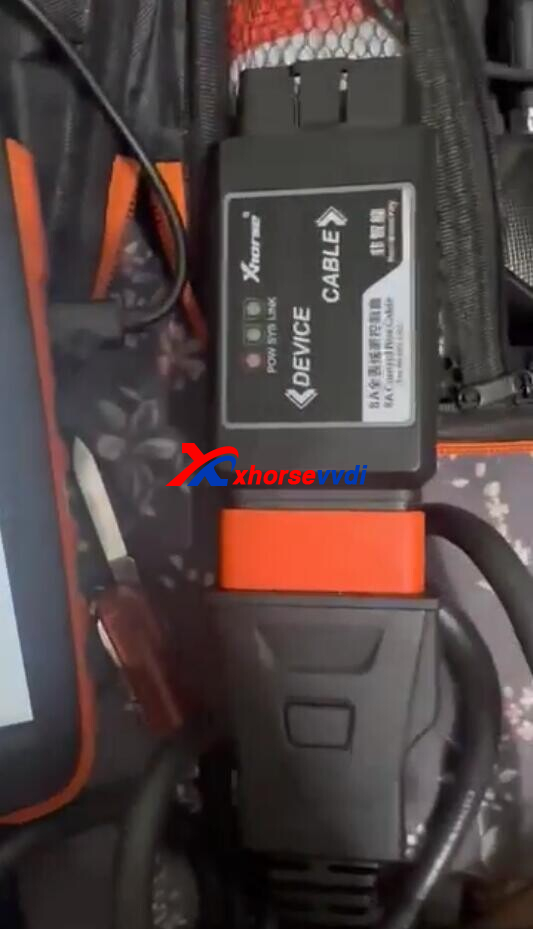
Here is the Solution:
Supply 12V power to 8A AKL Adapter.
Check connection by diagrams.
Posted by: xhorsevvdi at
07:18 AM
| No Comments
| Add Comment
Post contains 55 words, total size 2 kb.
Xhorse VVDI Universal Benz FBS3 Smart Key is suitable for Benz keys with one battery type only.
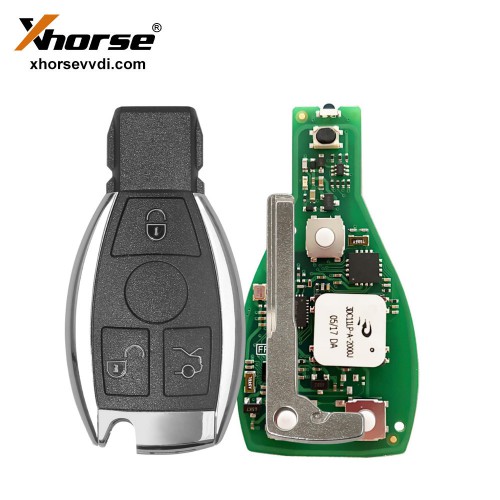
Vehicle: Mercedes C200 2013
Xhorse VVDI Keyless Go Smart Key operates normally after registration.
But 3 days later
3V battery discharges.
I would like to ask for a solution because the discharge continues even after replacing the new 3V battery.
And the new Xhorse VVDI Benz FBS3 Smart Key PCB
Even if you check the registration, the symptoms are the same.
Confirmed using version upgrade and the symptoms are the same
Number 1 is ver:1.0.5
Number 2 is ver:1.1.4
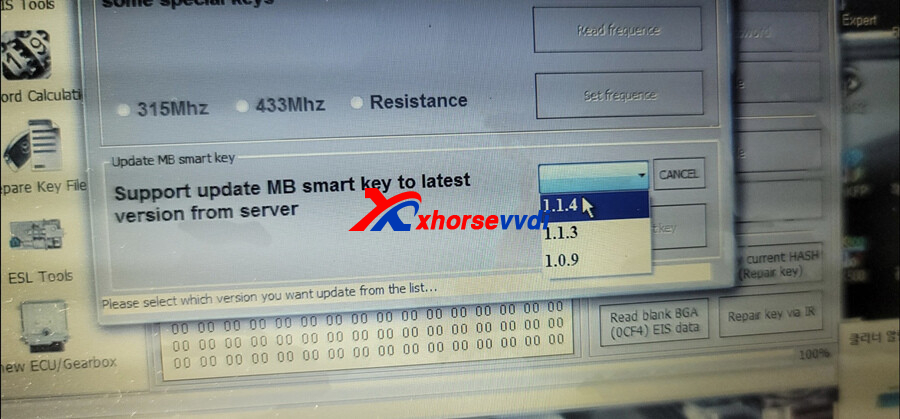
* After 3 days, it will be discharged to 3V unconditionally.
Solution from Xhorse Engineer:
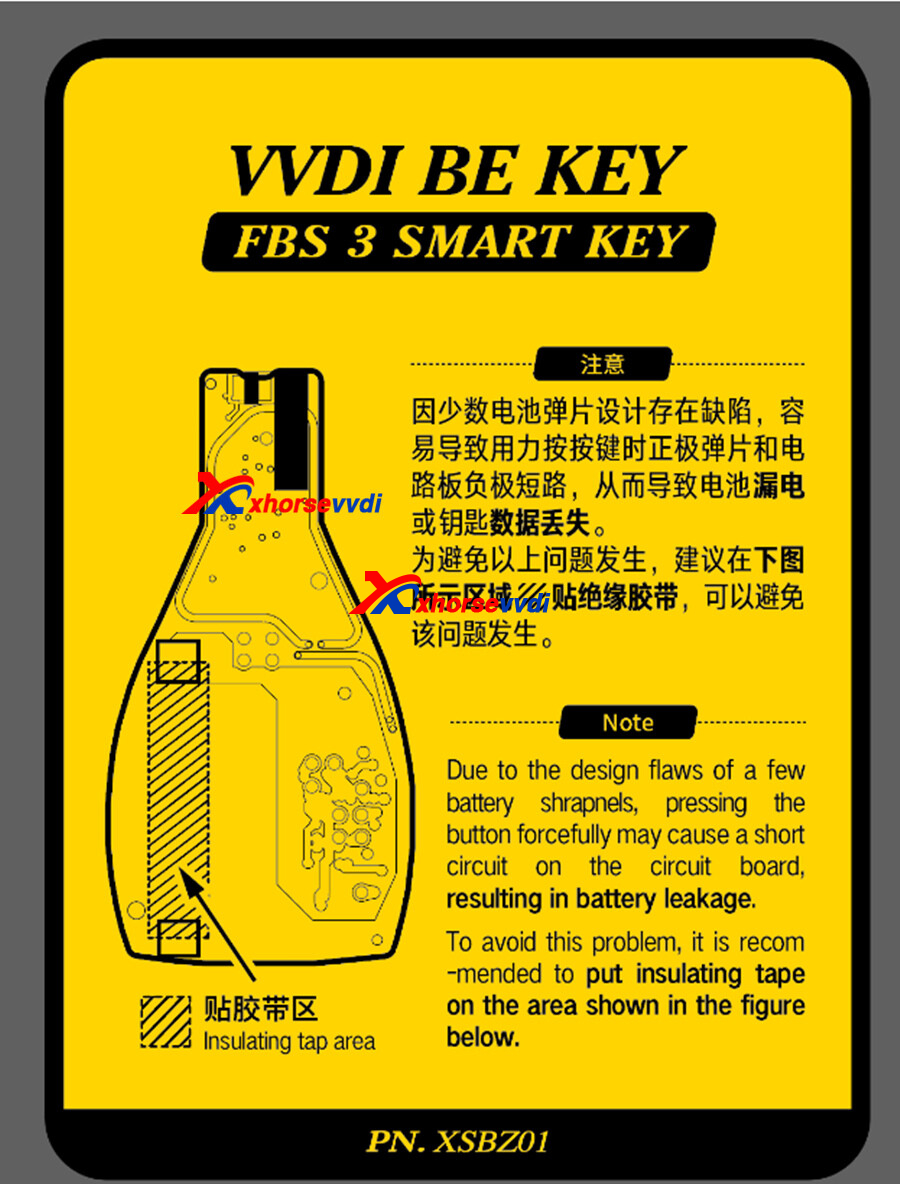
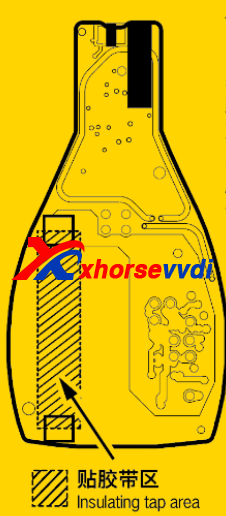
Due to the design flaws of a few battery shrapnels,pressing the button forcefully may cause a short circuiton the circuit board resulting in battery leakage.
To avoid this problem, it is recommended to put insulating tapeon the area shown in the figure below.
Posted by: xhorsevvdi at
07:18 AM
| No Comments
| Add Comment
Post contains 164 words, total size 2 kb.
32 queries taking 0.1746 seconds, 131 records returned.
Powered by Minx 1.1.6c-pink.

