



April 20, 2023
The latest V7.3.2 VVDI2 Software is released! Get the free download link from Xhorsevvdi.
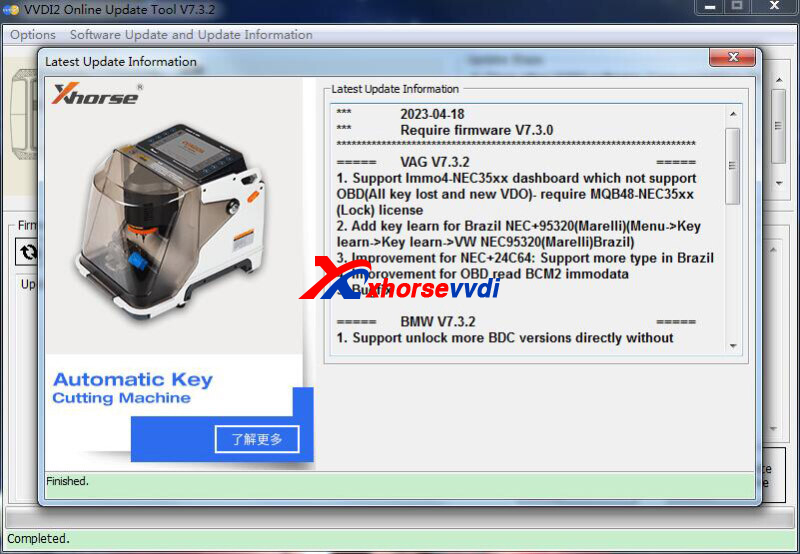
1. Free Download VVDI2 V7.3.2 Software
2. V7.3.2 VVDI2 Update Info:
!!!Thisversionrequires firmwareV7.3.0!!!
=====VAGV7.3.2=====
1.SupportImmo4-NEC35xxdashboardwhichnotsupportOBD(AllkeylostandnewVDO)-requireMQB48-NEC35xx(Lock)license
2.AddkeylearnforBrazilNEC+95320(Marelli)(Menu->Keylearn->Keylearn->VWNEC95320(Marelli)Brazil)
3.ImprovementforNEC+24C64:SupportmoretypeinBrazil
4.ImprovementforOBDreadBCM2immo data
5.Bugfix
=====BMWV7.3.2=====
1.SupportunlockmoreBDCversionsdirectlywithoutprogramtootherversion
2.Bugfix
=====PorscheV7.3.2=====
1.Bugfix
=====PSAV7.3.2=====
1.Bugfix
=====TransponderProgrammerV7.3.2=====
1.Bugfix
=====Copy48(96bits)V7.3.2=====
1.Bugfix
=====J2534V7.3.2=====
1.Bugfix
=====OnlineUpateToolV7.3.2=====
1.Bugfix
=====QuickStartV7.3.2=====
1.Bugfix
Posted by: xhorsevvdi at
03:42 AM
| No Comments
| Add Comment
Post contains 62 words, total size 2 kb.
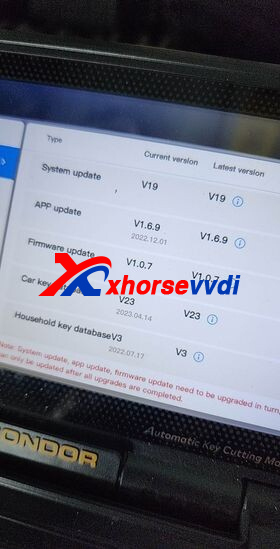
Two customers gave feedback that new firmware of Xhorse Condor II identifies reversed bitting.
Feedbacks:
1.Condor II last update HONDA side A and B reversed... 3 cutters and 3 trucks.
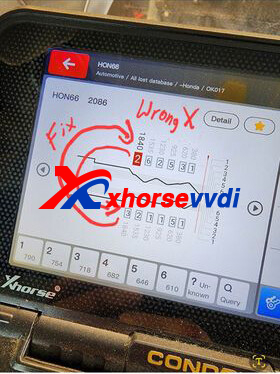
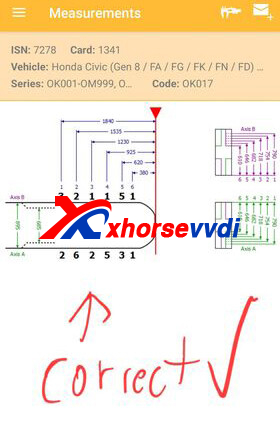
2.The key is correct but search for code is incorrect. But when you flip the number it has a key code
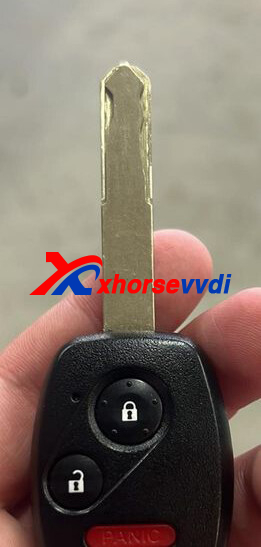
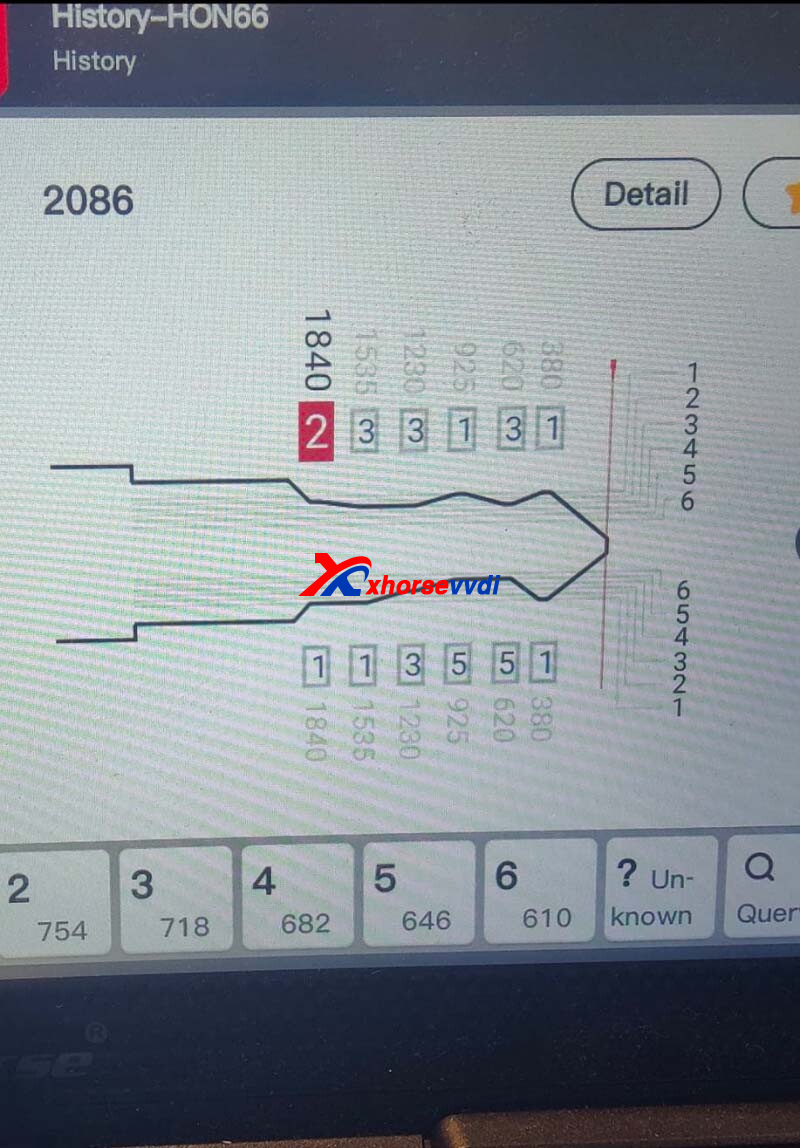
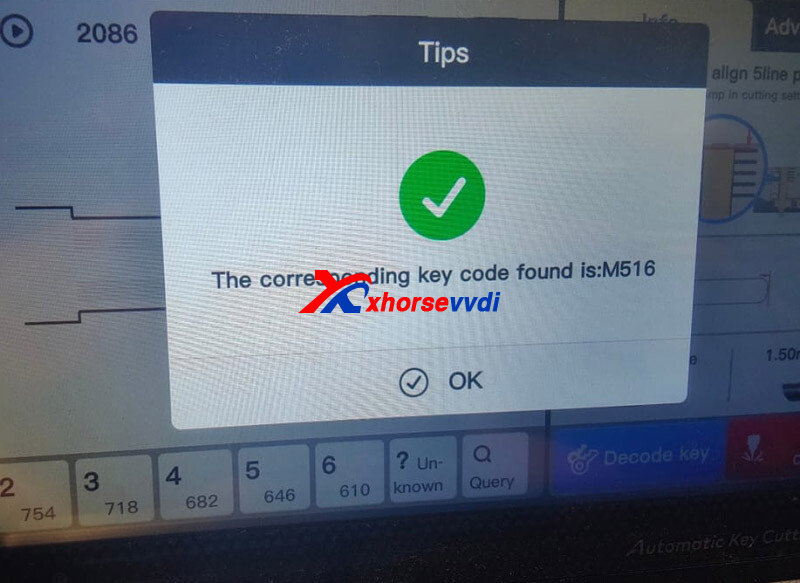
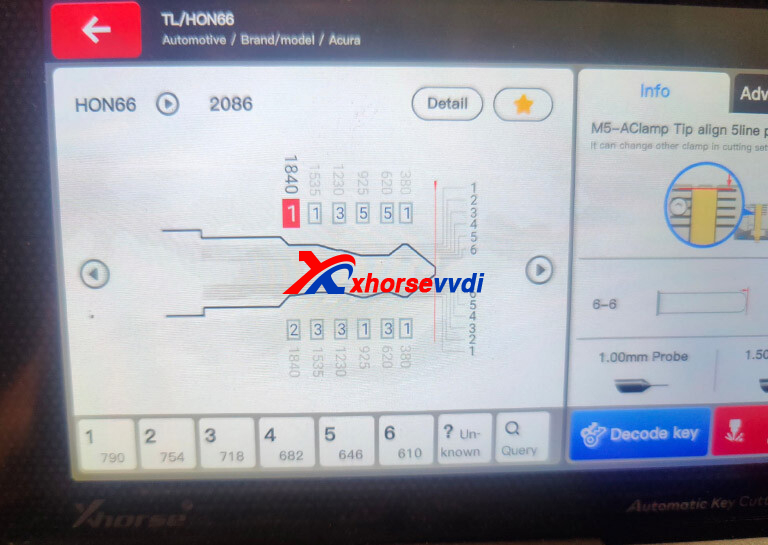
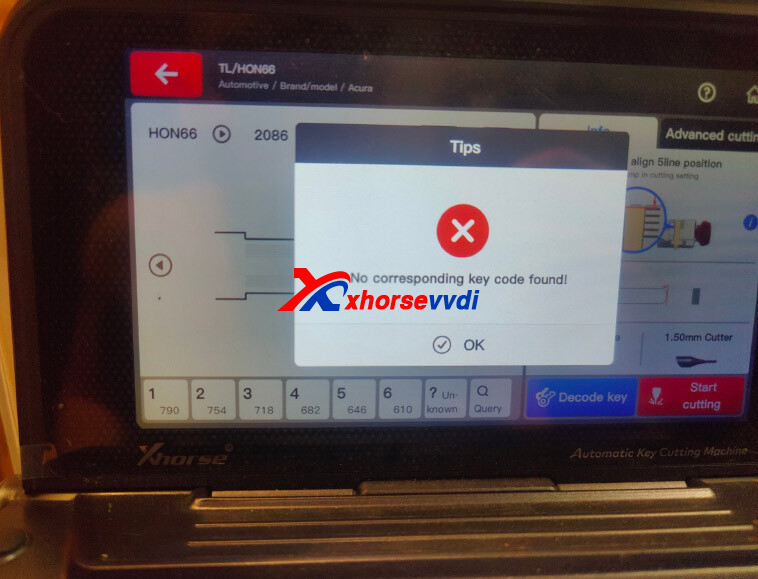
*Now the issue is fixed! Please update both firmware and database to the latest version.
Firmware: V1.07, Database: V23
Posted by: xhorsevvdi at
03:42 AM
| No Comments
| Add Comment
Post contains 80 words, total size 3 kb.
One customer gave feedback that the screen of his Xhorse XP005L won't turn on.
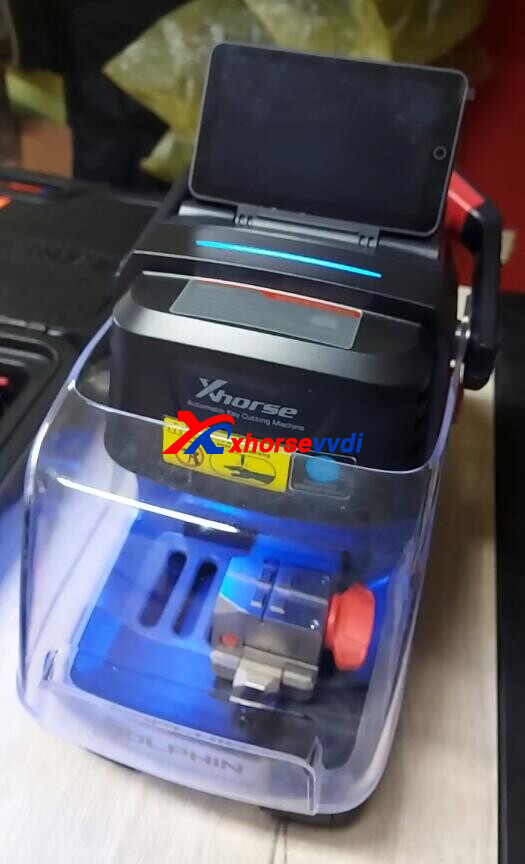
Here is the
Solution:
Take machine part and check if cables are loose.
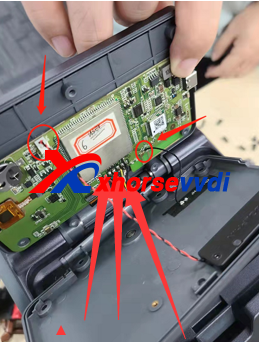
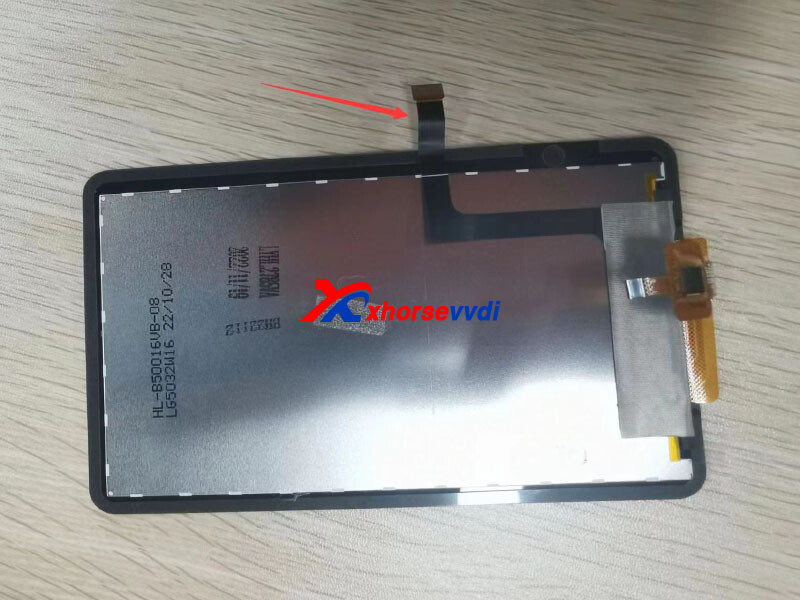
For how to disassemble machine, please check:
How to Replace Xhorse Dolphin XP005L Key Cutting Machine Screen?
Posted by: xhorsevvdi at
03:41 AM
| No Comments
| Add Comment
Post contains 52 words, total size 1 kb.
This article is going to share with you how to mount Xhorse Key Cutting Machine in your van.
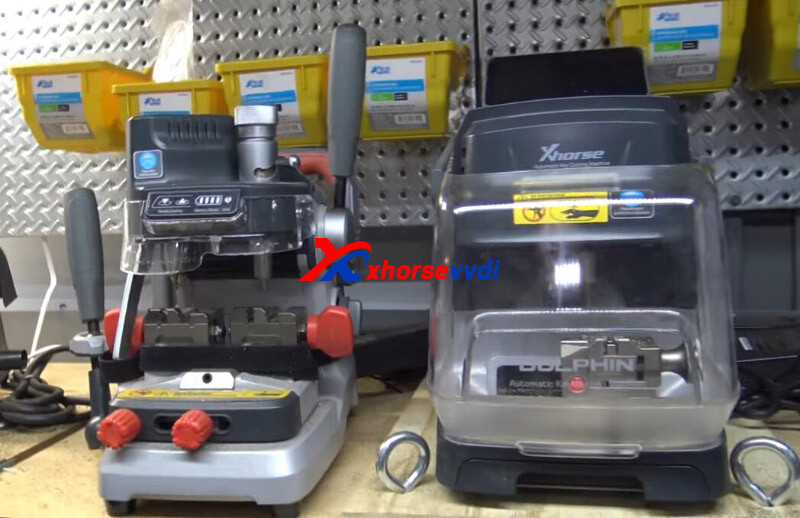
Van:
Nissan NV 1500
Machines:
How to Mount Machine in Van?
The XP007 Duplicator doesn't need to be on Internet ever so just screwed this directly onto vam
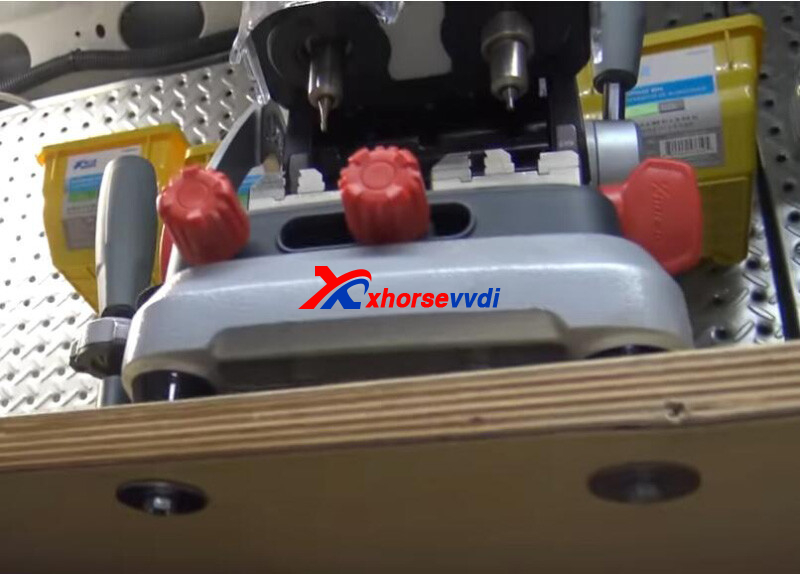
The Dolphin II does need the Internet and Wi-Fi works in driveway and hotspot works but it doesn't always like it on updates.
What I did is mounting it to a board and countersunk it on the bottom and there screws go through the board. I can take these off without tools if I need to drag it in the house to do an update.
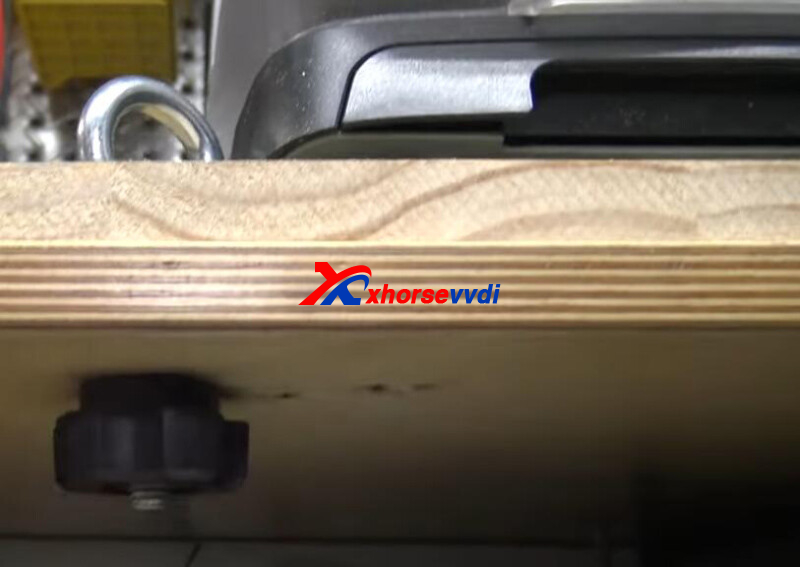
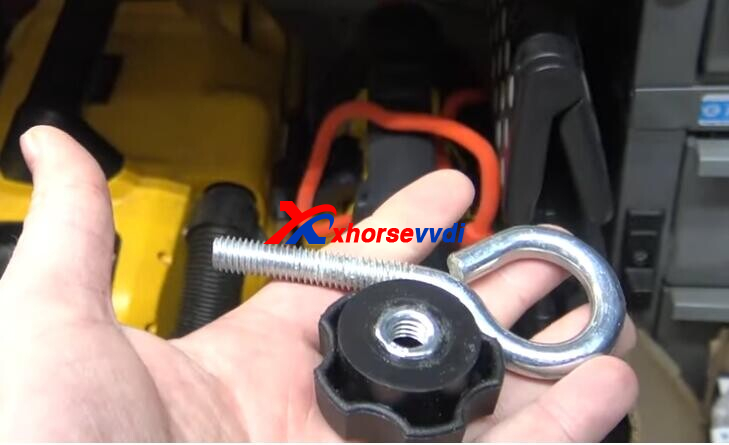
Just have four corner, held down and can't move anything.
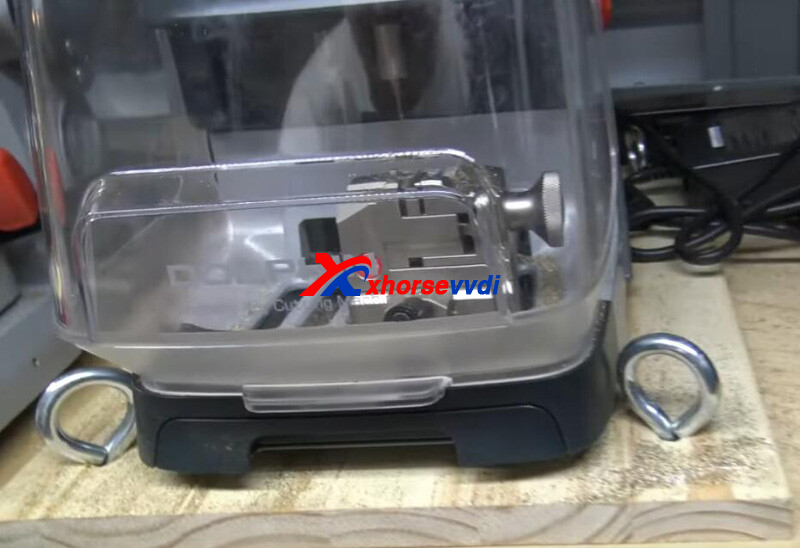
Got a power strip behind it and the power supply, and have switches on the chargers. Set Old Dolphin in the same way for a couple of years.
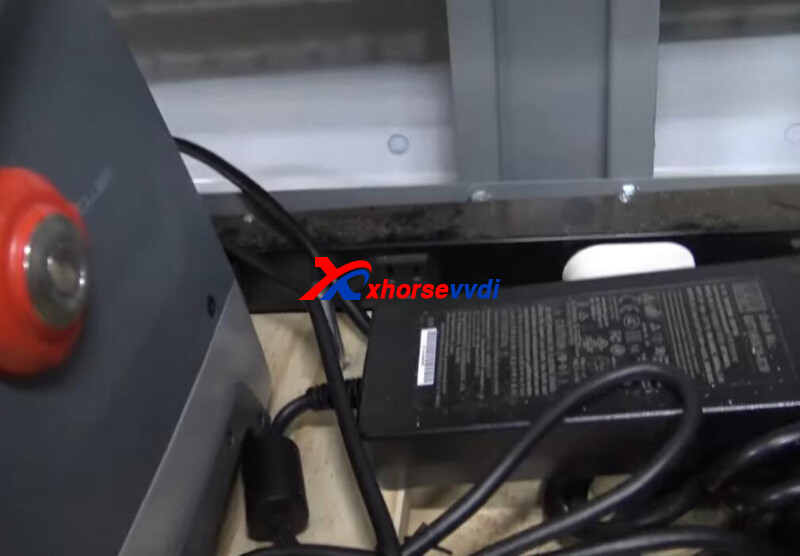
Done! Simple and Nice!
http://blog.xhorsevvdi.com/how-to-install-dolphin-xp005l-and-xp007-in-a-van/
Posted by: xhorsevvdi at
03:40 AM
| No Comments
| Add Comment
Post contains 172 words, total size 3 kb.
One customer asked us to find the correct remote control for Toyota smart remote 271451-6340 in his Key Tool Max Pro.
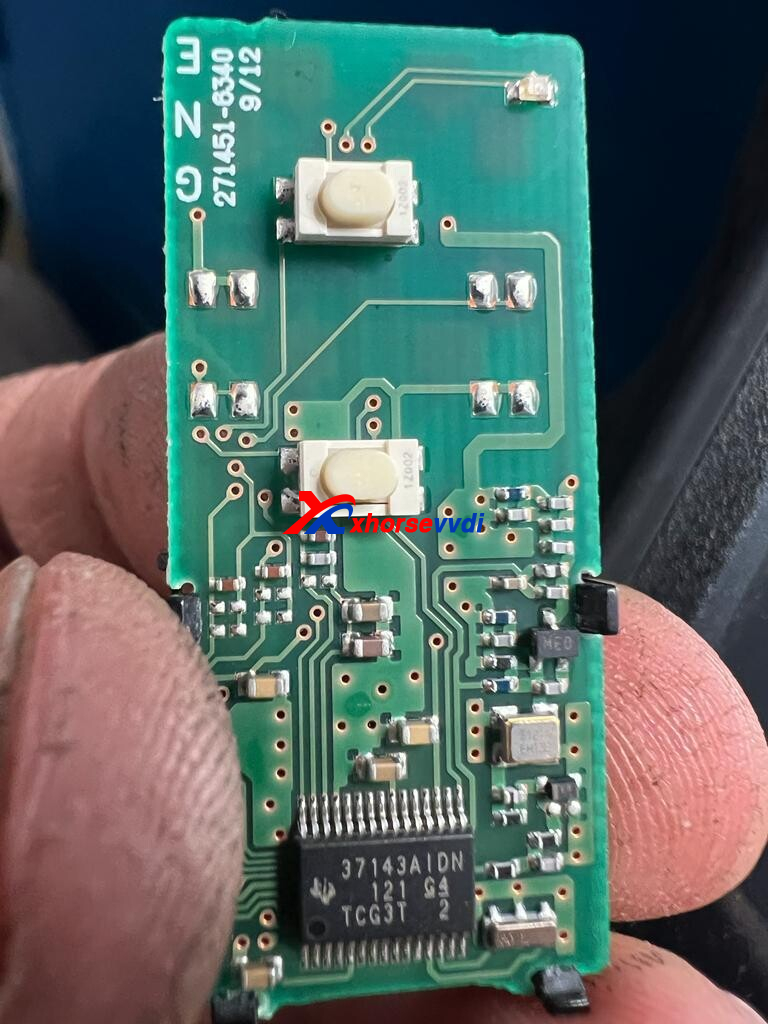
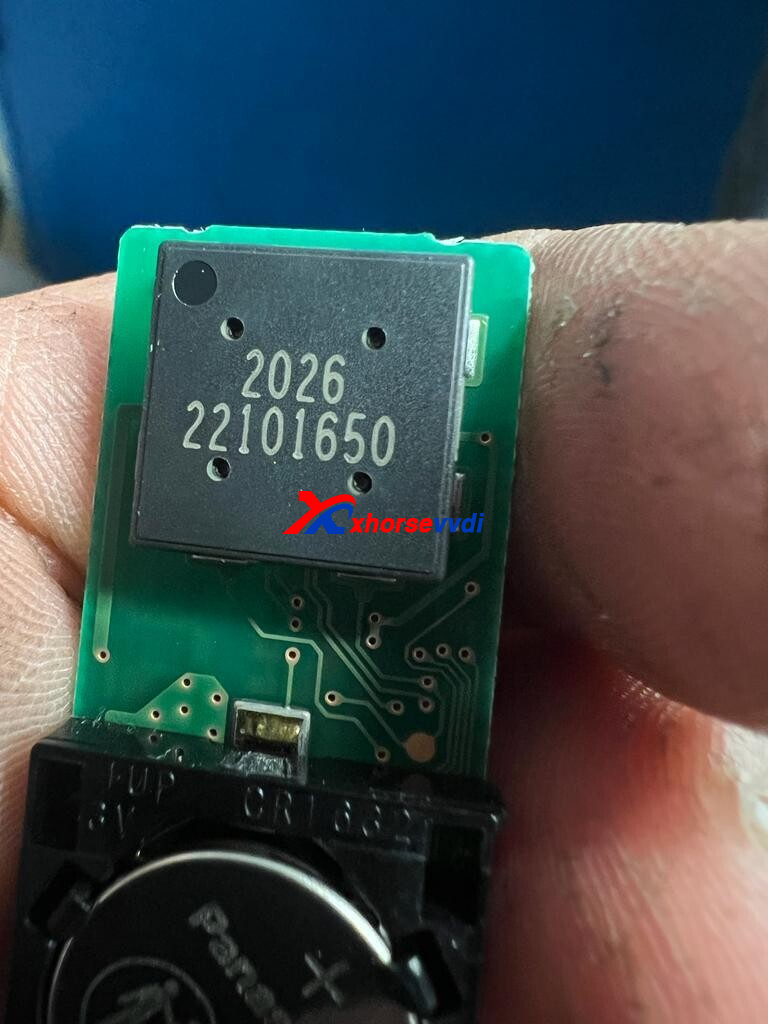
Here are Result of
Reading Chip
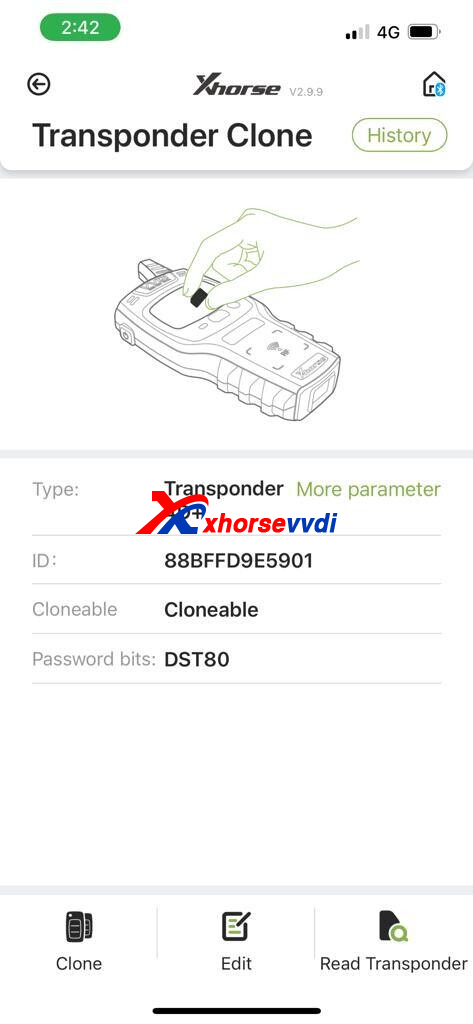
and Frequency.
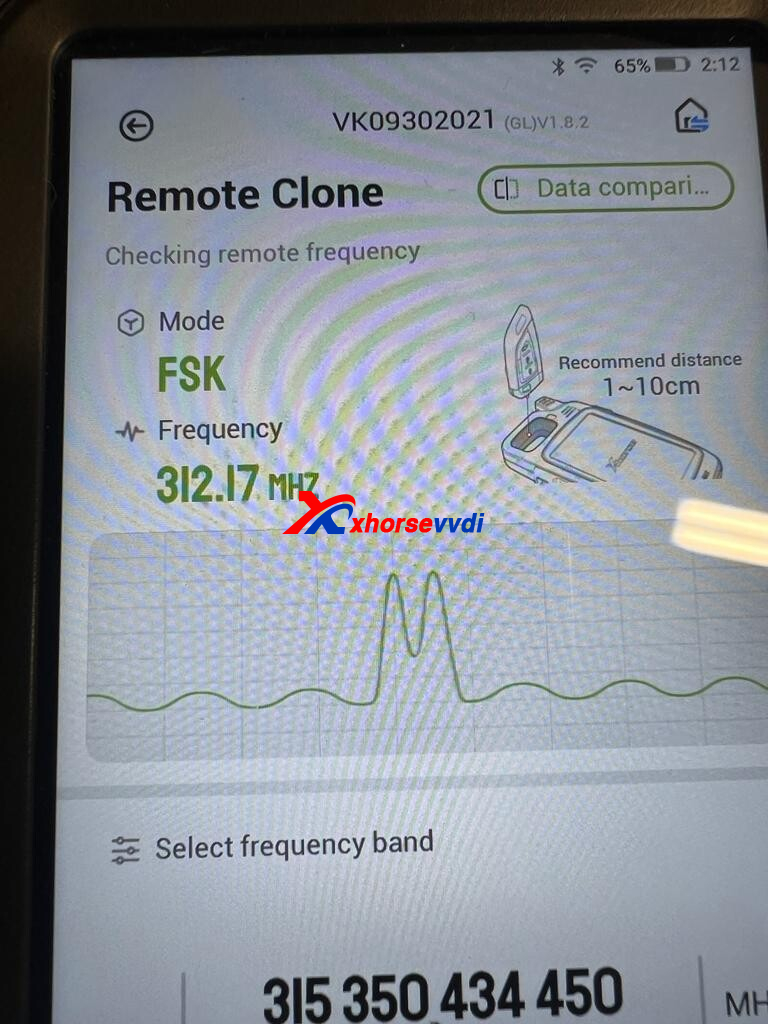
Remote Control:
PCB number 5290, XM28/ XM38 Toyota Remote is required.
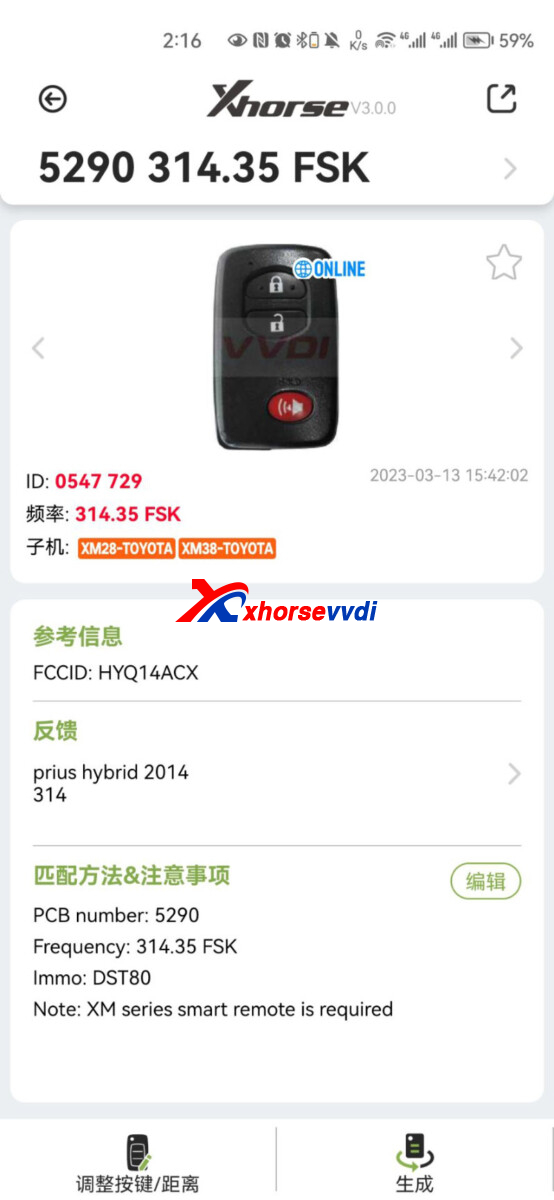
After remote generation, change frequency to that same as original remote.
(Path: Special Function>>VVDI remote function>>Toyota smart key setting)
http://blog.xhorsevvdi.com/how-to-generate-remote-for-toyota-smart-271451-6340/
Posted by: xhorsevvdi at
03:40 AM
| No Comments
| Add Comment
Post contains 68 words, total size 2 kb.
What is the easiest way to add a spare for 2023 Toyota Camry? Here we will show you how to do it using Xhorse Universal Remote within 5 minutes.
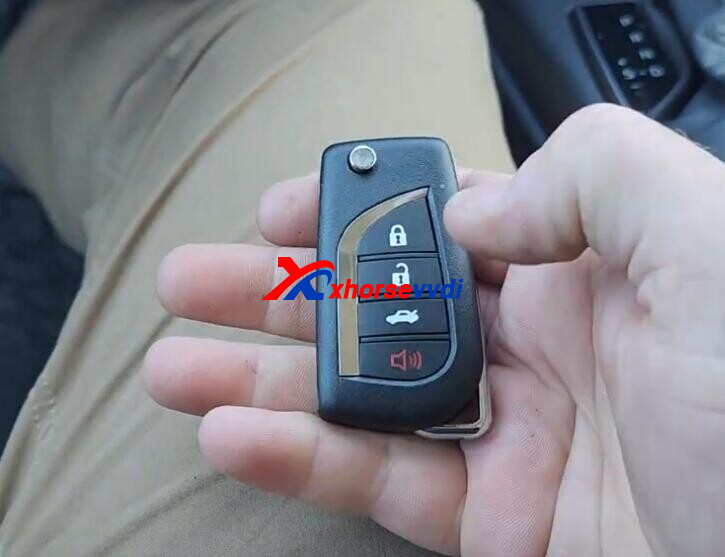
*This vehicle has regular keys, so key code is not required
Simple Guide:
Generate Remote>>Program Remote>>Clone Transponder
Tools:
Process:
Step 1. Generate Remote
Original Key FCC ID.
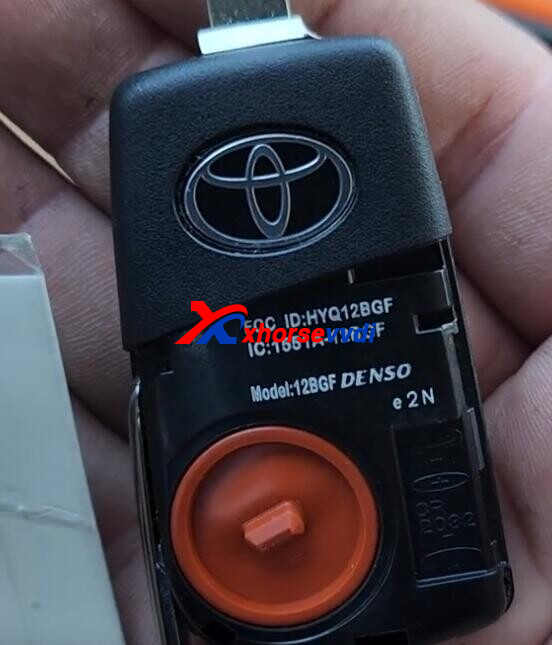
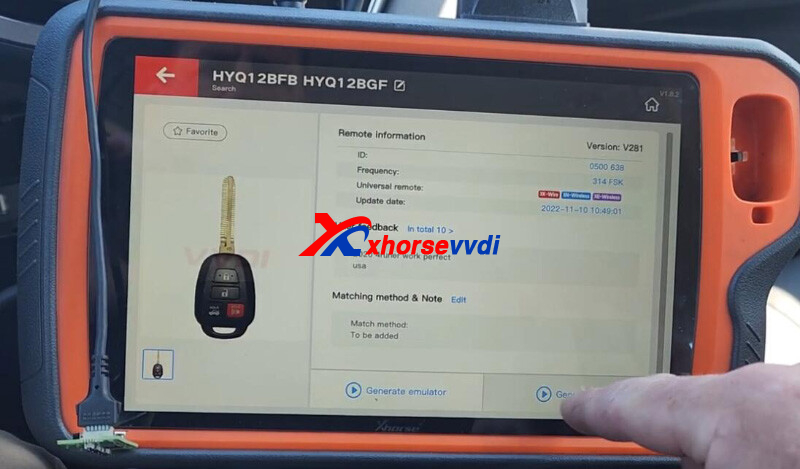
Generate wire remote. (HYQ12BFB HYQ12BGF, 314FSK)
Step 2. Program Remote
Go to
Immo Programming>>Toyota>>Select from model>>Camry>>2010->>Remote program (2013-)>>Remote adding
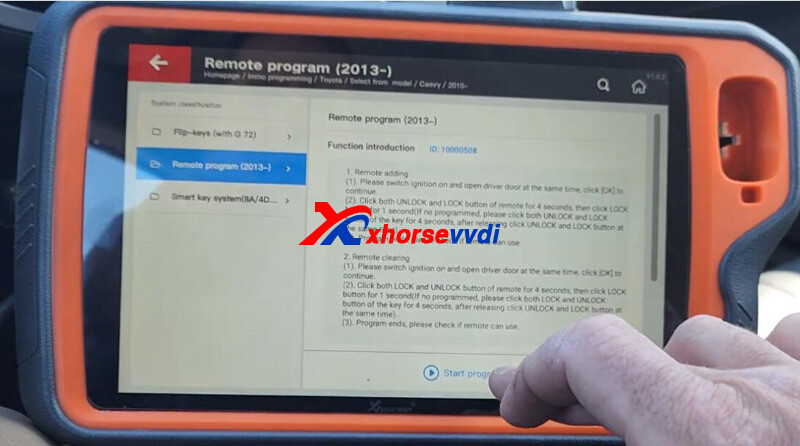
Switch on ignition and open driver's door at the same time.
Click lock&unlock button for 4 seconds, and then lock button for 1 second.
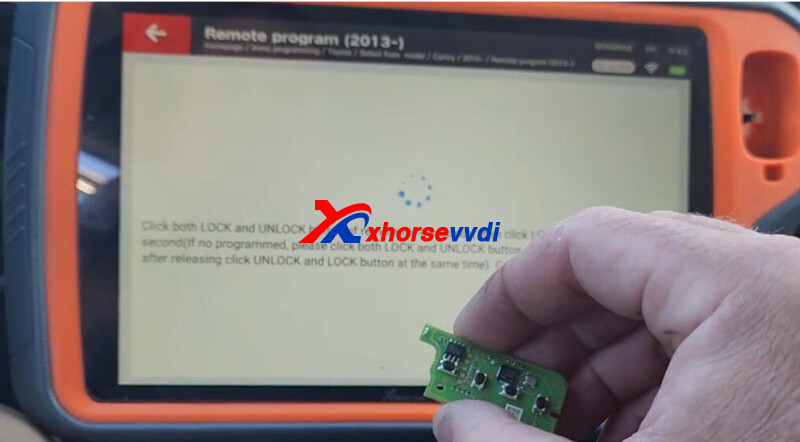
Step 3. Clone Transponder
Read origianl key.
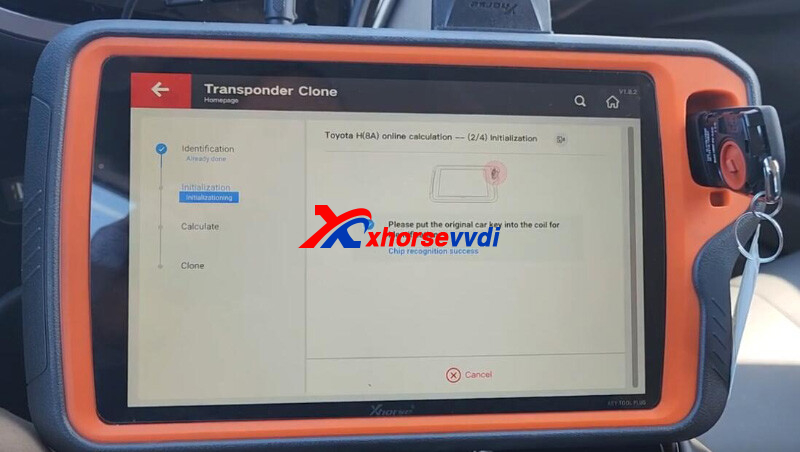
Insert VVDI XT27 Chip as required.
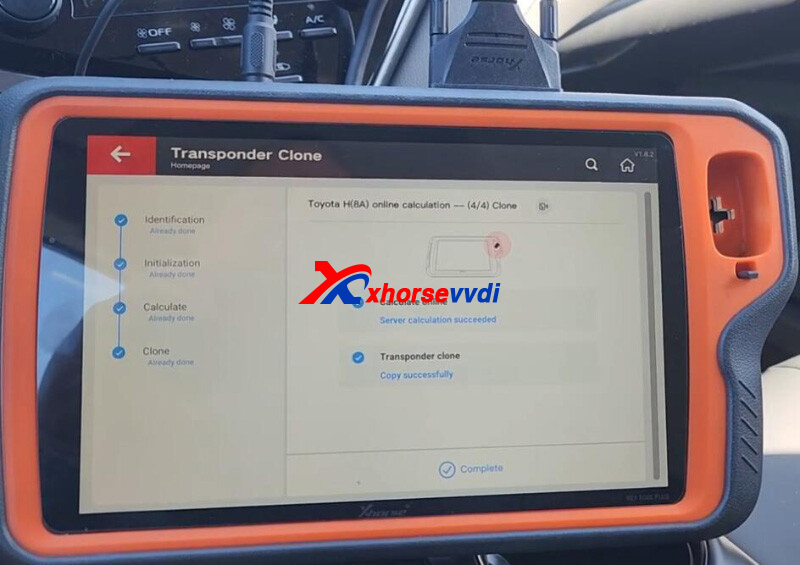
Done! Simple and nice!
http://blog.xhorsevvdi.com/the-easiest-way-to-add-key-for-2023-toyota-camry/
Posted by: xhorsevvdi at
03:39 AM
| No Comments
| Add Comment
Post contains 138 words, total size 3 kb.
One customer gave feedback of cutting key for phaeton hu66 that by his Dolphin XP005L new key looked identical but did not fit for the lock. The question is blade not going until the end into ignition.
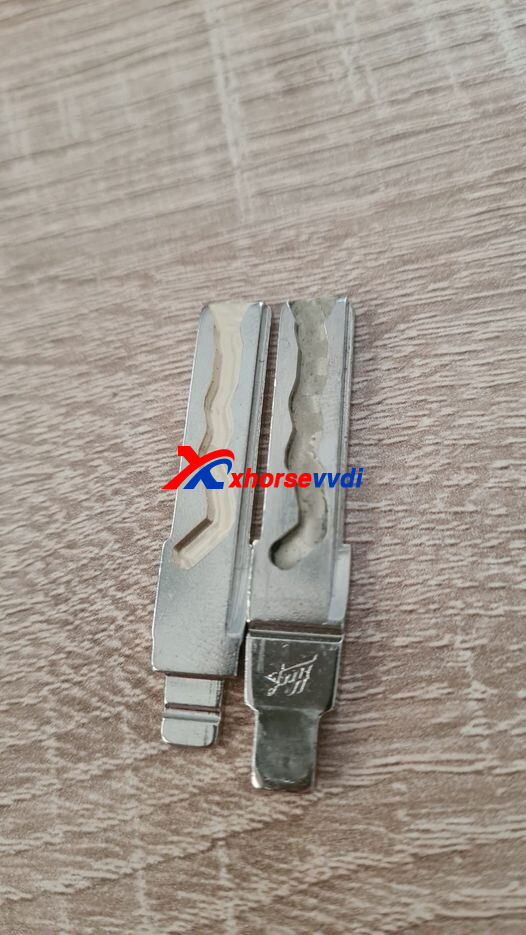
Here is the
Reason:
Tip part of the left track is different from the original.
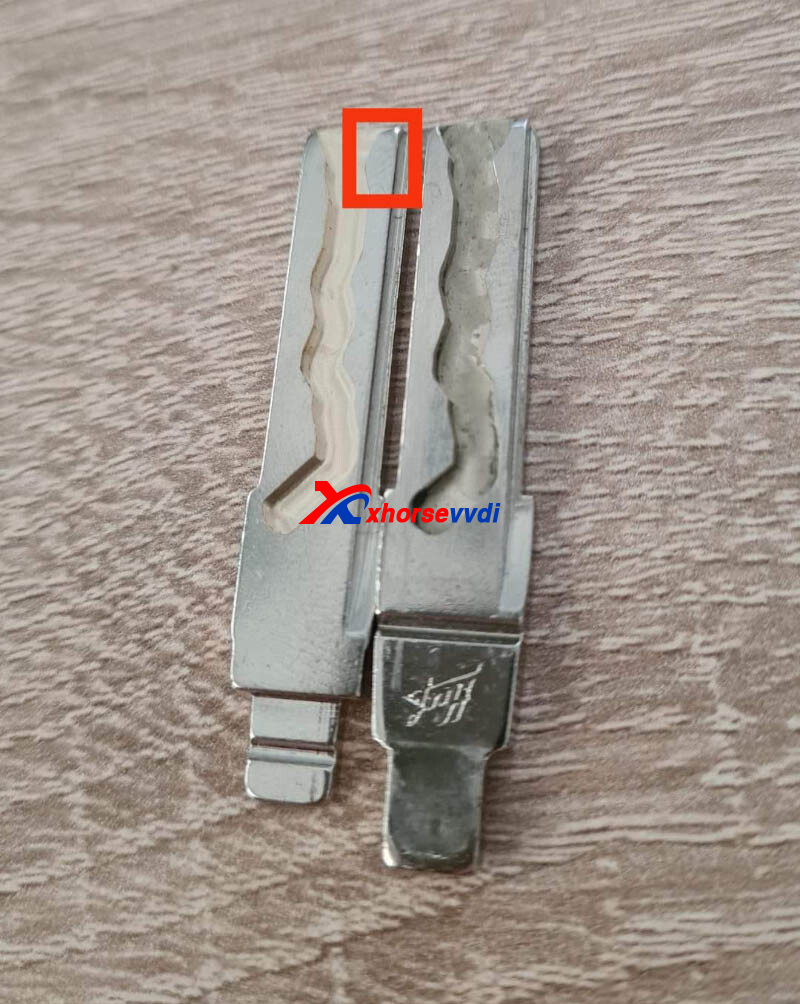
Solution:
1.Use 2.5mm cutter instead of 1.5mm one
2.Fix it with a manual machine
Tips:
1.Select correct key blade (the blade is likely thicker, in width file it down)
2.Cut with manual machine, or with automatic machine select universal duplicate or 9 cut
3.Both 1.5mm and 2.5mm should work
4.Cut it deeper, on Xhorse Dolphin use 140 depth
http://blog.xhorsevvdi.com/the-easiest-way-to-add-key-for-2023-toyota-camry/
Posted by: xhorsevvdi at
03:39 AM
| No Comments
| Add Comment
Post contains 119 words, total size 2 kb.
April 11, 2023
One customer gave feedback of cutting key for phaeton hu66 that by his Dolphin XP005L new key looked identical but did not fit for the lock. The question is blade not going until the end into ignition.
Here is the
Reason:
Tip part of the left track is different from the original.
Solution:
1.Use 2.5mm cutter instead of 1.5mm one
2.Fix it with a manual machine
Tips:
1.Select correct key blade (the blade is likely thicker, in width file it down)
2.Cut with manual machine, or with automatic machine select universal duplicate or 9 cut
3.Both 1.5mm and 2.5mm should work
4.Cut it deeper, on Xhorse Dolphin use 140 depth
http://blog.xhorsevvdi.com/xhorse-dolphin-xp005l-duplicate-phaeton-hu66-key-tips/
Posted by: xhorsevvdi at
09:39 AM
| No Comments
| Add Comment
Post contains 119 words, total size 2 kb.
Xhorse 35160DW Chip could perfectly replace original chips including M35080, M35080-3, M35080-6, M35080V6, M35080VP, D80D0WQ, 160D0WQ,35160WT. In this article, we will show you how to write 35160WT dump into Xhorse chip.
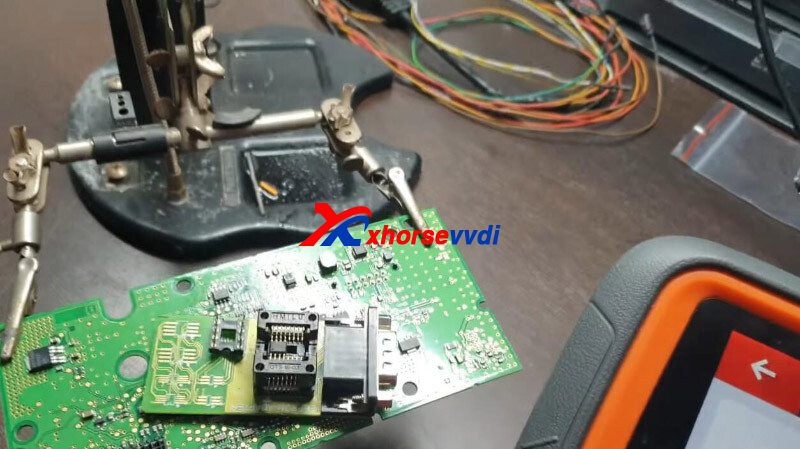
Tools:
Process:
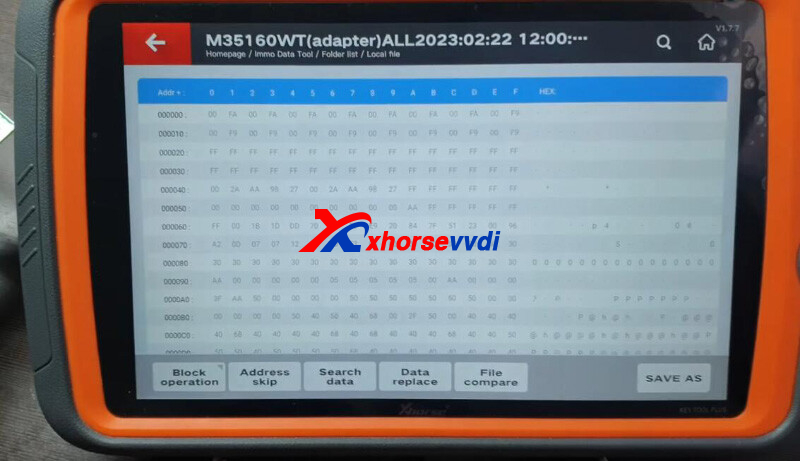
Put 35160DW Chip into EEPROM adapter.
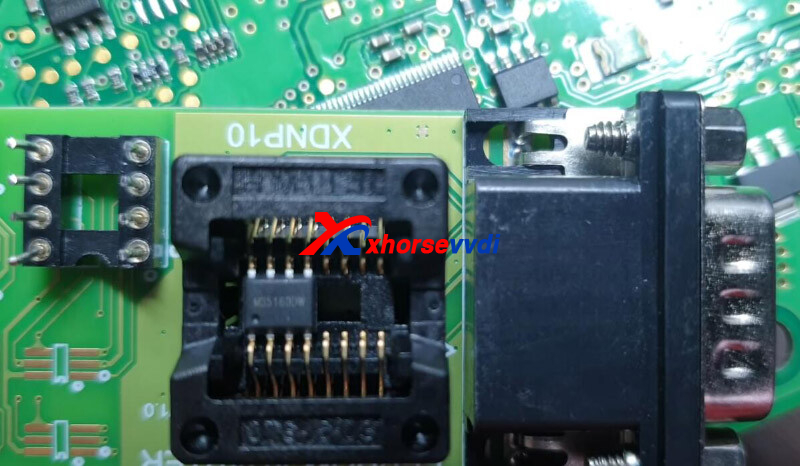
Go to
Prog>>M35160(adapter)
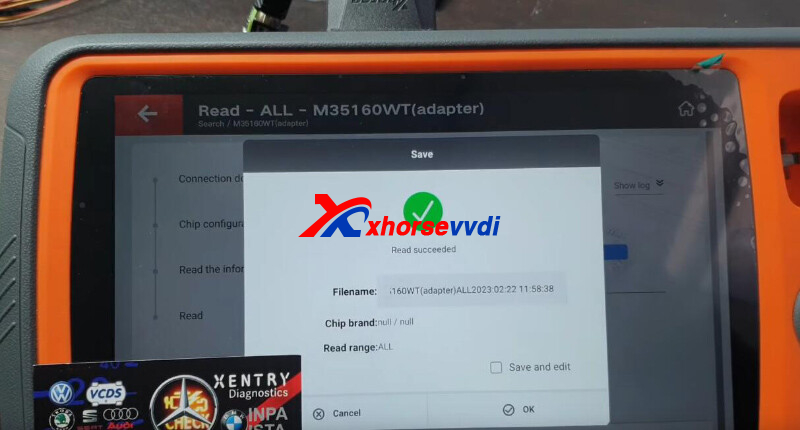
Select
Read>>All
Backup data first.
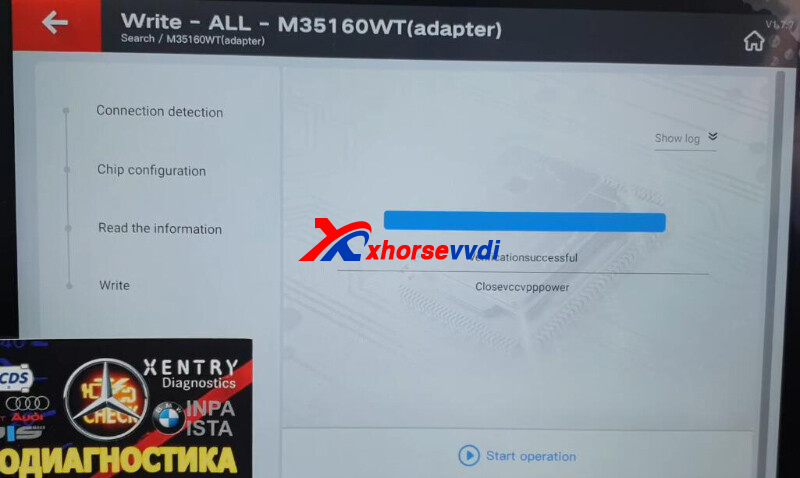
Select
Write>>All
Write M35160WT data.
Backup and check new data.
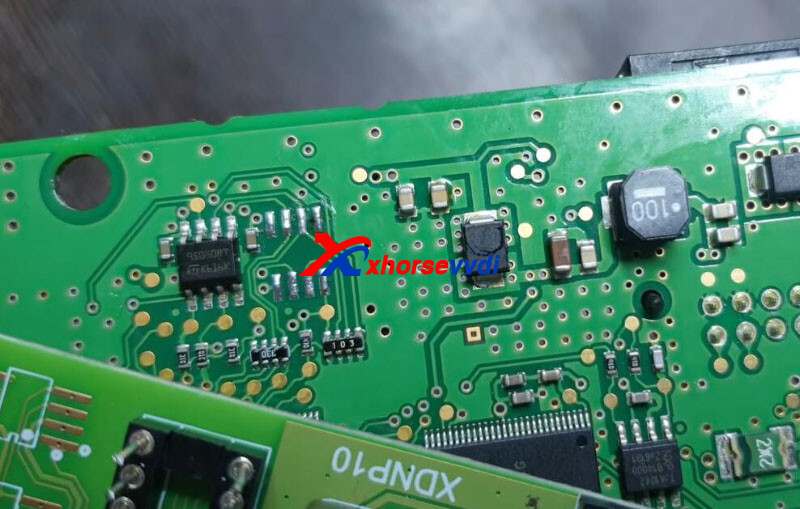
Then we just need to solder it to PCB.
Done! That's how to use VVDI 35160DW Chip.
http://blog.xhorsevvdi.com/how-to-write-bmw-f20-2016-35160wt-dump-into-35160dw-chip/
Posted by: xhorsevvdi at
09:38 AM
| No Comments
| Add Comment
Post contains 93 words, total size 3 kb.
In this article, we are going to bring you a review of MQB48 digital cluster key adding by VVDI Key Tool Plus with Xhorse MQB License.
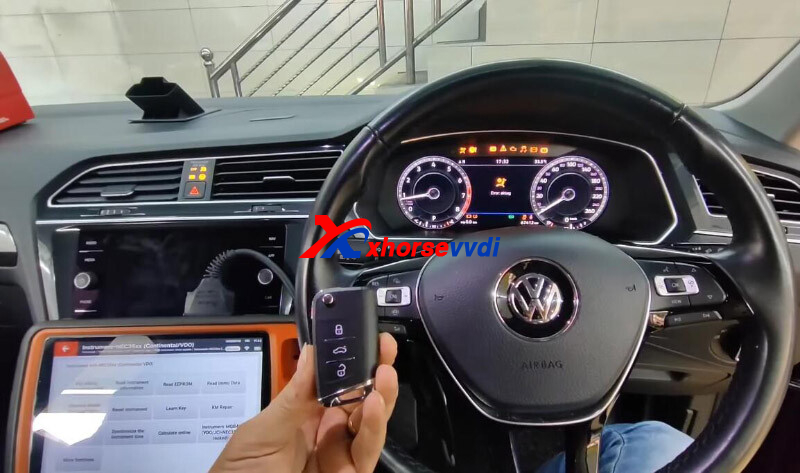
Turn on VVDI Tablet,
Go to
Immo programming>>VW>>Select by type>>MQB instrument immo system>>Instrument-MQB48(VDO/JCI-NEC35xx lock)
Connect device to dashboard by lifting pin.
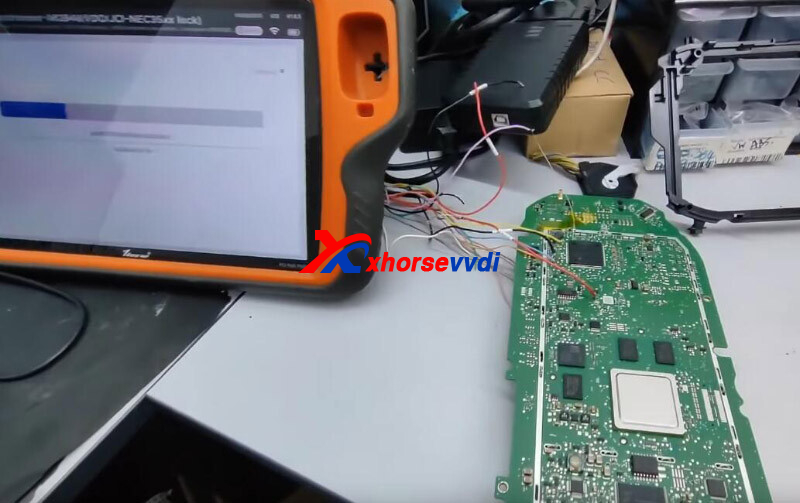
Read and save data.
Select "Obtaining immo data".
Load data to get immo file.
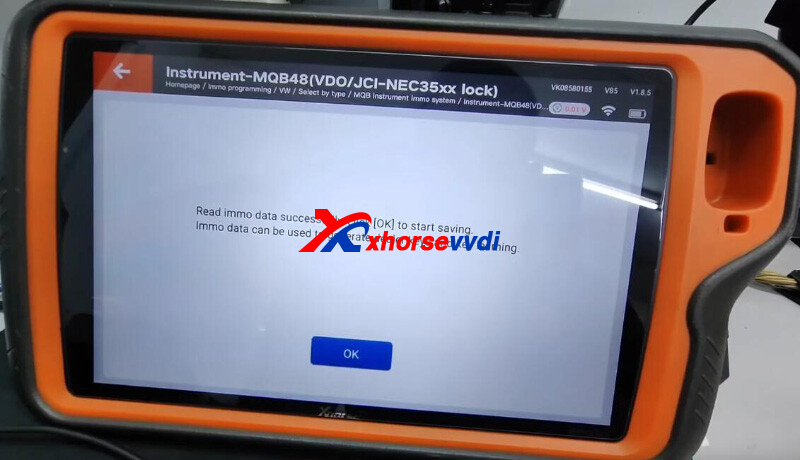
Install dashboard back.
Connect device to vehicle.
Select
Generate dealer key-Load immo data>>Prepare normal dealer key>>Add key - You should have a working key
Insert working key to get sync data.
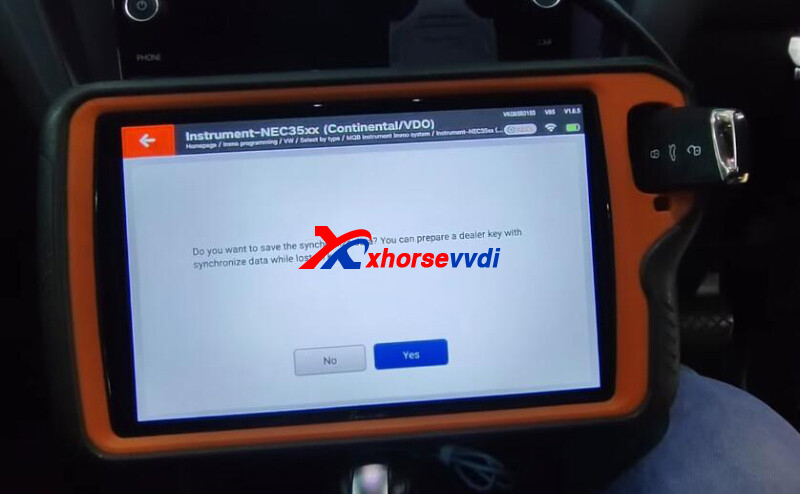
Insert new key to make dealer key.
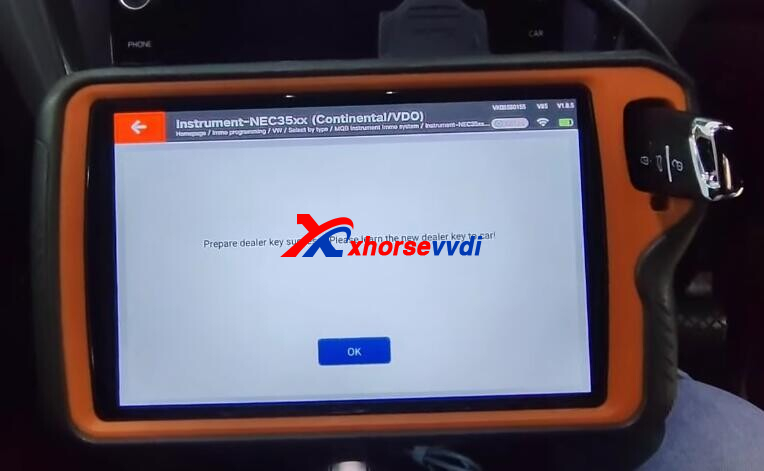
Select "Learn key".
Load immo data, and put new keys close to sensing area one by one for learning.
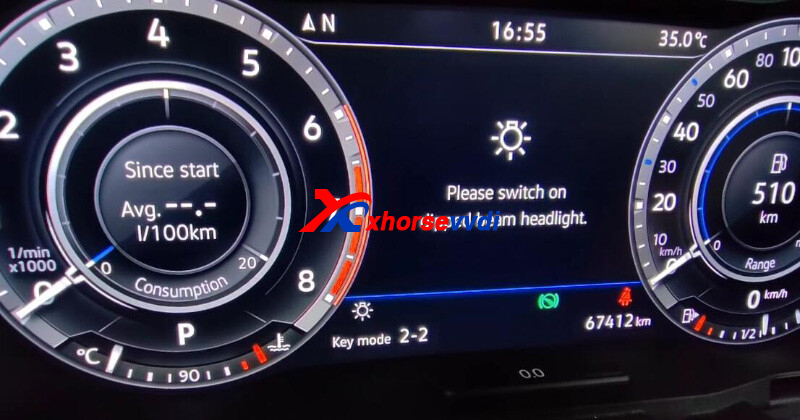
Key learn successfully.
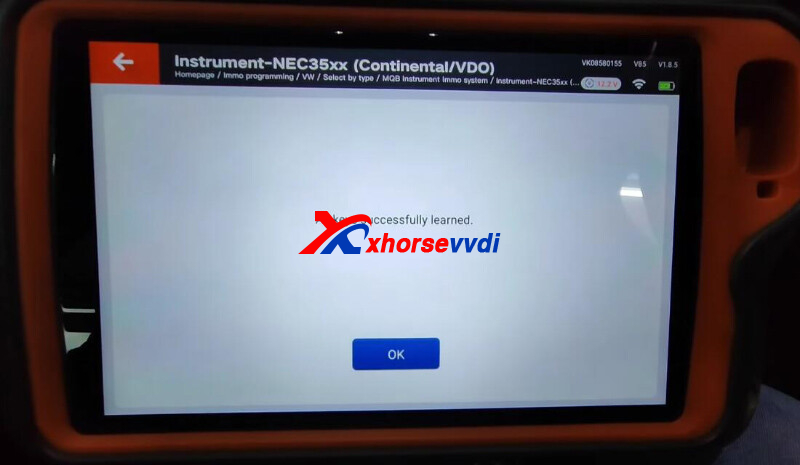
Done!
http://blog.xhorsevvdi.com/vvdi-key-tool-plus-read-mqb48-digital-cluster-and-add-key-ok/
Posted by: xhorsevvdi at
09:38 AM
| No Comments
| Add Comment
Post contains 135 words, total size 3 kb.
Xhorse VVDI2 is a professional tool on key programming for high-end makes including VW, BMW, Porsche... it works perfectly chip programmer VVDI PROG.
Here we will show you how to program Porsche Cayenne 2013 when all key lost using VVDI PROG + VVDI2.
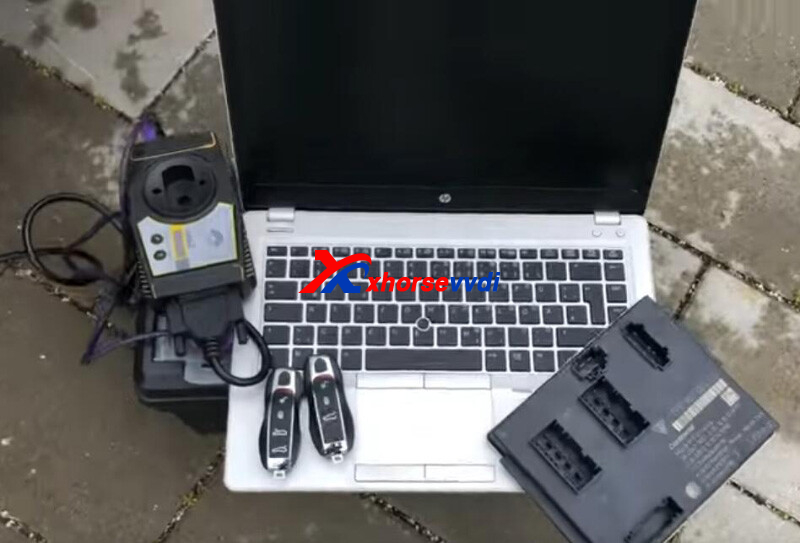
Take out BCM from vehicle and start it.
EEPROM:
2M25J
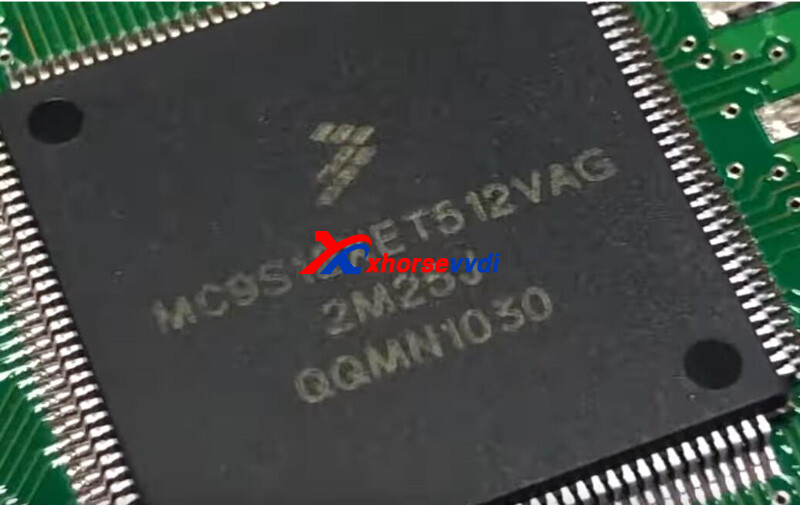
Step 1. Read D-Flash
Run VVDI PROG software,
Diagram. (desoldering and wire cutting are required)
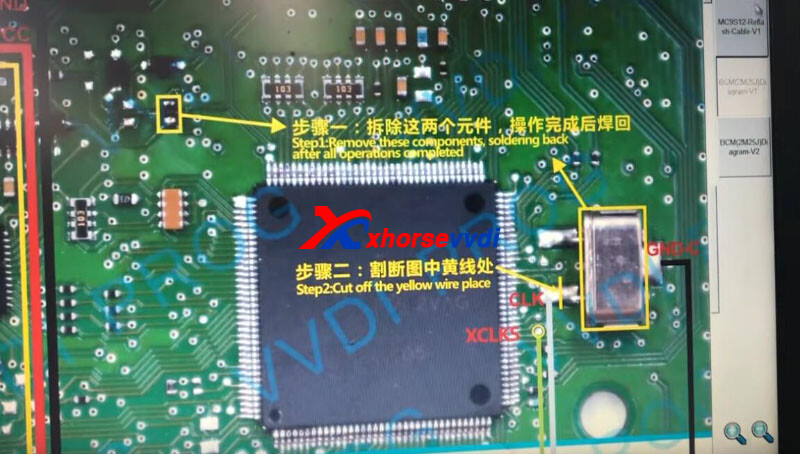
Connect by diagrams.
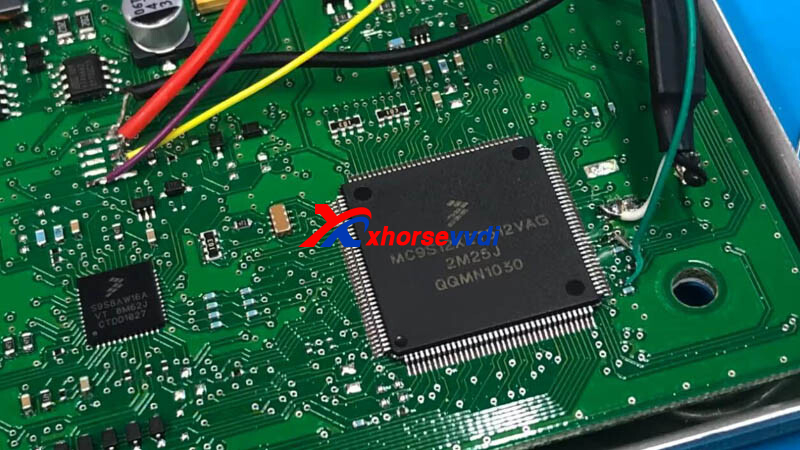
Read and save D-Flash data.
Step 2. Make Dealer Key
Run VVDI2 software,
Go to
Key Learn>>New Porsche Key>>Prepare Dealer Key>>EEPROM (2M25J)
Load D-Flash data.
Insert new key and click "prepare dealer key".
Success and save new file.
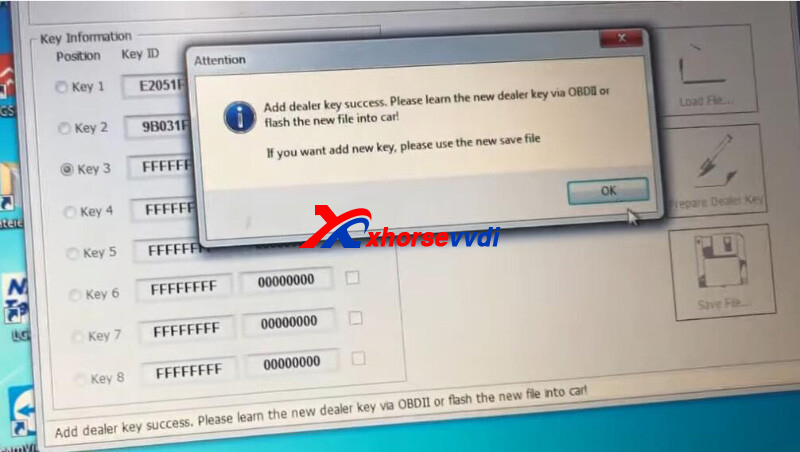
Load new file.
Insert another new key and add.
Save the latest dump file.
Step 3. Key Learn
Go to
Key Learn>>New Porsche Key>>Learn
Load original dump file.
Insert new keys one by one to learn.
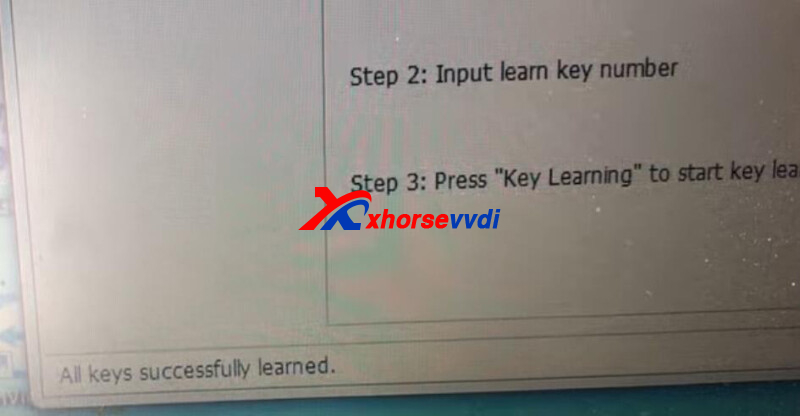
Done!
That's how VVDI2 do AKL programming for Porsche Cayenne 2012.
http://blog.xhorsevvdi.com/how-xhorse-vvdi2-program-porsche-cayenne-2013-akl/
Posted by: xhorsevvdi at
09:37 AM
| No Comments
| Add Comment
Post contains 165 words, total size 3 kb.
Question:
M5 Clamp won't work with my Condor XC-Mini. I update it to the latest version, but now I can't calibrate the machine at all, with M1 M2 M5... it could work with M1 M2 clamp before update.
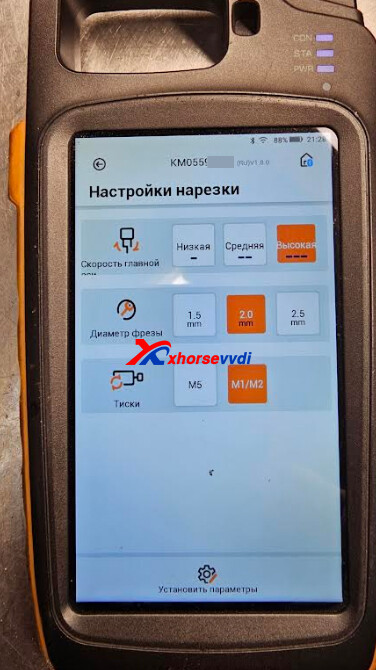
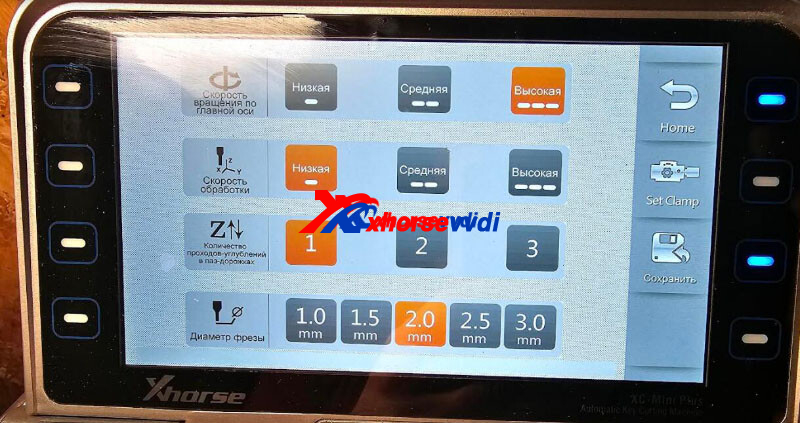
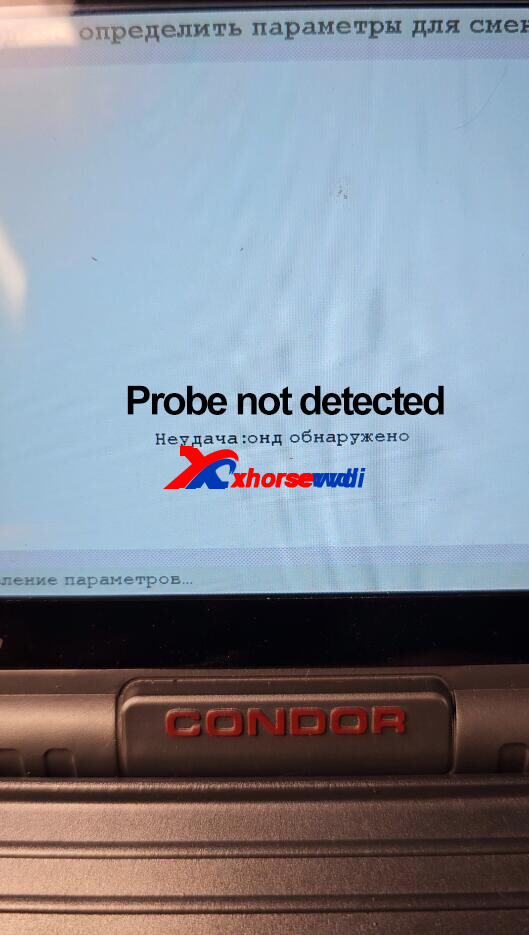
Here is the
Solution:
1.Update firmware again by Upgrade Kit
2.Lower probe and cutter by about 2mm and calibrate machine again
http://blog.xhorsevvdi.com/how-to-fix-condor-mini-plus-probe-not-detected-after-firmware-update/
Posted by: xhorsevvdi at
09:37 AM
| No Comments
| Add Comment
Post contains 72 words, total size 2 kb.
This article is going to show you all optional accessories of Xhorse Condor XC-Mini Plus II Machine.
Check the List:
| Optional Accessories | Image | Function |
| Clamp M4 | 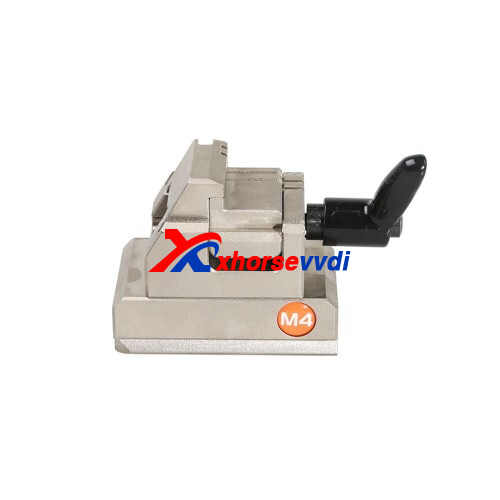 |
Household Key Cutting |
| 0.5mm Probe | 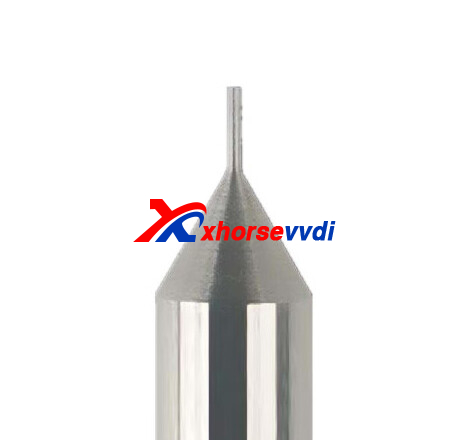 |
Snake Probe Groove Key and Certain Dimple Key Learning |
| 1.0mm Pointed Probe | 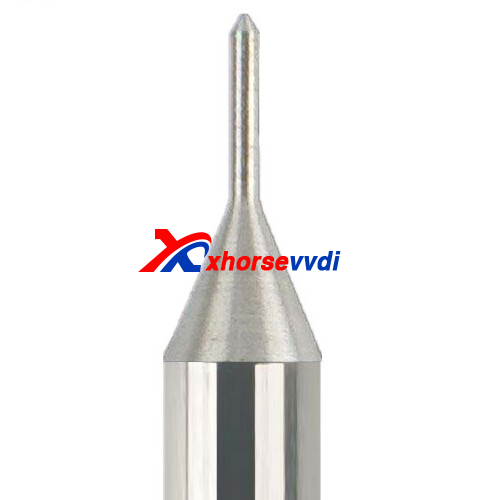 |
Dimple Key Learning |
| 2.5mm Engraving Cutter | 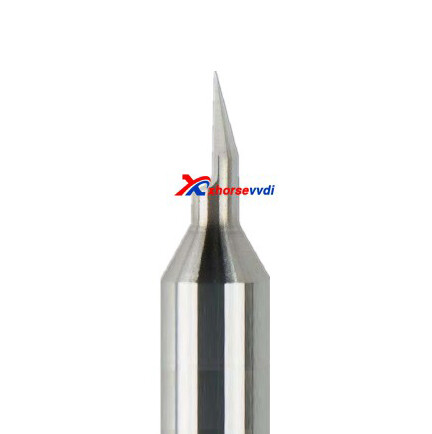 |
Key Blanks Engraving |
| 3.5mm Dimple Cutter (internal) | 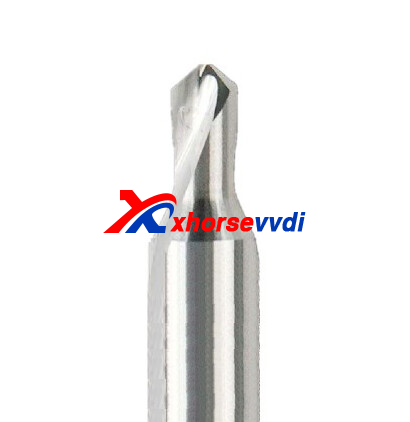 |
Dimple Key Cutting (internal circle) |
| 4.5mm Dimple Cutter (internal) | 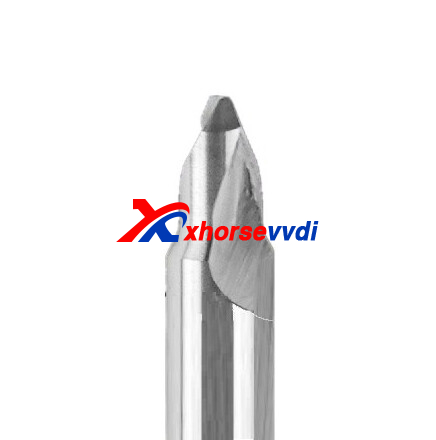 |
Dimple Key Cutting (internal circle) |
| 6.0mm Dimple Cutter (external) | 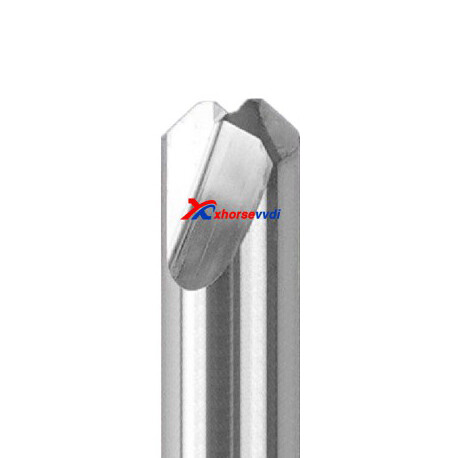 |
Dimple Key Cutting (external circle) |
| 6.5mm Dimple Cutter (external) | 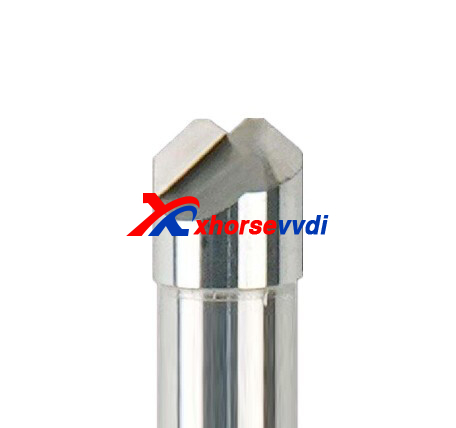 |
Dimple Key Cutting (external circle) |
Posted by: xhorsevvdi at
09:36 AM
| No Comments
| Add Comment
Post contains 97 words, total size 4 kb.
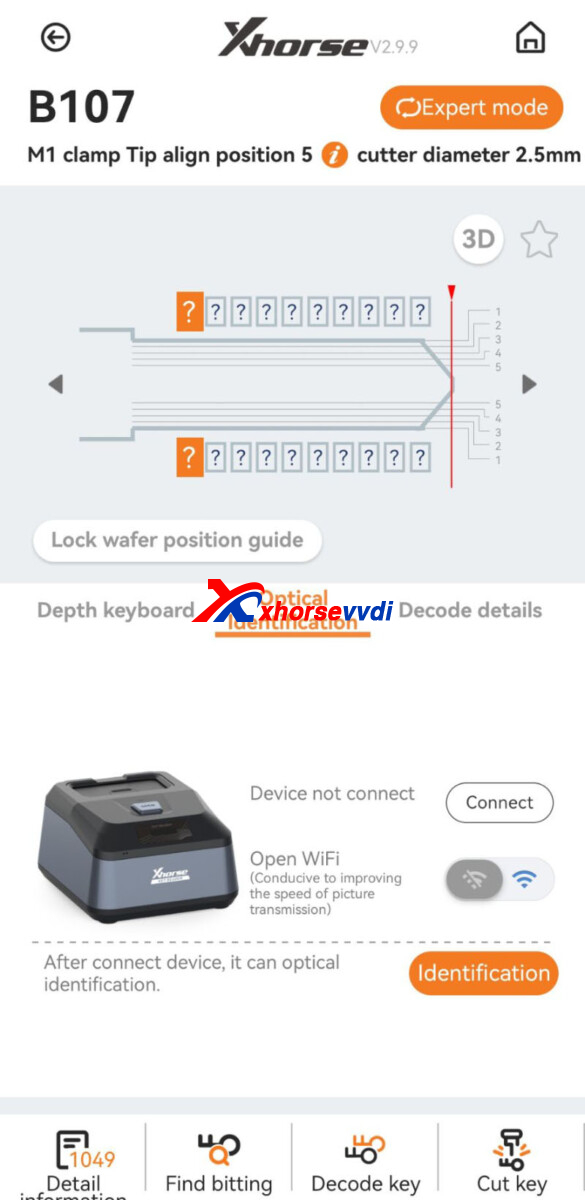
One customer asked if it is impossible to update only Xhorse Key Reader. The app said " it is for the Dolphin device only" when he tried to update it.
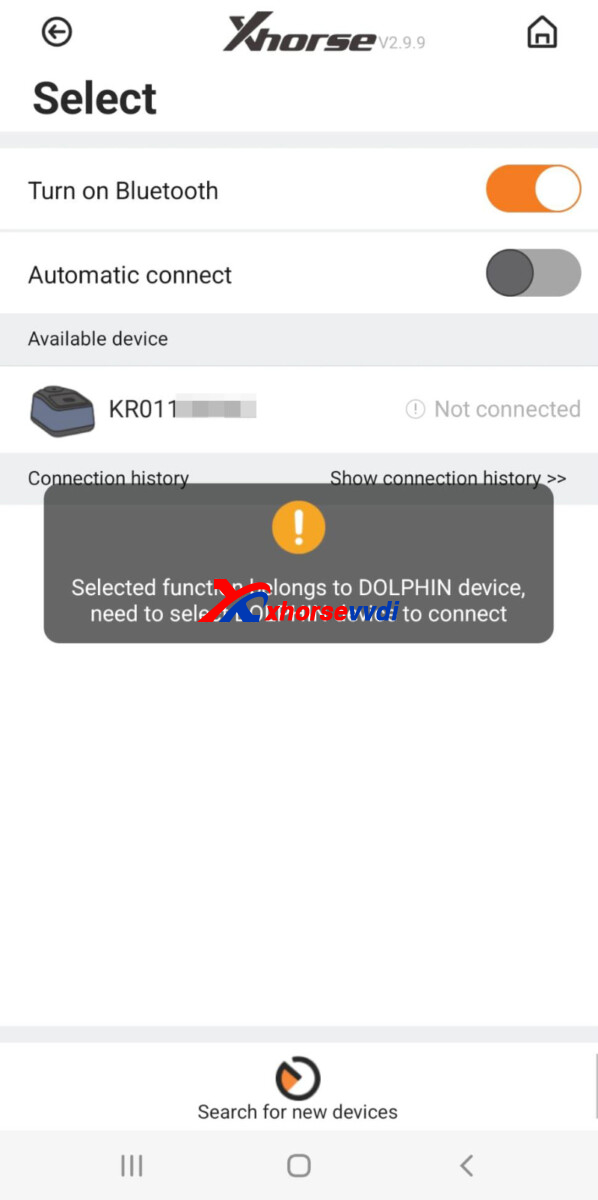
Here Xhorsevvdi tech
Answer:
Enter any blade options, switch to expert mode, and update Key Reader firmware via Wi-Fi. (Do not forget to turn on Wi-Fi connection)
Posted by: xhorsevvdi at
09:36 AM
| No Comments
| Add Comment
Post contains 64 words, total size 1 kb.
March 30, 2023
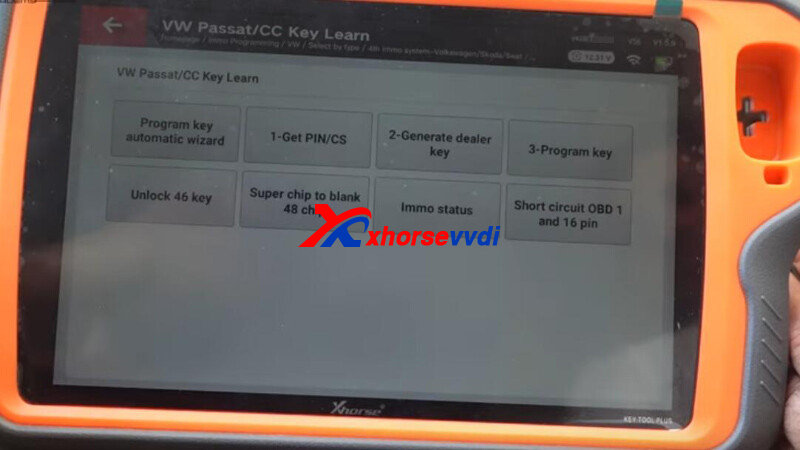
This article is going to show you how to add a key for VW Passat (B6) via OBD using VVDI Key Tool Plus.
Procedures:
Go to
Immo programming>>VW>>Select by Type>>4th immo system - Volkswagen/Skoda/Seat>>VW Passat/ CC Key Learn
Step 1. Get CS and PIN
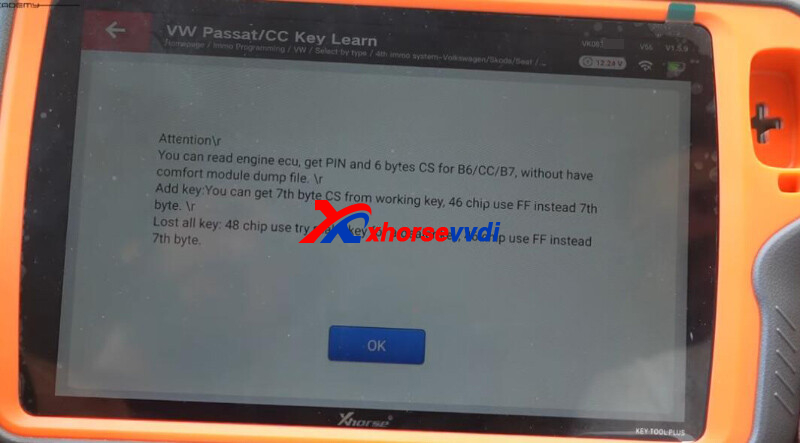
Select
1-Get PIN/CS>>Fread from engine (read by OBDII)
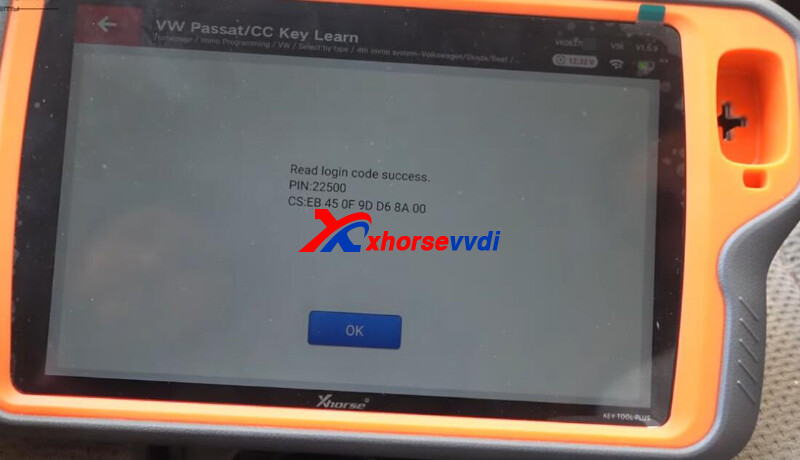
Get PIN and CS code.
Step 2. Generate Dealer Key
Select
2-Generate dealer key>>48-generate dealer key>>Generate dealer keys with the help of ignition key
Input CS code and insert working key.
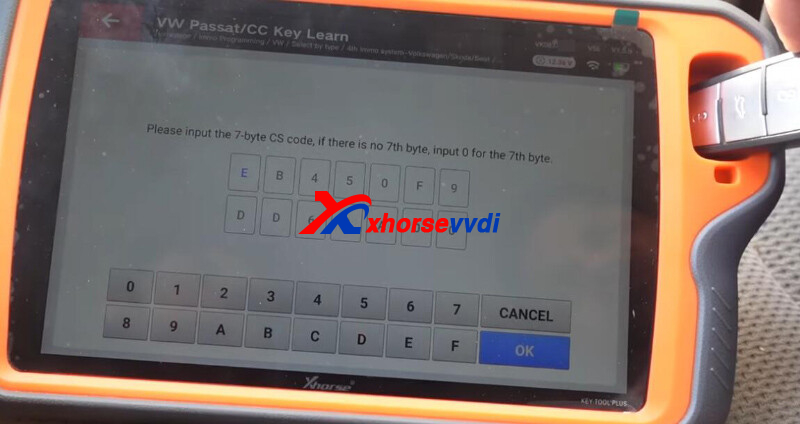
Get 7-digit CS code.
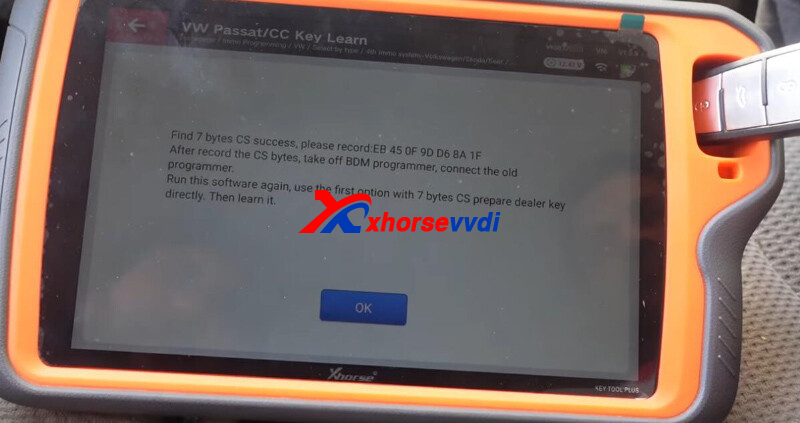
Back and select "7-byte CS is known, generate dealer key".
Input CS and PIN code to generate dealer key.
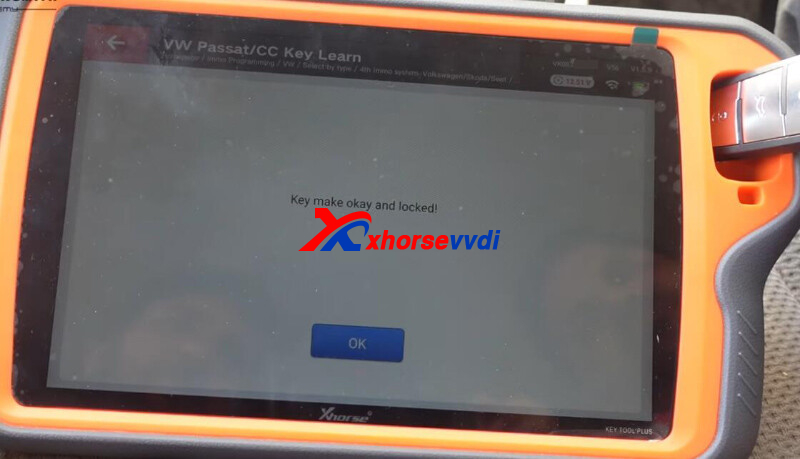
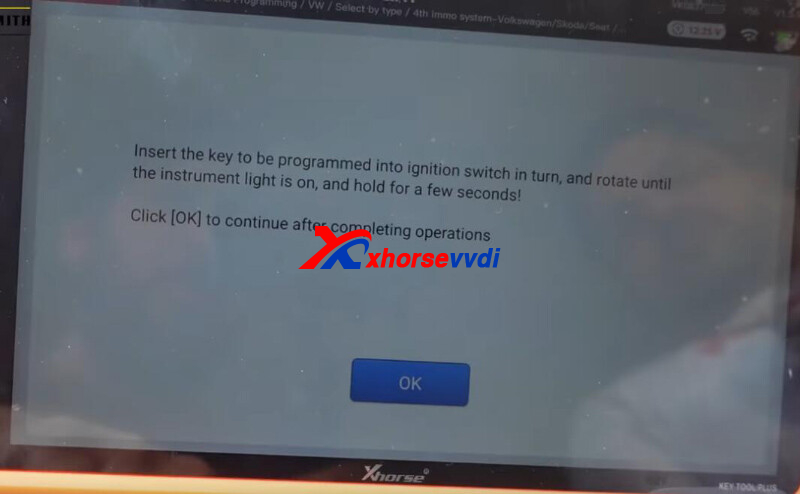
Step 3. Learn Key
Select "3-Program key".
Input PIN code and insert keys in turn to learn them.
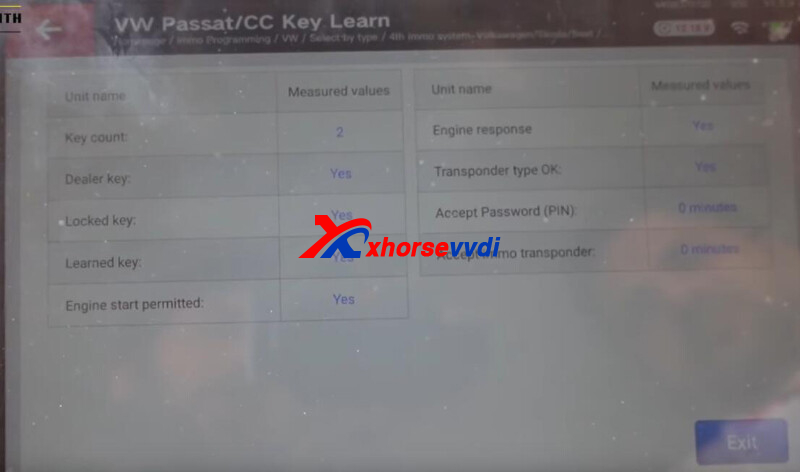
Step 4. Learn Remote
Back to VW menu,
Select
Remote system>>46 central comfort system (CANBUS Magotan/CC)>>Program a remote>>
Press unlock button to program remote.
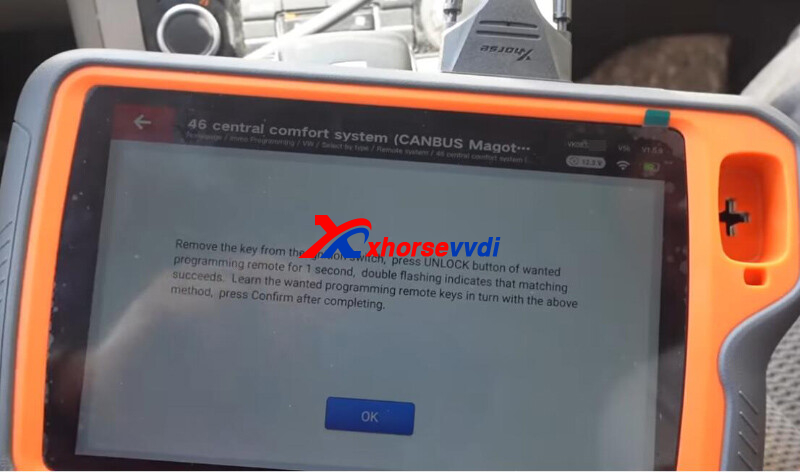
Done! That's how Xhorse Tablet add a spare for VW Passat B6.
http://blog.xhorsevvdi.com/how-vvdi-key-tool-plus-add-key-for-vw-passat-b6/
Posted by: xhorsevvdi at
09:10 AM
| No Comments
| Add Comment
Post contains 172 words, total size 4 kb.
One customer gave feedback that he bought BMW Motorbike License for his VVDI2 Programmer but still had not access to this function.
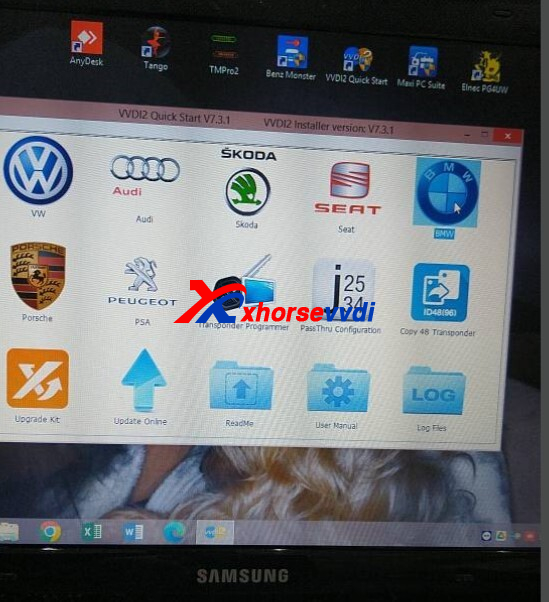
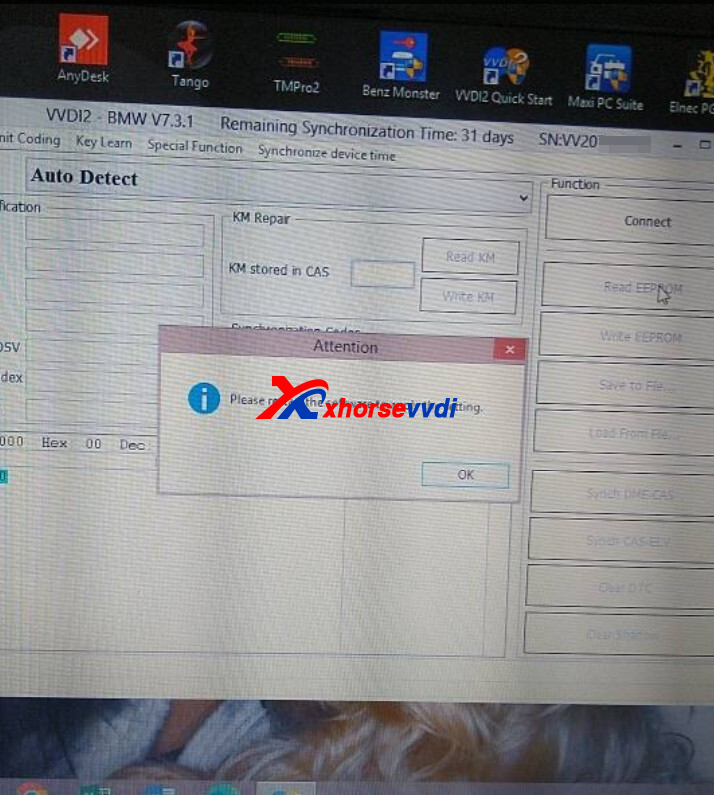
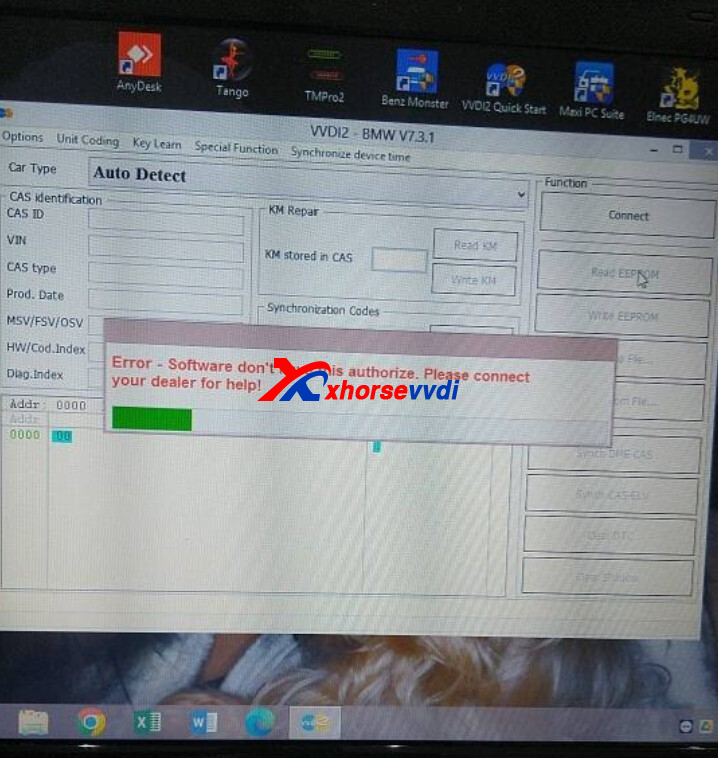
Here Xhorsevvdi tech answers:
1.Make sure VVDI2 version is the latest (V7.3.1 software,V7.3.0 firmware)
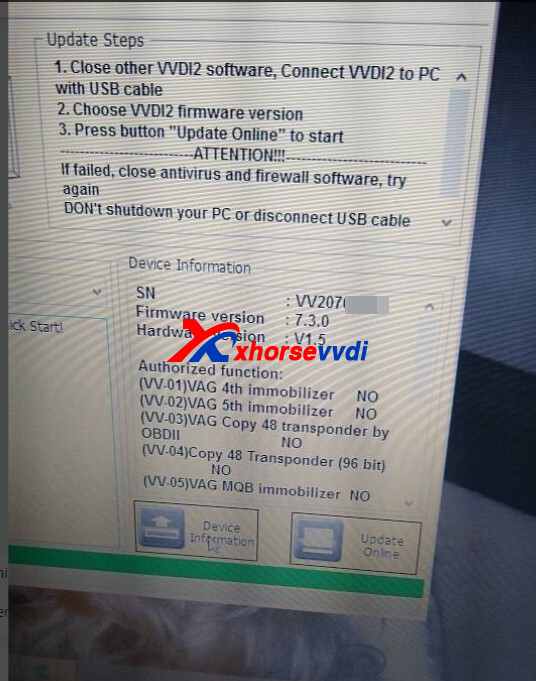
2.Make sure BWM CAS OBD the basic function of VVDI2 is activated
http://blog.xhorsevvdi.com/why-xhorse-bmw-motorcycle-not-activated-after-license-purchase/
Posted by: xhorsevvdi at
09:09 AM
| No Comments
| Add Comment
Post contains 58 words, total size 2 kb.
V5.2.6 VVDI PROG is released, get the free download link from Xhorsevvdi.
1. Free Download V5.2.6 VVDI PROG Software
2.V5.2.6 VVDI Prog Update (2023-3-24)
*ThisversionDON’tneedupdatefirmware
*Thesoftwareaddedthefunction ofsavingreaddatatotemporary fileifreaddatafails
*ModifyMQB-LOCK(D70F35xx)
optionin
<5-DASHBOARD>-><VOLKSWAGEN>:
Optimizetheprocessand Wiringdiagramupdate
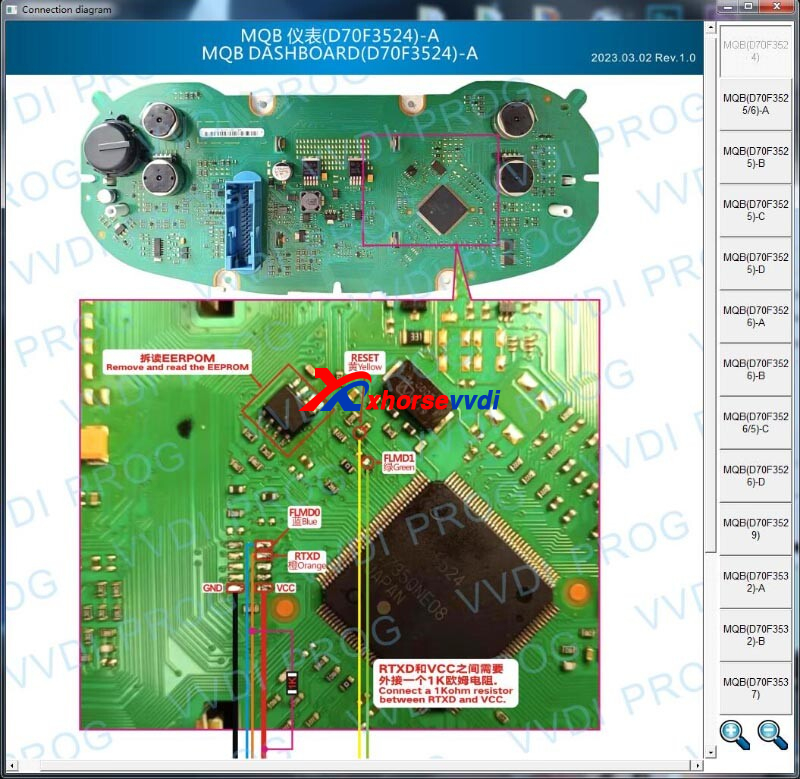
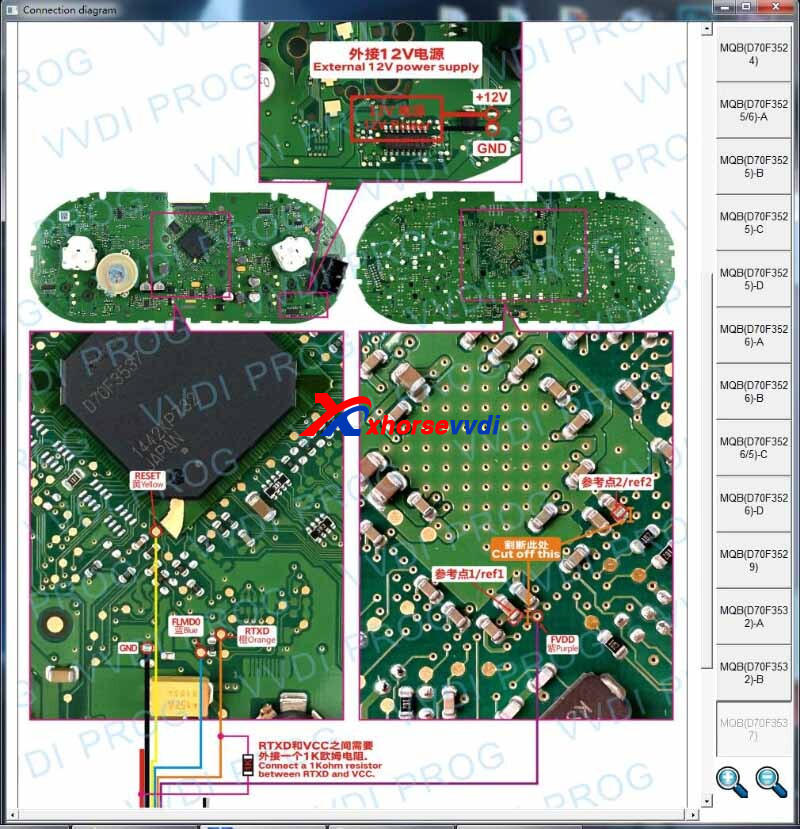
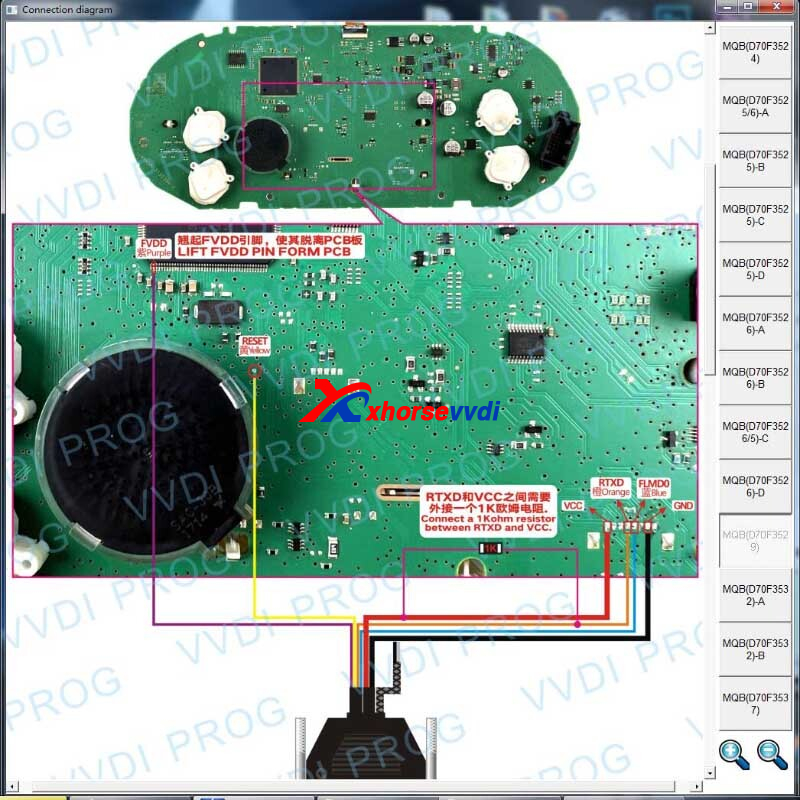
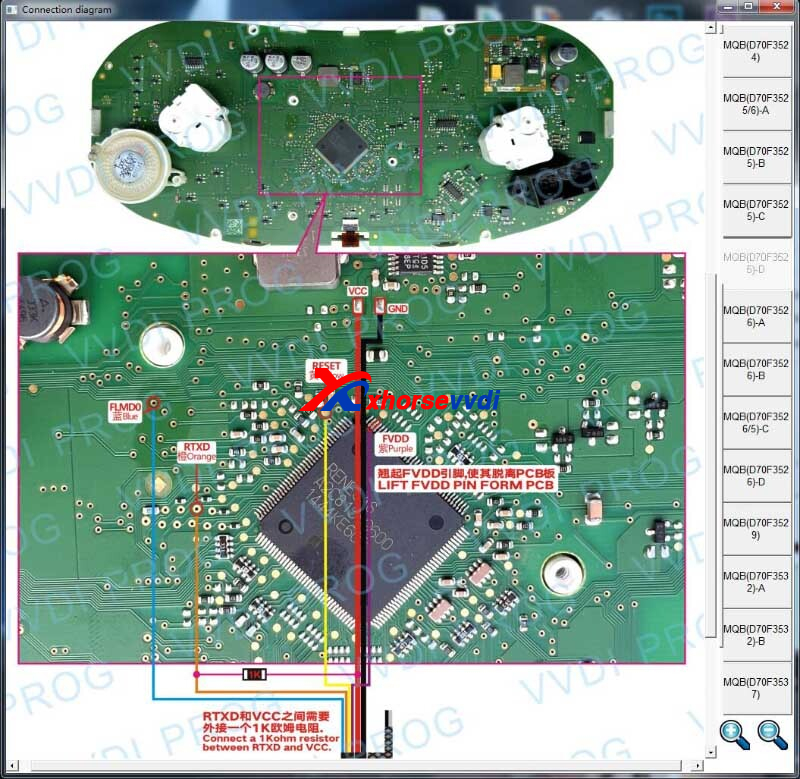
Posted by: xhorsevvdi at
09:09 AM
| No Comments
| Add Comment
Post contains 44 words, total size 2 kb.
Xhorse MQB48 License for VVDIPROG+VVDI2/ VVDI Key Tool Plus is released. With license we could get immobilizer data by reading NEC35xx chip data from dashboard.
Here we will show you a step-by-step guide:
Instrument Chip:
D70F35XX
Dashboard PCB:
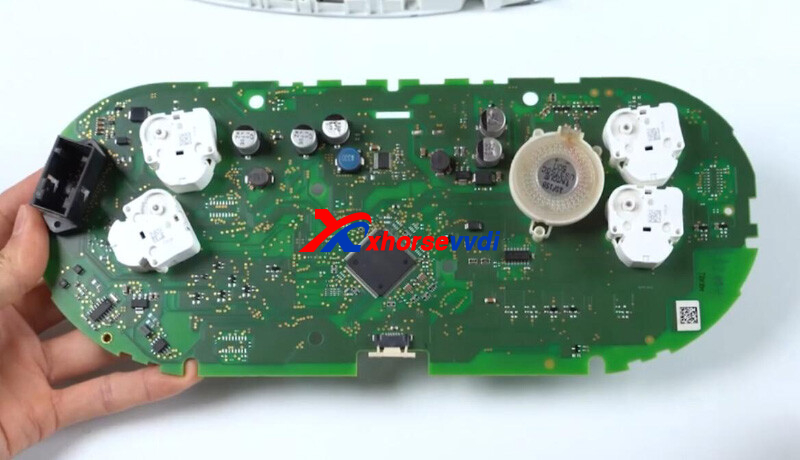
Path:
Immo programming>>VW>>Select by Type>>MQB instrument immo system>>Instrument-MQB48(VDO/JCI-NEC35xx lock)
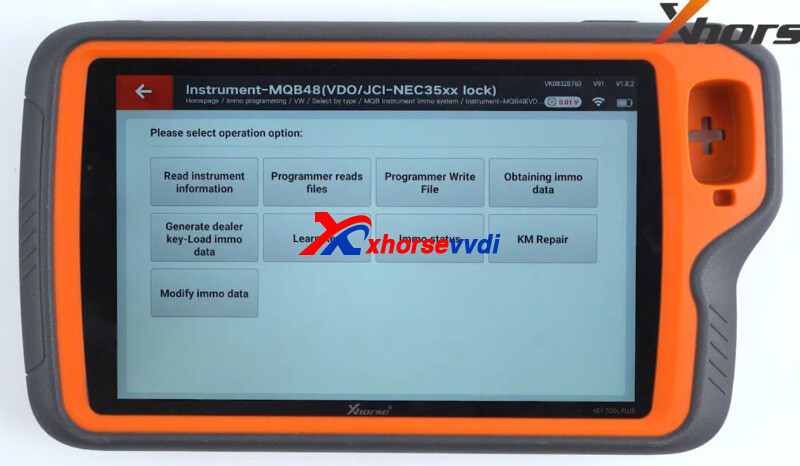
1.Read Dashboard
*Network connection is required
Go to
Programmer reads file>>Read NEC35xx chip
Check diagrams on the left.
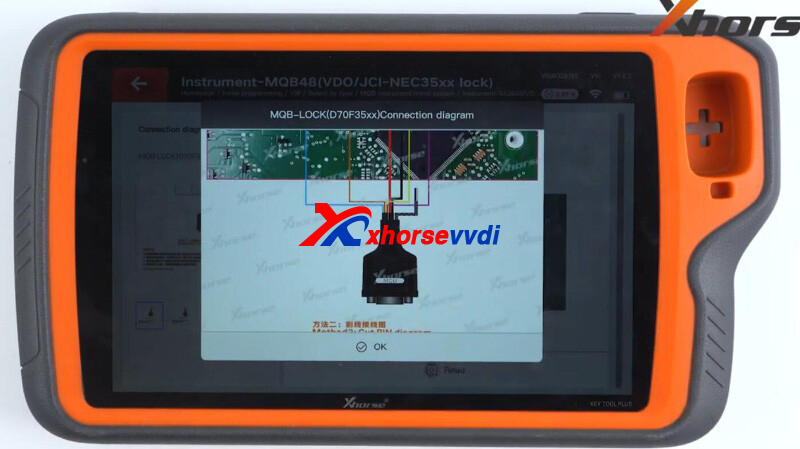
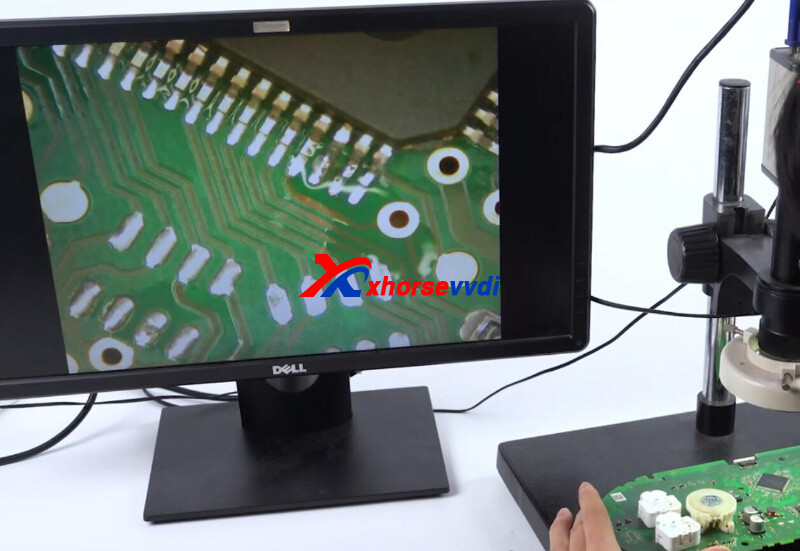
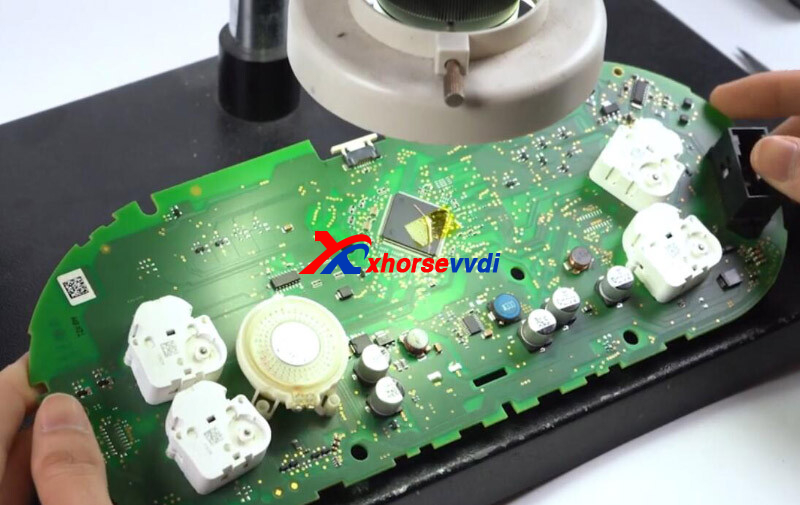
Here we read it by lifting pin.
Daub scaling powder on the pin to be lifted.
Slightly lift up pin using hot-air gun and knife.
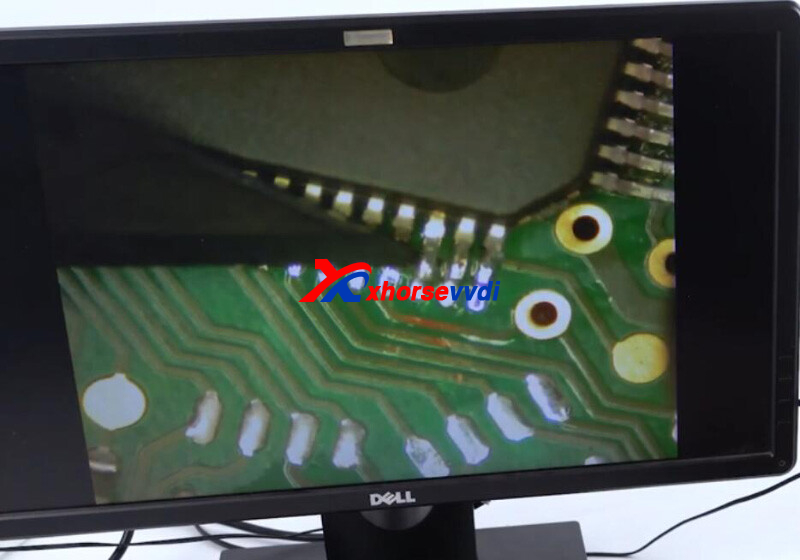
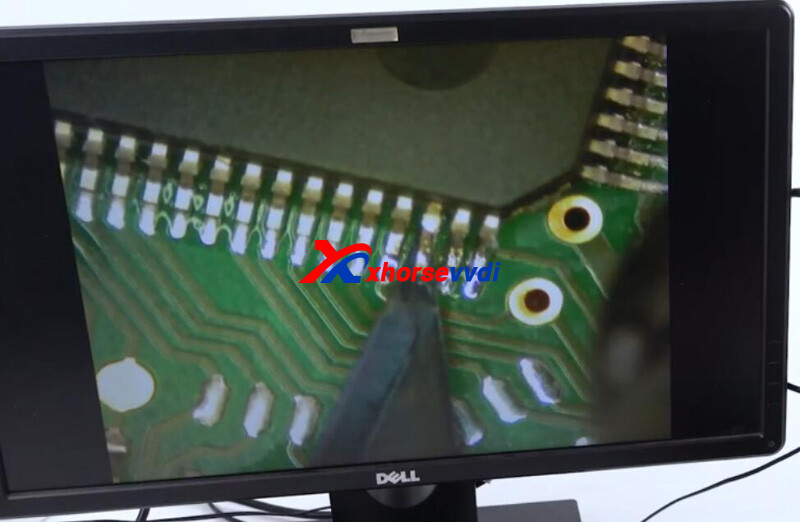
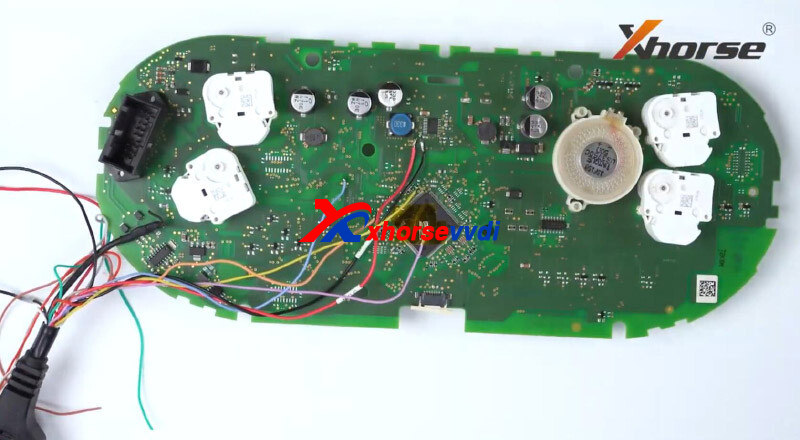
Solder a wire to chip so it could communicate with tool.
Solder rest wires to chip by diagrams.
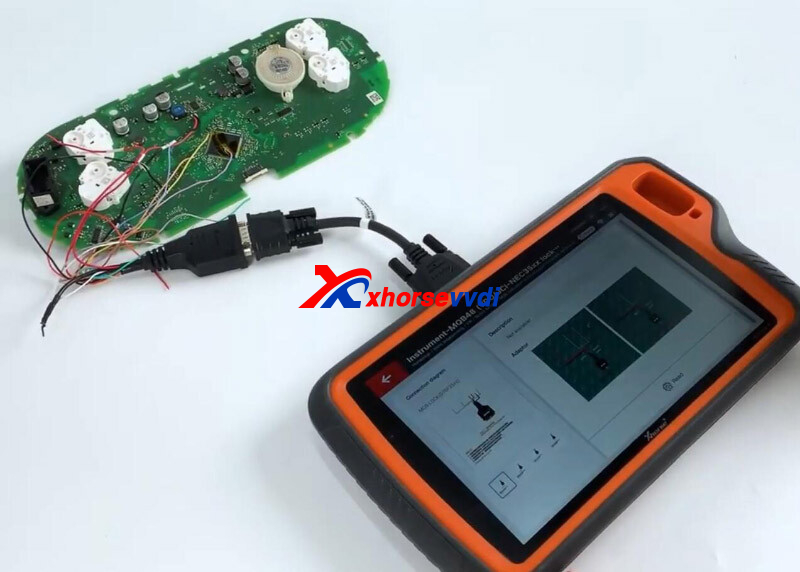
Connect PCB to Key Tool Plus Pad by a DB15 cable.
Read data.
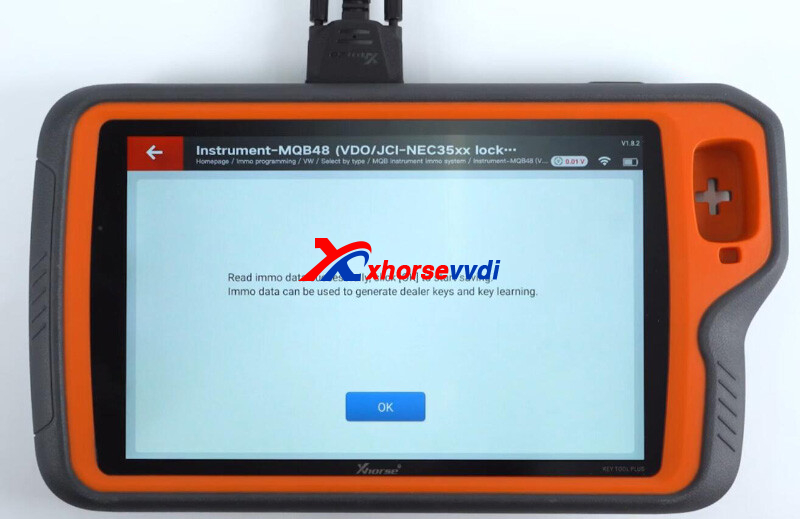
2.Add Key
Go to "Generate dealer key-Load immo data".
Load chip data.
Select
VW>>Prepare normal dealer key>>Add key - You should have a working key
Insert new key into coil.
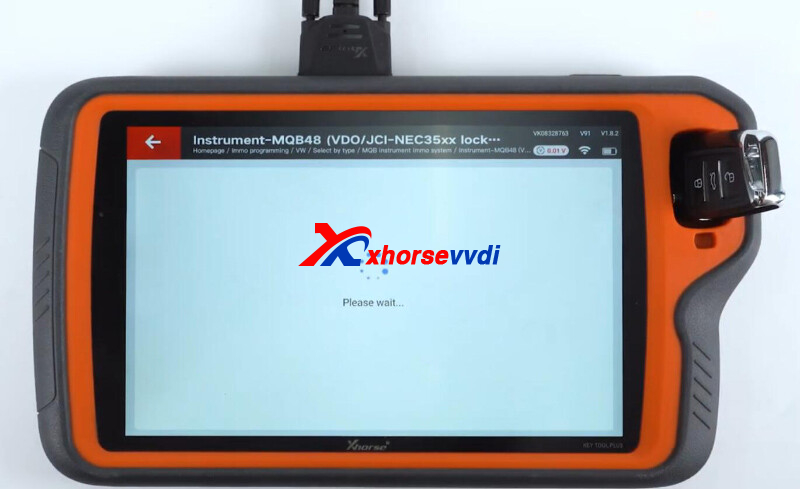
Done! That's how we read MQB48 immobilizer data using Xhorse Key Tool Plus.
http://blog.xhorsevvdi.com/how-vvdi-key-tool-plus-read-mqb48-d70f35xx-immo-data/
Posted by: xhorsevvdi at
09:08 AM
| No Comments
| Add Comment
Post contains 175 words, total size 5 kb.
Question:
Is VVDI Key Tool Plus possible to renew W203EDC15C6ECU?
Answer:
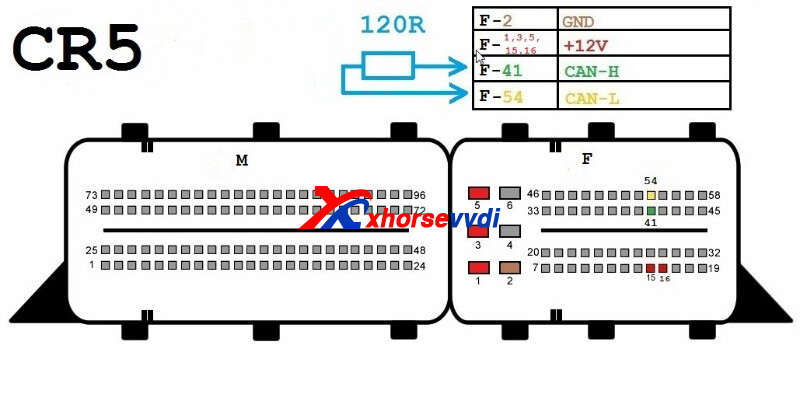
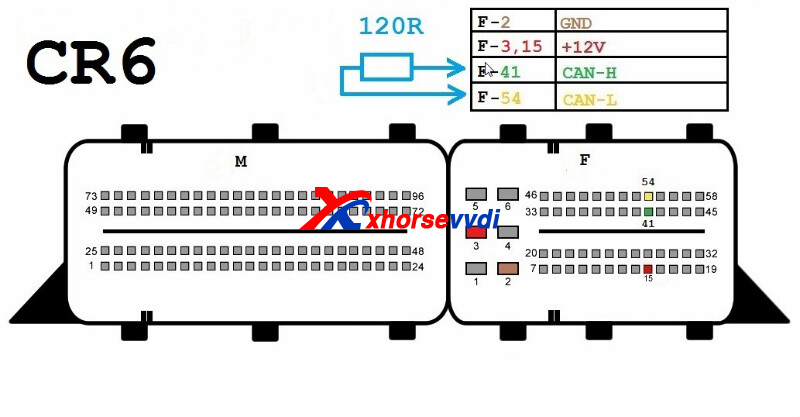
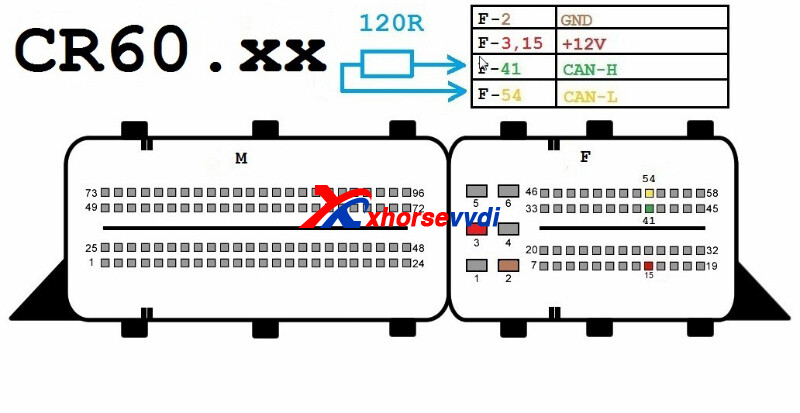
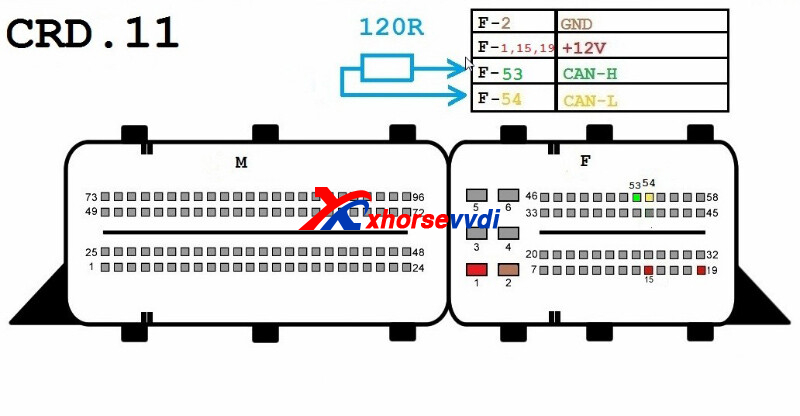
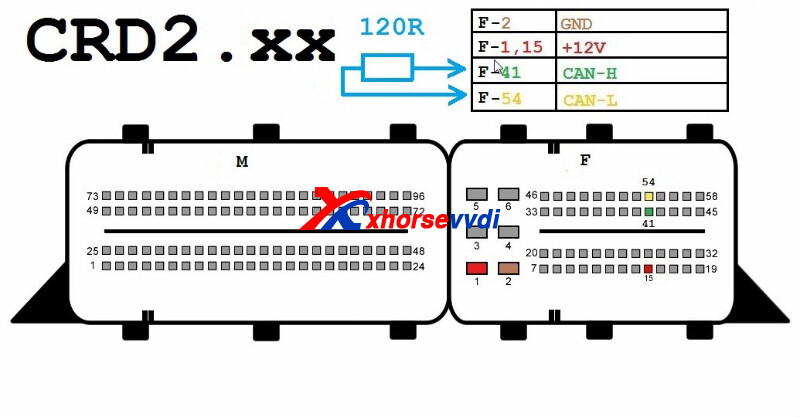
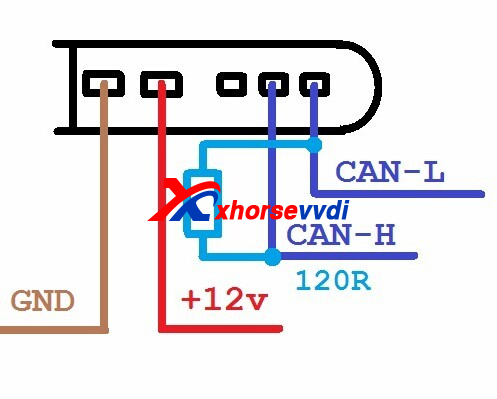
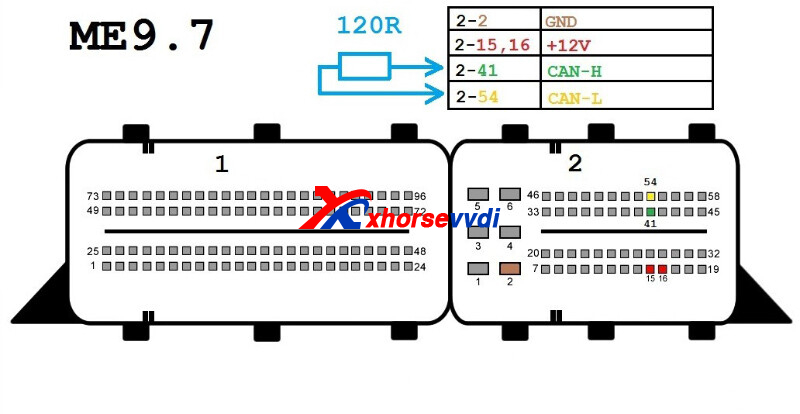
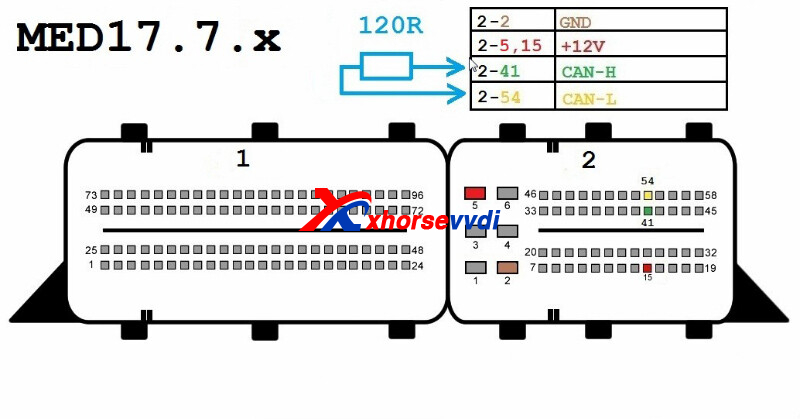
Check pinouts and ecu list below.
Here Xhorsevvdi shares
Pinouts:
7G
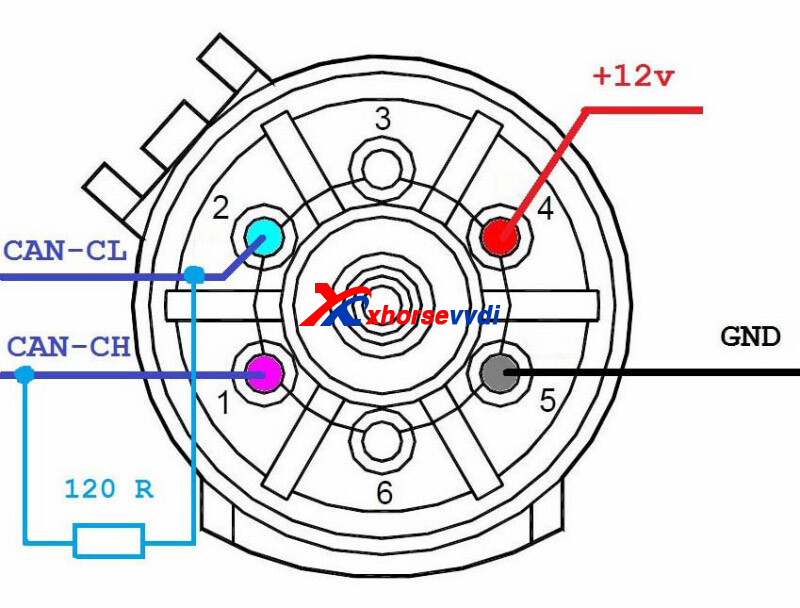
CR3.XX
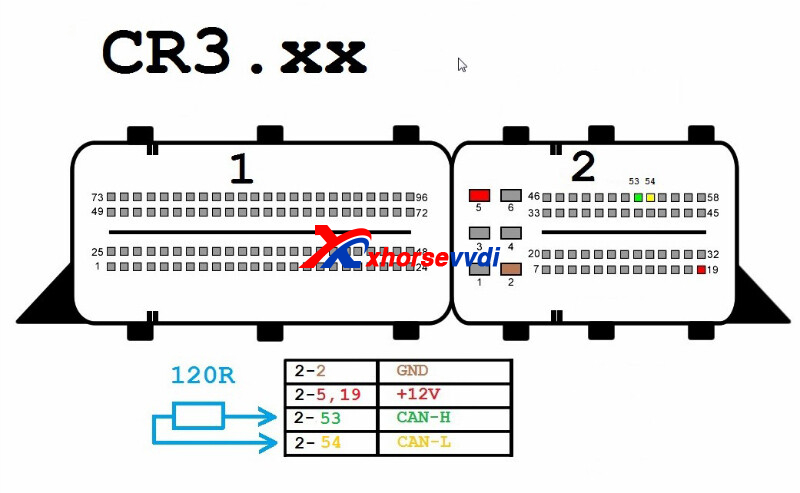
CR4.XX
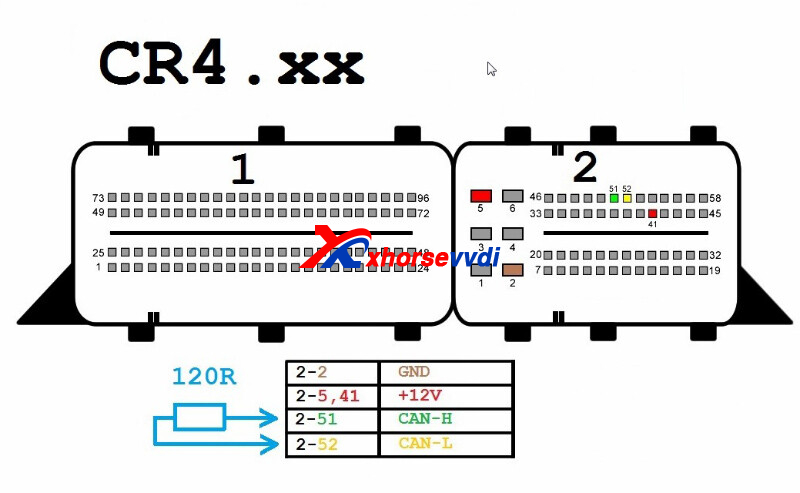
CR5
CR6
CR60.XX
CRD.11
CRD2.XX
ISM
ME9.7
MED17.7.X
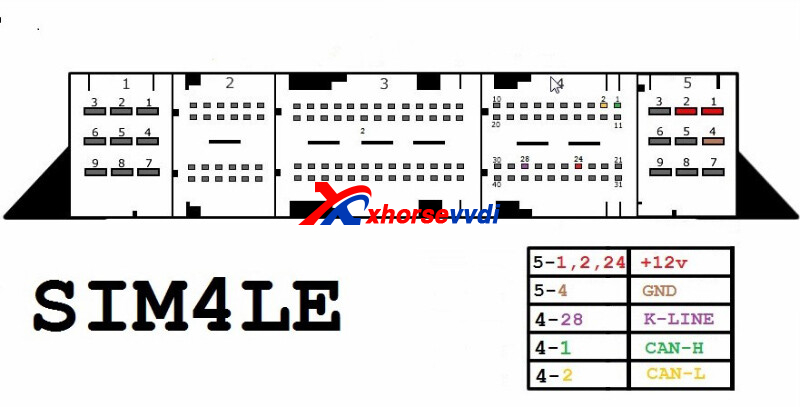
SIM4LE
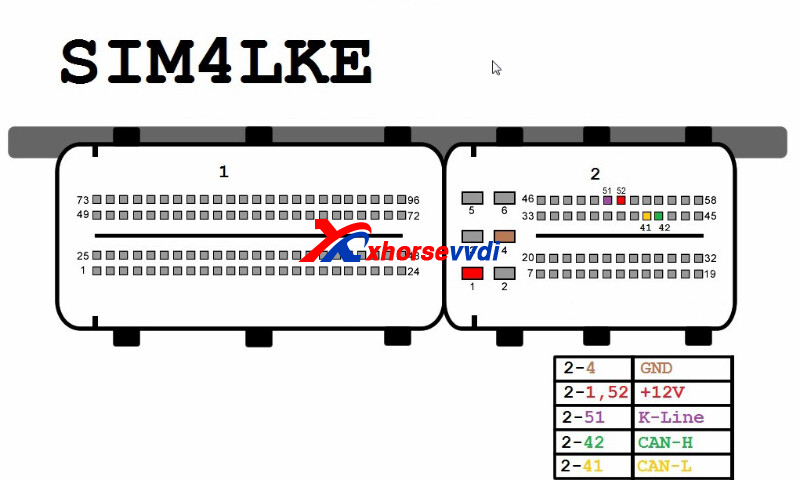
SIM4LKE
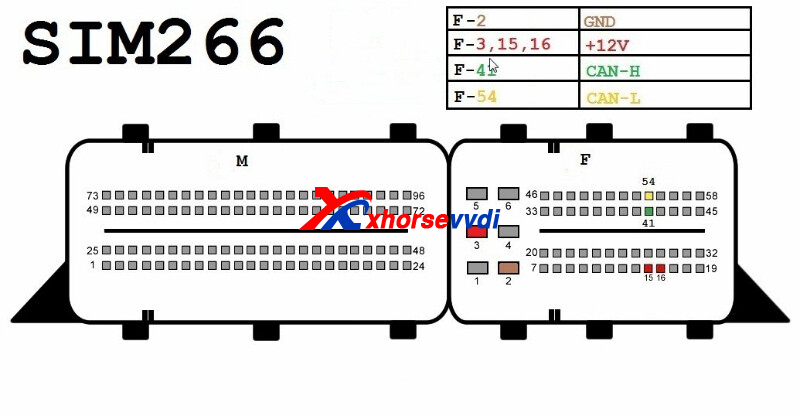
SIM266
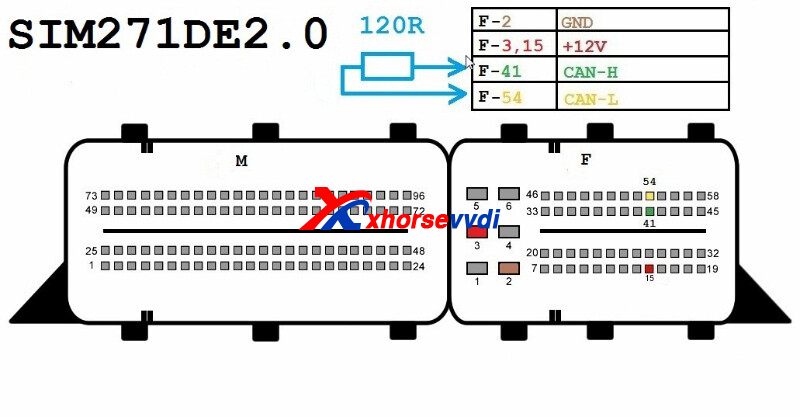
SIM271DE2.0
SIM271KE2.0
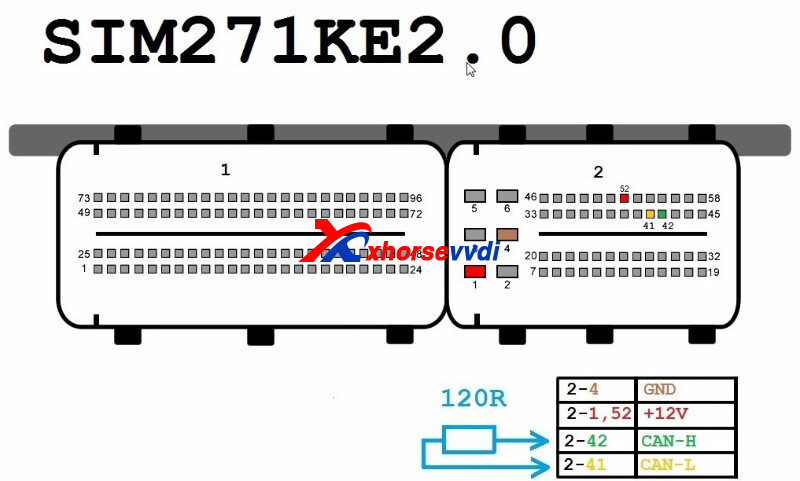
Posted by: xhorsevvdi at
09:08 AM
| No Comments
| Add Comment
Post contains 49 words, total size 5 kb.
Question:
Is VVDI Key Tool Plus possible to renew W203EDC15C6ECU?
Answer:
Check pinouts and ecu list below.
Here Xhorsevvdi shares
Pinouts:
7G
CR3.XX
CR4.XX
CR5
CR6
CR60.XX
CRD.11
CRD2.XX
ISM
ME9.7
MED17.7.X
SIM4LE
SIM4LKE
SIM266
SIM271DE2.0
SIM271KE2.0
Posted by: xhorsevvdi at
09:07 AM
| No Comments
| Add Comment
Post contains 49 words, total size 5 kb.
32 queries taking 0.0502 seconds, 131 records returned.
Powered by Minx 1.1.6c-pink.

