



May 29, 2023
One customer gave feedback that when I program the button on the box, Key Tool Max Pro does not work. He would like to change trunk button of an XM38 Toyota Key.
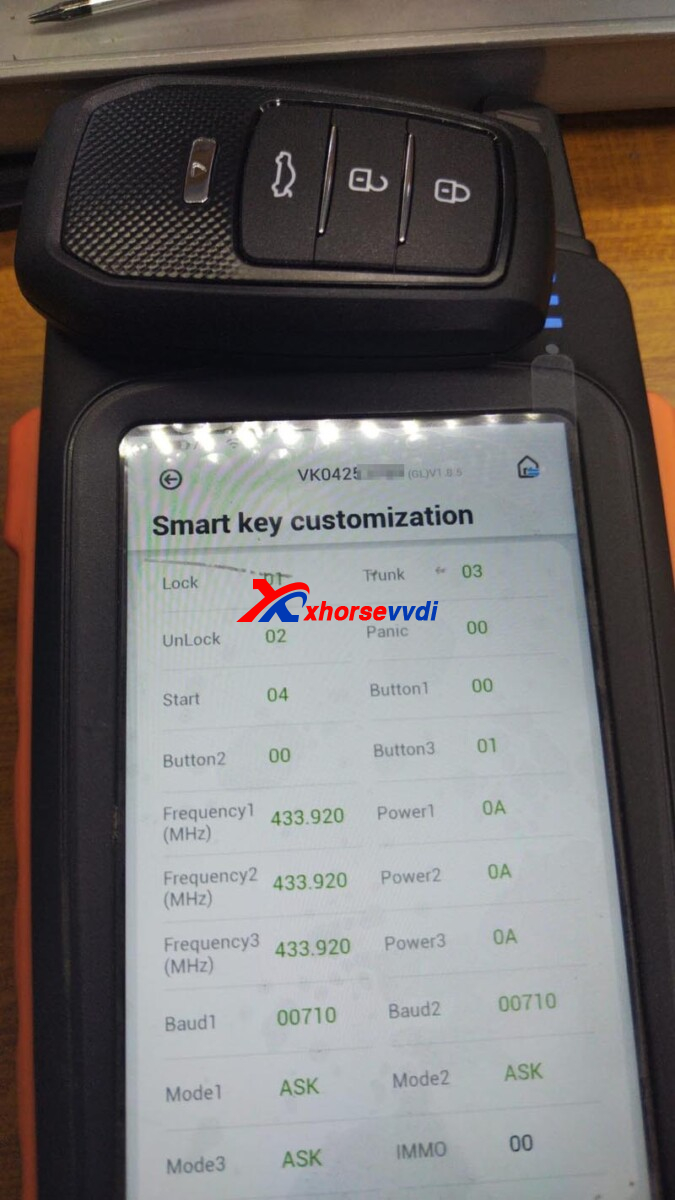
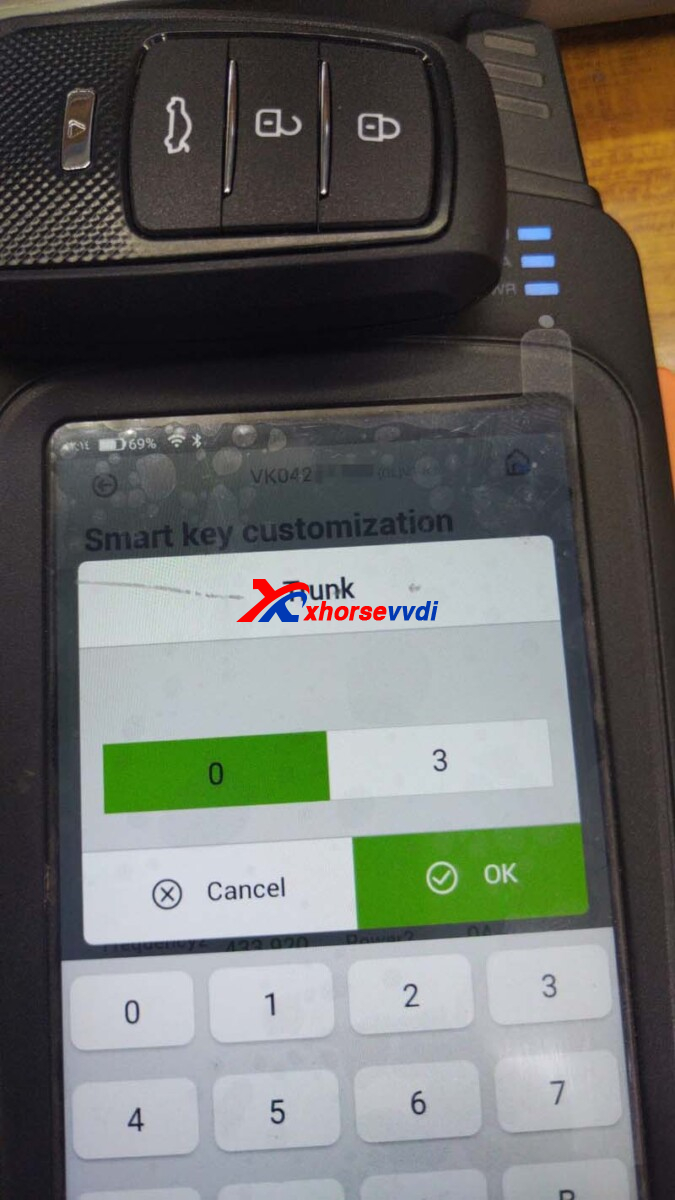
Here is the Solution:
Change button setting by
Selecting
Special Function>>VVDI remote function>>Toyota smart key setting
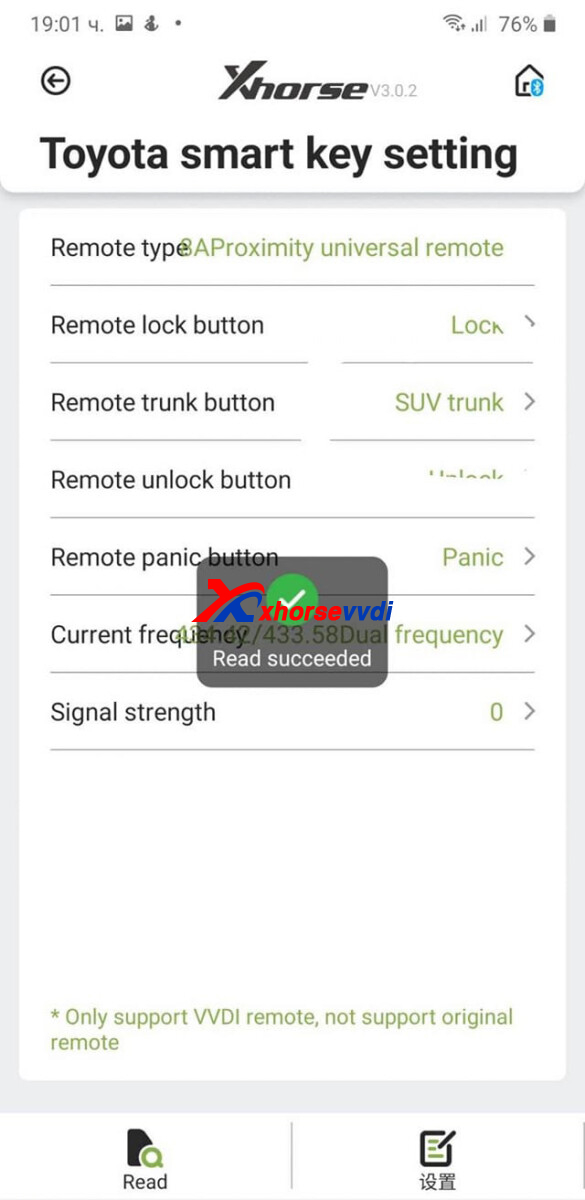
*Smart key customization is designed for NXP-smart Key
Hope this could help!
http://blog.xhorsevvdi.com/fixed-key-tool-max-pro-program-xm38-toyota-key-button-not-working/
Posted by: xhorsevvdi at
09:51 AM
| No Comments
| Add Comment
Post contains 73 words, total size 2 kb.
Question:
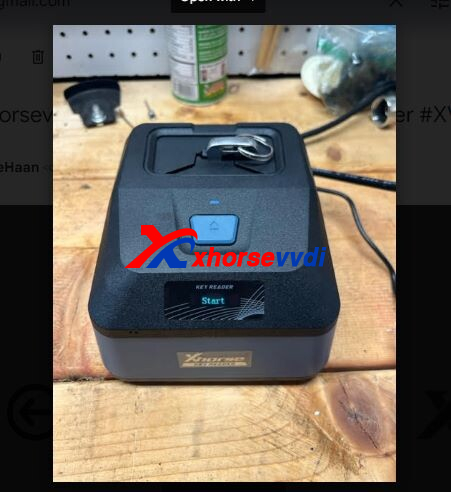
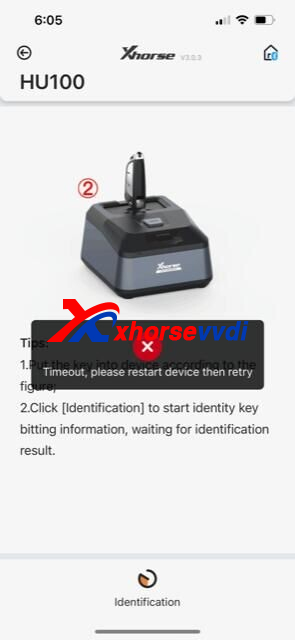
The Xhorse Key Reader I received is not working properly. When I connect to reader through Xhorse App, insert a key as instructed, and start the process, it keeps telling me the device timed out and to restart the device.
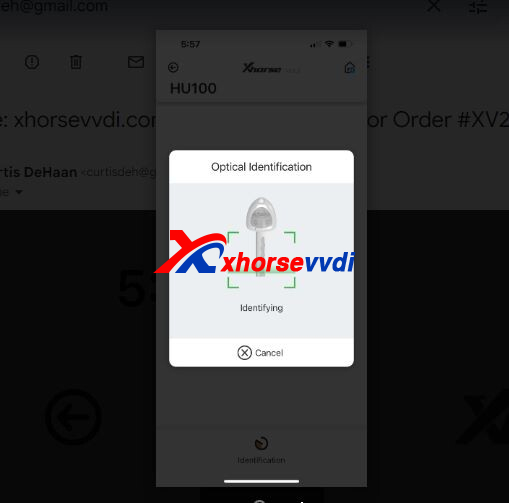
Here is the Solution:
Restart Key Reader, try other options, and check if blade is inserted correctly as the prompt.
http://blog.xhorsevvdi.com/how-to-solve-xhorse-key-reader-timeout-error/
Posted by: xhorsevvdi at
09:50 AM
| No Comments
| Add Comment
Post contains 70 words, total size 1 kb.
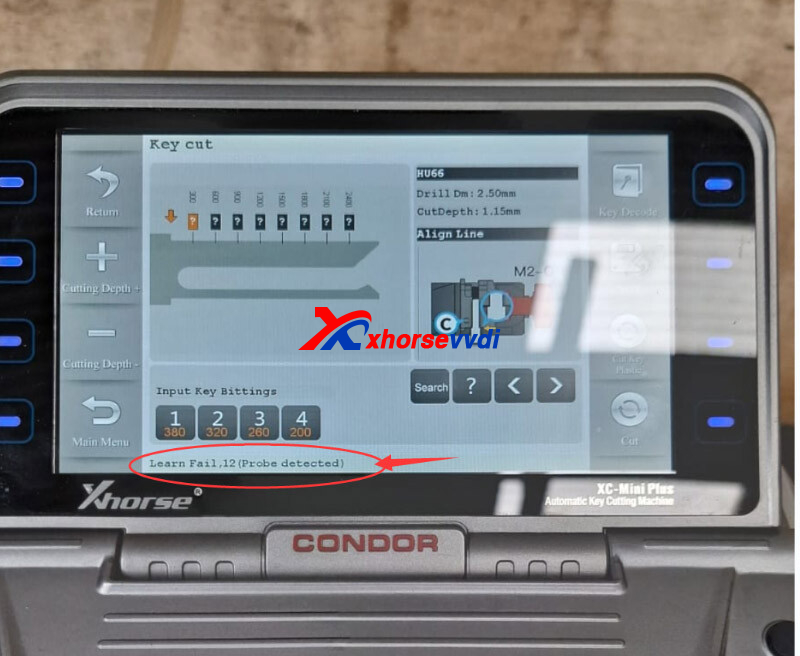
One customer gave feedback that his Condor Mini Plus could not detect key and it said "Learn Fail:12 (probe detected)".
Here Xhorsevvdi tech shares
Reason:
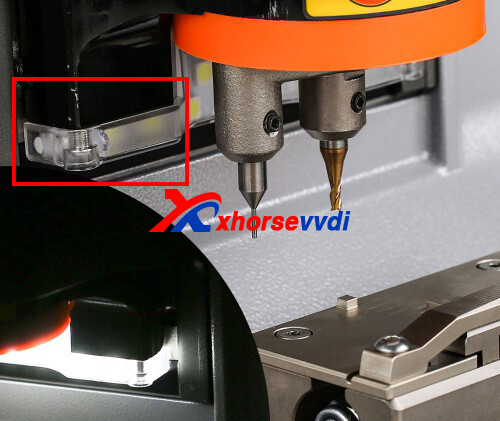
Machine is short-circuited.
Solution:
Clean LED cover and remove metal filings inside.
Posted by: xhorsevvdi at
09:50 AM
| No Comments
| Add Comment
Post contains 47 words, total size 1 kb.
Question:
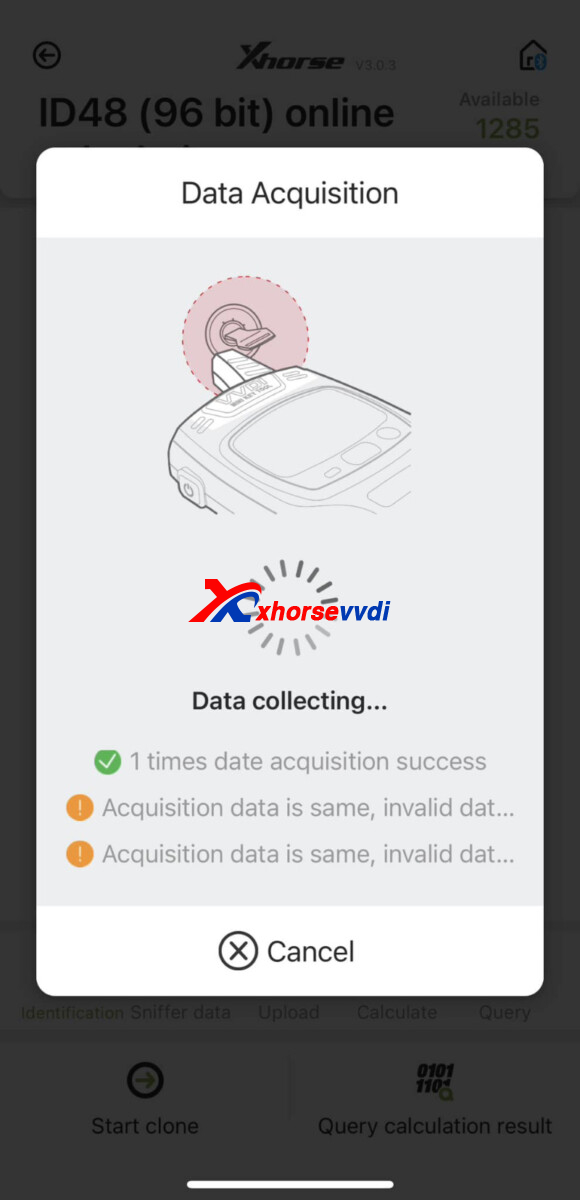
Xhorse VVDI Mini Key Tool, Volvo XC90 when I try to clone id48 I have this and cannot read other 7. What is problem?
Here Xhorsevvdi tech shares
Solution:
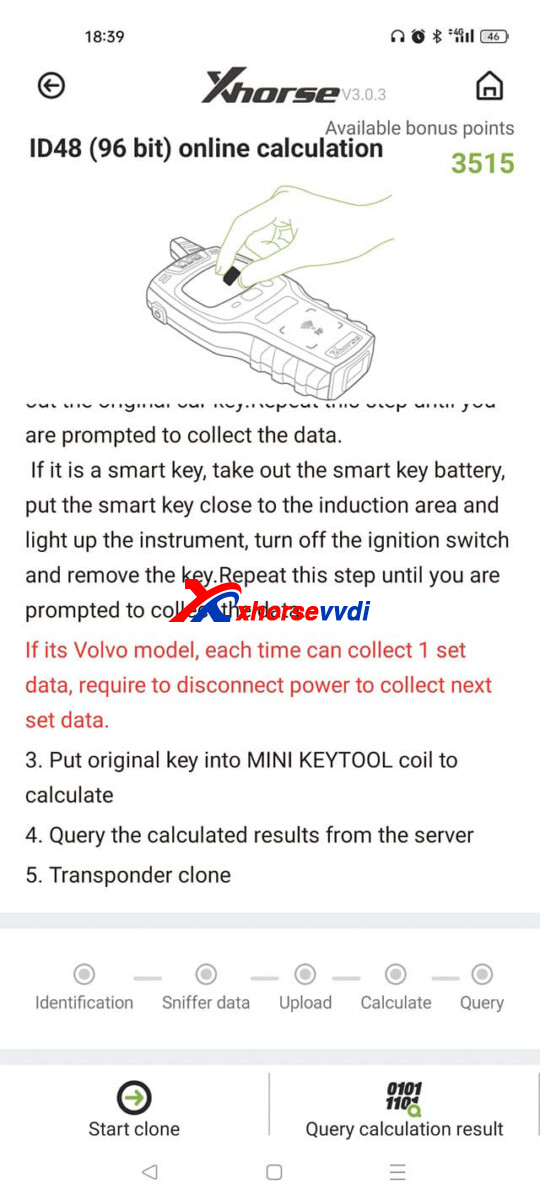
1.Pull out the key after each collection, wait some 1-2 minutes for hearing the immo relay, and continue
2.Or take out the power and put back after each collection
After every read; ignition off, battery terminal off, wait 5 seconds, battery terminal on, ignition on.
Hope this could help!
http://blog.xhorsevvdi.com/how-to-do-id48-96bit-online-clone-on-volvo-vehicle/
Posted by: xhorsevvdi at
09:49 AM
| No Comments
| Add Comment
Post contains 90 words, total size 1 kb.
Xhorse MVCI PRO J2534 Cable is a new passthru VCI supporting multiple software. So, as upgraded version of MVCI 3-in-1, what are its features over old one?
MVCI PRO vs. MVCI 3-in-1
| MVCI PRO | MVCI 3-in-1 | |
| Image | 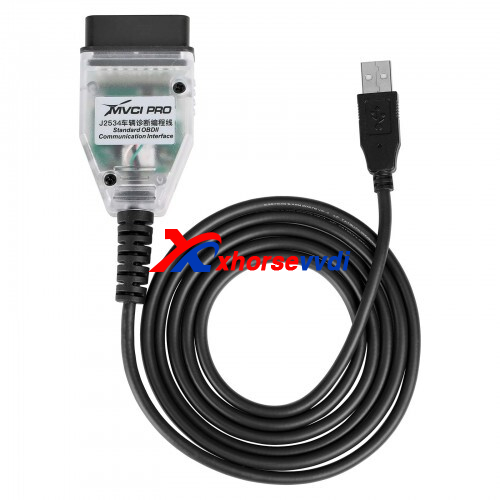 |
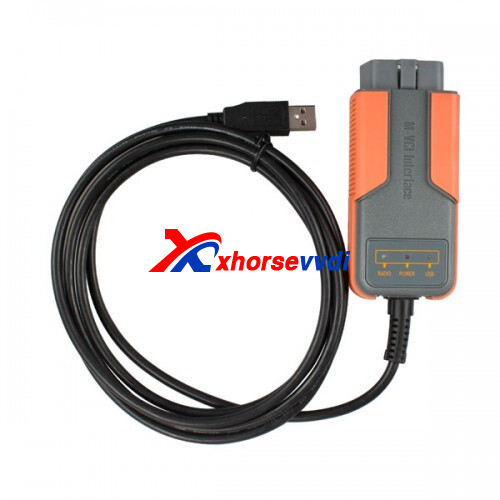 |
| PCB | 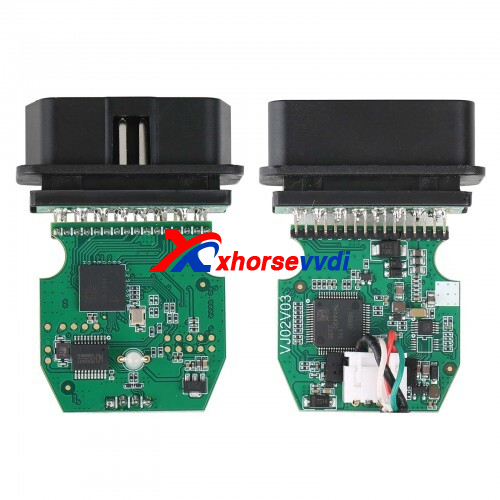 |
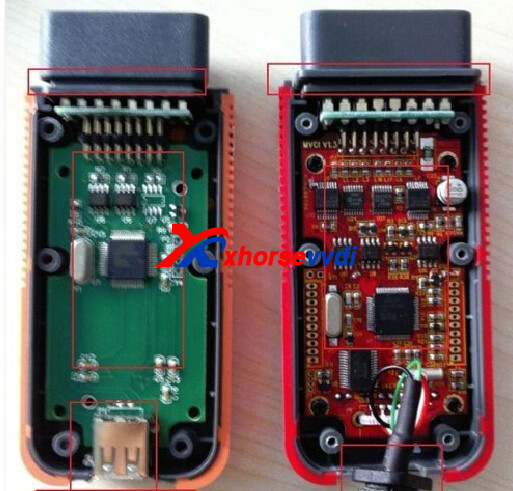 |
| Price | 99USD | 89USD |
| Software | MVCI PRO | MVCI |
| Update | Online Download | CD |
| OS | WIN7/10/11 | WIN XP |
| SAE J2534 | √ | √ |
| D-PDU | √ | × |
| Compatible Software | ODIS,TIS,HDS,SSM4,IDS | TIS,HDS,VIDA |
The way to install software is optimized and more software is added.
http://blog.xhorsevvdi.com/xhorse-j2534-cable-mvci-pro-vs-mvci-3-in-1/
Posted by: xhorsevvdi at
09:48 AM
| No Comments
| Add Comment
Post contains 87 words, total size 2 kb.
May 11, 2023
Xhorse MVCI PRO J2534 Passthru Cable supports multiple diagnosis software, which includes ODIS, TIS, HDS, IDS...
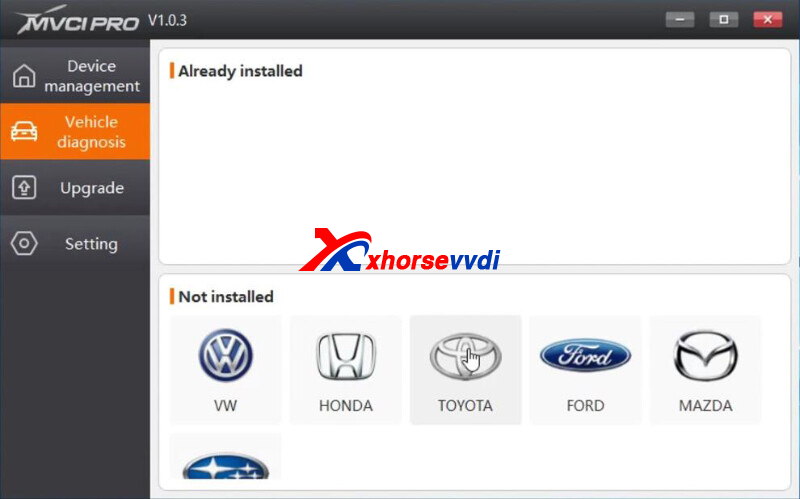
Here we will show you how to use it.
Software:
MVCI PRO V1.03 (e.g. with HDS V3.104)
Vehicle:
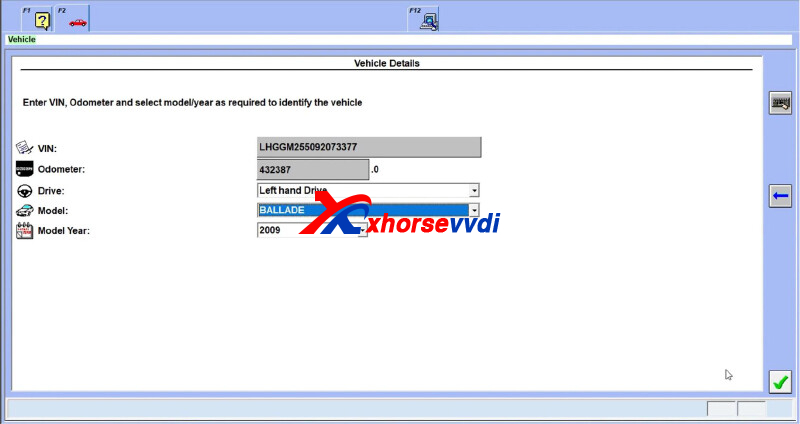
Honda Ballade 2009
Process:
Install HDS V3.104.
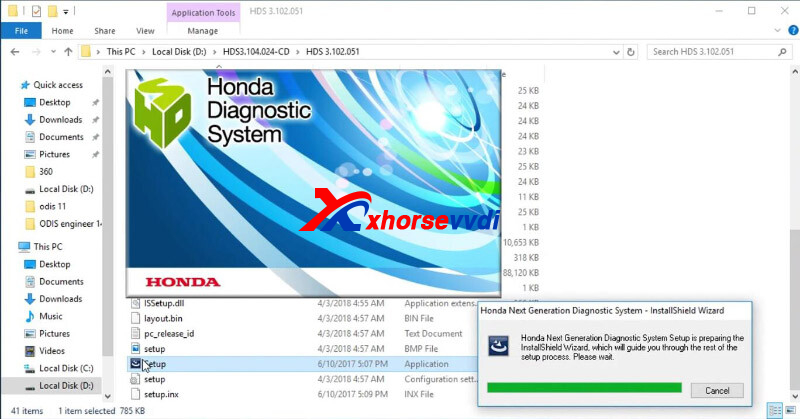
Install MVCI PRO V1.03.
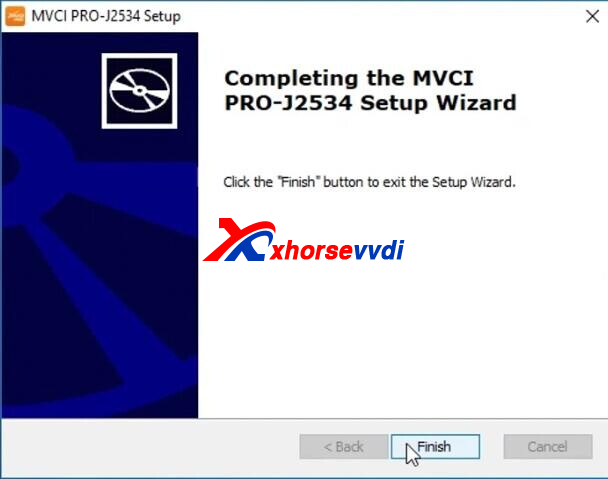
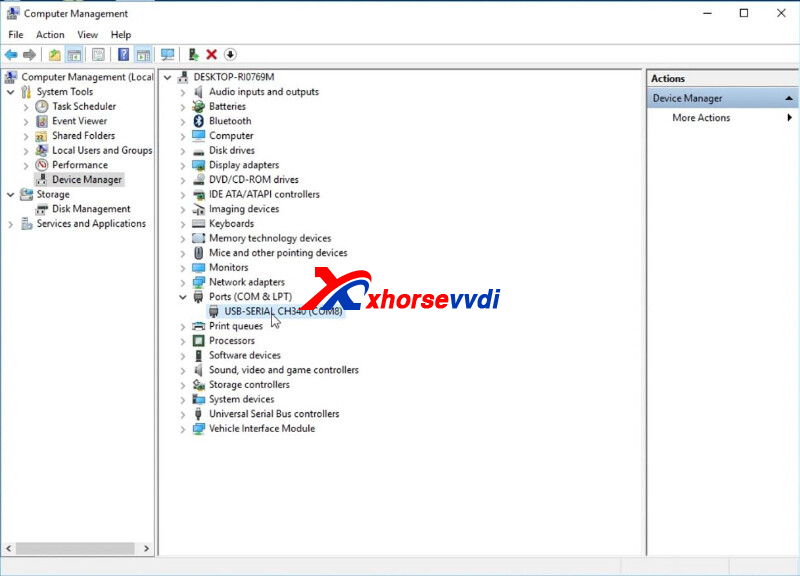
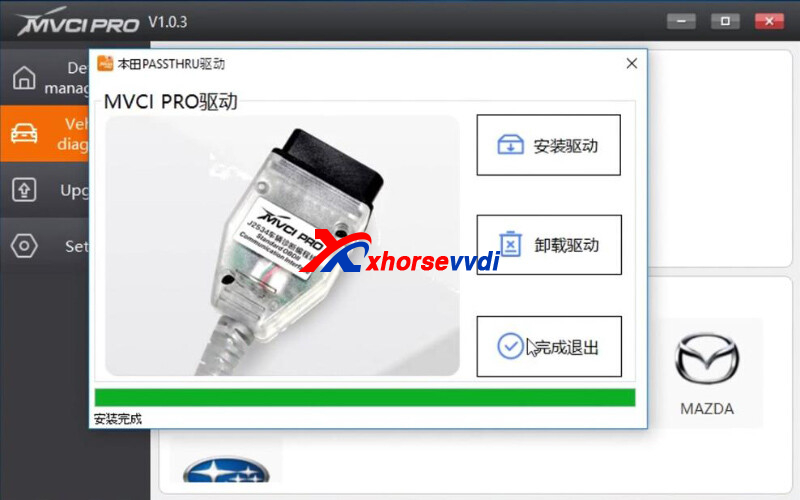
Make sure driver is installed successfully.
Run "MVCI PRO" software.
Connect
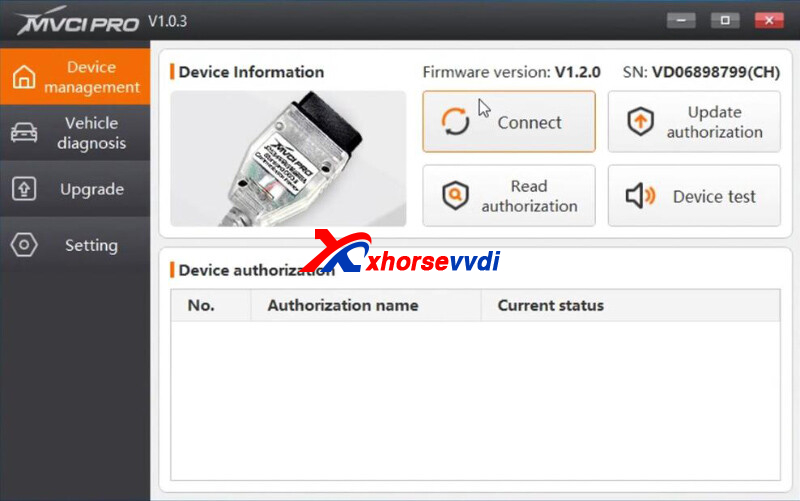
Update and Read authorization.
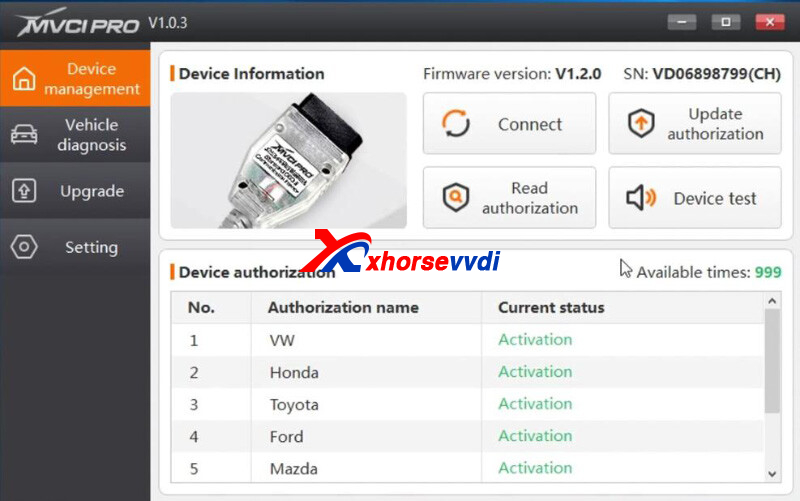
Make sure software and firmware are the latest version,
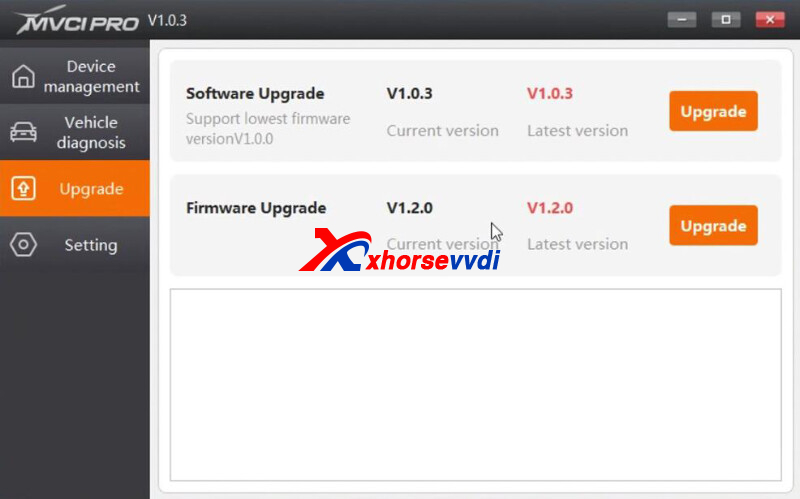
Go to "Vehicle diagnosis", click car make to install passthru driver.
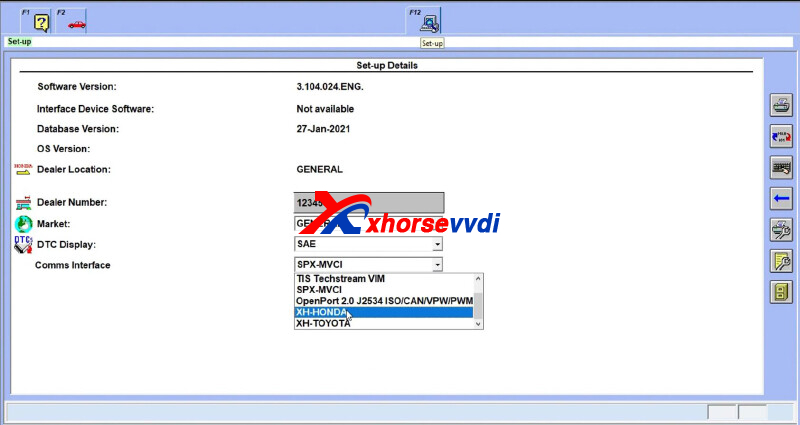
Run HDS, select "XH-HONDA" on "Comms Interface".
Enter vehicle info.
 How To Use Xhorse Mvci Pro J2534 With Diagnosis Software 10
Diagnostic screen.
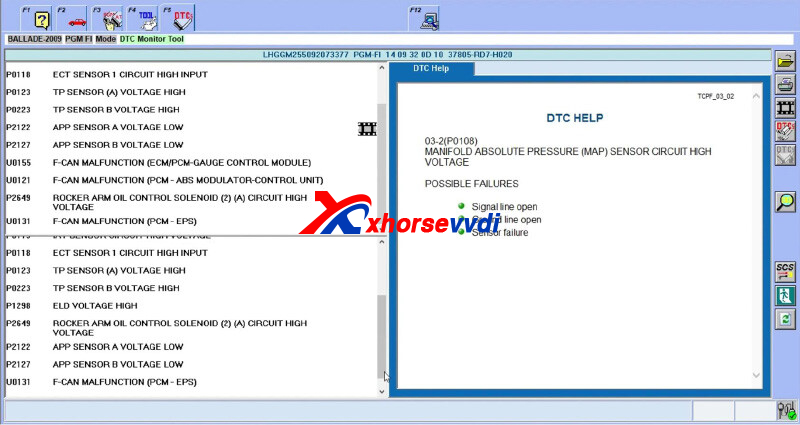
Done!
http://blog.xhorsevvdi.com/how-to-use-xhorse-mvci-pro-j2534-with-diagnosis-software/
Posted by: xhorsevvdi at
09:12 AM
| No Comments
| Add Comment
Post contains 115 words, total size 4 kb.
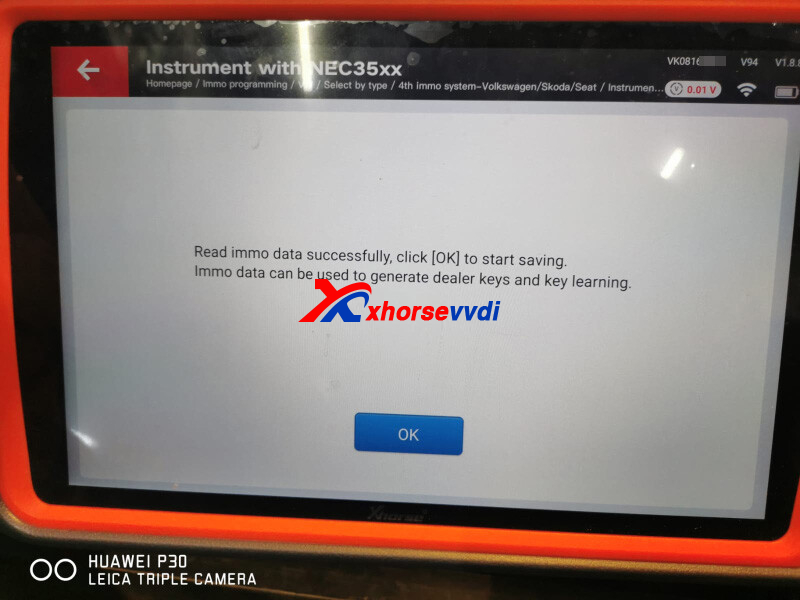
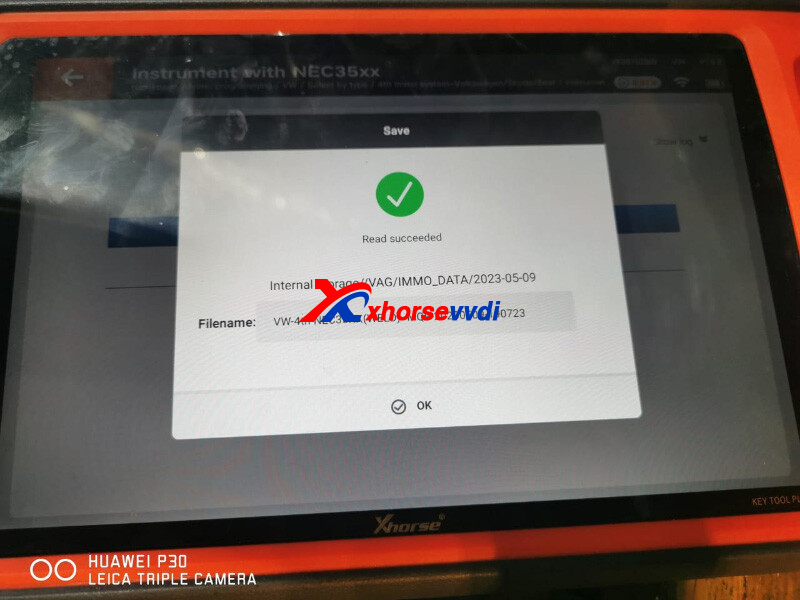
With the latest update on VW IMMO4 dashboard, Xhorse MQB48 License allows user to read/ write NEC35XX immo data from 4th-generation VW.
Here is a review: read Vento immo data with key too plus ok.
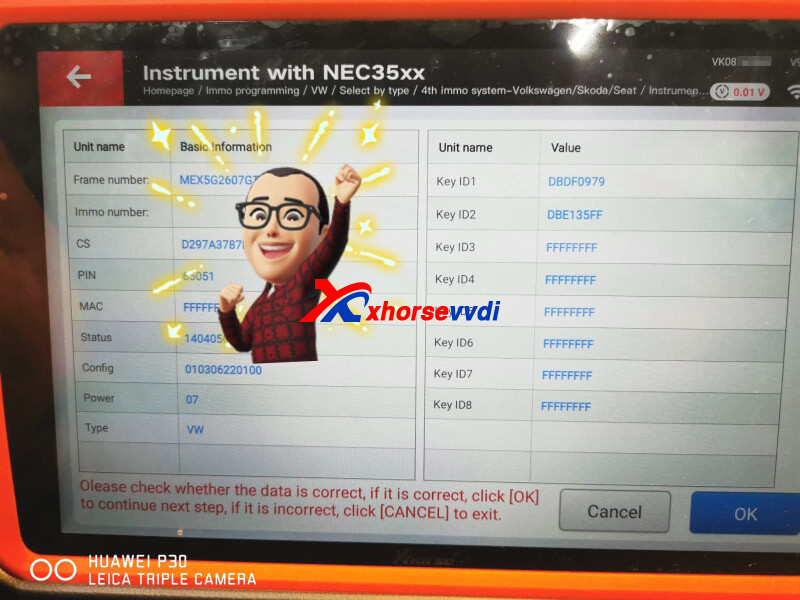
Vehicle Info:
VW Vento 2016 4th IMMO system
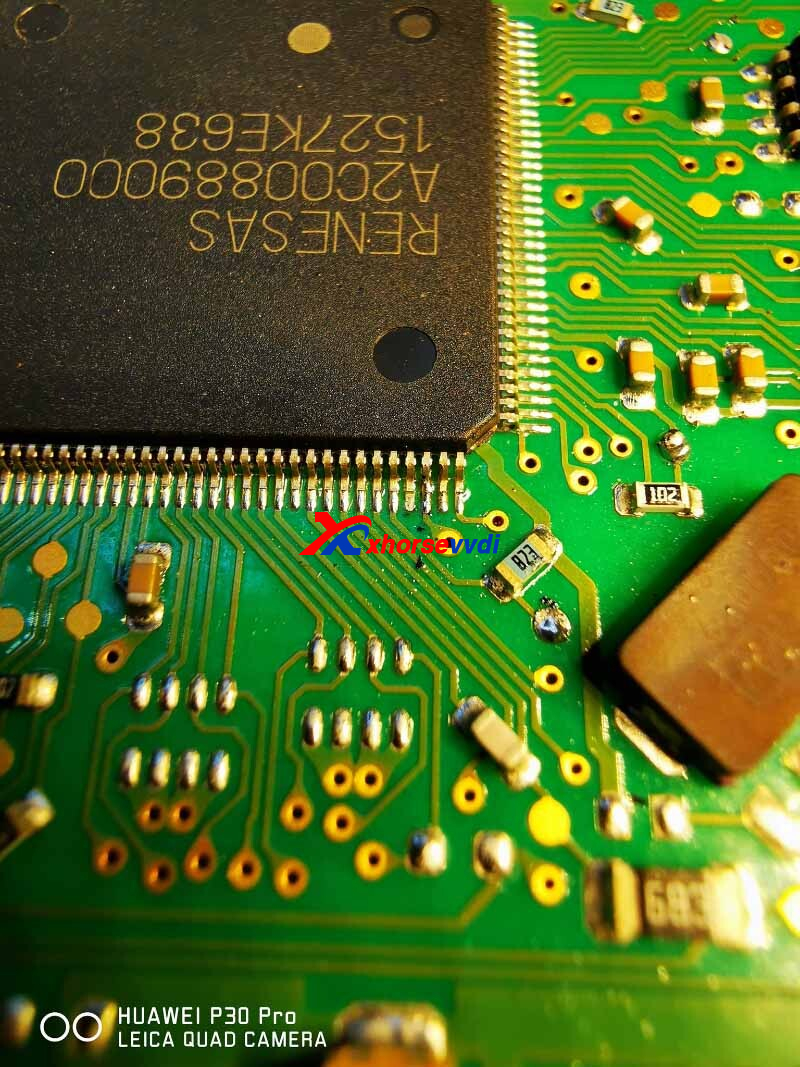
Connect to dashboard chip and cut pin.
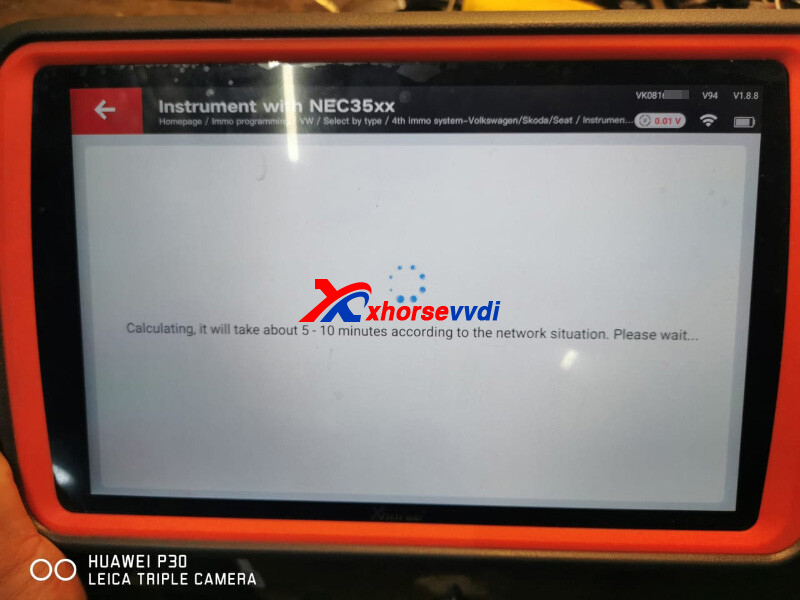
Key Tool Plus is calculating immo data, in this case synchronization file is not required.
Save data.
Posted by: xhorsevvdi at
09:10 AM
| No Comments
| Add Comment
Post contains 79 words, total size 2 kb.
Xhorse MVCI PRO J2534 Cable is designed for replacing OEM devices to complete diagnosis and programming.
Free Download Xhorse MVCI PRO J2534
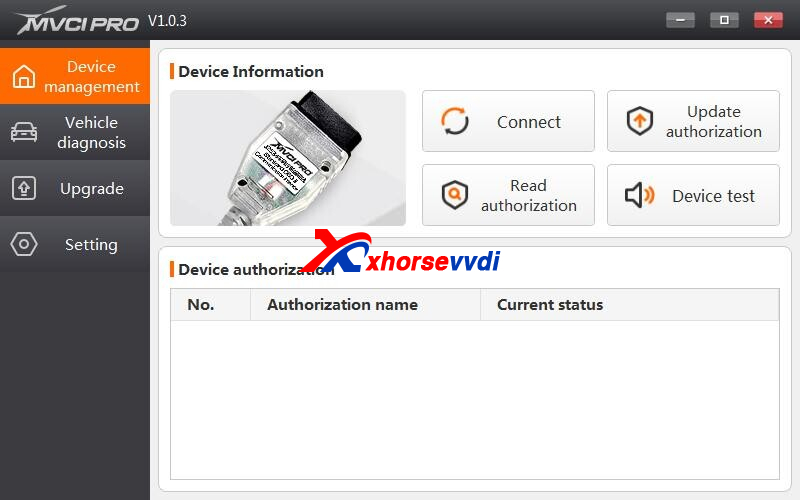
How to Use MVCI PRO J2534 Cable?
1.Download and install OEM diagnosis software, which is not included in the package
2.Download and install MVCI PRO J2534 software
3.Connect cable to vehicle with OEM and MVCI PRO software on computer
4.Click [Connect], software will show device information including firmware version, SN number etc.
[Read authorization] shows authorization status and available times (Note: when available times show "0", most functions will be limited)
[Update authorization] Update to the latest status and reset available times
5.Install OEM software in [Vehicle diagnosis], operate on OEM software after successful installation
6.Check version info, update software and firmware, etc. in [Upgrade]
7.Switch language, open and save logs, etc. in [Setting]
Posted by: xhorsevvdi at
09:10 AM
| No Comments
| Add Comment
Post contains 140 words, total size 2 kb.
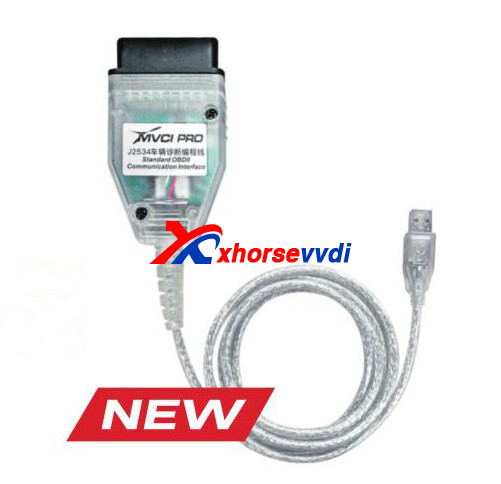
Xhorse MVCI PRO J2534 is a new J2534 cable for diagnosis and programming.
Compatible OEM Software:
| Diagnosis Software | Make |
| ODIS (Support PDU protocol, replace VAS6154) | VW, Audi, Skoda, Seat, Bentley, Lamborghini |
| TIS (Toyota Techstream) | Toyota, Lexus, Scion |
| HDS (Honda Diagnostic System) | Honda, Acura |
| SUBARU SSM4 | Subaru |
| FDRS IDS (Support PDU protocol) | Ford |
| MAZDA IDS (Support PDU protocol) | Mazda |
Support Protocols:
CAN
CAN_PS
FT_CAN_PS
FT_ISO15765_PS
ISO15765
ISO15765_PS
ISO14230
ISO14230_PS
ISO9141
ISO9141_PS
J1850PWM
J1850PWM_PS
J1850VPW
J1850VPW_PS
SW_CAN_PS
SW_ISO15765_PS
http://blog.xhorsevvdi.com/xhorse-mvci-pro-j2534-cable-for-diagnosis-and-programming/
Posted by: xhorsevvdi at
09:08 AM
| No Comments
| Add Comment
Post contains 86 words, total size 2 kb.
Question:
The reading of VVDI Key Tool Plus doesn't show what type of chip number. For example, 4D63 shows on Key Tool Max and on the Plus, it shows 4D+ transponder.
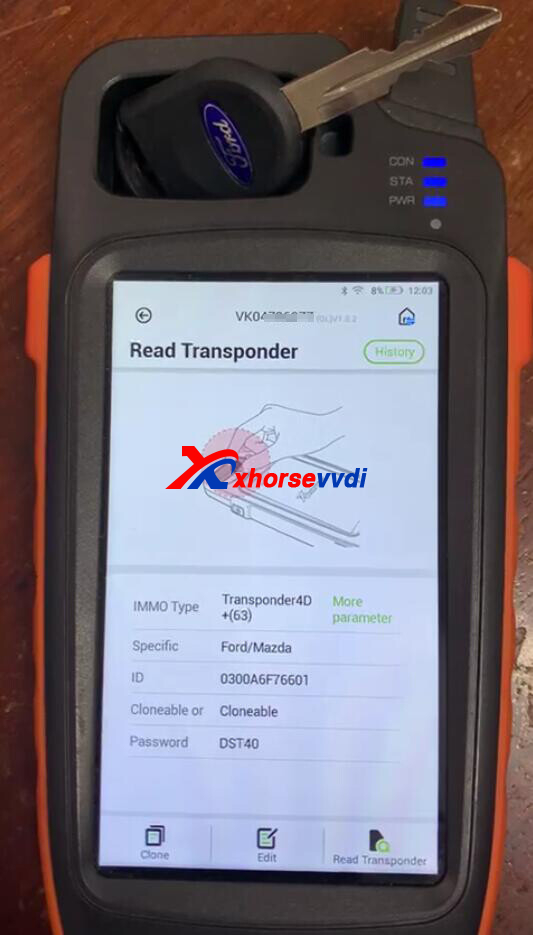
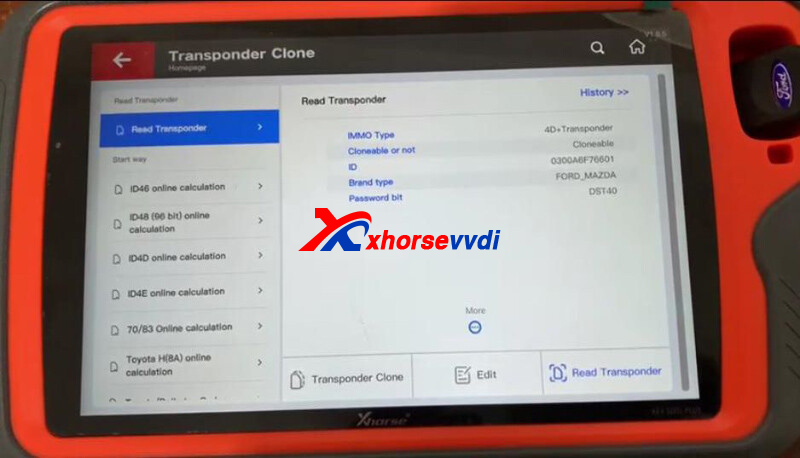
Answer:
Wait for the update, which will be fixed in the next update.
http://blog.xhorsevvdi.com/why-vvdi-key-tool-plus-not-show-chip-number-type/
Posted by: xhorsevvdi at
09:08 AM
| No Comments
| Add Comment
Post contains 55 words, total size 1 kb.
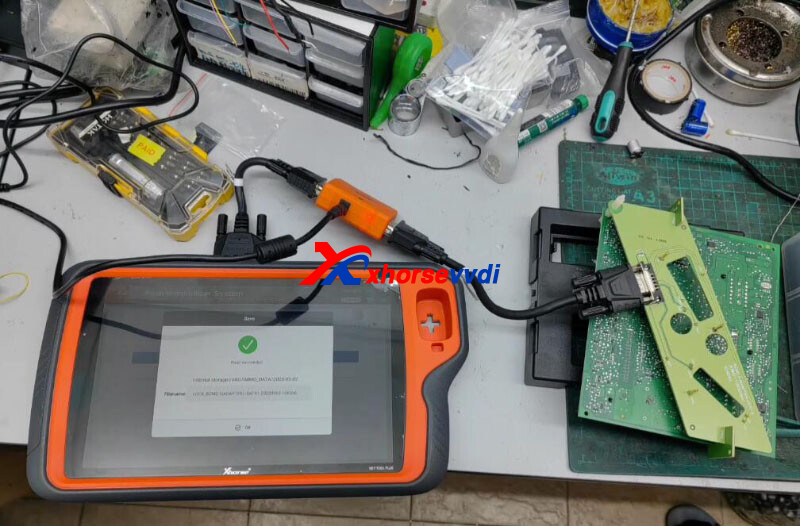
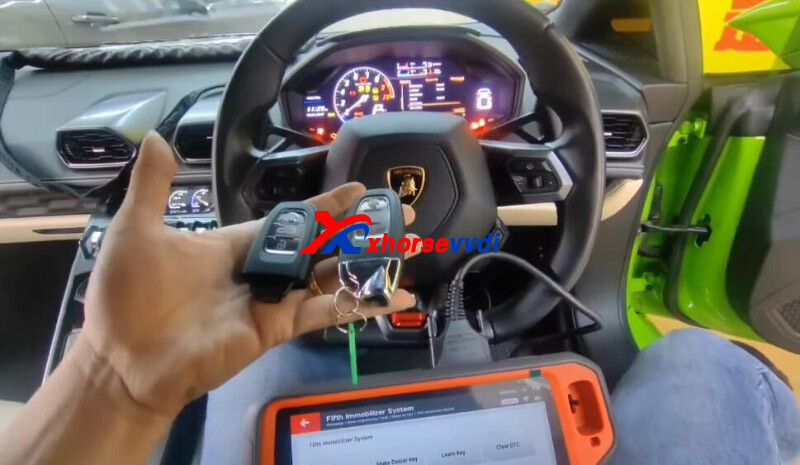
VVDI BCM2 Adapter allows us to read encrypted Audi BCM2 module without soldering. Here
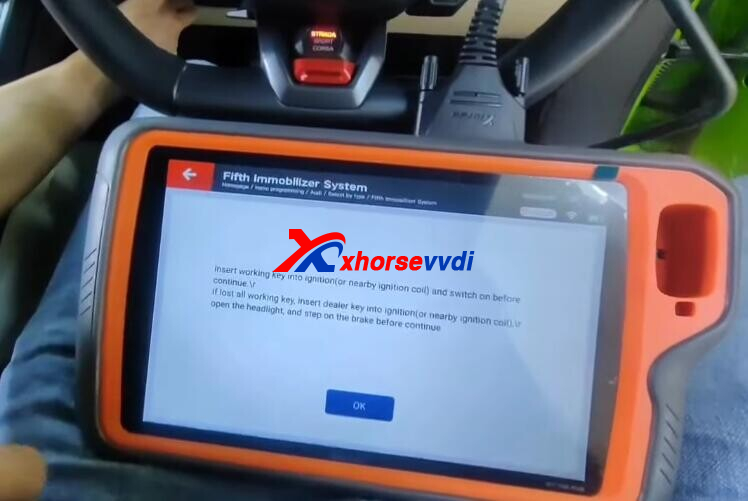
we will show you how it helps Xhorse Key Tool Plus add a smart key for 2015 Lamborghini Huracan.
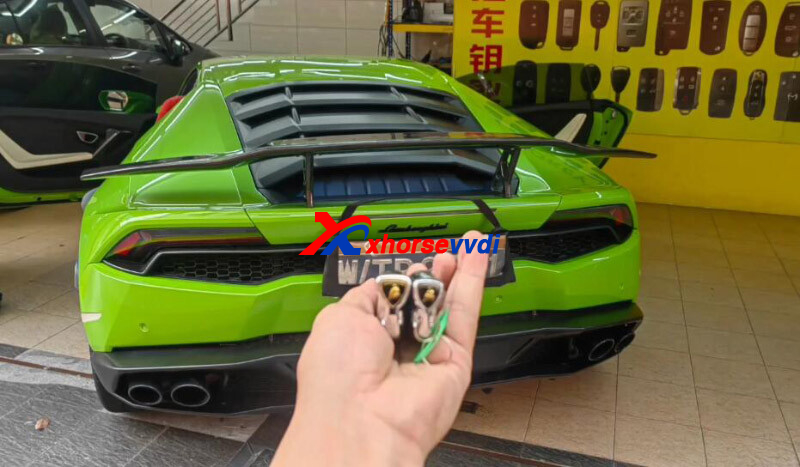
Read BCM2 data on bench.
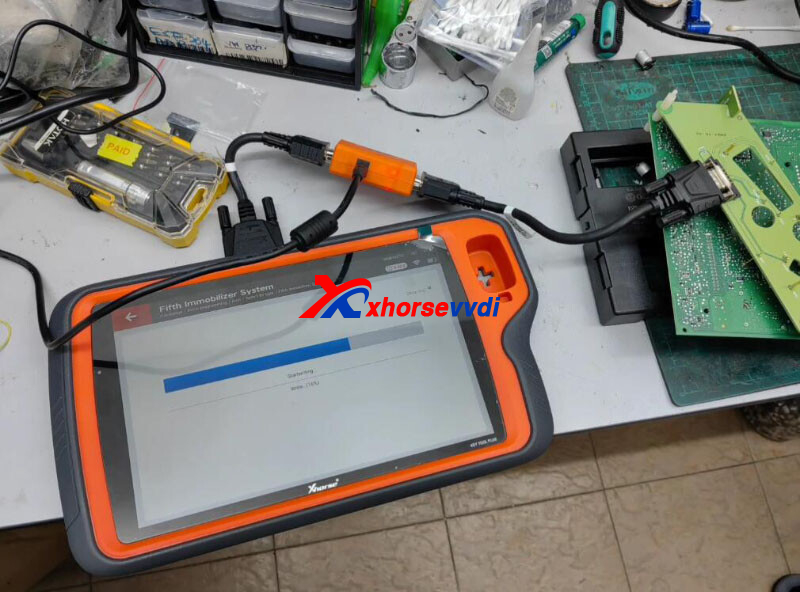
Install it back and load BCM data to learn keys.
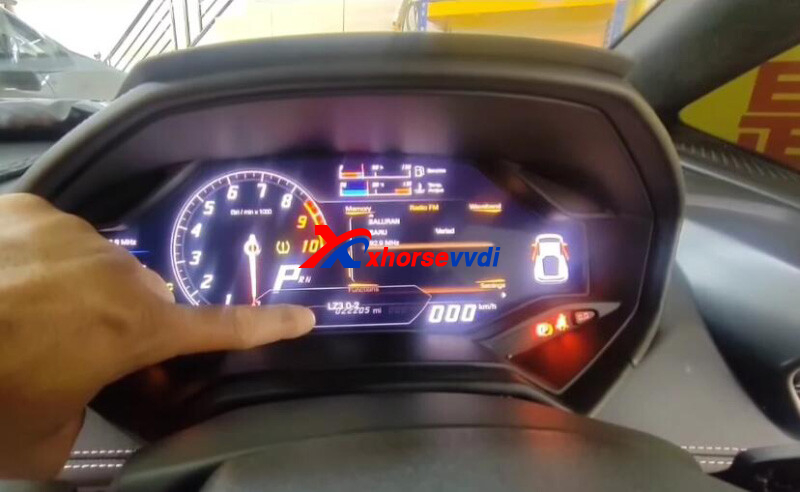
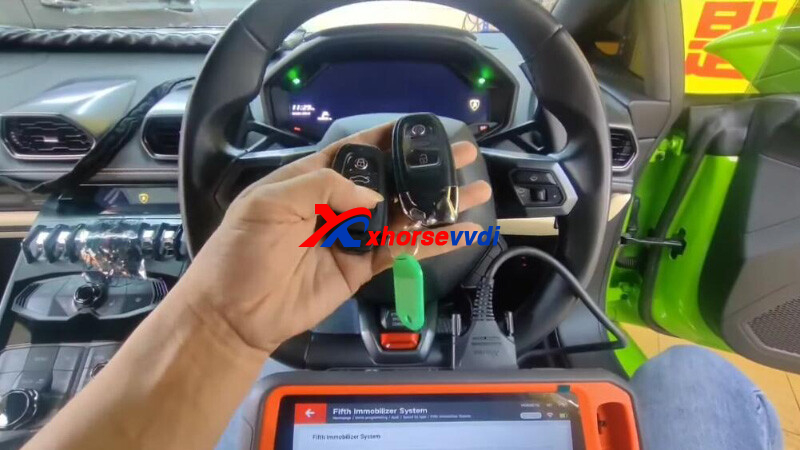
Test remote, no problem.
Posted by: xhorsevvdi at
09:07 AM
| No Comments
| Add Comment
Post contains 64 words, total size 2 kb.
Question:
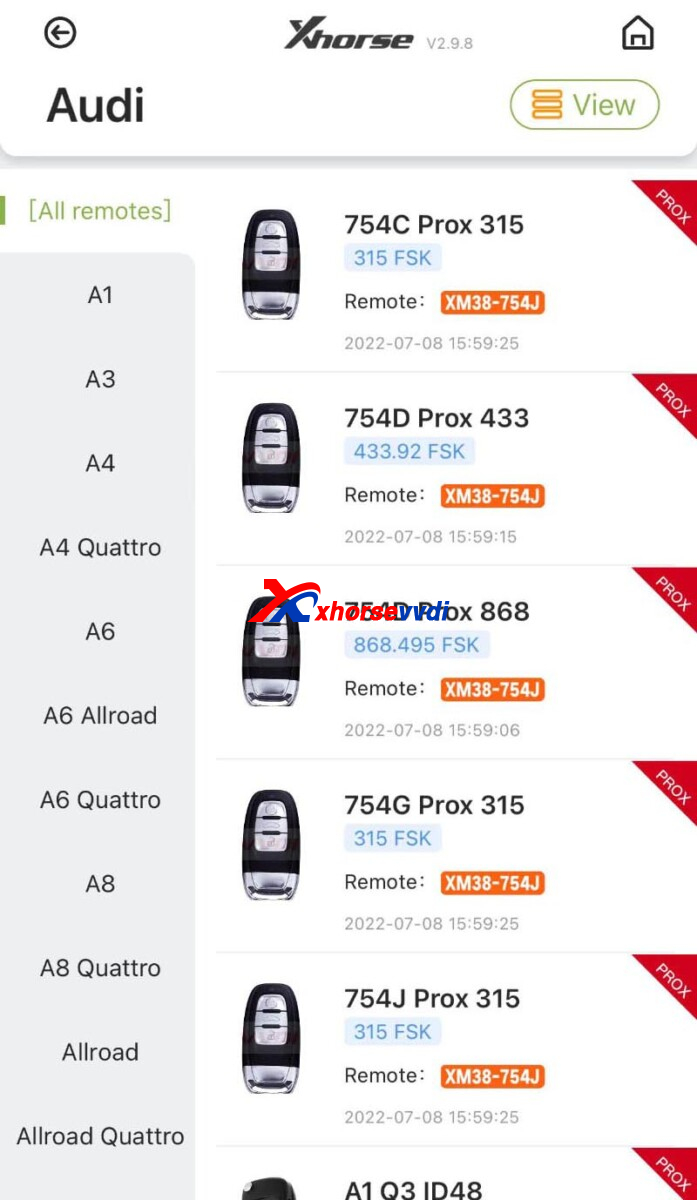
Audi A5 2017 year, which Xhorse Remote to generate, I don't find A5 controls on the list.
Here Xhorsevvdi tech answers:
For Smart Key, use Xhorse Audi 754J Remote.
Question:
Audi A5 2017 year, which Xhorse Remote to generate, I don't find A5 controls on the list.
Here Xhorsevvdi tech answers:
For Smart Key, use Xhorse Audi 754J Remote.
 Which Xhorse Remote Control To Generate For Audi A5 2017 1
The key type below is not supported.
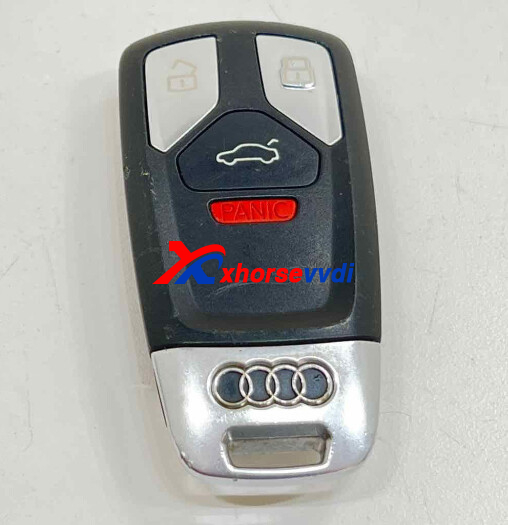
The key type below is not supported.
Posted by: xhorsevvdi at
09:06 AM
| No Comments
| Add Comment
Post contains 96 words, total size 2 kb.
In this article we are going to compare two machines — Xhorse Condor Mini Plus II and Gymkana 994 — to see which one cuts Ford HU101 faster.
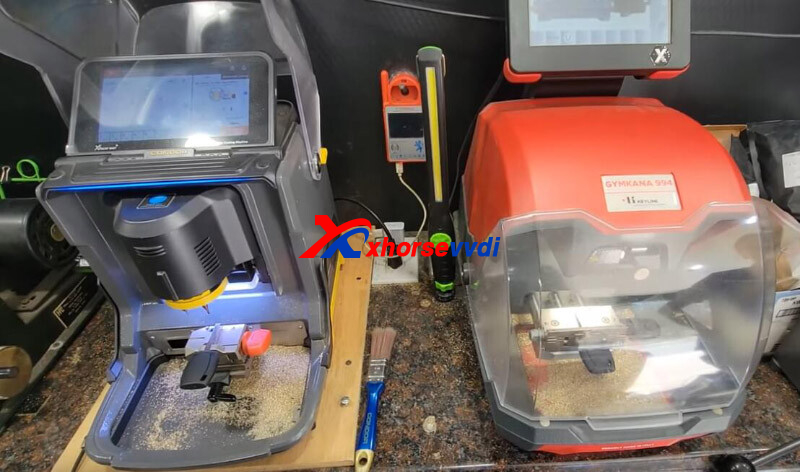
Make both to the screen before cutting.
Condor II slows down since it tells if it is a wrong cutter.
They both use 2.5mm cutter this time.
Hit Start buttons at same time.
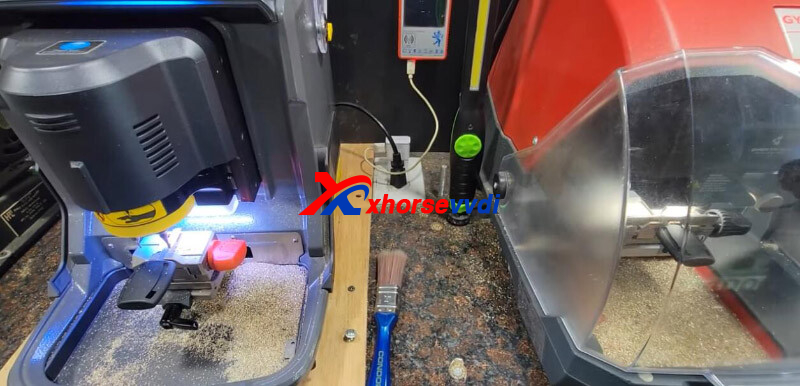
They are about exact same time.
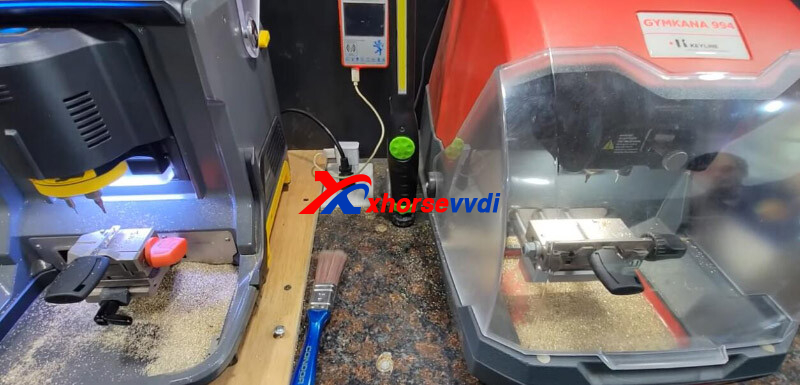
Swap Condor II cutter to a 1.5mm cutter.
Try again.
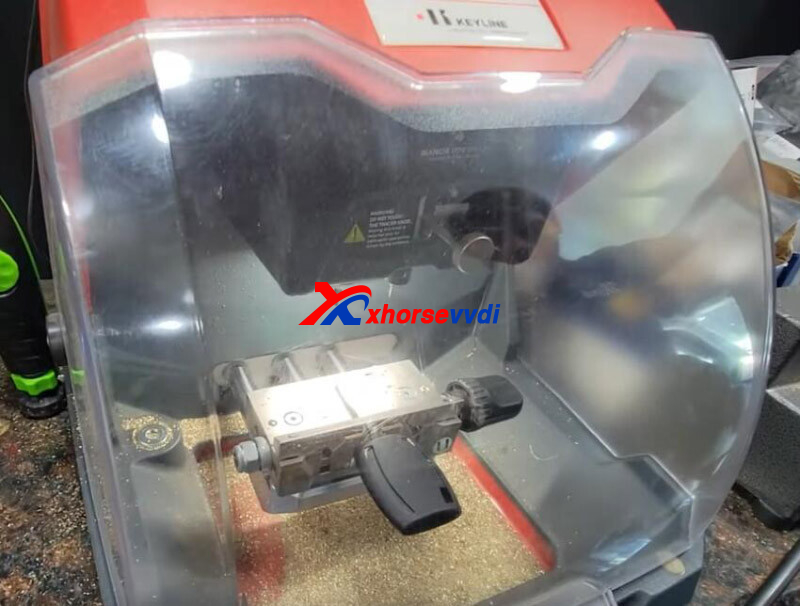
Gymkana machine finishes one side.
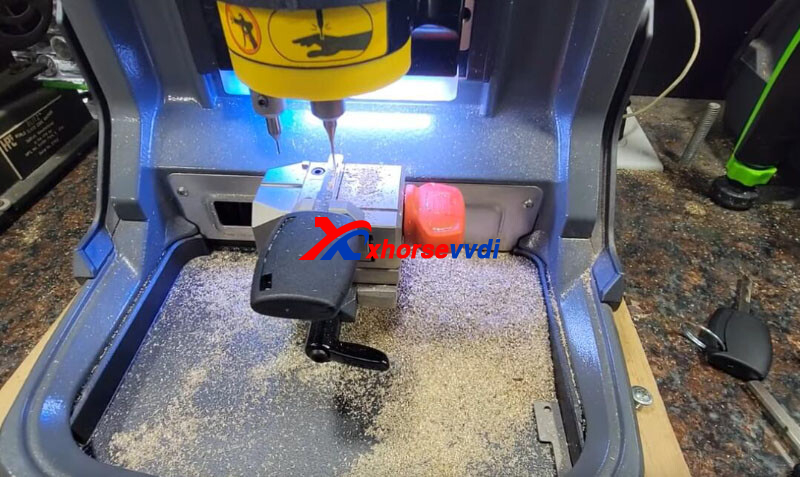
Condor machine with a smaller diameter cutter takes a little longer like a few seconds.
Review from One customer:
I would think that the 1.5mm would be a more accurate cut than the 2.5. Not sure if that really makes a difference if both keys work??? The real question when buying tools is reliability. I would rather have a machine that maybe doesn't cut as fast but I know that it is going to do the job each and every time
What do you think of the speed to a Key Cutting Machine?
http://blog.xhorsevvdi.com/ford-hu101-key-cutting-xhorse-condor-ii-vs-gymkana-994/
Posted by: xhorsevvdi at
09:05 AM
| No Comments
| Add Comment
Post contains 186 words, total size 3 kb.
Question:
VVDI PROG has a problem when writing to a 24c02 Eeprom from a 1999 Passat ECU, It reads well but it doesn't let me write?
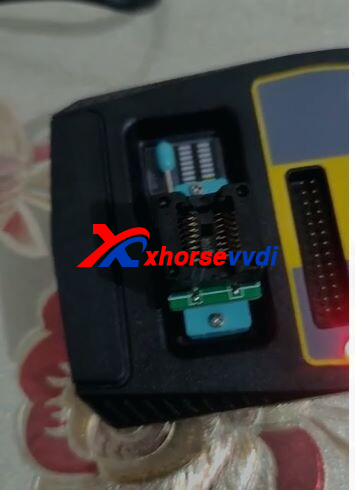
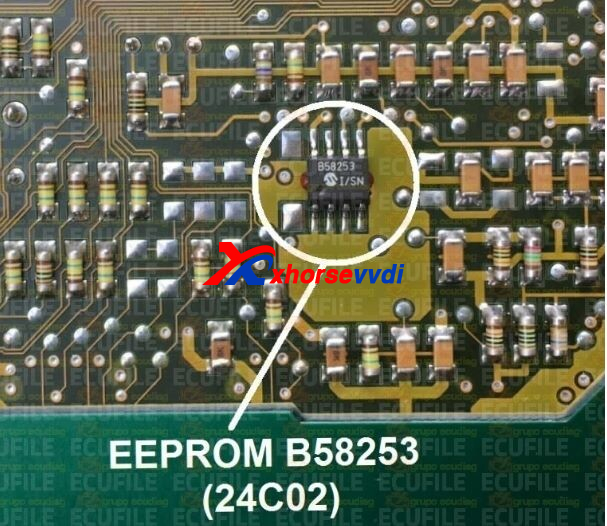
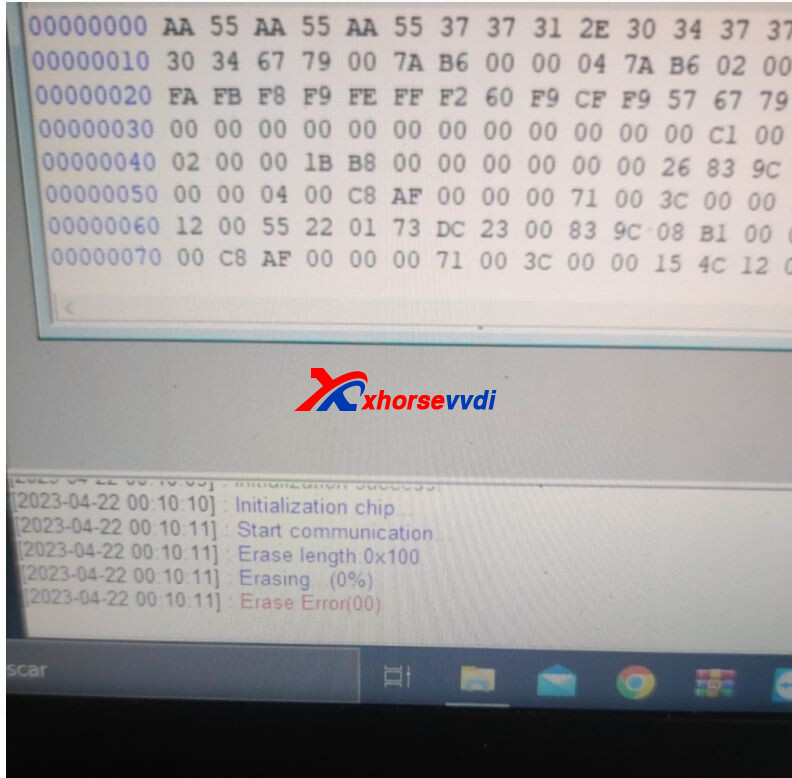
Here is the Answer:
Xhorse VVDI PROG cannot write this chip, or try more a few times, if it still fails, then the chip is not supported.
http://blog.xhorsevvdi.com/how-to-fix-vvdi-prog-fail-to-read-1999-passat-ecu-24c02/
Posted by: xhorsevvdi at
09:04 AM
| No Comments
| Add Comment
Post contains 66 words, total size 1 kb.
Question:
Just did a update and calibration height and cutting on my Xhorse Condor Mini Plus 2. Now my keys are cutting different and have a end gap open.
When I put my key inside the lock and even I cut a house key... it cutting it the same way and doesn’t open… if I slide the key back a notch from a house key or lock... it open.
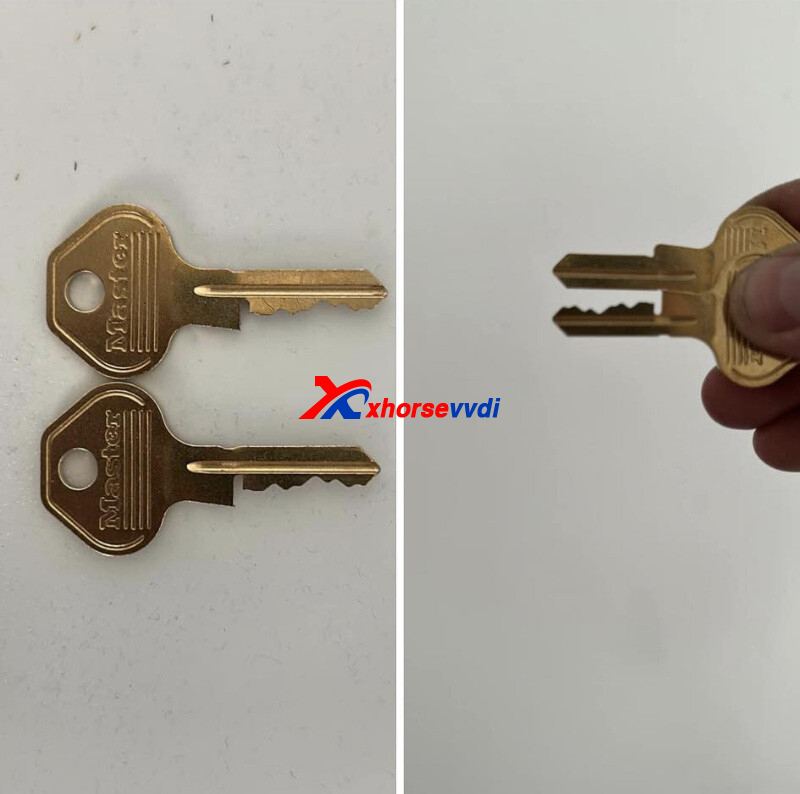
*Now the issue is fixed! Please update firmware to the latest V1.0.8.
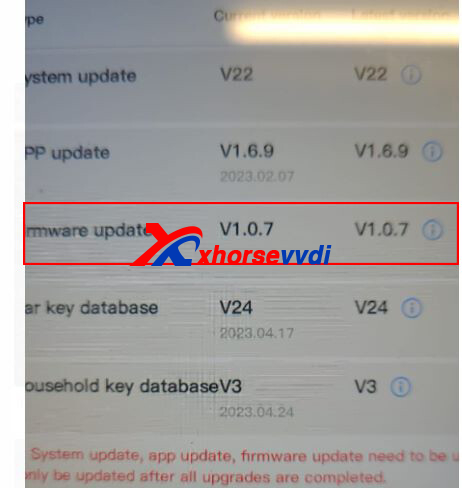
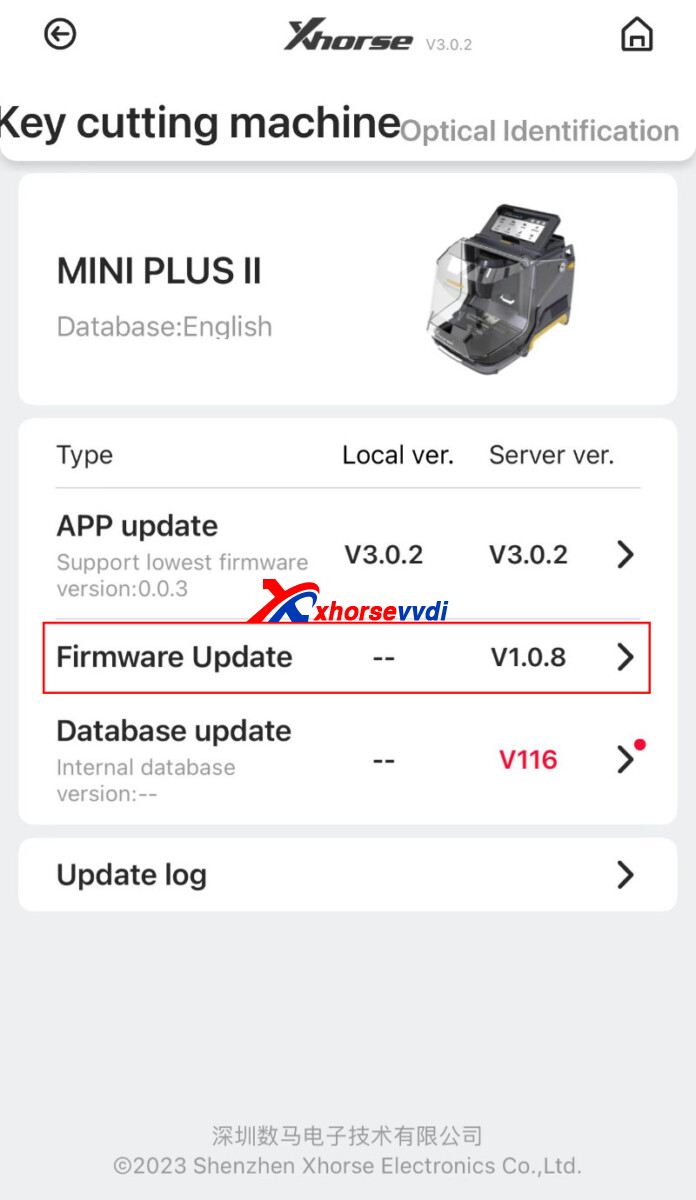
Posted by: xhorsevvdi at
09:04 AM
| No Comments
| Add Comment
Post contains 92 words, total size 2 kb.
Xhorse FT-OBD Tool is a new handy tool for Toyota/Lexus key programming working with Mini Key Tool.
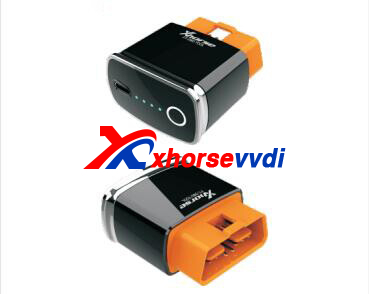
1.Item Image
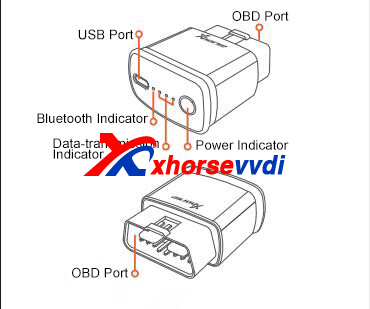
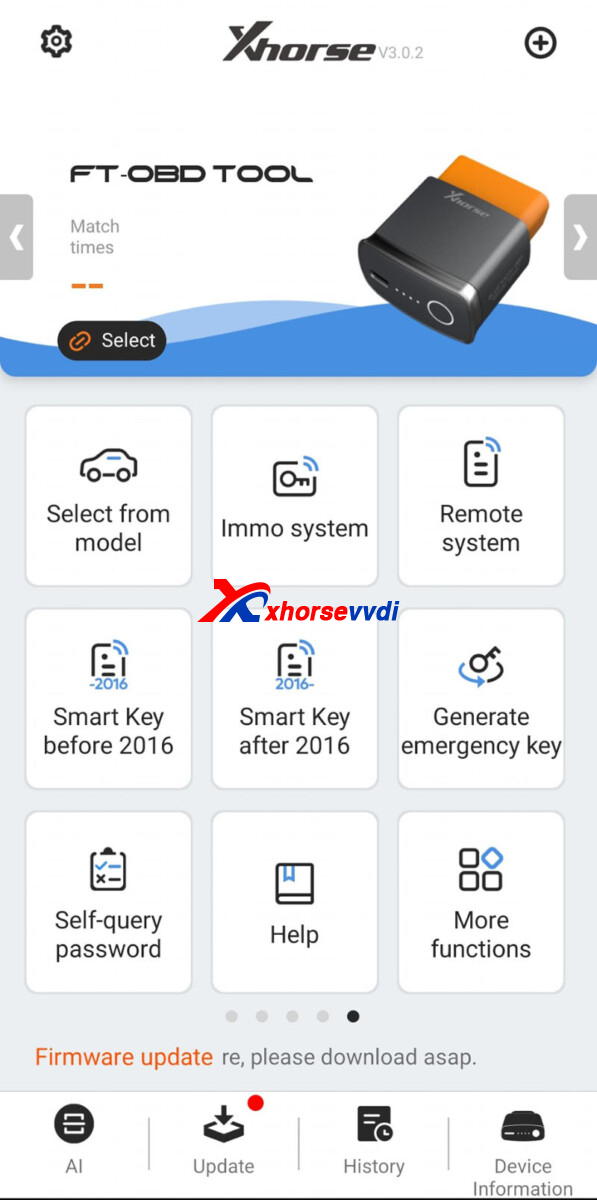
2.Function
1)[Select by model], [Immo system], [Remote system], [Smart Key before 2016], [Smart Key after 2016]: Select type for key programming
2)[Generate emergency key]: Connect to VVDI Mini to generate emergency key
3)[Self-query password]: Buy PIN Code
4)[Help]: Data about Toyota immo
5)[More functions]: History, Test Function, Self-test...
http://blog.xhorsevvdi.com/new-xhorse-ft-obd-tool-for-toyota-lexus-key-programming/
Posted by: xhorsevvdi at
09:03 AM
| No Comments
| Add Comment
Post contains 62 words, total size 2 kb.
WIN7/ WIN10 system is required to update Dolphin XP005 Machine, and WIN11 system is not recommended.
Here we will share with you a way to update it in WIN10 system from a customer.
Step 1. Download app
Download Xhorse Upgrade Kit.

Select Device and Version, and it will ask to install driver.
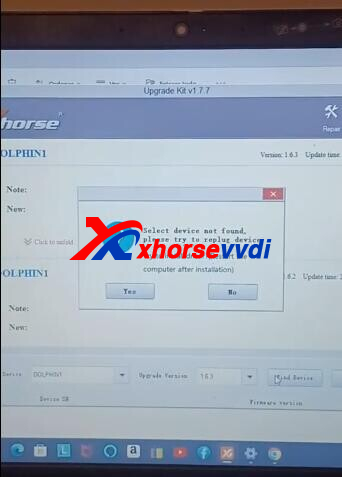
Select "YES" to install driver.
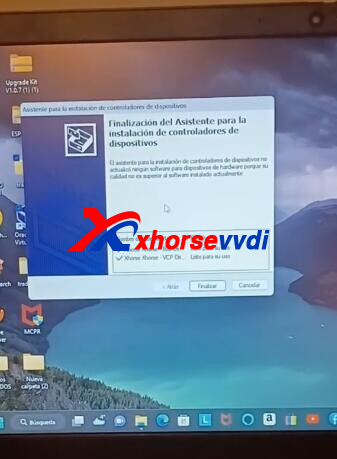
Restart PC.
Step 2. Disable driver signature enforcement
Go to
Window Change Account Settings>>Account>>More Details
Scroll down to see Data Protection Blocker.
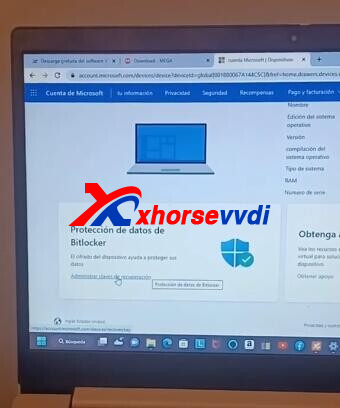
Login in by email and password.
Take a picture of recovery key.
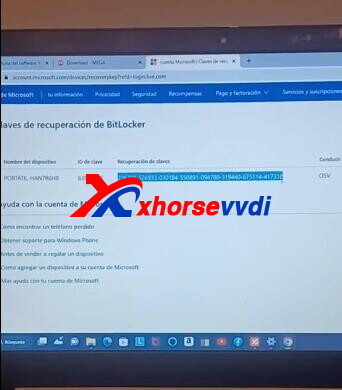
Click "Windows+R" and enter "Shutdown.exe /r/o/f/t 00".
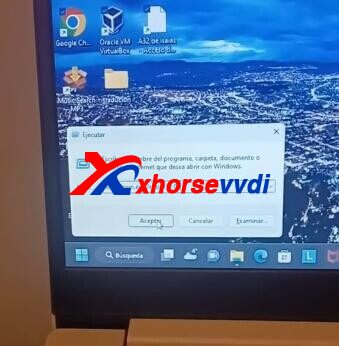
Computer will restart automatically.
Select
Troubleshoot>>Advanced options>>Startup Settings
This screen is what we want to change.
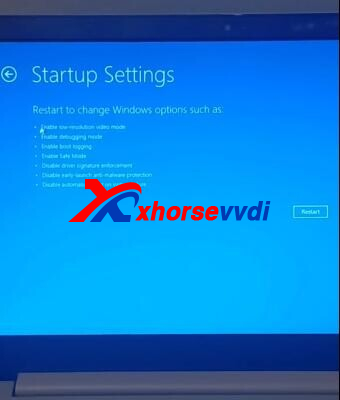
Click "Restart" to turn on computer.
Again, enter same command in "Windows+R" and go to same screen.
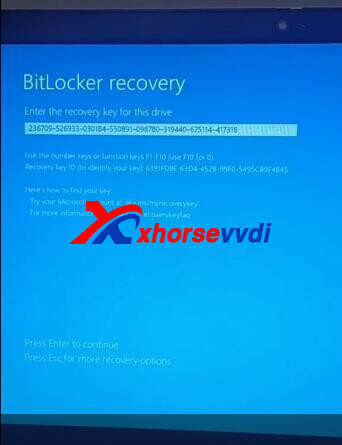
Enter recovery key.
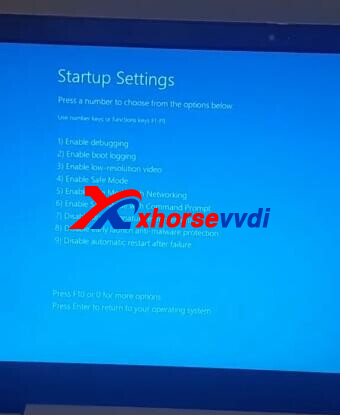
Select "7) Disable driver signature enforcement" by clicking "F7"
Step 3. Test
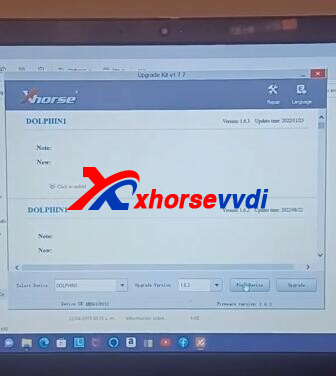
Run Upgrade Kit again.
Device identifies Dolphin XP005 successfully.
Posted by: xhorsevvdi at
09:02 AM
| No Comments
| Add Comment
Post contains 164 words, total size 4 kb.
Xhorse MQB48 License allows users to read and decrypt MQB48 immobilizer data.
Here we will share the support list about models and dashboards.
Support List:
| NEC35XX-Lock Support List (VVDI2+KEY TOOL PLUS) | |||
| Make | Model | Number | Type |
| Audi | Q3 | 81A920940A | VDO+MQB |
| A3/S3/Q2 | 8V0920860E | VDO+MQB | |
| 8V0920860G | VDO+MQB | ||
| 8V0920860N/P | VDO+MQB | ||
| 8V0920861/A/H/N | VDO+MQB | ||
| 8V0920870H | VDO+MQB | ||
| 8V0920872B | VDO+MQB | ||
| 8V0920960A | VDO+MQB | ||
| 8V0920960B | VDO+MQB | ||
| 8V0920960H | VDO+MQB | ||
| 8V0920960M | VDO+MQB | ||
| 8V0920961C | VDO+MQB | ||
| Q2L | 8V0920740B | RH850 NOT SUPPORT | |
| VW | Golf7 | 5G0920640A | JCI+MQB |
| 5G0920860/A | VDO+MQB | ||
| 5G0920861/A | VDO+MQB | ||
| 5G0920871A | VDO+MQB | ||
| 5G0920950 | VDO+MQB | ||
| 5G0920960A | VDO+MQB | ||
| 5G1920640A | JCI+MQB | ||
| 5G1920640C | JCI+MQB | ||
| 5G1920641A | JCI+MQB | ||
| 5G1920656B | VDO+MQB | ||
| 5G1920730B | JCI+MQB | ||
| 5G1920731A | JCI+MQB | ||
| 5G1920740 | VDO+MQB | ||
| 5G1920740A | VDO/JCI+MQB | ||
| 5G1920740B | VDO/JCI+MQB | ||
| 5G1920740C | VDO/JCI+MQB | ||
| 5G1920740D | JCI+MQB | ||
| 5G1920741 | VDO+MQB | ||
| 5G1920741A | VDO/JCI+MQB | ||
| 5G1920741B | JCI+MQB | ||
| 5G1920741C | JCI+MQB | ||
| 5G1920741D | JCI+MQB | ||
| 5G1920750D | JCI+MQB | ||
| 5G1920751B | VDO+MQB | ||
| 5G1920751C | JCI+MQB | ||
| 5G1920756A | VDO+MQB | ||
| 5G1920756C | VDO+MQB | ||
| 5G1920790 | VDO+MQB | ||
| 5G1920790A | VDO+MQB | ||
| 5G1920790B | VDO+MQB | ||
| 5G1920791 | VDO+MQB(LCD) | ||
| 5G1920791A | VDO+MQB(LCD) | ||
| 5G1920791B | VDO+MQB(LCD) | ||
| 5G1920795B | VDO+MQB | ||
| 5G1920840 | VDO+MQB | ||
| 5G1920840A | VDO+MQB | ||
| 5G1920840B | VDO+MQB | ||
| 5G1920841 | VDO+MQB | ||
| 5G1920856 | VDO+MQB | ||
| 5G1920931 | JCI+MQB | ||
| 5G1920940B | VDO+MQB | ||
| 5G1920940C | VDO+MQB | ||
| 5G1920941C | JCI+MQB | ||
| 5G1920941D | JCI+MQB | ||
| 5G1920957 | VDO+MQB | ||
| 5GG920630 | JCI+MQB | ||
| 5GG920630A | JCI+MQB | ||
| 5GG920630B | JCI+MQB | ||
| 5GG920630C | JCI+MQB | ||
| 5GG920640A | JCI+MQB | ||
| 5GG920640B | JCI+MQB | ||
| 5GG920640C | JCI+MQB | ||
| 5GG920640D | JCI+MQB | ||
| Sportsvan/GTI | 51G920630 | VDO+MQB | |
| 51G920630B | VDO+MQB | ||
| 51G920630C | VDO+MQB | ||
| 51G920656A | VDO+MQB(BGA) | ||
| Magotan | 3G0920740A | JCI+MQB | |
| 3G0920741A | JCI+MQB | ||
| 3G0920741B | JCI+MQB | ||
| 3G0920741C | JCI+MQB | ||
| 3G0920741D | JCI+MQB | ||
| 3G0920751A | VDO/JCI+MQB | ||
| 3G0920751C | VDO/JCI+MQB | ||
| 3G0920751B | JCI+MQB | ||
| 3G0920790C | VDO+MQB | ||
| 3G0920791A | VDO+MQB(LCD) | ||
| 3G0920791B | VDO+MQB(LCD) | ||
| 3G0920791C | VDO+MQB(LCD) | ||
| 3G0920791D | VDO+MQB(LCD) | ||
| 3G0920941B | JCI+MQB | ||
| 3G0920951A | JCI+MQB | ||
| 3G1920794C | VDO+MQB | ||
| 3GD920640/A/B/C | JCI+MQB | ||
| 3GD920640D | RH850 NOT SUPPORT | ||
| 3GD920650/A/B | JCI+MQB(BGA COLOR DISPLAY) | ||
| CC | 3GG920650 | JCI+MQB(BGA COLOR DISPLAY) | |
| 3GG920650A | JCI+MQB(BGA COLOR DISPLAY) | ||
| Tayron | 55G920640 | JCI+MQB | |
| 55G920650 | JCI+MQB(BGA COLOR DISPLAY) | ||
| T-Roc | 2GA920740 | VDO+MQB | |
| 2GD920640 | JCI+MQB | ||
| 2GD920640A | JCI+MQB | ||
| 2GD920790A | RH850 NOT SUPPORT | ||
| Jetta | 31G920850A | VDO/JCI+IMMO4 | |
| 17A920740 | VDO+MQB | ||
| 17A920840 | VDO+MQB | ||
| Sagitar | 17G920640 | JCI+MQB | |
| Bora/ C-Trek | 19G920640 | JCI+MQB | |
| 19G920640A | JCI+MQB | ||
| 19G920650 | JCI+MQB(BGA COLOR DISPLAY) | ||
| 19G920650A | JCI+MQB(BGA COLOR DISPLAY) | ||
| Variants | 3G0920650A | JCI+MQB(BGA COLOR DISPLAY) | |
| 3G0920650B | JCI+MQB(BGA COLOR DISPLAY) | ||
| 3G0920650C | JCI+MQB(BGA COLOR DISPLAY) | ||
| 3G0920650D | JCI+MQB(BGA COLOR DISPLAY) | ||
| POLO | 6RD920860G | VDO+IMMO4 | |
| 6C0920730/A/B/C/F/G/K | VDO+MQB | ||
| 6C0920731A | VDO+MQB | ||
| 6C0920740/A | VDO+MQB | ||
| 6C0920740C | VDO+MQB | ||
| 6C0920740E | VDO+MQB | ||
| 6C0920741A | VDO+MQB | ||
| 6C0920741C | VDO+MQB | ||
| 6C0920741E | VDO+MQB | ||
| 6C0920746/B | VDO+MQB | ||
| 6C0920746B | VDO+MQB | ||
| 6C0920940A/E | VDO+MQB | ||
| 6C0920941A | VDO+MQB | ||
| 6C0920946C | VDO+MQB | ||
| 6RF920860Q | IMMO4 | ||
| 6RF920861/B/C | IMMO4 | ||
| 6RF920862B | IMMO4 | ||
| 6RU920861 | IMMO4 | ||
| Lamando | 5GD920630 | VDO+MQB | |
| 5GD920630A | VDO+MQB | ||
| 5GD920640 | VDO+MQB | ||
| 5GD920640A | VDO+MQB | ||
| 5GD920640B | JCI+MQB | ||
| 5GD920650 | VDO+MQB | ||
| 5GD920730 | VDO+MQB | ||
| 5GD920750 | VDO+MQB | ||
| 5GD920790 | RH850 NOT SUPPORT | ||
| 5G6920870 | VDO+MQB | ||
| 5GE920870 | VDO+MQB | ||
| Teramont | 3CG920791 | VDO+MQB(LCD) | |
| 3CG920791A | VDO+MQB(LCD) | ||
| 3CN920850 | VDO+MQB | ||
| 5NG920650 | VDO+MQB | ||
| 5NG920650B | VDO+MQB | ||
| 5NG920650C/D | RH850 NOT SUPPORT | ||
| TiguanL | 5NA920750A | VDO+MQB | |
| 5NA920751 | VDO+MQB | ||
| 5NA920790B | VDO+MQB | ||
| 5NA920790C | VDO+MQB | ||
| 5NA920791 | VDO+MQB | ||
| 5NA920791A | VDO+MQB | ||
| 5NA920791B | VDO+MQB(LCD) | ||
| 5NA920791C | VDO+MQB(LCD) | ||
| 5NA920850B | VDO+MQB | ||
| 5NA920891B | VDO+MQB | ||
| 5ND920650A/B | VDO+MQB | ||
| 5ND920650C | RH850 NOT SUPPORT | ||
| Touran | 5TA920740A | JCI+MQB | |
| 5TA920740B | VDO+MQB | ||
| 5TA920741A | JCI+MQB | ||
| 5TA920751A | JCI+MQB | ||
| 5TA920751B | JCI+MQB | ||
| Tharu | 2GG920640 | RH850 NOT SUPPORT | |
| Passat | 56D920861 | IMMO4 | |
| 56D920861A | Locked/Unlocked | ||
| 56D920871 | IMMO4 | ||
| 56D920871A | Locked/Unlocked | ||
| 3GB920640/A/B/C | RH850 NOT SUPPORT | ||
| 3GB920790 | RH850 NOT SUPPORT | ||
| Lavida/ Cross Lavida/ Gran Lavida | 19D920640 | JCI+MQB | |
| 18D920850/A | VDO+IMMO4 | ||
| 18D920860/A | VDO+IMMO4 | ||
| 18D920870A | VDO+IMMO4 | ||
| Santana/ Gran Santana | 34D920850B | VDO/JCI+IMMO4 | |
| 34D920860 | IMMO4 | ||
| Skoda | Fabia | 5JD920810E | IMMO4 |
| Rapid/ Rapid Spaceback | 32D92085X | IMMO4 | |
| 32D92086X | IMMO4 | ||
| Kamiq | 18A920870/A | VDO+IMMO4 | |
| Karoq | 56G920710 | JCI+MQB | |
| 56G920730/A/C | VDO+MQB | ||
| Kodiaq | 56G920750/A | VDO+MQB | |
| Octavia | 5ED920850/A | VDO+MQB | |
| 5ED920850B | JCI+MQB | ||
| 5ED920860B | JCI+MQB | ||
| 5E0920730 | JCI+MQB | ||
| 5E0920730B | JCI+MQB | ||
| 5E0920730C | JCI+MQB | ||
| 5E0920730E | JCI+MQB | ||
| 5E0920731 | JCI+MQB | ||
| 5E0920731B | JCI+MQB | ||
| 5E0920740 | VDO+MQB | ||
| 5E0920741 | VDO+MQB | ||
| 5E0920750 | VDO+MQB | ||
| 5E0920756E | VDO+MQB | ||
| 5E0920780B | JCI+MQB | ||
| 5E0920780C | JCI+MQB | ||
| 5E0920780D | JCI+MQB | ||
| 5E0920780E | JCI+MQB | ||
| 5E0920780F | JCI+MQB | ||
| 5E0920781B | JCI+MQB | ||
| 5E0920781C | JCI+MQB | ||
| 5E0920781D | JCI+MQB | ||
| 5E0920781E | JCI+MQB | ||
| 5E0920781F | JCI+MQB | ||
| 5E0920861B/D | VDO+MQB | ||
| 5E0920871D | VDO+MQB | ||
| 5E0920961D | VDO+MQB | ||
| 5E0920981E | JCI+MQB | ||
| 5JA920700 | VDO+MQB | ||
| 5JA920700A | VDO+MQB | ||
| 5JA920741 | VDO+MQB | ||
| 5JA920747B | VDO+MQB | ||
| Superb | 3V0920710 | VDO+MQB | |
| 3V0920740A | VDO+MQB | ||
| 3V0920740B | VDO+MQB | ||
| 3V0920741B | VDO+MQB | ||
| 3VD920730 | VDO+MQB | ||
| 3VD920740A | VDO+MQB | ||
| 3VD920750 | VDO+MQB | ||
| 3VD920750A | VDO+MQB | ||
| 5F0920740D | VDO+MQB | ||
| 5F0920741D | VDO+MQB | ||
| 5F0920861 | VDO+MQB | ||
| 5F0920862A | VDO+MQB | ||
| 5F0920862F | VDO+MQB | ||
| 6V0920700A | VDO+MQB | ||
| 6V0920710 | VDO+MQB | ||
| 6V0920740 | VDO+MQB | ||
| 6V0920740A | VDO+MQB | ||
| 6V0920741A | VDO+MQB | ||
| 6V0920744 | VDO+MQB | ||
| 6V0920746B | VDO+MQB | ||
| 6V0920946C | VDO+MQB | ||
| Seat | Toledo | 6JA920730H | VDO+MQB |
| 6JA920740F | VDO+MQB | ||
| 6JA920740H | VDO+MQB | ||
| 6JA920741F | VDO+MQB | ||
| Ibiza | 6P0920730B | VDO+MQB | |
| 6P0920731A | VDO+MQB | ||
| 6P0920740 | VDO+MQB | ||
| 6P0920741A | VDO+MQB | ||
| 6P0920640B | VDO+MQB |
Posted by: xhorsevvdi at
09:01 AM
| No Comments
| Add Comment
Post contains 608 words, total size 24 kb.
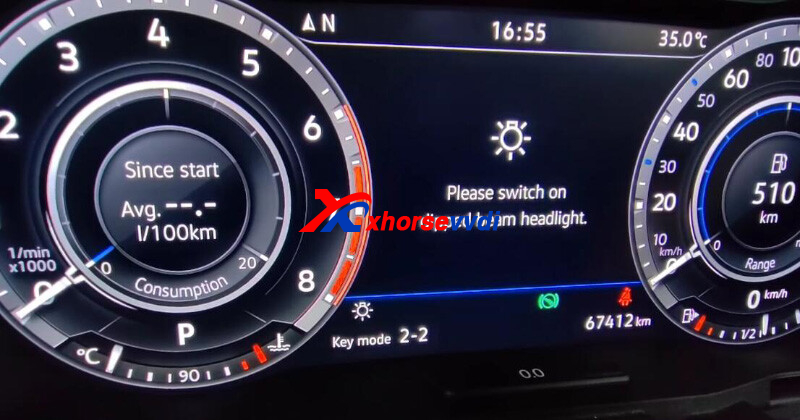
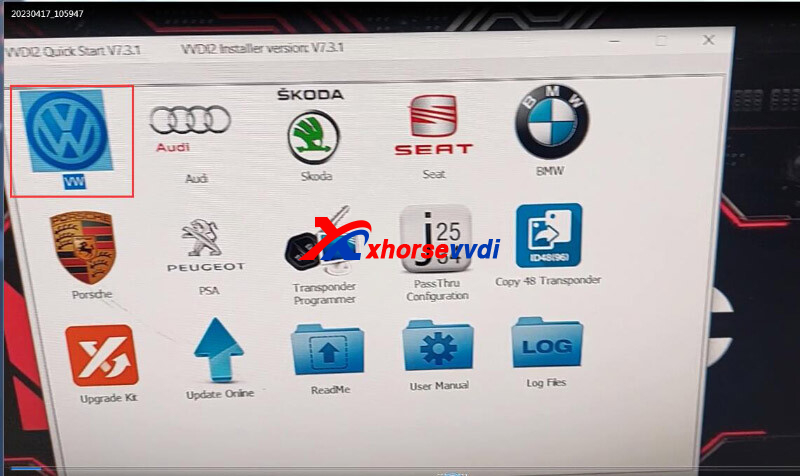
One customer asked how to fix this error that VVDI2 VW Function prompts "Software don't have this authorize".
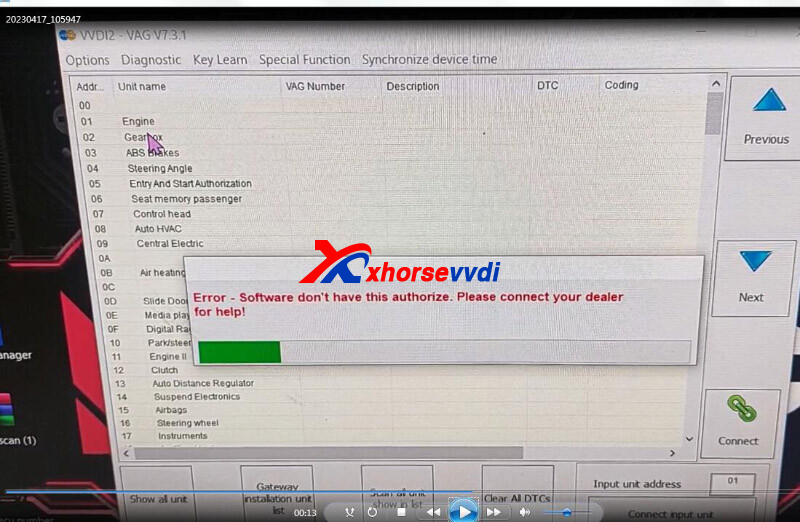
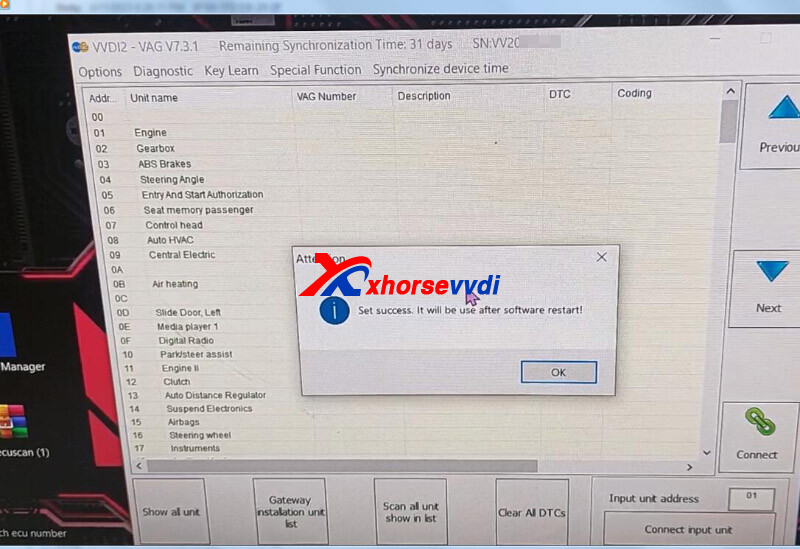
Here is the Answer:
For this VVDI2 Programmer, only ID48 96bit and MQB Function are authorized.
So, ID48 function requires Data Collector, and MQB function is not allowed to use.
http://blog.xhorsevvdi.com/how-to-fix-vvdi2-vw-function-software-dont-have-this-authorize/
Posted by: xhorsevvdi at
09:00 AM
| No Comments
| Add Comment
Post contains 60 words, total size 2 kb.
April 20, 2023
V5.2.7 VVDI PROG is released, get the free download link from Xhorsevvdi.
1. Free Download V5.2.7 VVDI PROG Software
2.V5.2.7 VVDI Prog Update (2023-4-1
*ThisversionDON'tneedupdate firmware
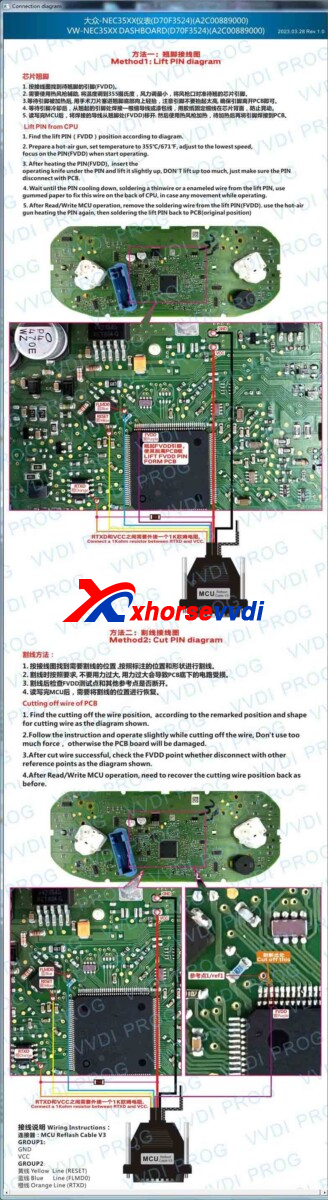
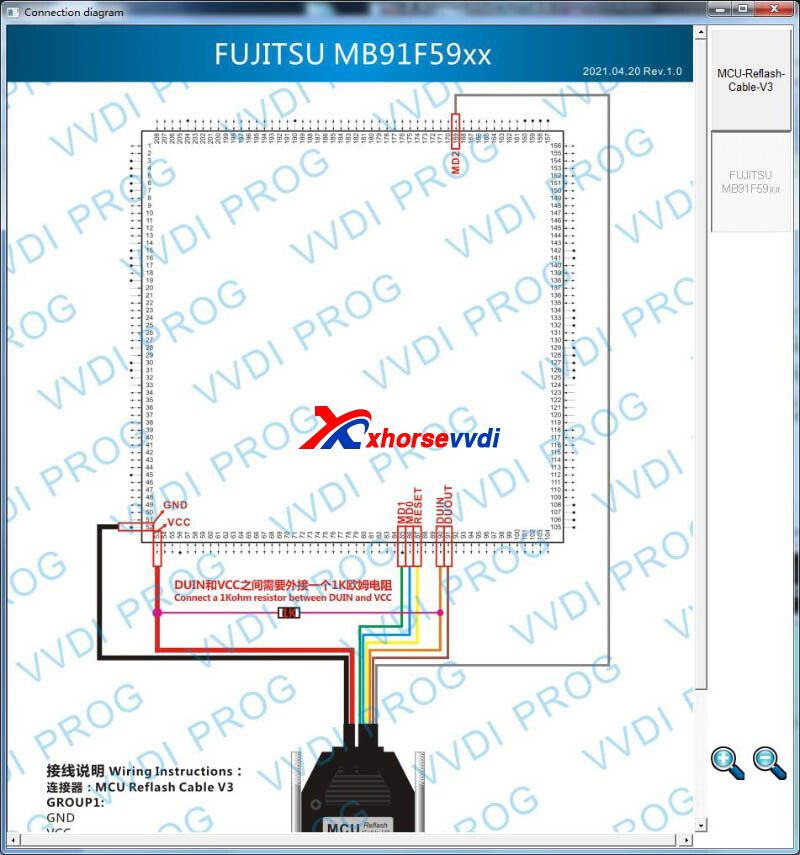
+AddMB91F53BCoptionin <2-MCU>-><FYJITSU-MB9XF>
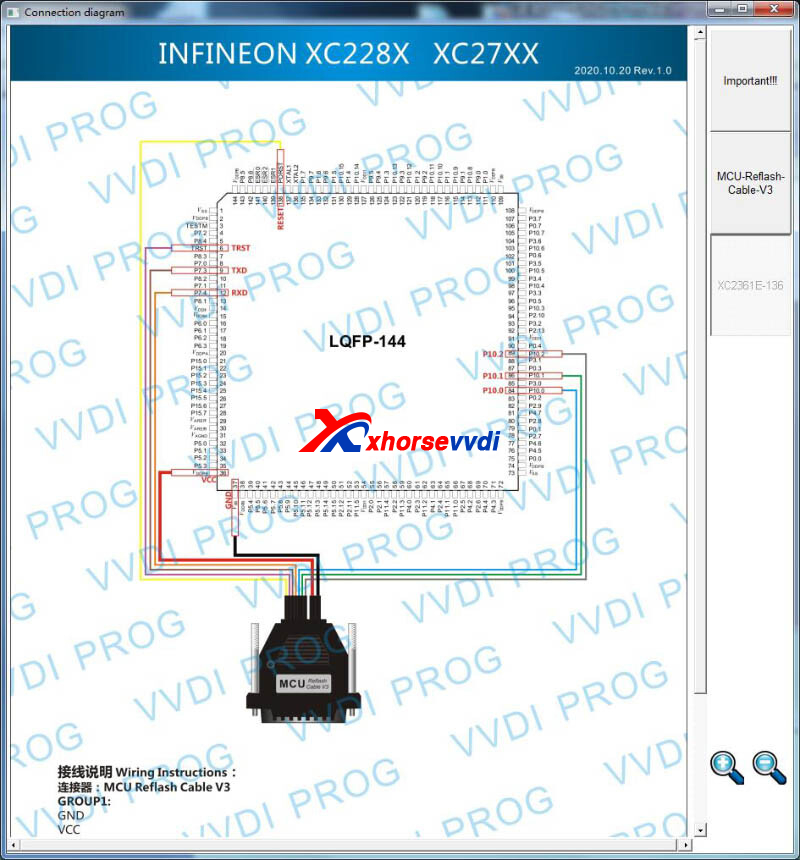
+AddXC2361E-136optionin <2-MCU>-><INFINEON-XC2XXXX>
+AddSPC5602Doptionin <2-MCU>-><ST-SPC560XXXX>
+AddMQB-LOCK(D70F35xx)-READ, MQB-LOCK(D70F35xx)-WRITE, VW-4th-NEC35XX-READ, VW-4th-NEC35XX-WRITE, optionsin <5-DASHBOARD>-><VOLKSWAGEN>
Posted by: xhorsevvdi at
03:42 AM
| No Comments
| Add Comment
Post contains 51 words, total size 2 kb.
32 queries taking 0.0538 seconds, 131 records returned.
Powered by Minx 1.1.6c-pink.

