



March 09, 2022
One customer gave feedback that his 15 VVDI BE Keyshas no points. VVDI MB gave the prompt "Attention: This BE key doesn't have bonus points, its bonus points was already used!".
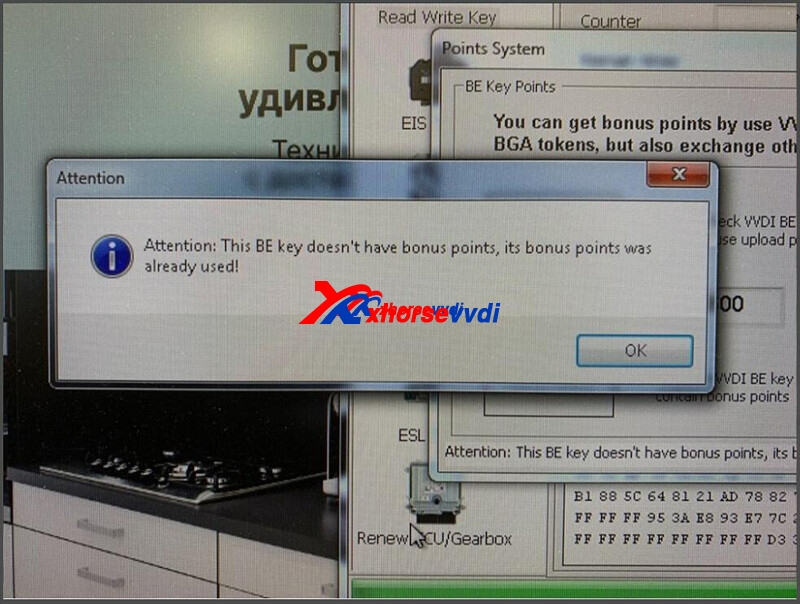
Here xhorsevvditechnicians give the
Solution:
1. Update software&firmware to the latest version before collecting points
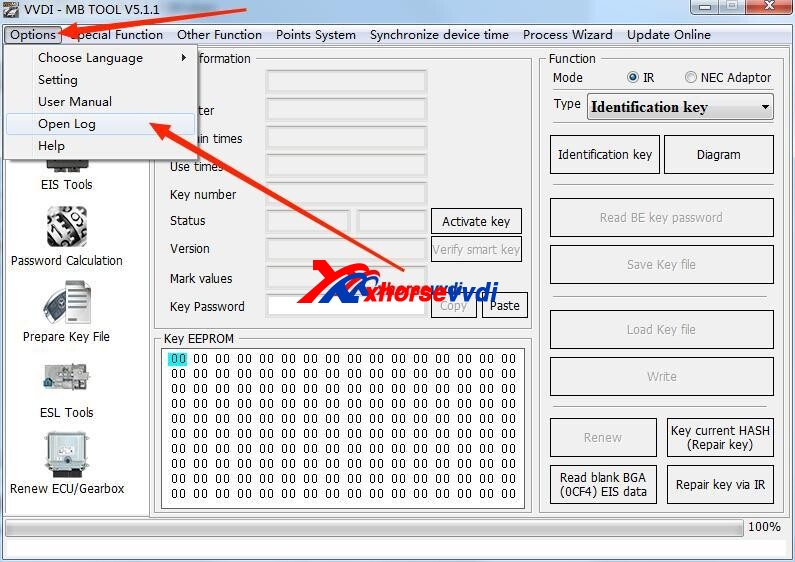
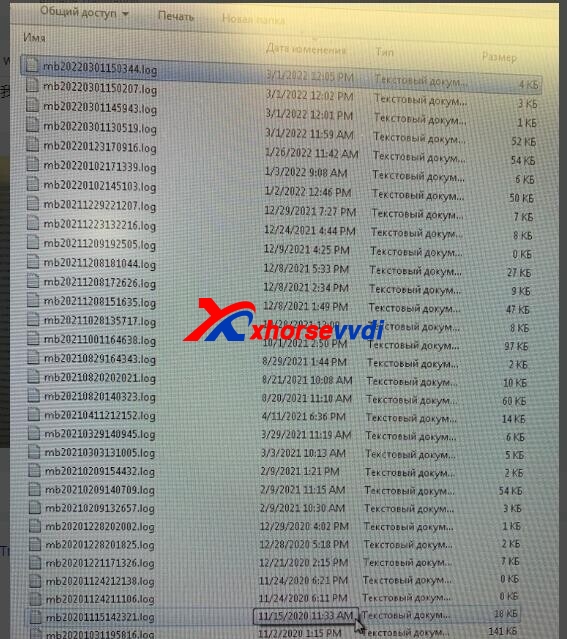
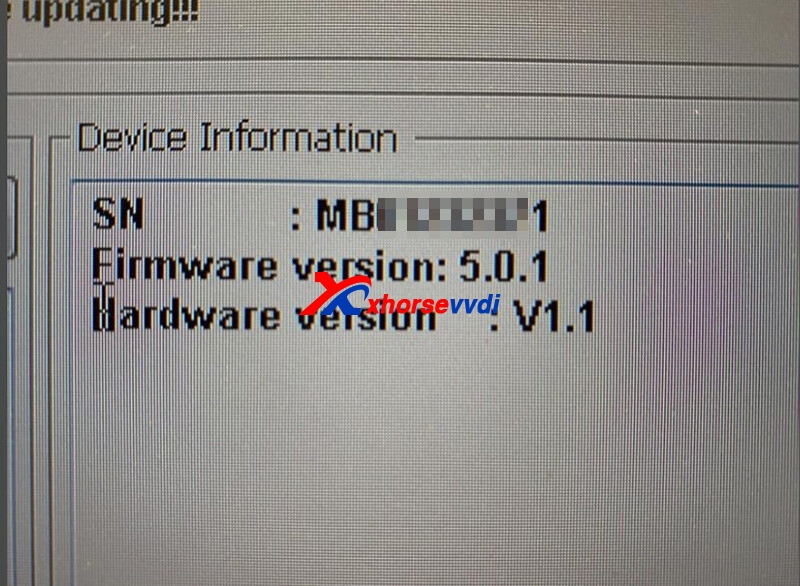
2. If still no points after step 1, attach the pics of VVDI MB Tool software&firmware, and send the logfiles by time to us.
Feedback:
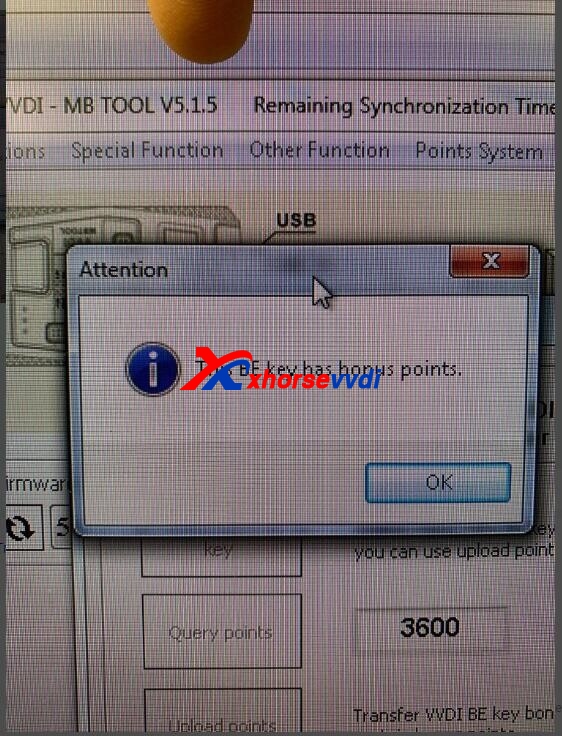
Xhorse VVDI MB prompts "This BE key has bonus points". (This means the points are collected successfully.)
Source: http://blog.xhorsevvdi.com/how-to-solve-vvdi-mb-this-be-key-doesnt-have-bonus-points/
Posted by: xhorsevvdi at
09:56 AM
| No Comments
| Add Comment
Post contains 100 words, total size 3 kb.
Xhorse has a bunch of solder-free adapters for BMW CAS3/4, FRM, Porsche, Landrover, Volvo, and Hyundai KIA, shall we really need it? Better than soldering or not?
In this article, we'll talk about the pros & cons of adapters and soldering.
Part 1. Soldering
As we know, soldering could be tough in some cases or for new ones, and absolutely more risks on it than with adapters.
Here we share some cases:
1)Break the PCB
You read a Landrover KVM by soldering, make key via dump and restore it to the car, and then you find the key can start car but no responses from remote. In this case, probably soldering breaks crystal oscillator.
2)Tough connection on some PCBs
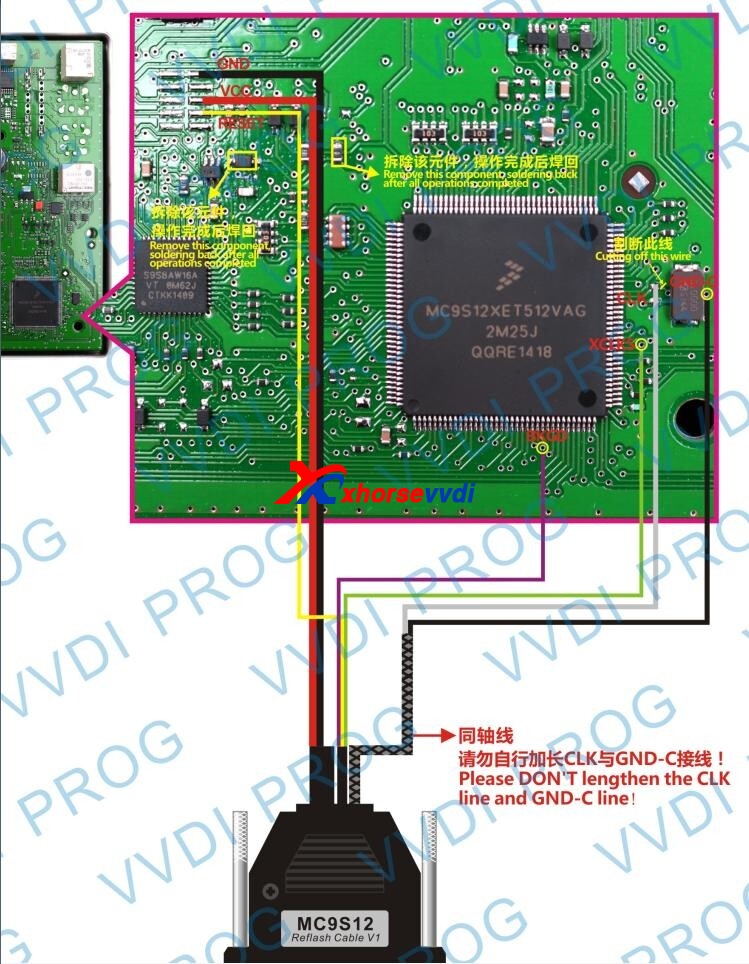
To read a Porsche BCM without adapters, soldering could be really tough, especially the GND-C connection.
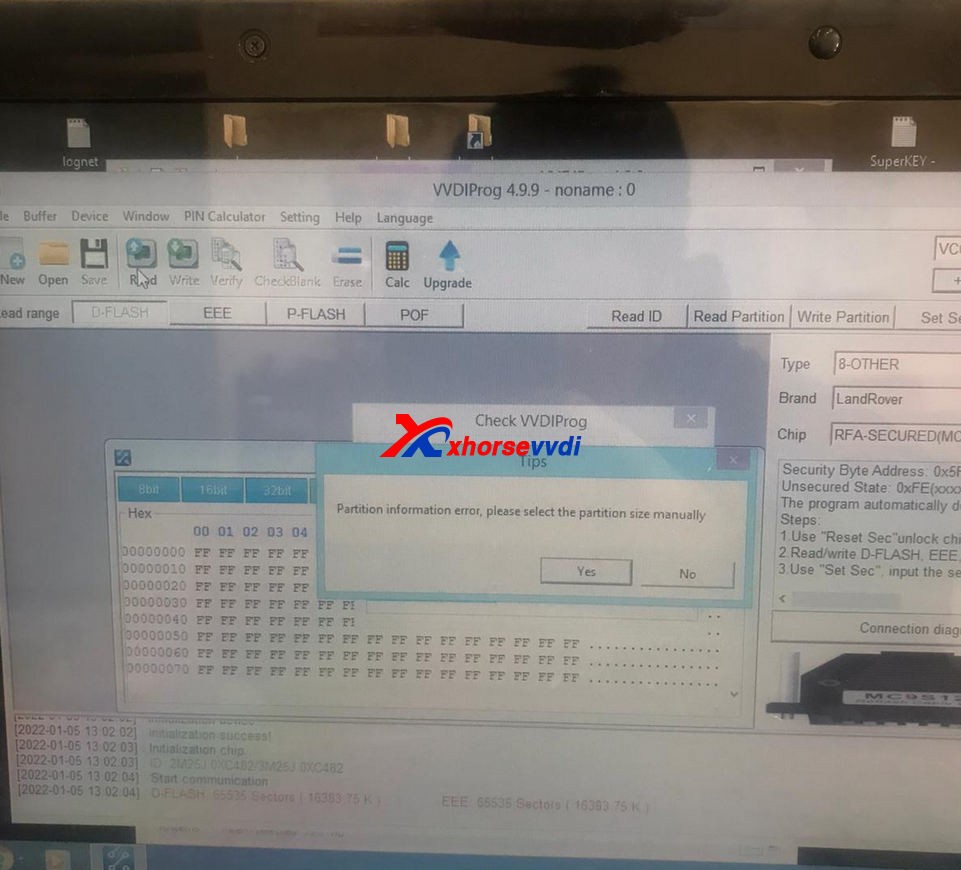
In rare cases, soldering could cause data loss. If VVDI PROGprompts "Partition information error, please select the partition size manuallyâ€, we recommend you to stop, or it would cause data loss.
3)Hard to confirm connection
If the device prompts you to confirm the chip and connect again, you have to check everything again.
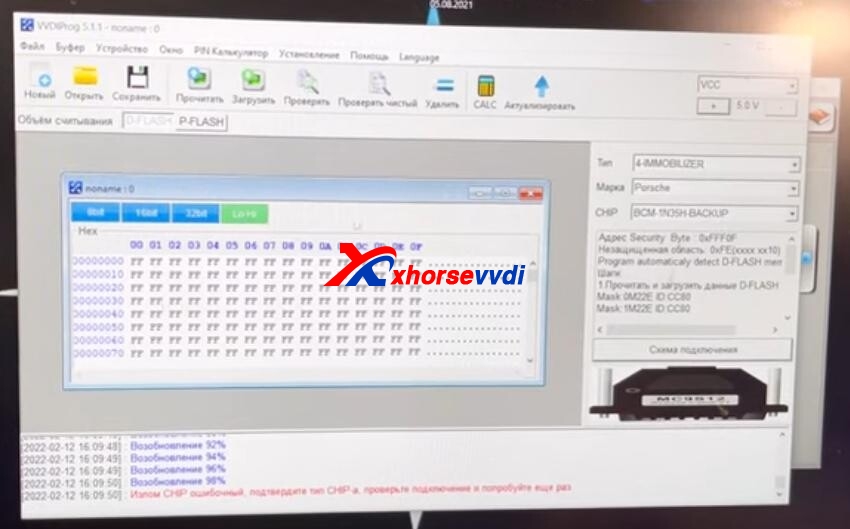
(Prompt: confirm the chip and connect again)
Customer feedback: Every time I approach this work with special respect, it's just wrong for soldering, it can ruin the whole. Somewhere solder it wrong, have to check everything again.
Part 2. Adapter
Of course, adapters can also have risks, and we also receive some feedback on this set of Xhorse Solder-free Adapters.
1)Some adapters included are useless
When it is just released, customers have to buy a whole set. Among them, few will use Hyundai KIA adapters, but now adapters can be bought separately. For BMW, even a single CAS3/3+ Adapter, CAS4/4+ Adapter, FRM Adapteris available.
2)Easy to ignore PCB cleaning
Before connecting adapters to PCB, users have to clean points on PCB to be connected. Customers may skip this step, and find that the connection fails.
3)Adapter pins are too weak
One Customer gave feedback that the pins on adapters are too weak and he breaks one pin of BMW CAS3 Adapter.
Summary
Risks are always there, and solder-free adapters are designed for reducing risks and simplifying the procedure. Now many hot adapters are sold separately, why not get one to make work easier when we have a budget?
Source: http://blog.xhorsevvdi.com/xhorse-solder-free-adapter-for-ktp-mini-prog-vvdi-prog-review/
Posted by: xhorsevvdi at
09:54 AM
| No Comments
| Add Comment
Post contains 396 words, total size 5 kb.
March 02, 2022
Question:
I have Saab 9.3 year 2006.
I want to add a key with the Key Tool Plus (I have no TECH2) but don't have the password.
Now I can remove the CIM module and then read the dump. (Tango)
but I wanted to give it a try via Vin to Pin.
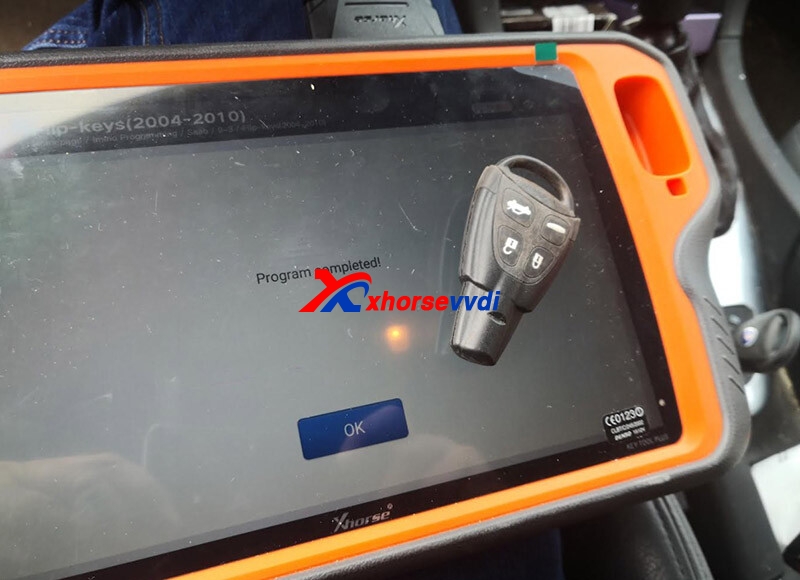
Answer:VVDI Key Tool Plus can add key for Saab via OBD, but it needs PIN.
Go to any self-service query to check PIN via VIN.

Then go to
IMMO Programming>>Saab>>9-3>>Flip-Keys (2004-2010)
Follow instructions to add a key.
Feedback
Job Done with the Key Tool Plus Pad, easy job only you need the PINcode.
Good to know:
Add key via OBD with PIN
CIM removal for All Key Lost
Posted by: xhorsevvdi at
07:53 AM
| No Comments
| Add Comment
Post contains 135 words, total size 2 kb.
Posted by: xhorsevvdi at
07:51 AM
| No Comments
| Add Comment
Post contains 60 words, total size 2 kb.
March 01, 2022
Here we share a case about how a colleague suffered from replacing a Benz W164 EIS.
How did EIS got broken?
To add a one-click start button, the car can’t start after modifying EIS.
During fixing, the chip inside is completely broken and the EIS needs to replace.
Now we need to read the data out and write it to a blank EIS.
To fix this issue,
Step 1. Read the data of old EIS
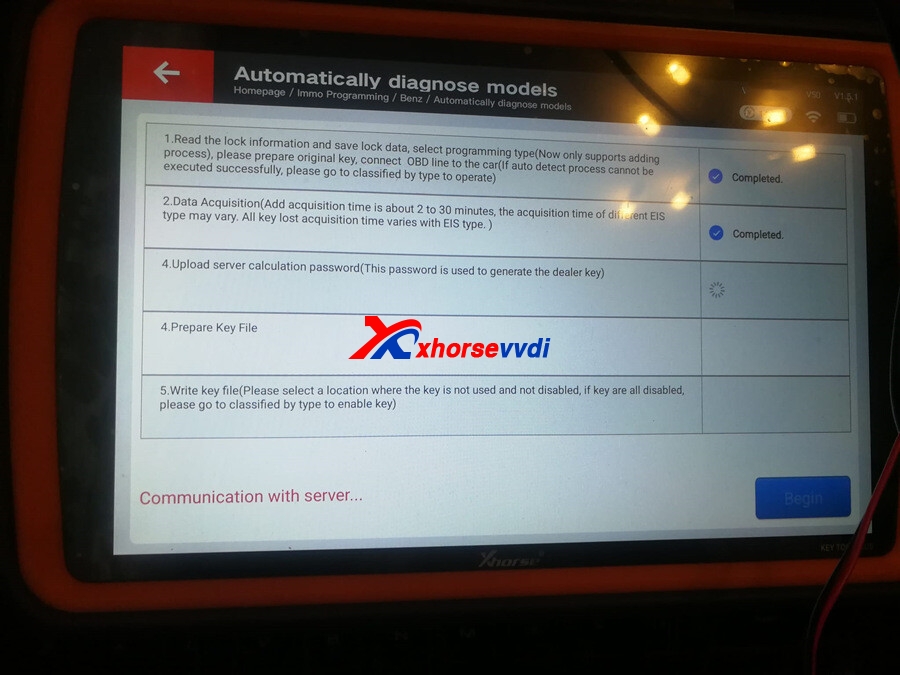
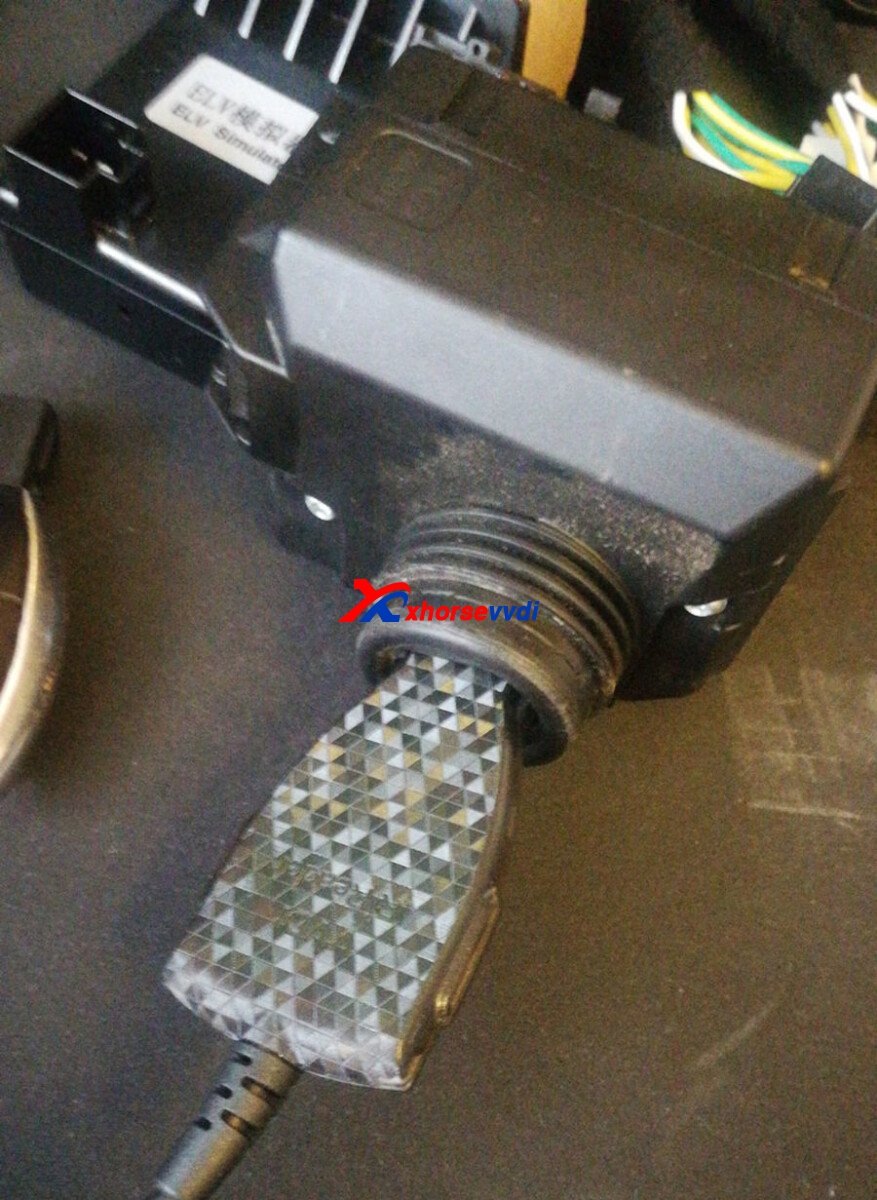
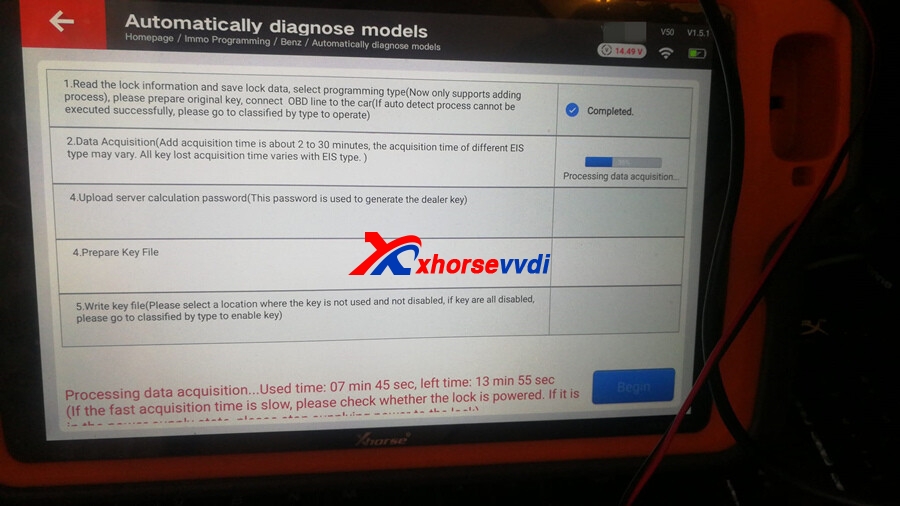
Because of the broken chip, we can’t get the data via OBD or IR. Then we try to make out the data using VVDI MB: (1)get HASH code from engine computer (2)get SSID and key pass from the original key.
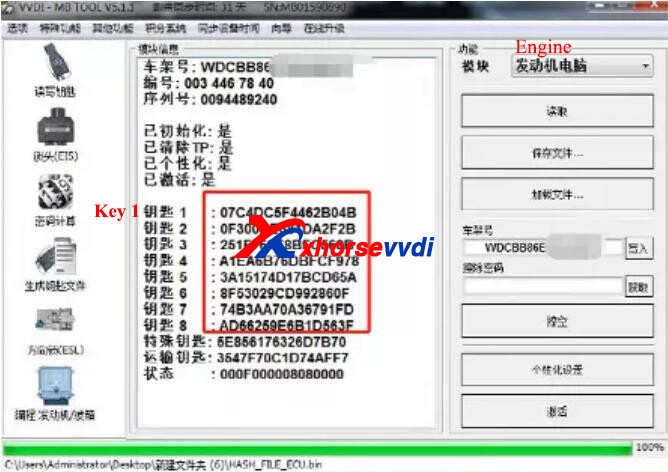
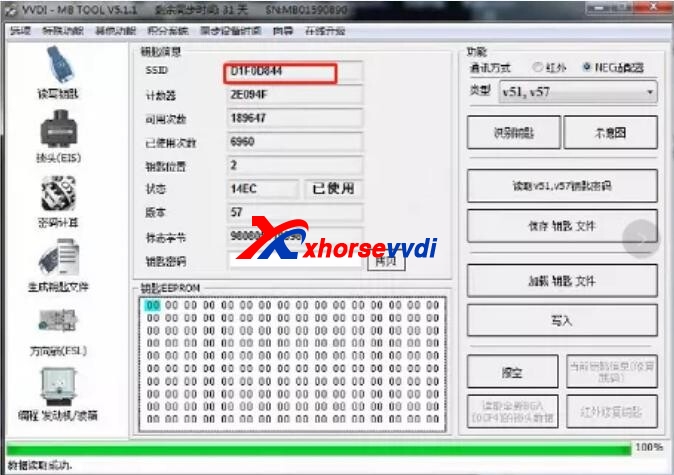
Then we have the data and need to write it to a blank EIS. That’s the point.
Step 2. Write it to a new EIS
This colleague bought the cheapest EIS, which can be read via OBD not IR.
This reason was a pin inside was not welded, but the EIS had a seal that prevented it from taking apart.
So, the first EIS failed.
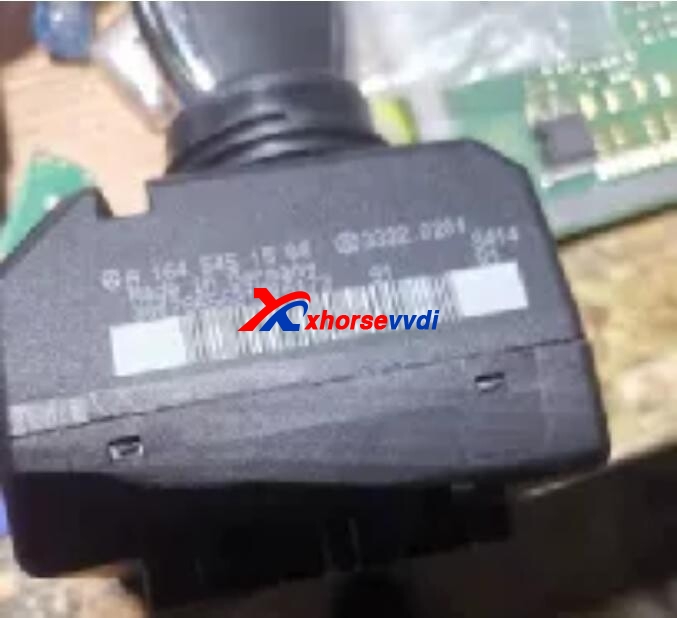
Time to the second EIS. It can be read via OBD and IR, so ready for erasure.
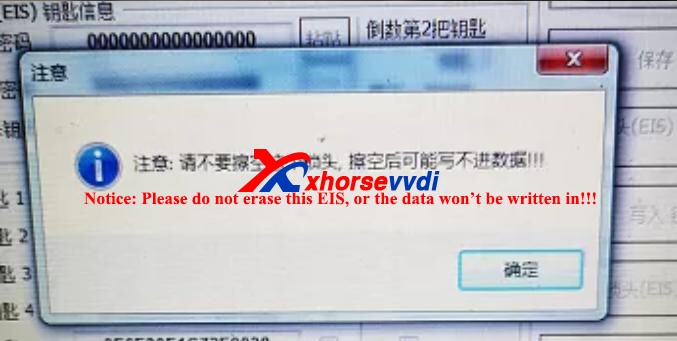
Then VVDI MB Toolprompted: Please do not erase this EIS, or the data won’t be written in.
He still had a try but failed.
So, the second EIS didn’t work as well.
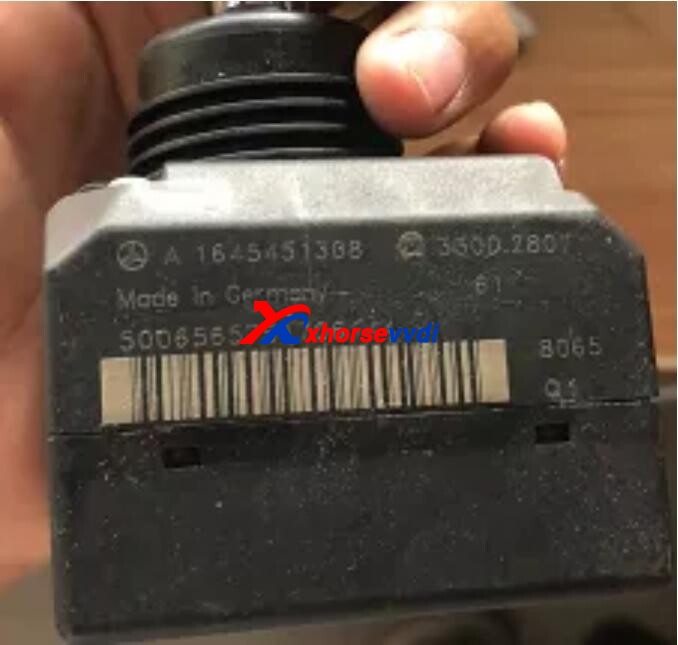
Days later, the third EIS was an erased one. This colleague wrote the data in, activated it by the original key, and the car started normally.
Tips
- Broken Mercedes FBS3 EIS can be fixed
- To replace by a used EIS, we should notice if the used EIS supports erasure, or we may have trouble like this colleague.
Skype: xhorsevvdi.com
Whatsapp: +86-13983756354
Posted by: xhorsevvdi at
06:30 AM
| No Comments
| Add Comment
Post contains 299 words, total size 4 kb.
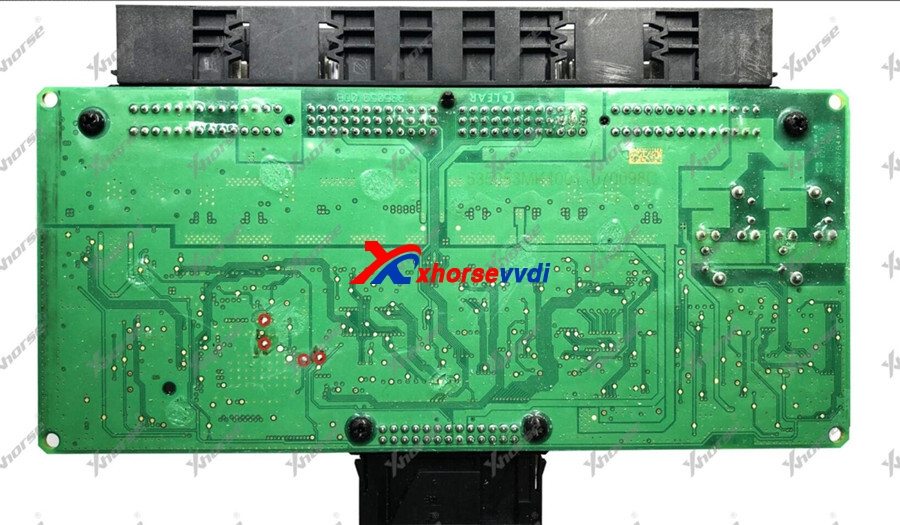
OEM BMW FRM Adapter Work with VVDI Prog without Soldering, and here is the connection instruction.
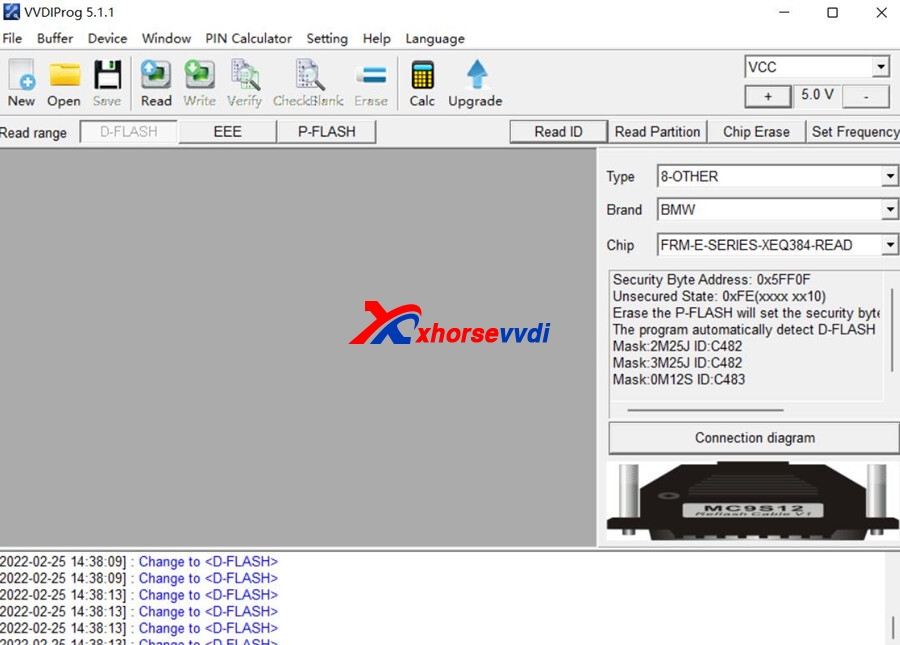
As it is not Xhorse brand, then you can not choose FRM-E-SERIES(ADAPTER), FRM-E-SERIES_REPAIR(ADAPTER) options in <8-OTHER>-> VVDI Prog software. Please choose BMW-->FRM-E-SERIES-XEQ384-READ to try.
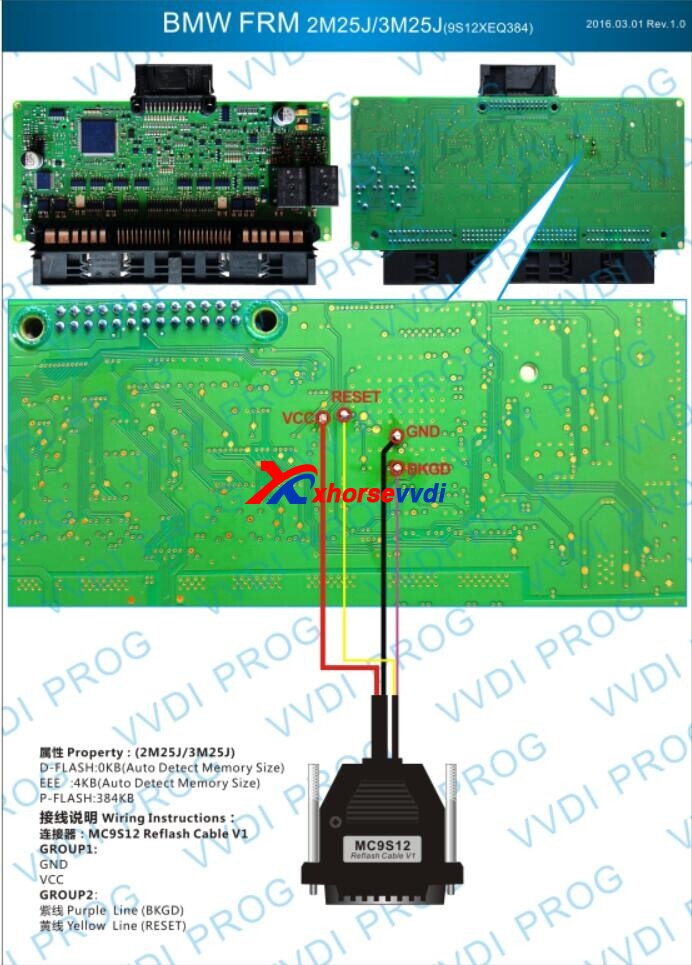
And here is the connection photo without OEM FRM Adapter:
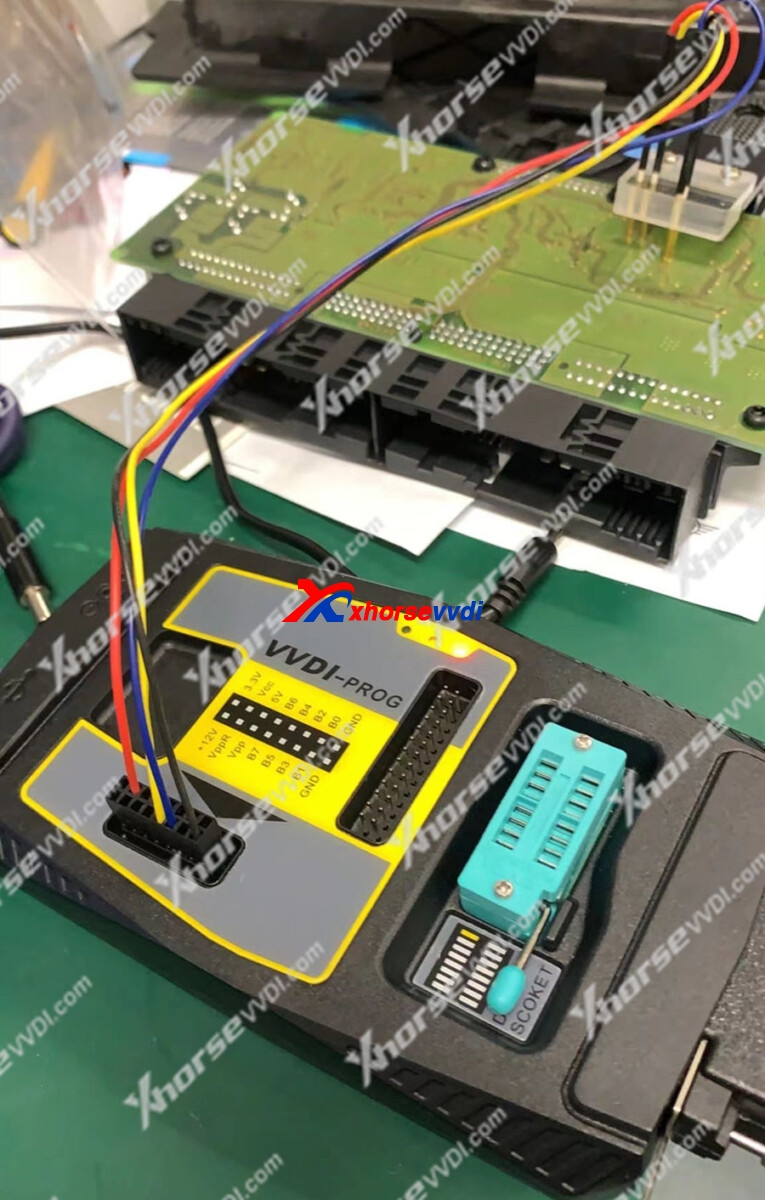
Here is the OEM BMW FRM Adapter and VVDI Prog connection
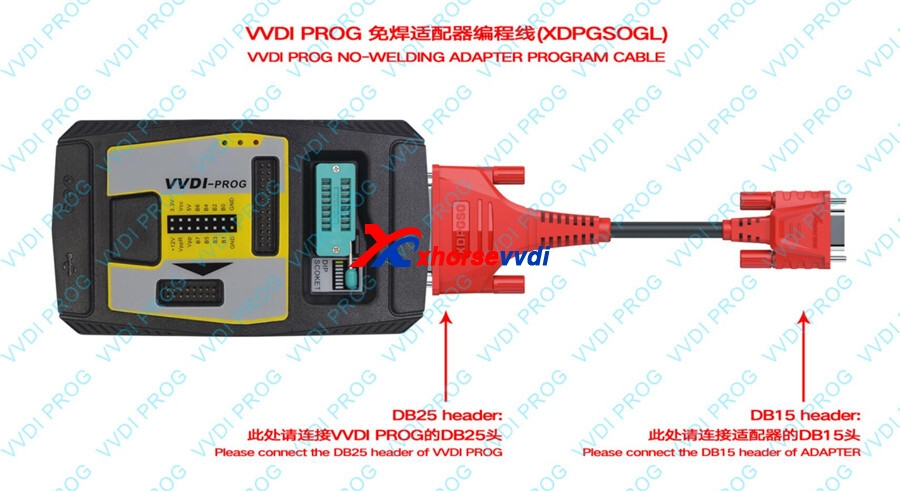
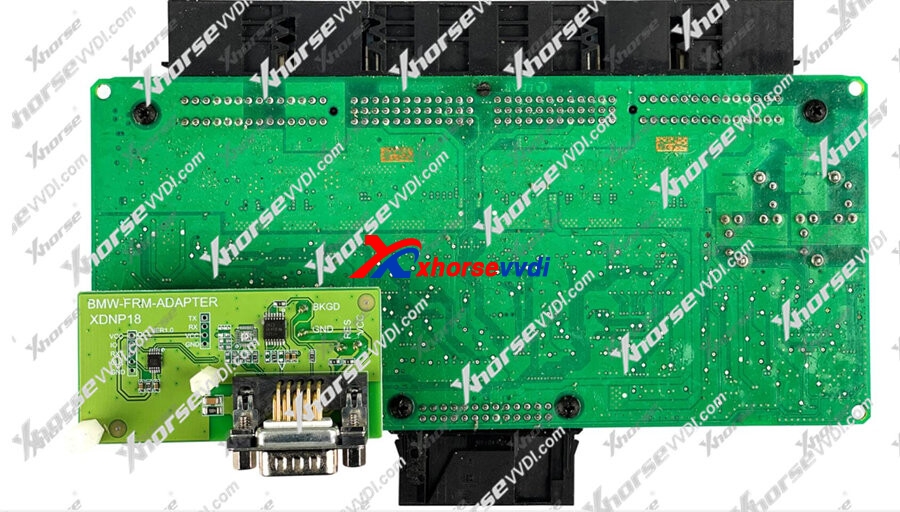
Now Xhorse XDNP18 Solder-Free Adapter for BMW FRM Work with MINI PROG / Key Tool Pus/ VVDI PROG is released! You can use Xhorse VVDI Prog with XDNP18 BMW FRM adapter + Xhorse XDPGSOGL DB25 DB15 Connector is released OK, you can use Xhorse adapter and choose (Adapter) menu in VVDI Prog software
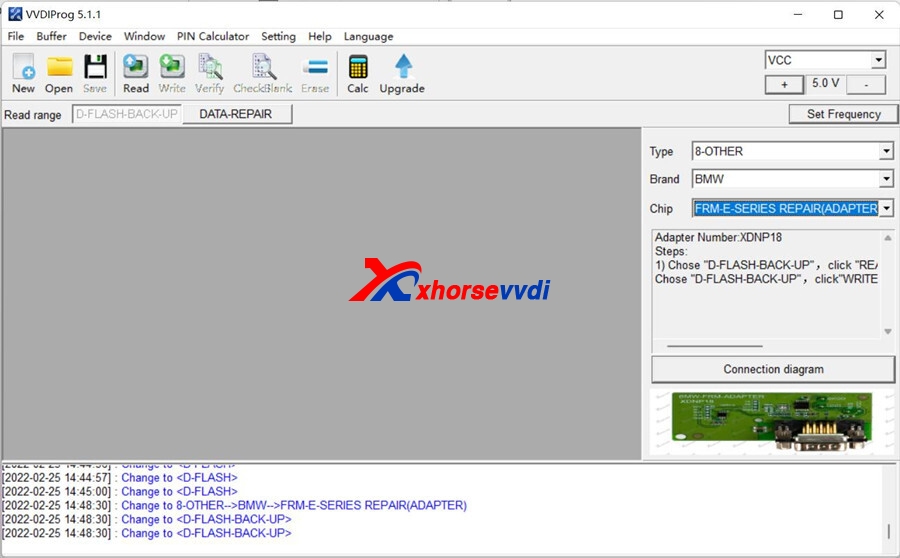
Here is the VVDI PROG + XDNP18 Xhorse BMW FRM adapter + Xhorse DB25 DB15 connection diagram
Posted by: xhorsevvdi at
06:29 AM
| No Comments
| Add Comment
Post contains 141 words, total size 3 kb.
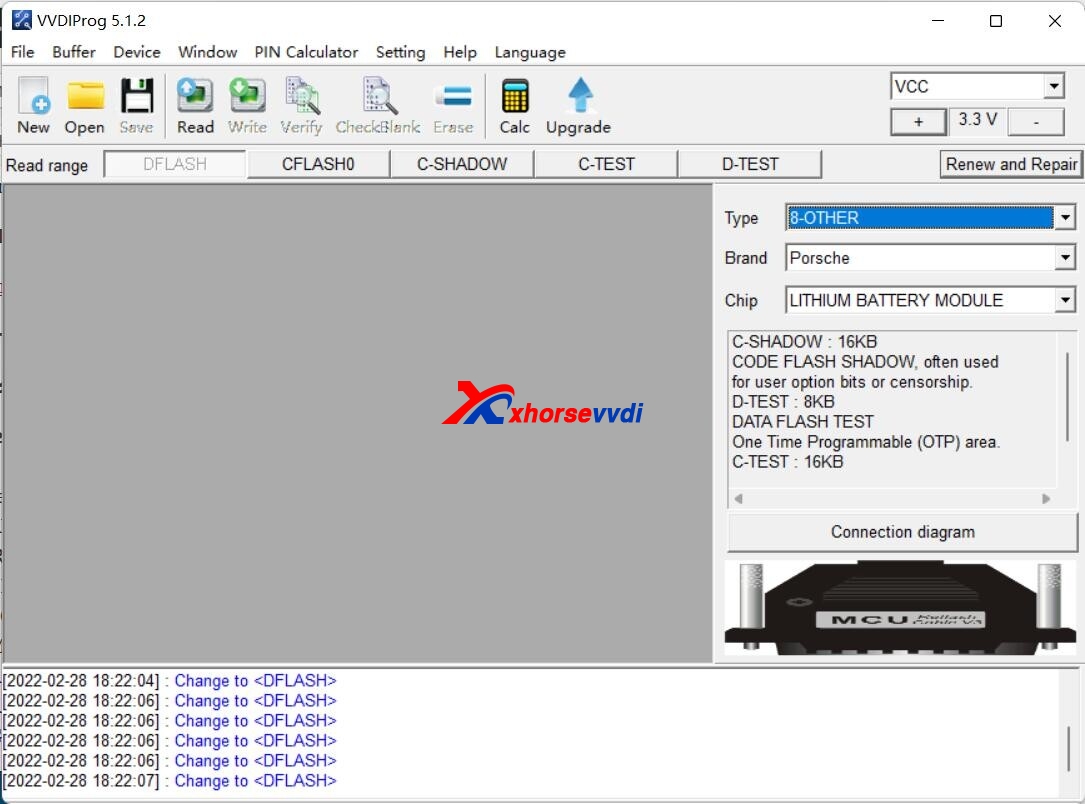
V5.1.2 VVDI Prog software is released! Now get free download link for V5.1.2 VVDI Prog software from XhorseVVDI.com. And Repair Function for Porsche 12V Lithium Battery Issue. New Function!
1.Free Download V5.1.2 VVDI Prog Software
https://mega.nz/file/4EUhmSoK#JQYq79GbWsC6qTNWHZaceB1YWSBlpGEVw8nzzF41ucc
Password:123456
2.V5.1.2 VVDI Prog Update Info:
v5.1.2 (2022-02-24)
* This version DON’t need update firmware
+ Add AVANCIER(R7F701033)(ADAPTER), BREEZE(R7F701033)(ADAPTER),
CIVIC(R7F701033)(ADAPTER), CRV(R7F701033)(ADAPTER),
VEZEL(D70F3634)(ADAPTER), XRV(D70F3634)(ADAPTER) options in <4-IMMOBILIZER>-><HONDA>
+ Add FOTON KANGRUI-H2 option in <5-DASHBOARD>-><FOTON>
+ Add MAXUS-G10 option in <5-DASHBOARD>-><SAICMOTOR>
+ Add AIRBAG E53 MRSZ4/16 option in <7-AIRBAG>-><BMW>
+ Add RANGE-ROVER-SEAT-MOUDLE option in <8-OTHER>-><LandRover>
+ Add GAYENNE AC MOUDLE, LITHIUM BATTERY MODULE options in <8-OTHER>-><PORSCHE>
Posted by: xhorsevvdi at
06:29 AM
| No Comments
| Add Comment
Post contains 106 words, total size 2 kb.
One customer gave feedback that his Dolphin XP005Lprompted "ERROR CODE: 5 Detected probeâ€. He was trying to cut a Ford HU101T key.
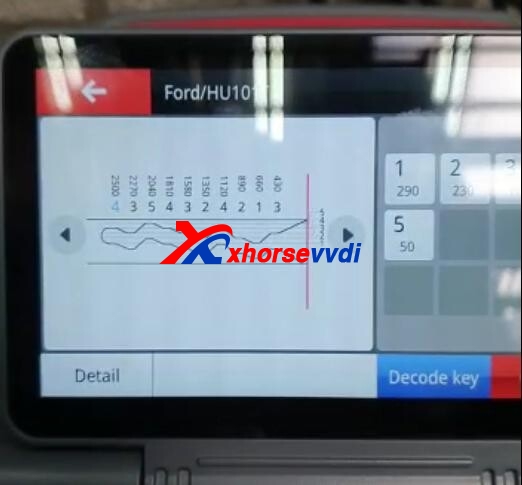
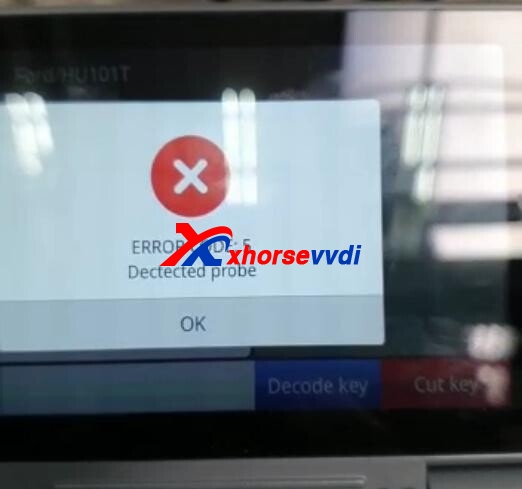
Here is how Xhorsevvdiengineers find the solution:
Xhorsevvdi: do the Electrical conductivitytest and shoot a video
Customer: (Normal)
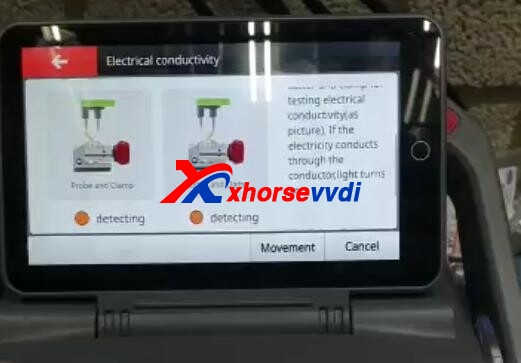
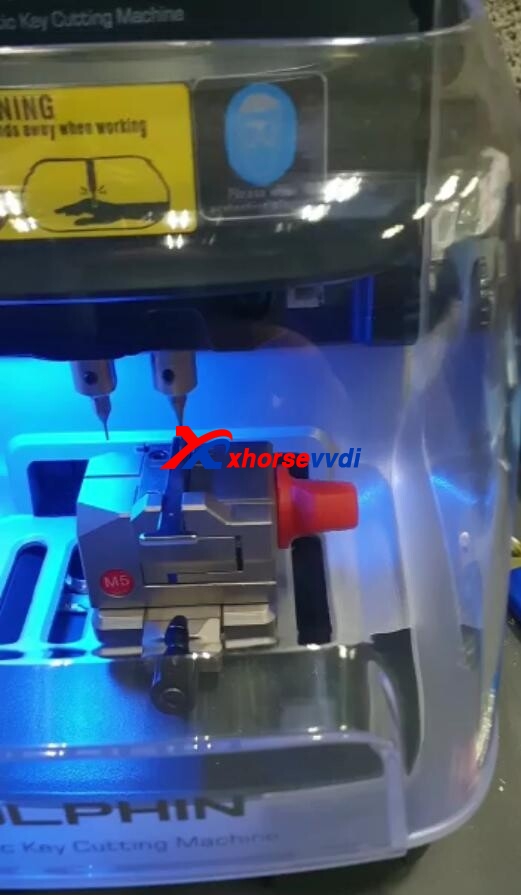
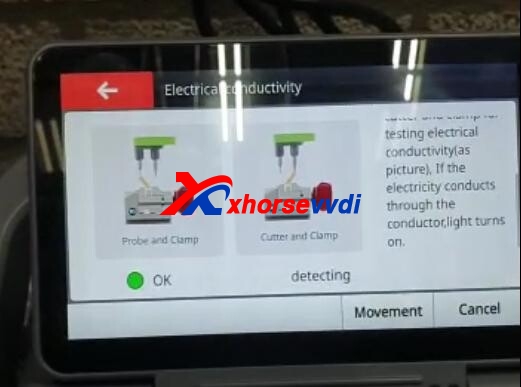
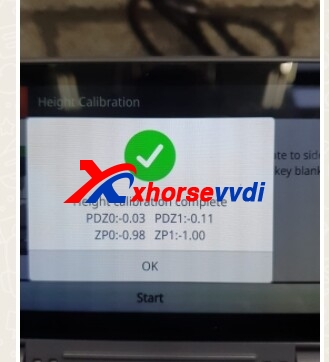
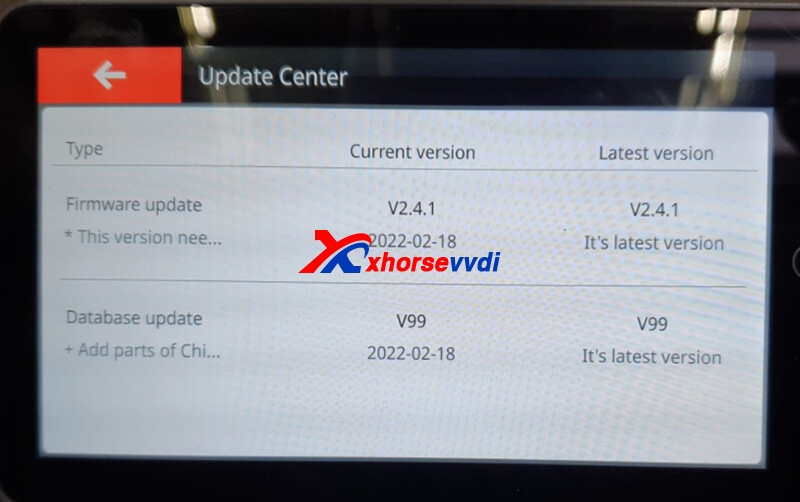
X: Update firmware to the latest version and do Height calibration and Clamp calibration.
C: The error still there.
X: The key head should be aligned with the 2nd line on the clamp.
C: The key is put correctly.
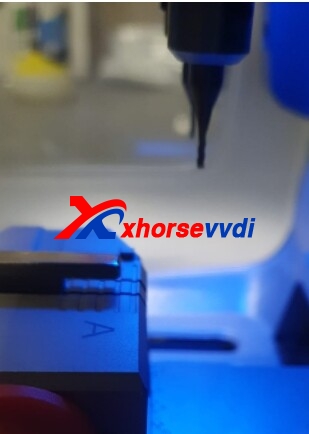
From this pic, we find the Reason:
For this key, XP005Lrequires M5-B (side B of clamp M5) instead of side A.
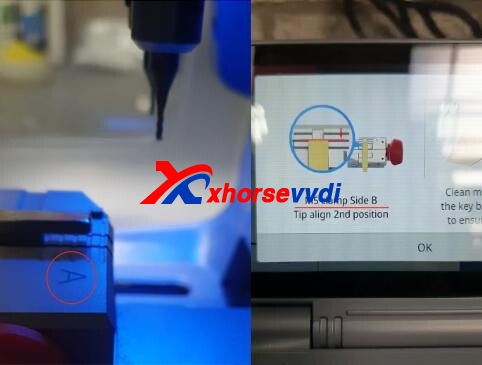
Turn the clamp M5 to side B and it should work fine.
Any questions, contact us.
Skype: xhorsevvdi.com
Whatsapp: +86-13983756354
Posted by: xhorsevvdi at
06:28 AM
| No Comments
| Add Comment
Post contains 132 words, total size 5 kb.
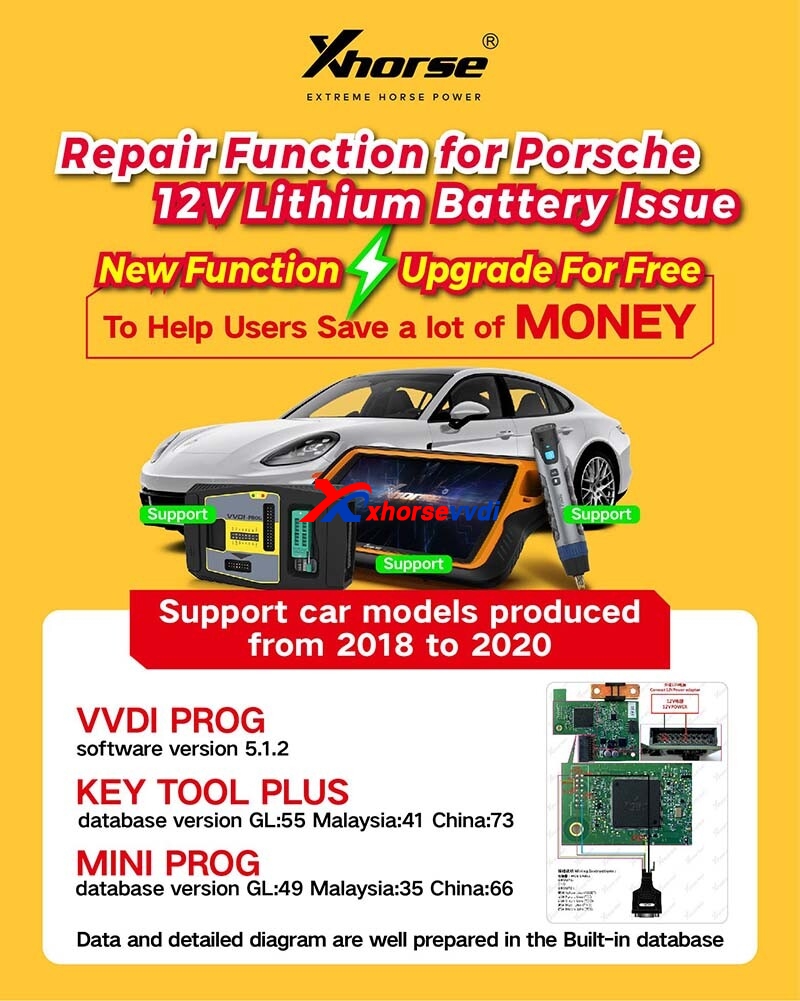
Update Time: 2022-02-24, Xhorse released the new repair function for Porsche 12V lithium battery. This function supports Porsche models from 2018 to 2020.
Support Devices (GL Version):
1. Xhorse VVDI PROG- Software V5.1.2
+ Add CAYENNE AC MOUDLE, LITHIUM BATTERY MODULE options in <8-OTHER>-><PORSCHE>
2. Key Tool Plus - Database V55
3. Mini Prog - Database V49
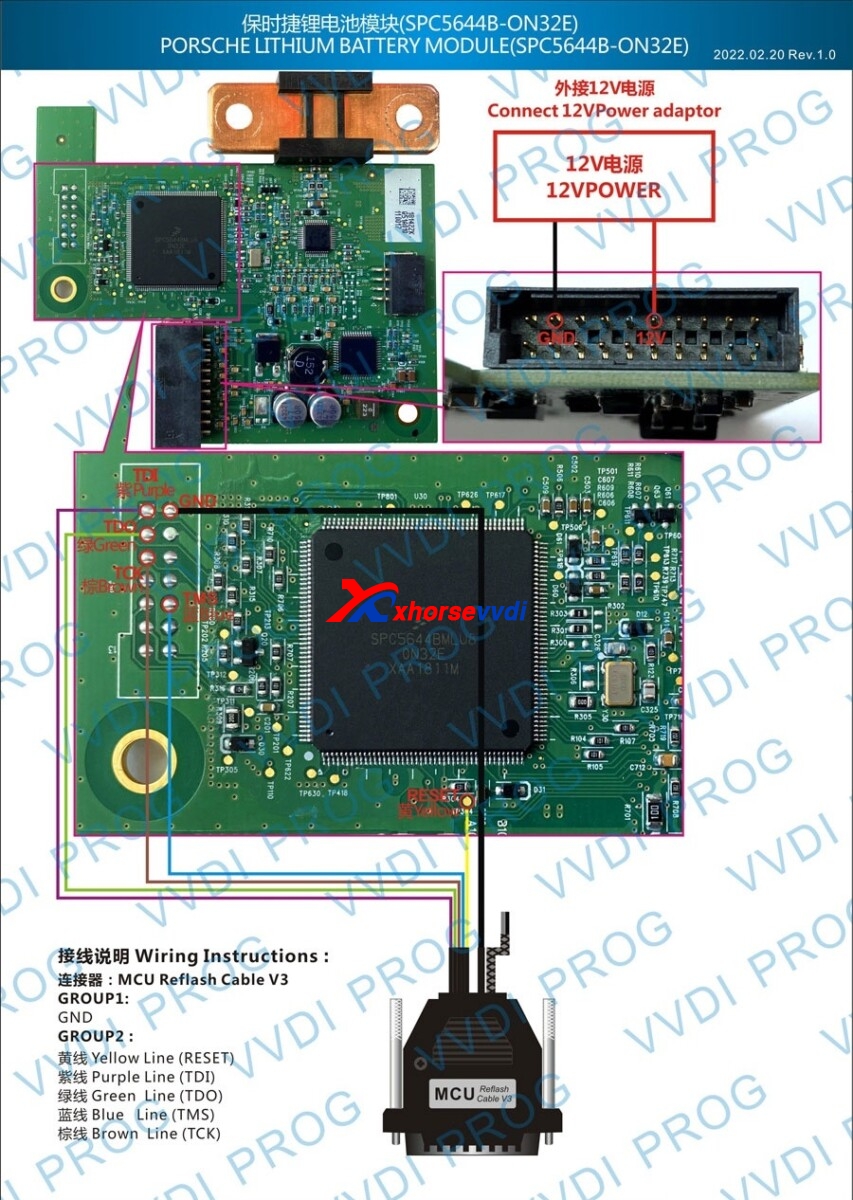
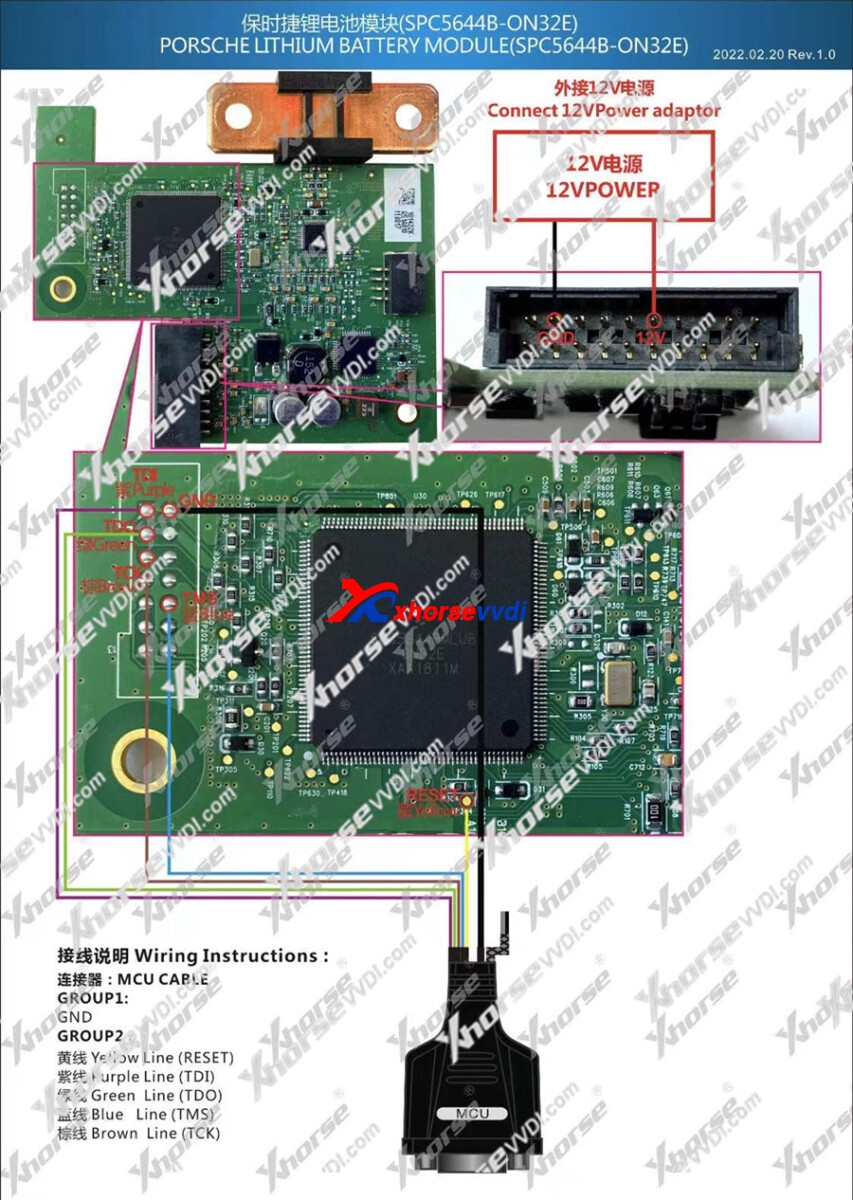
Repair Function for Porsche 12V Lithium Battery Connection Diagram:
1.VVDI PROG Connection Diagram
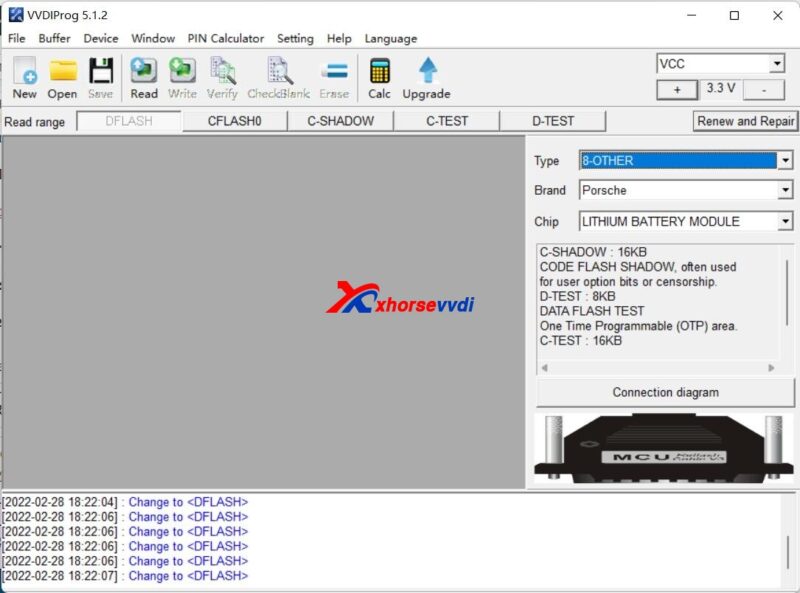
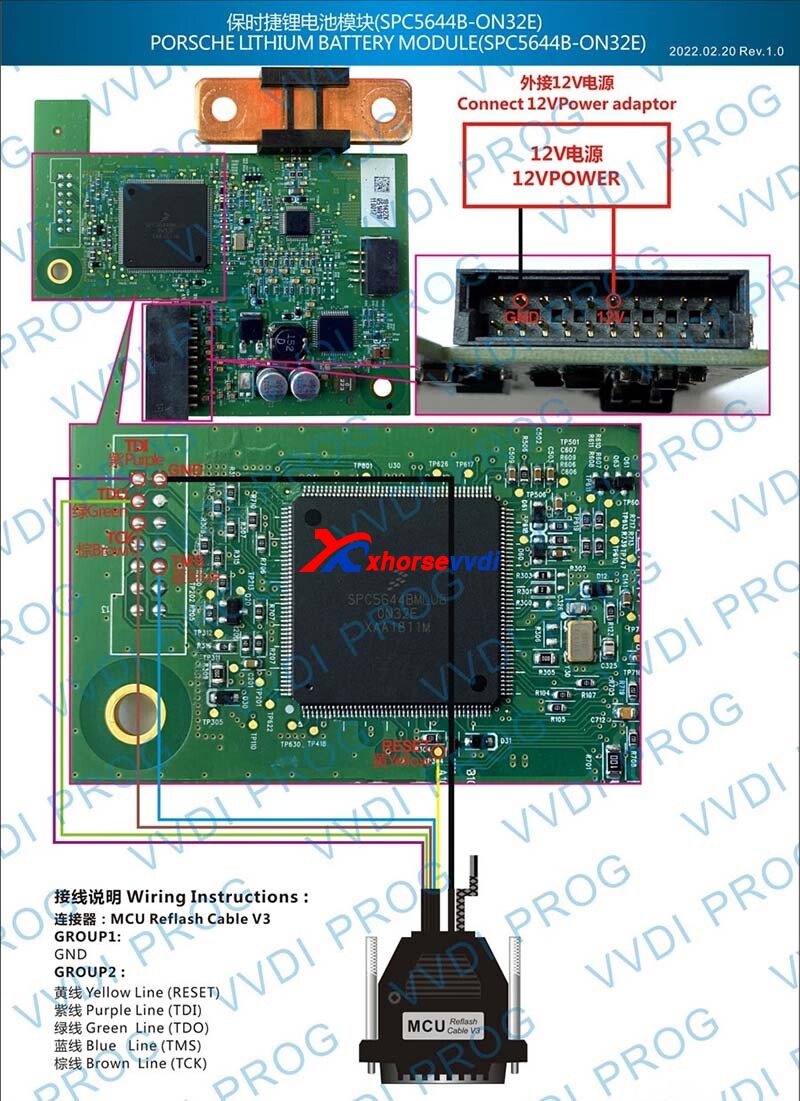
SPC5644B-ON32E Wiring Diagram:
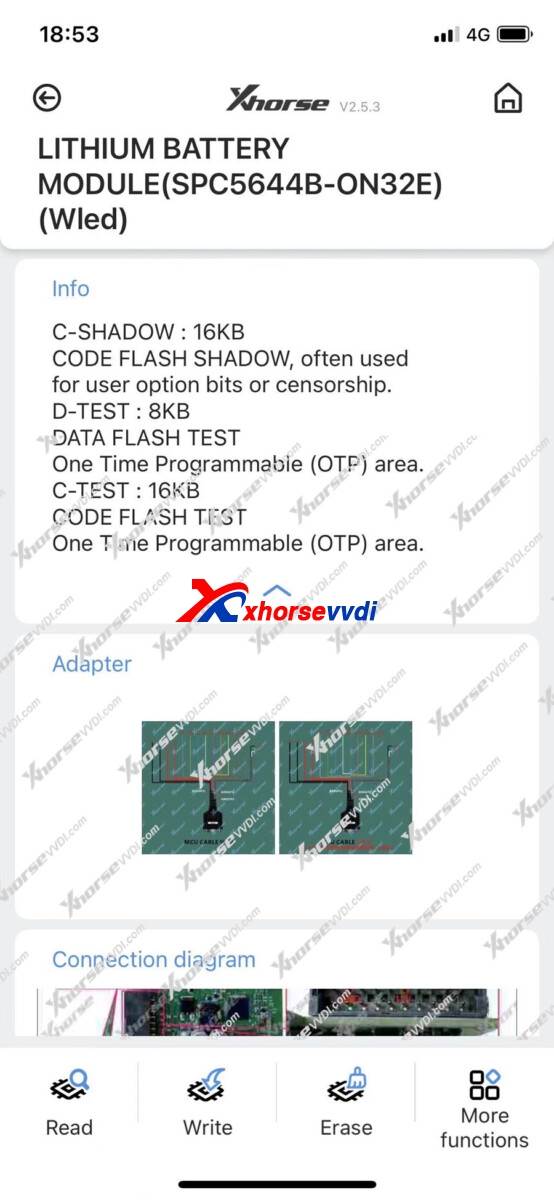
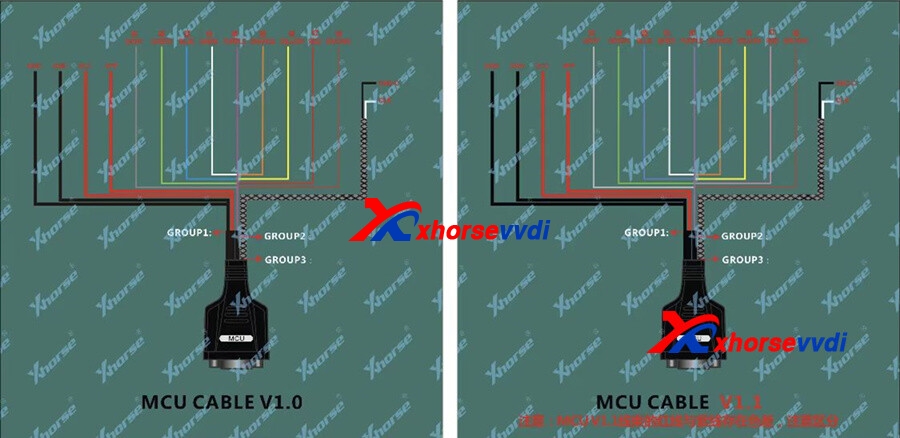
2. MINI Prog Programmer
MINI PROG>>More Function>>>>Other>>Porsche
3.VVDI Key Tool Plus
Key Tool Plus>>Prog>>More Function>>>>Other>>Porsche
Data and detailed diagrams are well-prepared in the built-in database.
Simple Procedure:
Remove lithium battery module
Locate IC chip-SPC5644B
Connect VVDI Progwith battery module by the wiring diagram
Read and SaveD-Flashand P-Flash
Write data
Xhorse VVDI contains data for 2018-2020 Cayenne to write back
Posted by: xhorsevvdi at
06:27 AM
| No Comments
| Add Comment
Post contains 173 words, total size 3 kb.
February 23, 2022
GODIAG ECU IMMO Prog AD GT105 is a special plug-and-use connector, mainly for car communication tests, OBD short-circuit, and outside power supply.
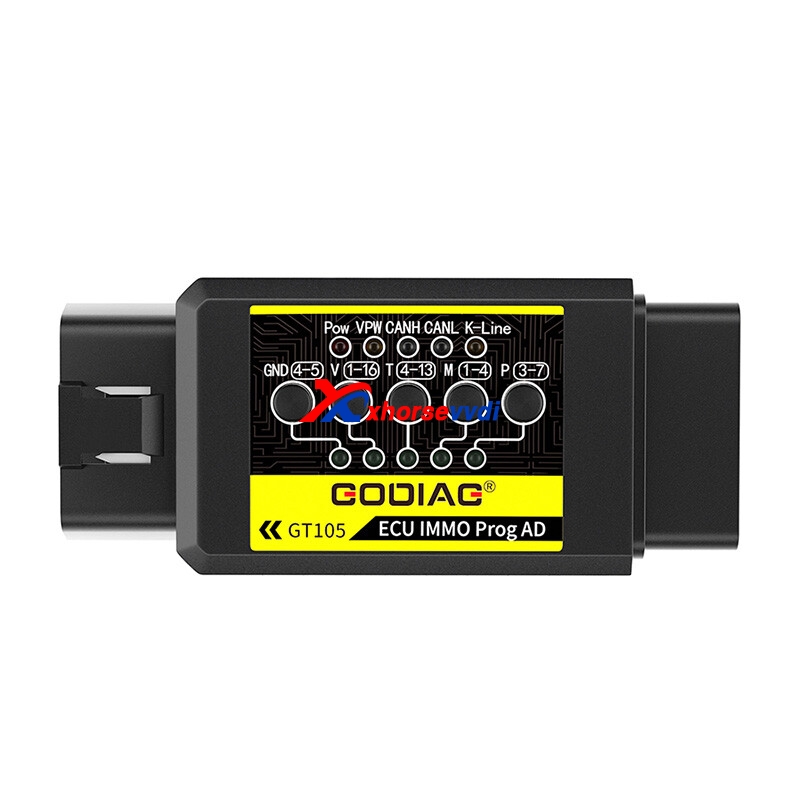
Let's take a deeper look at this little GT105 box:
1. Help test device-car communication
When we connect our device to a car, it may prompt "No communication".
First, we should find out whether the issue happens on the car or the device, so we can connect this GT105 box to the car, and check the indicators on it.
Steps:
Connect GT105 to the car via OBD. If the power light is on, it means the car is good, so there is something wrong with the device or the device doesn't support the car.
2. OBD short-circuit
This function avoids removing ECU or immo to do short-circuit, and it applies to Ford all key lost, Mitsubishi remote match, starting VW when all key lost, Toyota immo box synchronization, etc.
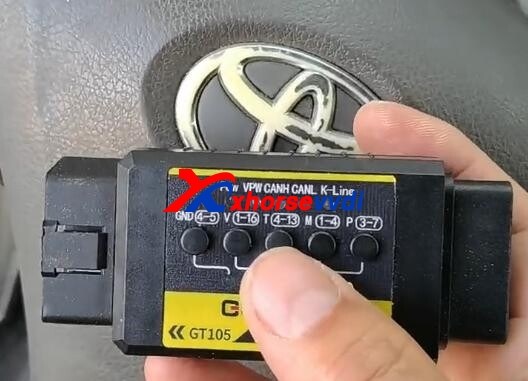
Example - Mitsubishi 2016 remote match
We need to manually match the remote part after we clone the ID46 transponder and generate the remote.
Steps:
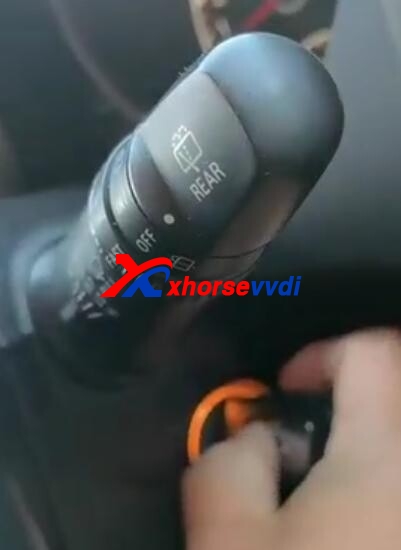
Connect GT105to the car via OBD.
Turn on the door once.
Turn on the ignition with the original key.
Press "M 1-4" to short-circuit the car.
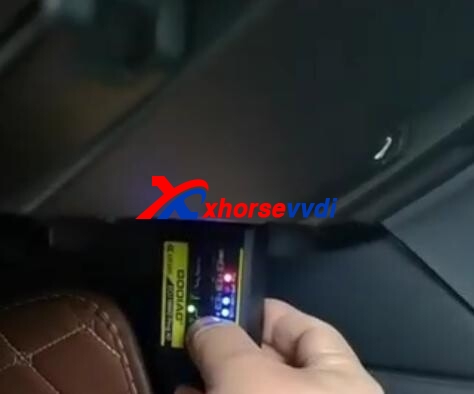
Press the emergency light 3 times.
Press the unlock button on the new key.
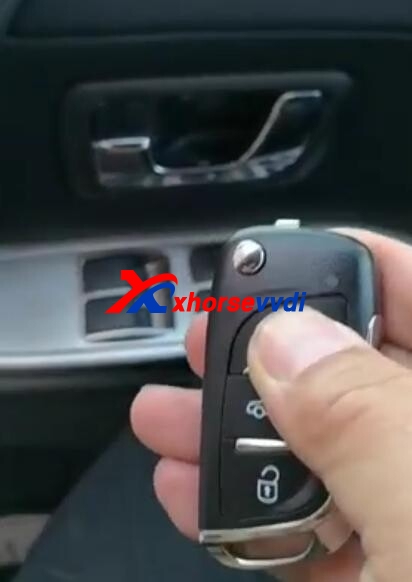
Press the unlock button on the original key to complete the procedure.
3. Outside power supply
Nowhere to get power supply in some outside job?
By connecting to a car battery, it can supply power to different devices and machines.
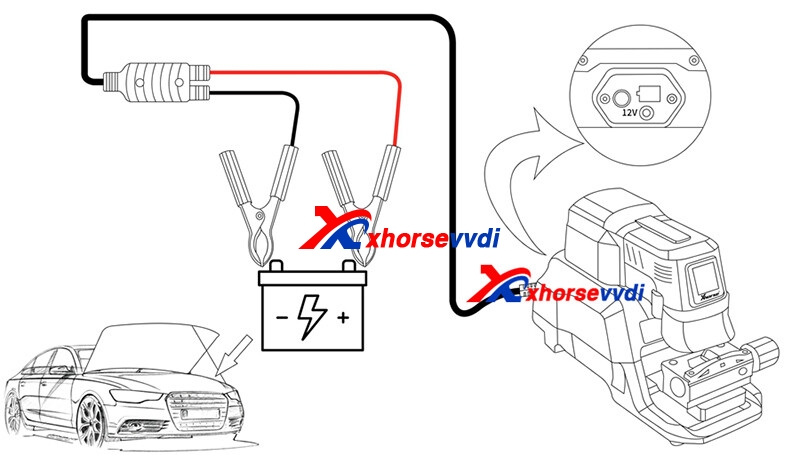
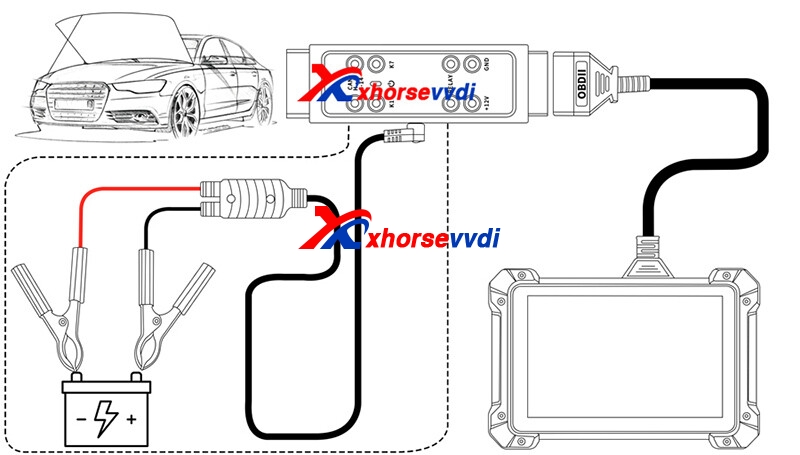
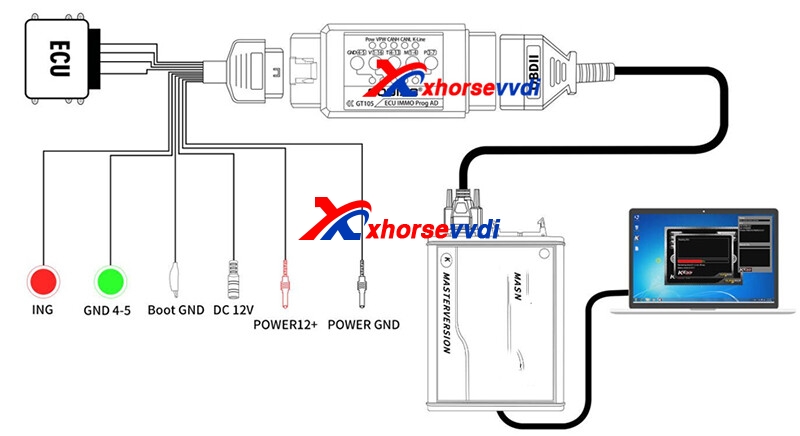
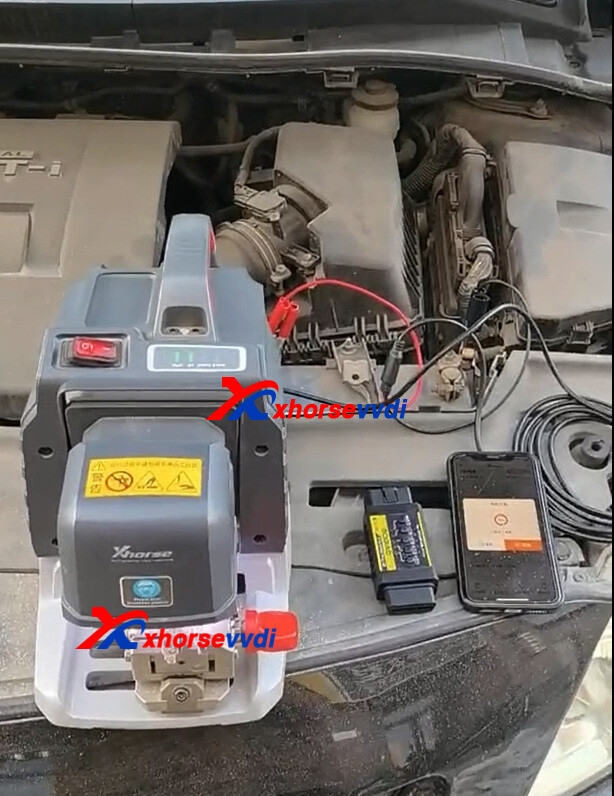
Work with Xhorse Panda Key Cutting Machine.
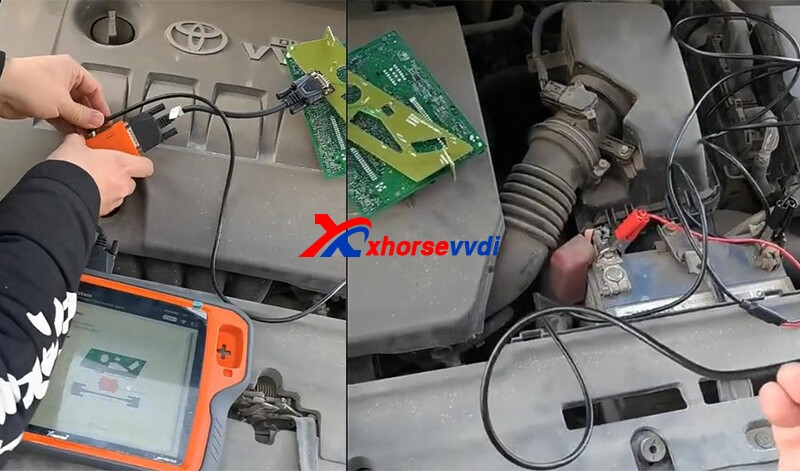
Work with Key Tool Plus+ Audi BCM Solder-free Adapter.
For more info, please go to
https://www.xhorsevvdi.com/wholesale/godiag-gt105.html
Skype: xhorsevvdi.com
Whatsapp: +86-13983756354
Posted by: xhorsevvdi at
09:22 AM
| No Comments
| Add Comment
Post contains 291 words, total size 7 kb.
How to add key for Mercedes Atego when all key lost. Check this blog.
We'll read the EEPROM file by VVDI PROG, and write it into a T5 transponder by Zed Full.
EEPROM: 93C86
Part 1. Read the EEPROM file
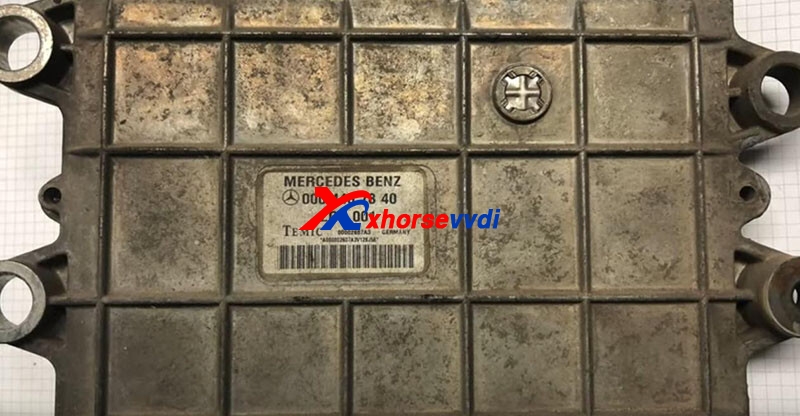
Remove the engine control unit, which has the key data.
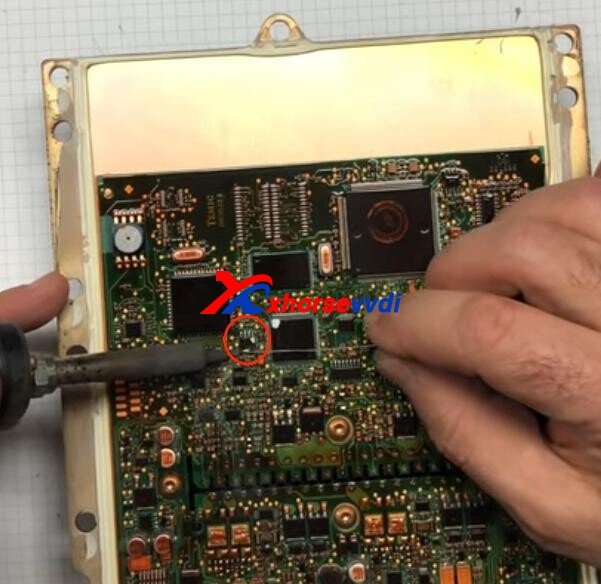
Take out the circuit board, and desolder the EEPROM.
Put it into VVDI PROG EEPROM adapter.
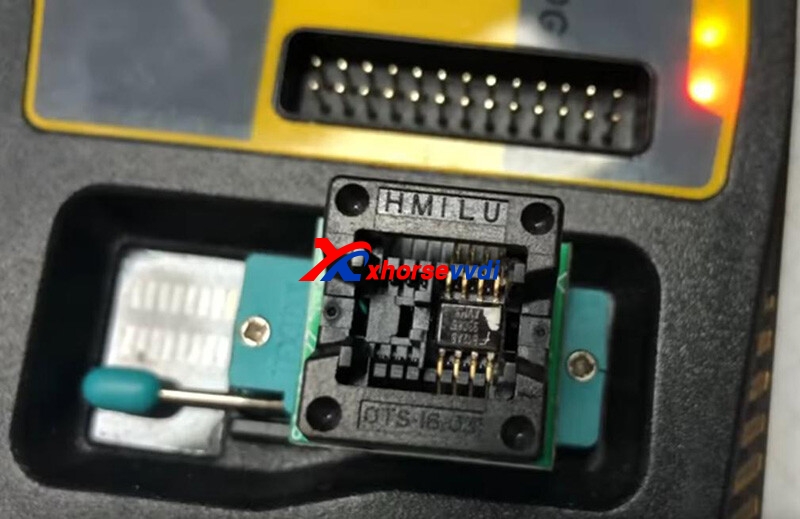
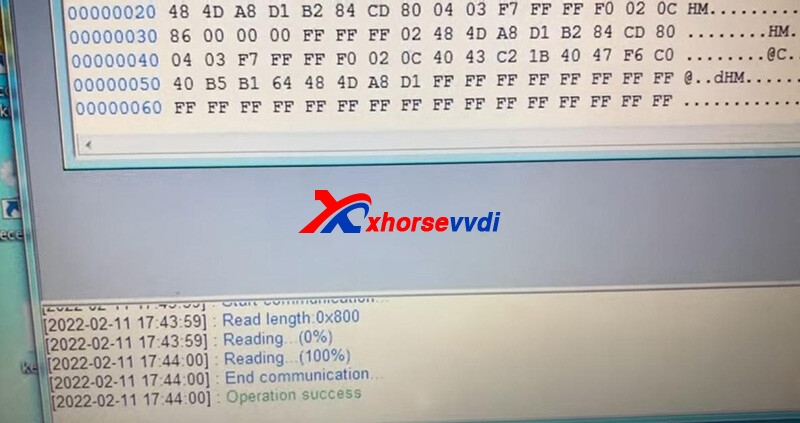
On VVDI PROG, select "1-EEPROM&FLASH""ST""M93C86".
Read and save EEPROM file.
Part 2. Transponder Programming
On Zed-Full, go to "Eprom and MCU Anwendungen".
Select "Mercedes""46. Mercedes Truck - Temic ECU".
Load the EEPROM file we just saved.
Check "Key"and put a T5 ceramic chip into the coil.
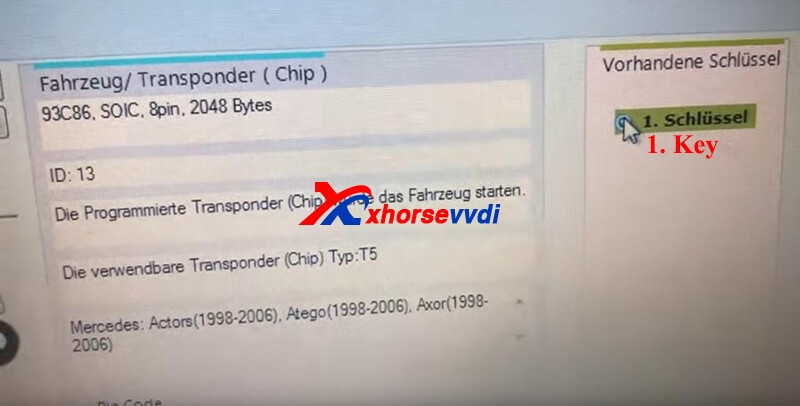
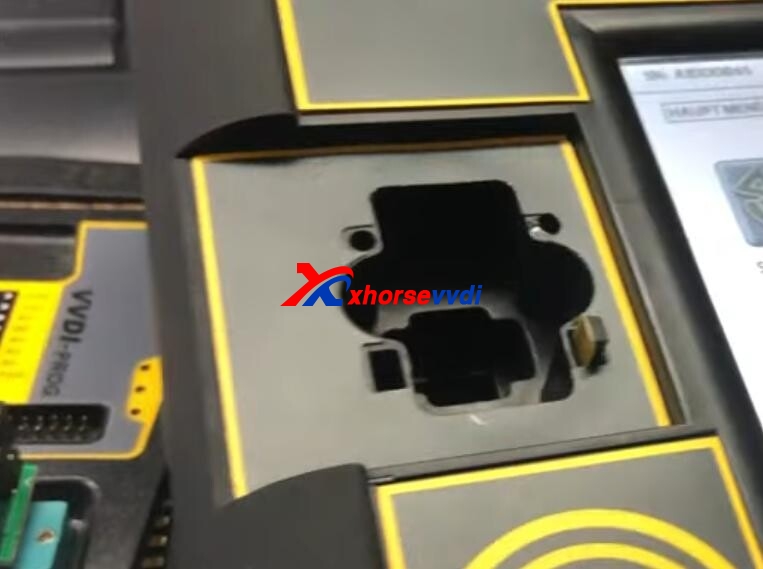
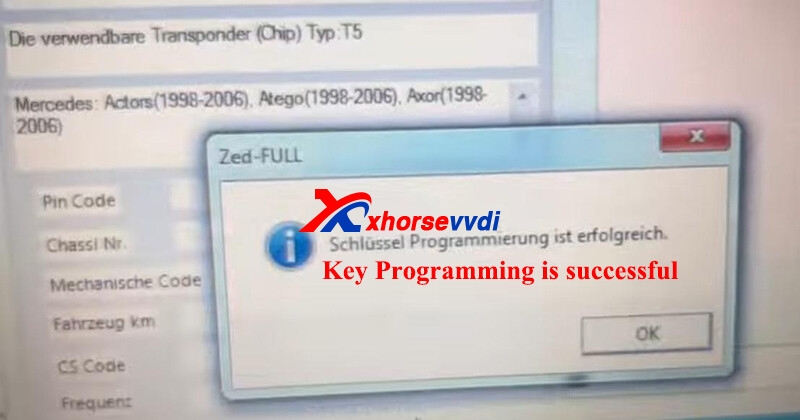
Select "Programming">> "T5">> "Ok"
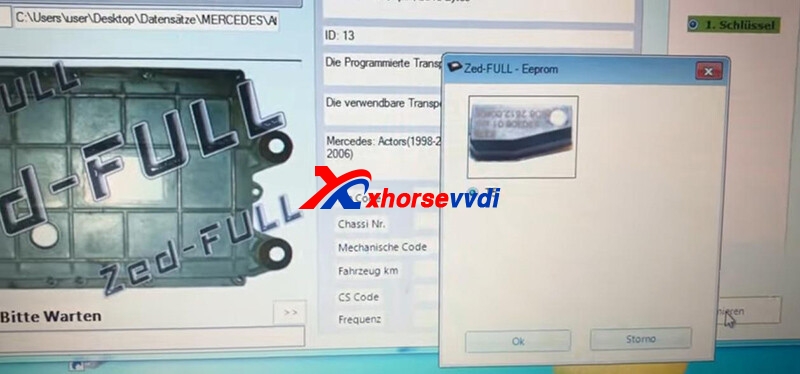
Success.
Program a T5 glass chip in the same way.
Test keys.
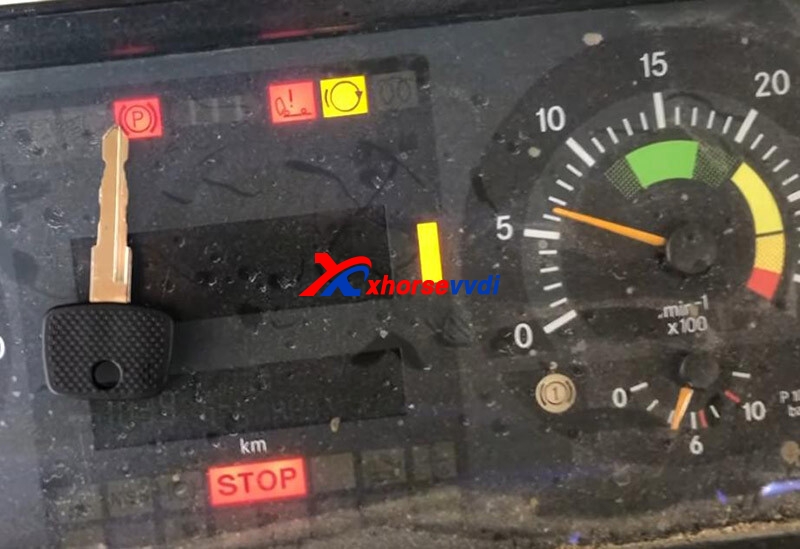
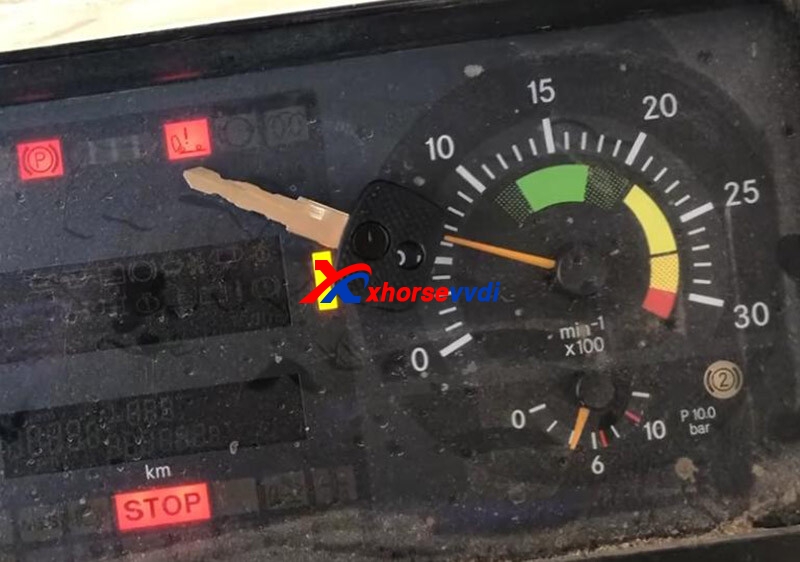
Done! That's the process of Mercedes Atego 2001 AKL Programming by VVDI Prog and Zed Full.
Posted by: xhorsevvdi at
09:21 AM
| No Comments
| Add Comment
Post contains 157 words, total size 5 kb.
V7.2.1VVDI2 Transponder Programmer Software is released! Get VVDI2 Transponder Programmer free download link from xhorsevvdi.com.
This V7.2.1 VVDI2 Installer only updates Transponder Programmer to V7.2.1 version. Other software version is V7.2.0, and the firmware version is V7.1.9.
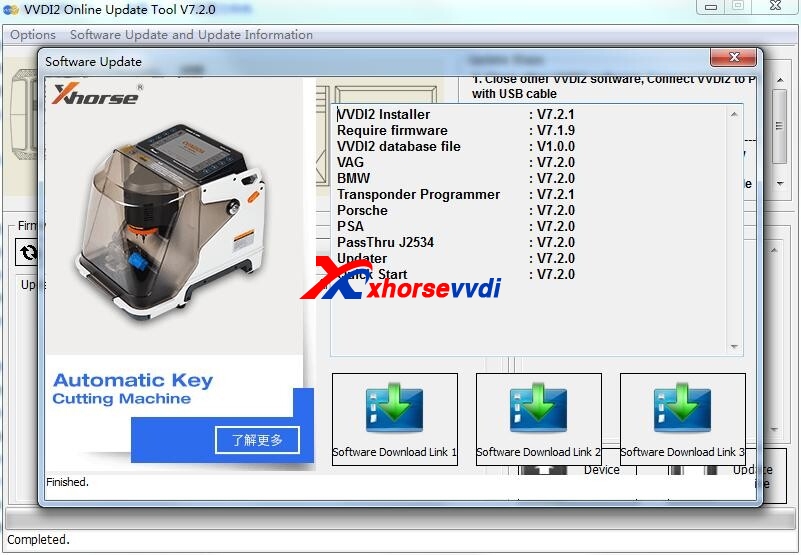
1. Free Download V7.2.1 VVDI2 Installer
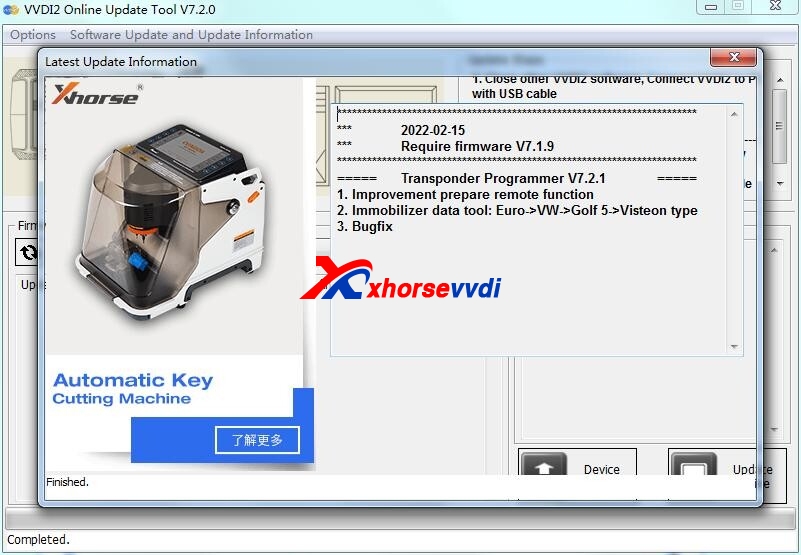
2. V7.2.1 VVDI2 Installer Update Information
Update Time: 2022-02-15
Require firmware V7.1.9
===== Transponder Programmer V7.2.1 =====
1. Improvement prepare remote function
2. Immobilizer data tool: Euro->VW->Golf 5->Visteon type
3. Bugfix
Posted by: xhorsevvdi at
09:19 AM
| No Comments
| Add Comment
Post contains 81 words, total size 3 kb.
Question:
To add a key for Mini Cooper 2004 when all keys are lost. I remove EWS3, read it and make a key with Key Tool Plus, the transponder started car for 2 times, and now not working. I use transponder XT27 on function immo data.
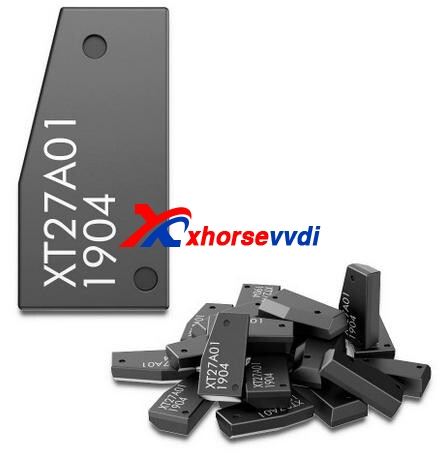
Here is the
Solution:
Use an original PCF7935 chip, and the problem will likely be solved.
Experience from locksmith colleagues:
Use good PCF7930/7931/7935. PCF7935 is expensive this days but 7930/7931 is okay. Use AS if possible. Some NXP 30/31 on Ali is defective.
Alright, we'd better have an alternative for key programming. Sometimes VVDI Super Chips work, sometimes original chips work.
Thanks to Key Car Programmation, Liudmil Docev...
https://www.xhorsevvdi.com/
Skype: xhorsevvdi.com
Whatsapp: +86-13983756354
Posted by: xhorsevvdi at
09:15 AM
| No Comments
| Add Comment
Post contains 132 words, total size 2 kb.
Q: Xhorse Dolphin XP005L gave the error "Not support current data" when cutting a Jaguar FO21 Tibbe key using Clamp M3.
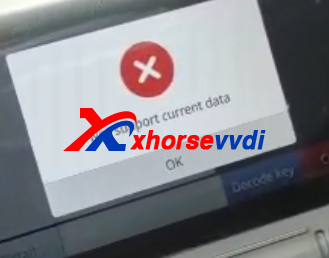
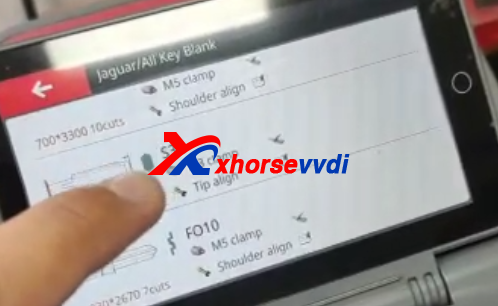
Here is how xhorsevvdi technicians troubleshoot:
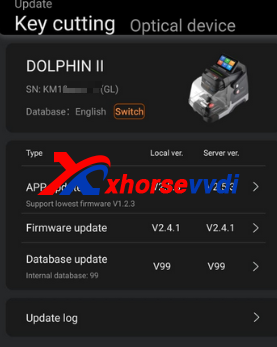
Technicians asked for a picture of the Update Center.
Here is the screenshot.
Technicians asked him to re-update database as the arrow and try again.
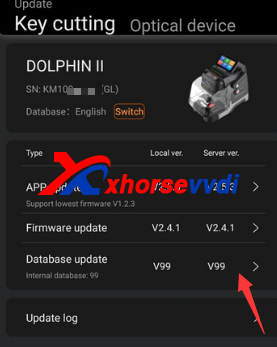
The customer said same message "no support current data".
Technicians asked which cut type is the key, 6 cut or 8 cut.
This customer was cutting a FO21 8cut key.
Here is the Reason:
Dolphin XP-005L supports FO21 6-cut keys; doesn't support FO21 8-cut keys.
Skype: xhorsevvdi.com
Whatsapp: +86-13983756354
Posted by: xhorsevvdi at
08:34 AM
| No Comments
| Add Comment
Post contains 112 words, total size 3 kb.
February 11, 2022
What's the new features of Xhorse Condor XC-MINI Plus II Key Cutting Machine?
As the upgraded version of Condor XC-MINI Plus, 'll talk about it on software and firmware.
Part 1. Software
1. Support Car, Motorcycle, Household keys
Like the new Dolphin XP005L, it supports keys beyond cars.
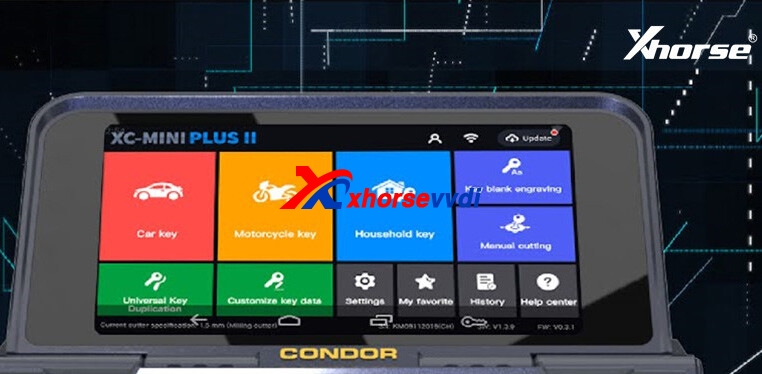
But anyway, it's mainly for car keys, only a few motorcycle and household keys are on the database.
2. Key Blank Engraving (Dimple key)
This is the biggest difference in my view.
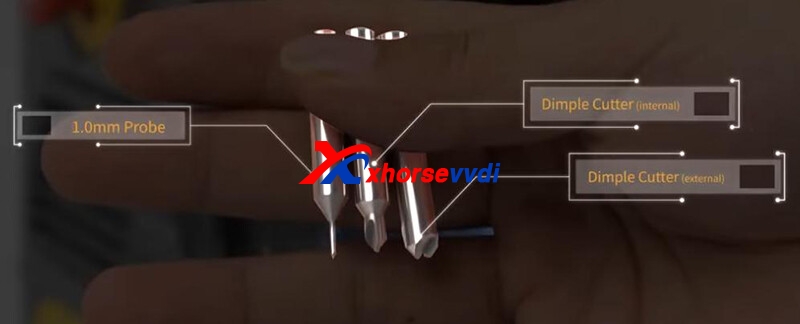
Due to the two new dimple cutters (internal/external), Condor II can decode and cut multi-lock dimple keys.
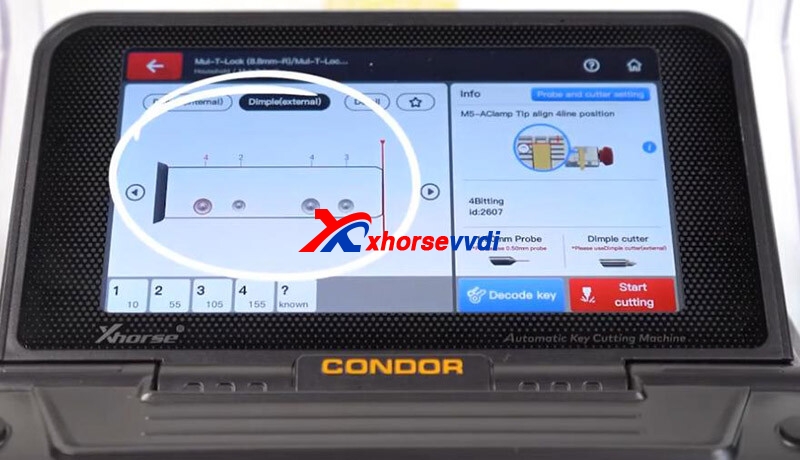
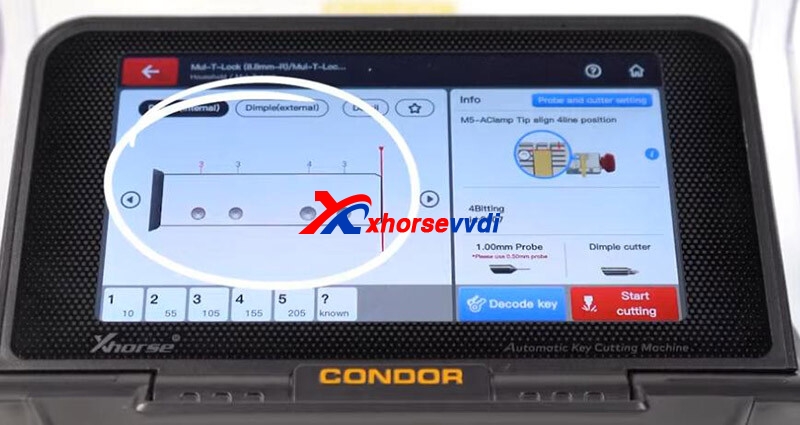
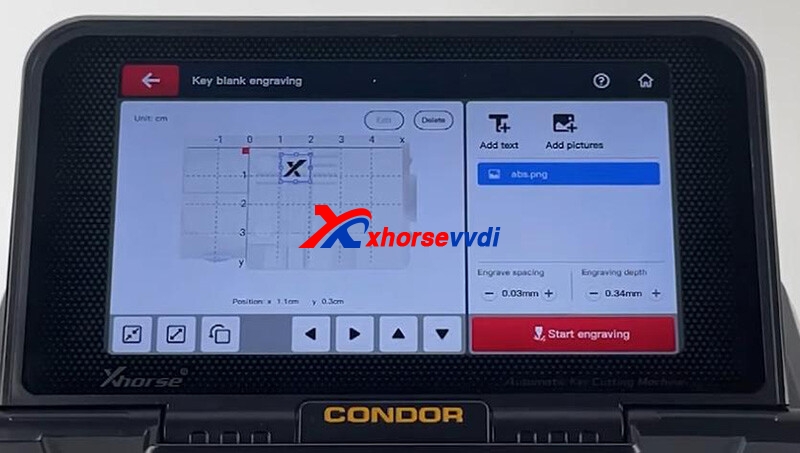
Similarly, it has a key blank engraving function so that we can personalize our keys.
3. Offline Operation
Like the Condor Mini Plus, it supports offline operation. Network is not always available, so this function could be a highlight.
One thing I have to mention is that it still doesn't have a built-in battery, so if you want to take it out, you may prepare a van to power it, or conside new Dolphin XP005L.
4. Work with Key Reader
We know Xhorse Key Reader is for decoding plastic and Aluminum keys like some keys of Landrover and Audi, and it can work with Dolphin, Condor and Panda key cutting machine. Why I mention this point is that Condor XC-Mini IIis the only one that can directly connect to Key Reader without a phone.
Part 2. Firmware
1. 7-inch Touch Screen
Big touch screen control, also supports control from phone app. It should be similar to them on Dolphin II, screen and app, both work fast.
2. Clamp M5 (M1+M2)
Clamp M5 is compatible with Dolphin XP-005L and this Condor Mini Plus II. I think Clamp M5 is really handy, don't have to install and uninstall during procedure, just rotate it to select side A/B, and lots of guys also appreciate this clamp update.
Summary
I like Clamp M5 so much, so I recommend choosing between Dolphin II and Condor II.
To choose Condor II, you really need to handle dimple keys and it's hard to get a network connection;
To choose Dolphin II, you don't really need to cut dimple keys and you prefer a machine with a built-in battery so you can take it out.
Skype: xhorsevvdi.com
Whatsapp: +86-13983756354
Posted by: xhorsevvdi at
08:53 AM
| No Comments
| Add Comment
Post contains 389 words, total size 6 kb.
VVDI2 Full version all we sell is now is with GL remote database, and free OBD read MED17 / EDC17 PIN / CS / MAC function, as well as toyota H function.
But if you bought in previous, in transponder programmer software, your database maybe China. Then you need to send us your vvdi2 SN and your country, we will change database for you.
Meanwhile, if you got the error "Decode failed! Please retry after update device! Error: E0-9C, GL remote can not use China database!", like the following pic:
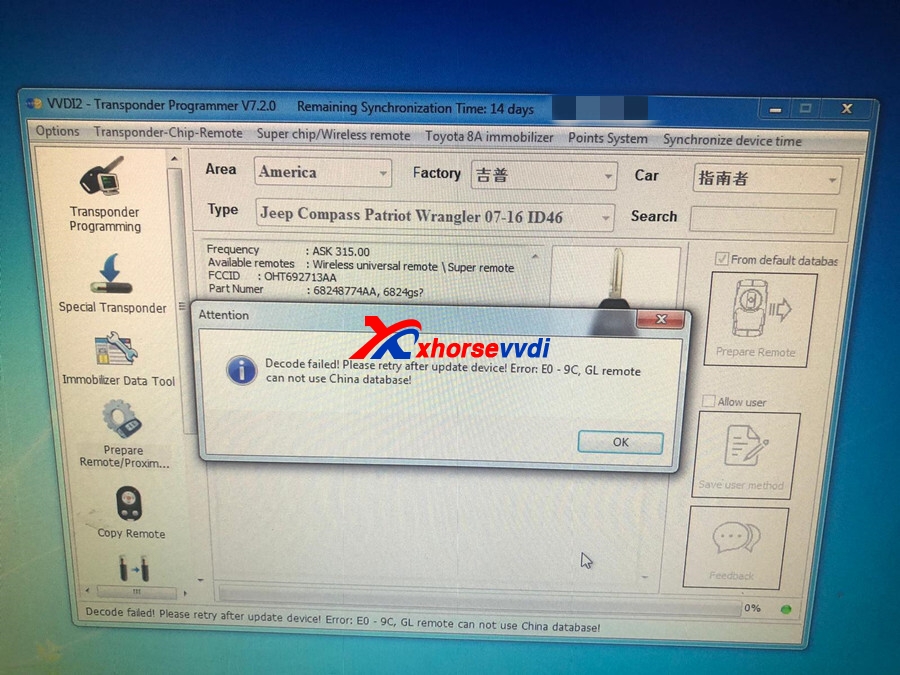
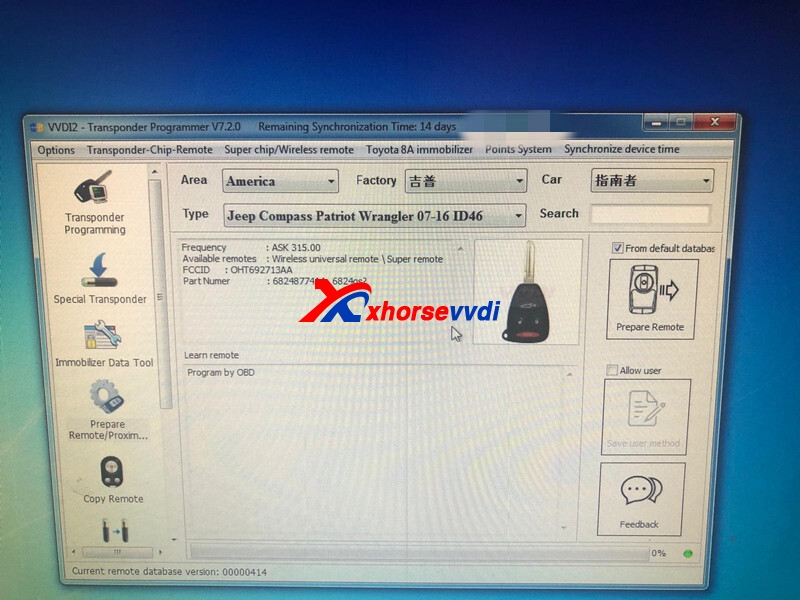
Or error : Decode failed!Please retry after update!Error:80 - 9 GL remote can not use China database! the similar error info.
Please send us your vvdi 2 SN and your country, we will change database for you.
If after we change for you, still English, please try:
1. Update vvdi2 firmware to check.
2. Or please delete old vvdi2 software, then reinstall to check. You can download newest software from our page: https://www.xhorsevvdi.com/info/free-download-xhorse-software-12141.html
3. Or try this way:
1) Close VVDI and Quick Lunch
2) Delete vvdi_remote_data.bin from C:\Program Files (x86)\VVDI2\VVDI2\Transponder Programmer\DataBase
3) Connect VVDI2 to PC
4) Go to Transponder Programmer and EU data base will load automatic
Posted by: xhorsevvdi at
08:49 AM
| No Comments
| Add Comment
Post contains 211 words, total size 2 kb.
Here is an interesting test about the distance that remotes response to the same car.
Compare 3 keys to see how far their remotes can control a Honda Pilot 2005.
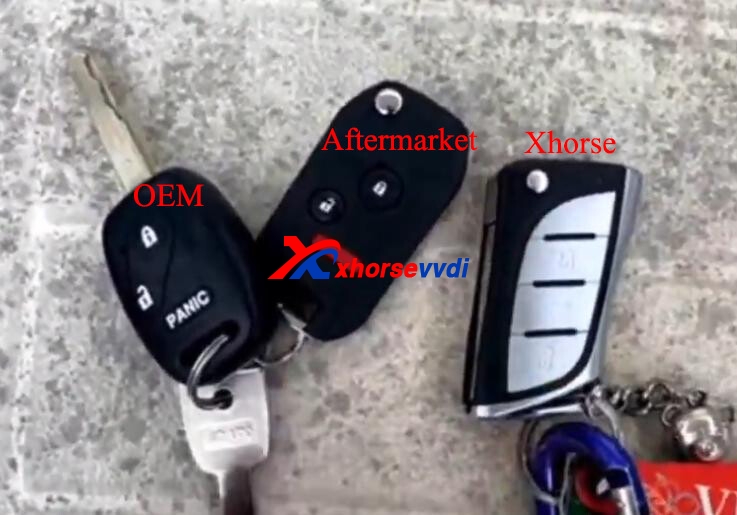
Keys:
OEM
Another aftermarket key
Let's see the comparison chart:
| OEM | Aftermarket | Xhorse (XELEX0EN) | |
| Beside car | √ | √ | √ |
| 100 Feet | √ | √ | √ |
| 200 Feet | √ | √ | √ |
| 300 Feet | × | √ (beep once) | × |
| 280 Feet | × | × | √ |
| 250 Feet | × | × | √ |
| 200 Feet (2nd time) | × | √ | √ |
| 300 Feet (2nd time) | × | √ | √ |
| 400 Feet (can't see the car) | × | × | × |
| 350 Feet (Still see the car) | × | × | √ |
| 400 Feet (2nd time) | × | × | × |
So, 350-400 feet, Xhorse wins.
Skype: xhorsevvdi.com
Whatsapp: +86-13983756354
Posted by: xhorsevvdi at
08:44 AM
| No Comments
| Add Comment
Post contains 138 words, total size 3 kb.
One customer asked is it possible to connect his VVDI Mini Prog to VVDI Key Tool Plus.
If he wants to control Mini Prog from Key Tool Plus, the answer is "No", because the pad can work itself;
If he wants to transfer data from Mini Prog to Key Tool Plus via cloud storage for adding keys, the answer is "Yes", and here is the procedure:
Step 1.
After reading and saving the data file by Mini Prog on Xhorse app, go to "https://i.xhorse.com"and find the QR code.
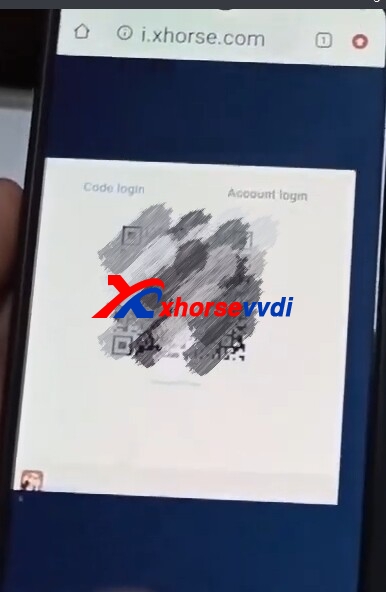
Step 2.
On Key Tool Plus, go to
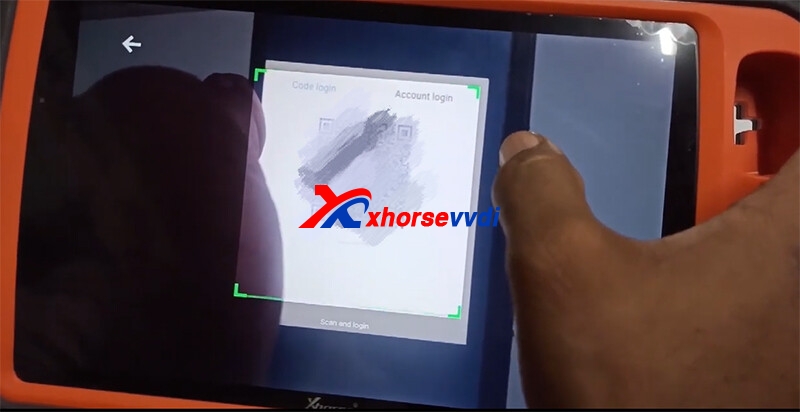
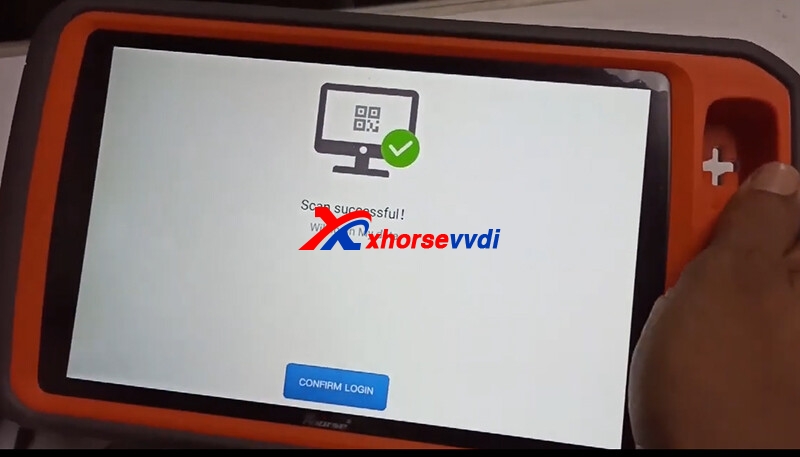
Immo Data Tool>>File management>>SCAN CODE TO LOGIN
Scan the QR code on your phone using Key Tool PlusPad.
Step 3.
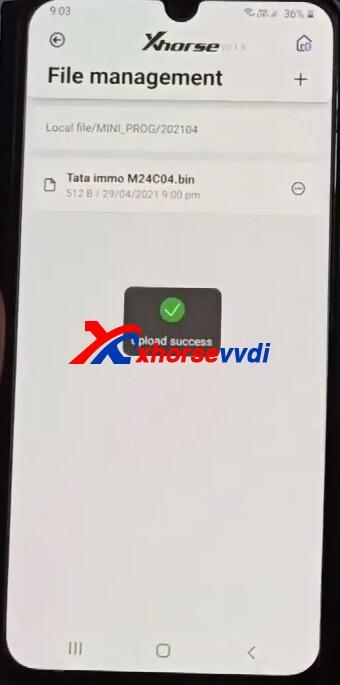
On Xhorse app (phone), select
File Management>>Local file>>MINI_PROG>>Date (like 202104)
Find the data file you need, and click the ellipsis to upload it to cloud storage.
Then you can find this file in "My data". (In VVDI Key Tool Plus, VVDI Max, phone and PC)
Step 4.
On Key Tool Plus, go to
Immo Data Tool>>Area>>Brand>>Model>>EEPROM type>>download>>the file you need
Step 5.
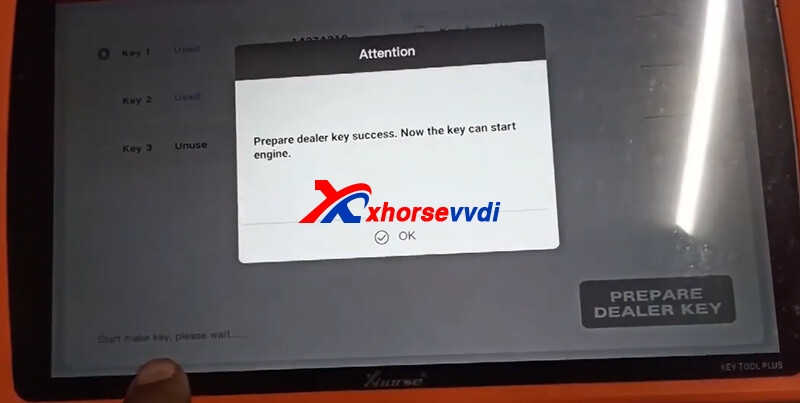
Put a chip (OEM/VVDI Super Chip) into the key slot.
Select a key position and make a dealer key.
Done! That's how we transfer data from Mini Prog Programmer to Key Tool Plus via cloud storage.
Skype: xhorsevvdi.com
Whatsapp: +86-13983756354
Posted by: xhorsevvdi at
08:40 AM
| No Comments
| Add Comment
Post contains 228 words, total size 5 kb.
Before we program a key, we may need to renew locked keys. Here we introduce 4 ways to renew a locked key.
Part 1. Xhorse renew cable/adapter
Work with: Mini Key Tool/Key Tool Max
Path: Special function>>remote renew>>model>>key type
Connection:
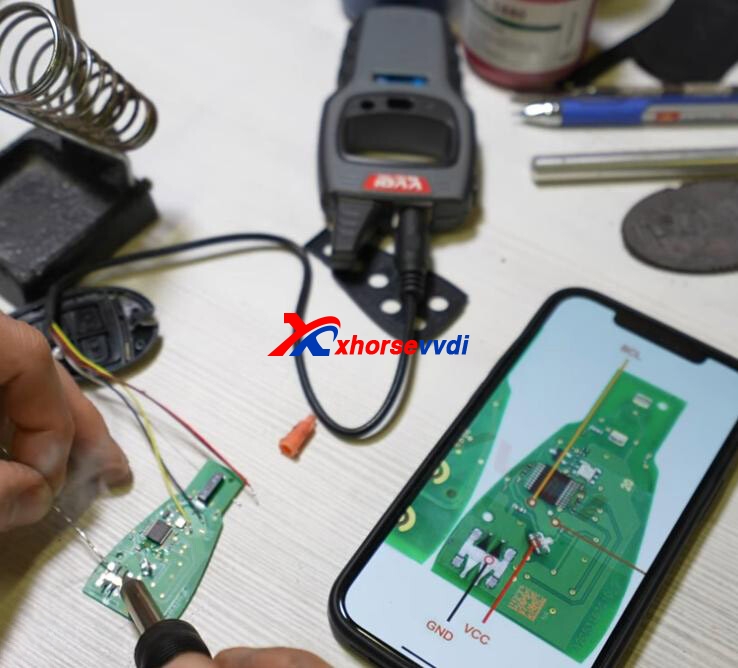
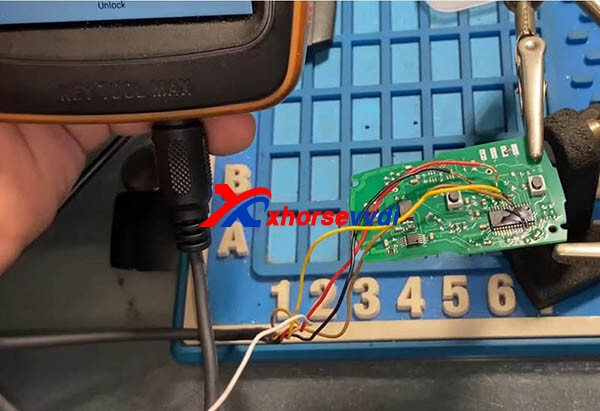
Only able to unlock original keys.
Work with: VVDI Mini/VVDI Max/Mini Prog (require XDKP30 Adapter)
Path: Special function>>remote renew>>model>>key type
Connection:
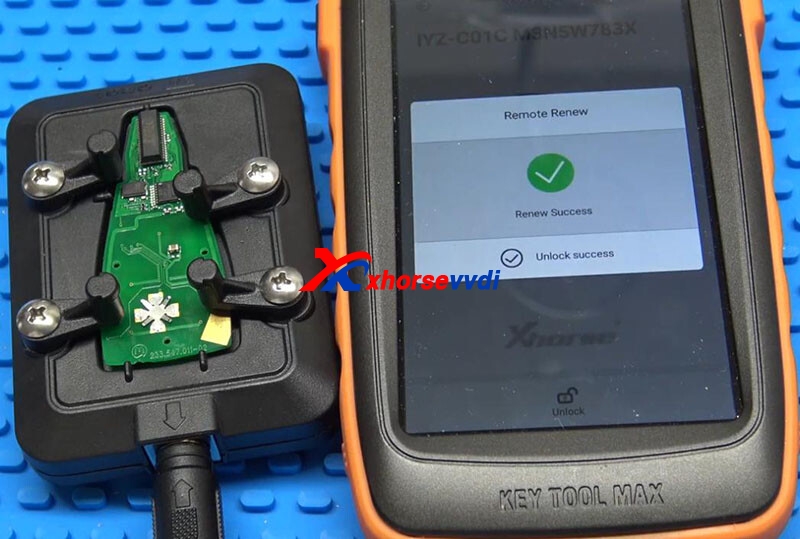
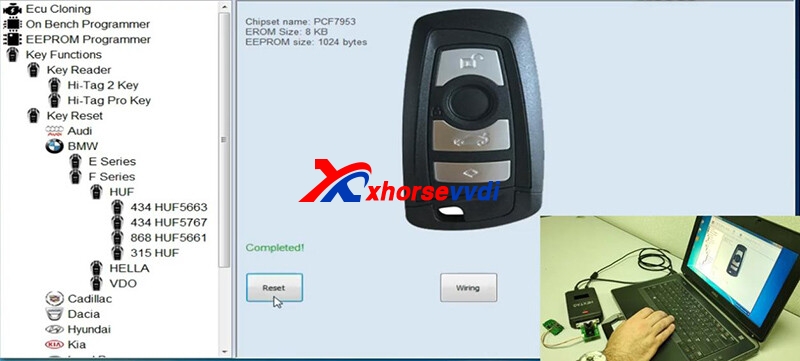
Part 2. Hexprog renew cable+adapter
Path: Key Functions>>Key Reset>>model>>key type
Connection:
Need to solder renew cable on PCB board and then connect it to adapter and Hexprog.
Part 3. OBDSTAR X300 DP Plus
Path: IMMOBILIZER>>Renew key>>model>>key type>>
Connection:
Need to connect DP Plus Pad, renew box and adapter, and hold two pins on while it's renewing.

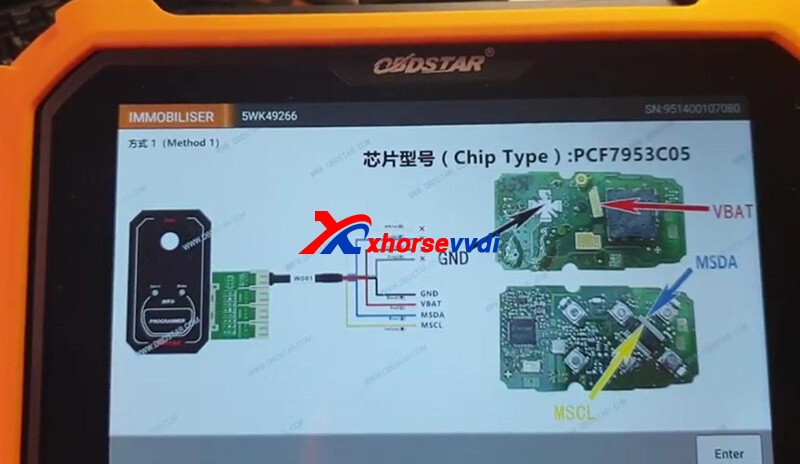
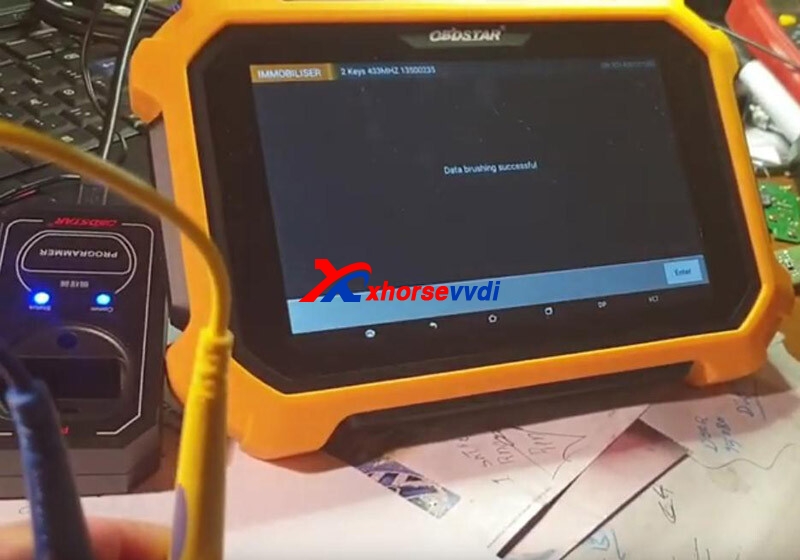
Part 4. KeyDiy KD-X2
Path: Chip Function>>Remote Review>>model>>chip type
Connection:
Need to clip two clamps and hold two pins on while it's renewing.
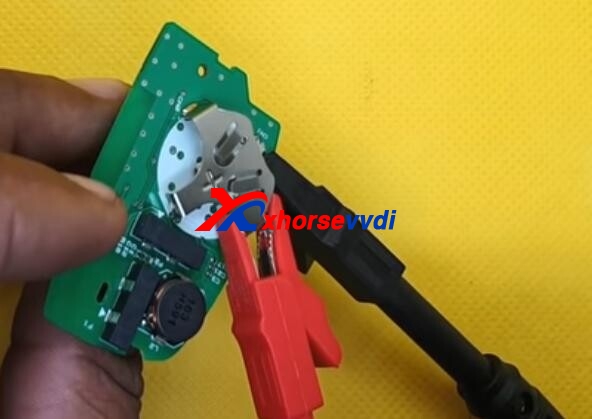
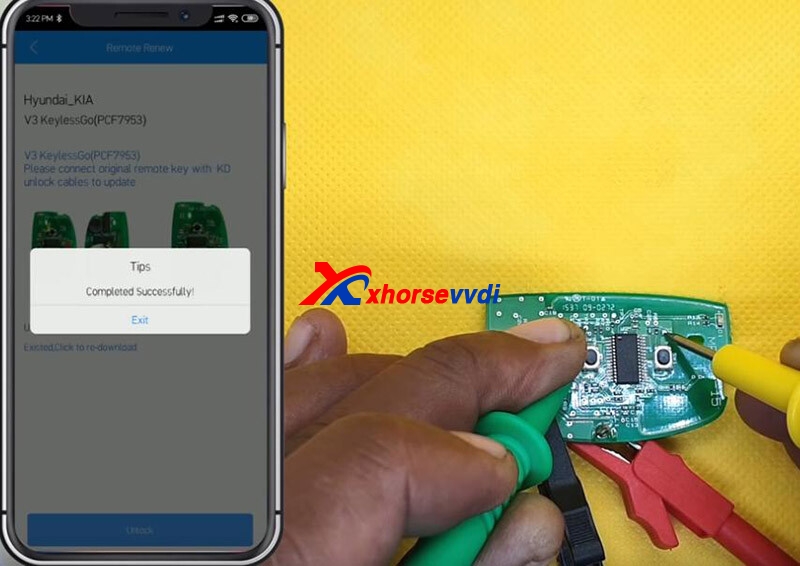
Alright, all 4 ways to renew a key, and all have their pros and cons.
Hope this could help!
Skype: xhorsevvdi.com
Whatsapp: +86-13983756354
Posted by: xhorsevvdi at
08:38 AM
| No Comments
| Add Comment
Post contains 175 words, total size 6 kb.
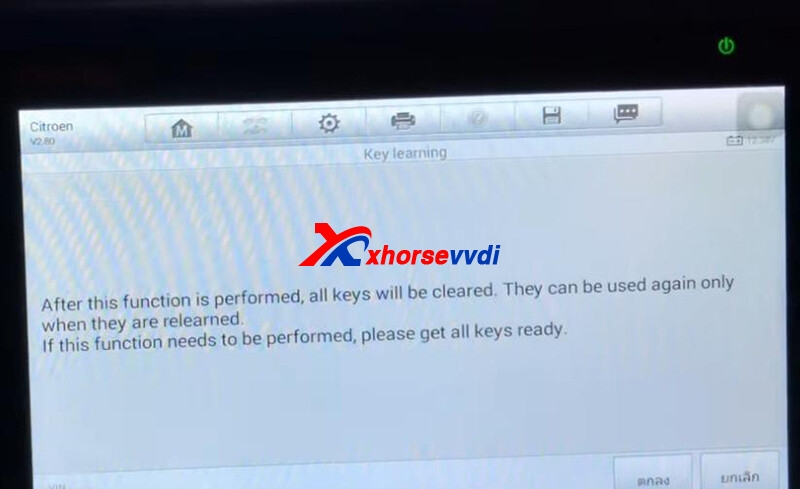
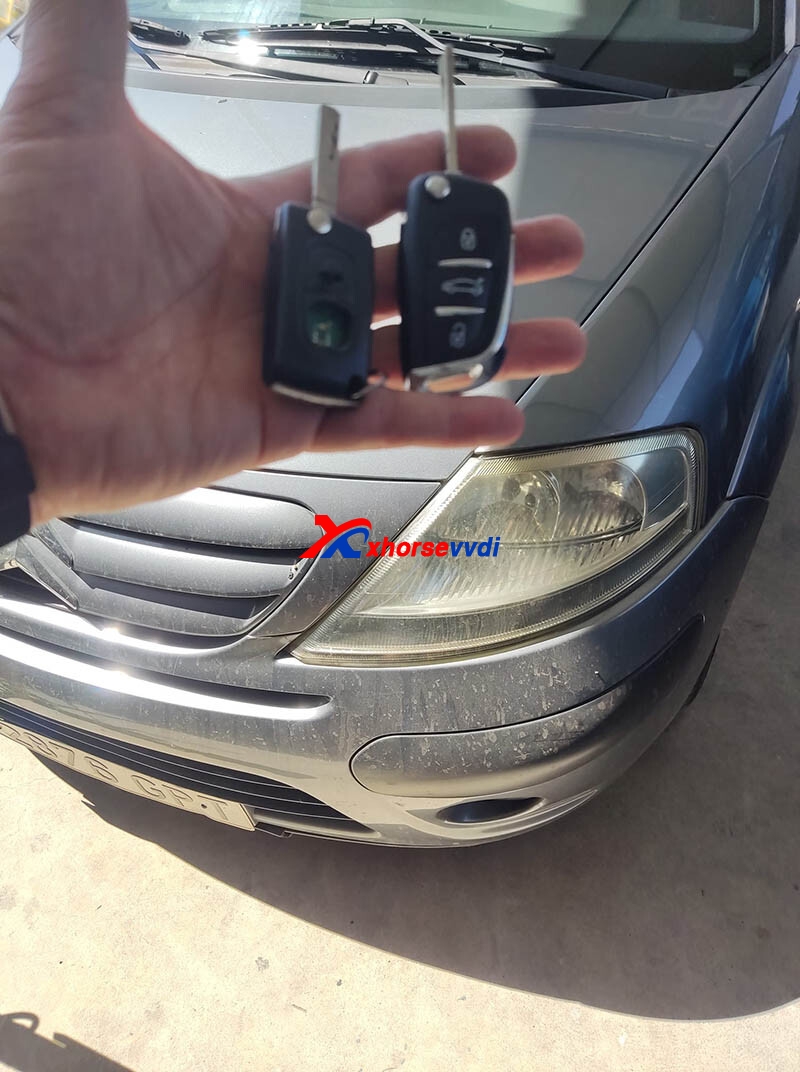
Here a customer raises a question:
Tried to program C3 year 2010 with a Xhorse XNDS00EN key with the IM508 tool It failed me to double for the frequency I took the number on the side of the original key. Put it in fsk and what failed is when I do key learning.
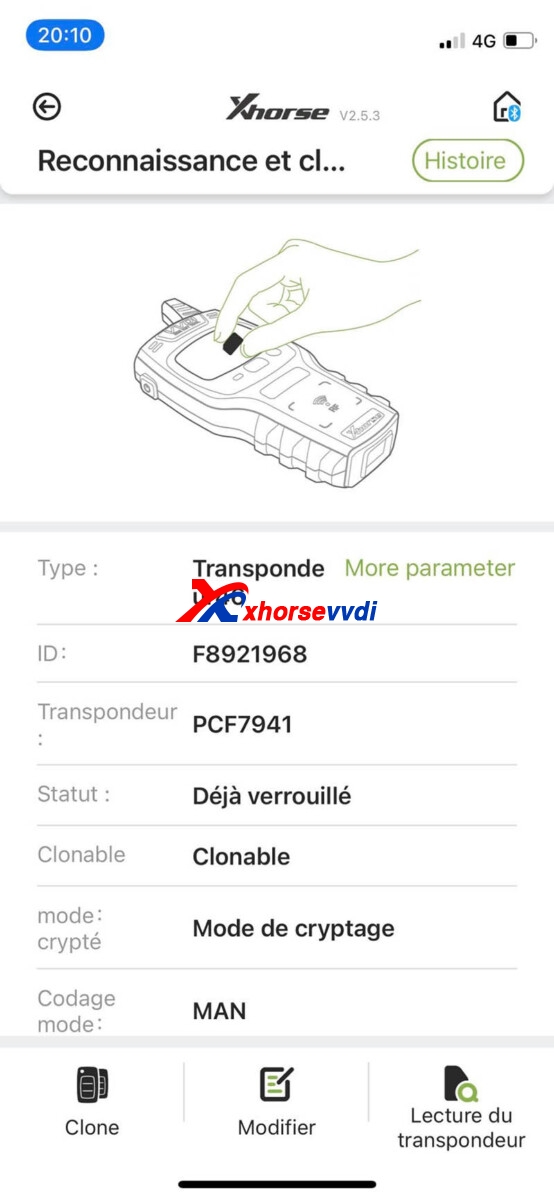
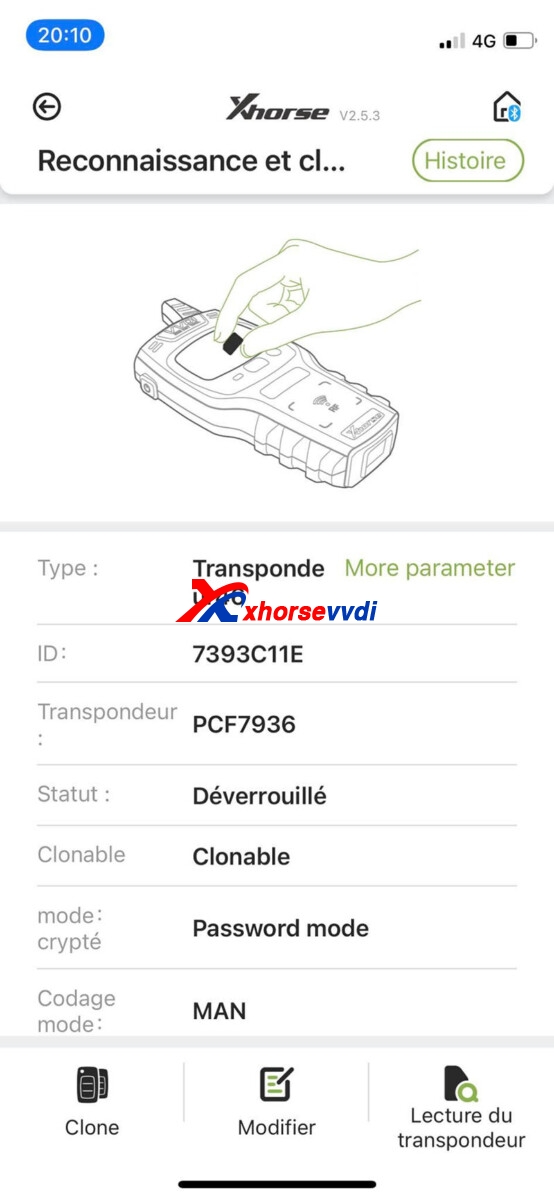
Possible reason:
Generate the incorrect frequency option.
(The option he chose: C3 2010-2016 0523 FSK)
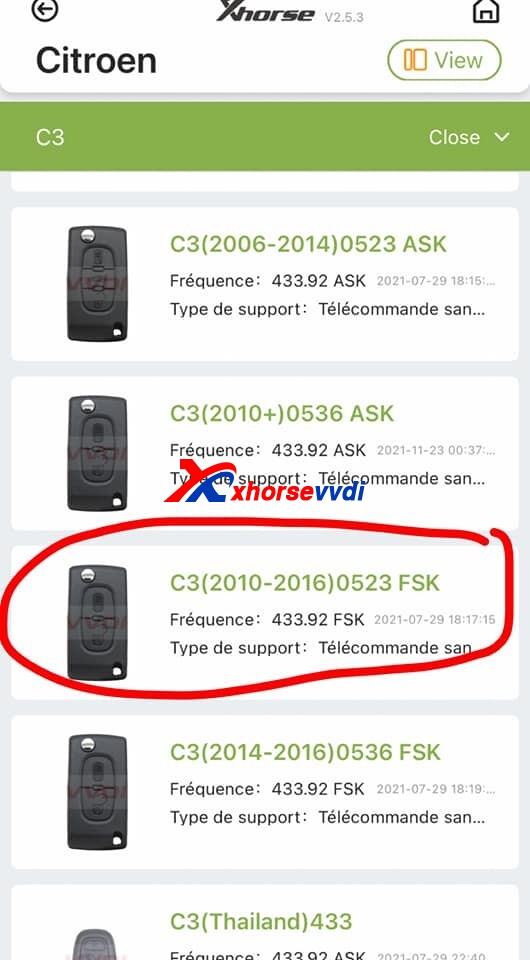
Solution:
Try the similar option "C3(2006-2014)0523 ASKâ€.
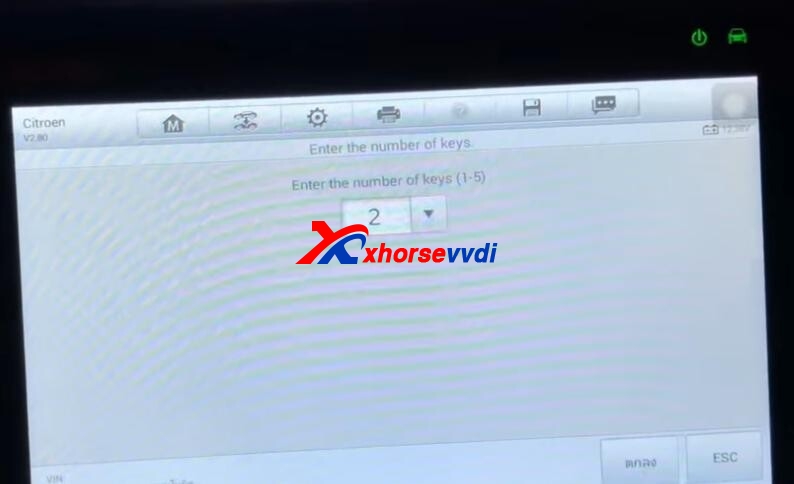
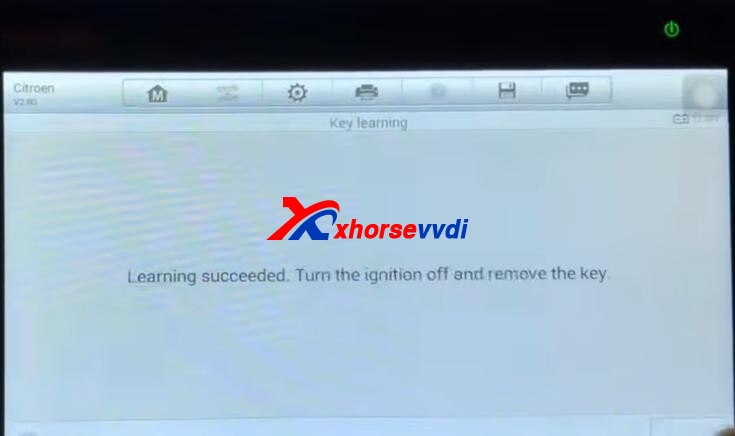
Generate Xhorse XN wireless remote by Mini Key Tool, read PIN code, and learn new keys by IM508 Key Programmer.
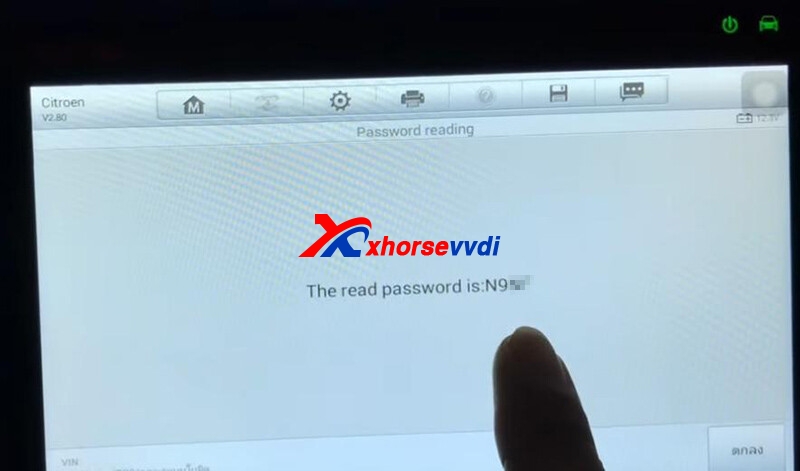
Customer feedback
Skype: xhorsevvdi.com
Whatsapp: +86-13983756354
Posted by: xhorsevvdi at
08:36 AM
| No Comments
| Add Comment
Post contains 115 words, total size 5 kb.
32 queries taking 0.0659 seconds, 131 records returned.
Powered by Minx 1.1.6c-pink.

