



October 17, 2022
This article is going to show you the whole process of 1996 VW Golf 3 AKL programming.
Tools:
Orange5
Process:
1.Read EEPROM
Remove immo box.
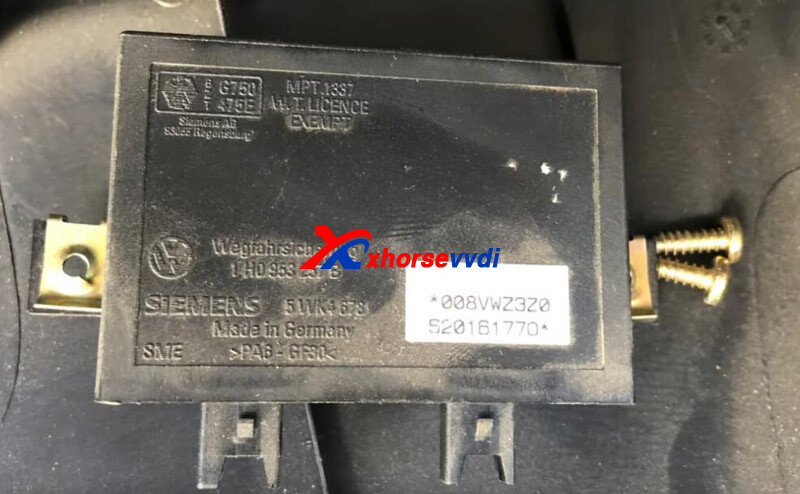
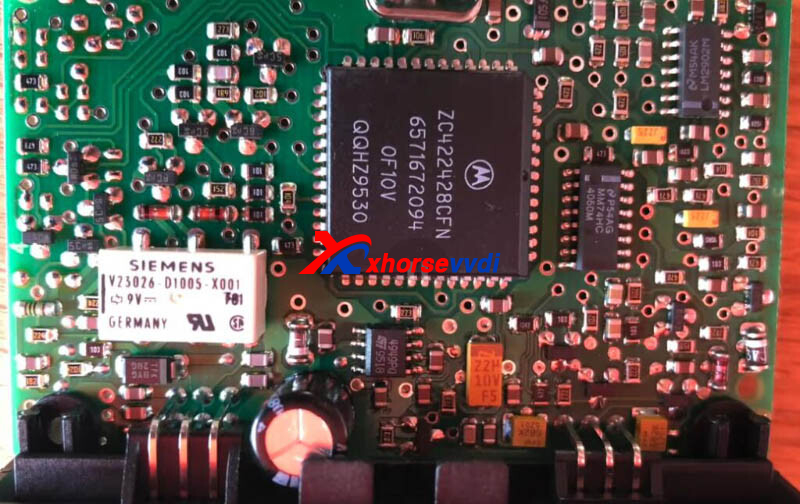
Desolder the chip, and install it in Orange5.
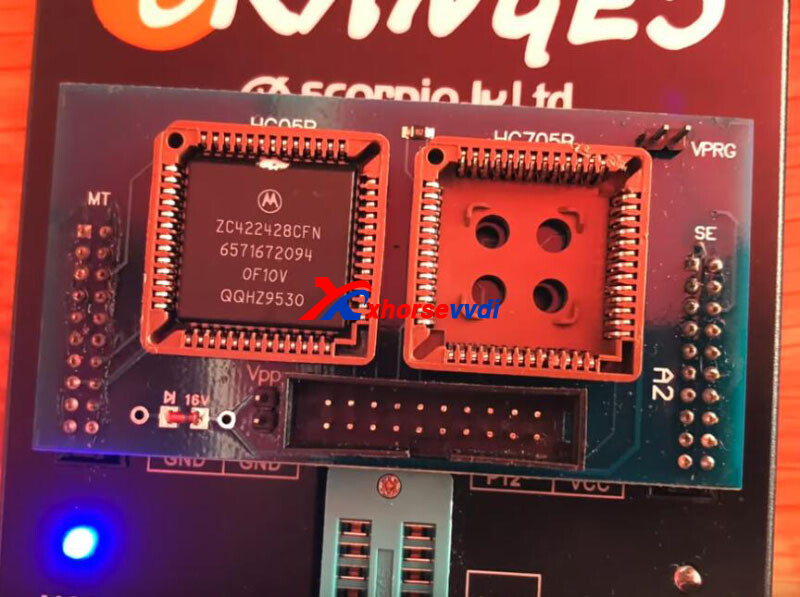
Read and save eeprom data.
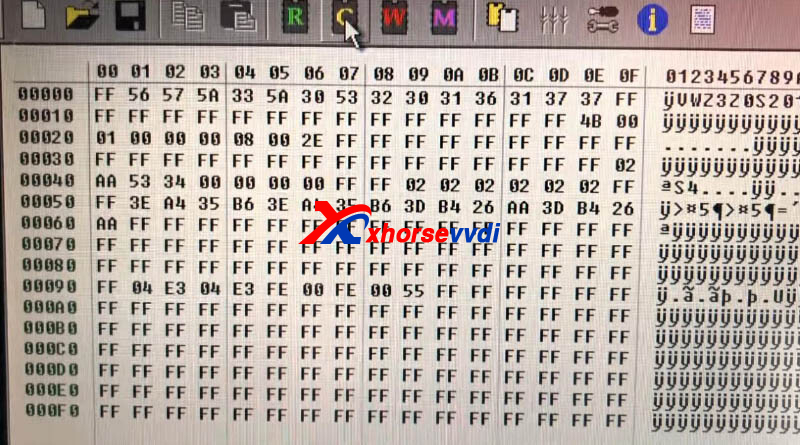
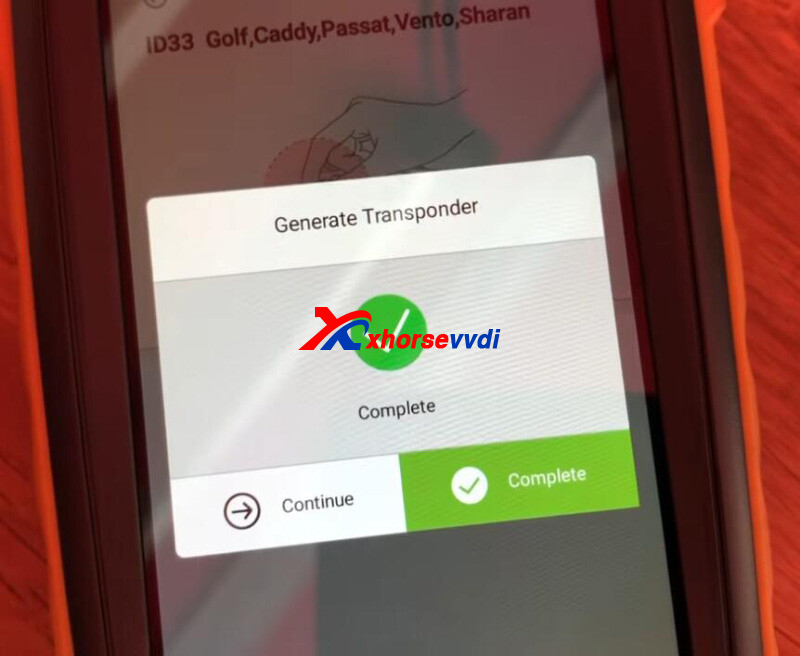
2.Generate Transponder
Turn on Key Tool Max,
Go to
Generate Transponder>>Search by car model>>VW>>ID33 Golf, Caddy, Passat, Vento, Sharan
Put a VVDI Super Chip into coil, and click "Generate".
3.Make Dealer Key
Turn on VVDI2,
Go to
Immoblizer Data Tool>>Euro>>VW>>Immobox>>Motorola based
Select key position and load eeprom data file.
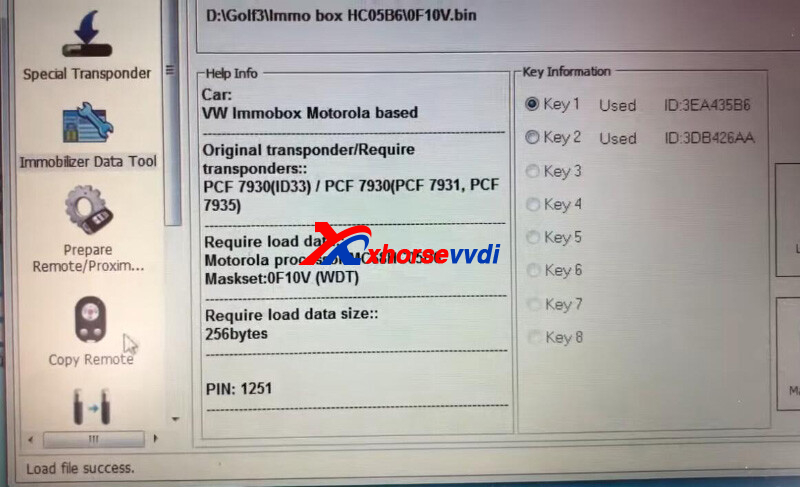
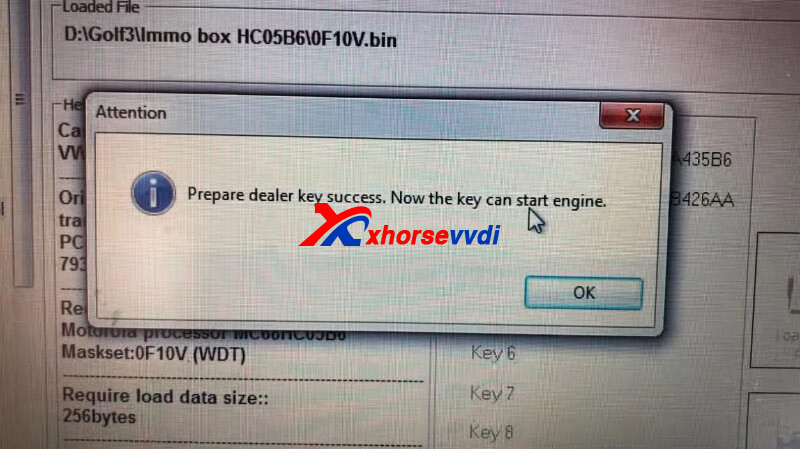
Select
Make Dealer Key>>PCF 7930 (PCF 7931,PCF 7935)
4.Cut Blade
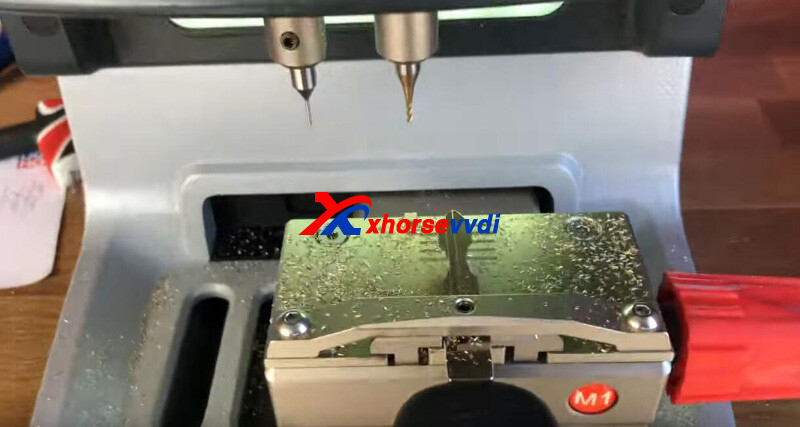
On Key Tool Max, switch to Dolphin XP005 page.
Go to
Cut by Bitting>>HU49>>HU49 7 Bitting position 2,5,6
Input bitting and start cutting.
Done!
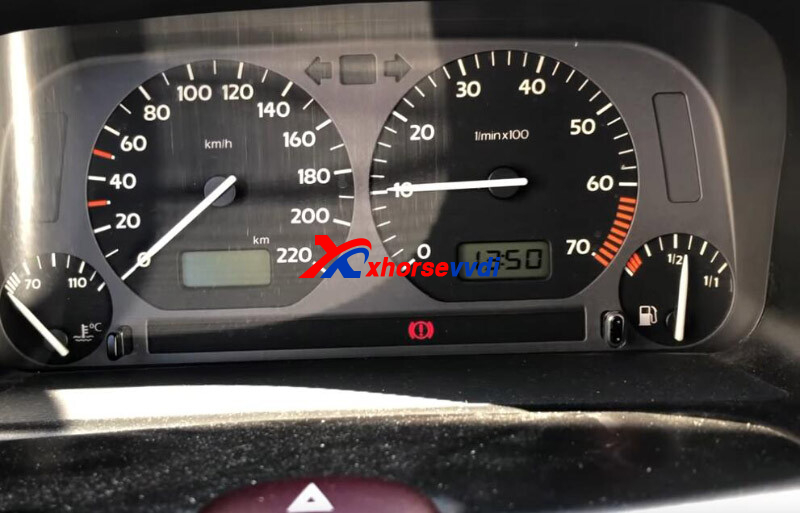
That's the process of 1996 VW GOLF 3 all key lost programming using VVDI2.
Posted by: xhorsevvdi at
10:27 AM
| No Comments
| Add Comment
Post contains 156 words, total size 4 kb.
This is a review of Xhorse VVDI PROG with MC68HC05BX Adapter:
Read Opel Motorolla MC68HC05B32 processor 0F10V mask ok
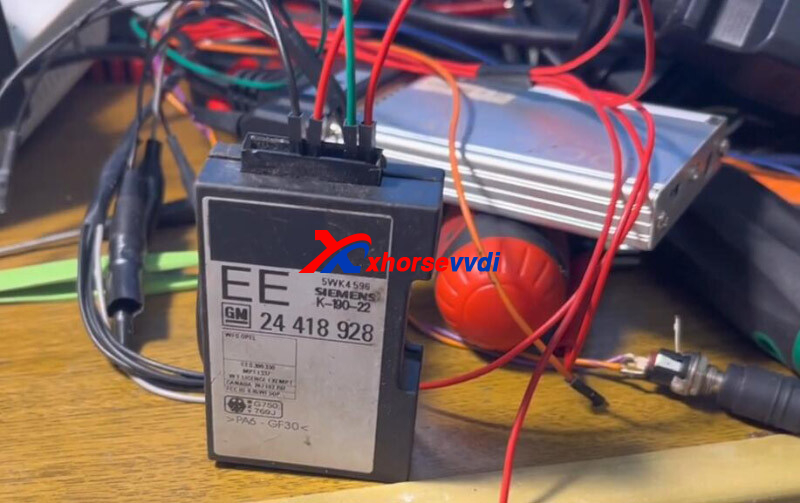
IMMO Box:
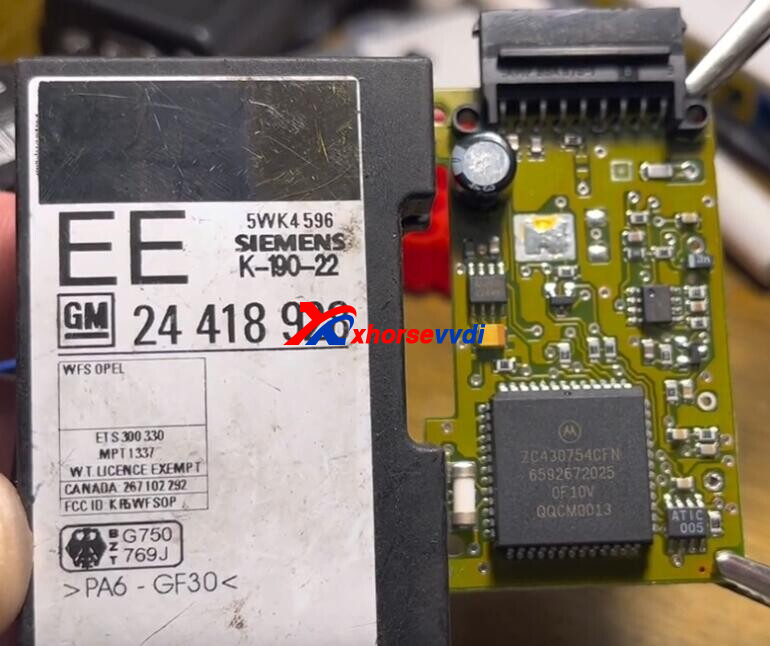
Desolder eeprom chip and put it into MC68HC05BX(PLCC52) Adapter.
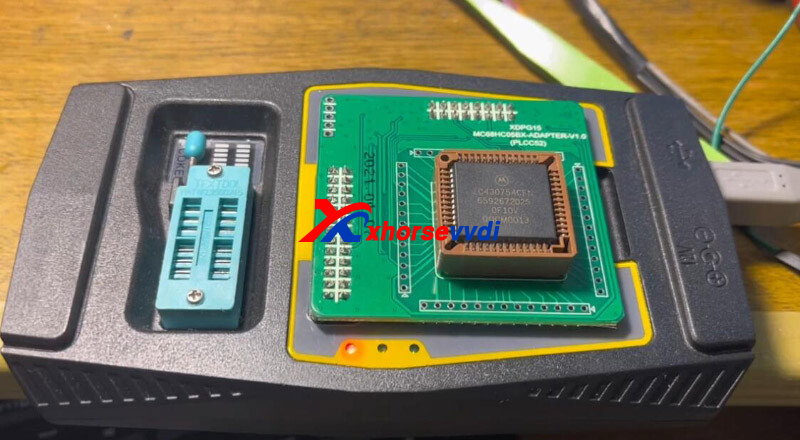
On VVDI PROG, select
"2-MCU" "MOTOROLA-MC68HC(7)05" "MC68HC05B32(0D60J)".
Read data.
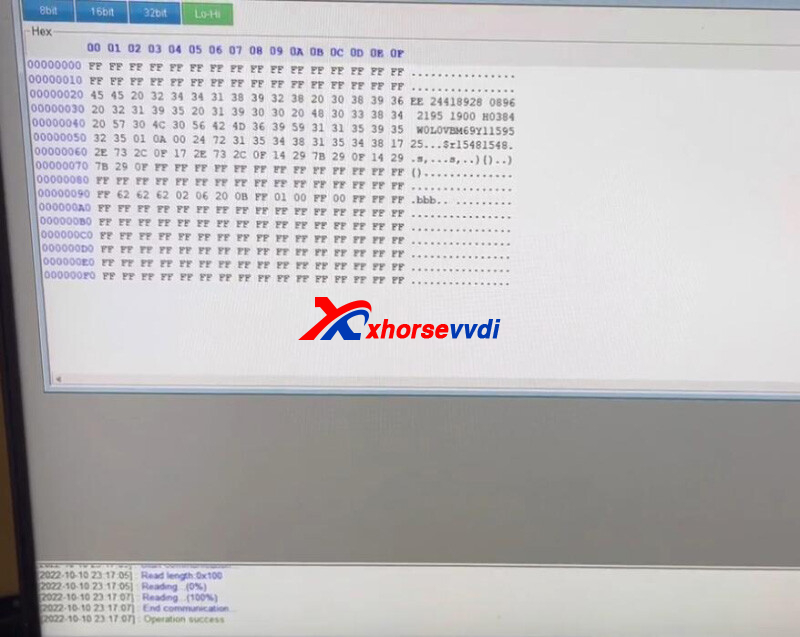
The numbers repeat is the security code: 1548.
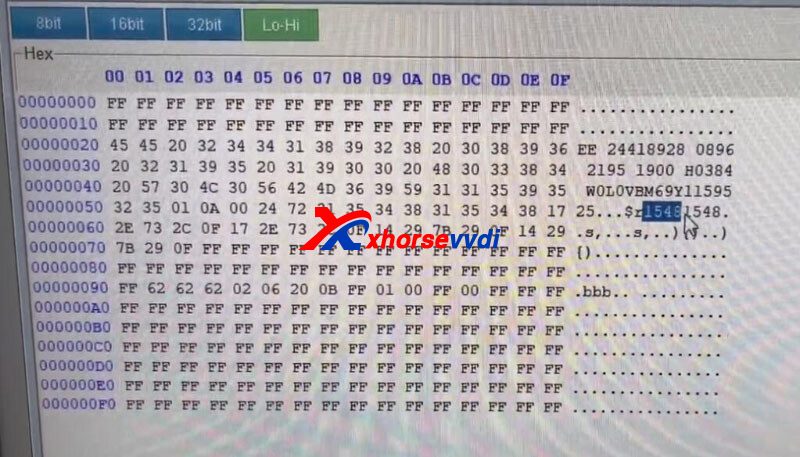
Solder chip back to PCB, connect ECU to PC, and check with OP-COM.
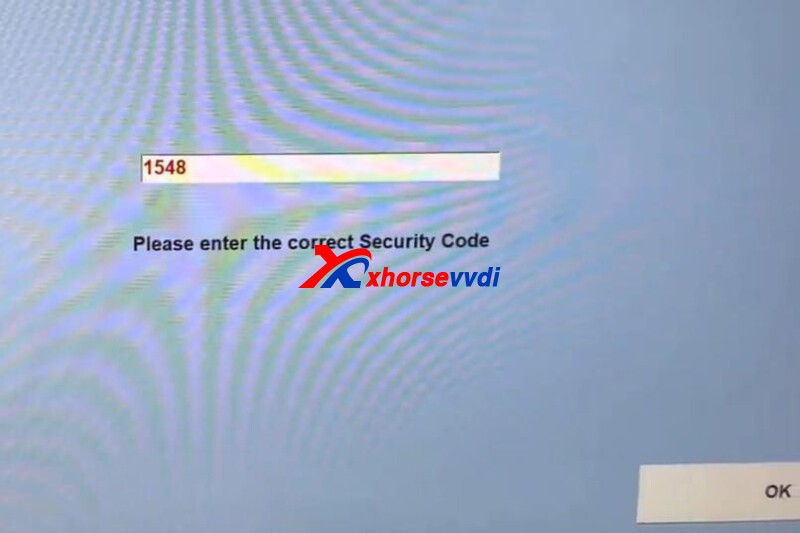
Enter program menu, and it asks for a security code.
Enter "1548".
We are in, which means the code read by VVDI PROG is correct.
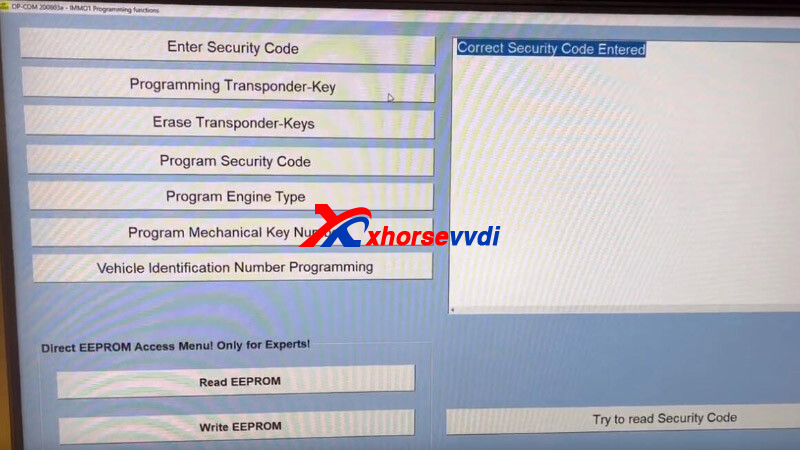
Done.
Credits to Bank автоÑлектроника
https://www.xhorsevvdi.com/
Skype: xhorsevvdi.com
Whatsapp:+86-13983756354
Posted by: xhorsevvdi at
10:26 AM
| No Comments
| Add Comment
Post contains 104 words, total size 3 kb.
HU162T we have HU162T (9) and HU162T (10), and we will also introduct condor mini cut hu162T in previous blog. Here we will introduct how to compare HU162T lock tools.
After the mechanical lock of VW Audi is upgraded from the tooth shape of HU66 to HU162T, the corresponding unlocking tool has also undergone great changes.
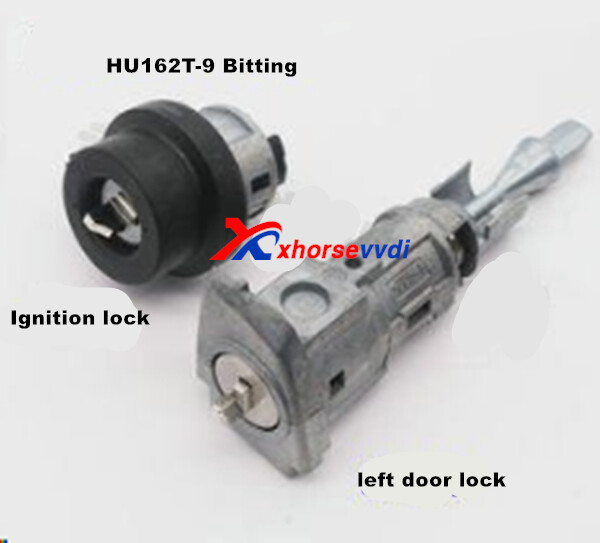
The previous HU166 only needs one tool to open different models and whether it is an ignition lock or a door lock. All can be opened, but it is more complicated after upgrading to HU162T.
Not only the tools used for ignition locks and door locks are different, but also there are three types of door locks at this stage: HU162T-8 HU162T-9 HU162T-10.
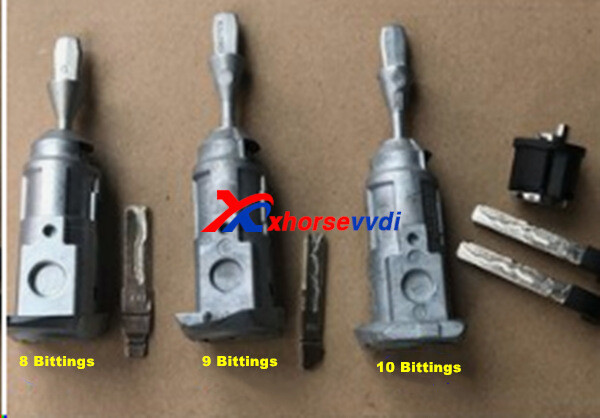
How do we distinguish what car and tool we choose?
HU162T-8 This model is for the opening of the door locks of the new Jetta brand and the low-level configuration VW series.
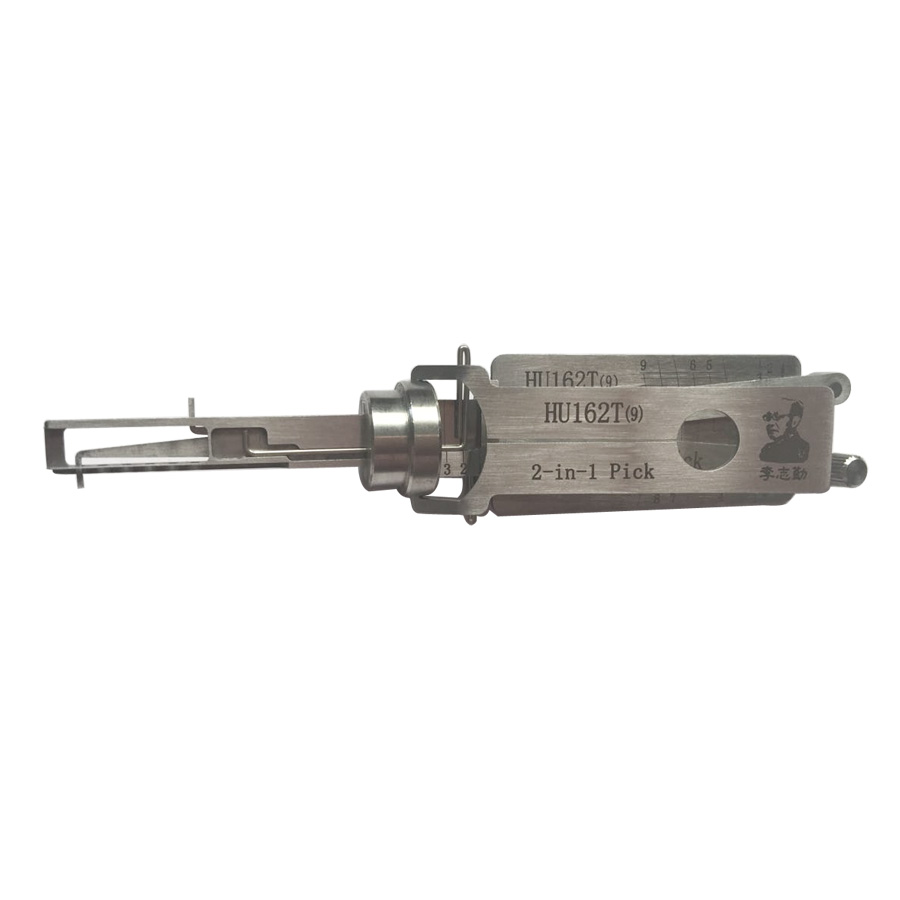
HU162T-9 This model is for most VW, and some low-level configuration Audi vehicle door locks are initially used.
HU162T-10 This model is for most high-configuration VW, Audi and the like when the door lock is opened.
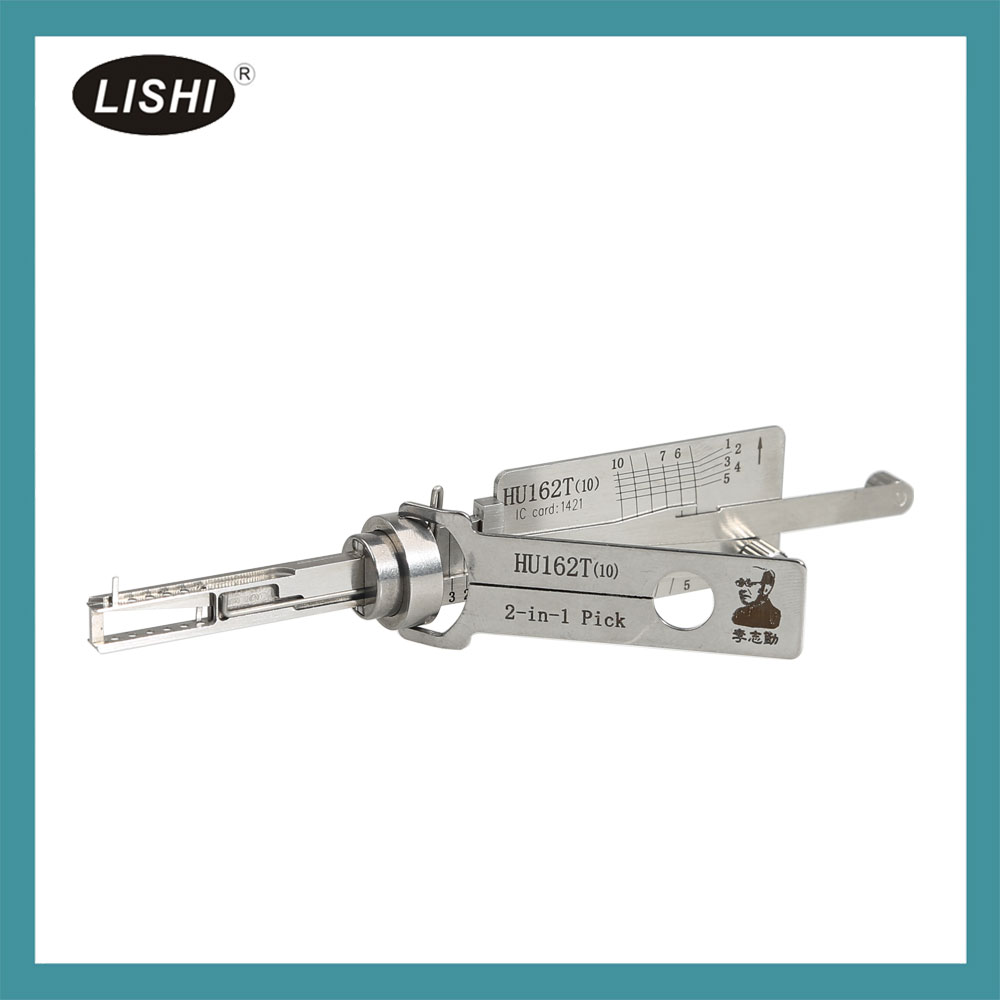
Of course, if it is not possible to distinguish them in detail, it is recommended that these three tools are fully equipped for emergencies. When opening, insert each tool into the lock hole to try, and the model that responds to the corresponding position of the lock piece is the correct tool.
And here is blog how to cut HU162T via Condor mini key cutting machine
[embed]http://blog.xhorsevvdi.com/how-to-use-condor-xc-mini-cut-new-vw-hu162t9-10cuts/[/embed]
Posted by: xhorsevvdi at
10:26 AM
| No Comments
| Add Comment
Post contains 259 words, total size 3 kb.
One customer wonder if VVDI Mini Key Tool could generate ID40 chip.
Here Xhorsevvdi Technician
Answer:
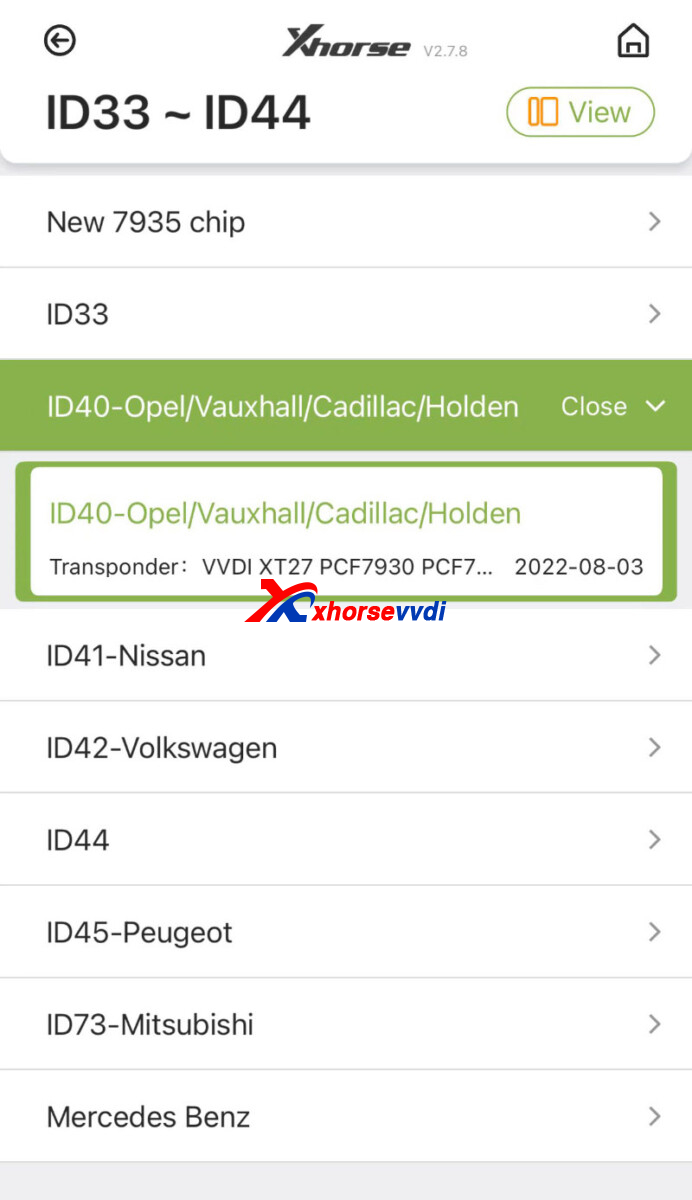
VVDI Mini could generate ID40 chip, but only support Opel and Holden. For other cars, try New 7935 chip.
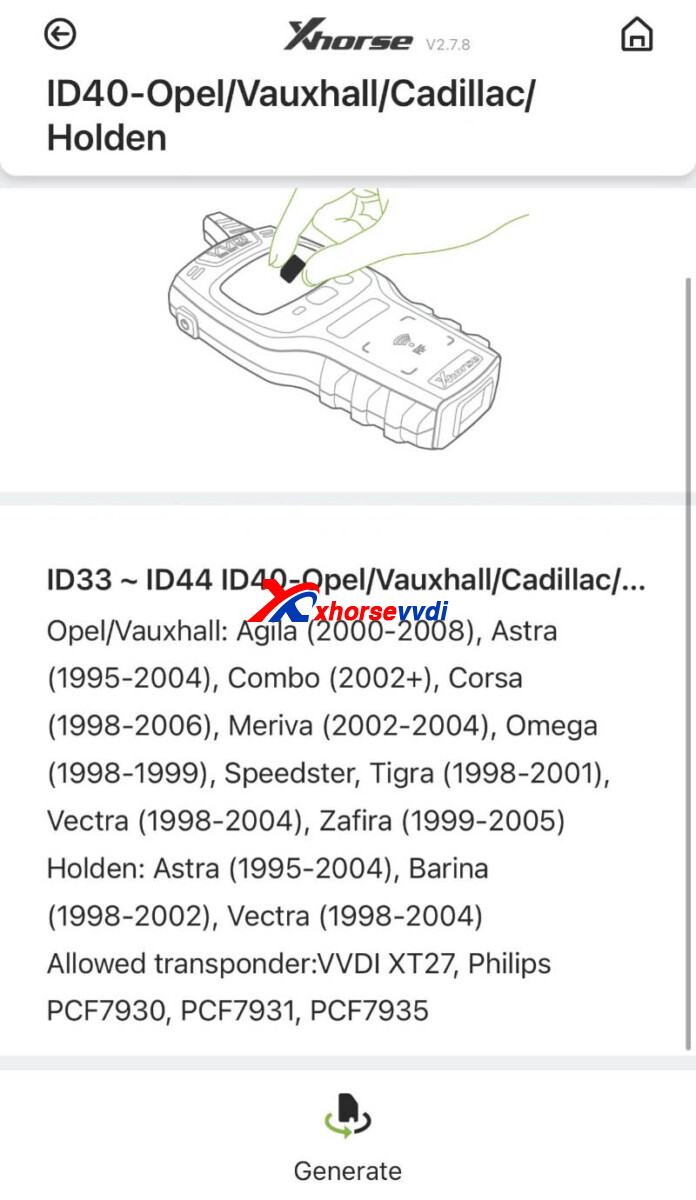
ID40 Chip Support List:
| Brand | Model | Year |
| Opel/ Vauxhall | Agila | 2000-2008 |
| Astra | 1995-2004 | |
| Combo | 2002+ | |
| Corsa | 1998-2006 | |
| Meriva | 2002-2004 | |
| Omega | 1998-1999 | |
| Speedster/ Tigra | 1998-2001 | |
| Vectra | 1998-2004 | |
| Zafira | 1999-2005 | |
| Holden | Astra | 1995-2004 |
| Barina | 1998-2002 | |
| Vectra | 1998-2004 |
How to Generate ID40 Chip?
Go to
Generate Transponder>>ID33-ID44>>ID40-Opel/ Vauxhall/ Cadillac/ Holden
Put a VVDI Super Chip into coil and click "Generate".
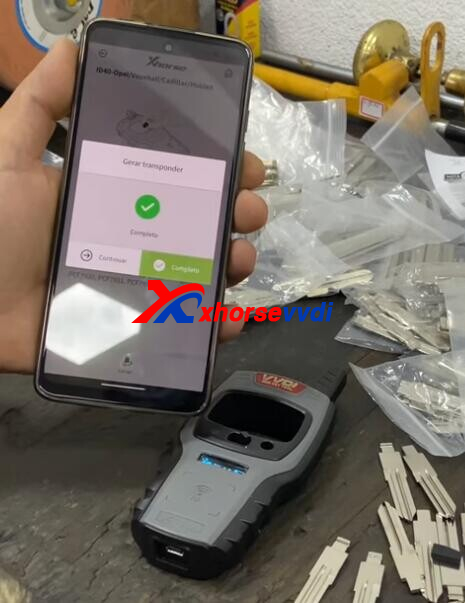
Read transponder.
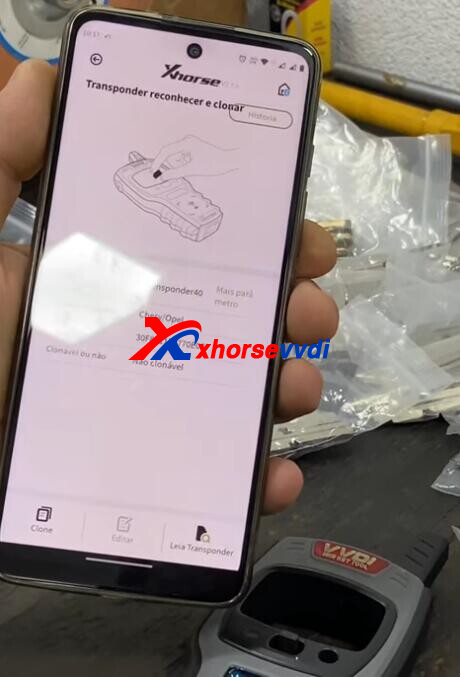
Done.
http://blog.xhorsevvdi.com/can-vvdi-mini-key-tool-generate-id40-chip/
Posted by: xhorsevvdi at
10:25 AM
| No Comments
| Add Comment
Post contains 104 words, total size 3 kb.
On Xhorse Key Programmers, functions of ID48 (96bit) calculation and MB key password calculation require tokens or points. Then which will cost first if users have both, tokens or points? Here we will share with you.
Part 1.MB Password Calculation
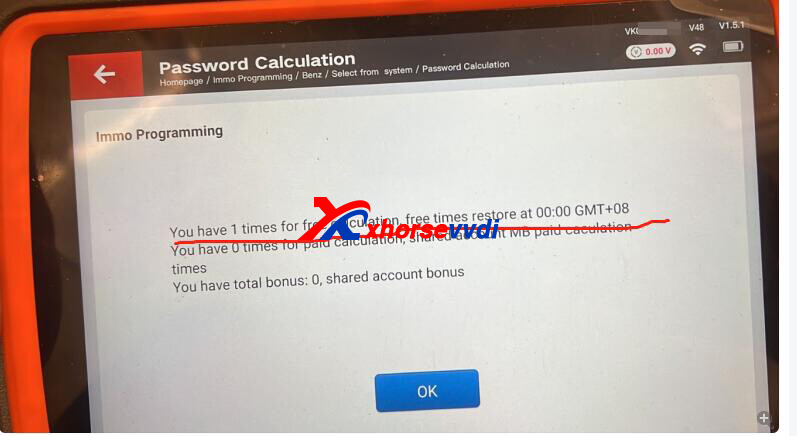
Paying Sequence: one-year unlimited tokens>>free MB token>>paid MB token>>MB points>>remote points
One-year Unlimited Tokens (only for VVDI MB Tool): yearly subscription, one token every day within one year
Free MB token: link Xhorse Key Cutting Machine to VVDI MB/ Key Tool Plus, free tokens every day (Not accumulated, 2 tokens at most every day)
| The key cutting machine bound with Key Tool Plus | Get free token/day (tokens cannot be added to the second day) |
| CONDOR MINI | 1 free token each day |
| CONDOR MINI PLUS | 1 free token each day |
| DOLPHIN XP-005 | 1 free token each day |
| DOLPHIN XP-007 | 1 free token each day |
| CONDOR XC-002 | 1 free token each day |
| Xhorse Machines * 2 kits | 2 free token each day |
| Xhorse Machines * 3 kits or more | 2 free token each day |
Paid MB Token: directly add to device via a purchase
MB points: each VVDI BE Key/ VVDI FBS3 Smart Key includes 200 MB points
Remote points: generate Xhorse Remote, each remote gives points.
Wired Remote = 25 bonus points
Wireless Remote = 40 bonus points
Super Remote = 40 bonus points
Smart Remote = 60 bonus points
Part 2.ID48 Calculation
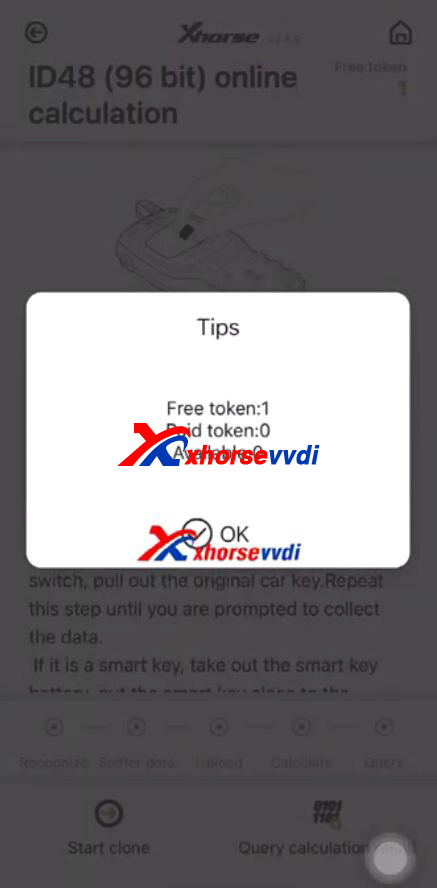
Paying Sequence: free ID48 token>>paid ID48 token>>points
Free ID48 Token: buy Mini Key Tool, you will get one token every day in the first year
Paid ID48 Token: directly add to device via a purchase
Points: Same to Remote Pointes in part 1
Hope this could help!
http://blog.xhorsevvdi.com/which-will-cost-first-for-xhorse-id48-and-mb-calculation-token-or-point/
Posted by: xhorsevvdi at
10:24 AM
| No Comments
| Add Comment
Post contains 289 words, total size 4 kb.
Question:
Dolphin XP005 with M3 Clamp, Ford key cannot stand in a horizontal position.
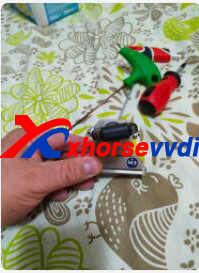
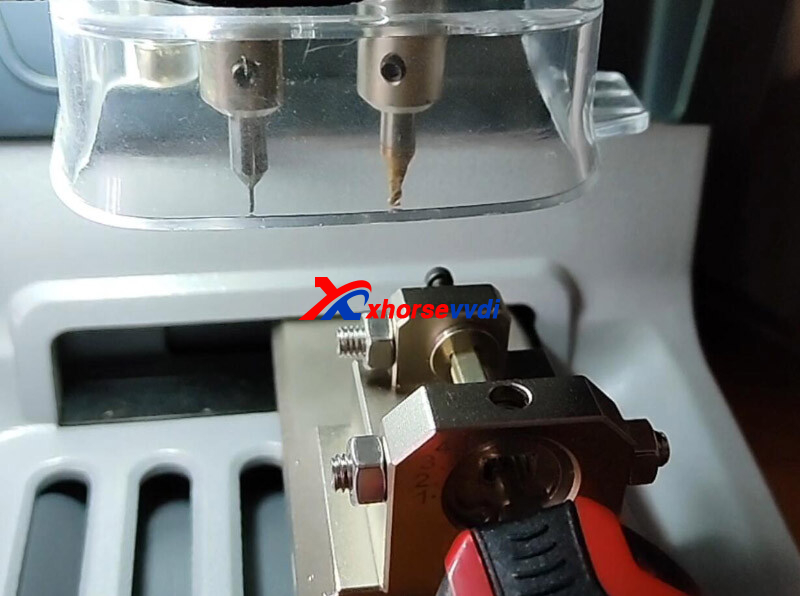
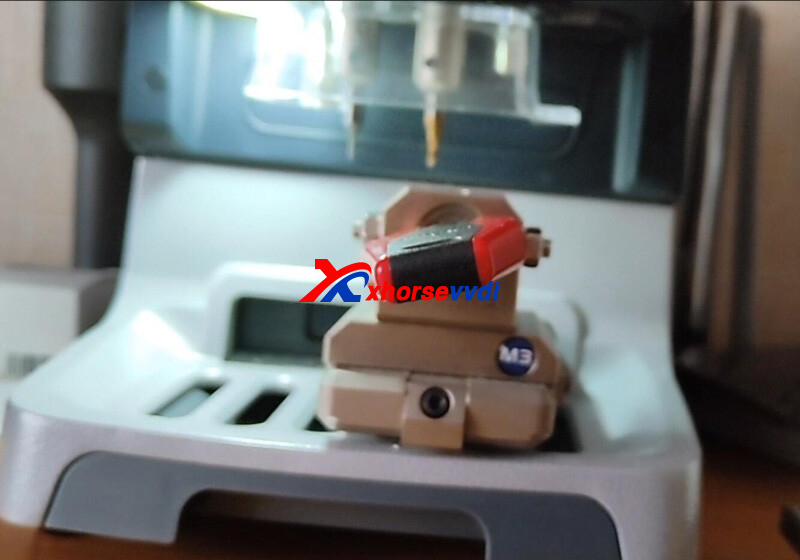
Here Xhorsevvdi shares the
Solution:
There should be a screw fixing the key on different positions.
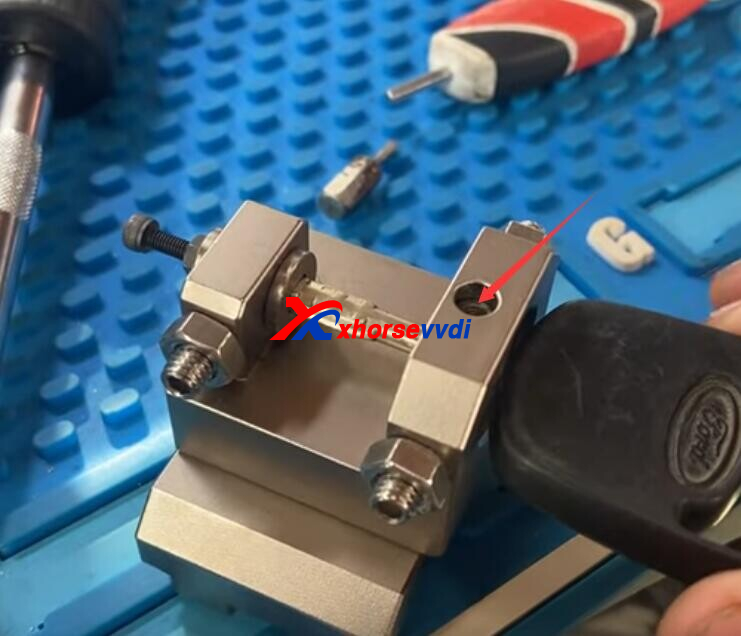
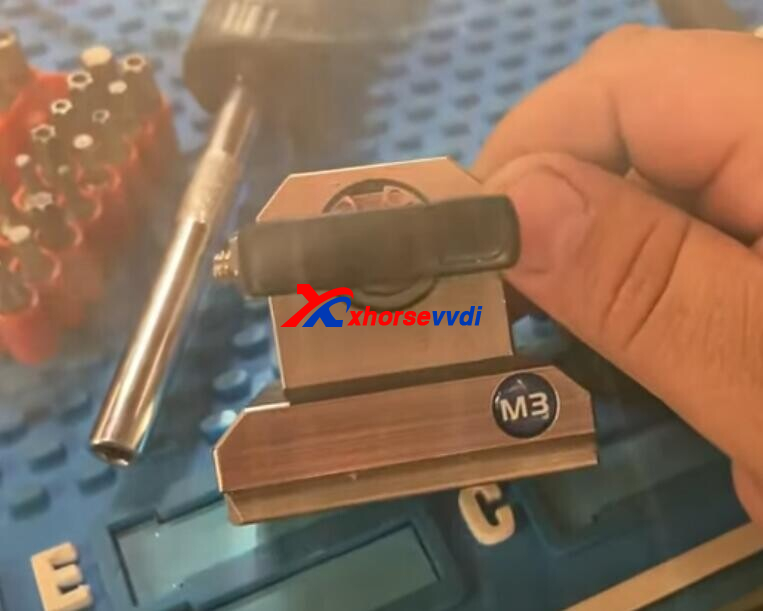
How to Install M3 Fixture?
Adjust the screw to insert key in/ out.
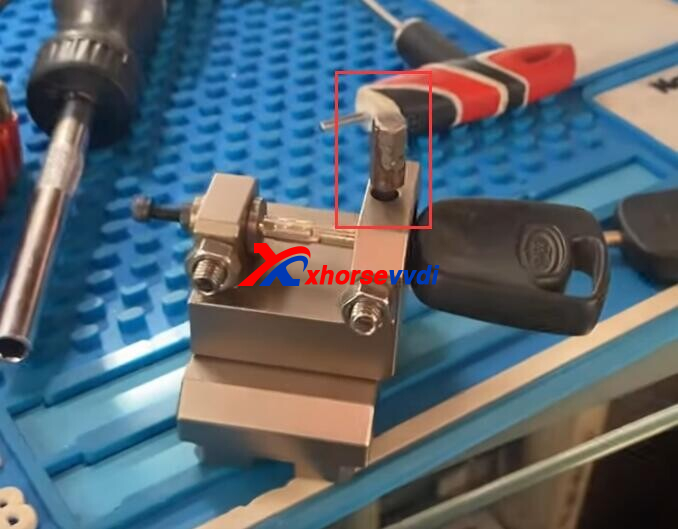
1.Loosening the screw by turning it counter-clockwise
2.Install M3 clamp to the holder and push it to the limit of left
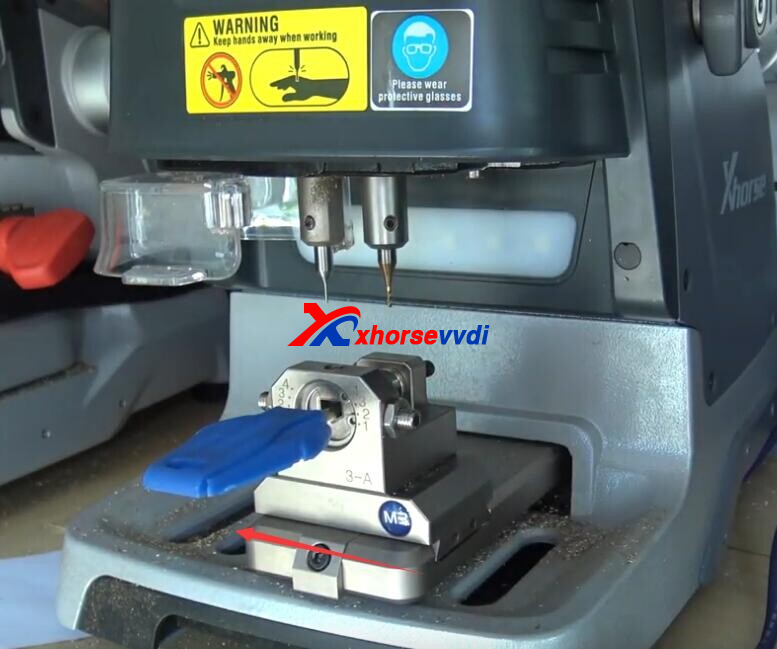
3.After the clamp is put in the clamp platform, tighten the screw
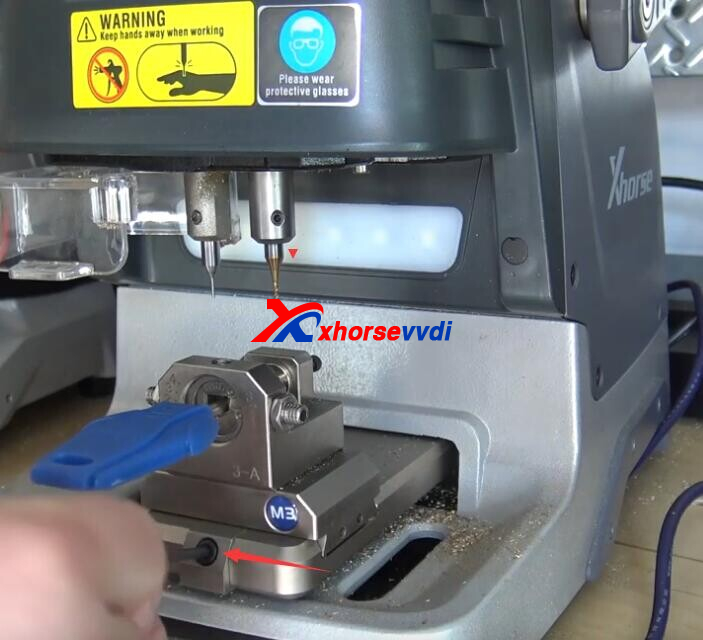
*Optional Xhorse M3 Clamp is compatible with Condor Mini Plus/ Condor II/ Dolphin XP005/ Dolphin XP005L, but it comes with Condor II package.
Hope this could help!
https://www.xhorsevvdi.com
Posted by: xhorsevvdi at
10:24 AM
| No Comments
| Add Comment
Post contains 115 words, total size 3 kb.
The latest V7.2.6 VVDI2 Software is released! Get the free download link from Xhorsevvdi.
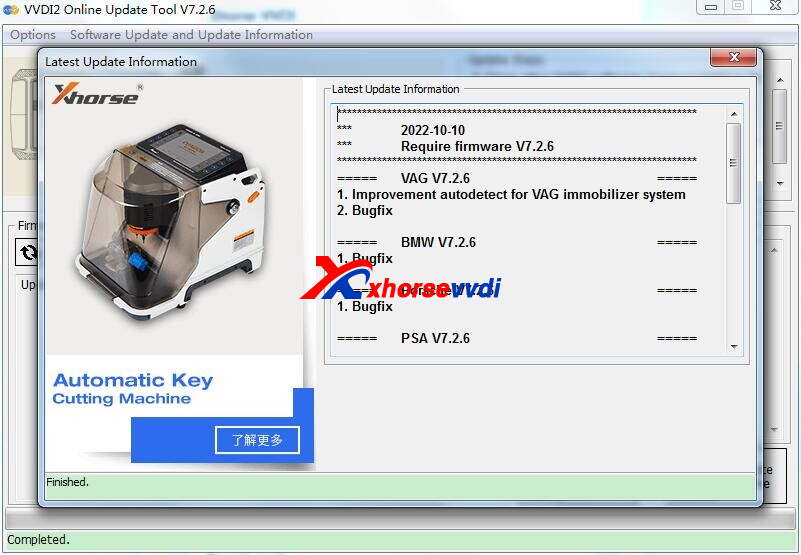
1. Free Download VVDI2 V7.2.6 Software
2. V7.2.6 VVDI2 Update Info:
***RequirefirmwareV7.2.6***
=====VAGV7.2.6=====
1.ImprovementautodetectforVAGimmobilizersystem
2.Bugfix
=====BMWV7.2.6=====
1.Bugfix
=====PorscheV7.2.6=====
1.Bugfix
=====PSAV7.2.6=====
1.Bugfix
=====TransponderProgrammerV7.2.6=====
1.Improvementprepareremotefunction
2.Immobilizerdatatool:Euro->Fiat->5002008-->93C86bugfix
3.Immobilizerdatatool:Euro->AlfaRomeo->MITO2008-->93C86bugfix
4.Immobilizerdatatool:Asia->Mazda->Demi->93C56bugfix
5.Bugfix
=====Copy48(96bits)V7.2.6=====
1.Bugfix
=====J2534V7.2.6=====
1.Bugfix
=====OnlineUpateToolV7.2.6=====
1.Bugfix
=====QuickStartV7.2.6=====
1.Bugfix
https://www.xhorsevvdi.com/
Posted by: xhorsevvdi at
10:23 AM
| No Comments
| Add Comment
Post contains 62 words, total size 2 kb.
In this article, we are going to show you how to read key password from Motorola key instead of online calculation which requires points on VVDI MB.
Model:
Mercedes W220 2001
Tools:
Process:
New key cannot turn on EIS.
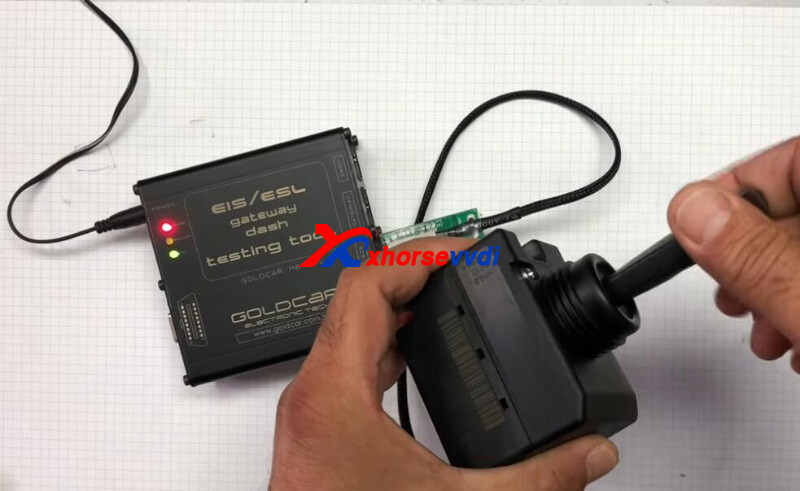
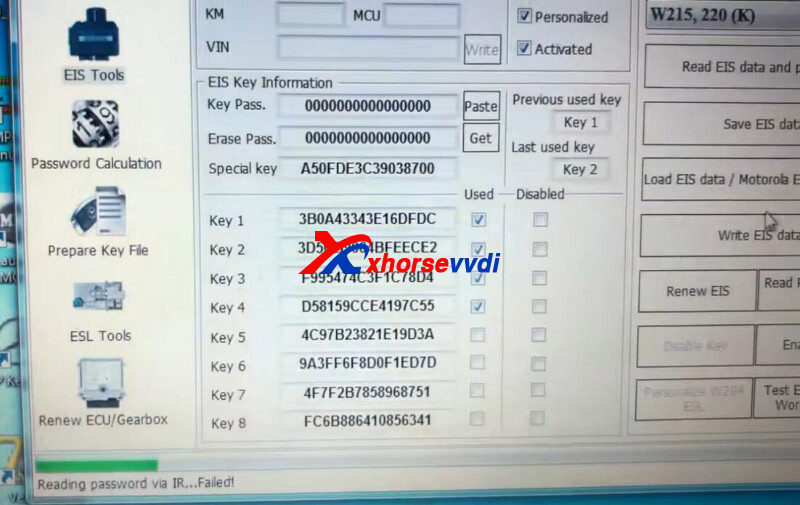
Read EIS data via IR mode.
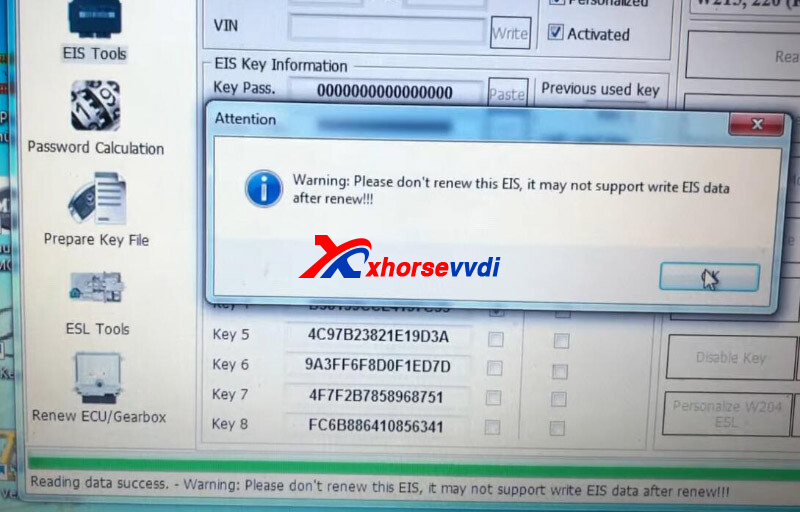
Reading password failed.
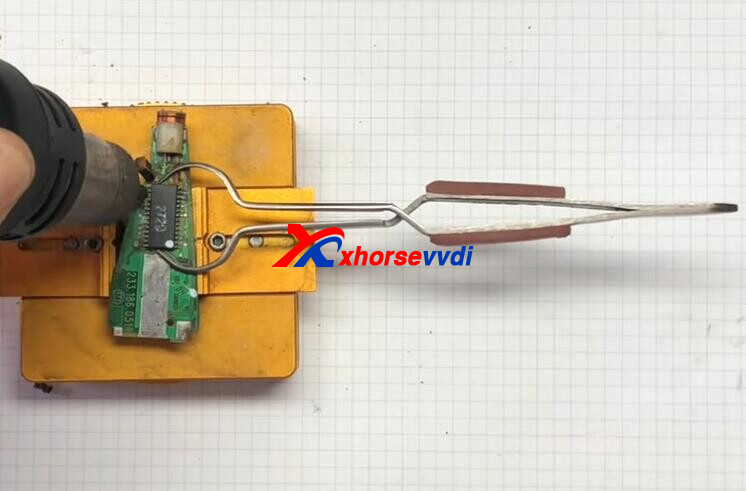
Remove key case, desolder the chip, and put it into NEC Adapter.
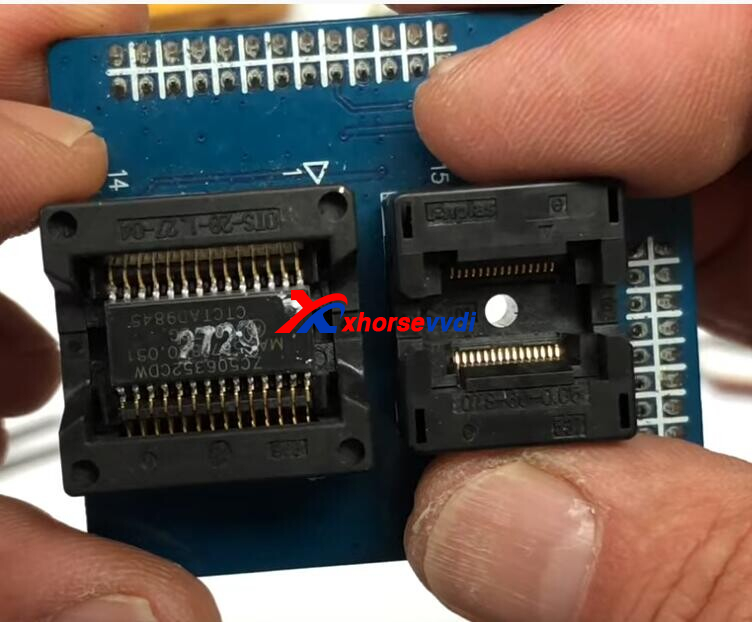
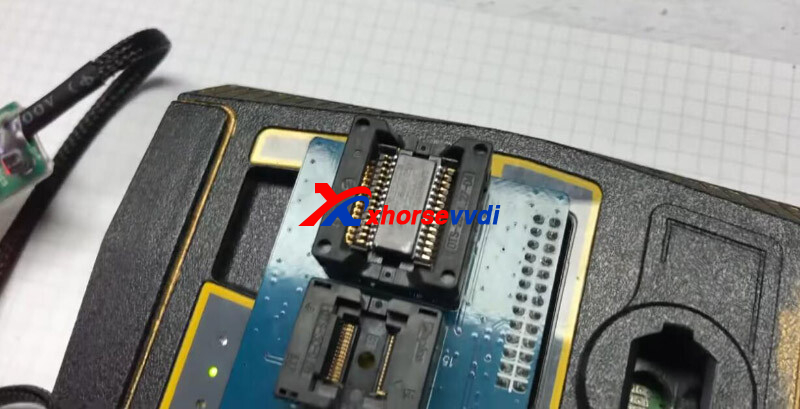
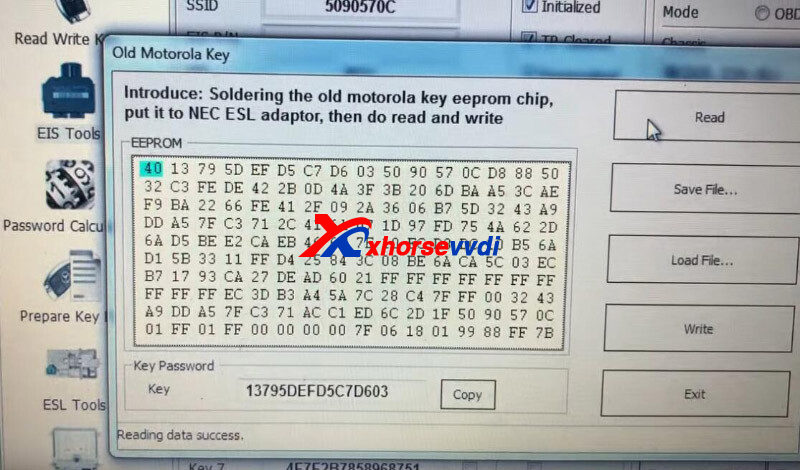
Go to
Other Function>>Old Motorola Key
Read key pass.
Then load EIS file and paste key password.
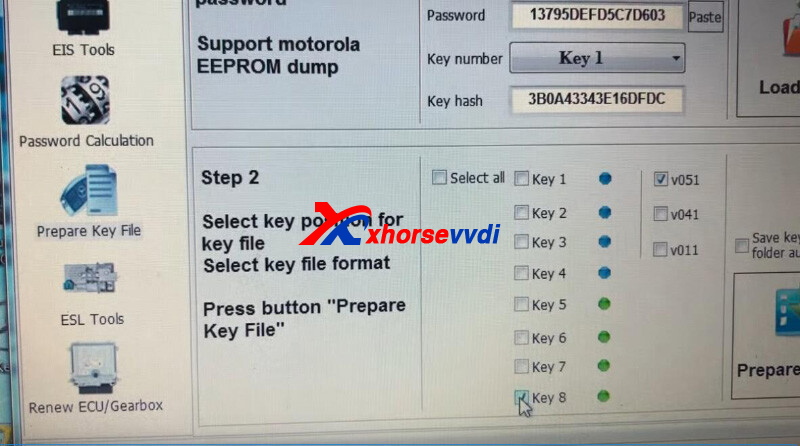
Prepare key file.
Insert VVDI BE Key Yellow into key coil.
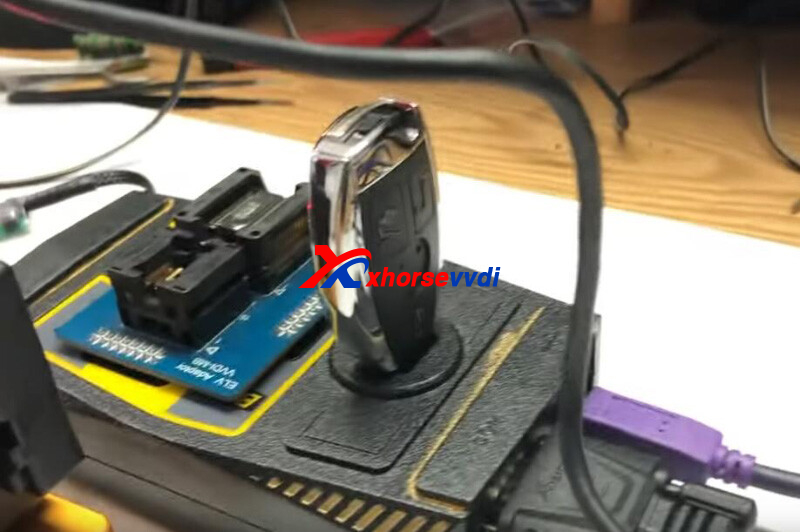
Switch frequency to 433MHZ.
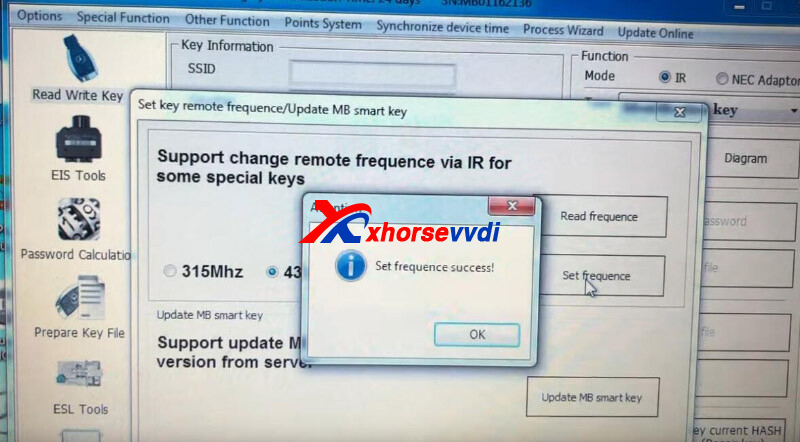
Write file into two keys.
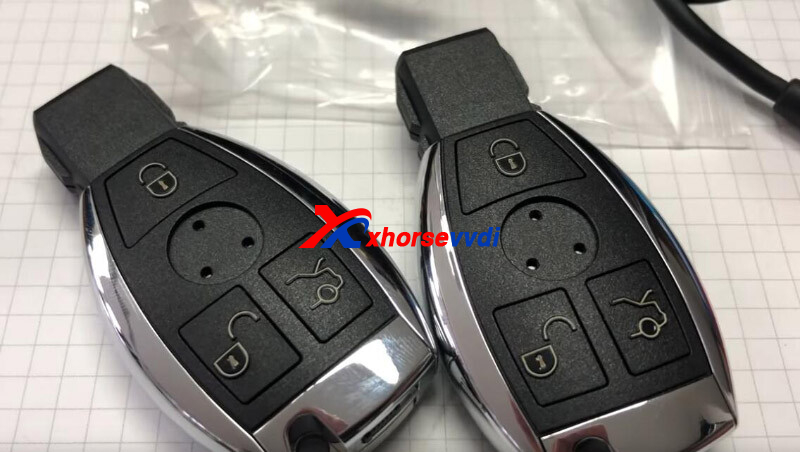
Done!
VVDI BE Key Yellow with lower price doesn't have points for online calculation of key pass, so it applies well for such situations where we can get pass from Motorola key.
Credits to schluesseldienst_muzler_de
https://www.xhorsevvdi.com
Skype: xhorsevvdi.com
Whatsapp:+86-13983756354
Posted by: xhorsevvdi at
10:22 AM
| No Comments
| Add Comment
Post contains 159 words, total size 5 kb.
October 09, 2022
This article is going to show you how to program 2002 Nissan Sunny using Xhorse VVDI PROG Programmer with Key Tool Max Tool.
Immo Box:
SIEMENS 28590 C9901
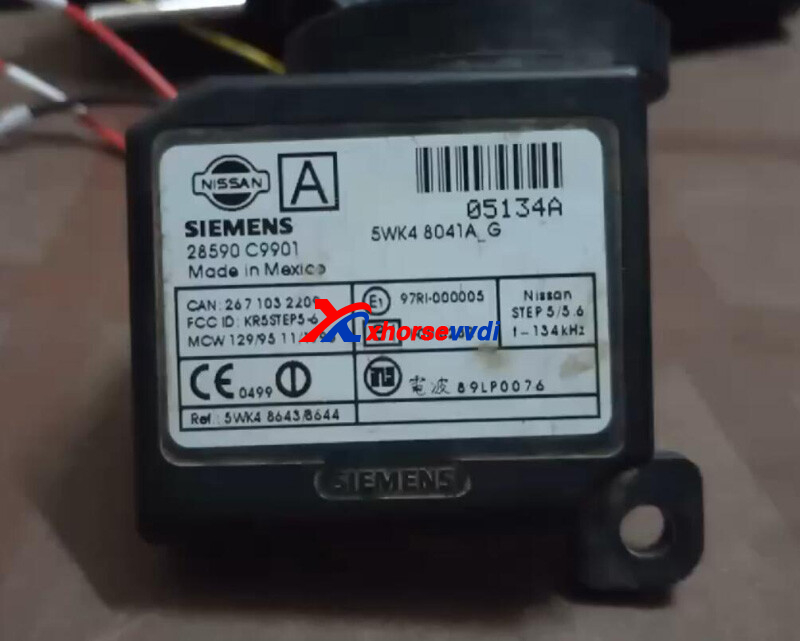
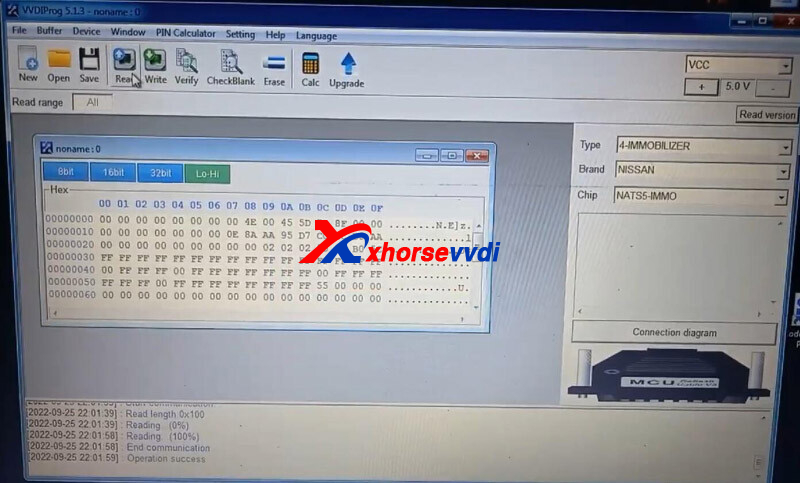
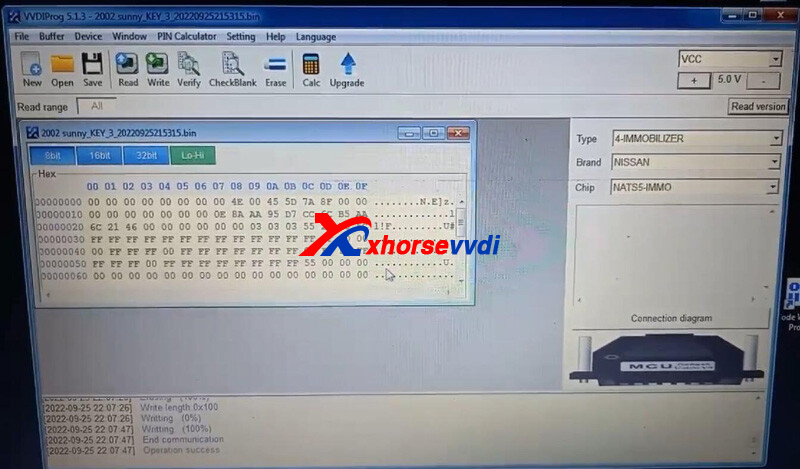
On VVDI PROG Programmer software, select
4-IMMOBILIZER, NISSAN, NATS5-IMMO
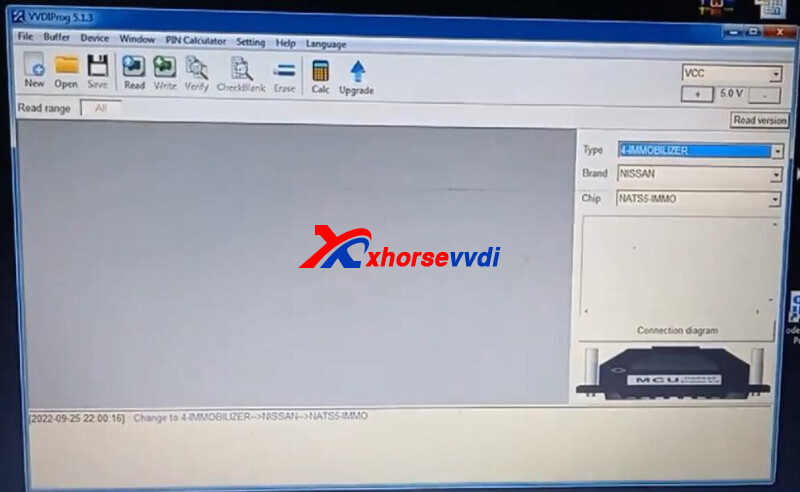
Check diagram.
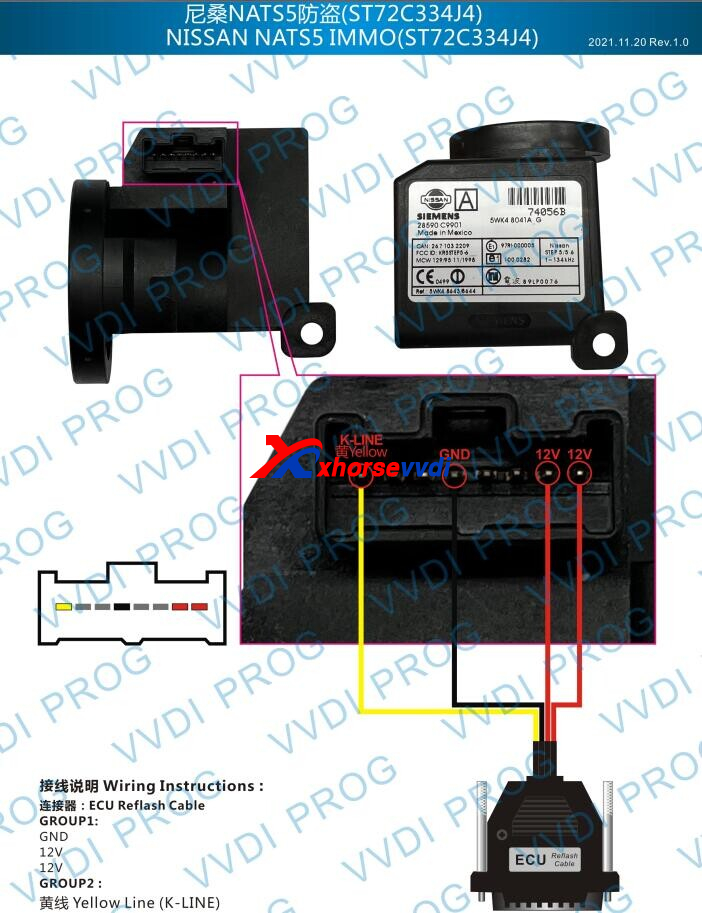
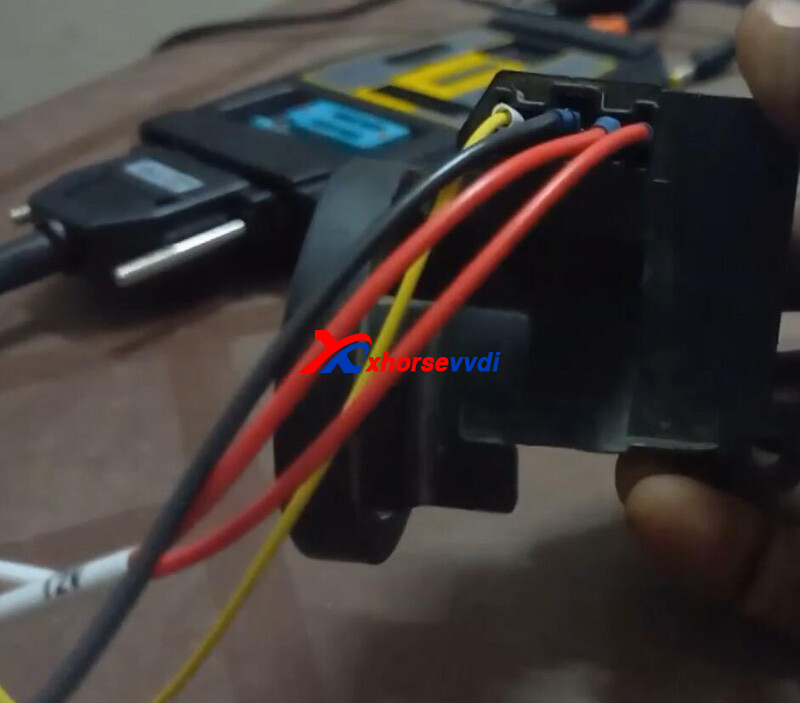
Connect immo box to VVDI PROG.
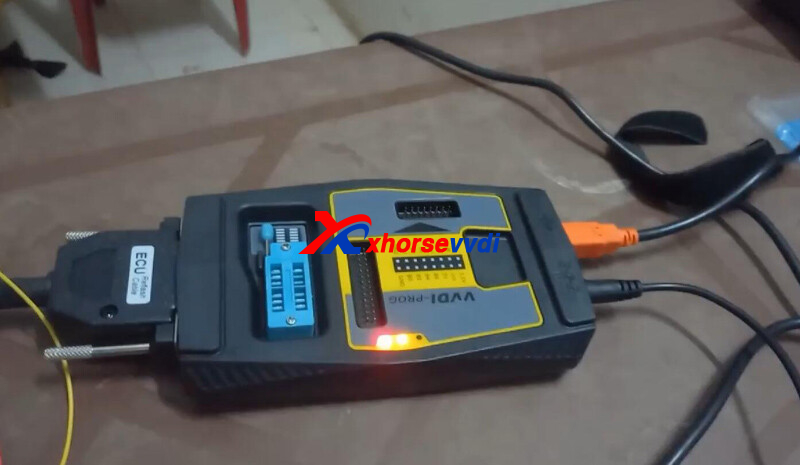
Read and save data.
Connect Key Tool Max to PC.
Copy immo data file and paste it in "share" folder of VVDI Max.
On VVDI Max,
Select
Special Function>>Immo Data Tool>>Asia>>Nissan>>NATS-5>>TMS
A 4D(ID60) chip is required.
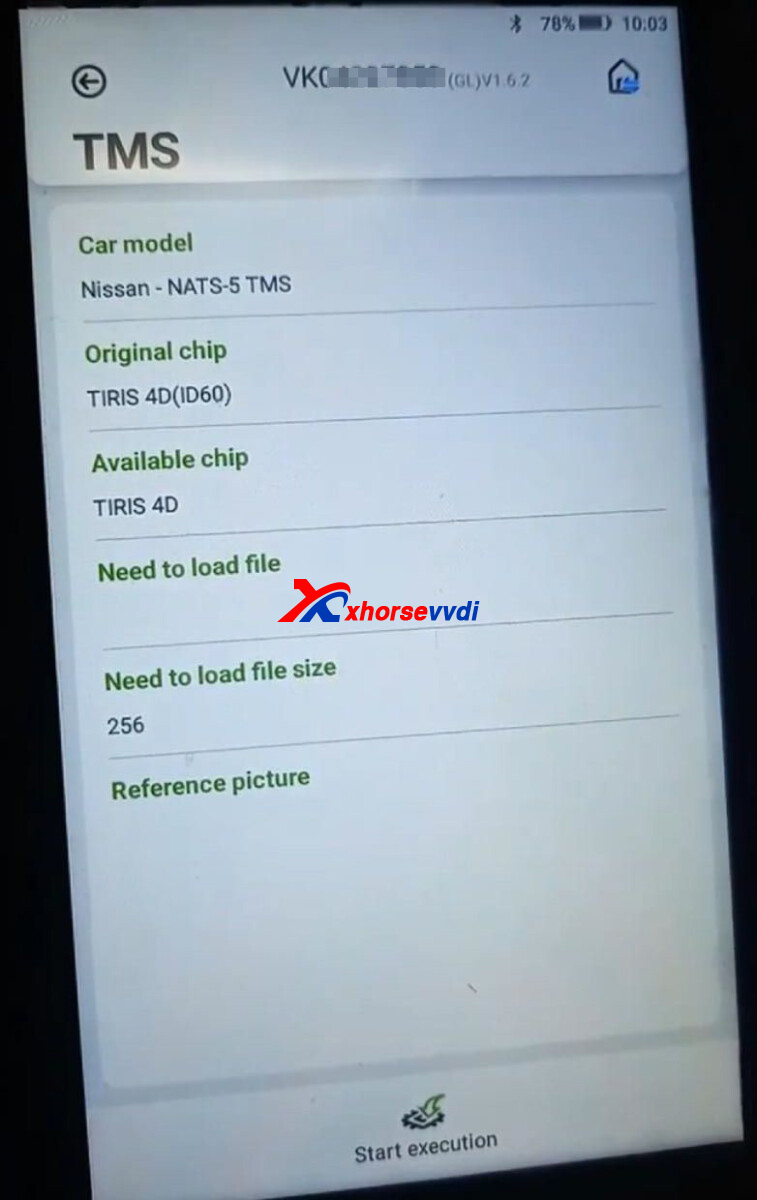
So back to homepage,
Select
VVDI super chip>>Set as ID4D (ID60, 63)
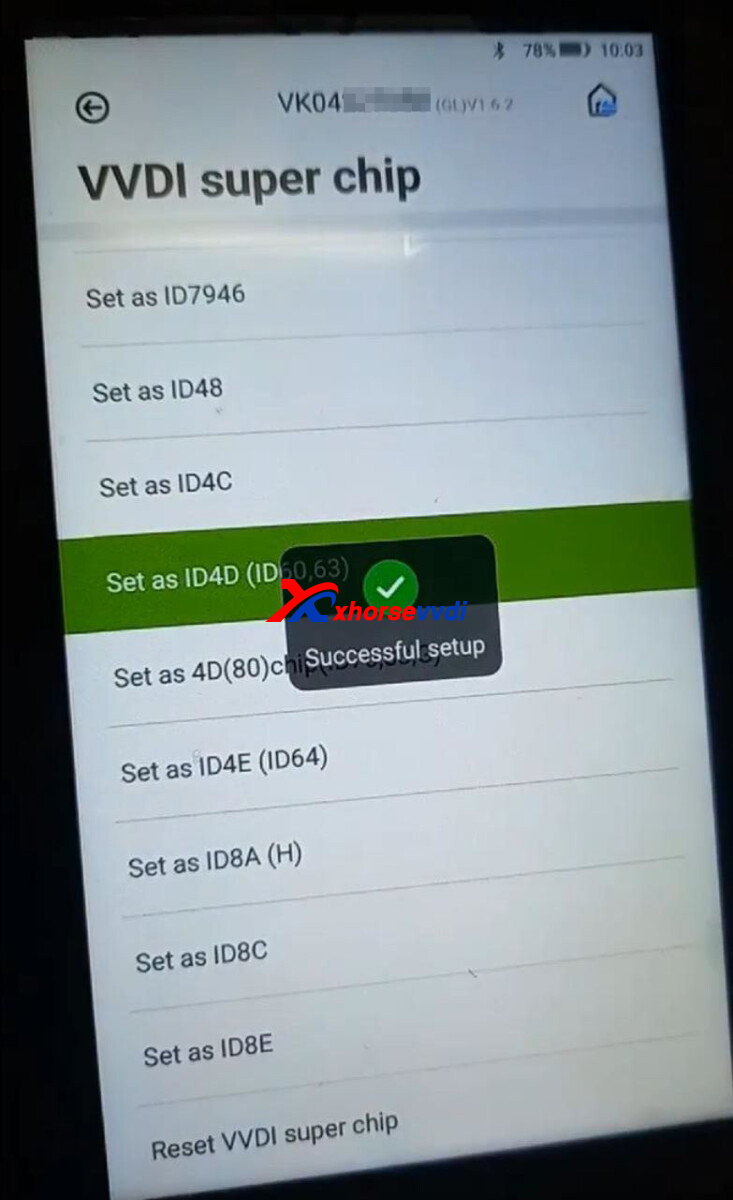
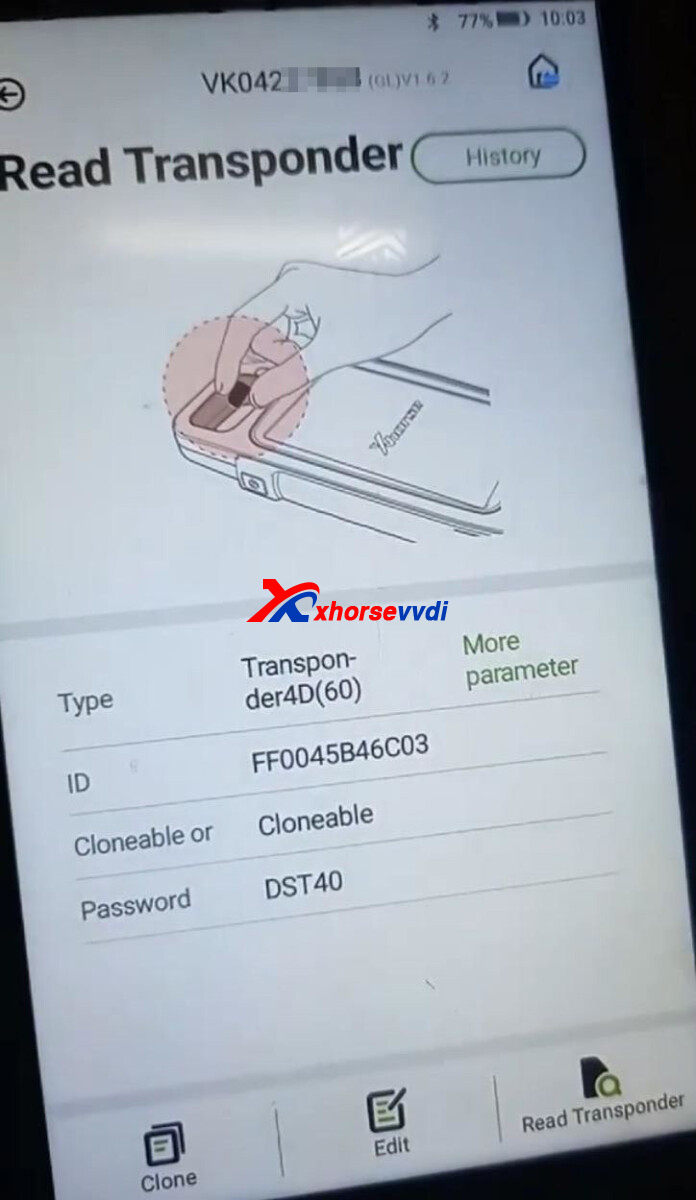
Back to immo data tool menu,
Load immo data file, select key position, and select "TIRIS 4D".
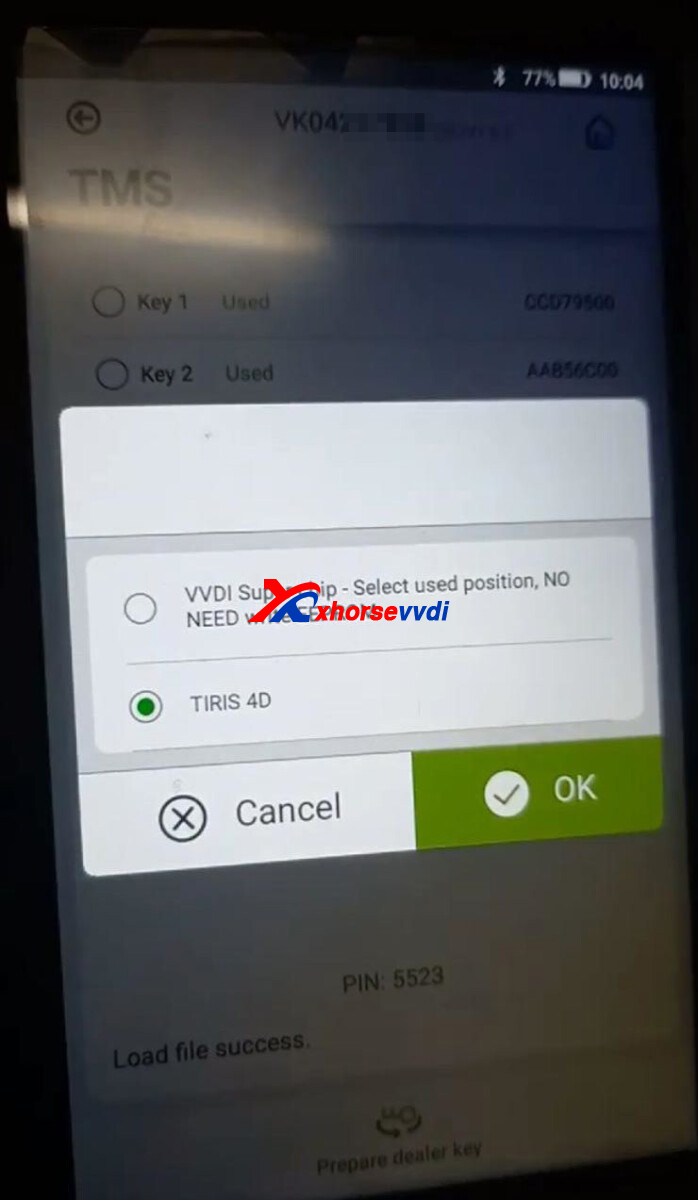
Prepare dealer key successfully.
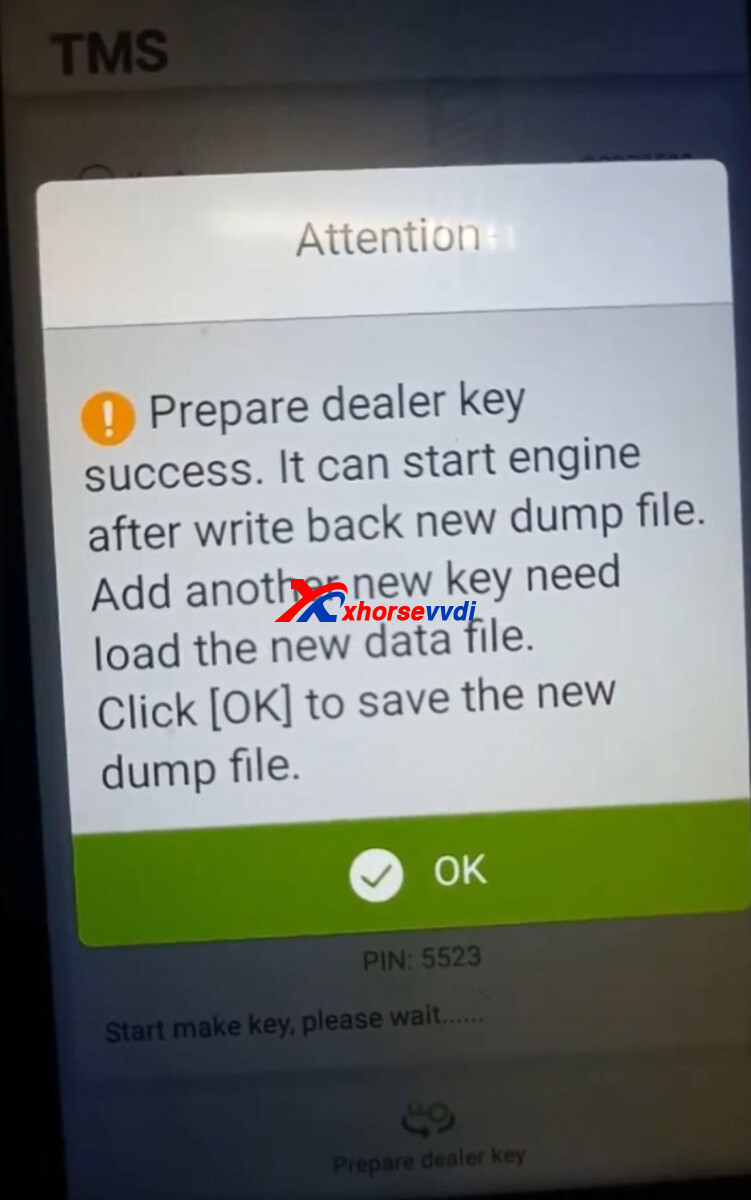
Save new dump file.
Connect Key Tool Max to PC again.
Export new file to PC.
Open new file on VVDI PROG.
Write it back to immo box.
Done!
Posted by: xhorsevvdi at
08:33 AM
| No Comments
| Add Comment
Post contains 152 words, total size 4 kb.
One customer gave the feedback that the cutter of his Xhorse Condor Mini Plus Machine stopped moving before cutting a HU66 blade.
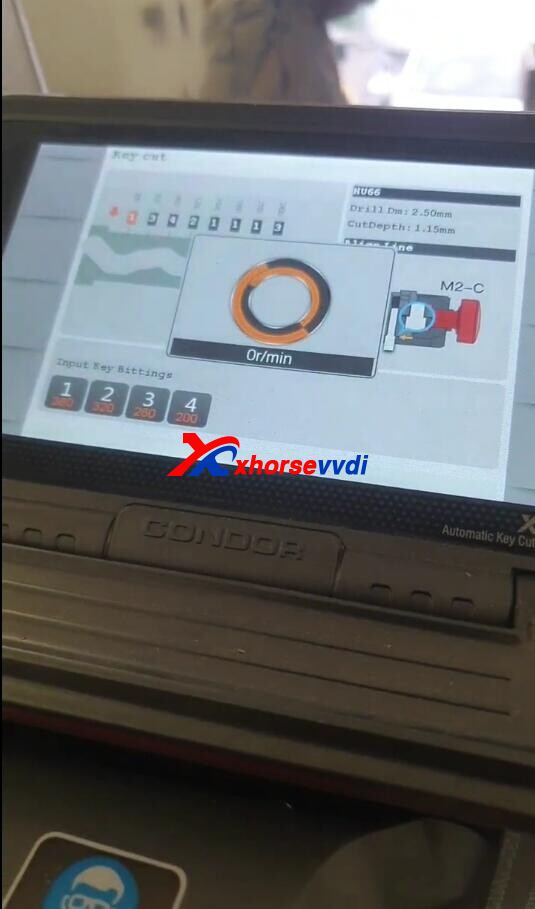
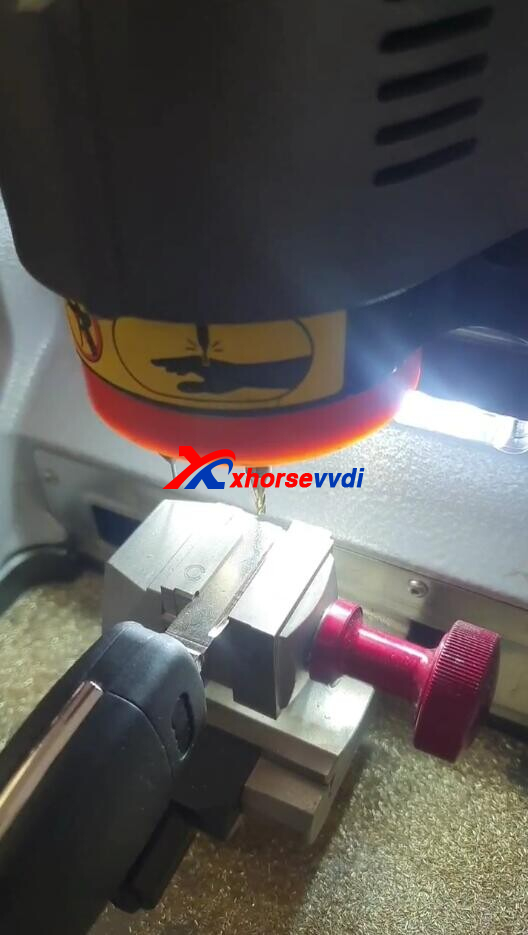
Here is how Xhorsevvdi technician troubleshoots,
1.Do Main motor test (Path: Device Information>>Motor Measurement>>Main motor test)
Notes:
1)See if the cutter rotates
2)Keep the cover down during the test
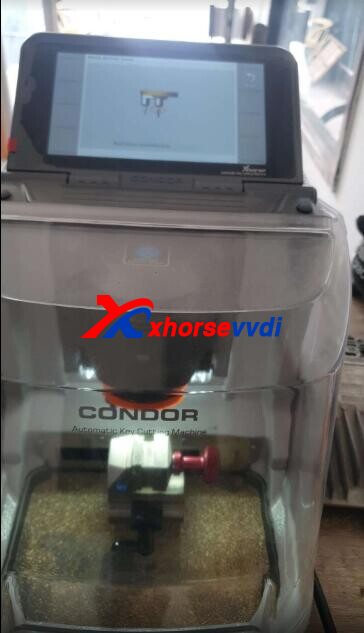
Result:
The cutter won't rotate.
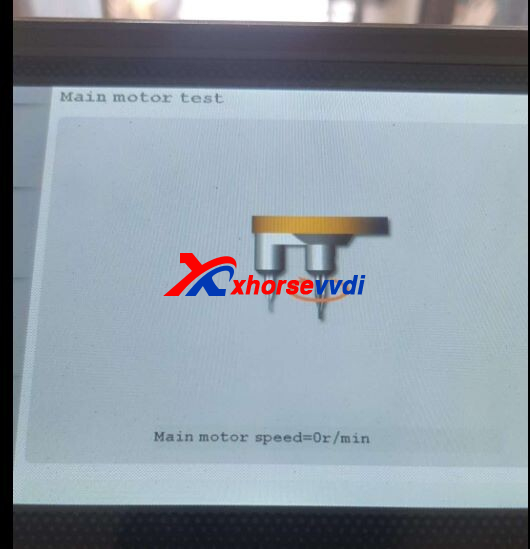
Solution:
Replace driver board.
Hope this could help!
http://blog.xhorsevvdi.com/xhorse-condor-xc-mini-plus-cutter-stop-moving-solution/
Posted by: xhorsevvdi at
08:32 AM
| No Comments
| Add Comment
Post contains 73 words, total size 2 kb.
Xhorse XM Toyota Smart Key support unlimited regeneration, and we often generate it by the model and the year or the number on key PCB for vehicles of various frequencies.
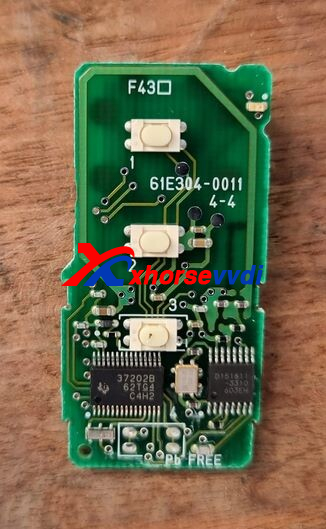
Sometimes we have successfully programmed new keys, but only emergency start works, remote and proximity don't work. Here we share with you another way to switch frequency: Toyota smart key setting.
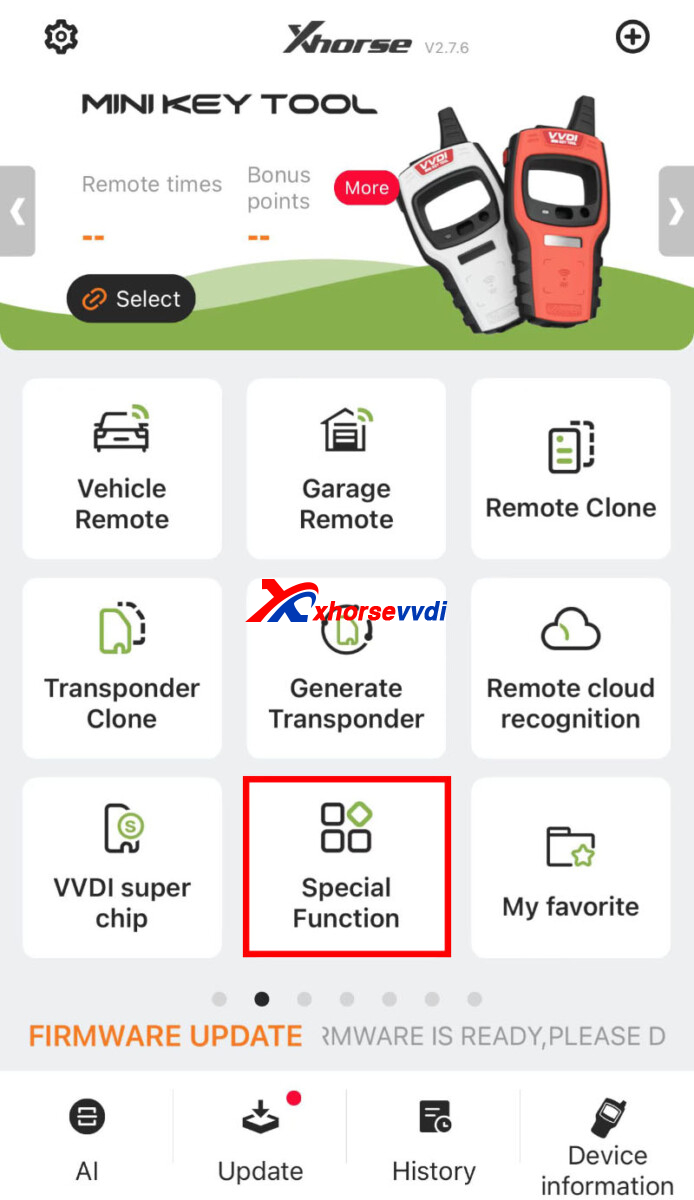
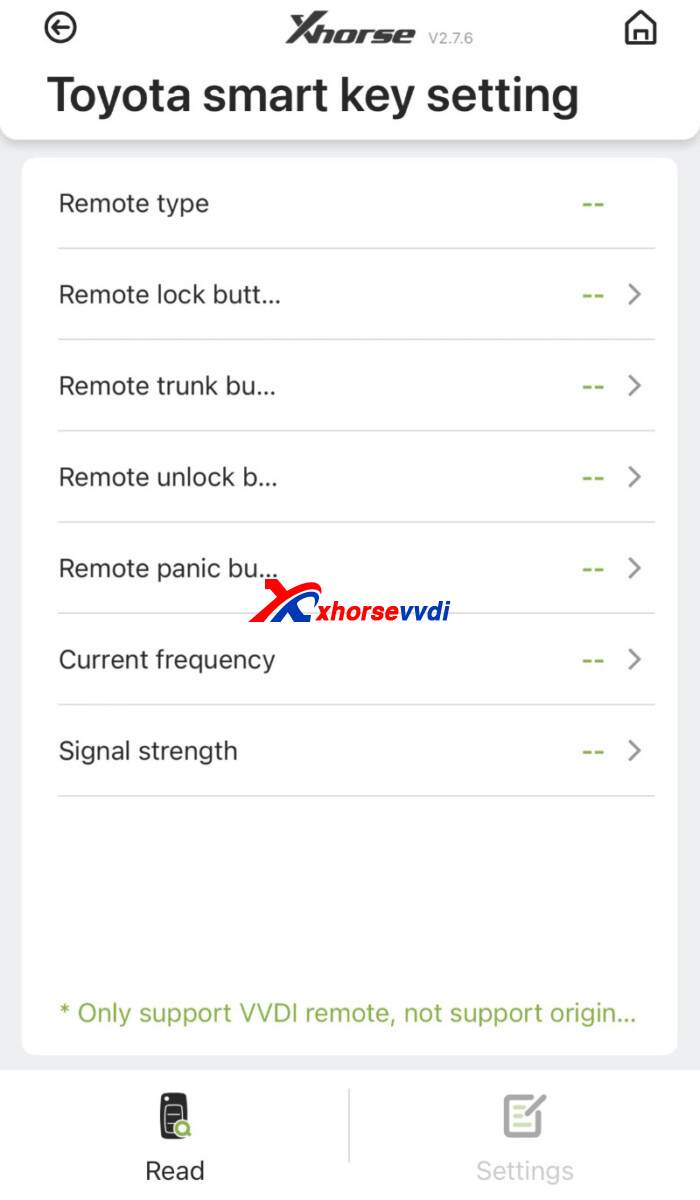
Path:
Special Function>>VVDI remote function>>Toyota smart key setting
Compatible Devices:
VVDI Key Tool Plus/ VVDI Mini/ VVDI Max Pro
Notes:
1)Smart key is programmed successfully and emergency start works before operating this function
2)Make sure key is single/ dual frequency and the exact frequency
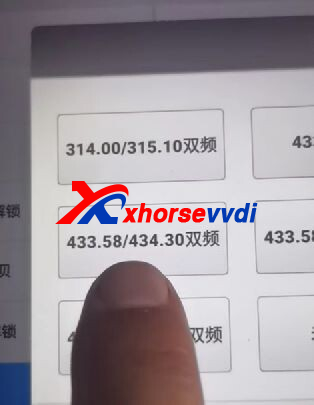
Review from Sam:
I added a 2016 Tacoma today using Xhorse Toyota Smart Key Board.
After successfully pair the key to the truck, I found out that the proximity function is not working, so I have to hold the key to the start button to start the truck, also proximity lock and unlock door.
Change the frequency by 0.001 fixed the proximity feature.
Hope this could help!
http://blog.xhorsevvdi.com/how-to-switch-frequency-of-xhorse-toyota-xm-smart-key/
Posted by: xhorsevvdi at
08:31 AM
| No Comments
| Add Comment
Post contains 183 words, total size 3 kb.
Question:
The cutter/ probe gets stuck in the holder of Xhorse Dolphin XP005/ Xhorse XP005L/ Xhorse XP007 because
1)Clean cutter but dry tissue left inside
2)Probe gets broken
...
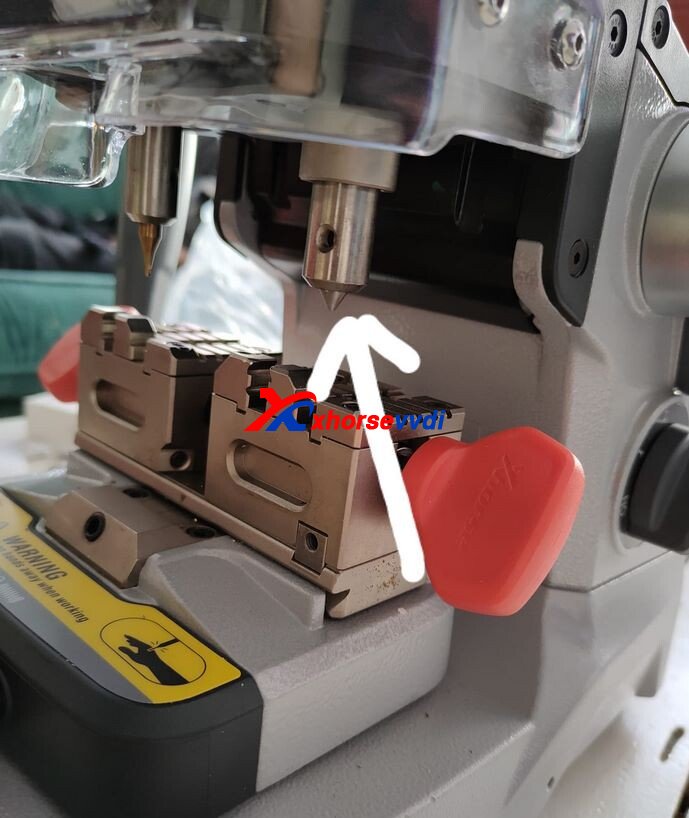
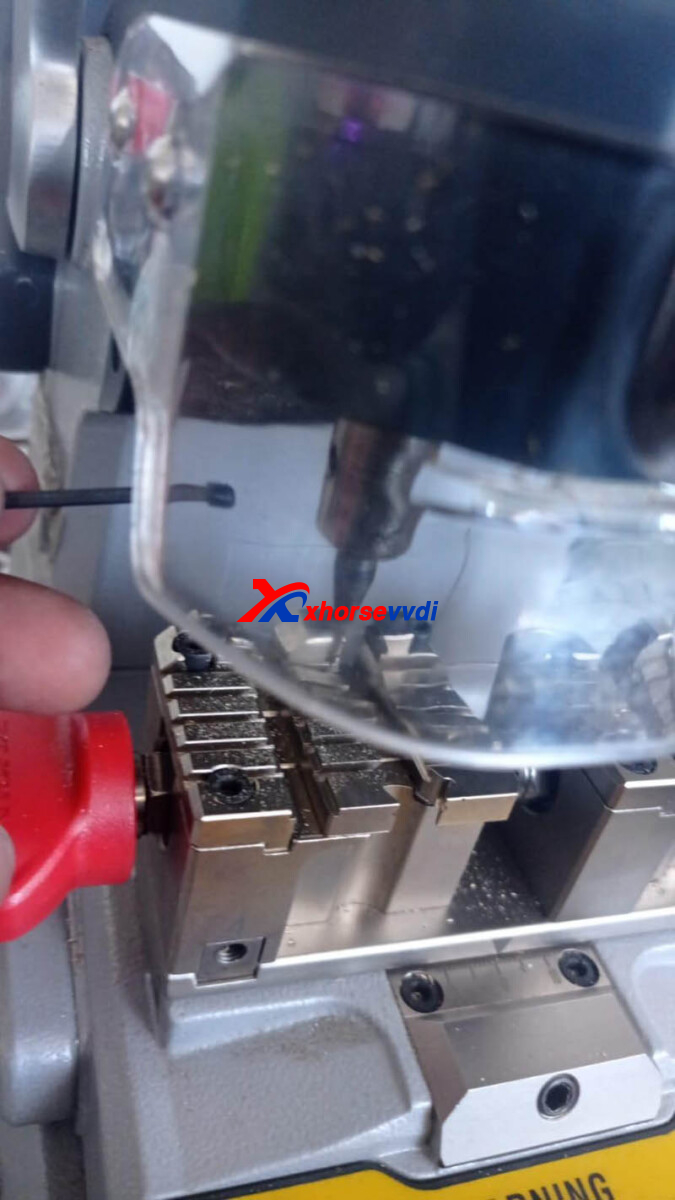
First, the only way to remove stuck parts is pulling them out, or replace the whole component.
Here are some
Possible Solutions:
1.Pliers
Make it go round, and pull it out by a pliers.
2.Remove the rough edges
Went rounds between removing rough edges, dry cloth, little wd40 on tissue, dry wipe again.
Done 4 or 5 times, and it moves in & out smoothly
Maintenance Tips:
1.Clean machine esp. remove metal filings by the brush inside the package
2.For machines that has been used for years, open it, clean inside parts, and lube ball screw and cross rail
http://blog.xhorsevvdi.com/how-to-remove-cutter-probe-stuck-in-xhorse-key-cutting-machine/
Posted by: xhorsevvdi at
08:30 AM
| No Comments
| Add Comment
Post contains 140 words, total size 2 kb.
This article is going to show how to program 1999 Hyundai Atoz when all key lost.
Tools:
EEPROM:
93LC56
Step 1.Read EEPROM
Desolder 93lc56 chip.
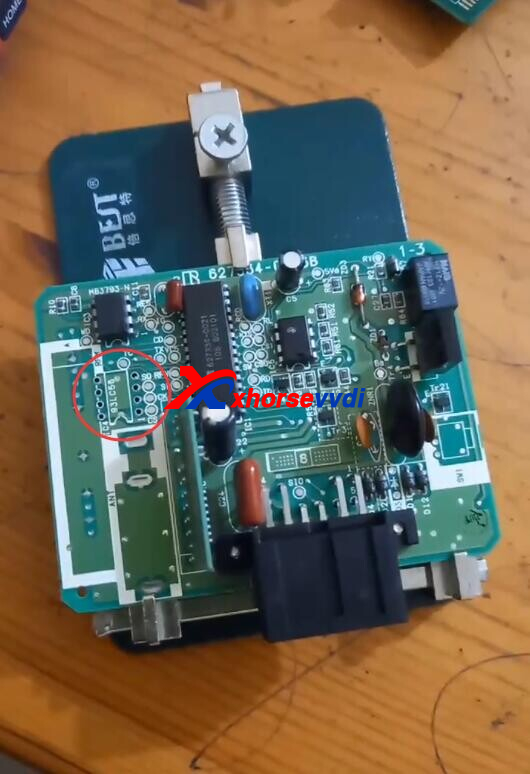
Install it on eeprom adapter.
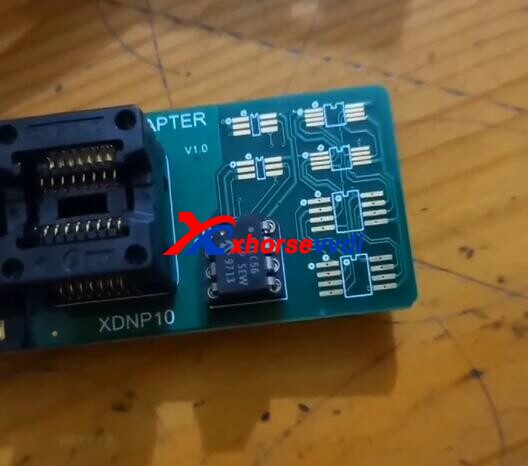
Connect adapter to Mini Prog.
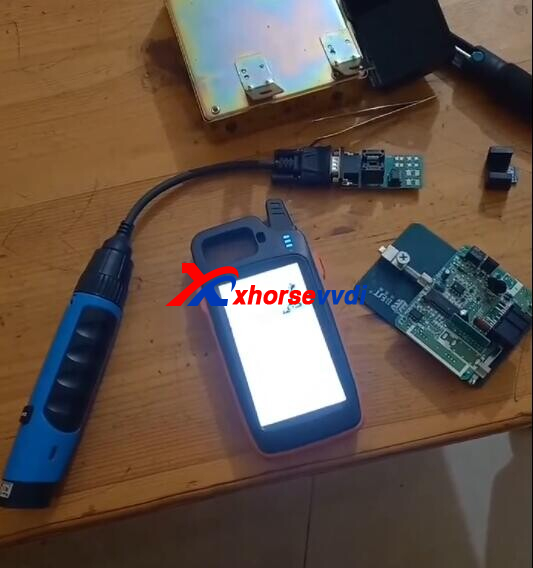
Open VVDI Max, switch to Mini Prog page.
Select
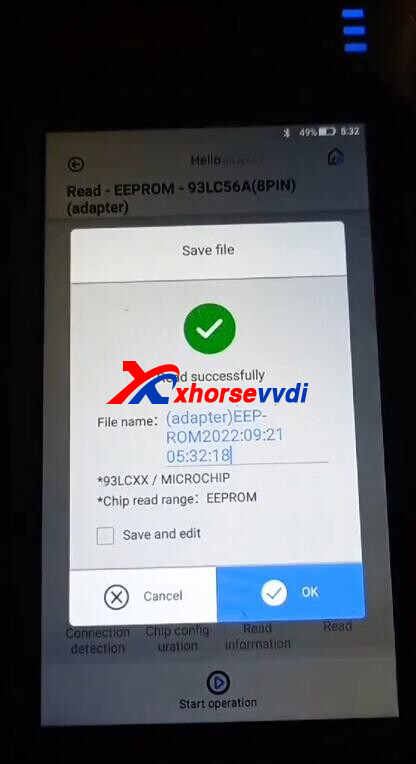
EEPROM and Flash>>MICROCHIP>>93LCXX>>93LC56A (8PIN)>>Adapter
Read Eeprom.
Step 2.Write via Dump
Switch back to VVDI Max page.
Enter "VVDI super chip".
Put a VVDI Super Chip into coil.
Reset.
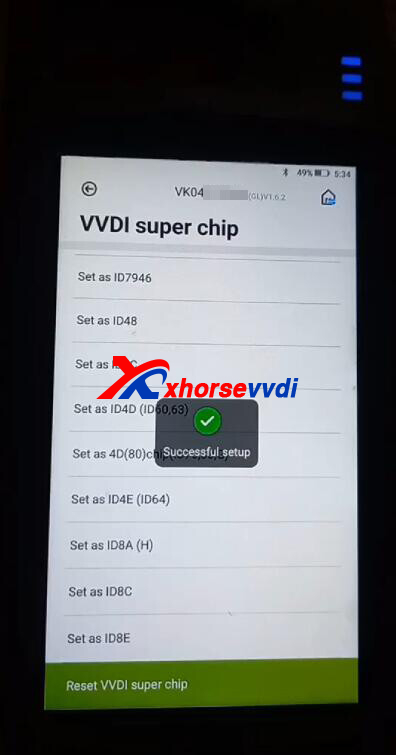
Back to homepage, select
Special Function>>Immo Data Tool>>Asia>>Hyundai>>Atos>>1996- 93C56
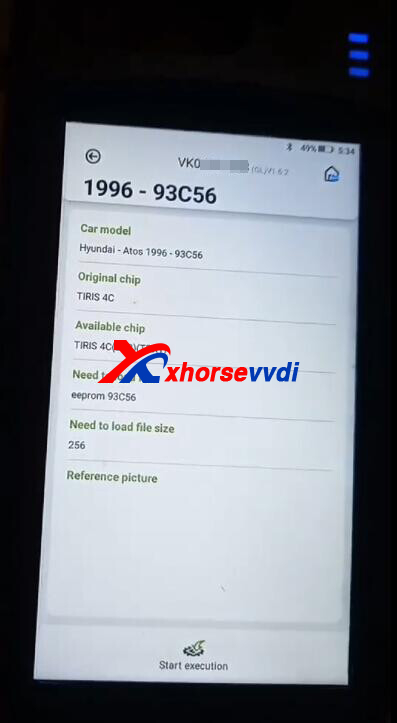
Load eeprom file we just read.
Select key position.
Prepare dealer key success.
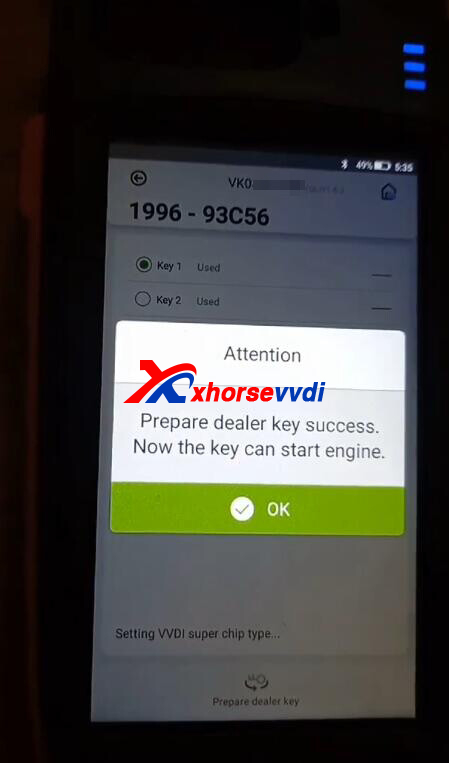
Read chip.
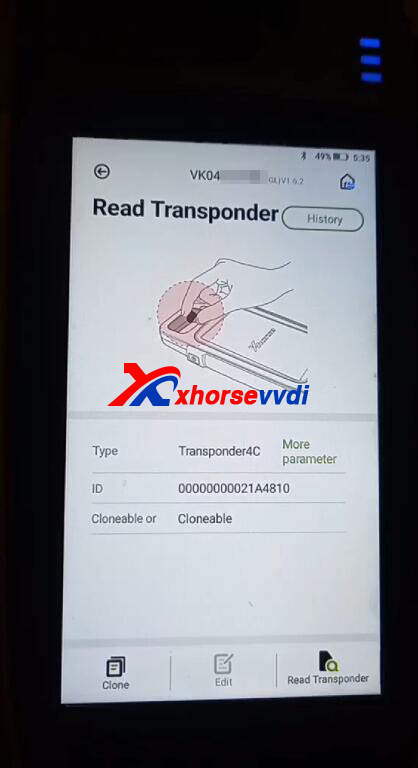
That's the procedure of 1999 Hyundai Atoz AKL programming.
https://www.xhorsevvdi.com/http://blog.xhorsevvdi.com/mini-prog-vvdi-max-hyundai-atoz-1999-akl-programming-guide/
Posted by: xhorsevvdi at
08:29 AM
| No Comments
| Add Comment
Post contains 128 words, total size 4 kb.
Xhorse Key Tool Max Pro released new features for BMW CAS and Toyota 8A/4D. This article is a test on adding a new key for BMW CAS3++.
Hook VVDI Max Pro to vehicle and start it.
Go to
IMMO Programming>>BMW>>Automatically diagnose models
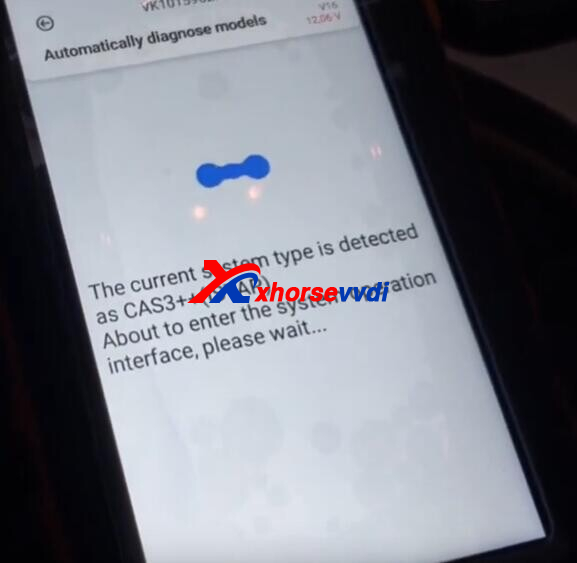
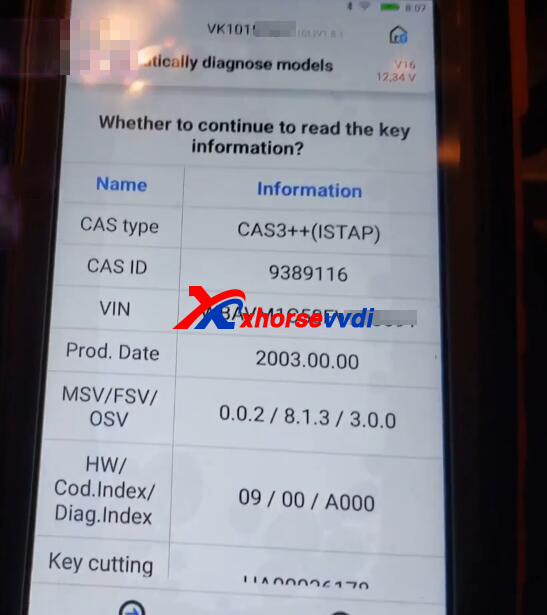
Read key information.
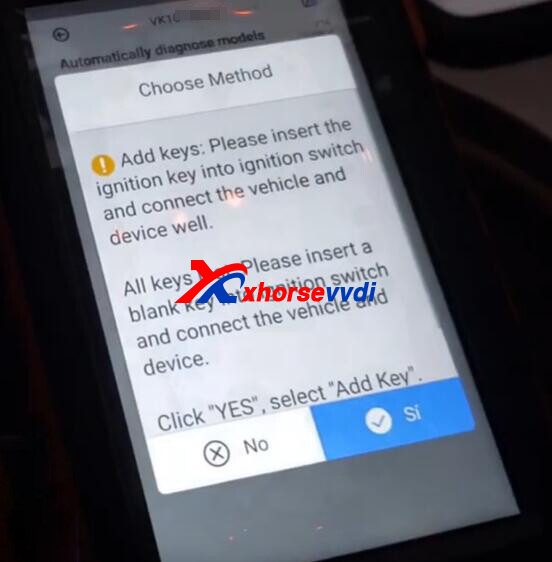
Cas3 confirmed, and frequency 315MHZ.
Notes:
1)For CAS ISTAP, firmware flash is required, which will cost about 10 minutes
2)Supply extra power if car battery is low
3)Backing up CAS eeprom and flash before operation is recommended
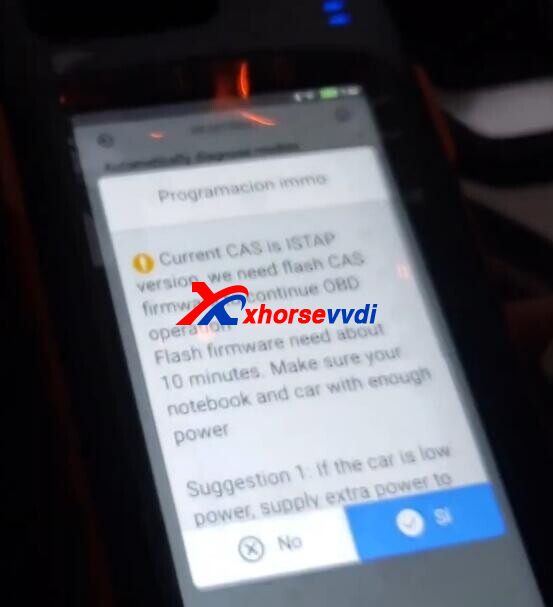

Take away original key and start firmware flash.
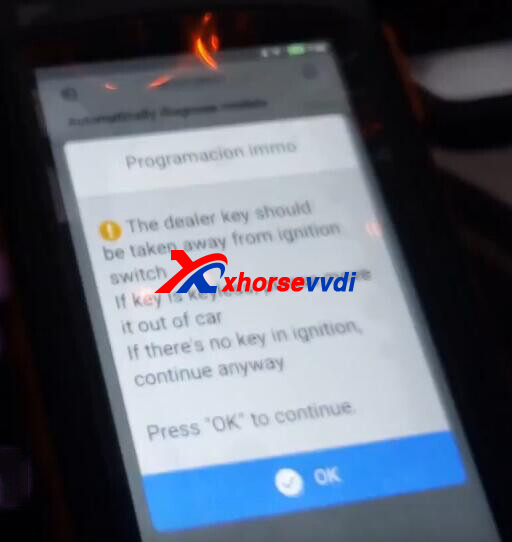
After flash is done, switch ignition on.
Remove original key again.
Key info.
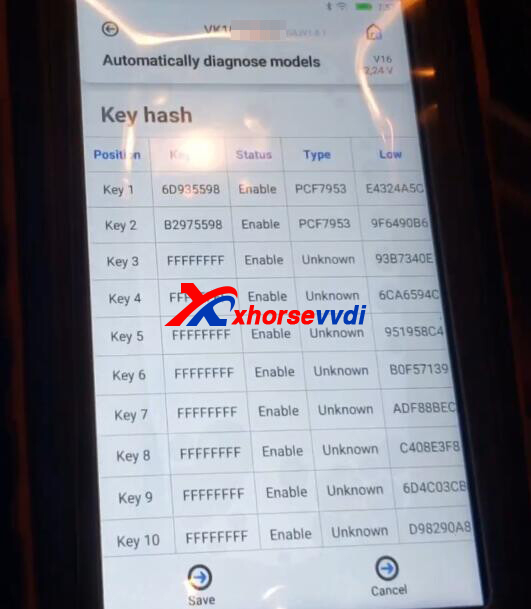
Save and go back to main menu.
Select "Prepare dealer key with programmer".
Select key position.
Put new key into key coil of Key Tool Max Pro.
Smart key? No.
Make dealer key success.
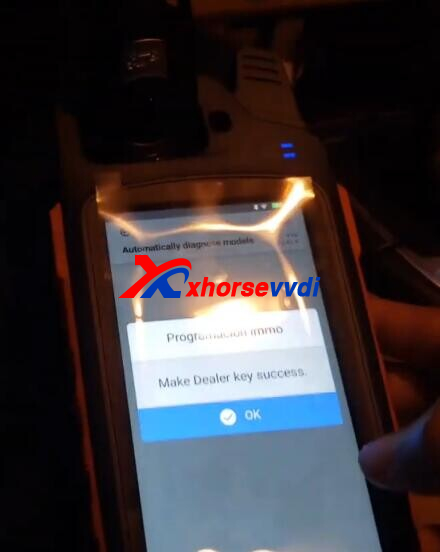
Select "Add Key".
Put new key into coil again.
Success.
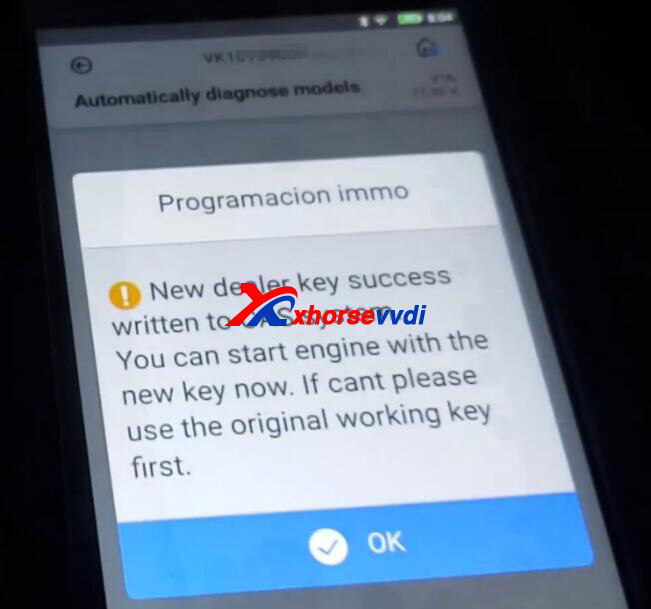
Read new key to verify.
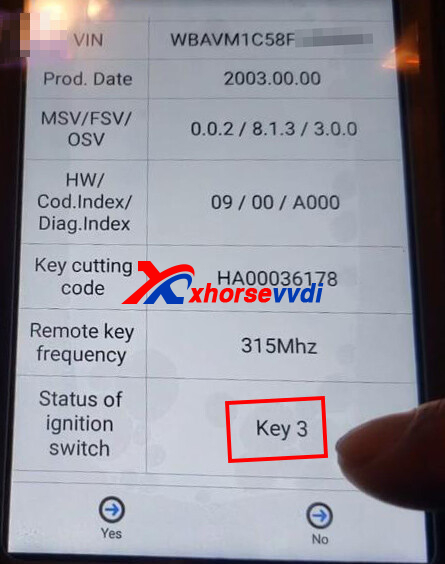
Done!
That's how we add a new key for BMW CAS3++ using Key Tool Max Pro Programmer.
http://blog.xhorsevvdi.com/how-key-tool-max-pro-add-new-key-for-bmw-cas3/
Posted by: xhorsevvdi at
08:28 AM
| No Comments
| Add Comment
Post contains 181 words, total size 4 kb.
September 29, 2022
V5.2.0 VVDI PROG is released, get free download link from Xhorsevvdi.
1. Free Download V5.2.0 VVDI PROG Software
Password: 123456
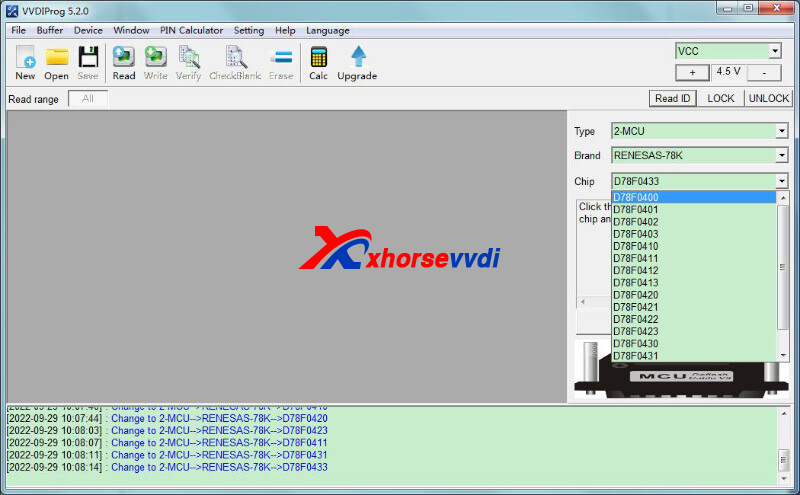
2.V5.2.0 VVDI Prog Update
V5.2.0 (2022-09-29)
*ThisversionDON'tneedupdate firmware
+AddD78F0400,
D78F0401,
D78F0402,
D78F0403,
D78F0410,
D78F0411,
D78F0412,
D78F0413,
D78F0420,
D78F0421,
D78F0422,
D78F0423,
D78F0430,
D78F0431,
D78F0432,
D78F0433
optionsin
<2-MCU>-><RENESAS-78K>
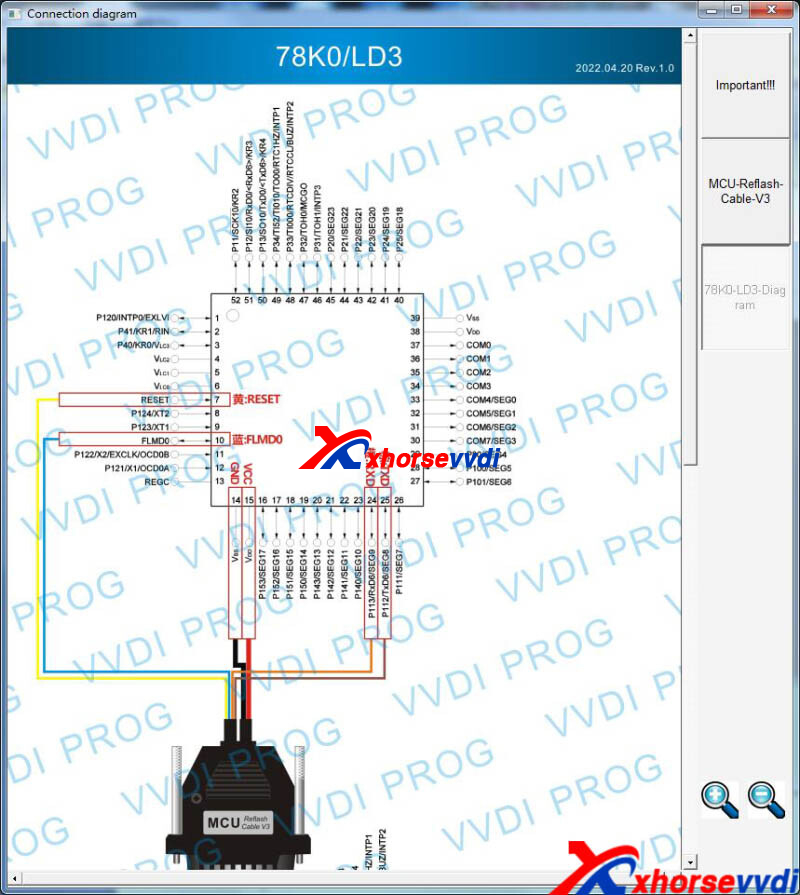
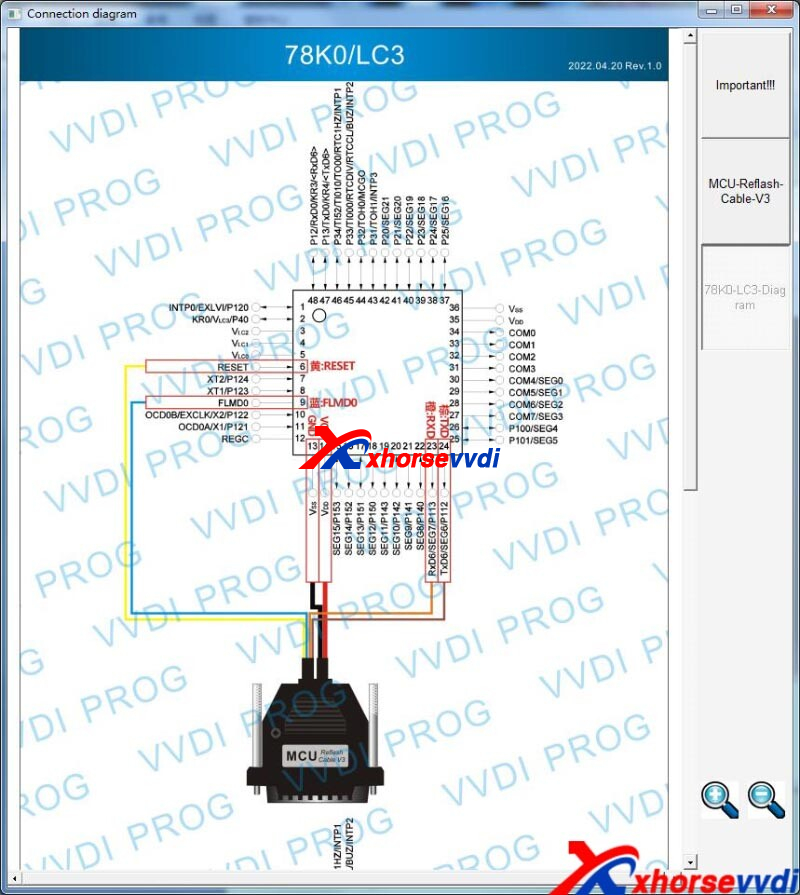
https://www.xhorsevvdi.com/
Posted by: xhorsevvdi at
09:43 AM
| No Comments
| Add Comment
Post contains 58 words, total size 2 kb.
This article is going to show you how to program 2018 VW T6 when all key lost using Xhorse VVDI2 Full Version.
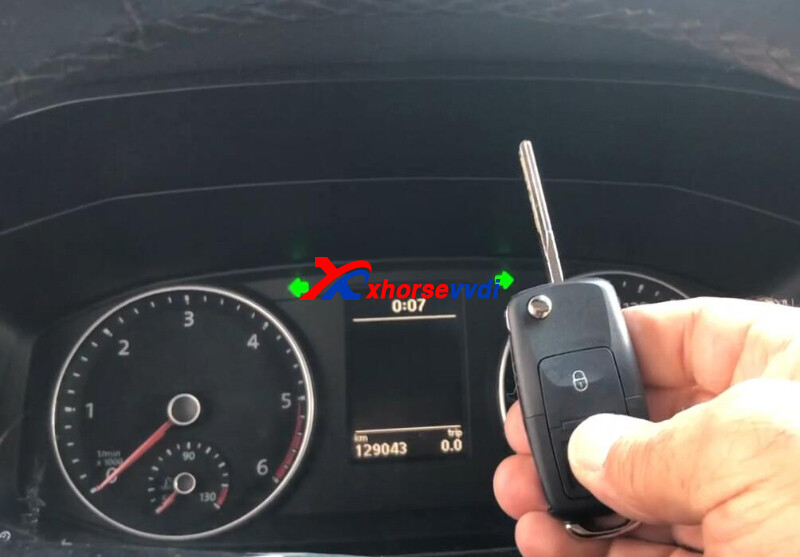
Tools:
Connect VVDI2 to vehicle.
Enter VW Menu.
Try auto detect type, NEC 24C64.
Select
4th immobilizer system - VW/ Skoda/ Seat>>Instrument with NEC+ 24C64 2014.06-
Try to read EEPROM.
Fail since we have to use a working key as required.
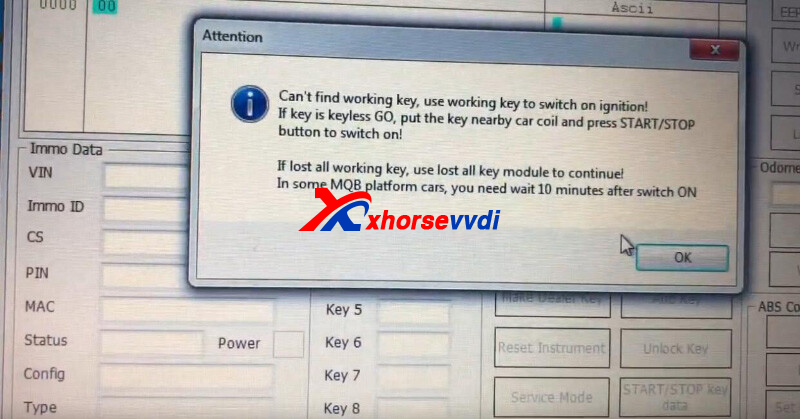
So we try to switch it to service mode for key programming.
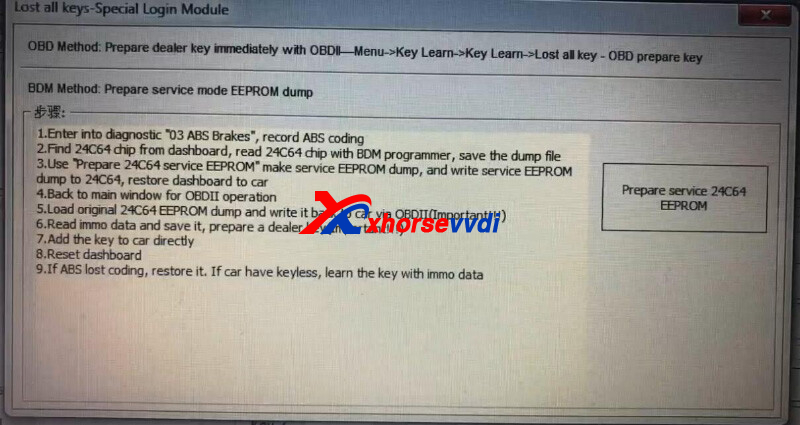
Step 1.
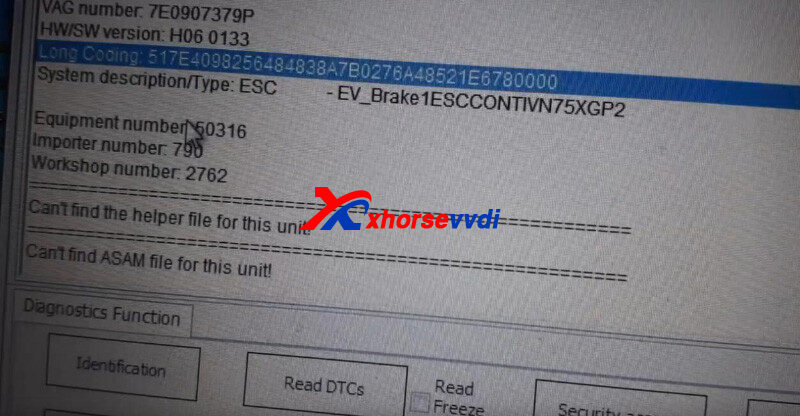
Record ABS coding.
Step 2.
Remove dashboard.
Read EEPROM 24C64 using VVDI PROG.
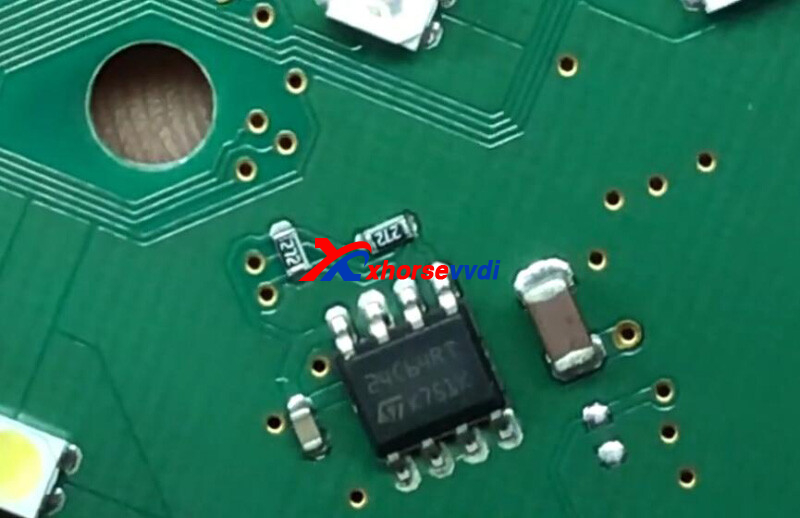
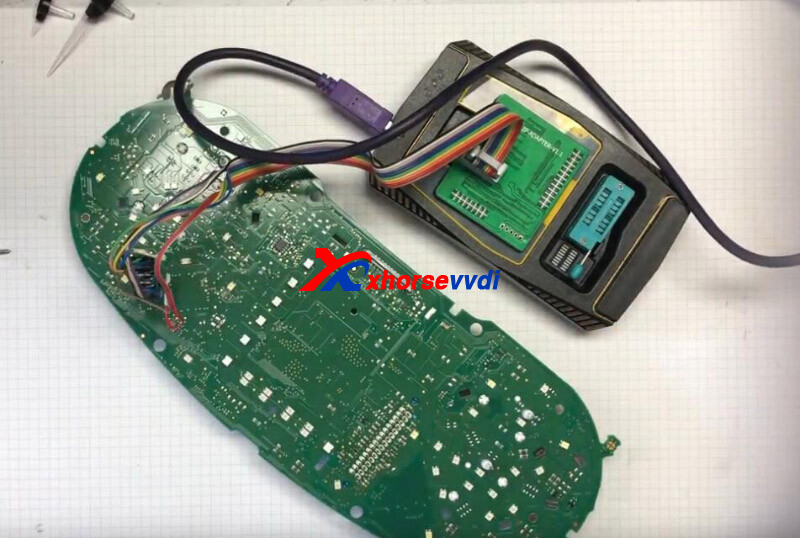
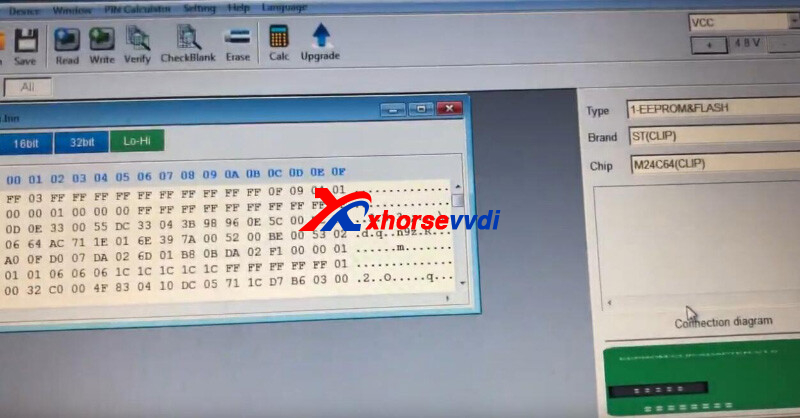
Step 3.
Generate and write service dump
Back to VVDI2, click "Prepare service 24C64 EEPROM".
Load 24C64 eeprom file and save new dump file
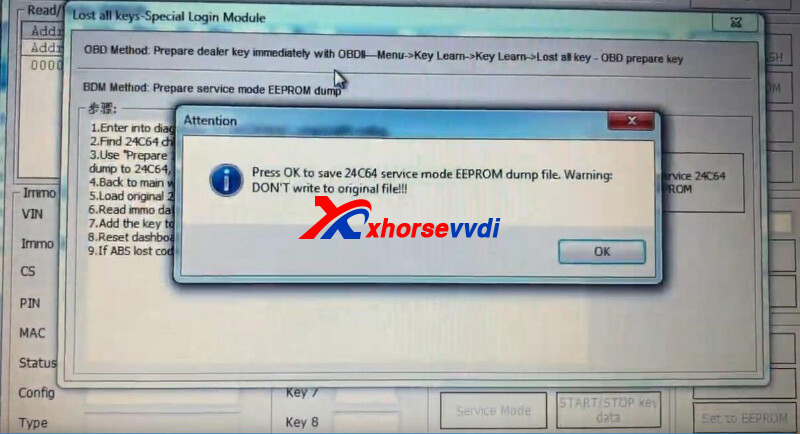
Write service dump back to chip using VVDI PROG.
Restore dashboard.
Step 4.
Back to Xhorse VVDI2 homepage.
Step 5.
Load original dump file and write it back via OBDII.
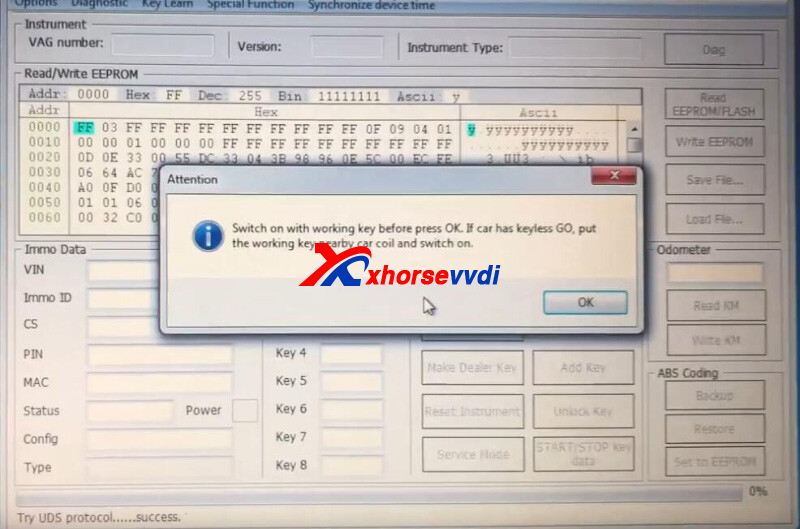
Step 6.
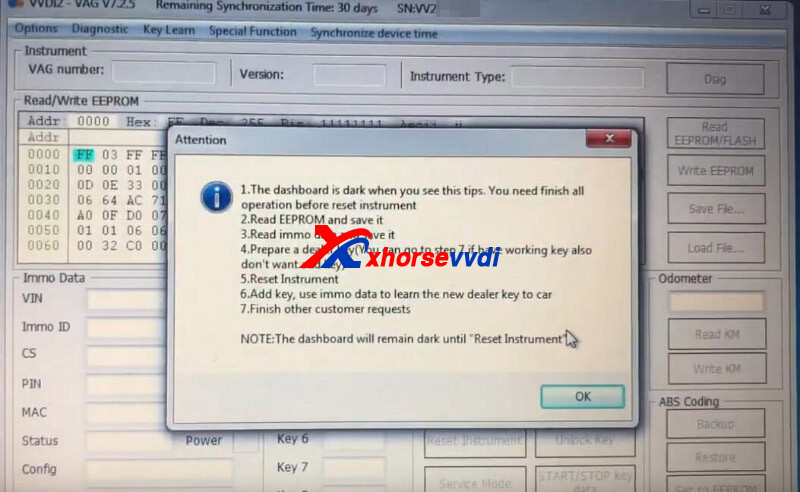
Here we just go on smoothly without a working key.
Then with the dashboard being dark, follow prompts to reset it.
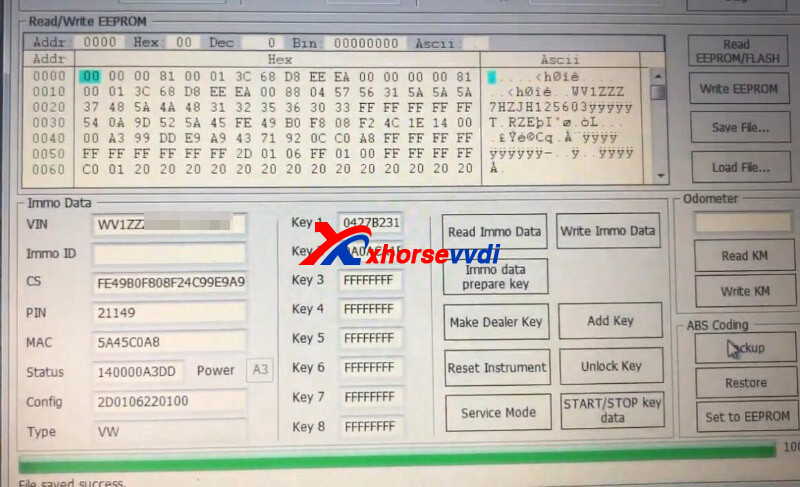
Read and save immo data.
Here Prepare Dealer Key will fail.
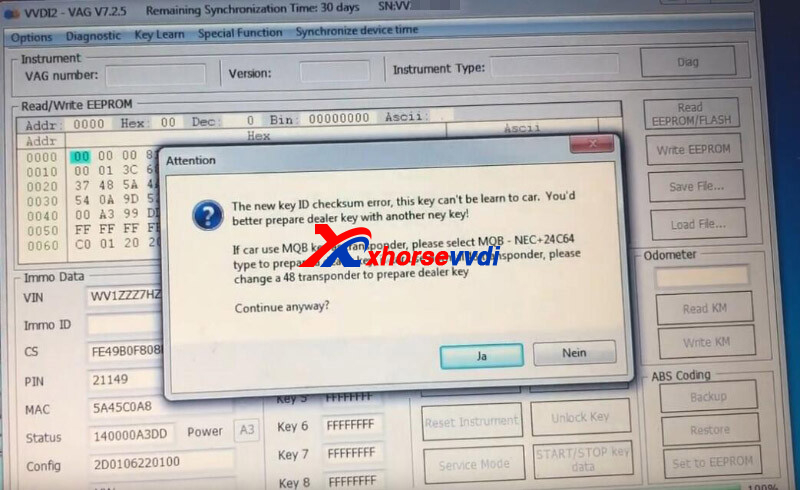
So select
Key Learn>>MQB platform instrument immobilizer>>Instrument with NEC+ 24C64 MQB key
Then click "Make Dealer Key" and put a normal dealer key into coil.
Click "Immo data prepare key" and load immo data file.
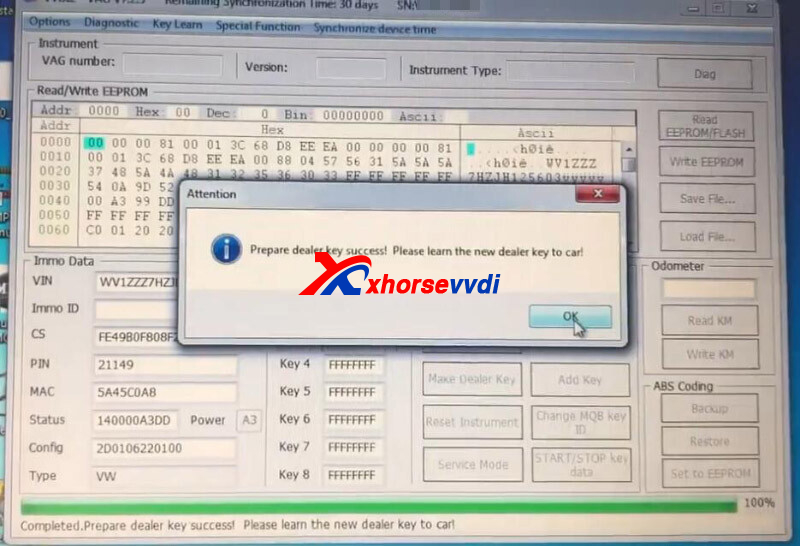
Step 7.
Select
Add key>>Learn key from immo data
Load immo data file and put chip close to ignition.
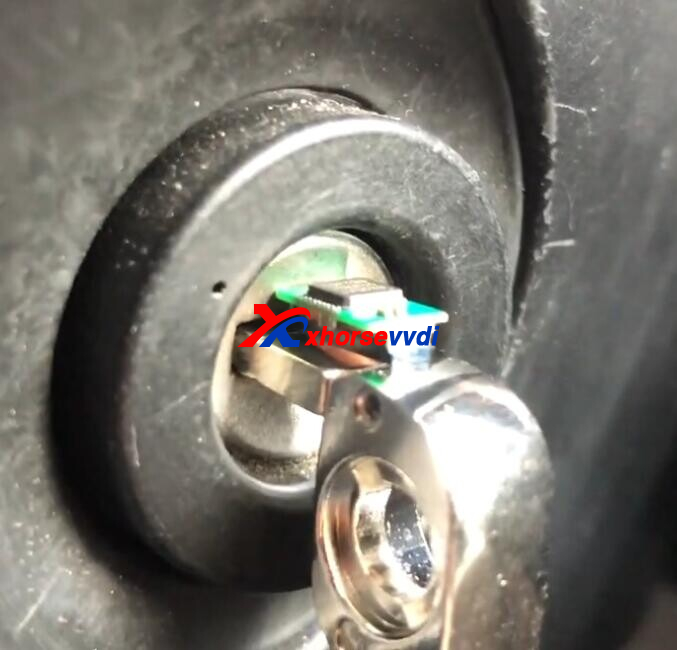
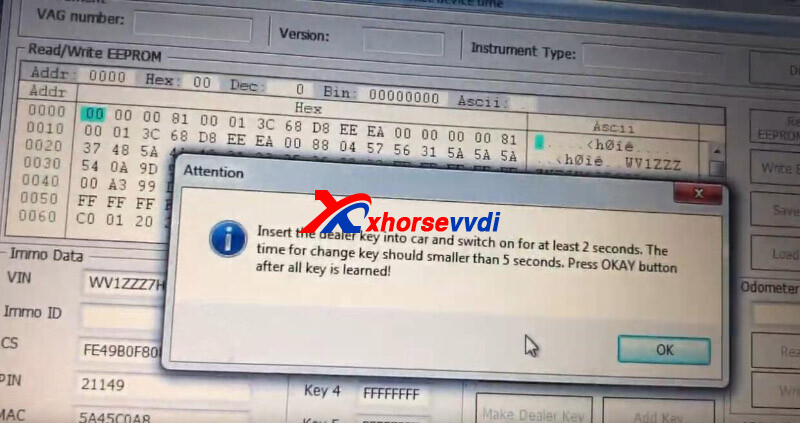
Success.
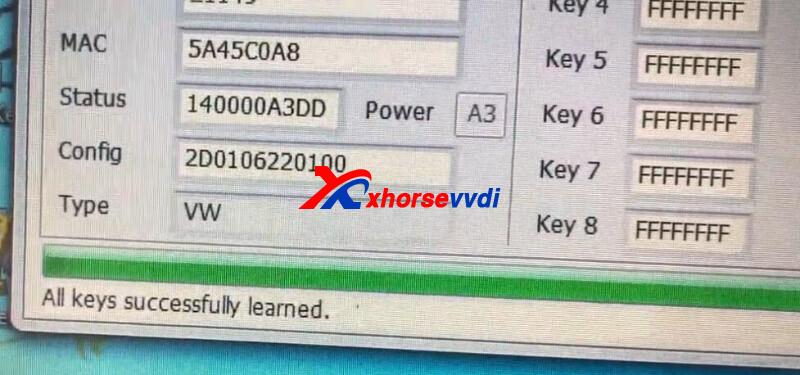
Step 8.
Reset Instrument.
Generate remote control using Key Tool Max and with XKB501EN Remote.
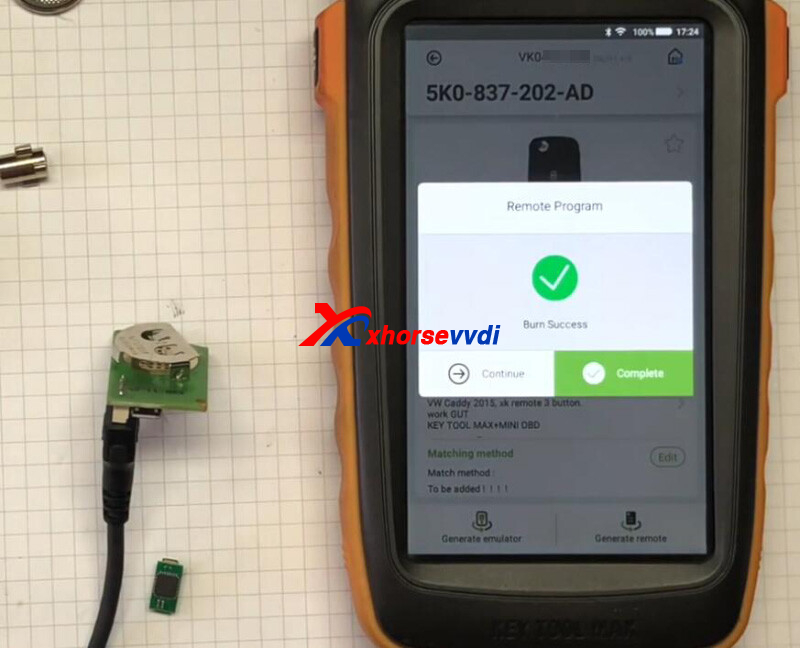
Learn remote control using VCDS.
Done!
Posted by: xhorsevvdi at
09:42 AM
| No Comments
| Add Comment
Post contains 276 words, total size 7 kb.
September 27, 2022
Question:
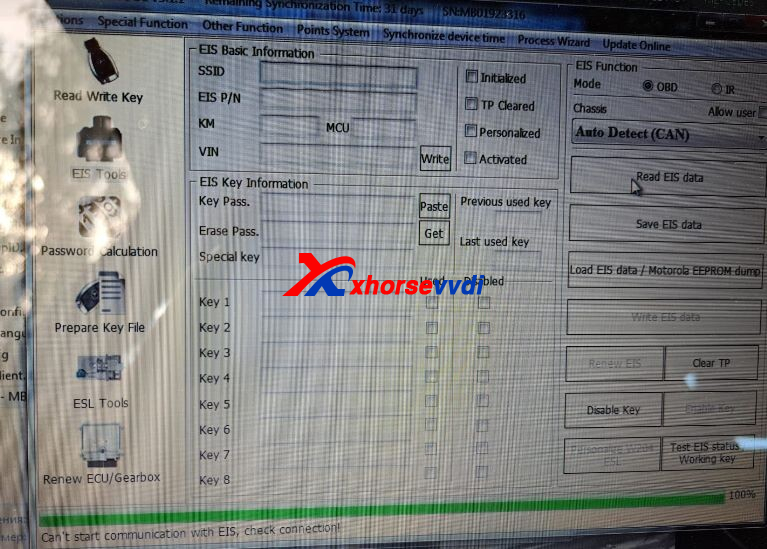
VVDI MB read an EIS of a Mercedes C270 W203 2002 via OBD, and it says "Can't start communication with EIS, check connection!".
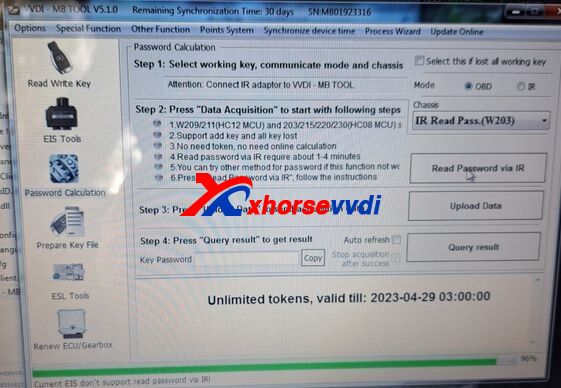
Try via IR, and it says "Current EIS don't support read password via IR!".
Here Xhorsevvdi gave the
Solution:
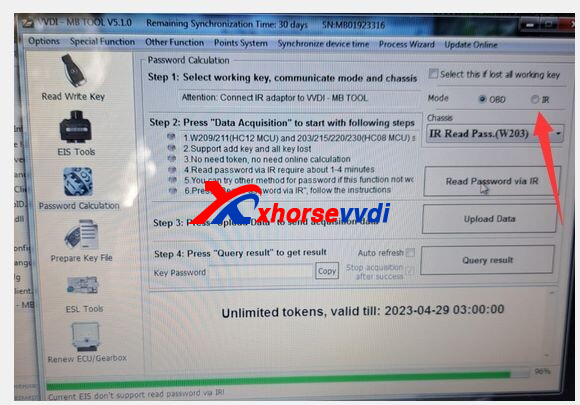
1.Select IR mode if trying via IR
2.If the error remains, then remove EIS and read it using VVDI PROG
1)Read by soldering
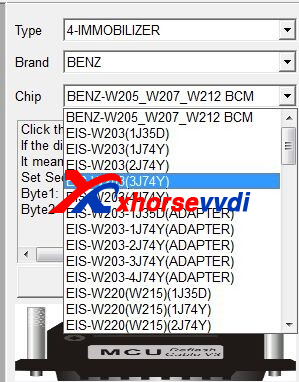
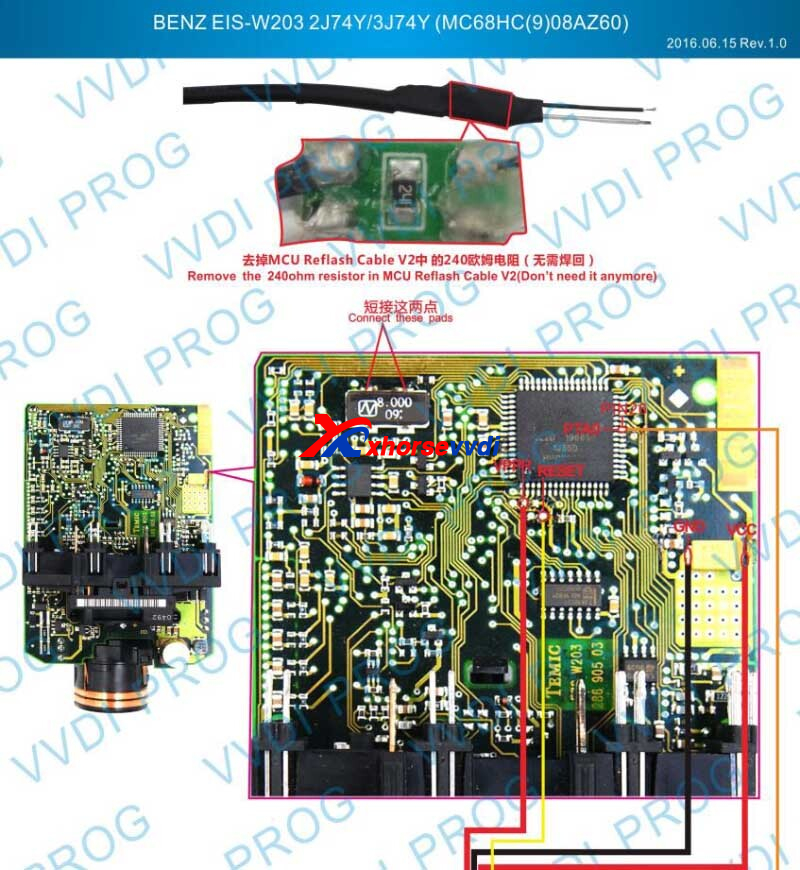
2)Read by Xhorse EZS Adapter
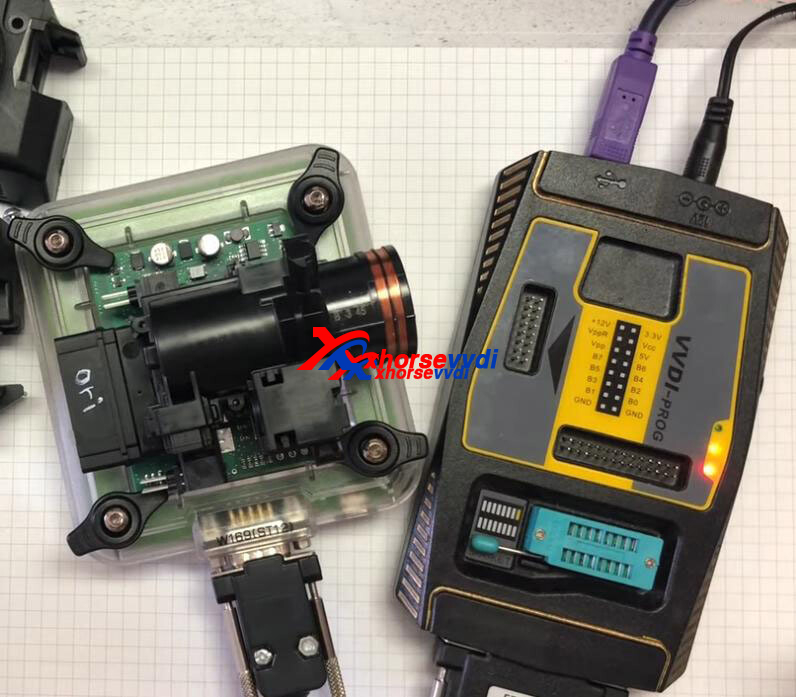
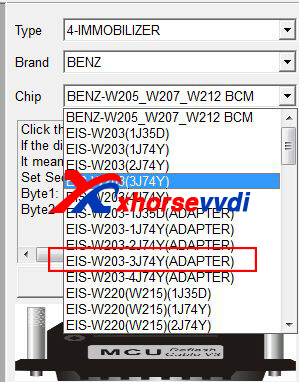
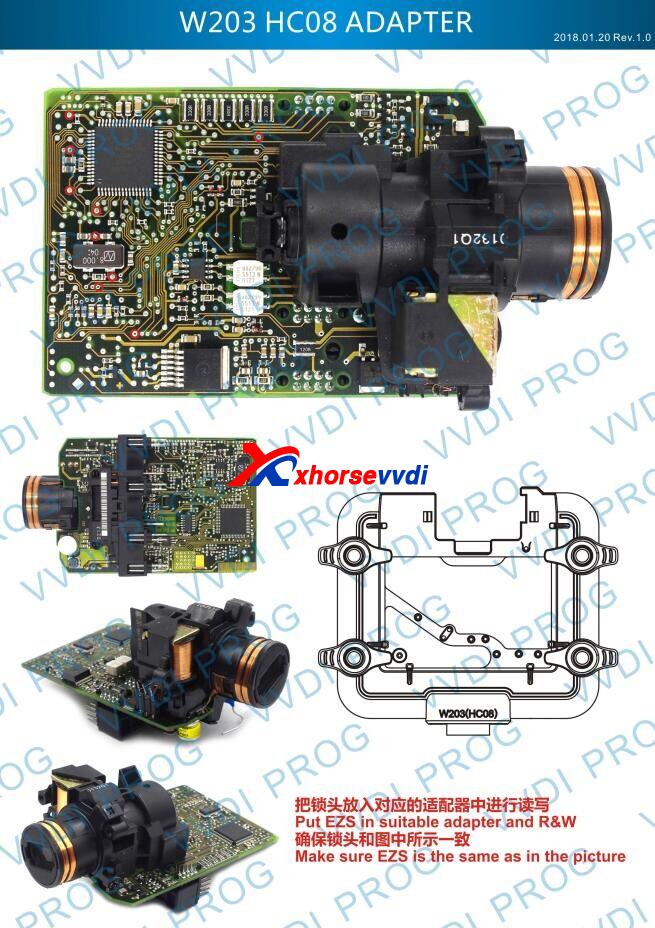
Hope this could help!
http://blog.xhorsevvdi.com/vvdi-mb-read-w203-eis-via-obd-and-ir-fail-solution/
Posted by: xhorsevvdi at
10:28 AM
| No Comments
| Add Comment
Post contains 87 words, total size 3 kb.
Problem:
Xhorse Dolphin II, set up same high like cutting part and two times when was reading key broke. The prompt shows "ERROR CODE 17 Not detected key"
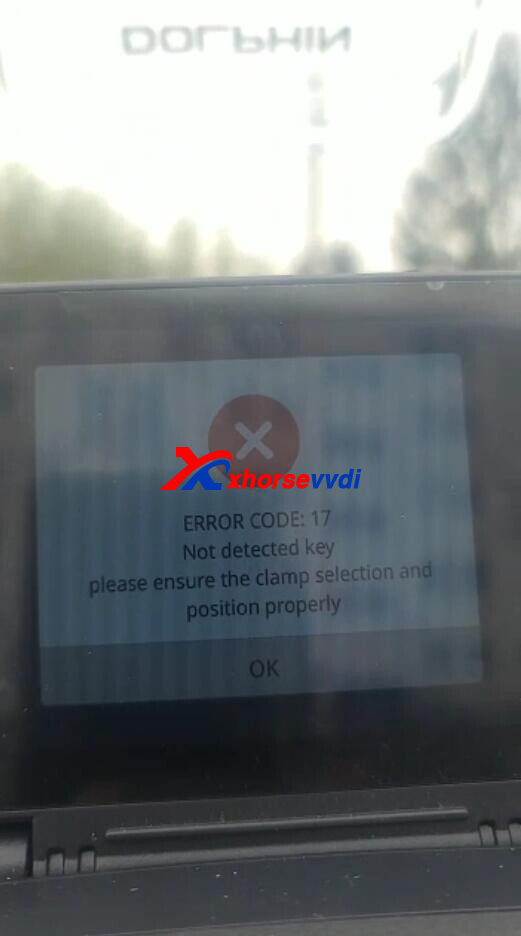
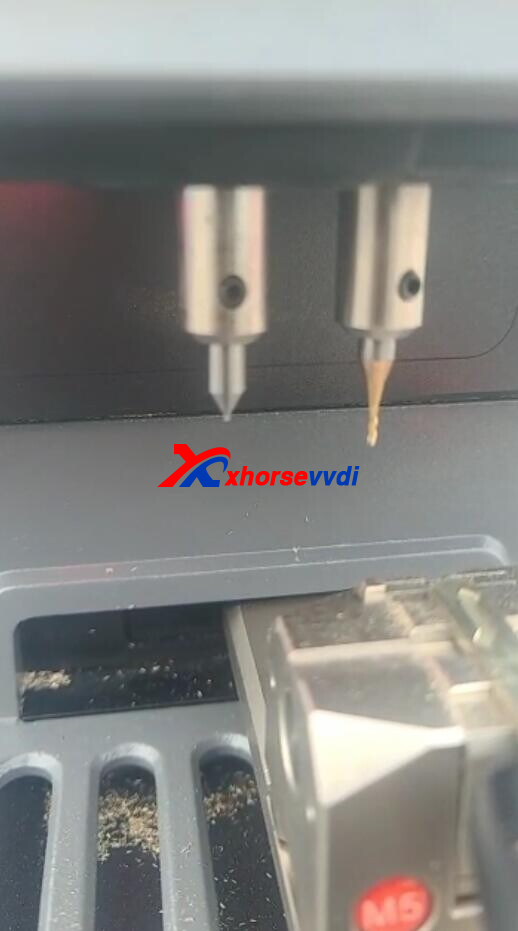
Here Xhorsevvdi gave the
Reason:
Dolphin XP005L decode (learn) keys via conductivity, so the probe will get broken if keys are
1)Aluminum or plastic
2)Dirty or oxidized
Solution:
1)Clean keys esp. bittings using a brush, a blade, cleaners etc.
2)Work with Xhorse Key Reader to avoid breaking probes (this device identifies keys not via conductivity, so don't need to worry if keys are plastic or clean)
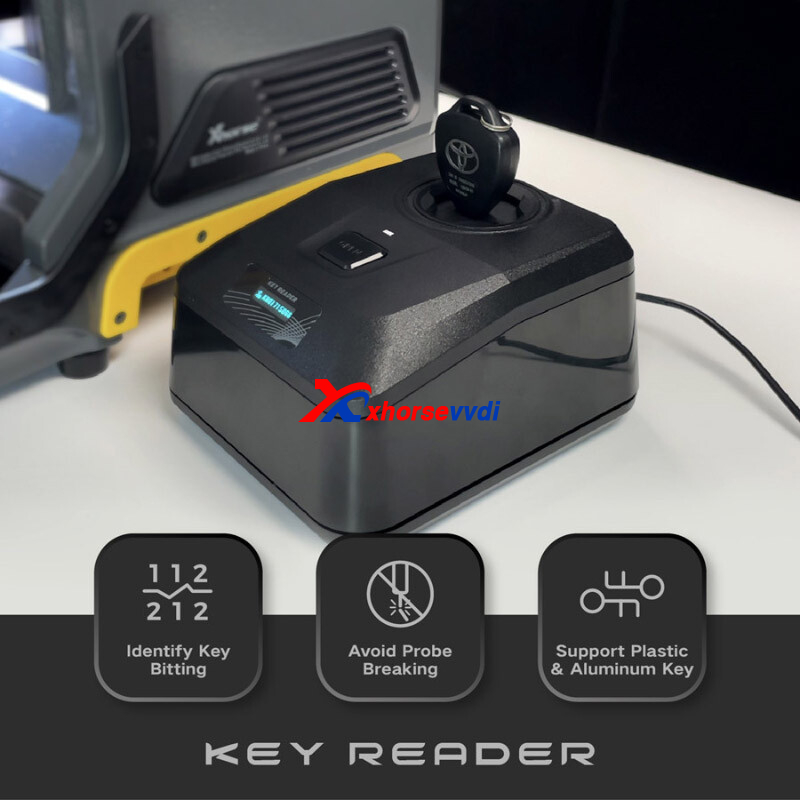
How to Detect Non-conductive Parts?
1)Ensure key is metal not aluminum or plastic
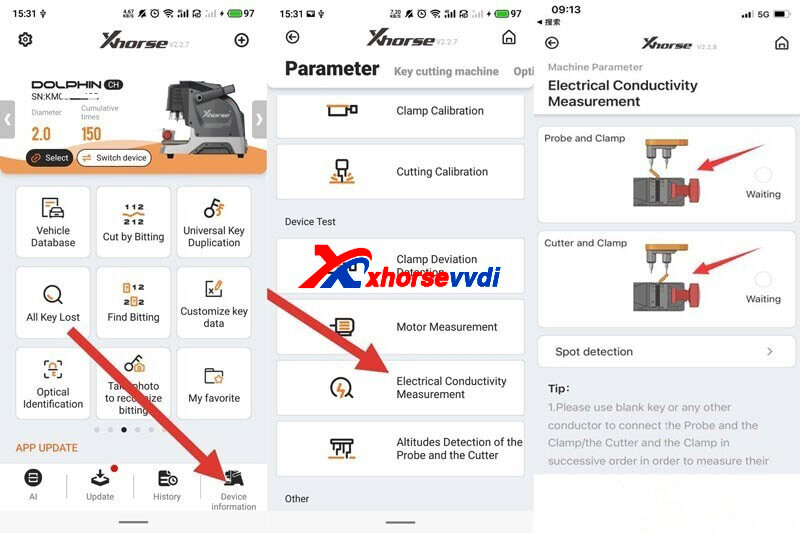
2)Electrical Conductivity Measurement/ Sport detection on Xhorse app
Path: Device Information>> Electrical Conductivity Measurement>>Probe and Clamp/ Spot detection
3)Multimeter
Hope this could help!
Posted by: xhorsevvdi at
10:27 AM
| No Comments
| Add Comment
Post contains 140 words, total size 3 kb.
This article is going to show you how to add a key for Jeep Wrangler 2020 when all key lost.
Tools:
Autel KM100
Autel Universal Key
Generate Autel universal key.
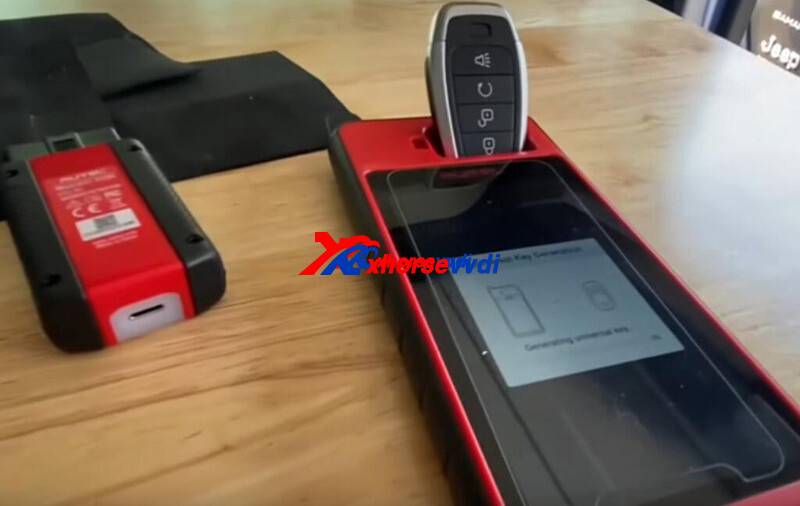
Select
Immo Programming>>Jeep>>Select by area>>North America>>Wrangler>>2020-2021>>Smart key system
Connect 12+8 bypass cable as prompt.
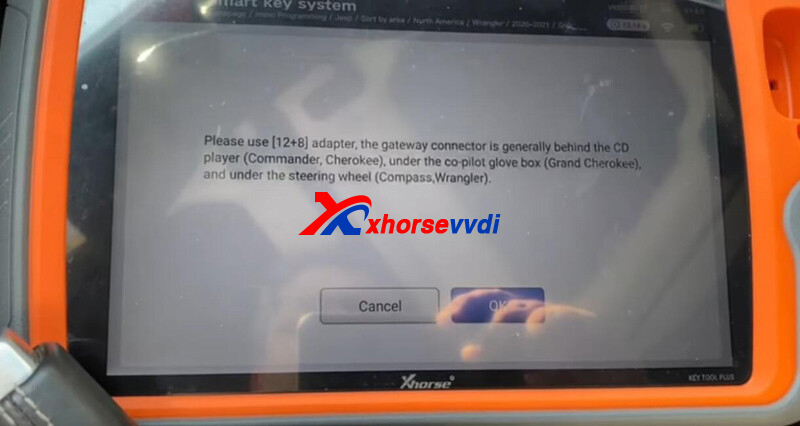
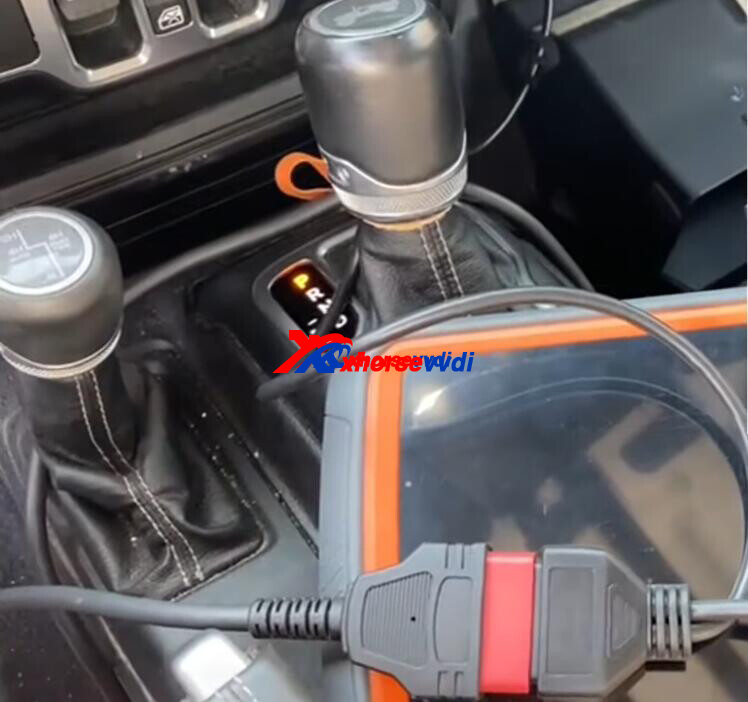
Turn on emergency light and click "Read PIN code".
This process requires network connection, and it is normal to see the prompt "Calculate failed".
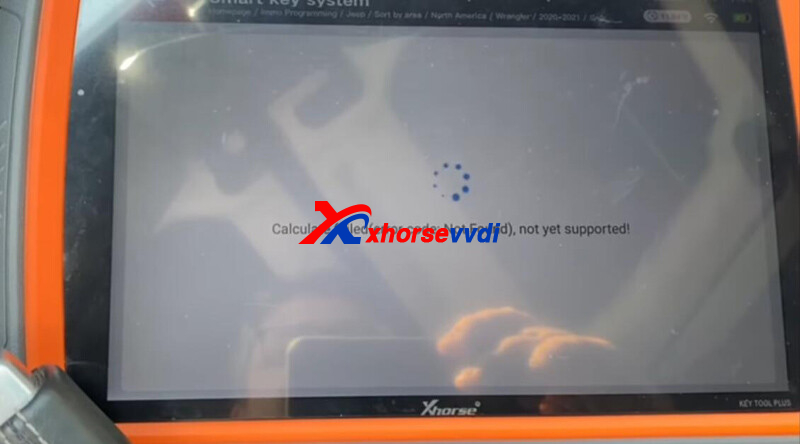
Wait for 8-10 minutes, then we have the password.
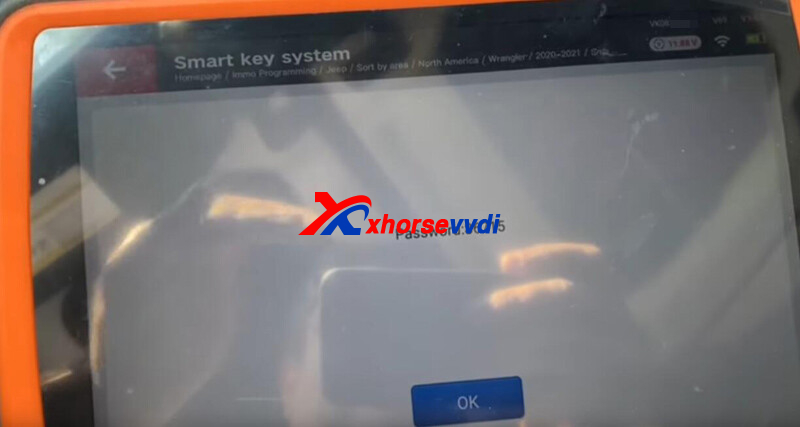
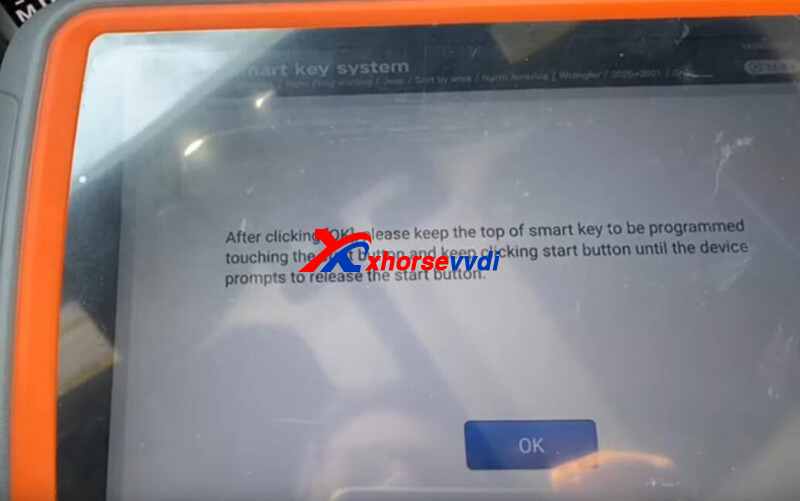
Go to "Add smart key", and enter the password.
Press start button using new key as guided.
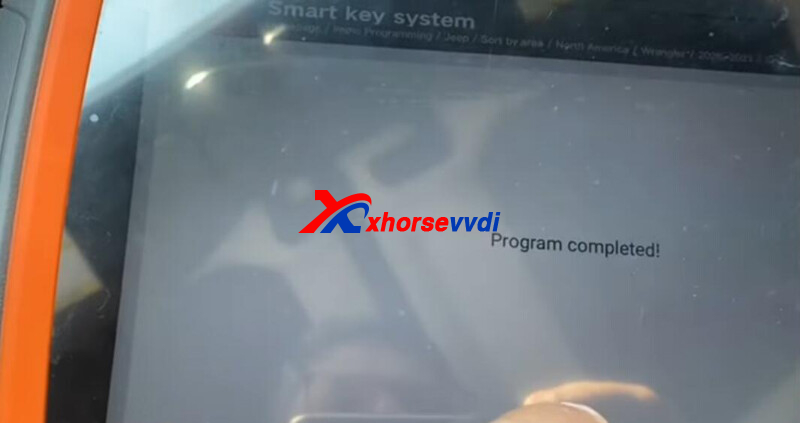
Complete.
https://www.xhorsevvdi.com/
Posted by: xhorsevvdi at
10:27 AM
| No Comments
| Add Comment
Post contains 119 words, total size 3 kb.
September 22, 2022
Here we are going to share with you the support list of VVDI BE Key Pro.
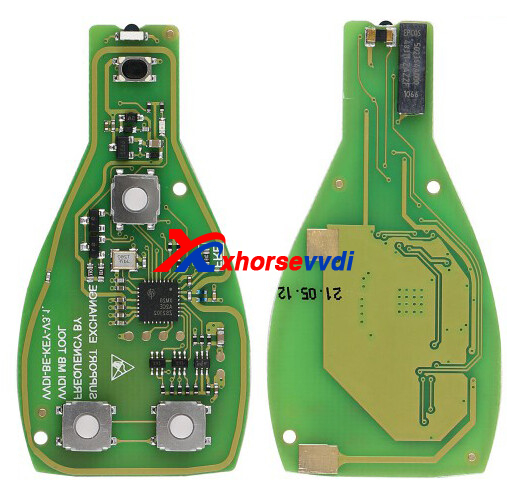
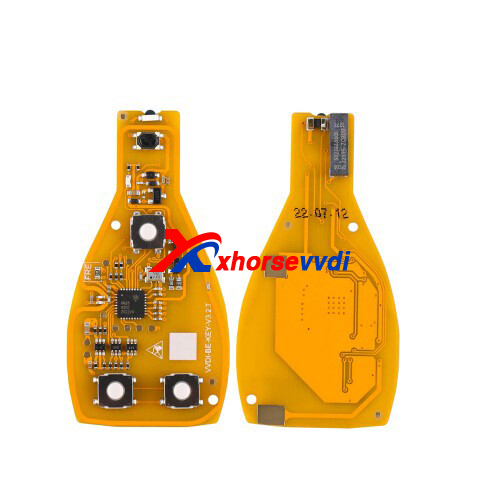
Compatible VVDI BE Key (Non-smart):
VVDI BE Key Pro Green (with 200 points for MB key pass calculation)
VVDI BE Key Pro Yellow (without 100 points)
Support List:
| Brand | Model | Year | Chassis |
| MERCEDES BENZ | CLA200 | 2013-2017 | W117 |
| MERCEDES BENZ | GLK280 | 2008-2009 | |
| MERCEDES BENZ | B200 | 2005-2017 | W245 & W246 |
| MERCEDES BENZ | SLK280 | 2005-2009 | W171 |
| MERCEDES BENZ | E420 | 1997-2009 | W210 & W211 |
| MERCEDES BENZ | S430 | 1998-2006 | W220 |
| MERCEDES BENZ | C30 | 2004-2007 | W203 |
| MERCEDES BENZ | G63 | 2002-2018 | W463 |
| MERCEDES BENZ | S65 | 2005-2013 | W220 & W221 |
| MERCEDES BENZ | E230 | 1998-2009 | W210 & W211 |
| MERCEDES BENZ | S250 | 2009-2013 | W221 |
| MERCEDES BENZ | C36 | 1997-2000 | W202 |
| MERCEDES BENZ | GL63 | 2013-2016 | W166 |
| MERCEDES BENZ | SL55 | 2003-2006 | W230 |
| MERCEDES BENZ | CLS250 | 2014-2017 | W218 |
| MERCEDES BENZ | ML350 | 2012-2015 | W166 |
| MERCEDES BENZ | A170 | 2011-2012 | W169 |
| MERCEDES BENZ | VITO | 2004-2017 | W639 & W447 |
| MERCEDES BENZ | E550 | 2003-2016 | W211 & W212 |
| MERCEDES BENZ | S55 | 2000-2006 | W220 |
| MERCEDES BENZ | CLS400 | 2014-2017 | W218 |
| MERCEDES BENZ | R300 | 2005-2013 | W251 |
| MERCEDES BENZ | ALL MODELS | 1997-2015 | |
| MERCEDES BENZ | E290 | 1997-1999 | W210 |
| MERCEDES BENZ | S320L | 1998-2006 | W220 |
| MERCEDES BENZ | C200 | 1997-2015 | W202 & W203 & W204 |
| MERCEDES BENZ | GLA45 | 2014-2018 | W156 |
| MERCEDES BENZ | B180 | 2005-2017 | W245 & W246 |
| MERCEDES BENZ | SLK250 | 2011-2017 | W172 |
| MERCEDES BENZ | E400 | 2004-2016 | W211 & W207 & W212 |
| MERCEDES BENZ | S420 | 2006-2009 | W221 |
| MERCEDES BENZ | C280 | 1997-2006 | W202 & W203 |
| MERCEDES BENZ | G55 | 2005-2018 | W463 |
| MERCEDES BENZ | S63 | 2012-2013 | W221 |
| MERCEDES BENZ | CLA180 | 2013-2017 | W117 |
| MERCEDES BENZ | R63 | 2005-2013 | W251 |
| MERCEDES BENZ | C350 | 2001-2015 | W203 & W204 |
| MERCEDES BENZ | GL500 | 2012-2016 | W166 |
| MERCEDES BENZ | SL500 | 2002-2017 | W230 & W231 |
| MERCEDES BENZ | CLS220 | 2014-2017 | W218 |
| MERCEDES BENZ | ML320 | 2005-2011 | W164 |
| MERCEDES BENZ | A160 | 2011-2012 | W169 |
| MERCEDES BENZ | VIANO | 2004-2017 | W639 & W447 |
| MERCEDES BENZ | E220 | 2010-2016 | W210 & W211 & W207 & W212 |
| MERCEDES BENZ | S500L | 2002-2006 | W220 |
| MERCEDES BENZ | CLS350 | 2006-2014 | W218 & W219 |
| MERCEDES BENZ | R280 | 2005-2013 | W251 |
| MERCEDES BENZ | A45 | 2013-2017 | W176 |
| MERCEDES BENZ | E280 | 1998-2009 | W210 & 211 |
| MERCEDES BENZ | S320 | 1998-2009 | W220 & W221 |
| MERCEDES BENZ | C180 | 1997-2015 | W202 & W203 & W204 |
| MERCEDES BENZ | E55 | 1997-2009 | W210 & W211 |
| MERCEDES BENZ | B170 | 2005-2012 | W245 |
| MERCEDES BENZ | SLK200 | 2004-2017 | W171 & W172 |
| MERCEDES BENZ | E36 | 1997 | W210 |
| MERCEDES BENZ | S400L | 2000-2006 | W220 |
| MERCEDES BENZ | C250 | 1997-2015 | W202 & W204 |
| MERCEDES BENZ | G500 | 2006-2018 | W463 |
| MERCEDES BENZ | S600L | 1998-2006 | W220 |
| MERCEDES BENZ | CL203 | 2001-2004 | W203 |
| MERCEDES BENZ | GLA250 | 2014-2018 | W156 |
| MERCEDES BENZ | C320 | 2001-2006 | W203 |
| MERCEDES BENZ | GL450 | 2013-2015 | W166 |
| MERCEDES BENZ | SL450 | 2017-2019 | W231 |
| MERCEDES BENZ | CLA45 | 2013-2017 | W117 |
| MERCEDES BENZ | ML250 | 2012-2015 | W166 |
| MERCEDES BENZ | C160 | 2001-2006 | W203 |
| MERCEDES BENZ | SLK55 | 2004-2017 | W171 & W172 |
| MERCEDES BENZ | E200 | 1998-2016 | W210 & W211 & W207 & W212 |
| MERCEDES BENZ | R550 | 2005-2013 | W251 |
| MERCEDES BENZ | CLS320 | 2005-2010 | W219 |
| MERCEDES BENZ | ML63 | 2005-2018 | W164 & W166 |
| MERCEDES BENZ | A250 | 2012-2017 | W176 |
| MERCEDES BENZ | E270 | 1998-2005 | W210 & W211 |
| MERCEDES BENZ | C55 | 2004-2007 | W203 |
| MERCEDES BENZ | GLA200 | 2014-2018 | W156 |
| MERCEDES BENZ | S450 | 2009-2010 | W221 |
| MERCEDES BENZ | CLS300 | 2004-2006 | W219 |
| MERCEDES BENZ | S350L | 2003-2006 | W220 |
| MERCEDES BENZ | C230 | 1997-2015 | W202 & W203 & W204 |
| MERCEDES BENZ | E63 | 2003-2016 | W211 & W212 |
| MERCEDES BENZ | S55L | 2000-2006 | W220 |
| MERCEDES BENZ | CLS55 | 2004-2006 | W219 |
| MERCEDES BENZ | R350 | 2005-2013 | W251 |
| MERCEDES BENZ | B1560 | 2011-2017 | W246 |
| MERCEDES BENZ | SL63 | 2012-2018 | W231 |
| MERCEDES BENZ | E320 | 1997-2005 | W210 & W211 |
| MERCEDES BENZ | SL350 | 2002-2014 | W230 & W231 |
| MERCEDES BENZ | CLA220 | 2013-2017 | W117 |
| MERCEDES BENZ | GLK300 | 2009-2012 | |
| MERCEDES BENZ | B220 | 2013-2017 | W246 |
| MERCEDES BENZ | SLK300 | 2009-2017 | W171 & W172 |
| MERCEDES BENZ | E430 | 1996-1997 | W210 |
| MERCEDES BENZ | S430L | 2002-2006 | W220 |
| MERCEDES BENZ | C300 | 2008-2015 | W204 |
| MERCEDES BENZ | GL350 | 2012-2018 | W166 |
| MERCEDES BENZ | A180 | 2012-2017 | W176 |
| MERCEDES BENZ | E240 | 1998-2009 | W210 & W211 |
| MERCEDES BENZ | S280 | 1998-2013 | W220 & W221 |
| MERCEDES BENZ | C43 | 1997-2000 | W202 |
| MERCEDES BENZ | GLA180 | 2014-2018 | W156 |
Hope this could help!
http://blog.xhorsevvdi.com/xhorse-vvdi-be-key-pro-yellow-support-list/
Posted by: xhorsevvdi at
10:25 AM
| No Comments
| Add Comment
Post contains 644 words, total size 12 kb.
30 queries taking 0.0757 seconds, 131 records returned.
Powered by Minx 1.1.6c-pink.

